
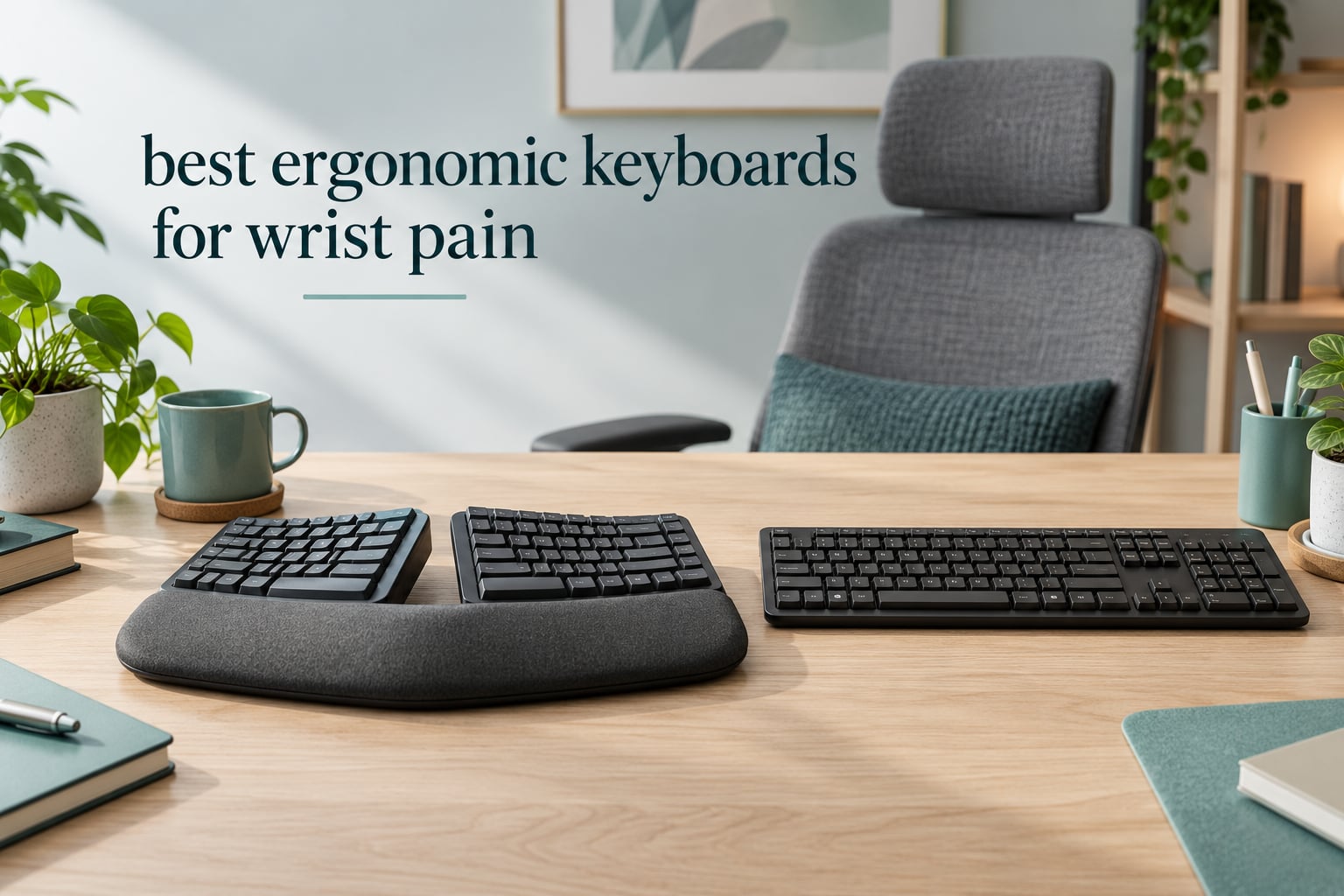
If your wrists ache after a day of typing, the problem is usually the shape of the keyboard rather than the amount of work you do. A standard flat board is narrower than your shoulders, so you angle your wrists inward to reach the outer keys. That outward bend is called ulnar deviation, and holding it for hours keeps the wrist bent outward instead of straight. At the same time, you rotate your forearm until the palm faces down. That rotation is called pronation, and it compresses the tendons and the median nerve running through the wrist.
Splitting the key set fixes the first problem. Tentraising the middle fixes the second. Supporting the base of the palm instead of the wrist stops the third. That is the whole logic behind every board in this roundup of the best ergonomic keyboards for wrist pain, and it is why a curved wave board and a fully split tented board feel nothing alike to a sore wrist.
We spent several weeks putting 12 of these boards through the same lens: how much ulnar deviation the layout removes, whether you can dial in tenting and negative tilt, how the switches feel after a full typing day, and what each one costs you in desk space and adjustment time. One note before we start. No ergonomic keyboard cures an existing injury, and nothing here reverses carpal tunnel syndrome or a diagnosed repetitive strain injury. These boards remove a mechanical cause of strain. If you have numbness, tingling, weakness or pain that persists past a couple of weeks, see a clinician or a hand therapist.
Top 3 Picks for Wrist Pain Relief in 2026

Perixx PERIBOARD-512B
- › One-piece split layout
- › Membrane with 4.2mm key travel
- › Cushioned wrist rest
- › 111-key full size

Logitech Ergo K860
- › Curved split keyframe
- › Memory foam wrist rest
- › 0/-4/-7 degree palm lift
- › Bluetooth and USB

Logitech Wave Keys
- › Wave-shaped key layout
- › Memory foam palm rest
- › Ergo-certified
- › Compact footprint
Best Ergonomic Keyboards for Wrist Pain in 2026
Every pick below is in the same article for the same reason: each one changes the geometry of your hands at the keyboard. The table gives you the shape of each board, what it does for the wrist, and who it fits best. The reviews that follow go deeper on the trade-offs, including the ones reviewers complain about most.
| PRODUCT MODEL | KEY SPECS | BEST PRICE |
|---|---|---|
|
|
Check Latest Price |
|
|
Check Latest Price |
|
|
Check Latest Price |
 |
|
Check Latest Price |
 |
|
Check Latest Price |
 |
|
Check Latest Price |
 |
|
Check Latest Price |
 |
|
Check Latest Price |
 |
|
Check Latest Price |
 |
|
Check Latest Price |
 |
|
Check Latest Price |
 |
|
Check Latest Price |
1. Perixx PERIBOARD-512B – Best Overall Split for Wrist Pain
Perixx PERIBOARD-512B Wired Ergonomic Keyboard – Split Keyboard, Wrist Rest, Natural Typing – Wired USB Connectivity – US English – Black
One-piece split layout
Membrane switches with 4.2mm travel
111 keys
2.3 pounds
+ The Good
- Split layout reduces wrist bending
- Long key travel with tactile feedback
- Curved rows with contoured keycaps
- Rated for up to 20 million keystrokes
- Roomy 111-key layout
- The Bad
- One to two week learning curve
- Membrane feel is softer than mechanical
- 19.09 inch width takes desk space
This is the board I keep coming back to. It is a one-piece split, meaning the halves are separated by a central gap but still live in a single shell, and that gap is enough to bring most of the ulnar deviation down without the full relearning cost of two independent halves. With 9604 reviews averaging 4.4, it is the most widely validated pick in this roundup by a wide margin.
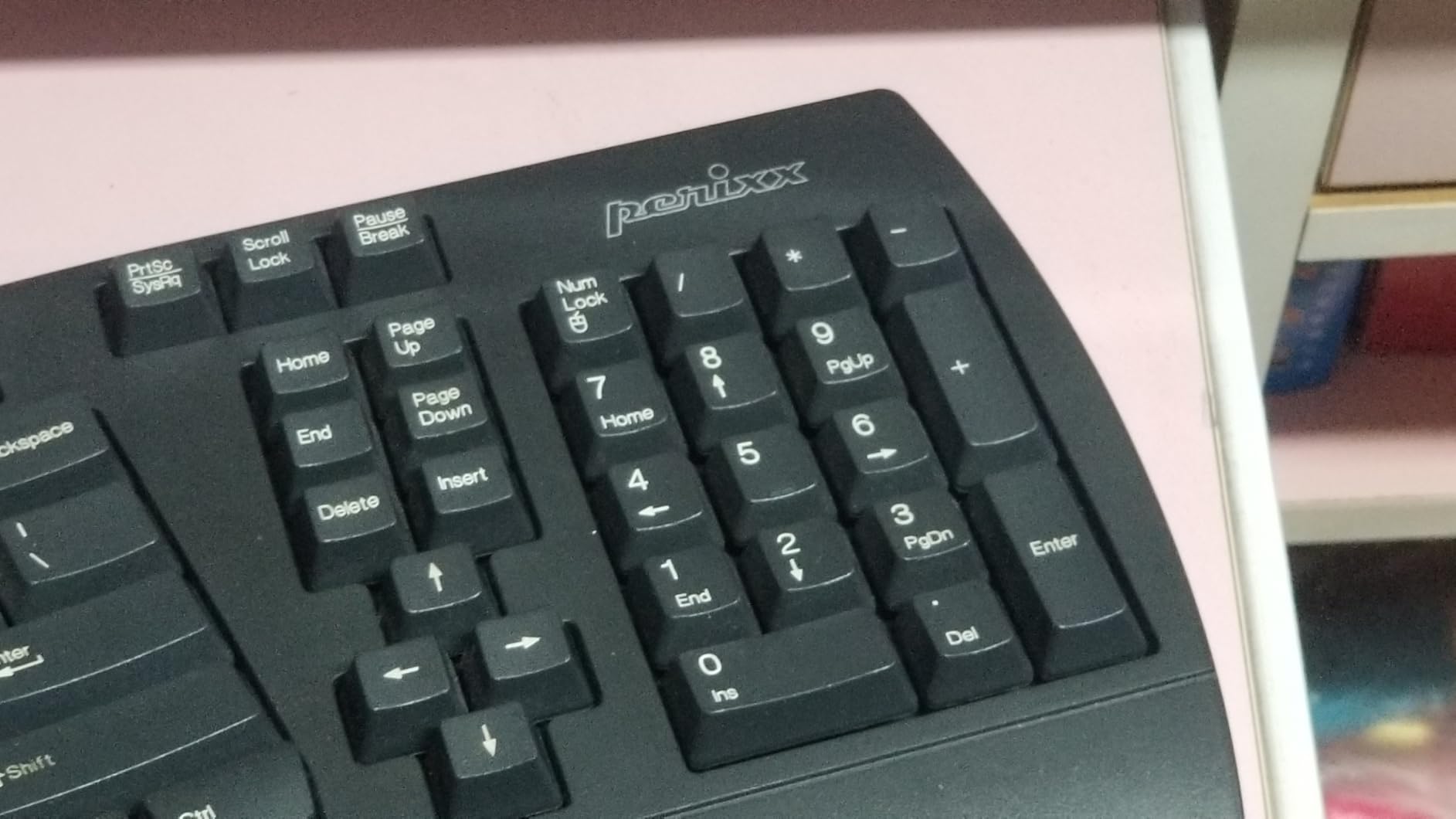
The curved key rows follow your finger arc rather than running in a straight line, and the keycaps are contoured so each fingertip lands in a shallow dip instead of sliding off a flat top. That sounds like a small detail until you notice how often people who type with a flattened hand describe the difference after a week of use.
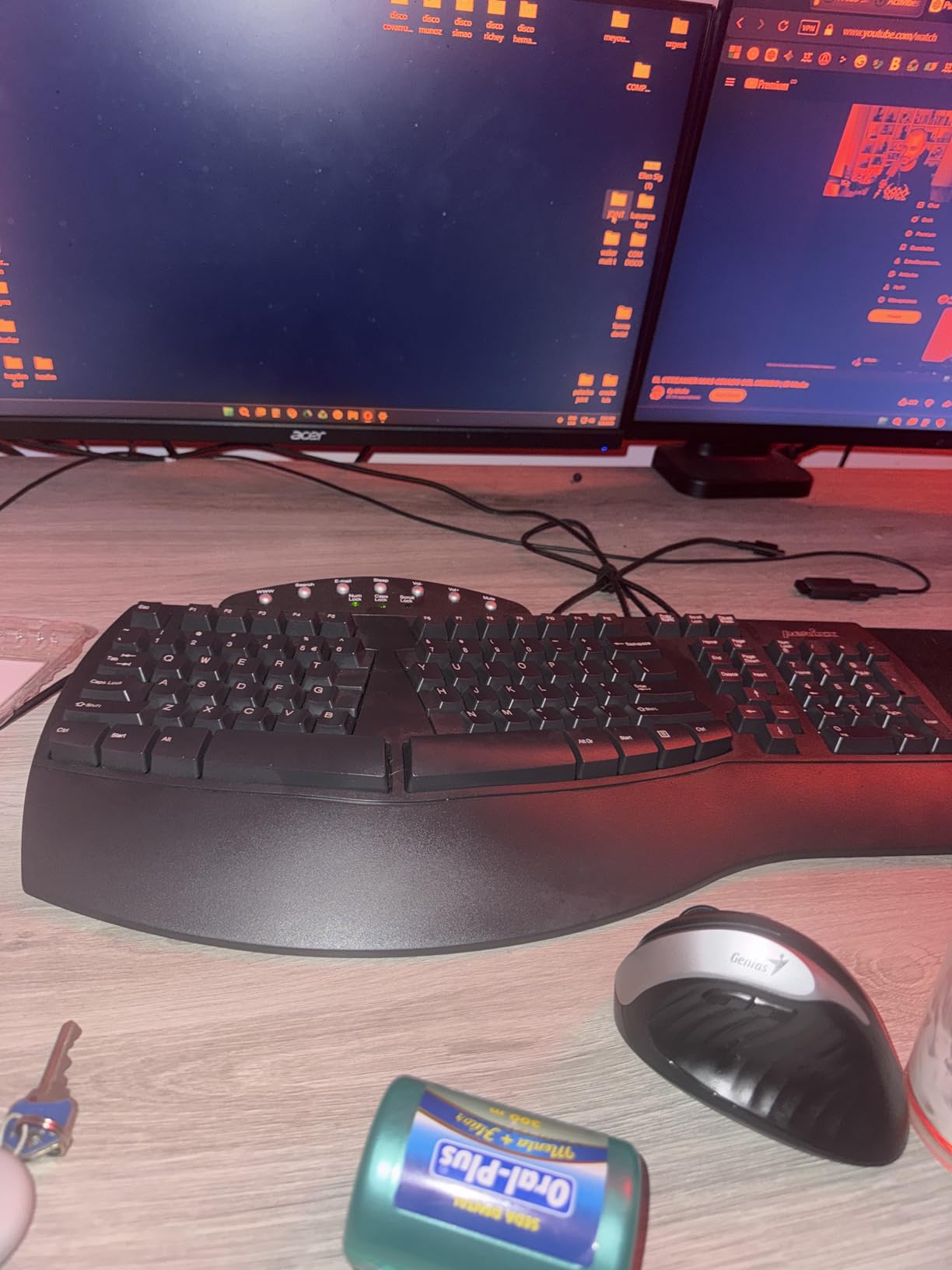
Key travel is 4.2mm on membrane switches with tactile feedback, which gives you a clear press without the heavy bottom-out of a mechanical board. Reviewers consistently call the sound audible rather than quiet, so it is not the pick for a silent open office or a call floor. The build is rated for up to 20 million keystrokes and carries a 12-month limited warranty.
At 19.09 inches long and 9.29 inches wide, this is the widest board here. That footprint matters more than the specs suggest, because a wide keyboard pushes your mouse outward, and an outstretched mouse is its own route to shoulder and neck pain. Our general ergonomic keyboard picks cover the narrower alternatives if your desk is tight.
Who this board suits
This suits the office worker who types six to eight hours a day, has a shoulder width the fixed split gap matches, and wants one central drop to learn rather than two separate halves. It also suits anyone who wants the split geometry without giving up a full number pad and dedicated function row.
If your pain is preventative rather than acute, this is the most sensible place to start. You get the biggest mechanical win for the smallest change in muscle memory.
Who should skip it
Skip it if your desk is a hot-desking station, because 19.09 inches is hard to share. Skip it if you are used to mechanical switches and the soft membrane feel would bother you daily. And skip it if you already have diagnosed RSI with forearm involvement, because the fixed gap does not let you add tenting.
For those cases, a fully split board with adjustable separation is the correct next step rather than a bigger version of the same idea.
2. Logitech Ergo K860 – Top Rated Split With Certified Ergonomics
Logitech Ergo K860 Wireless Ergonomic Split Keyboard with Wrist Rest
Curved split keyframe
Pillowed memory foam wrist rest
Palm lift 0, -4, -7 degrees
2.6 pounds
+ The Good
- Curved split frame with foam wrist rest
- Quiet scooped Perfect Stroke keys
- Three palm lift positions
- Switches between Bluetooth and USB
- Ergonomist certified
- The Bad
- Fn row takes some getting used to
- No dedicated context menu key
- Two AAA batteries rather than USB-C
The K860 is the pick most people are pointed at, and for good reason. It is certified by United States Ergonomics, carries 8054 reviews at a 4.4 average, and pairs a curved split keyframe with a pillowed memory foam wrist rest. Owners with carpal tunnel symptoms regularly describe it as the board that replaced a discontinued Microsoft ergonomic model on their desk.
What separates it from the Perixx is the three-position palm lift. The legs give you 0, negative 4 or negative 7 degrees, which is how you find the negative tilt that keeps your wrist flat instead of cocked upward. That adjustment is the single most useful feature on the board for anyone whose pain worsens at the end of the day.
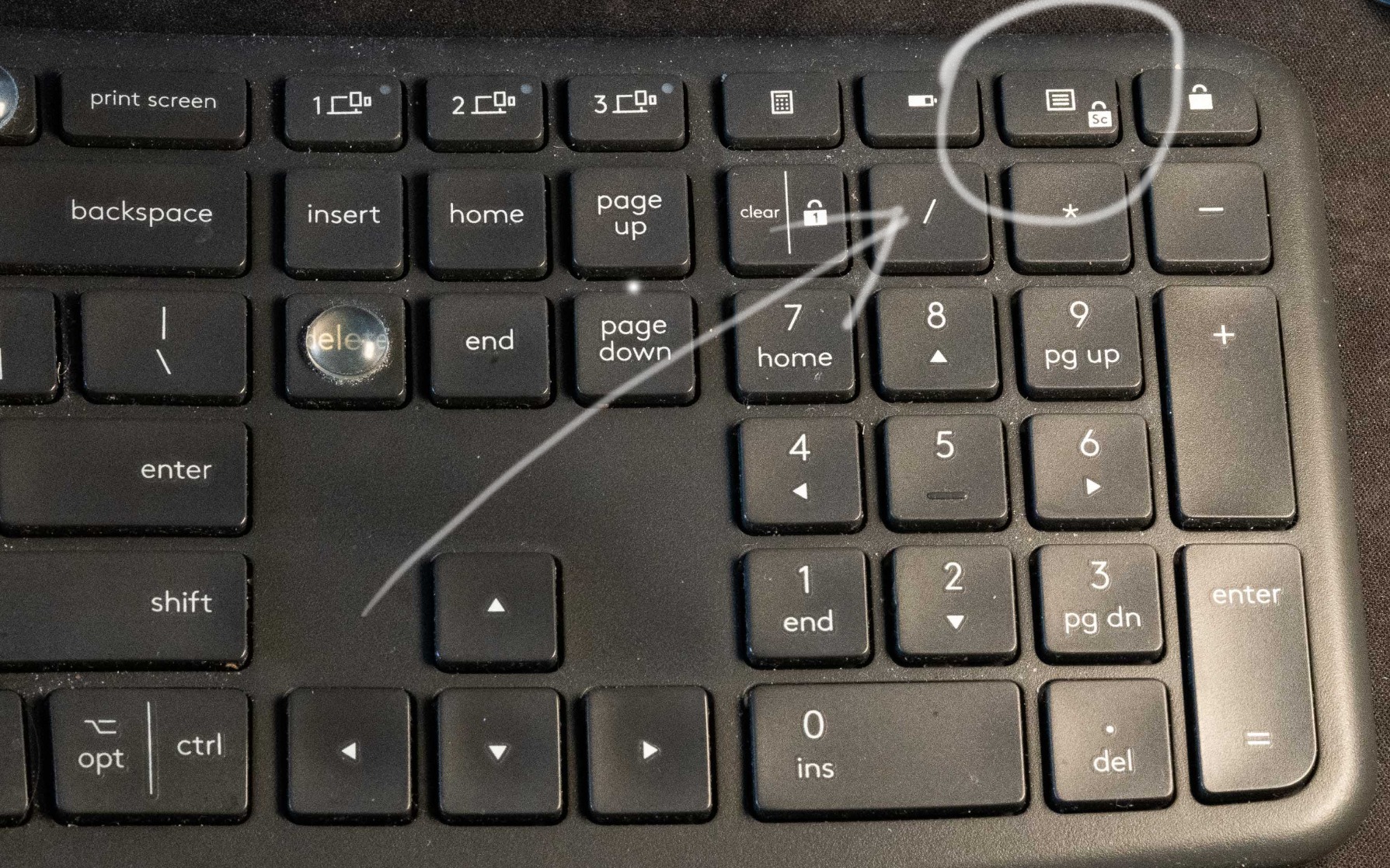
The scooped Perfect Stroke keys are quiet and laptop-like, which makes this the safest pick for shared offices or frequent calls. Connectivity covers Bluetooth and a USB receiver, so you can move between a laptop, a desktop and a tablet without replugging anything.
Owners do report a few real friction points. The function row folds media controls into an Fn layer, and there is no dedicated context menu key, both of which annoy people arriving from a board with a standard top row. Setup relies on Logi Options+ rather than anything printed in the box, and it runs on two AAA batteries instead of USB-C.
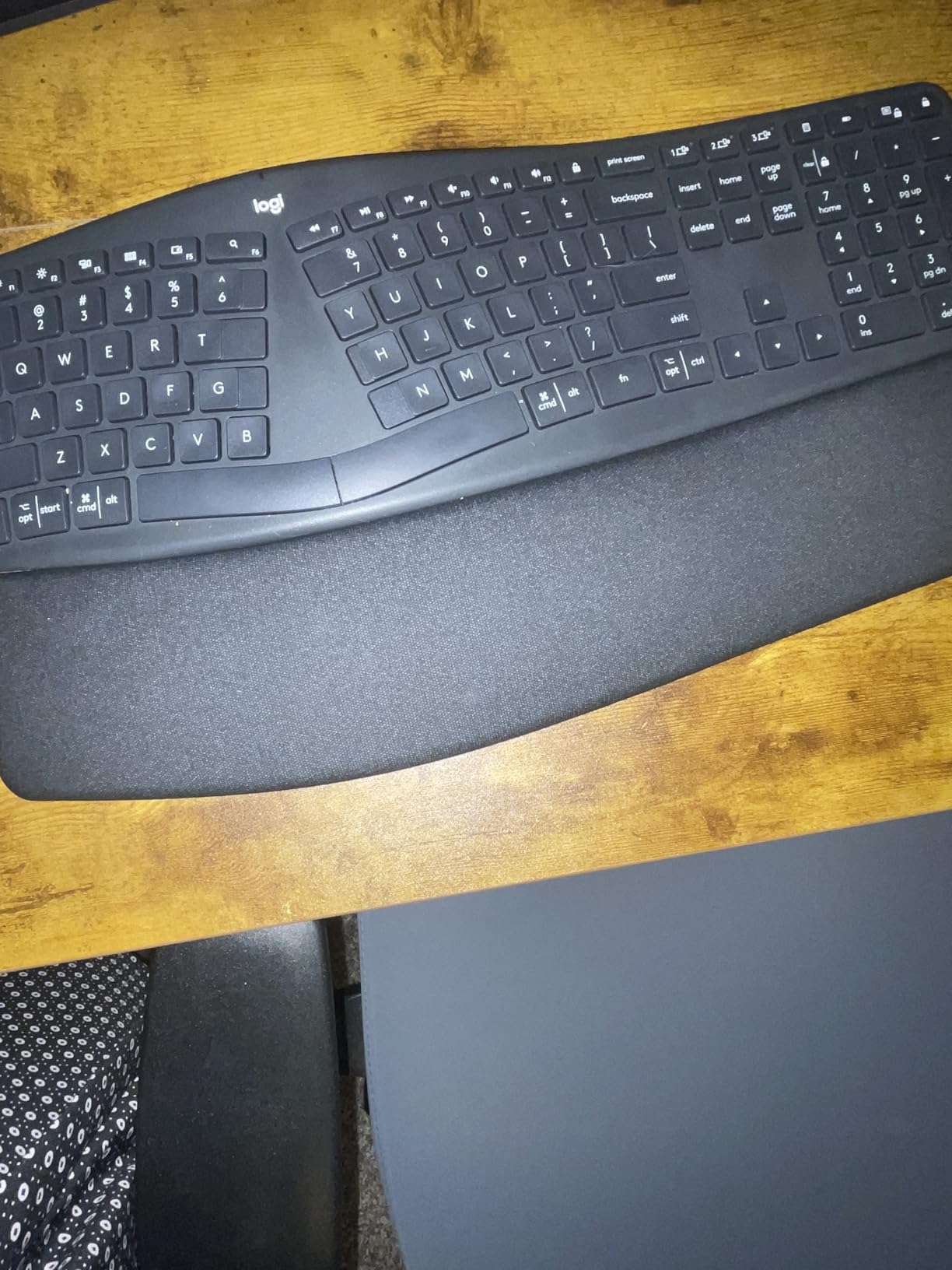
What you notice after the first fortnight
The palm lift is where most of the benefit arrives, and it is worth spending a full week cycling through all three positions before settling on one. Owners who found their angle in the first two days tend to rate it higher than those who never adjusted it at all.
The memory foam rest also takes about a week to mould. It is firm on day one and conforms to your palms by the end of the second week, which is a normal part of the adjustment period rather than a defect.
Where the design falls short
Users with larger hands sometimes find the key spacing cramped, and the fixed split gap cannot be widened the way a fully split board allows. If your pain sits in the forearm rather than the wrist, and you know you pronate hard, the flat palm lift may not be enough and a tented design would serve you better.
It is also one of the heavier boards relative to its size at 2.6 pounds, which you notice if you move setups often. Our wrist wrap and support guide covers the recovery side of things for anyone whose symptoms flare after long days.
3. Logitech Wave Keys – Best Value for Mild Wrist Fatigue
Logitech Wave Keys Ergonomic Wireless Keyboard with Palm Rest – Graphite
Wave-shaped key layout
Memory foam palm rest
Bluetooth and Bolt receiver
2.2 pounds
+ The Good
- Wave layout eases hand and wrist angle
- Compact footprint suits small desks
- Easy-Switch across three devices
- Quiet membrane typing
- United States Ergonomics certified
- The Bad
- Curve is shallower than a true split
- Membrane keys feel spongy
- Key text is thin in low light
The Wave Keys trade some of the wrist relief for a lot of convenience. It is a one-piece wave rather than a split, so the hands follow a gentle dip instead of a gap. That means less ulnar deviation removed than the K860 or the Perixx, and it also means far less relearning. The rating of 4.2 across 3049 reviews reflects exactly that balance.
The real strength here is the footprint. At 14.8 by 8.62 inches it is the smallest board in this roundup, and a smaller keyboard means your mouse sits closer to your body. That single fact removes shoulder rotation that no keyboard can address, which is why it appears on so many desk setups alongside the board itself.
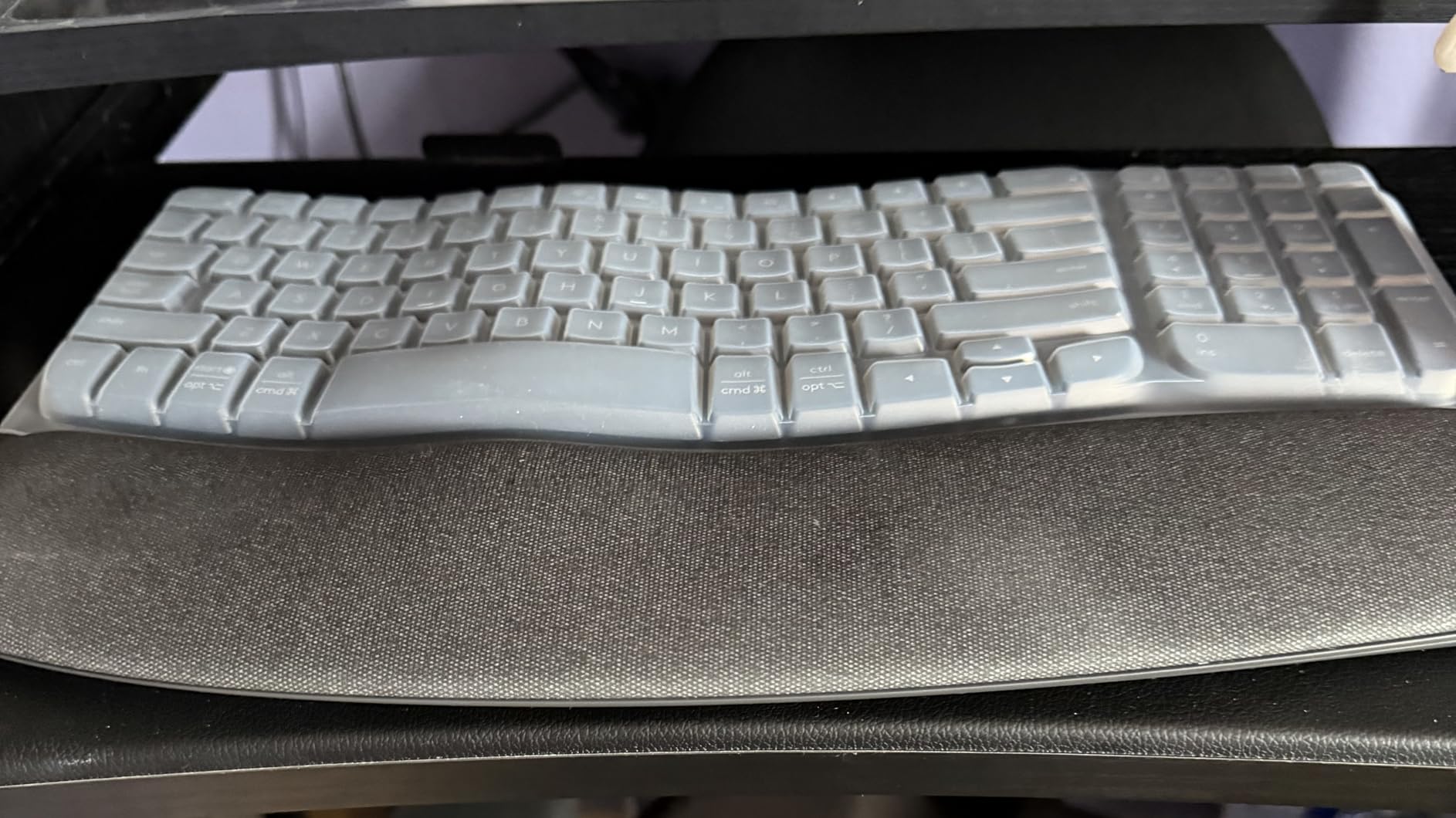
The cushioning is a memory foam palm rest rather than a wrist rest, so it takes the palm load instead of pressing into the wrist crease. Easy-Switch moves between up to three devices across Windows, macOS, iPadOS and ChromeOS, and Logitech states up to three years of battery life on two batteries.
Reviewers are candid about the limits. The membrane keys feel spongy to anyone used to mechanical or laptop-style keys, the curve is shallow enough that some users report only mild relief, and the key text is printed thinly enough to be hard to read in dim light. There is also a learning curve on the condensed layout that catches people out for a few days.
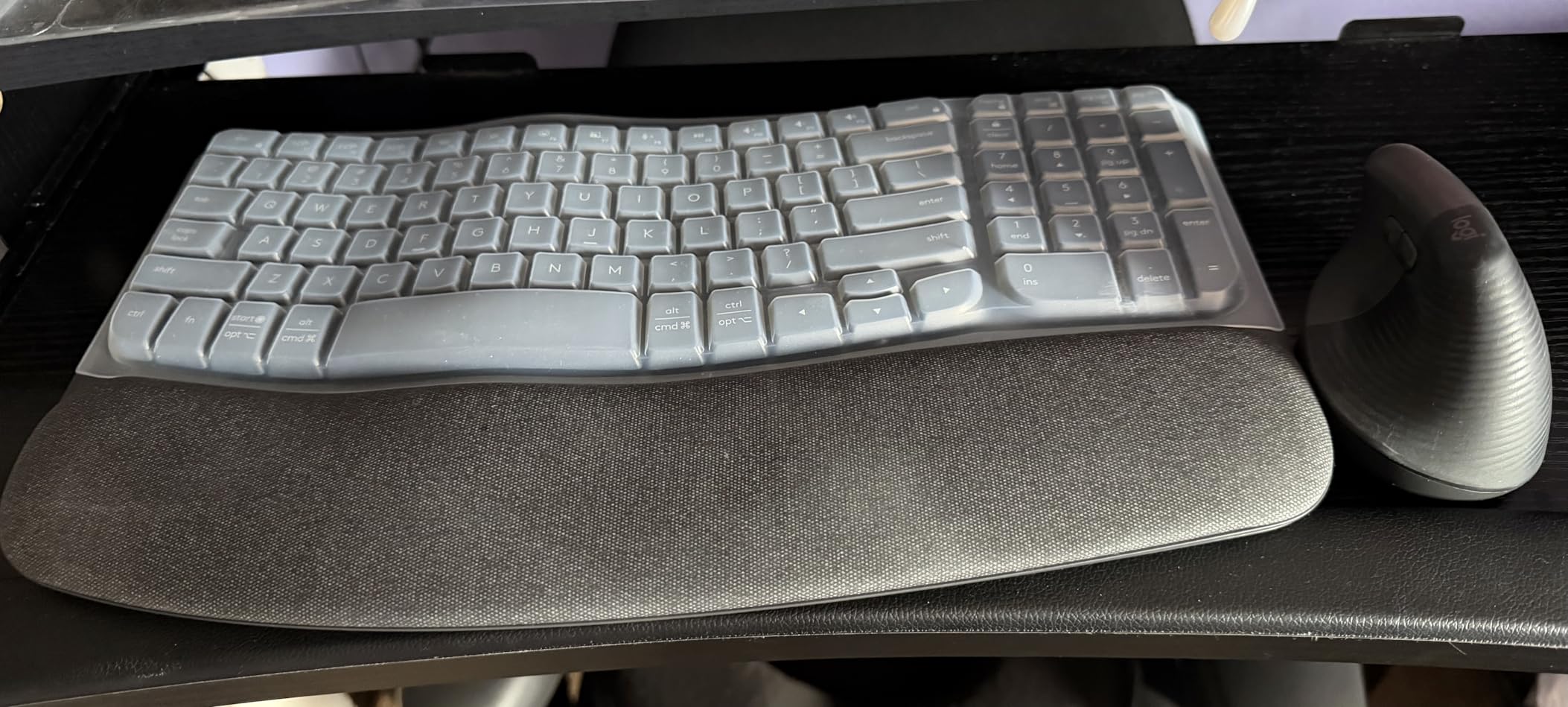
Where this fits best
This suits someone whose wrists get tired rather than hurt. If you type all day, notice a dull ache by evening, and want the ergonomic shape without committing to a full split, this is the board that will survive contact with your actual habits. It is also the easiest of the twelve to justify on a shared or small desk.
It is a reasonable second keyboard too, for a laptop user who wants one board at the office and one at home without dealing with wireless pairing twice.
Why it may not be enough
If you already have pain that wakes you at night, or tingling in the thumb and first three fingers, a shallow wave will not remove enough deviation to change your symptoms. Reviewers who came from a split board tend to describe the Wave as a step back rather than a compromise.
The membrane feel is also the reason mechanical keyboard users tend to skip it. If the sound and feedback of the keys matter to you as much as the geometry, our full ergonomic keyboard guide points you toward boards that keep both.
4. Arteck Split Ergonomic HW315 – Best Wireless Split With a Rechargeable Battery
Arteck Split Ergonomic Keyboard with Palm Rest, 2.4G USB Wireless Keyboard
Split ergonomic design
Cushioned wrist and palm rest
2.4G nano receiver
2-year warranty
+ The Good
- Hands rest at shoulder width
- Soft palm rest for long sessions
- Fast plug-and-play 2.4G wireless
- Rechargeable battery
- Two-year warranty
- The Bad
- Flush backspace and arrow keys are easy to miss
- Rear feet give only a shallow tilt
- Compact layout crams the number pad
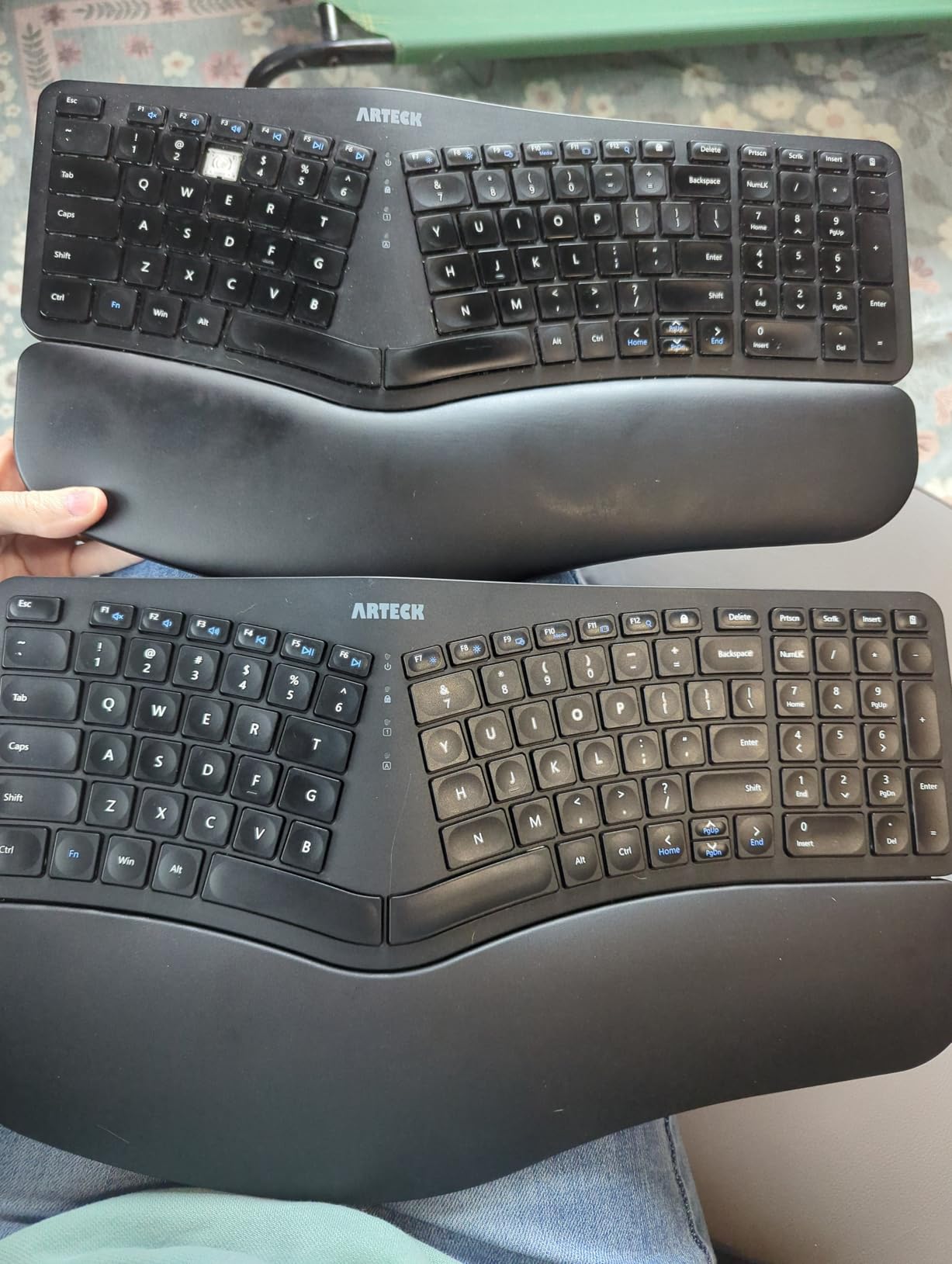
This is the pick for people whose pain comes from an old Microsoft split keyboard that is no longer made. The Arteck HW315 does the same job with a split key set, a soft cushioned palm rest and a 2.4G nano receiver stored in the back of the chassis. Reviewers with 1689 ratings at 4.3 describe it as a comfortable drop-in replacement.
Unlike most wireless options in this price range, it is rechargeable. A full charge runs up to six months at typical use, and the USB-C cable is included in the box along with the receiver. Scissor switches give a stable, quiet press with even pressure across the keycap.
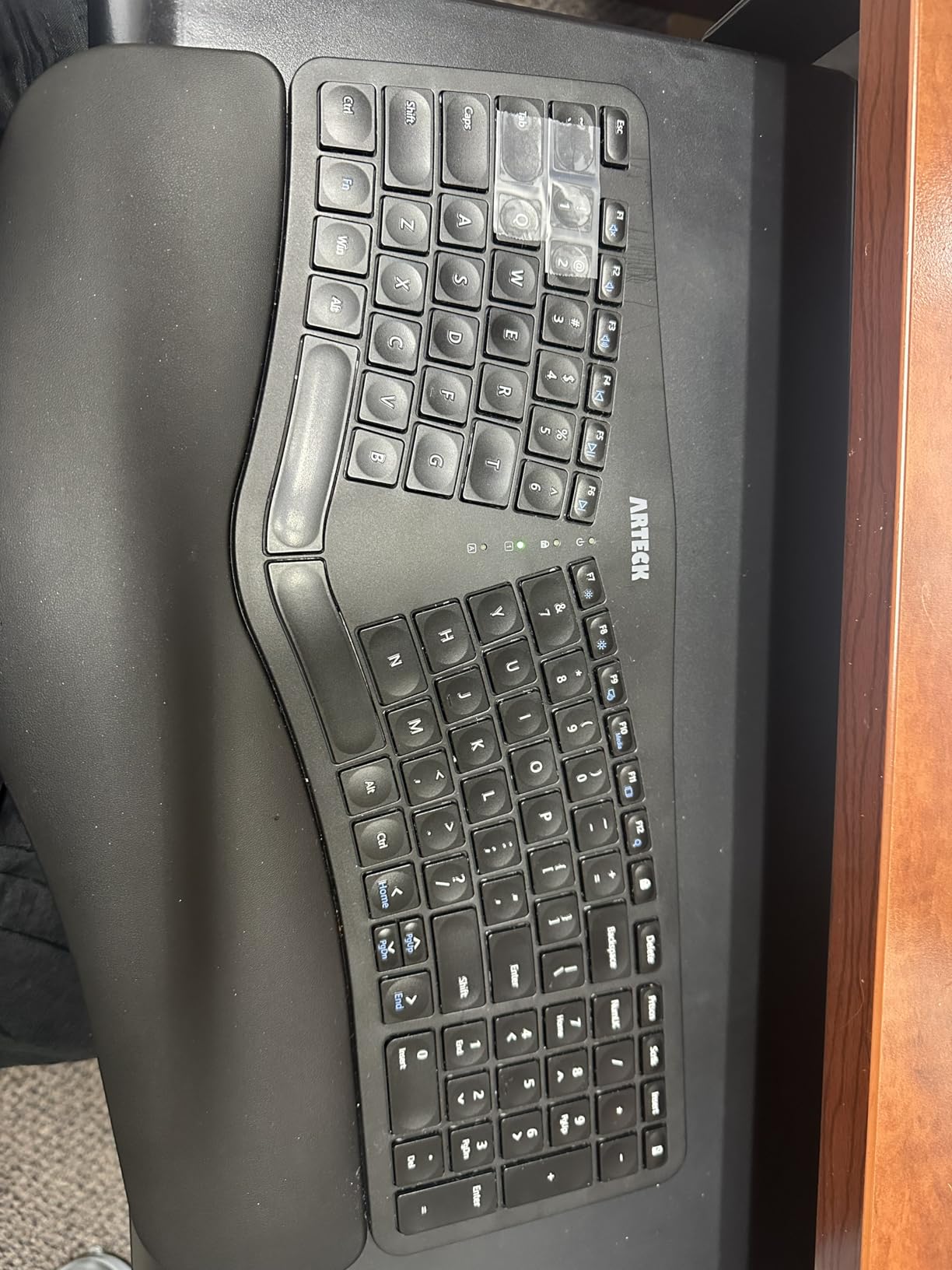
The compromises show up in the layout. At 16.5 by 9.6 inches with 102 keys, the footprint is tighter than the Perixx, which squeezes the number pad and drops dedicated Home and End keys. The backspace and arrow keys sit nearly flush with the surrounding keys, and that is the single most reported complaint across reviews.
The rear tilt feet raise the back of the board only about 20mm, so the palm-down slope is shallow. If negative tilt is the feature your wrist needs most, this board will not give it to you, and that is worth knowing before you buy rather than after.
Why wireless matters for a sore wrist
Going wireless removes one small source of constraint: the cable that pulls your forearms into a narrower, more angled position. Combined with the split gap, that lets you set both hands more symmetrically than a cord allows.
The single-click receiver pairing also means you can move between two machines without reconfiguring anything, which suits anyone who splits the day between a work laptop and a personal machine.
Where to look before buying
Check your key habits first. If you navigate documents constantly or use the number pad heavily, the missing navigation keys will slow you down more than the split shape speeds you up. Touch typists who retype code from muscle memory will feel this the most.
Also test the sound if you share a room, because several reviewers describe the spacebar and a few other keys as loud. And remember that a rechargeable battery has no backup, so a dead cell means a dead keyboard until it charges. Our wrist exerciser guide covers what to do between work blocks.
5. TECKNET Rechargeable Ergonomic – Best Multi-Device Split With Four Tilt Angles
TECKNET Wireless Ergonomic Keyboard Rechargeable, 2.4G+Bluetooth Ergo Cordless USB Computer Keyboard, Wrist Rest, Natural Typing, Stain-Resistant Fabric, Compatible For Windows Computer Desktop Laptop
Split curved key rows
Dual-density memory foam rest
Bluetooth 5.0 plus 2.4GHz
4 tilt positions
+ The Good
- Curved split rows reduce lateral stretching
- Dual-density foam supports without sinking
- Links up to four devices
- Four tilt positions
- Four-stage adjustable feet
- The Bad
- Relocated arrow keys take time to learn
- Page Up and Page Down share the number pad
- Occasional wireless reliability complaints
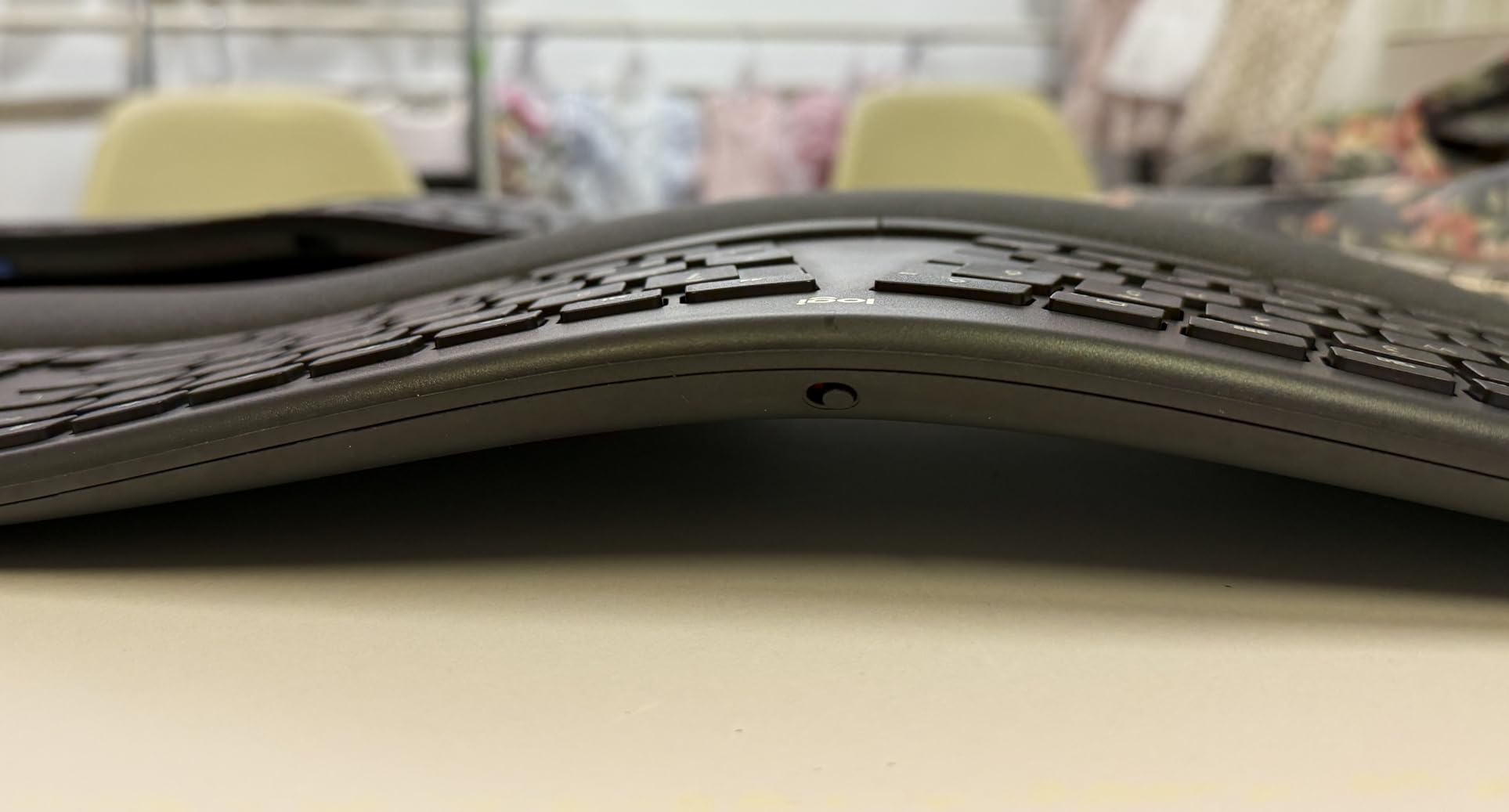
The TECKNET is interesting because it combines a genuine split curved layout with four-stage tilt adjustment, which is more tilt range than most boards in this roundup. The feet give you 0, 1.2, 3 and 6.2 degrees, so you can climb toward negative tilt gradually instead of jumping straight to the steepest setting.
The wrist rest is dual-density memory foam, and that combination matters. Softer foam on top spreads the load across the heel of the palm, while the firmer base stops your wrists sinking into the desk during a long afternoon. Reviewers with 1519 ratings at 4.2 single out that support without sinking as the main comfort gain.
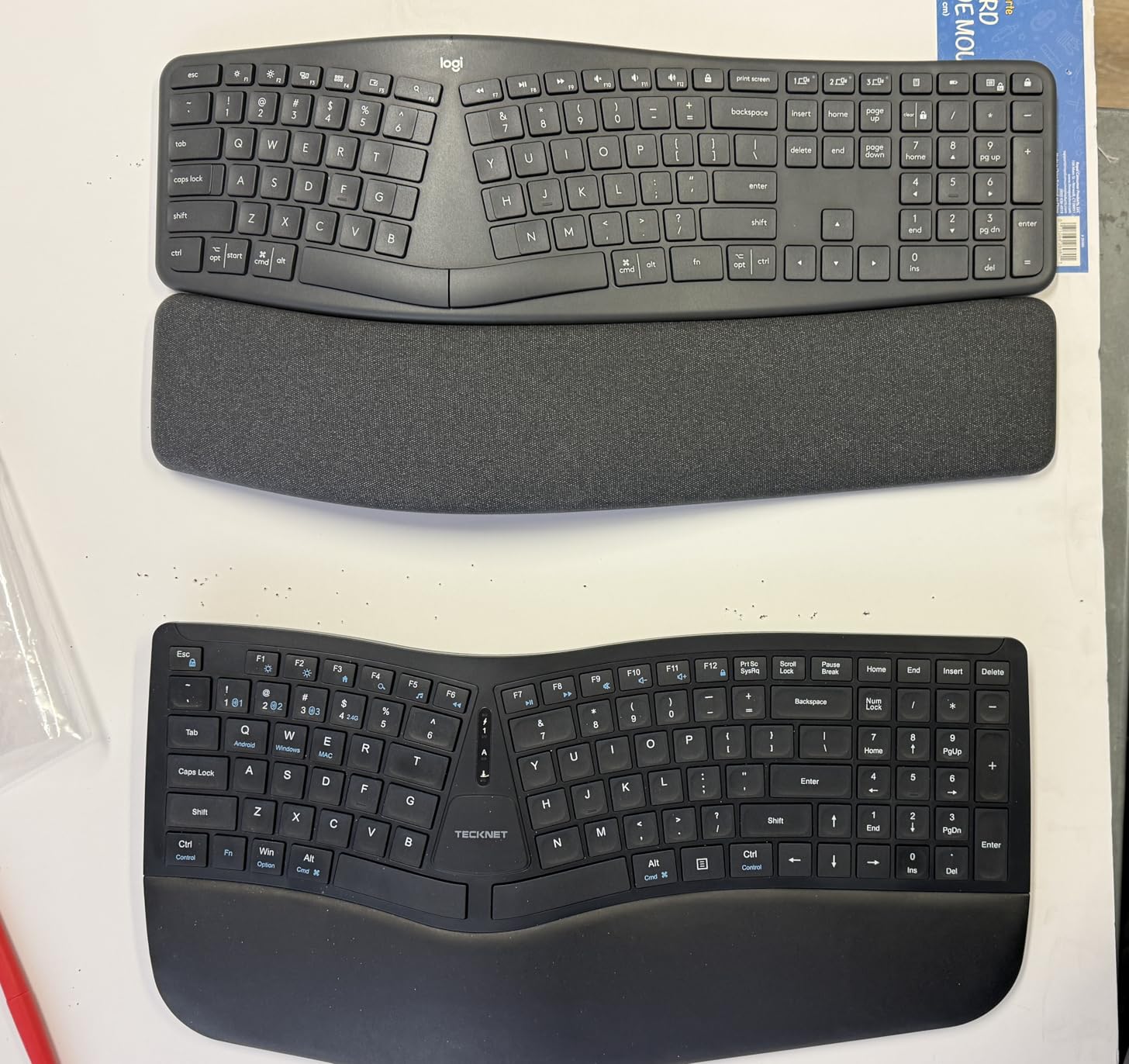
Connectivity is the other headline. You get Bluetooth 5.0 with memory for up to three paired devices, plus a 2.4GHz dongle, so four machines can be connected at once. The 500mAh rechargeable cell runs up to 200 hours and fills in about four hours over USB-C. Warranty is two years, extended to 36 months with registration.
The layout is the weak point. Arrow keys are relocated, and Page Up and Page Down share the number pad instead of having dedicated keys. That is efficient on paper and irritating in practice for anyone who lives in a spreadsheet. A minority of buyers also report a keycap loosening early on and occasional wireless dropouts.
How to set the tilt without overdoing it
Start at 1.2 degrees for the first few days, then step up to 3 degrees once your wrists feel stable. Most people stop at the middle setting rather than the steepest one, because tilt that is too aggressive pushes the fingers into extension at the top of the reach.
The stain-resistant fabric on the wrist rest is worth noting if you work somewhere busy. It wipes clean, which matters on a surface that sees coffee and cables every day.
Who should pass on it
Pass if you are a touch typist who relies on exact arrow and paging key positions. The relocation is not a deal-breaker for everyone, but it does add days to your adjustment period, and days are exactly when most people give up on an ergonomic board.
Also pass if you need Mac or Linux support without hesitation. The board is listed for PC compatibility, and while Bluetooth pairs broadly, the review record shows some Mac users finding the key mapping awkward. Our wrist support guide has the recovery-side options if your symptoms run past the keyboard.
6. Kinesis Freestyle2 – Best Adjustable Separation for Severe Wrist Pain
KINESIS Freestyle2 Ergonomic Keyboard for PC (9″ or 20″ Separation) (9″ Separation)
Separation adjustable to 9 inches
Low-force tactile membrane
Embedded numeric 10-key
2 pounds
+ The Good
- Halves separate and splay to fit your shoulders
- Low-force switches reduce finger fatigue
- Standard Windows layout needs no relearning
- Embedded 10-key keeps number entry
- Plug-and-play with no drivers
- The Bad
- Membrane switches cannot be swapped for mechanical
- Wired only with no wireless option
- Limited tent adjustment versus contoured boards
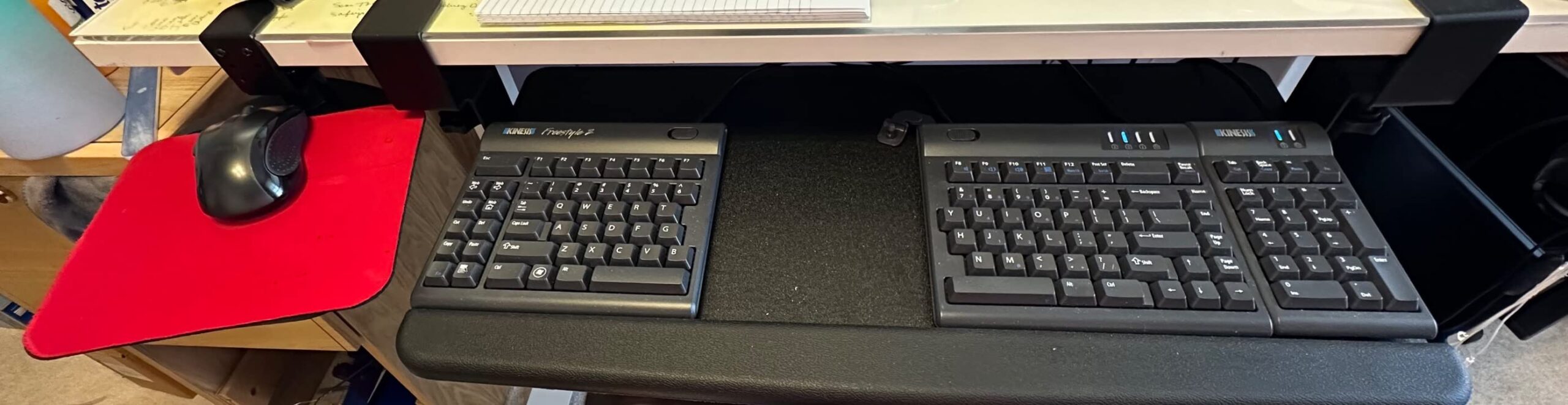
The Freestyle2 is the most genuinely adjustable board here, and for a specific kind of pain that is exactly the point. Each key module detaches and pivots on a tether, so the two halves slide apart or together and rotate outward. Separation reaches 9 inches, and each user can dial in the gap their own shoulder width needs.
If you have tried a fixed split and it made your shoulders feel worse, this is usually the answer. A fixed split gap is a compromise set by the manufacturer, and it is wrong for both very broad and very narrow shoulders. The Freestyle2 removes that compromise entirely, which is why the r/ErgoMechKeyboards community has validated it over years of long-term ownership reports.
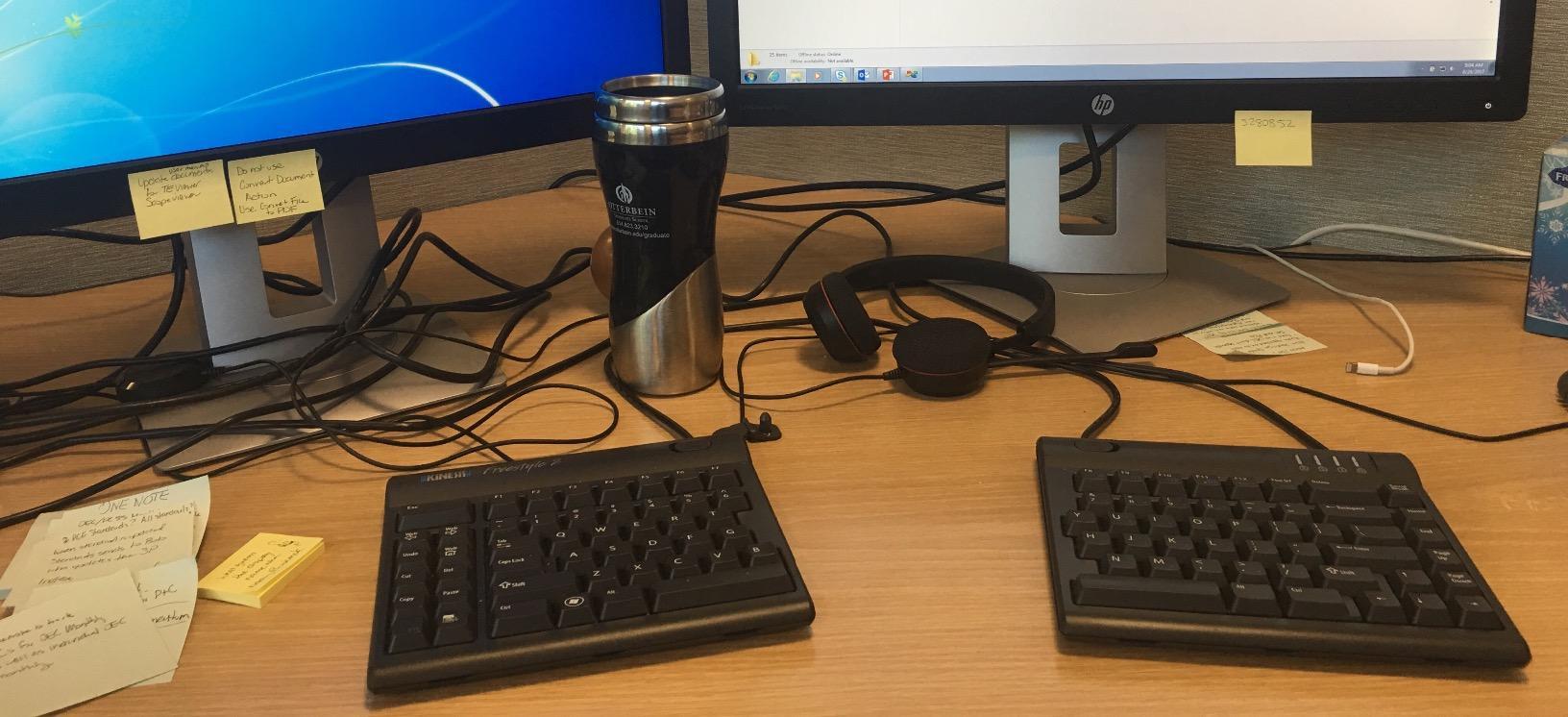
The switches are low-force custom membrane tactile switches. They require noticeably less finger pressure than a mechanical board, which matters when your pain is fatigue-based rather than angle-based. One long-term community owner described it as reducing wrist pain without eliminating it, which is the honest expectation for any keyboard.
Relearning is minimal because the layout is standard Windows. You get an embedded numeric 10-key on the right half, so number entry survives the split, plus hotkeys in their familiar positions. It plugs in over USB and works across Windows, Linux and Chrome with no drivers at all.
The drawbacks are real. The membrane switches are fixed and cannot be swapped for mechanical ones. There is no wireless or Bluetooth option. And tent adjustment is limited compared with a contoured board, so if pronation is your main problem rather than deviation, a tented model will serve you better.
Why adjustable separation matters for your pain
The distance between your hands should match the distance between your shoulders. On a flat board it never does, because the keyboard is fixed and narrow. When you widen the gap, your forearms rotate back toward straight and your upper arms stop compensating for the reach.
Start with the halves at about four inches apart, then widen by half an inch every couple of days until your elbows hang relaxed. Going straight to the maximum often feels awkward enough that people decide the whole idea does not work for them.
When to step up instead
Step up to a contoured and tented board when pronation is your dominant symptom. If your pain is concentrated in the forearm and the muscles that rotate it, moving the hands apart will not help much, because you are still pressing your palms flat against a horizontal surface.
Also consider the upgrade if you are a mechanical keyboard user. The fixed membrane switches are the single feature that splits this community in two. Our hand and wrist strengthening guide covers building tolerance alongside the keyboard change.
7. EAYBLLY 2.4G Wireless Wave – Best for Students and Video Calls
EAYBLLY 2.4G Wireless Ergonomic Keyboard, Full Size Wave Keys with Memory Foam Wrist Rest & 7.28in Phone Holder, USB-C Adapter Included for Windows Mac Chrome OS, Office or Home (Black)
Wave keys with foam rest
7.28 inch device holder
2.4G wireless
8 and 12 degree tilt legs
+ The Good
- Wave keys ease fatigue on long typing days
- Built-in phone holder for calls
- Stable wireless with no driver install
- Adjustable tilt legs and splash-proof build
- Quiet soft-touch keys
- The Bad
- Some keyboards report key capture failures
- Wave curve is mild so relief is limited
- Battery not included
This one is built around a specific situation: a student or remote worker whose phone is the second screen. The 7.28 inch holder across the top of the board props a phone upright for video calls, lecture notes or a reference document, which removes the neck rotation that comes from a laptop screen and a phone used separately.
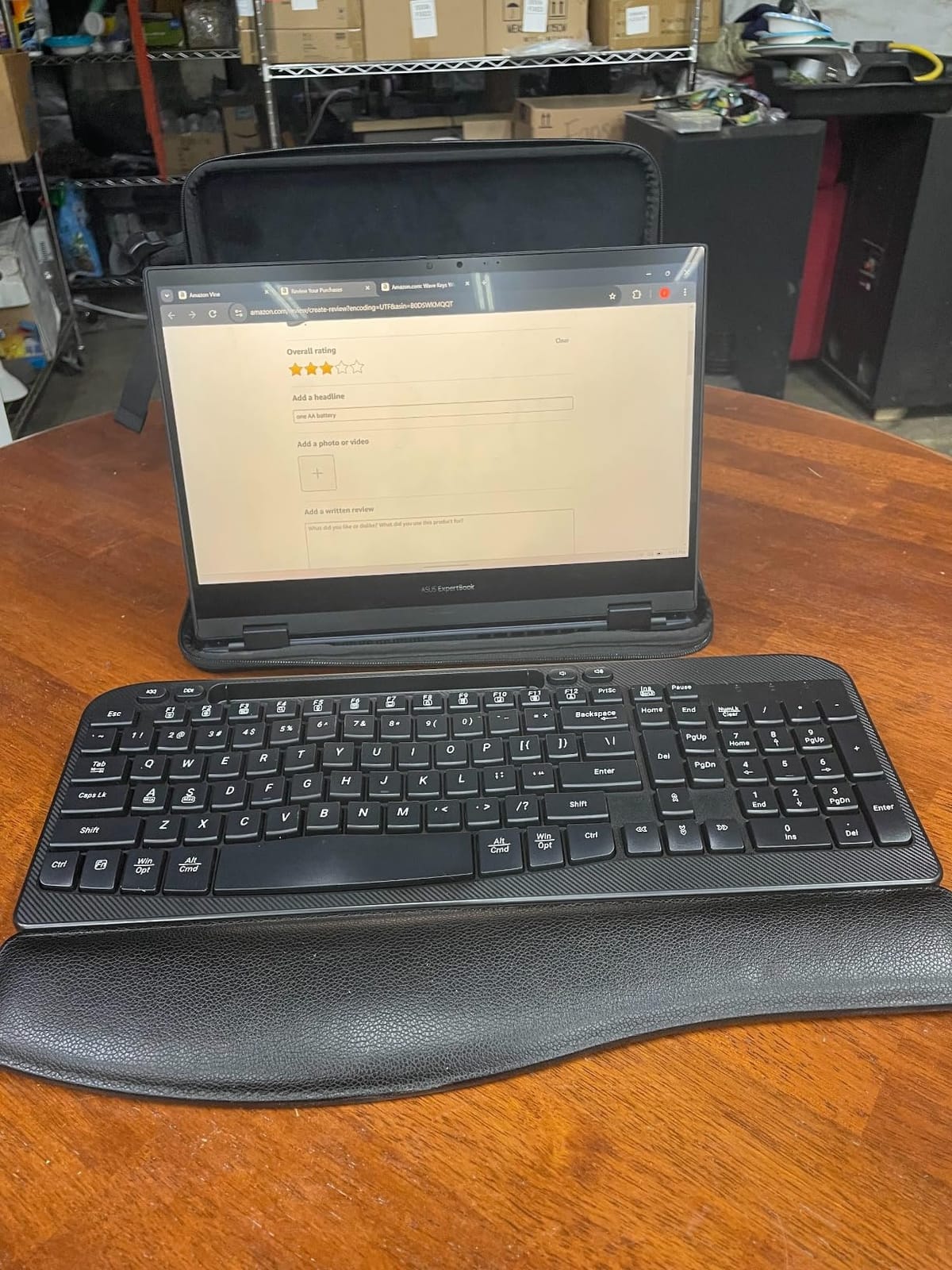
The ergonomic side is a wave key layout with a three-layer memory foam cushioned palm rest, plus dual tilt legs at 8 and 12 degrees. That is not negative tilt, so it will not fully resolve pronation, but it takes the edge off a flat board and pairs well with a chair that supports your elbows.
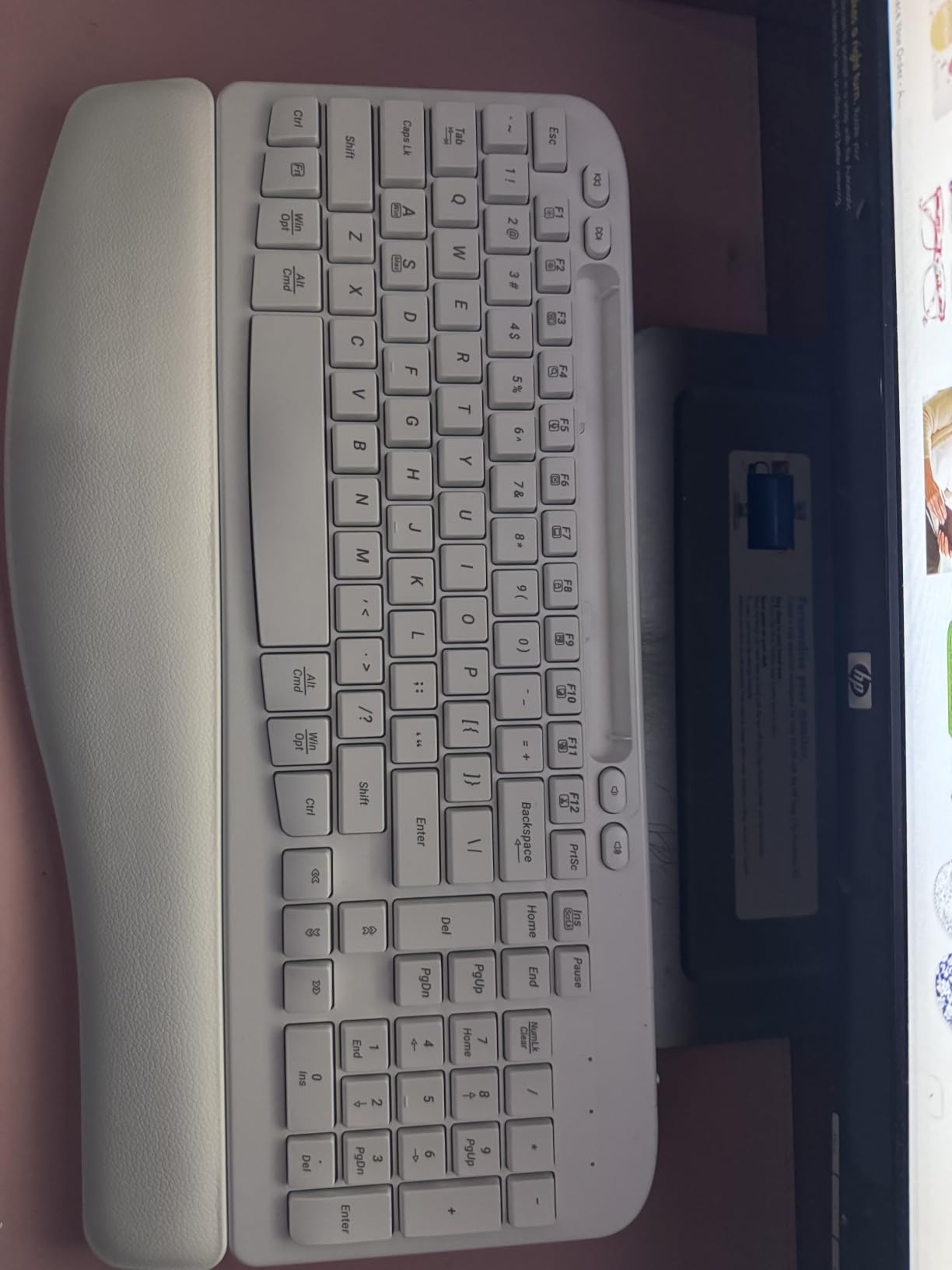
Wireless runs over 2.4GHz to a stated 33 feet with no driver installation, and a USB-C adapter is included so it works with Windows, macOS and Chrome OS laptops that lack a USB-A port. An auto sleep mode handles the rest, and the build is splash-proof, which suits a desk that doubles as an eating surface.
Durability is the concern. Several reviews mention key capture failures, legends fading and the Caps or Num lock keys failing to stay engaged within the first months of use. The rating of 4.2 across 454 reviews is healthy, but the complaint cluster is specific enough that you should expect to replace this board sooner than a plastic board that costs more.
Two smaller details: the phone holder slot is too narrow for a large phone in a case, and the single AA battery is not included.
Why the device holder is the real feature
Neck pain and wrist pain usually travel together. When you tilt your head down to read chat windows on a laptop, your shoulders round forward and your forearms follow, and the keyboard shape you chose stops mattering. Putting the phone at eye level keeps the head stacked over the shoulders.
That makes this the pick for anyone whose day is calls, classes and messaging rather than long uninterrupted typing blocks. For heavy typing, look at a genuine split instead.
Where it falls down
The wave is mild, so expect reduced fatigue rather than pain relief. Reviewers who came from a flat keyboard report a clear improvement, and reviewers who came from a split board report going backwards. That is the honest expectation.
The lock-key failures are worth weighing against the alternative of a wired board. If you type on a shared office keyboard, a lock key that will not stay engaged is genuinely disruptive. Our wrist mobility routine is a better use of a spare ten minutes than fighting a firmware bug.
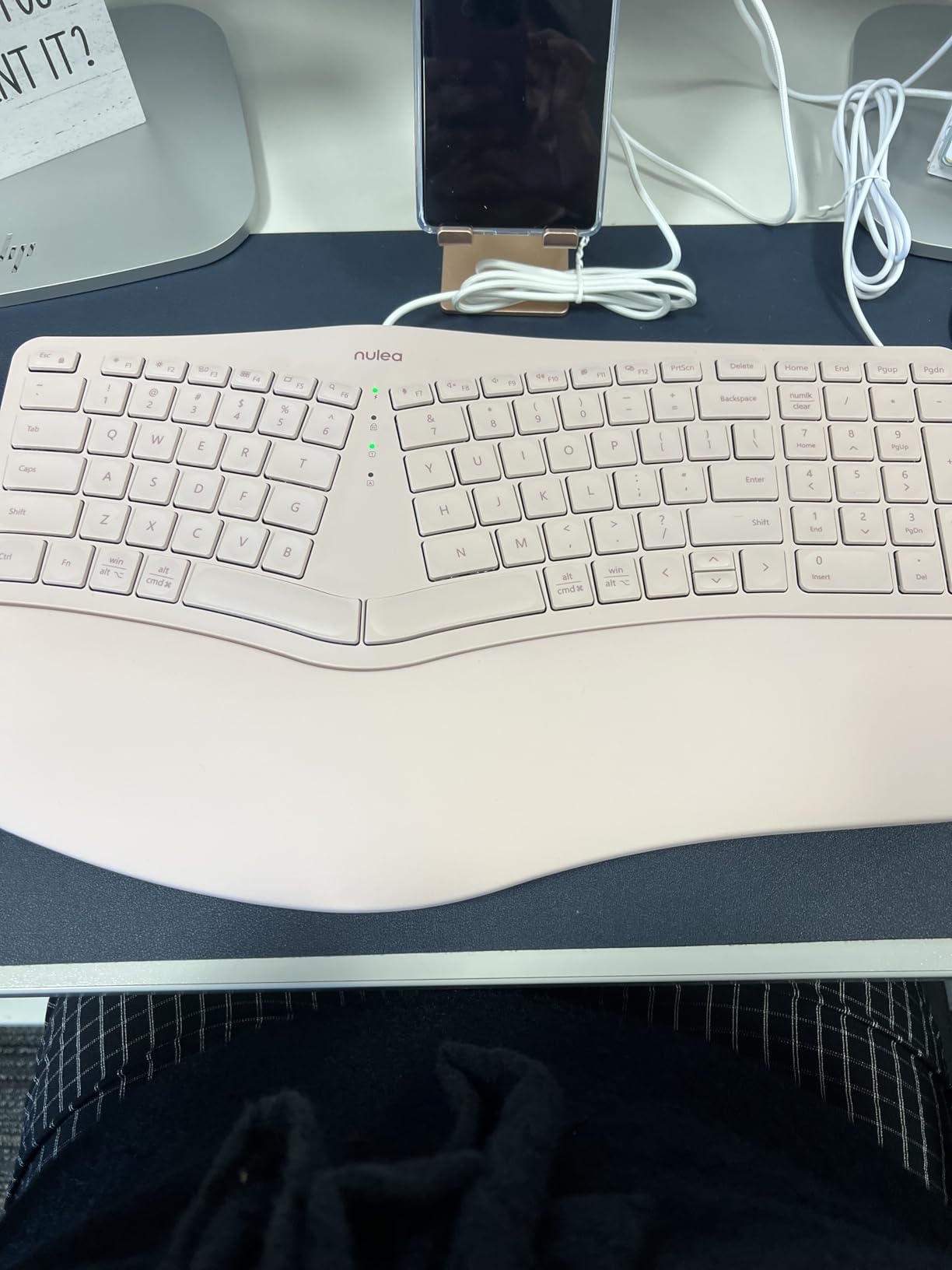
8. Nulea RT05C Wired Split – Best for Mac, Linux and Simple Setups
Nulea RT05C Wired Ergonomic Keyboard, Split Keyboard with Cushioned Wrist Rest, Adjustable Tilt Legs, Plug and Play, USB Corded, Compatible with Windows/Mac (Pink)
Ergonomic split design
Oversized leatherette wrist rest
Three tilt angles
Braided nylon cable
+ The Good
- Split layout follows natural hand alignment
- Generous leatherette palm support
- Three tilt positions to dial in
- Braided cable resists wear
- Plug-and-play with no drivers
- The Bad
- Wired only with no wireless option
- Fixed wrist rest cannot be repositioned
- Less long-term build pedigree than Kinesis or Logitech
The Nulea RT05C is the simplest board here and one of the easiest to recommend. It is a wired split with an oversized leatherette cushioned wrist rest and three adjustable tilt angles, and it installs with no drivers on Windows, macOS and Linux. There is no app, no pairing and no battery to think about.
That simplicity is the point. A board that works the same on every machine suits anyone who moves between operating systems or shares a desk with someone on a different platform. The braided nylon cable is a small touch that matters more than it sounds, because a stiff cable tugs your forearms inward and undoes some of what the split layout achieves.
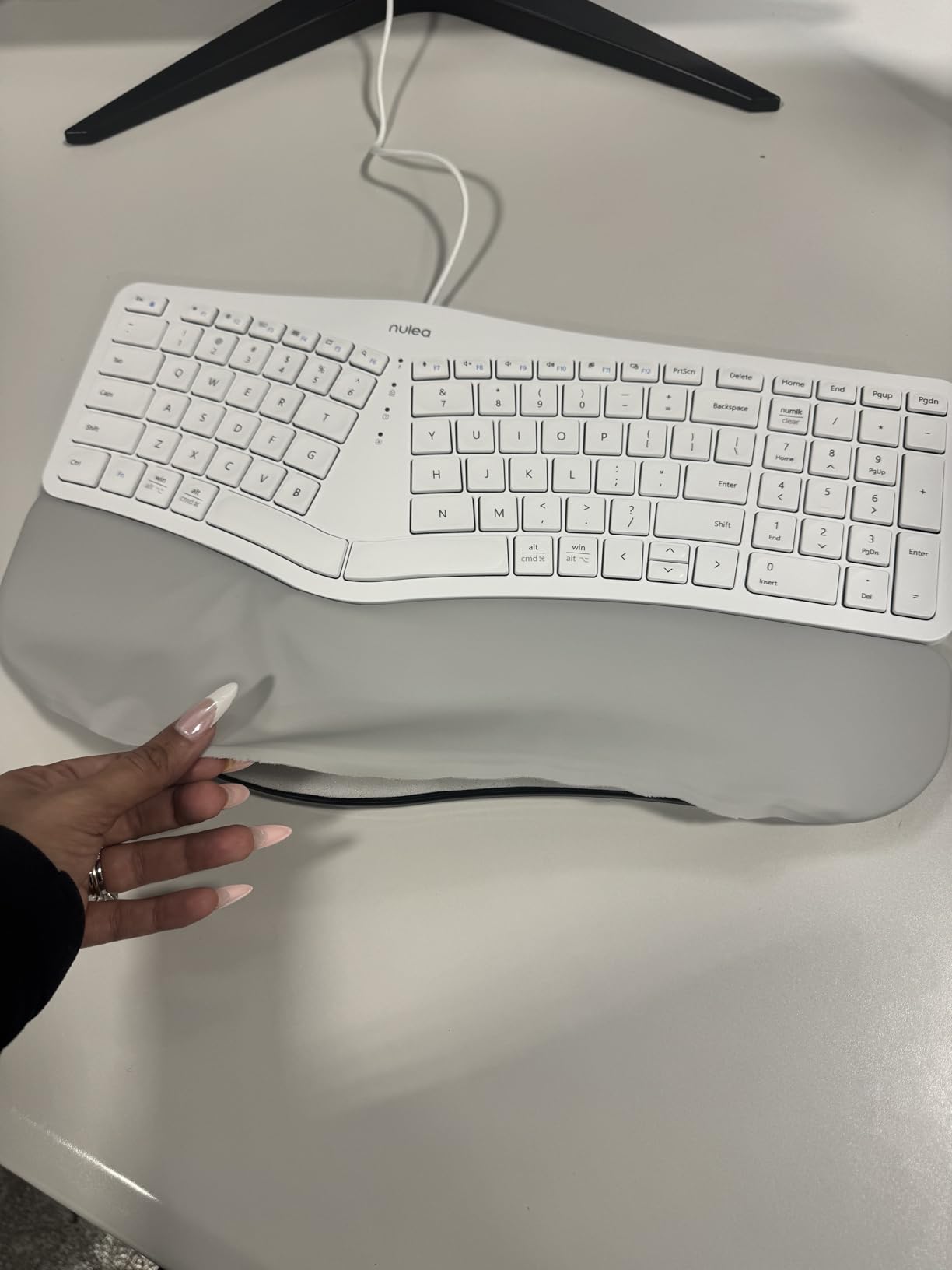
The wrist rest is the widest of the budget boards, and leatherette rather than fabric or foam. It wipes clean, which matters on a board used daily, and reviewers with 417 ratings at 4.3 describe the support as generous enough to take the palm load rather than pressing into the wrist crease.
Three limitations are worth naming. It is wired only, with no Bluetooth option. The wrist rest is fixed and cannot be repositioned if you prefer a shallower support. And as an entry-level brand it has less long-term build pedigree than Kinesis or Logitech, which shows up over years of daily use rather than weeks.
What a wired-only board gets right
Wired means zero latency and no radio interference, which matters if you sit near other wireless equipment or a shared office with several Bluetooth devices. It also means the board never becomes a dead keyboard because a cell wore out.
The three tilt positions cover enough range for most people to find a negative angle without buying a separate lift kit. That alone puts it ahead of several competitors at a similar tier.
When to choose something else
Choose a wireless model if you clear your desk regularly, work on a laptop without a spare USB port, or move between machines several times a day. And choose something else if you intend to keep the board for a decade, because build longevity favours the established brands.
The fixed wrist rest is the one that catches us out. If your hands rest well forward on a desk, the large cushion holds your wrists off the surface when you would rather they stayed level with it. Test the reach with a cardboard cutout before you commit. Our forearm and wrist conditioning guide covers the habits that make any of these boards work harder.
9. Kinesis Advantage2 – Best Contoured Board for Severe Forearm Pain
KINESIS Advantage2 Quiet LF Ergonomic USB Keyboard (KB600LFQ)
20 degrees of tenting
Split key wells and concave keys
Cherry MX Silent Red switches
3-year warranty
+ The Good
- Contoured tented shape gives the strongest relief here
- Quiet mechanical switches rated for 50 million presses
- Full onboard remapping and macros
- Integrated palm pads
- Three-year warranty
- The Bad
- High cost against membrane alternatives
- 20 degree tent needs a real adjustment period
- Wired and heavy for a plastic board
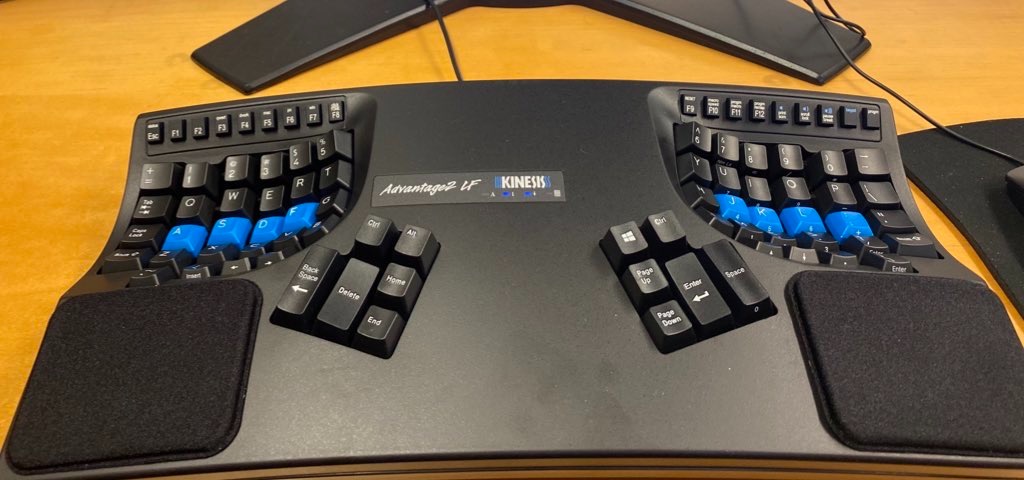
If pronation is your dominant problem, this is the board that addresses it most directly. The Advantage2 has a patented contoured shape with split key wells, concave keys, thumb keys and 20 degrees of fixed tenting, plus integrated palm supports with cushioned pads. That combination takes the forearm off a horizontal surface entirely, and owners with wrist and forearm pain consistently rate it the most effective relief in this roundup.
The switches are genuine Cherry MX Silent Red mechanical switches rated for 50 million presses, with Cherry ML switches in the function row. You get a mechanical feel that membrane boards cannot reproduce, and the Silent line keeps it quiet enough for shared offices and calls.
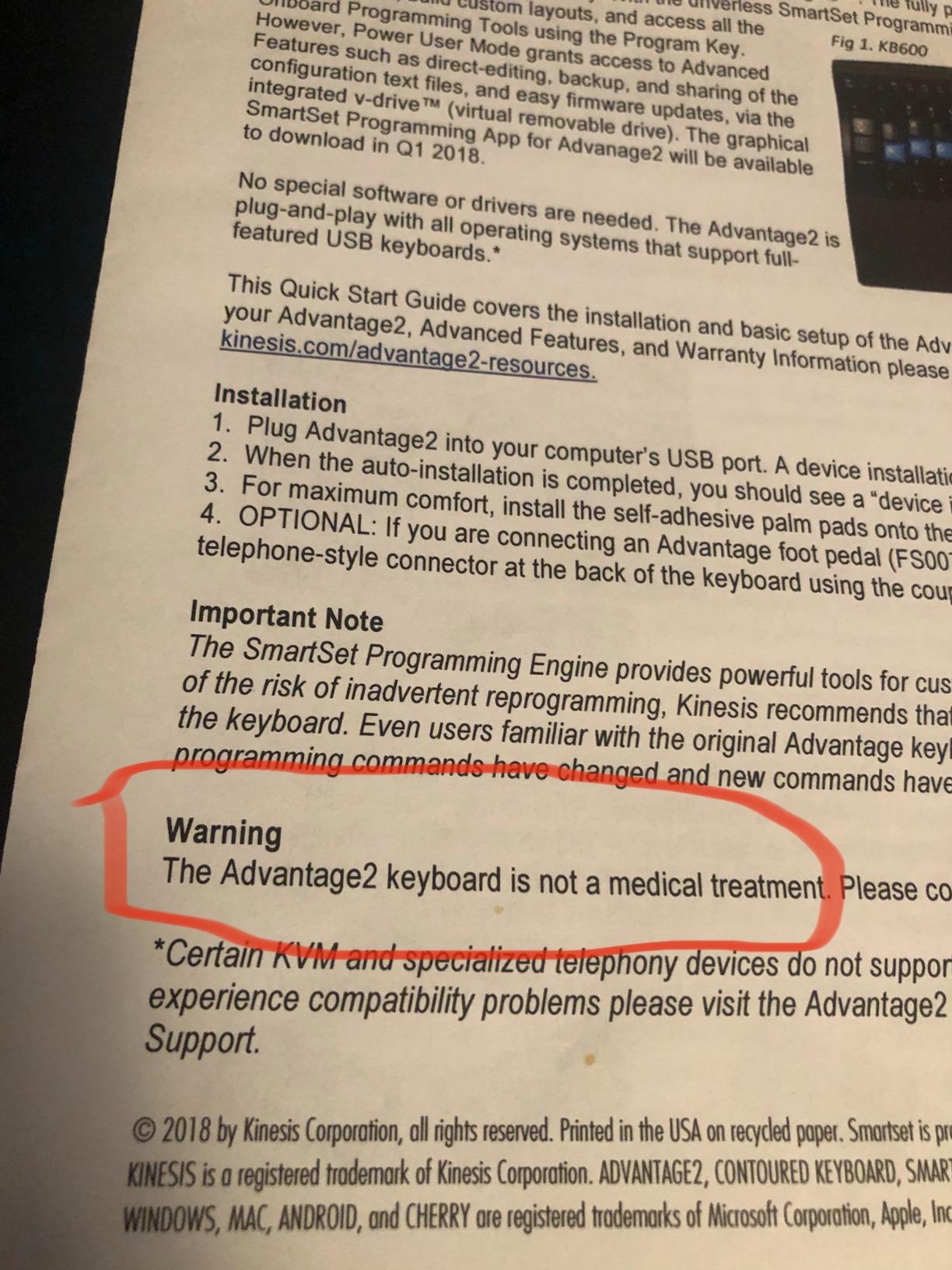
Programmability is another differentiator. The driverless Smart Set engine handles QWERTY or Dvorak layouts, on-the-fly macro recording, one-touch remapping, Windows and Mac modes and 4MB of onboard flash for stored profiles. You do not need software to use it, which keeps it working on machines you cannot install anything on.
The honest trade-offs are large. It is a premium board, and the 20 degree tent plus orthogonal layout demands a genuine adjustment period of a couple of weeks before your speed recovers. It is also wired and heavier than plastic alternatives at 2.2 pounds across a 3 inch tall chassis.
Why 20 degrees of tenting is the whole point
Every other board here leaves your palms close to flat, which means your forearms are still rotated. At 20 degrees your hands form a shallow V that matches the handshake position, and the forearm muscles stop being held against their normal range all day.
If your symptoms are forearm ache, thumb pain or the kind of tightness that shows up after a long gaming session, that rotation is often the mechanism. No amount of wrist rest fixes it, because the wrist rest is downstream of the forearm.
When the adjustment cost is too high
Do not buy this board if you type in short bursts or if your job depends on unmodified shortcuts. The orthogonal layout and thumb key clusters change where Enter, Space, Backspace and Delete live, and coding muscle memory breaks first.
Also skip it if you are currently in pain and want relief next week. A steep contoured board during a flare is a hard sell, because week one feels worse before it feels better. Start with a fixed split or a wave board, and treat this as the step after your wrists have settled.
10. Kinesis Advantage360 – Best Programmable Split With Adjustable Tenting
Kinesis Advantage360 Professional Split Ergonomic Keyboard – Bluetooth | Mechanical Switches | Fully Programmable Open Source | Contoured Shape | Adjustable Tenting | Backlit
Adjustable tenting in 3 heights
Concave keywells
Vertical column layout
Bluetooth with ZMK firmware
+ The Good
- Concave keywells reduce finger extension
- Column layout matches finger motion
- Tenting adjustable across three heights
- Open-source ZMK programmability
- Thumb clusters take load off the pinkies
- The Bad
- One to four week learning curve
- Bluetooth dropouts reported on some units
- Double-press issues on early firmware
- Default ABS keycaps feel cheap
- Layout change affects coding shortcuts
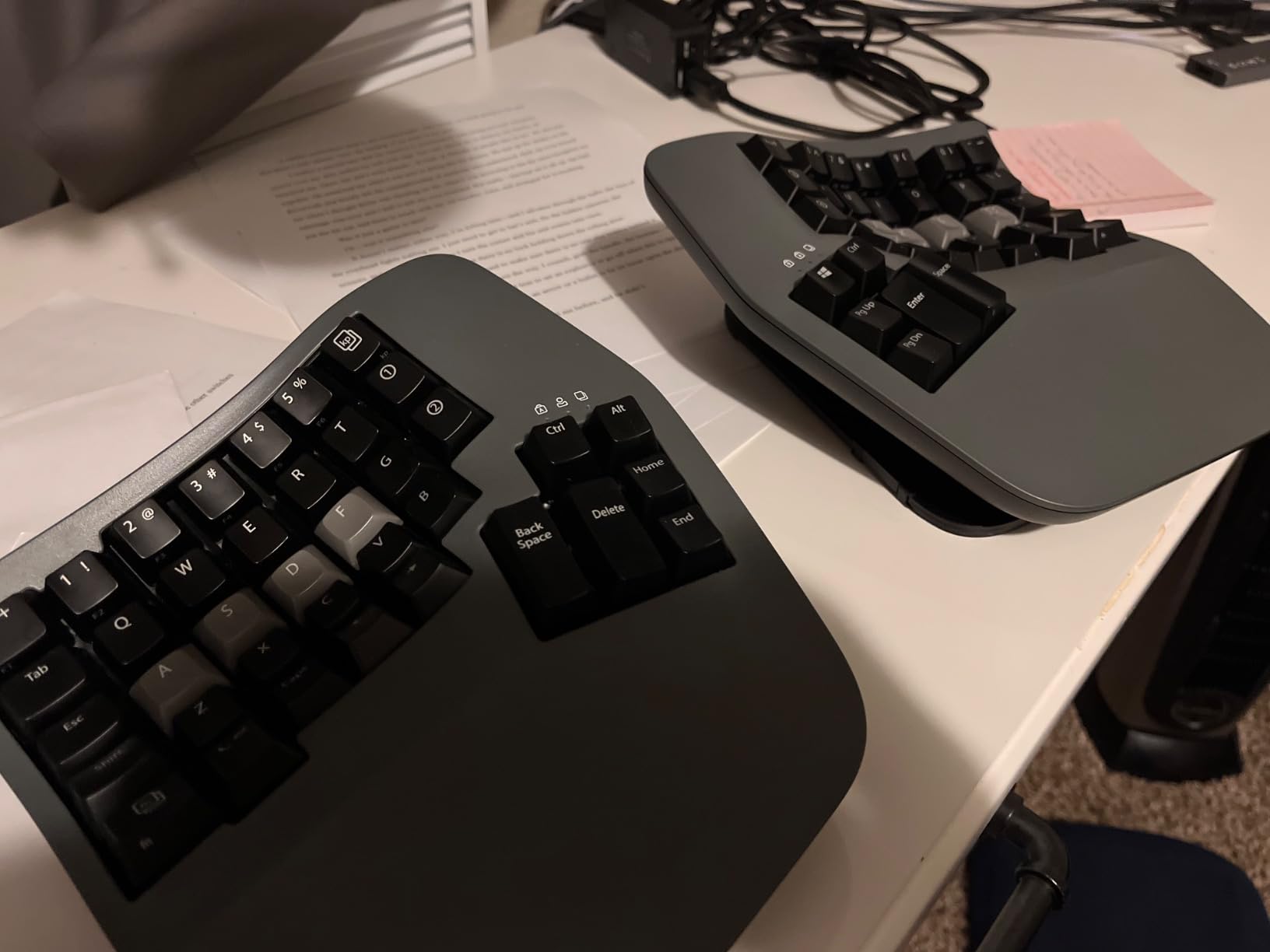
The Advantage360 takes everything the Advantage2 does and adds two things power users care about: adjustable tenting and open-source firmware. Tent height adjusts across three positions, so you can start low and climb as your wrists adapt rather than being locked into 20 degrees from day one.
The layout is column-staggered, meaning each finger moves in a vertical line the way it naturally travels rather than diagonally across rows. Concave keywells scooped into a bowl shape support each fingertip, and thumb clusters carry Enter, Space, Backspace and Delete so the pinkies stop absorbing repeated loads.
Firmware is ZMK, open source and fully programmable. If you remap keys, build layers or run custom macros, you get unlimited control stored on the board. The tradeoff is real: configuring ZMK means working with GitHub and firmware builds, so it rewards people who enjoy that and frustrates people who do not.
The rating sits at 4.0 across 200 reviews, the lowest in this roundup, and the review record explains why. The learning curve is listed at one to four weeks before typing speed returns. There are reported Bluetooth connectivity issues and key double-press problems on earlier firmware versions, and the default ABS keycaps collect oil fast enough that owners recommend a PBT upgrade.
What column-staggered actually changes
On a standard board your index finger reaches sideways to F and J, so each keystroke combines a sideways push with a downward one. Column stagger removes the sideways component. For someone with tendonitis in the flexor tendons, that removes a movement they would rather not repeat thousands of times a day.
It also means the learning curve is real rather than rhetorical. Community reports describe one to four weeks before speed returns, which is a genuine commitment if you write for a living.
Who should pass
Pass if your work depends on muscle-memory shortcuts in a specific editor, because the layout change will break them. Pass if you are not comfortable with firmware configuration tools. And pass if you need this to work flawlessly on a shared machine right now, because the Bluetooth reports cluster around pairing reliability.
For most people the honest sequence is to start on a fixed split, get the wrists comfortable, and only then move to a programmable board. Our wrist support and recovery guide is worth reading alongside that transition.
11. Arteck HD315 Multi-Device – Best Split With Mechanical Switches and Triple Wireless
Arteck Ergonomic Keyboard with Cushioned Wrist Palm Rest, Multi-Device Wireless Bluetooth with USB-A USB-C Receiver Comfortable Ergonomic Split Keyboard, for Windows Computer Laptop PC Tablet
Cherry MX Brown mechanical switches
Bluetooth plus dual 2.4GHz
Three devices at once
24-month warranty
+ The Good
- Mechanical Cherry MX Brown feedback
- Three devices connected simultaneously
- Single-click device switching
- Split design with cushioned wrist rest
- Includes both USB-A and USB-C receivers
- The Bad
- Windows and Android only with no Mac or Linux
- Small review base for a newer board
- May need an adjustment period
- No backlighting
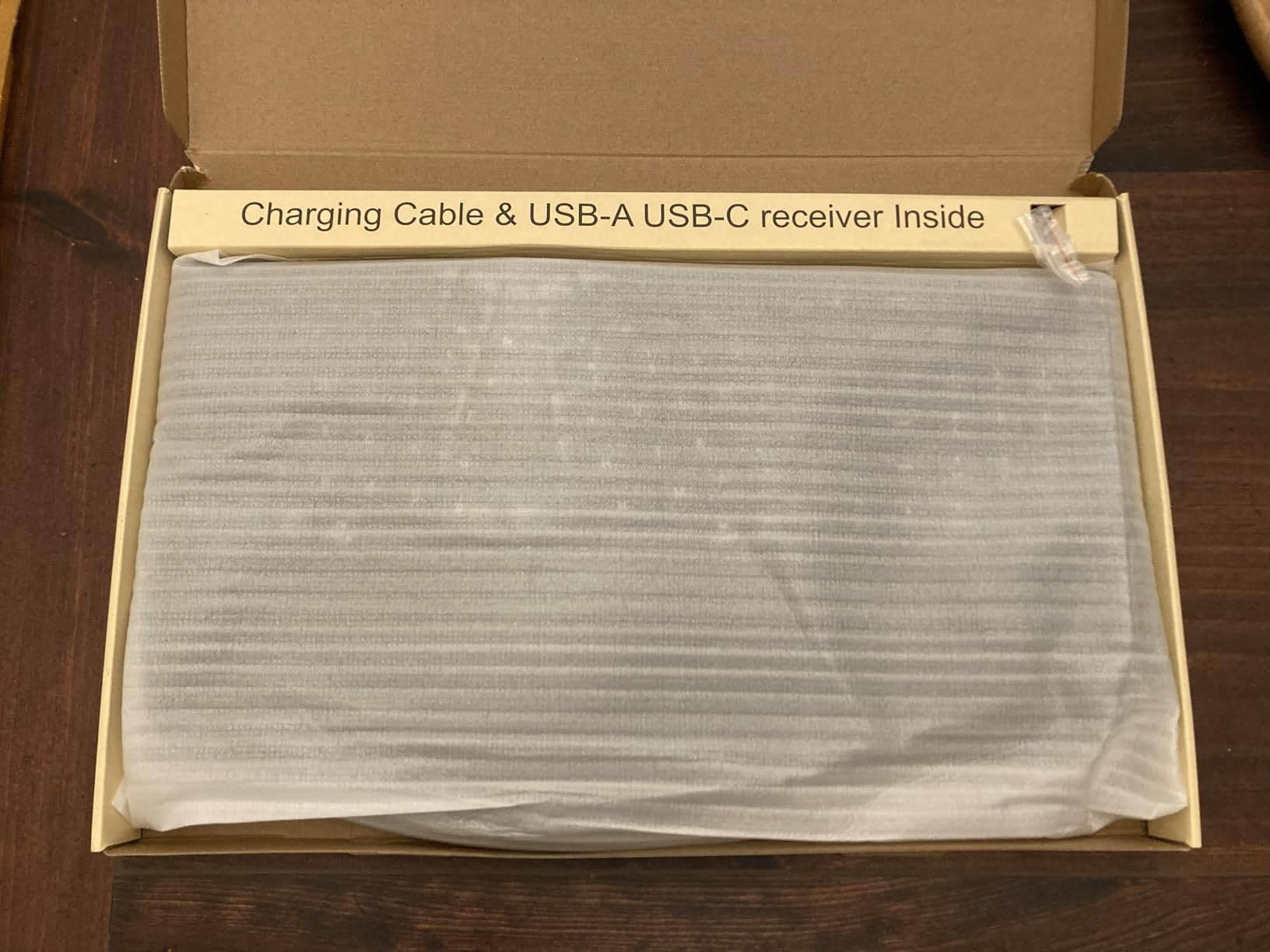
This is the one to consider if you want mechanical key feel on a split layout without the learning curve of a contoured board. The Arteck HD315 uses Cherry MX Brown switches, which give a light tactile bump with a defined bottom-out, and pairs them with a split keyframe and a cushioned palm rest. That combination is rare in this bracket.
Connectivity is the standout feature. It holds three devices at once across Bluetooth, 2.4GHz USB-A and 2.4GHz USB-C, and both receivers plus a USB-C charging cable are in the box. Switching between devices takes a single click rather than a menu sequence.
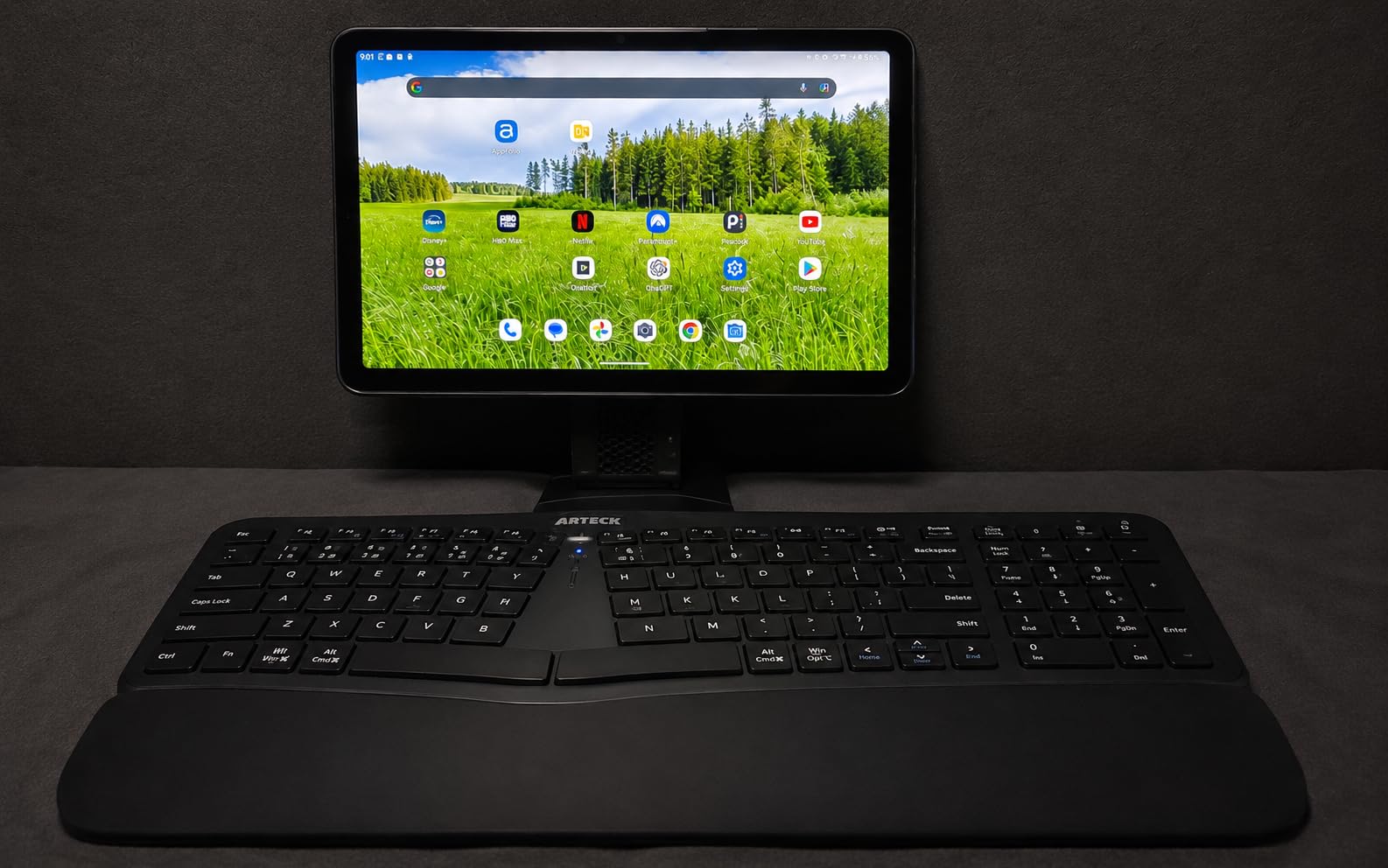
The rechargeable battery is rated at about six months assuming two hours of daily use, which is plenty for anyone not typing twelve hours a day. The 24-month warranty is longer than most budget competitors offer, and reviewers mention support as responsive and replacement-friendly.
Two limits are worth flagging. Compatibility is listed as Windows and Android, with no Mac, Linux or iOS support, so this is a poor fit if you switch between a work Mac and a Windows machine. And the review base is 94 ratings at 4.4, which is a good score on a thin sample. Newer boards carry less long-term evidence behind them.
When a mechanical split makes sense
Mechanical switches matter most if you are moving from another mechanical board and want to keep the feedback you already trained on. They also help if you type with a light touch, because the tactile event tells you the key has actuated before you bottom out.
The risk is finger force. A Cherry MX Brown bottom-out is firmer than the membrane boards in this roundup, so if your pain is fatigue-driven rather than angle-driven, a low-force board may serve you better despite the better feel.
Deciding against it
Pass if you use macOS or Linux at all, because the key mapping and platform support are limited to Windows and Android. Also pass if you need backlighting, since none is specified.
On the evidence, this is a well-built board with a good rating and not much history behind it. If your hands are already painful, a more established model with thousands of reviews is the safer bet. Our daily wrist mobility routine is the cheaper first step for most readers.
12. Nulea RT07B – Best Low-Cost Wireless Split
Nulea Ergonomic Split Wireless Keyboard with Cushioned Wrist Rest
Split layout with scissor switches
Bluetooth plus 2.4GHz
Four connected devices
200-hour battery
+ The Good
- Split layout reduces forearm twisting
- Quiet and stable scissor switches
- Four devices supported at once
- Windows Mac and Android support
- USB-C rechargeable with long runtime
- The Bad
- Number pad zero key sits awkwardly
- No backup for a depleted battery
- Some Bluetooth pairing problems reported
- Large size suits bigger hands
- Wrist rest collects dust
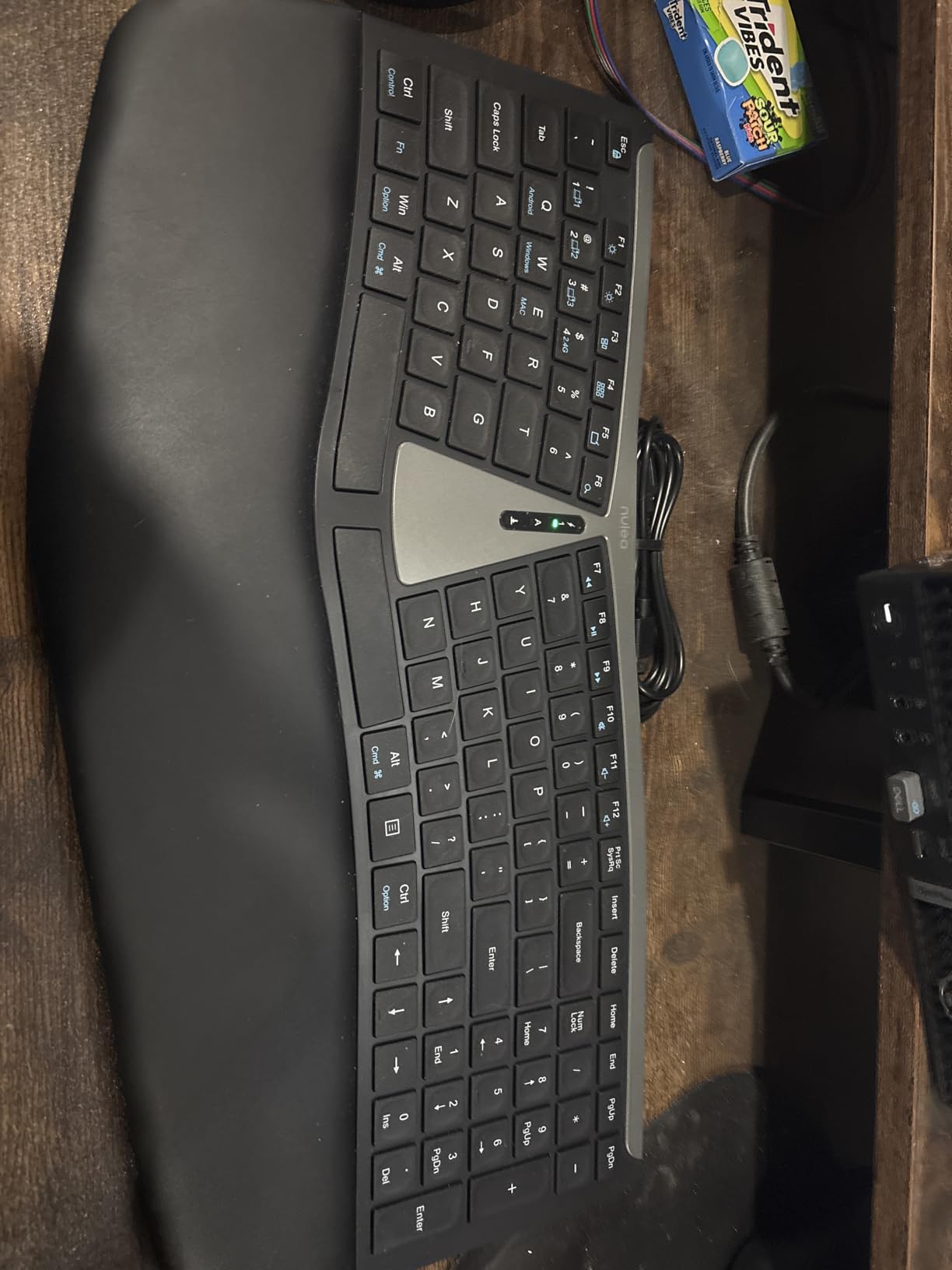
The Nulea RT07B is the cheapest way into a wireless split keyboard, and it covers the basics competently. The split layout reduces forearm twisting, the scissor switches give a quiet press with fast rebound, and the board works across Windows, Mac and Android over both Bluetooth and 2.4GHz.
You can hold three Bluetooth profiles plus one 2.4GHz dongle at the same time, which is more simultaneous pairing than most boards in this roundup offer. The rechargeable cell runs about 200 hours and charges over USB-C, and there are six colour variants.
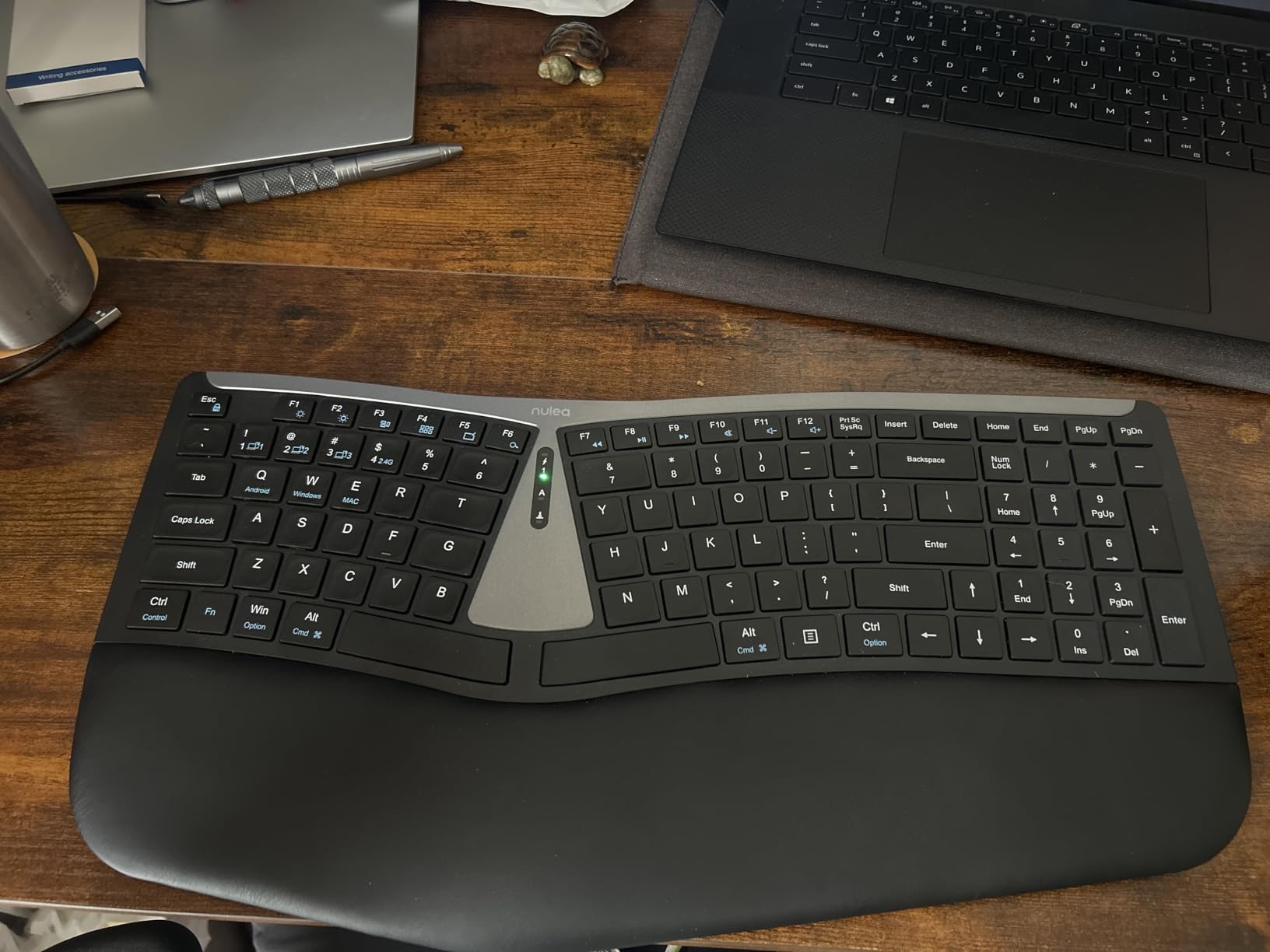
The rating of 4.1 across 475 reviews is the lowest of the mainstream picks here, and the reviews explain why. The number pad zero key is awkwardly placed for spreadsheet work, and the right arrow key sits under the number pad one. There is no battery backup, so once the cell runs out the board is unusable until it charges.
Some buyers report Bluetooth pairing problems and connection dropouts at ranges of eight to ten feet. The wrist rest also collects dust and lint, which sounds trivial until you clean it. And at a full 104-key size, this is not a board for small hands.
What scissor switches are good for
Scissor switches sit between membrane and mechanical. They have a short, even travel, a quiet sound and a consistent press across the whole keycap, with very little force needed to bottom out. That low force is the reason they suit hands that tire quickly.
The trade-off is that they feel mushy to anyone used to mechanical switches, which is the same complaint that appears against most budget boards. If the feel of the keys matters to you, save up for a mechanical split.
Who should skip this one
Skip it if you work in a spreadsheet every day, because the zero key placement will cost you accuracy. Skip it if you have small hands, since the 104-key layout is unsuited to a narrow reach. And skip it if you need a keyboard that keeps working through a power outage.
As a first ergonomic board on a tight budget it does its job, and the split geometry is a genuine improvement over a flat keyboard. Treat it as a step, not a destination. If your hands hurt now, read our wrist support guide alongside the keyboard change rather than instead of it.
The Adjustment Period: What to Expect in the First Two Weeks
This is the section that decides whether an ergonomic keyboard works for you, and almost no competitor writes it honestly. Your typing speed will drop. Your wrists may feel worse before they feel better. That is the normal sequence, not a sign you bought the wrong board.
Week one is relearning. The largest factor in typing speed is finger position, and a split or curved board moves every key. Touch typists usually lose 20 to 30 percent of their speed in the first three days and recover it over one to three weeks. Hunt-and-peck typists adapt faster because they were already reaching awkwardly.
Week two is the fork. If your wrists are quieter than they were on your old keyboard, the geometry is working and you are nearly through it. If nothing has changed and the board still feels foreign, the fit is probably wrong, and the answer is a different board rather than more time.
The people who quit on day two are the ones who needed the keyboard most. One commenter in r/ErgoMechKeyboards described new wrist and elbow pain appearing after moving from a flat gaming board to a split board, which is exactly the pattern that sends people back to a flat keyboard at the worst moment. Move gradually instead. Type for two hours on the old board and two on the new one in week one, then flip the ratio each week.
Also decide on the hand position now. The heel of your palm should rest on the palm rest, the base of your wrist should float just above it, and your forearms should be roughly level with the desk. Resting your wrist crease on a hard edge is the position that creates pressure problems rather than solving them. If you like the idea of a support sleeve for the periods after a long session, our wrist and hand strengthening guide explains when one helps.
Buying Guide: Match the Design to Your Pain Level
1. Start by locating the pain
Where the pain sits tells you which mechanism to fix. Outer wrist ache that appears after a day of typing is usually ulnar deviation, so any split gap helps. Forearm ache or tightness on the thumb side points to pronation, so tenting and negative tilt matter more than separation. Tingling in the thumb and first three fingers is a nerve symptom and needs a clinician, not a keyboard.
Shoulder and upper back pain after desk work is usually a mouse reach problem, not a typing problem. Dropping a number pad and pulling the mouse in close fixes more than any board change.
2. Match the split design to the severity
For prevention and general fatigue, a wave or contoured one-piece board is enough and the easiest to adapt to. For existing wrist pain on both sides, choose a fixed split such as the Perixx or the Logitech K860, which remove most of the deviation in a single step. For pain that a fixed split did not fix, or for very broad or very narrow shoulders, you need adjustable separation such as the Kinesis Freestyle2.
For diagnosed RSI, forearm pain or carpal tunnel symptoms, a fully split and tented board such as the Kinesis Advantage2 or Advantage360 removes rotation as well as deviation. That is the only tier here that changes forearm position, and it is also the tier with the longest learning curve.
3. Decide whether tenting is worth the effort
Tenting places the hands in a handshake position instead of a palms-down position. Fixed tenting such as the Advantage2 gives you 20 degrees with no setup. Adjustable tenting such as the Advantage360 gives you three heights to climb through. Lift kits exist for boards without either, but they add height your elbows then have to accommodate.
If you are buying a fixed split or a wave board, check the tilt legs carefully. Negative tilt options such as the Logitech K860 at 0, negative 4 and negative 7 degrees, or the TECKNET at four stages, get you part of the way toward neutral without a separate accessory.
4. Check size, layout and mouse reach
Footprint changes how your shoulder behaves. A 19 inch board like the Perixx pushes your mouse outward, and an outstretched mouse causes shoulder rotation that gets blamed on the keyboard. A 14.8 inch board like the Logitech Wave Keys keeps the mouse close to your body and is a better fit for a small desk.
Compact layouts usually save space by removing or merging navigation keys, which is efficient and irritating. If you live in a spreadsheet or navigate documents all day, check that the arrow keys and Page Up and Page Down positions work for you before choosing a compact board.
5. Pick switches and connectivity for your actual day
Low-force membrane and scissor switches ask the least of a tired hand and are the right choice for pain-driven fatigue. Mechanical switches give better feedback and sound, at the cost of more force per keystroke. Silent mechanical switches are the compromise if you want feedback without the noise.
On connectivity, wireless frees your forearms from a cable that pulls them inward, which matters more on a split board than on a flat one. Wired means zero latency, no pairing and no dead battery. Multi-device pairing only matters if you genuinely switch between machines daily.
6. Confirm you can commit to the adjustment period
Before you buy, ask whether you will still be typing on this board in three weeks. Every pick here will feel worse for the first few days. The boards most likely to fail that test are the steep contoured and column-staggered models, and the ones most likely to pass are the wave and fixed split boards that need one drop of relearning.
Set a reminder for day fourteen. If nothing has improved by then, the fit is wrong and a different board is a faster route than more persistence.
7. Fix everything around the keyboard too
A keyboard fix is incomplete if the mouse stays far out, the desk is too high, or you type for eight hours without moving. Aim for elbows near 90 degrees, upper arms relaxed at your sides, and the mouse at the same height as the keyboard and as close to your body as your arm allows.
Then take micro-breaks. Short frequent breaks beat one long break, and the recovery work between them matters as much as the board. Our wrist exerciser and mobility guide and forearm conditioning guide cover the routine side of this.
Finally, know when to skip an ergonomic keyboard entirely. If you need a specific unmodified keyboard layout for gaming or work macros, if you hot-desk several times a day, or if your pain is numbness and weakness rather than ache, an ergonomic board is not the intervention you need. See a clinician for nerve symptoms, and consider adding forearm support or a chair adjustment to the mix.
Frequently Asked Questions
What type of keyboard is best for avoiding wrist pain?
A split layout is best for most people, because it places each hand at shoulder width and removes ulnar deviation. Add negative tilt to keep the wrist flat, and add tenting if your pain sits in the forearm rather than the wrist. Prevention and mild fatigue are well served by a curved wave board. Existing pain on both sides needs a fixed split. Diagnosed RSI or carpal tunnel symptoms need a fully split and tented board.
Do ergonomic keyboards really help wrist pain?
They help most people, but not everyone, and the honest framing is reduced rather than eliminated. A keyboard removes the mechanical cause of strain, which is a bent wrist and a rotated forearm held for hours. It does not reverse tendonitis, nerve compression or an existing diagnosis. Long-term community owners typically report reduced pain and better end-of-day comfort rather than a total fix.
How long does it take to get used to an ergonomic keyboard?
Most people need two to three weeks, and the first three days are the hardest. Touch typists lose roughly 20 to 30 percent of their speed while finger positions relearn. Wave and fixed split boards usually recover inside a week or two. Contoured and column-staggered boards can take a month. If nothing has improved by day fourteen, the fit is probably wrong rather than the timeline being too slow.
What are the downsides of using ergonomic keyboards?
The main downsides are a steep learning curve, a larger desk footprint and sometimes worse key feel. Membrane boards feel soft to mechanical users, compact layouts remove navigation keys, and wide boards push your mouse outward. A fixed split angle may not suit your shoulder width, which is why adjustable separation boards exist. Some people report temporary elbow and wrist pain during the first weeks of transition.
Can an ergonomic keyboard fix carpal tunnel syndrome?
No. Carpal tunnel syndrome is median nerve compression and it needs medical assessment, often a brace, activity change or surgery. An ergonomic keyboard reduces the strain that can contribute to symptoms, so it is a sensible part of treatment and a good preventive measure. It does not cure the condition, and anyone with persistent numbness, tingling or weakness in the thumb and first three fingers should see a clinician.
Do I need a wrist rest with an ergonomic keyboard?
Only if the board has a palm rest already built in. A separate wrist rest is usually unnecessary and can be counterproductive, because resting your wrist crease on a hard edge creates pressure where you do not want it. The heel of your palm should sit on the palm rest or hover just above it, with your forearm roughly level. Boards with integrated memory foam palm rests need nothing added.
Is a split keyboard or a curved keyboard better for wrist pain?
A split removes more ulnar deviation, so it is the stronger choice for existing wrist pain and for anyone typing six hours or more. A curved wave board removes less but adapts in days rather than weeks, which makes it better for prevention and for people who cannot tolerate a relearning period. The practical answer is to match the design to severity: curve for fatigue, split for pain, tented split for forearm and nerve symptoms.
What is the best gaming keyboard for people with small hands?
Small hands are best served by a compact board with a short key travel, which means a low-profile or scissor-switch option rather than a full contoured layout. Compact wave keyboards keep the key field narrow without splitting it, and tenkeyless or 68-key layouts avoid reaching across a number pad. For gaming specifically, a mechanical board with light tactile switches gives feedback without heavy bottom-out force.
Conclusion: Our Default Recommendation
The Perixx PERIBOARD-512B is our default pick among the best ergonomic keyboards for wrist pain, because it removes the most ulnar deviation for the least change in muscle memory, and 9604 reviews at a 4.4 rating give it the strongest evidence base here. Pick the Logitech K860 instead if you want three positions of negative tilt and a quieter typing feel. Pick the Kinesis Freestyle2 if a fixed split angle does not fit your shoulders, and step up to a tented Kinesis board only if forearm rotation is your main problem.
Commit to two weeks before you judge it, keep your mouse close, and take short breaks through the day. If the pain is numbness or weakness rather than ache, book an appointment rather than a keyboard.