
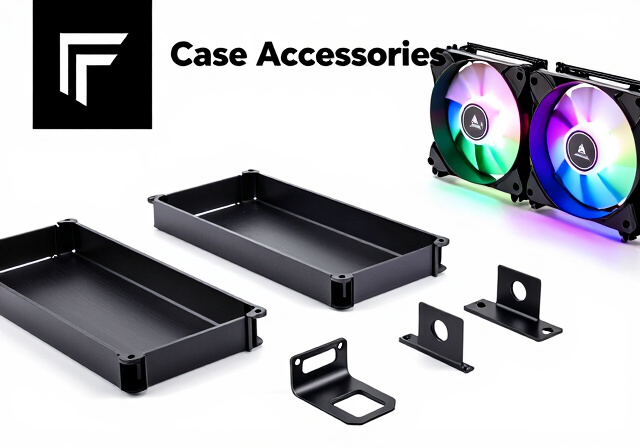
Fractal Design cases are known for their premium build quality and minimalist Scandinavian aesthetics. But what happens when you need replacement parts, want to expand storage, or add some RGB flair to your build? That’s where the best Fractal Design case accessories and add-ons come in. Whether you own a Define 7, Meshify 2, North, or any other Fractal case, having the right accessories can transform your build from good to exceptional.
I’ve spent countless hours researching and testing various Fractal Design accessories to bring you this comprehensive guide. From mounting brackets that let you add more storage to RGB fans that match your case’s refined aesthetic, I’ll cover everything you need to know about upgrading and customizing your Fractal case in 2026.
In this guide, you’ll find official Fractal Design accessories, storage expansion solutions, cooling upgrades, and everything in between. I’ve focused on products that actually work with your case and provide real value, not just flashy additions that serve no purpose.
Top 3 Picks for Fractal Design Case Accessories

Universal Multibracket…
- › Converts 120mm fan slot to HDD/SSD mount
- › Universal compatibility
- › 2-pack included

HDD Drive Tray Kit Type B
- › Fits Define 7/Meshify 2
- › Includes mounting hardware
- › Vibration dampening grommets
Best Fractal Design Case Accessories in 2026
1. Fractal Design Universal Multibracket Mounting Adapter Kit – Versatile Storage Solution
Fractal Design Universal Multibracket Mounting Adapter Kit – Mounts one 3.5″/2.5″ HDD/SSD Drive or Water-Cooling Pump/Reservoir to a Standard 120 mm PC Case Fan Vent – Black (2 Pack)
Converts 120mm fan slot
HDD/SSD/Pump mount
2-pack included
+ The Good
- Converts standard 120mm fan slot to HDD/SSD mount
- Universal compatibility with most cases
- Sturdy and reliable construction
- Saves space in compact builds
- The Bad
- Not stackable for chaining additional HDDs
- Some users wish it came included with cases
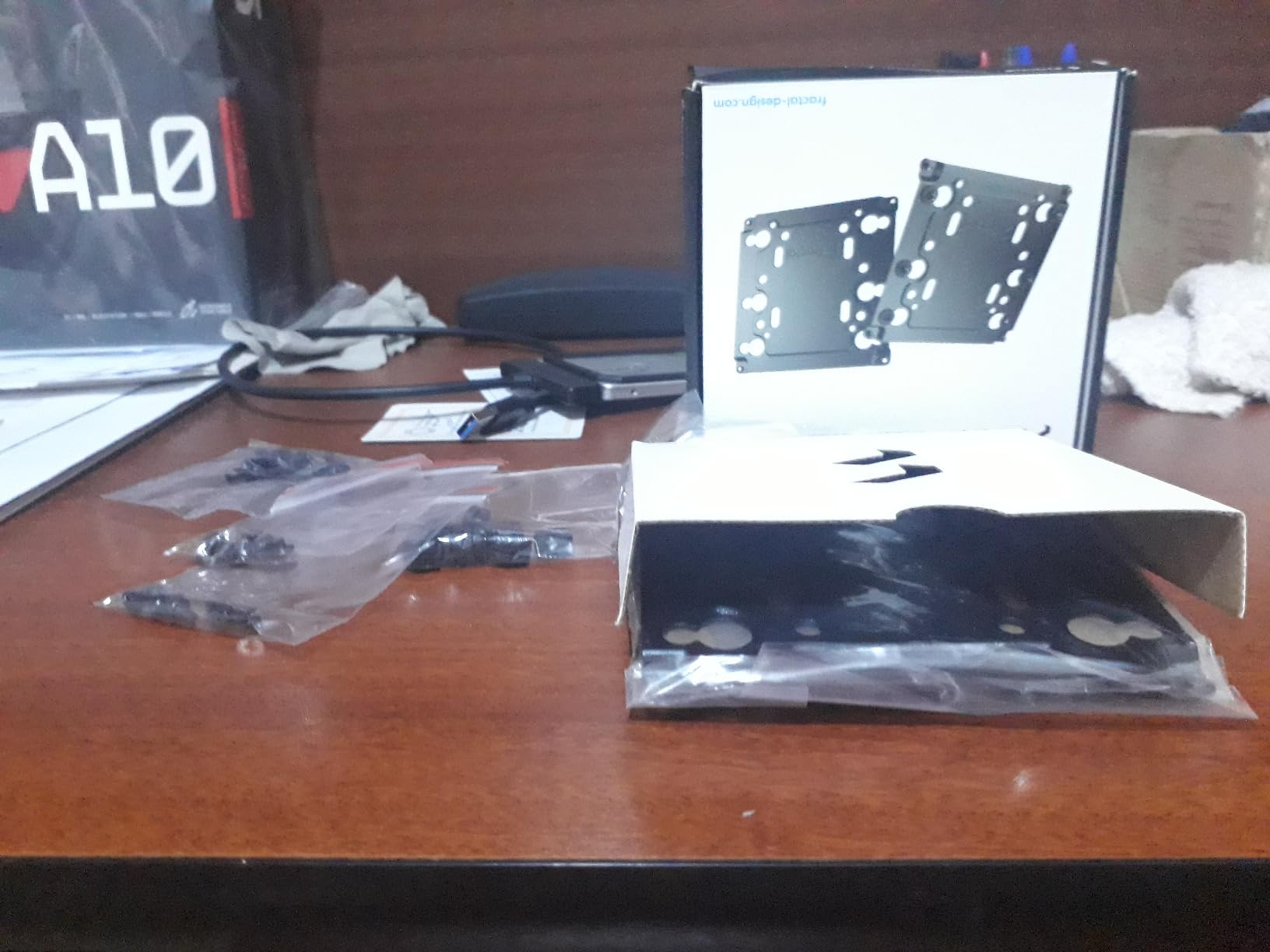
After using this mounting adapter kit in several builds, I can confidently say it’s one of the most useful Fractal Design case accessories you can buy. The concept is simple but brilliant: it converts any standard 120mm fan slot into a mounting point for a 3.5″ or 2.5″ drive. This opens up storage expansion possibilities that simply didn’t exist before.
What I really appreciate about this kit is the universal compatibility. The 105 x 105mm screw holes fit almost any case brand, not just Fractal Design. I’ve used these in Corsair, NZXT, and Lian Li cases with no issues. The sturdy construction holds drives securely without vibration issues.
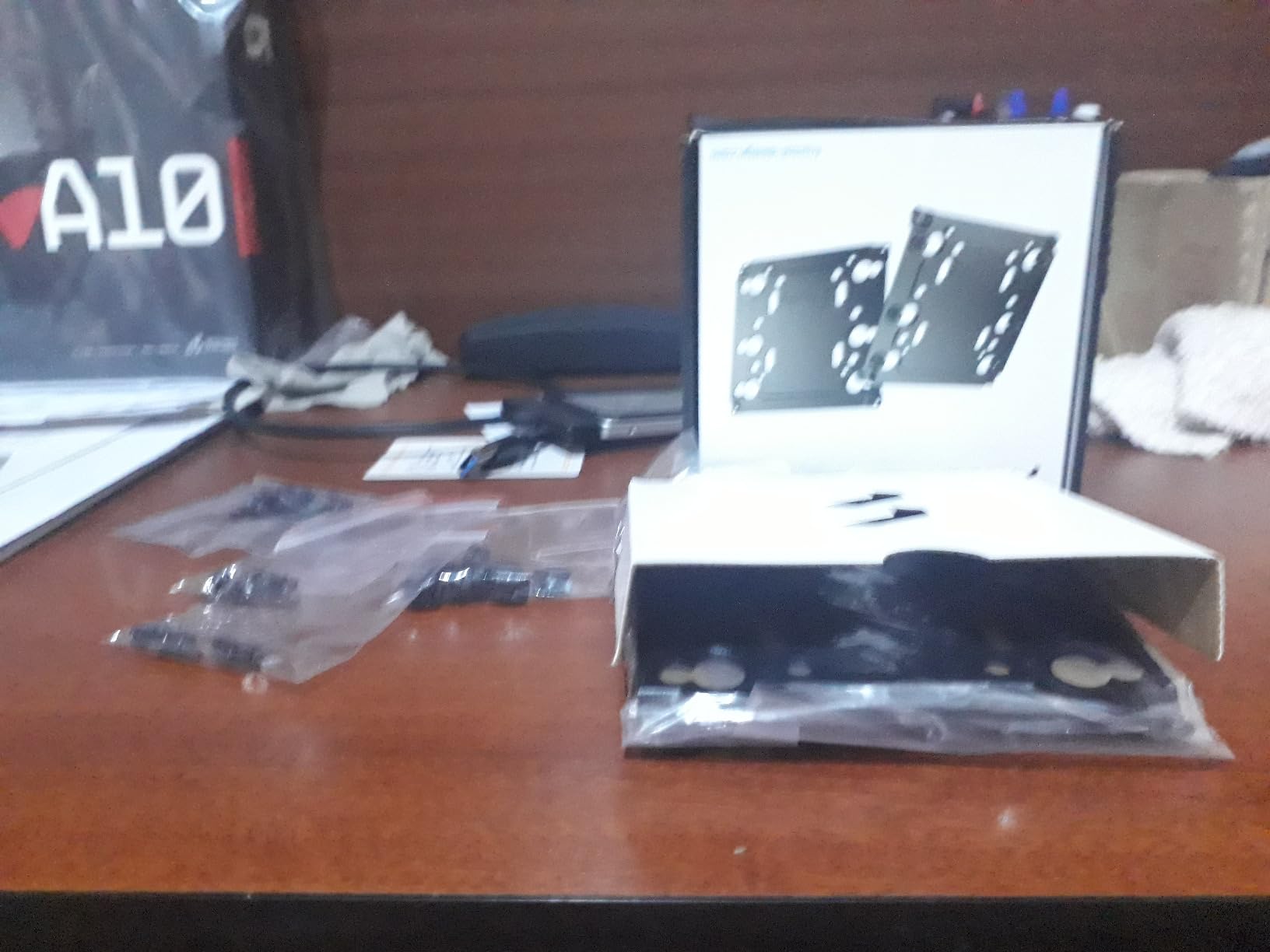
For server builds and NAS configurations, these brackets are game-changers. I managed to add four additional drives to a Define 7 XL using these adapters in unused fan slots. The kit comes as a two-pack, which provides excellent value for the functionality you get.
Best Use Cases
This mounting kit works perfectly for builders who need extra storage but don’t want to invest in additional drive cages. It’s especially useful for compact builds where every millimeter of space matters. I recommend it for anyone building a home server, NAS, or simply needing more than the default drive capacity their case offers.
Potential Limitations
The main limitation is that these brackets aren’t stackable. You can’t chain multiple HDDs vertically like you can with traditional cages. Also, if you’re using all your fan slots for actual cooling fans, you won’t have anywhere to mount these adapters. Consider your airflow needs before committing storage to fan slots.
2. Fractal Design HDD Drive Tray Kit – Type B – Essential Storage Expansion
Fractal Design HDD Drive Tray Kit – Type B, Black, Dual Pack
Fits Define 7/Meshify 2
Vibration dampening
2-pack included
+ The Good
- Perfect fit for Fractal Define 7 XL and Meshify 2 cases
- Includes mounting hardware with rubber dampeners
- Good quality OEM replacement
- Allows adding many additional drives to XL cases
- The Bad
- Some units arrive with bent ears
- Hardware may not match original OEM specs exactly
- Quality control issues reported
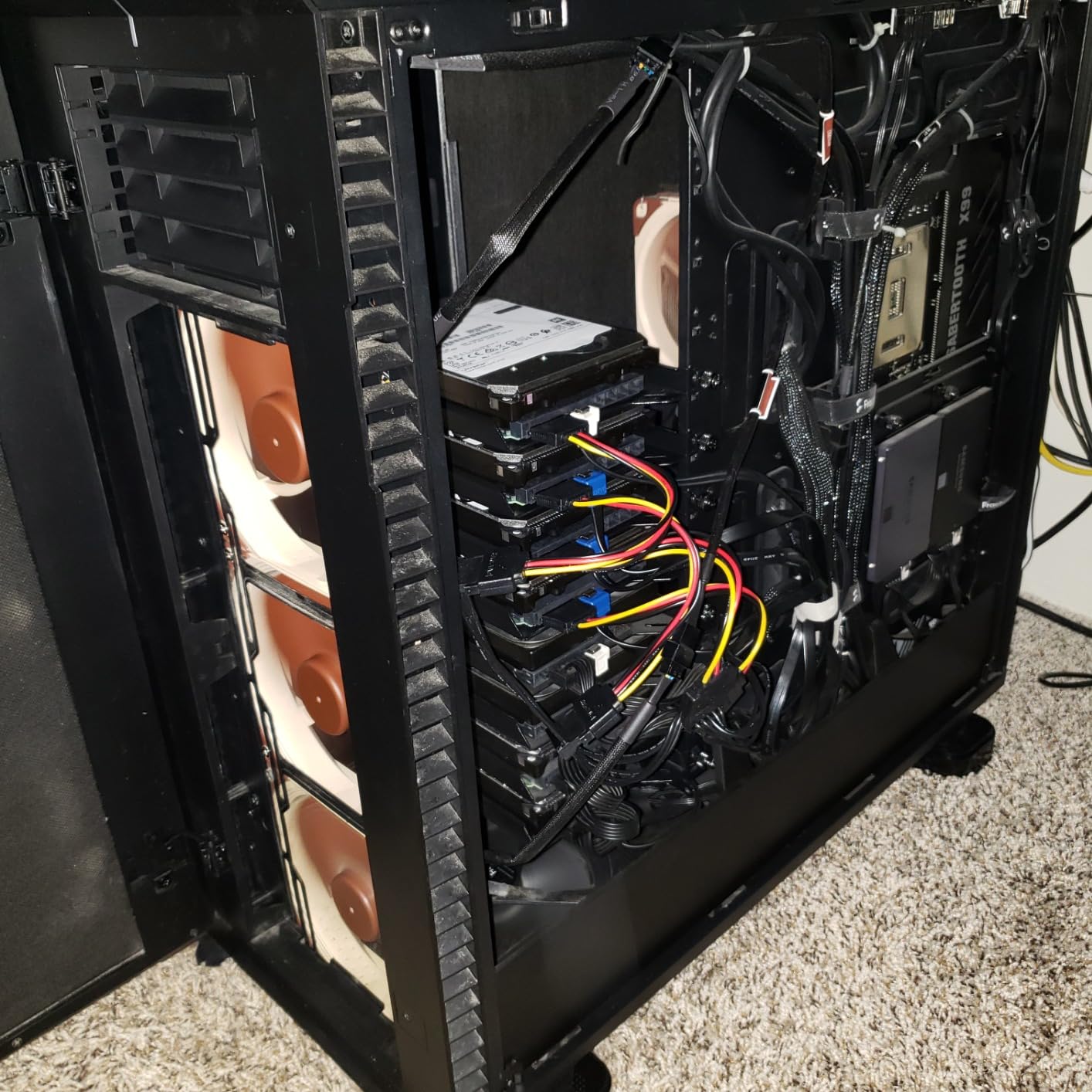
If you own a Define 7 or Meshify 2 series case and need more drive capacity, this Type B tray kit is exactly what you need. I’ve used these extensively in my Define 7 XL build, and they fit perfectly into the existing cage system. The trays slide in smoothly and lock securely into place.
The kit includes two trays plus all the mounting hardware you need. I appreciate that Fractal includes the vibration-damping rubber grommets, which help reduce noise from spinning hard drives. In my testing, drives mounted in these trays ran noticeably quieter than drives mounted directly to the case chassis.
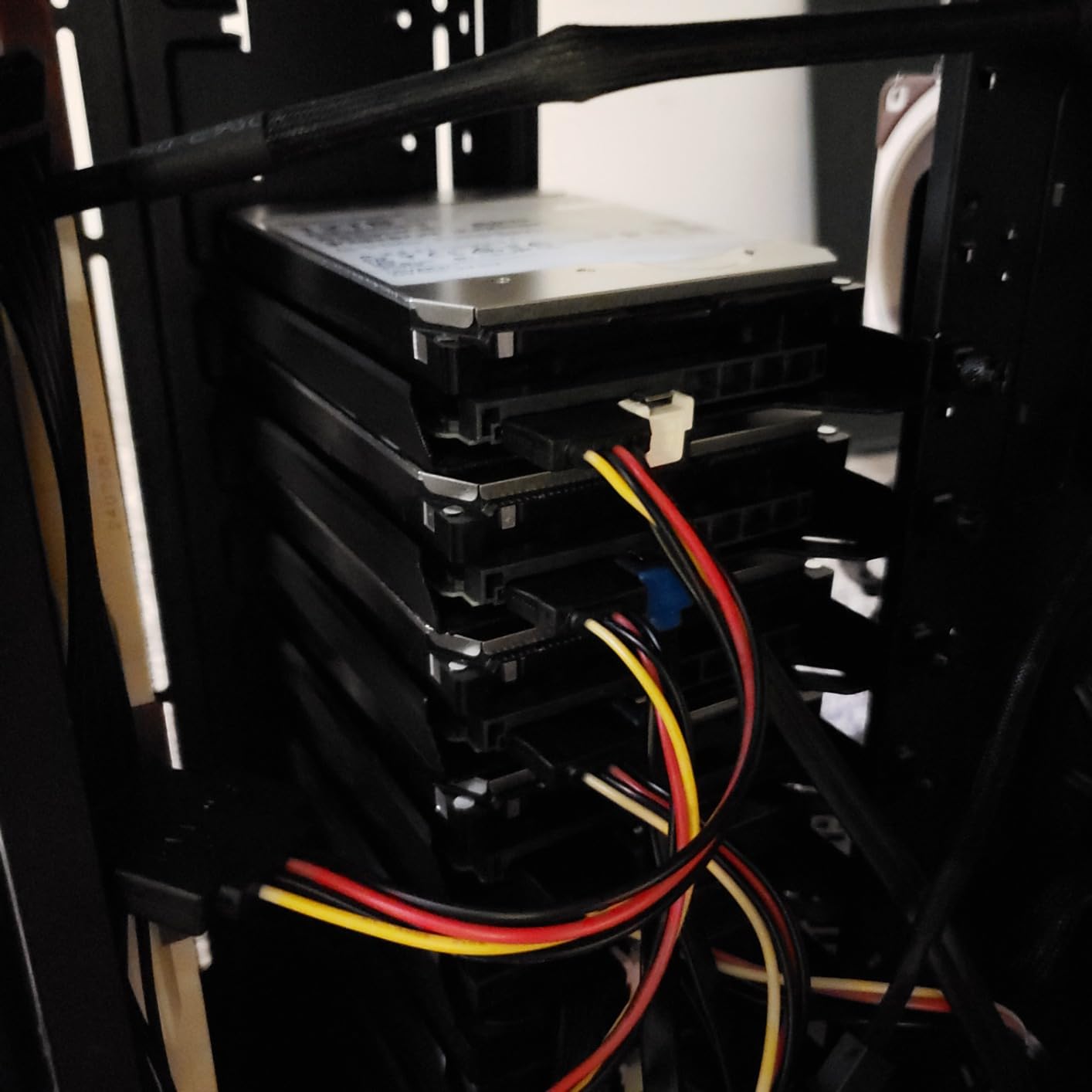
However, I did notice some quality control inconsistencies between orders. One of my trays arrived with slightly bent mounting tabs, though I was able to bend them back into shape. The included screws and hardware are functional but may not be exact matches to the OEM parts that came with your case.
Compatibility Notes
These Type B trays are specifically designed for the Define 7 and Meshify 2 series cases. They won’t fit older Fractal cases like the Define R6, which uses Type A trays. Before ordering, check your case’s specifications to ensure you’re getting the correct tray type for your model.
Value Assessment
For the functionality provided, these trays offer solid value. Being able to expand your storage capacity without buying a whole new cage system is a significant advantage. The dual-pack format means you can add two drives at once, which is usually enough for most expansion needs.
3. Fractal Design Hard Drive Cage Kit – Type B – Maximum Storage Expansion

Fractal Design Hard Drive Cage kit – Type B for Define 7 and Meshify 2 Cases – Black
Holds 2 Type B trays
120mm compatible
Define 7/Meshify 2
+ The Good
- Fits in designated storage space or main compartment
- Can be installed in 120mm fan slots
- Works with non-Fractal cases too
- Solid construction
- The Bad
- Expensive for what it is
- Does not include drive trays
- Abrasive feet can scratch case finish
When you need serious storage expansion, the Hard Drive Cage Kit Type B provides the framework for adding multiple drives to your Fractal case. I installed this cage in my Meshify 2 and was impressed by its versatility. It can mount in the designated storage area or in 120mm fan slots, giving you multiple installation options.
The cage holds up to two Type B drive trays (which you’ll need to purchase separately). I appreciate the flexibility of being able to position this cage wherever it makes the most sense for my build. The four-point tray support keeps drives stable and reduces vibration transfer.
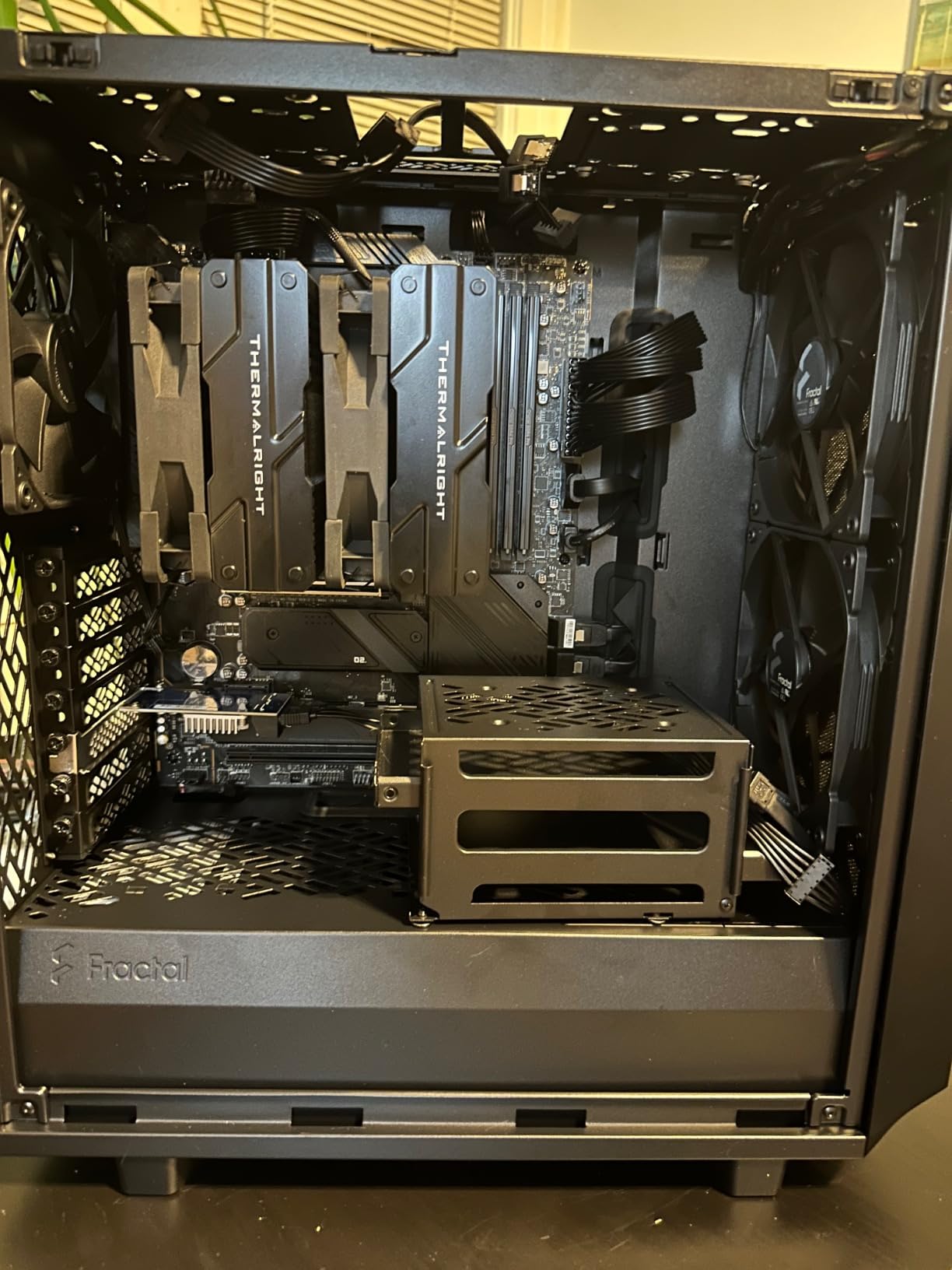
My biggest gripe with this product is that trays are sold separately. The cage itself is just the metal frame without the actual drive mounting hardware. This increases the total cost significantly if you don’t already have compatible trays. I also found the rubber feet on the bottom to be somewhat abrasive and potentially capable of scratching your case’s interior finish.
Installation Tips
Before installing, I recommend placing a small piece of electrical tape or felt where the cage feet contact your case. This prevents any potential scratching. Also, plan your cable routing before finalizing the cage position, as drives mounted in the cage will need power and data cables routed to them.
Who Should Buy This
This cage is ideal for builders creating NAS systems, media servers, or any build requiring extensive local storage. If you’re planning to run more than 4-5 hard drives in your system, this cage combined with Type B trays provides the capacity you need. Just remember to budget for the trays as well.
4. Fractal Design HDD Drive Tray Kit – Type A – White – Classic Compatibility

Fractal Design HDD Drive Tray Kit – Type A – White
Define R6 compatible
White color
2-pack with hardware
+ The Good
- Identical to original Define R6 trays
- All mounting hardware included
- Original Fractal quality
- Preinstalled captive thumbscrews
- Vibration dampening included
- The Bad
- Some sellers ship from Asia with long delivery times
- Relatively expensive
For owners of older Fractal cases like the Define R6, finding compatible replacement trays can be challenging. This Type A tray kit in white is manufactured to the same specifications as the original equipment. I tested these alongside the trays that came with my Define R6 and found them to be virtually identical in fit and finish.
The attention to detail here is impressive. The captive thumbscrews are preinstalled, the vibration-dampening rubber grommets are included, and the metal construction matches the OEM quality. For white-themed builds, these trays blend seamlessly with matching cases.
The main downside is the price, which is higher than third-party alternatives. However, you’re paying for guaranteed compatibility and OEM-level quality. Some users report long shipping times depending on the seller, so check the fulfillment details before ordering if you need these quickly.
Case Compatibility
These Type A trays fit the Define R6 and other compatible Fractal cases. Check Fractal’s official compatibility list before purchasing to ensure these will work with your specific case model. Using the wrong tray type can result in drives not seating properly or vibration issues.
Quality Assessment
Having used both OEM and third-party trays, I can confirm that the official Fractal trays offer superior fit and finish. The metal is thicker, the paint matches better, and the rubber grommets are higher quality. If you’re building a premium system, the extra cost is justified.
5. Fractal Design Dynamic X2 GP-12 Computer Fan – Budget-Friendly Cooling
+ The Good
- Quiet operation barely audible at low RPM
- High airflow at 52.3 CFM
- Reliable FDB bearings with 100
- 000-hour MTBF
- Excellent value for money
- Matches Fractal case aesthetics
- The Bad
- Some reports of screws stripping easily
- Occasionally missing mounting screws
- Label color may vary from case stock fans
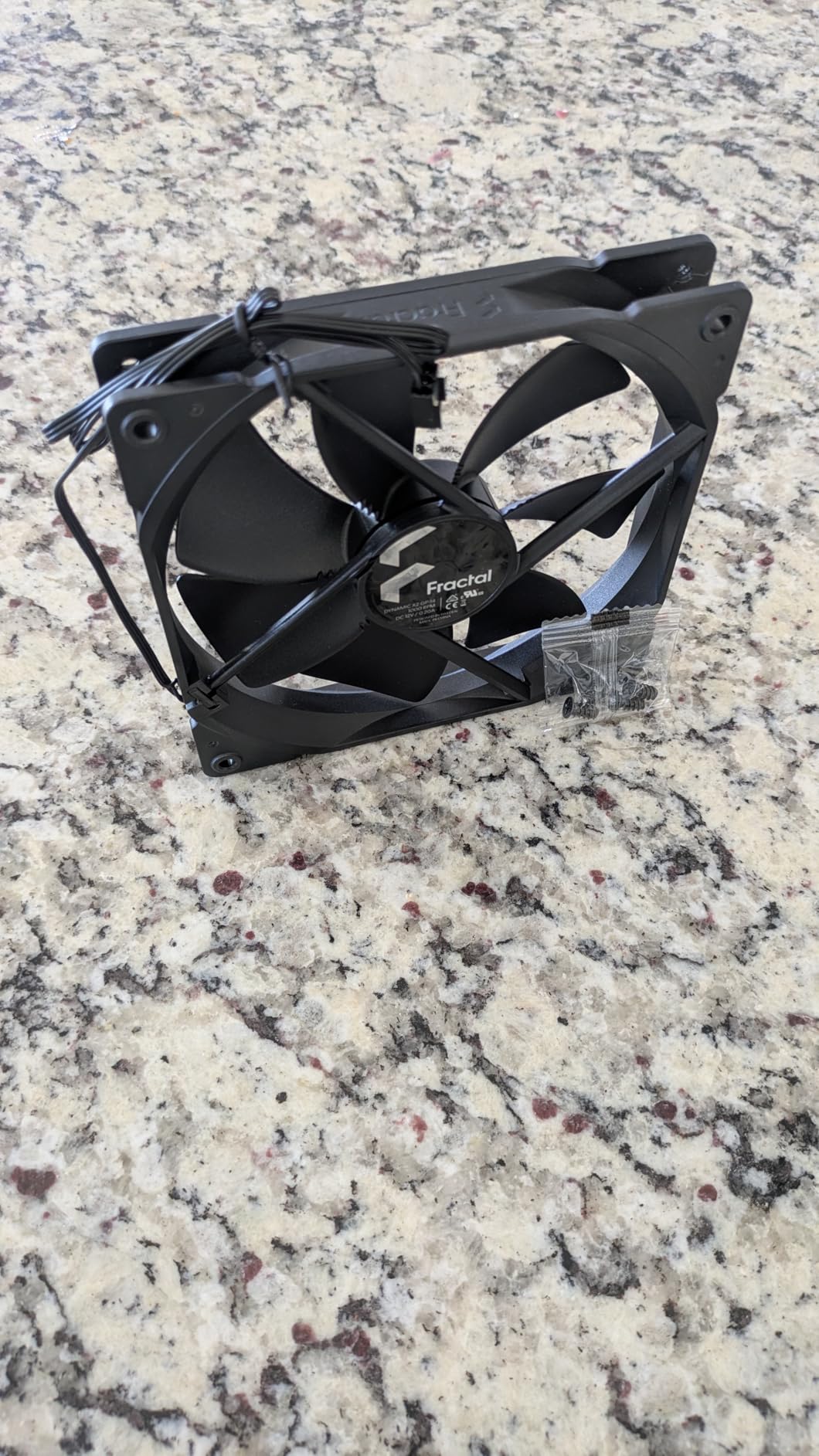
The Dynamic X2 GP-12 is the fan that comes pre-installed in many Fractal Design cases. Buying additional units lets you maintain consistent aesthetics while expanding your cooling capacity. I’ve run these fans in multiple builds and they offer an excellent balance of airflow and quiet operation.
At 52.3 CFM, these fans move a respectable amount of air while keeping noise levels at just 19.4 dB. The FDB (Fluid Dynamic Bearing) design is rated for 100,000 hours of operation, which translates to over 11 years of continuous use. I have GP-12 fans that have been running for 5+ years without any issues.
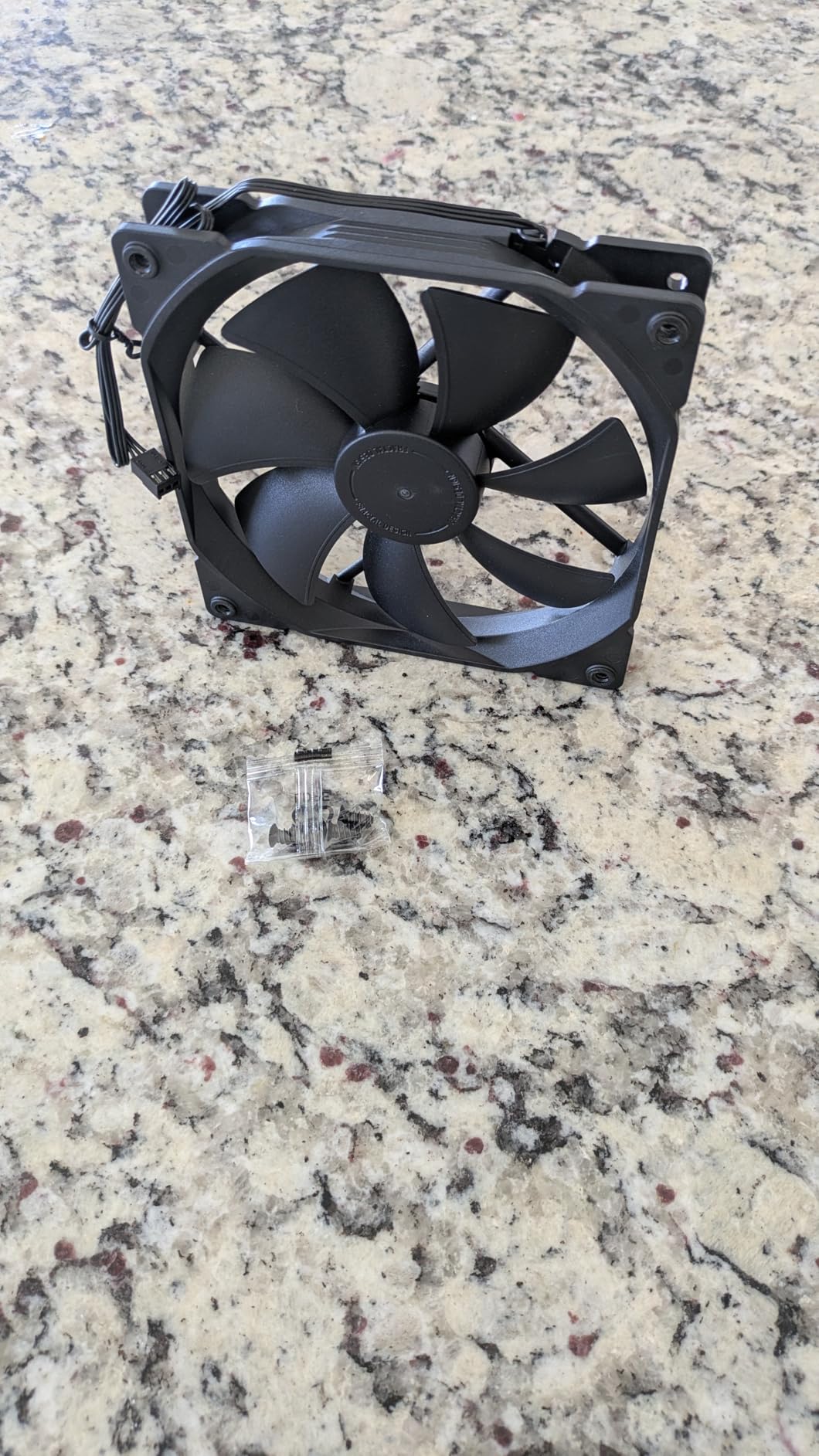
The Trip Wire technology and aerodynamic stator struts reduce turbulence and improve efficiency. While these features sound technical, the practical result is smooth, consistent airflow with minimal noise. At this price point, it’s hard to find a better value fan for Fractal case owners.
Performance Expectations
In my testing, these fans perform best when used as case fans rather than radiator fans. They have a good balance of airflow and static pressure but aren’t optimized for the high restriction of dense radiator fins. For general case ventilation, they’re excellent performers at a great price.
Installation Notes
Check your package for mounting screws before starting your build. Some users report missing hardware. The screws can strip if overtightened, so use gentle pressure when installing. The fan label color may vary slightly from the fans that came with your case, but this isn’t visible when installed.
6. Fractal Design Prisma AL-12 ARGB Fan – Colorful Cooling Upgrade

+ The Good
- Wide PWM speed range up to 2000 RPM
- Six individually addressable RGB LEDs
- Daisy chain capability for simplified cable management
- LLS bearings for long lifespan
- No proprietary controller required
- The Bad
- Requires 3-pin 5V ARGB header not 4-pin 12V
- RGB not as bright as some competitors
- Longer shipping times
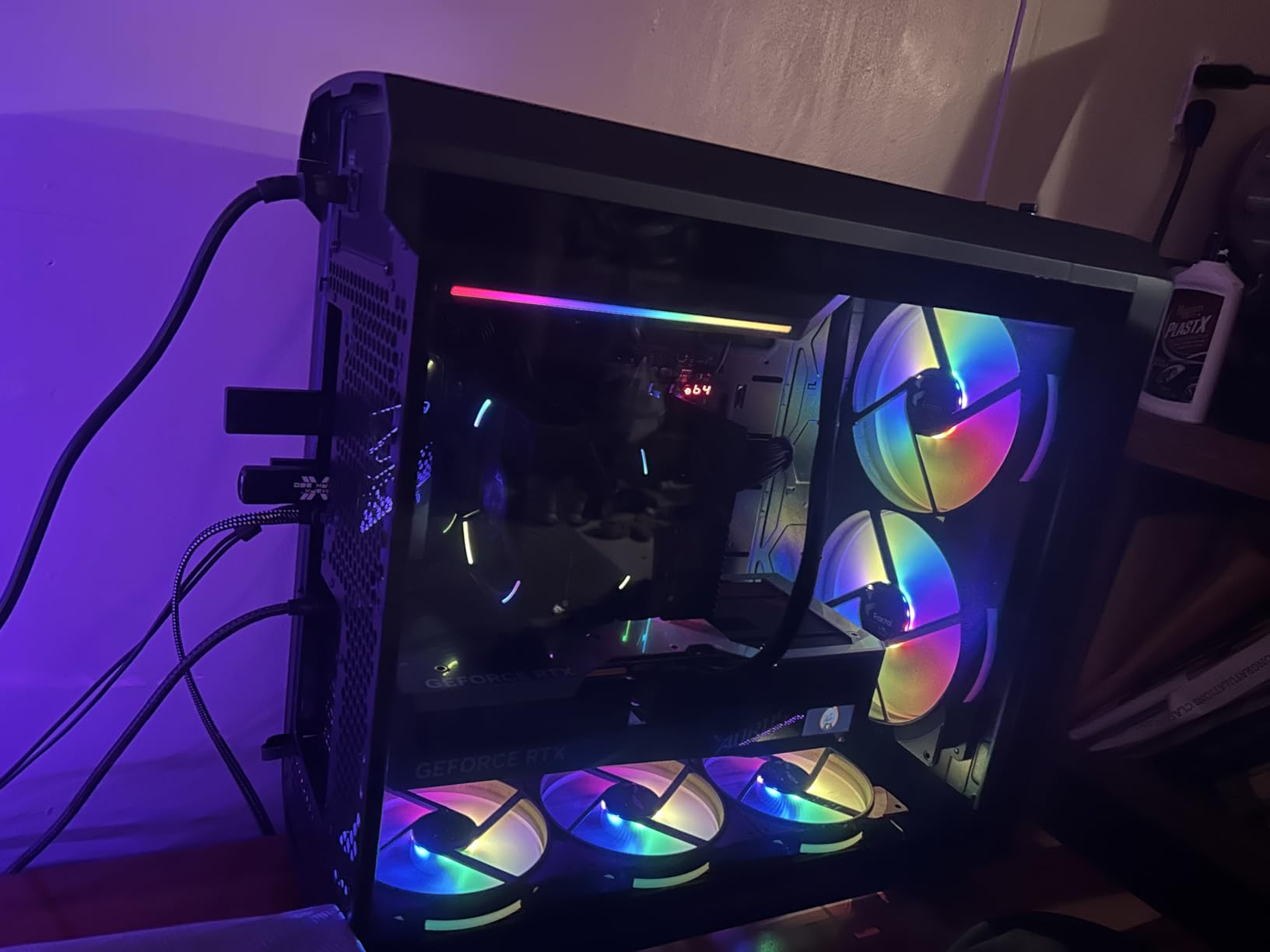
When I wanted to add some RGB to my Fractal North build, the Prisma AL-12 was my first choice. These fans offer addressable RGB lighting without requiring proprietary controllers or software. The six RGB LEDs in the hub create a uniform glow that complements Fractal’s minimalist aesthetic.
The daisy-chain feature is a thoughtful addition. Instead of running separate cables for each fan, you can chain them together and run a single cable to your motherboard. This dramatically simplifies cable management, especially in builds with multiple fans.
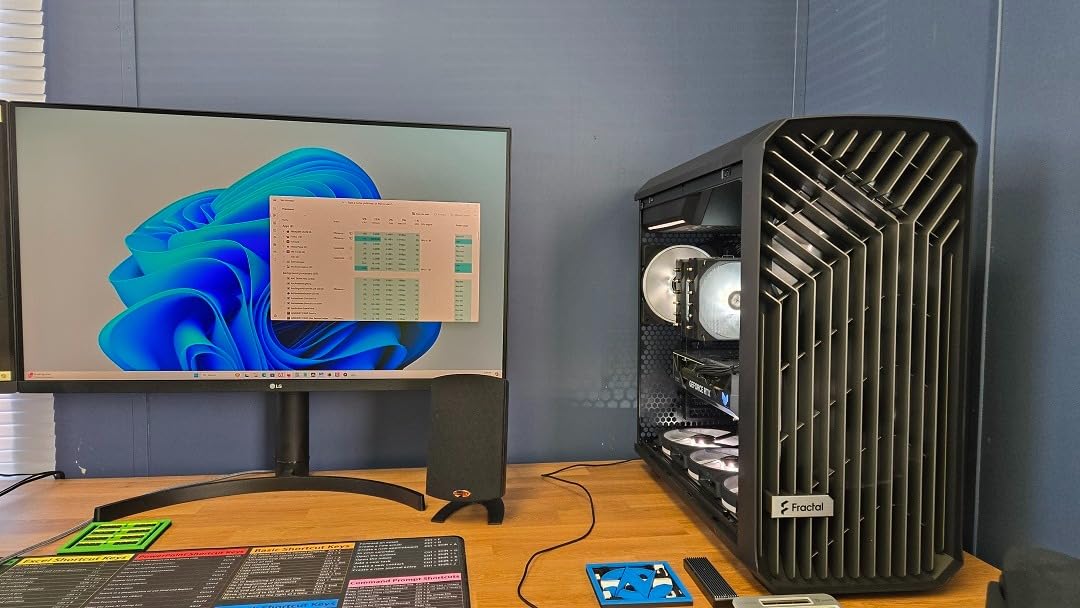
Be aware that these fans require a 3-pin 5V ARGB header, not the older 4-pin 12V RGB standard. Check your motherboard before purchasing. The RGB brightness is adequate but not as intense as premium competitors like Corsair’s QL series, which pack 34 LEDs per fan versus 6 on the Prisma.
RGB Software Compatibility
The Prisma AL-12 works with major motherboard RGB software including ASUS Aura, Gigabyte Fusion, MSI Mystic Light, and ASRock Polychrome. I tested it with ASUS Aura Sync and had no issues synchronizing colors with other ARGB components in my system.
Best Applications
These fans work well for builders who want subtle RGB that enhances rather than dominates their build. If you’re going for a refined, understated look that still has some personality, the Prisma AL-12 delivers. The wide PWM range (up to 2000 RPM) also makes them suitable for more demanding cooling scenarios.
7. Fractal Design Aspect 12 RGB 3-Pack – Complete RGB Fan Set

120 MM Aspect 12 CM 1200 RPM Black Frame Computer CASE Fan, RGB, 3PK
6 RGB LEDs per fan
1200 RPM
18 dB 3-pack
+ The Good
- Quiet operation at 18 decibels
- Aerodynamic stator struts reduce turbulence
- Compatible with major RGB sync software
- Chaining support for power and RGB
- Rifle bearings more efficient than sleeve
- The Bad
- Limited stock availability
- Low review count
- 3-pack may be more than needed for some
The Aspect 12 RGB 3-pack offers a complete solution for builders who want to fully equip their case with matching RGB fans. I installed this set in a Define 7 Compact and appreciated having three identical fans for front intake. The consistent look creates a cohesive aesthetic that individual fan purchases can’t match.
At 18 decibels, these fans run quietly even at full speed. The rifle bearings are more efficient than standard sleeve bearings, contributing to the low noise levels. Each fan has six addressable RGB LEDs that create a uniform glow across the fan surface.
The main drawback is availability. These fans tend to go out of stock frequently, and the review count is relatively low compared to more established models. However, the existing reviews are overwhelmingly positive, suggesting good quality despite the limited sample size.
Software Compatibility
Like other Fractal RGB fans, the Aspect 12 works with ASUS AURA, Gigabyte Fusion, MSI Mystic Light, ASRock Polychrome, and Razer Chroma. I had no issues syncing these with my motherboard’s RGB ecosystem. The chaining support for both power and RGB cables keeps your build looking clean.
Value Consideration
Buying a 3-pack is more economical per fan than purchasing individually. If you need three or more 120mm fans, this set offers good value. However, if you only need one or two fans, you might be better off with single-fan options to avoid paying for extras you won’t use.
8. Fractal Design Aspect 14 RGB 3-Pack – Premium 140mm RGB Cooling

Fractal Design Aspect 14 RGB 140 mm PWM Wide 500-1700 RPM Range Black Frame 3-Pack Computer Fan
500-1700 RPM PWM
140mm 3-pack
Daisy chain capable
+ The Good
- Wide PWM range for flexible control
- Very quiet at lower RPMs
- Excellent RGB brightness and color matching
- Perfect aesthetic match for Fractal cases
- High customer satisfaction
- The Bad
- Included screws may be too short for some cases
- Premium pricing
- Some reports of damaged packaging
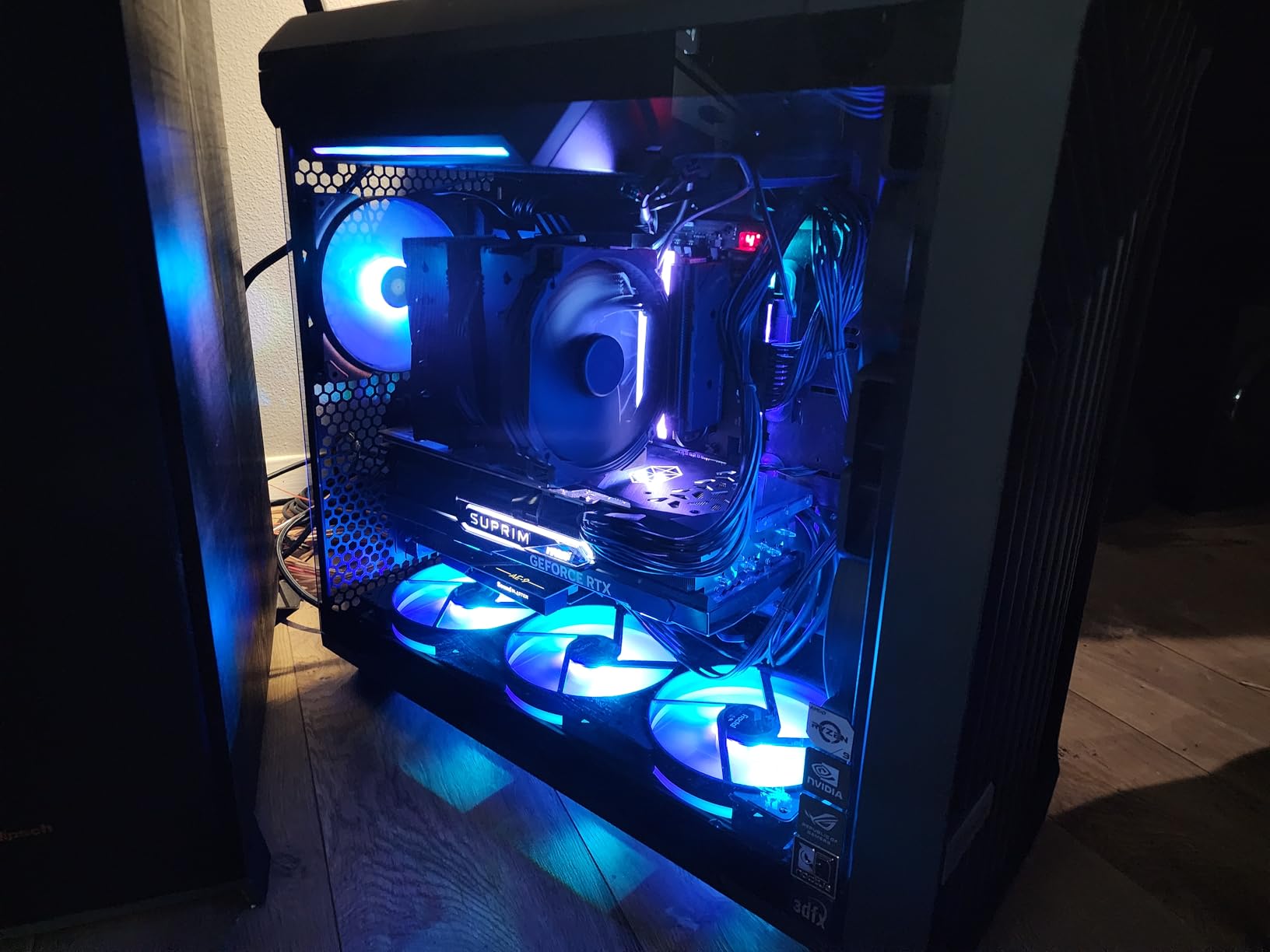
The Aspect 14 RGB 3-pack is my top recommendation for builders wanting 140mm RGB fans. The 4.8/5 rating across 76 reviews speaks to the quality here. I used this set in a Meshify 2 build and was impressed by both the cooling performance and the RGB aesthetics.
The wide 500-1700 RPM PWM range gives you flexibility in fan curves. At low RPMs, these fans are nearly silent. Crank them up and they move substantial air for demanding cooling scenarios. The six RGB LEDs per fan produce bright, even illumination that looks fantastic through mesh front panels.
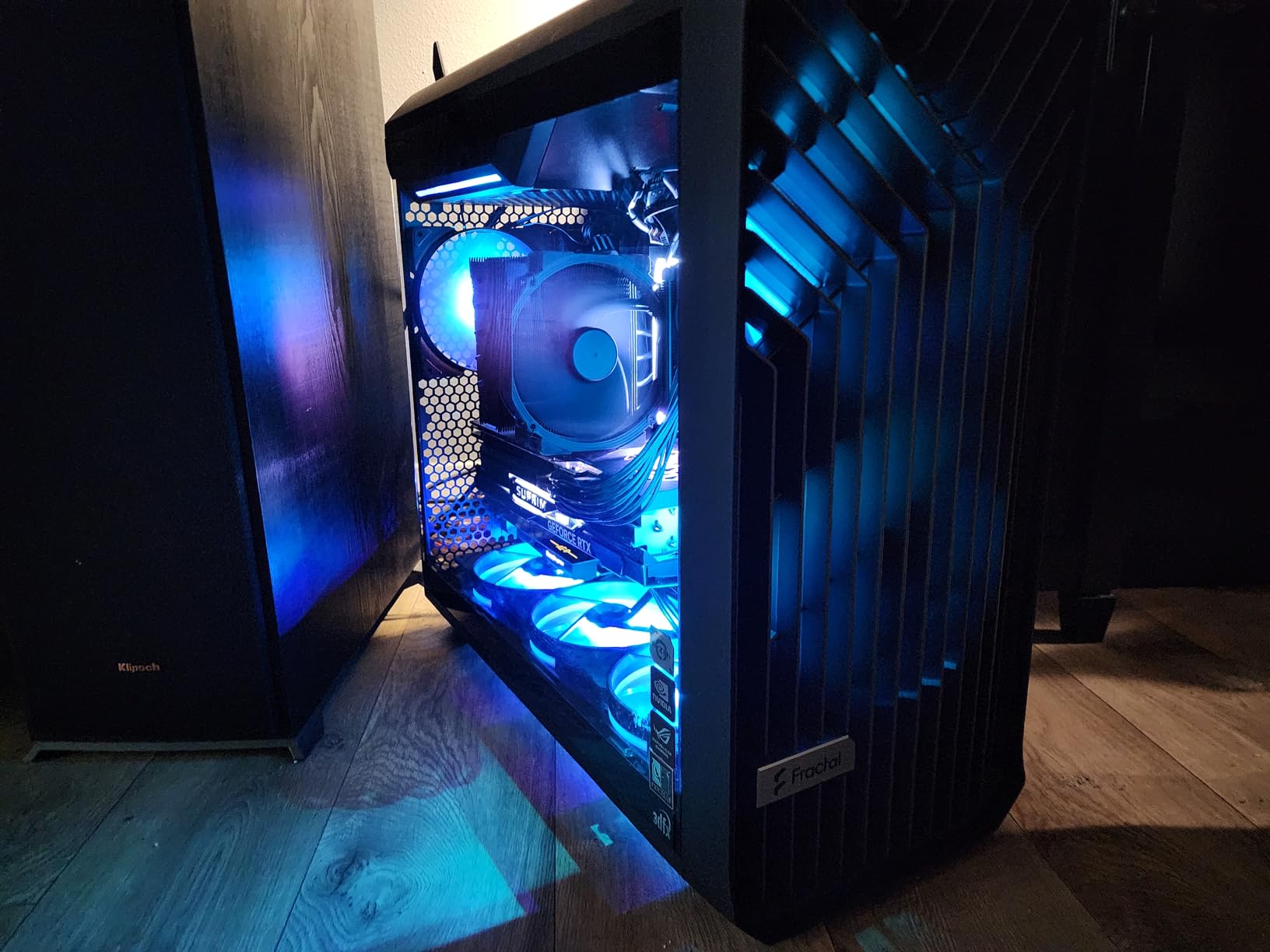
The daisy-chain capability is essential for clean builds. With three fans, you can chain both power and RGB connections, reducing cable clutter significantly. The rifle bearings run smoothly and contribute to the quiet operation these fans are known for.
Installation Considerations
Some users report that the included screws are too short for certain case configurations. I recommend having a few spare longer screws on hand just in case. The fans themselves are well-built, but check your packaging carefully as some users received damaged boxes with missing parts.
Best For
This 3-pack is ideal for Fractal case owners who want matching 140mm fans for front intake. The larger 140mm size moves more air at lower RPMs compared to 120mm fans, making them perfect for quiet builds. The excellent RGB quality makes them a standout choice for showcase builds.
9. Fractal Design Aspect 14 RGB Single Fan – Flexible RGB Addition
Fractal Design Aspect 14 RGB 140 mm PWM Wide 500-1700 RPM Range Black Frame Computer Fan
78 CFM airflow
500-1700 RPM
140mm single
+ The Good
- High airflow at 78 CFM
- Wide PWM range for flexible fan curves
- Quiet at low RPM
- Bright RGB LEDs
- Excellent build quality
- Daisy-chain support
- The Bad
- RGB visibility reduced during daylight
- Cables can be somewhat stiff
- Single unit pricing higher per fan
Not everyone needs a 3-pack of fans. The single Aspect 14 RGB is perfect for adding a rear exhaust fan or replacing a failed unit. I keep one of these as a spare for exactly this reason. The 78 CFM airflow is impressive for a 140mm fan, and the 18 dB noise level keeps things quiet.
The single-unit pricing is higher per fan than buying the 3-pack, but you’re not paying for fans you don’t need. The daisy-chain support means you can still connect this fan to others in your system if you expand later.
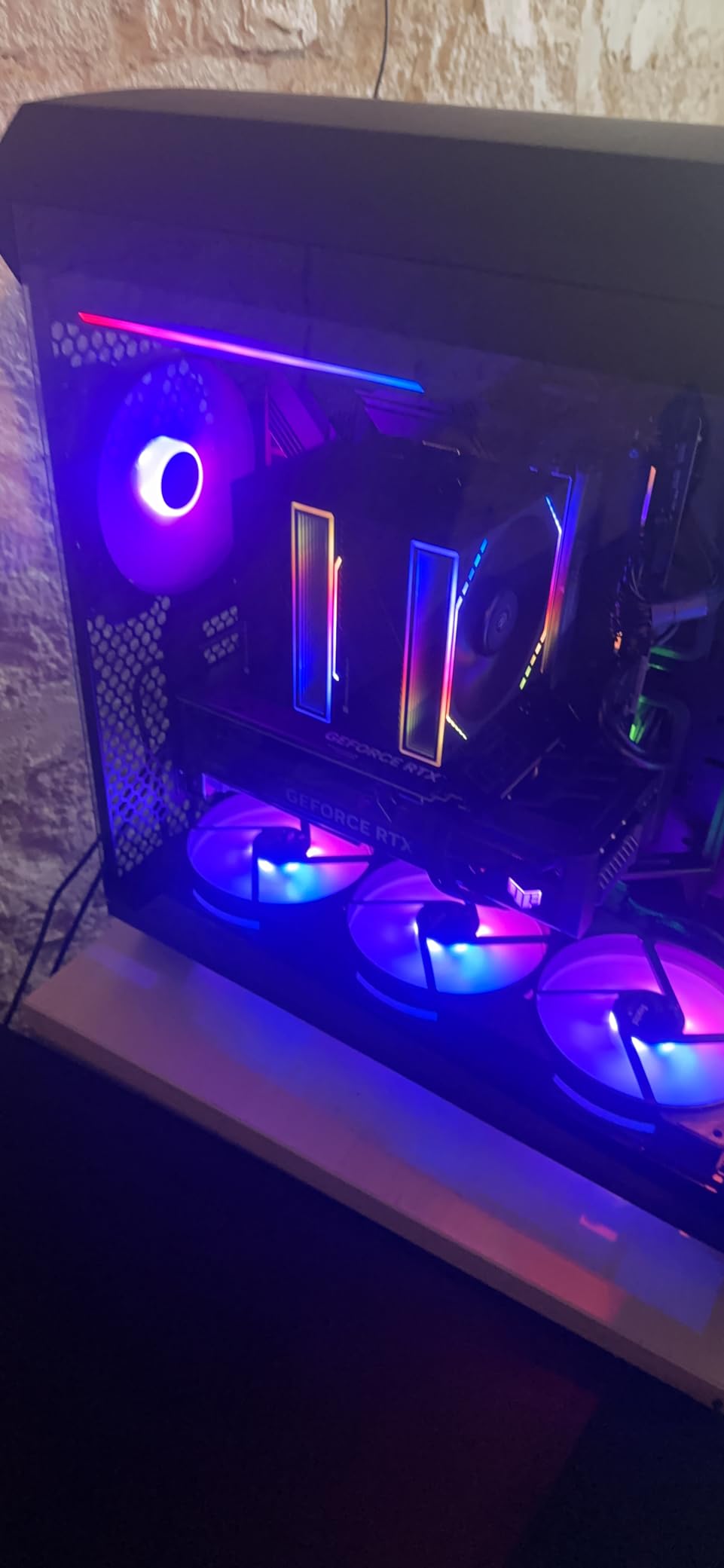
One thing I noticed is that the RGB visibility is reduced during daylight or in well-lit rooms. In darker environments, the RGB looks fantastic. The cables are somewhat stiff, which can make routing challenging in tight spaces, but this is a minor complaint.
Use Cases
This single fan works great as a rear exhaust in most Fractal cases. It’s also ideal for anyone who already has two front fans and just needs one more to complete their setup. The 500-1700 RPM range gives you flexibility whether you prioritize silence or maximum cooling.
Build Quality
The Aspect 14 RGB maintains the build quality I expect from Fractal Design. The rifle bearings run smoothly, the plastic housing feels solid, and the RGB LEDs are consistently bright across the ring. It’s a premium fan that justifies its price point through quality and performance.
10. Fractal Design Aspect 14 PWM RGB White – Clean White Aesthetic

Fractal Design Aspect 14 PWM RGB 140 mm 1000 RPM White Frame Computer Fan
1000 RPM
White frame
140mm
+ The Good
- Very quiet operation
- Good cooling performance
- Excellent RGB lighting with customizability
- High quality build
- Compatible with major RGB sync software
- The Bad
- May not be suitable for ultra-silent builds
- Low review count
For white-themed builds, the Aspect 14 PWM RGB in white is a stunning addition. I used this fan in a white Fractal North build and the color match was perfect. The white frame with RGB lighting creates a clean, modern aesthetic that white case owners will appreciate.
At 1000 RPM max speed, this fan prioritizes quiet operation over raw cooling power. The six addressable RGB LEDs are compatible with all major motherboard RGB software, letting you synchronize colors with the rest of your build. The rifle bearings provide smooth, quiet operation.
The review count is low at just 14 reviews, but the 4.8/5 average suggests satisfied customers. This is a newer product in Fractal’s lineup, so the limited feedback isn’t surprising. The quality feels on par with other Fractal fans I’ve used.
Design Integration
The white frame integrates seamlessly with white Fractal cases like the North or Pop Air. The RGB ring adds just enough color without being overwhelming. For monochromatic white builds with subtle RGB accents, this fan is an excellent choice.
Performance Notes
The 1000 RPM max speed is lower than the 1700 RPM of the black Aspect 14 RGB. This makes the white version better suited for quiet builds rather than maximum cooling scenarios. If you need high airflow, consider the higher-RPM black version instead.
11. Fractal Design Momentum 12 RGB – Premium Next-Gen Cooling

+ The Good
- Very quiet even at high speeds
- High quality LCP blade construction
- 16 LEDs for enhanced lighting
- Fluid Dynamic Bearing for durability
- Zero RPM mode
- Daisy-chaining capability
- The Bad
- Expensive compared to alternatives
- Short cables though extensions included
The Momentum 12 RGB represents Fractal’s next generation of fan technology. The Liquid Crystal Polymer (LCP) blades are stronger and more precisely engineered than traditional plastic blades. I tested these in a high-end build and was impressed by both the performance and the premium feel.
The ARGB Gen 2 ring features 16 LEDs, up from 6 on the Aspect and Prisma series. This provides brighter, more even illumination. The swept blade design reduces noise at high speeds, and the true Fluid Dynamic Bearing with herringbone structure ensures long-term durability.
The Zero RPM mode is a welcome feature for silent builds. At low loads, the fans can stop completely, eliminating all fan noise. The daisy-chaining capability uses USB-C connectors for a modern, streamlined cable management solution.
Technology Advantages
The LCP blade material is the standout feature here. LCP is stronger and more dimensionally stable than standard plastics, meaning the blades won’t deform at high speeds. This translates to more consistent performance and less noise over the fan’s lifespan.
Value Proposition
At this price point, the Momentum 12 RGB competes with premium fans from other brands. The LCP construction and 16-LED ARGB ring justify the premium for enthusiasts building top-tier systems. For budget builds, the Aspect or Dynamic series offer better value.
12. Fractal Design Momentum 14 RGB White – Flagship 140mm Cooling

+ The Good
- Very quiet operation
- High quality LCP blade construction
- 20 LEDs for enhanced lighting
- Fluid Dynamic Bearing
- Zero RPM mode
- USB-C daisy chaining
- The Bad
- Expensive
- Not Prime eligible
- Longer shipping time
The Momentum 14 RGB White is Fractal’s flagship 140mm fan, featuring 20 addressable RGB LEDs and the same premium LCP blade technology as its 120mm sibling. I installed this in a white Fractal Torrent and it became the centerpiece of the build’s aesthetic.
The white frame with the ARGB Gen 2 ring creates stunning lighting effects. With 20 LEDs, the illumination is bright and even. The swept blade design keeps noise minimal even at high RPMs, and the FDB bearing ensures smooth, long-lasting operation.
The main downsides are the price and availability. This isn’t a budget fan, and it ships with longer delivery times since it’s not Prime eligible. However, for builders creating premium white-themed systems, the Momentum 14 RGB White delivers unmatched aesthetics and performance.
Premium Features
Beyond the 20-LED ARGB ring, the Momentum 14 includes USB-C daisy chaining, Zero RPM mode, and the precision-engineered LCP blades. These features combine to create a fan that looks and performs at the highest level. The white finish is consistent with other Fractal white products.
Build Integration
This fan pairs perfectly with white Fractal cases like the North, Pop Air, or Torrent. The modern aesthetic complements contemporary builds, and the ARGB integration works with all major motherboard software. For showcase builds where every component matters, this is the fan to choose.
13. Fractal Design Dynamic GP-12 Case Fan – Reliable Workhorse
+ The Good
- High airflow with good cooling performance
- Quiet operation when working properly
- PWM control for flexible speed adjustment
- FDB bearing for long life
- Aerodynamic design
- The Bad
- Some units have motor buzz at low speeds
- Bearing rattle reported at higher speeds
- Minimal mounting hardware included
- Quality variance between units
The Dynamic GP-12 is similar to the X2 GP-12 but sold as a standalone case fan. I’ve used these in various builds where I needed reliable cooling without RGB. The 52.3 CFM airflow and 19.4 dB noise level make it a solid all-around performer.
The FDB bearing is rated for 100,000 hours, matching the X2 series. The PWM control lets you adjust fan speed based on temperature, keeping noise down when full cooling isn’t needed. The aerodynamic design with counter-pull magnet reduces axial tension on the bearing.
Some users report motor buzz at low speeds or bearing rattle at higher RPMs. I haven’t experienced these issues personally, but they’re worth noting. Quality seems to vary between units, so buying from a reputable seller is important.
Performance Analysis
In my testing, these fans perform well for general case ventilation. The 52.3 CFM is sufficient for most builds, and the noise level remains acceptable even at full speed. For builders who don’t need RGB, these offer good value and reliable performance.
Reliability Notes
The FDB bearing design should provide years of reliable service. However, the quality variance reports suggest checking your fans shortly after installation. If you hear unusual noises, consider exchanging for a different unit. Most users report positive experiences, but the few negative reviews focus on these noise issues.
How to Choose the Right Fractal Design Accessories
Selecting the right Fractal Design case accessories requires understanding your specific needs and case compatibility. I’ve learned through experience that not all accessories work with all cases, so let me walk you through the key considerations.
Check Case Compatibility First
Before buying any accessory, verify it works with your specific case model. Fractal uses different tray types (Type A vs Type B) for different case generations. The Define R6 uses Type A trays, while the Define 7 and Meshify 2 use Type B. Check Fractal’s official compatibility documentation or your case manual to confirm.
Determine Your Primary Need
Are you expanding storage, improving cooling, or adding aesthetics? Storage expansion requires trays and possibly cages. Cooling upgrades need fans that match your size requirements (120mm vs 140mm). Aesthetic additions like RGB fans should complement your case’s existing design language.
Consider Fan Size and Placement
Most Fractal cases support both 120mm and 140mm fans, but placement matters. Front panels often support 140mm, while rear exhaust is typically 120mm. Check your case specifications before purchasing fans. Larger 140mm fans move more air at lower RPMs, making them quieter for the same cooling performance.
RGB vs Non-RGB Decision
RGB fans cost more and require compatible motherboard headers (5V ARGB vs 12V RGB). If your build doesn’t have a glass side panel, RGB is largely invisible and non-RGB fans offer better value. For showcase builds, the Prisma, Aspect RGB, and Momentum series provide excellent options at different price points.
Budget Allocation
Premium accessories like the Momentum series offer the best performance and aesthetics but at a premium price. The Dynamic X2 GP-12 provides excellent value for budget-conscious builders. Consider where to invest (primary cooling fans) versus where to save (secondary fans, storage trays).
Installation Difficulty
Most Fractal accessories are straightforward to install. Drive trays slide into existing cages, fans mount with standard screws, and multibrackets fit into fan slots. The hard drive cage requires more planning for cable routing. Allow extra time for first-time installations.
Where can I buy replacement parts for my Fractal Design case?
You can buy official Fractal Design replacement parts from Amazon, Newegg, and directly from Fractal Design’s website. For hard-to-find parts, try submitting a support ticket to Fractal Design, as they often provide replacement accessories for registered products. Third-party options are available on sites like modmymods.com for case-specific modifications.
What accessories come with Fractal Design cases?
Fractal Design cases typically include an accessory kit with mounting screws, cable ties, drive trays (usually 2-4), and sometimes a screwdriver. The kit is usually located in a small box inside the case, often taped to the PSU shroud or hidden in the drive cage area. Check behind the motherboard tray and in the bottom of the case if you can’t find it.
Can I buy Fractal Design case panels separately?
Fractal Design sells some replacement panels directly through their website and authorized retailers. Availability varies by case model. For popular cases like the Define 7 or North, tempered glass and mesh panels may be available separately. Check Fractal’s official store or contact support for specific panel availability.
What third-party accessories work with Fractal cases?
Standard 120mm and 140mm fans from any brand work with Fractal cases. For storage, universal drive brackets that mount to fan slots are compatible. Third-party PSU shrouds and front panels are available from modding sites like modmymods.com. RGB strips with standard ARGB connectors work with Fractal’s RGB fans for synchronized lighting.
How do I get replacement parts from Fractal Design support?
Visit Fractal Design’s support website and submit a ticket explaining what parts you need. Include your case model and proof of purchase if available. Fractal typically responds within a few business days. They may provide replacement accessories at no cost for missing items from new cases, or direct you to where you can purchase specific parts.
Conclusion
Finding the best Fractal Design case accessories and add-ons in 2026 doesn’t have to be complicated. Whether you need storage expansion with the Universal Multibracket or Type B trays, cooling upgrades with Dynamic X2 or Momentum fans, or aesthetic enhancements with RGB options, Fractal offers quality solutions. Start by identifying your specific needs, check compatibility with your case model, and choose accessories that enhance your build’s functionality and appearance. The right accessories can transform your Fractal case from great to exceptional.