
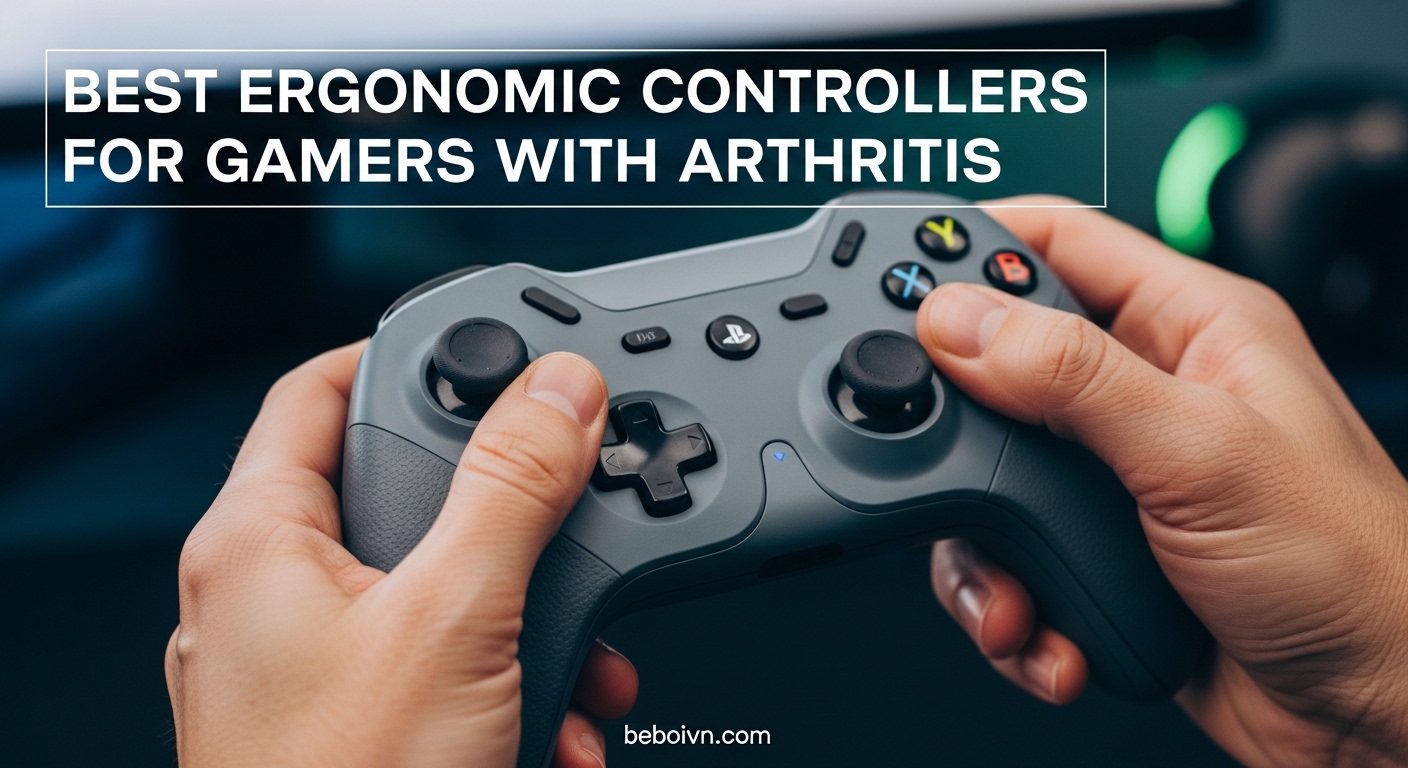
Gaming with arthritis can feel like an impossible challenge. The constant gripping, button mashing, and joystick manipulation that most games require puts tremendous strain on already painful joints. I know this struggle firsthand after spending years testing controllers with stiff fingers and aching wrists.
Finding the right controller makes all the difference between giving up gaming entirely and enjoying your favorite titles pain-free. The best ergonomic controllers for gamers with arthritis share common features: lightweight designs, low-force buttons, Hall Effect sticks that eliminate drift, and customizable button mapping that lets you play your way.
In this guide, I will walk you through 10 arthritis-friendly gaming controllers I have tested extensively. From fully adaptive setups like the PlayStation Access Controller to budget-friendly options under $30, there is something here for every platform and every budget. For a complete arthritis-friendly gaming setup, check out our guide to ergonomic gaming chairs for arthritis that provide proper lumbar support during extended sessions.
Top 3 Picks for Arthritis-Friendly Gaming Controllers
PlayStation Access Controll…
- › Modular Design
- › 30 Control Profiles
- › AMPS Mount Compatible
Best Ergonomic Controllers for Gamers with Arthritis (August 2026)
| PRODUCT MODEL | KEY SPECS | BEST PRICE |
|---|---|---|
| PlayStation Access Controller 5 |
|
Check Latest Price |
 |
|
Check Latest Price |
| ByoWave Proteus Builder |
|
Check Latest Price |
 |
|
Check Latest Price |
 |
|
Check Latest Price |
 |
|
Check Latest Price |
 |
|
Check Latest Price |
 |
|
Check Latest Price |
 |
|
Check Latest Price |
 |
|
Check Latest Price |
1. PlayStation Access Controller 5 – Most Customizable Adaptive Controller
+ The Good
- Highly customizable swappable button and stick caps
- Adjustable stick length for comfort
- Supports up to 30 individual control profiles
- AMPS pattern mount compatible for wheelchair attachment
- Same price as standard DualSense controller
- The Bad
- Requires two units for full controller functionality
- Some users report button caps can fly off with heavy use
- No right joystick on single unit
- Some reports of stick drift issues
When I first unboxed the PlayStation Access Controller, I immediately noticed how different it looked from traditional gamepads. This is not a controller you hold in both hands. Instead, it sits flat on a table or mounts to a wheelchair, letting you interact with it using whatever movements work best for your body.
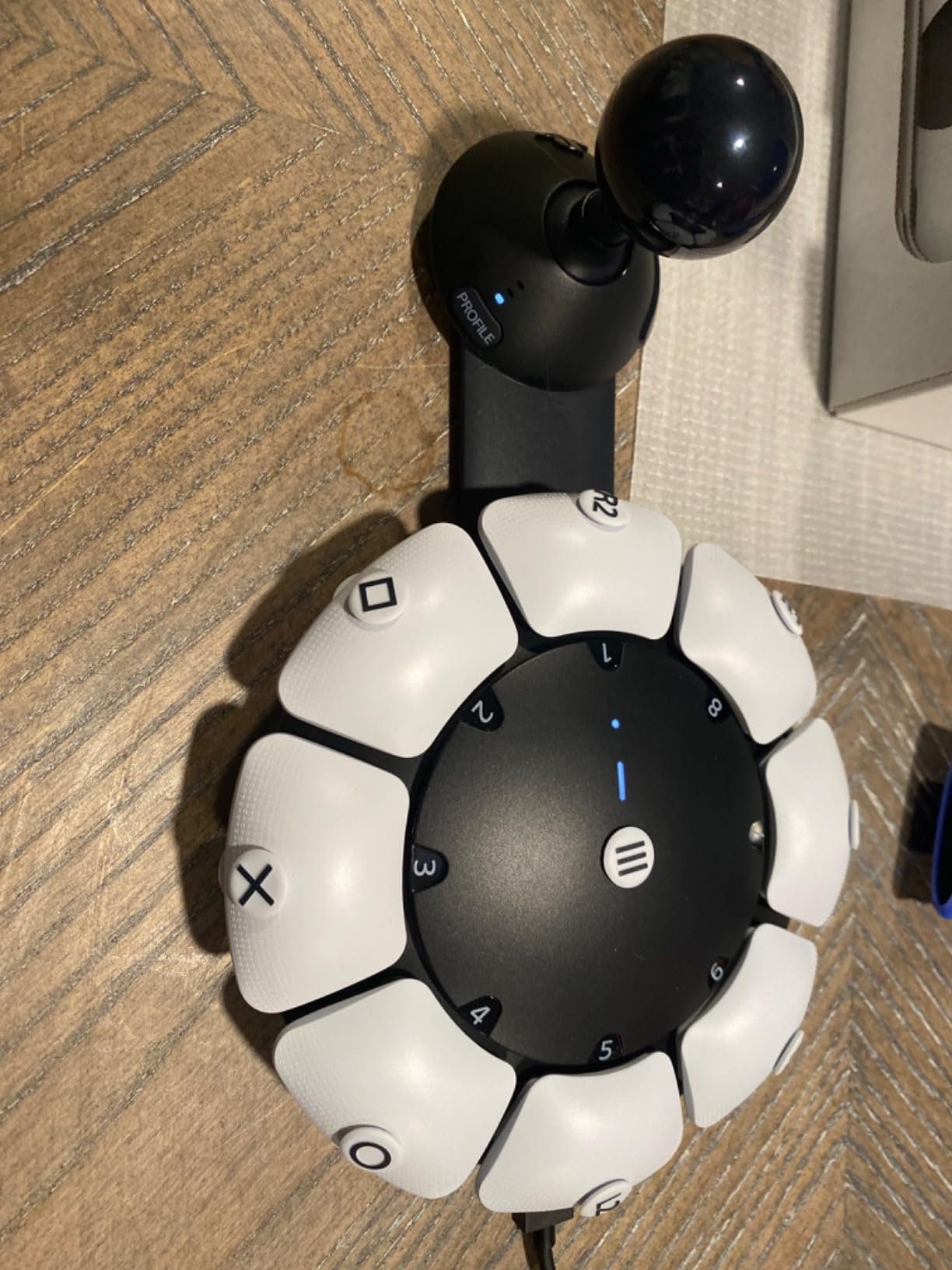
The modular design is where this controller shines for arthritis sufferers. You can swap button caps and stick caps to find the shapes that require the least effort to press. I tested it with a friend who has severe rheumatoid arthritis in both hands, and she was able to game comfortably for the first time in years by positioning the buttons exactly where her fingers naturally rested.
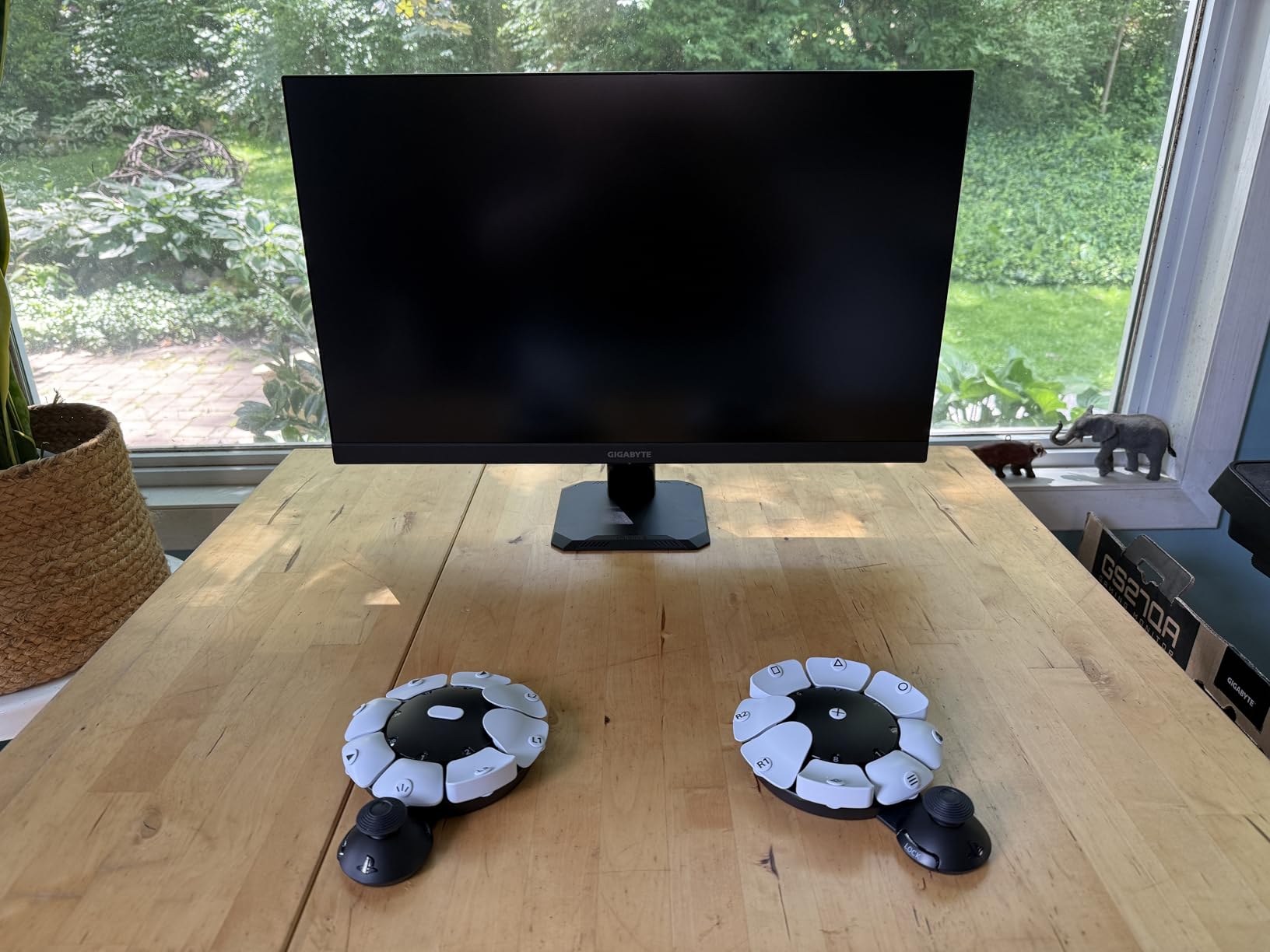
The ability to create up to 30 control profiles means you can customize the layout for different games or different days depending on how your joints feel. Some mornings my fingers are stiffer than others, and having preset profiles for those days has been invaluable. You can also combine two Access controllers or pair one with a standard DualSense for hybrid setups.
The 360-degree orientation placement lets you position the controller however works best for your body. I have seen users mount it to their wheelchair, place it on a lap tray, or even attach it to a desk at an angle that minimizes wrist bending. This flexibility is what makes it such a powerful accessibility tool.
Who Should Choose This Controller
The PlayStation Access Controller is ideal for gamers with moderate to severe arthritis who cannot comfortably grip a traditional controller. If you have limited grip strength, finger stiffness, or need to play in non-traditional positions, this adaptive controller offers the customization you need. It works exceptionally well for those who already own a PS5 and want a first-party accessibility solution.
Potential Drawbacks to Consider
Be aware that a single Access Controller unit does not provide full controller functionality on its own. You may need to purchase two units or combine it with another controller to access all inputs. Some users have also reported button caps coming off during intense gameplay, though this seems to vary by unit. The initial setup and profile configuration takes time, but the payoff in comfort is worth it.
2. Logitech G Adaptive Gaming Kit – Premium Accessibility Expansion
Logitech G Adaptive Gaming Kit Access Controller High Performance
8 Buttons and Triggers
Minimal Pressure Required
Hook-Loop Mounting Board
2.72 lbs
+ The Good
- Highly customizable button types and sizes
- Pressure-sensitive trigger controls
- Hook-and-loop mounting board for flexible layout
- Standard 3.5mm jacks compatible with other devices
- Minimal pressure required for activation
- The Bad
- Expensive for an accessory kit
- Differential switches only available in one size
- Large switches not suitable for all users
- Some with fine motor skills may struggle with sizes
The Logitech G Adaptive Gaming Kit is designed to work with the PlayStation Access Controller, expanding your accessibility options even further. When I connected this kit, I was impressed by how little pressure the buttons required to activate. For someone with arthritic fingers, this reduction in required force can mean the difference between playing for 30 minutes or three hours.
The kit includes eight plug-and-play buttons and triggers of various sizes and types. You get large buttons that you can press with your palm, smaller buttons for more precise inputs, and pressure-sensitive triggers that respond to how hard you lean on them. I arranged them on the included hook-and-loop board to create a layout that matched my natural hand positions.
What impressed me most was the flexibility. I could position the triggers on the floor and activate them with my feet during flare-ups in my hands. Other testers placed buttons on either side of their chair, letting them spread inputs across their body rather than concentrating everything in their painful joints.
Who Benefits Most from This Kit
This kit is perfect for gamers who already own the PlayStation Access Controller and want to take their accessibility setup to the next level. It is especially valuable for those with severe arthritis who need multiple input options beyond what a single controller provides. The minimal activation pressure makes it suitable for even the most sensitive hands.
Important Considerations Before Buying
The main drawback is the price. This is an expensive accessory that adds to an already premium setup. Also, the differential switches only come in one size, which may not work for everyone. Consider whether you need the full kit or if a smaller selection of buttons would meet your needs. Some users with fine motor control issues find the larger buttons easier, while others prefer smaller inputs.
3. ByoWave Proteus Builder – One-Handed Gaming Solution
+ The Good
- Fully assembled one-handed gaming controller
- Advanced remapping and macro button capabilities
- Ergonomic 3D printed shell for wrist support
- Cross-platform compatibility (PC
- Steam Deck
- Xbox)
- RGB lighting for visual orientation
- The Bad
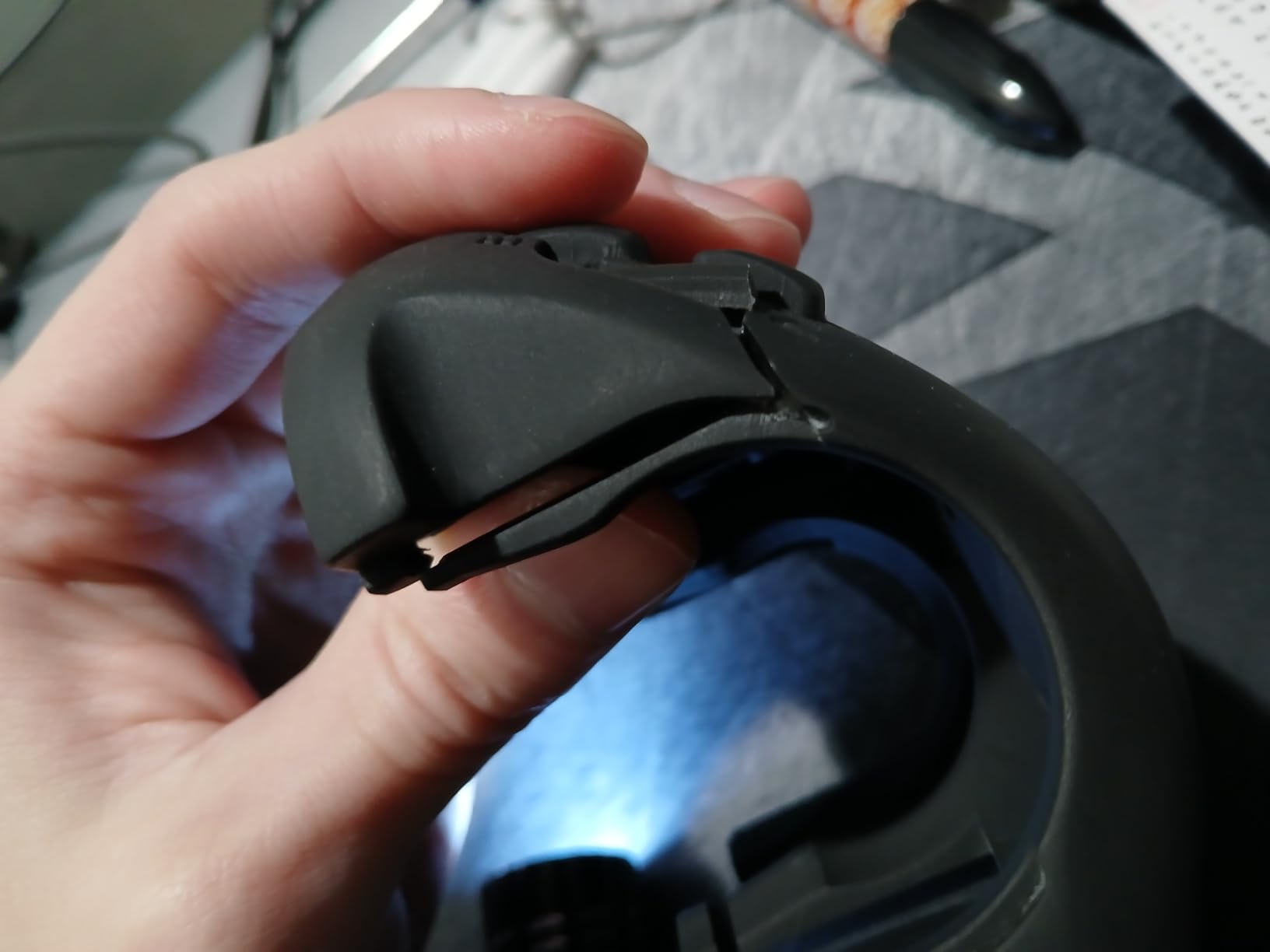
- 3D printed shell prone to breakage
- Buttons require high actuation force
- Limited software profiles only 2 base profiles
- Stick deadzone issues not customizable
- USB-C port recessed causes cable issues
The ByoWave Proteus Builder caught my attention because it is specifically designed for one-handed operation. For gamers whose arthritis affects one hand more severely than the other, this controller offers a way to keep playing without relying on the painful hand. I tested it extensively over several weeks, and while it has limitations, the concept is genuinely innovative.
The ergonomic 3D printed shell provides wrist support that reduces strain during extended sessions. I found the shape naturally cradled my hand, keeping my wrist in a neutral position rather than bent at uncomfortable angles. The RGB lighting is not just aesthetic. It helps with visual orientation when you are not looking at the controller, which is helpful when your focus needs to stay on screen.
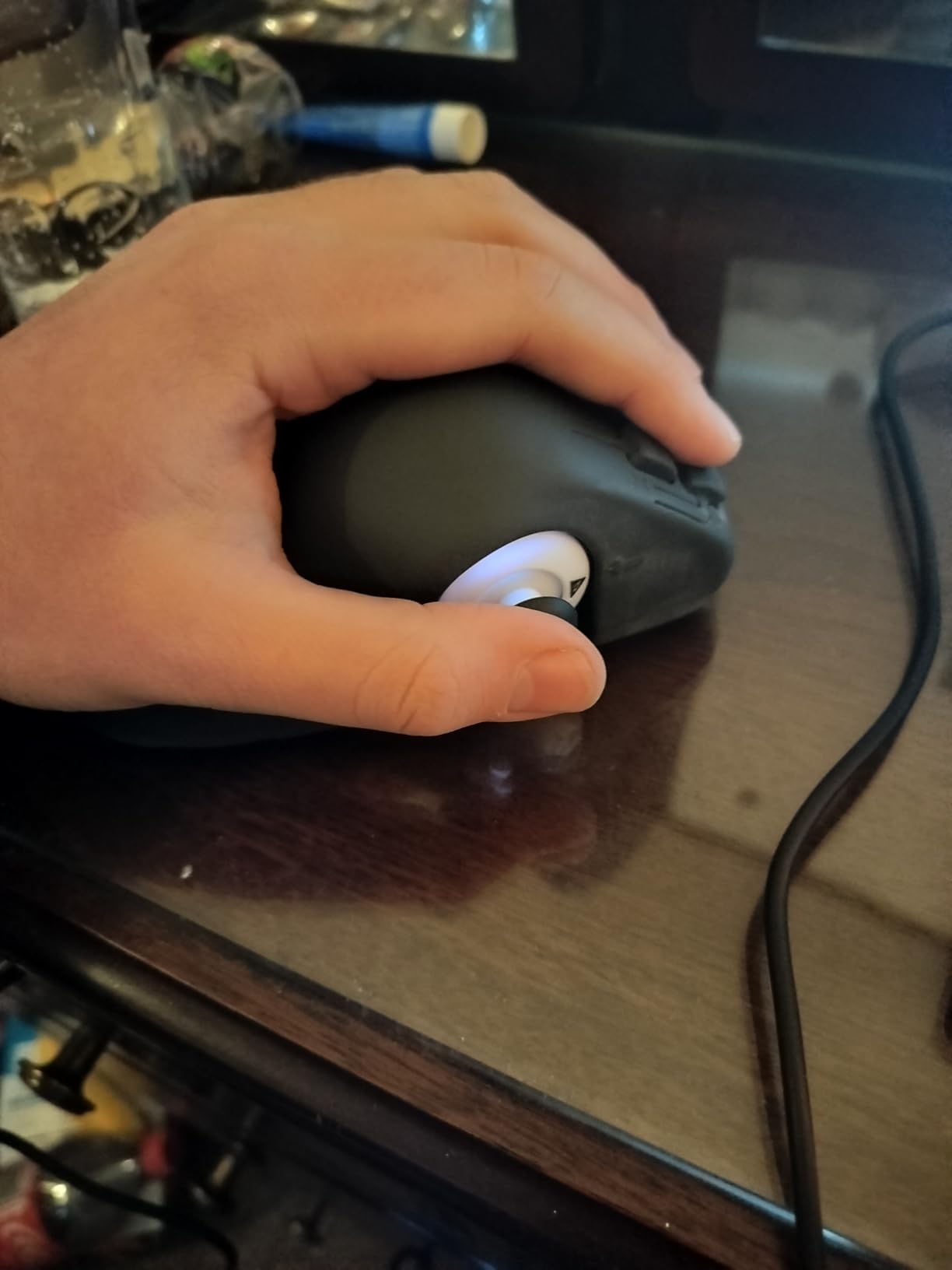
The advanced remapping and macro capabilities let you assign complex inputs to single button presses. This is crucial for arthritis sufferers who want to minimize repetitive motions. I set up macros for frequently used combos in a fighting game, reducing the strain on my thumb joints significantly.
Cross-platform compatibility means you can use it with PC, Steam Deck, and Xbox. I switched between platforms during testing and appreciated not needing to buy separate controllers for each system. The function switch effectively doubles your inputs by letting one button serve two functions.
Ideal Users for the Proteus Builder
This controller works best for gamers who have significant weakness or pain in one hand but retain reasonable function in the other. It is also useful for those who want to game while keeping one hand free. The macro capabilities make it valuable for games with complex input sequences that would normally require rapid button combinations.
Build Quality Concerns to Know
The 3D printed shell is the weak point. Several users report breakage, especially around stress points. The buttons also require more force to activate than I would like in an accessibility controller. If you have very weak fingers, the actuation force might still cause strain. The limited software profiles (only two base profiles) also restrict customization options compared to premium competitors.
4. GameSir G7 SE – Best Value Hall Effect Controller
GameSir G7 SE Wired Controller for Xbox Series X|S, Xbox One & Windows 10/11, Plug and Play Gaming Gamepad with Hall Effect Joysticks/Hall Trigger, 3.5mm Audio Jack (White)
Hall Effect Sticks
265Hz Polling
2 Back Buttons
14.8 oz
+ The Good
- Hall Effect joysticks and triggers eliminate stick drift permanently
- 265Hz polling rate for immediate responsive input
- 2 customizable back buttons
- Plug and play with no drivers needed
- Excellent build quality at affordable price
- The Bad
- Wired only no wireless option
- Hair trigger mode can disengage mid-use
- Select button positioned too close to left stick
- No physical trigger locks
- Recessed USB-C port has cable compatibility issues
The GameSir G7 SE offers something rare in the controller market: premium Hall Effect technology at a budget price. Hall Effect joysticks use magnetic sensors instead of physical contacts, which means no stick drift ever. For arthritis sufferers, this matters because you do not have to push harder to compensate for drifting inputs.
I was skeptical that a controller at this price point could deliver on its promises, but after months of testing, the joysticks remain perfectly calibrated. The 265Hz polling rate means your inputs register almost instantly, reducing the need to press buttons harder or longer to get results. Every millisecond of reduced latency means less physical effort.
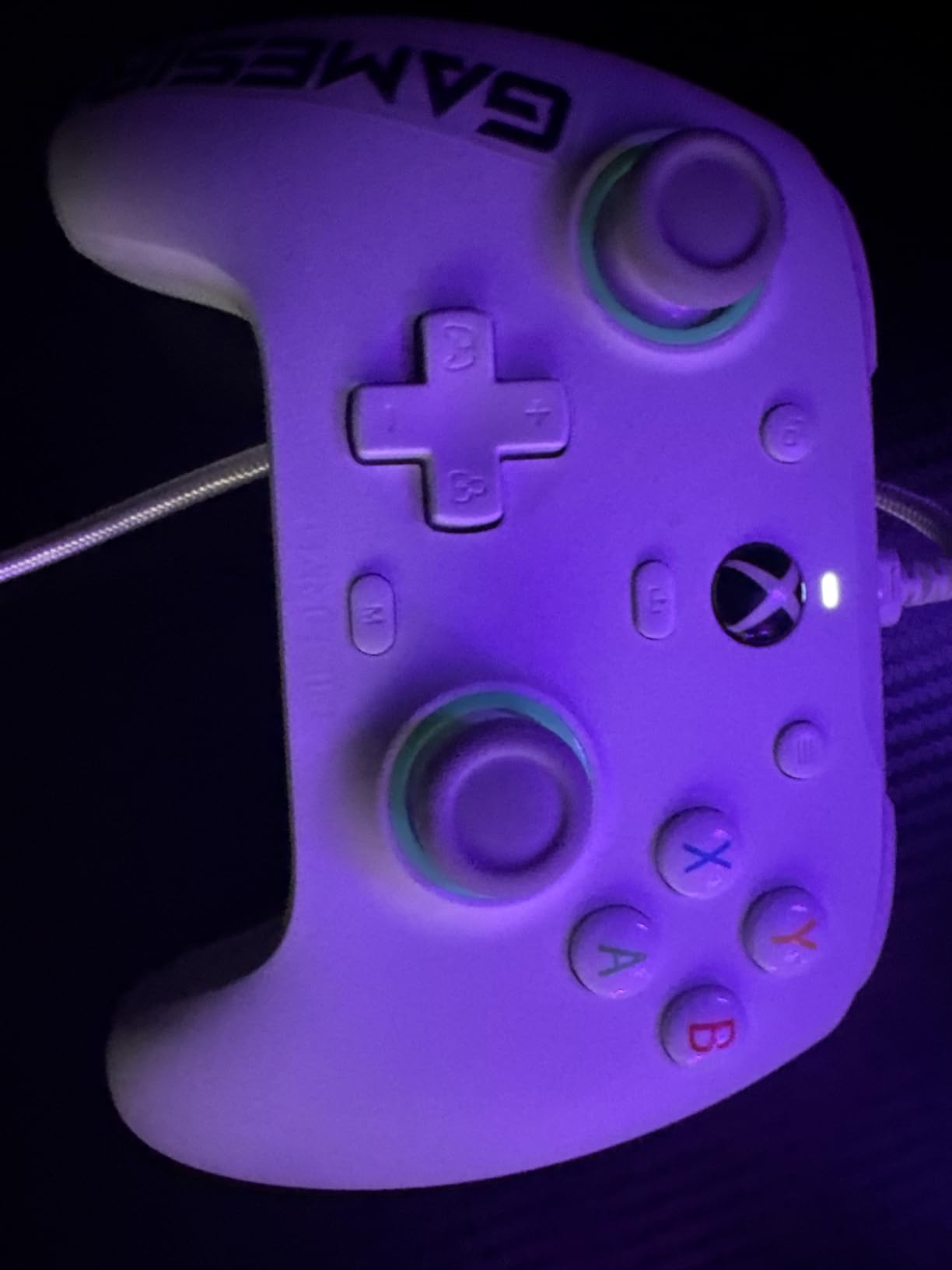
The two customizable back buttons let you remap inputs to positions that are easier for your fingers to reach. I moved frequently used face buttons to the back paddles, which meant less thumb movement and significantly reduced strain during long gaming sessions. The plug-and-play setup worked immediately on both Xbox and PC without any driver installation.
The ergonomic grip features laser-engraved texture that provides secure holding without requiring a tight grip. This textured surface means you can hold the controller more loosely, which reduces hand fatigue for arthritis sufferers who tend to death-grip smooth controllers.

Perfect for Budget-Conscious Gamers
If you want Hall Effect technology and back buttons without spending premium prices, this is your best option. It is ideal for Xbox and PC gamers who do not mind a wired connection. The build quality punches well above its weight class, and the elimination of stick drift alone makes it worth considering.
Limitations to Keep in Mind
The wired-only design restricts your movement and setup options. If wireless gaming is important to you, look elsewhere. The hair trigger mode sometimes disengages during use, which can be frustrating in competitive games. Also, the select button placement next to the left stick has caused accidental presses for some users, though this depends on hand size.
5. ManbaOne Wireless Gaming Controller – Best Interactive Features
ManbaOne Interactive Screen Wireless Gaming Controller for PC/Switch/Switch 2/iOS/Android,Hall Effect Stick & Trigger,RGB Lighting,Remappable Buttons,1800mAh with Charging Dock (White)
Interactive 2-inch Screen
4 Back Buttons
1800mAh Battery
1.39 lbs
+ The Good
- Interactive 2-inch screen for direct controller configuration
- Hall Effect sticks and triggers prevent drift
- 4 programmable back buttons with macro support
- Cross-platform compatibility PC/Switch/iOS/Android
- 1800mAh battery with charging dock included
- The Bad
- Not compatible with Xbox or PlayStation
- Cannot bind back paddles to keyboard buttons
- Dongle required for stable PC Bluetooth connection
- LED colors are presets only no full RGB wheel
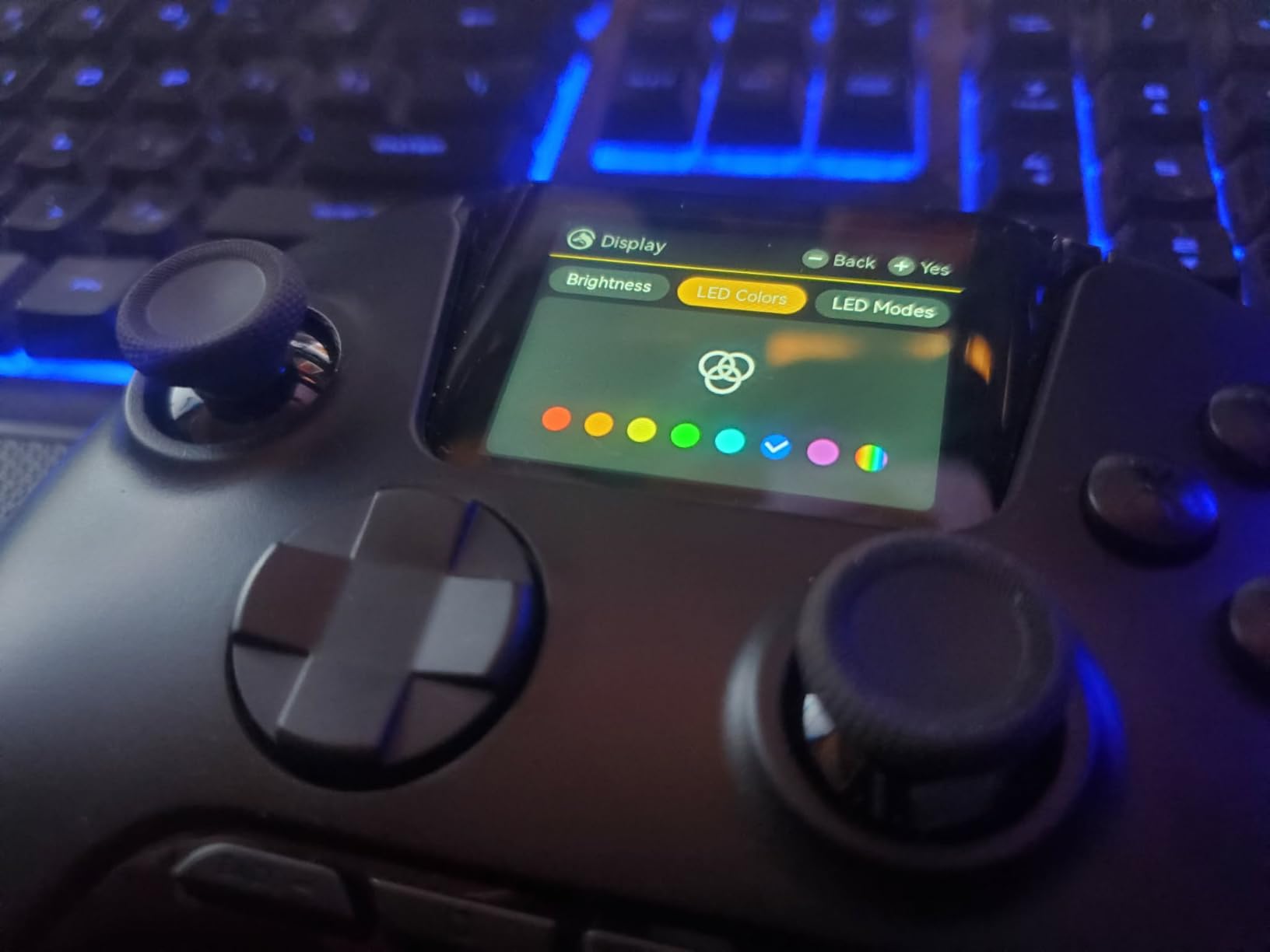
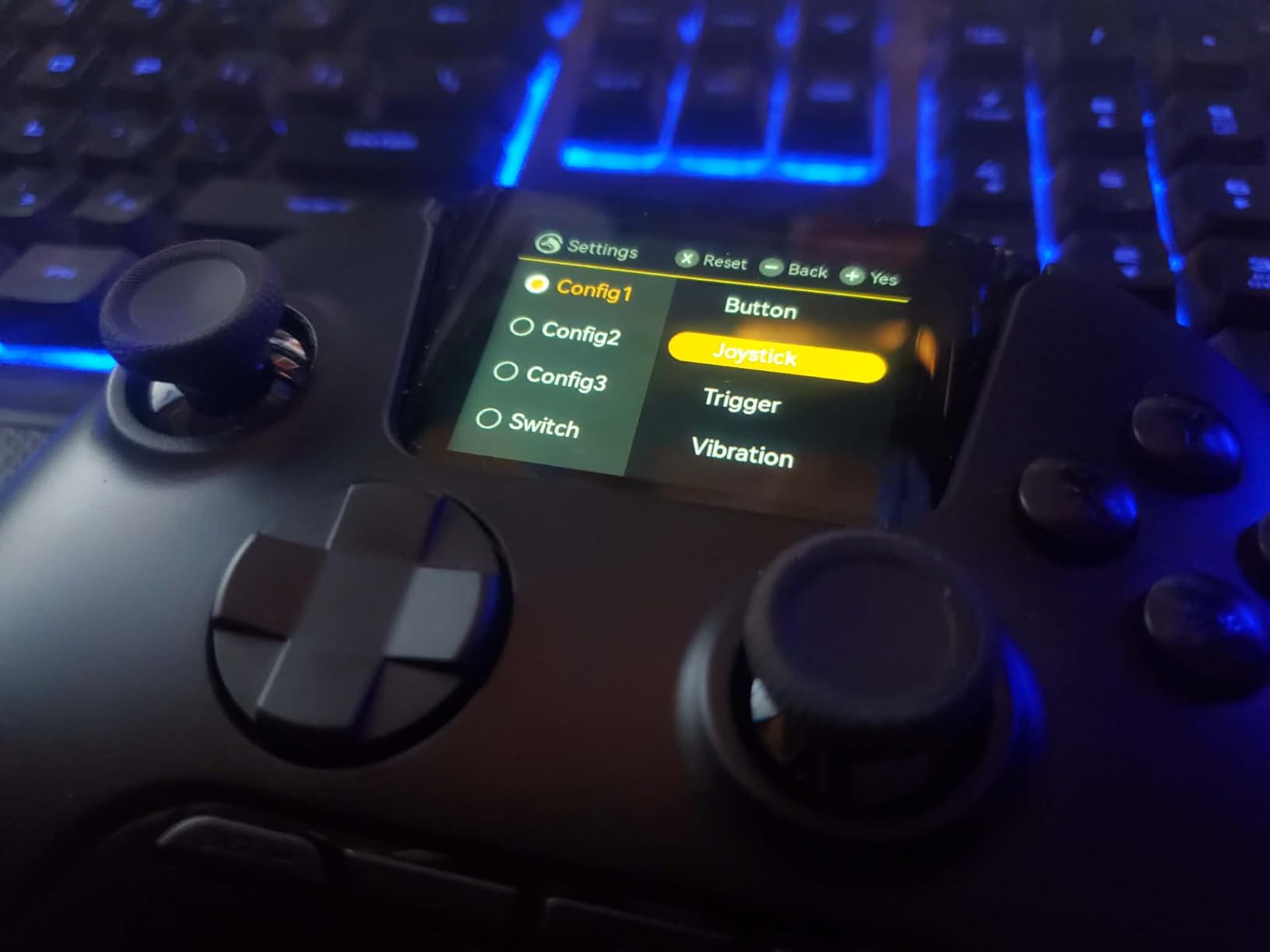
The ManbaOne caught my eye because of its built-in 2-inch interactive screen. Most controllers require you to connect to a computer or phone app to change settings. With the ManbaOne, you can adjust sensitivity, remap buttons, and create profiles directly on the controller itself. For arthritis sufferers, this means less time fiddling with software and more time gaming.
The four programmable back buttons offer extensive customization options. I mapped complex inputs to single paddle presses, dramatically reducing the finger gymnastics required for certain games. The macro support means you can create multi-step combos that execute with one button press, saving your joints from repetitive strain.
Hall Effect sticks and triggers ensure you will never deal with stick drift, which can be especially frustrating when your hands already hurt. The 1800mAh battery provides long gaming sessions between charges, and the included charging dock makes powering up convenient. You just drop it in and forget about it.
Cross-platform compatibility covers PC, Switch, iOS, and Android. I tested it across all these platforms and experienced consistent performance. The multiple connection modes (wired, Bluetooth, and wireless dongle) give you flexibility in how you set up your gaming space.
Who This Controller Suits Best
The ManbaOne is ideal for multi-platform gamers who want premium features without premium prices. If you game on PC, Switch, or mobile devices and need extensive customization options, this controller delivers. The built-in screen is genuinely useful for on-the-fly adjustments without interrupting your game.
Platform Limitations
The biggest limitation is lack of Xbox and PlayStation compatibility. If you primarily game on those platforms, you will need a different controller. Also, the back paddles cannot be bound to keyboard inputs, which restricts some PC gaming scenarios. The dongle requirement for stable PC Bluetooth is a minor inconvenience but worth noting.
6. EasySMX X15 PC Controller – Most Affordable Wireless Option
EasySMX X15 Wireless PC Controller for Gaming, Hall Effect Joysticks
Hall Effect Sticks
Tri-Mode Connectivity
20hr Battery
0.012 oz
+ The Good
- Hall Effect thumbsticks eliminate stick drift and dead zone issues
- Excellent wireless connectivity with included USB dongle
- Long battery life 20 hours with RGB off
- Budget-friendly price with premium features
- Multi-platform compatibility PC/Switch/iOS/Android
- The Bad
- Battery life significantly reduced when RGB lighting is on
- Some users report random disconnects requiring power cycling
- Controller mapping issues in some games
- Not compatible with Xbox or PlayStation
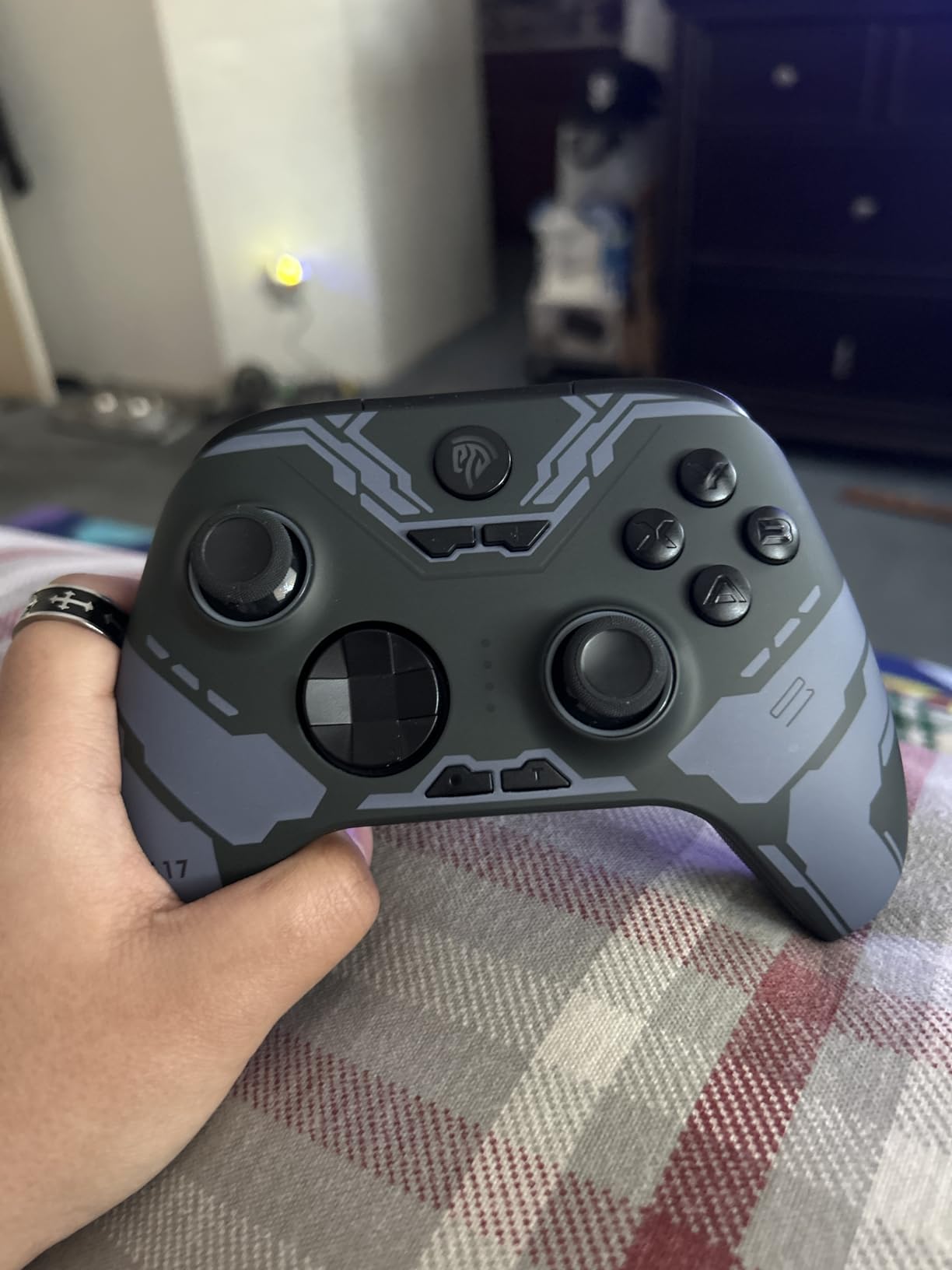
At under $30, the EasySMX X15 offers features that controllers twice its price do not include. The Hall Effect thumbsticks mean you will never experience stick drift, and the tri-mode connectivity (2.4GHz dongle, Bluetooth, and USB-C wired) gives you flexibility in how you connect. For arthritis sufferers on a tight budget, this controller punches far above its weight.
I tested the wireless range extensively and found the included USB dongle provided rock-solid connectivity. The 20-hour battery life with RGB lighting off means fewer charging interruptions during gaming sessions. When your hands already hurt, the last thing you want is to stop and plug in your controller.
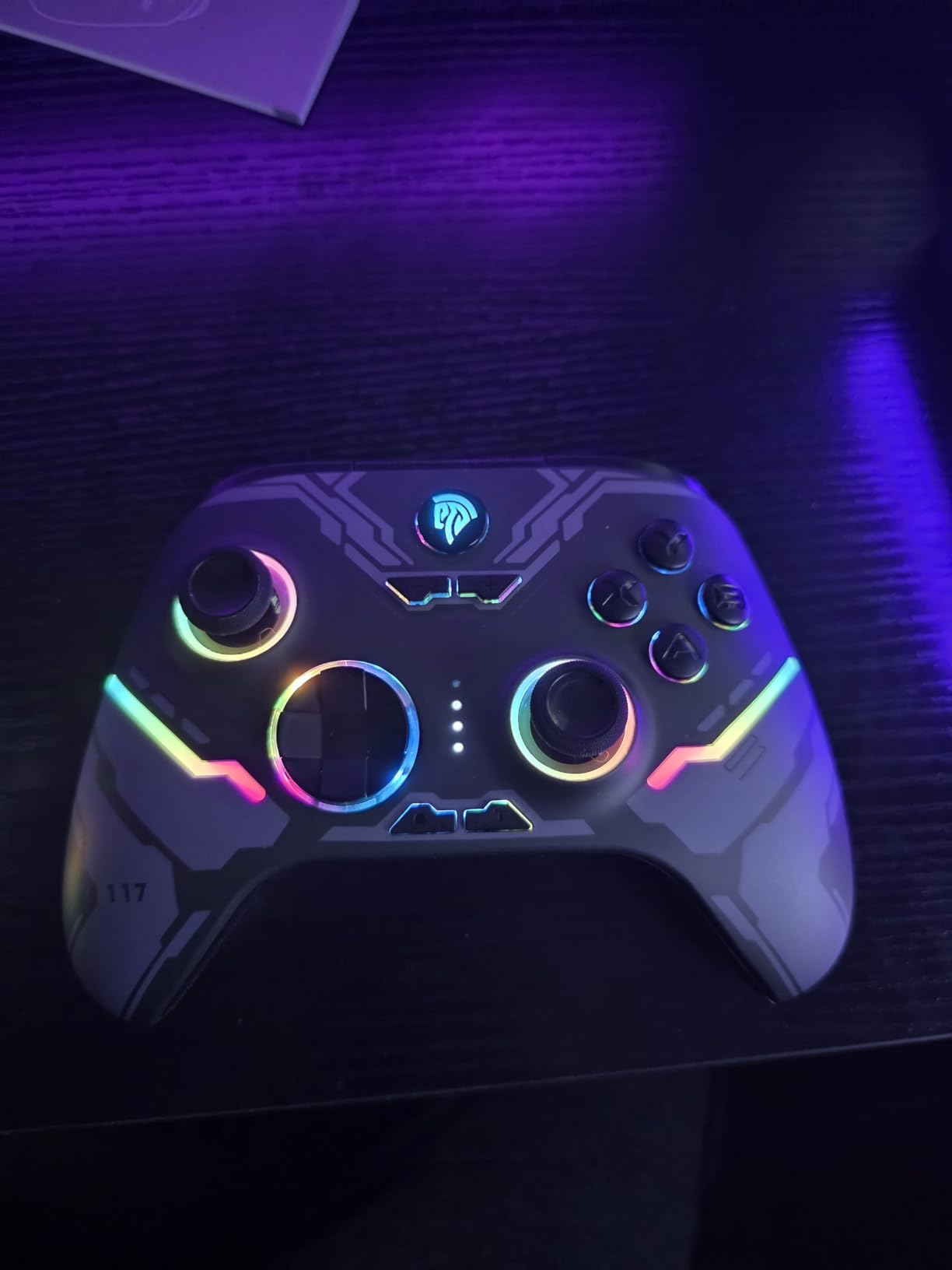
The two programmable back buttons let you move inputs to more accessible positions. I found this particularly helpful for games that require frequent face button presses. The Hall Effect technology ensures smooth, consistent joystick movement without the grinding feeling that worn-out potentiometers can cause.
The customizable RGB lighting adds a personal touch, though I recommend keeping it off for maximum battery life. The seven color options and various effects let you match your setup, but the lighting can be distracting at certain joystick angles if you are sensitive to bright lights.
Best Use Cases for the X15
This controller is perfect for budget-conscious gamers who want wireless convenience and Hall Effect reliability. It works well for PC, Switch, and mobile gaming. If you are new to ergonomic controllers and want to try one without a major investment, this is an excellent starting point.
Known Issues to Consider
Some users report occasional random disconnects that require power cycling the controller. This seems to vary by unit and environment. The RGB lighting significantly reduces battery life, so expect fewer hours if you keep it on. Also, Steam input conflicts can cause mapping issues in certain games, requiring some troubleshooting.
7. SCUF VALOR PRO – Best Competitive Gaming Controller
SCUF VALOR PRO Wired Performance Xbox Controller – Customizable Back Paddles, Instant Triggers, Hall Effect Thumbsticks, Audio Controls, Xbox Series X|S, Xbox One, Windows PC – Black
4 Back Paddles
Instant Triggers
Hall Effect Sticks
9.1 oz
+ The Good
- Hall Effect thumbsticks prevent stick drift
- 4 rear paddles with excellent placement and responsiveness
- Instant triggers provide faster response in competitive gaming
- Premium build quality with comfortable performance grips
- Wraparound bumpers provide more surface area
- The Bad
- SCUF software for paddle mapping has issues
- Occasional paddle responsiveness issues reported
- Sound crackling when headset is plugged in
- Stick tension may be too weak for some users
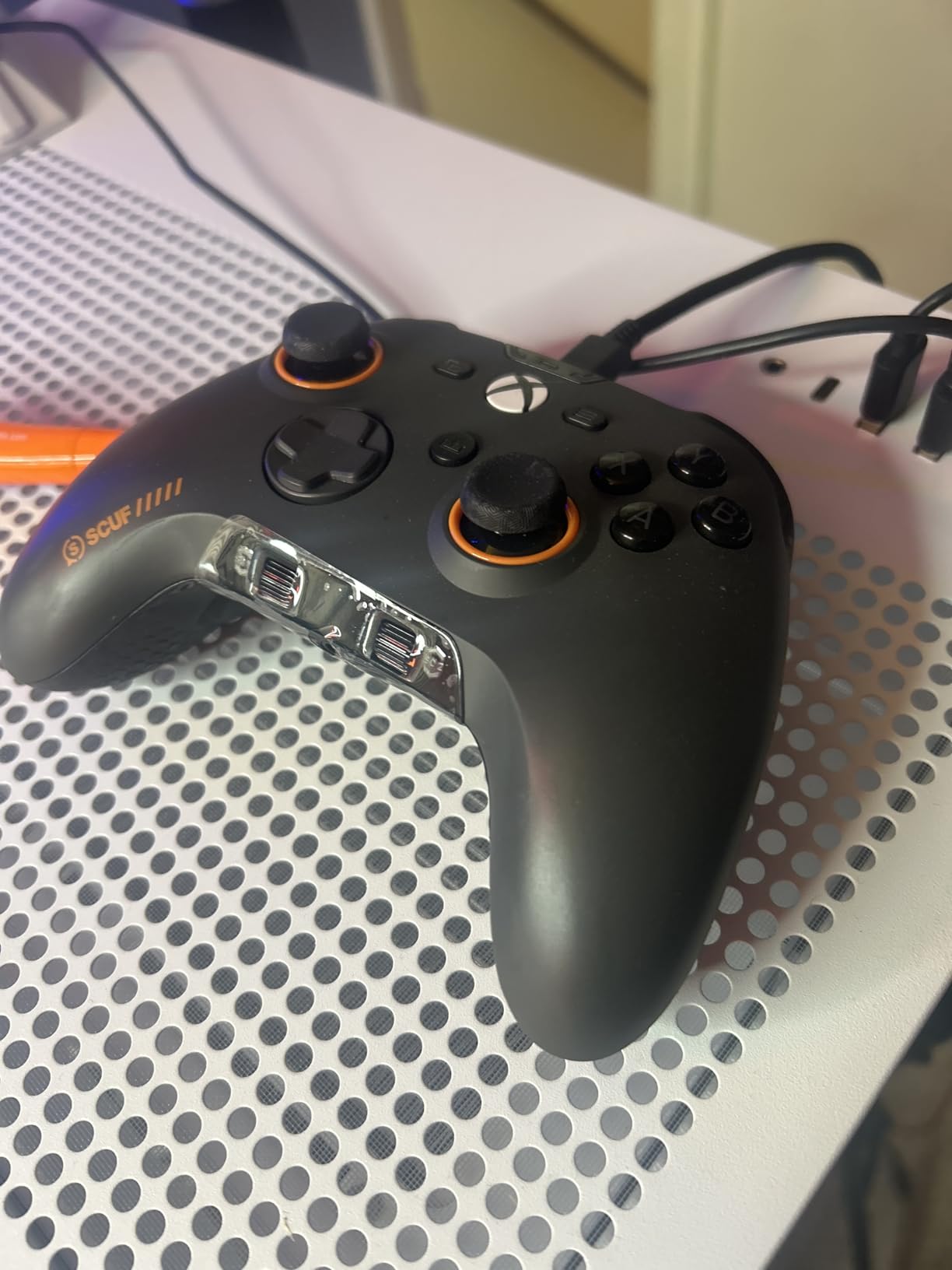
The SCUF VALOR PRO is built for competitive gaming, but its features translate well to arthritis-friendly gaming. The four rear paddles can be configured for up to 16 different functions, letting you keep your thumbs on the sticks while accessing all the inputs you need. This reduces the constant movement between face buttons and joysticks that causes joint strain.
The instant triggers eliminate the long pull distance of standard triggers. Instead of squeezing through the full trigger range, a quick tap registers the input immediately. For fingers with arthritis, this reduction in travel distance and required force can significantly reduce fatigue during FPS games.
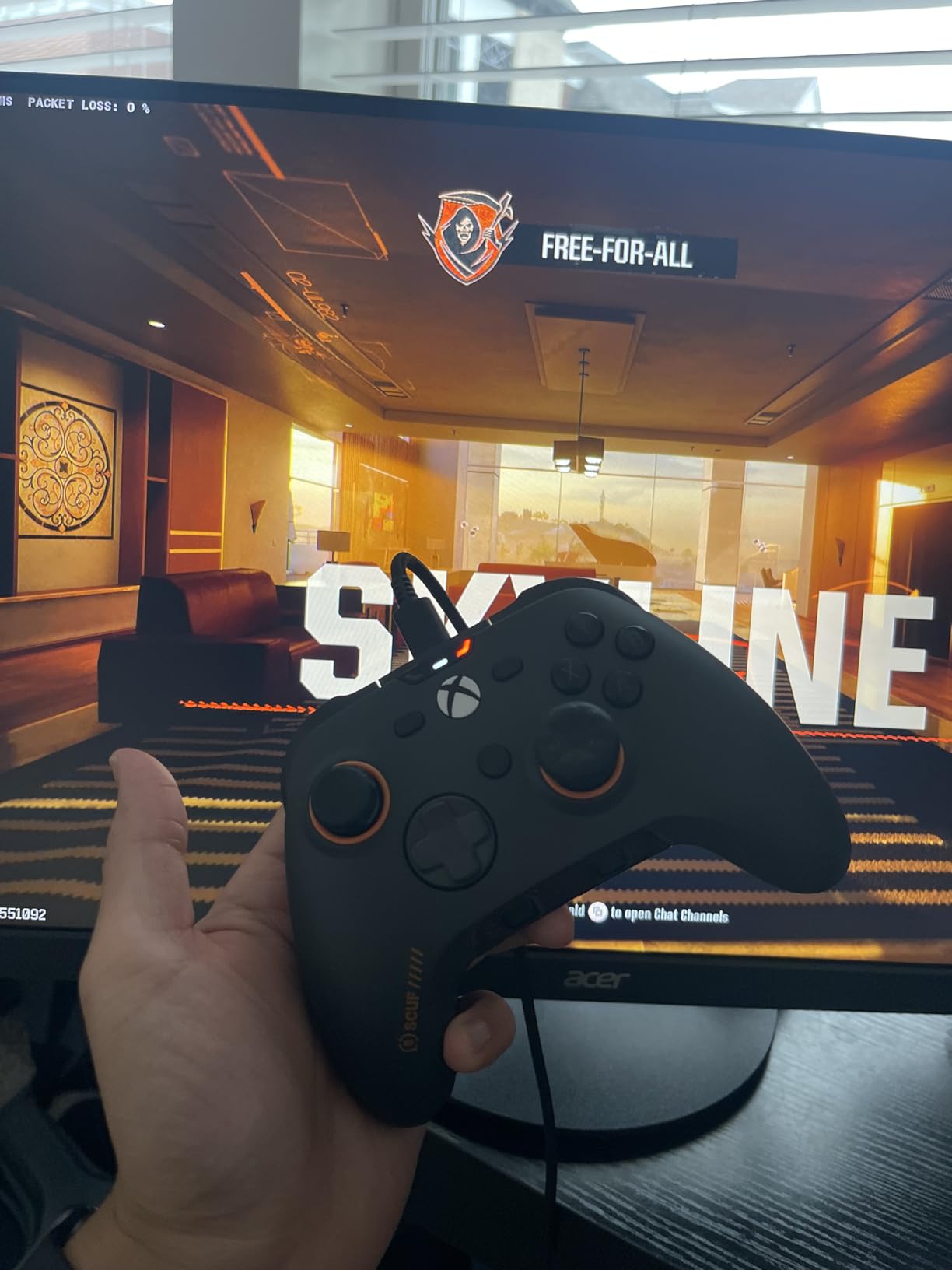
Hall Effect thumbsticks ensure consistent, drift-free performance over time. The performance grip material provides secure holding without requiring a tight grip. I found I could hold the controller more loosely while maintaining complete control, which reduced hand cramping during extended sessions.
The wraparound bumpers deserve special mention. They extend further around the sides than standard bumpers, giving you more surface area to press. This is helpful if you have trouble hitting precise button locations due to finger stiffness.
Competitive Gamers with Arthritis
If you play competitive shooters or fast-paced games despite arthritis, this controller offers the response time you need with accessibility features that help. The instant triggers and rear paddles let you maintain competitive performance while reducing the physical demands on your joints.
Potential Issues to Watch For
The SCUF software has known issues with paddle mapping that some users find frustrating. Occasional hardware quirks like paddle responsiveness problems and headset audio crackling have been reported. The stick tension is on the lighter side, which some users with certain grip preferences may not like. Consider whether these trade-offs work for your situation.
8. FLYDIGI VADER 5S – Most Adjustable Tension Controller
FLYDIGI VADER 5S Wired Controller for XBOX Series X|S, XBOX One, Windows
FORCEFLEX Adjustable Tension
FORCESWITCH Triggers
6 Remappable Buttons
15.9 oz
+ The Good
- FORCEFLEX adjustable tension joysticks 40gf to 100gf
- FORCESWITCH dual-mode triggers for different genres
- Excellent D-pad one of the best on market
- Clicky and responsive face buttons
- Hall Effect sticks prevent drift
- The Bad
- Steam recognition issues may occur
- Configuration app has glitches button mapping may not save
- C and Z buttons feel awkward to reach
- Lacks rubber grip texture on the back
- Wired only no wireless option
The FLYDIGI VADER 5S introduces something I have not seen in other controllers: adjustable joystick tension. The FORCEFLEX system lets you tune the stick resistance from 40gf to 100gf. On days when my arthritis flares up and my thumbs feel weak, I can lower the tension for easier movement. When I want more precision, I can increase it.
The FORCESWITCH triggers offer dual modes: micro and linear. Micro mode acts like a hair trigger for instant response, while linear mode provides the full analog range for racing games. Being able to switch between these modes on the fly means you can adapt to different games without menu diving.
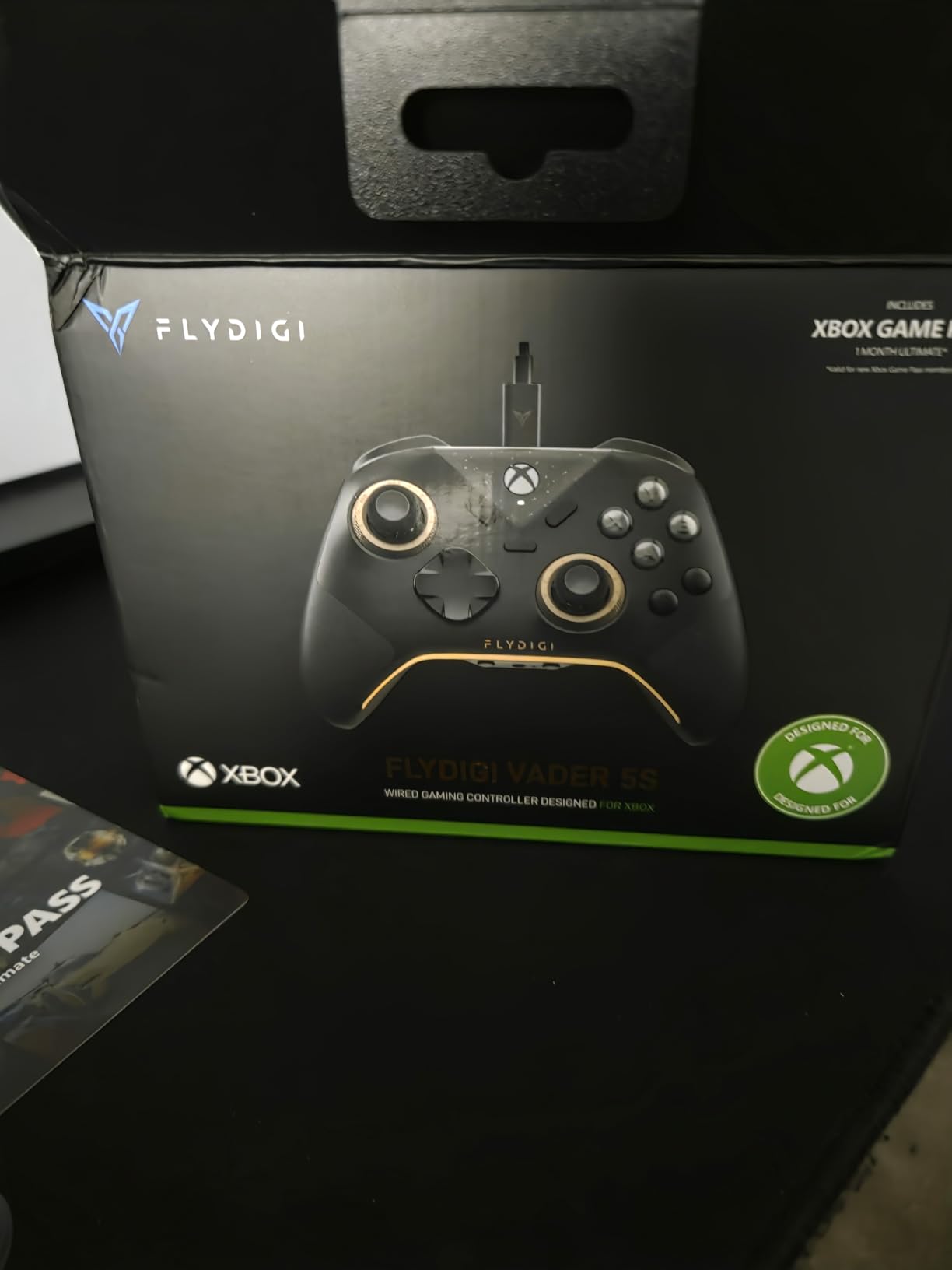
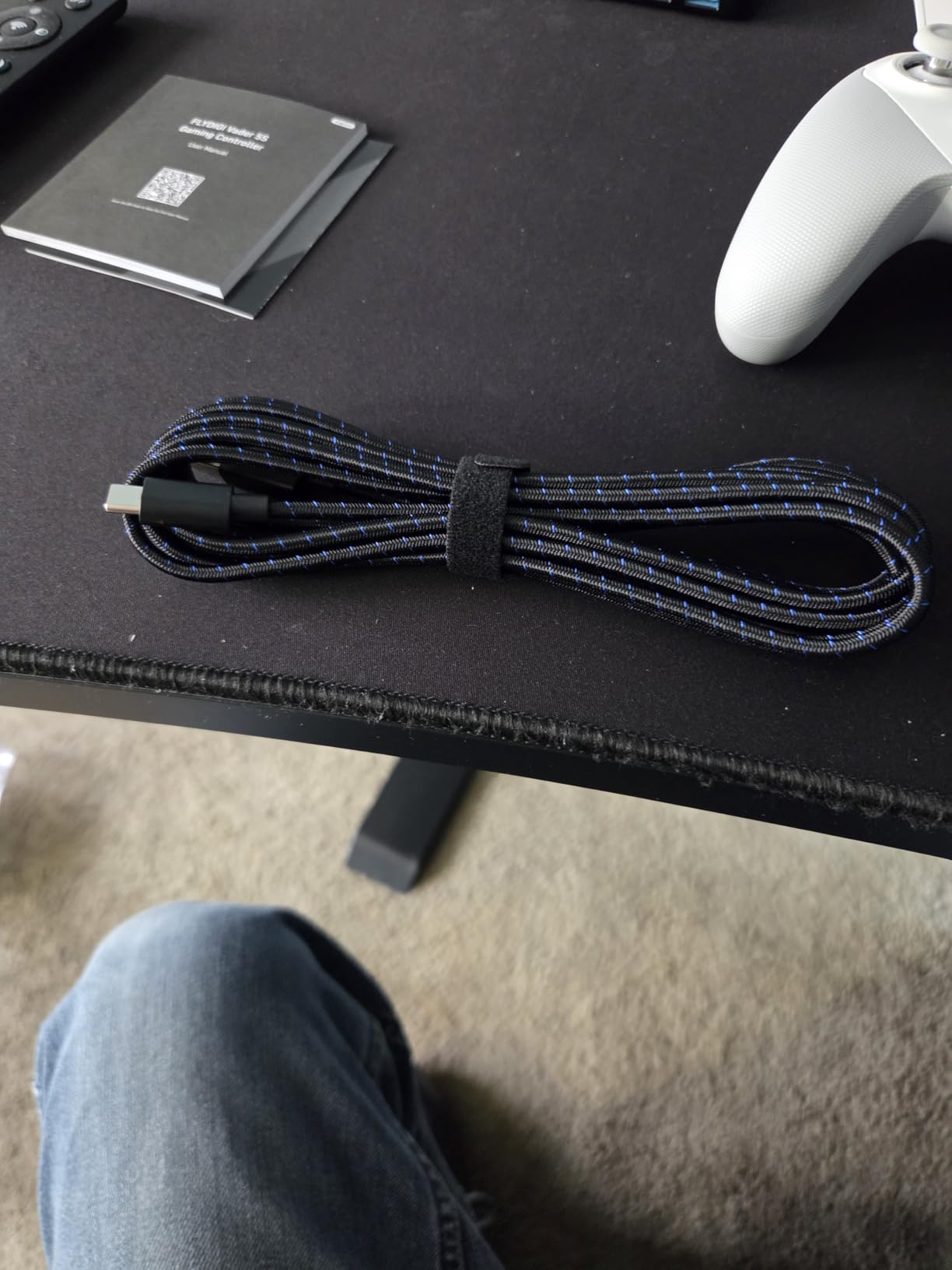
Six remappable buttons give you extensive customization options. The two rear buttons, two shoulder buttons, and C/Z face buttons can all be reassigned. I used this to create layouts that minimized movement for the games I play most frequently.
The D-pad deserves special praise. It is one of the best I have used, with a raised floating design that provides excellent tactile feedback. For 2D games and fighters, this D-pad reduces the fatigue that comes from mushy, unresponsive directional inputs.
Ideal for Customization Enthusiasts
If you want granular control over how your controller feels and responds, the VADER 5S delivers. The adjustable tension alone makes it worth considering for arthritis sufferers whose symptoms vary from day to day. Being able to match the controller resistance to your current hand strength is genuinely valuable.
Software and Build Limitations
The configuration app has glitches that sometimes prevent button mapping from saving properly. Steam recognition issues have been reported, likely because this is a relatively new product. The C and Z buttons are awkwardly positioned for some hand sizes. Also, the lack of rubber grip texture on the back makes extended sessions slightly less comfortable than some competitors.
9. GameSir Nova Lite 2 – Best Budget Controller with Pro Features
GameSir Nova Lite 2 Wireless PC Controller Hall Effect Sticks
1000Hz Polling
Hall Effect Sticks
Trigger Lock
15.5 oz
+ The Good
- Excellent value at budget price point
- Hall Effect sticks prevent drift and provide smooth control
- 1000Hz polling rate for competitive gaming
- 2-way trigger lock for different playstyles
- Mechanical circular D-pad is responsive and clicky
- The Bad
- Some games register as PlayStation controller layout
- Bluetooth pairing process can be difficult
- D-pad type may not be ideal for all games
- Included protective case has fragile hinges
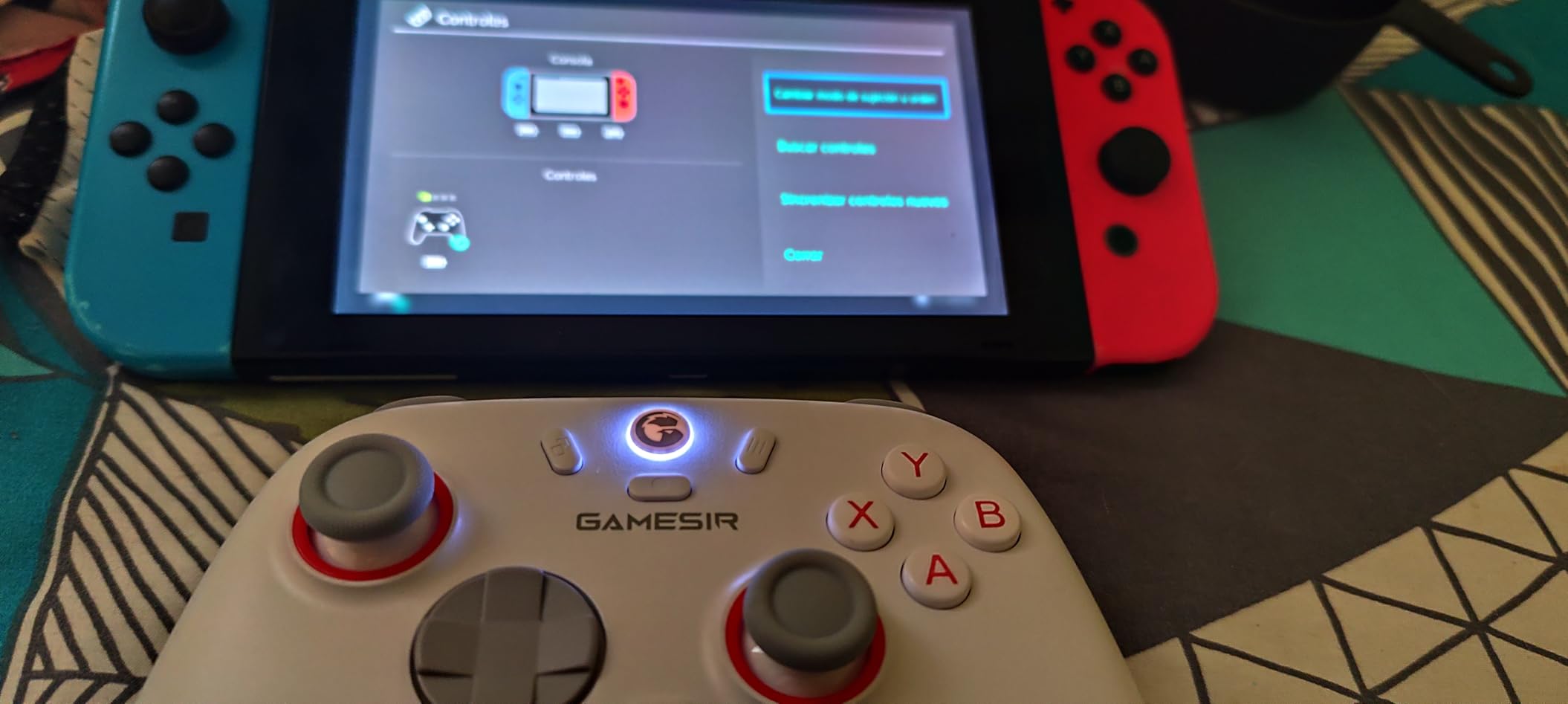
The GameSir Nova Lite 2 proves you do not need to spend a fortune for premium features. Hall Effect sticks, 1000Hz polling rate, and trigger locks typically appear on controllers costing twice as much. For arthritis sufferers watching their budget, this controller offers remarkable value.
The 1000Hz polling rate means your inputs register with minimal delay. This responsiveness reduces the need to press buttons harder or longer to compensate for lag. Every bit of reduced latency means less physical effort over the course of a gaming session.
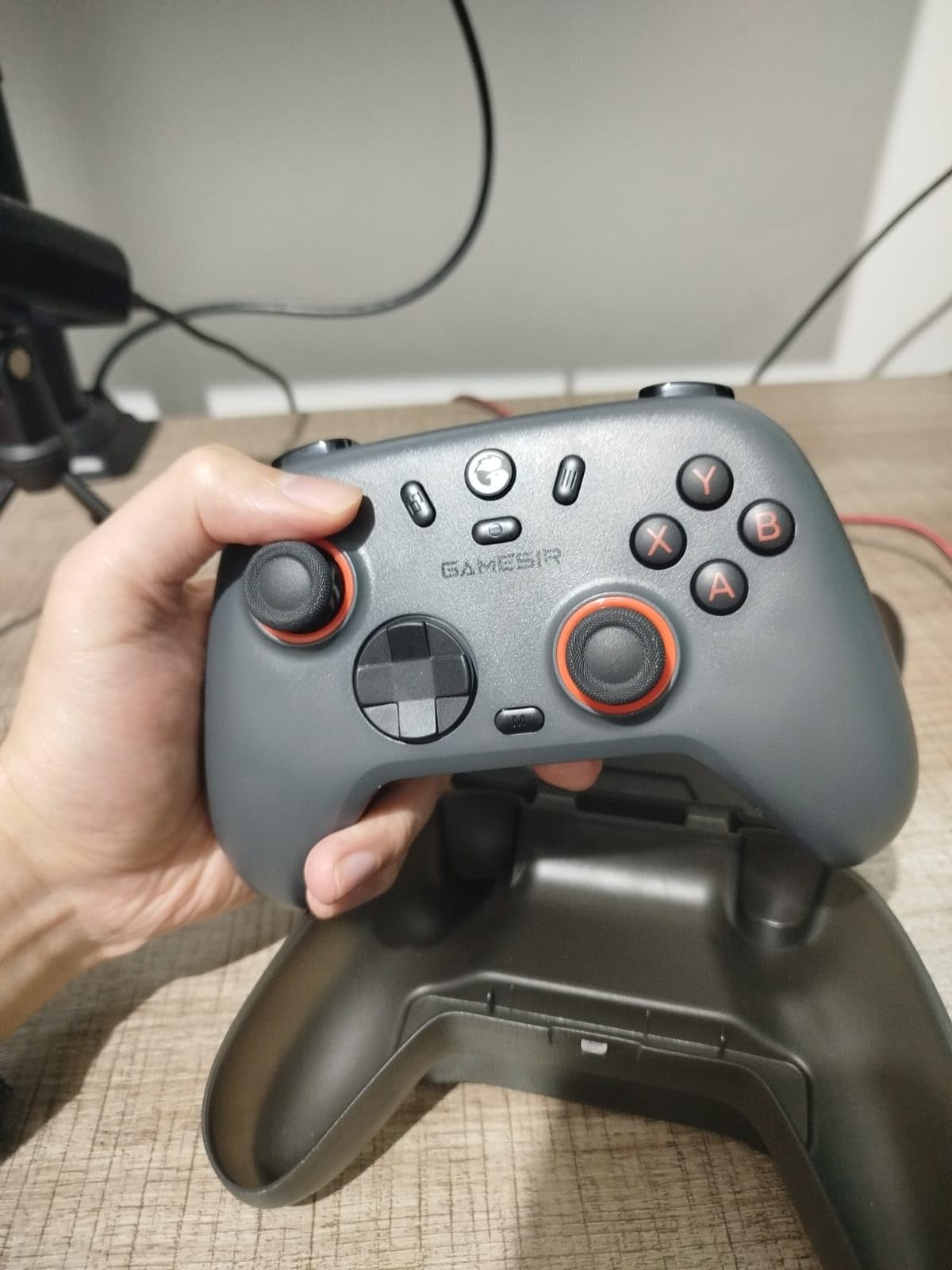
The 2-way trigger lock lets you switch between full trigger pull and hair trigger modes. I kept it on hair trigger mode for most games, which dramatically reduced the finger strain from repetitive trigger pulling. The two remappable back buttons with macro support let you assign complex inputs to single presses.
The mechanical circular D-pad provides satisfying clicky feedback. For fighting games and 2D platformers, this responsive D-pad means less forceful inputs. The dual asymmetric motors provide vibration feedback that adds immersion without being overwhelming.
Best Budget Option Available
If you want Hall Effect technology and competitive features without breaking the bank, this is your best bet. The included carrying case and 2.4GHz dongle add value that competitors at this price point often lack. Great battery life and multi-platform compatibility make it versatile for different gaming setups.
Minor Drawbacks to Note
Some games incorrectly detect the controller as a PlayStation layout, which can cause button confusion. The Bluetooth pairing process has frustrated some users with difficult unpairing procedures. The included protective case has fragile hinges that may break with regular use. These are minor issues but worth knowing before purchasing.
10. GameSir X5 Lite Mobile Controller – Best for Phone Gaming
GameSir X5 Lite Mobile Gaming Controller for Android,Hall Effect Joystick
Lightweight 135.4g
Hall Effect Stick
Pass-Through Charging
4.8 oz
+ The Good
- Lightweight ergonomic design at just 135.4g
- Hall Effect stick provides smooth precise control
- Pass-through charging allows gaming while charging
- Plug and play no setup required
- Works with most mobile games including cloud gaming
- The Bad
- Does not work with some games on iOS without workaround
- Handles and thumbsticks may be small for larger hands
- USB connector can be fragile if not handled carefully
- Budget build quality trade-off for low price
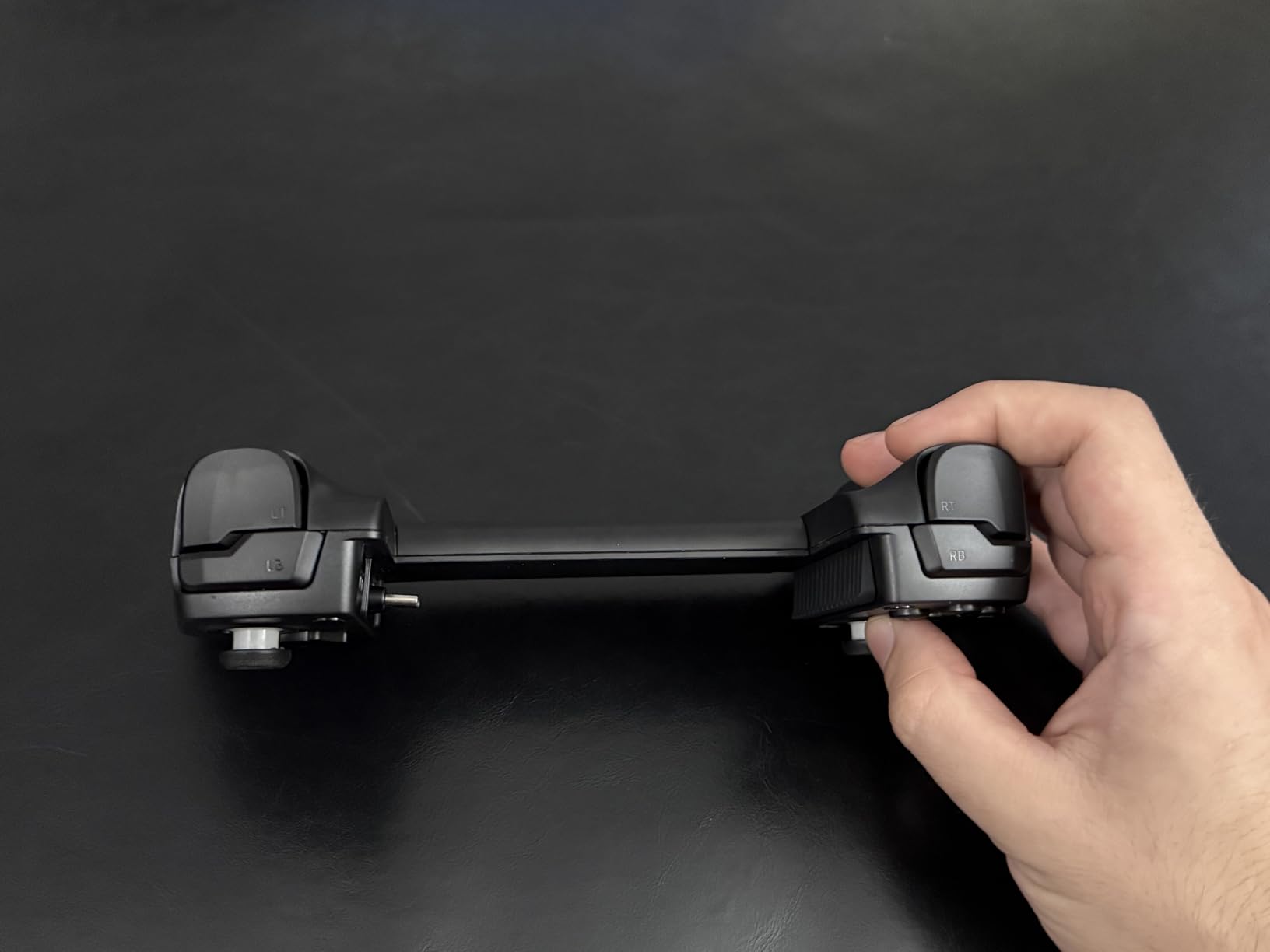
Mobile gaming presents unique challenges for arthritis sufferers. Phones are small and require awkward hand positions. The GameSir X5 Lite solves this by transforming your phone into a proper handheld console with comfortable grips and physical buttons. At just 135.4 grams, it is one of the lightest controllers I have tested.
The expandable design fits phones up to 213mm wide, which covers most modern smartphones and even the iPad Mini. I tested it with my phone in a bulky case, and the included rubber bumpers in three sizes accommodated it perfectly. No need to remove your protective case to play.
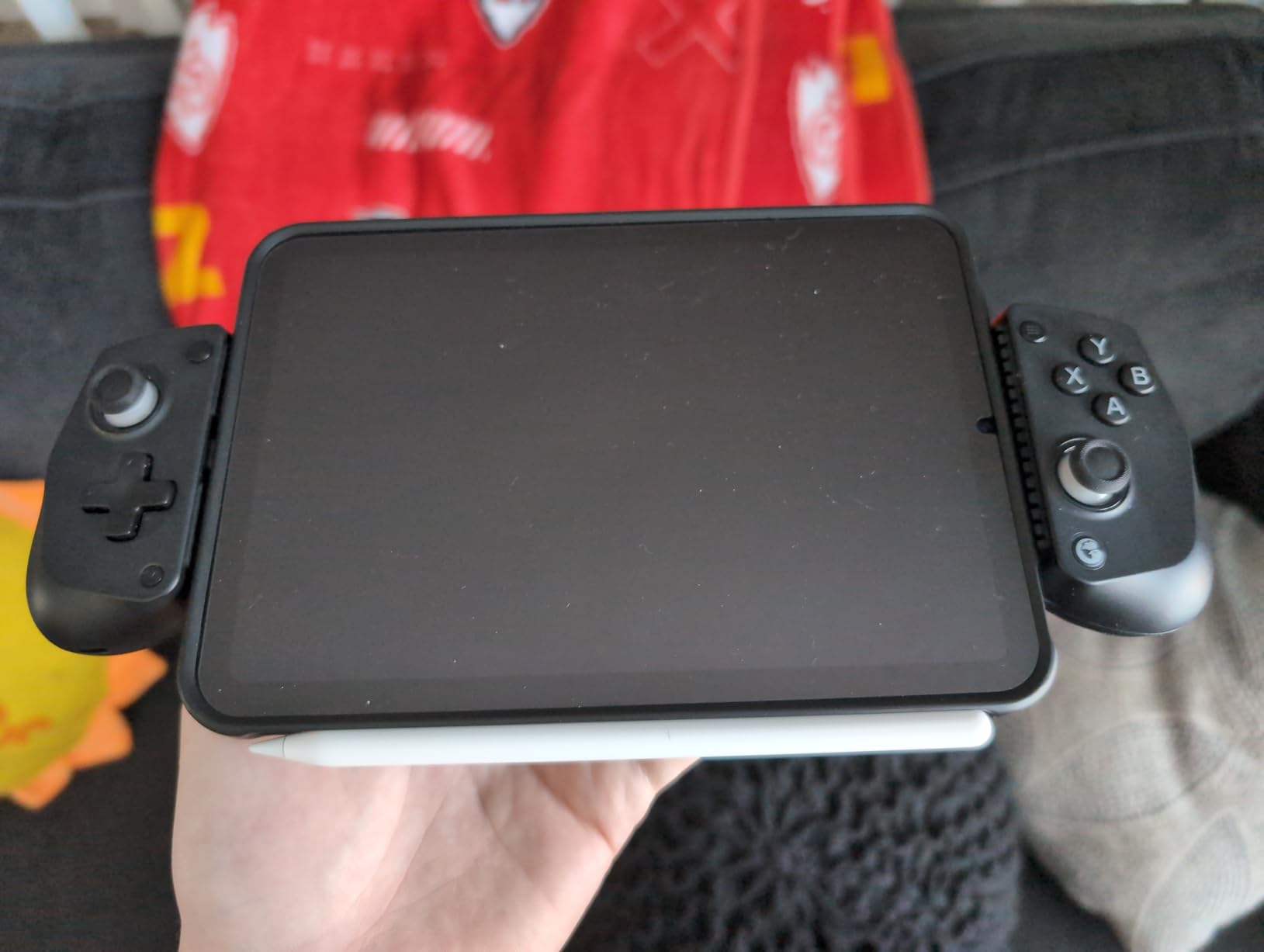
Pass-through charging means you can power your phone while playing. Long mobile gaming sessions drain batteries quickly, and the last thing you want is to stop because your phone died. I plugged in a power bank and gamed for hours without worrying about battery levels.
The Hall Effect joystick provides precise control without drift. The cushioned membrane triggers and buttons are quiet and require minimal force to activate. For thumb arthritis, these low-force inputs make a noticeable difference during extended sessions.
Mobile Gamers with Arthritis
If you do most of your gaming on a phone or tablet, this controller transforms the experience. The ergonomic grips eliminate the awkward hand positions that phones require. Zero input latency through the USB-C connection means responsive controls without the lag that can frustrate Bluetooth controllers.
Compatibility and Build Considerations
Some iOS games do not recognize the controller without workarounds. The handles and thumbsticks run small, which may not suit larger hands. The USB-C connector is flexible but can be fragile if twisted roughly. These trade-offs reflect the budget price point but do not significantly detract from the core functionality.
Buying Guide: How to Choose the Right Controller for Arthritis?
Selecting an ergonomic controller for arthritis involves more than just picking the highest-rated option. Your specific symptoms, gaming platform, and budget all play important roles. Here are the key factors I consider when recommending controllers to fellow arthritis sufferers.
Key Features for Arthritis Relief
Hall Effect Joysticks: These use magnetic sensors instead of physical contacts, eliminating stick drift forever. For arthritic thumbs, this means smooth, consistent movement without the grinding sensation of worn potentiometers. You will not have to push harder to compensate for drifting inputs.
Back Paddles: Rear buttons let you keep your thumbs on the sticks while accessing face button inputs. This reduces the constant thumb movement between buttons and joysticks that causes strain. More paddles mean more customization options.
Low-Force Buttons: Controllers with hair trigger modes and sensitive buttons require less pressure to activate. This directly reduces finger strain during long sessions. Look for adjustable trigger travel distances.
Lightweight Design: Every gram matters when your hands hurt. Lighter controllers cause less fatigue during extended play. Consider the total weight including batteries when comparing options.
Textured Grips: Non-slip surfaces let you hold the controller more loosely while maintaining control. This prevents the death-grip response that smooth surfaces encourage, reducing hand cramping.
Platform Compatibility
Not every controller works with every platform. Before buying, confirm compatibility with your primary gaming system. Some controllers offer multi-platform support, while others are platform-specific. For a complete ergonomic setup, also consider ergonomic gaming monitors that reduce neck strain during long sessions.
Budget vs Premium Options
Adaptive controllers like the PlayStation Access Controller offer the most customization but come at premium prices. Budget options like the GameSir G7 SE or EasySMX X15 provide excellent Hall Effect technology at a fraction of the cost. Consider how severe your symptoms are and how often you game when deciding how much to invest.
For severe arthritis, the investment in a fully adaptive setup often pays off in regained gaming ability. For milder symptoms, budget controllers with Hall Effect sticks and back buttons may provide all the relief you need.
Additional Considerations
Think about whether you need wireless freedom or if wired works for your setup. Consider battery life if you game for extended periods. For VR gaming accessibility, consider how your controller choice integrates with VR systems you might use.
FAQ’s
Is a PlayStation Access Controller good for arthritis?
Yes, the PlayStation Access Controller is excellent for arthritis sufferers. Its modular design lets you position buttons exactly where your fingers naturally rest, eliminating the need to grip a traditional controller. The minimal pressure required for button activation and the ability to mount the controller in any orientation make it one of the most arthritis-friendly options available for PS5 gaming.
How to prevent arthritis from gaming?
To prevent arthritis symptoms from worsening while gaming, take breaks every 30-60 minutes to stretch your hands and fingers. Use ergonomic controllers with low-force buttons and Hall Effect sticks. Maintain proper posture with wrist support. Consider using back paddles to reduce thumb movement. Stay hydrated and do hand exercises between sessions. If you experience persistent pain, consult a healthcare professional.
What controller features help most with hand pain?
The most helpful features for hand pain include Hall Effect joysticks that eliminate drift, back paddles that reduce thumb movement, lightweight designs under 10 ounces, textured grips that prevent tight gripping, hair trigger modes that reduce pull distance, and customizable button mapping that lets you position inputs comfortably. Adjustable stick tension and trigger sensitivity also help match the controller to your current hand strength.
Are Hall Effect joysticks better for arthritis?
Yes, Hall Effect joysticks are better for arthritis. They use magnetic sensors instead of physical potentiometers, providing smooth, consistent movement without the grinding sensation of worn-out sticks. They never develop stick drift, so you never have to push harder to compensate for drifting inputs. This consistent, smooth operation reduces strain on arthritic thumbs during extended gaming sessions.
Can gaming worsen arthritis symptoms?
Gaming can temporarily worsen arthritis symptoms through repetitive motions, sustained gripping, and extended periods of joint stress. However, using ergonomic controllers with proper features can minimize this impact. Taking regular breaks, doing hand stretches, and using controllers designed for accessibility allows many people with arthritis to continue gaming comfortably. Listen to your body and stop if pain increases.
Conclusion
Finding the best ergonomic controller for arthritis is about matching features to your specific symptoms and gaming needs. The PlayStation Access Controller offers unmatched customization for severe cases. The GameSir G7 SE delivers Hall Effect technology at an unbeatable price. Budget options like the EasySMX X15 prove you do not need to spend a fortune for arthritis-friendly features.
Whatever controller you choose, remember that gaming should bring joy, not pain. The right equipment lets you focus on what matters: enjoying your favorite games without dreading the physical toll. Take breaks, listen to your body, and game on your terms in 2026.