

Finding the perfect gift for the PC gamer in your life does not require spending a fortune. Our team spent weeks testing and researching affordable options to bring you the best gaming gifts under $50 that any PC enthusiast would actually want to receive. Whether you are shopping for a birthday, holiday, or Secret Santa exchange, these budget-friendly picks deliver real value without breaking the bank.
PC enthusiasts often have specific preferences and existing setups, which makes gift-giving challenging. The key is finding accessories that enhance their daily gaming experience rather than cluttering their desk with novelty items they will never use. We focused on practical upgrades like lighting, organization tools, and PC building essentials that solve real problems gamers face.
In this guide, we tested 12 products across categories including gaming peripherals, lighting setups, cable management, PC building tools, and comfort accessories. Each item earned its spot based on build quality, user reviews, and genuine usefulness for PC gamers. Let’s dive into our top picks for 2026.
Top 3 Picks for Gaming Gifts Under $50 (August 2026)
Gaming Gifts Under $50 in 2026
1. Redragon S101-3 Gaming Combo – Complete Starter Kit

+ The Good
- Complete gaming setup in one box
- RGB lighting looks fantastic
- Durable construction lasts years
- Excellent value for beginners
- Spill-resistant keyboard design
- The Bad
- Headset build feels lightweight
- Ear cups may run small
- Limited Mac OS support
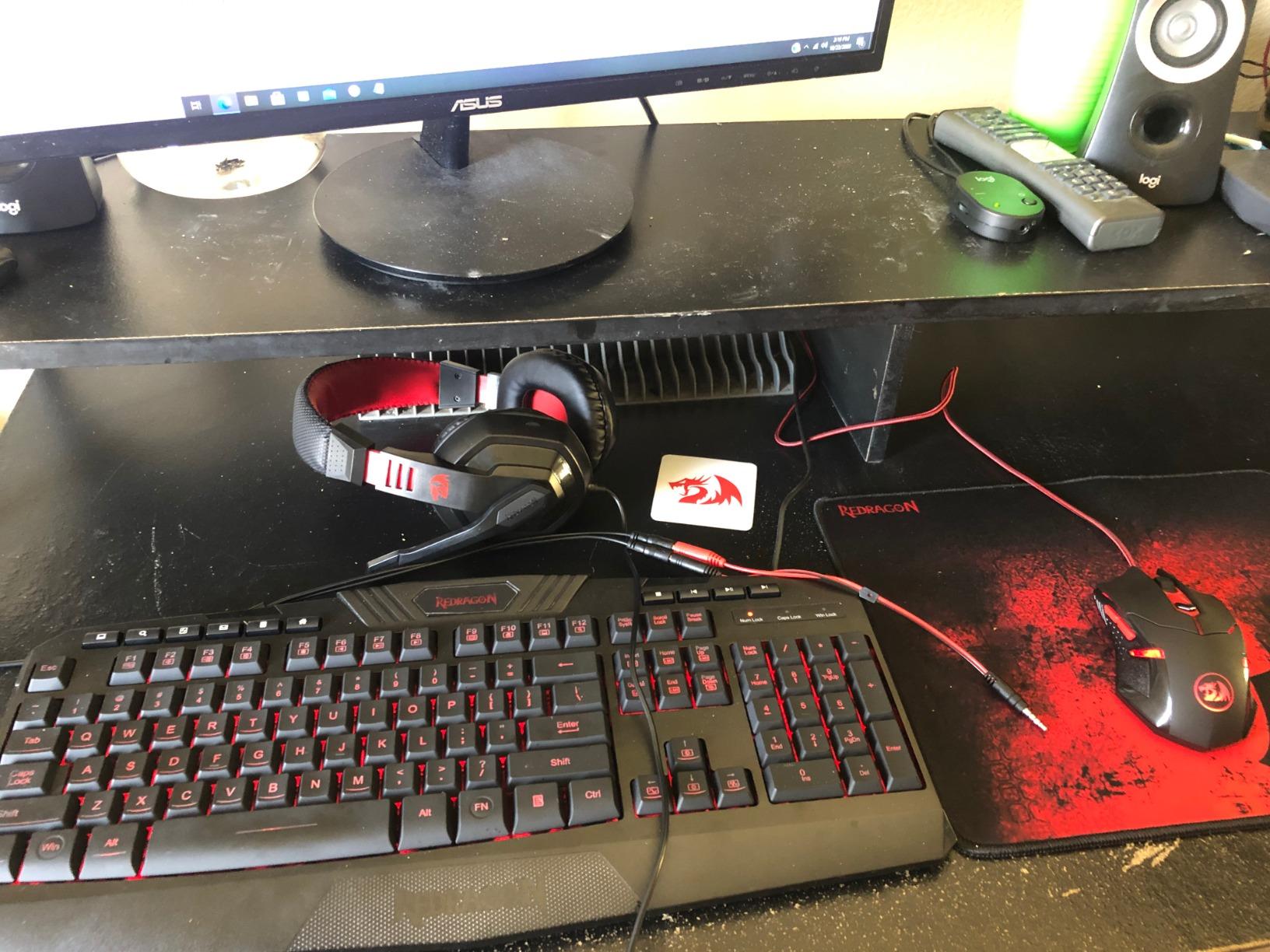
When I first unboxed the Redragon S101-3 combo, I was genuinely surprised by how much you get for under $50. This bundle includes a full RGB backlit keyboard, a programmable gaming mouse with adjustable DPI up to 7200, a stereo gaming headset with microphone, and a matching mouse pad. For anyone building their first gaming setup or replacing worn-out peripherals, this kit covers all the essentials in one purchase.
The keyboard features six lighting modes with four brightness levels and breathing effects that cycle through colors. During my testing, the keys felt responsive for both gaming and typing, with 26-key anti-ghosting preventing missed inputs during intense moments. The integrated wrist rest added comfort during longer sessions, and the spill-resistant design has saved my keyboard from more than one energy drink mishap.
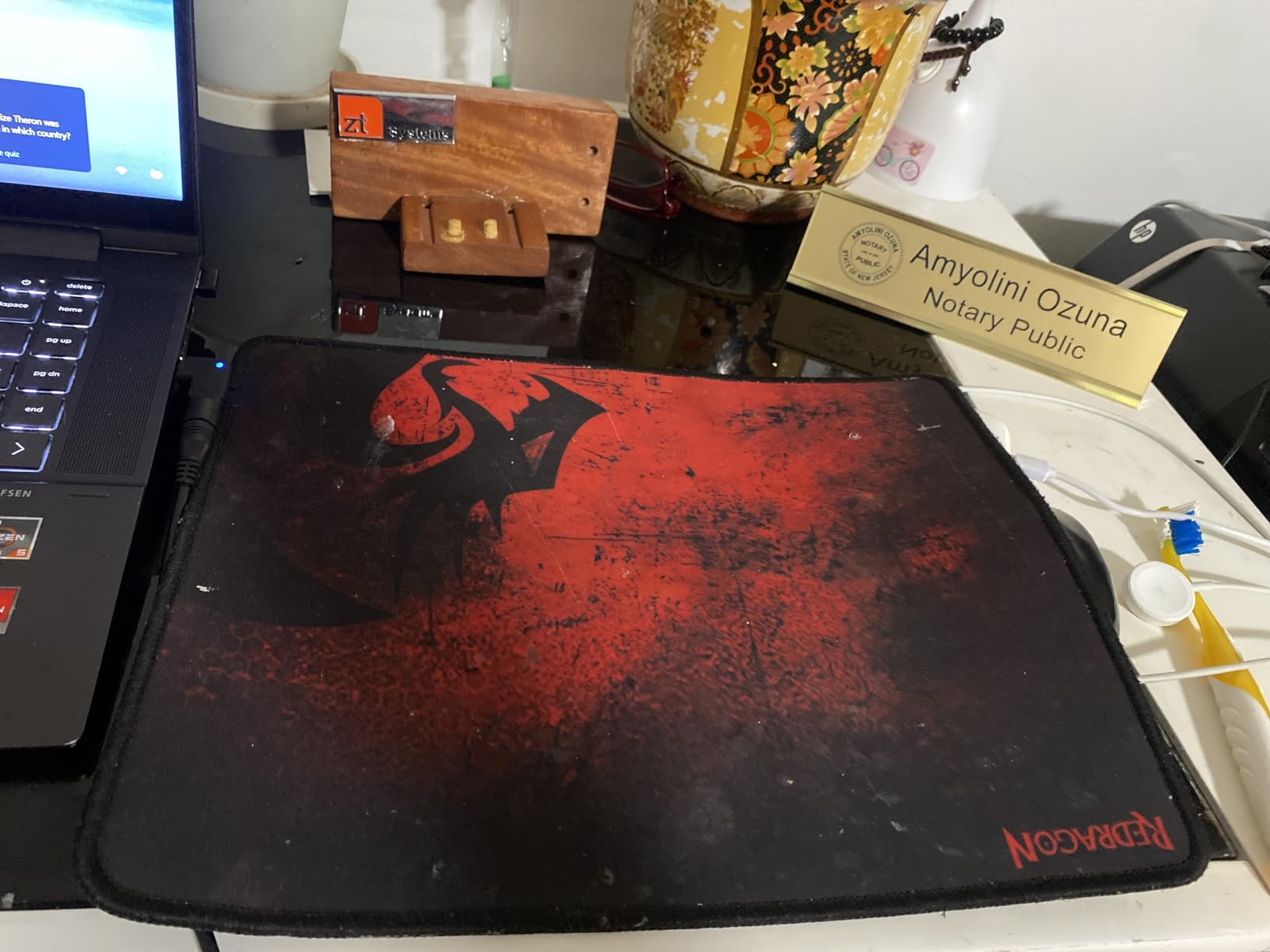
The gaming mouse impressed me with its weight tuning set and six programmable buttons. I set the DPI to 3200 for FPS games and found tracking accurate with no stuttering. The RGB lighting syncs with the keyboard for a cohesive desk aesthetic. What really stood out was the durability. I have seen Reddit posts from users reporting 8-plus years of daily use with no issues.
The headset delivers decent sound quality with 40mm directional drivers and noise-canceling ear cups. It works fine for casual gaming and voice chat, though audiophiles will notice the budget construction. The ear cup material can shed after extended use, and larger heads may find the fit tight. Still, as a bundled freebie, it exceeds expectations.
For whom it’s good
This combo is perfect for first-time PC builders, casual gamers upgrading from basic peripherals, or anyone needing a complete backup setup. The Redragon software allows macro programming and custom lighting, giving advanced users room to personalize. If you know someone just getting into PC gaming or building their first rig, this bundle removes the guesswork from peripheral shopping.
For whom it’s bad
Avoid this if the recipient already owns quality peripherals or has specific brand preferences. Competitive gamers who need tournament-grade equipment should look elsewhere. The headset will disappoint anyone expecting premium audio quality. Mac users will face compatibility limitations with the keyboard’s multimedia keys.
2. Govee Gaming Light G1 – RGBIC Monitor Backlight

+ The Good
- Stunning color-matching effects
- Works with curved monitors
- Razer Chroma compatible
- 123 scene modes
- Easy adhesive installation
- The Bad
- WiFi only
- no USB option
- Desktop app can cause lag
- Streaming services blocked
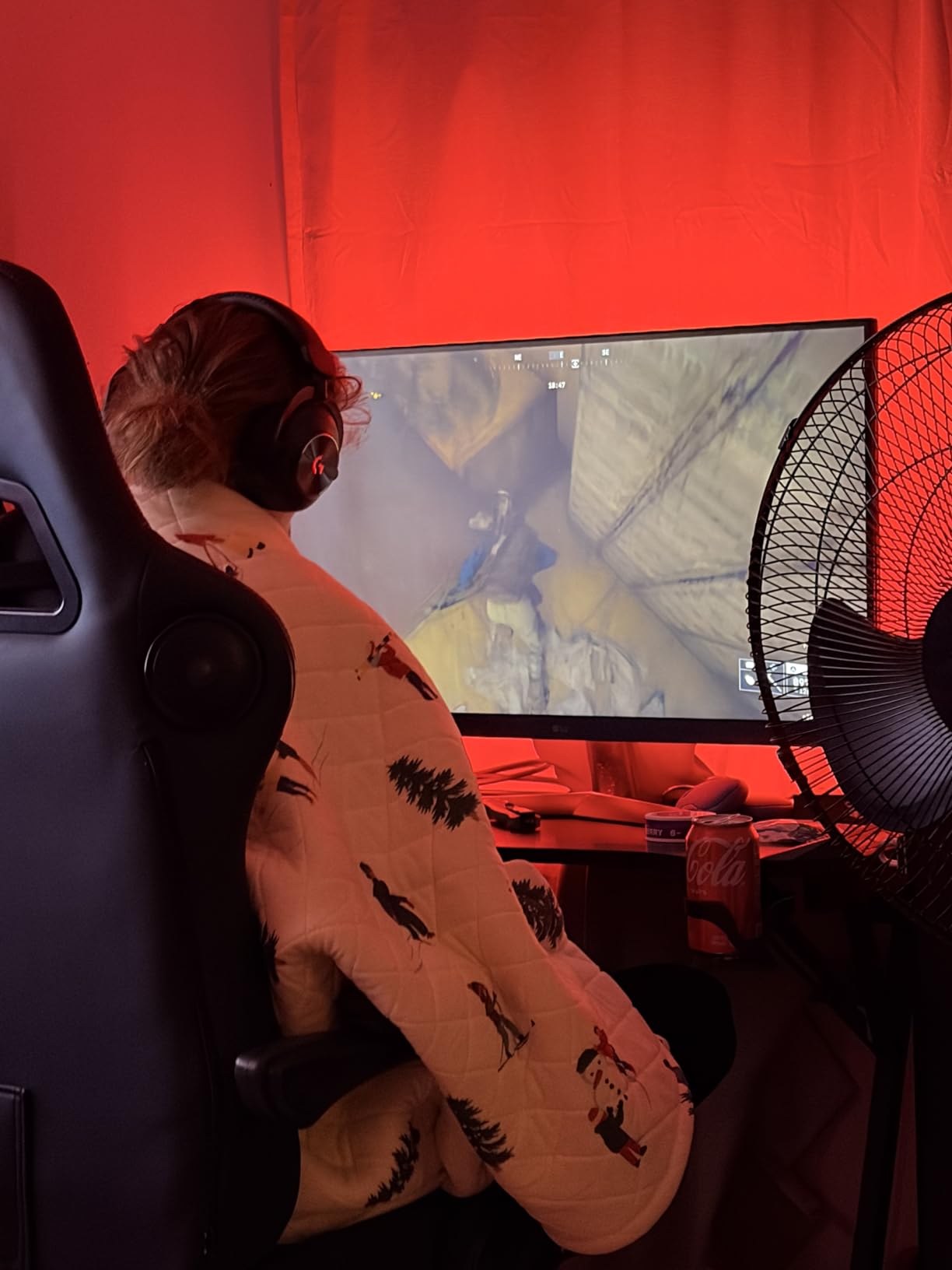
The Govee Gaming Light G1 transforms any monitor into an immersive experience with its VibraMatch color-matching technology. This 360-degree backlight system reads on-screen pixels and translates them into ambient lighting that extends your display beyond its physical borders. I tested it on a 32-inch curved monitor, and the 108 high-density LED beads created stunning, even illumination across all four sides.
Installation took about 15 minutes with the included adhesive brackets. The strips conform to curved monitors from 27 to 34 inches without issues. During gaming sessions, the color matching added genuine atmosphere to dark scenes and made explosions pop with surrounding light. The Govee Home app offers 123 preset scene modes plus 11 music sync options for variety.
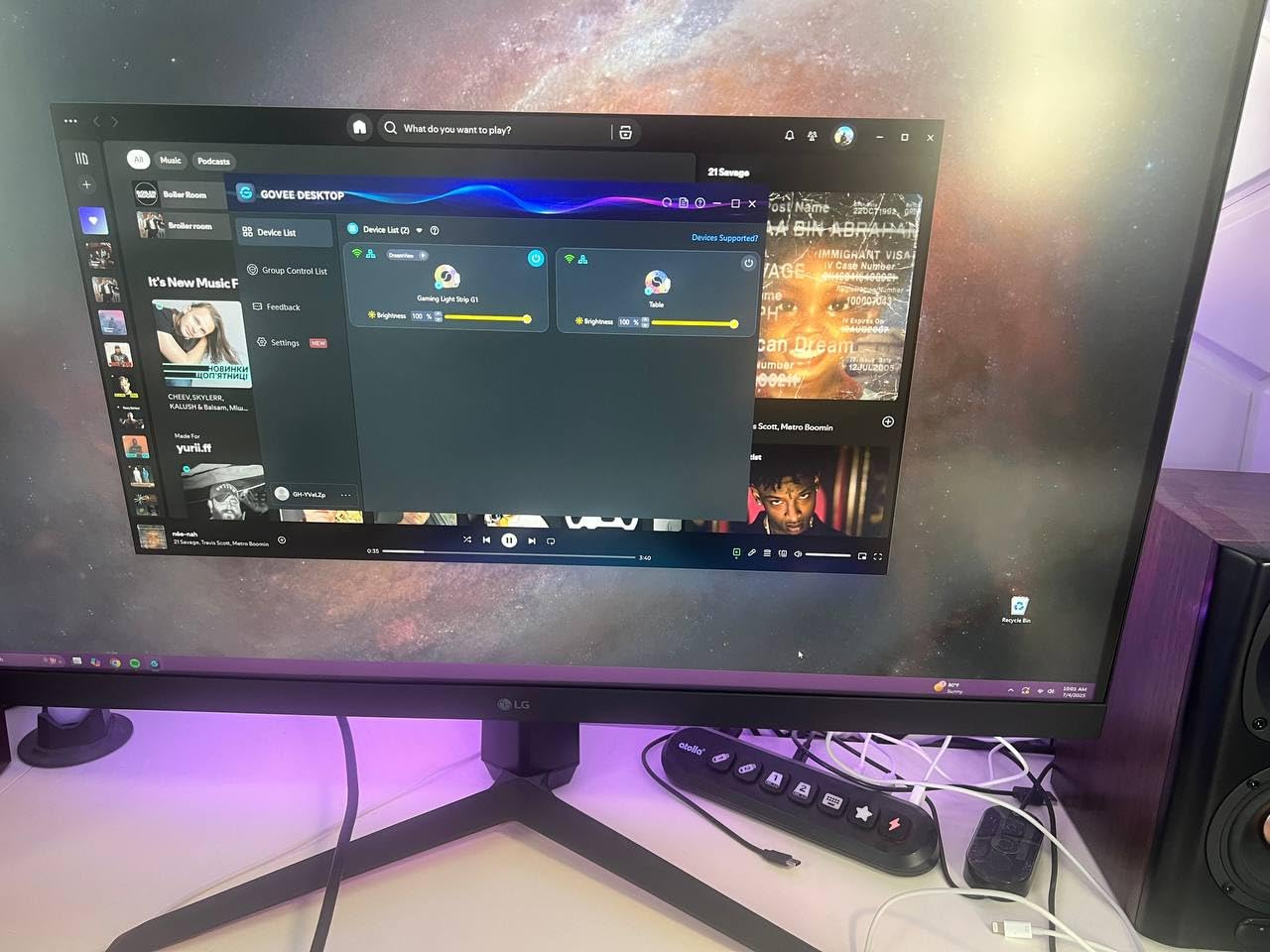
One feature PC enthusiasts will love is the Razer Chroma compatibility. If the recipient uses Razer peripherals, this backlight syncs seamlessly with their existing ecosystem. The Govee desktop software captures screen content for real-time color matching, though I noticed some lag on my mid-range test PC. Higher-end systems should handle it without issues.
The WiFi-only connectivity is both a blessing and a curse. No cables running to your PC means cleaner cable management, but you cannot use USB for a direct connection. The initial setup requires the phone app to configure WiFi before the desktop software can take over. Also, note that streaming services like Netflix block color matching due to copyright protection.
For whom it’s good
This backlight suits gamers who want immersive atmosphere without spending hundreds on Philips Hue setups. It is perfect for streamers building visual appeal, RGB enthusiasts expanding their lighting ecosystem, and anyone wanting their gaming space to look professional. The curved monitor compatibility makes it ideal for ultrawide users.
For whom it’s bad
Skip this for gamers with older PCs that might struggle with the desktop software. Those without reliable WiFi or who prefer wired connections will find the WiFi-only requirement frustrating. Anyone expecting color matching to work with streaming services will be disappointed. The $49.99 price point leaves no room under the $50 budget for gift wrap.
3. Govee Smart LED Light Bars – RGBICWW Gaming Lights

Govee Smart Light Bar, RGBICWW TV Lights for Living Room, Gaming, Black
RGBICWW Technology
Alexa/Google Compatible
Music Sync
+ The Good
- 16 million colors
- Smart home integration
- Multiple mounting options
- Music reactive mode
- Easy 30-minute setup
- The Bad
- Plastic build feels lightweight
- Long cables need management
- Alexa controls both bars together
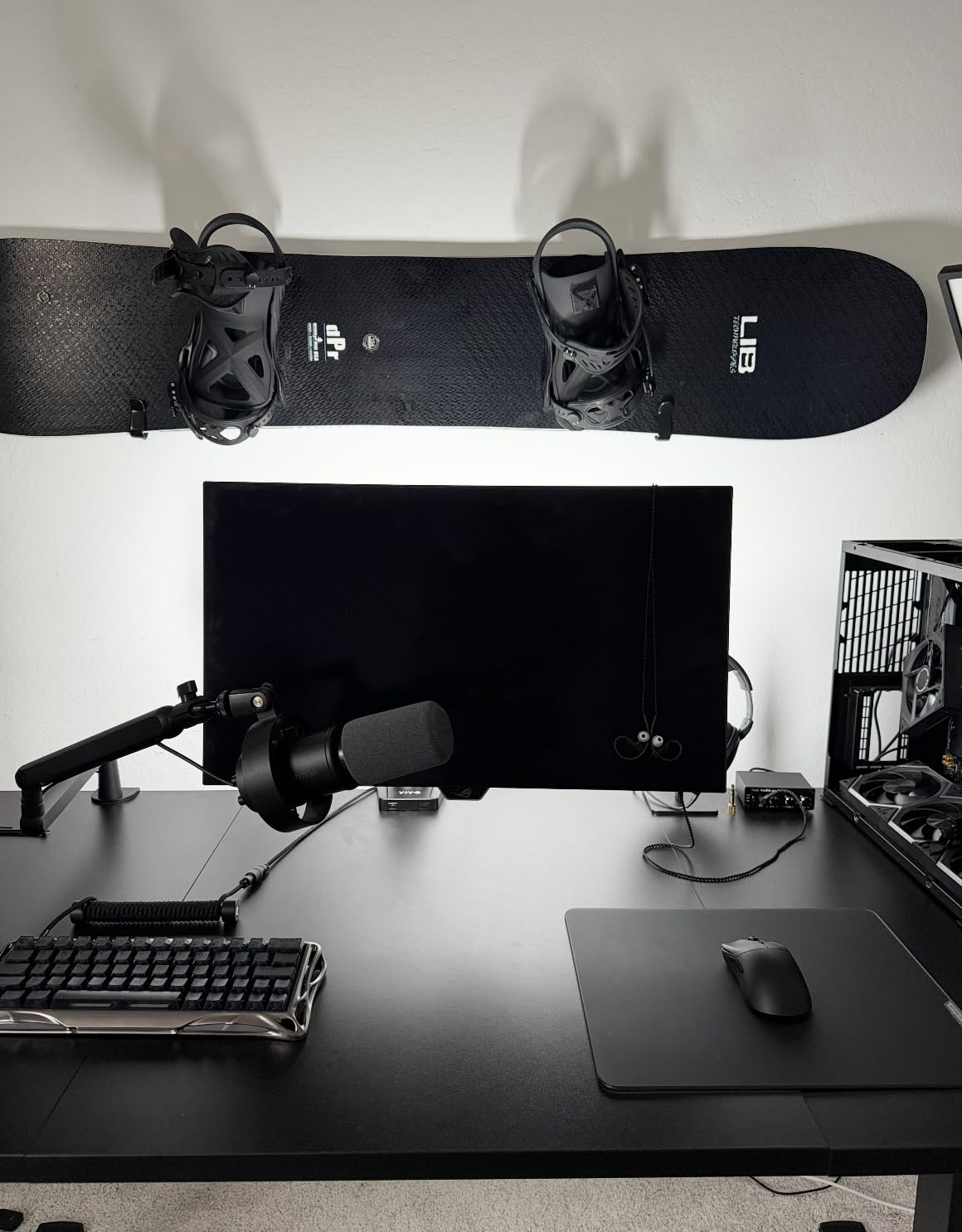
Govee’s Smart LED Light Bars offer RGBICWW technology that displays rainbow-like effects from 16 million colors. Unlike basic RGB lights, these bars can show multiple colors simultaneously for dynamic gradients. I positioned mine on either side of my monitor, where they provided excellent bias lighting that reduced eye strain during late-night gaming sessions.
The smart home integration works flawlessly with both Alexa and Google Assistant. I could adjust brightness, change colors, and trigger scenes with voice commands. The Govee Home app provides segmented color control, letting you set different colors for the top and bottom of each bar. With an internal high-sensitivity microphone, the music sync mode creates reactive light shows that pulse with game audio or Spotify playlists.

Installation flexibility impressed me. The bars can stand vertically on included bases, lay flat, or mount behind your monitor using the provided brackets. The 106-inch power cord gives plenty of reach, though you will want to plan cable routing to avoid visual clutter. No hub is required for WiFi connectivity, which simplifies setup considerably.
The light output hits 350 lumens per bar, bright enough to illuminate a dark room but soft enough to use as accent lighting. The 2200K warm white option provides comfortable reading light when not gaming. After three weeks of testing, the adhesive mounts held firm, and the bars showed no signs of overheating or color degradation.
For whom it’s good
These light bars excel for gamers building smart home setups, streamers wanting professional-looking backgrounds, and anyone who enjoys ambient lighting that reacts to audio. The versatile mounting options work for desks of any configuration. If the recipient already uses Alexa or Google Assistant, these integrate seamlessly into existing routines.
For whom it’s bad
Avoid for gamers who prefer all-wired setups without WiFi dependency. Those wanting to control each bar individually through smart home commands will find the limitation frustrating. Anyone with limited desk space should consider whether they have room for standing light bars. The plastic construction might disappoint those expecting premium materials.
4. SHOWPIN 122-in-1 Precision Screwdriver Kit – PC Building Essential
SHOWPIN Precision Computer Screwdriver Kit: 122PCS Laptop Screwdriver Sets
101 Magnetic Bits
Cr-V Steel
Flexible Shaft
Ergonomic Handle
+ The Good
- Incredible variety of bits
- Magnetic tips for tiny screws
- Magnetic mat included
- Flexible shaft for tight spaces
- Outstanding build quality
- The Bad
- Case fits tight when removing pieces
- Extension shaft has slight wiggle
- Flexible extender does not hold position
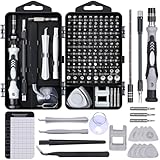
The SHOWPIN 122-in-1 precision screwdriver kit belongs in every PC builder’s toolbox. With 101 magnetic bits forged from Chrome Vanadium steel heat-treated to 60 HRC, this set handles everything from motherboard standoffs to laptop repairs. I used it to upgrade RAM in my laptop, replace thermal paste on my CPU, and disassemble a stubborn game controller, all without stripping a single screw.
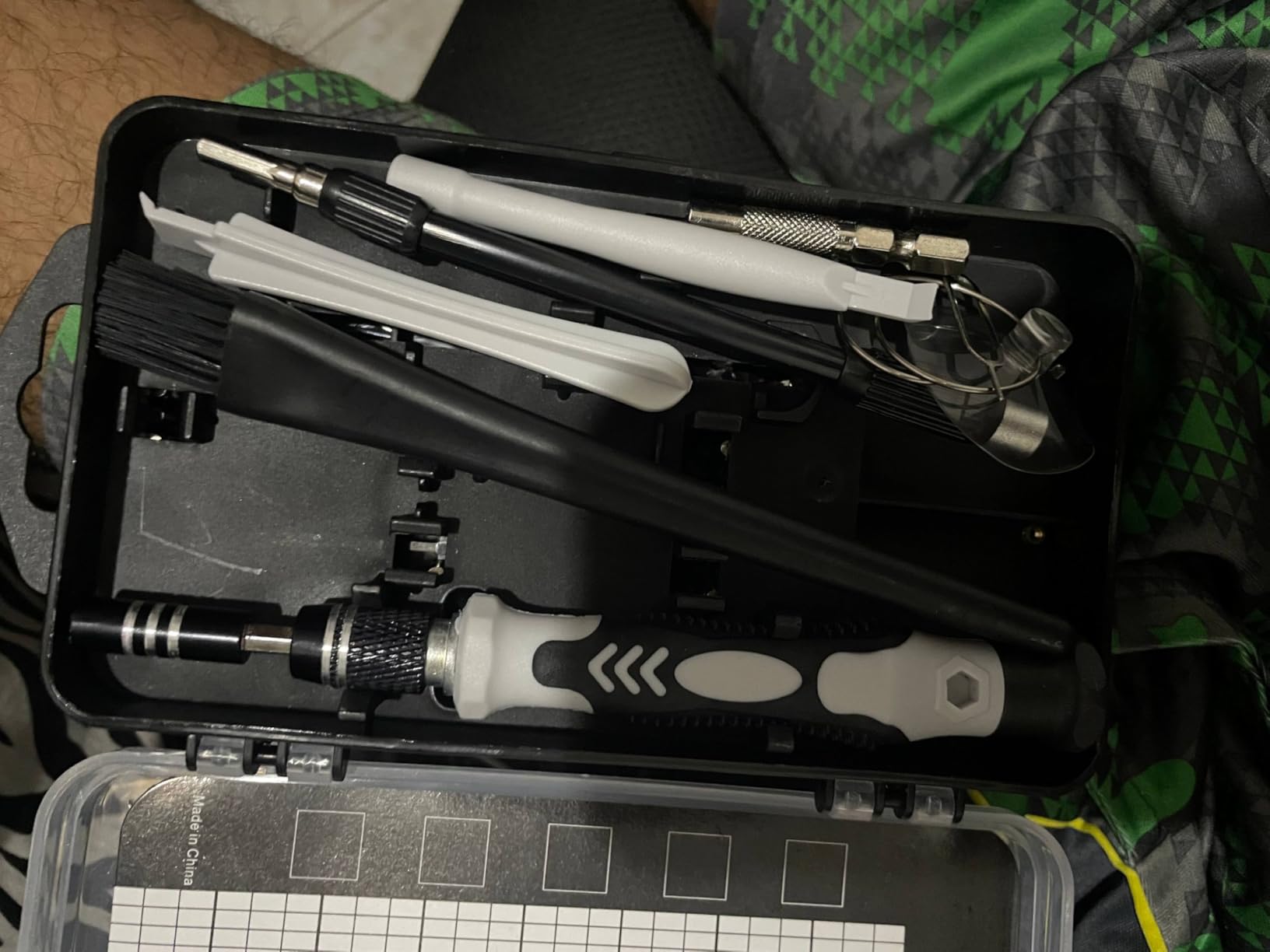
The ergonomic handle features a spinning design that allows precise one-handed operation. A 4.56-inch alloy-steel extension shaft reaches recessed screws, while the flexible shaft bends up to 180 degrees for awkward angles. The dual-magnet design includes a magnetizer to boost bit magnetism and a magnetic mat that holds tiny screws during disassembly, preventing lost hardware.
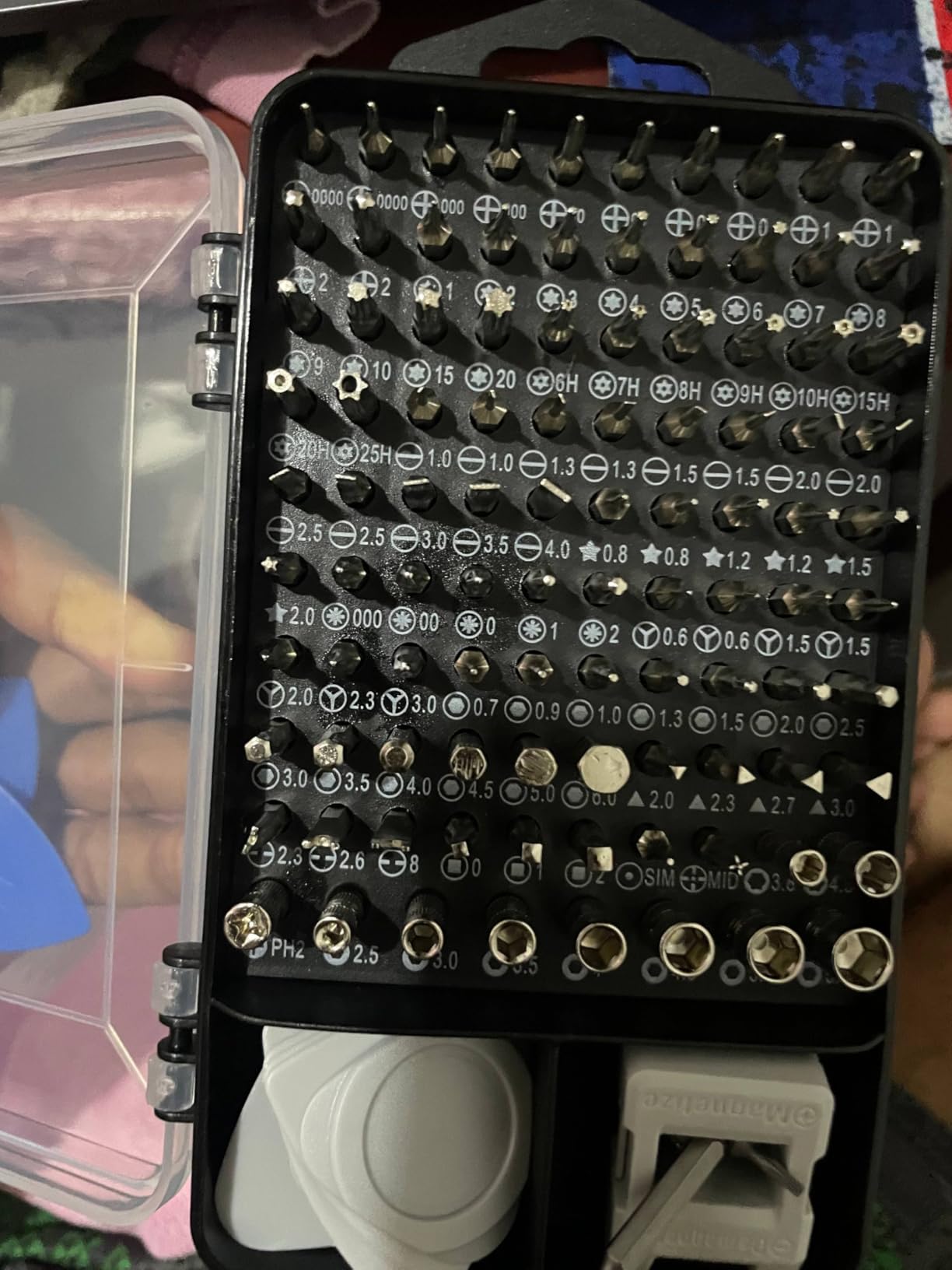
Bit variety covers every screw type I have encountered: Torx, Phillips, Pentalobe, Hex, Tri-wing, Flathead, Y-Type, Pozidriv, and more. Spare bits are included for common sizes that wear out fastest. The labeled storage case keeps everything organized, though removing pieces can require some effort due to the tight fit. At under $17, the quality far exceeds the price point.
For PC enthusiasts who build, upgrade, or repair systems regularly, this kit eliminates the frustration of not having the right tool. I particularly appreciated the anti-static tweezers and pry bar for delicate electronics work. The included magnetizer and demagnetizer tool proved useful for controlling bit strength when working near sensitive components.
For whom it’s good
This kit is essential for PC builders, anyone who repairs their own electronics, and gamers who maintain multiple consoles. It makes an excellent gift for someone building their first PC. The comprehensive bit selection covers laptops, phones, game consoles, and household electronics. Anyone who has struggled with stripped screws or wrong-sized drivers will appreciate this set.
For whom it’s bad
Skip this for casual users who never open their PC case. Those expecting premium German-engineered tools might find the build quality adequate but not exceptional. Anyone who needs tools for heavy-duty automotive or construction work should look for larger bit sets. The flexible shaft does not hold position, which limits its usefulness for some applications.
5. UnaMela 140-in-1 PC Building Tool Kit – Complete Repair Set

PC Building Tool Kit 140-IN-1: Computer Tool Kit for Repair & Assembly
120 Precision Bits
19 Accessories
Extension Pole
Anti-Static Tools
+ The Good
- Comprehensive 140-piece kit
- Bit variety for all devices
- Magnetic tips and mat
- Flexible 5.11-inch shaft
- Great value for the price
- The Bad
- Build quality feels budget-level
- Some users report missing pieces
- Case quality varies
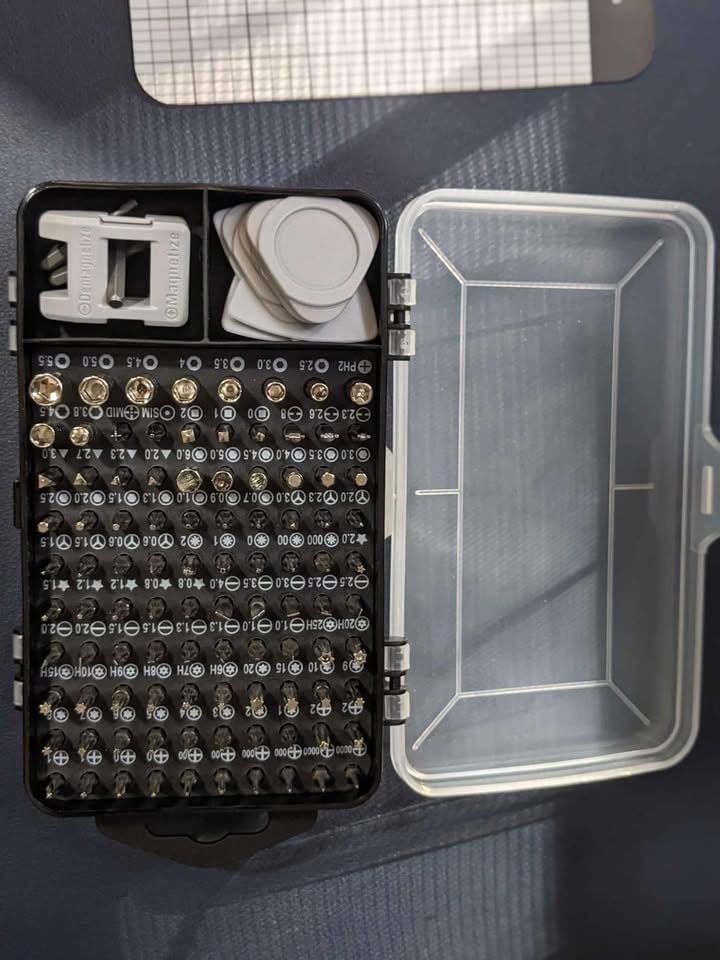
The UnaMela 140-in-1 PC Building Tool Kit takes screwdriver sets to another level with 120 precision bits plus 19 accessories. Designed specifically for computer repair and assembly, this kit includes everything needed to build a PC from components, upgrade storage, or fix common hardware issues. I found the Torx and Hex bits particularly useful for GPU disassembly and power supply maintenance.
The ergonomic handle rotates 360 degrees, making precise adjustments easy during delicate operations. An extension pole reaches deep into cases, while a 5.11-inch flexible shaft bends 180 degrees to access screws at odd angles. The included 5.7 x 3.3 inch magnetic pad became my go-to surface for organizing screws during motherboard installations.
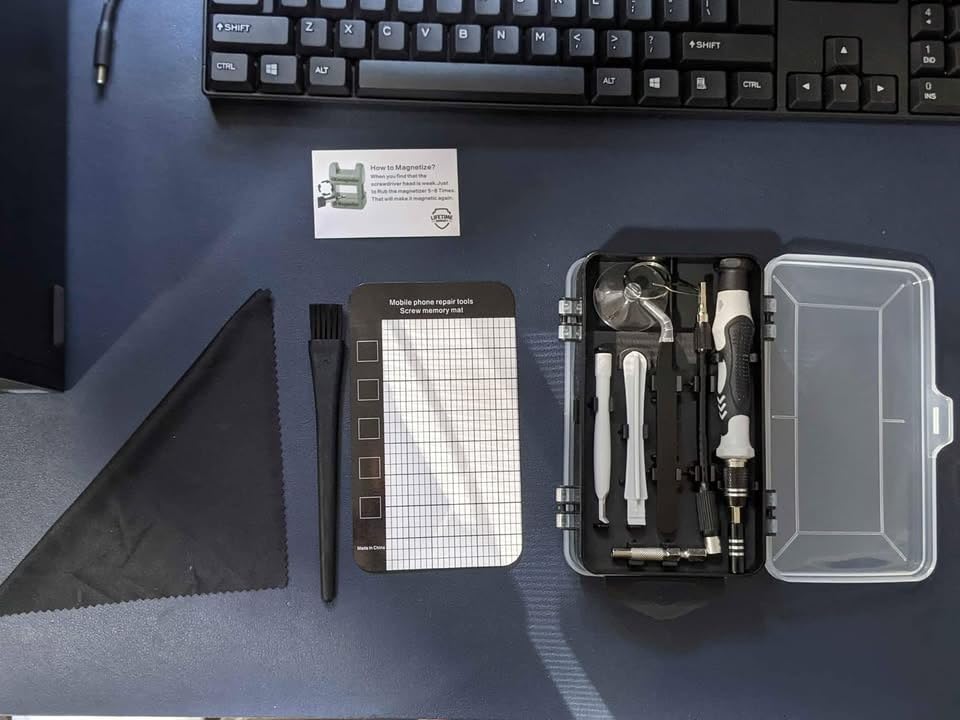
Beyond standard bits, the kit includes anti-static tweezers for handling sensitive components and a pry bar for opening plastic cases without damage. The CRV steel bits rated at 60HRC hardness handled repeated use without deformation. Velcro bit holders in the case keep frequently used bits accessible without digging through the entire set.
Universal compatibility means this kit works on laptops, iPhones, MacBooks, PS4, PS5, Xbox consoles, and general electronics. The blue color scheme and compact case make it easy to spot in a crowded workspace. For PC enthusiasts who frequently tinker with hardware, having a dedicated repair kit prevents borrowing tools from other projects.
For whom it’s good
This kit suits PC builders who want a comprehensive tool set without spending professional prices. It is ideal for gamers who own multiple platforms and need one kit for all repairs. Anyone who performs regular maintenance on their system will find the anti-static accessories valuable. The gift works well for tech-savvy recipients who already have basic tools but need an upgrade.
For whom it’s bad
Avoid for professional technicians who need industrial-grade tools for daily use. Those wanting premium brand names like iFixit should expect to pay more. Anyone who rarely opens their PC case might not use the kit enough to justify even this modest investment. Some users reported missing pieces, so verify contents upon arrival.
6. KDD RGB Headset Stand – Controller and Headphone Holder

KDD RGB Headset Stand with 9 Light Modes – Controller Holder for Desk – Rotatable Headphone Stand & Detachable Controller Hook for PC Earphone Accessories(Black)
9 RGB Light Modes
360 Rotatable
Detachable Controller Hooks
Cable Organizer
+ The Good
- Holds headphone and 2 controllers
- Easy 30-second assembly
- Stable non-wobble base
- Bright RGB with memory function
- USB powered plug and play
- The Bad
- Plastic construction
- May tip with unbalanced controllers
- USB required for lighting
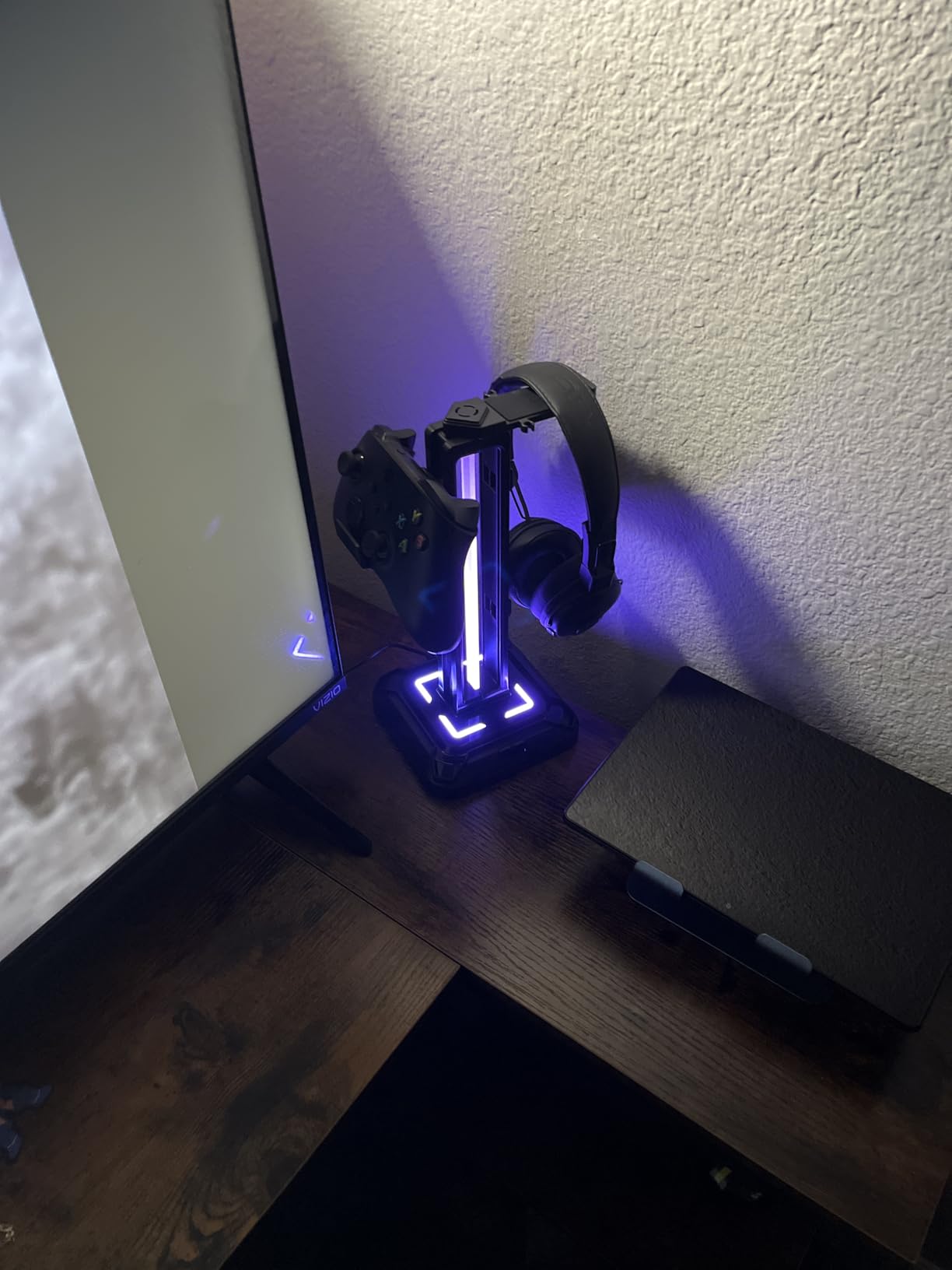
The KDD RGB Headset Stand solves the desk clutter problem while adding visual flair to any gaming setup. This multifunction stand holds one gaming headset plus two controllers, or four controllers if you remove the headphone hook. The 360-degree rotating headset arm lets you position headphones exactly where you want them for easy access during sessions.
Nine RGB lighting modes with memory function create ambiance that matches any setup theme. I particularly liked the breathing and color-cycling effects, which look impressive during evening gaming. The inline button controller makes switching modes simple, and the stand remembers your last setting when powered off. USB power means no batteries to replace.
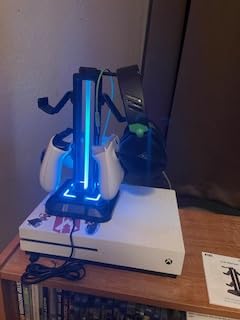
Assembly takes about 30 seconds with no tools required. The stable base features four rubber pads that prevent sliding on smooth surfaces. Detachable controller hooks let you customize the configuration based on what you need to store. I used mine to hold a DualSense and Xbox controller alongside my gaming headset, keeping everything within arm’s reach.
The built-in cable organizer routes headset and controller cables neatly behind the stand. Soft protective rubber on the hooks prevents scratching expensive gear. While the plastic construction keeps weight low, it does not feel cheap. The universal compatibility works with Windows, Mac, and Linux without drivers.
For whom it’s good
This stand is perfect for gamers with multiple controllers who want organized desk space. It suits RGB enthusiasts building cohesive lighting themes across their setup. Anyone tired of headphones lying flat on the desk will appreciate the elevated storage. The gift works well for console and PC gamers who use controllers alongside keyboard and mouse.
For whom it’s bad
Skip for minimalists who prefer invisible cable management solutions. Those without USB ports available might find the power requirement inconvenient. Anyone with very heavy professional headphones should verify the stand can support their weight. The plastic aesthetic may not match premium desk setups with metal and wood themes.
7. EURPMASK Rotating Headphone Stand – Clamp-on Hanger

EURPMASK Rotating Headphone Stand – PC Gaming Headset Holder, Adjustable Clamp-on Under Desk Hanger With 360 Degree Swivel & Cable Clip Organizer – Black
Clamp-on Mount
360 Swivel
Fits 0.31-1.57 Inch Desks
Cable Clip
+ The Good
- Solid clamp mechanism
- Universal headphone compatibility
- Space-saving under-desk design
- Built-in cable organizer
- No assembly required
- The Bad
- Clamp mounting only
- Color may differ from product images
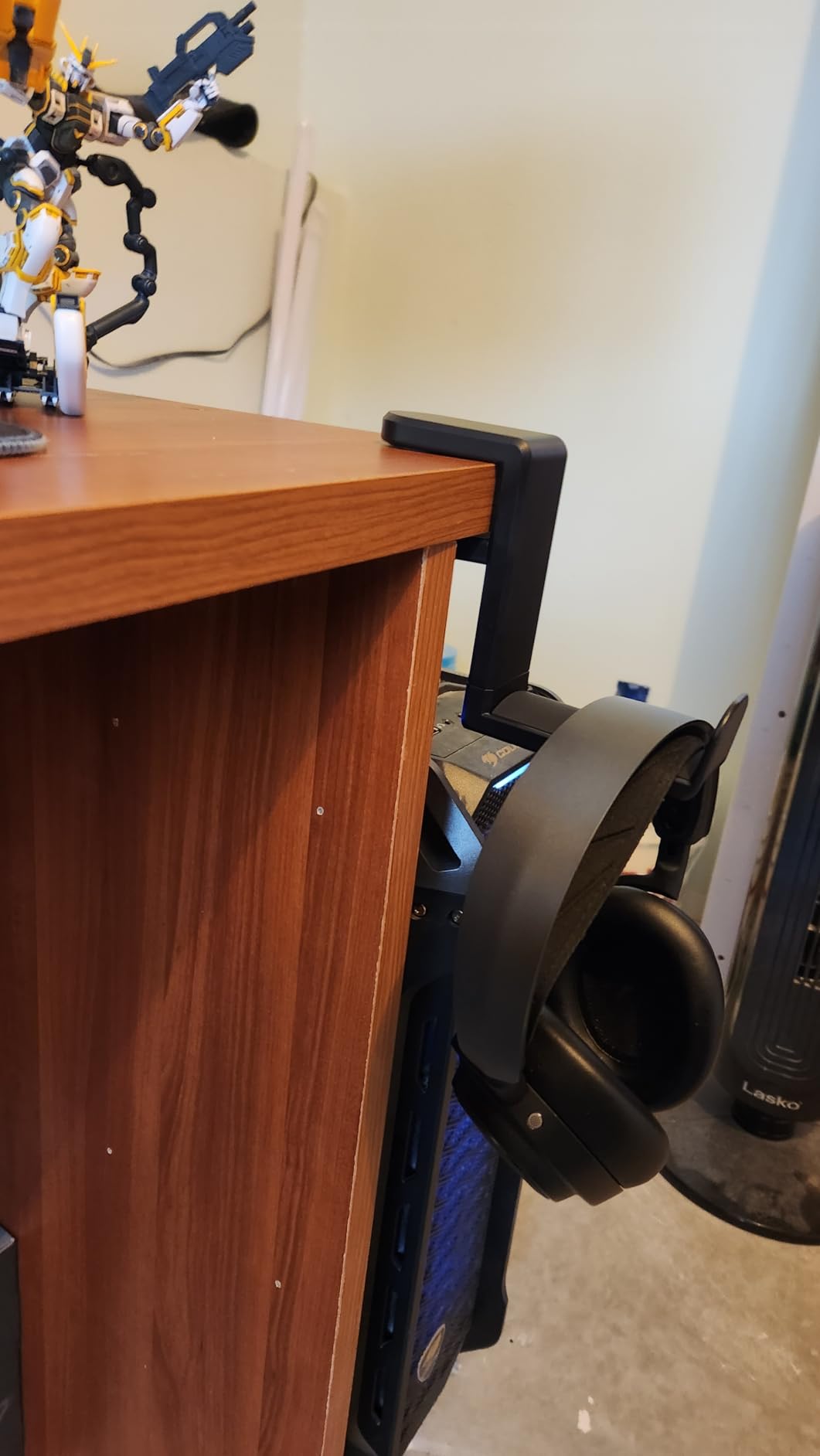
The EURPMASK Rotating Headphone Stand takes a different approach by mounting under the desk rather than sitting on top. This clamp-on design frees up precious desk surface while keeping headphones accessible. The 360-degree swivel arm tucks headphones completely under the desk when not in use, then rotates out for easy grabbing during gaming sessions.
Installation requires no tools or assembly. Simply loosen the clamp, slide it onto your desk edge from 0.31 to 1.57 inches thick, and tighten. The rubber pads on both clamp surfaces protect your desk from scratches while providing secure grip. I tested it on a 1.25-inch thick desktop, and the clamp held firmly without any wobble during normal use.
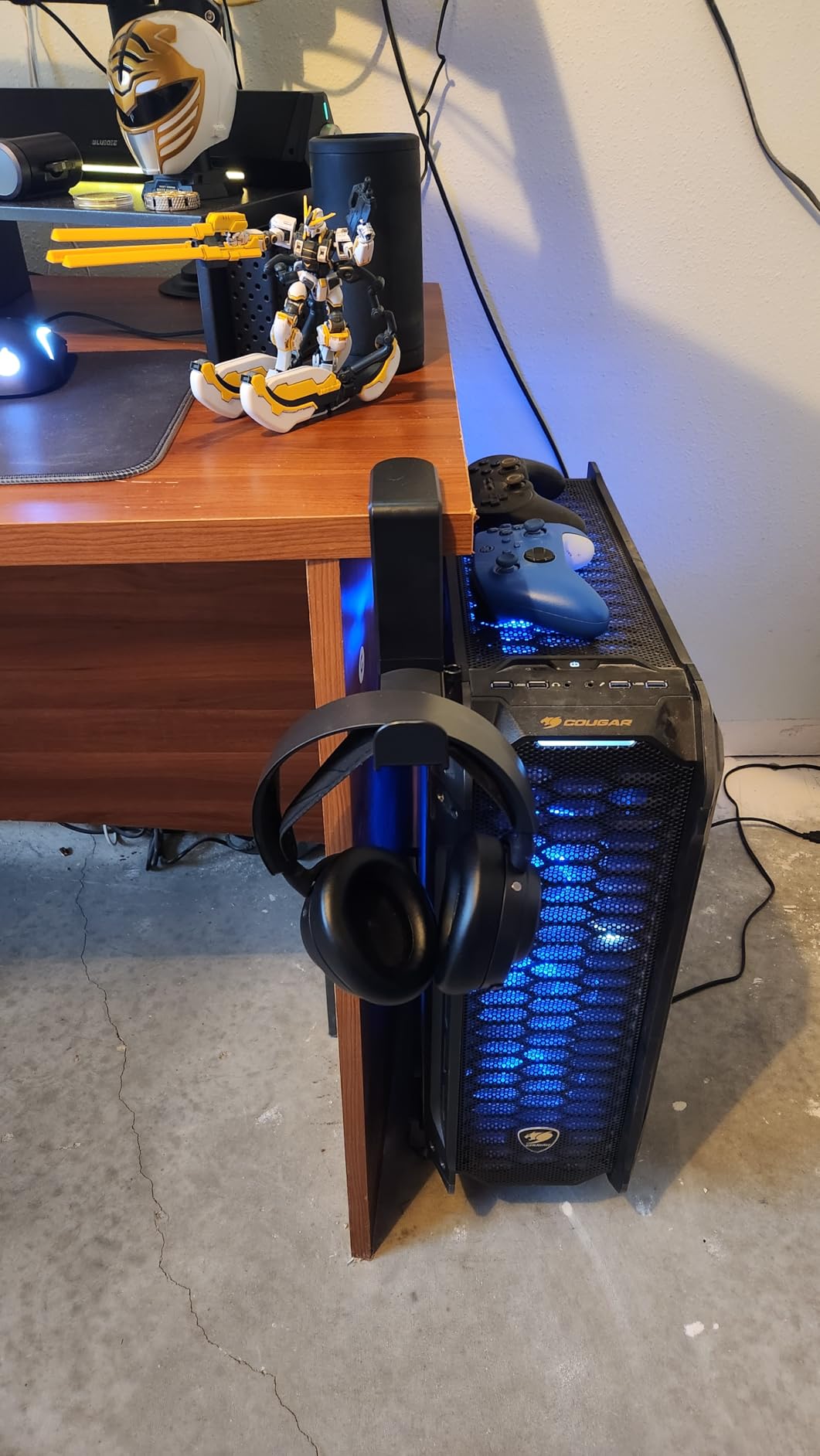
The curved hook edges with rubber padding protect headset headbands from scratches or dents. Universal compatibility means this works with virtually any gaming headset, from lightweight wireless models to heavy audiophile cans. The included cable clip attaches to the stand, keeping headset cables organized and off the floor.
What impressed me most was the versatility. Beyond headphones, this stand works for bags, hats, umbrellas, and other items. Reddit users frequently recommend this exact model for its durability and simple effectiveness. With over 30,000 reviews averaging 4.7 stars, the community consensus confirms this is a reliable, practical gift.
For whom it’s good
This stand suits gamers with limited desk space who need to maximize surface area. It works well for anyone who wants headphones accessible but not visible when not in use. The clamp design is ideal for standing desk users who may not have room for desktop stands. Those who appreciate clean, minimal aesthetics will like the hidden storage approach.
For whom it’s bad
Avoid for glass desks or surfaces too thick for the clamp. Anyone wanting a freestanding display for their expensive headphones should choose a desktop stand instead. Those who prefer RGB lighting integrated into accessories will find this purely functional. Some users noted the metallic look in photos differs from the actual plastic construction.
8. rnairni Extended RGB Gaming Mouse Pad – 31.5 Inch Desk Mat

Extended RGB Gaming Mouse Pad, Extra Large Gaming Mouse Mat for Gamer, Waterproof Office Desktop Mat with 10 Lighting Mode, for PC Computer RGB Keyboard Mouse – 31.5” x 15″ x 4mm(Map)
31.5 x 15.7 Inch
10 RGB Modes
USB Powered
Waterproof Surface
+ The Good
- Generous surface for keyboard and mouse
- Multiple RGB lighting modes
- Anti-slip rubber base
- Waterproof design
- Smooth tracking surface
- The Bad
- RGB dim in bright rooms
- Fiber optics may tear over time
- No app control available
- RGB does not auto-off with PC
The rnairni Extended RGB Gaming Mouse Pad transforms any desk into a cohesive gaming surface. Measuring 31.5 by 15.7 inches, this oversized mat accommodates a full-size keyboard and mouse with room to spare for arm movements. The RGB lighting around the edges creates an underglow effect that makes keyboards and mice appear to float on light.
Ten RGB lighting modes offer variety from rainbow breathing to solid colors to circling effects. The inline controller button cycles through modes, though there is no app or remote for advanced customization. In dark rooms, the lighting looks stunning and adds genuine atmosphere. In daylight or well-lit rooms, the effect becomes subtle but still visible.
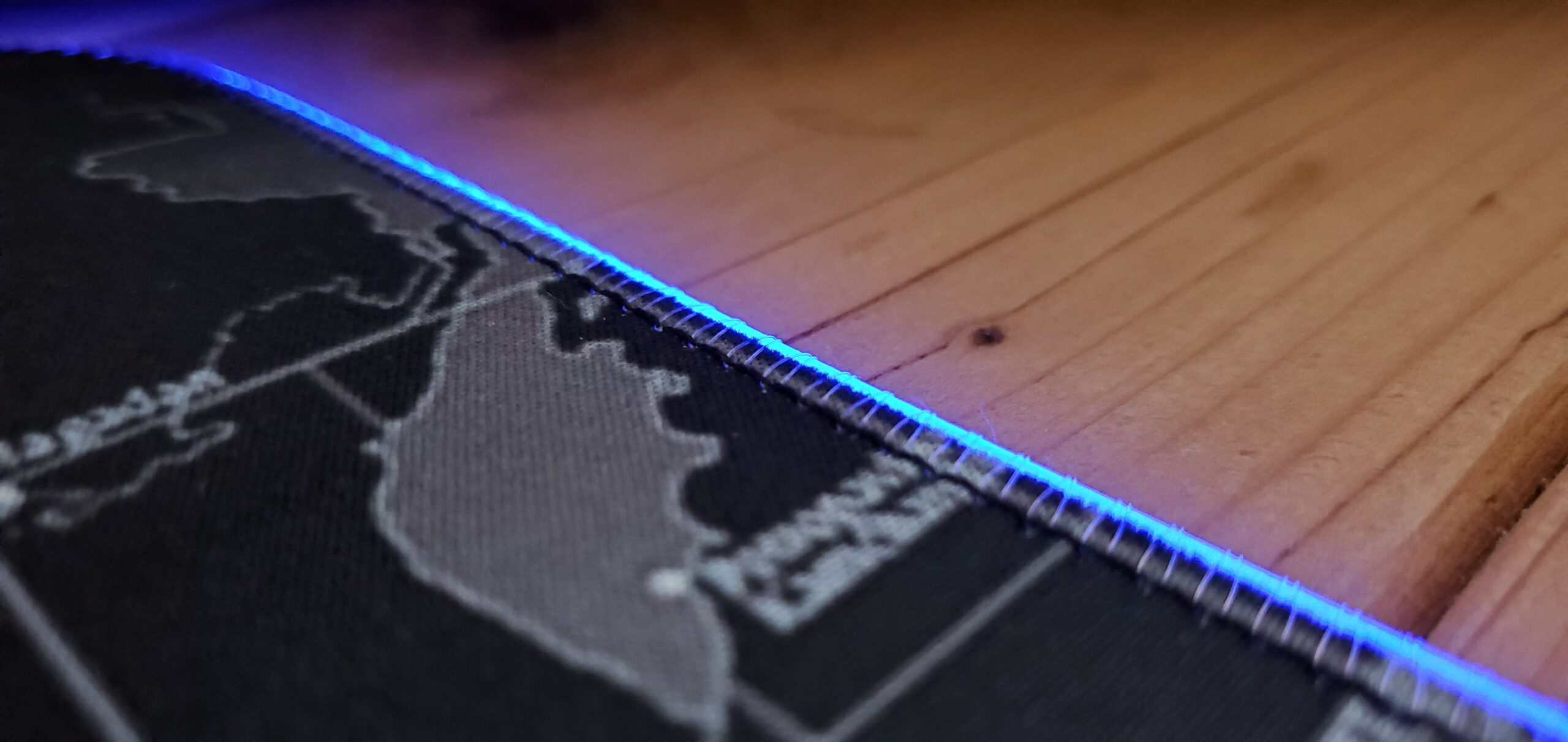
The microfiber surface provides smooth, consistent tracking for both optical and laser mice. During testing, my mouse glided effortlessly without the texture inconsistencies I have experienced with cheaper pads. The anti-slip rubber base kept the mat firmly planted even during aggressive FPS gameplay. The waterproof coating protected my desk from coffee spills that beaded up for easy wiping.
USB power means no batteries, but it does require a free port. The pad does not automatically turn off when your PC sleeps, which can be annoying if your computer stays on overnight. Some users report the fiber optic tubing degrading after a year or more of heavy use, though at this price point, replacement is not a major concern.

For whom it’s good
This mouse pad is ideal for gamers building RGB-themed setups on a budget. It suits anyone wanting a clean, unified desk surface that accommodates all peripherals. The extended size benefits low-sensitivity FPS players who need room for large arm movements. Those who game in darker environments will get the most visual impact from the RGB lighting.
For whom it’s bad
Skip for gamers who primarily play in brightly lit rooms where RGB effects get washed out. Those wanting smart home integration or app control should look at premium alternatives like Corsair or Razer pads. Anyone concerned about long-term durability of fiber optic elements might prefer non-RGB extended pads. The 4mm thickness may be too thin for those who prefer cushioned surfaces.
9. DIGSOM Large Gaming Mouse Pad – 31.5 x 11.8 Inch
DIGSOM Gaming Mouse Pad, Black with White Topographic Line, 31.5×11.8in
31.5 x 11.8 Inch
3mm Thick
Anti-Slip Base
Stitched Edges
+ The Good
- Large surface area
- Smooth consistent tracking
- Non-slip rubber base
- Stitched edges prevent fraying
- Water-resistant coating
- The Bad
- Delivery may take 1-2 weeks in some regions
- Limited design options
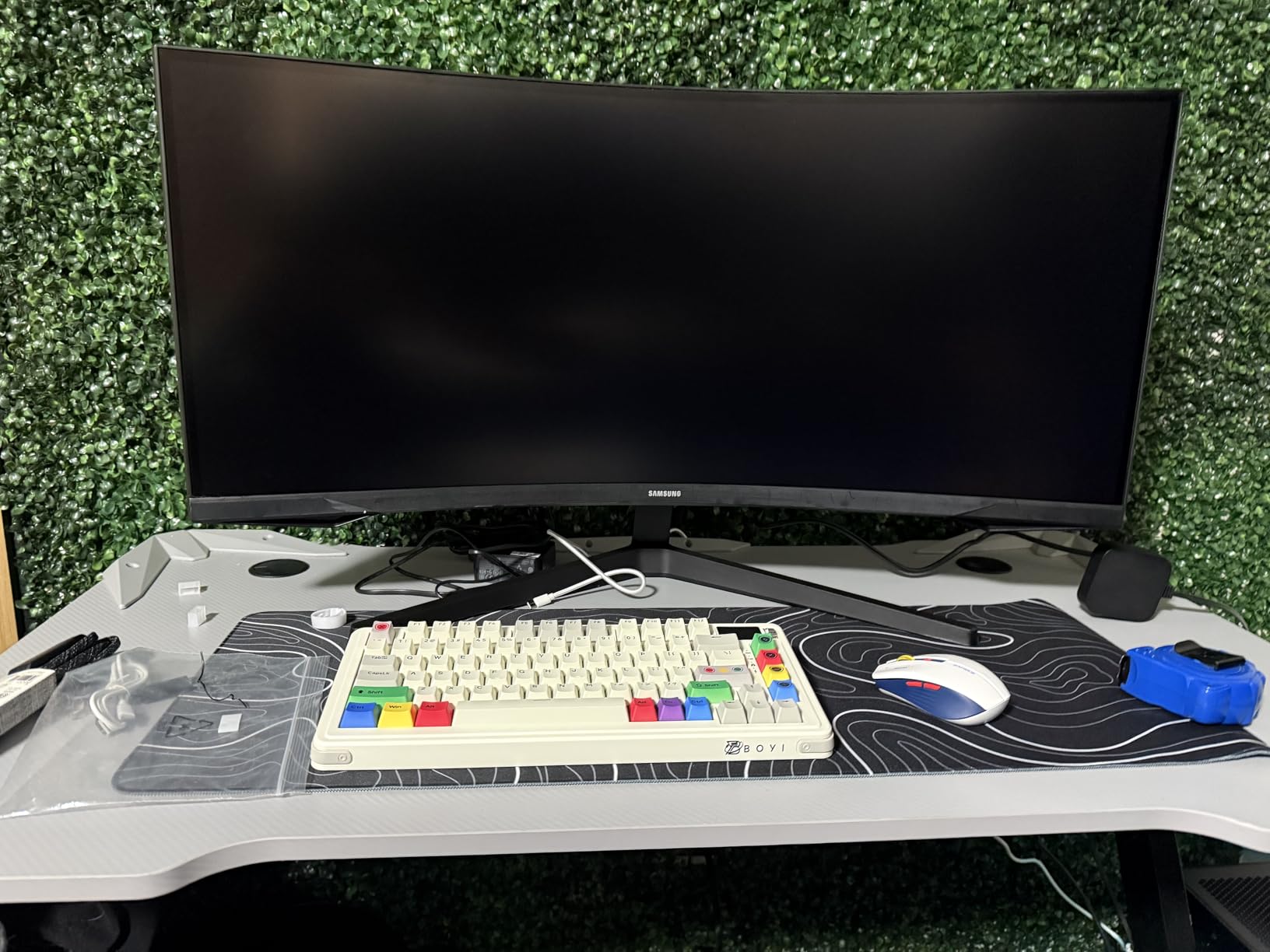
The DIGSOM Large Gaming Mouse Pad offers everything most gamers need without unnecessary frills. At 31.5 by 11.8 inches, it provides ample space for a keyboard and mouse setup while leaving room for arm movement. The 3mm thick fabric surface strikes a balance between cushioning and stability that I found comfortable during extended sessions.
The black topographic line design adds subtle visual interest without overwhelming your setup. Multiple design options include solid black, white with black line, cherry blossom, and pink variations. The stitched edges prevent the fraying that eventually destroys cheaper mouse pads, extending the product’s lifespan significantly.
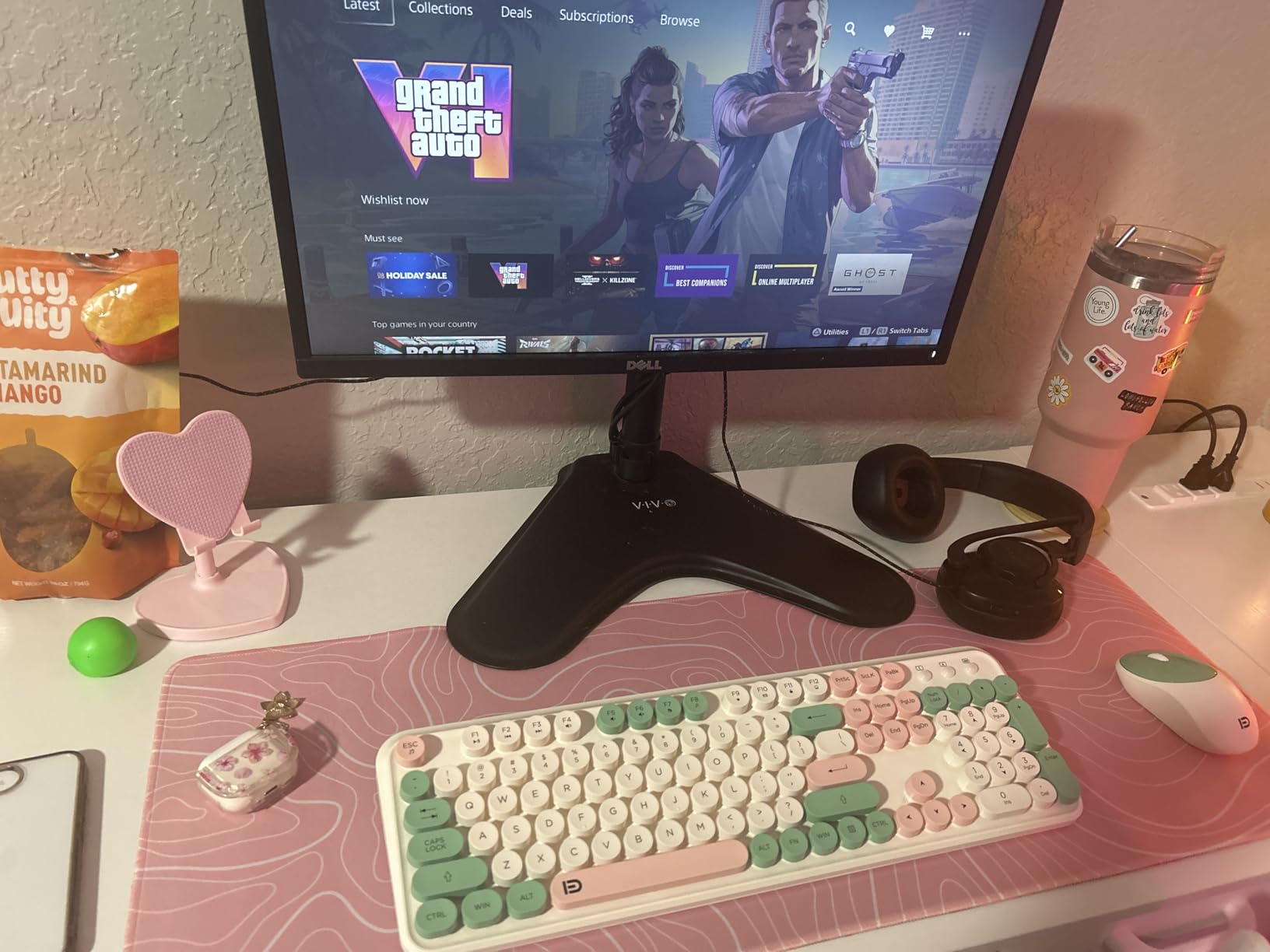
Performance matches more expensive alternatives. The smooth fabric surface provided consistent tracking with my optical mouse across various DPI settings. The anti-slip rubber base gripped my desk firmly, requiring deliberate force to move. When I accidentally spilled water during testing, the fine spill-proof coating caused liquid to bead up rather than soak in, allowing quick cleanup.
Unlike RGB-enabled alternatives, this pad has no lights to configure, no USB ports to occupy, and no electronics to fail. It simply works as a high-quality surface that lays flat immediately upon unrolling. For anyone who prefers function over flash, this straightforward approach eliminates potential failure points.
For whom it’s good
This mouse pad suits minimalists who want quality without RGB complexity. It works well for office workers who need a professional-looking desk surface. Gamers who play in bright rooms where RGB would be invisible will appreciate the focus on function. Anyone wanting a reliable, no-setup-required upgrade from a small mouse pad will find this perfect.
For whom it’s bad
Skip for RGB enthusiasts building light-up setups who will find this too plain. Those wanting extra-thick cushioned surfaces for wrist comfort might prefer alternatives. Anyone needing immediate delivery should check shipping estimates, as some regions report 1-2 week wait times. The subtle designs may not satisfy those who want bold visual statements.
10. N NOROCME 192-Piece Cable Management Kit – Complete Organization

+ The Good
- Incredible variety for the price
- Transforms messy setups
- Works on multiple surfaces
- Protects cables from pets
- Enough for multiple projects
- The Bad
- Adhesive may weaken over time
- Some clips need reinforcement
- Initial chemical smell from sleeves
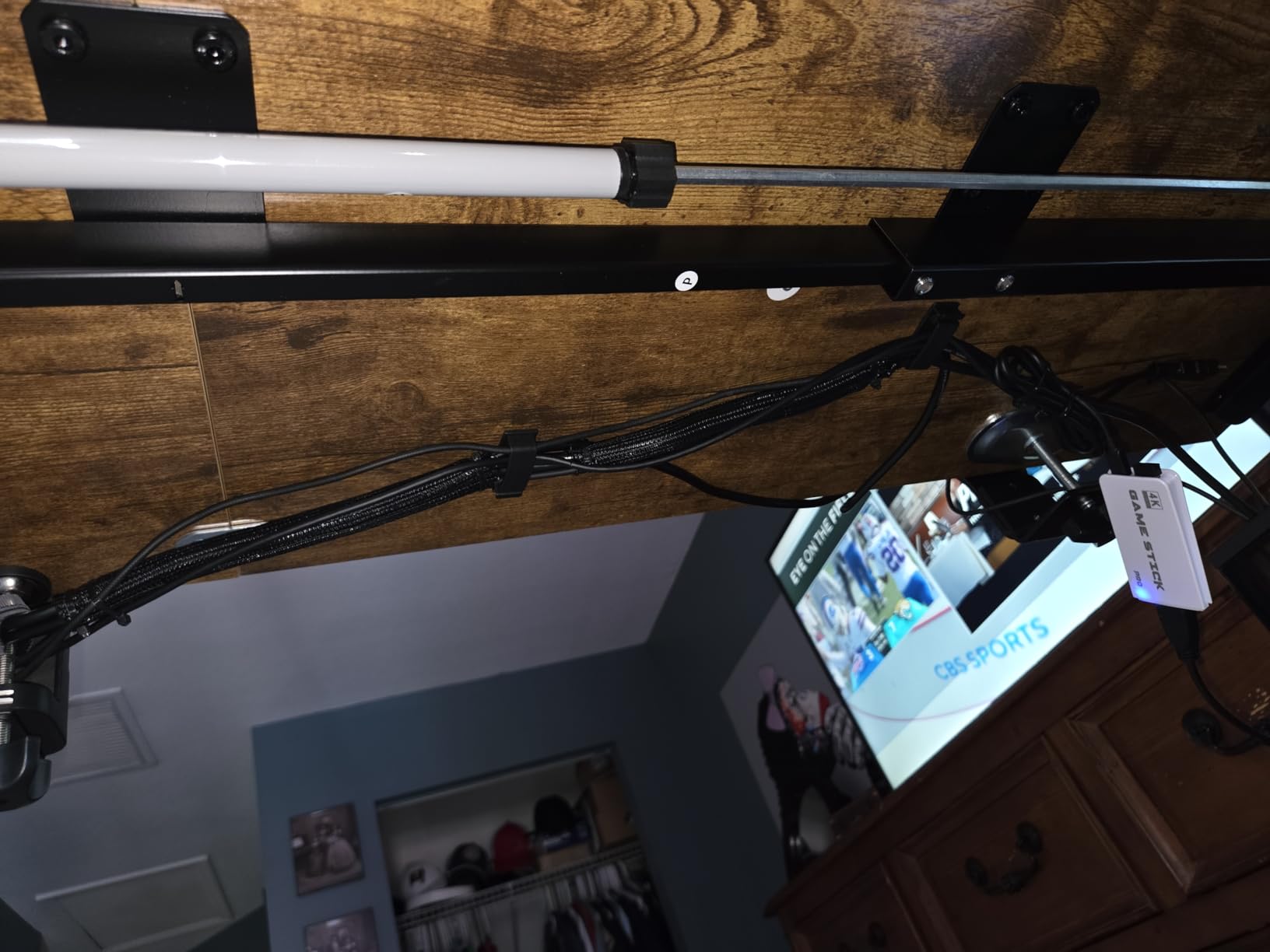
The N NOROCME 192-Piece Cable Management Kit tackles the cable chaos that plagues most gaming setups. With four cable sleeves, 35 cable clips, 11 cord holders, 100 fastening ties, and adhesive cable tie rolls, this comprehensive collection handles any organization challenge. I used mine to clean up the mess behind my desk where power, monitor, keyboard, mouse, and speaker cables had created a nightmare tangle.
The four split-braided cable sleeves (20 inches long) bundle multiple cables into neat, protected runs. The self-closing design makes adding or removing cables simple. I routed my PC power, monitor, and peripheral cables through one sleeve, creating a single organized trunk instead of a rat’s nest. The eco-friendly Polyamide66 material feels sturdy and should last for years.
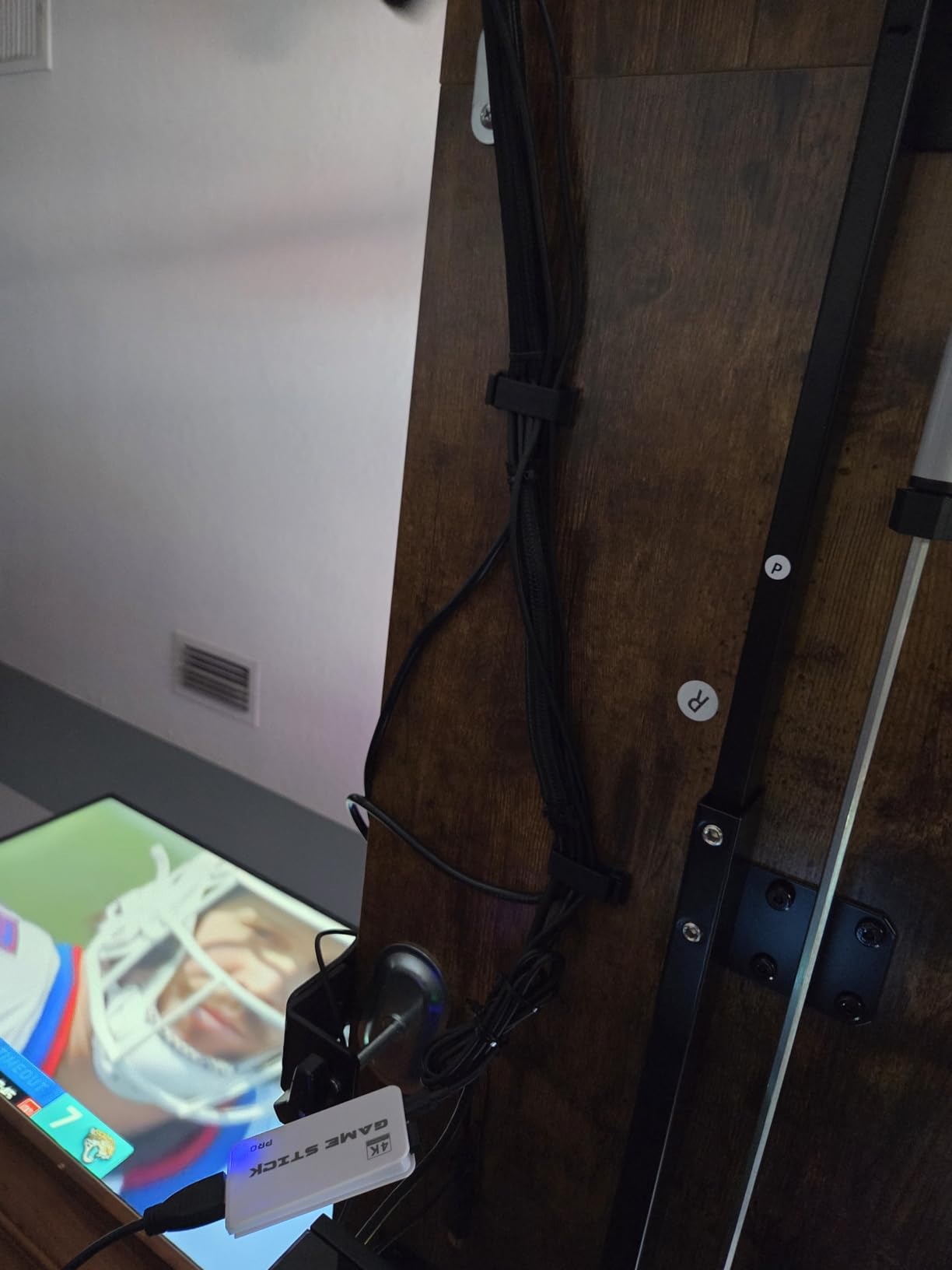
The variety of clips and holders addresses every routing scenario. Self-adhesive cable clips attach to desk undersides, walls, and baseboards to guide cables along specific paths. The 35 clips in multiple sizes accommodate different cable diameters. The two adhesive cable tie rolls (118 inches each) provide custom-length straps for any situation.
Beyond gaming setups, this kit works for home theater systems, office workstations, and anywhere cables create visual clutter. The 100 standard cable ties handle bulk securing, while the reusable hook-and-loop straps allow future adjustments. At $15.75 for 192 pieces, the per-piece cost makes this one of the best values in cable management.
For whom it’s good
This kit suits gamers with tangled setups who want professional-looking cable routing. It works for anyone setting up a new desk who wants to establish clean habits from the start. Pet owners will appreciate the protective sleeves that prevent cats from chewing cables. The comprehensive variety makes this ideal for someone tackling multiple organization projects.
For whom it’s bad
Skip for those who want invisible cable management solutions hidden behind walls or in conduits. Anyone expecting premium adhesive that never fails should supplement with stronger mounting options. Those with glass desks or unusual surfaces should test adhesives before committing to permanent placement. Some users reported a chemical smell from new sleeves that dissipates over time.
11. Paladone PlayStation Controller Icons Light – Gaming Decor

Paladone Playstation Controller Icons Light with 3 Light Modes – Sound Reactive, Dynamic Phasing, and Standard Mode – Gaming Desk Accessories and Game Room Decor
Official PlayStation Licensed
3 Light Modes
Sound Reactive
12 Inches Wide
+ The Good
- Officially licensed product
- Three lighting modes including sound reactive
- USB or battery powered
- Perfect desk or shelf size
- Great conversation starter
- The Bad
- All plastic construction
- Must use physical switch to turn on
- Batteries not included
- Not a main room light
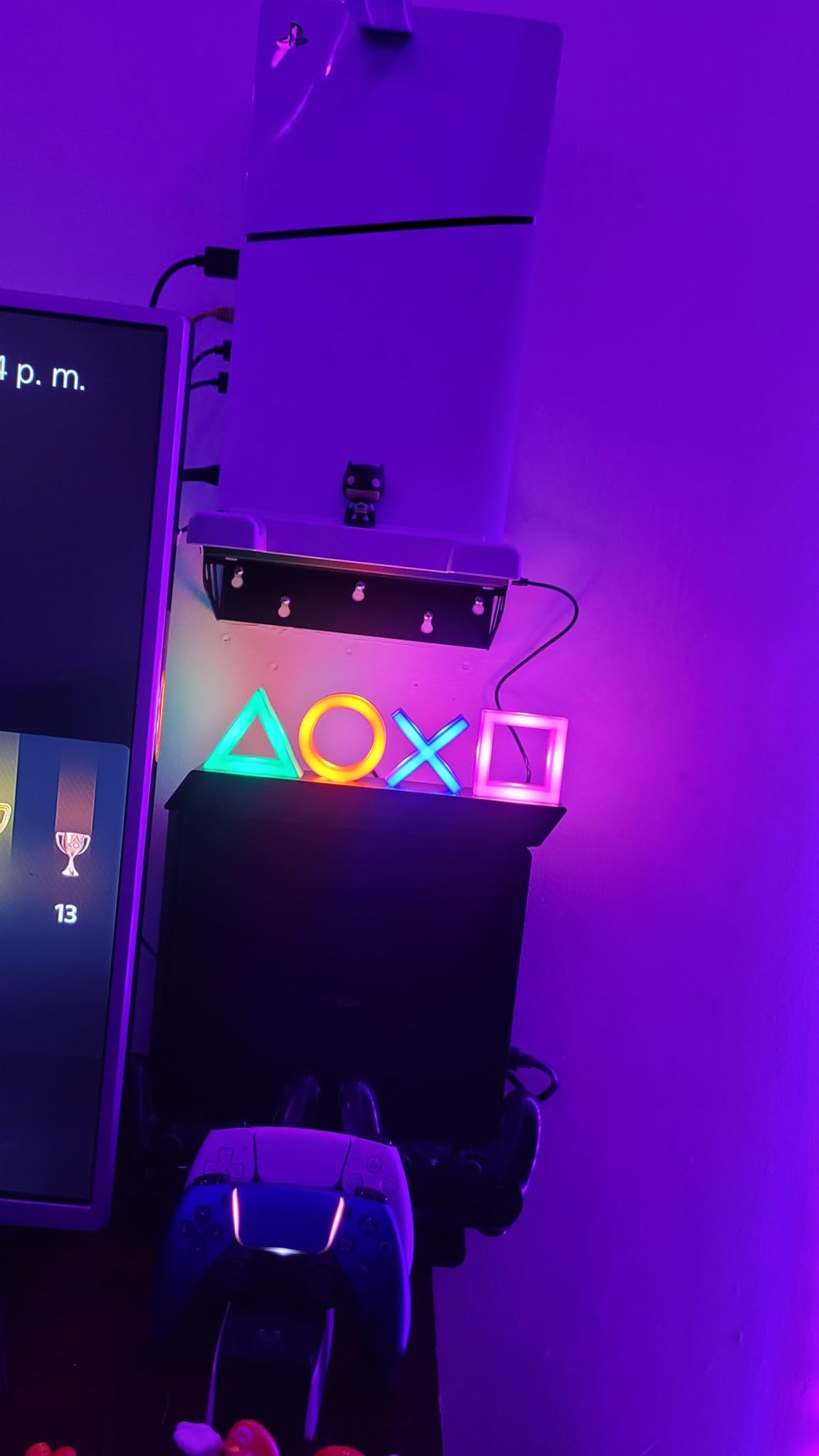
The Paladone PlayStation Controller Icons Light brings iconic gaming symbols to life as an illuminated display. This officially licensed PlayStation product shows the triangle, circle, cross, and square buttons that every PlayStation gamer recognizes instantly. At approximately 12 inches wide by 4 inches tall, it makes a statement without dominating shelf space.
Three lighting modes offer variety for different moods. Standard mode provides solid illumination in the classic PlayStation colors. Color Phasing mode cycles through hues for ambient effect. The Sound Reactive mode responds to music and game audio, creating dynamic light shows that pulse with your environment. During testing, the sound reactive feature picked up game explosions and dialogue reliably.
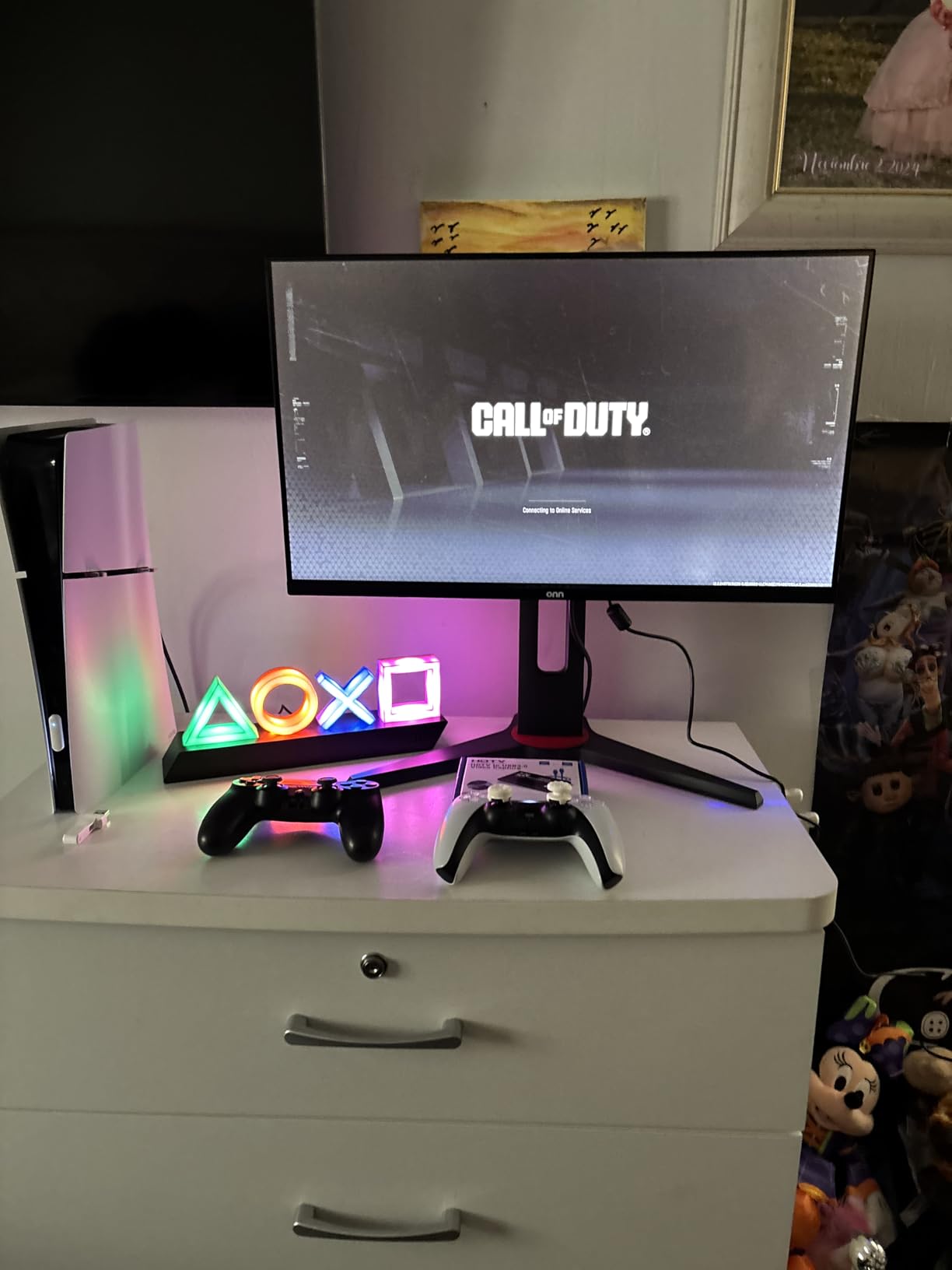
Power options include USB cable (included) or three AAA batteries (not included). I used USB for my desk setup, but battery power makes this portable for gaming events or temporary displays. The plastic construction keeps weight low, which helps with shelf placement but may feel less premium than expected for the price.
As a gift, this item hits a sweet spot between practical and novelty. PlayStation fans appreciate the authentic branding, while the ambient lighting serves actual purpose beyond decoration. The soft glow works as a night light or background illumination during late gaming sessions. With nearly 40,000 reviews averaging 4.7 stars, the community clearly loves this product.
For whom it’s good
This light is perfect for dedicated PlayStation fans who want gaming-themed decor. It suits collectors who display gaming memorabilia alongside their setups. Anyone wanting ambient lighting with personality will appreciate the iconic design. The gift works well for console gamers of all ages who grew up with PlayStation.
For whom it’s bad
Skip for PC-only gamers with no PlayStation connection who will not appreciate the reference. Those wanting smart home integration will find the physical switch limiting. Anyone expecting bright room illumination should understand this is decorative accent lighting. The plastic build may disappoint those expecting premium materials at this price point.
12. Jekeno Glow-in-the-Dark Gaming Blanket – Gaming Comfort

Jekeno Glow in The Dark Gaming Blanket Gamer Game Controller Throw Gift Toys for Kids Boys Teen Son Adults Gamepad Presents Easter Birthday Christmas Bedroom Decor Luminous Blanket Grey 50″x60″
50 x 60 Inch
Luminous Fiber
Super Soft Flannel
Machine Washable
+ The Good
- Unique glow-in-the-dark feature
- Super soft and comfortable
- Gets softer after first wash
- Machine washable without losing glow
- Great gift for gaming enthusiasts
- The Bad
- Glow effect could be stronger
- Lightweight not very thick
- Requires light exposure for glow
The Jekeno Glow-in-the-Dark Gaming Blanket combines comfort with gaming personality. Made from luminous fiber woven into plush flannel, this 50 by 60-inch throw blanket absorbs light during the day and emits a soft glow at night. The game controller pattern features buttons and designs that illuminate after dark, making it a fun addition to any gaming room.
The luminous effect requires at least 15 minutes of light exposure to charge. Brighter light sources create stronger glow effects. I found that afternoon sunlight through a window charged the blanket for an evening gaming session. The glow is subtle rather than blinding, creating atmosphere rather than serving as a light source.
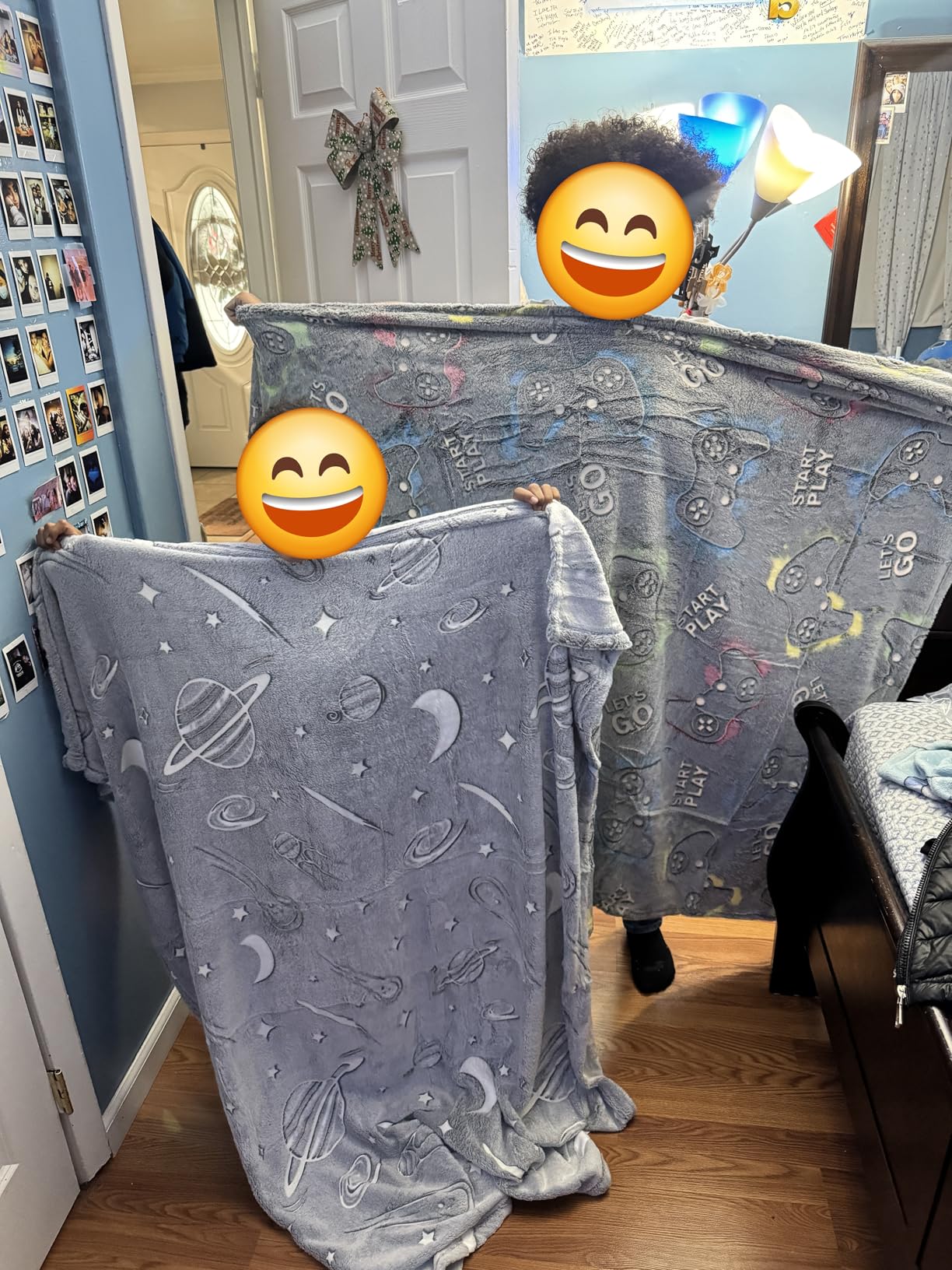
Beyond the novelty factor, this blanket delivers on comfort. The fine fiber plush flannel feels soft against skin and resists static buildup. After the first wash, the material became noticeably softer while the glow effect remained unchanged. The machine-washable design handles repeated cleaning without shrinking, pilling, or fading.
The 50 by 60-inch size works for kids, teens, and adults who want a lap blanket for gaming sessions. Lightweight construction makes it easy to move between rooms or pack for travel. While not designed for cold weather insulation, it provides comfortable coverage for climate-controlled gaming spaces.

For whom it’s good
This blanket suits younger gamers who will delight in the glow feature. It works as a cozy gift for anyone who games in bed or on the couch. Parents shopping for kids will find this hits the sweet spot between practical and fun. The gaming-themed design makes it ideal for gamers who want their hobby visible in all aspects of life.
For whom it’s bad
Skip for anyone expecting a thick, warm blanket for cold environments. Those wanting bright, long-lasting glow effects may find this underwhelming. Adults who prefer subtle, sophisticated decor might find the gaming pattern too juvenile. The glow requires consistent light exposure, which may not work for all living situations.
How to Choose the Best Gaming Gifts Under $50?
Finding the right gift for a PC enthusiast requires understanding their specific needs and existing setup. Our research across Reddit communities and gaming forums revealed common frustrations gift-givers face. Here is what to consider when selecting gaming gifts under $50.
Know Your Recipient’s Setup
Before purchasing peripherals, try to learn what they already own. A new keyboard is useless if they just bought a premium mechanical model. Focus on complementary items like desk accessories, lighting, or organization tools that enhance rather than duplicate existing gear. If you cannot determine their current setup, accessories like headphone stands and cable management are safe choices that work with any configuration.
Consider Practical vs. Novelty
Forum discussions consistently show gamers prefer practical accessories they will use daily over novelty items that collect dust. RGB lighting, cable management, and PC building tools earn enthusiastic recommendations because they solve real problems. Decorative items like the PlayStation Icons Light work best for dedicated fans who collect gaming memorabilia. Consider whether the recipient values function or sentiment more.
Check Compatibility
Smart lighting products require WiFi and sometimes specific ecosystems like Alexa or Google Home. PC building tools should include bit types for their specific devices. Even mouse pads need sufficient desk space to function properly. For winter gaming comfort, rechargeable hand warmers make excellent companion gifts that pair well with any of these accessories.
Quality vs. Features Balance
At the $50 price point, manufacturers must balance features against build quality. Our top picks like the SHOWPIN screwdriver kit and Redragon combo deliver impressive quality for the price. Avoid products that pack features into cheaply made housings. User reviews mentioning durability issues after months of use reveal quality concerns better than specifications.
Gift Categories by Gamer Type
Casual gamers appreciate comfort items like blankets and simple accessories that upgrade their experience without complexity. Competitive gamers value precision peripherals and tools that improve performance. PC builders need practical items like screwdriver kits and cable management. Streamers benefit from lighting products that enhance their on-camera appearance. Match the gift to how they engage with their hobby.
Frequently Asked Questions
What are the best gaming gifts under $50 for PC enthusiasts?
The best gaming gifts under $50 for PC enthusiasts include complete bundles like the Redragon S101-3 Gaming Combo, PC building tools like the SHOWPIN 122-in-1 Screwdriver Kit, RGB desk accessories like the rnairni Extended Gaming Mouse Pad, smart lighting like Govee Light Bars, and organization solutions like the N NOROCME Cable Management Kit. Focus on items that enhance daily gaming experience rather than novelty products.
What should I get a PC gamer who already has everything?
For PC gamers who already own quality peripherals, consider upgrades they might not buy themselves: cable management kits to organize their setup, premium mouse pads with RGB lighting, PC maintenance tools for hardware work, ambient lighting products like Govee light bars, or comfort items like gaming blankets. Subscription services like Steam gift cards or Xbox Game Pass also work well for gamers who have everything physical.
Are budget gaming accessories worth buying?
Yes, many budget gaming accessories under $50 offer excellent value. Products from established brands like Redragon, Govee, and Paladone deliver quality that exceeds their price points. Focus on items with high review counts (over 1,000) and ratings above 4.5 stars. Avoid unknown brands with few reviews, as quality control varies significantly in the budget category. The products in this guide have proven track records with thousands of satisfied users.
What gaming gifts are good for Secret Santa under $50?
For Secret Santa exchanges under $50, versatile items work best since you may not know the recipient well. Safe choices include headphone stands like the EURPMASK Rotating Stand, RGB mouse pads, cable management kits, gaming blankets, and gaming-themed decor lights. Avoid peripherals like keyboards and mice that require personal preference. Screwdriver kits also work well since most gamers need repair tools eventually.
Conclusion
Shopping for PC enthusiasts does not require spending hundreds of dollars on premium hardware. Our testing confirmed that quality gaming gifts under $50 exist across every category, from complete peripheral bundles to practical organization tools. The Redragon S101-3 Gaming Combo stands out as our Editor’s Choice for its incredible value as a complete starter kit, while the SHOWPIN screwdriver kit earns Best Value for PC builders who need reliable tools without premium prices.
Whether you choose ambient lighting like the Govee light bars, desk organization from the N NOROCME cable management kit, or comfort items like the Jekeno gaming blanket, each product in this guide has earned its place through real user satisfaction. The key is matching the gift to how the recipient actually uses their gaming setup rather than chasing flashy features that end up unused.
For more gaming comfort gift ideas during colder months, check out our guide to rechargeable hand warmers that pair perfectly with any of these desk accessories. The best gaming gifts under $50 are the ones that make daily gaming sessions more enjoyable, and every item on this list delivers on that promise.