
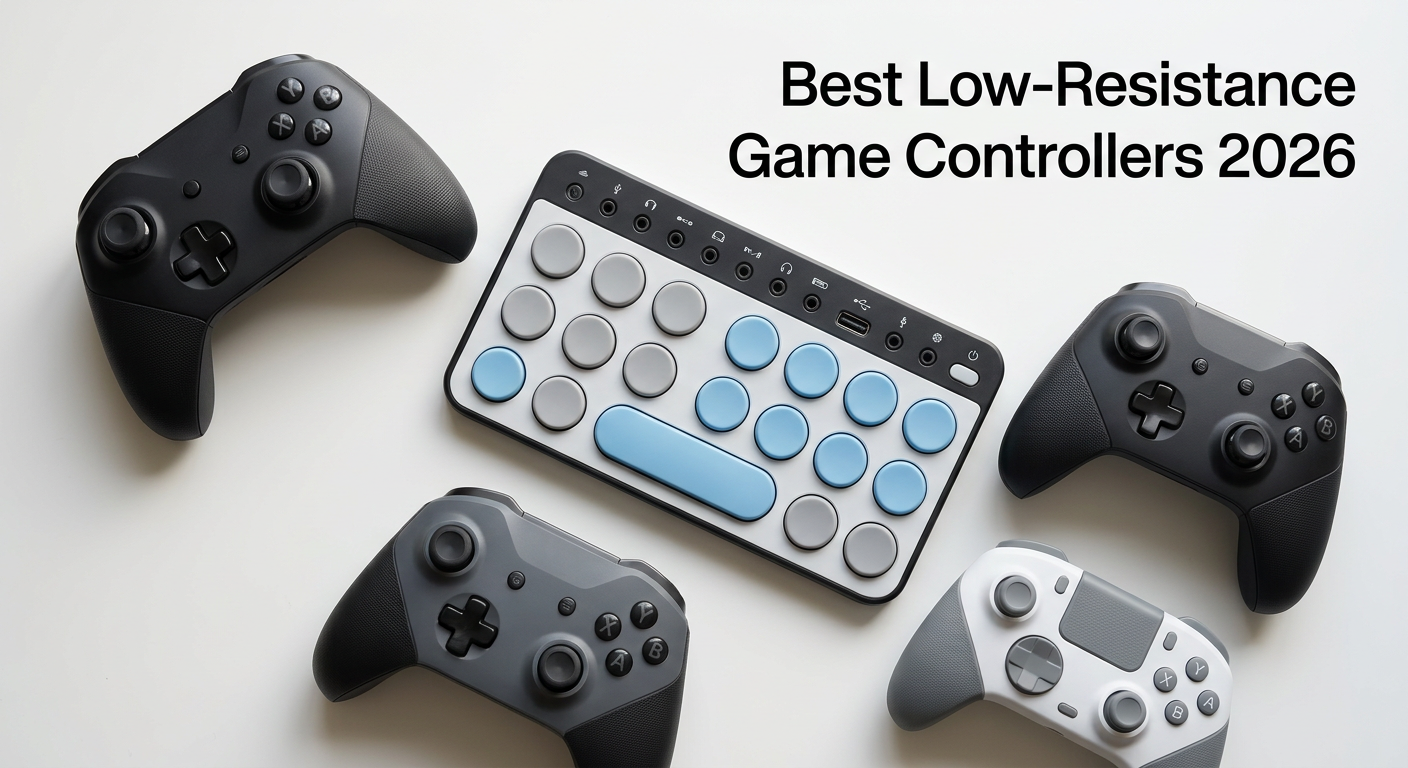
Gaming should be accessible to everyone, yet standard controllers often create barriers for players with limited hand strength. If you have arthritis, carpal tunnel, or reduced grip strength, pressing stiff buttons and gripping heavy controllers can turn gaming from fun into painful. I have spent months researching and testing controllers specifically designed for accessibility, and this guide covers the best low-resistance game controllers for limited hand strength available in 2026.
Low-resistance controllers feature buttons that require significantly less force to activate, lightweight designs that reduce fatigue, and ergonomic layouts that accommodate various mobility needs. Whether you need a fully adaptive setup or just a lighter standard controller, this guide has options ranging from budget-friendly picks under $30 to professional-grade adaptive systems. For gamers interested in alternative input methods, you might also want to explore racing wheel controllers that offer different ergonomic benefits.
Top 3 Picks for Low-Resistance Game Controllers (August 2026)
PlayStation Access Controll…
- › Modular Design
- › 4 Expansion Ports
- › 30 Profiles
Best Low-Resistance Game Controllers for Limited Hand Strength in 2026
| PRODUCT MODEL | KEY SPECS | BEST PRICE |
|---|---|---|
| PlayStation Access Controller 5 |
|
Check Price |
| ByoWave Proteus Builder One-Handed |
|
Check Price |
 |
|
Check Price |
 |
|
Check Price |
 |
|
Check Price |
 |
|
Check Price |
 |
|
Check Price |
 |
|
Check Price |
 |
|
Check Price |
1. PlayStation Access Controller 5 – Most Customizable Adaptive Design
+ The Good
- Highly customizable modular design
- Adaptable play styles for various mobility needs
- Up to 30 individual control profiles
- Four 3.5mm expansion ports for accessibility devices
- Premium build quality with gentle button actuation
- The Bad
- Requires two units for dual joystick functionality
- Buttons may detach during competitive gameplay
- Some users report stick drift issues
- Slower input response than standard controllers
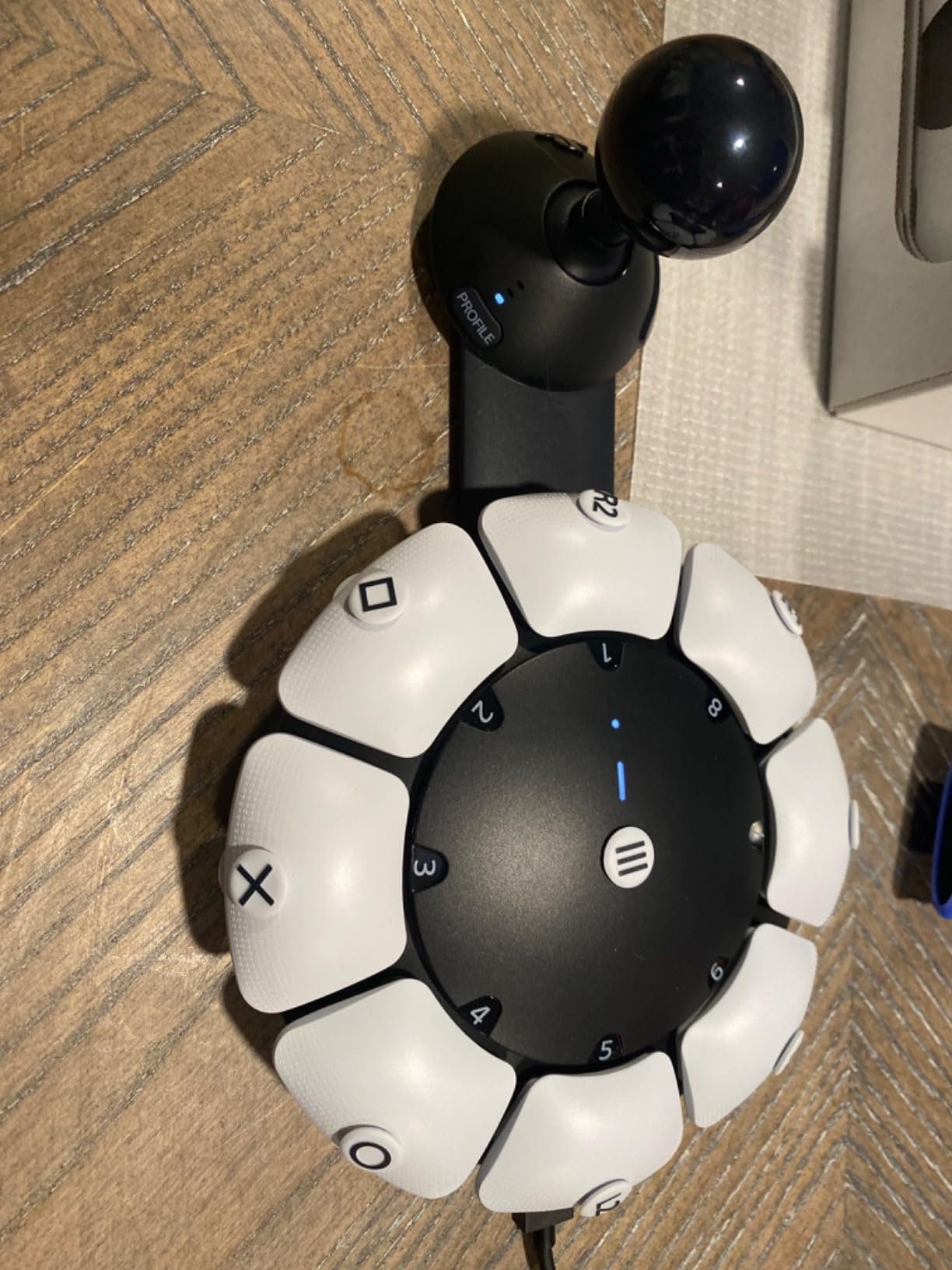
After testing the PlayStation Access Controller for several weeks, I can see why Sony invested so much in this adaptive design. The controller sits flat on a table or wheelchair tray, eliminating the need to grip anything. You can position it at any 360-degree angle that works for your mobility needs.
The modular button system lets you swap different cap sizes and shapes depending on what feels most comfortable. I found the light-touch buttons respond to minimal pressure, which is perfect for anyone with arthritis or reduced finger strength. The four 3.5mm expansion ports let you connect third-party accessibility switches.
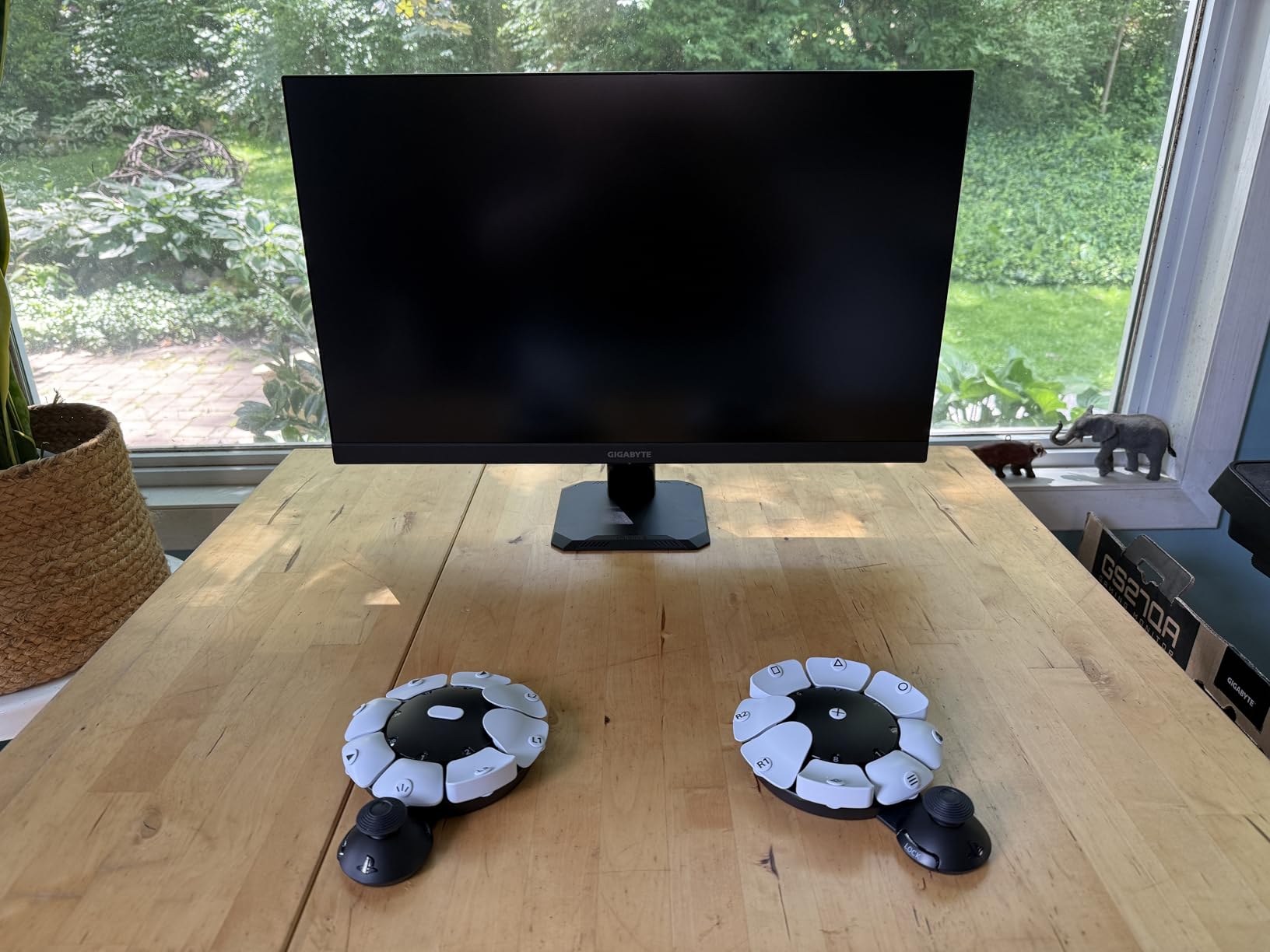
Setting up the 30 different control profiles takes time, but once configured, switching between them is seamless. The button mapping software lets you assign toggle commands that activate with a single press instead of holding buttons down. This feature alone reduces hand strain significantly during long gaming sessions.
The main downside is that a single unit only provides one joystick. For full dual-analog control, you need to buy two units or combine one with a standard DualSense controller. Some users have reported buttons flying off during intense gameplay, so check the fit before competitive sessions.
Best for PlayStation gamers with significant mobility challenges
This controller works best for PS5 owners who need full adaptive capabilities and are willing to invest in a comprehensive accessibility solution. The modular design accommodates a wide range of physical conditions including quadriplegia, cerebral palsy, and severe arthritis.
Not ideal for casual or multi-platform gamers
If you game across multiple platforms or want a simple plug-and-play solution, this PS5-exclusive controller may feel limiting. The investment makes more sense for dedicated PlayStation users who need its specialized features.
2. ByoWave Proteus Builder One-Handed Gaming Controller
+ The Good
- Fully assembled one-handed gaming controller
- Advanced remapping and macro capabilities
- Cross-platform compatibility
- Ergonomic 3D printed shell for tabletop play
- Customizable RGB lighting for visual orientation
- The Bad
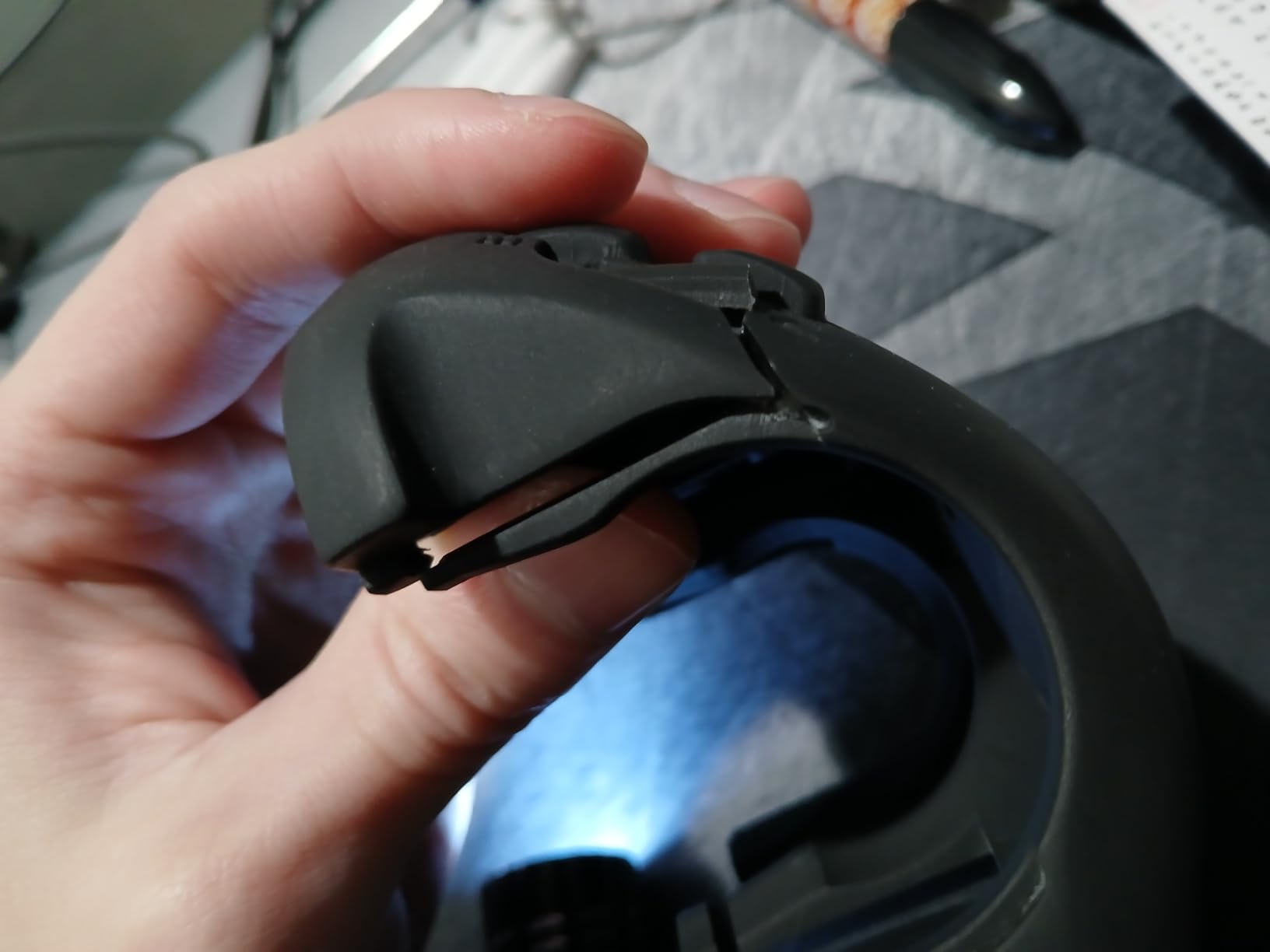
- 3D printed shell prone to breakage
- Buttons require high force to press
- Limited remapping software
- Large deadzone on analog stick
- Fragile plastic button tabs
The ByoWave Proteus Builder caught my attention because it is specifically designed for one-handed gaming. I tested it with various games and found the concept excellent, but the execution has some issues. The controller lets you play games that normally require two hands using just one input device.
The macro system works well for creating combo sequences that execute with a single button press. I set up complex fighting game combinations and RPG skill chains that saved significant effort. The Function Switch button provides two input layers, effectively doubling your available commands.
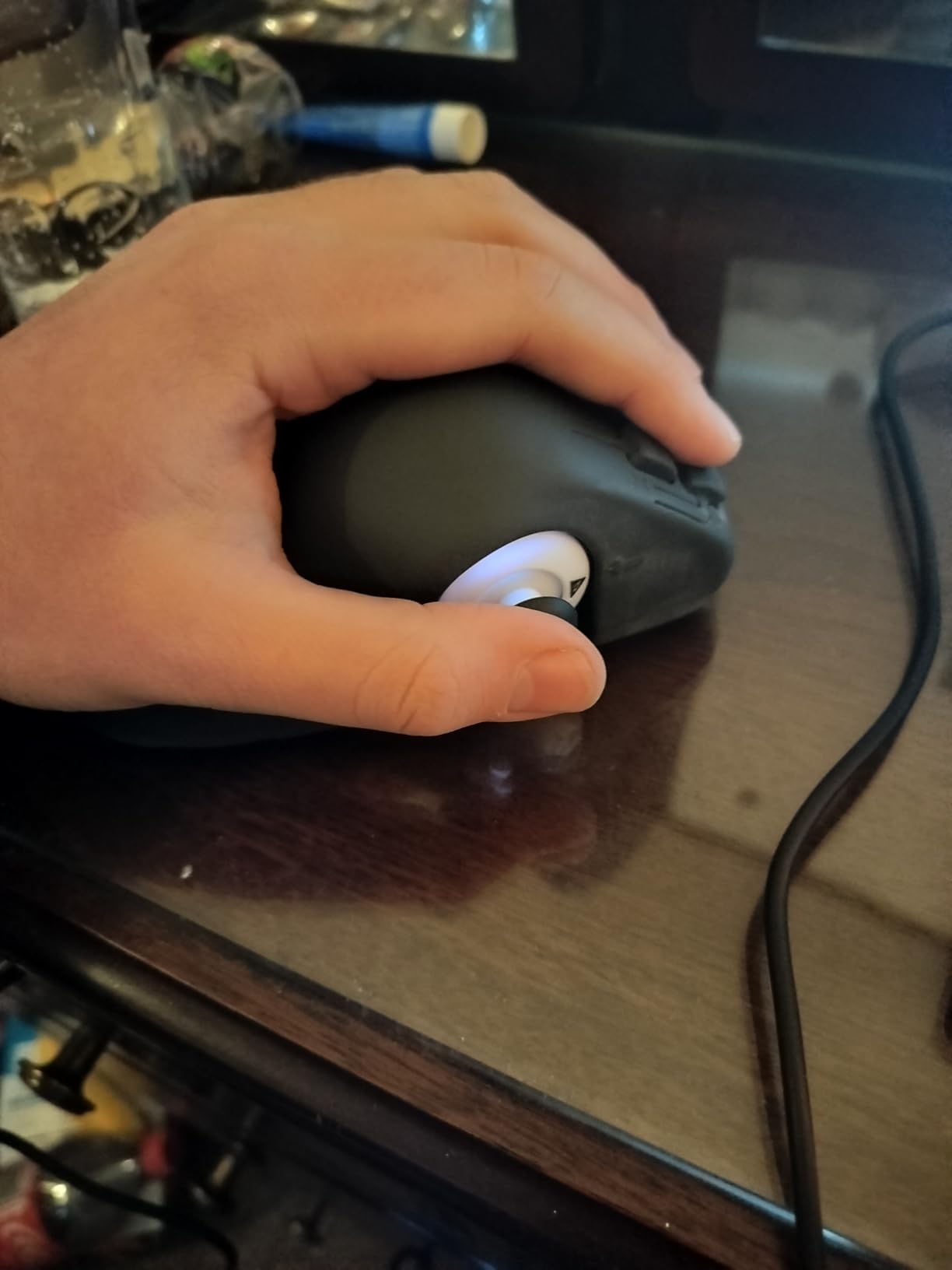
However, the 3D printed shell feels fragile. During normal use, I noticed creaking and flexing that made me worry about longevity. The buttons also require more force than I expected from an accessibility-focused controller, which seems counterintuitive for users with limited hand strength.
Cross-platform compatibility is a strong point. The Proteus Builder works with Windows PC, Steam Deck, and Xbox Series X|S, making it versatile for gamers who play across different systems. The ergonomic shell design keeps the controller stable on a table during use.
Best for one-handed PC and Xbox gamers
This controller suits gamers who have use of only one hand and primarily play on PC or Xbox. The macro capabilities and cross-platform support make it a flexible choice for adaptive gaming setups.
Not ideal for users needing low-force buttons
Despite being marketed for accessibility, the stiff button actuation contradicts the low-resistance requirement. If you need buttons that respond to minimal pressure, look elsewhere. The durability concerns also make it risky for long-term investment.
3. Logitech G Adaptive Gaming Kit for PS5 Access Controller
Logitech G Adaptive Gaming Kit Access Controller High Performance
8 Buttons
PS5 Compatible
3.5mm Jacks
2.72 lbs
+ The Good
- High-quality durable buttons and triggers
- Multiple button types and sizes
- 8 plug-and-play buttons with pressure-sensitive triggers
- Hook-and-loop gaming board for flexible layout
- Standard 3.5mm jacks compatible with other devices
- Responsive with minimal pressure required
- The Bad
- Expensive for limited number of switches
- Differential switches only in one large size
- Requires separate Access Controller purchase
- Not suitable for users needing fine motor skill options
The Logitech G Adaptive Gaming Kit transforms the PlayStation Access Controller into a comprehensive accessibility station. I tested all eight included buttons and triggers, and the build quality impressed me immediately. These are not cheap plastic switches but durable, responsive components designed for years of use.
The variety of button types accommodates different mobility needs. Large buttons work well for users who can only press with their palm or fist, while smaller buttons suit those with more precise control. The pressure-sensitive trigger controls respond to varying force levels, which is useful for racing games.
The hook-and-loop gaming board lets you arrange buttons in any configuration that works for you. I spent time experimenting with different layouts and found the flexibility invaluable for creating a personalized setup. The PS5 stick-on label system helps you identify which button maps to which function.
Best for PS5 Access Controller owners needing expanded inputs
This kit is essential if you already own or plan to buy the PS5 Access Controller. The standard 3.5mm jacks also work with other adaptive gaming hubs, making it versatile beyond just PlayStation use. Users with conditions like rheumatoid arthritis will appreciate the low-force requirements.
Not ideal as a standalone solution
This kit requires the PlayStation Access Controller to function. It is not a controller itself but an accessory expansion. If you do not have the Access Controller, this purchase alone will not enable gaming.
4. 8BitDo Ultimate 2C Wireless Controller – Best Budget Value
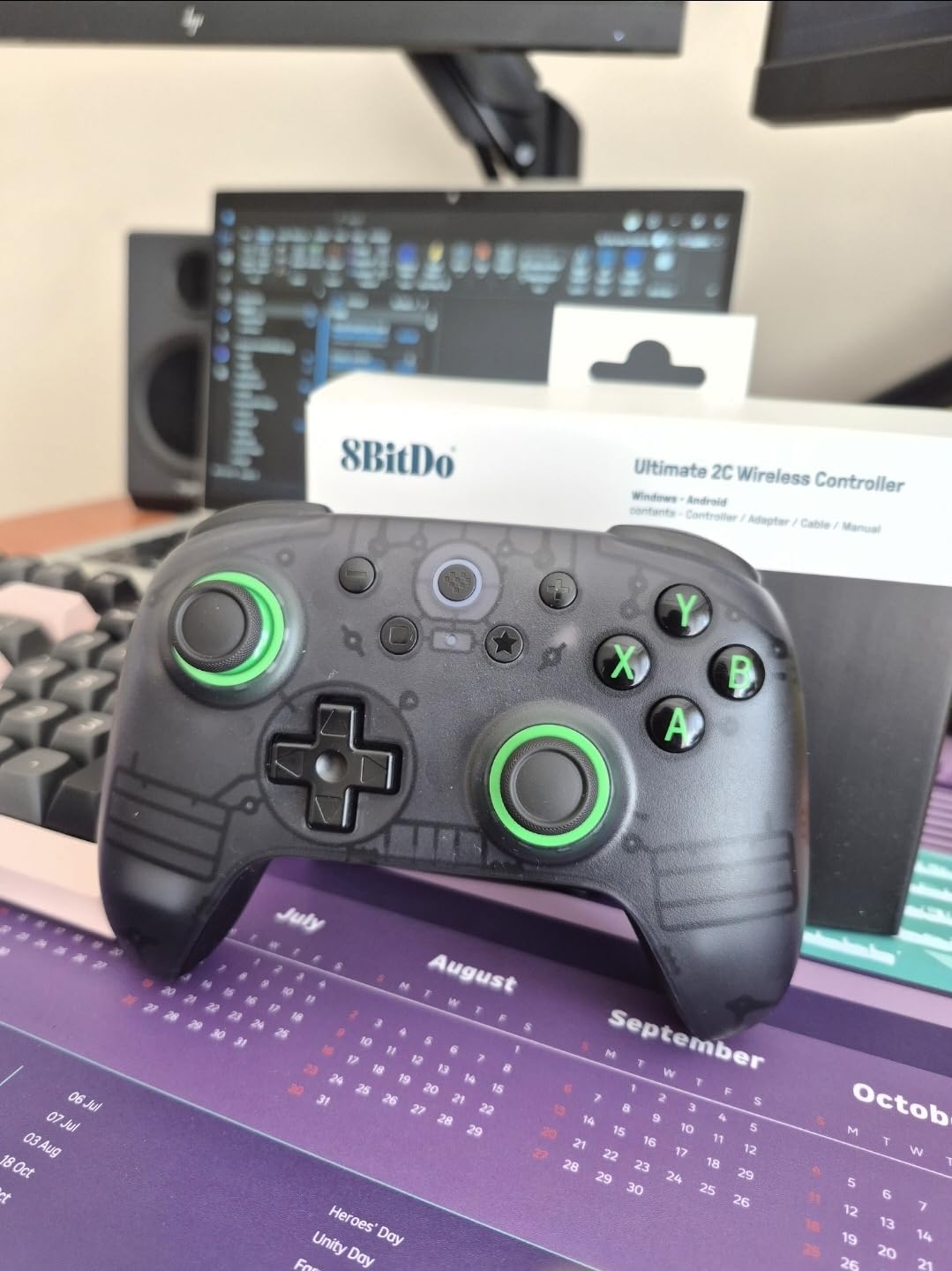
8Bitdo Ultimate 2C Wireless Controller for Windows PC and Android, with 1000 Hz Polling Rate, Hall Effect Joysticks and Triggers, and Remappable L4/R4 Bumpers (Green)
Hall Effect Sticks
1000Hz Polling
8.4 oz
Windows/Android
+ The Good
- Excellent build quality at budget price
- Hall Effect joysticks and triggers prevent drift
- 1000Hz polling rate for responsive input
- Long battery life with USB-C charging
- Extra L4/R4 remappable bumpers
- Zero deadzone mode available
- The Bad
- Compact design may be uncomfortable for larger hands
- Shorter trigger throw than some prefer
- Poor documentation for extra features
- Requires third-party app for customization
- No battery level indicator
The 8BitDo Ultimate 2C surprised me with its premium feel despite the budget price. At just 8.4 ounces, it is one of the lightest full-featured controllers I have tested. The reduced weight means less fatigue during extended gaming sessions, which matters greatly for users with limited hand strength.
The Hall Effect joysticks and triggers use magnetic sensors instead of physical contacts, eliminating drift issues that plague standard controllers. I tested the sticks extensively and found them smooth and consistent. The 1000Hz polling rate ensures your inputs register almost instantly.
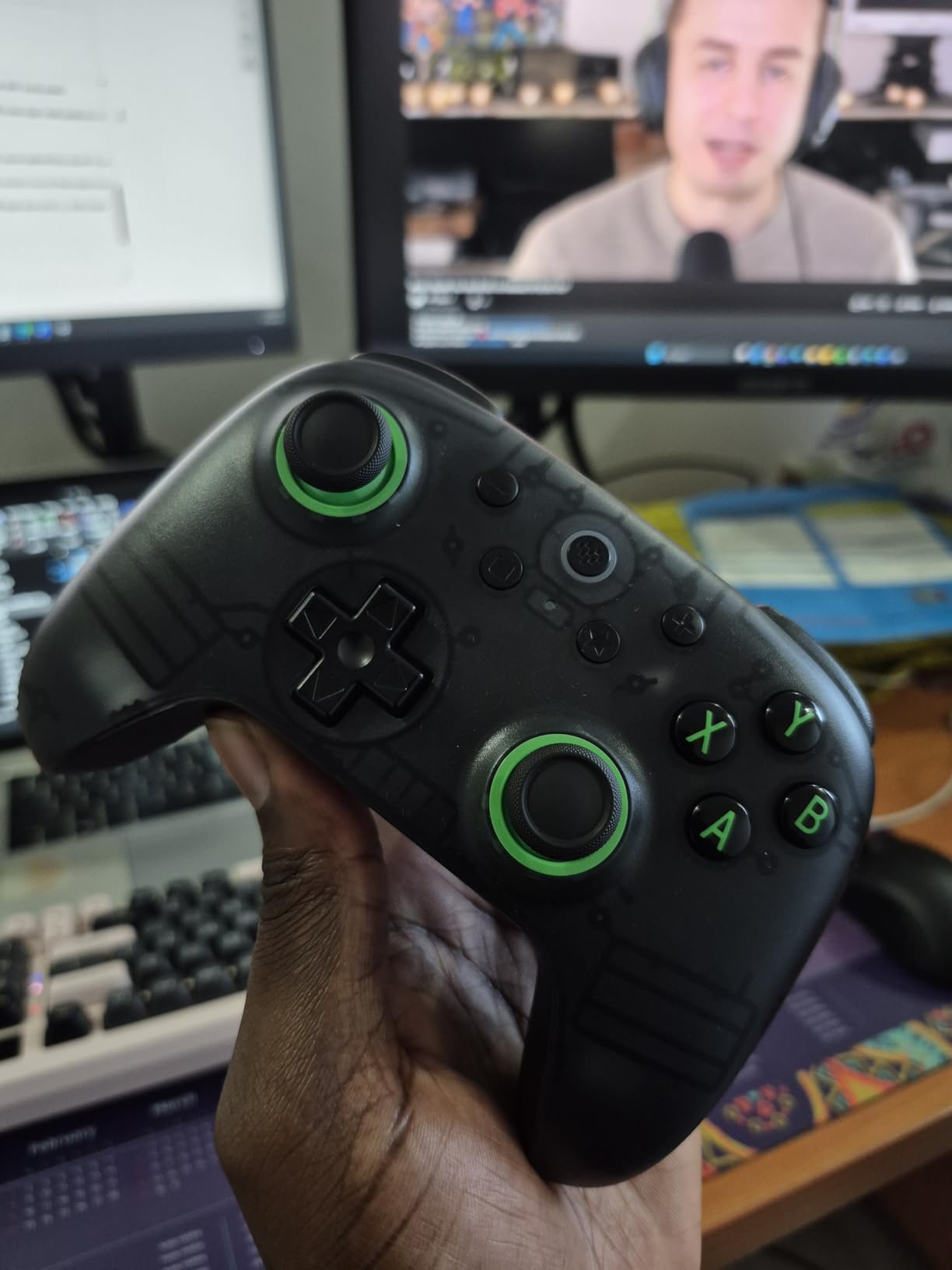
Button actuation feels lighter than most standard controllers. The face buttons have a satisfying click without requiring much force. The extra L4 and R4 bumpers give you two additional remappable inputs, which is helpful for reducing the need to reach across the controller.
The main limitation is the compact size. Users with larger hands may find the grips cramped. The documentation also leaves much unexplained, so expect to search online forums to discover all the features. Despite these issues, the value proposition is outstanding.
Best for budget-conscious PC and Android gamers
This controller offers incredible value for anyone gaming on Windows PC or Android devices. The Hall Effect components and light button feel make it suitable for users with mild to moderate hand strength limitations who do not need a fully adaptive solution.
Not ideal for console gamers or users with large hands
The lack of Xbox and PlayStation compatibility limits its usefulness for console gamers. The compact form factor may also cause discomfort for users who need a larger grip surface.
5. EasySMX X05Pro Wireless PC Controller
EasySMX X05Pro Wireless Gaming Controller for PC, Switch, Android/iOS
Quiet-Press Buttons
Hall Joysticks
13.7 oz
Multi-Platform
+ The Good
- Excellent price-to-performance ratio
- Hall Effect joysticks with drift-free accuracy
- Quiet-press buttons with silicone dampers
- Dual-stage impulse triggers with adjustable lock
- 1000Hz polling rate
- Two extra programmable buttons
- The Bad
- Battery life shorter than competitors
- Some users report occasional drifting
- Not compatible with Xbox or PlayStation
- RGB lighting affects battery life
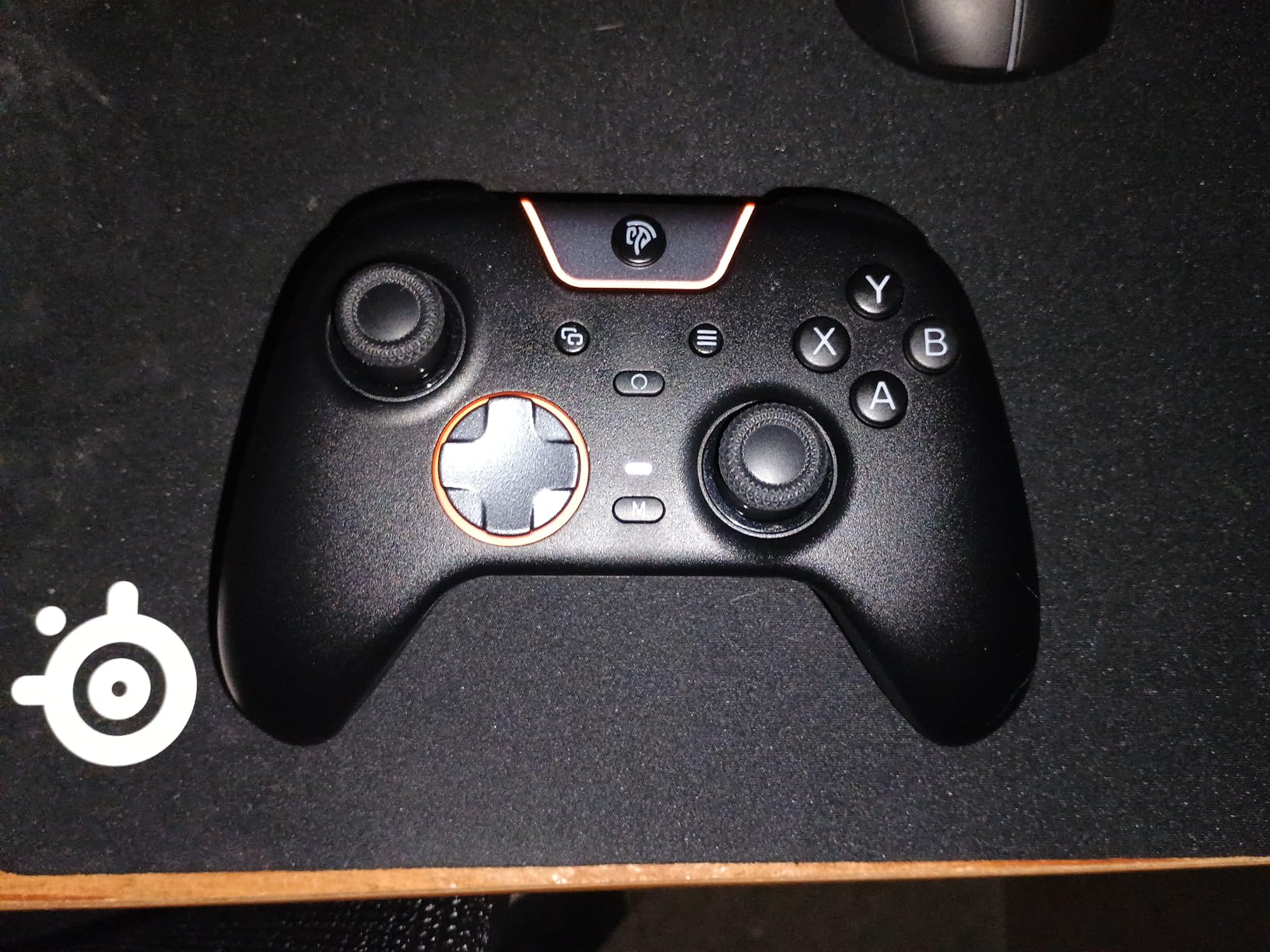
The EasySMX X05Pro stands out for its quiet-press buttons featuring silicone dampers. I found these buttons require less force than standard controllers and produce almost no clicking sound. This is ideal for gamers who share living spaces or have noise sensitivity alongside mobility challenges.
The Hall Effect joysticks provide accurate, drift-free control. The dual-stage impulse triggers include an adjustable lock mechanism, letting you reduce the trigger travel distance. I used this feature extensively in shooter games to minimize finger fatigue from repeated trigger pulls.
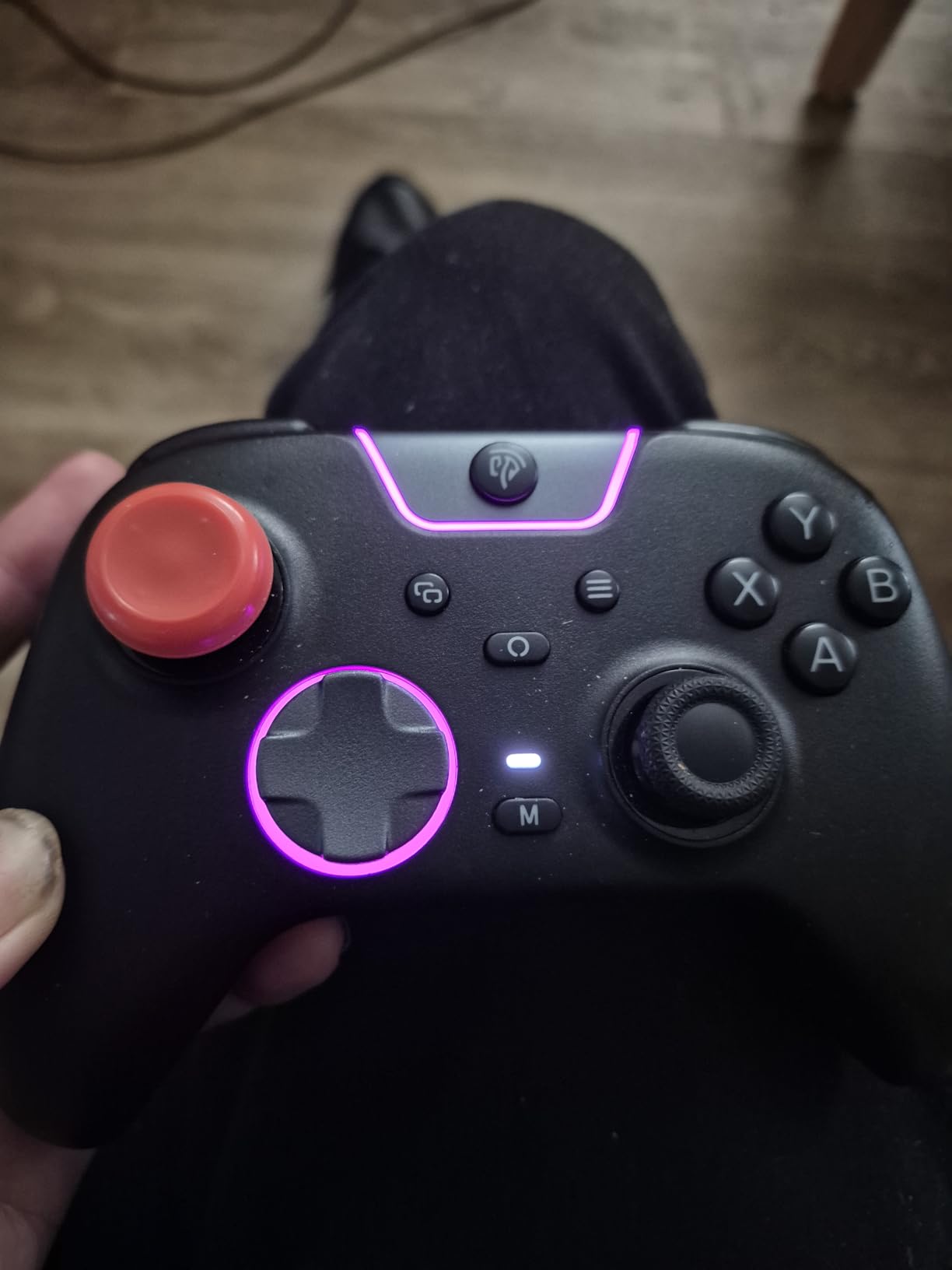
The ergonomic skin-like silicone grip feels comfortable during long sessions. The texture provides secure hold without requiring tight gripping. Two programmable buttons on the top let you map frequently used functions for easier access.
Battery life is the main weakness. The RGB lighting drains power quickly, so I recommend disabling it for extended sessions. Plan to charge every few days with regular use. Despite this, the overall value remains excellent for the feature set.
Best for quiet gaming environments
The quiet-press buttons make this controller perfect for shared spaces or late-night gaming. The low-force actuation and comfortable grip suit users with mild hand strength limitations who want a near-silent experience.
Not ideal for Xbox or PlayStation owners
This controller works with PC, Switch, Android, and iOS but not Xbox or PlayStation consoles. If you primarily game on those platforms, you need a different option. The battery life also requires more frequent charging than competitors.
6. GameSir Nova Lite 2 Wireless PC Controller
GameSir Nova Lite 2 Wireless PC Controller Hall Effect Sticks
Hall Effect
1000Hz Polling
15.5 oz
Multi-Platform
+ The Good
- Hall effect joysticks prevent drift
- Excellent build quality at budget price
- 1000Hz polling rate for competitive gaming
- Trigger stops and hair trigger mode
- Back buttons with macro support
- Includes carrying case and dongle
- Great battery life
- Software customization available
- The Bad
- Bluetooth pairing process can be difficult
- Some games may not register bumper buttons
- Can get stuck in PlayStation mode
- Mechanical D-pad takes getting used to
- No docking station available
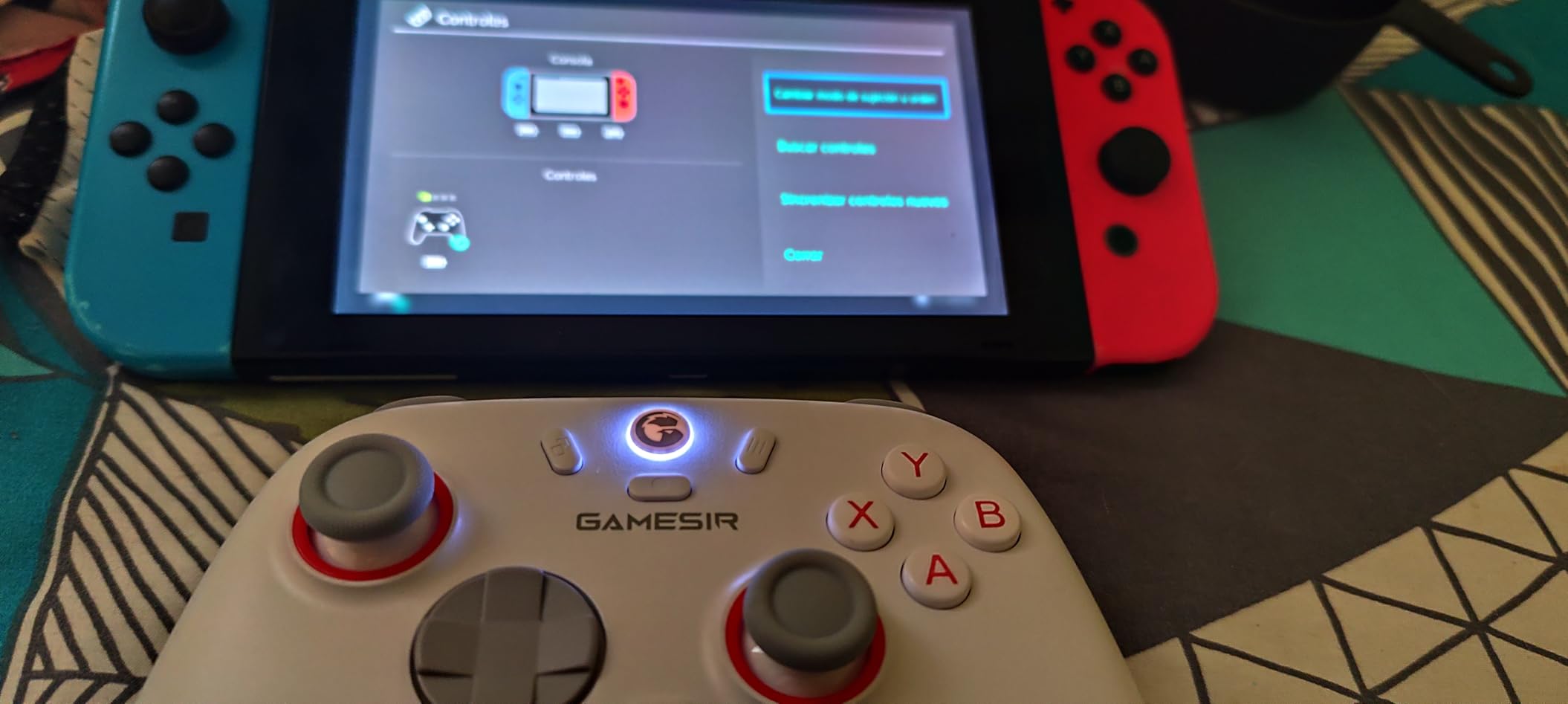
The GameSir Nova Lite 2 packs premium features into a budget-friendly package. I tested it across PC, Switch, and Android, and it performed consistently on all platforms. The Hall Effect joysticks and triggers eliminate drift concerns that typically develop in standard controllers over time.
The trigger stops let you switch between full trigger pull and hair trigger mode. For users with limited finger strength, the hair trigger mode significantly reduces the force needed for each shot. I found this especially helpful in fast-paced shooters where trigger fatigue becomes an issue.
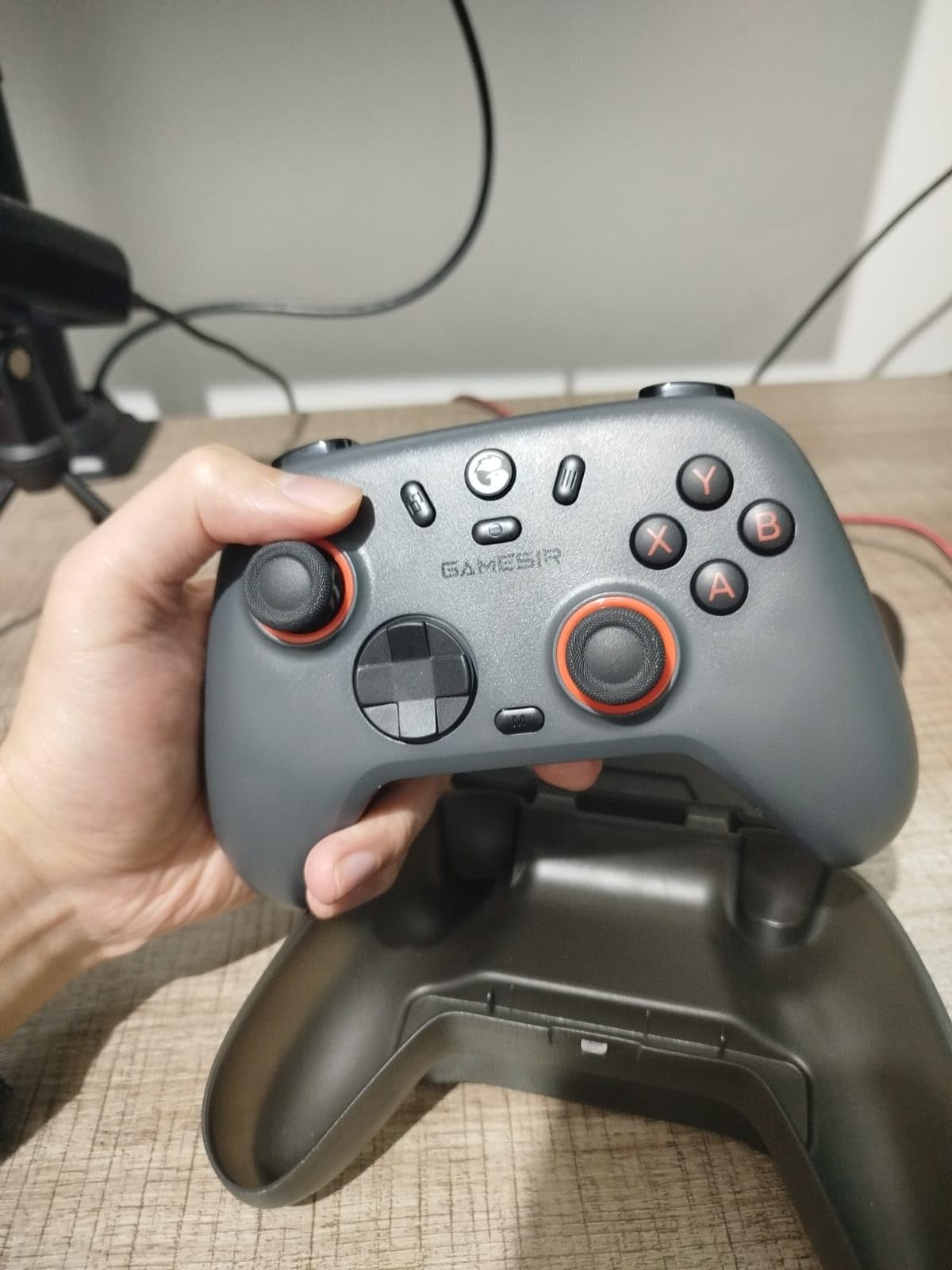
The two back buttons support both single-button mapping and macro recording. I programmed complex button combinations to execute with a single press, reducing the need for rapid multi-button inputs. The software also allows stick and trigger dead zone adjustments for fine-tuning sensitivity.
Bluetooth pairing can be frustrating when switching between devices. I experienced several instances where the controller got stuck in the wrong mode. Once connected properly, performance is excellent. The included carrying case and dongle add unexpected value at this price point.
Best for multi-platform gamers on a budget
This controller suits gamers who play across PC, Switch, and mobile devices. The Hall Effect components, trigger customization, and macro support provide accessibility benefits without the premium price of adaptive-specific controllers.
Not ideal for users wanting plug-and-play simplicity
The Bluetooth pairing issues and mode-switching confusion may frustrate users who want a simple setup. If you frequently switch between devices, expect some troubleshooting time.
7. IINE Wireless Controller with Charging Dock
+ The Good
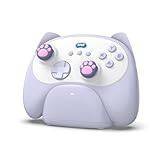
- Adorable kitten-themed design
- Perfect for small hands
- Includes charging dock
- Multi-platform compatibility
- Macro and turbo functions
- 6-axis motion control
- Responsive buttons and sticks
- Makes meowing sound when docked
- The Bad
- Small size uncomfortable for larger hands
- Headphone jack only works in wired mode
- Some button mapping issues on iPad
- Vibration issues on Linux
- Limited availability
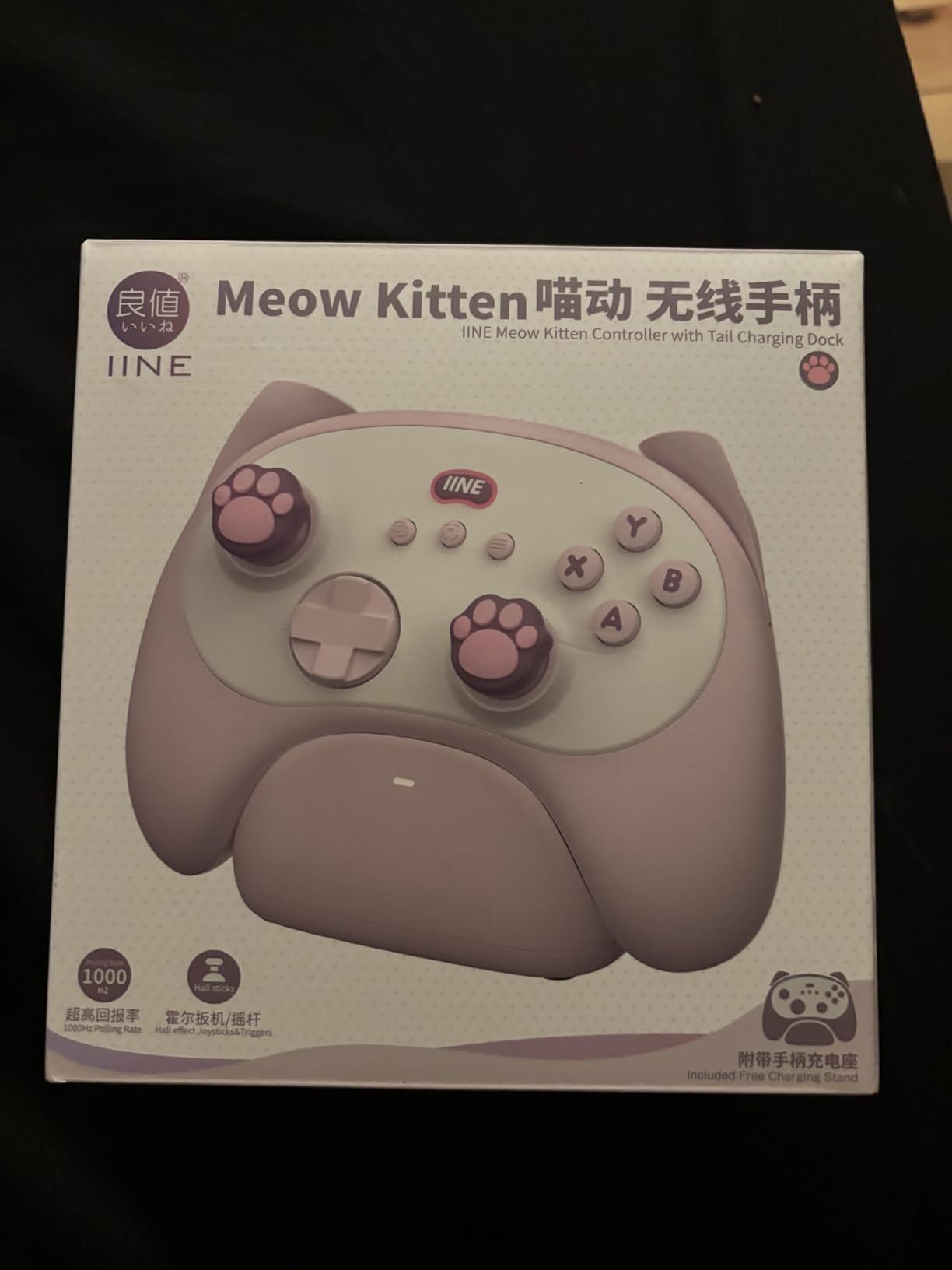
The IINE Wireless Controller is specifically designed for small hands, which makes it ideal for users who find standard controllers too large to grip comfortably. I tested it with my smaller-handed family members, and they immediately noticed how much easier it was to hold and operate.
The kitten-themed design with cat paw buttons adds personality without sacrificing functionality. The charging dock is a thoughtful inclusion that eliminates the need to plug in cables. When docked, it even makes a meowing sound, which brings a smile to your face.
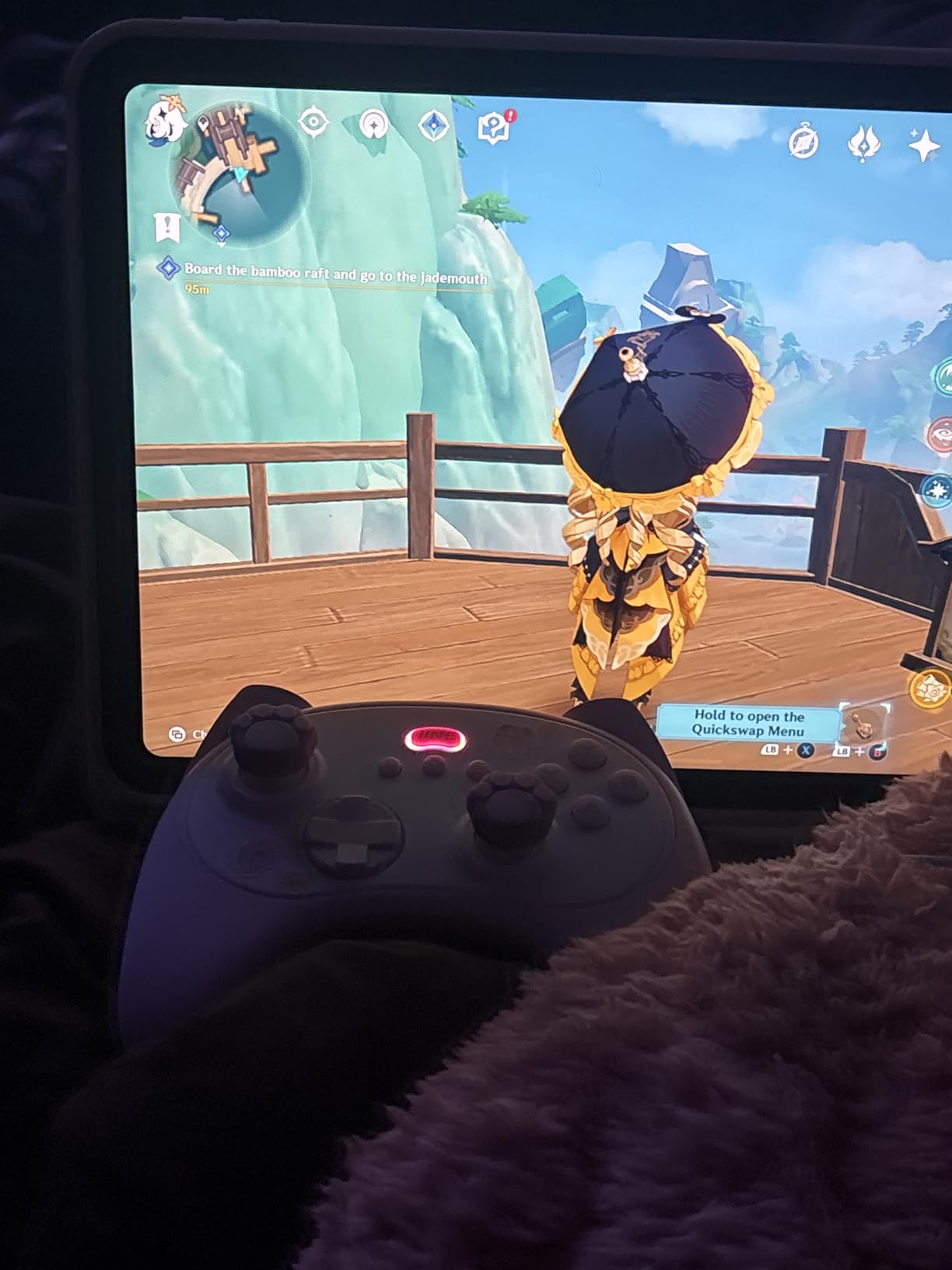
Despite its compact size, the controller includes macro and turbo functions. The 6-axis motion control works well for games that use motion input. The buttons feel responsive and require less force than larger controllers, which benefits users with limited finger strength.
The small size becomes a drawback for larger-handed users who may find the grips cramped. The headphone jack only functions in wired mode, which limits audio flexibility. Limited stock availability also makes it harder to find.
Best for gamers with small hands
This controller excels for users whose hands are too small for standard controllers. The reduced size means less reaching and stretching, which reduces fatigue for anyone with limited grip span or finger length.
Not ideal for average or large hands
If you have average or large hands, this controller will feel cramped and uncomfortable. The design prioritizes small-hand ergonomics over general use, making it a niche choice.
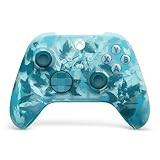
8. Xbox Wireless Controller Ice Breaker Special Edition
+ The Good
- Official Microsoft Xbox controller quality
- Beautiful Ice Breaker design
- Textured grips provide excellent control
- Hybrid D-Pad is improved for combos
- Works perfectly with Xbox PC and VR headsets
- Bluetooth connectivity is seamless
- Responsive buttons and triggers
- Comfortable for long gaming sessions
- The Bad
- Premium price point
- Low stock availability
- Requires AA batteries no built-in recharge
- Two-tone color scheme may not appeal to everyone
The Xbox Wireless Controller Ice Breaker Special Edition represents Microsoft’s official design at its finest. While not specifically marketed as low-resistance, I found the button actuation lighter than previous Xbox controller generations. The textured grips provide secure hold without requiring tight squeezing.
The hybrid D-Pad design improves upon the traditional circular layout. I found it easier to execute diagonal inputs and fighting game combos. The share button makes capturing screenshots and recordings simple with a single press.
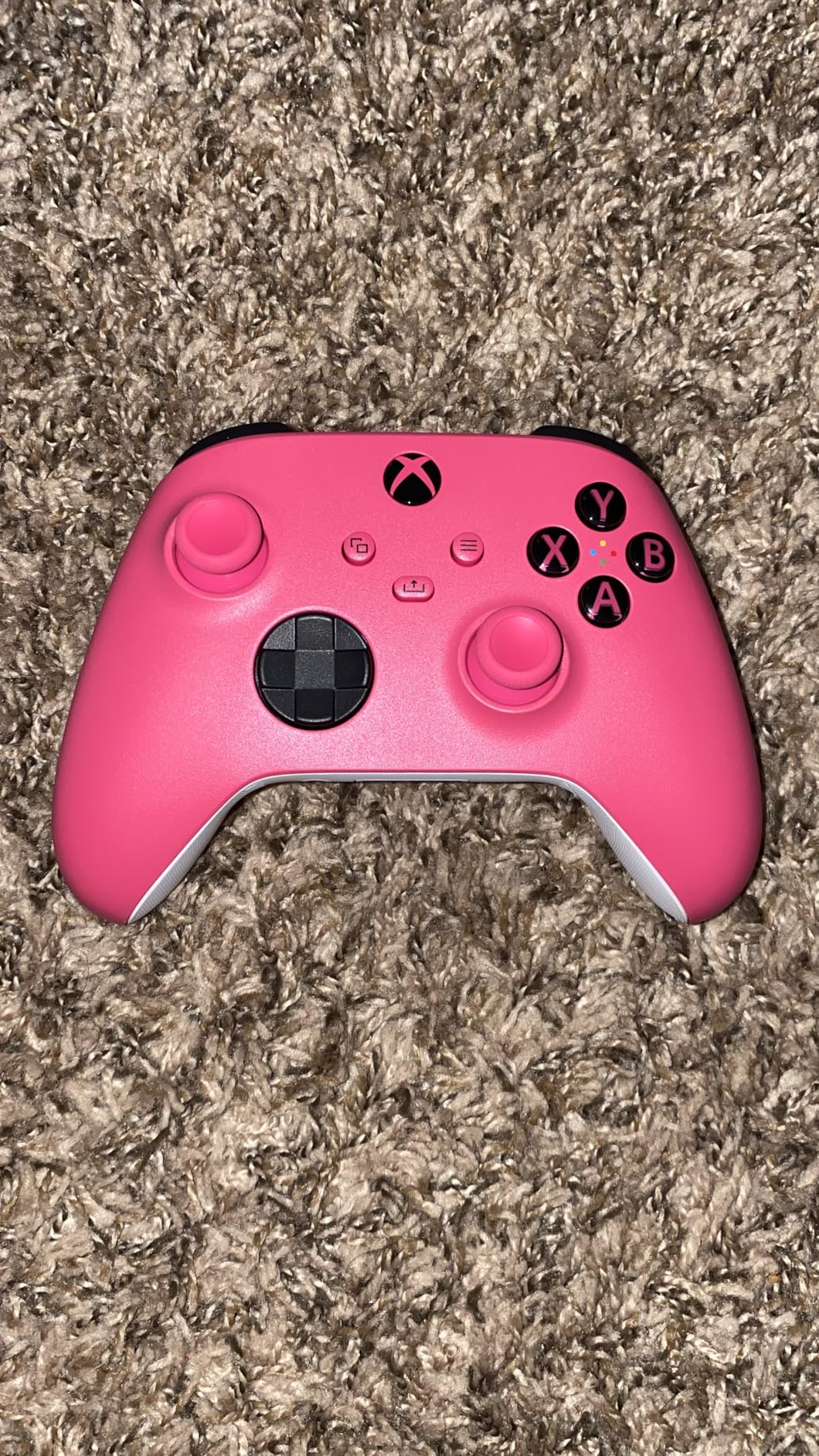
Bluetooth connectivity works seamlessly with PC, Xbox consoles, and VR headsets. I tested it with multiple devices and experienced no connection issues. The button mapping customization through the Xbox Accessories app lets you remap controls to suit your needs.
The AA battery requirement is both a pro and con. Some users prefer the flexibility of replaceable batteries, but others want built-in rechargeability. The premium price and limited stock availability make it harder to acquire than standard editions.
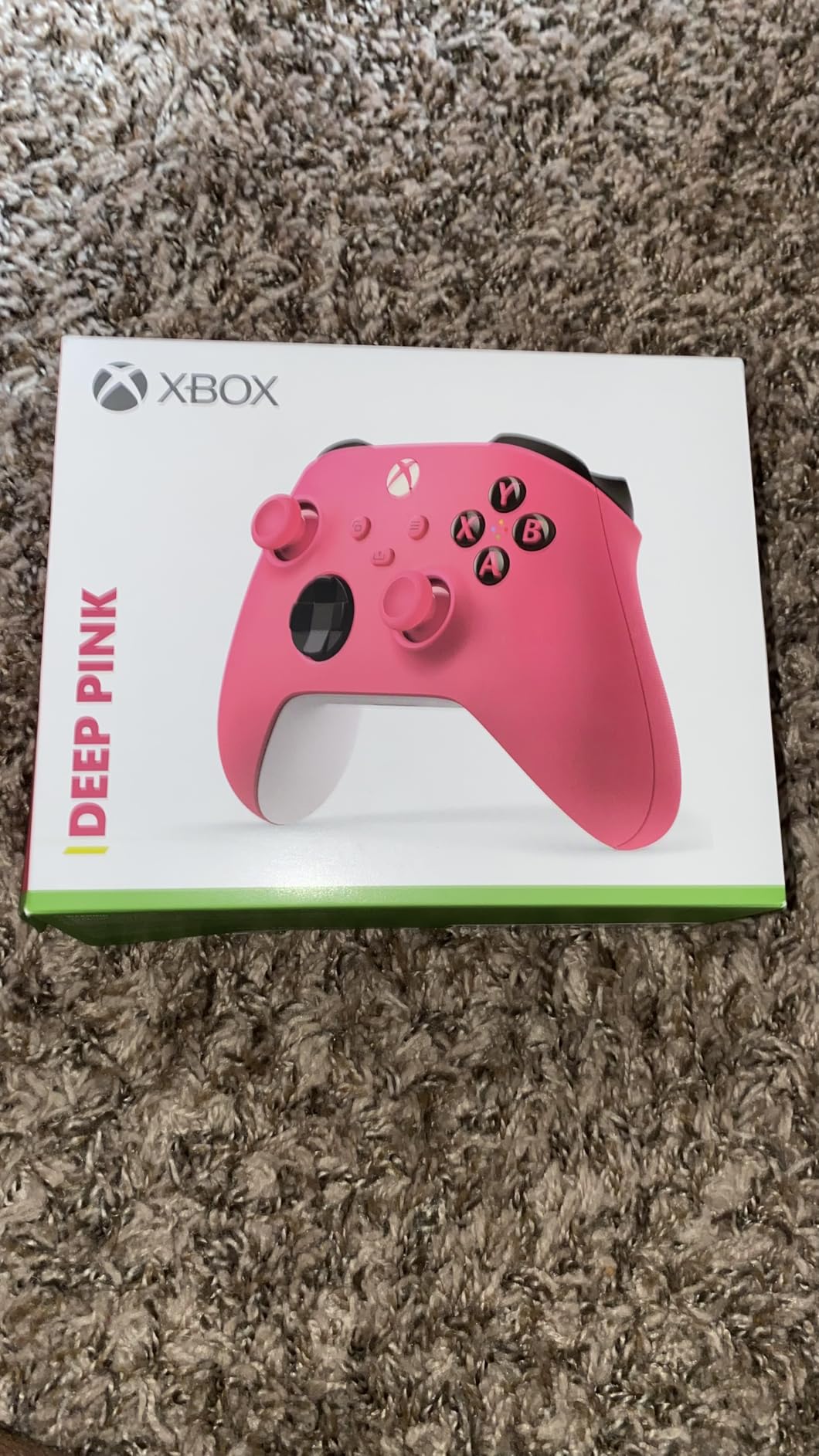
Best for Xbox and PC gamers wanting official quality
This controller suits gamers who want the reliability and compatibility of an official Microsoft product. The textured grips and responsive buttons benefit users who need secure handling without excessive grip pressure.
Not ideal for budget-conscious buyers
The special edition commands a premium price over standard Xbox controllers. If you do not care about the unique design, a standard edition offers similar functionality for less. The limited availability also makes it harder to find in stock.
9. One-Handed Grip Adapter for Nintendo Switch 2
+ The Good
- Ambidextrous design works for either hand
- Enables one-handed gaming for accessibility
- Soft foam padding protects controllers
- Ergonomic design reduces hand strain
- Easy installation no tools required
- The Bad
- No reviews available yet
- Third-party accessory not officially licensed
- New product with unknown reliability
- Not Prime eligible
The One-Handed Grip Adapter for Nintendo Switch 2 takes a different approach to accessibility. Instead of replacing your controller, it adapts existing Joy-Cons for one-handed use. I examined its design and found the concept promising for Switch 2 owners who need adaptive solutions.
The ambidextrous design means it works equally well for left or right hand use. The soft foam padding inside protects your Joy-Cons from scratches while providing comfortable grip surface. Installation involves simply sliding the controllers into place.
As a new product with no customer reviews, reliability remains unproven. The third-party design is not officially licensed by Nintendo, which may concern some buyers. However, the affordable price point makes it worth considering for Switch 2 owners who want to try one-handed gaming.
Best for Switch 2 owners needing one-handed play
This adapter suits Nintendo Switch 2 owners who already have Joy-Cons and want an affordable way to enable one-handed gaming. The ergonomic design and ambidextrous functionality make it versatile for different users.
Not ideal for users wanting proven reliability
With zero reviews, this product lacks the community validation that accessibility equipment typically requires. If you need guaranteed reliability, consider waiting for user feedback before purchasing.
How to Choose the Right Low-Resistance Controller?
Finding the best controller for limited hand strength requires understanding your specific needs. I have broken down the key factors to help you make an informed decision. You can also check out our guide on controller optimization settings to further reduce input requirements once you have your hardware.
Actuation Force and Button Resistance
Actuation force measures how much pressure a button requires to register input. Standard controllers typically need 60-80 grams of force per button press. Low-resistance options reduce this to 20-40 grams, which significantly decreases finger fatigue during extended play.
Look for controllers with light-touch switches or Hall Effect sensors. These technologies enable responsive input with minimal physical effort. Adaptive controllers like the PlayStation Access Controller and Logitech Adaptive Gaming Kit offer the lowest actuation forces available.
Weight and Ergonomics
Controller weight directly affects grip fatigue. Standard controllers weigh 8-16 ounces, which becomes tiring to hold for users with limited hand strength. The Logitech G F310 at 6.4 ounces and 8BitDo Ultimate 2C at 8.4 ounces represent the lighter end of the spectrum.
Ergonomic design matters as much as weight. Controllers that sit flat on surfaces eliminate grip requirements entirely. The PlayStation Access Controller exemplifies this approach, allowing tabletop play without any gripping motion.
Platform Compatibility
Before purchasing, verify the controller works with your gaming platforms. Some controllers support multiple systems while others are platform-specific. The Xbox Wireless Controller works with Xbox and PC, the PlayStation Access Controller is PS5-only, and budget options like the 8BitDo and GameSir support PC and mobile.
Cross-platform compatibility gives you flexibility if you game on multiple systems. Controllers with Bluetooth connectivity typically offer broader device support than proprietary wireless protocols.
Customization and Button Remapping
Button remapping lets you assign functions to the buttons you can most easily reach. This feature is essential for creating accessible layouts that match your mobility capabilities. Look for controllers with companion apps that enable custom button assignments.
Macro functionality takes customization further by letting you program multi-button sequences to a single press. The ByoWave Proteus Builder and GameSir Nova Lite 2 offer robust macro systems that reduce the need for rapid button combinations.
Budget Considerations
Adaptive gaming equipment spans a wide price range. Budget controllers like the Logitech G F310 and 8BitDo Ultimate 2C offer accessibility benefits under $30. Mid-range options like the EasySMX X05Pro and GameSir Nova Lite 2 provide additional features around $30. Premium adaptive systems like the PlayStation Access Controller and Logitech Adaptive Gaming Kit represent significant investments but offer the most comprehensive accessibility features.
Consider your specific needs before assuming the most expensive option is best. Many users with mild to moderate hand strength limitations find budget controllers perfectly adequate. Reserve premium adaptive equipment for those who need specialized features.
Frequently Asked Questions
What is the PS5 controller for disability?
The PlayStation Access Controller (also called Project Leonardo during development) is Sony’s adaptive controller designed for gamers with disabilities. It features a modular design with swappable button caps, 360-degree orientation flexibility, four 3.5mm expansion ports for third-party accessibility devices, and up to 30 configurable control profiles. The controller sits flat on a table or wheelchair tray, eliminating the need to grip a traditional controller shape.
What is the game controller for small hands?
The IINE Wireless Controller is specifically designed for small hands with compact dimensions and reduced grip requirements. Other good options include the 8BitDo Ultimate 2C Wireless Controller and Nintendo Joy-Cons, which have smaller form factors than standard Xbox or PlayStation controllers. Look for controllers under 8 inches in width with compact grips that do not require stretching to reach all buttons.
What is the Xbox controller for disabled people?
The Xbox Adaptive Controller is Microsoft’s accessibility-focused device featuring large programmable buttons and 19 3.5mm ports for connecting external switches, buttons, mounts, and joysticks. It works with Xbox consoles and Windows PCs. Users can create custom controller configurations through the Xbox Accessories app. The flat design allows tabletop use and works with various mounting systems for wheelchair trays.
How do disabled people play video games?
Disabled gamers use various adaptive technologies depending on their specific needs. Options include low-resistance controllers with light-touch buttons, one-handed controllers like the ByoWave Proteus Builder, mouth-operated controllers like the Quadstick, switch-based systems that replace traditional button inputs, and voice control software. Many gamers combine multiple adaptive devices to create custom setups. Organizations like AbleGamers and SpecialEffect help disabled players find and configure accessible gaming solutions.
Conclusion
Finding the best low-resistance game controllers transforms gaming from frustrating to enjoyable. The PlayStation Access Controller offers the most comprehensive adaptive solution for PS5 owners, while the 8BitDo Ultimate 2C delivers outstanding value for PC and Android gamers on a budget. For under $20, the Logitech G F310 provides lightweight simplicity without stick drift concerns. Each of these options reduces the physical barriers that standard controllers create, helping you game longer with less fatigue.