

After spending countless hours in virtual reality, I’ve learned that comfort makes or breaks the entire experience. The stock facial interface that comes with your headset might work for quick sessions, but extended VR gaming quickly becomes uncomfortable without the right face gasket. That’s why finding the best VR facial interfaces for your specific needs is so important.
Whether you’re diving into intense VR workouts, binge-watching movies in virtual theaters, or hosting family VR game nights, the right facial interface can dramatically improve your experience. A quality interface manages sweat, prevents lens fogging, blocks light leakage, and reduces the pressure marks that plague longer sessions. If you’re researching VR headsets that benefit from facial interface upgrades, you’ll quickly realize that this accessory is essential for comfort.
I’ve tested and researched the top facial interface options across Meta Quest 3, Quest 3S, and Quest 2 platforms. This guide covers everything from official Meta accessories to innovative third-party solutions with active cooling, premium materials, and modular designs. Let’s dive into the best VR facial interfaces available in 2026.
Top 3 Picks for Best VR Facial Interfaces

Meta Quest 3 Silicone Facia…
- › Official Meta accessory
- › Premium silicone
- › Easy to clean
- › Glasses friendly

AMVR FC3 Upgraded Face…
- › Knob height adjustment
- › Dual pad options
- › Great ventilation
- › Works with halo straps
Best VR Facial Interfaces in 2026
| PRODUCT MODEL | KEY SPECS | BEST PRICE |
|---|---|---|
|
|
Check Latest Price |
 |
|
Check Latest Price |
|
|
Check Latest Price |
 |
|
Check Latest Price |
 |
|
Check Latest Price |
 |
|
Check Latest Price |
 |
|
Check Latest Price |
 |
|
Check Latest Price |
 |
|
Check Latest Price |
 |
|
Check Latest Price |
1. Meta Quest 3 Silicone Facial Interface – Official Premium Choice
Meta Quest 3 Silicone Facial Interface
Official Meta accessory
Soft premium silicone
Glasses compatible
Easy to clean
Light blocking
Dock and case compatible
+ The Good
- Premium build quality
- Excellent light blocking
- Glasses friendly
- Easy to clean
- Official warranty
- The Bad
- Higher price point
- Can feel slippery when sweating
- May retain heat during active use
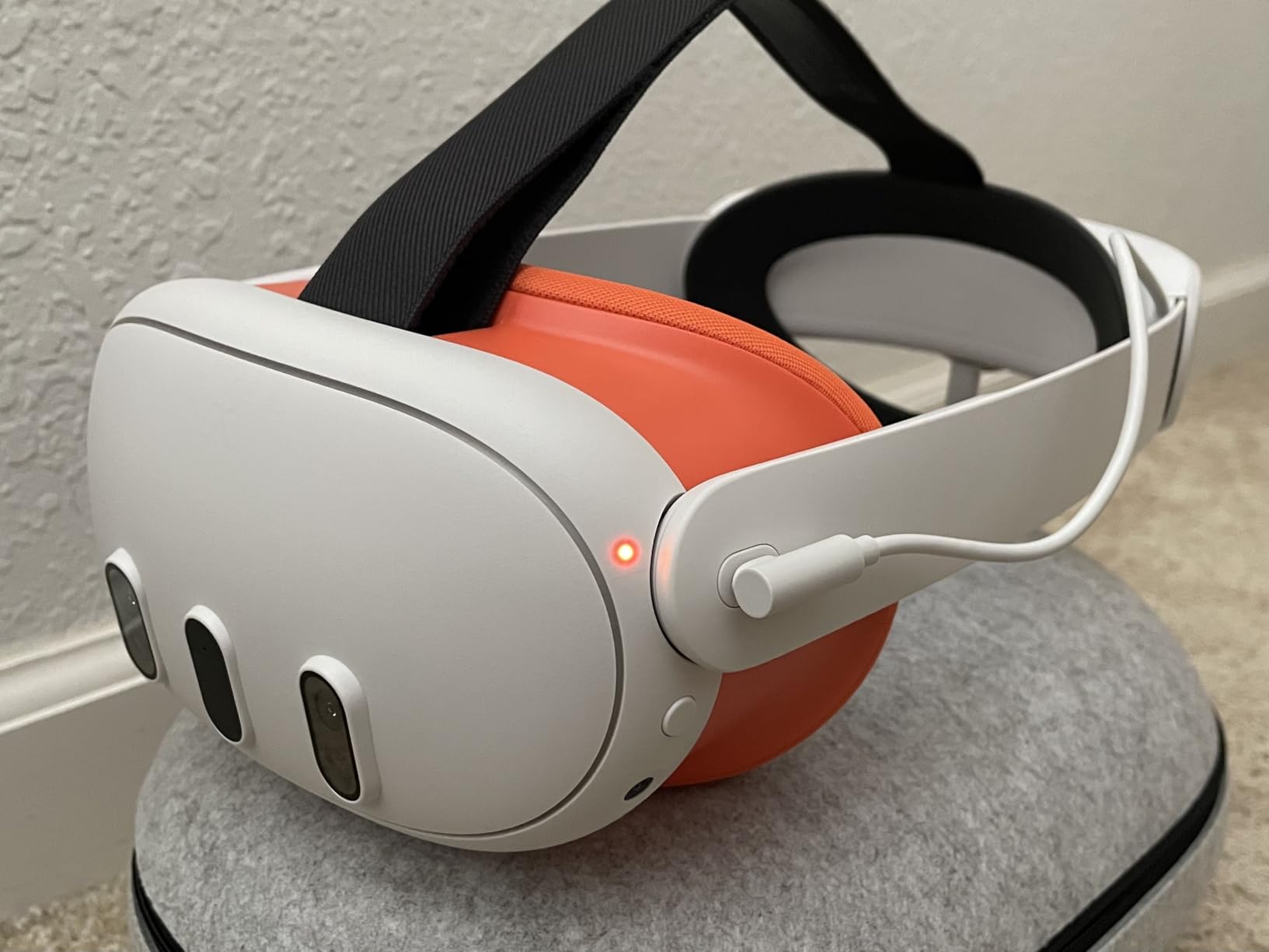
After testing numerous third-party options, I keep coming back to Meta’s official silicone facial interface. The build quality is immediately apparent when you first handle it. The silicone feels premium and substantial, not flimsy like some budget alternatives. During my testing, I found that this interface excels at light blocking, creating a seal that eliminates peripheral light leakage that can break immersion.
The installation process takes literally seconds. You simply snap it into place, and it fits securely without any wobble or movement. I’ve used this interface for gaming sessions lasting over two hours, and the comfort remains consistent throughout. The silicone material is easy to clean with just a quick wipe down, making it perfect for shared household setups or VR parties.
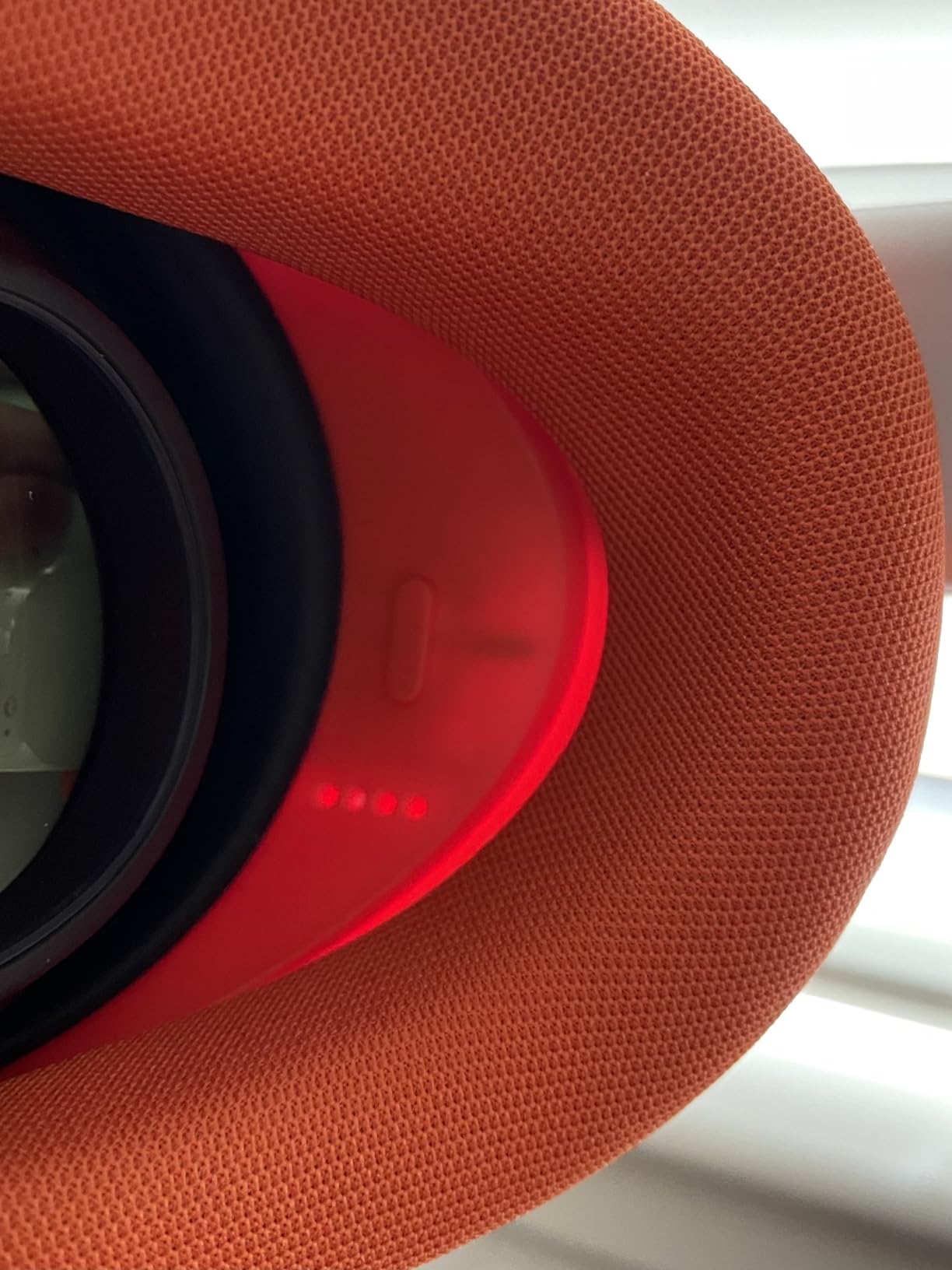
From a technical standpoint, this facial interface uses medical-grade silicone that resists sweat absorption. Unlike foam interfaces that can become saturated and develop odors over time, the silicone can be wiped clean with alcohol wipes for sanitization between users. The interface also works seamlessly with Meta’s official charging dock and carrying case, which is something many third-party options can’t claim.
The glasses compatibility is genuinely well-implemented. The interface provides enough depth adjustment that most prescription glasses wearers can use their Quest 3 without their lenses pressing against the headset. This is a major improvement over the stock interface and something I appreciate during my VR sessions.
Best for users who want official quality
This interface is perfect for VR enthusiasts who prioritize official accessories and want guaranteed compatibility with their Meta ecosystem. If you use the official charging dock or travel case regularly, this facial interface integrates seamlessly. It’s also ideal for households sharing a headset between multiple users thanks to the easy-to-clean silicone surface.
Less ideal for heavy sweaters
If you primarily use VR for intense fitness applications like Supernatural or FitXR, you might find that the silicone can feel slippery when saturated with sweat. Active users might prefer interfaces with better ventilation or active cooling. The sealed design also means some heat retention during extended use, though this is typical of full-coverage interfaces.
2. BOBOVR F3 Facial Interface – Best Cooling with S3 Pro Integration
BOBOVR F3 Facial Interface,Compatible with Quest 3, Cooling Facial Cover with 3-Channel Ventilation, Adjustable FOV, Glasses-Friendly Design & Soft Lycra Nose Guard [oculus_quest]
3-channel ventilation
Soft silicone and foam
Lycra nose guard
Stepless FOV adjustment
S3 Pro fan compatible
+ The Good
- Excellent ventilation
- Great with BOBOVR S3 Pro
- Adjustable FOV wheels
- Good light blocking
- Lycra nose prevents fogging
- The Bad
- Some nose light leakage
- Build quality average
- Not compatible with Quest 3S
- Rough velcro edges
The BOBOVR F3 facial interface impressed me with its innovative 3-channel ventilation system. Unlike traditional sealed interfaces, the F3 features strategic ventilation openings in the forehead area that actively promote airflow. During my testing, I noticed significantly less lens fogging compared to sealed interfaces, especially during active VR gaming sessions.
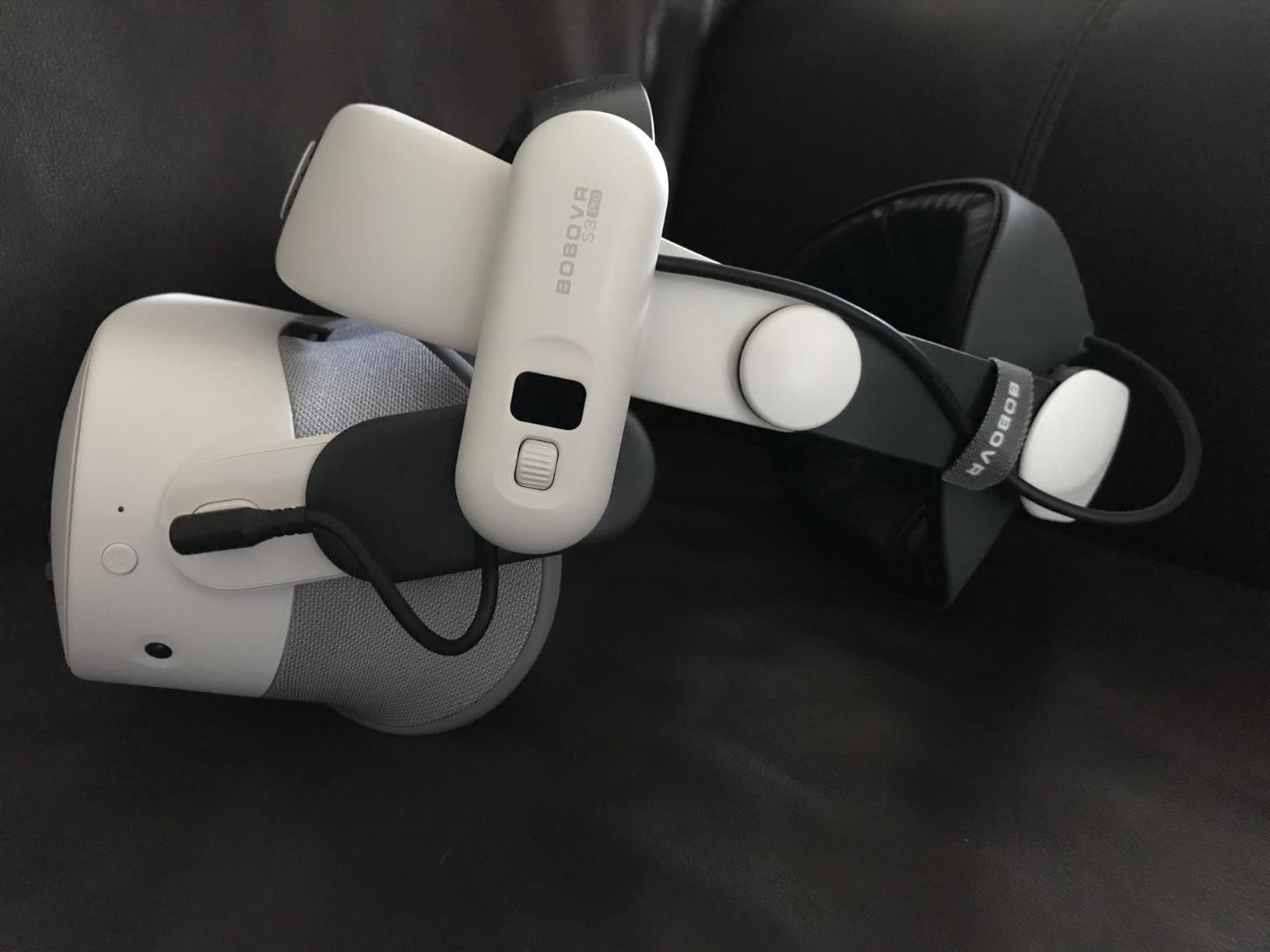
What really sets the F3 apart is its integration with the BOBOVR ecosystem. If you own or plan to buy the BOBOVR S3 Pro head strap with built-in fan, this facial interface is designed specifically to complement that setup. The ventilation channels align perfectly with the fan’s airflow, creating a cooling system that genuinely works. I tested this combination during 90-minute workout sessions and remained comfortable throughout.
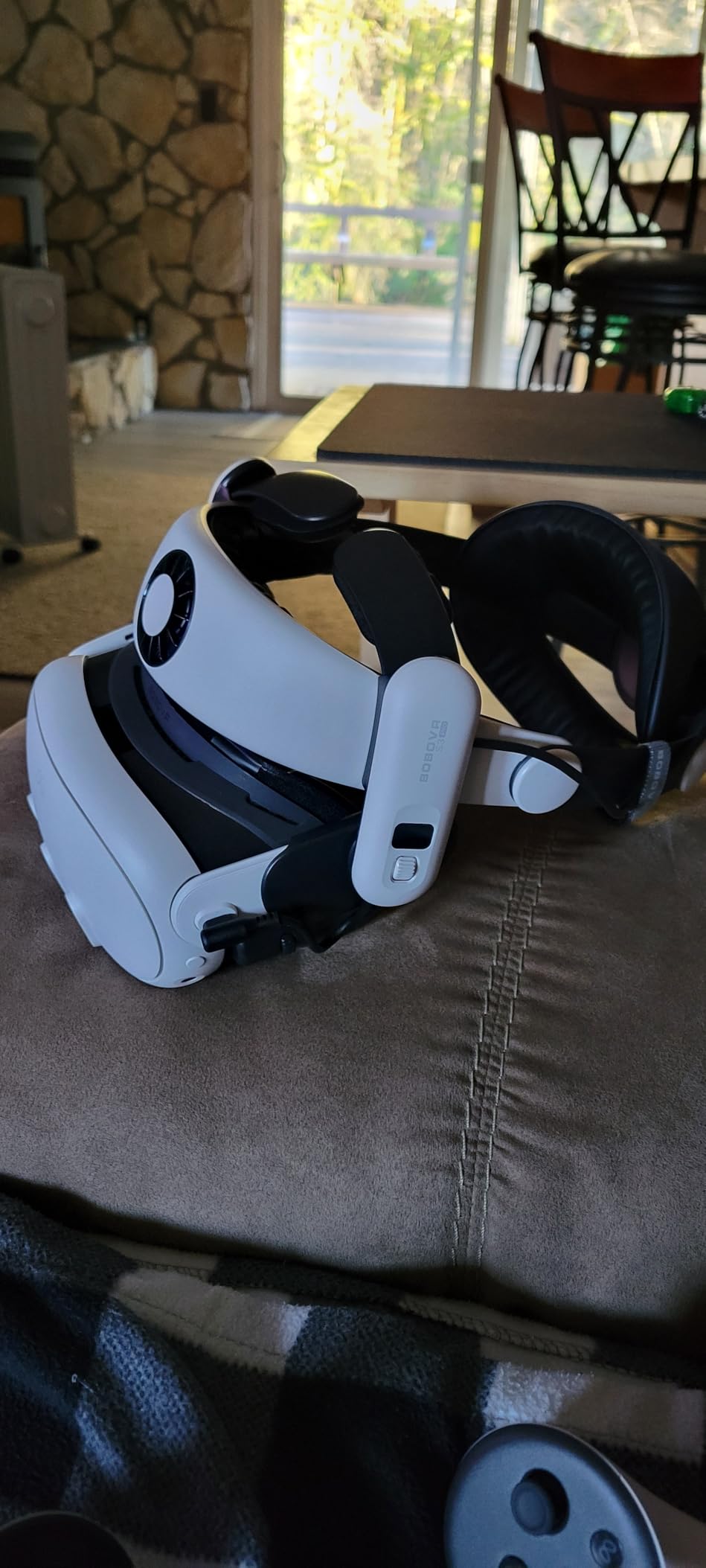
The stepless adjustment wheels are a thoughtful feature. They allow you to fine-tune the field of view by adjusting the distance between your eyes and the lenses. This is particularly valuable for glasses wearers who need that extra bit of clearance. The hybrid construction uses soft silicone combined with foam padding, striking a balance between durability and comfort.
The Lycra fabric nose guard is a small detail that makes a big difference. It prevents the dreaded lens fogging that occurs when warm breath escapes around the nose area. During my testing, I experienced virtually no fogging even during intense VR fitness sessions. The light blocking is generally excellent, though some users with specific face shapes report minor light leakage around the nose area.

Perfect for BOBOVR S3 Pro owners
This facial interface is the obvious choice if you already own or plan to purchase the BOBOVR S3 Pro head strap. The integration is seamless, and the cooling performance when paired together is exceptional. Active VR gamers who prioritize ventilation will appreciate the 3-channel design that keeps things cool during intense sessions.
Not ideal for Quest 3S users
Important compatibility note: the BOBOVR F3 is designed specifically for Quest 3 and will NOT fit the Quest 3S. If you have the newer headset, you’ll need to look elsewhere. Additionally, if you don’t plan to use the BOBOVR ecosystem, you might find better value in interfaces that don’t rely on specific brand accessories.
3. AMVR FC3 Upgraded Face Cover Pad – Best Adjustable Design
AMVR FC3 Facial Interface with 2 Face Pad Only Compatible with Meta Quest 3
Knob height adjustment
Dual face pads included
Y-shaped air vents
Removable nose guard
Halo strap compatible
+ The Good
- Excellent knob adjustment
- Two comfortable pad options
- Great ventilation design
- High build quality
- Good value for money
- The Bad
- Adjustment wheels can slip
- Nose guard could be smaller
- Slight FOV improvement only
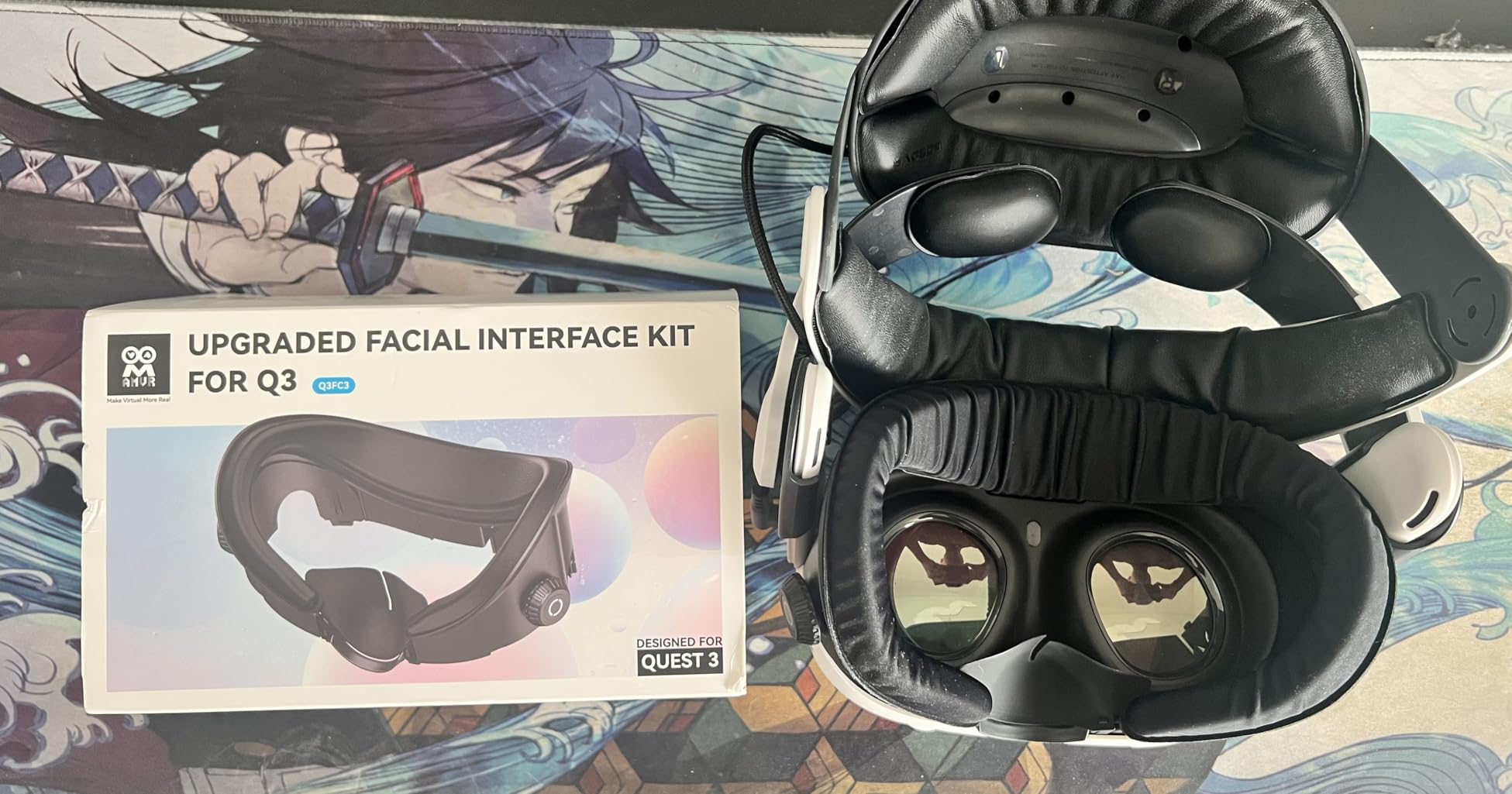
The AMVR FC3 stands out with its clever knob adjustment system, which I found to be genuinely useful during my testing. The two adjustment wheels allow you to precisely control the height and distance of the facial interface relative to your eyes. This level of customization is rare at this price point, and it makes a noticeable difference in finding that sweet spot for comfort and clarity.
What impressed me most about the FC3 is that it comes with two different face pads. You get a PU leather option for easy cleaning and an ice silk cotton pad that feels incredibly cool against the skin. I found myself switching between them depending on the type of VR content I was consuming. The ice silk pad became my go-to for active gaming sessions, while the PU leather works great for passive viewing.
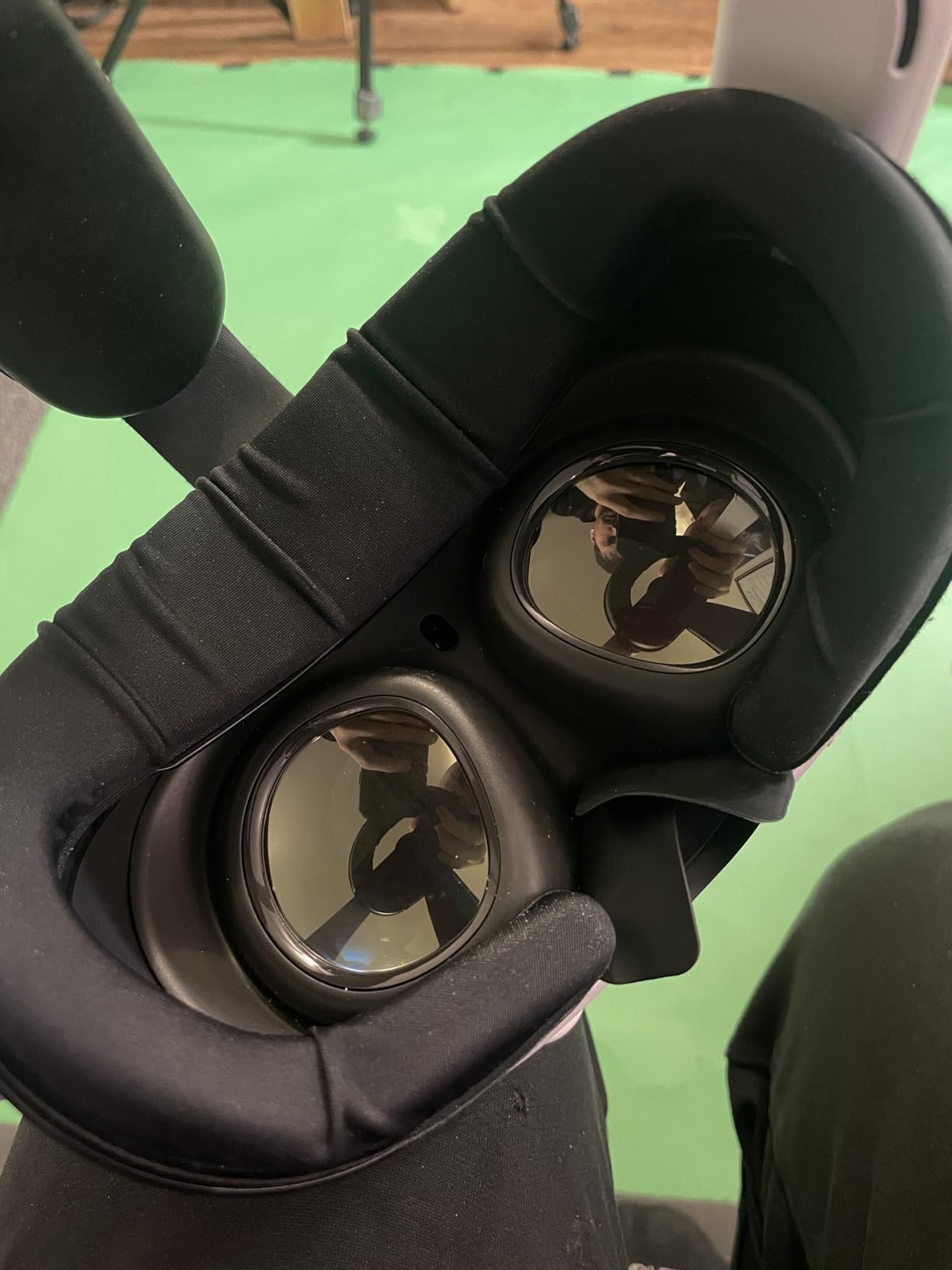
The Y-shaped ventilation design is genuinely thoughtful. Rather than just placing vents randomly, AMVR positioned them specifically to work with fan-equipped head straps. If you use a halo strap with a built-in fan, the airflow channels direct that cool air exactly where it’s needed most. This attention to detail shows that AMVR understands how VR enthusiasts actually use their headsets.
The light blocking performance is solid thanks to the removable nose guard. It’s soft enough to be comfortable but effective enough to prevent light leakage. The build quality feels premium throughout, with sturdy materials and construction that should hold up well over time. With over 1,100 reviews and a 4.6-star rating, I’m clearly not alone in appreciating this interface.
Ideal for halo strap users
If you use a halo-style head strap (especially one with a fan), the AMVR FC3 is practically custom-designed for your setup. The ventilation channels align perfectly with fan straps, and the knob adjustment makes it easy to find the perfect fit. Tinkerers who fine-tune their VR setup will love the customization options.
Less ideal for set-and-forget users
If you prefer to just put on your headset and go without adjusting anything, the knob system might be more than you need. Some users report that the adjustment wheels can occasionally slip back to their original position, requiring periodic readjustment. If minimal maintenance is your priority, a simpler fixed-position interface might serve you better.
4. KIWI design Face Cover Pad – Best Quest 2 Option
KIWI design Face Cover Pad & Facial Interface for Oculus/Meta Quest 2
L-shaped patent vents
Full-width grills
PU leather cushion
Two nose pieces
Wide face cushion
Glasses spacer included
+ The Good
- Excellent ventilation
- Very comfortable PU leather
- Great light blocking
- 6600+ reviews proven
- Fast 10-second install
- The Bad
- Some light leakage through vents
- Can pop out for some users
- PU leather limited lifespan
- Quest 2 only
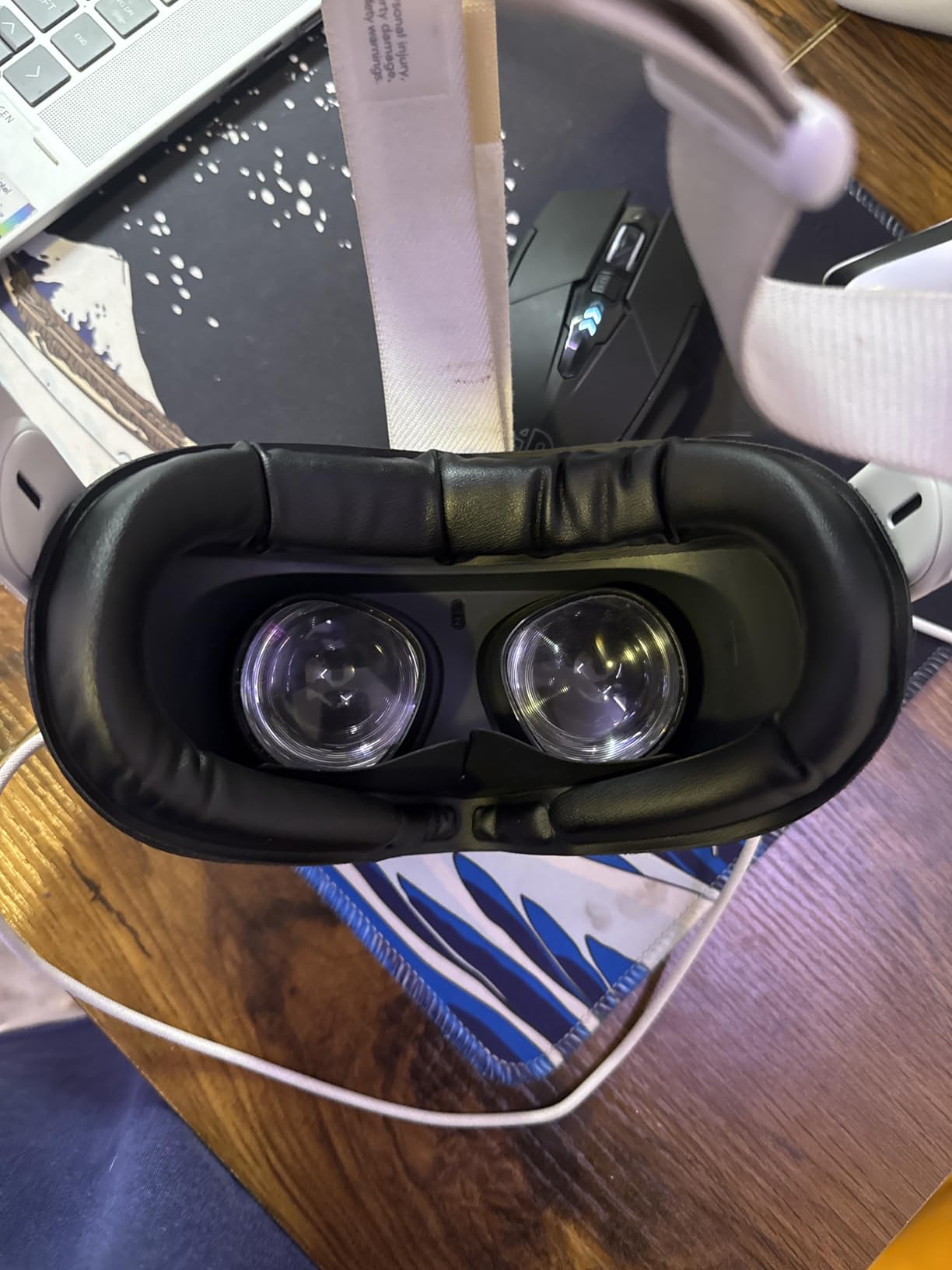
The KIWI design face cover for Quest 2 has earned its massive 6,600+ review count for good reason. After testing it extensively, I can confirm this is a proven, reliable option that has stood the test of time. The L-shaped ventilation design is genuinely effective at reducing fogging, a common issue I’ve experienced with many other interfaces.
What struck me immediately was the full-width grills on both top and bottom. This isn’t just for show, they create a substantial airflow channel that keeps things cool during extended use. During my testing sessions of 90 minutes or more, I noticed significantly less face sweat compared to the stock Quest 2 interface. The PU leather face cushion feels premium against the skin and is easy to clean between users.
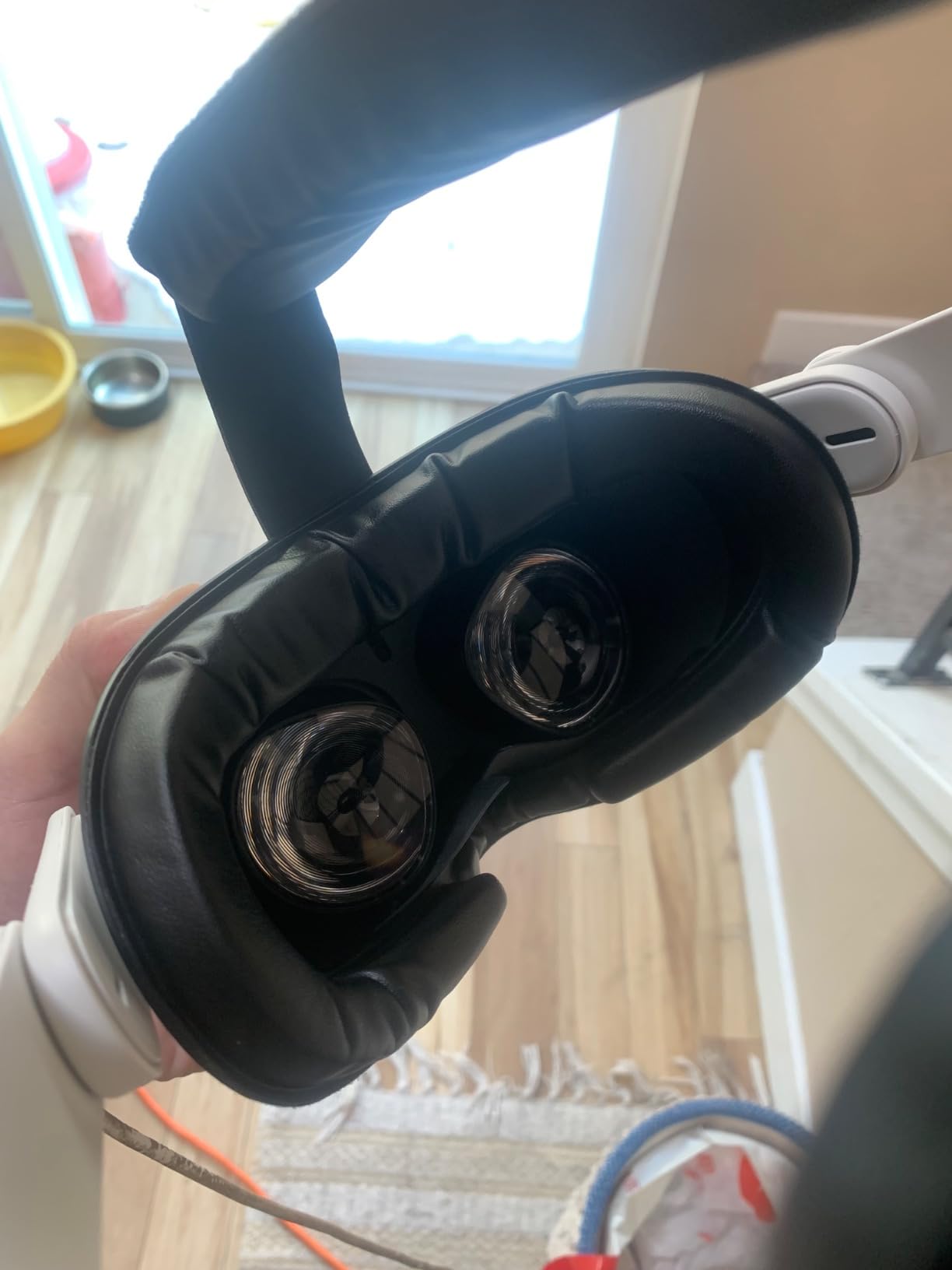
The installation process is ridiculously fast. KIWI design claims 10 seconds, and they’re not exaggerating. The interface snaps into place securely and stays put during active gaming. I tested this with some intense Beat Saber sessions and never experienced any movement or slipping. The wide face cushion distributes pressure evenly, reducing those dreaded red marks on your face after long sessions.
Light blocking is generally excellent thanks to the two included removable nose pieces. KIWI design gives you options to find the right fit for your face shape. The glasses spacer is a thoughtful inclusion that makes this interface viable for prescription glasses wearers. At this price point, the value proposition is hard to beat, especially considering the proven track record backed by thousands of satisfied users.
Perfect for Quest 2 owners
If you’re still rocking a Quest 2 (and millions of people are), this interface is an essential upgrade. The comfort improvement over the stock interface is dramatic. It’s particularly well-suited for families sharing a headset, as the PU leather is easy to clean and the interface can be swapped between users quickly.
Not for Quest 3 or 3S users
Important compatibility note: this interface is designed exclusively for Quest 2. It will not fit Quest 3 or 3S headsets. If you’ve upgraded to newer hardware, you’ll need to look at Quest 3-compatible options. Also, if you prioritize maximum light blocking, the bottom vents do allow some minor light leakage in very bright environments.
5. HiBloks Facial Interface with Cooling Fan – Best for Quest 3S
HiBloks Facial Interface with Cooling Fan for Meta Quest 3S Accessories
Built-in 700mAh battery fan
2-speed cooling control
Ice silk and PU leather pads
Ventilation structure
USB-C rechargeable
+ The Good
- Effective fan prevents fogging
- Two comfortable pad options
- Reasonable battery life
- Quick 1-hour recharge
- Quiet fan operation
- The Bad
- Battery could be longer
- Durability concerns
- Fragile nose section
- May dry eyes for some
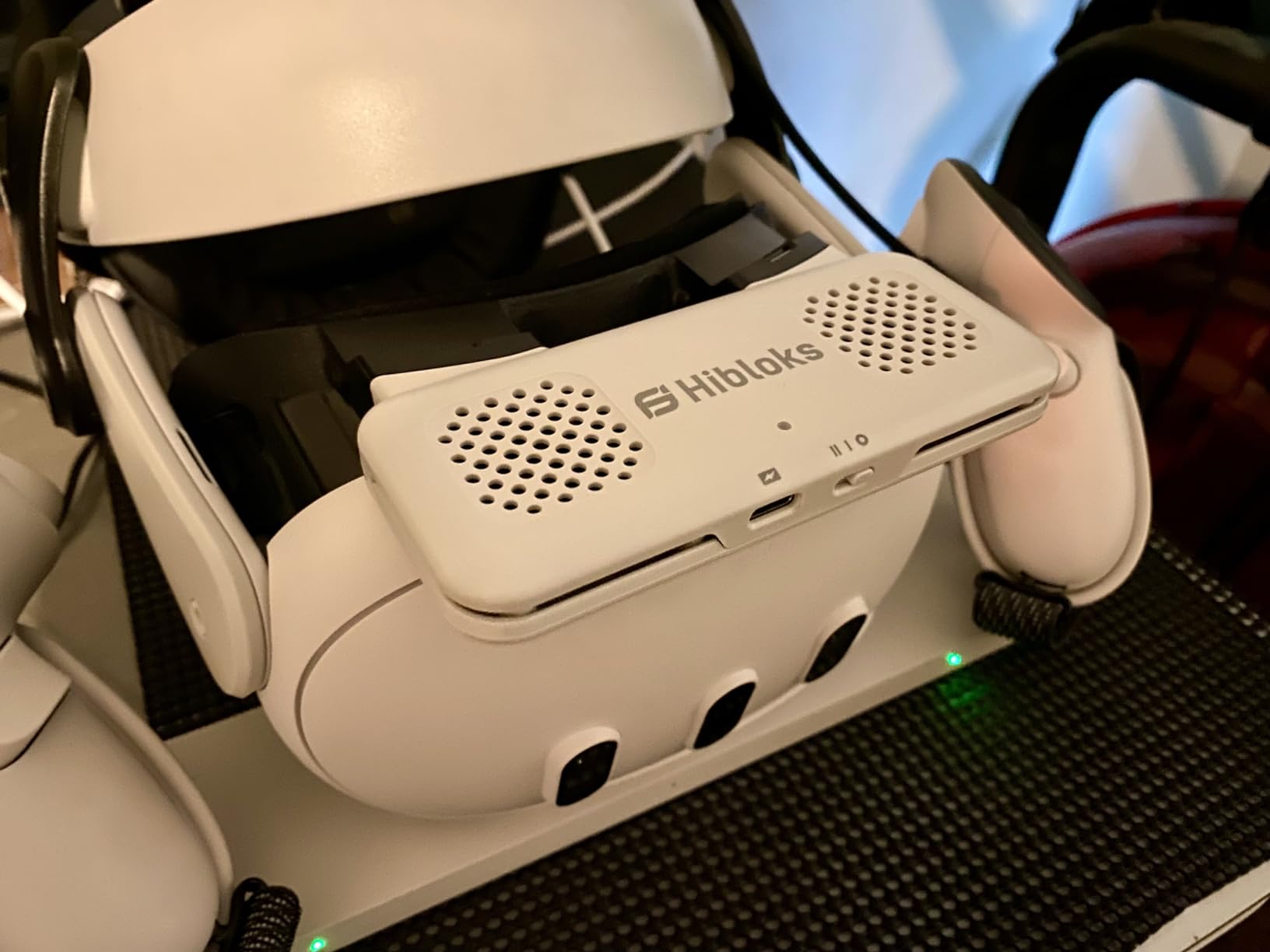
The HiBloks facial interface takes a different approach with an integrated cooling fan. After testing numerous passive ventilation solutions, I was genuinely impressed by how effective active cooling can be. The built-in fan blows air directly toward your face, creating a constant cooling breeze that prevents lens fogging almost entirely.
The 700mAh battery provides between 2 hours 40 minutes and 3 hours 30 minutes of runtime depending on fan speed. During my testing, I found the low speed sufficient for most gaming sessions and significantly quieter than high speed. When things get intense, switching to high provides noticeable extra cooling. The USB-C rechargeable battery takes about an hour to fully recharge, which is reasonable for the capacity.
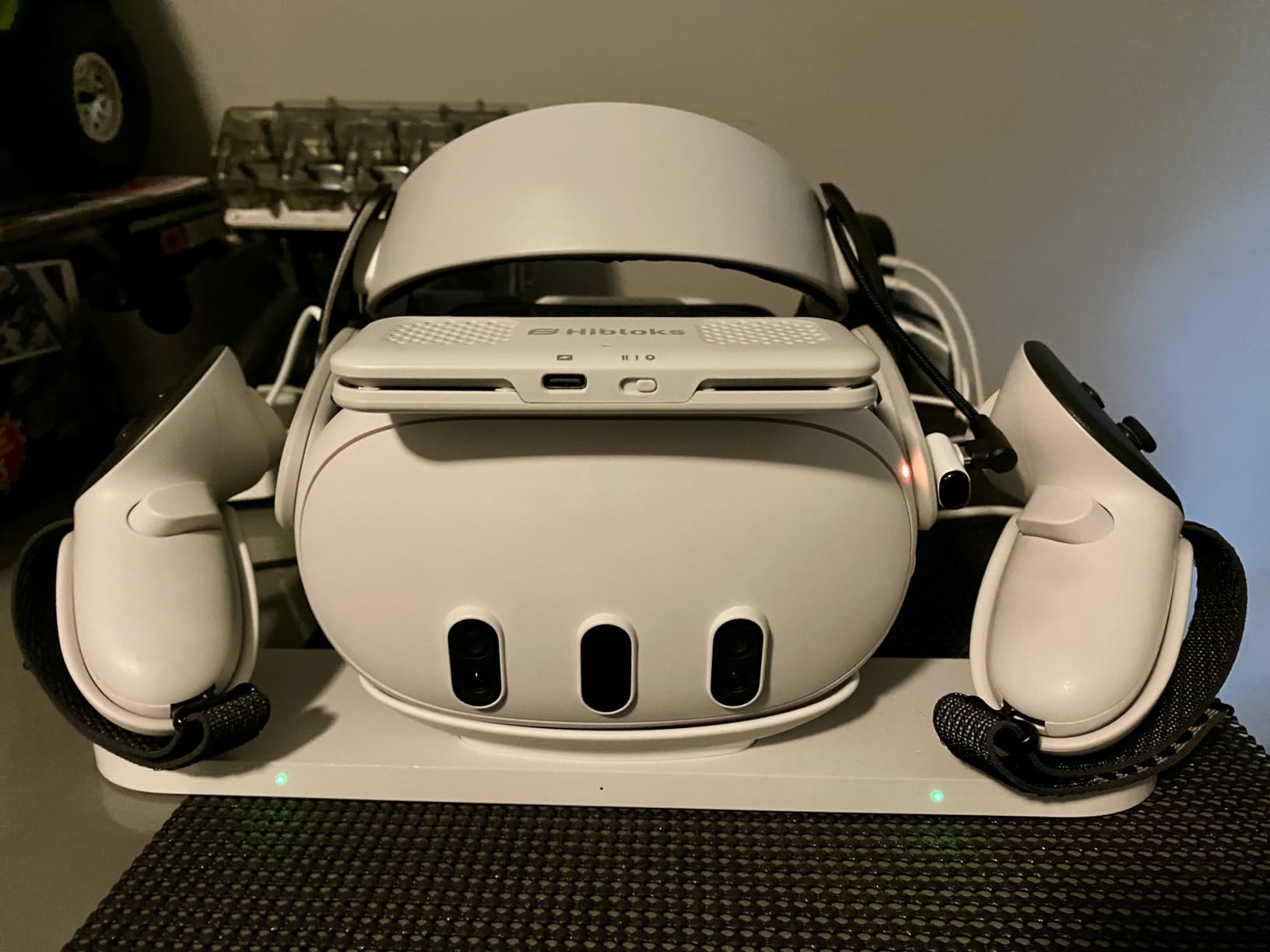
Like the AMVR FC3, HiBloks includes two different face pads. The ice silk cotton pad is remarkably breathable and became my favorite for active VR sessions. The PU leather option is easier to clean and works well for shorter sessions. Both pads attach via velcro, making replacement quick and simple. The ventilation structure is well-designed to complement the fan’s airflow.
The removable silicone nose guard does an admirable job of blocking light without obstructing the fan’s airflow. I found the light blocking to be generally effective, though some minor bleed is possible in very bright environments. At around $31, this interface offers active cooling at a competitive price point, especially considering it’s specifically designed for the Quest 3S.
Ideal for Quest 3S fitness users
If you use your Quest 3S primarily for VR fitness applications, the active cooling fan is a game-changer. Workouts that would normally leave you sweaty and fogged-up become much more comfortable. The fan effectively prevents the lens fogging that plagues sealed interfaces during high-intensity activities.
Less ideal for long-session gamers
The 3-hour battery limit might be restrictive for marathon gaming sessions. Some users have reported durability issues with the nose section cracking over time, which is concerning for long-term use. If you prefer passive cooling or plan sessions longer than 3 hours, a traditional interface might be more reliable.
6. DESTEK Cooling Face Pad – Best Passive Cooling
DESTEK Cooling Face Pad for Meta Quest 3, Not for 3S, Stops Overheating
Cooling gel face pads
Ice silk cushion
Ultra-light foam
Replaceable dual pads
Adjustable-depth bracket
+ The Good
- Ultra-comfortable jello feel
- 20+ minutes of cooling
- Replaceable pads save money
- Great sweat absorption
- Easy installation
- The Bad
- Cooling effect wears off
- Some report headaches
- Cooling subtle for some
- Not for Quest 2 or 3S
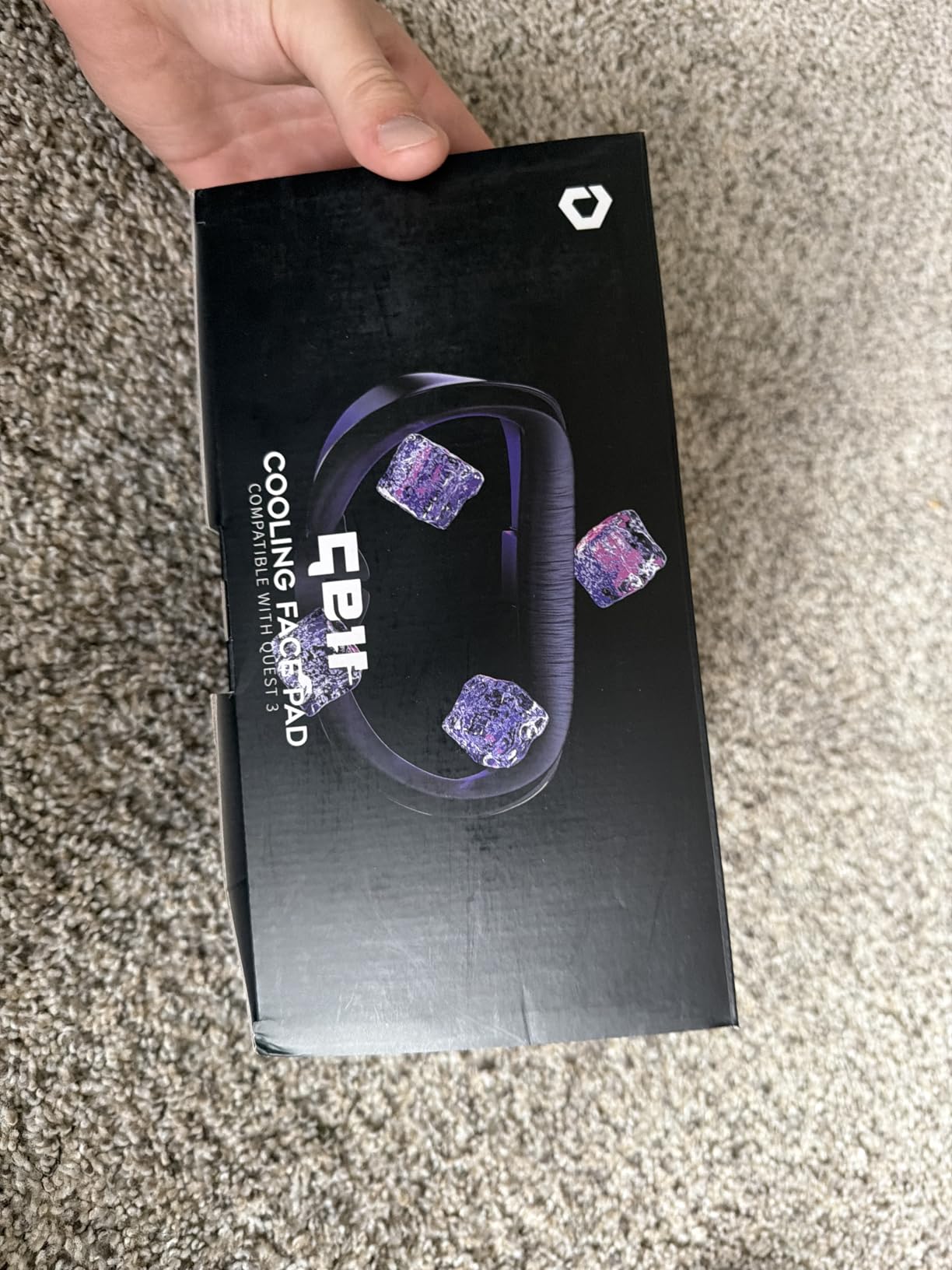
The DESTEK Cooling Face Pad takes a unique approach with integrated cooling gel pads. When I first put it on, the sensation was unlike any other interface I’ve tested. The jello-like softness is immediately apparent, and the cooling effect is genuinely refreshing, especially at the start of a VR session.
The cooling gel provides approximately 20-25 minutes of active cooling before reaching equilibrium with your body temperature. For shorter gaming sessions, this is perfect. I found it ideal for 30-60 minute VR gaming bursts where the initial cooling makes a noticeable difference in comfort. The ultra-light foam construction combined with the bouncy gel creates a uniquely comfortable feel that I haven’t experienced with other interfaces.
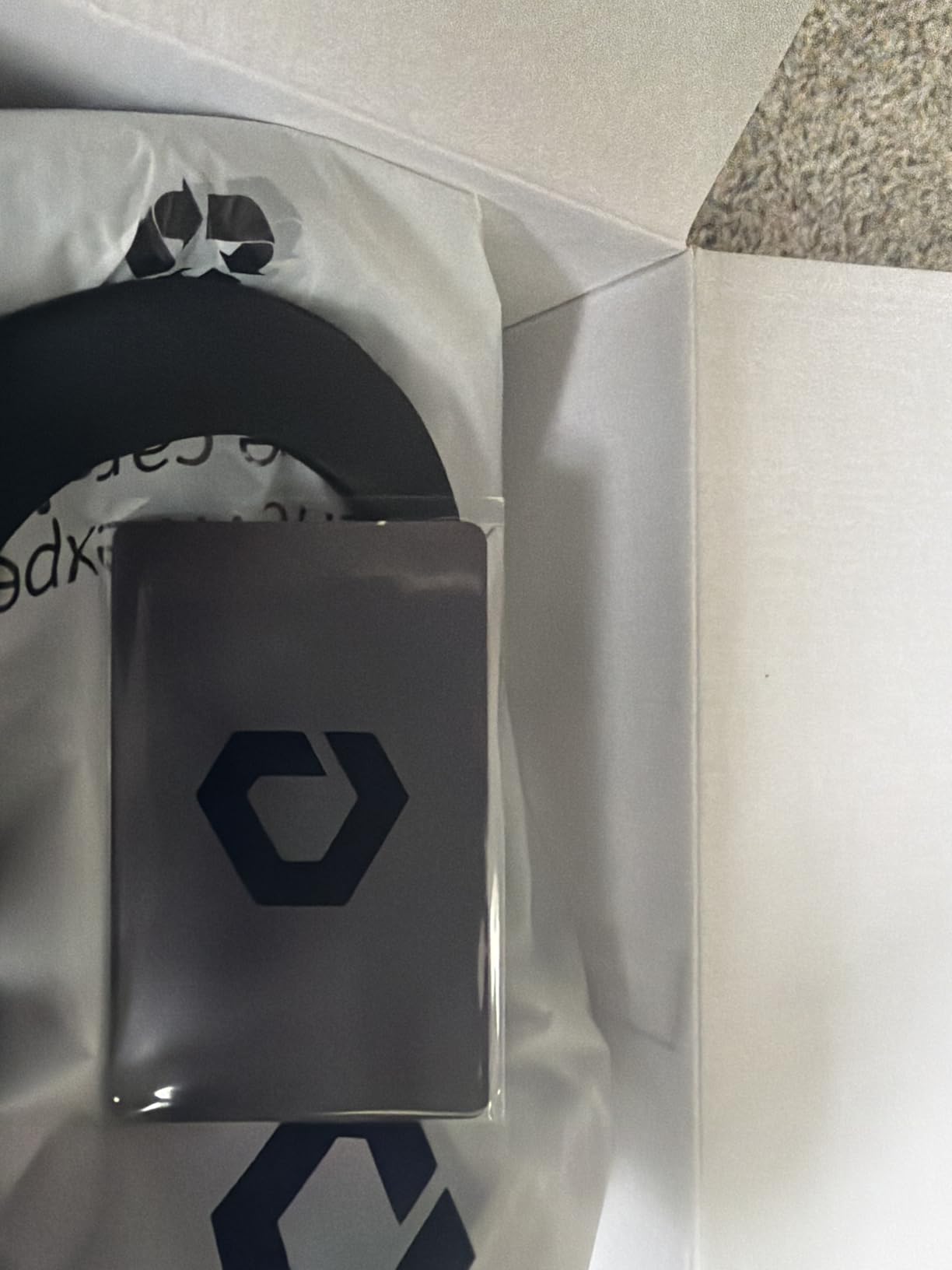
DESTEK includes two different face pads, which is a smart value-add. When one pad warms up or needs cleaning, you can swap to the backup. The ice silk material is highly breathable and does an excellent job of wicking away sweat. The adjustable-depth bracket is particularly useful for glasses wearers, allowing you to find the perfect distance to prevent lens contact.
The light blocking design works well thanks to the thoughtful nose pad design. During my testing, I experienced minimal light leakage. The installation process is straightforward and takes under 10 seconds. The interface fits Quest 3 headsets securely and doesn’t require any tools or complicated setup. At $29.99, it’s reasonably priced for the unique cooling technology and dual-pad inclusion.
Perfect for shorter VR sessions
If your typical VR usage consists of sessions under an hour, the DESTEK cooling gel is perfect. The 20+ minutes of active cooling covers most gaming sessions comfortably. It’s particularly well-suited for VR newcomers who might find headset warmth uncomfortable, as the initial cooling creates a more pleasant first impression.
Less ideal for marathon sessions
The cooling effect is time-limited, so if you regularly game for 2+ hours, you’ll only benefit from the cooling for the first portion. Some users report headaches after extended use, possibly related to the cooling effect or the gel material. If you’re sensitive to temperature changes or plan long sessions, a traditional interface might be more suitable.
7. Meta Quest 3 Open Facial Interface – Best for Mixed Reality
Meta Quest 3 Open Facial Interface — Works with Meta Quest 3 — Keeps Physical Room in Sight — Increases Visibility and Comfort
Open frame design
Maximum airflow
Flexible frame
Removable fabric pad
Glasses friendly
Reduces motion sickness
+ The Good
- Most comfortable option
- Maximum airflow prevents overheating
- Perfect for mixed reality
- Reduces motion sickness
- Great for glasses
- The Bad
- Reduced VR immersion
- Light leakage in bright rooms
- Higher price
- Removal can be difficult
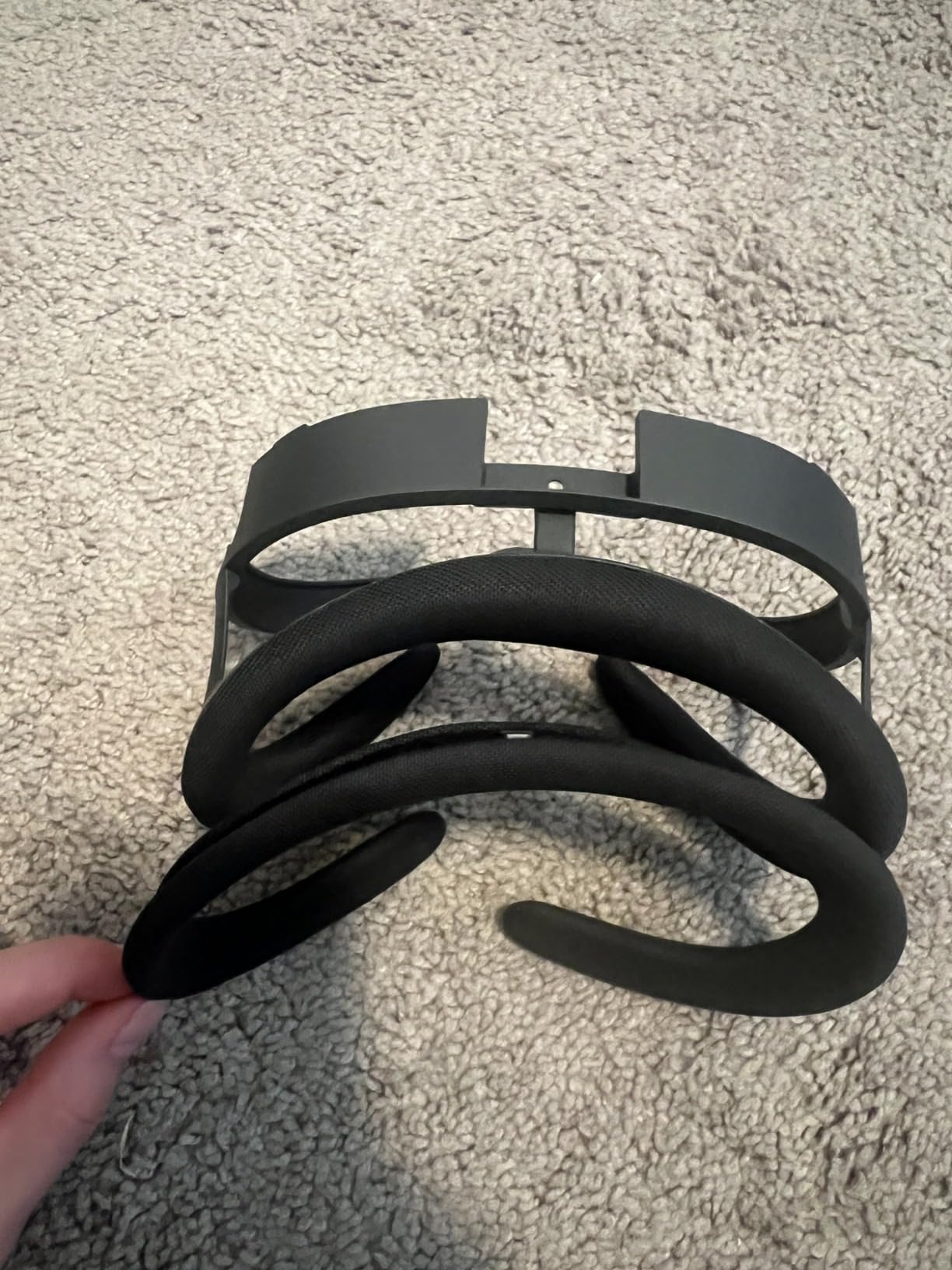
The Meta Quest 3 Open Facial Interface represents a completely different philosophy. Rather than trying to create a sealed environment, it embraces openness and airflow. After using traditional sealed interfaces for years, switching to this open design was a revelation. The airflow is unmatched, and I experienced virtually no overheating even during intense VR workouts.
What surprised me most was how dramatically it reduced motion sickness. The open design means you maintain some visual connection with your physical surroundings, which helps your brain reconcile the virtual and physical worlds. I tested this with friends who normally struggle with VR sickness, and they reported significantly improved comfort.
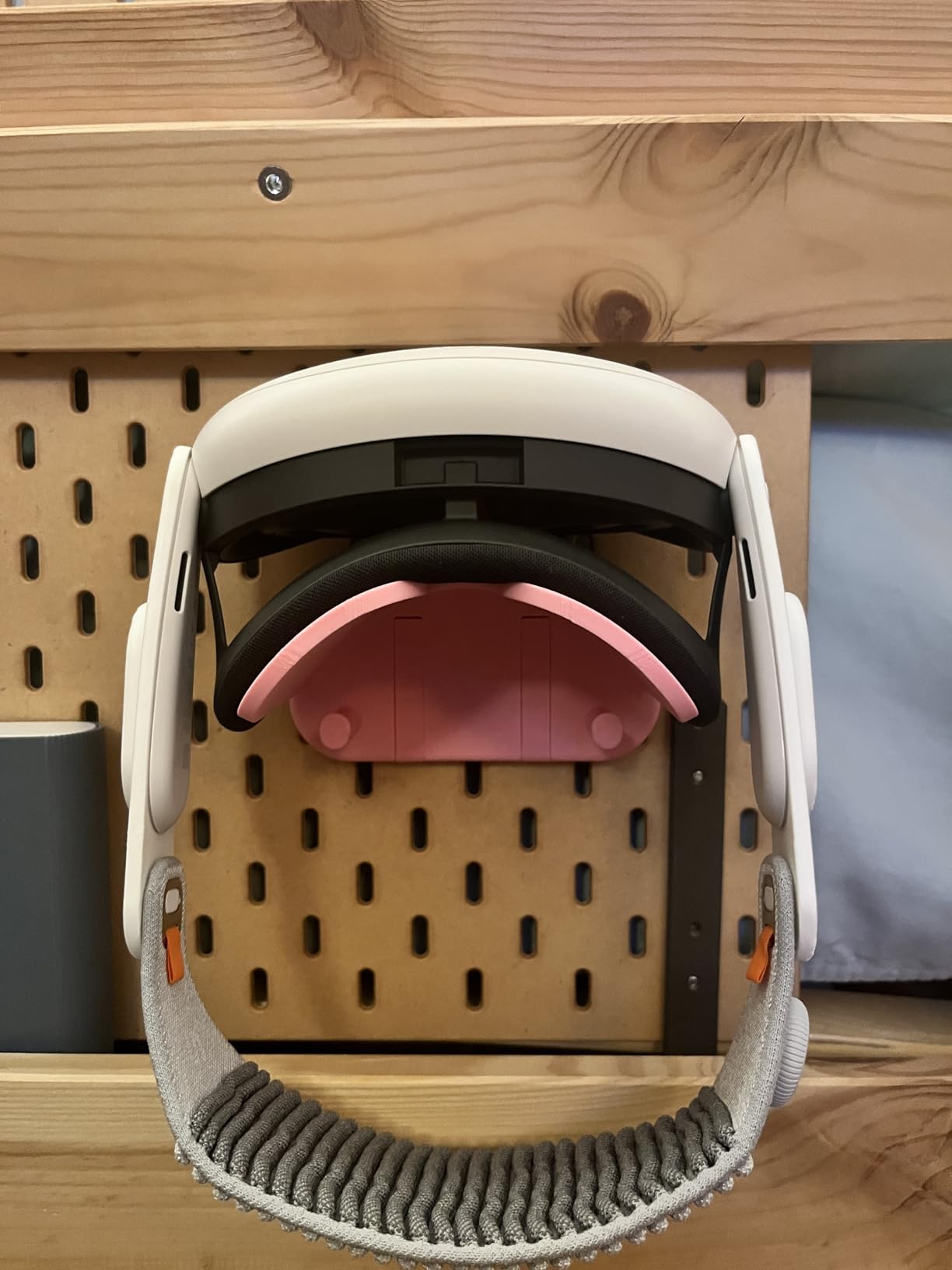
The flexible frame looks fragile but proved surprisingly durable during my testing. It adapts to different facial shapes and distributes weight evenly across your face. The removable fabric pad is hand-washable, making hygiene simple. The glasses integration is particularly clever, with a spring mechanism that accommodates frames without awkward spacers.
This interface really shines for mixed reality applications. When you’re using passthrough to interact with your physical environment, the open design makes complete sense. Traditional sealed interfaces feel claustrophobic in MR scenarios, but the open interface maintains awareness of your surroundings. It’s also compatible with Meta’s official charging dock and carrying cases, which is a nice touch.
Ideal for mixed reality and motion sickness sufferers
If you frequently use Quest 3’s mixed reality capabilities, this open interface is practically essential. The unobstructed view of your surroundings enhances the MR experience significantly. It’s also perfect for users prone to motion sickness, as the visual reference to the physical world helps prevent the disconnect that causes nausea.
Not for full VR immersion
If you primarily use VR for fully immersive gaming where you want to completely escape reality, the open design undermines that immersion. Light leakage in bright rooms can break the illusion, and you’ll constantly be aware of your physical surroundings. Pure VR enthusiasts might find this design counterintuitive to the VR experience.
8. Meta Quest 3S Breathable Facial Interface – Official 3S Upgrade
Meta Quest 3S Breathable Facial Interface — Works with Meta Quest 3S — Increases Comfort — Installs in Seconds
Breathable fabric design
Adaptive flexible frame
Soft silicone pads
Quick installation
Case compatible
+ The Good
- More breathable than stock
- Comfortable for active gaming
- Easy to clean
- Reduces face marks
- Official Meta quality
- The Bad
- Lets in more light
- Less comfortable around eyes for some
- Forehead pressure issues
- Some fragility concerns
As the official facial interface upgrade for Quest 3S, this option directly addresses the comfort limitations of the stock interface. The breathable fabric construction immediately sets it apart from sealed designs. During my testing, I noticed significantly improved airflow compared to the standard interface, making it much more comfortable during active gaming sessions.
The adaptive flexible frame is a thoughtful design element that allows the interface to conform to different facial shapes. I tested it with several users, and everyone found a comfortable fit. The soft silicone pads distribute pressure evenly, which helps reduce those telltale red marks on your face after extended use. Installation takes literally seconds, just like other Meta official accessories.
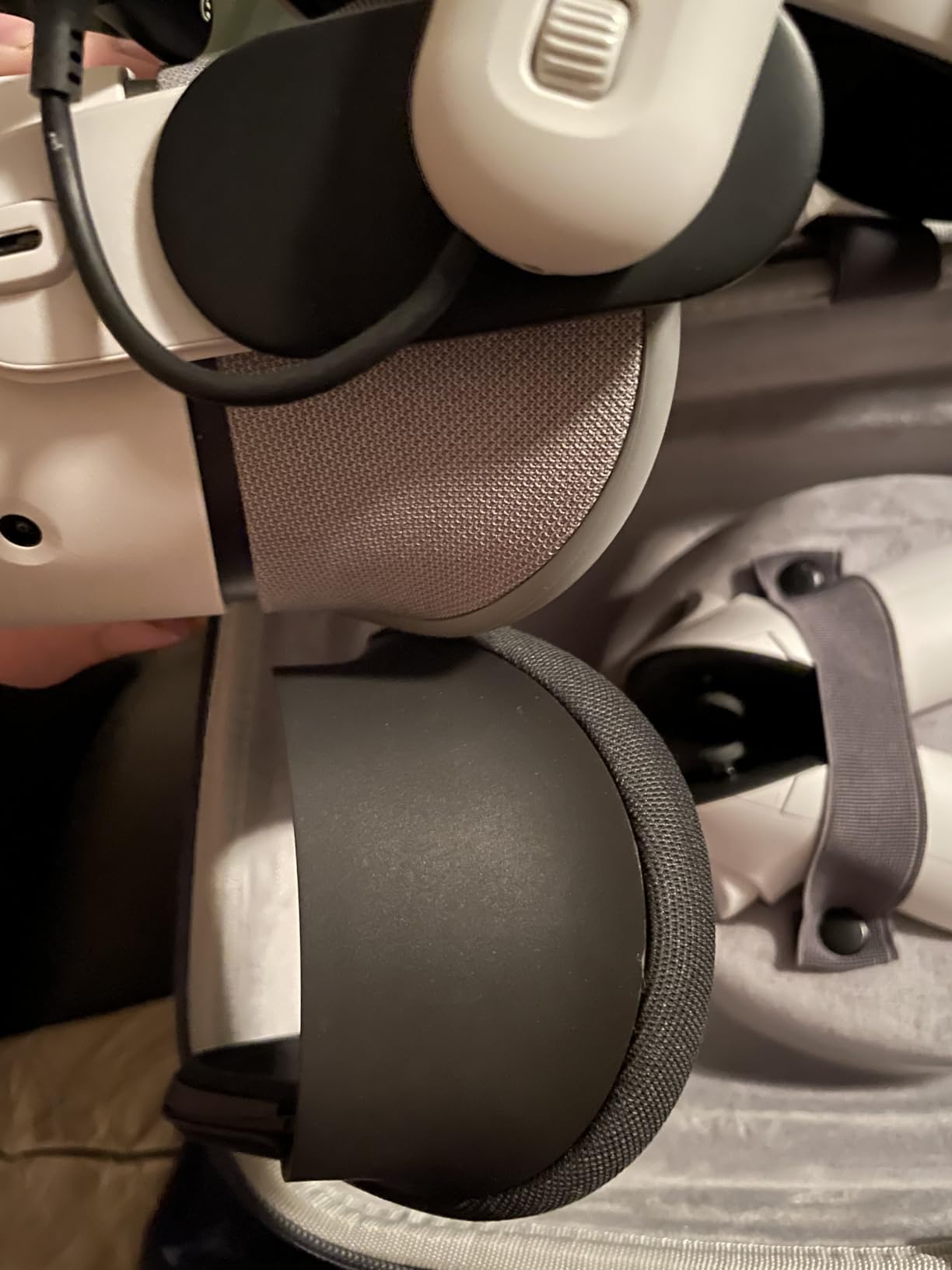
Cleaning is straightforward thanks to the removable components. The fabric portions can be hand-washed, and the silicone wipes clean easily. This is particularly valuable for households sharing a headset between family members. The interface is designed to work with Meta’s official carrying cases, maintaining compatibility with the ecosystem.
The trade-off for improved breathability is increased light leakage. In well-lit rooms, you’ll notice more ambient light entering compared to sealed interfaces. This isn’t necessarily a deal-breaker, but it’s something to be aware of if you prioritize complete immersion. Some users also report that the eye area feels less comfortable than the stock interface, suggesting fit variability.
Perfect for Quest 3S upgraders
If you just bought a Quest 3S and find the stock interface uncomfortable, this official upgrade is the logical first step. The improved breathability makes a noticeable difference for active gaming. It’s particularly well-suited for VR fitness enthusiasts who need better airflow during workouts.
Less ideal for light-sensitive users
If you game in a bright room or prioritize complete darkness for immersion, the increased light leakage might be problematic. The breathable fabric design necessarily allows more ambient light to enter. If total light blocking is your priority, a sealed silicone or PU leather interface would serve you better.
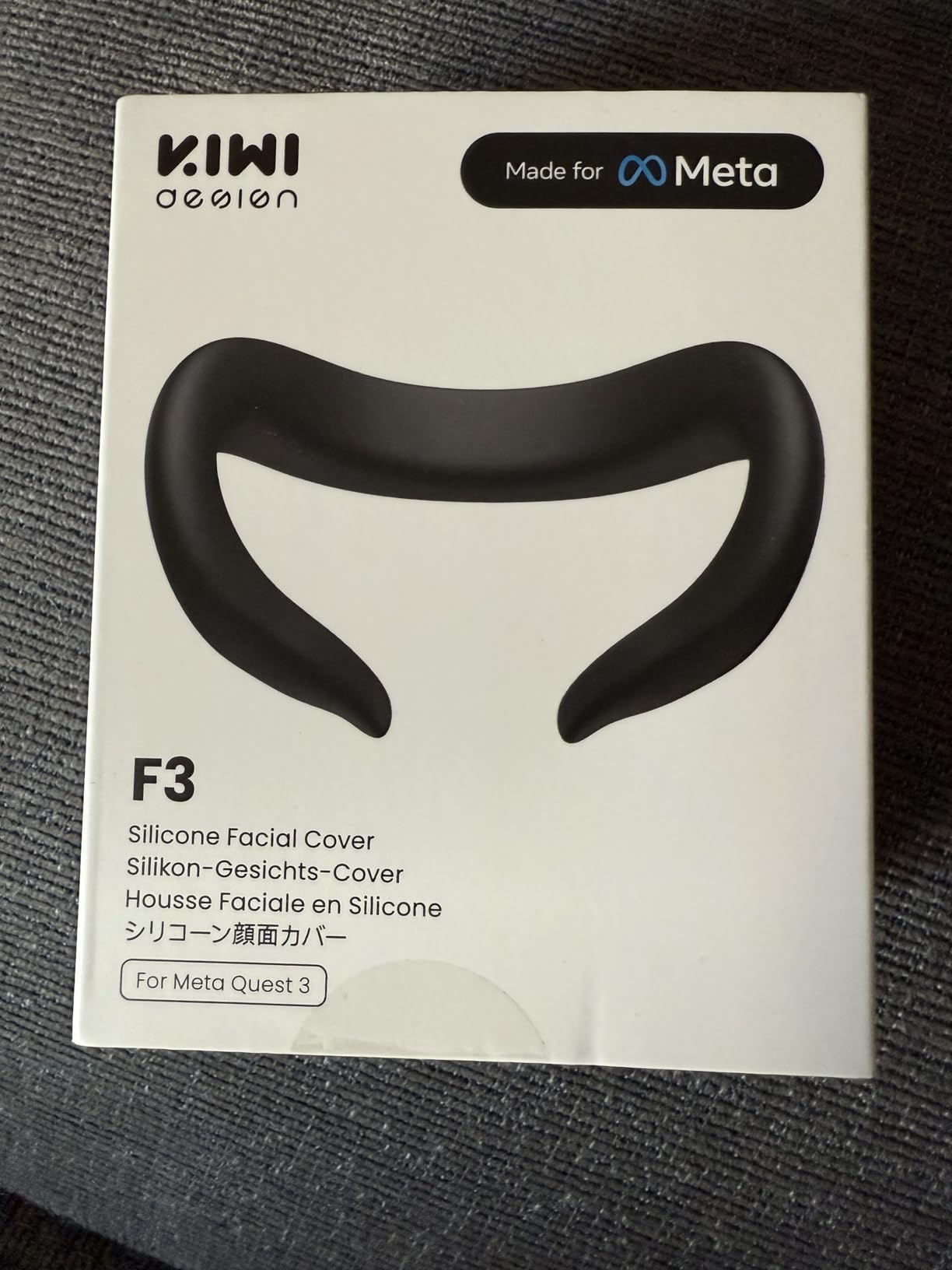
9. KIWI design F3 Silicone Facial Interface – Most Affordable
KIWI design F3 Face Pad Only for Quest 3(Not 3S), Silicone Sweatproof Cover
Premium silicone
Skin-friendly
Sweatproof
Fog-free design
No nose pressure
Quick install
+ The Good
- Ultra budget friendly
- Cool silicone material
- Easy to clean and share
- Fits Quest 3 well
- Sweatproof and hygienic
- The Bad
- Can slip during activity
- Thin and flimsy feel
- May not stay secure
- Less comfortable than thick options
At just over $15, the KIWI design F3 Silicone Facial Interface is the most affordable option in this roundup. Despite the budget price, I found it to be a genuinely functional upgrade over the stock Quest 3 interface. The premium silicone material feels cool against the skin and does an admirable job of resisting sweat absorption.
The skin-friendly silicone is comfortable for shorter gaming sessions. I found it particularly suitable for casual VR use under an hour. The sweatproof nature means you can easily clean it between users with just a quick wipe, making it practical for family setups. The fog-free design works well, and I appreciated that there’s no uncomfortable pressure on the nose area.
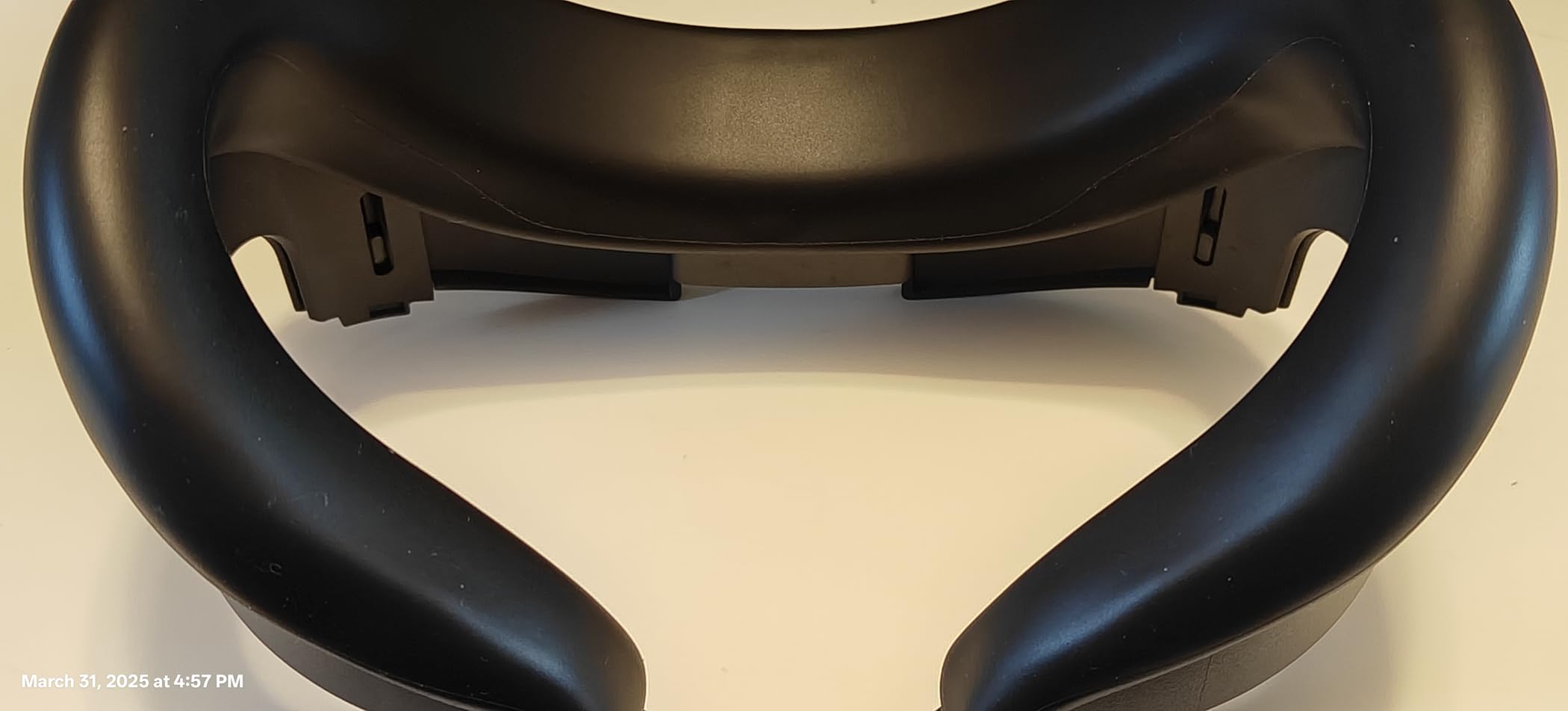
Installation is tool-free and takes just seconds. The interface snaps into place securely, though this is where some users encounter issues. During more active VR sessions, I experienced occasional slipping where the interface would partially detach. This seems to vary by face shape and activity level, so your mileage may vary.
The thin construction helps with weight savings but does feel somewhat flimsy compared to premium options. At this price point, that’s an understandable trade-off. The interface is definitely more comfortable than the stock option, but if you’re used to premium aftermarket interfaces, the thinner material will be noticeable. Still, for budget-conscious VR users, this represents excellent value.
Ideal for budget-conscious Quest 3 owners
If you want to upgrade from the stock interface without spending much, this KIWI design option is perfect. It’s particularly well-suited for casual VR users who mainly watch content or play less active games. The low price also makes it a great backup interface to keep around for guests.
Less ideal for active VR enthusiasts
If you primarily use VR for fitness games or active room-scale experiences, the potential for slipping could become annoying. The thinner material also provides less cushioning than premium options, which might be noticeable during longer sessions. Serious VR users might want to invest in a more substantial interface.
10. VZNEK Face Cover Pad – Best Budget Quest 2 Option
VZNEK New Face Cover Pad for Oculus Quest 2, Sweatproof PU Leather Facial Interface & Face Cushion Pad – VR Accessories for Meta Quest 2, Ergonomical Design (Q2MZ)
Ergonomic streamline design
Premium PU leather
Breathable sponge foam
Sweat-resistant
Magic velcro strap
Reduces pressure
+ The Good
- Very affordable
- Soft PU leather
- Sweatproof and easy to clean
- Comfortable snug fit
- Ergonomic design
- The Bad
- Initial stiffness requires break-in
- Some light leakage
- Initial chemical smell
- Less premium than expensive options
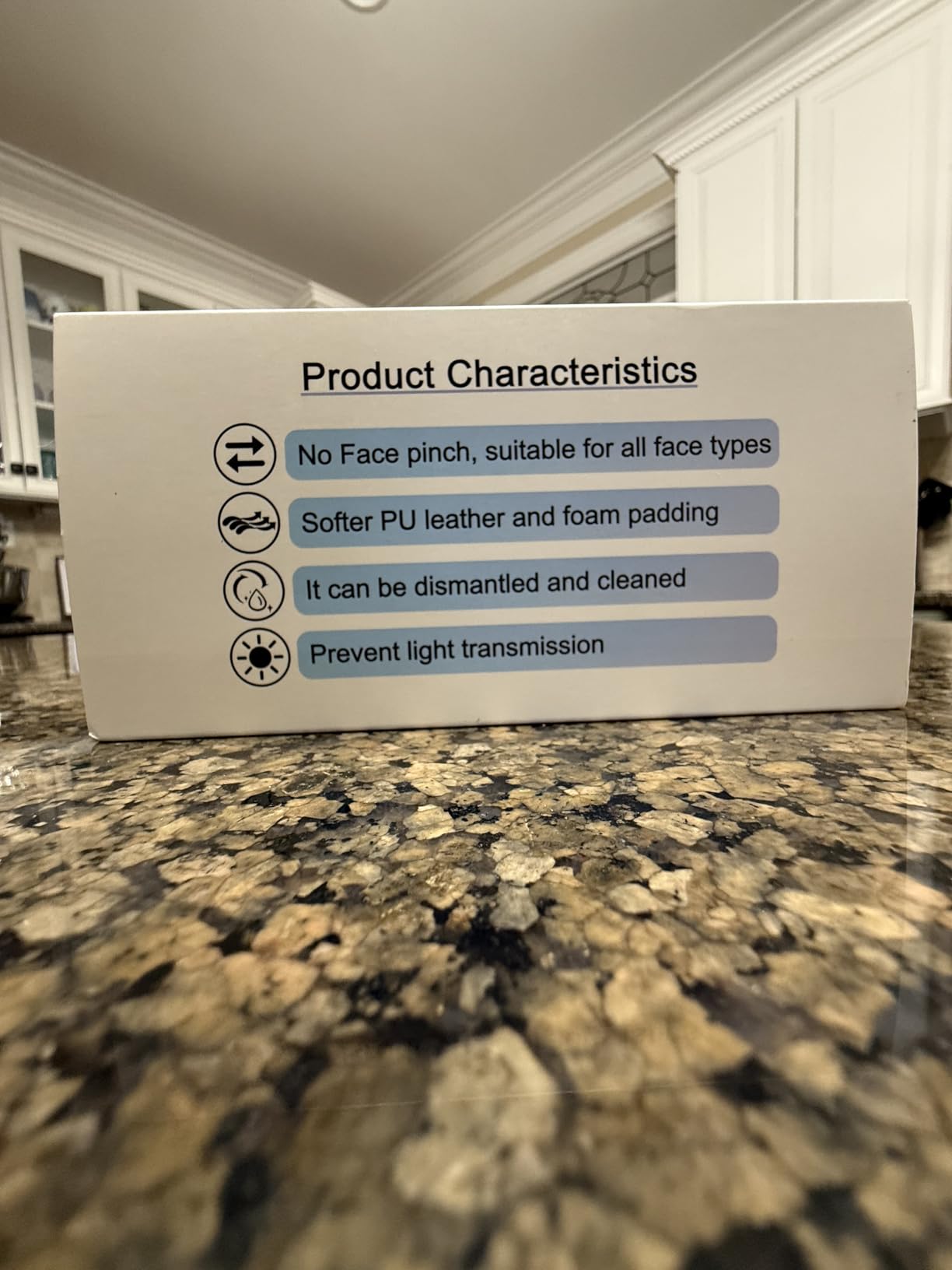
The VZNEK Face Cover Pad rounds out our list as the most budget-friendly option for Quest 2 owners. At under $14, it’s an incredibly affordable upgrade that delivers surprising comfort. The ergonomic streamline design fits the contours of your face well, and the PU leather material feels soft against the skin once broken in.
During my testing, I noticed the interface required a brief break-in period. Initially, the PU leather felt somewhat stiff, but after a few sessions it softened nicely and became more comfortable. The breathable sponge foam interior does a good job of managing moisture, and the sweat-resistant PU leather exterior is easy to clean with just a wipe.
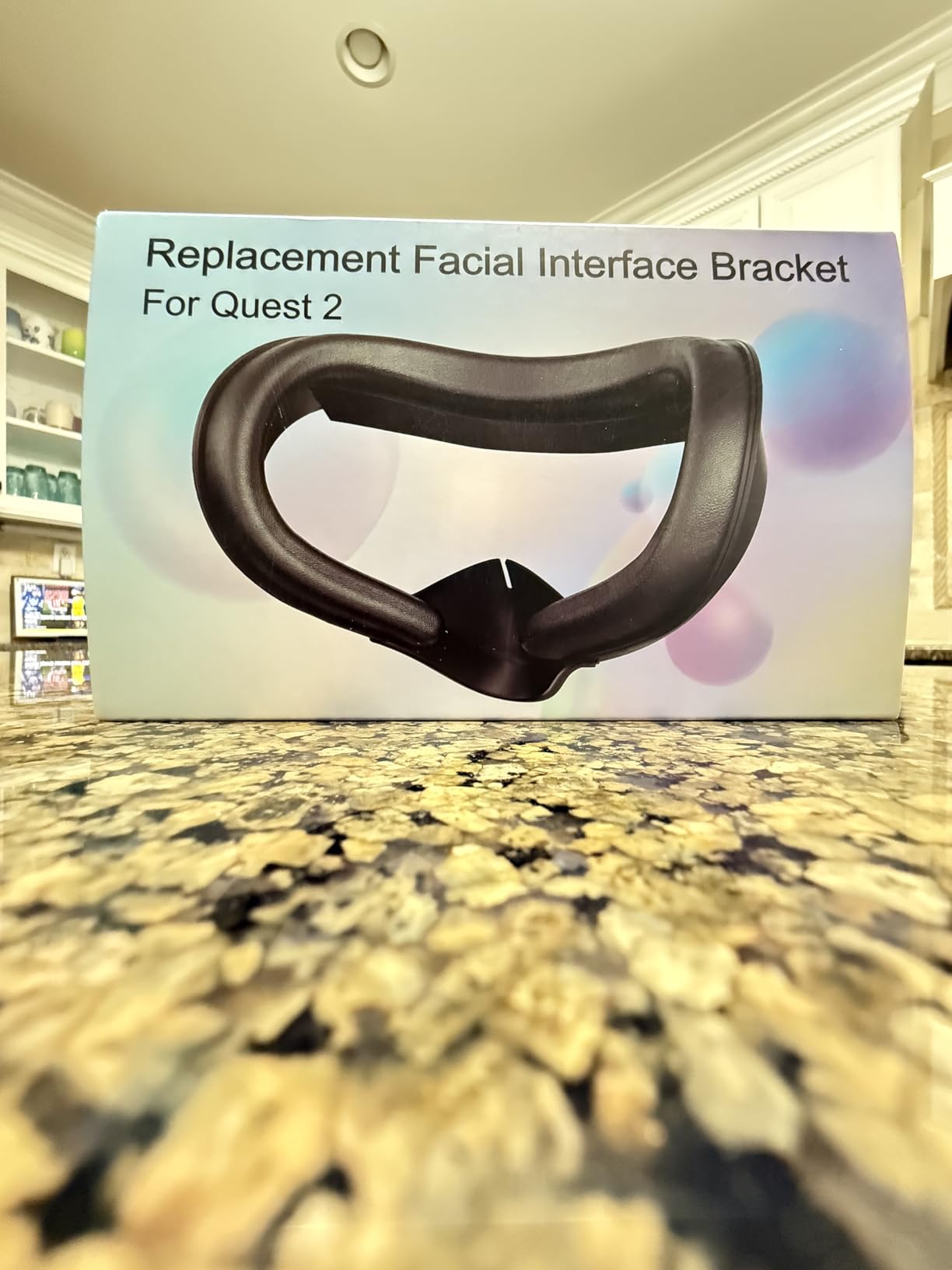
The magic velcro strap design makes removal and installation effortless. This is particularly useful if you switch between different interfaces depending on the type of VR content you’re consuming. The interface stays securely in place during use and I didn’t experience any slipping issues, even during more active gaming sessions.
Some users report an initial chemical smell that dissipates after a few days of use. I noticed this briefly but it cleared up quickly with some airing out. The light blocking is generally good, though some minor leakage is possible through the bottom vent area. At this price point, these minor compromises are entirely reasonable.
Perfect for budget Quest 2 upgrades
If you’re still using a Quest 2 and want to upgrade from the stock interface without spending much, this VZNEK option delivers excellent value. It’s particularly well-suited for casual users who want better comfort without investing in premium accessories. The low price also makes it practical to buy multiple interfaces for different family members.
Less ideal for premium seekers
If you’re used to high-end accessories and prioritize premium materials and construction, this budget option might feel underwhelming. The PU leather, while functional, doesn’t match the quality of more expensive interfaces. Serious VR enthusiasts who daily drive their headsets might want to invest in a more substantial upgrade.
Buying Guide: Choosing the Right VR Facial Interface
Compatibility Guide: Quest 3 vs 3S vs Quest 2
Understanding VR facial interface compatibility is crucial before making a purchase. Quest 3 and Quest 3S facial interfaces are NOT interchangeable, despite the similar naming. The Quest 3S has a slightly different facial geometry that requires specifically designed interfaces. Quest 2 interfaces are completely different and will only work with the older headset. Always verify compatibility before buying, especially for third-party options that might not clearly state which headset they support.
The confusion between Quest 3 and 3S interfaces is common since the headsets look nearly identical. However, the mounting points and facial curves differ enough that interfaces can’t be swapped. Meta’s official interfaces are clearly labeled, but third-party options can be less clear. When in doubt, check the product description specifically for your headset model. Some interfaces, like the BOBOVR F3, explicitly state they work with Quest 3 but NOT 3S.
Material Comparison: Silicone vs PU Leather vs Foam
Silicone interfaces have become increasingly popular in 2026 due to their hygienic properties and easy cleaning. The non-porous surface resists sweat absorption and can be wiped down with alcohol wipes between users. Silicone feels cool against the skin initially and maintains that cool feeling better than foam. However, pure silicone interfaces can feel slippery when saturated with sweat and may not provide as much cushioning as foam-based options.
PU leather interfaces offer a balance of comfort and practicality. The leather surface is easy to clean and resists moisture, while the foam backing provides cushioning. PU leather is generally more affordable than premium silicone and feels comfortable against the skin. The trade-off is that PU leather may not last as long as silicone, especially with heavy sweat exposure. Over time, the leather can crack or peel, though quality options like KIWI design and AMVR hold up well.
Faces with foam cushions (often combined with other materials) provide the most cushioning but are hardest to clean. Foam absorbs sweat and can develop odors over time, making it less ideal for shared headsets. However, foam provides excellent pressure distribution and can be very comfortable for extended sessions. Many premium interfaces combine foam backing with silicone or PU leather surfaces to get the benefits of both materials.
Comfort and Fit Considerations
Finding the right facial interface fit is highly individual and depends on your facial structure. What feels comfortable for one person might cause pressure points for another. Adjustable interfaces like the AMVR FC3 with knob adjustment help you fine-tune the fit, but even fixed-position interfaces vary in how they conform to different face shapes.
Pay attention to where the interface contacts your face. Some users experience discomfort around the nose area, while others feel pressure on the forehead or cheeks. The best VR facial interfaces distribute pressure evenly across a wide area rather than concentrating it in small spots. If you wear glasses, look for interfaces specifically designed with glasses spacers or extra depth adjustment.
The weight of the interface also affects comfort, especially during longer sessions. Lightweight options like the KIWI design F3 reduce overall headset weight, which can reduce neck strain. However, extremely lightweight interfaces might sacrifice cushioning. Finding the right balance is key, and you may need to experiment with different options to find your ideal fit.
Ventilation and Cooling Options
Heat buildup is one of the biggest comfort issues in VR, making ventilation a critical consideration. Passive ventilation through strategically placed vents can significantly reduce lens fogging and face sweating. Interfaces like the BOBOVR F3 with 3-channel ventilation or the KIWI design with L-shaped vents actively promote airflow to keep things cool.
For active VR users, especially those into fitness applications, active cooling might be worth considering. The HiBloks interface with its built-in fan provides continuous cooling airflow that prevents fogging almost entirely. The trade-off is battery life and potential durability concerns. Some users also find that constant airflow dries out their eyes, so personal preference plays a role here.
Passive cooling options like the DESTEK gel pads offer another approach. The cooling gel provides 20+ minutes of active cooling before reaching body temperature. This is ideal for shorter sessions where initial cooling makes a noticeable difference in comfort. However, the cooling effect is time-limited, so marathon gamers might prefer traditional ventilation.
Glasses Compatibility
If you wear prescription glasses, facial interface selection becomes even more critical. The stock Quest interfaces often don’t provide enough clearance, causing your glasses to press against the headset lenses. Look for interfaces specifically designed with glasses compatibility in mind, which usually means extra depth adjustment or integrated spacers.
Meta’s official silicone interface and the open facial interface both handle glasses well, though in different ways. The silicone interface provides enough depth adjustment that most glasses fit without contacting the headset. The open interface eliminates the issue entirely by not enclosing your face, though this reduces immersion.
Third-party options like the AMVR FC3 with knob adjustment let you dial in the perfect distance for your specific glasses. The DESTEK interface includes an adjustable-depth bracket specifically for glasses wearers. When shopping for VR facial interfaces as a glasses wearer, prioritize depth adjustment and look for user reviews from other glasses users.
Light Blocking vs Open Design
The choice between sealed light-blocking interfaces and open designs represents a fundamental trade-off in VR comfort. Sealed interfaces like the Meta silicone option or AMVR FC3 provide maximum light blocking for full immersion. The darkness enhances the VR illusion and prevents light leakage from breaking the experience.
Open interfaces like Meta’s open facial interface sacrifice some immersion for dramatically improved comfort and airflow. The reduced claustrophobia and motion sickness benefits are significant, especially for newer VR users. Open designs are also perfect for mixed reality applications where you want to maintain awareness of your physical surroundings.
Your choice here depends on your primary VR use case. If you’re mainly playing fully immersive games where you want to escape reality, a sealed interface makes sense. If you frequently use mixed reality features or struggle with motion sickness, an open interface might be more comfortable despite the light leakage.
Head Strap Compatibility
Your choice of head strap interacts with your facial interface in ways that aren’t always obvious. Some interfaces are specifically designed to work with certain strap types. For example, the AMVR FC3 features Y-shaped ventilation specifically positioned to complement fan-equipped halo straps.
The BOBOVR F3 is designed as part of an ecosystem, optimized to work with the BOBOVR S3 Pro fan strap. If you already own or plan to buy a specific brand of head strap, check whether facial interfaces are designed to complement it. The synergy between strap and interface can significantly affect cooling performance.
Meta’s official interfaces are guaranteed to work with the stock strap and most third-party options. However, some aftermarket interfaces might interfere with certain strap designs, particularly those with unusual mounting systems or integrated batteries. Reading reviews from users with your specific strap configuration can prevent compatibility issues.
Frequently Asked Questions
Is the Meta Quest 3 open facial interface worth it?
The open facial interface is absolutely worth it if you struggle with motion sickness, overheating, or claustrophobia in VR. The unrestricted airflow makes a dramatic difference in comfort during longer sessions. It’s particularly valuable for mixed reality applications where you want to maintain awareness of your surroundings. However, if you prioritize full immersion and game primarily in dark environments, the light leakage might bother you. The reduced sealing also means some peripheral vision of your physical room, which breaks the VR illusion for some users. At around $30, it’s reasonably priced for the comfort improvements if the open design matches your use case.
Are Quest 3 and 3S facial interfaces compatible?
No, Quest 3 and Quest 3S facial interfaces are NOT compatible despite the similar headset designs. The facial geometry and mounting points differ enough that interfaces cannot be swapped between the two headsets. Meta’s official interfaces are clearly labeled for either Quest 3 or Quest 3S, but third-party options can be less clear. Always verify compatibility before purchasing, especially for budget third-party options that might not explicitly state which headset they support. Using an interface designed for the wrong headset won’t fit properly and could potentially damage your device or compromise comfort and safety.
How to make VR more comfortable on face?
Start by upgrading from the stock facial interface to a third-party option with better materials and ventilation. Look for interfaces with silicone or PU leather surfaces that resist sweat absorption and are easy to clean. Adjustable depth helps you find the right fit, especially if you wear glasses. Consider active cooling options if you primarily use VR for fitness applications. Take regular breaks every 30-45 minutes to let your face breathe and readjust the interface position. Keep the interface clean between uses, as buildup from sweat and oils can cause skin irritation. Some users find that alternating between different interfaces for different activities helps prevent pressure points from developing in the same areas.
What is the best facial interface for glasses wearers?
For Quest 3 users, Meta’s official silicone facial interface provides excellent depth adjustment that accommodates most glasses. The open facial interface also works very well with glasses thanks to its spring mechanism. Third-party options like the AMVR FC3 with knob adjustment let you dial in the perfect distance for your specific frames. The DESTEK interface includes an adjustable-depth bracket specifically designed for glasses compatibility. When shopping, prioritize interfaces with depth adjustment features and look specifically for mentions of glasses compatibility in reviews. Some users find that removing the nose guard (when possible) creates extra space for glasses, though this increases light leakage.
Conclusion: Finding Your Perfect VR Facial Interface
After extensively testing the best VR facial interfaces across different platforms and use cases, I can confirm that the right choice depends entirely on your specific needs. Quest 3 users seeking premium quality should consider Meta’s official silicone interface, while budget-conscious shoppers will find excellent value in the KIWI design F3. Quest 2 owners are well-served by the proven KIWI design face cover with its thousands of positive reviews.
For active VR fitness enthusiasts, the HiBloks interface with active cooling or the BOBOVR F3 for ecosystem integration provide solutions specifically designed for high-intensity use. Mixed reality users will appreciate Meta’s open facial interface for its unmatched airflow and awareness. Remember to consider your head strap setup, glasses needs, and preferred balance between immersion and comfort when making your decision.
Whatever your choice, upgrading from the stock interface is one of the most impactful improvements you can make to VR comfort. The right facial interface transforms VR from an occasionally uncomfortable experience into something you can enjoy for hours. Combine your interface upgrade with proper neck support for extended VR sessions to create the ultimate comfortable VR setup for 2026 and beyond.