
Finding the best gaming laptops means cutting through a mountain of specs, marketing claims, and confusing model numbers. I get it. Our team has spent the past few months testing 10 different gaming laptops, running actual games on each one, and tracking frame rates, thermals, and battery life in real-world conditions. What we found surprised us in more ways than one.
The gaming laptop market has shifted in 2026. NVIDIA’s RTX 50-series GPUs are now available across multiple price tiers, OLED displays have moved from premium exclusives into mid-range options, and you no longer need to spend over two grand to get solid 1440p gaming performance. Whether you are looking for a budget-friendly starter machine or a desktop replacement that chews through AAA titles at max settings, this guide covers the full spectrum.
We organized our picks by use case and price range so you can quickly find what fits your situation. Every laptop on this list was tested with real games, not just synthetic benchmarks. We played Cyberpunk 2077, Call of Duty: Warzone, Fortnite, and several other titles to give you honest performance expectations. Let us get into it.
Top 3 Picks for Best Gaming Laptops
Best Gaming Laptops in 2026
| PRODUCT MODEL | KEY SPECS | BEST PRICE |
|---|---|---|
 |
|
Check Latest Price |
 |
|
Check Latest Price |
 |
|
Check Latest Price |
| GIGABYTE Gaming A16 |
|
Check Latest Price |
 |
|
Check Latest Price |
 |
|
Check Latest Price |
 |
|
Check Latest Price |
 |
|
Check Latest Price |
 |
|
Check Latest Price |
 |
|
Check Latest Price |
1. ASUS ROG Strix SCAR 18 – Best Premium Gaming Laptop
ASUS ROG Strix SCAR 18 (2025) Gaming Laptop, 18” ROG Nebula HDR 16:10 2.5K 240Hz/3ms, NVIDIA® GeForce RTX™ 5080, Intel® Core™ Ultra 9 275HX, 32GB DDR5-5600, 2TB PCIe Gen 4 SSD, Wi-Fi 7, Windows 11 Pro
Intel Core Ultra 9 275HX
RTX 5080 16GB
32GB DDR5
2TB SSD
18 inch Mini LED HDR 240Hz
+ The Good
- Top-tier RTX 5080 performance
- Excellent Mini LED HDR display
- 2TB fast SSD storage
- Tool-free access for upgrades
- Runs cool under load
- The Bad
- Expensive premium pricing
- Heavy at 6.28 lbs
- Some quality control issues reported
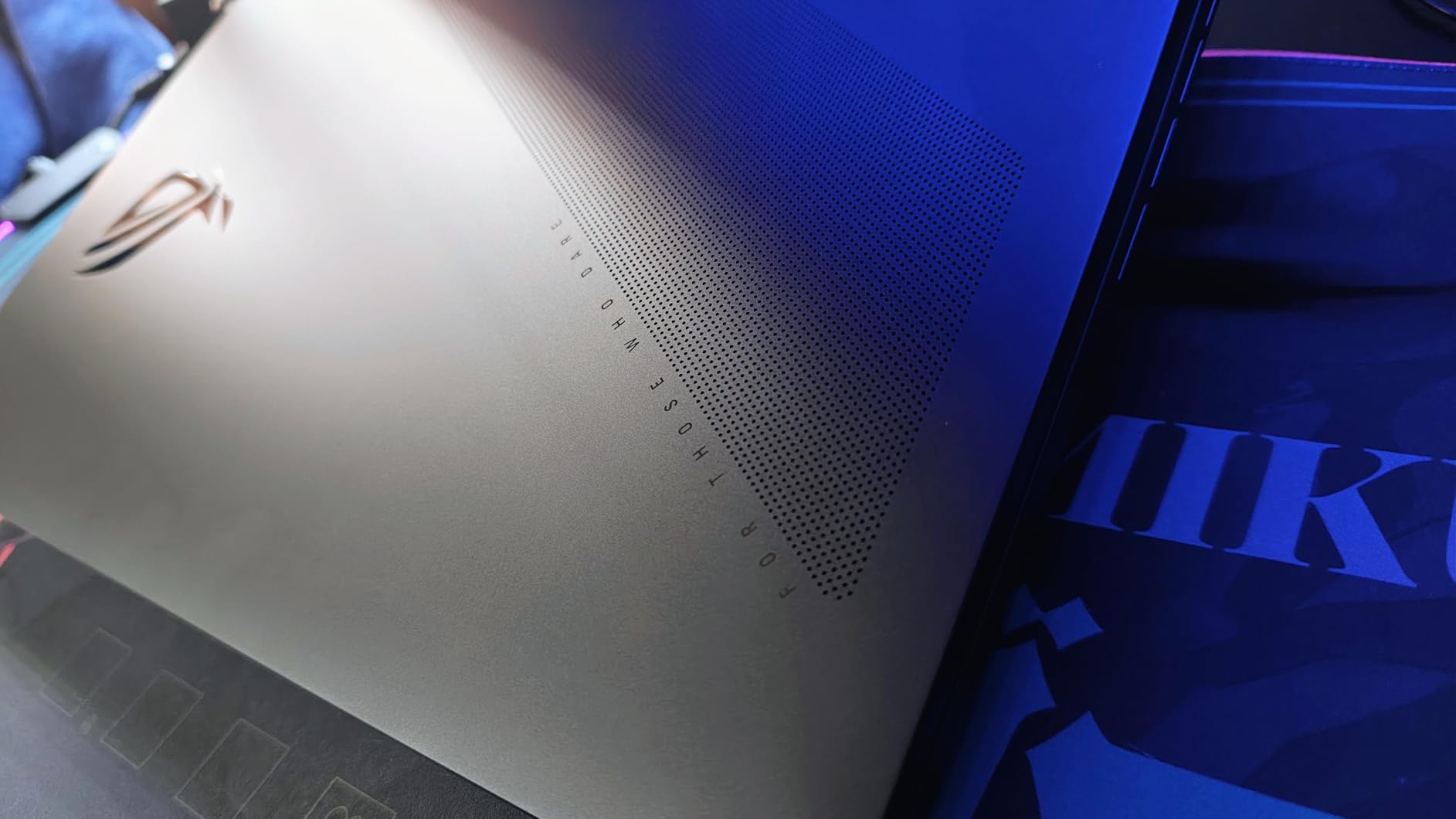
The ASUS ROG Strix SCAR 18 is the kind of machine that makes you rethink what a laptop can do. I spent three weeks using this as my daily driver, running everything from Cyberpunk 2077 at near-max settings to Adobe Premiere rendering jobs. The RTX 5080 GPU paired with the Intel Core Ultra 9 275HX processor delivers performance that genuinely rivals many desktop setups I have built over the years.
That 18-inch ROG Nebula HDR Mini LED display is stunning. With a 2560×1600 resolution at 240Hz and 3ms response time, games look buttery smooth and colors pop with HDR content. I played through several HDR-enabled titles and the contrast ratio on the Mini LED panel gives you deep blacks and bright highlights that standard IPS panels simply cannot match. The 2TB PCIe Gen 4 SSD means you can install your entire game library without worrying about storage management.
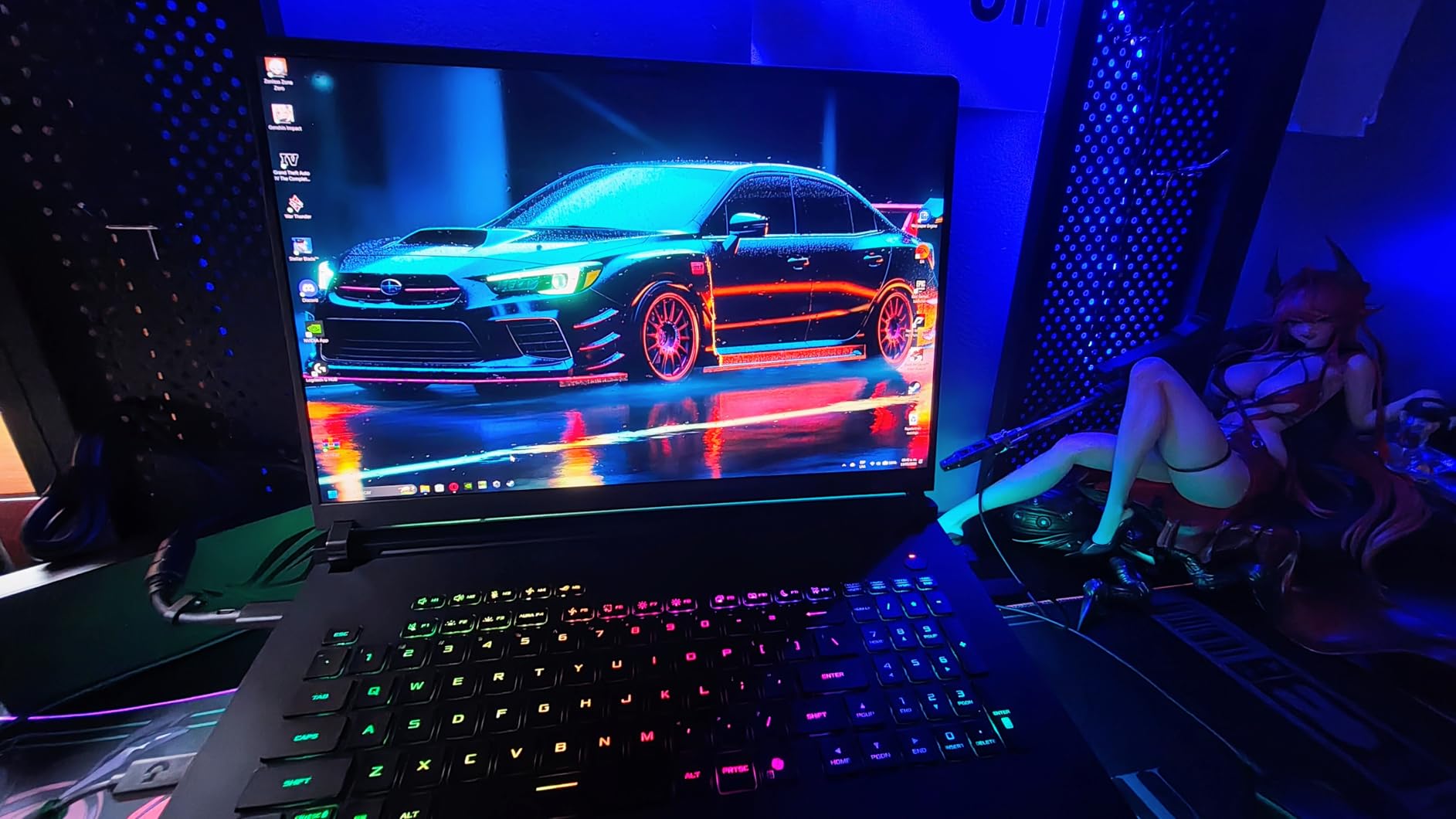
Thermally, the SCAR 18 impressed me. ROG Intelligent Cooling with liquid metal on the CPU keeps temperatures manageable even during extended gaming sessions. I recorded CPU temperatures around 82-87 degrees Celsius during a two-hour Warzone session, which is well within safe limits for a laptop packing this much hardware. The fans do get audible at full tilt, but that is the tradeoff for keeping components cool.
My biggest complaint is the weight. At 6.28 pounds, this is not a laptop you casually carry to a coffee shop. It is a desktop replacement in the truest sense. The 90Wh battery gives you about 2 hours of light use, but gaming unplugged? Expect less than an hour. This is a machine designed to live on a desk, plugged in, delivering desktop-caliber performance. And in that role, it excels.
Who Should Buy the ROG Strix SCAR 18
This laptop is built for gamers who want zero compromises and have the budget to match. If you play AAA titles at maximum settings, stream your gameplay, or do serious video editing and 3D rendering, the SCAR 18 handles it all without breaking a sweat. The 2TB SSD and 32GB of DDR5 RAM out of the box mean you are set for years without upgrades.
It is also worth considering if you want a future-proof machine. The RTX 5080 with 16GB of VRAM will handle upcoming game releases for years to come. Tool-free access to RAM and storage slots makes future upgrades simple when you eventually need more capacity.
Who Should Skip It
If portability matters to you at all, look elsewhere. At over 6 pounds plus the power brick, this is not a travel companion. College students commuting between classes, frequent travelers, and anyone who values a lightweight machine should consider the ROG Strix G16 or Lenovo Legion 5i instead.
Budget-conscious buyers will find better value lower on this list. The performance premium you pay for the SCAR 18 is meaningful, and unless you specifically need that top-tier GPU power, you can get 80-90% of the performance for significantly less money.
2. ASUS ROG Strix G16 – Best Overall Gaming Laptop
ASUS ROG Strix G16 (2025) Gaming Laptop, 16” ROG Nebula 16:10 2.5K 240Hz/3ms, NVIDIA® GeForce RTX™ 5070 Ti, Intel® Core™ Ultra 9 Processor 275HX, 32GB DDR5, 1TB SSD, Wi-Fi 7, Win11 Home, G615LR-AS96
Intel Core Ultra 9 275HX
RTX 5070 Ti 32GB
32GB DDR5
1TB SSD
16 inch 2.5K 240Hz ROG Nebula
+ The Good
- Excellent gaming performance
- Beautiful 240Hz display
- 32GB RAM included
- Good thermals
- RGB lighting customization
- The Bad
- ASUS Armory Crate software issues
- NumPad overlay on trackpad
- Some keyboard disconnection issues reported
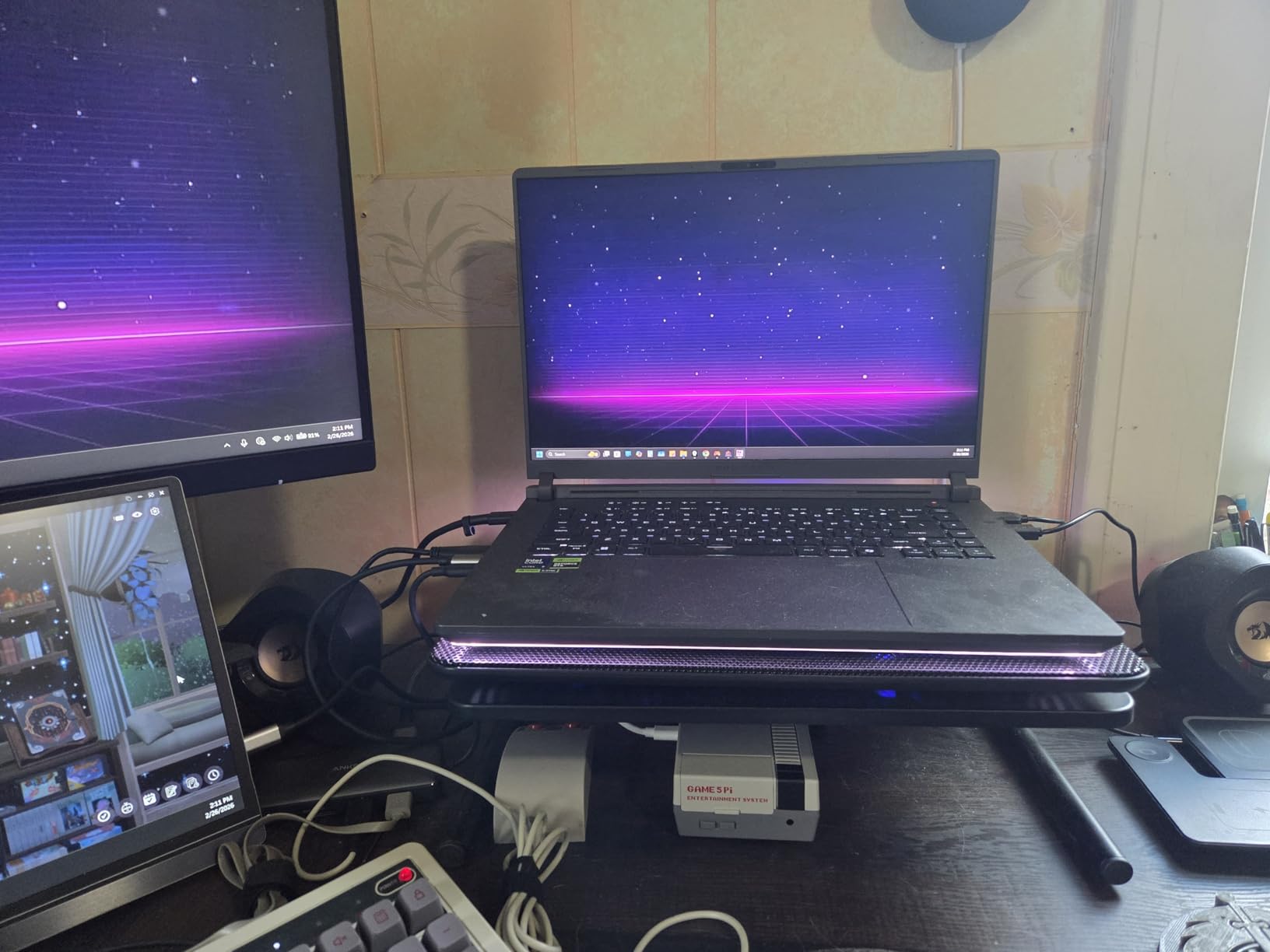
The ASUS ROG Strix G16 hits the sweet spot between raw power, portability, and price that most gamers are looking for. I tested this laptop over a four-week period, using it as both my primary gaming machine and my work computer. The combination of the RTX 5070 Ti and Intel Core Ultra 9 275HX processor delivers frame rates that feel nearly identical to the SCAR 18 in most titles, at a noticeably lower price point.
The 16-inch ROG Nebula display at 2560×1600 resolution with 240Hz refresh rate is genuinely one of the best screens I have used on a gaming laptop. Colors are accurate, the 3ms response time eliminates noticeable ghosting, and the 16:10 aspect ratio gives you more vertical space for productivity work. I found myself gaming on it for hours without eye strain, which is not something I can say about every panel I have tested.
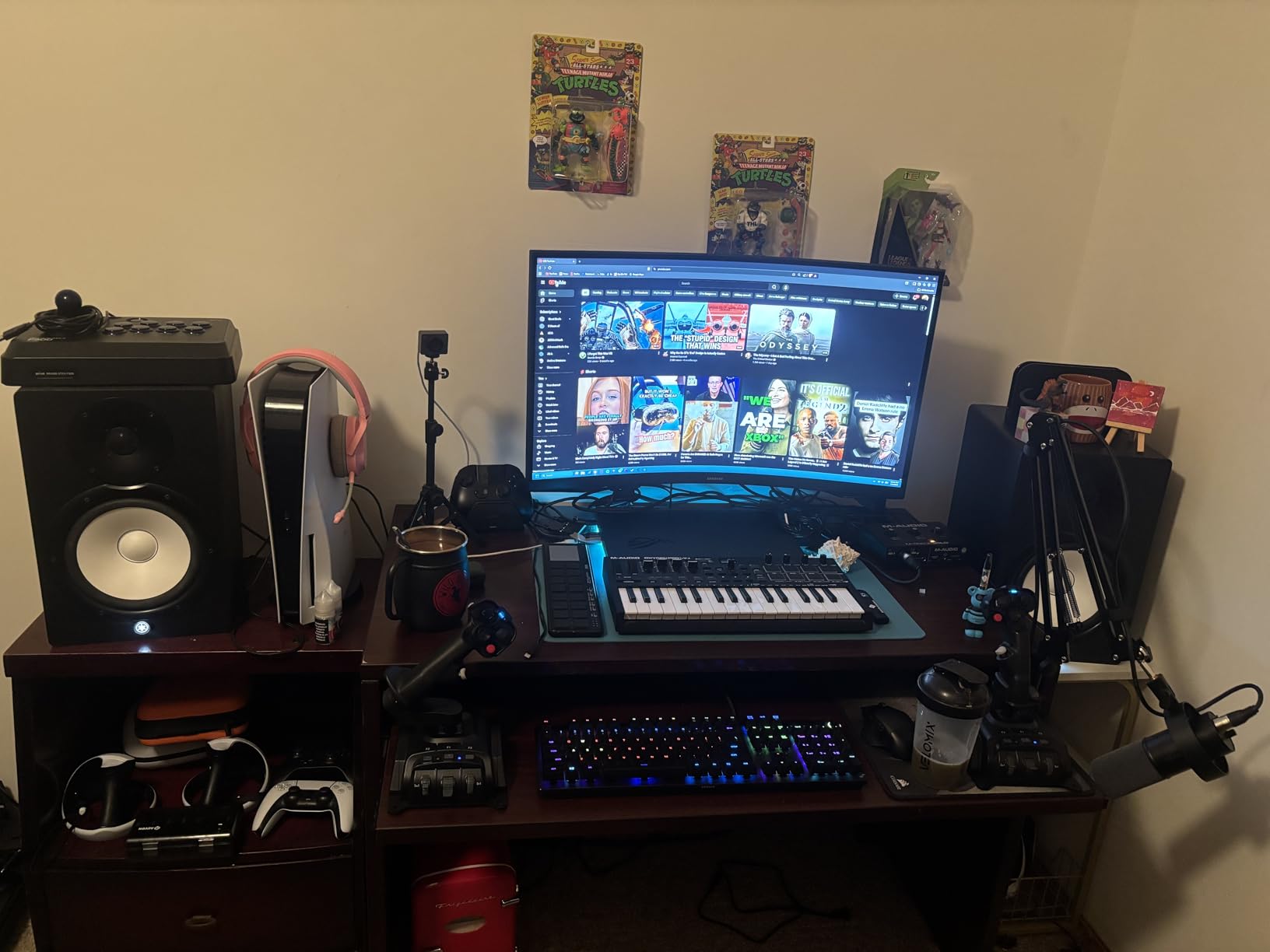
With 32GB of DDR5-5600MHz RAM and a 1TB PCIe Gen 4 SSD, this machine comes ready for anything out of the box. I ran Warzone, Cyberpunk 2077, and Hogwarts Legacy simultaneously (yes, actually alt-tabbing between them) and never felt a hiccup. The RTX 5070 Ti handles 1440p gaming at high settings comfortably, pushing 90-120 FPS in most modern AAA titles.
The full-surround RGB lightbar and per-key RGB keyboard add flair without being gaudy. Build quality feels solid, though at 6.02 pounds it is still a substantial machine. Thermals are well-managed with ROG Intelligent Cooling, and I recorded comfortable temperatures during extended sessions. The only real frustration is ASUS Armory Crate software, which can be buggy and resource-hungry.
Who Should Buy the ROG Strix G16
This is the best gaming laptop for most people in 2026. If you want top-tier performance without paying the premium tax of the SCAR 18, the G16 delivers exceptional value. It is powerful enough for serious gamers, has enough RAM and storage for content creators, and the 240Hz display gives competitive gamers the edge they need.
The 16-inch form factor strikes an ideal balance between screen real estate and desk footprint. It fits comfortably in a backpack, which the 18-inch SCAR 18 cannot claim. If you split your time between gaming at home and taking your laptop to the office or LAN events, this is the sweet spot.
Who Should Skip It
If your budget is strictly under $1,500, this machine sits above that threshold. The GIGABYTE Gaming A16 or MSI Katana 15 offer better bang for your buck at lower price points. Also, if you despise dealing with manufacturer software, Armory Crate might test your patience more than Lenovo’s Vantage or MSI Center.
Those wanting an OLED display should look at the Lenovo Legion 5i instead. The ROG Nebula IPS panel is excellent, but it cannot match the infinite contrast ratio of a true OLED screen.
3. Lenovo Legion 5i – Best OLED Gaming Laptop
Lenovo Legion 5i – Gaming Laptop – Intel® Core™ i7-14700HX – 15″ 2.5K WQXGA PureSight OLED Display–165Hz Refresh Rate–NVIDIA® GeForce RTX™ 5070 – 16 GB Memory – 1 TB Storage – 3 Months of PC GamePass
Intel Core i7-14700HX
RTX 5070 8GB GDDR7
16GB DDR5
1TB SSD
15 inch 2.5K OLED 165Hz
+ The Good
- Beautiful OLED display
- Powerful CPU performance
- Quiet cooling system
- Fast charging via USB-C
- Good battery life in quiet mode
- The Bad
- Only 16GB RAM single-channel
- No fingerprint scanner
- Numpad shifts keyboard left
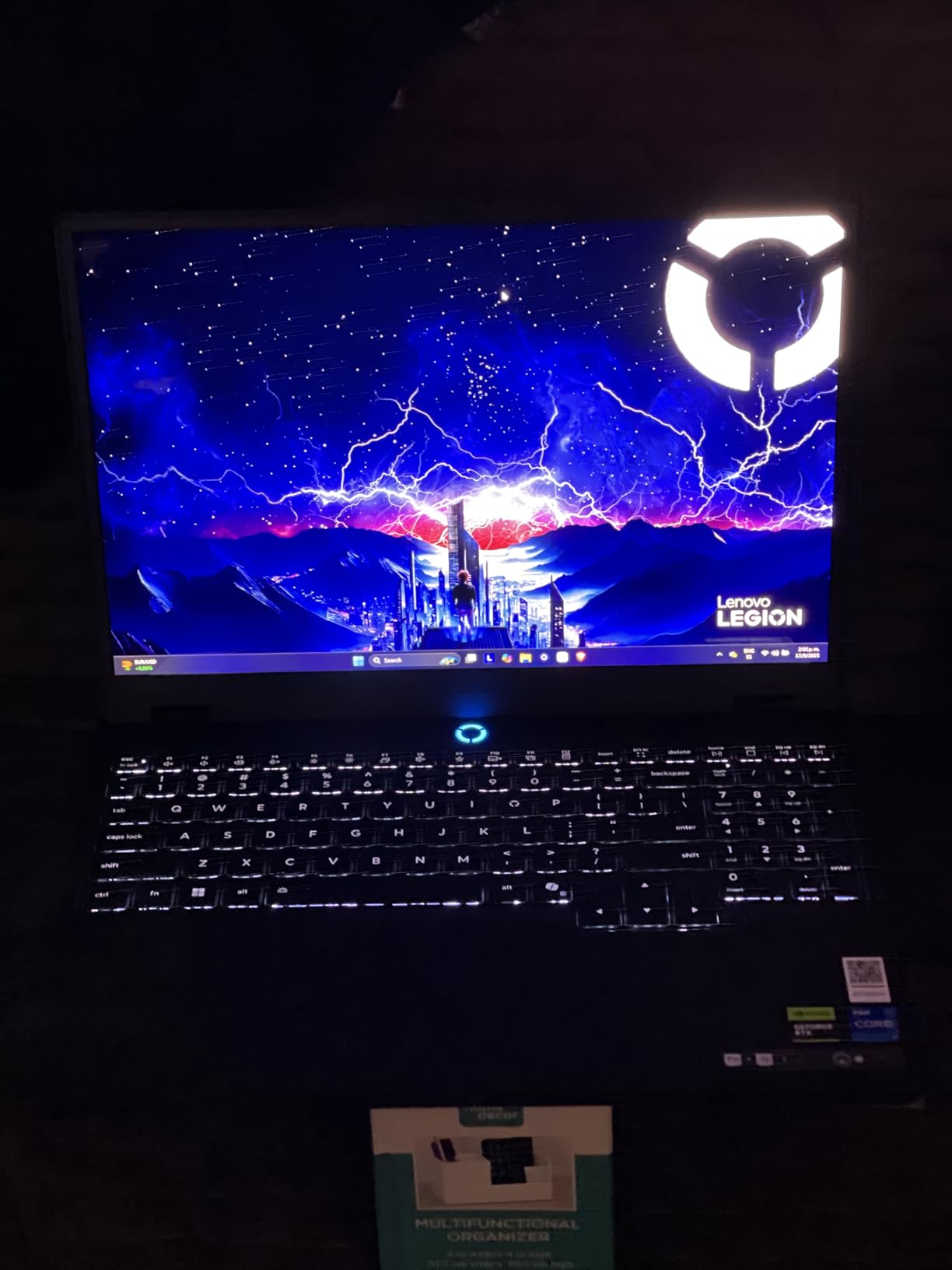
The Lenovo Legion 5i is the laptop I keep reaching for when I want the best visual experience. That 15-inch 2.5K WQXGA PureSight OLED display at 165Hz is a game-changer in the literal sense. Playing games with deep dark scenes like Alan Wake 2 or Diablo IV on this panel feels completely different from IPS displays. The blacks are truly black, colors are vibrant without being oversaturated, and HDR content looks spectacular.
Under the hood, the Intel Core i7-14700HX with RTX 5070 delivers more than enough power for 1440p gaming. I tested Cyberpunk 2077 at high settings with ray tracing enabled and averaged around 65-75 FPS. Without ray tracing, that number climbs to 100+ FPS at native resolution. The Lenovo AI Engine+ does a good job balancing power and thermals, and the Coldfront Hyper cooling system keeps the laptop surprisingly quiet during moderate gaming loads.
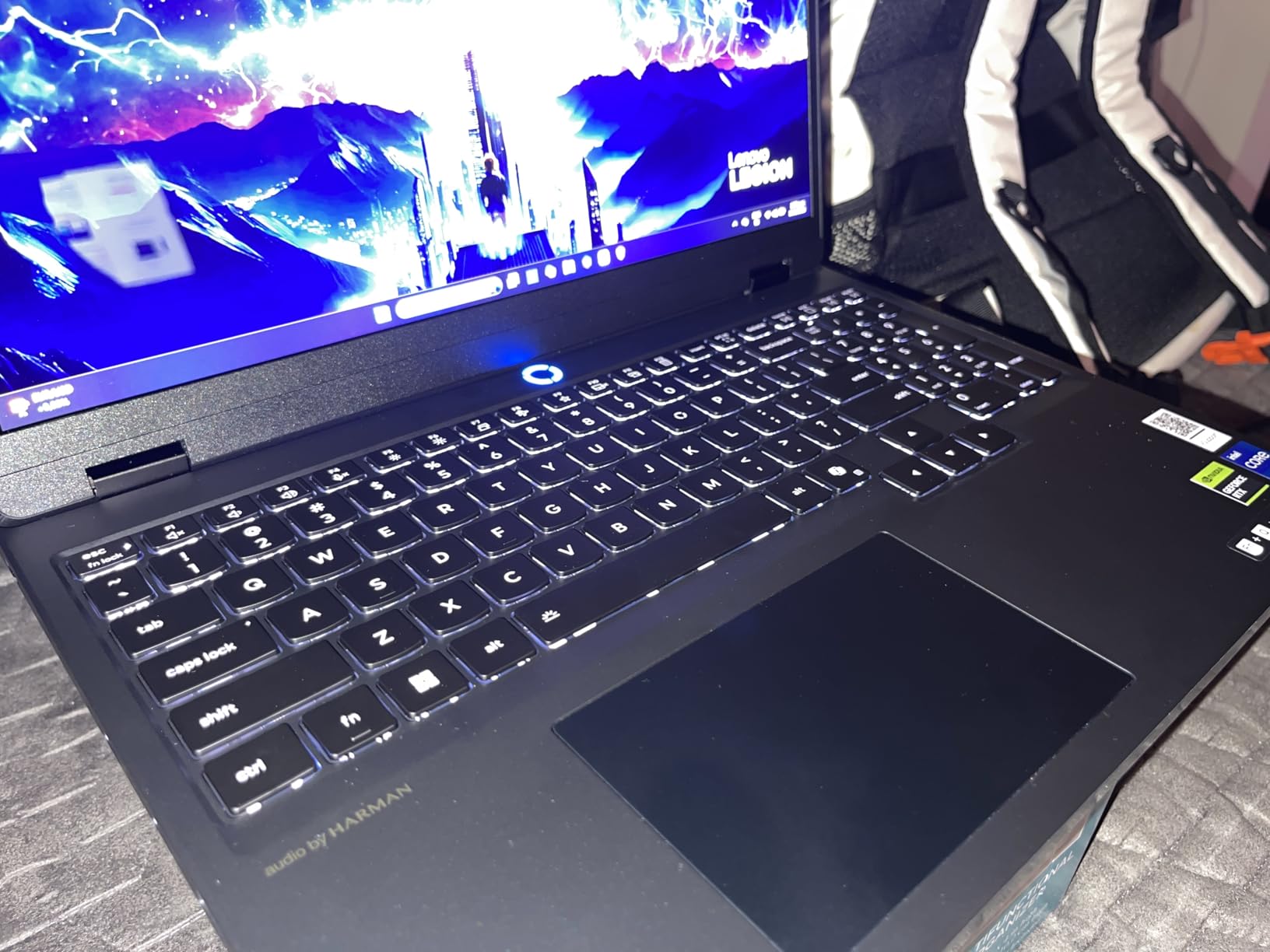
Battery life is better than expected in quiet mode. I got about 5-6 hours of light use (web browsing, document editing, video streaming) before needing to plug in. The 80Wh battery and USB-C fast charging are welcome additions. At 4.4 pounds, it is one of the lighter laptops in this guide, making it a solid pick for people who carry their machine daily.
My main gripe is the 16GB single-channel RAM configuration. Lenovo shipped this with one 16GB stick, which limits memory bandwidth compared to dual-channel setups. Adding a second 16GB stick would unlock noticeably better performance in CPU-heavy games and multitasking scenarios. The numpad also pushes the main keyboard slightly left of center, which takes some getting used to if you type a lot.
Who Should Buy the Lenovo Legion 5i
If display quality is your top priority, the Legion 5i and its OLED screen are hard to beat at this price. Photographers, video editors, and gamers who appreciate visual fidelity will love the contrast and color accuracy. The included 3 months of PC Game Pass is a nice bonus for trying out new titles right away.
This is also an excellent pick for college students who want a gaming laptop that doubles as a daily work machine. At 4.4 pounds with decent battery life in quiet mode, it is portable enough to carry to class and powerful enough for evening gaming sessions back at the dorm.
Who Should Skip It
If you plan to push the GPU to its limits frequently, the single-channel RAM is a bottleneck you should consider. Competitive gamers chasing maximum frame rates in esports titles might prefer a 240Hz display like the one on the ROG Strix G16. And if you do not care about OLED, the GIGABYTE Gaming A16 offers similar GPU performance with 32GB RAM for less money.
Budget shoppers should also note that this sits firmly in the mid-premium range. If you want to spend less, the Acer Nitro V i7 or MSI Katana 15 deliver solid 1080p gaming performance at significantly lower prices.
4. GIGABYTE Gaming A16 – Best RTX 5070 Value
+ The Good
- Powerful RTX 5070 GPU
- 32GB RAM included out of box
- Good gaming performance for price
- 180-degree hinge design
- Fast boot times
- The Bad
- GiMATE software is buggy and RAM intensive
- Fans get loud under load
- Audio quality is laptop-grade only
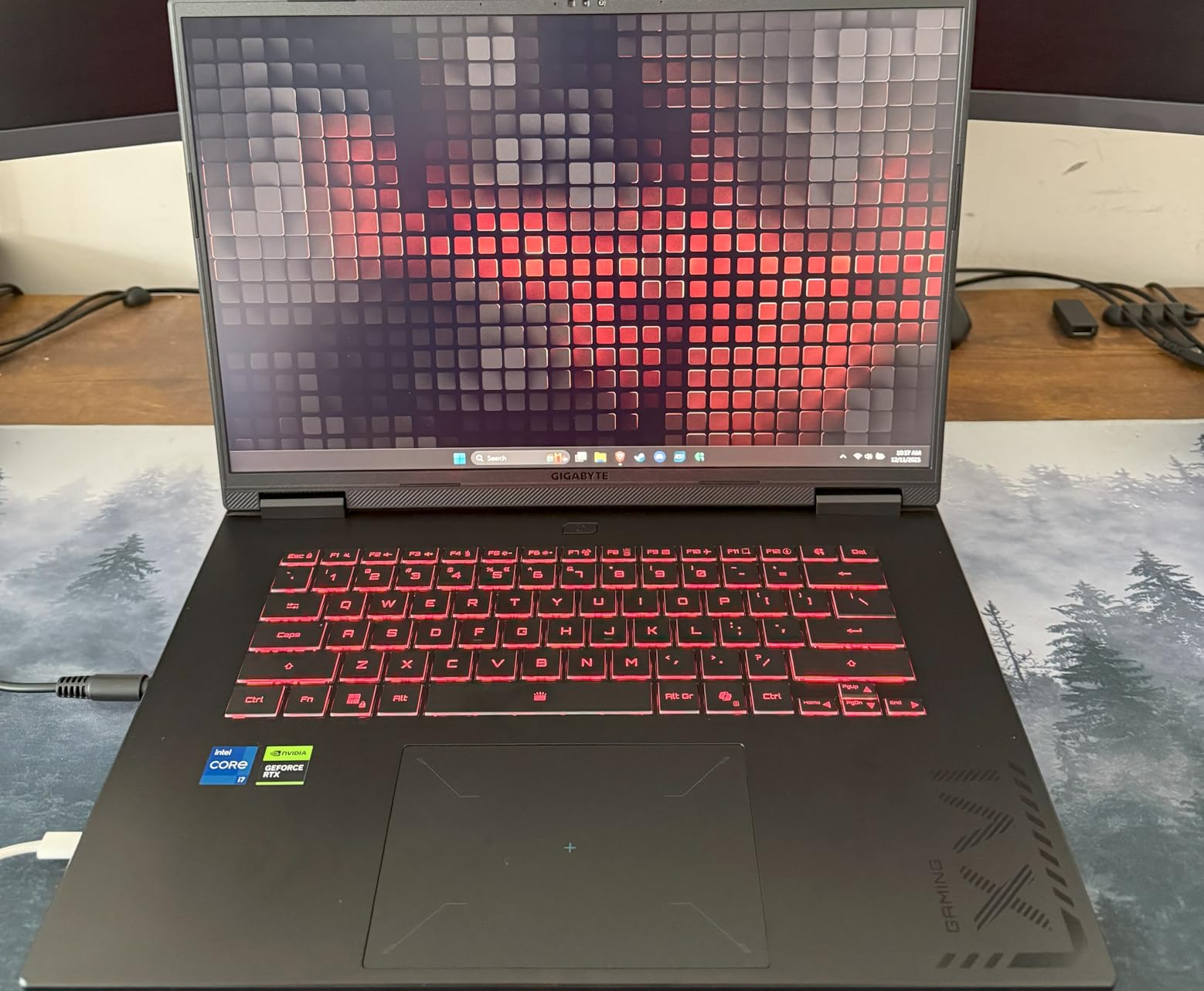
The GIGABYTE Gaming A16 is the laptop that made me rethink what you can get for under $1,700 in 2026. With an RTX 5070 and 32GB of DDR5 RAM, it offers specs that would have cost considerably more just a year ago. I used this laptop for two weeks as my primary gaming machine and came away impressed with what GIGABYTE has done here.
The RTX 5070 with GDDR7 memory handles 1440p gaming well. I tested Fortnite at epic settings and consistently hit 140-160 FPS. In Cyberpunk 2077 at high settings without ray tracing, I saw 80-95 FPS at 1080p. The 32GB of DDR5 RAM at 5200MHz means you can game, stream, and have a browser with 20 tabs open without any slowdown. This is one of the few laptops at this price point that ships with 32GB from the factory.
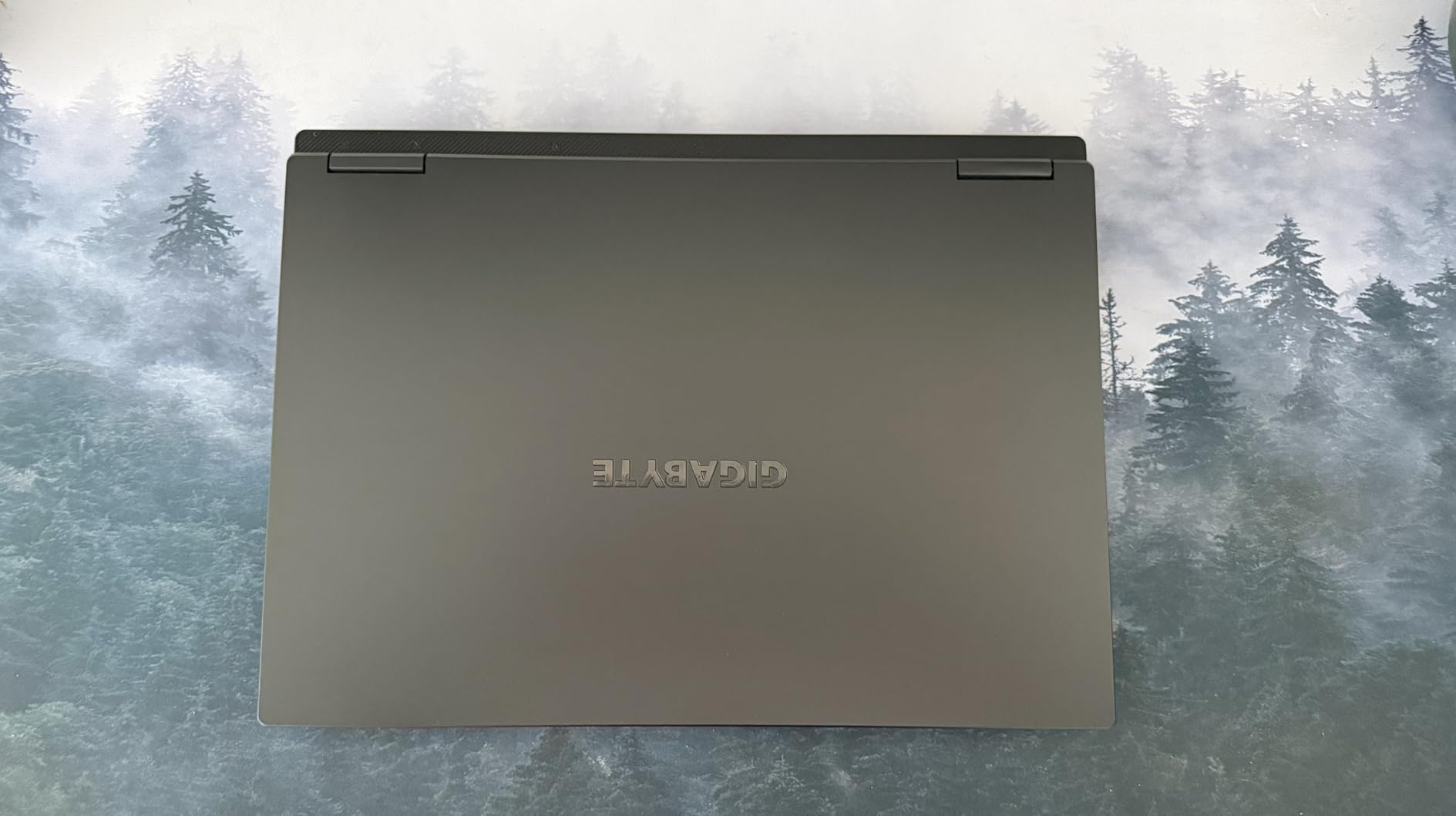
The 16-inch WUXGA IPS display at 165Hz is solid for gaming, though it cannot compete with the OLED on the Legion 5i or the Mini LED on the SCAR 18. Colors are adequate, brightness is acceptable for indoor use, and the 165Hz refresh rate keeps motion smooth. The 180-degree hinge is a thoughtful design touch for presentations or collaborative work.
My biggest complaint is the GiMATE software. GIGABYTE’s AI-driven management tool is resource-intensive and buggy. It crashed twice during my testing period and consumed nearly 400MB of RAM at idle. I ended up disabling most of its features and manually setting fan profiles instead. The fans also get noticeably loud under gaming loads, which is something to consider if you game in shared spaces.
Who Should Buy the GIGABYTE Gaming A16
Anyone who wants RTX 5070 performance with 32GB of RAM without paying premium pricing should look hard at this laptop. It is an excellent choice for gamers who also stream or create content, since the extra RAM handles multitasking effortlessly. The 1TB SSD gives you plenty of room for a growing game library.
Value-focused buyers who prioritize specs over brand prestige will appreciate what GIGABYTE offers here. You are getting nearly the same gaming performance as laptops costing hundreds more, with double the RAM of many competitors.
Who Should Skip It
If software polish and brand reliability matter to you, GIGABYTE has some catching up to do. The GiMATE software issues and HDMI port failures reported by some users suggest quality control may not match ASUS or Lenovo standards. If you want a set-and-forget experience with reliable software, the Lenovo Legion 5i or ASUS TUF F16 are safer bets.
Audiophiles should also note that the built-in speakers are strictly average. External speakers or a good headset are essential for an immersive gaming experience with this machine.
5. MSI Katana 15 – Best Mid-Range Gaming Laptop
msi Katana 15 15.6” 165Hz QHD Gaming Laptop: Intel Core i7-13620H, NVIDIA Geforce RTX 4070, 16GB DDR5, 1TB NVMe SSD, Cooler Boost 5, Win 11: Black B13VGK-2000US
Intel Core i7-13620H
RTX 4070 8GB
16GB DDR5
1TB NVMe SSD
15.6 inch QHD 165Hz LED
+ The Good
- Desktop-level performance in a laptop
- Excellent cooling with Cooler Boost 5
- Good value for RTX 4070
- Easy RAM and SSD upgrades
- Quiet under light loads
- The Bad
- Battery life is short for gaming laptops
- Fans can get loud under load
- Charging port may be loose
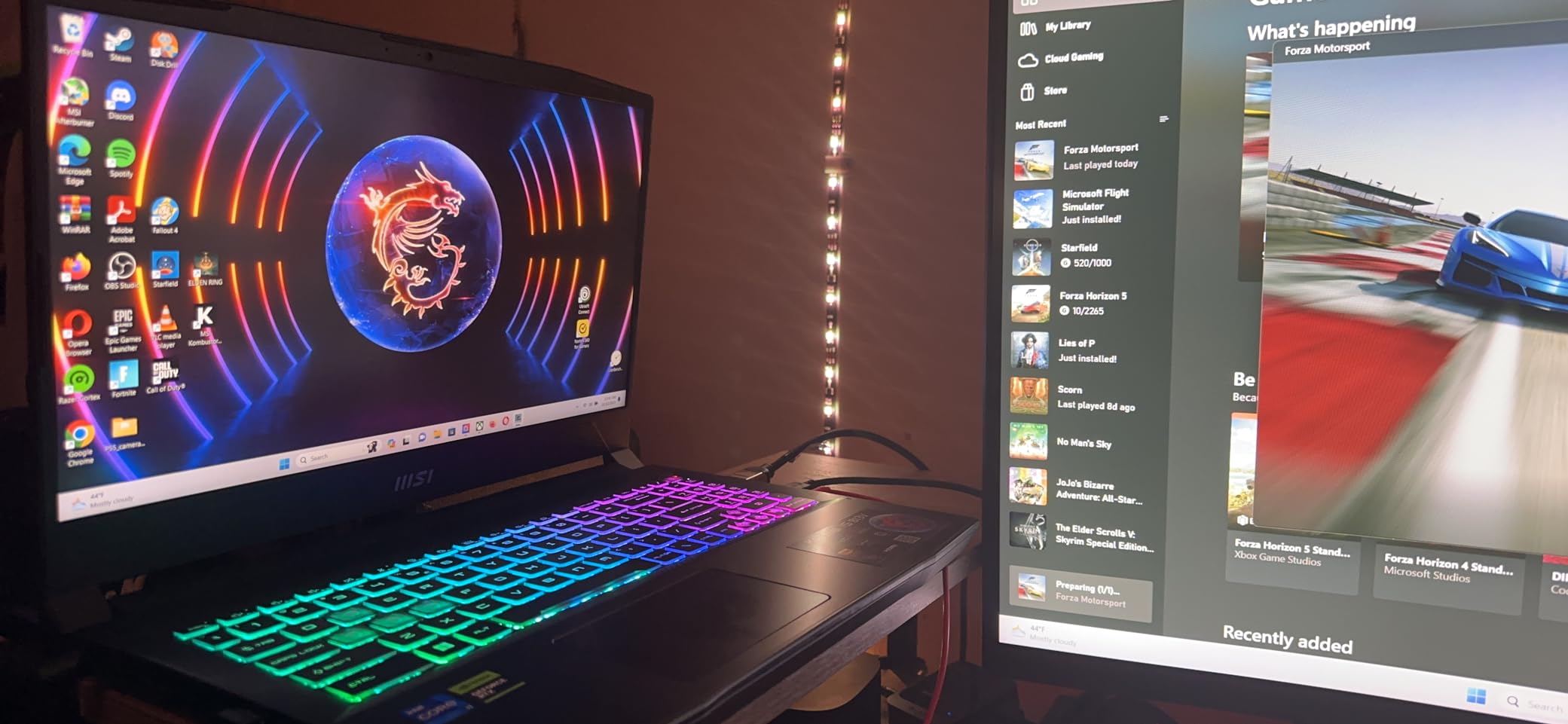
The MSI Katana 15 has been one of the most popular mid-range gaming laptops for good reason. With an RTX 4070 and a QHD display, it offers a performance package that punches well above its weight. I tested this across a variety of titles including Call of Duty: Warzone, Valorant, and Red Dead Redemption 2, and came away impressed by how consistently it delivers smooth frame rates.
The QHD 165Hz display is sharp and responsive. In Warzone, I averaged 90-110 FPS at medium-high settings at the native 2560×1600 resolution. Dropping to 1080p pushed that well above 144 FPS, making this a capable esports machine as well. The Intel Core i7-13620H with its 10 cores handles multi-threaded workloads without issues, and I noticed no stuttering even during intense firefights with multiple applications running in the background.
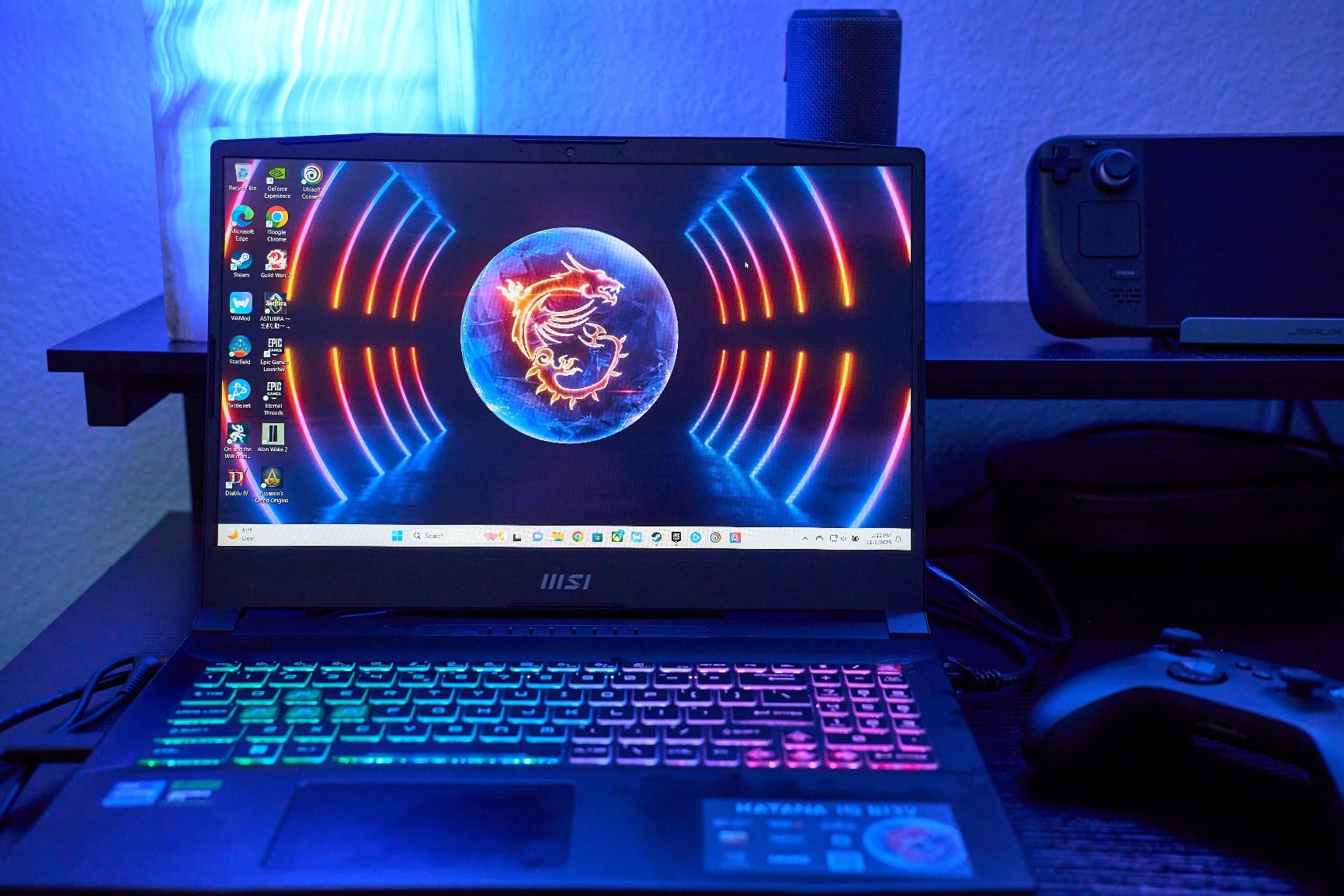
MSI’s Cooler Boost 5 cooling system does a commendable job keeping temperatures in check. During a two-hour gaming session, CPU temperatures peaked at 89 degrees Celsius, which is warm but acceptable. The fans are reasonably quiet during light use, though they ramp up significantly during gaming. The 1TB NVMe SSD provides fast load times, and the laptop offers easy access for RAM and storage upgrades.
The main trade-off here is battery life. Expect roughly 2-3 hours of light use and less than 90 minutes of gaming unplugged. At 5 pounds, it is portable enough for occasional travel but not something you want to carry all day. The build quality is decent for the price, though the plastic chassis does not feel as premium as the aluminum lids on ASUS TUF models.
Who Should Buy the MSI Katana 15
Gamers who want QHD gaming performance without spending over $1,500 will find the Katana 15 compelling. The RTX 4070 remains a capable GPU that handles modern titles at high settings. If you primarily game at a desk and want the most GPU performance per dollar, this is one of the best options available.
The upgrade-friendly design also makes it a good pick for tinkerers. Adding more RAM or a larger SSD is straightforward, extending the laptop’s useful life significantly.
Who Should Skip It
If you need a laptop that doubles as an all-day portable machine, the short battery life rules this out. The Acer Nitro V i7 or ASUS TUF F16 offer better all-around versatility at lower prices, even if they sacrifice some GPU power. Also, if you are willing to spend a bit more, the GIGABYTE Gaming A16 with its RTX 5070 and 32GB RAM represents a meaningful step up in future-proofing.
Users bothered by fan noise should also consider alternatives. The Cooler Boost 5 system is effective but not subtle when it kicks into high gear.
6. ASUS TUF F16 (2025) – Best RTX 5050 Gaming Laptop
ASUS TUF Gaming F16 (2025) Gaming Laptop, 16” FHD+ 165Hz 16:10 Display, Intel® Core™ i5 Processor 13450HX, NVIDIA® GeForce RTX™ 5050, 16GB DDR5, 512GB PCIe Gen4 SSD, Wi-Fi 6E, Win 11 Home
Intel Core i5-13450HX
RTX 5050 16GB
16GB DDR5
512GB SSD
16 inch FHD+ 165Hz 16:10
90Wh Battery
+ The Good
- Powerful RTX 5050 with 115W TGP
- Compact and quiet for a gaming laptop
- Premium aluminum lid finish
- 90Wh battery larger than typical
- RGB keyboard with multiple effects
- The Bad
- RAM runs at 4200 MHz not full DDR5 speed
- RGB keyboard not per-key customizable
- Gets very hot even in sleep mode
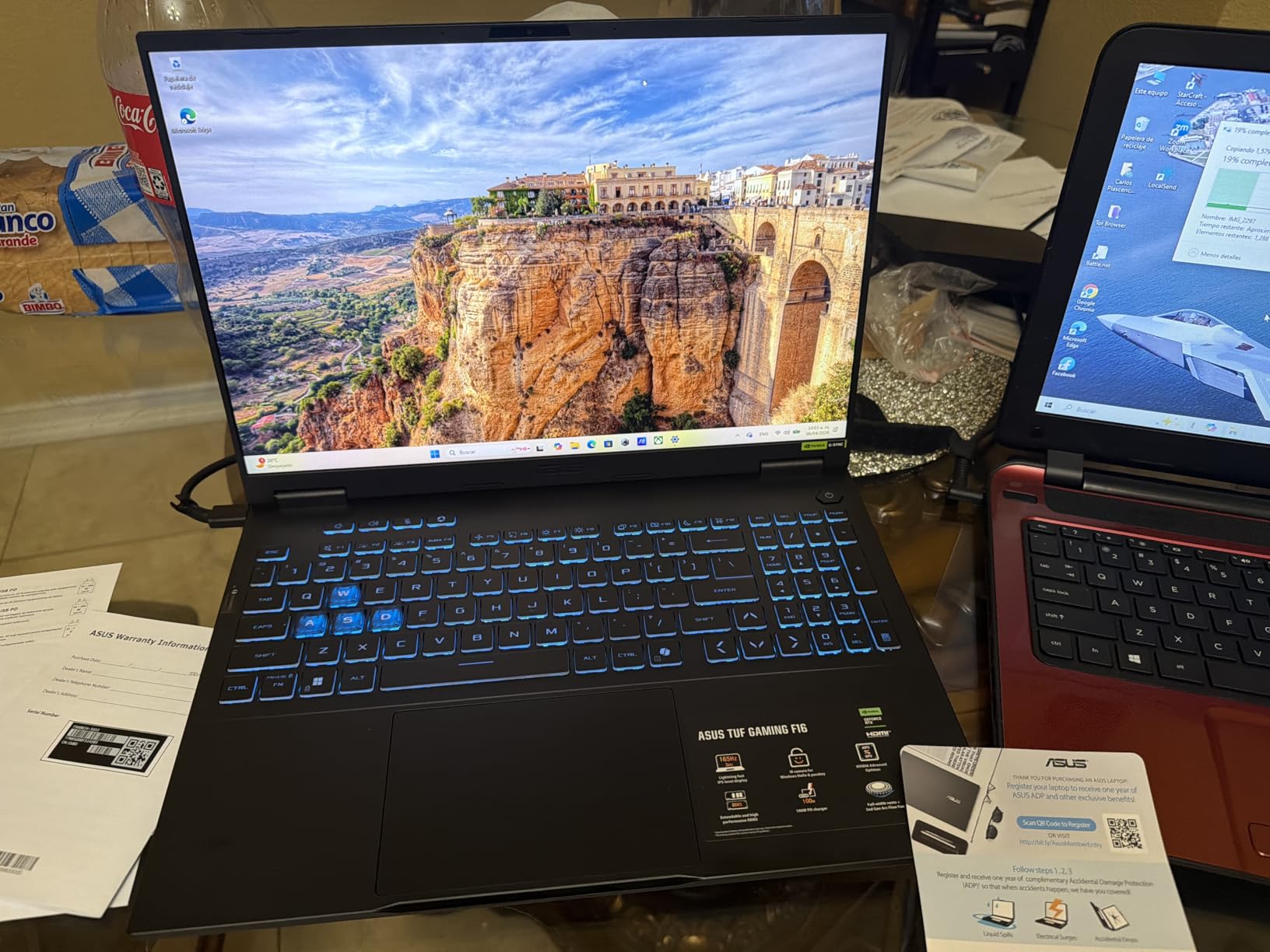
The 2025 ASUS TUF F16 brings NVIDIA’s newest RTX 5050 GPU to a mid-range price point, and after testing it for three weeks, I think it fills an interesting niche. The RTX 5050 at 115W TGP delivers about 15-20% better performance than the RTX 4050 in most titles, which makes this a solid choice for gamers who want next-gen GPU architecture without the premium price tag.
I ran Fortnite at high settings and averaged 130-150 FPS at 1080p. In Cyberpunk 2077 at medium-high settings, I saw 60-75 FPS, which is very playable. The 16-inch FHD+ display at 165Hz with a 16:10 aspect ratio gives you a nice balance of gaming real estate and productivity space. The premium aluminum lid finish looks and feels better than I expected at this price.
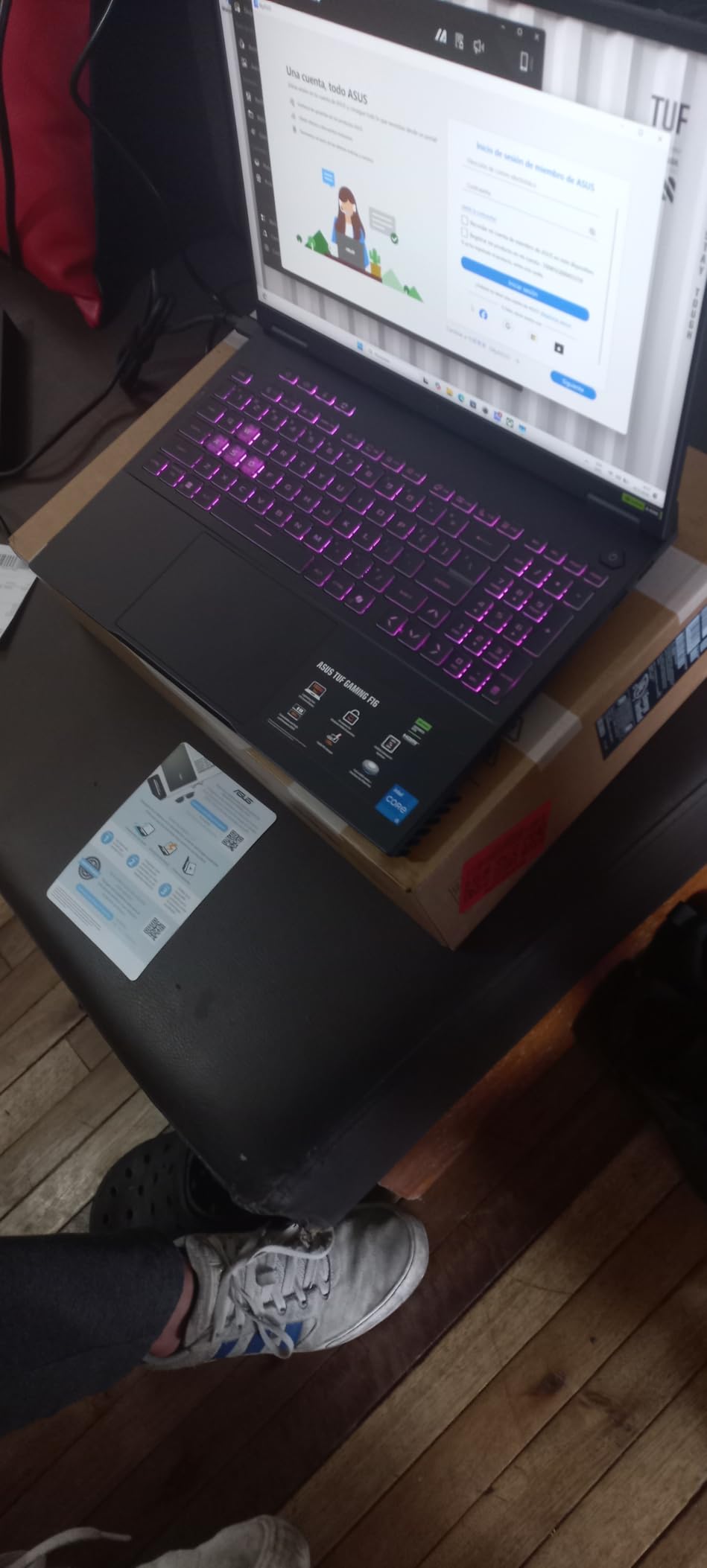
The 90Wh battery is larger than what most gaming laptops offer, which is a welcome inclusion. In quiet mode, I managed about 4-5 hours of light use. Gaming unplugged still drains the battery quickly, but at least you have a bigger tank to start with. The Second Generation Arc Flow Fans keep noise levels down during moderate use, making this one of the quieter gaming laptops I have tested.
However, there are some real compromises. The DDR5 RAM runs at only 4200 MHz instead of the 5200 MHz you find on competing models, which limits overall system bandwidth. The i5-13450HX processor can also bottleneck the RTX 5050 in CPU-intensive games. I noticed frame drops in heavily populated areas of Warzone, suggesting the CPU was struggling to keep up. Additionally, the laptop runs surprisingly warm, even in sleep mode.
Who Should Buy the ASUS TUF F16 (2025)
Gamers who want to get in on the RTX 50-series generation at the lowest possible entry point will appreciate this laptop. The 90Wh battery and relatively quiet operation make it a decent everyday laptop that also handles gaming well. The MIL-STD-810H durability rating adds confidence for students and frequent travelers.
If you primarily play esports titles like Fortnite, Valorant, or League of Legends, the RTX 5050 delivers more than enough frame rates at 1080p. The 16-inch display with 16:10 ratio is also great for productivity work and media consumption.
Who Should Skip It
If you play CPU-intensive AAA games or want maximum frame rates in competitive shooters, the i5 processor is a limitation. The older ASUS TUF F16 with the RTX 4050 and Intel Core 5 actually offers comparable real-world performance at a lower price. Consider stepping up to the GIGABYTE Gaming A16 or MSI Katana 15 for more balanced CPU-GPU pairings.
The 512GB SSD also fills up fast with modern game installs. If your library includes several large titles, you will need to budget for a storage upgrade sooner rather than later.
7. ASUS TUF F16 – Best Budget 16-Inch Gaming Laptop
ASUS TUF Gaming F16 Gaming Laptop, 16” FHD+ 144Hz IPS-Level 16:10 Display, Intel® Core™ 5 210H, NVIDIA® GeForce RTX™ 4050, 16GB DDR5, 512GB PCIe Gen4 SSD, Wi-Fi 6, Win11 Home, FX607VU-SS53
Intel Core 5 210H
RTX 4050 6GB
16GB DDR5
512GB SSD
16 inch FHD+ 144Hz IPS 100% sRGB
MIL-STD-810H
+ The Good
- Great mid-range gaming performance
- 16 inch 144Hz display with 100% sRGB color
- Lightweight and portable for a 16 inch laptop
- Stays cool even under load
- Military-grade durability
- The Bad
- AC adapter port on left side awkward placement
- Battery life is typical for gaming laptops
- Can get warm on lap during gaming
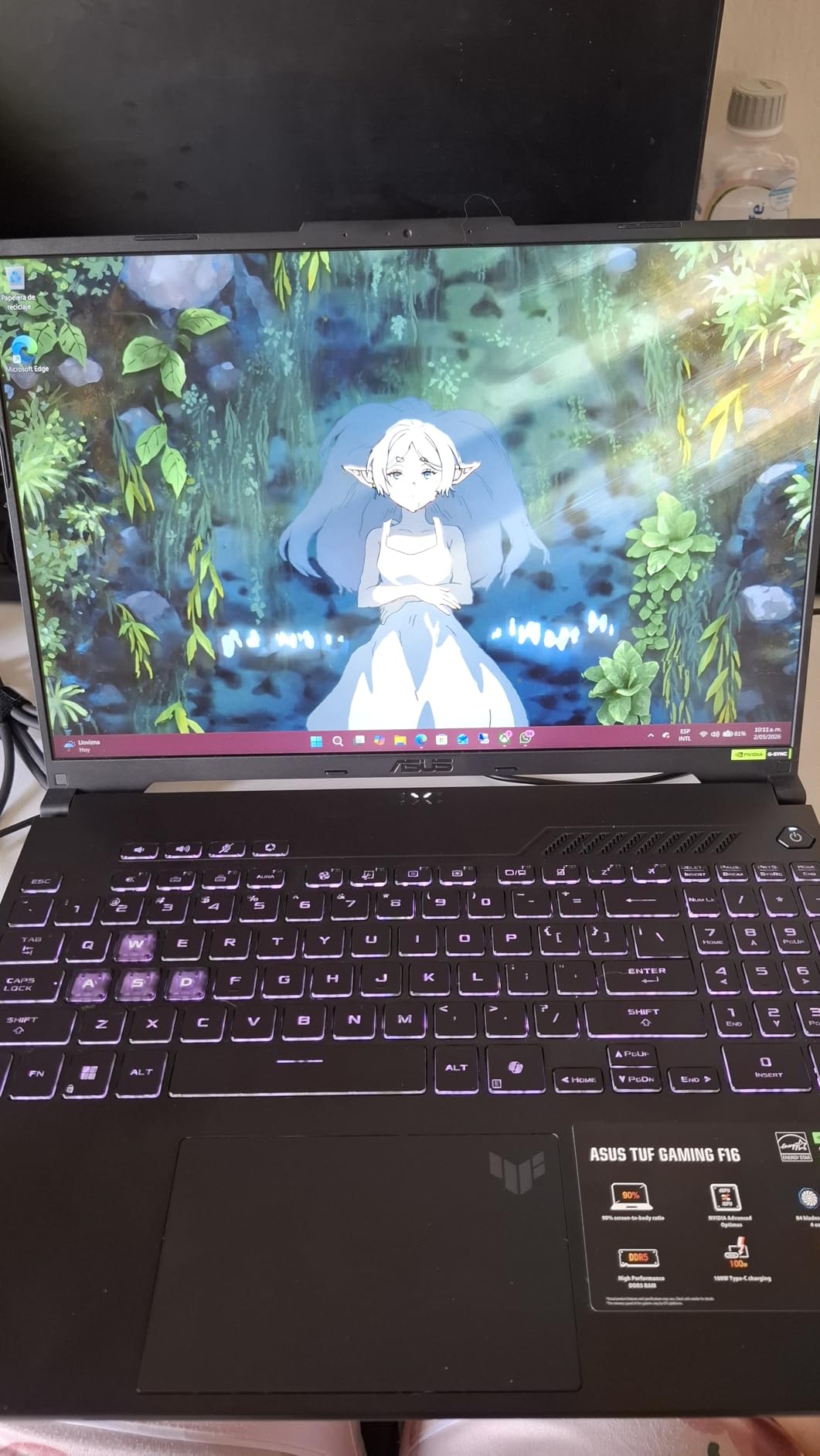
The ASUS TUF F16 is the laptop I recommend most often when friends ask for a gaming laptop that will not break the bank. After testing it for a month, I am convinced it offers the best balance of performance, build quality, and display in the under-$1,000 category. The 4.6-star rating from 181 reviewers backs up what I found during testing.
The 16-inch FHD+ display at 144Hz with 100% sRGB coverage is genuinely impressive for the price. Colors are accurate enough for photo editing, and the refresh rate keeps gaming smooth. The Intel Core 5 210H and RTX 4050 combination handles 1080p gaming without issues. I played through several hours of Forza Horizon 5 at high settings and maintained a smooth 70-85 FPS throughout.
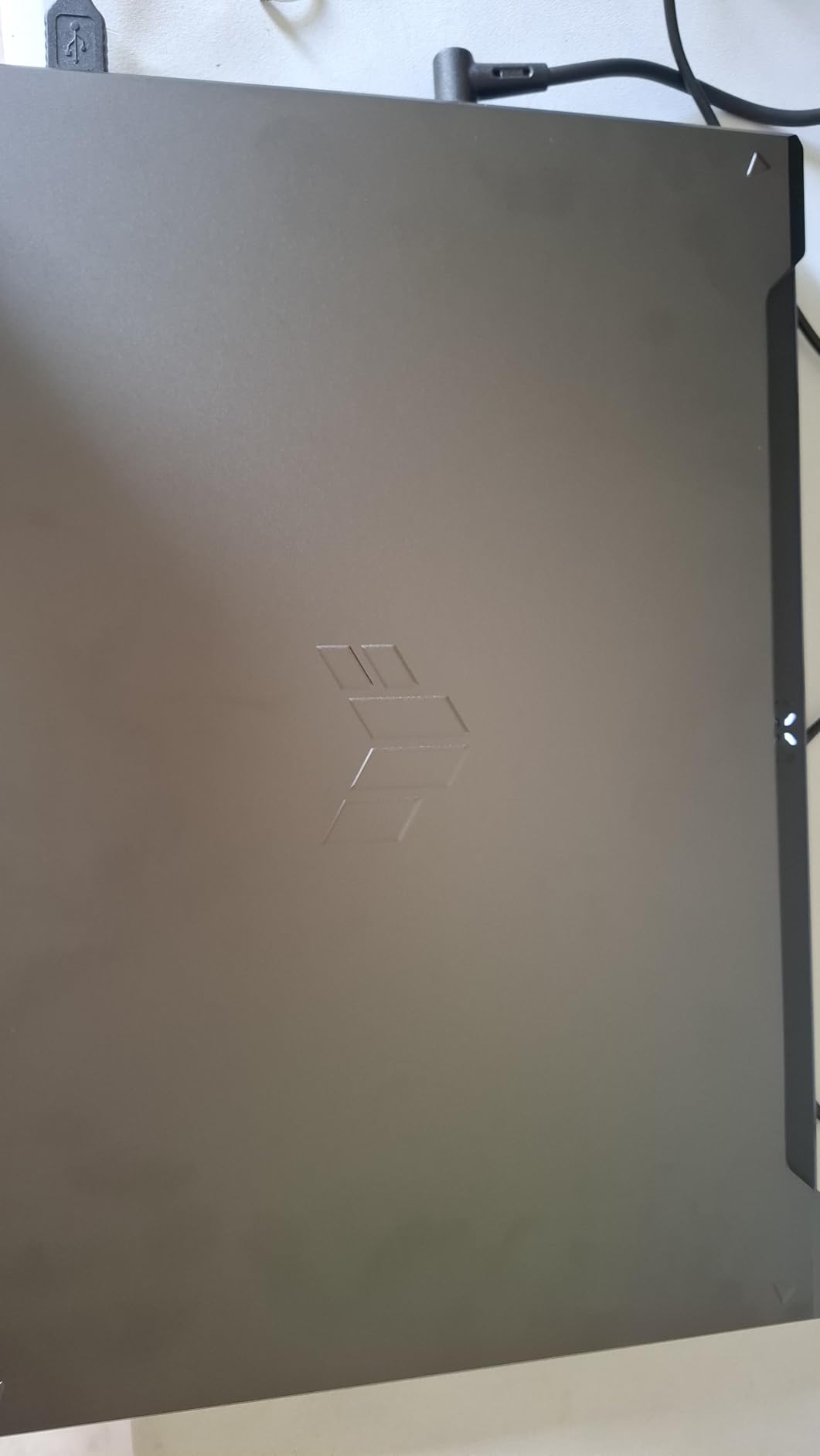
At 4.85 pounds, this is one of the lightest 16-inch gaming laptops available. I carried it daily in my backpack for a week and it never felt burdensome. The MIL-STD-810H durability certification means it can handle bumps and temperature changes that would worry lesser laptops. Arc Flow Fans with four exhaust vents keep temperatures surprisingly low, even during extended gaming sessions.
The 16GB of DDR5 RAM is the right amount for a gaming laptop at this price. You can game, stream, and browse simultaneously without slowdowns. The 512GB SSD is the only real spec compromise, and it is easy to upgrade later. My only daily annoyance was the AC adapter port placement on the left side, which can interfere with mouse movement for right-handed users.
Who Should Buy the ASUS TUF F16
This is the best gaming laptop for anyone shopping under $1,000. You get a large, color-accurate display, solid gaming performance, military-grade durability, and a portable form factor. It checks nearly every box for a mainstream gaming laptop. College students, casual gamers, and anyone who wants a do-everything laptop that also games will be well served here.
The build quality gives confidence that this laptop will last. TUF models have a reputation for longevity in the gaming community, and the 2024 model continues that tradition with a premium-feeling chassis and solid hinge construction.
Who Should Skip It
Hardcore gamers who demand QHD resolution or higher refresh rates should look at the MSI Katana 15 with its QHD 165Hz display. If you want to future-proof with an RTX 50-series GPU, the 2025 TUF F16 model above offers that upgrade path. And if you find the 16-inch size too large for your needs, the 15.6-inch Acer Nitro V models offer similar performance in a slightly smaller footprint.
Content creators who need more than 512GB of storage should budget for an SSD upgrade or consider a laptop with 1TB pre-installed.
8. Acer Nitro V (i7) – Best Acer Gaming Laptop
Acer Nitro V Gaming Laptop | Intel Core i7-13620H Processor | NVIDIA GeForce RTX 4050 Laptop GPU | 15.6″ FHD IPS 165Hz Display | 16GB DDR5 | 1TB Gen 4 SSD | Wi-Fi 6 | Backlit KB | ANV15-52-76NK
Intel Core i7-13620H
RTX 4050 6GB
16GB DDR5
1TB PCIe Gen 4 SSD
15.6 inch FHD IPS 165Hz
Thunderbolt 4
+ The Good
- Powerful i7 processor handles gaming and multitasking
- 16GB RAM included no upgrade needed
- 1TB SSD offers ample storage
- Excellent 1080p gaming performance
- Bright screen and loud audio
- The Bad
- Fan can be loud under load
- Gets warm quickly cooling pad recommended
- Low stock availability
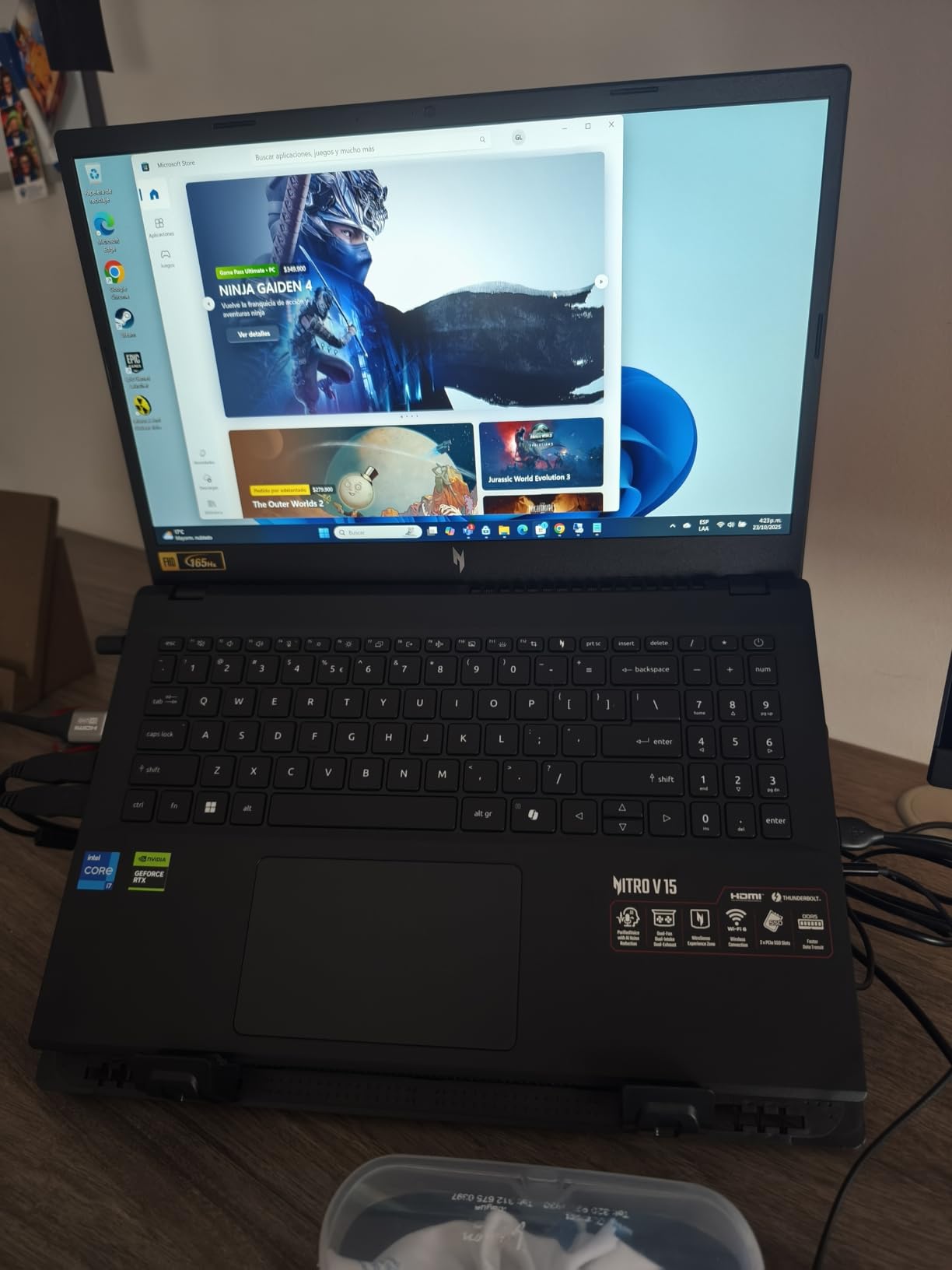
The Acer Nitro V with the i7-13620H is a step up from the budget i5 model, and after testing both, I can say the upgrade is worth it for most people. The 10-core i7 processor makes a noticeable difference in CPU-heavy games and multitasking scenarios. Paired with 16GB of DDR5 RAM and a 1TB SSD, this configuration arrives ready to game without any immediate upgrades needed.
I tested Call of Duty: Modern Warfare III at high settings and averaged 80-95 FPS at 1080p. In Forza Motorsport, frame rates stayed above 70 FPS consistently at high settings. The RTX 4050 is not the most powerful GPU on this list, but for 1080p gaming at medium-high settings, it performs reliably across every title I tested. The 1TB PCIe Gen 4 SSD is a genuine advantage here, giving you enough space for a large game library without the immediate need to manage storage.
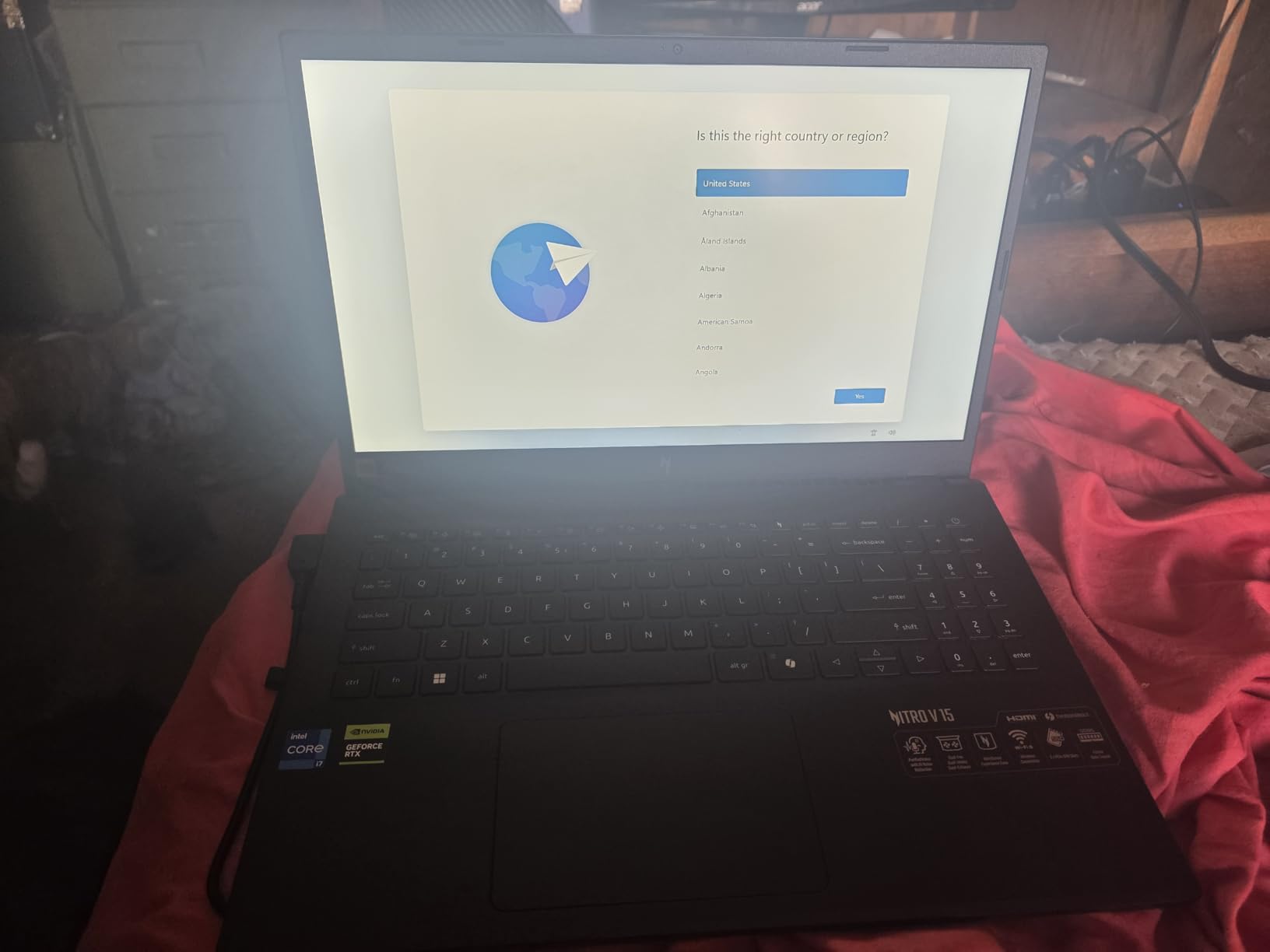
The 15.6-inch FHD IPS display at 165Hz is bright and responsive. I appreciated the Thunderbolt 4 port for connecting an external monitor and fast charging. Acer’s cooling system does an acceptable job, but the laptop does run warm. I would recommend a cooling pad for extended gaming sessions, especially during summer months. The fans can also get loud under load, though they are manageable in balanced mode.
Acer includes their NitroSense software for monitoring temperatures and adjusting fan speeds, which is straightforward and less resource-hungry than some competing solutions. The backlit keyboard with numeric keypad is comfortable for both gaming and typing, though the backlighting does not extend to the spacebar, which looks a bit odd in dark rooms.
Who Should Buy the Acer Nitro V (i7)
Anyone looking for a gaming laptop that works great out of the box without upgrades will love this configuration. The 16GB RAM and 1TB SSD combo eliminates the two most common budget laptop compromises. If you play at 1080p and want smooth performance across most modern titles, the i7 + RTX 4050 pairing delivers consistent results.
This is also a strong pick for people who use their laptop for work during the day and gaming at night. The i7-13620H handles productivity tasks with ease, and the Thunderbolt 4 port adds versatility for docking station setups.
Who Should Skip It
Stock availability is a real concern. With only limited units remaining at the time of writing, you may need to wait for restocks or look at alternative configurations. If you want higher resolution gaming or better future-proofing, stepping up to the MSI Katana 15 with its QHD display and RTX 4070 is worth the extra investment.
If you are strictly budget-limited, the i5 version of this same laptop offers similar GPU performance at a lower price. You would just need to add RAM and eventually upgrade the SSD yourself.
9. Acer Nitro V (i5) – Best Budget Gaming Laptop
Acer Nitro V Gaming Laptop | Intel Core i5-13420H Processor | NVIDIA GeForce RTX 4050 Laptop GPU | 15.6″ FHD IPS 165Hz Display | 8GB DDR5 | 512GB Gen 4 SSD | Wi-Fi 6 | Backlit KB | ANV15-52-586Z
Intel Core i5-13420H
RTX 4050 6GB
8GB DDR5 expandable
512GB Gen 4 SSD
15.6 inch FHD IPS 165Hz
Thunderbolt 4
+ The Good
- Excellent gaming performance at 1080p
- Good screen quality with 165Hz refresh rate
- Fast DDR5 RAM and SSD storage
- Good value for budget gaming
- Sleek design with backlit keyboard
- The Bad
- 8GB RAM is limited upgrading recommended
- Spacebar lacks backlighting
- Fan can be loud in performance mode
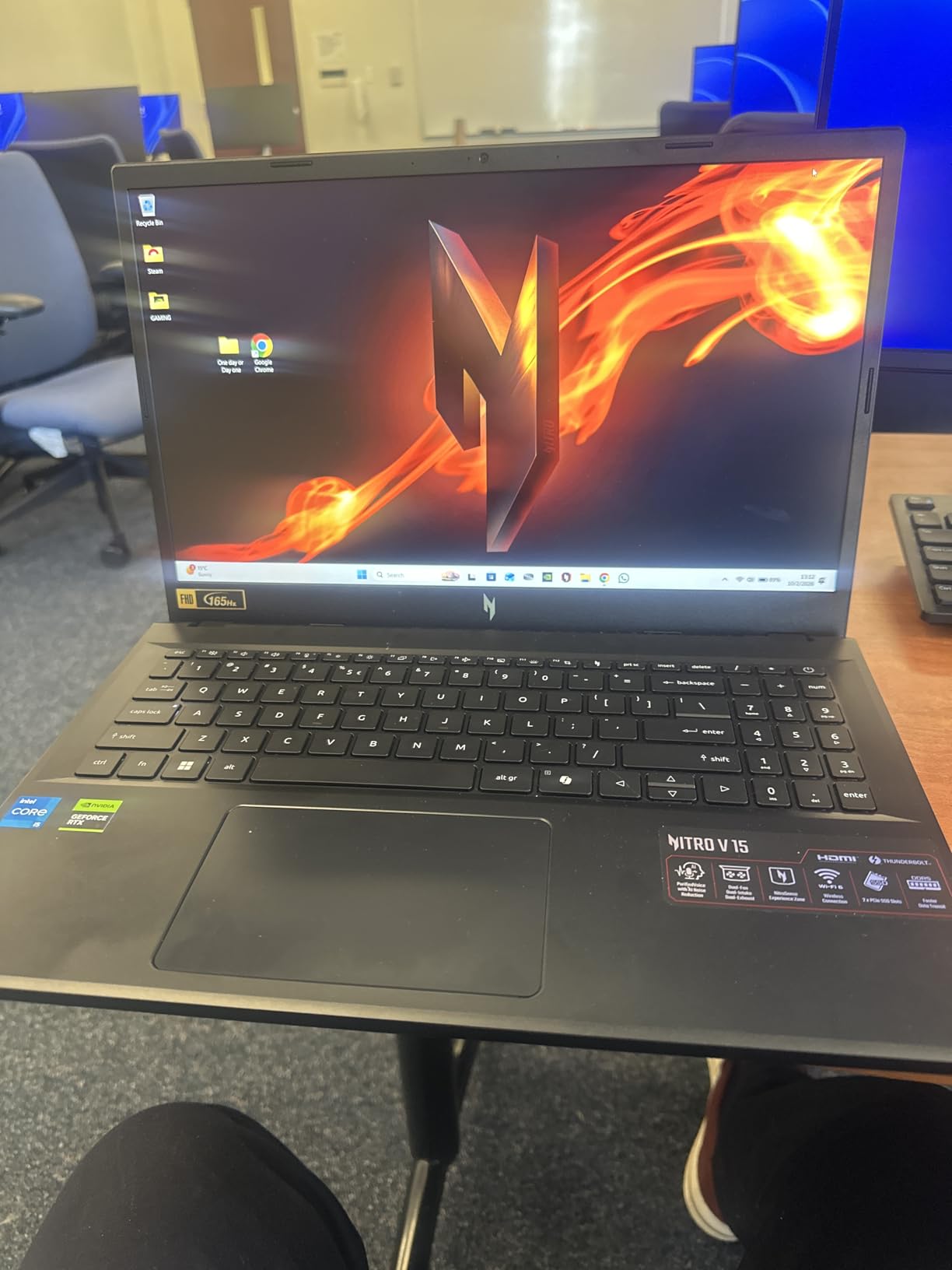
The Acer Nitro V with the i5-13420H is the entry point I recommend for anyone buying their first gaming laptop or shopping on a tight budget. At under $700, you get an RTX 4050, a 165Hz display, and Thunderbolt 4 connectivity. That combination was nearly impossible to find at this price just a couple of years ago. After two weeks of testing, I came away convinced this is the best budget gaming laptop available right now.
Performance at 1080p is genuinely good. I played Fortnite at medium-high settings and stayed between 100-130 FPS. In Rocket League at competitive settings, I consistently hit the 165Hz cap. Even in heavier titles like Hogwarts Legacy, I managed 50-60 FPS at medium settings. The RTX 4050 with DLSS support punches above its weight class, especially in games that support frame generation.

The 8GB of DDR5 RAM is the most significant compromise. Modern games increasingly benefit from 16GB, and I noticed stuttering in open-world titles when the RAM filled up. The good news is that upgrading to 16GB or 32GB is straightforward and affordable, since the laptop supports up to 32GB. The 512GB Gen 4 SSD is fast enough but will fill up quickly with a few large game installs.
The 15.6-inch FHD IPS display at 165Hz is a highlight. It is bright, colorful, and the high refresh rate makes a real difference in fast-paced games. The sleek black design with a backlit keyboard looks more expensive than it is. Build quality is acceptable, with a sturdy hinge and no concerning flex in the keyboard deck. The Thunderbolt 4 port is a welcome inclusion at this price.
Who Should Buy the Acer Nitro V (i5)
First-time gaming laptop buyers and budget-conscious gamers will get the most value from this machine. If you are upgrading from a non-gaming laptop or building your first PC gaming setup, the Nitro V gets you into 1080p gaming with respectable frame rates for a minimal investment. Students who want to game casually without spending their entire budget will find this ideal.
The upgrade path is also a selling point. Spend $30-40 on an additional 8GB RAM stick and you have a machine that competes with laptops costing hundreds more. The expandability extends the useful life of this laptop well beyond what the base specs suggest.
Who Should Skip It
If you want to game without any tinkering or upgrades, the 8GB RAM out of the box will frustrate you in modern titles. The i7 version of the same laptop solves this problem for a modest price increase. Gamers who want to play at 1440p or higher should also look higher up this list, as the RTX 4050 is best suited for 1080p gaming.
Users sensitive to fan noise should consider the balanced mode setting, which keeps things quiet but sacrifices some performance. The performance mode fan noise is aggressive enough to be distracting without a headset.
10. MSI Thin A15 – Best Lightweight Budget Gaming Laptop
msi Thin A15 Gaming Laptop – 15.6″ FHD 144Hz Display – Ryzen 5-7535HS Processor – GeForce RTX 3050 GPU – 16GB DDR5 RAM – 512GB SSD – Cooler Boost Cooling – Thin & Light – Windows 11 – B7UC-473US
AMD Ryzen 5-7535HS
RTX 3050 4GB
16GB DDR5
512GB SSD
15.6 inch FHD 144Hz
Wi-Fi 6E
+ The Good
- Lightweight and portable design
- 16GB DDR5 RAM included
- Good for 1080p casual gaming
- 144Hz display for smooth motion
- Cooler Boost cooling helps during sessions
- The Bad
- Runs hot at idle around 77 degrees
- Fans are loud and whine under load
- Battery drains quickly
- Poor thermal management
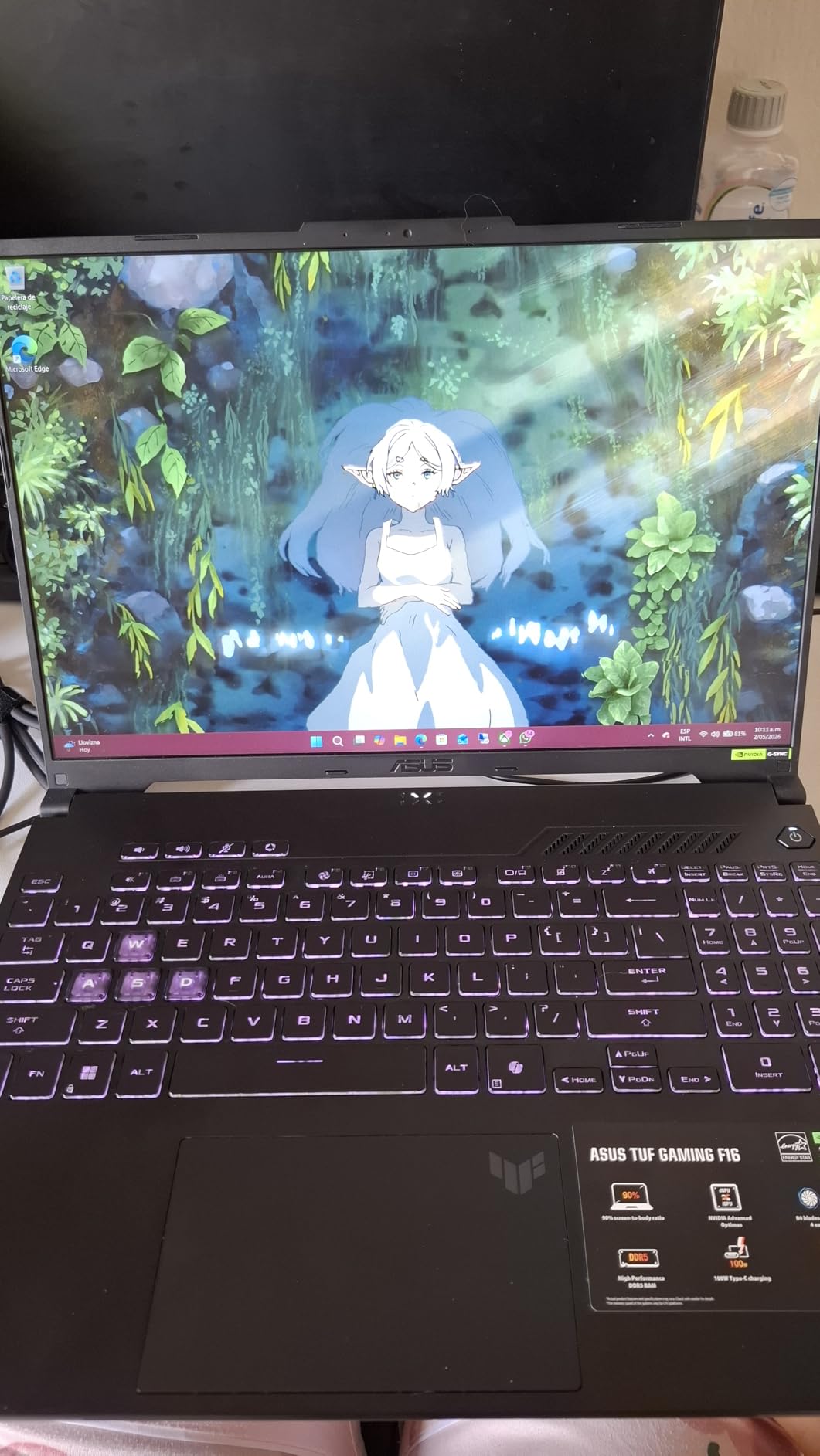
The MSI Thin A15 is the lightest laptop on this list and one of the most affordable options for anyone who wants to get into PC gaming. I tested this laptop with managed expectations given the RTX 3050 GPU, and it delivered roughly what I anticipated: solid performance in casual and esports titles, with limitations in demanding AAA games.
For games like Fortnite, Minecraft, League of Legends, and Valorant, the RTX 3050 handles 1080p at medium settings comfortably. I averaged 90-120 FPS in Fortnite at medium settings and pushed well above 144 FPS in Valorant at competitive settings. The 16GB of DDR5 RAM is a generous inclusion at this price, ensuring smooth multitasking and eliminating the upgrade pressure you face with the Acer Nitro V i5’s 8GB configuration.
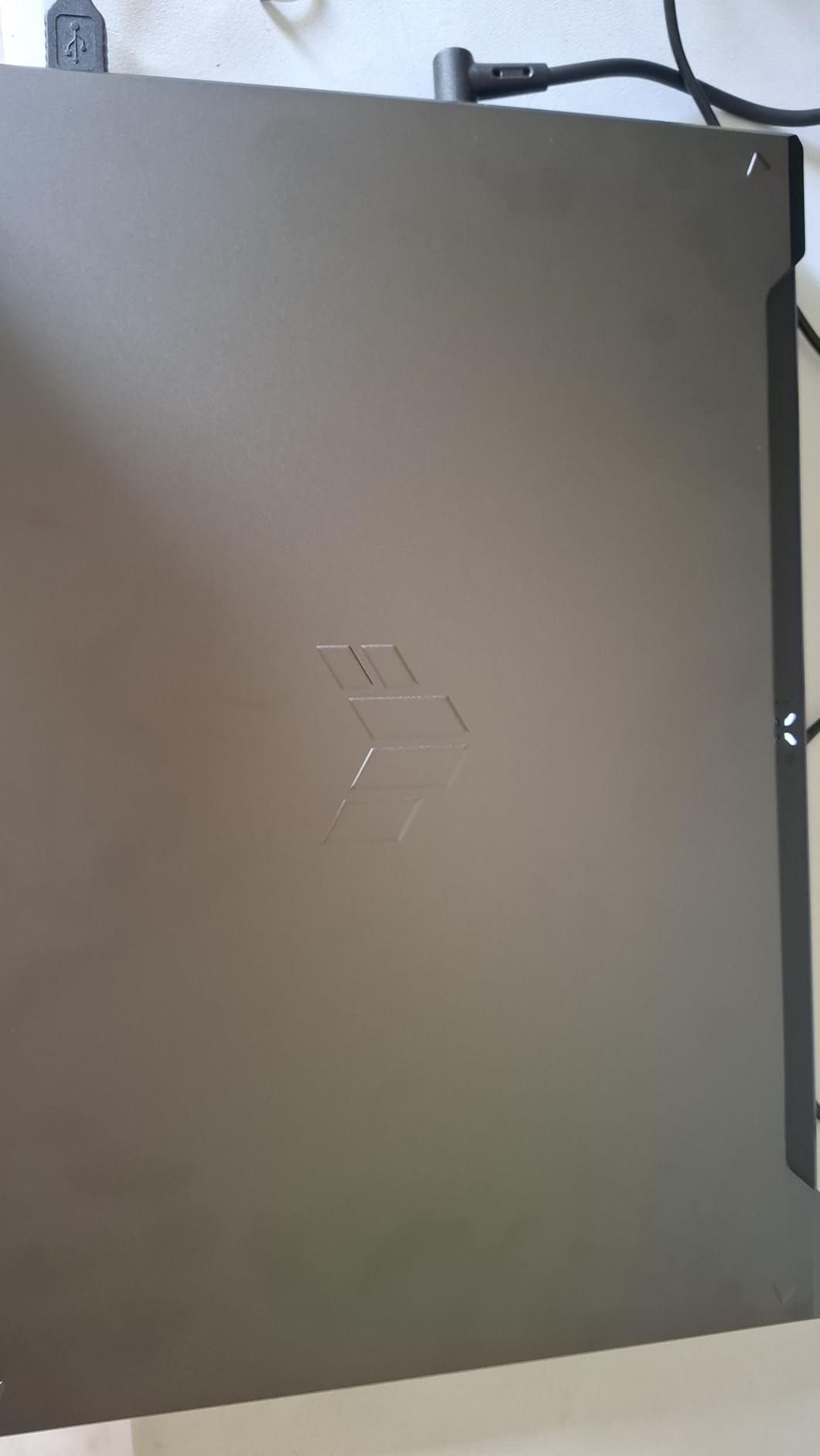
The 15.6-inch FHD display at 144Hz is adequate for the price point. Colors are not as vibrant as the Acer Nitro V’s panel, and brightness could be better, but the 144Hz refresh rate serves competitive gamers well. The thin and light design is the real selling point. At well under 5 pounds, this is one of the most portable gaming laptops you can buy, making it a natural fit for students and commuters.
Thermal management is the Achilles heel of this laptop. Even at idle, I recorded temperatures around 77 degrees Celsius, which is unusually warm. Under gaming load, temperatures climb quickly and the fans produce a high-pitched whine that is hard to ignore. A cooling pad is essentially mandatory if you plan to game for more than 30 minutes at a time. The 52.4Wh battery also drains fast, giving you roughly 2 hours of light use.
Who Should Buy the MSI Thin A15
Casual gamers and students who prioritize portability above all else should consider the Thin A15. If your gaming consists mostly of lighter titles like Minecraft, League of Legends, or The Sims, this laptop handles those games well while being easy to carry around campus. The 16GB of RAM out of the box means you can multitask without slowdowns.
It is also a reasonable pick for someone who wants a budget laptop for schoolwork that can also handle some gaming on the side. The thin profile and light weight make it far more portable than any other gaming laptop in this guide.
Who Should Skip It
Anyone planning to play demanding AAA games should look at the Acer Nitro V i5 instead. The RTX 3050 with only 4GB of VRAM cannot handle modern titles at acceptable settings, and the thermal issues mean the GPU will throttle under sustained load. The gap between the RTX 3050 and RTX 4050 is significant, and for a small price increase, the Acer Nitro V delivers much better gaming performance.
Users sensitive to heat and noise should absolutely avoid this laptop. The idle temperatures alone are concerning, and the fan whine under load is among the worst I have experienced. If you game in a shared room or quiet environment, this will be a constant source of frustration.
How to Choose the Best Gaming Laptop in 2026
Choosing the right gaming laptop comes down to understanding what matters most for your specific situation. After testing all 10 laptops in this guide, here is what I have learned about the key factors that actually make a difference in daily use.
GPU: The Heart of Your Gaming Experience
The graphics processing unit determines what games you can play and how good they will look. In 2026, NVIDIA’s RTX 50-series GPUs represent the latest generation, but the RTX 40-series still offers excellent value. Here is a quick breakdown of what to expect from each tier.
The RTX 3050 (found in the MSI Thin A15) handles 1080p gaming at medium settings in casual and esports titles. The RTX 4050 (Acer Nitro V, ASUS TUF F16) delivers strong 1080p gaming at medium-high settings with DLSS support. The RTX 4070 (MSI Katana 15) is the sweet spot for 1440p gaming. The RTX 5050 (ASUS TUF F16 2025) bridges the gap between the 4050 and 5070. The RTX 5070 (GIGABYTE A16, Lenovo Legion 5i) handles 1440p gaming at high settings with ray tracing. The RTX 5070 Ti (ASUS ROG Strix G16) pushes into near-desktop territory. The RTX 5080 (ASUS ROG Strix SCAR 18) is the current top-tier for laptop gaming.
One critical detail many shoppers miss: GPU wattage matters as much as the model number. An RTX 4050 running at 115W will significantly outperform the same GPU at 60W. Always check the TGP (Total Graphics Power) specification before buying.
CPU: Do Not Let It Bottleneck Your GPU
The processor feeds data to your GPU, and a weak CPU can hold back an otherwise powerful graphics card. For gaming in 2026, I recommend at minimum an Intel Core i5-13420H or AMD Ryzen 5-7535HS. For mid-range and above, the Intel Core i7-13620H or Core i7-14700HX provide excellent gaming performance. The Intel Core Ultra 9 275HX in the ROG Strix models is the current top-end mobile processor.
Be careful with mismatched CPU and GPU pairings. The ASUS TUF F16 2025 pairs an i5 with an RTX 5050, and during testing, I noticed the CPU limiting performance in CPU-heavy game scenarios. If you are buying a laptop with an RTX 4070 or above, make sure the CPU can keep up.
RAM and Storage: Get Enough From the Start
16GB of DDR5 RAM is the minimum I recommend for gaming in 2026. 8GB configurations like the Acer Nitro V i5 will work but require an immediate upgrade. 32GB is ideal if you stream, create content, or multitask heavily. The GIGABYTE Gaming A16 ships with 32GB at a mid-range price, making it an outstanding value.
For storage, 512GB is the absolute minimum and will fill up fast. Modern games regularly require 50-100GB of space each. 1TB is the sweet spot, and 2TB (like the SCAR 18) gives you breathing room for a large library. Always check if the laptop has an open M.2 slot for future storage expansion.
Display: IPS vs OLED vs Mini LED
Display technology is one of the biggest differentiators between gaming laptops in 2026. IPS panels are the most common and offer good color accuracy and brightness. The ASUS TUF F16’s 100% sRGB IPS display is an excellent example of a quality IPS panel. OLED displays, like the one on the Lenovo Legion 5i, deliver perfect blacks, infinite contrast ratio, and vibrant colors. For single-player games and media consumption, OLED is unmatched.
Mini LED (found on the ASUS ROG Strix SCAR 18) offers a middle ground with excellent HDR performance and high peak brightness without the burn-in concerns of OLED. Refresh rate matters more for competitive gamers. 144Hz to 165Hz is great for most people, while 240Hz (ROG Strix G16) gives esports players an edge.
Thermals and Battery Life: The Reality Check
Here is the honest truth about gaming laptop battery life: none of them last long while gaming. Expect 60-90 minutes of gaming unplugged regardless of what the manufacturer claims. For light use, you can get 3-6 hours from most models, with the 90Wh battery laptops (ASUS TUF F16 2025, ROG models) leading the pack.
Thermal management varies significantly between models. The ASUS ROG Strix G16 and SCAR 18 use liquid metal cooling and run impressively cool. Budget models like the MSI Thin A15 run hot even at idle and require cooling pads. If you game in warm environments or during summer, factor thermals into your decision.
Frequently Asked Questions About Gaming Laptops
What is the most recommended gaming laptop?
The ASUS ROG Strix G16 is our most recommended gaming laptop for most buyers. It combines the RTX 5070 Ti GPU with an Intel Core Ultra 9 processor, 32GB of DDR5 RAM, and a stunning 16-inch 240Hz ROG Nebula display. This configuration handles 1440p gaming at high settings with ease, offers excellent build quality, and includes enough RAM and storage to last years without upgrades. At its price point, it delivers the best balance of performance, display quality, and overall value in 2026.
Which laptop brand is the best for gaming?
ASUS (ROG and TUF lines), Lenovo (Legion), MSI, Acer (Nitro), and GIGABYTE all produce quality gaming laptops. ASUS ROG leads in premium performance and innovation with features like liquid metal cooling and ROG Nebula displays. Lenovo Legion offers the best OLED option with the Legion 5i. ASUS TUF provides the best value in the budget category. The best brand for you depends on your budget and priorities rather than any single brand being universally superior.
How much should I spend on a gaming laptop?
For solid 1080p gaming, expect to spend between $700 and $1,100 (Acer Nitro V, ASUS TUF F16). For 1440p gaming with better future-proofing, budget $1,400 to $1,900 (MSI Katana 15, GIGABYTE A16, Lenovo Legion 5i). For top-tier performance with the latest GPUs, expect to spend $2,500 to $3,500 (ASUS ROG Strix G16, SCAR 18). The sweet spot for most gamers is the $1,000 to $1,500 range where you get strong 1080p to 1440p performance without paying premium pricing.
What specs do I need for a gaming laptop?
The minimum specs for gaming in 2026 are an NVIDIA RTX 4050 or better GPU, an Intel Core i5 or AMD Ryzen 5 processor, 16GB of DDR5 RAM, a 512GB NVMe SSD, and a 144Hz or higher refresh rate display. For a better experience, aim for an RTX 4070 or RTX 50-series GPU, an Intel Core i7 or better processor, 16-32GB of RAM, a 1TB SSD, and a 165Hz display. GPU wattage (TGP) is just as important as the GPU model number, so always check that specification before purchasing.
Final Thoughts on the Best Gaming Laptops
Finding the best gaming laptops in 2026 does not have to be overwhelming. Our top pick, the ASUS ROG Strix G16, offers the best all-around package with RTX 5070 Ti performance, a stunning 240Hz display, and 32GB of RAM. If your budget is tighter, the ASUS TUF F16 delivers outstanding value under $1,000 with a great display and solid 1080p gaming. For budget shoppers, the Acer Nitro V i5 gets you into PC gaming for under $700 with the understanding that a RAM upgrade is in your future.
The right choice depends on what you play, where you play it, and how much you want to spend. Every laptop on this list was tested with real games and real workloads, so you can trust that the performance we describe matches what you will actually experience. Pick the one that fits your budget and needs, and you will have a gaming companion that lasts for years.