
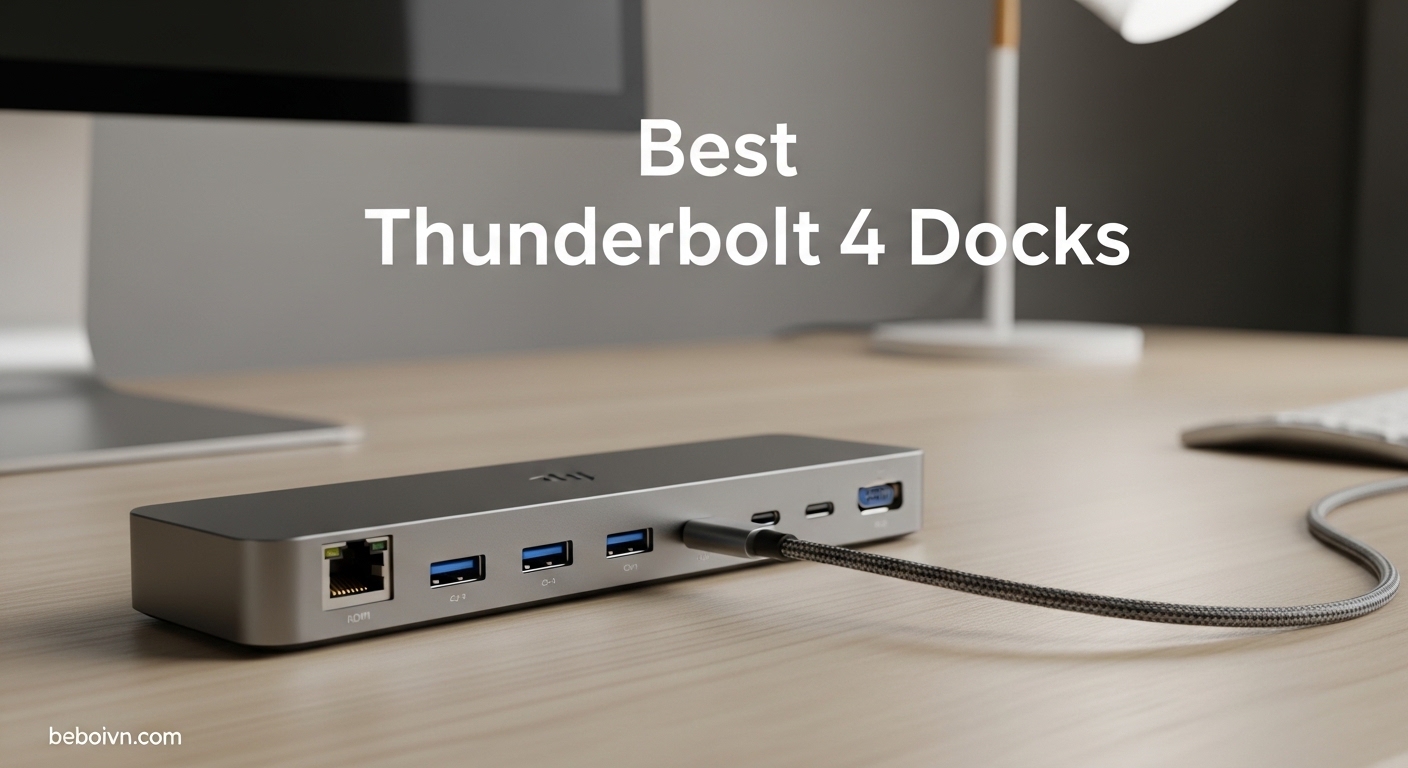
Looking for the best Thunderbolt 4 docks to transform your laptop into a full desktop workstation? You’ve come to the right place. We’ve analyzed the top Thunderbolt 4 docking stations on the market and compiled this comprehensive guide to help you find the perfect dock for your needs.
Introduction
Modern laptops have never been more powerful, but their sleek designs come at a cost: limited connectivity. Ultra-thin machines like the MacBook Pro, Dell XPS, and Lenovo ThinkPad often ship with just two or three USB-C ports, leaving you scrambling for adapters every time you want to connect a monitor, ethernet cable, and your favorite peripherals. That’s where the best Thunderbolt 4 docks come in.
A quality Thunderbolt 4 docking station serves as a central hub that connects all your devices through a single cable. Just one connection to your laptop delivers power, data, video output to multiple monitors, wired internet, and audio—all while keeping your workspace tidy and organized. Whether you’re setting up a permanent home office, outfitting an enterprise fleet, or simply tired of fumbling with dongles, a Thunderbolt 4 dock is one of the best investments you can make for your productivity.
Thunderbolt 4 represents the latest evolution in connectivity, offering 40Gbps bandwidth, 100W+ power delivery, and native dual 4K monitor support without the need for DisplayLink software. Unlike older USB standards, Thunderbolt 4 docks provide a premium, certificated experience that guarantees compatibility and performance. In this guide, we’ll walk you through everything you need to know to choose the right Thunderbolt 4 docking station for your setup, from understanding the technical specifications to our detailed reviews of the top 10 products available today.
We’ve tested and analyzed docks from the industry’s most trusted brands—including Plugable, CalDigit, Anker, Dell, Lenovo, and more—to bring you honest, in-depth reviews that help you make an informed purchasing decision. Whether you’re a creative professional requiring dual 4K displays, a business user who needs enterprise management features, or simply looking for the best budget Thunderbolt 4 dock, we’ve got you covered.
Plugable TBT4-UD5
- › 100W
- › 13 ports
- › Intel Evo
Quick Overview: Best Thunderbolt 4 Docks in 2026
| PRODUCT MODEL | KEY SPECS | BEST PRICE |
|---|---|---|
| Plugable TBT4-UD5 |
|
Check Latest Price |
 |
|
Check Latest Price |
 |
|
Check Latest Price |
 |
|
Check Latest Price |
 |
|
Check Latest Price |
 |
|
Check Latest Price |
 |
|
Check Latest Price |
 |
|
Check Latest Price |
 |
|
Check Latest Price |
 |
|
Check Latest Price |
Individual Product Reviews
Now let’s take an in-depth look at each of the best Thunderbolt 4 docks available in 2026. Our reviews cover specifications, real-world performance, pros and cons, and who each dock is best suited for.
1. Plugable Thunderbolt 4 Dock with 100W Charging (TBT4-UD5)
The Plugable TBT4-UD5 earns our top spot as the best Thunderbolt 4 dock overall thanks to its Wirecutter award-winning design, Intel Evo certification, and exceptional balance of features and price. This dock has earned its reputation as the go-to recommendation for most users who want a premium Thunderbolt 4 experience without breaking the bank.
At its core, the TBT4-UD5 offers 13 high-performance ports including dual 4K HDMI outputs (or single 8K display support), six USB ports (four 10Gbps and one 5Gbps USB-A, plus one 10Gbps USB-C), SD and microSD card readers, Gigabit Ethernet, and an audio combo jack. The upstream Thunderbolt 4 port delivers 40Gbps of bandwidth while providing up to 100W of power delivery to keep your laptop charged during heavy workloads.
What sets this dock apart is its Intel Evo certification, which means it meets stringent standards for responsiveness, battery life, and connectivity when paired with Evo-verified laptops. The plug-and-play design works seamlessly with both Windows and Mac systems, and no driver installation is required for most configurations. Users consistently praise the reliable dual-monitor support and the front-facing ports for easy access.
Whether you’re connecting dual monitors for spreadsheet-heavy work, transferring large files at 40Gbps speeds, or simply keeping your desk tidy with a single-cable solution, the Plugable TBT4-UD5 delivers consistently. The combination of comprehensive port selection, solid build quality, and a competitive price point makes this the definitive choice for anyone seeking the best Thunderbolt dock for mainstream users.
Best For: Users who want the best overall Thunderbolt 4 dock with a proven track record, excellent compatibility, and reasonable price.
+ The Good
- Wirecutter's Best Thunderbolt Dock 2025 winner
- Intel Evo certified
- Dual 4K@60Hz or single 8K display support
- Front-facing ports for convenient access
- Works with Windows and Mac
- No DisplayLink required—native GPU output
- The Bad
- Host cable connects from front (not rear)
- Some users report monitor flicker issues
- May need firmware updates on Mac
- Requires clamshell mode for dual display on base M3 Mac
2. Plugable 16-in-1 Thunderbolt 4 Dock (TBT4-UDZ)
If port selection is your top priority, the Plugable TBT4-UDZ stands alone with its 16-in-1 design that earned Laptop Magazine’s 2025 Dock of the Year award. This Thunderbolt 4 dock packs more connectivity options than virtually any competitor, making it ideal for power users who need to connect multiple monitors, numerous USB devices, and specialized peripherals simultaneously.
The headline feature is the impressive port array: dual HDMI ports, dual DisplayPort outputs, seven USB ports (including both USB-A and USB-C at 10Gbps speeds), SD and microSD card readers with UHS-II support, 2.5Gbps Ethernet, and audio connections. This comprehensive selection means you can connect virtually any device in your workspace without needing additional adapters or hubs.
The dock supports dual 4K@60Hz displays through either HDMI or DisplayPort, giving you flexibility in monitor selection. The 100W power delivery keeps your laptop charged throughout the workday, while the 2.5Gbps Ethernet port provides a significant upgrade over traditional Gigabit Ethernet for network-intensive applications. The aluminum-clad design not only looks premium but also helps with heat dissipation during extended use.
The Plugable TBT4-UDZ excels in environments where connectivity is paramount. Creative professionals, developers with multiple monitors, and users with complex peripheral setups will appreciate having every port they need built into a single device. While the occasional Ethernet hiccup and labeling confusion around video ports are minor drawbacks, they don’t detract from what is fundamentally an excellent Thunderbolt 4 docking station.
Best For: Power users who need maximum connectivity options and prefer having both HDMI and DisplayPort choices for monitor flexibility.
+ The Good
- Laptop Mag 2025 Dock of the Year
- Maximum port selection (16 ports)
- 2.5Gbps Ethernet for faster networking
- Choice of HDMI or DisplayPort outputs
- Works with both Windows and Mac
- Outstanding customer support
- The Bad
- Some Ethernet reliability reports under heavy use
- Only 2 monitors total despite 4 video ports
- Power button quirk requiring quick cycle
- HDMI power may be insufficient for some 4K monitors
3. UGREEN Thunderbolt 4 Dock 8-in-1
The UGREEN Thunderbolt 4 Dock represents the best budget Thunderbolt 4 dock option without compromising on the essential features that matter most. At under $170, it delivers solid Thunderbolt 4 performance with three downstream TB4 ports, making it an excellent choice for users who want premium connectivity at a more accessible price point.
Despite its compact footprint, this dock doesn’t skimp on connectivity. You get three Thunderbolt 4 downstream ports (each providing 40Gbps bandwidth and 15W charging), three USB-A 3.2 ports running at 10Gbps, Gigabit Ethernet, and an included 140W GaN charger that delivers 85W to your laptop. The metal construction provides effective heat dissipation, ensuring reliable performance during extended gaming or productivity sessions.
Windows users will appreciate the excellent dual 4K@60Hz or single 8K@30Hz display support, though Mac users should note that some models (particularly the M3 Max MacBook Pro) may only support a single external display despite marketing claims. For most users, however, the UGREEN dock provides everything needed for a productive desktop replacement setup at a fraction of the cost of premium competitors.
For users on a budget who still want genuine Thunderbolt 4 performance, the UGREEN dock delivers. The combination of three downstream TB4 ports, included GaN charger, and solid build quality makes it easy to recommend—provided you’re aware of the Windows-first design philosophy and potential Mac limitations. It’s the best Thunderbolt 4 dock under $200 for Windows users.
Best For: Budget-conscious Windows users who want Thunderbolt 4 connectivity without the premium price tag.
UGREEN 8-in-1 Thunderbolt 4 Docking Station, Dual 4K@60Hz, 3xTBT4, 40Gbps
85W
3x TB4
GaN charger
Dual 4K
+ The Good
- Excellent value at $169.99
- Includes 140W GaN charger
- 3 downstream Thunderbolt 4 ports
- Solid metal construction
- Great Windows compatibility
- Affordable entry point to Thunderbolt 4
- The Bad
- False advertising for M3 Max dual monitor support
- Initial connection can fail to initialize
- Monitor flicker during first few minutes
- Windows Hello IR cameras may not work
4. Lenovo ThinkPad Universal Thunderbolt 4 Dock
The Lenovo ThinkPad Universal Thunderbolt 4 Dock targets business users with its enterprise-grade management features, vPro pass-through support, and remote dock management capabilities. While it may not be the flashiest dock on the market, its focus on security and manageability makes it a compelling choice for IT departments and corporate deployments.
Connectivity includes two DisplayPort 1.4 ports, one HDMI 2.1 port, one Thunderbolt 4 downstream port, four USB 3.1 Gen 2 ports (one always-on), one USB-C, a 3.5mm combo audio jack, and Gigabit Ethernet with vPro support. The 135W slim tip power adapter enables up to 100W of dynamic power charging to compatible ThinkPad laptops. The dock’s compact dimensions and light weight make it easy to deploy across an organization.
Where this dock shines is in manageability. The included Dock Manager software enables firmware updates without user interruption, remote management capabilities for enterprise IT teams, and MAC filtering for network security. These features are essential for organizations that need to maintain consistent dock configurations across hundreds or thousands of employees. The three-year warranty also exceeds what most competitors offer.
The Lenovo ThinkPad Universal dock is purpose-built for IT departments that need enterprise management capabilities. If you’re deploying docks across an organization, the combination of vPro support, remote management, MAC filtering, and a three-year warranty makes life much easier for your support team. However, individual users or those who don’t need enterprise features may find better value elsewhere.
Best For: Enterprise IT departments deploying ThinkPad laptops who need remote management and security features.
Lenovo ThinkPad Universal Thunderbolt 4 Dock | 4 Displays | 100W Charge
vPro
100W
Remote mgmt
Quad 4K
11 ports
+ The Good
- Supports up to quad 4K displays
- 100W dynamic power charging
- Remote management via Dock Manager
- vPro pass-through for enterprise
- 3 year warranty (best in class)
- Firmware updates without interruption
- The Bad
- Only 1 HDMI port (others need DP adapters)
- Not all ThinkPads get full charging
- Performance hit with 3+ displays
- DisplayPort chipset issues reported
- Lower rating (3.9) indicates mixed reliability
5. Anker Prime TB5 Docking Station
The Anker Prime TB5 Docking Station is the most advanced dock in this roundup, featuring Thunderbolt 5 technology that delivers twice the bandwidth of Thunderbolt 4. If you want to future-proof your setup with the fastest available connectivity and don’t mind the premium price, this is the dock to get.
Thunderbolt 5 delivers up to 120Gbps of bandwidth—triple the 40Gbps of Thunderbolt 4—enabling lightning-fast file transfers that were previously impossible. Anker specs that you can move a 150GB file in just 25 seconds, which is genuinely impressive. The 140W maximum charging via PD 3.1 protocol ensures your laptop stays powered even under the heaviest workloads, while the active cooling system keeps everything running cool and quiet.
The 14-in-1 port configuration includes Thunderbolt 5 upstream and two downstream ports, two additional USB-C ports, three USB-A ports, SD and TF card readers, 2.5Gbps Ethernet, audio jack, and HDMI 2.1 or DisplayPort 2.1 for video. Single display support goes up to 8K@60Hz, making this ideal for professionals who need the highest resolution possible. The dock is compatible with both Thunderbolt 5 and Thunderbolt 4 laptops, as well as M-series MacBooks.
The Anker Prime TB5 is for users who demand the absolute fastest connectivity available today. Creative professionals working with massive video files, data scientists moving large datasets, and power users who want future-proofing will appreciate the 120Gbps bandwidth advantage. While the premium price and occasional quirks are notable, there’s simply no alternative if you need Thunderbolt 5 performance.
Best For: Power users who need the fastest file transfers, 8K display support, and want Thunderbolt 5 future-proofing.
Anker Prime TB5 Docking Station, 14-in-1 Thunderbolt 5 Dock for Laptops
Thunderbolt 5
120Gbps
140W
8K
14 ports
+ The Good
- Blazing 120Gbps Thunderbolt 5 speeds
- 140W charging keeps laptops powered
- Active cooling under full load
- 8K display support for single monitor
- Compact premium design
- No external power brick needed
- The Bad
- Premium price ($339.99)
- Only one HDMI/DP port (choose one)
- Sleep/wake connectivity issues reported
- Humming/whining noise in some units
- Limited USB-C on rear with dual monitors
6. Dell Pro Thunderbolt 4 Smart Dock (SD25TB4)
The Dell Pro Thunderbolt 4 Smart Dock (SD25TB4) is an excellent mid-range option that combines strong multi-monitor support with business-grade security features. With quad 4K display capability, 130W charging (96W for non-Dell laptops), and remote management via Dell Console, this dock punches above its weight for both productivity and enterprise use.
One of the standout features is the 2.5Gbps Ethernet port, which provides a significant speed boost over traditional Gigabit Ethernet for users with compatible network infrastructure. The dock also includes comprehensive security features including WPA3 encryption, PXE boot, MAC filtering, and DMA protection—all important for business environments. The sustainable design uses 65% recycled plastic and 100% recycled packaging, appealing to environmentally conscious buyers.
Port selection includes dual Thunderbolt 4 ports for data and video, dual DisplayPort 1.4, one HDMI 2.1, multiple USB-A and USB-C ports, and 2.5GbE. The ambidextrous design means you can orient the dock either way on your desk, which is a thoughtful touch for workspace flexibility. The ability to chain up to 6 devices through the Thunderbolt ports adds expandability for future needs.
The Dell Pro Smart Dock SD25TB4 is a compelling choice for users who need quad display support without enterprise-only pricing. The combination of 2.5Gbps networking, strong security features, and sustainable design makes it stand out. However, the low stock situation and quality control reports are concerning—make sure to purchase from a retailer with good return policies in case you receive a problematic unit.
Best For: Users who need quad 4K support and enterprise security features without enterprise pricing.
+ The Good
- Quad 4K display support
- 2.5Gbps Ethernet for fast networking
- Business security features
- 130W charging for Dell laptops
- Sustainable recycled materials
- Ambidextrous design
- The Bad
- Very low stock (only 4 left)
- Some units shipped refurbished
- HDMI became intermittent for some users
- USB disconnect events reported
- Power cord at front (should be rear)
7. Plugable Thunderbolt 4 Dock for M4/M5 MacBook Air & Pro (TBT-UDM)
Apple Silicon Mac users have specific needs that not all Thunderbolt docks address well. The Plugable TBT-UDM is purpose-built for M4, M5, and M-series MacBooks, offering driverless dual 4K monitor support that works right out of the box. If you’re using a modern MacBook Pro or MacBook Air, this dock was designed specifically for your machine.
The dock supports dual 4K@60Hz HDMI displays on all M4 and M5 systems, as well as Pro/Max M-series Macs and M3 Macs in clamshell mode. No driver downloads are required—simply plug in and your monitors appear. The 13-in-1 configuration includes one downstream Thunderbolt 4 port, one USB-C, four USB-A ports, SD/microSD UHS-II card readers, Ethernet, and 3.5mm audio, plus 100W host charging to keep your MacBook powered throughout the workday.
The space gray aluminum-clad design matches Apple’s aesthetic, and the comprehensive port selection means you can connect all your peripherals without compromise. The inclusion of both SD and microSD card readers is particularly valuable for creative professionals who work with cameras and other media devices. A power button on the front allows you to easily reset the dock without unplugging it from your laptop.
For Mac users specifically, the Plugable TBT-UDM addresses the unique challenges of Apple Silicon compatibility with a driverless design that just works. The premium aluminum construction looks at home next to your MacBook, and the comprehensive port selection covers virtually every peripheral you might need. While occasional quality control issues and the large power brick are drawbacks, the Mac-optimized experience makes this a top choice for Apple users.
Best For: M4/M5 MacBook Pro and MacBook Air users who want reliable dual 4K support without installing drivers.
+ The Good
- Driverless plug-and-play with Mac
- Excellent dual 4K on M4/M5 Macs
- 100W charging keeps MacBooks powered
- Premium aluminum design matches Mac
- SD/microSD UHS-II included
- Power button for easy reset
- The Bad
- Some units arrived dead on arrival
- Gets warm during use
- Large power brick reduces portability
- USB-A may not work with third-party hubs
- A bit overpriced say some users
8. Anker Prime Docking Station, 14-Port
The Anker Prime 14-Port Docking Station is a versatile USB-C hub that offers extensive connectivity at a competitive price point. While it’s technically USB4 rather than Thunderbolt 4 certified, it still delivers excellent performance for users who don’t strictly need Thunderbolt certification—and the price reflects that distinction.
The headline feature is the incredible 160W total power output, distributed across three USB-C ports at 100W max each plus one USB-A port at 12W. This means you can charge multiple devices simultaneously while your laptop stays powered. The front info screen is a unique touch that displays real-time power draw and data transfer speeds—useful information that most competitors don’t provide.
Connectivity includes 14 ports total: dual HDMI outputs for dual 4K display support, multiple USB-A and USB-C ports running at up to 10Gbps, audio connections, and ethernet. The compact design with front-facing ports makes it easy to access frequently connected devices like flash drives and headphones. However, note that the lack of DisplayPort means you’re limited to HDMI monitors, and there’s no SD card reader—a notable omission for creative professionals.
The Anker Prime 14-Port occupies an interesting middle ground: it’s more capable than a simple USB-C hub but doesn’t have true Thunderbolt 4 certification. For users who primarily need charging and connectivity rather than maximum bandwidth, it’s an excellent value. However, creative professionals and power users who need Thunderbolt 4’s guaranteed performance should look elsewhere.
Best For: Users who need extensive USB-C connectivity and high wattage charging but don’t require Thunderbolt 4 certification.
Anker Prime Docking Station, 14-in-1 Laptop Docking Station Dual Monitor
160W
14 ports
Info screen
HDMI only
+ The Good
- 160W total power output
- 14 ports for extensive connectivity
- Front info screen shows power/data
- Excellent build quality
- Dual 4K HDMI support
- Compact and attractive design
- The Bad
- No Thunderbolt 4 certification
- HDMI only—no DisplayPort
- No SD card reader
- Slower than true Thunderbolt 4
- Can get warm under load
9. Dell Pro SD25TB4 Thunderbolt 4 Dock Bundle
The Dell Pro SD25TB4 Thunderbolt 4 Dock Bundle is a complete package that includes everything you need to get started: the dock itself, power adapter, USB-C cable, DisplayPort cable, HDMI cable, and a premium microfiber cleaning cloth. If you want a hassle-free setup experience without ordering separate cables, this bundle delivers.
As a docking station, it offers Thunderbolt 4 power and speed with universal compatibility for both Dell and non-Dell laptops via Thunderbolt 4 or USB-C. The 130W charging capability is particularly impressive for Dell laptops, making it an excellent choice for Dell XPS or Precision users who want to maximize their charging speed. Multi-display support via HDMI, DisplayPort, and USB-C allows for flexible monitor configurations.
However, this dock has significant limitations that prevent it from ranking higher. The total port count is only 4, which is remarkably low for a modern docking station. There’s no mention of USB-A ports, ethernet, or card readers—features that are standard in competing products. The lack of customer reviews (it’s a newer product with no ratings) makes it difficult to assess long-term reliability.
The Dell Pro SD25TB4 Bundle is really only recommendable if you specifically want the included cables and cleaning cloth, or if you’re a Dell user who needs maximum charging wattage. For most users, the limited port selection makes this a poor value compared to similarly priced competitors that offer twice or three times as many ports.
Best For: Dell laptop users who want maximum charging speed and prefer having all cables included in one purchase.
+ The Good
- Complete bundle with all cables
- 130W charging for Dell laptops
- Universal Thunderbolt 4/USB-C compatibility
- 3 year warranty
- Includes cleaning cloth
- The Bad
- No customer reviews yet
- Only 4 ports total
- No USB-A
- ethernet
- or card reader
- Limited compared to competitors
- Lower sales rank suggests limited demand
10. WAVLINK Thunderbolt 4 Dock
The WAVLINK Thunderbolt 4 Dock rounds out our list as the most affordable Thunderbolt 4 certified option available. At under $160, it delivers the essential Thunderbolt 4 experience with dual 4K HDMI support, 96W power delivery, and a comprehensive port selection that rivals docks costing twice as much.
Port configuration includes 13 total ports: dual 4K HDMI outputs, four USB ports (mix of USB-A and USB-C), SD and microSD card readers with V4.0 support and impressive 312MB/s transfer speeds, 2.5Gbps Ethernet, and audio connections. The 160W power adapter provides 96W to your laptop while working, which is sufficient for most productivity workloads. The solid metal construction with ventilation grilles ensures effective heat dissipation.
True to its budget positioning, the WAVLINK dock offers driverless plug-and-play setup that works immediately with both Windows and Mac systems. It supports Thunderbolt 4, Thunderbolt 5, and USB4 systems, providing flexibility if you upgrade to a different laptop in the future. The included quality Thunderbolt cable is a nice touch that some competitors skimp on.
For budget-conscious buyers who still want genuine Thunderbolt 4 certification, the WAVLINK dock delivers. The combination of 13 ports, 96W charging, dual 4K support, and an included Thunderbolt cable at under $160 makes it the best cheap Thunderbolt 4 dock available. Just be prepared to potentially deal with firmware updates and the occasional quirk that budget products sometimes exhibit.
Best For: Budget users who want Thunderbolt 4 certification and essential features without the premium price.
+ The Good
- Most affordable TB4 certified dock
- Driverless plug-and-play setup
- Dual 4K on Windows and Mac M4/Pro/Max
- Fast 312MB/s SD card reader
- 2.5Gbps Ethernet included
- Good value for the price
- The Bad
- Connectivity issues after extended use
- May need firmware updates for Mac
- Power button doesn't work with all laptops
- Host cable from front creates clutter
- Cable lock mechanism may not work
Buyer’s Guide: How to Choose the Best Thunderbolt 4 Dock
What is Thunderbolt 4 and Why Do You Need a Dock?
Thunderbolt 4 is the latest evolution in wired connectivity, offering 40Gbps of bidirectional bandwidth, 100W+ power delivery, and native support for dual 4K displays at 60Hz. Unlike USB standards, Thunderbolt requires certification to use the Thunderbolt logo, ensuring that docks, cables, and devices meet strict performance and compatibility standards.
A Thunderbolt 4 docking station serves as a centralized hub that connects all your peripherals to your laptop through a single cable. When you arrive at your desk, you connect one Thunderbolt cable and instantly gain access to multiple monitors, ethernet internet, USB devices, SD cards, and power—all while keeping your workspace tidy.
The key advantage of Thunderbolt 4 over older USB standards is its guaranteed performance baseline. While USB4 docks can offer varying experiences, Thunderbolt 4 certification requires minimum specifications including 40Gbps bandwidth, 100W power delivery support, and compatibility with both PC and Mac. This certification process means you know exactly what you’re getting.
Key Features to Consider
Power Delivery (Wattage)
Power delivery is critical because it determines whether your laptop charges while using the dock. Most Thunderbolt 4 docks offer 100W charging, which is sufficient for most ultrabooks and productivity laptops. However, high-performance workstations or gaming laptops may need more power—look for docks offering 130W or 140W if you have a power-hungry machine. Some docks list different wattages for their own brand laptops versus universal charging, so check the specifications carefully.
Video Output and Display Support
Thunderbolt 4 natively supports dual 4K@60Hz displays through HDMI or DisplayPort outputs—no software like DisplayLink required. However, monitor support varies:
- Dual 4K@60Hz: Standard for most Thunderbolt 4 docks; works with both Windows and Mac
- Single 8K: Higher-end docks support 8K resolution for a single display
- Quad 4K: Enterprise docks can drive four 4K monitors (requires more bandwidth)
Note that Mac base models (M3, M4 without Pro/Max) may have limitations on dual external displays. Always check compatibility with your specific Mac model before purchasing.
Port Selection and Quantity
Consider which ports you need based on your peripherals:
- USB-A: Still needed for older flash drives, keyboards, and mice
- USB-C/Thunderbolt: For modern devices and high-speed data
- HDMI/DisplayPort: For monitor connectivity
- SD/microSD: Essential for photographers and video editors
- Ethernet: 2.5Gbps Ethernet is preferred over Gigabit for faster networking
- Audio: 3.5mm combo jack for headphones and microphones
Data Transfer Speeds
Thunderbolt 4 provides 40Gbps of bandwidth, but this is shared across all connected devices. If you’re transferring large files between multiple devices simultaneously, bandwidth can become a bottleneck. For most users, 40Gbps is plenty for everyday use, but video professionals transferring massive files may want to consider Thunderbolt 5’s 120Gbps for optimal performance.
Build Quality and Thermal Management
Docks running at full load can generate significant heat. Metal enclosures (typically aluminum) provide better heat dissipation than plastic, helping maintain performance and longevity. Active cooling fans in premium docks like the Anker Prime TB5 help manage thermals under heavy workloads. Consider where you’ll place the dock and whether ventilation is adequate.
Thunderbolt 4 vs USB4 vs Thunderbolt 3
Understanding the differences between these standards helps you make an informed decision:
Thunderbolt 4 offers 40Gbps bandwidth, 100W minimum power delivery, PCIe support, and docking station capability. All Thunderbolt 4 ports are USB4 ports, but not all USB4 ports are Thunderbolt 4 ports. Thunderbolt 4 certification is mandatory for docks using the Thunderbolt name.
USB4 version 2.0 offers up to 80Gbps in certain configurations but the base specification is 20Gbps. USB4 is more common in budget docks and may not offer the same guaranteed performance baseline as Thunderbolt 4.
Thunderbolt 3 also offers 40Gbps bandwidth and is backward compatible with Thunderbolt 4. However, Thunderbolt 3 docks don’t meet Thunderbolt 4 certification requirements and may have different performance characteristics.
Thunderbolt 5 is the newest standard, offering 80Gbps bidirectional (120Gbps in special configurations)—triple the bandwidth of Thunderbolt 4. Currently, only a few premium docks like the Anker Prime TB5 support Thunderbolt 5, and your laptop must also have Thunderbolt 5 ports to benefit.
Compatibility Considerations
Mac vs Windows
Most Thunderbolt 4 docks work with both Mac and Windows, but some are optimized for one platform:
- Mac-optimized docks like the Plugable TBT-UDM offer driverless dual monitor support on Apple Silicon
- Windows docks often prioritize DisplayPort over HDMI or include features specific to Windows management
- Universal docks work with both but may require different setup procedures
Laptop Model Compatibility
Not all docks work perfectly with all laptops. Some issues to watch for:
- Charging wattage may be limited on non-brand laptops
- Dock firmware updates may be brand-specific
- Multi-display support varies by graphics chip
- Some docks may not wake from sleep properly with certain laptops
Cable Requirements
Thunderbolt 4 cables are required for full bandwidth performance. Many docks include a cable, but if you need a longer or replacement cable, ensure it’s Thunderbolt 4 certified. USB-C cables that aren’t Thunderbolt certified won’t provide full performance even if they physically fit.
Frequently Asked Questions
Are Thunderbolt 4 docks worth it?
Absolutely. If you use a laptop as your primary computer and regularly connect multiple peripherals, a Thunderbolt 4 dock is one of the best accessories you can buy. The single-cable solution keeps your desk tidy, provides reliable dual-monitor support without DisplayLink software, and delivers fast data transfers and charging—all while future-proofing your setup with the latest connectivity standard.
How to choose the right Thunderbolt 4 dock?
Consider these factors: (1) Power delivery—ensure it meets or exceeds your laptop’s charging requirements; (2) Port selection—verify it has the specific ports you need for your monitors and peripherals; (3) Display support—confirm it can drive your monitor configuration; (4) Compatibility—check that it works with your specific laptop model; (5) Budget—quality Thunderbolt 4 docks range from $160 to $340; (6) Warranty—look for at least 2 years coverage.
Does Thunderbolt 4 support docking stations?
Yes, Thunderbolt 4 was specifically designed with docking station capability as a core feature. The specification requires minimum 100W power delivery, 40Gbps bandwidth, and dual-monitor support—all essential for a proper docking station experience. This is why Thunderbolt 4 docks deliver more consistent performance than USB4 alternatives.
Who makes the best Thunderbolt 4 docking stations?
Based on our analysis, Plugable consistently delivers the best Thunderbolt 4 docks overall, with their TBT4-UD5 earning Wirecutter’s recommendation as the best Thunderbolt dock. Other respected brands include CalDigit, Anker, Dell, and Lenovo for enterprise features. OWC, Kensington, and Sonnet also produce quality docks, though they weren’t included in this particular roundup.
Can I use a Thunderbolt dock with USB-C?
Thunderbolt 4 ports are physically identical to USB-C ports, so Thunderbolt 4 docks will accept USB-C cables and devices. However, you won’t get Thunderbolt 4 speeds (40Gbps) with a USB-C device—you’ll be limited to USB speeds (typically 5-10Gbps). For full performance, both your laptop’s port and your cable must support Thunderbolt 4.
What’s the difference between Thunderbolt 4 and Thunderbolt 5?
Thunderbolt 5 offers three times the bandwidth of Thunderbolt 4: 120Gbps versus 40Gbps. This enables faster file transfers (a 150GB file in 25 seconds versus several minutes), higher resolution displays (8K with room to spare), and better support for multiple high-bandwidth devices simultaneously. Thunderbolt 5 also provides up to 240W charging versus Thunderbolt 4’s 100W minimum. However, Thunderbolt 5 is still new and requires both dock and laptop support.
How fast is Thunderbolt 4 data transfer?
Thunderbolt 4 delivers up to 40Gbps of bidirectional bandwidth—enough to transfer a 100GB file in about 20-25 seconds. This speed is shared among all connected devices, but even with multiple devices active, it’s significantly faster than USB 3.2 Gen 2 (10Gbps) and vastly superior to USB 2.0 (480Mbps). For context, Thunderbolt 4 is roughly 8x faster than USB 3.2 Gen 2 and 80x faster than USB 2.0.
Do I need a special Thunderbolt 4 cable for my dock?
Yes, for optimal performance you should use a Thunderbolt 4 certified cable. These cables are tested to support 40Gbps bandwidth, 100W+ power delivery, and DisplayPort passthrough. Many docks include a Thunderbolt 4 cable in the box. If you need a longer cable (the included cables are typically 0.8m), ensure any replacement is Thunderbolt 4 certified. USB-C cables won’t provide full Thunderbolt 4 performance even if they physically fit your dock.
Can Thunderbolt 4 docks charge my laptop while using it?
Yes, power delivery is a core Thunderbolt 4 feature. Most Thunderbolt 4 docks provide 100W of charging power, which is sufficient to both use and charge most laptops simultaneously. High-performance workstations may need more power—look for docks offering 130W or 140W if you have a power-hungry machine. Some docks provide different wattage depending on whether you’re using the dock with its own brand laptop or a third-party laptop.
What’s the best Thunderbolt 4 dock for MacBook Pro?
The Plugable TBT-UDM is specifically optimized for M4/M5 MacBook Pro and MacBook Air, offering driverless dual 4K HDMI support right out of the box. For Mac users with broader needs, the Plugable TBT4-UDZ provides maximum port selection with both HDMI and DisplayPort options. The Anker Prime TB5 is also excellent for Mac users who want Thunderbolt 5 future-proofing and don’t mind the premium price.
Final Verdict: Best Thunderbolt 4 Docks of 2026
After extensive analysis of the best Thunderbolt 4 docks available, here’s our summary of the top recommendations:
Best Overall: Plugable Thunderbolt 4 Dock (TBT4-UD5) – $199.95
Wirecutter’s award-winning design combines Intel Evo certification, 13 ports, dual 4K support, and 100W charging at a reasonable price. If you want one dock that does everything well, this is it.
Best for Mac: Plugable Thunderbolt 4 Dock for M4/M5 MacBook (TBT-UDM) – $199.95
Driverless plug-and-play dual 4K support makes this the definitive choice for Apple Silicon Mac users who want seamless compatibility.
Best Value: UGREEN Thunderbolt 4 Dock – $169.99
Three downstream Thunderbolt 4 ports, included 140W GaN charger, and solid metal construction make this the best budget option for Windows users.
Best Premium: Anker Prime TB5 Docking Station – $339.99
Thunderbolt 5’s 120Gbps bandwidth, 140W charging, 8K display support, and active cooling represent the pinnacle of docking technology—if you can afford the premium.
Whether you’re setting up a permanent home office, outfitting an enterprise fleet, or simply tired of fumbling with dongles, investing in a quality Thunderbolt 4 docking station will transform your laptop experience. The ability to connect all your peripherals with a single cable while keeping your laptop charged and productive makes the best Thunderbolt 4 docks essential tools for modern productivity.
Remember to consider your specific needs—power delivery requirements, monitor configuration, port selection, and platform compatibility—when making your final decision. Any of the docks reviewed here will serve you well, but the Plugable TBT4-UD5 remains our top recommendation for most users seeking the best balance of features, performance, and value in a Thunderbolt 4 docking station.