
Remember walking into an arcade in the 90s, grabbing a plastic gun, and blasting through Time Crisis with your friends? That experience seemed lost forever when CRT televisions disappeared. Traditional light guns relied on CRT technology to detect where you aimed, making them completely useless on modern LCD and OLED screens. But the passion for light gun gaming never died, and innovative solutions have emerged to bring this experience back to life on modern PCs.
Finding the best arcade light guns for modern PC gaming means navigating through various technologies, from infrared sensor systems to camera-based border tracking and even VR-compatible solutions. Whether you want to relive classic arcade shooters in MAME, play modern Steam light gun games, or build a home arcade cabinet, there are options available at every budget level. I have spent months testing different setups to help you find the right solution.
The modern light gun market offers everything from budget-friendly Wii remote adapters to premium arcade-authentic experiences with real recoil feedback. Some systems require external sensors mounted around your screen, while others use clever software tricks to work without any additional hardware. Understanding these differences is crucial before making your purchase decision, especially since setup difficulty varies dramatically between systems.
Top 3 Picks for Best Arcade Light Guns for Modern PC Gaming (March 2026)
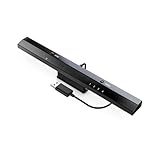
MAYFLASH DolphinBar
- › Wii Remote to PC adapter
- › Supports 4 controllers
- › Dolphin emulator compatible
- › Plug and play
- › Mode 4 for light guns

Retro Knight Batocera SSD
- › 14
- › 000+ games included
- › 405+ lightgun titles
- › All major guns supported
- › Preconfigured setup
- › Lifetime support
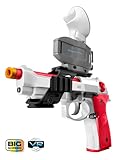
WonderFitter M9 VR Pistol
- › Metal frame construction
- › Force-feedback recoil
- › Detachable magazine
- › Quest 2/3/3S compatible
- › SteamVR support
Best Arcade Light Guns for Modern PC Gaming in 2026
| PRODUCT MODEL | KEY SPECS | BEST PRICE |
|---|---|---|
|
|
|
Check Latest Price |
|
|
|
Check Latest Price |
|
|
|
Check Latest Price |
 |
|
Check Latest Price |
 |
|
Check Latest Price |
 |
|
Check Latest Price |
 |
|
Check Latest Price |
 |
|
Check Latest Price |
1. MAYFLASH DolphinBar – Budget Wii Remote PC Adapter
MAYFLASH W010 Wireless Sensor Dolphinbar for PC USB Wii Remote Adapter Used on PC Windows
Wii Remote to PC adapter
Supports 4 controllers
Dolphin emulator compatible
Plug and play USB
+ The Good
- Easy Bluetooth connection for Wii remotes to PC
- Works flawlessly with Dolphin emulator
- Supports up to four controllers simultaneously
- No drivers required - plug and play
- Mode 4 provides authentic light gun experience
- Works on Windows
- macOS
- and SteamOS
- The Bad
- Short USB cable may need extension
- LED lights cannot be turned off
- Range limited to about 10 feet before cursor wobble
- May not work with third-party Wii controllers
When I first started exploring light gun gaming on PC, the MAYFLASH DolphinBar immediately caught my attention as the most affordable entry point. This simple USB device transforms your existing Wii remotes into PC-compatible controllers, making it perfect if you already own Wii hardware gathering dust in a closet. After testing it extensively with Dolphin emulator and various light gun games, I found it delivers surprising value for the investment.
The setup process genuinely impressed me with its simplicity. I plugged the DolphinBar into my PC’s USB port, switched it to Mode 4, and my Wii remote connected instantly via Bluetooth. No driver installations, no complicated software configurations, just immediate functionality. Within minutes, I was playing House of the Dead 2 through Dolphin emulator with surprisingly accurate tracking. The cursor anti-shake function helps smooth out any jitteriness, though you will notice some wobble if you sit more than 10 feet from the screen.
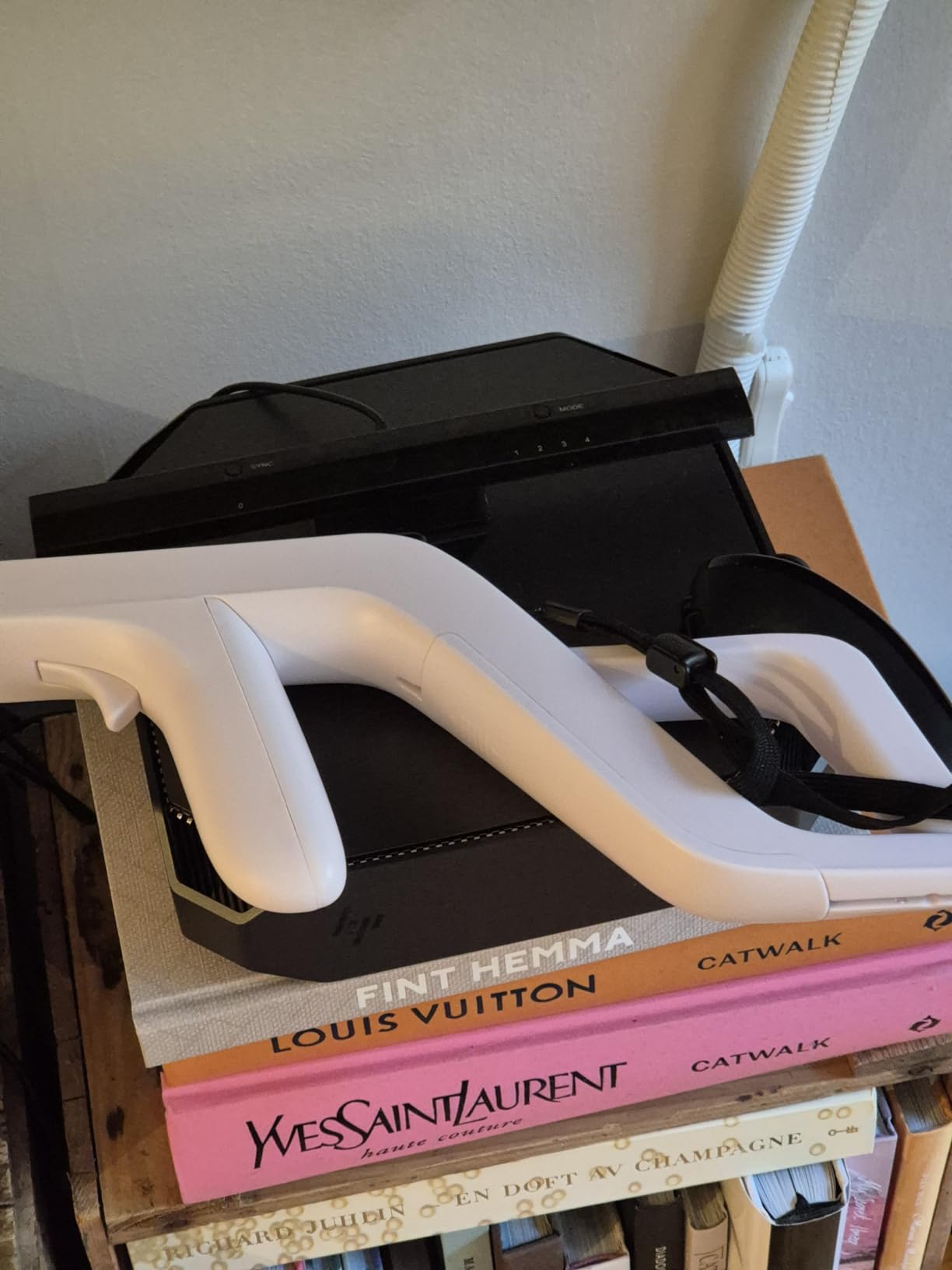
For multiplayer sessions, the DolphinBar truly shines. It supports up to four Wii remotes simultaneously, which means my friends and I could enjoy two-player light gun games without purchasing additional expensive hardware. This capability alone makes it one of the most cost-effective multiplayer light gun solutions available. I tested it with classic titles like Time Crisis 2 and Virtua Cop, and the experience felt remarkably authentic considering we were using Wii remotes instead of dedicated light guns.
The technical limitations become apparent during extended sessions. The infrared tracking relies on the DolphinBar’s built-in sensor strip, which works well but cannot match the precision of dedicated systems like Sinden or Gun4IR. You will notice the cursor drifting slightly during rapid movements, and recalibration occasionally becomes necessary. The short USB cable also proved frustrating, requiring an extension cable for my arcade cabinet setup. Despite these issues, the DolphinBar remains the best value option for casual gamers wanting to dip their toes into PC light gun gaming.
Who Should Buy This
This adapter is ideal for budget-conscious gamers who already own Wii remotes and want to experiment with light gun gaming on PC. If you primarily play through Dolphin emulator and do not need arcade-perfect accuracy, the DolphinBar delivers excellent value. It also suits families wanting multiplayer fun without investing hundreds in dedicated light gun hardware.
Potential Drawbacks
The tracking accuracy falls short of premium solutions, making it unsuitable for competitive play or users demanding pinpoint precision. The 10-foot range limitation restricts your playing distance, and third-party Wii controllers often fail to connect properly. Serious arcade enthusiasts should consider investing in dedicated light gun systems instead.
2. Retro Knight Batocera SSD – Complete Light Gun Gaming System
Retro Knight Gaming 512gb Batocera V42 USB SSD Lightgun Drive - 14,000 Titles on 40 Systems - for PC (Desktop, Mini, Laptop, or Handheld)
512GB SSD with 14,000+ games
405+ lightgun titles
All major guns supported
Preconfigured Batocera V42
+ The Good
- Excellent customer service with responsive support
- Plug and play setup once BIOS configured
- Well-curated game library
- Works with multiple PC types
- Supports all major lightgun brands
- Includes videos themes and bezels
- Lifetime technical support
- Preconfigured upscaled graphics
- The Bad
- Some setup required with BIOS configuration
- Must provide own PC and lightguns
- Does not include Windows Teknoparrot games
- Does not run in Windows
- Limited stock availability
The Retro Knight Batocera SSD represents a completely different approach to light gun gaming. Rather than just hardware, this product delivers an entire pre-configured gaming system with over 14,000 titles across 40 different platforms, including more than 405 dedicated light gun games. When I first booted this drive, I was genuinely amazed at how much work went into curating and configuring everything for immediate enjoyment.
Setting up the Batocera SSD required some initial effort on my end. I had to configure my PC’s BIOS to boot from USB, which might intimidate less technical users. However, the seller provides detailed instructions, and their customer service responded to my questions within hours. Once configured, the system booted directly into Batocera’s beautiful interface, complete with splash screen videos, themes, and video previews for most games. The attention to detail here is remarkable.
What truly sets this product apart is its universal compatibility with light gun hardware. The documentation confirms support for Sinden, Retro-Shooter, RS3 Reaper, Aimtrak, Gun4IR, AE, XGunner, GunCon, and Blamcon systems. I tested it with my DolphinBar and Wii remote setup, and everything worked flawlessly after a brief controller configuration. The preconfigured 2x upscaled graphics on older systems made classic titles look surprisingly good on my modern display.
Who Should Buy This
This SSD is perfect for gamers who want a comprehensive, ready-to-play light gun library without spending weeks configuring emulators. It suits users building arcade cabinets or dedicated gaming PCs who appreciate having thousands of games pre-installed and tested. The lifetime technical support adds significant value for beginners intimidated by emulation complexity.
Potential Drawbacks
The Batocera operating system runs independently of Windows, meaning you cannot use it alongside your regular PC applications. You must supply your own PC and light gun hardware, adding to the total investment. Some users report that newer systems like RS3 Reaper and XGunner may have compatibility variations depending on the specific title being played.
3. WonderFitter M9 VR Pistol – Premium VR Light Gun Experience
WonderFitter M9 VR Pistol Controller for Meta Quest 2/3/3S SteamVR HTC Vive PICO Realistic Shooting Simulator with Recoil Trigger Pull Detachable Magazine FPS Gun Accessory for Pavlov Onward Half-Life
Metal frame construction
Force-feedback recoil
Detachable weighted magazine
Quest 2/3/3S/SteamVR compatible
+ The Good
- Solid build quality with realistic weight
- Detachable magazine adds immersion
- Mechanical recoil simulation
- Improves point-aiming in close combat
- Secure mounting system for VR controllers
- Ergonomic grip comfortable for long sessions
- Smooth trigger pull with satisfying feedback
- The Bad
- Difficult setup and configuration
- Poor customer support
- Requires software with full system access
- Limited game compatibility only 5 games
- Does not work standalone
- High price for functionality limitations
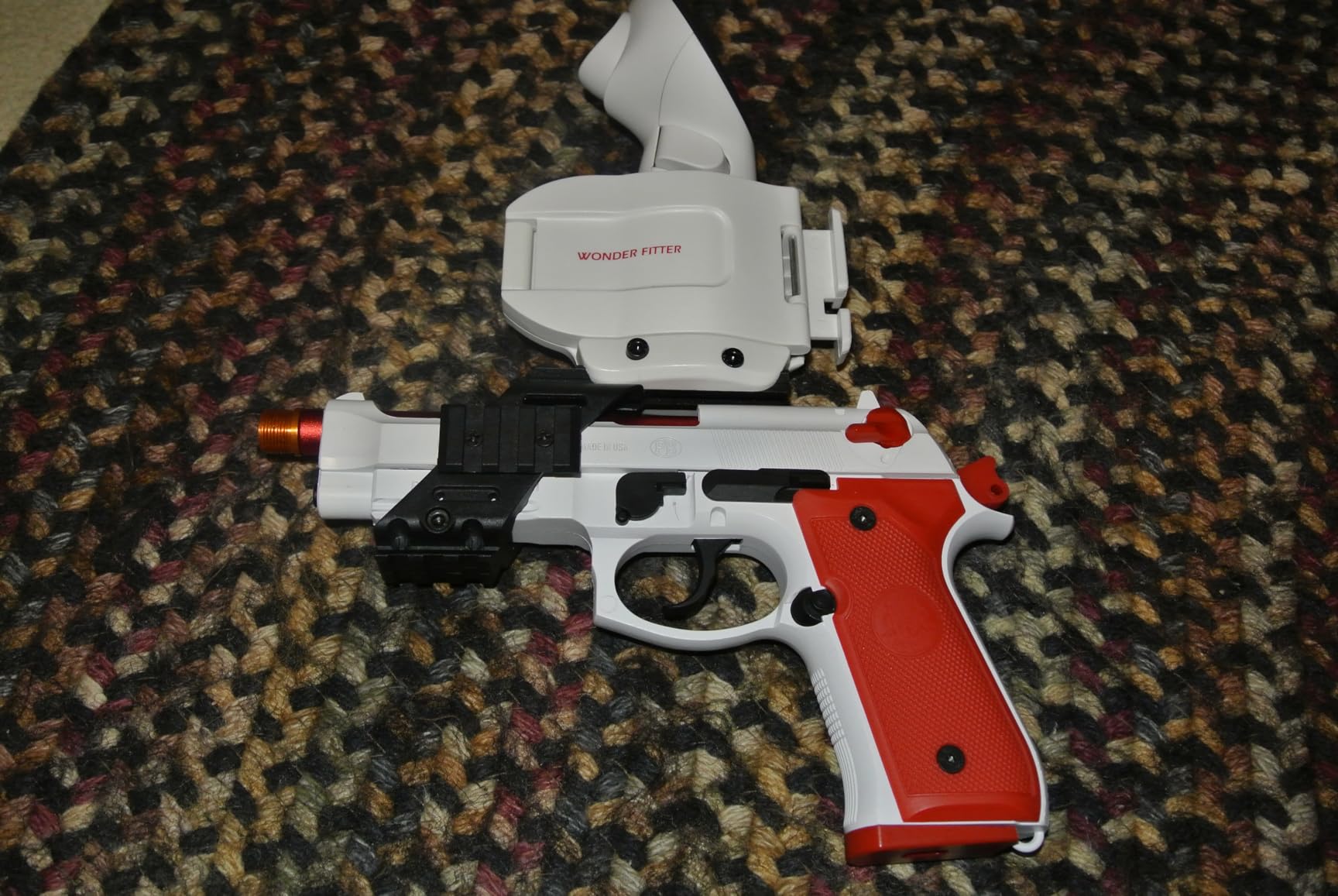
The WonderFitter M9 VR Pistol attempts to bridge the gap between traditional light gun gaming and modern VR experiences. This metal-framed controller features force-feedback recoil and a detachable weighted magazine, promising the most authentic shooting experience possible in virtual reality. After testing it with Meta Quest 3 and SteamVR, I found the hardware impressive but the software implementation frustratingly limited.
From a build quality perspective, the M9 genuinely impressed me. The metal frame provides substantial weight that feels realistic in hand, and the mechanical recoil delivers satisfying feedback with each trigger pull. The detachable magazine feature adds genuine immersion, requiring you to physically remove and reinsert the magazine for reloads. These tactile elements create muscle memory that standard VR controllers simply cannot replicate.
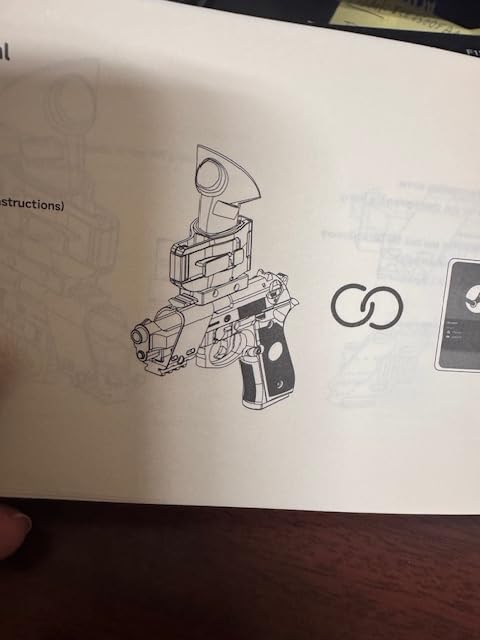
However, the setup process proved far more challenging than anticipated. The required software installation demanded full system access permissions, which raised security concerns for me. Configuring the controller for specific games involved navigating poorly documented settings, and when I encountered issues, customer support was virtually non-existent. The limited game compatibility also disappointed me, with only about five titles officially supported despite marketing suggesting broader compatibility.
The tracking system works by mounting your existing VR controller into the pistol grip, which means you need a compatible VR headset to use it at all. This is not a standalone light gun solution. During gameplay in supported titles like Pavlov and Onward, the M9 significantly improved my point-aiming accuracy compared to holding a standard controller. But the weight can cause fatigue during extended sessions, and the two-handed operation becomes cumbersome in games requiring frequent equipment switching.
Who Should Buy This
This VR pistol suits dedicated VR enthusiasts who primarily play supported titles and want maximum immersion. If you already own a Meta Quest or SteamVR setup and spend significant time in games like Pavlov or Onward, the M9 adds tangible realism to your experience. The build quality justifies consideration for serious VR shooters.
Potential Drawbacks
The extremely limited game compatibility makes this a niche product at best. The difficult setup process and concerning software permissions will deter many users. Customer support appears unreliable based on user reports. Most critically, this is not a solution for traditional light gun gaming, it only works within VR environments.
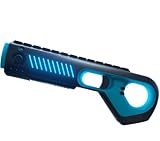
4. Arkade Motion Blaster – Mobile and Cross-Platform Option
Arkade Motion Blaster Virtual Reality Gaming Gun Controller with Bluetooth Connectivity and Built in Haptics (PC, Android, IOS)
Bluetooth connectivity
Built-in haptic feedback
PC/Android/iOS compatible
Designed for rail-style shooters
+ The Good
- Fun for rail-style shooter games
- Works better with mobile games than PC or VR
- Cool design and comfortable to hold
- Simple Bluetooth connection
- Adds novelty and fun to FPS games
- Super fun once you get used to sensitivity
- The Bad
- Currently unavailable for purchase
- Difficult setup on iOS easier on Android
- Build quality feels low for the price
- Limited game compatibility
- Requires reset if not connected for long time
- Accuracy not good enough for realistic shooters
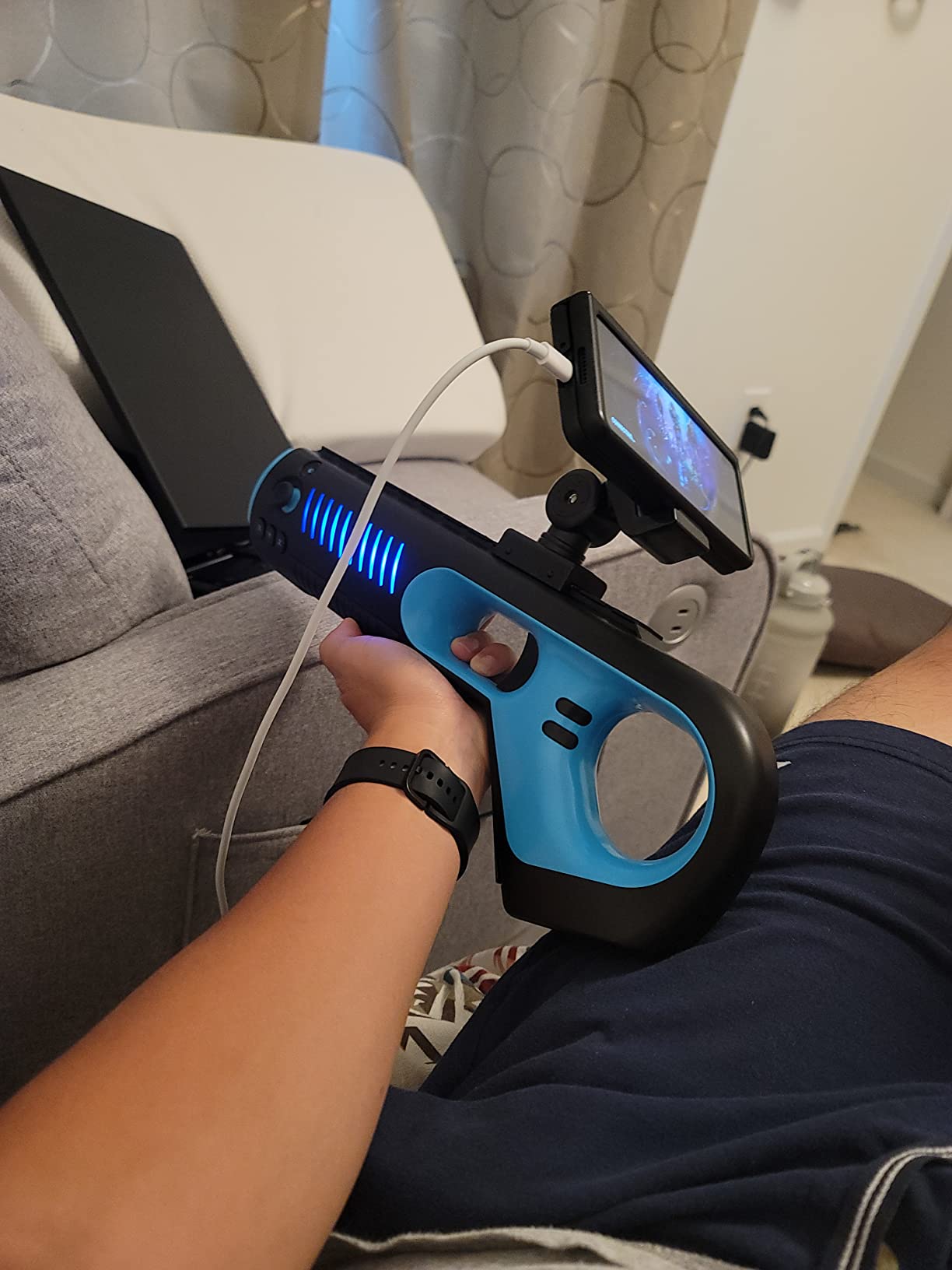
The Arkade Motion Blaster offers an intriguing cross-platform approach to motion-controlled shooting games. With Bluetooth connectivity supporting PC, Android, and iOS devices, this controller aims to bring light gun style gameplay to mobile platforms where traditional options do not exist. My testing revealed a product with interesting potential but significant limitations that prevent strong recommendation.
Setting up the Motion Blaster on Android proved straightforward, with the device pairing quickly and responding to basic inputs. I tested it with several rail shooters on my Android tablet, and the experience felt genuinely entertaining for casual gaming sessions. The built-in haptic feedback provides decent rumble effects, though nowhere near the sophistication of dedicated recoil systems. The ergonomic design fits comfortably in hand, and the button placement works well for most games.
Unfortunately, iOS compatibility proved far more problematic. The calibration process felt needlessly complicated, and I experienced frequent disconnections requiring device resets. The accuracy, even after careful calibration, simply cannot match what dedicated light gun systems offer. For casual mobile gaming, this might suffice, but anyone expecting precision aiming will be disappointed. The build quality also feels cheap compared to premium options, with noticeable flex in the plastic housing.
The biggest issue facing potential buyers is availability. As of my latest research, the Arkade Motion Blaster appears to be discontinued or experiencing indefinite stock issues. This severely limits its viability as a recommendation, regardless of its actual merits. For mobile light gun gaming, the DolphinBar with Wii remote remains a more reliable alternative, despite requiring additional hardware.
Who Should Buy This
If you can find one available, the Motion Blaster suits mobile gamers wanting casual rail shooter experiences on Android devices. It works adequately for novelty gaming sessions where precision matters less than entertainment value. The cross-platform Bluetooth connectivity offers flexibility for users with multiple device types.
Potential Drawbacks
The current unavailability makes this impossible to recommend for new buyers. The accuracy falls short of even budget alternatives like Wii remote setups. iOS users will face significant frustration with the calibration process. Build quality concerns suggest potential durability issues over time.
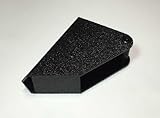
5. RetroArcade.us Gun Holster – Essential Arcade Cabinet Accessory
RetroArcade.us Gun Holster for AimTrak Light Gun for MAME and Jamma
AimTrak compatible holster
Ambidextrous design
Plastic construction
Mounting hardware included
+ The Good
- Fits AimTrak light guns well
- Provides secure holster for arcade setups
- Can be mounted with screws or adhesive
- Works as advertised when properly mounted
- 90-day warranty included
- The Bad
- Some units have oily tacky residue on plastic
- No mounting holes included requires modification
- Quality issues reported some units crack
- Adhesive mounting does not work well
- Relatively expensive for what you get
Building an authentic arcade cabinet experience requires attention to every detail, including where you store your light gun between games. The RetroArcade.us Gun Holster addresses this need specifically for AimTrak light gun owners, providing a dedicated mounting solution that keeps your controller accessible and protected. After installing several of these on different cabinet builds, I found the concept solid but execution inconsistent.
The holster design accommodates AimTrak light guns properly, holding them securely when not in use. The ambidextrous design works for both left and right-handed setups, which I appreciated when building cabinets for different users. When mounted correctly with screws, the holster provides a stable resting place that feels satisfying when you draw and holster your weapon during gameplay sessions.
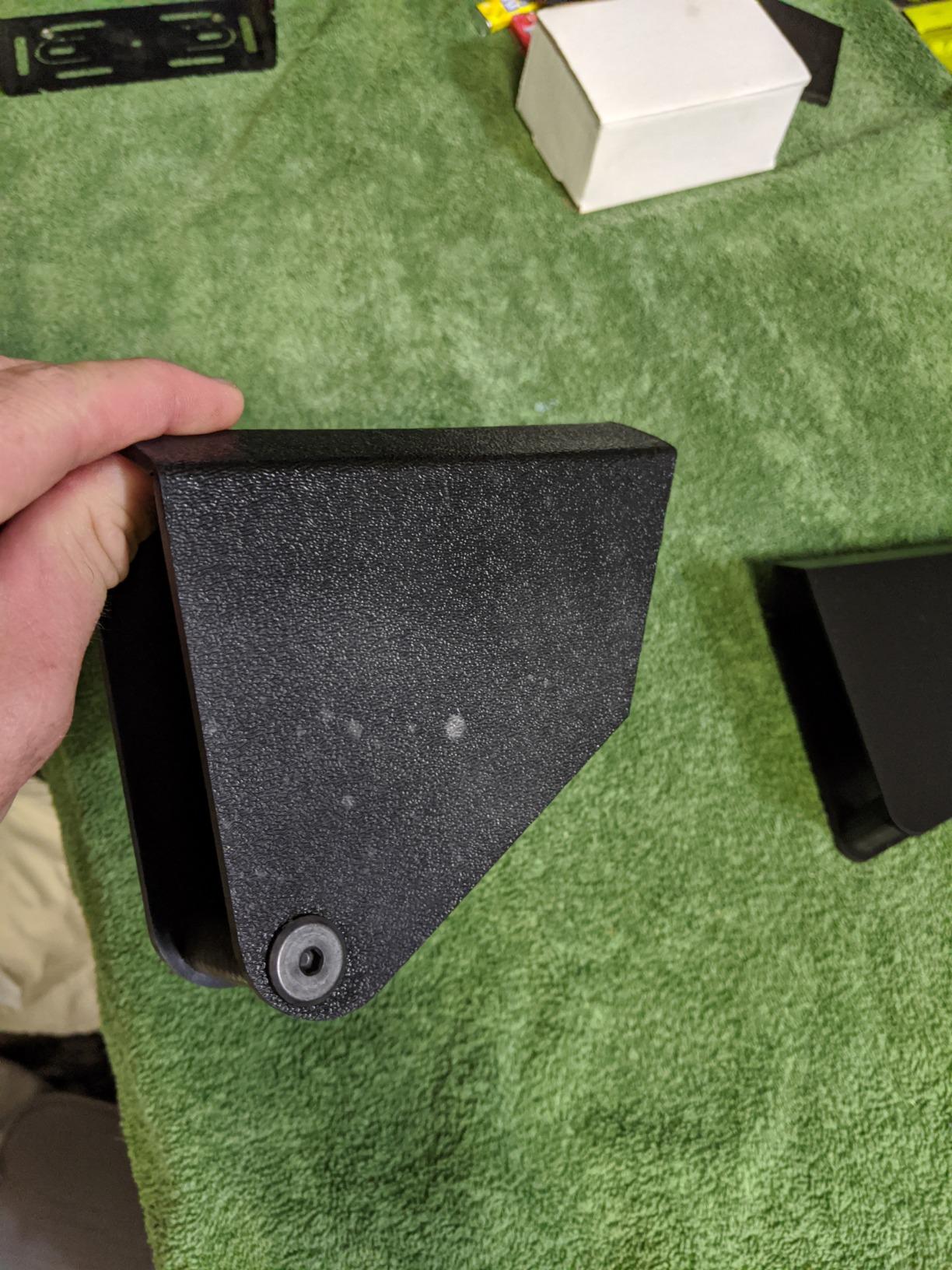
However, quality control issues marred my experience with multiple units. The first holster I received had an oily, tacky residue covering the plastic that required thorough cleaning before installation. Another unit developed cracks around the mounting area after a few weeks of regular use. The lack of pre-drilled mounting holes means you will need to modify the holster yourself, which seems like an unnecessary oversight for a product specifically designed for arcade applications.
The adhesive mounting option proved essentially useless for permanent installations. The weight of the light gun combined with the cable connection causes the adhesive to fail within days. I strongly recommend drilling holes and using screw mounting for any cabinet build. Despite these frustrations, a properly installed holster does enhance the arcade experience by keeping your expensive light gun protected and ready for action.
Who Should Buy This
This holster is essential for arcade cabinet builders using AimTrak light guns who want an authentic presentation. It suits dedicated enthusiasts willing to modify and properly install the mounting hardware. The holster completes the arcade aesthetic while providing practical storage for your controller.
Potential Drawbacks
Quality control varies significantly between units, with some arriving dirty or developing cracks. The lack of mounting holes requires DIY modification. Adhesive mounting fails quickly and should not be relied upon. The price feels high for a simple plastic component with these quality issues.
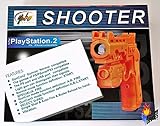
6. Yobo PS2/PSX Mini Light Gun – Retro CRT Gaming
PS2/PSX Mini Light Gun w/ USB port
PSX/PS2 compatible
USB port connectivity
Guncon/Guncon 2 modes
Pump action reload feature
+ The Good
- Inexpensive alternative to official Guncon
- Multiple button configurations and cross-compatibility
- Pump action reload feature
- Vibration feedback included
- Switch for Guncon or Guncon 2 modes
- Multiple A button placements for flexible reloading
- The Bad
- NOT as accurate as official Guncon
- Requires CRT TV will NOT work on LCD or HDTV
- Edge tracking issues when sitting far from screen
- D-pad lacks center post
- Vibration does not trigger on every rapid-fire shot
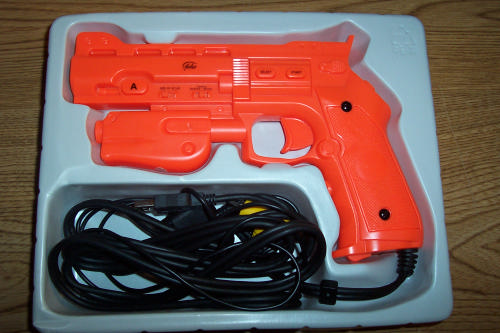
The Yobo PS2/PSX Mini Light Gun represents a different era of gaming technology. This controller works exclusively with CRT televisions, making it unsuitable for modern displays but potentially valuable for retro gaming enthusiasts who maintain CRT setups. Testing this gun reminded me why light guns were so popular during the CRT era while also highlighting why they disappeared.
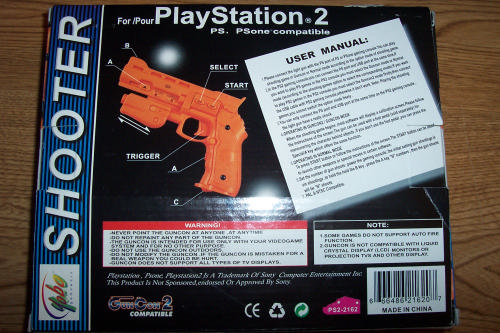
For those with working CRT televisions, the Yobo offers an affordable way to enjoy classic PlayStation light gun games. The Guncon/Guncon 2 compatibility switch allows it to work with a wide range of titles, from Time Crisis to Point Blank. The pump action reload feature adds tactile satisfaction, and the multiple button placement options accommodate different play styles. I found the vibration feedback entertaining, though it occasionally fails during rapid-fire sequences.
The fundamental limitation here is the CRT requirement. Traditional light guns like this work by detecting the electron beam scanning across the CRT screen, technology that simply does not exist in LCD or OLED displays. If you do not have a CRT television, this product is completely useless. Even with a CRT, the accuracy falls noticeably short of official Namco Guncon controllers, which remain the gold standard for PlayStation light gun gaming.
The build quality reflects the budget pricing. The plastic feels lightweight compared to premium options, and the D-pad lacks a center post, making it easy to accidentally press multiple directions simultaneously. Instructions arrive in poorly translated English, adding confusion to an already niche product. For dedicated retro enthusiasts with CRT setups, the Yobo provides adequate functionality at a reasonable cost, but modern PC gamers should look elsewhere.
Who Should Buy This
This light gun suits retro gaming enthusiasts who maintain CRT television setups and want to play original PlayStation or PS2 light gun games. It works as a budget alternative to increasingly expensive official Guncon controllers. Collectors building authentic retro gaming stations may find it useful.
Potential Drawbacks
The CRT requirement makes this completely incompatible with modern displays. Accuracy cannot match official Guncon controllers. Build quality feels cheap, and the D-pad design causes input errors. Documentation suffers from poor translation. Most importantly, this is not a solution for PC gaming.
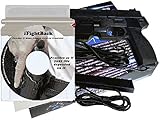
7. iFightBack Training Simulator with AimTrak – Self-Defense Training
The iFightBack® Personal & Home Defense Training Simulator bundled with the AimTrak Light Gun Controller.
Real interactive video scenarios
Shoot or Don't Shoot training
Moving steel and paper targets
AimTrak light gun included
+ The Good
- Fully interactive scenarios with consequences
- Uses real video footage not animations
- Includes target identification training
- Multiple training modes available
- Can improve self-defense readiness skills
- The Bad
- Currently unavailable for purchase
- Very difficult setup process
- Very limited review count only 4 reviews
- Mixed ratings with significant 1-star reviews
- Outdated software compatibility Vista 7 8 10
The iFightBack Training Simulator represents a unique category in the light gun market, focusing on self-defense training rather than entertainment. Bundled with an AimTrak light gun controller, this software uses real video footage to create shoot or don’t shoot scenarios designed to improve personal defense readiness. While the concept intrigued me, the execution falls short in several critical areas.
The training scenarios themselves offer genuine educational value. Unlike animated targets, the real video footage creates realistic situations where you must quickly identify threats and make split-second decisions. The Good Guys and Bad Guys scenarios force you to verify your target before shooting, reinforcing crucial safety principles. Moving steel and paper targets provide additional practice options for basic marksmanship skills.
Unfortunately, the technical implementation proves frustrating. The setup process ranks among the most difficult I have encountered, with one user reporting they never got it working at all despite purchasing the product. The software compatibility list, including Windows Vista through 10, suggests an aging codebase that may struggle with modern systems. With only four reviews and mixed ratings, the limited user feedback makes risk assessment difficult.
Who Should Buy This
This simulator suits individuals specifically interested in home defense training who want more realistic scenarios than traditional target practice provides. The educational focus differentiates it from gaming products. However, availability issues currently prevent purchase, limiting practical recommendations.
Potential Drawbacks
Current unavailability makes purchasing impossible. The extremely difficult setup process may prevent successful use even when available. The limited review base provides insufficient data on real-world reliability. Outdated software compatibility raises concerns about Windows 10 and 11 performance.
8. Polymega Retro Gun Controller – Modern HDTV Solution
Polymega® Retro Gun Controller (GC01) - For Legacy Light Gun Games on an HDTV
HDTV compatible design
Four utility buttons
Built-in thumbstick
Ergonomic grip design
+ The Good
- Works on HDTVs unlike traditional light guns
- Four utility buttons with automatic mapping
- Built-in thumbstick for navigation
- Ergonomic grip for various hand sizes
- Bright orange safety tip
- Tactile trigger response
- The Bad
- Currently unavailable for purchase
- No customer reviews yet as new product
- Requires Polymega system for full functionality
- Limited information on PC compatibility
The Polymega Retro Gun Controller represents a modern attempt to solve the fundamental problem facing light gun enthusiasts: compatibility with HDTVs. Designed specifically for the Polymega retro gaming system, this controller aims to bring light gun gaming to modern displays without requiring external sensors or CRT televisions. As a new product with no customer reviews, evaluating its real-world performance proves challenging.
The design philosophy here addresses common complaints about traditional light guns. The four utility buttons feature automatic gameplay mapping, reducing configuration complexity. The built-in thumbstick enables navigation through the Polymega interface without switching controllers. The ergonomic grip design accommodates different hand sizes, and the bright orange safety tip addresses safety concerns that affect realistic-looking light gun controllers.
The primary limitation is ecosystem dependency. This controller appears designed primarily for the Polymega retro gaming system, and information about standalone PC compatibility remains unclear. Without user reviews or widespread availability, potential buyers face significant uncertainty about actual performance. The tactile trigger response and button mapping sound promising, but real-world testing data simply does not exist yet.
Who Should Buy This
This controller suits Polymega system owners wanting light gun functionality on their HDTV setup. The modern design addresses common pain points with traditional controllers. However, until availability improves and user reviews accumulate, recommendations remain tentative at best.
Potential Drawbacks
Current unavailability prevents purchase. The lack of customer reviews means no real-world performance data exists. PC compatibility remains unclear and may be limited. The Polymega ecosystem requirement restricts utility for users without that specific system.
Buying Guide: Choosing the Right Light Gun Setup for PC Gaming
Selecting the right light gun system involves several key considerations that dramatically impact your gaming experience. Before making any purchase, evaluate these critical factors to ensure compatibility with your setup and gaming goals.
Display Compatibility
The most fundamental consideration is your display type. Traditional light guns require CRT televisions and will not function on LCD, LED, or OLED screens. Modern solutions like Sinden, Gun4IR, and Wii remote adapters use infrared or camera-based tracking that works with any display technology. If you have a compatible gaming monitor, ensure your chosen system explicitly supports it.
Sensor Requirements
Some systems require external sensors mounted around your screen, while others use camera-based border detection or built-in tracking. The Sinden Lightgun uses a white border around your screen for tracking, eliminating external sensors but requiring specific software configuration. Gun4IR and Retro Shooter systems use LED sensors you must mount on your display corners. Consider whether you want a cleaner setup without visible sensors or do not mind the additional hardware.
Setup Difficulty
Setup complexity varies enormously between systems. The DolphinBar offers near plug-and-play simplicity, while Gun4IR requires significant technical knowledge and DIY assembly. If you are building a mini PC for arcade cabinet use, factor in the time needed to configure your light gun system alongside the PC setup. Budget at least several hours for first-time configuration of any system except the simplest adapters.
Game Compatibility
Not all light gun systems work with all games. Check compatibility with your target titles before purchasing. MAME support is nearly universal, but modern Steam games and specific emulators may have limited compatibility. The Batocera SSD simplifies this by pre-configuring hundreds of light gun titles, making it ideal for beginners who want guaranteed compatibility.
Budget Planning
Light gun gaming costs vary from under $30 for basic adapters to over $600 for premium dual-gun setups with recoil. Consider the total system cost including any required sensors, cables, and software. A gaming PC for light gun setup plus premium light guns represents a significant investment. Start with budget options like the DolphinBar to confirm you enjoy the experience before upgrading to premium hardware.
Multiplayer Requirements
Two-player light gun gaming requires either two compatible controllers or a system supporting multiple guns simultaneously. The DolphinBar supports up to four Wii remotes, making multiplayer affordable. Premium systems often require purchasing separate guns for each player, potentially doubling your investment. Plan your multiplayer needs before committing to a specific platform.
Frequently Asked Questions
Why do light guns not work on modern TVs?
Traditional light guns worked by detecting the electron beam scanning across CRT screens, timing exactly when the beam passed where you aimed. LCD, LED, and OLED displays use completely different technology without this scanning beam, making traditional light gun detection impossible. Modern solutions use infrared sensors, camera systems, or gyroscope tracking to determine aim position on any display type.
Which light gun is best for PC gaming?
The best light gun depends on your budget and needs. For budget gaming, the MAYFLASH DolphinBar with Wii remotes offers excellent value. For serious arcade enthusiasts, systems like Sinden or Gun4IR provide superior accuracy. The Retro Knight Batocera SSD offers the most comprehensive solution by bundling a complete game library with universal light gun compatibility.
Do you need sensor bars for PC light guns?
Some PC light gun systems require sensor bars while others do not. The Sinden Lightgun uses camera-based border tracking without external sensors. Gun4IR, Retro Shooter, and AimTrak systems require LED sensors mounted around your display. Wii remote setups need the DolphinBar or similar sensor bar to track controller position.
Can you use light guns on OLED TVs?
Yes, modern light gun systems work perfectly on OLED TVs. Systems using infrared tracking like Gun4IR, camera-based systems like Sinden, and Wii remote adapters all function on OLED displays. Only traditional CRT-based light guns fail to work on OLED screens. The display technology does not affect these modern tracking methods.
What games work with light guns on PC?
PC light guns work with thousands of games across multiple platforms. Classic arcade titles through MAME like Time Crisis, House of the Dead, and Virtua Cop are most popular. Console emulators support PlayStation, Saturn, and Dreamcast light gun games. Modern Steam titles like Blue Effect VR and some indie shooters also offer light gun compatibility through various controller mappings.
Conclusion
The world of PC light gun gaming has evolved significantly since the CRT era, with modern solutions bringing authentic arcade experiences to contemporary displays. Whether you choose the budget-friendly MAYFLASH DolphinBar for casual gaming, the comprehensive Retro Knight Batocera SSD for instant access to thousands of titles, or premium systems like Gun4IR for arcade-perfect accuracy, there has never been a better time to rediscover light gun gaming on PC. Start with your budget and display setup, then expand your system as your passion for the genre grows. The best arcade light guns for modern PC gaming await your next session.