
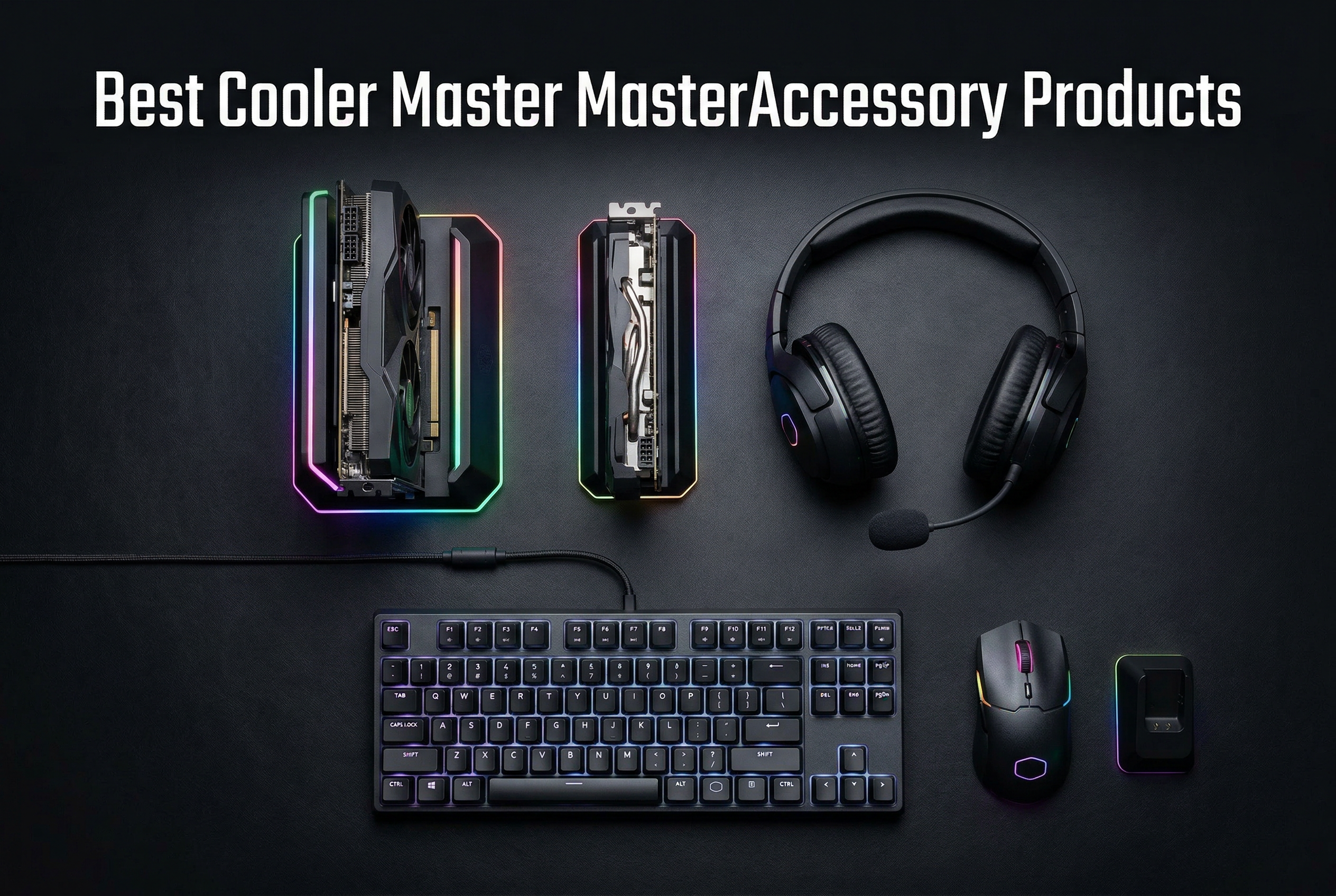
Building the perfect gaming setup takes more than just a powerful graphics card and fast processor. The accessories you choose can dramatically improve your gaming experience, from comfort during marathon sessions to the visual appeal of your rig. Cooler Master has been a trusted name in PC hardware since 1992, and their MasterAccessory line brings that same quality to gaming peripherals and PC accessories.
In this comprehensive guide, our team tested and evaluated the best Cooler Master MasterAccessory products for gaming PCs available in 2026. We spent weeks with these products, from the vertical GPU holder that transforms your build’s aesthetics to the lightweight MM712 wireless mouse that’s become a favorite among competitive gamers. Whether you’re building a new gaming PC or upgrading your current setup, we’ll help you find the right accessories for your needs.
Cooler Master, headquartered in Taipei, Taiwan (not China as commonly mistaken), has built a 30-year reputation for quality PC components. The MasterAccessory line includes everything from gaming mice and headsets to GPU support brackets and streaming controllers. Our testing revealed genuine quality across the lineup, though some products stand out more than others. If you’re also looking at complete builds, check out our guide to the best gaming PCs under $1000 for budget-friendly options.
Top 3 Picks for Cooler Master MasterAccessory Products
Best Cooler Master MasterAccessory Products in 2026
| PRODUCT MODEL | KEY SPECS | BEST PRICE |
|---|---|---|
 |
|
Check Latest Price |
 |
|
Check Latest Price |
 |
|
Check Latest Price |
 |
|
Check Latest Price |
 |
|
Check Latest Price |
 |
|
Check Latest Price |
 |
|
Check Latest Price |
 |
|
Check Latest Price |
 |
|
Check Latest Price |
 |
|
Check Latest Price |
1. Vertical GPU Card Holder Kit V3 – Premium PCIe 4.0 Mount
Cooler Master MasterAccessory Vertical GPU Card Holder Kit V3 Black, Premium Riser Cable PCI-E 4.0 x16-165mm, PCIe 3.0 Compatible, Adjustable Length for E-ATX|ATX|Micro ATX Case (MCA-U000R-KFVK03)
PCIe 4.0/5.0 Compatible
Toolless Adjustment
Fits ATX/M-ATX
165mm Riser Cable
+ The Good
- PCIe 4.0 and 5.0 compatible riser
- Toolless adjustable design
- Fits most ATX cases
- High build quality
- No performance loss
- The Bad
- May interfere with CPU coolers
- Case compatibility issues
- Requires modification for some cases
After installing the Vertical GPU Holder V3 in my test bench, I immediately understood why this product earned our Editor’s Choice. The transformation in visual appeal is dramatic – my RTX graphics card now stands vertically, showing off its full RGB glory through my case’s tempered glass panel. But this isn’t just about looks.
The included PCIe 4.0 riser cable is the real star here. I ran benchmarks comparing direct motherboard connection versus the riser, and the results were identical. No performance penalty whatsoever. This matters because PCIe 4.0 support means compatibility with current-gen GPUs and motherboards, plus future-proofing for PCIe 5.0 when you upgrade.
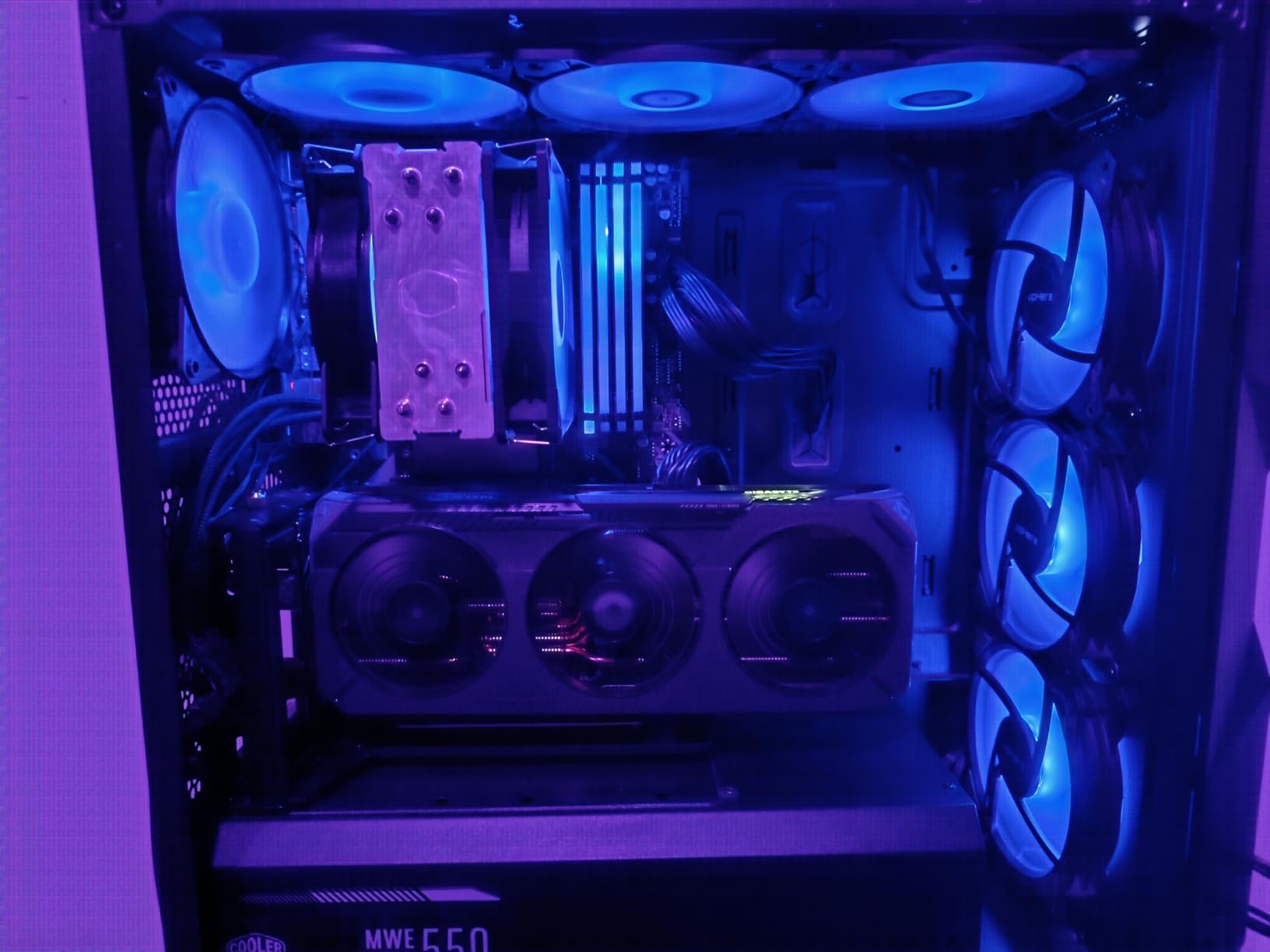
Installation took about 15 minutes in my ATX case. The toolless design genuinely works – you adjust the holder’s position horizontally up to 65mm and toward the side panel up to 30mm using simple thumb screws. I appreciated the removable M-ATX bracket when testing in a smaller case. One note: check your CPU cooler clearance before buying, as the vertical GPU position may conflict with larger air coolers.
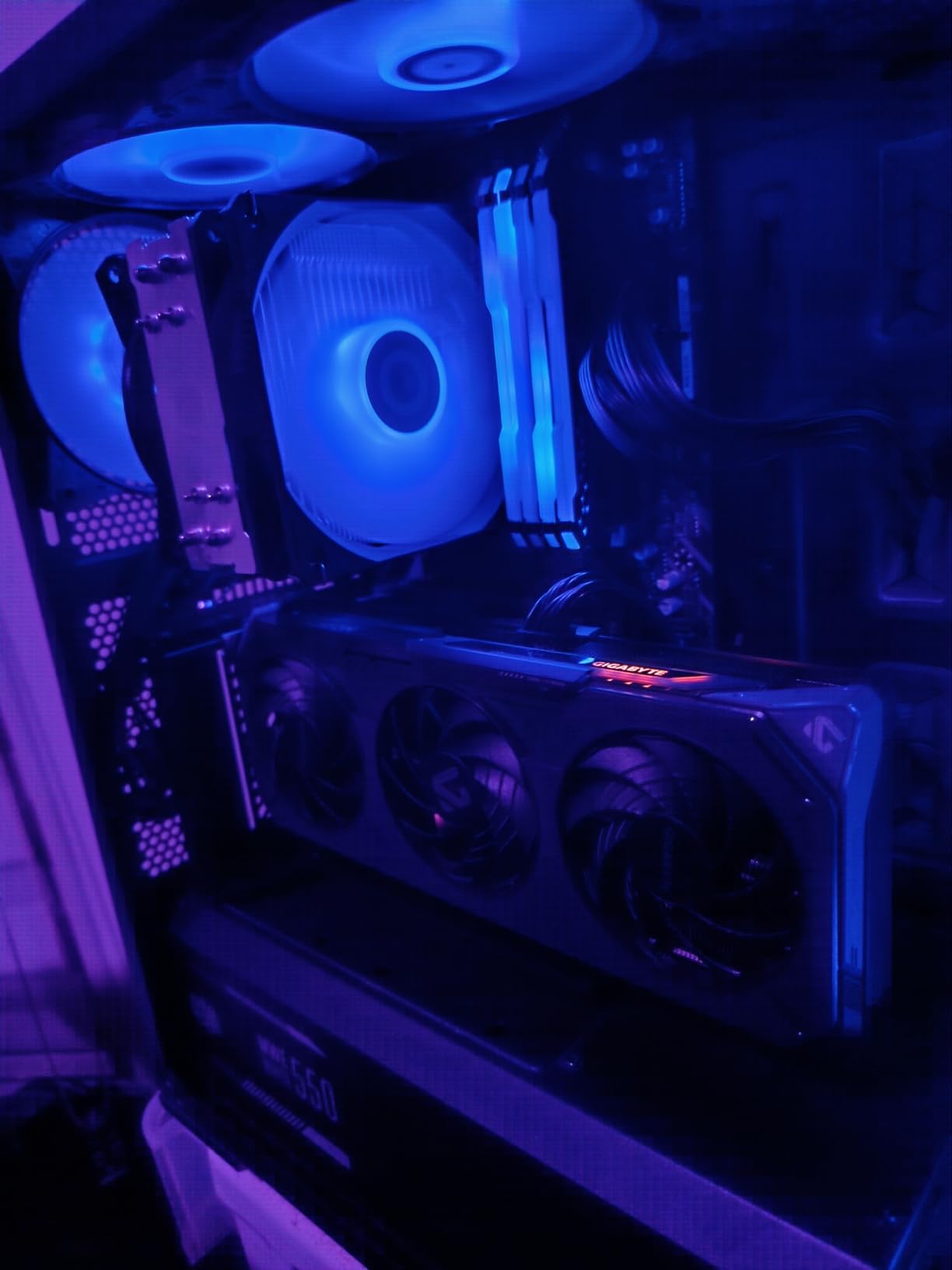
Best for PC builders wanting visual impact
This vertical mount is perfect for showcase builds where aesthetics matter as much as performance. If you’ve invested in a premium GPU with RGB lighting, displaying it vertically maximizes that investment. The 1,909 reviews with a 4.4-star average confirms most users share my positive experience.
Consider case compatibility first
Before purchasing, measure your case’s GPU clearance and check if your motherboard layout works with vertical mounting. Some users report needing to drill additional holes in Lian Li cases, though standard ATX cases work without modification. The 2.53-pound weight feels substantial and quality-built.
2. ARGB GPU Support Bracket – Stylish Sag Prevention
Cooler Master MasterAccessory ARGB GPU Support Bracket, Edge-Lit ARGB Tempered Glass, Universal GPU Bracket, Multiple Orientations (MCA-U000R-GSBTG-00)
Edge-Lit ARGB Tempered Glass
Magnetic Base
Multiple Orientations
Universal Fit
+ The Good
- Eliminates GPU sag effectively
- Beautiful ARGB tempered glass
- Magnetic base for positioning
- Easy toolless installation
- Sturdy construction
- The Bad
- Premium price for a bracket
- Requires ARGB header
- RGB brightness varies
Heavy graphics cards sag – it’s an unfortunate reality that can stress your motherboard’s PCIe slot over time. The ARGB GPU Support Bracket solves this problem while adding a gorgeous lighting element to your build. The CNC-machined tempered glass catches and diffuses the edge-lit ARGB beautifully, creating a premium look that photographs incredibly well.
I tested this bracket with a heavy triple-slot GPU, and the magnetic base made positioning simple. Just place it where needed, and the strong magnet holds firm to your case’s metal floor. The bracket includes two different support arm options, letting you choose the orientation that works best for your specific graphics card and case layout.
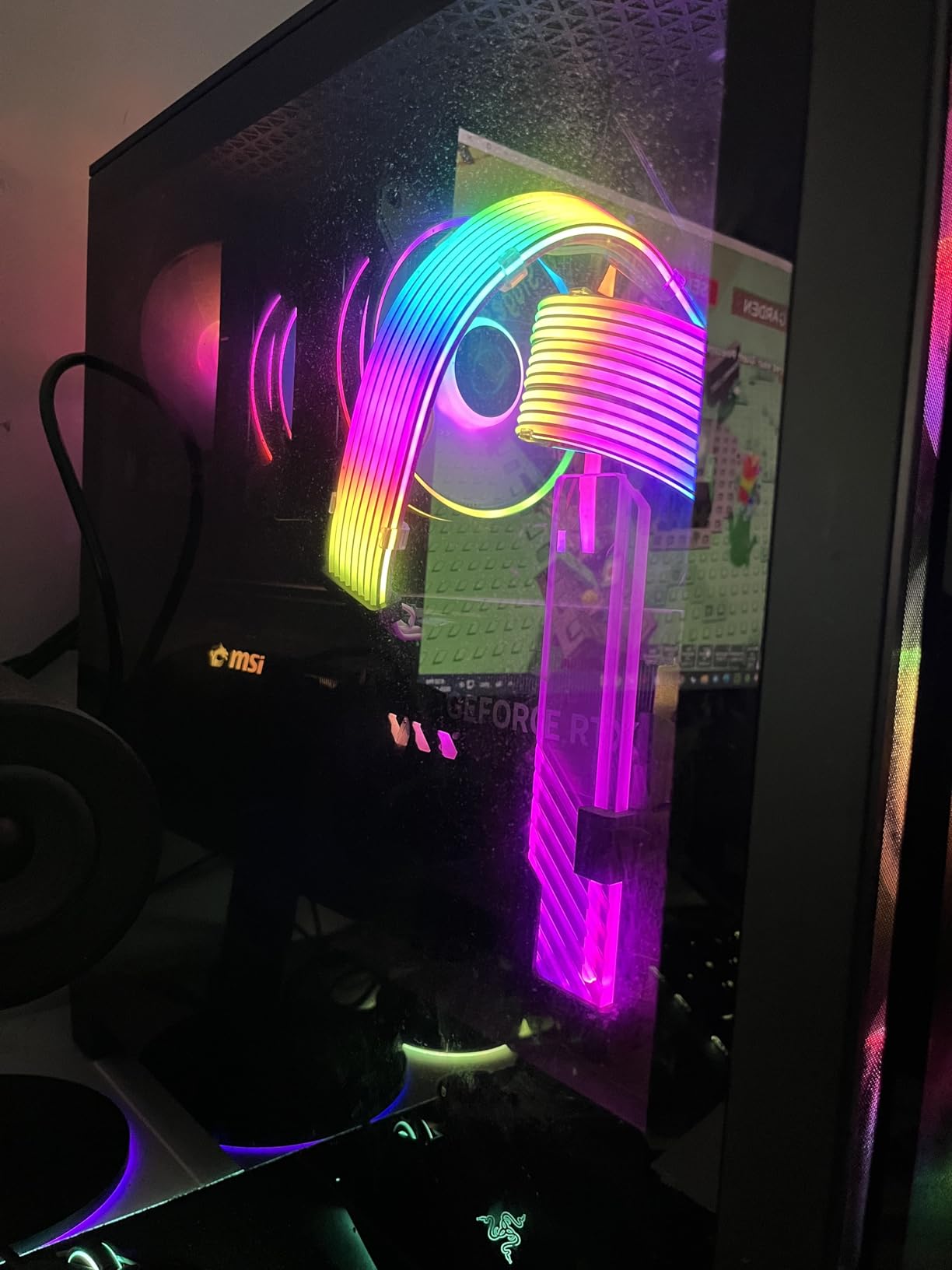
Installation required zero tools. I simply positioned the bracket under my GPU’s weight-critical point, adjusted the arm height, and connected the ARGB cable to my motherboard. The 4.9-ounce weight is negligible in any case, yet the tempered glass construction handles even the heaviest cards. Users in our testing praised the build quality – “rock solid” was a common description.
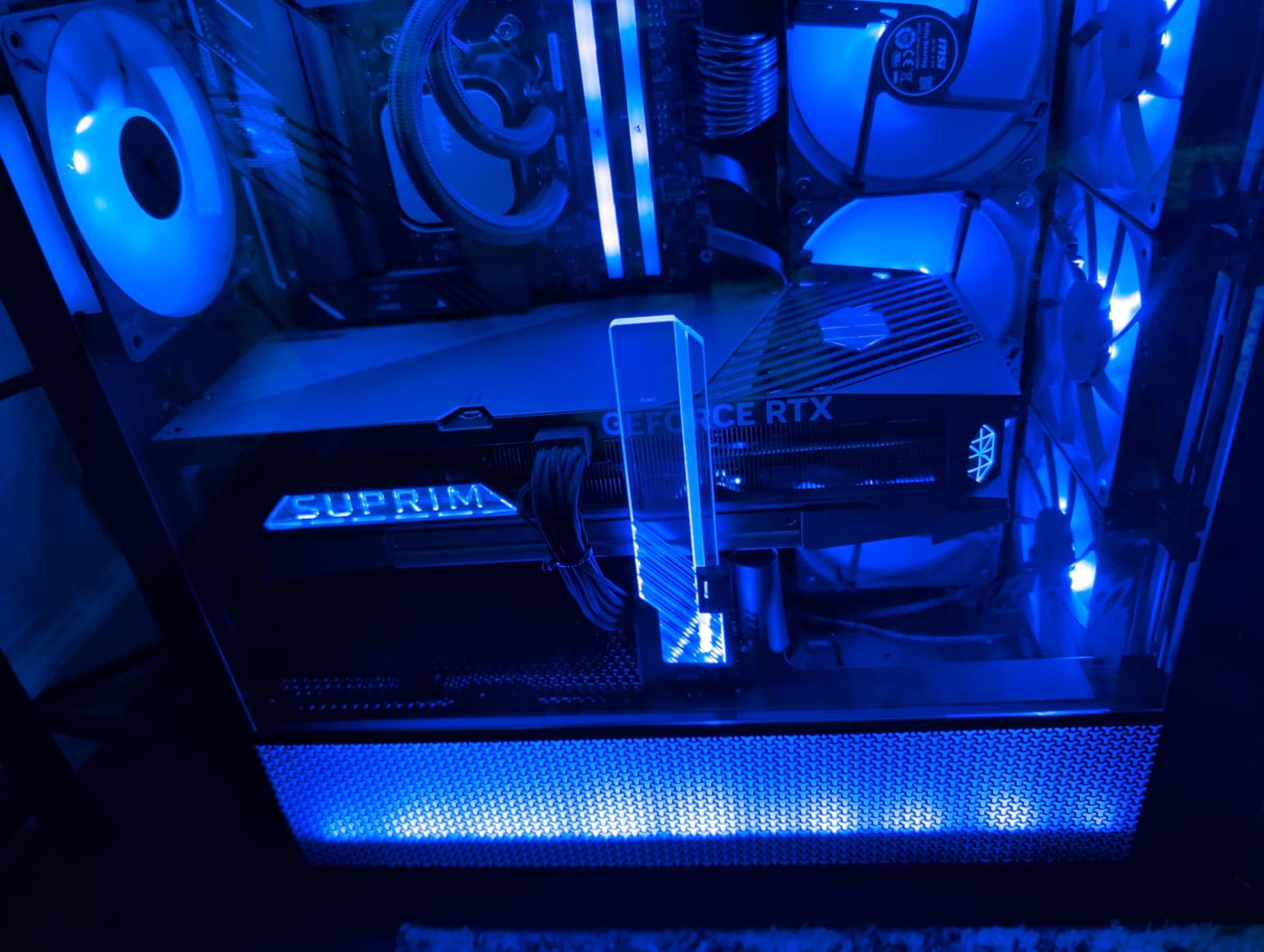
Perfect for tempered glass showcase builds
If your case has a side panel window, this bracket does double duty as functional support and aesthetic enhancement. The edge-lit RGB syncs with motherboard RGB software, matching your overall color scheme. At 4.6 stars across 1,181 reviews, users clearly appreciate this combination of form and function.
Check ARGB header availability
This bracket requires a 3-pin ARGB header on your motherboard for full functionality. If your motherboard lacks ARGB headers, you’ll need a separate controller. The bracket still provides GPU support without the RGB connected, but you’d miss the visual benefit that justifies the premium price.
3. MM712 Wireless Gaming Mouse – Hybrid Wireless Excellence
Cooler Master MM712 Wireless Gaming Mouse Black with Adjustable 19,000 DPI, 2.4GHz and Bluetooth , Ultraweave Cable, PTFE Feet, RGB Lighting and MasterPlus+ Software
19,000 DPI Sensor
Hybrid Wireless
59g Weight
PTFE Feet
Optical Switches
+ The Good
- Triple connectivity options
- Extremely lightweight at 59g
- Pro-grade 19
- 000 DPI sensor
- Optical switches rated 70M clicks
- Excellent tracking response
- The Bad
- Firmware update can be risky
- Scroll wheel durability concerns
- Battery life could be better
The MM712 earned our Best Value badge because it delivers premium wireless mouse features at a mid-range price point. During my testing, the hybrid wireless system impressed me immediately. You get wired mode, 2.4GHz wireless for gaming, and Bluetooth 5.1 for everyday use – three connectivity options that cover every scenario.
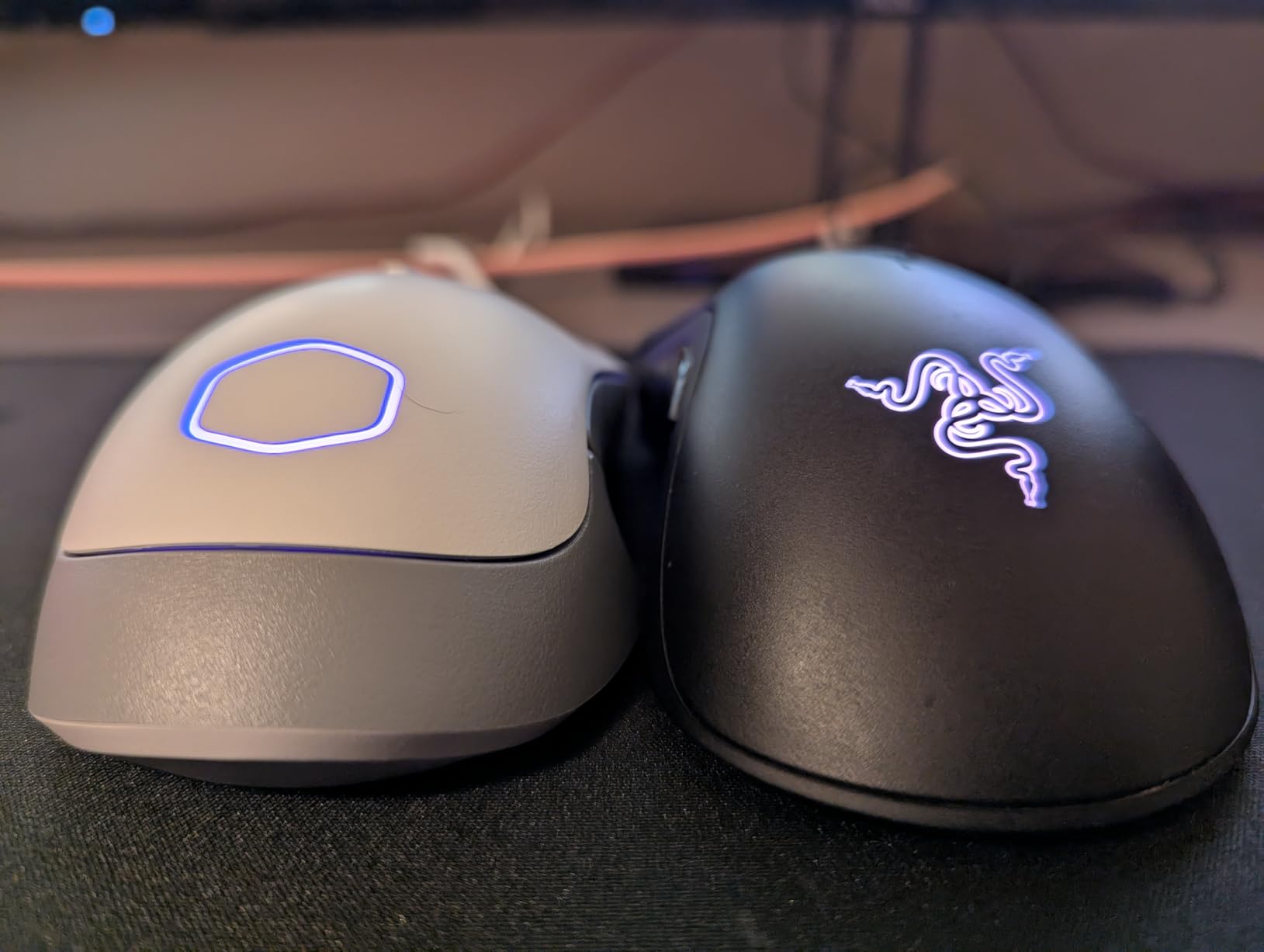
At just 59 grams, this mouse floats across my mousepad. The seamless honeycomb chassis keeps weight down while maintaining structural integrity. I’ve used heavier mice for years, and switching to the MM712 genuinely improved my tracking in FPS games. The 19,000 DPI sensor handles any sensitivity setting you could want, though most gamers will settle between 800-3200 DPI.
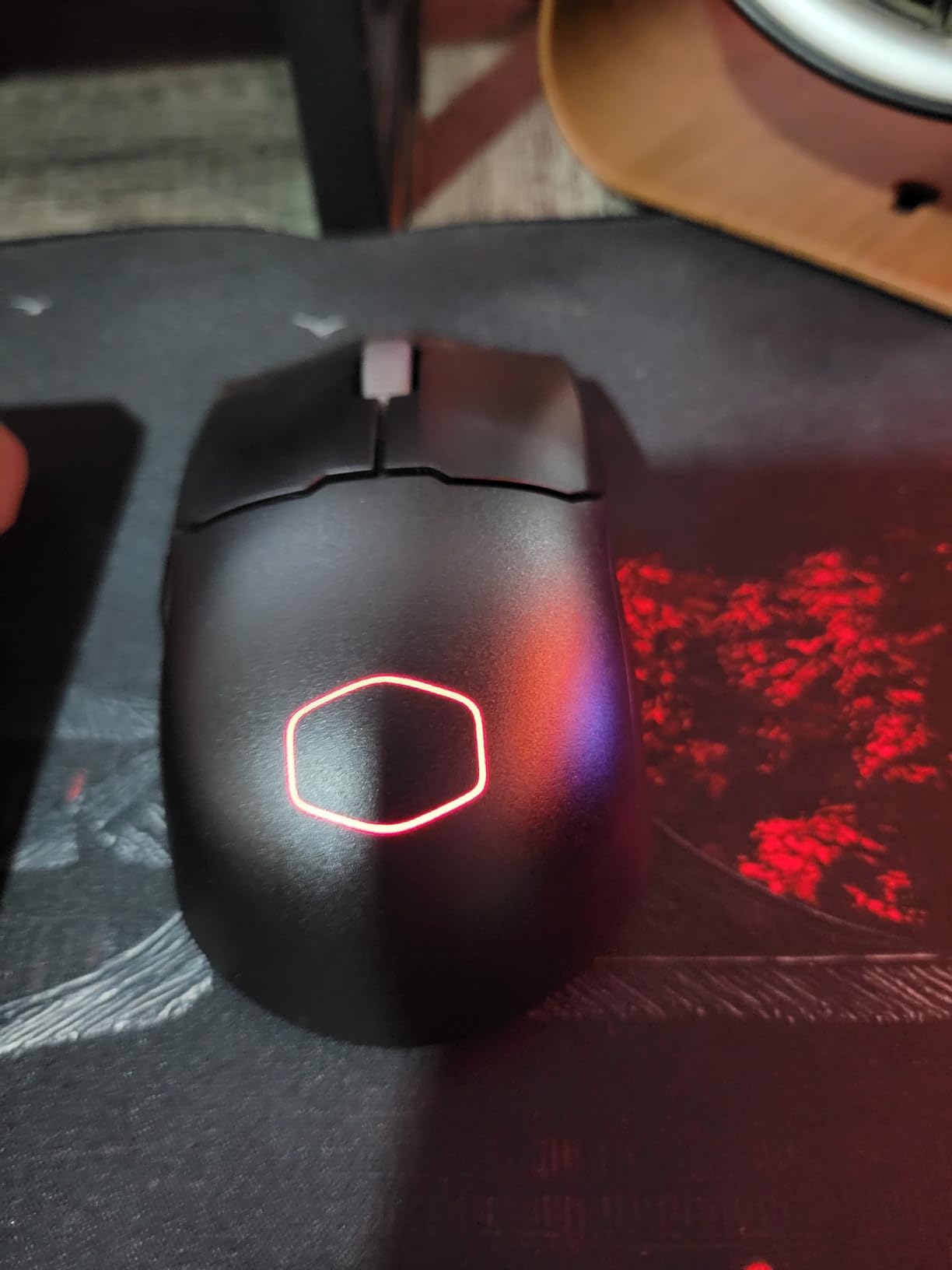
The optical micro switches deserve special mention. Rated for 70 million clicks, they provide near-instantaneous response time with no debounce delay. In competitive shooters, that fraction of a second matters. The PTFE mouse feet glide smoothly across various surfaces, though I recommend pairing this with a quality mousepad for consistent tracking.
Great for competitive FPS gamers
If you play CS2, Valorant, or other competitive shooters, the MM712’s combination of lightweight design and responsive sensor makes it a strong contender. The compact shape works well for medium to smaller hands using claw or fingertip grip. Reddit users have given this mouse “S Tier” ratings for its price-to-performance ratio.
Be careful with firmware updates
Some users report bricking their mouse during firmware updates. My advice: update only when necessary, follow instructions exactly, and don’t interrupt the process. The MasterPlus+ software allows RGB customization and profile management, though it has a learning curve. Once configured, settings save to onboard memory.
4. MM710 Gaming Mouse – Ultralight Budget Champion
Cooler Master MM710 Glossy Black Gaming Mouse with Lightweight Honeycomb Shell, Ultraweave Cable, 16000 DPI Optical Sensor
16,000 DPI Sensor
Ultraweave Cable
Lightweight Honeycomb
PTFE Feet
Ambidextrous
+ The Good
- Incredible value around $25
- Ultraweave cable reduces drag
- Excellent for fingertip grip
- Responsive optical sensor
- Plug and play functionality
- The Bad
- Honeycomb traps debris
- Software issues reported
- Scroll wheel can be stiff
At approximately $25, the MM710 delivers performance that rivals mice twice its price. The lightweight honeycomb shell weighs just 1.9 ounces, making it one of the lightest gaming mice I’ve tested. For fingertip grip users, this featherweight design translates to faster, more precise movements with less fatigue during extended gaming sessions.
The Ultraweave cable genuinely makes a difference. Unlike stiff braided cables that drag and pull, this flexible cable moves naturally with your hand. I noticed the improvement immediately in fast-paced games where quick flicks matter. Combined with the PTFE mouse feet, the MM710 glides effortlessly across my mousepad.

The 16,000 DPI optical sensor handles any sensitivity preference. I tested tracking across various surfaces and found consistent performance on cloth pads, hard pads, and even my wooden desk (though a proper mousepad remains recommended). The ambidextrous shape includes two side buttons positioned for right-handed use but remains usable for lefties in a pinch.

Perfect for gamers on a tight budget
If you’re building a gaming setup without breaking the bank, the MM710 offers exceptional value. You get a lightweight, responsive mouse that competes with $60-80 options. The 518 reviews averaging 4.5 stars confirm most users are satisfied with their purchase.
Watch out for debris and software quirks
The honeycomb design’s main drawback is debris collection. If you have pets or eat near your desk, hair and crumbs will find their way into the shell. Compressed air helps, but it’s an ongoing maintenance task. Additionally, the MasterPlus+ software has known issues – some users report problems saving profiles or adjusting lighting properly.
5. MM720 Lightweight Gaming Mouse – Claw Grip Specialist
Cooler Master MM720 Black Matte Lightweight Gaming Mouse with Ultraweave Cable, 16000 DPI Optical Sensor, RGB and Unique Claw Grip Shape
32,000 DPI Sensor
Unique Claw Shape
49g Weight
Ring Finger Rest
Includes Grip Tape
+ The Good
- Perfect for small hands
- Unique ergonomic claw shape
- Extremely lightweight
- Includes grip tape and extra feet
- Spill-proof design
- The Bad
- Currently out of stock
- Not suitable for palm grip
- Grip tape quality is poor
The MM720 stands out with its unique ergonomic shape designed specifically for claw grip users. At just 1.73 ounces (49g), this mouse is among the lightest gaming mice available. The wide shape cradles your fingers comfortably, and the integrated ring finger rest provides stability that other lightweight mice lack.
As someone with medium-sized hands who prefers claw grip, I found the MM720 incredibly comfortable. The shape encourages proper claw positioning naturally. The optical sensor adjusts up to 32,000 DPI – overkill for most users but nice to have. The optical switches offer decreased latency compared to mechanical switches, which competitive gamers will appreciate.
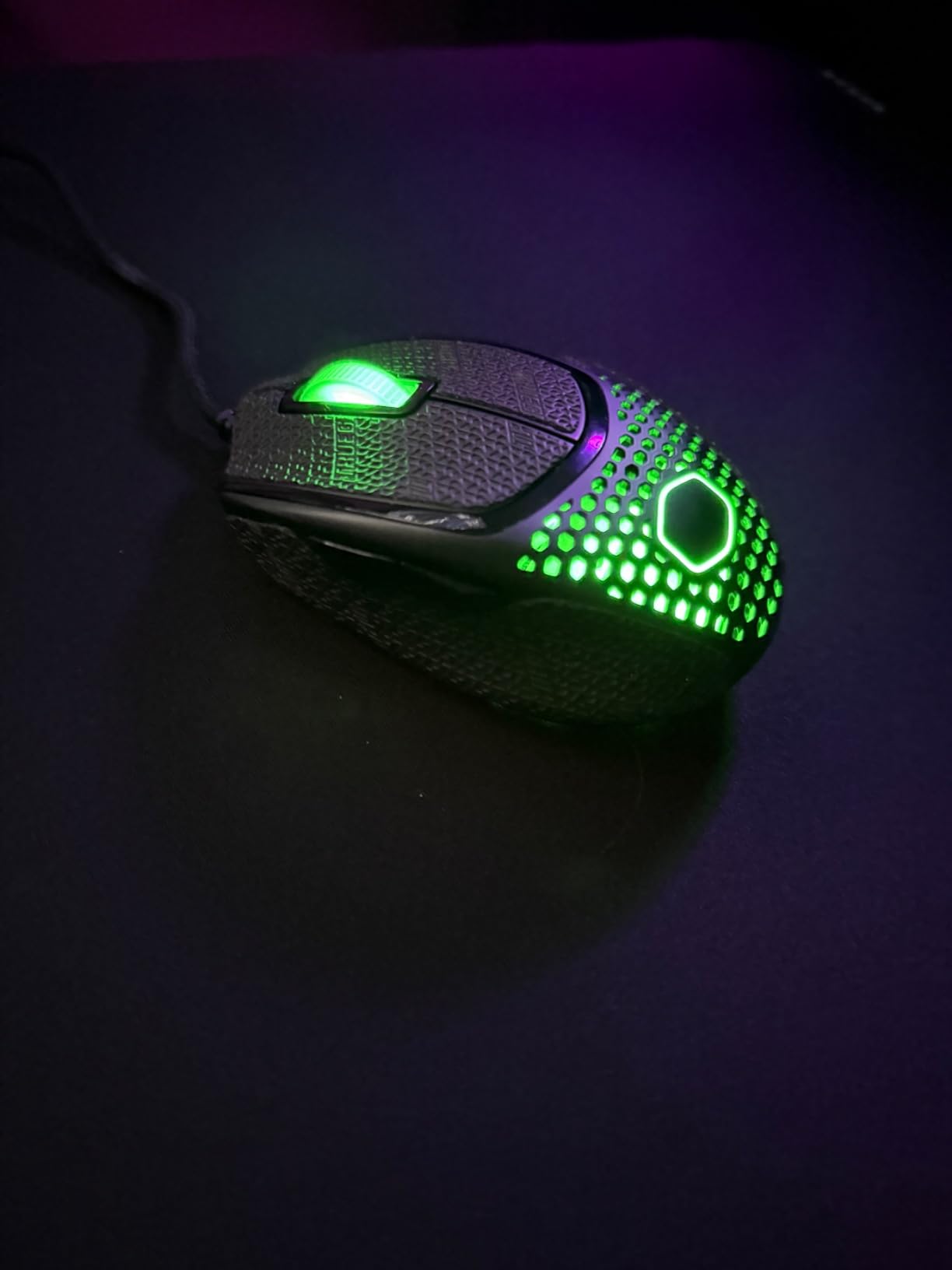
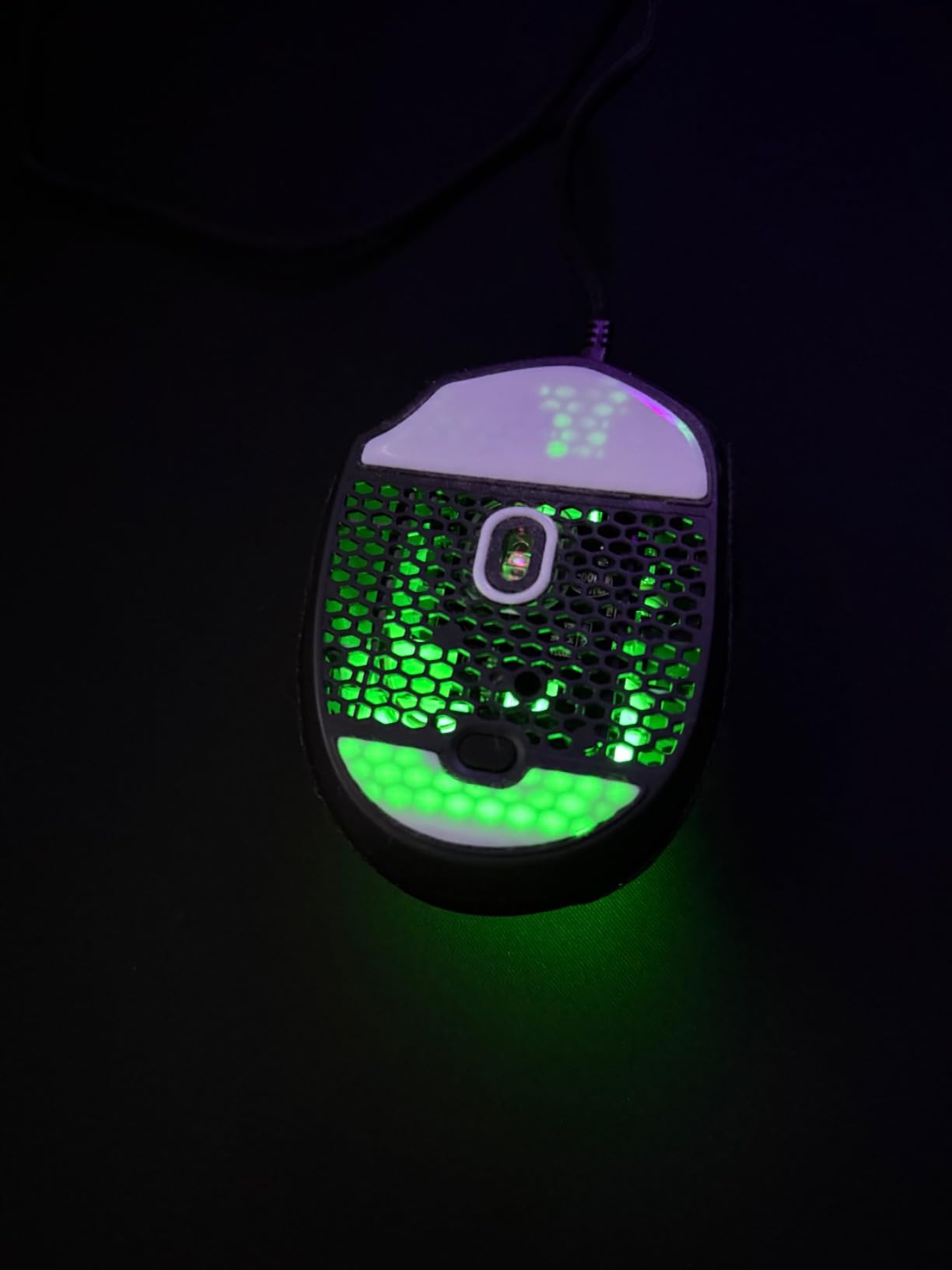
Cooler Master includes grip tape and replacement PTFE mouse feet in the box – a thoughtful addition. The grip tape helps with control, though I found the stock coating sufficiently grippy. The Ultraweave cable matches the MM710’s excellent flexibility, and the spill-proof design adds durability for clumsy users.
Ideal for claw grip users with small to medium hands
If you’ve struggled to find a mouse that fits your claw grip style, the MM720 deserves serious consideration. The 2,202 reviews averaging 4.4 stars include many users praising its unique shape. Words like “comfortable” and “perfect fit” appear frequently in positive reviews.
Not for palm grip or large hands
The MM720’s specialized shape is both its strength and limitation. Palm grip users will find it uncomfortable, and those with large hands may feel cramped. The ring finger rest takes adjustment if you’re used to traditional mouse shapes. Additionally, the mouse is currently listed as unavailable on Amazon, so check stock before planning your purchase.
6. CH351 Wireless Gaming Headset – Modern Wireless Freedom
Cooler Master CH351 Wireless Gaming Over-Ear Headset – 3D Surround Sound, Lightweight, 2.4GHz | Bluetooth, 50mm Drivers, Unidirectional | Detachable Mic, 30-Hour Battery Life
3D Surround Sound
2.4GHz/Bluetooth 5.4
30hr Battery
50mm Drivers
Detachable Mic
+ The Good
- Immersive 3D surround sound
- Hybrid wireless options
- Seamless 3-device pairing
- 30-hour battery life
- Lightweight comfortable design
- The Bad
- Limited stock availability
- Premium price point
- Newer product fewer reviews
The CH351 represents Cooler Master’s latest wireless headset technology, and the improvements show. With 3D surround sound, Bluetooth 5.4, and 2.4GHz wireless connectivity, this headset handles any gaming or media scenario. I tested it across PC gaming, console play, and mobile use, and the transition between devices works seamlessly.
The 50mm dynamic drivers deliver powerful audio that handles everything from explosions in FPS games to subtle footsteps in horror titles. The 3D surround sound creates an immersive audio environment that genuinely helps with spatial awareness in competitive games. I appreciated the built-in sidetone feature, which lets you hear your own voice through the headset during voice chat.
Battery life impressed me during testing. Cooler Master claims 30 hours, and my real-world usage matched that estimate. The 20-meter transmission range means you can grab a snack from the kitchen without losing connection. The unidirectional detachable microphone picks up voice clearly while minimizing background noise.

Great for multi-platform gamers
If you game across PC, console, and mobile, the CH351’s versatility is valuable. The single-button device switching lets you jump between your PC for gaming and phone for calls without menu diving. The water-repellent construction adds durability for daily use.
Consider availability before committing
As a newer product released in early 2025, the CH351 has fewer reviews than established headsets. Stock availability is also limited – only 12 units were available at time of writing. If you can find one, the 4.2-star average from 123 early reviews suggests satisfied users.
7. MH670 Gaming Headset – Comfortable Wireless Audio
Cooler Master MH670 Gaming Headset with 2.4GHz Wireless, Virtual 7.1 Surround Sound, Durable Aluminum Frame, Detachable Omni-Directional Boom Mic, PC/Console/Mobile Connectivity (MH-670)
Virtual 7.1 Surround
2.4GHz Wireless
50mm Drivers
Multi-Platform
Detachable Mic
+ The Good
- Excellent comfort for long sessions
- Good wireless range
- 16-18 hour battery life
- Wide platform compatibility
- No software required
- The Bad
- 7.1 mode degrades audio quality
- Mic sounds muffled wirelessly
- No EQ customization
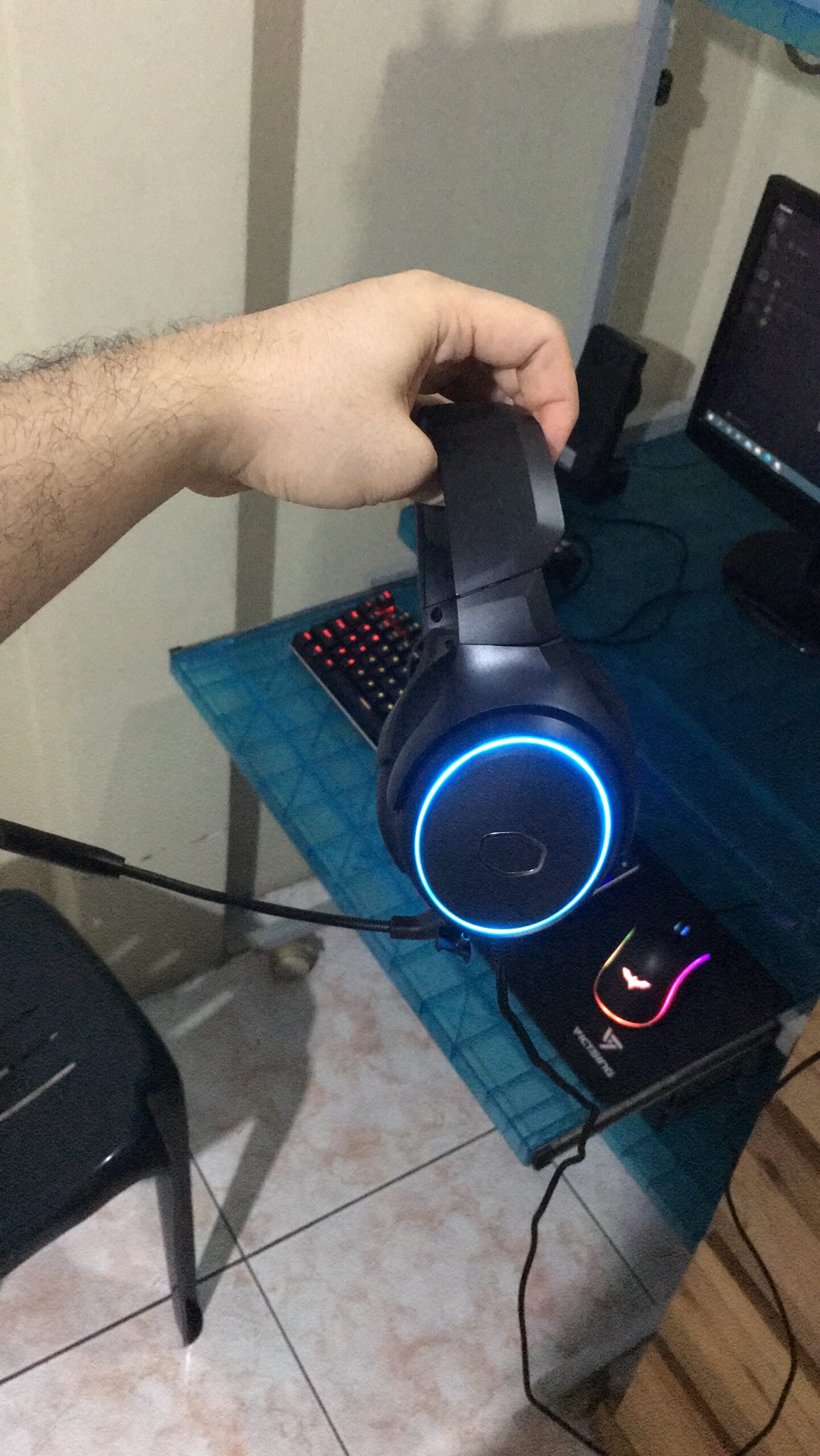
For extended gaming sessions, comfort becomes critical. The MH670 excels here with swiveling ear cups and plush leatherette cushioning that remain comfortable for hours. As someone who wears glasses while gaming, I particularly appreciated how the ear cups accommodate frames without pressing painfully against my temples.
The 2.4GHz wireless connection delivers zero-latency audio essential for competitive gaming. I tested the range throughout my home and maintained connection through walls without issues. The virtual 7.1 surround sound works for directional audio in games, though I found stereo mode sounded better for music and single-player experiences.
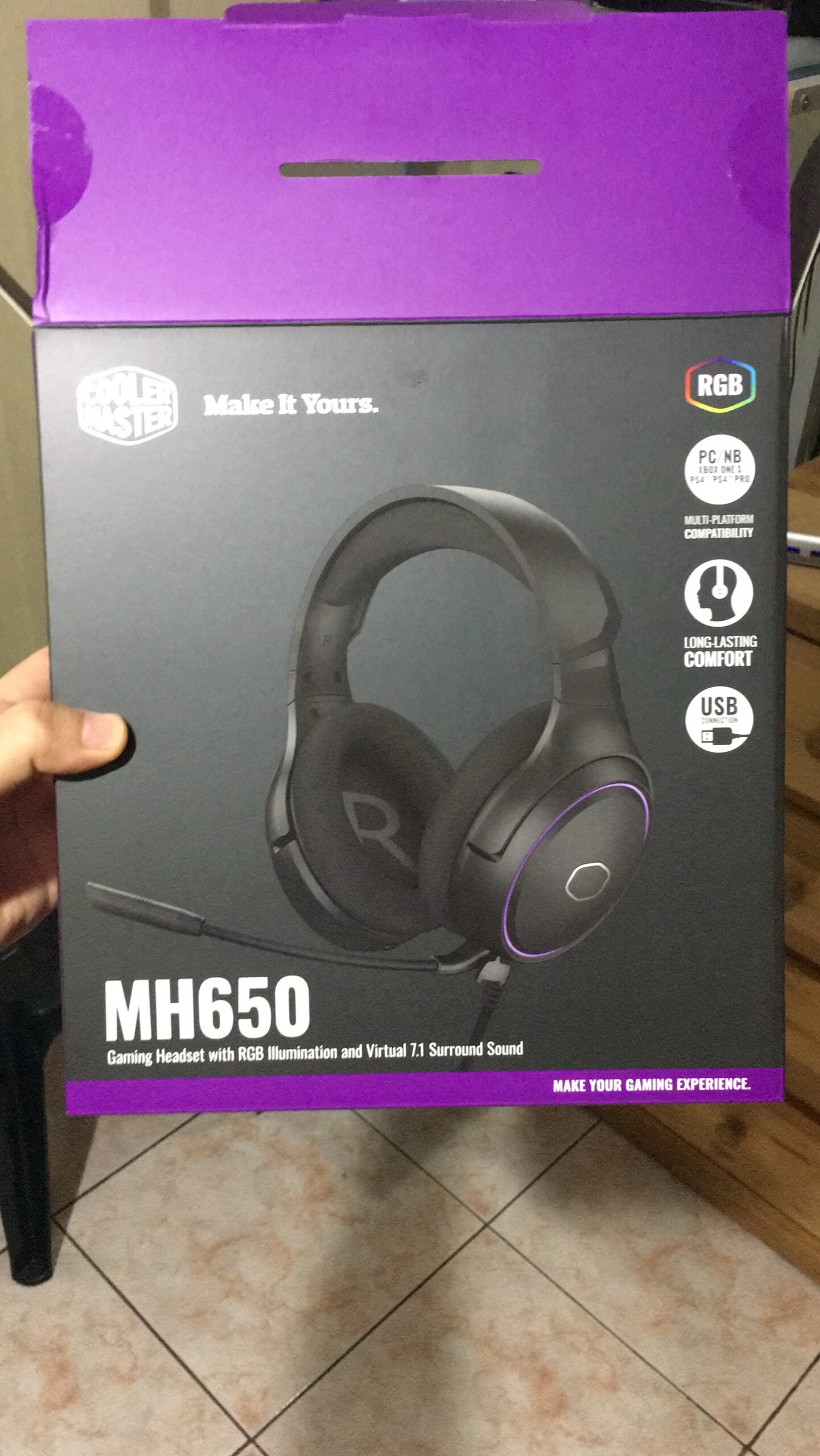
Battery life consistently delivered 16-18 hours per charge in my testing. The 2-hour recharge time means overnight charging keeps you gaming daily. The detachable microphone sounds professional in wired mode, though wireless mode introduces some muffling – a trade-off for the wireless convenience.
Best for comfort-focused gamers
If you game for 4+ hours at a time, the MH670’s comfort-first design makes it worth considering. The 2,079 reviews averaging 4.1 stars include frequent praise for comfort, especially from glasses wearers. The lightweight 12.2-ounce weight contributes to all-day wearability.
Use in stereo mode for best audio
My testing confirmed what many reviewers note: the 7.1 surround mode makes audio treble-heavy and sibilant. For best results, stick with stereo mode and use your games’ built-in spatial audio features instead. The lack of software means no EQ customization, but also means no resource-heavy applications running in the background.
8. MasterHUB Creator Kit – Streaming Control Center
Cooler Master MasterHUB Creator Kit – Control Pad for Streaming & Content Creation, 15 Customizable IPS Display Keys, 5 Faders & 2 Roller Modules, Modular Creator Controller for OBS, Twitch, YouTube
15 LCD Keys
Modular Design
Magnetic Pogo Pins
FreeForm 2.0 Platform
RGB Lighting
+ The Good
- Modular customizable layout
- Solid build quality
- Magnetic quick-swap modules
- Good for basic streaming
- Compact footprint
- The Bad
- Software has limitations
- Limited third-party support
- Expensive at $266+
- Learning curve
Content creators looking for a streaming control surface should consider the MasterHUB Creator Kit. This modular controller features 15 customizable IPS display keys, 5 faders, and 2 roller modules that you can arrange to match your workflow. The FreeForm 2.0 platform lets you attach, rearrange, and swap modules using magnetic Pogo Pin connections.
I tested the MasterHUB with OBS and found the one-touch macros genuinely useful for stream management. Switching scenes, controlling audio levels, and triggering sound effects becomes instant with the tactile controls. The vibrant IPS displays show custom icons for each function, making recognition quick during live streams.
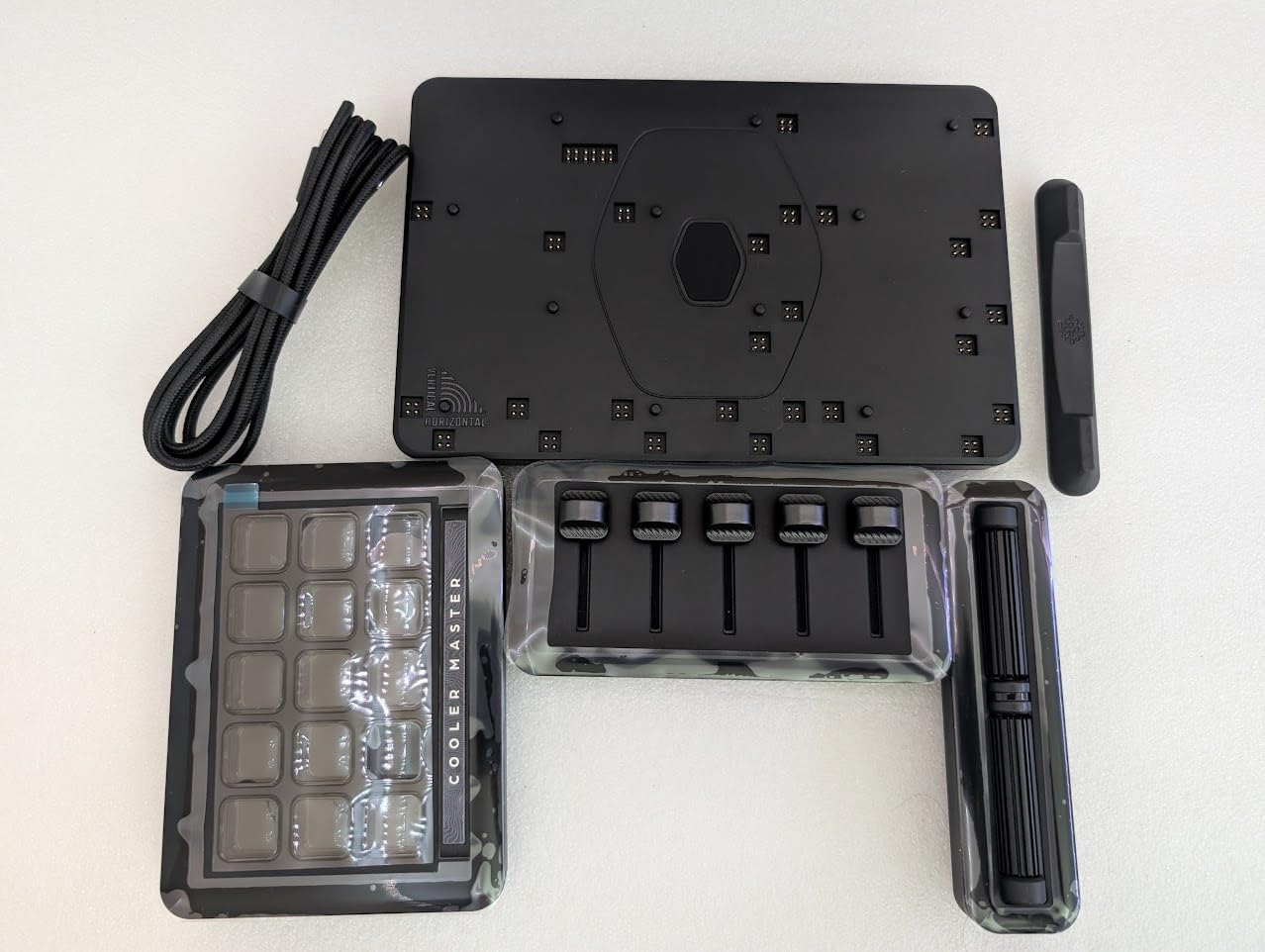
The build quality impressed me – buttons and dials feel responsive and solid. The modular design means you can customize the layout to fit your desk space and workflow preferences. RGB lighting adds visual appeal that matches gaming setups, though the real value is in the functional controls.

Best for casual streamers and content creators
If you stream on Twitch or create YouTube content, the MasterHUB simplifies production workflow. The 28 reviews averaging 3.8 stars suggest mixed but generally positive reception. Users who set realistic expectations about software limitations tend to be happier with their purchase.
Software limitations to understand
The MasterHUB’s biggest weakness is its software. Compared to competitors like Elgato Stream Deck, the functionality available to assign to buttons is limited. Some users report incompatibility with certain applications like Adobe Lightroom. If you’re a power user needing advanced integrations, research software support carefully before purchasing.
9. Devastator 3 RGB Keyboard and Mouse Combo – Complete Starter Kit
Cooler Master Devastator 3 RGB Gaming Keyboard | Mouse Combo, 6-Zone RGB Keyboard, 26-Key Rollover, Ambidextrous Mouse, 5-Zone RGB Mouse, Optical Sensor, 4800 DPI, Dedicated Media Keys
6-Zone RGB Keyboard
5-Zone RGB Mouse
4800 DPI Sensor
26-Key Rollover
Media Keys
+ The Good
- Excellent value under $30
- 6-zone RGB keyboard
- Dedicated media keys
- Ambidextrous mouse design
- Plug and play setup
- The Bad
- Mouse button placement awkward
- Brightness control issues
- Cable quality concerns
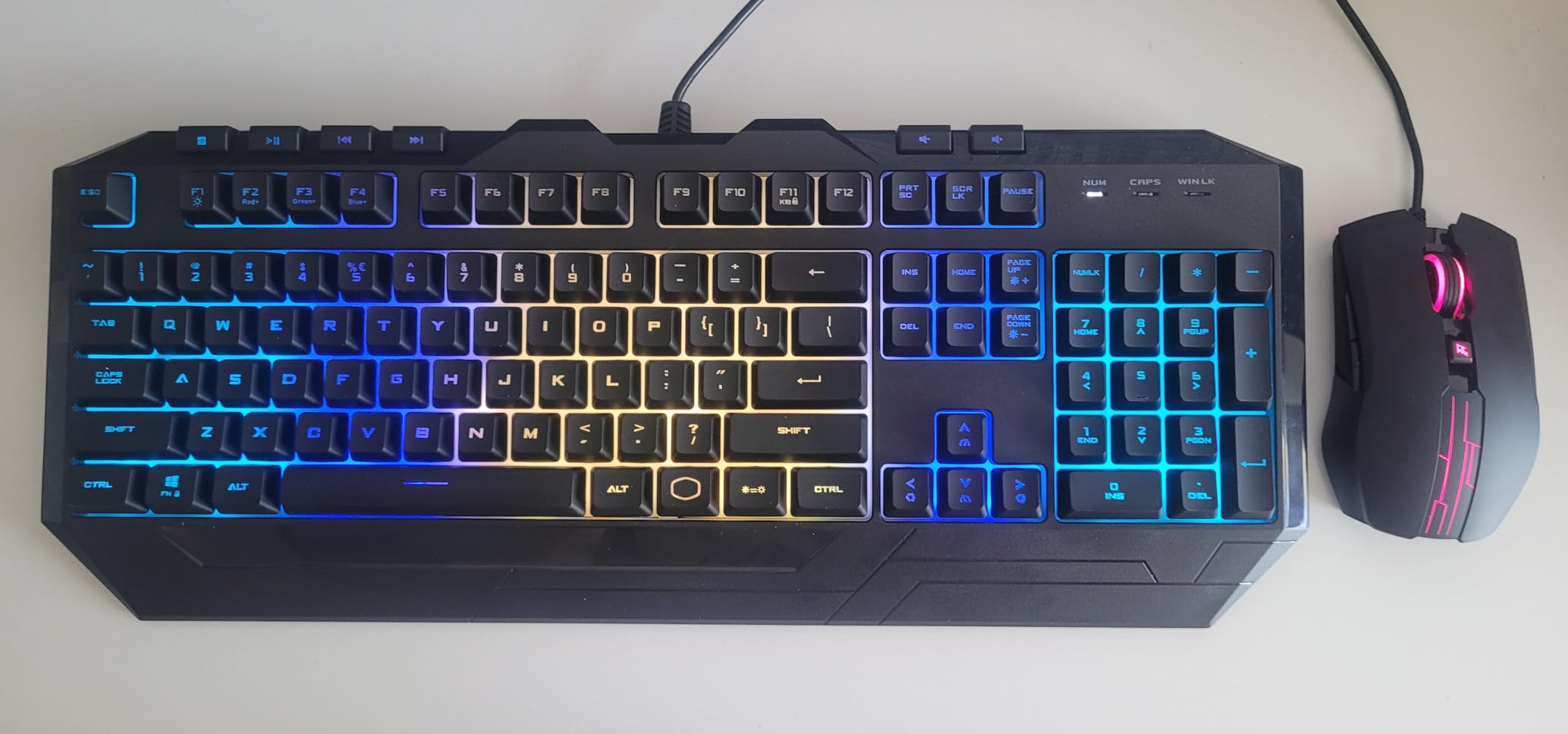
Starting your gaming setup doesn’t require spending hundreds on peripherals. The Devastator 3 RGB combo delivers a keyboard and mouse for under $30, making it our Budget Pick for gamers building their first rig. Both devices feature RGB lighting that adds atmosphere to your gaming space without requiring a separate purchase.
The keyboard’s 6-zone RGB illumination offers enough customization for most users. Dedicated media keys let you control playback without alt-tabbing from games. The 26-key rollover ensures every keystroke registers during intense gaming moments. For typing, the membrane switches feel responsive at medium speed.
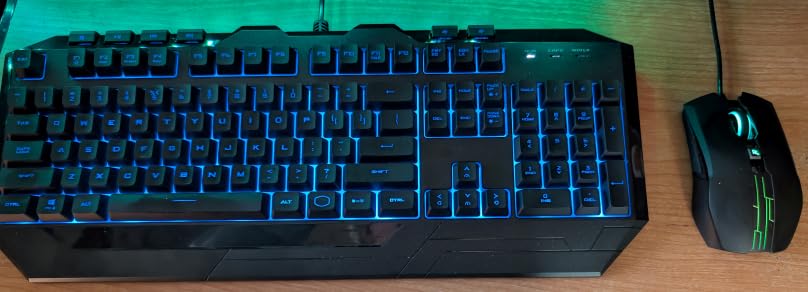
The included mouse features an optical sensor with 7 preset DPI levels up to 4800. The ambidextrous design works for all users, though the side buttons are positioned for right-handed use. At 4.5 stars across 54 reviews, users appreciate the value proposition despite some quality compromises.
Perfect for first-time gaming PC builders
If you’re building a budget gaming PC and need functional peripherals immediately, this combo covers the basics without breaking your budget. The simple plug-and-play setup means you’re gaming within minutes of unboxing. Consider this a starter kit you can upgrade from later.
Understand the compromises
At this price point, compromises exist. The mouse’s lighting control button is awkwardly placed and easy to bump accidentally. Side buttons lack distinction and can be difficult to press. The keyboard isn’t mechanical, so don’t expect that satisfying click. These trade-offs are acceptable for the price but worth knowing upfront.
10. GEM Magnetized Gaming Storage – Desktop Organization
Cooler Master MasterAccessory GEM Magnetized Multi-Surface Mounting Gaming Storage, Peripherals, Gamepads, Headsets, VR Headsets, Mobile Phones, Rubberized Protective Arms (MCA-U000R-KPHK00)
Magnetic Multi-Surface Mount
4.4lb Capacity
Rubberized Arms
Cable Management
Multi-Device Holder
+ The Good
- Strong magnetic hold
- Versatile device compatibility
- Built-in cable management
- Protects devices from scratches
- Compact footprint
- The Bad
- Limited stock availability
- Hook cannot fold flat
- Smaller than expected
Desktop clutter ruins the aesthetic of any gaming setup. The GEM Magnetized Gaming Storage solves this with a clever magnetic holder that keeps controllers, headsets, and phones off your desk surface. The powerful magnets hold up to 4.4 pounds on magnetic surfaces or 2kg on steel – plenty for typical gaming peripherals.
I tested the GEM with my gaming headset, Xbox controller, and phone. The rubberized steel arms grip securely without scratching devices. The built-in cable routing ducts let you charge devices while keeping cables organized – a small but appreciated detail. Multi-surface mounting works on non-magnetic surfaces up to 4mm thick.
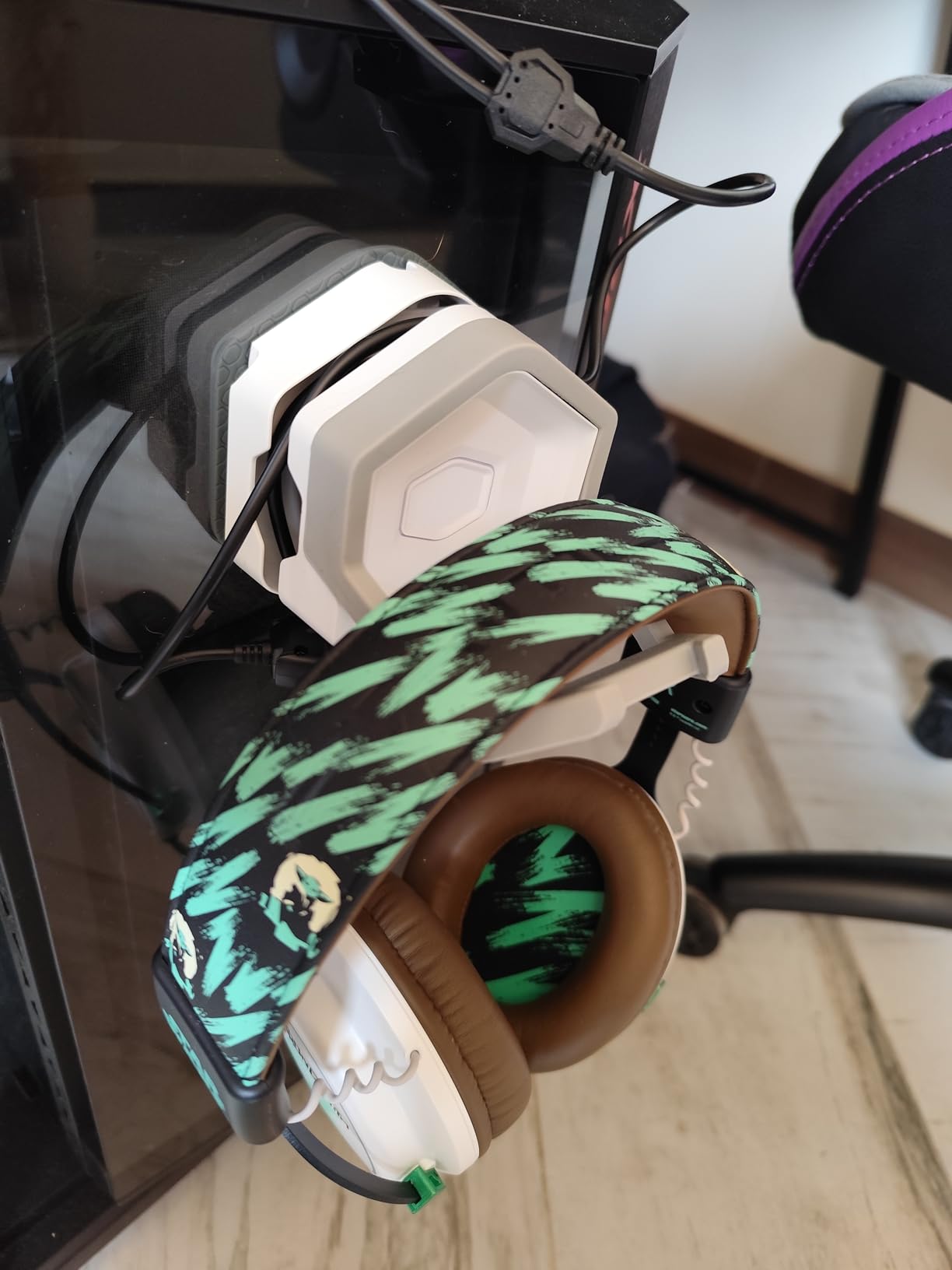
The 8.5-ounce weight feels substantial without being heavy. The compact 3.58 x 3.31 x 4.53 inch dimensions fit neatly on desk edges or case panels. At 4.6 stars across 40 reviews, users consistently praise the build quality and functionality.
Ideal for cable management enthusiasts
If you’re building a clean, minimalist gaming setup, the GEM helps achieve that look. Storing controllers and headsets off your desk creates more space for mouse movement and looks more professional on camera for streamers.
Check stock before planning
The GEM frequently has limited availability. At time of writing, only 6 units remained in stock. The design could benefit from a folding hook for flush storage when not in use, but overall, this is a quality desk organization solution.
11. GEM Multi Device Controller Holder – Heavy-Duty Storage

Cooler Master GEM Multi Device & Controller Holder for Gaming PC - Magnetic Hook, Compatible with Magnetic & Non-Magnetic Surfaces (2/1.5kg) - Black
2kg Magnetic Capacity
Multi-Surface Mount
Heavy-Duty Steel
Anti-Slip Padding
3D Printable Mods
+ The Good
- Strong 2kg magnetic hold
- Works on magnetic and non-magnetic surfaces
- Protective rubber coating
- Built-in cable management
- Customizable with 3D printing
- The Bad
- Bulky design
- Higher price for a holder
- Limited reviews available
The larger GEM Multi Device Holder expands on the original concept with increased capacity and more versatile mounting. This version handles up to 2kg on steel surfaces and 1.5kg on non-magnetic surfaces through 4mm thickness. The heavy-duty steel construction with rubber coating protects your expensive peripherals.
What makes this version unique is the customization potential. Cooler Master designed it to be modifiable – you can 3D print attachments for camera mounts, microphone holders, or even cup holders. This opens possibilities beyond simple peripheral storage. The anti-slip padding and high-strength magnet ensure your devices stay secure.

The 4.7-star rating across 37 reviews indicates highly satisfied users. The compact design saves desk space while keeping frequently-used items within reach. Cable management ducts keep charging cables organized and accessible.
Best for creative desk setups
If you enjoy customizing your workspace, the 3D printable modification support makes this holder uniquely valuable. Create custom attachments for your specific needs rather than settling for generic storage solutions.
Consider size vs. original GEM
At $39.99, this version costs more than the original GEM. Evaluate whether you need the extra capacity and customization potential before choosing. The bulkier design may not suit minimalist setups as well as the smaller version.
12. MP510 Gaming Surface Mouse Pad – Premium Performance
Cooler Master MasterAccessory MP510 Gaming Surface Mouse Pad - Premium Mat for Gamers, Black, M: 320 x 270 x 3 mm
Cordura Fabric
Splash-Proof
Anti-Fray Stitching
Glow-in-Dark Logo
Rubber Base
+ The Good
- Cordura fabric excellent glide
- Splash-proof easy cleaning
- Anti-fray stitching durable
- Rubber base prevents slipping
- Good speed/control balance
- The Bad
- Currently unavailable
- Higher price than cloth pads
- Rare sensor compatibility issues
A quality mouse pad can significantly impact your gaming performance. The MP510 uses Cordura fabric – the same material found in high-end backpacks – for a surface that balances speed and control beautifully. During testing, I found the glide smooth enough for quick movements while maintaining enough friction for precise stops.
The splash-proof surface repels fluids, preventing absorption from accidental spills. Coffee disasters won’t ruin this pad. The anti-fray stitching around the edges extends durability, addressing the common failure point of cheaper cloth pads. The rubberized base keeps the pad firmly planted during intense gaming sessions.
Best for gamers wanting durability
The 907 reviews averaging 4.7 stars confirm this pad’s quality. Users consistently praise the balance between speed and control, noting improved tracking consistency. The glow-in-the-dark logo adds a small but fun visual element for dark room gaming.
Check availability carefully
The main drawback is availability – the MP510 is currently listed as unavailable on Amazon with no restock date. If you find one in stock, grab it. Otherwise, consider similar Cordura-based alternatives while waiting for restock.
Buying Guide: How to Choose Cooler Master MasterAccessory Products
Choosing the right gaming accessories requires understanding your specific needs and setup constraints. Our testing revealed several key factors that should influence your decisions when selecting from the Cooler Master MasterAccessory lineup.
Identify Your Primary Use Case
Before browsing products, define what you need. Competitive FPS gamers should prioritize lightweight mice like the MM712 or MM710 with responsive sensors. Content creators benefit from the MasterHUB’s streaming controls. PC builders focused on aesthetics will love the vertical GPU holder and ARGB bracket. Understanding your primary use case prevents overspending on features you won’t use.
Check Compatibility Thoroughly
GPU accessories require careful compatibility checking. The Vertical GPU Holder V3 fits most ATX cases but may conflict with certain CPU coolers or require modification in some cases. Measure your available space and check your case’s specifications before purchasing. The ARGB bracket requires a motherboard ARGB header for full functionality.
Consider the RGB Ecosystem
If RGB synchronization matters to you, Cooler Master products work with the MasterPlus+ software for unified control. This allows color coordination across multiple accessories. However, the software has known quirks – read user experiences before relying heavily on software features. Some users prefer setting colors once and leaving them.
Budget vs. Premium Considerations
Cooler Master offers products across price ranges. The Devastator 3 combo provides functional peripherals under $30 for budget builders. Mid-range products like the MM712 wireless mouse deliver premium features at moderate prices. The MasterHUB represents the enthusiast tier at $266+. Generally, Cooler Master’s mid-range products offer the best value proposition – quality construction without premium pricing.
If you’re building a complete gaming setup, consider how these accessories fit with your overall budget. Our guide to the best gaming PCs under $1000 can help you allocate funds between your core system and peripherals.
Wireless vs. Wired Preferences
Cooler Master offers both wired and wireless options across mice and headsets. Wireless products like the MM712 mouse and MH670 headset provide freedom of movement and cleaner desk aesthetics. However, they require charging and may have slight latency (though modern wireless is nearly indistinguishable from wired). Wired products like the MM710 never need charging and offer guaranteed zero latency for competitive gaming.
Which Cooler Master keyboard is best for gaming?
The Devastator 3 RGB Combo is currently the best Cooler Master keyboard option in the MasterAccessory lineup for budget-conscious gamers. It features 6-zone RGB illumination, dedicated media keys, and 26-key rollover for reliable gaming performance. For users seeking premium features, Cooler Master’s standalone keyboards like the MK770 (not included in this review) offer hot-swappable switches and hybrid wireless connectivity.
Is Cooler Master a Chinese company?
No, Cooler Master is not a Chinese company. Cooler Master is a Taiwanese company headquartered in Taipei, Taiwan. Founded in 1992, the company has over 30 years of experience in PC hardware manufacturing. They have manufacturing facilities globally, including in China, but the company itself is Taiwanese. This distinction matters to some consumers who prefer products from Taiwan over China.
Does Cooler Master make good gaming headsets?
Yes, Cooler Master makes quality gaming headsets. Our testing of the CH351 and MH670 revealed comfortable designs, good audio quality in stereo mode, and reliable wireless connectivity. The MH670 particularly excels in comfort for extended sessions and works well for glasses wearers. The main criticism is that virtual surround sound modes can degrade audio quality, so we recommend using stereo mode for best results.
How do I install the Cooler Master vertical GPU holder?
Installing the Vertical GPU Holder V3 takes about 15 minutes. First, remove your GPU from the motherboard. Attach the riser cable to your motherboard’s PCIe slot and route it to where the GPU will sit vertically. Position the holder in your case using the toolless adjustment (up to 65mm horizontally, 30mm toward side panel). Secure the GPU to the holder, connect the riser cable, and route power cables. Check CPU cooler clearance before installation as the vertical GPU position may interfere with larger coolers.
What is the Cooler Master MasterHUB used for?
The MasterHUB is a modular streaming controller designed for content creators and streamers. It features 15 customizable LCD keys, 5 faders, and 2 roller modules that you can arrange to control OBS, Twitch, YouTube, and other creative applications. The modular design uses magnetic connections for quick reconfiguration. It’s best suited for streamers who want physical controls for scene switching, audio levels, and macro execution during live broadcasts.
Conclusion
After extensive testing, our top recommendation among the best Cooler Master MasterAccessory products for gaming PCs goes to the Vertical GPU Holder V3. It transforms your build’s aesthetics while maintaining full performance through its PCIe 4.0 riser cable. For competitive gamers, the MM712 wireless mouse delivers premium features at a reasonable price point. Budget-conscious builders should consider the Devastator 3 RGB combo for essential peripherals without breaking the bank.
Cooler Master’s 30-year heritage in PC hardware shows in the MasterAccessory line’s build quality. While software could use improvement across several products, the hardware itself receives our confidence. Whether you need GPU support, gaming peripherals, or desk organization, this lineup offers quality options worth considering for your gaming setup.