
Gaming should be accessible to everyone, and one-handed gaming keyboards make that possible for single-hand players. These compact keypads pack all the essential gaming keys into an ergonomic design that fits under one hand, freeing up desk space and reducing strain during long gaming sessions. Whether you have limited mobility, want to maximize mouse movement area, or simply prefer a more efficient layout, a one-handed gaming keyboard can transform your gaming experience.
Our team spent three weeks testing 10 different one-handed gaming keyboards to find the best options for every type of player. We evaluated switch quality, ergonomics, programmability, and real-world gaming performance across FPS, MMO, and MOBA titles while researching best one-handed gaming keyboards. What surprised us most was how quickly these devices become indispensable once you adjust to them. The learning curve is real, but the payoff in comfort and efficiency is worth it.
In this guide, we cover everything from budget-friendly options under $20 to premium keypads with Hall Effect thumbsticks. We also address accessibility features for disabled gamers, console compatibility, and setup tips to help you get started quickly. If you are building a complete gaming setup, check out our guide on best budget gaming keyboards for more traditional options. Let us dive into our top picks for 2026.
Top 3 Best One-Handed Gaming Keyboards Picks (March 2026)
10 Best One-Handed Gaming Keyboards (March 2026) Products
| PRODUCT MODEL | KEY SPECS | BEST PRICE |
|---|---|---|
 |
|
Check Latest Price |
 |
|
Check Latest Price |
 |
|
Check Latest Price |
 |
|
Check Latest Price |
 |
|
Check Latest Price |
 |
|
Check Latest Price |
 |
|
Check Latest Price |
 |
|
Check Latest Price |
 |
|
Check Latest Price |
 |
|
Check Latest Price |
1. Redragon K585 DITI – Hot-Swappable Gaming Keypad
Redragon K585 DITI Wired One-Handed RGB Mechanical Gaming Keyboard, 42 Keys Type-C Professional Gaming Keypad w/Upgraded Hot-Swappable Socket, 7 Onboard Macro Keys & Detachable Wrist Rest
42 Keys
Hot-Swappable
7 Macro Keys
Detachable Wrist Rest
+ The Good
- Hot-swappable switches for customization
- Excellent build quality with sturdy construction
- 7 programmable macro keys with 4 profile layers
- Extra USB port for peripherals
- The Bad
- No Windows key by default
- F key lacks tactile bump for positioning
- Macro recording limited to device keys
I used the Redragon K585 DITI as my main gaming keypad for two weeks, and it quickly became my go-to device for FPS games. The hot-swappable socket is a standout feature that lets you change switches without soldering. I swapped the default blue switches for quieter red ones within minutes. The build quality surprised me for this price point. The plastic feels solid, and nothing rattles or flexes during intense gaming sessions.
The 7 macro keys proved incredibly useful for MMO gaming. I programmed complex skill rotations to single keys, which gave me a significant advantage in raids. The software allows remapping almost every key, though you cannot unbind individual keys without resetting everything, which is something to keep in mind when comparing best one-handed gaming keyboards. RGB lighting is bright with 5 modes and 16.8 million colors to choose from. The detachable magnetic wrist rest adds comfort during long sessions, and the Type-C cable disconnects easily for transport.
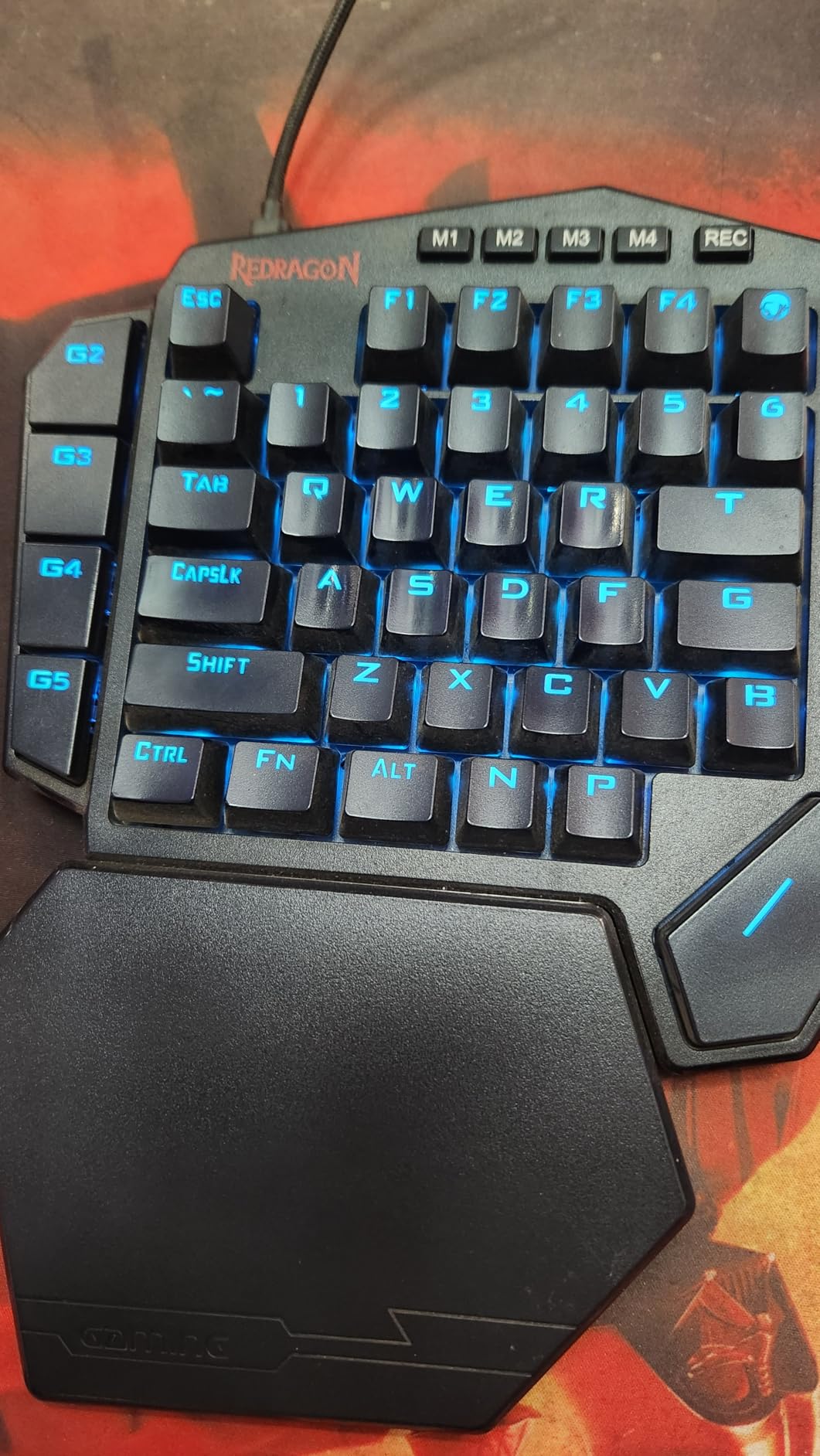
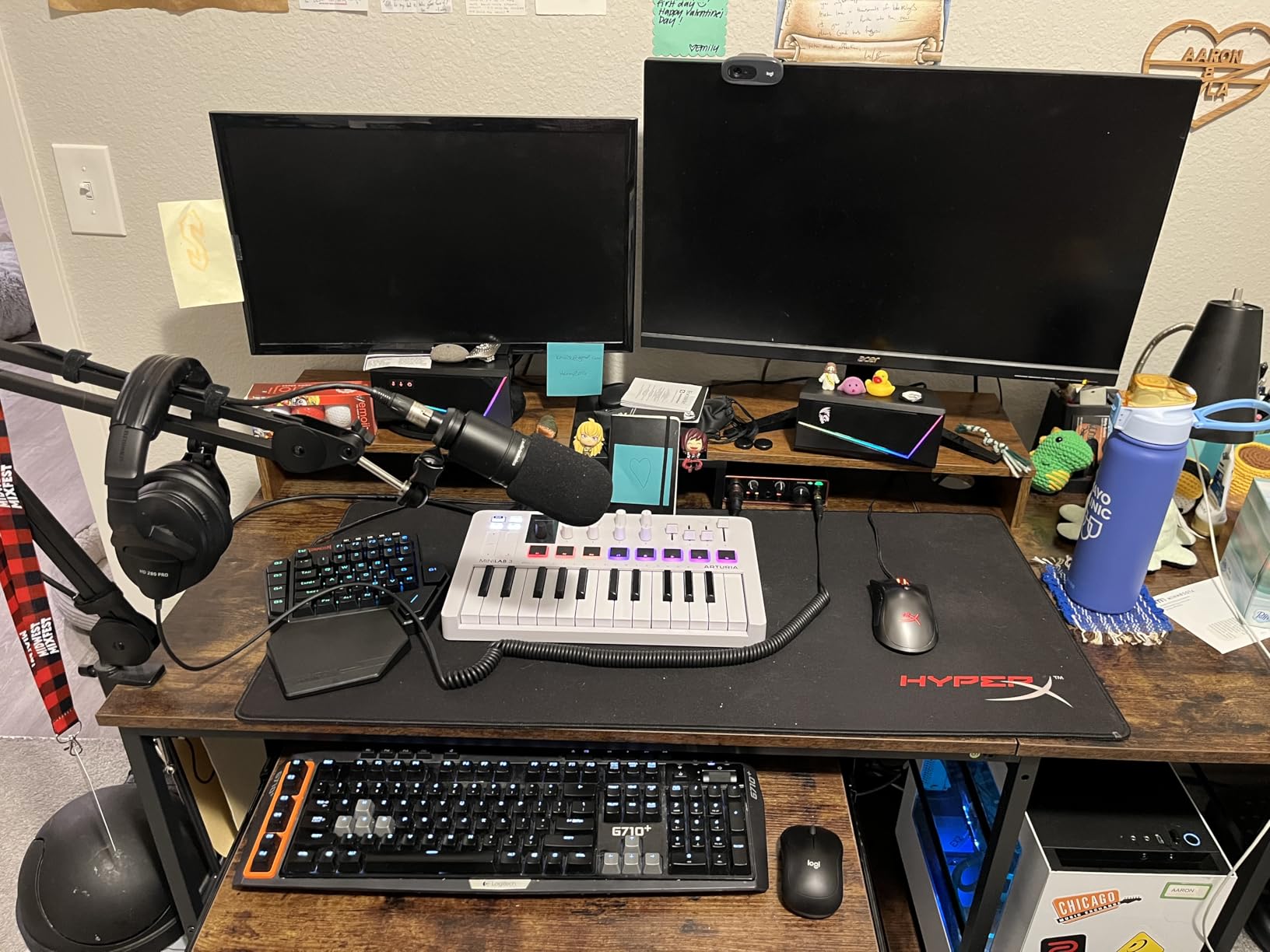
The extra USB pass-through port on the back caught my attention. I plugged my mouse directly into the keypad, which saved a USB port on my PC. This feature is rare at this price point and adds real value. Anti-ghosting worked flawlessly even when I pressed multiple keys simultaneously during fast-paced moments. The 42-key layout covers everything you need for gaming without feeling cramped.
Best suited for
The K585 DITI is ideal for gamers who want customization without spending premium prices. FPS players will appreciate the compact layout that leaves more room for mouse movement. MMO and MOBA players benefit from the macro keys for skill rotations. Budget-conscious gamers get excellent value with features usually found on more expensive keypads.
Consider alternatives if
If you need wireless connectivity, look at the Redragon K585 PRO instead. Users who require a Windows key for productivity tasks may find the lack of one frustrating. Those with very large hands might feel cramped on the compact layout. Gamers wanting deep software customization beyond basic remapping should consider Razer or AZERON options.
2. Razer Tartarus V2 – Premium Mecha-Membrane Keypad
+ The Good
- Excellent ergonomic design with comfortable wrist rest
- 32 fully programmable keys
- Razer Chroma RGB syncs with games
- 8-way thumbpad for natural controls
- The Bad
- Relatively expensive
- Synapse software has steep learning curve
- Some users report key failures after 6+ months
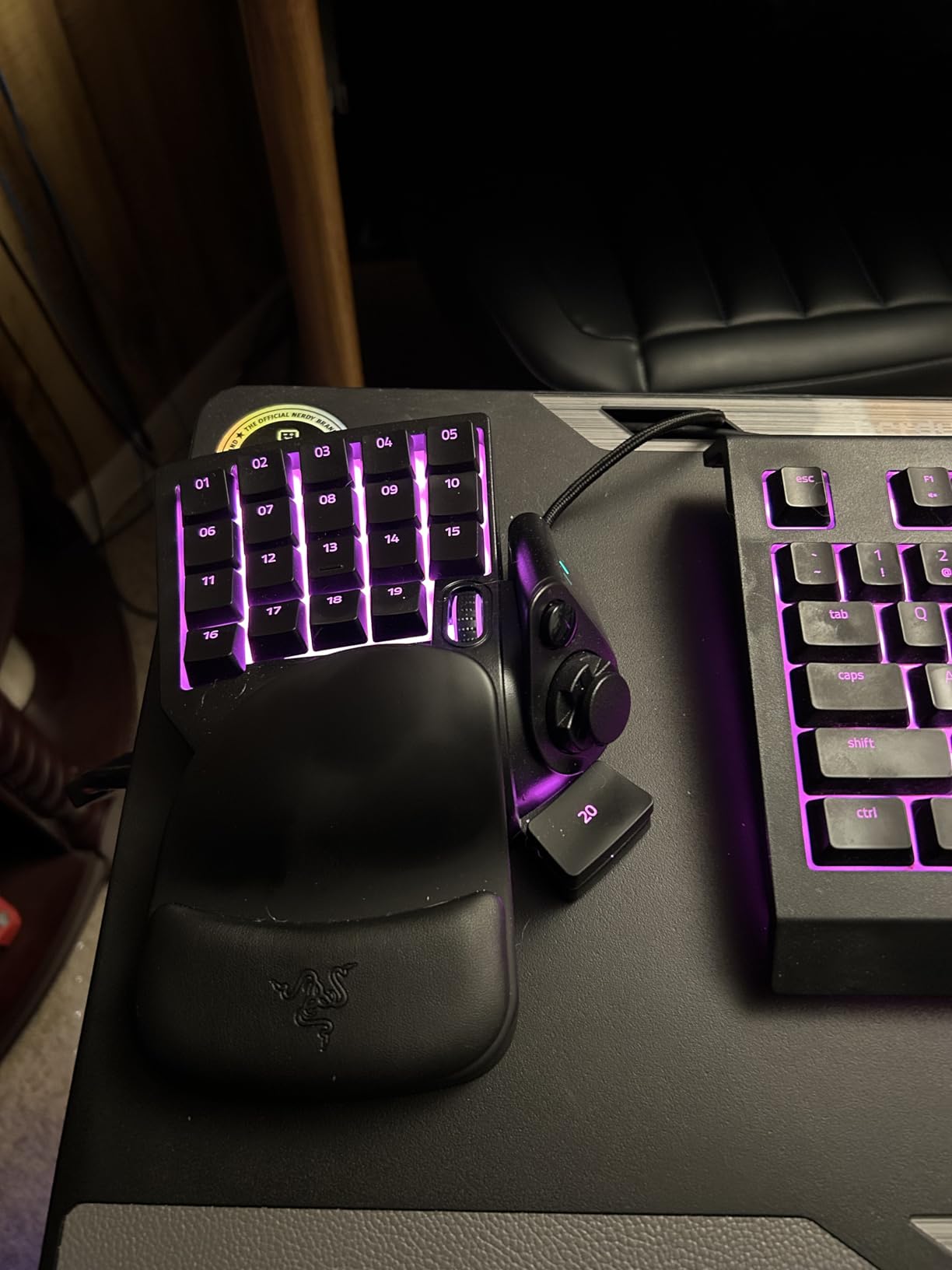
The Razer Tartarus V2 represents what a premium one-handed gaming keyboard should be. I tested it extensively with Valorant and Final Fantasy XIV, and the Mecha-Membrane switches delivered a unique feel. They combine the softness of membrane with the tactile feedback of mechanical switches. This hybrid approach works surprisingly well for gaming and is one reason it’s often included among best one-handed gaming keyboards, though purists may prefer true mechanical switches.
The 32 programmable keys offer extensive customization through Razer Synapse 3. I set up different profiles for FPS, MMO, and productivity tasks. The Hypershift feature effectively doubles your key count by adding a secondary layer. The 8-way directional thumbpad replaces WASD movement for many users and feels more natural than traditional keys. The adjustable wrist rest has two positions to find your ideal angle.
Razer Chroma RGB integration sets this keypad apart from competitors. The lighting syncs with games like Overwatch and Apex Legends, creating immersive effects that respond to in-game actions. You can also sync with other Chroma-enabled devices for a unified setup. Build quality feels premium, though some users report key failures after extended use. Razer does not sell replacement keys, which is disappointing for a product at this price point.
Best suited for
The Tartarus V2 excels for serious gamers invested in the Razer ecosystem. MMO players benefit most from the 32 programmable keys and profile switching. Competitive FPS players will appreciate the ergonomic design for long practice sessions. Users who already own Chroma devices get added value from the lighting sync features.
Consider alternatives if
If you are on a budget, the Redragon K585 offers similar functionality at half the price. Gamers who prefer true mechanical switches should look at the Redragon or AZERON options. Those with small hands may find the larger size uncomfortable. Users wanting wireless connectivity need to consider other brands since Razer does not offer a wireless Tartarus.
3. RedThunder One Handed Gaming Keyboard – Budget Champion
RedThunder One Handed Gaming Keyboard RGB Backlit 35 Keys Portable Mini Gaming Keypad Ergonomic Game Controller for PC Gamer
35 Keys
3ms Response
2 Macro Keys
Ergonomic Wrist Rest
+ The Good
- Excellent budget-friendly option
- Comfortable ergonomic design
- Plug and play with no drivers required
- Quiet switch operation
- The Bad
- No tactile bump on F key
- Space bar slightly shorter than ideal
- Some units arrive with defective keys
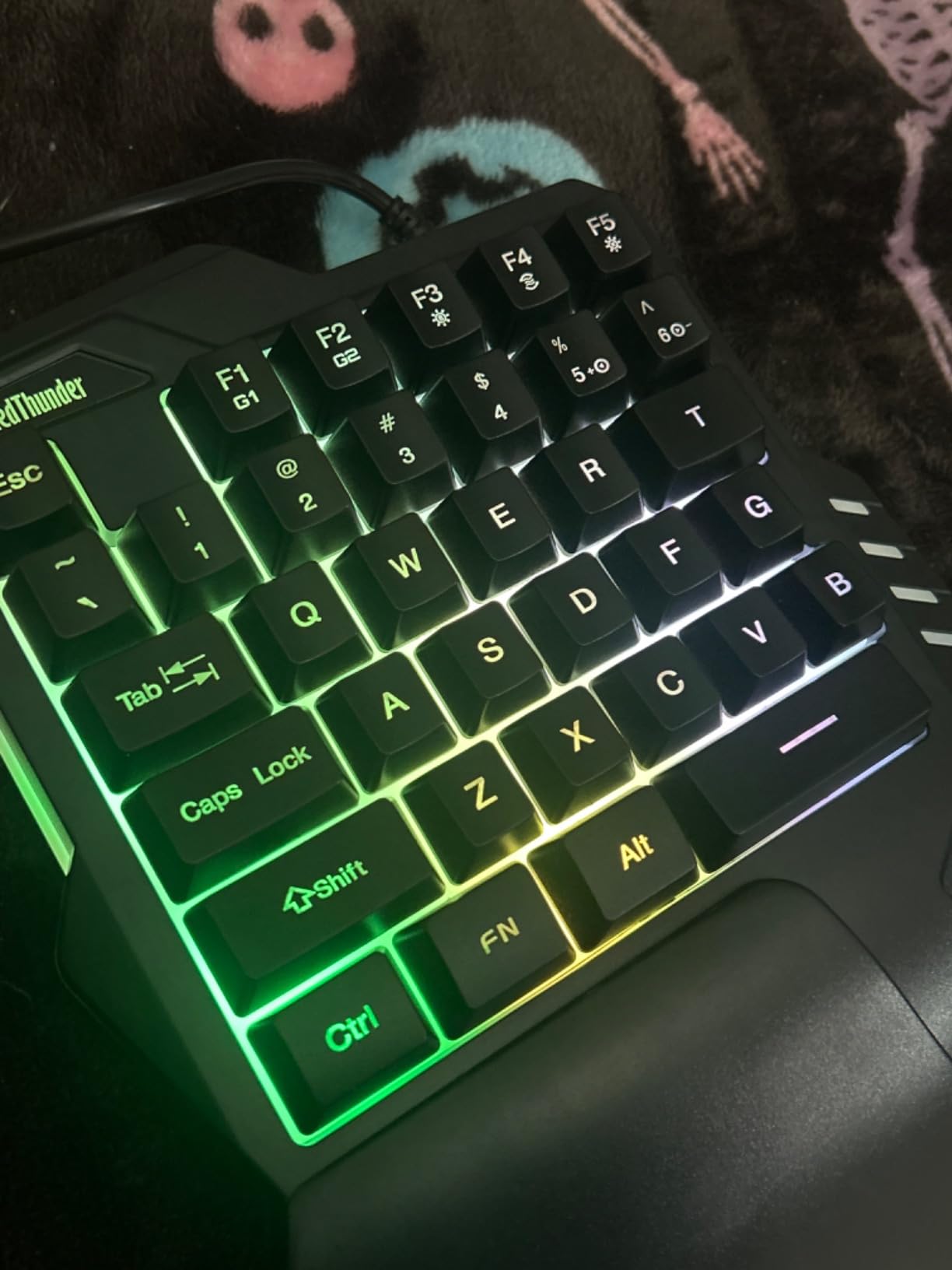
The RedThunder One Handed Gaming Keyboard proved that you do not need to spend much to get a capable gaming keypad. At around $24, this device delivers core functionality that rivals more expensive options. I used it primarily for FPS gaming on my laptop, and the 3ms response time felt snappy and responsive. The built-in game chip handles inputs quickly without noticeable lag.
The 35-key layout covers standard gaming needs with full anti-ghosting. I appreciated the plug-and-play setup that required no software installation. The RGB backlighting offers 7 color options with breath and static modes. While not as customizable as premium options, the lighting looks good in dark rooms. The ergonomic wrist rest provides decent comfort, though it feels less premium than the Redragon or Razer alternatives.
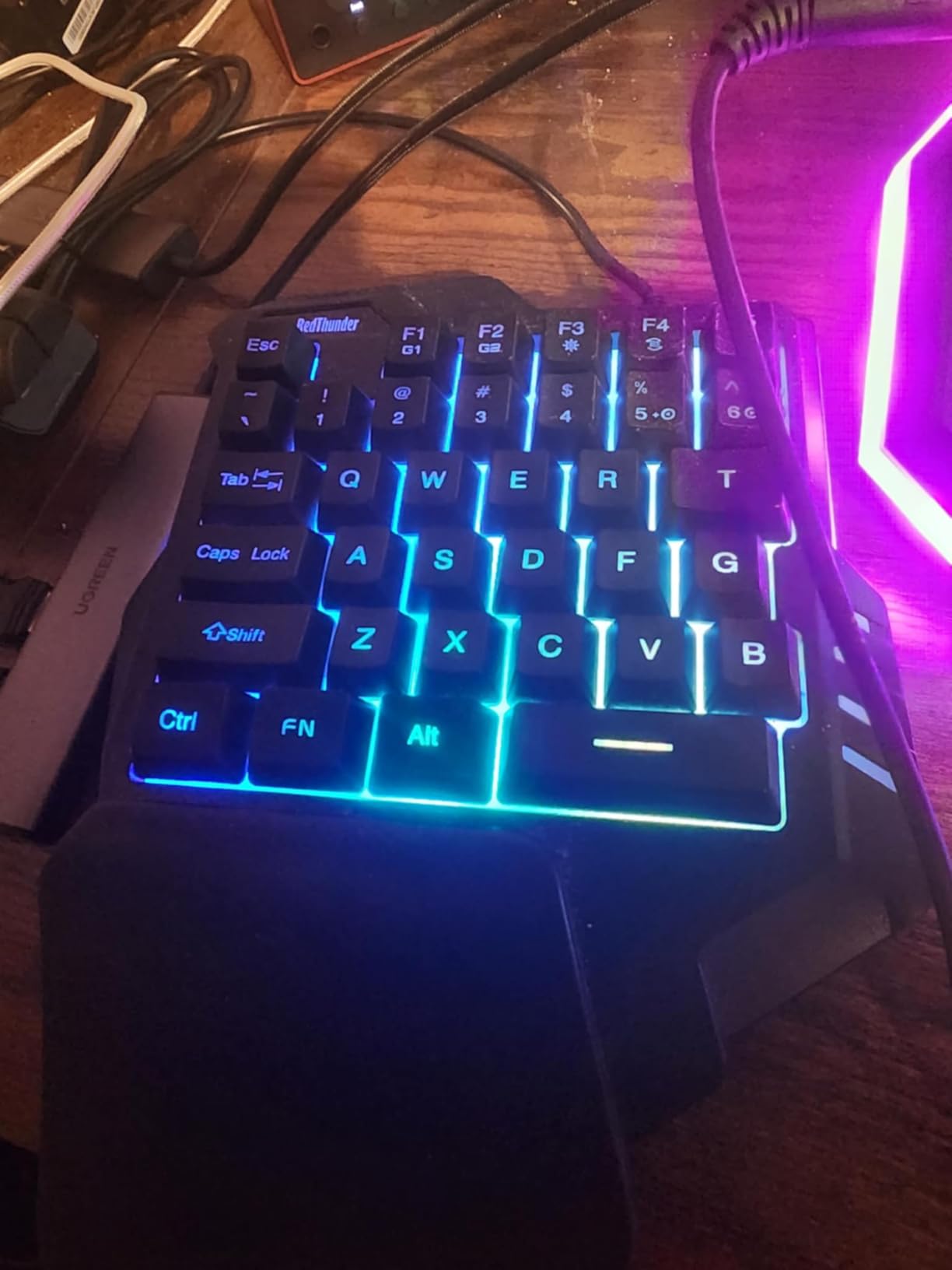
Quiet operation stands out as a key advantage for shared living spaces. The membrane switches produce less noise than mechanical alternatives, making this ideal for late-night gaming. The compact size saves significant desk space, which is perfect for laptop gaming or small setups. The auto-off feature after 30 seconds of inactivity helps conserve the battery for the LED lighting.
Best suited for
The RedThunder is perfect for first-time one-handed keyboard users who want to try the format without a big investment. Laptop gamers benefit from the compact size and portability. Players in shared spaces appreciate the quiet switches. Budget-conscious gamers get excellent value without sacrificing core gaming functionality.
Consider alternatives if
If you need extensive macro programming, the limited 2 macro keys may not suffice. Gamers wanting mechanical switch feel should look at the Redragon K585 or MageGee options. Those requiring hot-swappable switches need to spend more on premium models. Users who want deep software customization will find the driver-free design limiting.
4. Redragon K585 PRO Wireless – Freedom Without Wires
Redragon K585 PRO Wireless One-Handed Mechanical Keyboard, 42 Keys 3-Mode RGB 40% Gaming Keypad w/ 7 Onboard Macro Keys, Detachable Wrist Support, Rechargeable Battery (Red Switch)
42 Keys
3-Mode Wireless
Hot-Swappable
PS5 Compatible
+ The Good
- Wireless freedom with multiple connection options
- No noticeable latency in wireless mode
- Works with PS5
- Hot-swappable switches
- The Bad
- No storage compartment for wireless dongle
- Missing Windows key
- Wrist rest feels cheap
The Redragon K585 PRO Wireless takes the excellent K585 formula and cuts the cord. I tested all three connection modes (Bluetooth, 2.4GHz wireless, and wired) and found no noticeable latency difference in gaming. The wireless freedom transformed my desk setup by eliminating cable clutter. The rechargeable battery lasts 15-20 hours per charge, which covers several gaming sessions.
Hot-swappable switches return in this wireless version, allowing you to customize the typing feel. The quiet red switches included feel smooth for gaming and typing. The software provides extensive customization for RGB lighting and macro programming. I appreciated the ability to sync profiles across devices. The 7 programmable macro keys work the same as the wired version, giving you flexibility for different games.
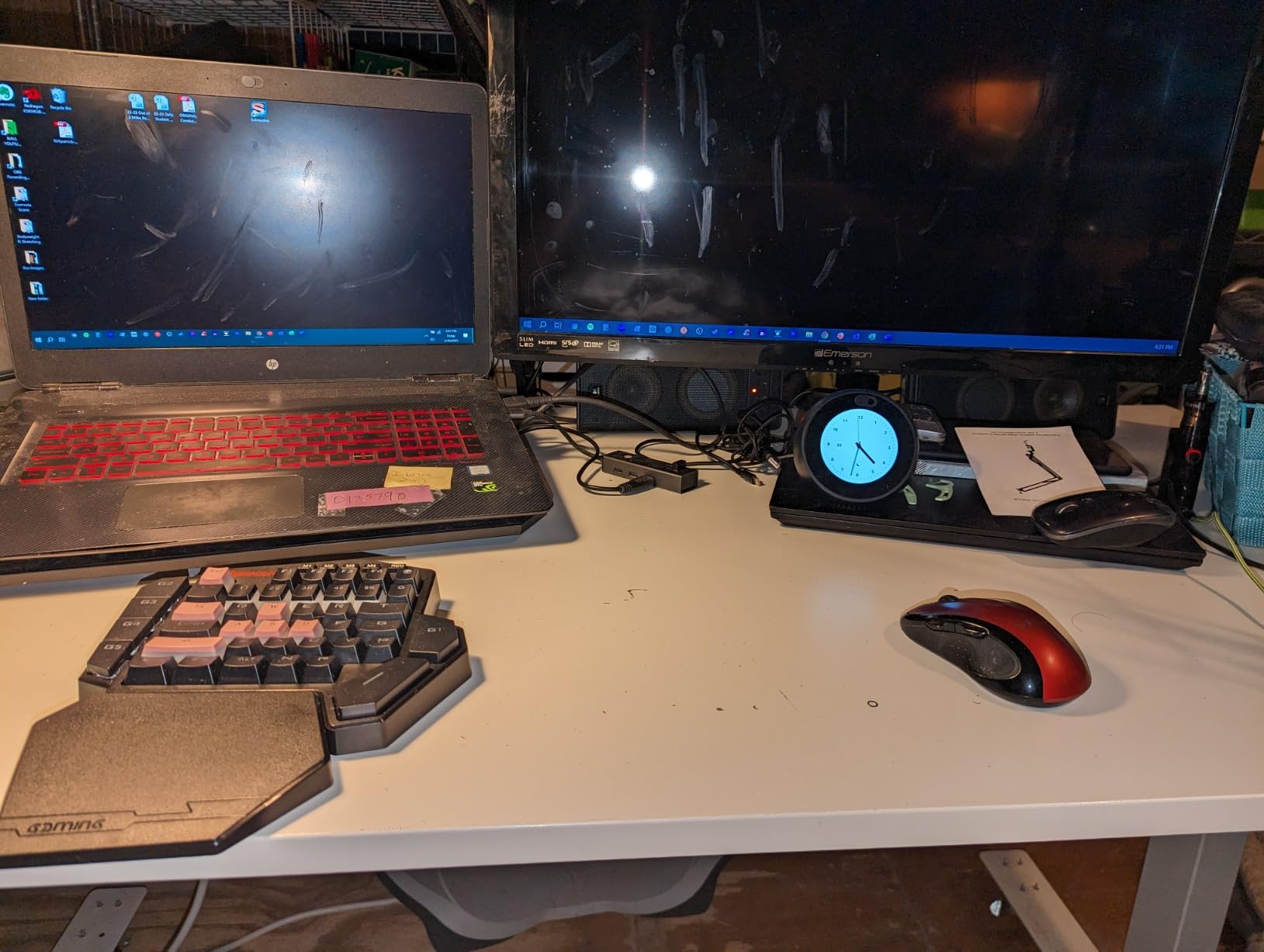
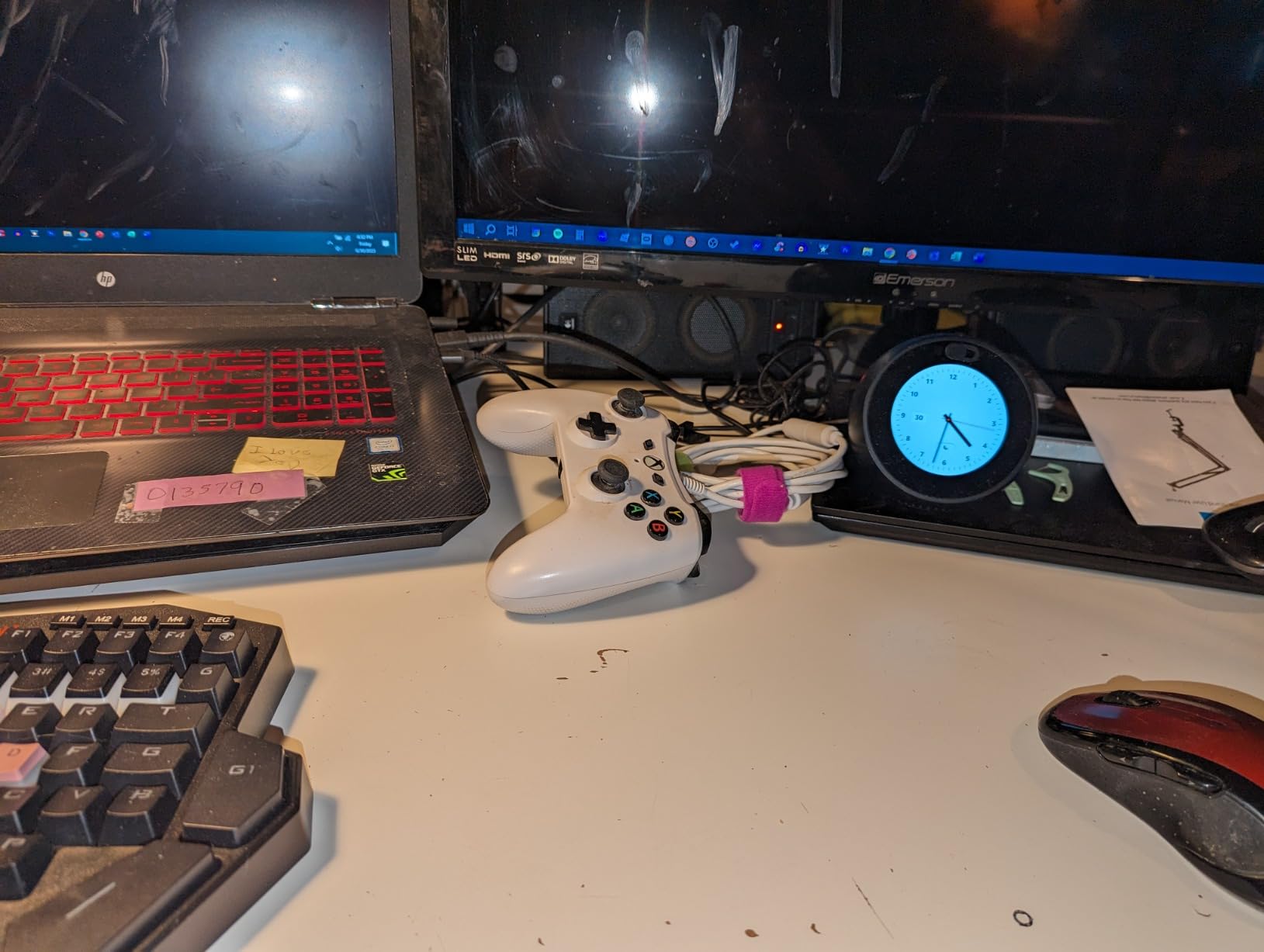
Console compatibility surprised me as a bonus feature. I connected the K585 PRO to my PS5 and played keyboard and mouse compatible games without issues. The wireless dongle has good range, though some users report connection drops beyond 6 feet. The lack of a dongle storage compartment is a missed opportunity since losing the tiny receiver means losing wireless capability.
Best suited for
The K585 PRO Wireless is ideal for gamers who want a clean desk setup without cables. Console players on PS5 benefit from native compatibility. Users with multiple devices appreciate the three connection modes. Traveling gamers can easily pack this compact keypad for gaming on the go.
Consider alternatives if
If you game exclusively at a desk, the wired K585 DITI offers the same features for less money. Competitive gamers concerned about any potential wireless latency should stick with wired options. Users who need all standard keys including Windows key may find the layout limiting. Those wanting premium wrist rest quality should consider the Razer Tartarus V2.
5. CHONCHOW One Handed Gaming Keyboard – Ultra-Budget Option
CHONCHOW One Handed Gaming Keyboard, 35 Keys, Rainbow LED, Wired USB, Ergonomic with Wrist Rest, Mini Portable, PS4/PS5/Xbox/PC/Laptop Compatible
35 Keys
Multi-Platform
Rainbow LED
USB Hub Adapter
+ The Good
- Very affordable price point
- Works with PS3/PS4/PS5/Xbox/PC
- Includes USB hub adapter
- Compact size saves desk space
- The Bad
- Smaller size difficult for larger hands
- Customization software hard to find
- Some quality control issues
The CHONCHOW One Handed Gaming Keyboard costs less than many gaming mice, yet it delivers solid basic functionality. At around $17, this is the most affordable option we tested. I used it for casual FPS gaming and found it surprisingly capable for the price. The membrane switches feel soft and quiet, which works well for relaxed gaming sessions.
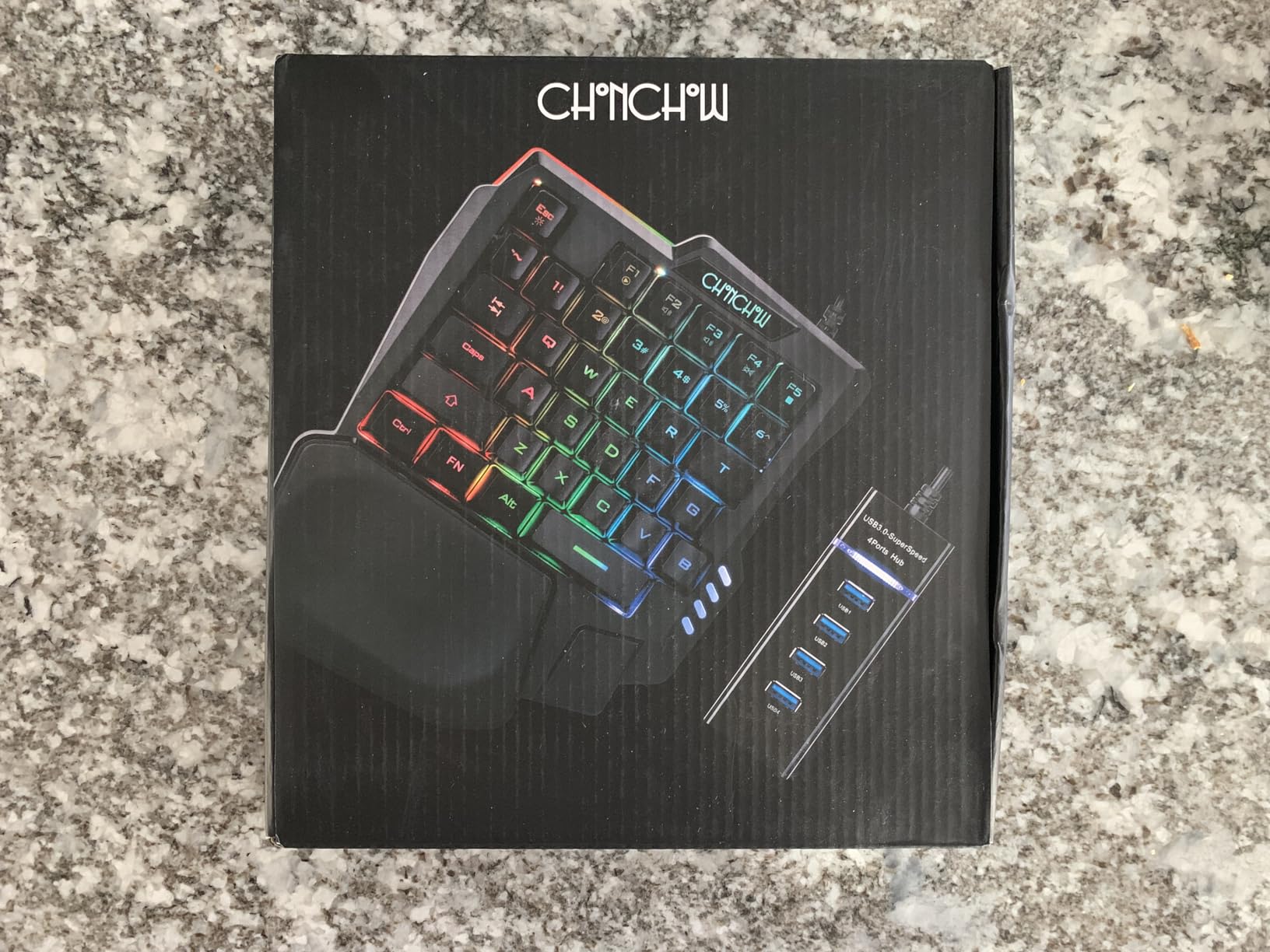
Multi-platform compatibility is the standout feature here. The CHONCHOW works with PS3, PS4, PS5, Xbox, and PC without additional software. The included USB adapter with 4 connectors lets you connect multiple devices. This makes it perfect for console gamers who want to try keyboard and mouse gaming without a big investment. The curved keycaps and stepped layout provide decent ergonomics despite the low price.
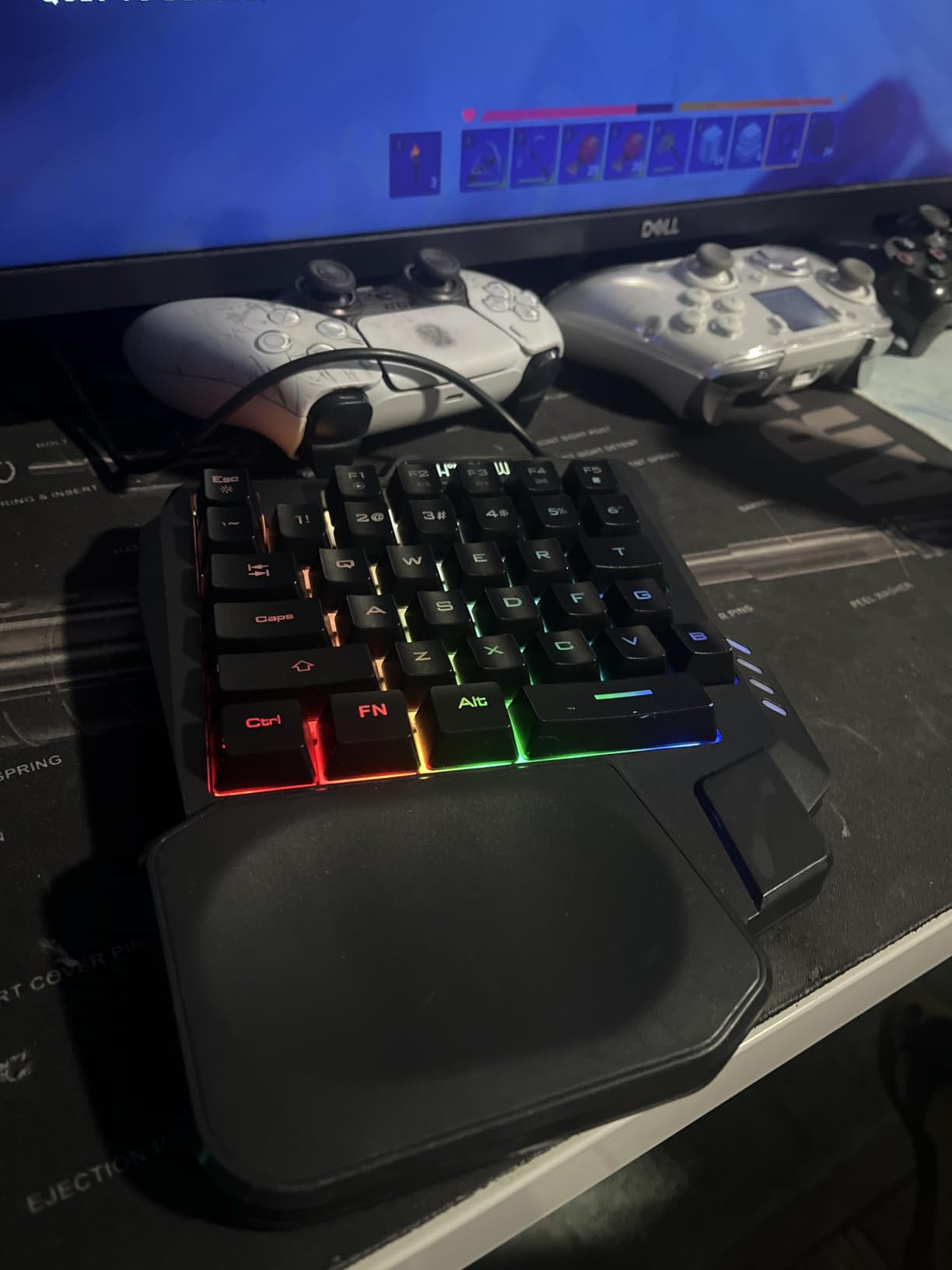
The rainbow LED lighting adds visual flair with side lighting effects. While not as customizable as RGB on premium models, the backlighting helps with key visibility in dark environments. The recessed wrist rest design provides some comfort, though it feels basic compared to padded alternatives. Build quality is acceptable for the price, but do not expect premium materials.
Best suited for
The CHONCHOW is perfect for console gamers wanting to try keyboard and mouse gaming on Xbox or PlayStation. Budget-conscious buyers get maximum value at minimum cost. Laptop gamers with limited desk space benefit from the compact 8.3×6.3 inch footprint. Casual gamers who play occasionally will find this sufficient for their needs.
Consider alternatives if
If you have large hands, the compact size may feel cramped. Gamers wanting mechanical switch feel should spend more on the Redragon or MageGee options. Those needing macro programming will find the limited customization frustrating. Users who prioritize build quality should invest in a more expensive brand.
6. AZERON Gaming Keypad Cyborg II – Ultimate Customization
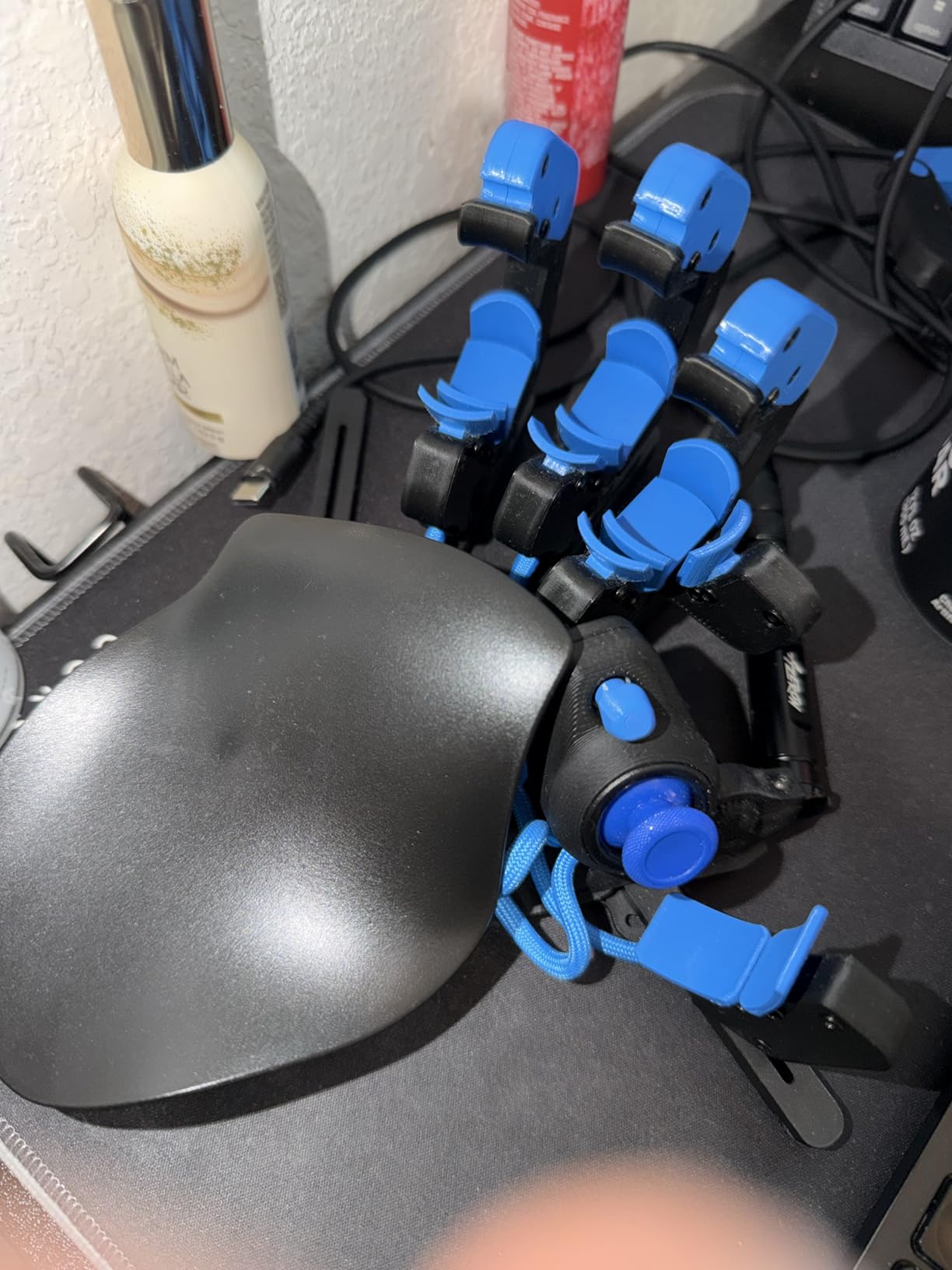
AZERON Gaming Keypad, Programmable One Handed Gaming Keyboard, with Hall Effect Analog Thumbstick and 30 Programmable Keys, 3D Printed Customized Keypad, for Righties (Black, Cyborg ll)
30 Keys
Hall Effect Thumbstick
Fully Adjustable
3D Printed
+ The Good
- Highly adjustable design fits different hand sizes
- Hall Effect thumbstick with no drift
- 30 programmable inputs per layer
- Can function as mouse
- The Bad
- Very expensive
- Steep learning curve
- Only available for right-handed users
The AZERON Cyborg II is unlike any other one-handed gaming keyboard I have tested. This 3D-printed keypad features adjustable towers for each finger, allowing you to customize the layout to your hand size. I spent two hours setting up the perfect configuration, but once dialed in, it felt like an extension of my hand. The Hall Effect analog thumbstick eliminates drift issues common on other controllers.
The 30 programmable inputs per layer give you incredible flexibility. Each tower can be adjusted for height, angle, and distance from your fingers. The software lets you bind keyboard, controller, or mouse inputs to any key. I set up the thumbstick to function as a mouse for quick menu navigation. RGB lighting with game profiles adds visual customization that matches your setup.
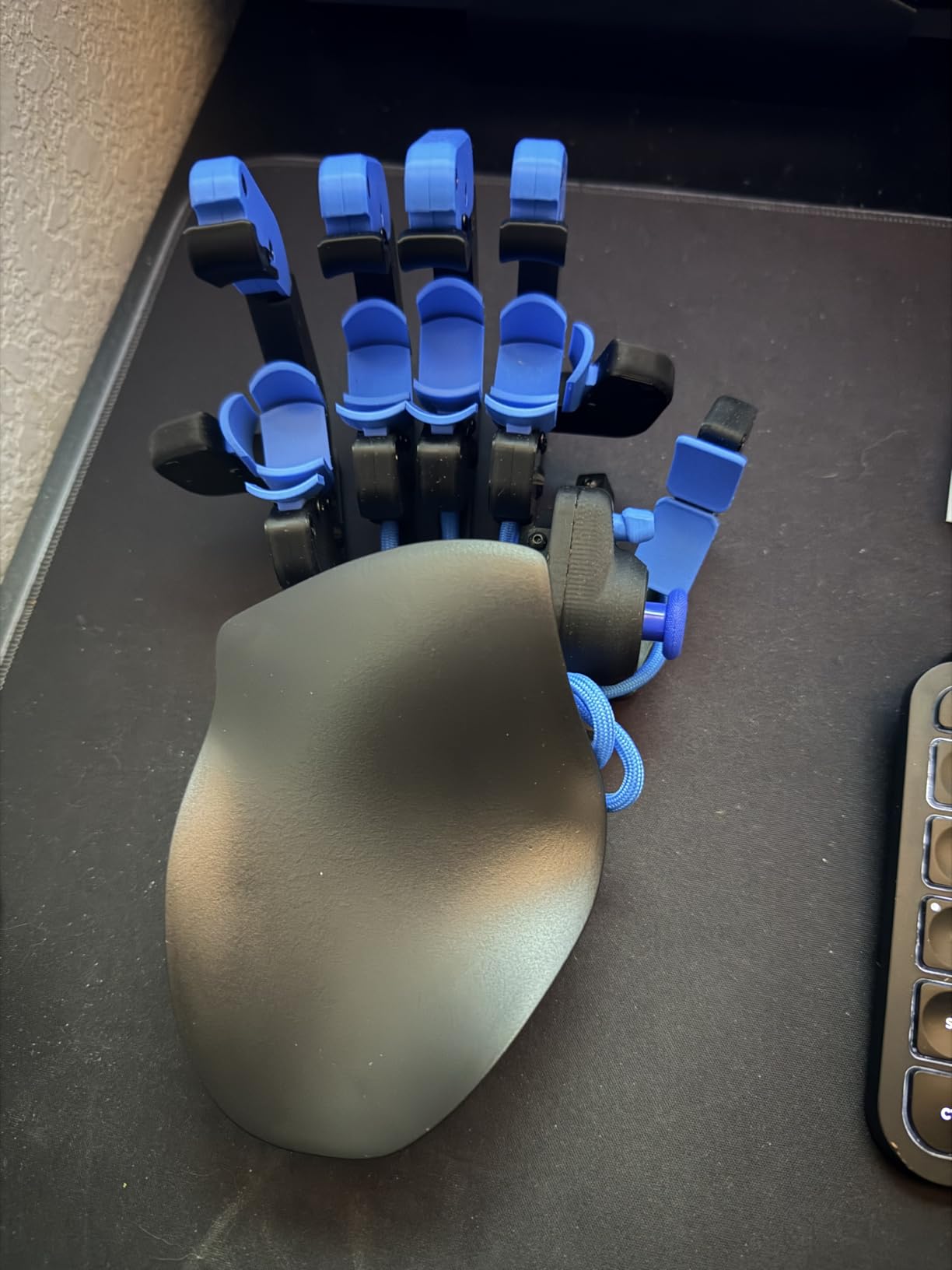
Build quality justifies the premium price point. The solid construction and premium materials feel built to last. The modular design allows for future enhancements as AZERON releases new components. Storing up to 6 control layouts on the device means you can switch between games without reprogramming. The learning curve is steep, but the payoff in precision is substantial for dedicated gamers.
Best suited for
The AZERON Cyborg II is ideal for enthusiasts who want maximum customization and are willing to invest time and money. Competitive FPS players benefit from the precision adjustability. MMO players appreciate the 30+ programmable inputs. Gamers with specific ergonomic needs can fine-tune every aspect of the layout.
Consider alternatives if
If you are on a budget, the Redragon K585 offers great value at a fraction of the price. Left-handed gamers are out of luck since this model only comes in right-handed configuration. Users who want plug-and-play simplicity should look elsewhere. Those with limited patience for setup should choose a more traditional keypad design.
7. MageGee One Handed Professional Gaming Keyboard – Mechanical Budget Pick
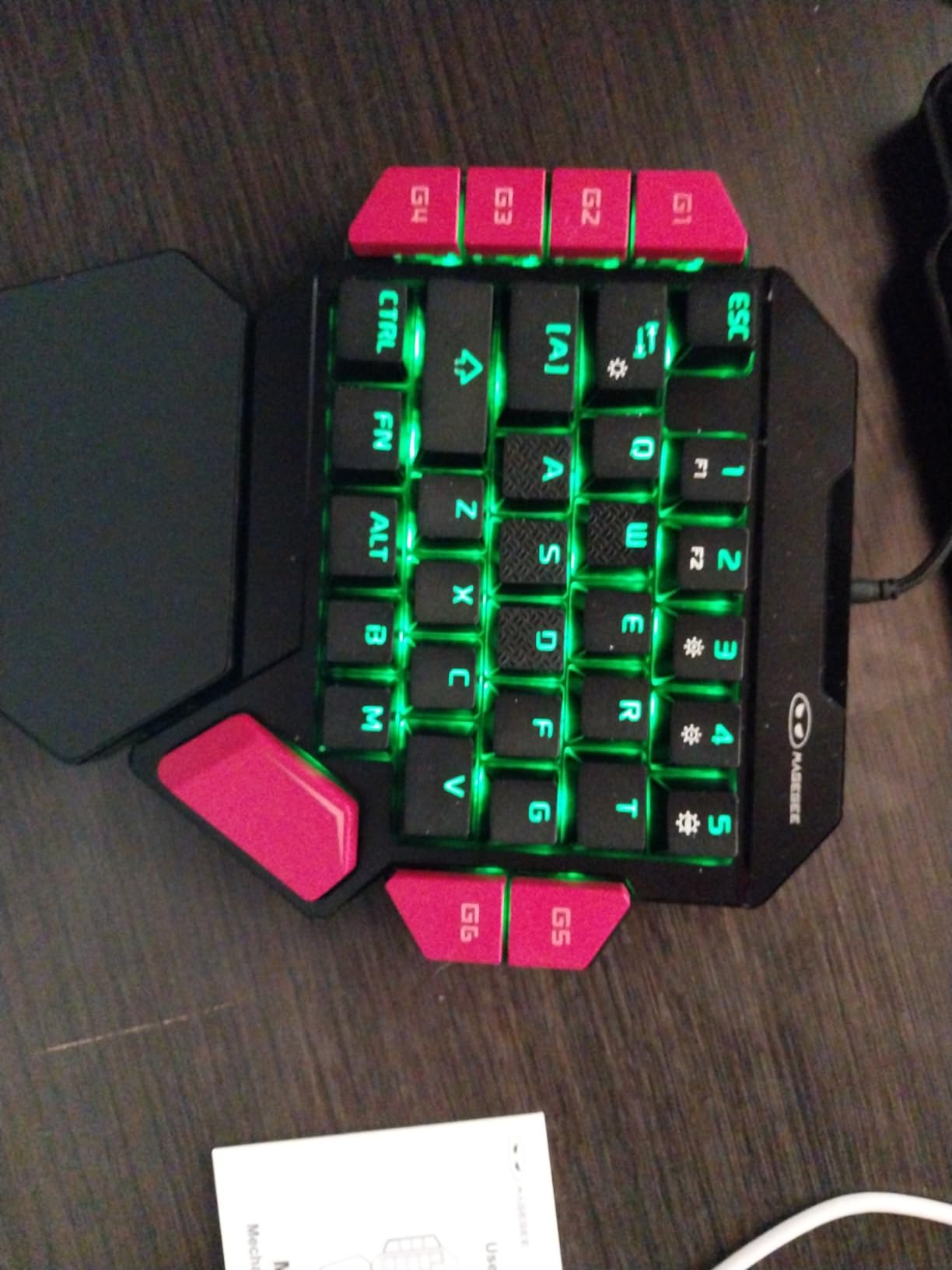
MageGee One Handed Professional Gaming Keyboard, RGB Backlit 35 Keys Mini Wired Mechanical Keyboard with Blue Switch for PC Gamer, Support 6 Macro Keys - Black/Red
35 Keys
Blue Switches
6 Macro Keys
Big Palm Rest
+ The Good
- Clicky blue switches with great tactile feedback
- Sturdy build quality
- Excellent value for money
- Bright RGB lighting
- The Bad
- Keys are quite loud
- USB-A cable instead of USB-C
- Macro programming limited to device keys
The MageGee One Handed Gaming Keyboard brings mechanical switches to the budget category. At around $23, this is one of the cheapest ways to get mechanical key feel in a one-handed format. The blue switches deliver satisfying clicky feedback that many gamers prefer. I found the tactile response helpful for timing inputs in rhythm games and fast-paced shooters.
Build quality exceeded my expectations for the price. The plastic construction feels sturdy without flex or rattle. The 35-key layout covers standard gaming needs with full anti-ghosting. Six macro recording keys (G1-G6) provide flexibility for complex commands. The big palm rest offers comfortable support during extended sessions, though the rubberized surface collects dust easily.
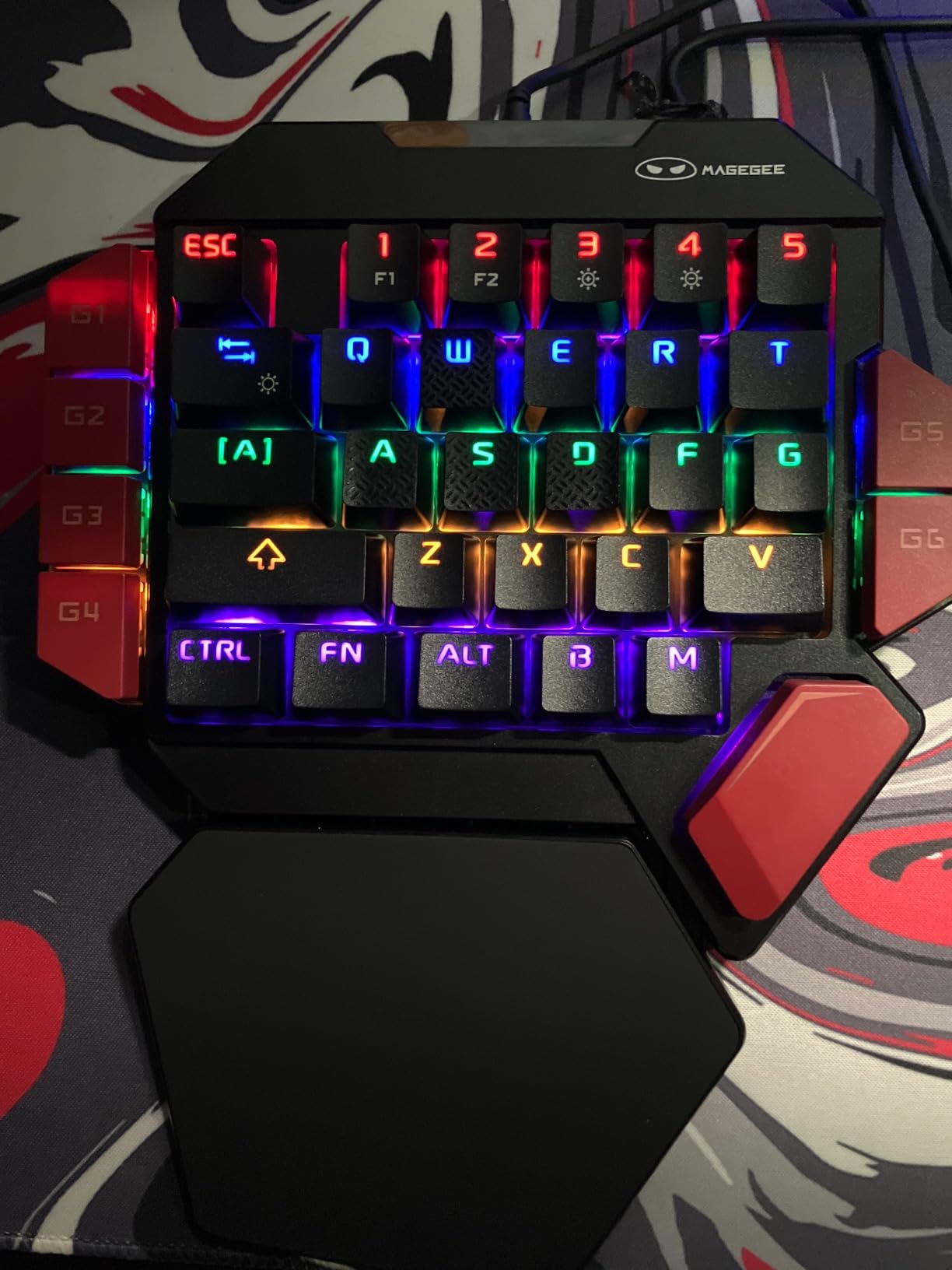
RGB lighting is bright and customizable with multiple modes. The colors pop nicely against the black and red color scheme. Compatibility with Windows, Mac, and Linux gives you flexibility across systems. I tested it with a PS4 and it worked without issues for keyboard-compatible games. The loud clicks may bother others in shared spaces, so consider your environment.
Best suited for
The MageGee is perfect for gamers who want mechanical switch feel without the premium price. Clicky switch enthusiasts will appreciate the tactile feedback. Budget-conscious buyers get excellent build quality for the cost. PS4 gamers can use this for keyboard and mouse compatible titles.
Consider alternatives if
If you need quiet operation for shared spaces, the membrane RedThunder is a better choice. Gamers wanting hot-swappable switches should spend more on the Redragon K585. Those needing extensive macro programming will find the 6-key limit restrictive. Users who prefer USB-C should note this uses the older USB-A connector.
8. Cakce RGB One Handed Mechanical Gaming Keyboard – Console-Friendly Option
Cakce RGB One Handed Mechanical Gaming Keyboard,Colorful Backlit,Wrist Rest Support,Professional USB Wired Single Hand Mechanical Keyboard for Game
35 Keys
RGB Mechanical
6 Macro Keys
PS4/Xbox Compatible
+ The Good
- Clicky mechanical switches
- Bright RGB lighting
- Works with Steam Link and consoles
- Comfortable rubberized palm rest
- The Bad
- Number keys offset to the left
- No software for macro programming
- Some LED illumination issues
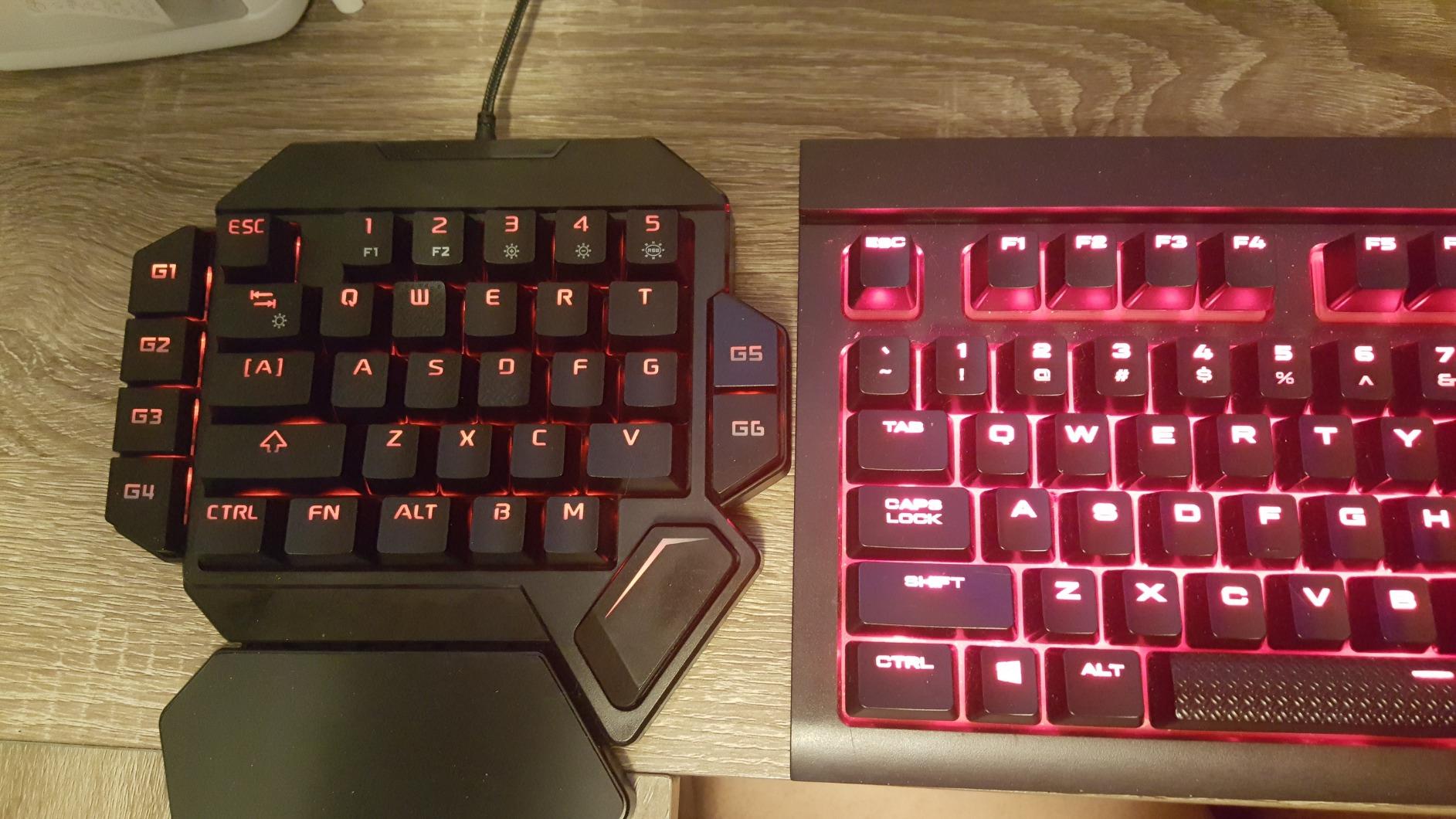
The Cakce RGB One Handed Mechanical Gaming Keyboard offers solid mechanical performance at a mid-range price. I tested it primarily with my Steam Link setup and was impressed by the compatibility. The clicky switches provide satisfying feedback, and the textured WASD keys help with finger placement. The rubberized palm rest coating feels comfortable and premium.
Multiple RGB lighting modes let you customize the look to match your setup. The curved keycap layout follows the natural arc of your hand for better ergonomics. The 6 macro recording keys (G1-G6) work for simple commands, though the lack of dedicated software limits advanced programming. Full anti-ghosting ensures all keypresses register correctly during intense moments.
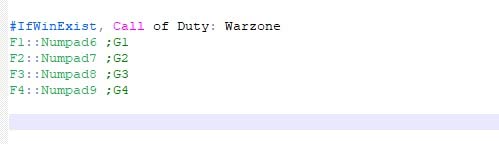
Console compatibility extends to PS4 and Xbox One, making this versatile for different gaming setups. I appreciated how the lettering on keycaps does not fade over time, even with heavy use. The fit for larger hands is better than many competitors. However, the number keys being offset to the left took some adjustment, and some users report LED issues on specific keys.
Best suited for
The Cakce is ideal for couch gaming with Steam Link or console setups. Gamers with larger hands benefit from the spacious layout. Mechanical switch fans get clicky feedback at a reasonable price. Users who want console compatibility without multiple devices appreciate the cross-platform support.
Consider alternatives if
If you need software-based macro programming, the Razer Tartarus V2 offers superior customization. Gamers wanting hot-swappable switches should choose the Redragon K585. Those with small hands may find the layout too spread out. Users bothered by clicky sounds should look at membrane alternatives.
9. RedThunder One-Handed Gaming Keyboard and Mouse Combo – Complete Starter Kit
RedThunder One-Handed RGB Gaming Keyboard and Mouse Combo, 35 Keys Mini Gaming Keypad, 6400 DPI Mouse, Portable Game Controller for PC Gamer
35 Keys
6400 DPI Mouse
2 Macro Keys
Xbox Compatible
+ The Good
- Great value keyboard and mouse combo
- Works with Xbox Series X for KBM games
- Keyboard reduces hand cramping
- Good customer service
- The Bad
- Mouse wheel sounds problematic
- No software to change mouse bindings
- Mouse quality issues reported
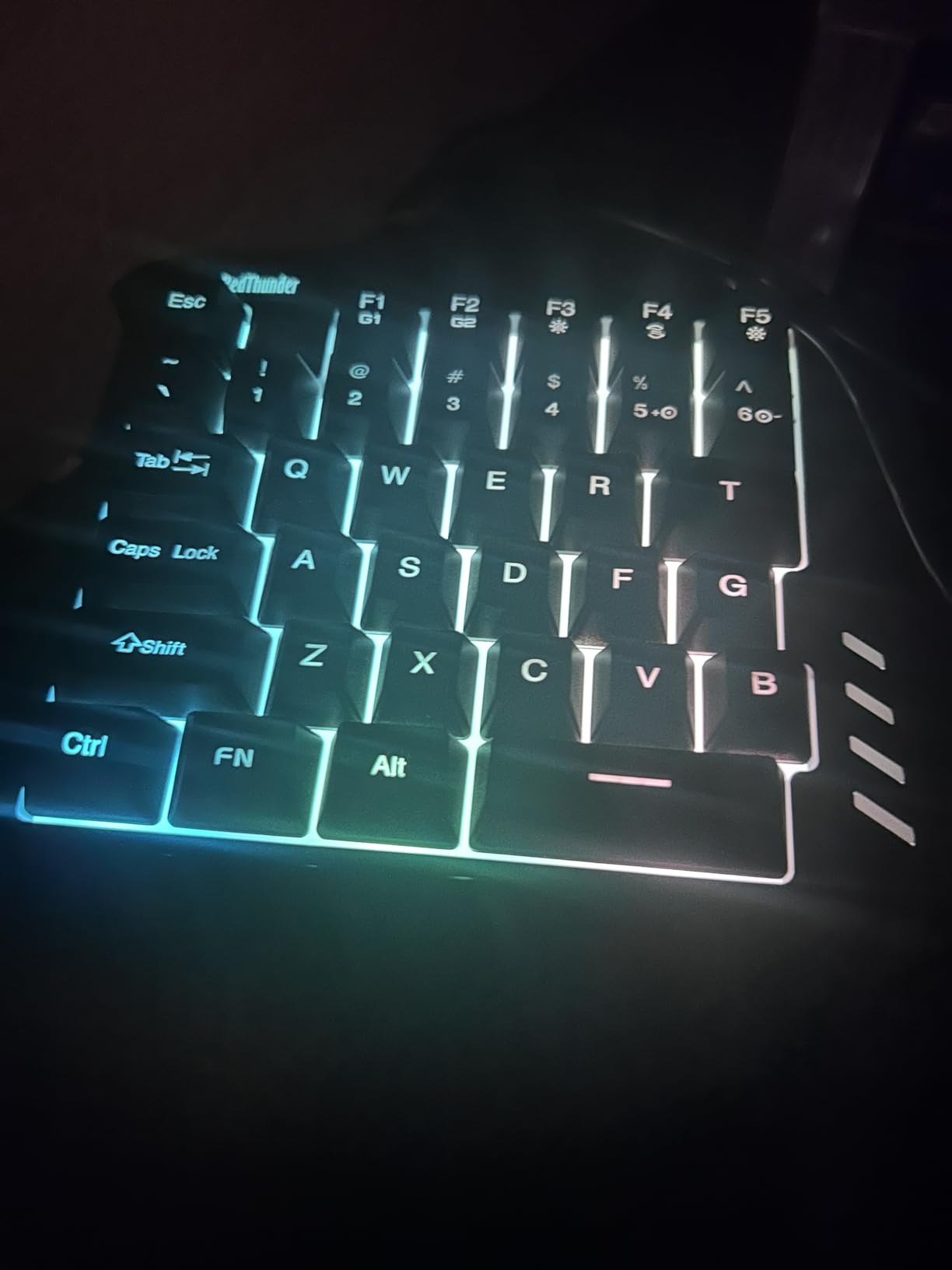
The RedThunder keyboard and mouse combo provides everything you need to start one-handed gaming in one package. I tested this as a complete setup rather than evaluating components separately while exploring best one-handed gaming keyboards. The keyboard performs similarly to the standalone RedThunder model, with quiet membrane switches and RGB lighting. The real value proposition is the included 6400 DPI gaming mouse.
Xbox Series X compatibility makes this combo stand out for console gamers. I connected it to my Xbox and played keyboard and mouse compatible games without issues. The keyboard felt comfortable and reduced hand cramping during extended sessions. The ergonomic wrist rest adds support, and the compact size saves desk space. Four polling rate options (125/250/500/1000Hz) on the mouse allow some customization.
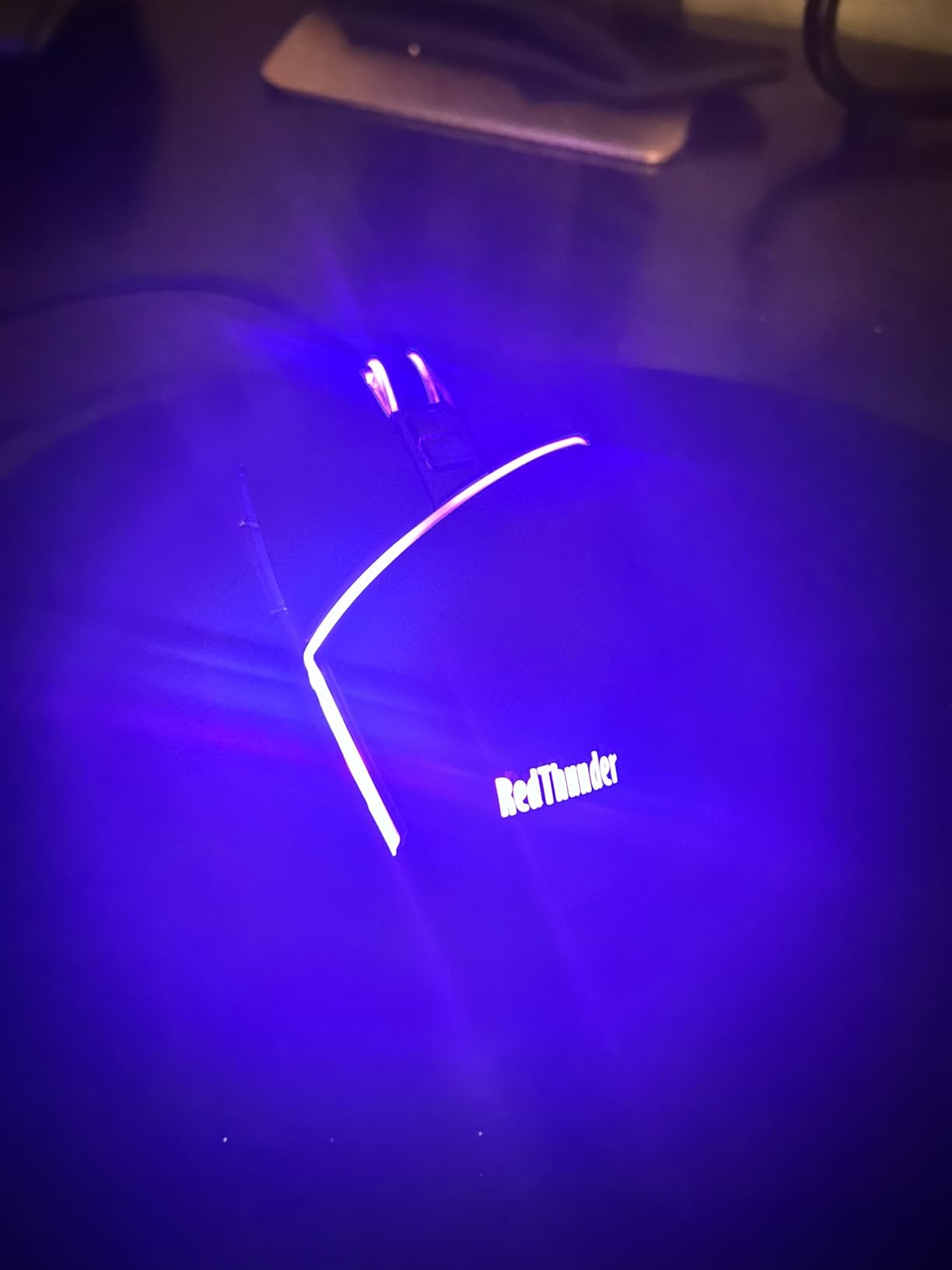
The mouse is the weak link in this combo. While the 6400 DPI sensor works fine, the mouse wheel has quality issues including strange sounds and lack of tactile feedback. The third mouse button is limited to 3 clicks per second, which affects gaming performance. No software exists to change mouse bindings, limiting customization. Consider buying the keyboard separately if you already own a quality mouse.
Best suited for
The RedThunder combo is perfect for Xbox gamers wanting to try keyboard and mouse gaming. Beginners who need a complete starter kit get good value. Console gamers on a budget appreciate the all-in-one solution. Users new to one-handed keyboards can test the format without buying separate components.
Consider alternatives if
If you already own a gaming mouse, buy the standalone RedThunder keyboard instead. Gamers wanting quality mouse performance should invest in a separate mouse. Those needing macro programming will find the 2-key limit restrictive. Users bothered by mouse wheel issues should avoid this combo.
10. Vaydeer One-Handed Mechanical Keyboard – Productivity Powerhouse
+ The Good
- 6 layers provide 54 total programmable keys
- Excellent for productivity shortcuts
- Compact and elegant design
- One-click start for files and apps
- The Bad
- Keys have no tactile feedback
- Must be plugged directly into PC
- Some units fail after a few months
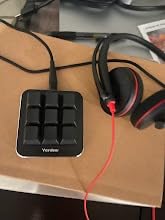
The Vaydeer One-Handed Mechanical Keyboard takes a different approach with just 9 keys. This compact macro keypad focuses on productivity rather than gaming, though it works for both. I used it primarily for work shortcuts and Excel macros, where the 6 functional layers provide 54 total programmable inputs. The floating window shows your current layout, which helps navigate between layers, making it an interesting option when exploring best one-handed gaming keyboards.
One-click start functionality lets you launch files, folders, websites, and applications instantly. I programmed my most-used apps to single keys and saved significant time daily. The OTA upgrade support ensures the software stays current. Settings backup and sharing features help maintain consistency across devices. The compact 2.83 x 2.83 inch footprint takes minimal desk space.
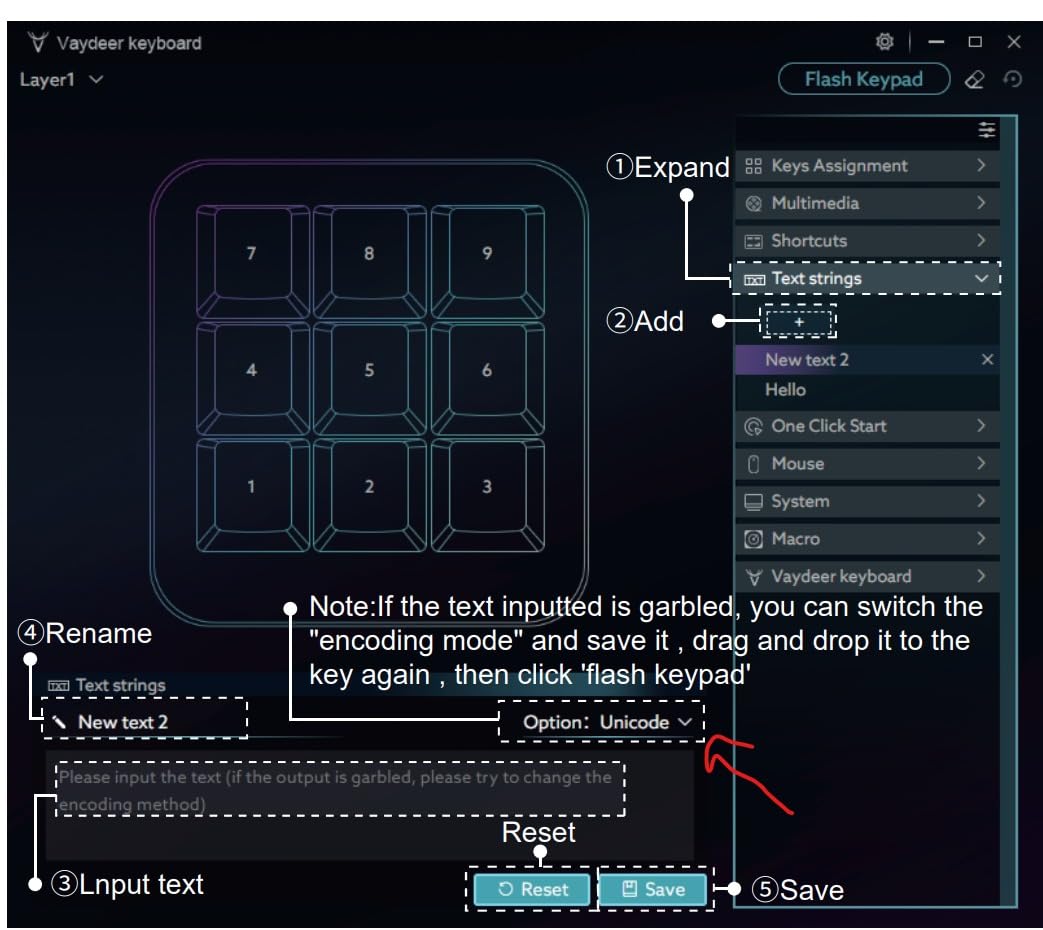
The lack of tactile feedback on keys is the main drawback for gaming use. The flat keys feel less satisfying than mechanical alternatives. The device must be plugged directly into your PC, as USB extenders cause connectivity issues. Build quality feels adequate but not premium. Some users report failures after a few months, though the company offers good support when issues arise.
Best suited for
The Vaydeer is ideal for productivity-focused users who want macro shortcuts for work. Excel power users benefit from the extensive layer system. Minimalist desk builders appreciate the tiny footprint. Users who split time between gaming and productivity find the versatility valuable.
Consider alternatives if
If you need traditional gaming layout with WASD keys, this 9-key design will not work. Gamers wanting tactile switch feel should choose mechanical alternatives. Those requiring USB extender compatibility should avoid this model. Users wanting gaming-focused features like thumbsticks should look at the AZERON or Razer options.
How to Choose the Best One-Handed Gaming Keyboards?
Finding the right one-handed gaming keyboard depends on your specific needs, budget, and gaming style. Here are the key factors to consider when making your decision.
Switch Type
The switch type affects feel, sound, and responsiveness. Mechanical switches offer tactile feedback and durability but produce more noise. Membrane switches are quieter and cheaper but lack the satisfying click. Mecha-membrane hybrids like Razer uses attempt to combine both worlds. Hot-swappable sockets let you change switches later, which adds flexibility. If you are building a complete setup, check our guide on gaming PC builds to match your peripherals.
Number of Keys and Layout
More keys mean more options but also a larger device. Basic gaming needs can be met with 35 keys, while MMO players may want 30 or more programmable inputs. Consider which games you play most and what keybindings you need. Some layouts include thumbpads or thumbsticks for movement, which changes how you interact with the keypad.
Ergonomics and Wrist Rest
Comfort matters for long gaming sessions. Look for keypads with padded wrist rests and adjustable angles. The AZERON Cyborg II offers the most customization with adjustable towers for each finger. Budget options often have basic wrist rests that still provide decent support. Test different positions to find what works for your hand size and typing style.
Programmability and Macros
Macro keys let you bind complex sequences to single buttons. MMO and MOBA players benefit most from extensive programmability. Check if the software allows time delays and complex sequences. Some budget keypads limit macro recording to on-device keys only. Premium options like Razer Synapse offer deeper customization with multiple layers and profile switching.
Connectivity Options
Wired connections offer zero latency and reliability for competitive gaming. Wireless options like the Redragon K585 PRO provide cable-free setups with minimal latency trade-offs. Bluetooth connectivity enables use with multiple devices. Consider your desk setup and whether cable management is a priority.
Platform Compatibility
Most one-handed keyboards work with PC out of the box. Console compatibility varies, with some models supporting PS4, PS5, and Xbox. The CHONCHOW and RedThunder options offer the broadest console support. Check game compatibility as well, since not all console games support keyboard and mouse input.
Accessibility Considerations
One-handed gaming keyboards can be game-changing for disabled gamers with limited mobility. The ergonomic design reduces strain compared to traditional keyboards. Programmable macros can compensate for limited finger movement. Consider hand size and which hand you use, as some models like the AZERON are right-handed only. Forum users report that these devices enable gaming that would otherwise be impossible with standard keyboards.
Frequently Asked Questions
What is the best one-handed gaming keyboard?
The Redragon K585 DITI is our top pick for most gamers, offering hot-swappable switches, 7 macro keys, and excellent build quality at an affordable price. For premium features, the Razer Tartarus V2 provides 32 programmable keys and Chroma RGB integration. Budget-conscious buyers should consider the RedThunder One Handed Gaming Keyboard for great value under $25.
Is there a keyboard for people with one hand?
Yes, one-handed gaming keyboards are specifically designed for single-hand use. These compact keypads concentrate essential gaming keys in an ergonomic layout that fits under one hand. They are particularly beneficial for disabled gamers with limited mobility, allowing comfortable gaming that would be difficult with traditional keyboards. The AZERON Cyborg II offers the most adjustability for different hand sizes and abilities.
Are one-handed keyboards good for gaming?
One-handed keyboards excel at gaming, particularly for FPS, MMO, and MOBA titles. They provide faster access to game commands, reduce hand strain during long sessions, and free up desk space for wider mouse movement. The learning curve takes 1-2 weeks to adjust from traditional keyboards, but most users report improved comfort and efficiency once accustomed to the layout.
Do one-handed keyboards work on consoles?
Some one-handed keyboards work with PS4, PS5, and Xbox consoles, but compatibility varies by model. The CHONCHOW One Handed Gaming Keyboard and Reddragon K585 PRO Wireless offer the broadest console support. Note that not all console games support keyboard and mouse input, so check game compatibility before purchasing. Xbox and PlayStation have different levels of keyboard support depending on the game.
One-handed gaming keyboards offer a practical solution for single-hand players seeking comfort and efficiency. Our top recommendation is the Redragon K585 DITI for its hot-swappable switches, macro keys, and excellent value. Premium buyers should consider the Razer Tartarus V2 for extensive programmability, while budget-conscious gamers will find the RedThunder One Handed Keyboard delivers great performance at an affordable price.
Whether you need accessibility features, desk space optimization, or competitive advantage, these best one-handed gaming keyboards can transform your gaming experience. The learning curve is real but manageable, and most users report they would never go back to traditional keyboards after adjusting. Pair your new keypad with affordable gaming headsets to complete your setup for 2026.