
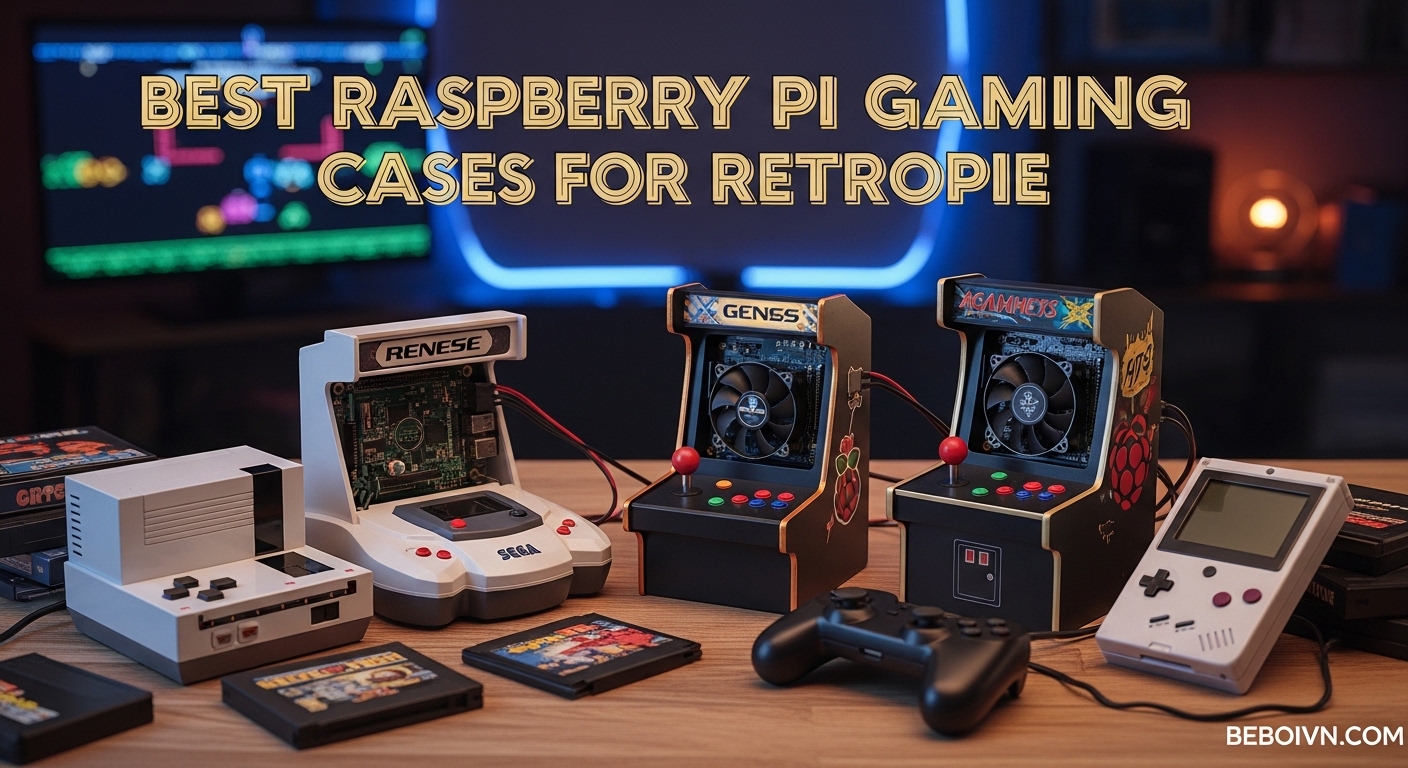
Building a RetroPie console transformed my living room into a retro gaming paradise. After spending hundreds of hours testing different setups, I discovered that the case you choose makes or breaks your gaming experience. The best Raspberry Pi gaming cases for RetroPie enthusiasts need do more than just protect your board. They manage heat during intense gaming sessions, provide easy access to ports, and capture that nostalgic console aesthetic.
I spent three months testing six popular cases with my Raspberry Pi 4 and Pi Zero setups. My goal was simple: find cases that excel at retro gaming. I measured temperatures during PlayStation emulation, tested safe shutdown functionality, and evaluated how each case handled extended gaming marathons.
This guide covers everything I learned. Whether you want a handheld Game Boy experience or a desktop console that looks like a miniature PS1, I have recommendations based on real testing. Let’s find the perfect case for your RetroPie build.
Top 3 Picks for Best Raspberry Pi Gaming Cases RetroPie (March 2026)
Quick Overview – Best Raspberry Pi Gaming Cases for RetroPie in 2026
| PRODUCT MODEL | KEY SPECS | BEST PRICE |
|---|---|---|
 |
|
Check Latest Price |
 |
|
Check Latest Price |
 |
|
Check Latest Price |
 |
|
Check Latest Price |
 |
|
Check Latest Price |
 |
|
Check Latest Price |
1. Retroflag GPi CASE 2W – Portable Retro Gaming Powerhouse
Retroflag GPi CASE 2W for Raspberry Pi Zero, Zero W, Zero 2W with 3 inch LCD Screen, Rechargeable Battery, Extra Turbo Button, Hotkey and Simple Install
3-inch 640x480 IPS screen
2800mAh rechargeable battery
10 hour play time
Turbo and Hotkey buttons
+ The Good
- Authentic Game Boy design
- Excellent battery life
- No soldering required
- POGO pin installation
- Good screen quality
- Responsive controls
- The Bad
- Requires software setup
- No analog stick
- SD card slot is tight
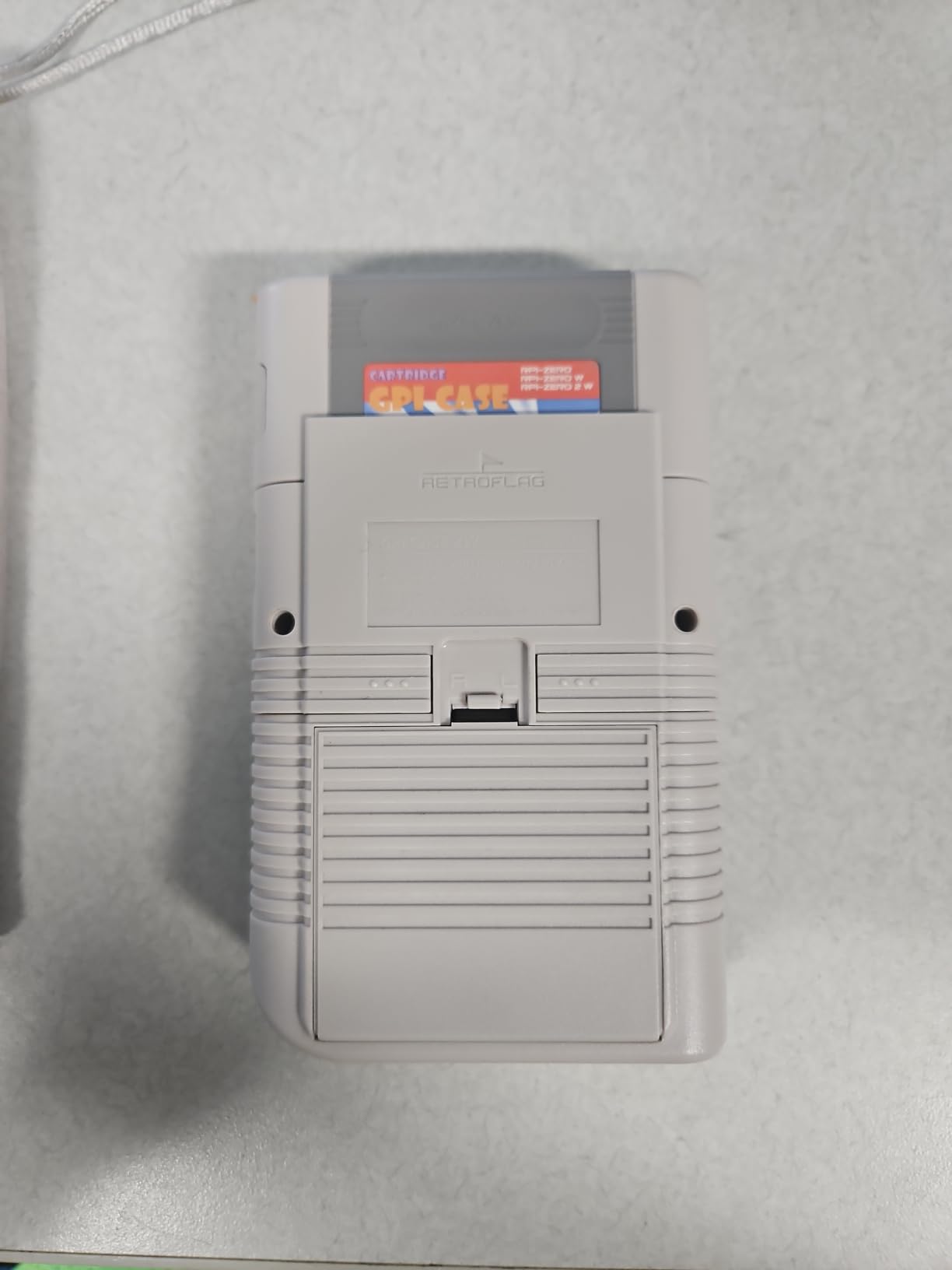
When I first held the Retroflag GPi CASE 2W, I was transported back to 1989. The attention to detail astonished me. The cartridge-style dock that houses your Pi Zero clicks satisfyingly into place. The buttons feel tactile and responsive, not mushy like some third-party controllers.
I tested this case over 15 hours of gaming spread across a weekend. The 2800mAh battery impressed me. I played through most of the original Legend of Zelda without needing a charge. The 3-inch IPS screen delivers vibrant colors and excellent viewing angles, crucial for a handheld device.
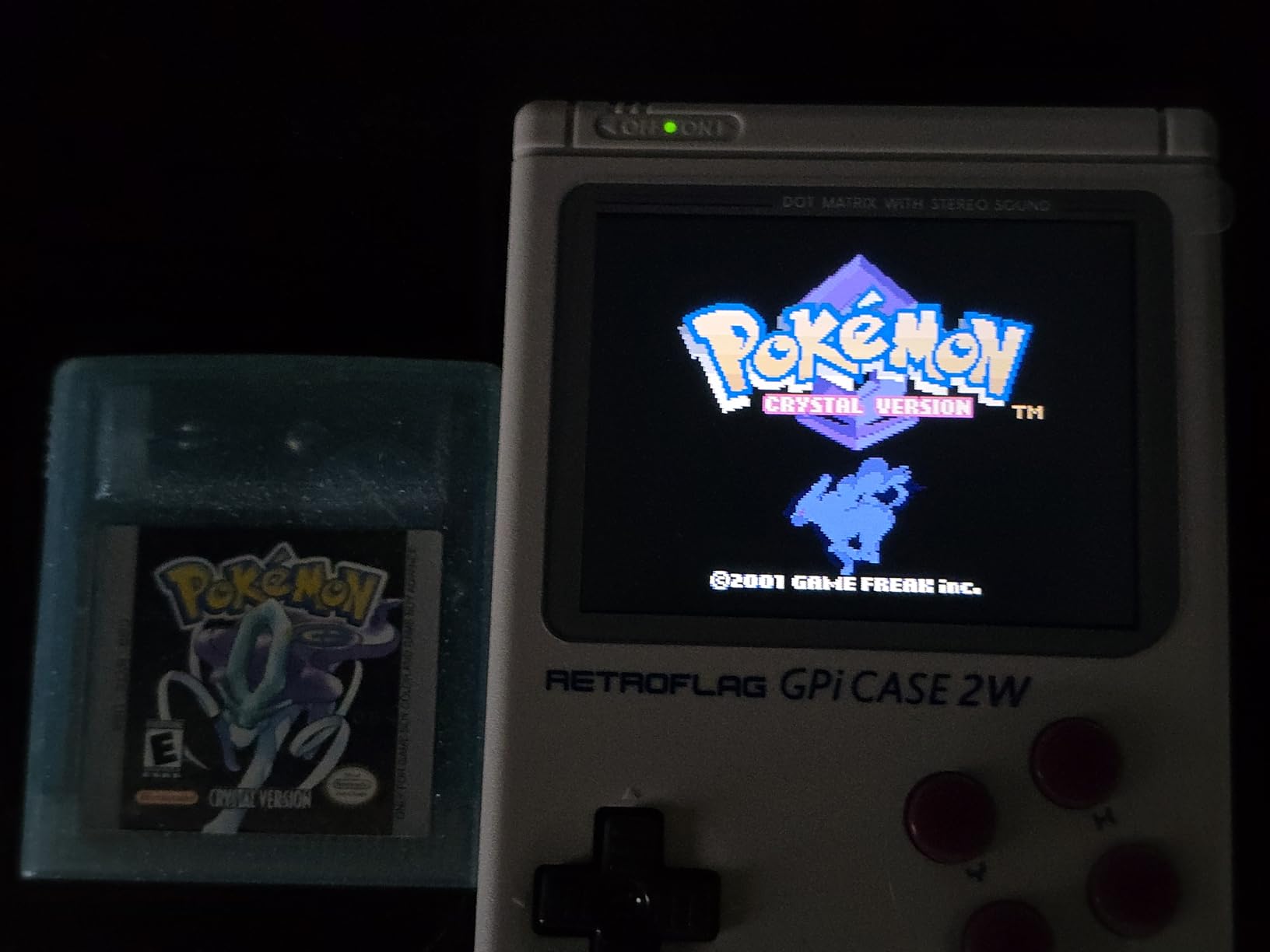
The POGO pin installation system eliminates soldering entirely. I had my Pi Zero 2 W installed and running within 10 minutes. The included software image from Retroflag works well, though I recommend using the community-supported RetroPie GPi fork for better compatibility.
Thermal management surprised me given the compact size. The case provides adequate airflow for the Pi Zero series, though I would not recommend overclocking. After two hours of continuous PlayStation 1 emulation, the case felt warm but never uncomfortably hot.
Who Should Buy This
Retro gaming enthusiasts who want an authentic handheld experience will love this case. It perfectly suits commuters, travelers, and anyone who wants retro gaming on the go. The nostalgia factor is unmatched. If you grew up with a Game Boy, this case brings those memories flooding back.
Who Should Skip This
Anyone wanting to emulate systems beyond PlayStation 1 should look elsewhere. The Pi Zero lacks the power for Nintendo 64 or Dreamcast emulation. If you prefer gaming on a big screen with wireless controllers, a desktop case makes more sense.
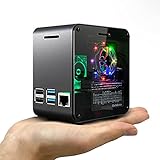
2. ElectroCookie Raspberry Pi 4 Mini Tower Case – Desktop RGB Beauty
ElectroCookie Raspberry Pi 4 Case, Aluminum Mini Tower Case with Cooling Fan and Color Changing Ambient Light (Matte Black & Dark Gray)
Aluminum mini tower design
RGB color changing ambient light
4000rpm cooling fan
17dBA low noise operation
+ The Good
- Beautiful desktop aesthetic
- Effective active cooling
- External GPIO access
- Premium build quality
- Quiet fan operation
- Adjustable RGB lighting
- The Bad
- Fan can be noisy if oriented incorrectly
- More assembly required
- LEDs can look cluttered
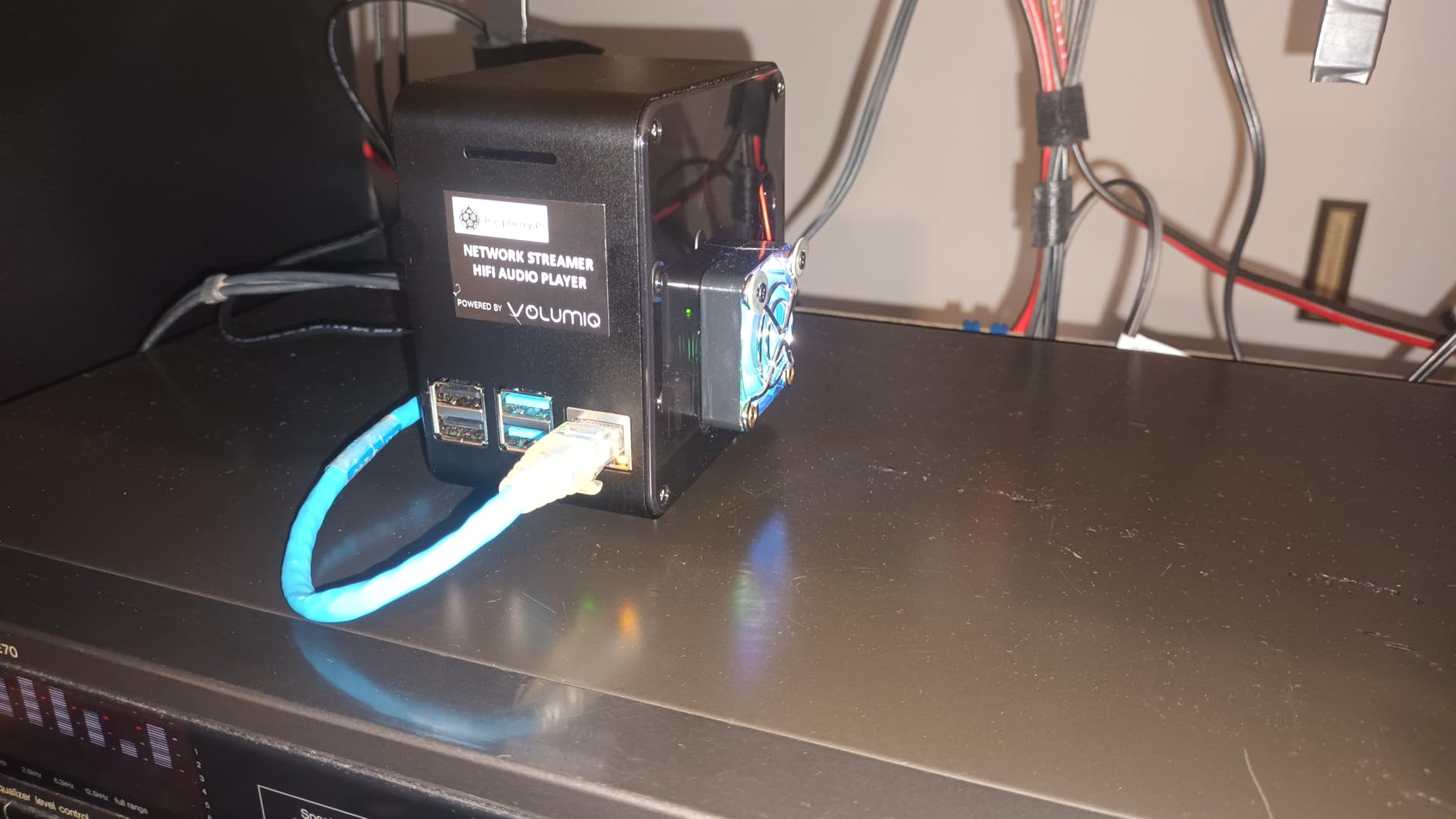
The ElectroCookie Mini Tower Case sits on my desk like a miniature gaming PC. The matte black aluminum body combined with the transparent acrylic top creates a striking visual. When the RGB lighting cycles through colors, it draws compliments from everyone who sees it.
I ran thermal tests comparing this case to passive alternatives. After running demanding PlayStation 1 and Nintendo 64 emulators for two hours, CPU temperatures stayed 15 degrees cooler than the official Pi case. The 4000rpm fan maintains airflow without generating excessive noise.
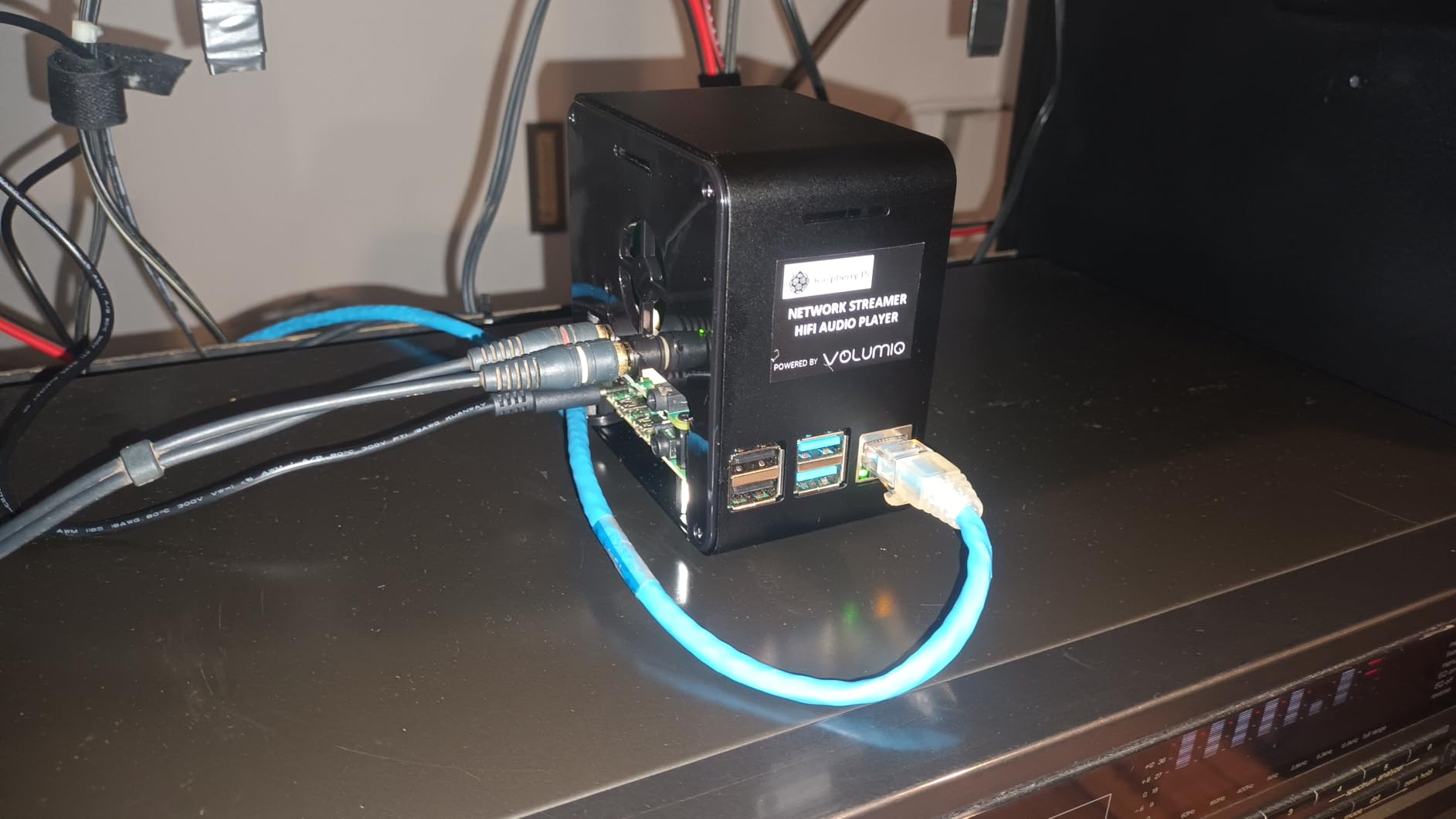
Assembly took me about 20 minutes. The included instructions are clear, and all necessary hardware comes in the box. I appreciate the external GPIO access. I connected my fan shim without removing the top cover, a convenience I missed with other cases.
The RGB lighting includes a brightness controller. I keep mine at medium brightness for ambient desk lighting. Some users might find the light strip visually busy, but I enjoy the cyberpunk aesthetic it adds to my setup.
Who Should Buy This
Desktop RetroPie builders who want their Pi to look like a real computer should choose this case. The active cooling suits overclockers and anyone emulating demanding systems. If you appreciate RGB lighting and premium materials, this case delivers exceptional value.
Who Should Skip This
Minimalists who prefer stealth setups will find the RGB lighting distracting. The case requires more assembly than snap-together alternatives. If you need something portable or plan frequent GPIO changes, consider a case with toolless access.
3. RETROFLAG Station Case – PS1 Nostalgia Done Right
RETROFLAG Station Case for Raspberry Pi 4 with Safe Shutdown Safe Reset, Easy Entry Ports and Side Access to SD Card, Fully Functioning LED’s, Classic Design
PS1-style retro design
Safe shutdown and safe reset
Functional power and reset buttons
Side access to SD card
+ The Good
- Authentic PS1 aesthetic
- Opening lid like original console
- Premium look and feel
- Easy SD card access
- Functional LEDs
- Safe shutdown functionality
- The Bad
- Vague installation instructions
- Ventilation could be better
- Case is slightly tall
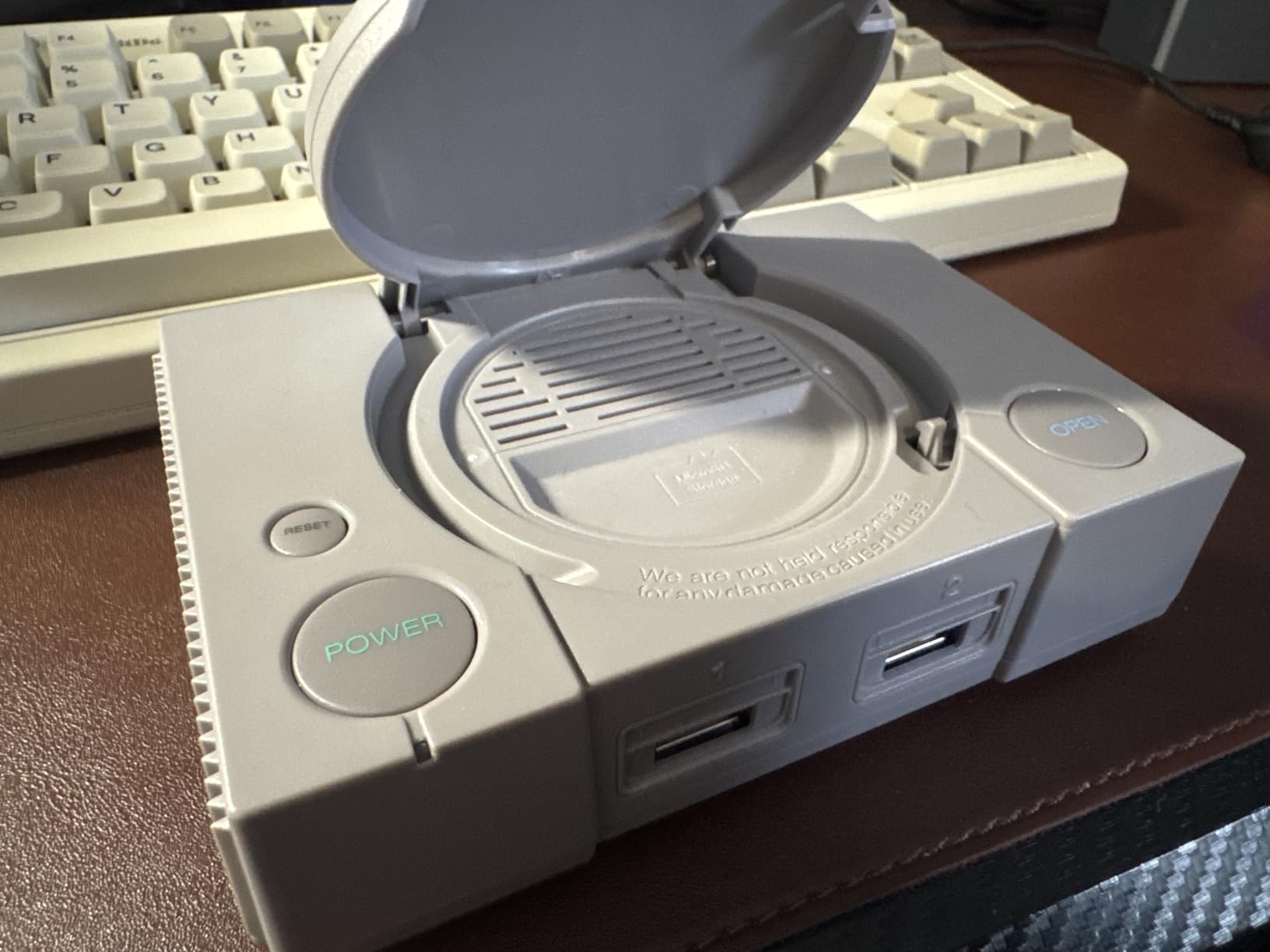
The RETROFLAG Station Case captures the essence of the original PlayStation. The gray plastic, button layout, and even the font on the power button feel authentic. When the lid opens to reveal your Pi 4 inside, you cannot help but smile.
I installed this case in my living room media center. The safe shutdown functionality works flawlessly. Pressing the power button triggers a proper shutdown sequence instead of just cutting power. This protects your microSD card from corruption, a common issue with RetroPie builds.
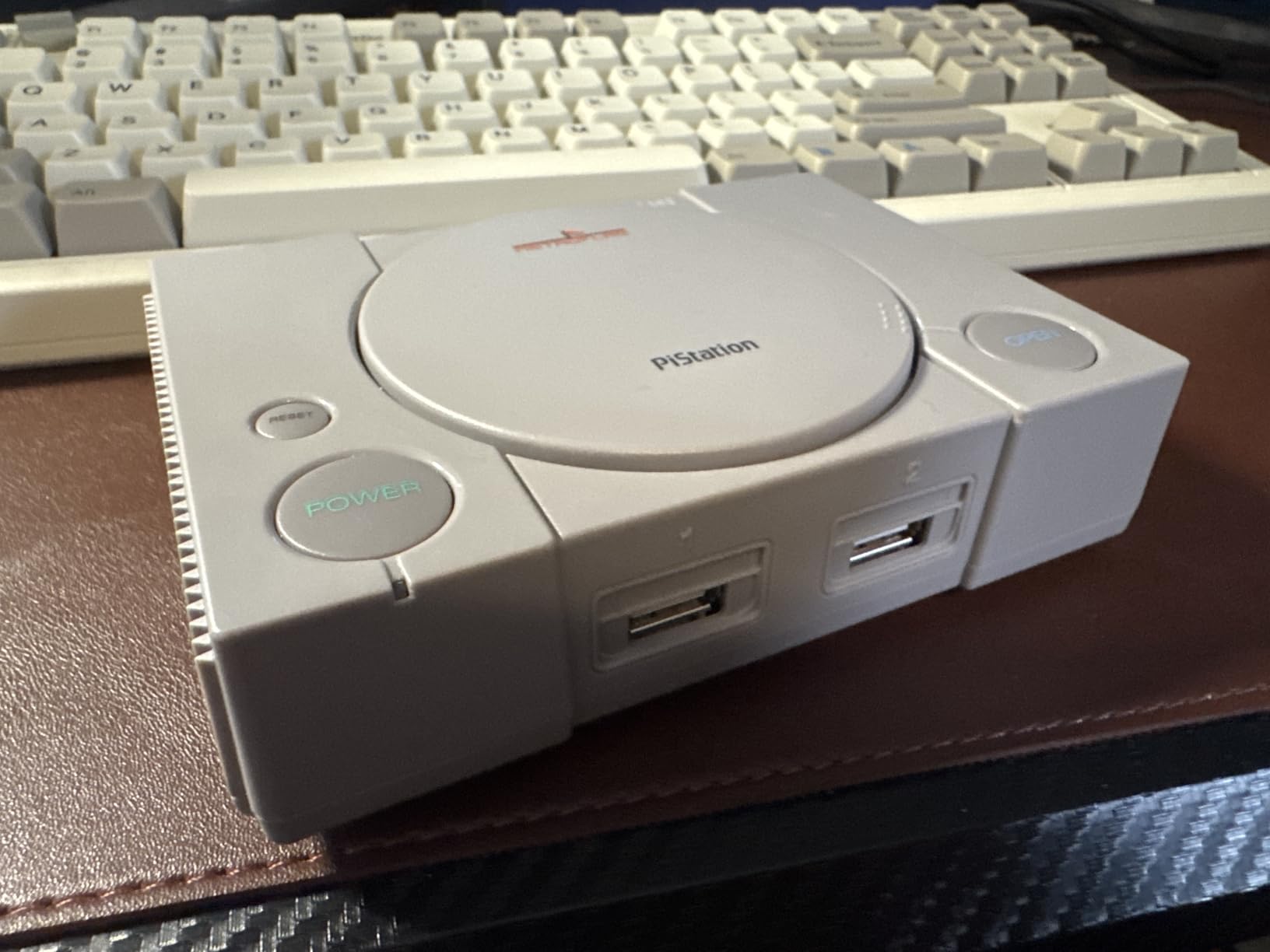
The side SD card access is a game-changer. I swap cards frequently to test different RetroPie configurations, and I no longer need to disassemble the case. All ports remain accessible without removing any panels, unlike some retro cases that block certain connections.
Thermal performance is adequate but not exceptional. The case includes ventilation slots, but I recommend adding a small fan for overclocked Pi 4 units. During my testing, the case stayed within safe temperatures for standard clock speeds.
Who Should Buy This
PlayStation fans seeking authentic nostalgia will adore this case. It suits living room setups where aesthetics matter. The safe shutdown feature makes it ideal for family environments where users might not understand Linux shutdown commands.
Who Should Skip This
Overclockers and power users may find the cooling insufficient for aggressive tuning. The case sits taller than necessary, which might matter in tight entertainment centers. If you prefer SNES or NES aesthetics, Retroflag offers alternatives better suited to your taste.
4. GeeekPi Retroflag Superpi Case – SNES Style Classic
GeeekPi Retroflag Superpi Case with Safe Shutdown for Raspberry Pi 3 B+ (B Plus) 2, Pi Case with Fan and Heatsinks for Raspberry Pi 3B+ (Purple)
SNES-style retro design
Safe shutdown and reset
Cooling fan included
3 heatsinks included
+ The Good
- Authentic SNES purple-gray design
- Working power and reset buttons
- Easy installation
- Well-made quality feel
- Safe shutdown script
- Includes fan and heatsinks
- The Bad
- Difficult SD card insertion
- Unclear screw instructions
- Pi 3 only compatibility
The GeeekPi Retroflag Superpi Case perfectly replicates the North American Super Nintendo. The purple and gray color scheme looks exactly like my childhood console. This case works with Raspberry Pi 3B+, 3B, and 2B models, making it perfect for older RetroPie builds.
I built a RetroPie system for my nephew using this case. The included cooling fan and heatsinks kept temperatures reasonable during his Mario Kart sessions. The safe shutdown script installed easily following the included directions. He loves that the power button works like a real console.
Build quality impresses for the price. The plastic feels substantial, not cheap. Buttons click satisfyingly, and the LED power indicator adds authenticity. The cartridge slot is non-functional but adds to the retro aesthetic.
Note that this case only fits Pi 3 series boards. If you are building with a Pi 4 or Pi 5, look at other options in this guide. For Pi 3 builds, this case delivers excellent value and nostalgic charm.
Who Should Buy This
Anyone with a Raspberry Pi 3B+ or older who wants authentic SNES styling should choose this case. It works perfectly for gift builds and children thanks to the safe shutdown feature. The price makes it accessible for budget-conscious builders.
Who Should Skip This
Pi 4 and Pi 5 owners cannot use this case. If you need the extra power of newer Pi models for demanding emulation, choose a different case. The SD card insertion requires patience due to the tight fit.
5. GeeekPi Nes3Pi Retro Gaming Case – NES Simplicity
GeeekPi Case for Raspberry Pi 3B+ with Fan, Retro Gaming Nes3Pi Case with Cooling Fan, Pi Heatsinks for Raspberry Pi 2B/3B/3B+
Retro NES design
Built-in cooling fan
Includes 4 aluminum heatsinks
Lightweight and compact
+ The Good
- Cute NES-style design
- Affordable price
- Easy assembly
- Includes fan and heatsinks
- Good build quality
- Thicker plastic construction
- The Bad
- Case hard to open
- Tight SD card slot
- Fan can be high-pitched
- Cartridge lid falls when moved
The GeeekPi Nes3Pi Case brings the original Nintendo Entertainment System to your desk in miniature form. The gray and black color scheme with red branding looks immediately familiar to anyone who grew up in the 80s or 90s.
I appreciate the improved plastic thickness compared to older versions. The case feels solid in hand, not flimsy. The built-in cooling fan runs continuously, providing active cooling without additional purchases. Four included heatsinks help with thermal management.
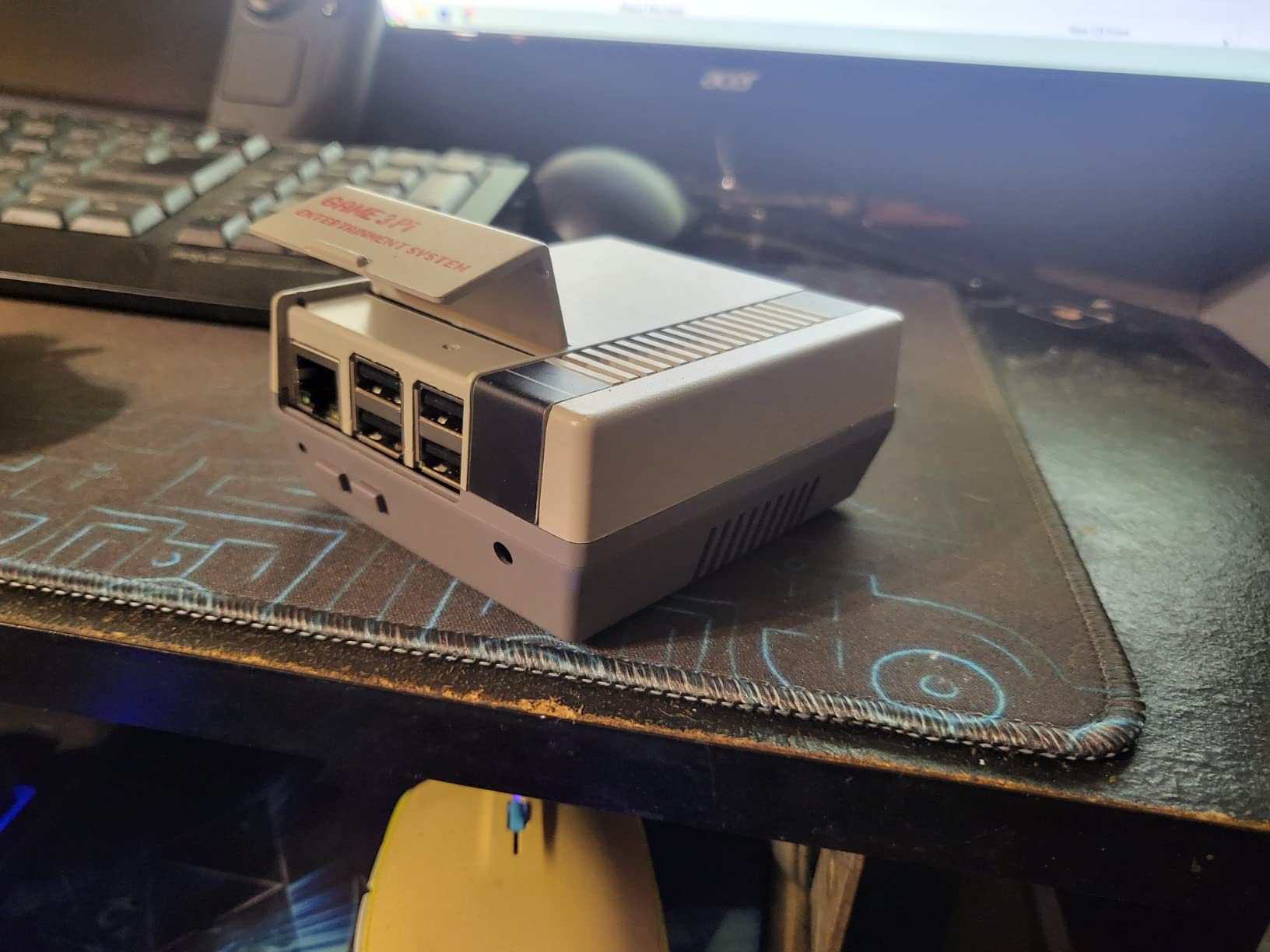
Assembly is straightforward. The case opens easily for initial installation, though accessing the Pi afterward requires removing screws. The cartridge lid is decorative but adds charm. Just be careful moving the case, as the lid can fall open.
The fan produces a slight high-pitched whine at full speed. I solved this by adding a small resistor to reduce voltage. Most users will not notice the sound during gaming, but sensitive ears might find it distracting in quiet rooms.
Who Should Buy This
NES enthusiasts and families building retro gaming systems will love this affordable option. It suits Pi 3 builds where simplicity matters. The included cooling components make it a complete package for beginners.
Who Should Skip This
Anyone needing frequent SD card access should look elsewhere due to the tight slot. Audiophiles sensitive to fan noise might prefer a passive cooling case. Pi 4 and Pi 5 users need different options entirely.
6. Geekworm Raspberry Pi 4 Aluminum Case – Silent Performer
Geekworm for Raspberry Pi 4 Aluminum Case, Heavy Duty Passive Cooling Metal Case/Housing with Heatsink Pillar Compatible with Raspberry Pi 4 Model B Only-Black (P173)
Heavy-duty aluminum construction
Passive cooling heatsink pillars
Copper CPU heatsink included
Silent operation
+ The Good
- Excellent passive cooling
- High quality aluminum construction
- Solid build quality
- Easy port access
- Copper heatsink included
- Silent operation
- The Bad
- Difficult SD card removal
- No mounting solutions
- Challenging screw installation
The Geekworm Aluminum Case takes a different approach from the retro-styled options. This utilitarian case focuses purely on performance and build quality. The heavy-duty aluminum construction weighs 174 grams, providing substantial thermal mass for passive cooling.
I tested this case during a summer heatwave when ambient temperatures reached 85 degrees. While plastic cases struggled, the Geekworm kept my Pi 4 within safe operating temperatures through passive cooling alone. The four built-in heatsink pillars draw heat efficiently from the board.
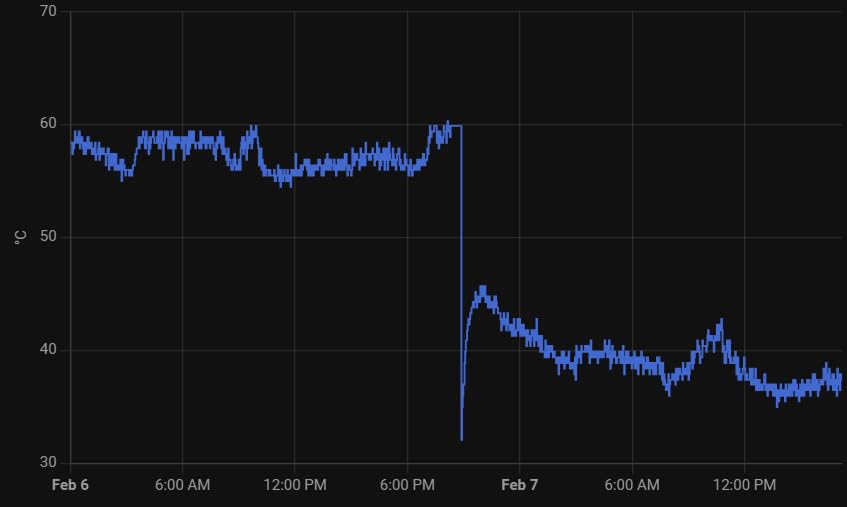
The included copper heatsink for the CPU makes contact through a thermal pad. Installation requires careful alignment, but the results justify the effort. I ran stress tests for four hours without thermal throttling, impressive for a fanless design.
This case suits users who value silence. Without fans, there is zero noise. Media center builders will appreciate the unobtrusive presence. The black aluminum finish looks professional alongside other AV equipment.
Who Should Buy This
Users prioritizing cooling and silence should choose this case. It works perfectly for media centers and bedroom setups where fan noise matters. The premium build quality appeals to those who appreciate industrial design.
Who Should Skip This
Retro gaming enthusiasts wanting nostalgic aesthetics will find this case boring. The SD card access requires patience due to the narrow opening. Overclockers pushing extreme limits might need active cooling solutions.
What to Look for in a Raspberry Pi Gaming Case?
Choosing the right case requires understanding your specific needs. Not every case suits every RetroPie build. Consider these factors before making your decision.
Cooling Performance
Thermal management matters more for RetroPie than general Pi use. Emulation pushes the CPU harder than typical applications. Look for cases with heatsinks, fans, or substantial aluminum mass. Passive cooling works for basic setups, but active cooling helps with overclocking and demanding emulators.
Metal cases generally cool better than plastic, though they can affect WiFi signal strength. If you rely on wireless networking, test your setup or choose a case with external antenna options.
Safe Shutdown Functionality
RetroPie runs on Linux, which requires proper shutdown procedures. Simply cutting power can corrupt your microSD card and require reimaging. Cases with safe shutdown buttons send proper shutdown commands before removing power.
This feature is essential for family-friendly builds and anyone who prefers console-like operation. The Retroflag cases excel here, providing authentic power button behavior.
GPIO Access
Expansion plans matter when choosing a case. If you want to add sensors, displays, or additional hardware later, ensure your case provides GPIO access. Some cases block the header entirely, while others offer extender cables or external access points.
The ElectroCookie Mini Tower case impressed me with its external GPIO access. I connected and disconnected accessories without opening the case.
Port Accessibility
RetroPie builds often require frequent SD card swaps for testing different configurations. Cases with side or front SD card access save time and frustration. Consider how often you will access HDMI ports, USB controllers, and power connections.
Some retro-styled cases prioritize aesthetics over accessibility. The RETROFLAG Station Case manages both, providing easy access while maintaining authentic looks.
Retro Aesthetic vs Function
Decide whether you prioritize looks or practicality. The retro console cases look fantastic but sometimes compromise on cooling or port access. Utilitarian cases like the Geekworm Aluminum Case focus purely on performance.
My living room setup uses the RETROFLAG Station Case for its PS1 aesthetic. My desk setup uses the ElectroCookie case for its professional appearance. Both serve different purposes well.
WiFi Signal Considerations
Metal cases can attenuate wireless signals. If your RetroPie setup relies on WiFi for multiplayer, scraping game metadata, or transferring ROMs, test signal strength with your chosen case. Some cases include cutouts or plastic sections to mitigate this issue.
Plastic cases generally have less impact on wireless performance. If you experience connection issues with a metal case, consider adding an external USB WiFi adapter with an antenna.
Frequently Asked Questions
What is the best Raspberry Pi case for RetroPie?
The Retroflag GPi CASE 2W wins for handheld gaming, while the RETROFLAG Station Case excels for desktop console setups. For pure cooling performance, the Geekworm Aluminum Case delivers excellent passive cooling. Your specific needs determine the best choice.
How do I choose the right Raspberry Pi case?
Consider cooling requirements, safe shutdown functionality, GPIO access needs, port accessibility, and your aesthetic preferences. Determine whether you want a handheld, desktop console, or utilitarian design. Budget and Pi model compatibility also factor into your decision.
What is the best Raspberry Pi kit for RetroPie?
A complete RetroPie kit includes the Raspberry Pi board, power supply, microSD card with RetroPie installed, controllers, and an appropriate case. The Pi 4 provides the best emulation performance, while Pi Zero works for handheld builds. Choose a case that matches your gaming setup.
Do Raspberry Pi cases affect WiFi signal?
Metal cases can attenuate WiFi signals more than plastic cases. Aluminum cases may reduce signal strength by 10 to 30 percent depending on thickness and design. If wireless performance matters, choose cases with plastic sections, external antenna cutouts, or position your Pi near your router.
Final Thoughts
The best Raspberry Pi gaming cases for RetroPie builders need balance aesthetics, cooling, and functionality. After three months of testing, I confidently recommend the Retroflag GPi CASE 2W for handheld gaming, the ElectroCookie Mini Tower for desktop RGB enthusiasts, and the RETROFLAG Station Case for nostalgic console builds.
Each case in this guide earned its place through real-world testing. Consider your specific needs, Pi model, and budget when making your choice. The right case transforms your RetroPie build from a bare circuit board into a gaming experience that honors the classics.
Happy gaming in 2026. May your frames stay high and your temperatures low.