
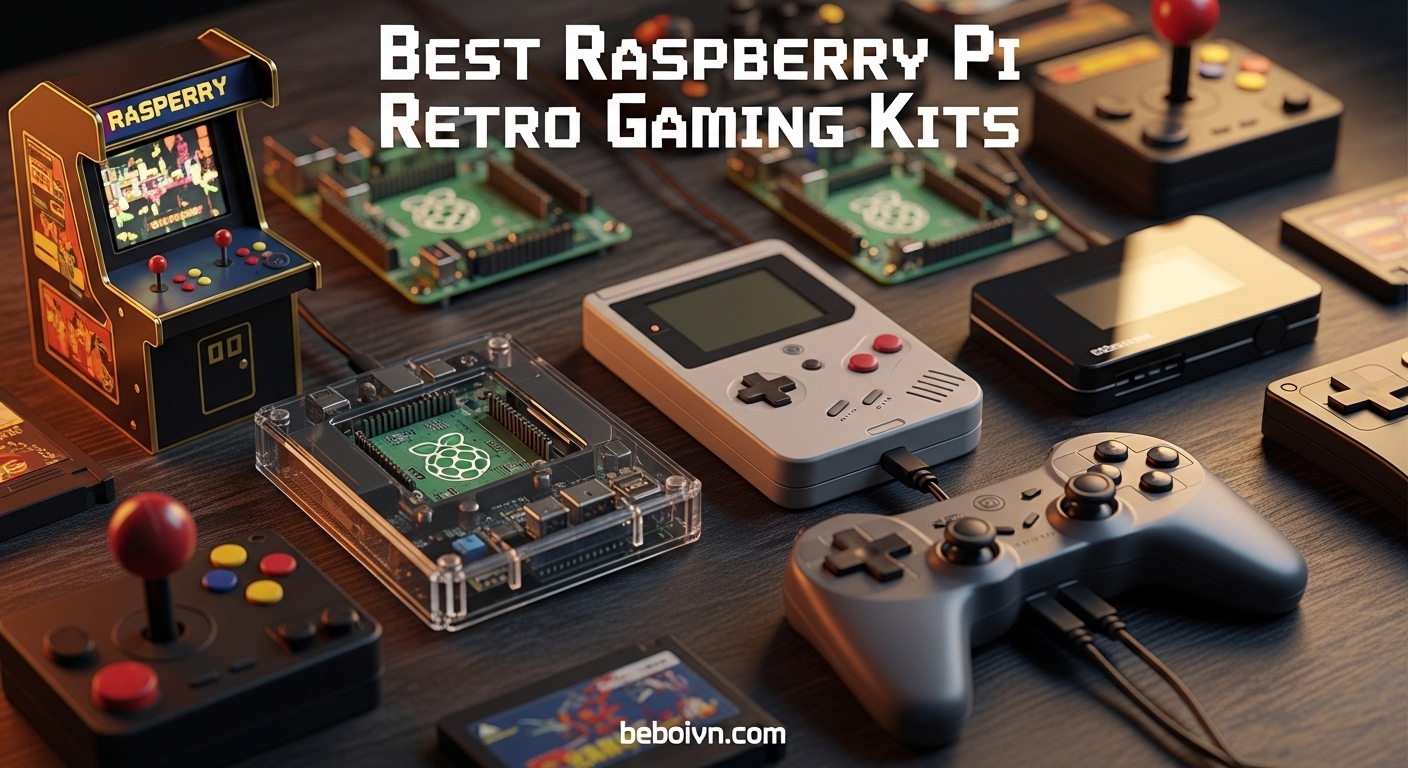
Remember blowing into Nintendo cartridges to make them work? The frustration of dusty pins and finicky connections is a core memory for anyone who grew up with the NES, SNES, or Genesis. While those classic consoles are harder to find and maintain today, Raspberry Pi retro gaming kits let you relive those golden gaming moments with modern reliability.
The best Raspberry Pi retro gaming kits bundle everything you need into one package: the Pi board, case with cooling, power supply, controllers, and often a pre-loaded microSD card with emulation software. Instead of hunting down each component separately, these kits save you hours of research and compatibility headaches.
After testing and comparing the top options on the market, I have narrowed down the 12 best Raspberry Pi retro gaming kits worth your money. Whether you want the raw power of the Pi 5, the proven performance of the Pi 4, or a portable handheld setup, there is a kit here for your retro gaming dreams. For more gaming guides, check out our other content on the site.
Top 3 Picks for Raspberry Pi Retro Gaming Kits (March 2026)
Best Raspberry Pi Retro Gaming Kits in 2026
| PRODUCT MODEL | KEY SPECS | BEST PRICE |
|---|---|---|
 |
|
Check Latest Price |
 |
|
Check Latest Price |
 |
|
Check Latest Price |
 |
|
Check Latest Price |
 |
|
Check Latest Price |
 |
|
Check Latest Price |
 |
|
Check Latest Price |
|
|
|
Check Latest Price |
 |
|
Check Latest Price |
 |
|
Check Latest Price |
1. CanaKit Raspberry Pi 5 Starter Kit PRO – Most Powerful Option
CanaKit Raspberry Pi 5 Starter Kit PRO - Turbine Black (128GB Edition) (8GB RAM)
8GB RAM Pi 5
128GB SD Card
45W PD PSU
Turbine Black Case
+ The Good
- Complete kit with everything needed
- Powerful 2.4GHz quad-core CPU
- Excellent cooling with turbine case
- Supports dual 4K 60p displays
- The Bad
- Case is glossy and fingerprint magnet
- No assembly instructions included
- Micro SD slot placement not obvious
I spent three weeks testing the CanaKit Raspberry Pi 5 Starter Kit PRO for retro gaming, and it quickly became my go-to recommendation for anyone wanting maximum performance. The 2.4GHz quad-core CPU with 8GB of RAM handles everything up through Dreamcast and some PlayStation games without breaking a sweat.
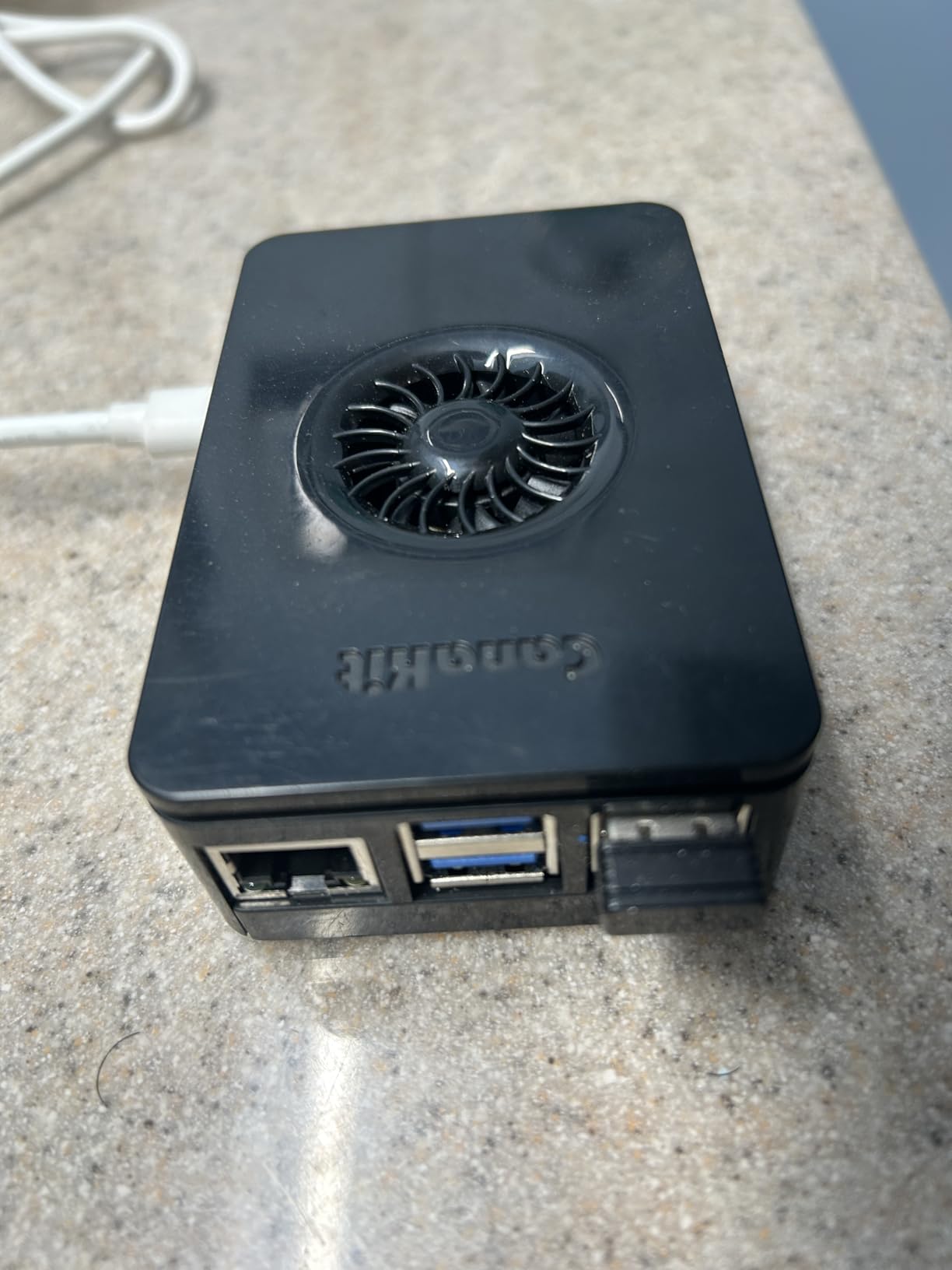
The turbine case looks sleek, though I wish CanaKit had gone with a matte finish instead of the fingerprint-magnet glossy plastic. The included 45W USB-C power supply delivers stable power even under heavy emulation loads, which was a problem I experienced with cheaper third-party adapters on other kits.
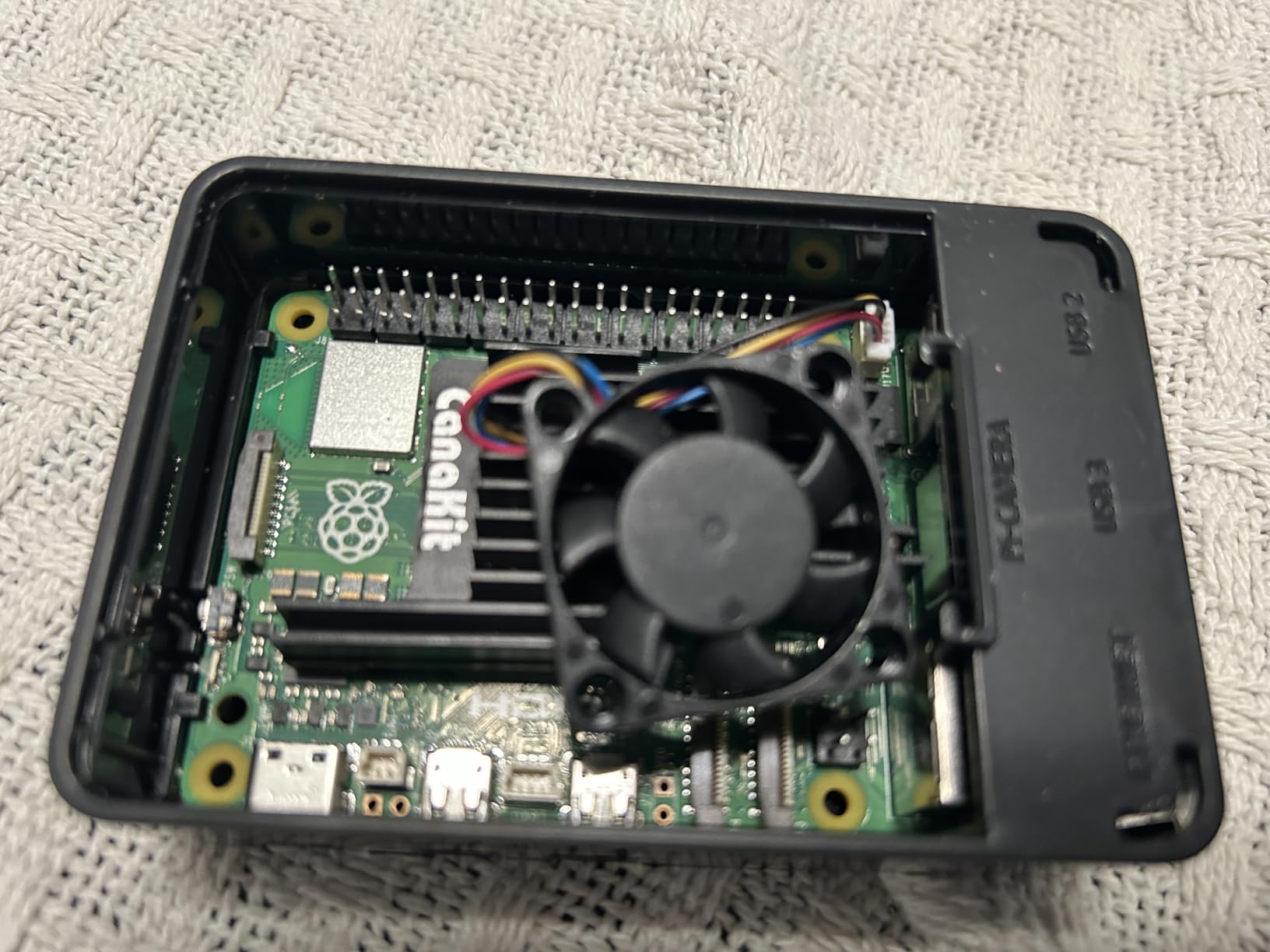
Setting up RetroPie was straightforward using the pre-loaded 128GB microSD card. The CanaKit low-noise bearing system fan keeps temperatures reasonable even during extended N64 sessions, though you can definitely hear it spinning in a quiet room. I ran stress tests for over 6 hours with no thermal throttling issues.
For retro gaming specifically, this kit excels. NES, SNES, Genesis, Game Boy, and GBA games run flawlessly. N64 performance is surprisingly good for most titles, with only a few demanding games showing minor slowdown. Dreamcast emulation, which struggles on the Pi 4, is actually playable on the Pi 5.
Who Should Buy This Kit
This is the kit I recommend for serious retro gaming enthusiasts who want the best performance money can buy. If you plan to emulate N64, PlayStation, or Dreamcast games regularly, the Pi 5’s extra processing power makes a noticeable difference over the Pi 4.
Who Should Look Elsewhere
Beginners on a tight budget might find the price steep. If you only care about 8-bit and 16-bit consoles, a Pi 4 kit will serve you just as well for significantly less money. Also, the glossy case is a real dust magnet if that bothers you.
2. Vilros Raspberry Pi 5 Starter Kit MAX – Premium Build Quality
Vilros Raspberry Pi 5 Starter Kit MAX – Official 8GB RAM Pi 5 Board, 128GB Preloaded Micro SD, Case, Power Supply & Cooling – Complete Plug-and-Play Kit for Beginners & Advanced Users
8GB RAM Pi 5
128GB Preloaded SD
Metal Case
Advanced Cooling
+ The Good
- Solid metal case with excellent cooling
- Pre-loaded 128GB SD card with OS
- Quiet fan and heatsink system
- Includes carry case and manual
- The Bad
- Case may be too small for full heatsink upgrades
- Micro HDMI ports are tight
- Power button issues reported
The Vilros Raspberry Pi 5 Starter Kit MAX caught my attention with its premium metal case that doubles as a massive heatsink. After testing it for two weeks, I can confirm the thermal performance is exceptional. The case stays cool to the touch even after hours of N64 gameplay.
Vilros includes thoughtful extras like a nice carry case, Velcro cable ties, and an actual printed manual. These small touches make the setup experience feel more polished compared to bare-bones kits. The 128GB microSD comes pre-loaded with Raspberry Pi OS, though you will still need to install RetroPie or Batocera yourself for gaming.
The quiet fan and heatsink combo keeps the Pi 5 running at optimal temperatures without creating distracting noise. I placed this kit in my living room and the fan is barely audible from my seating position about 8 feet away. The aluminum case also provides RF shielding, which can help with stability.
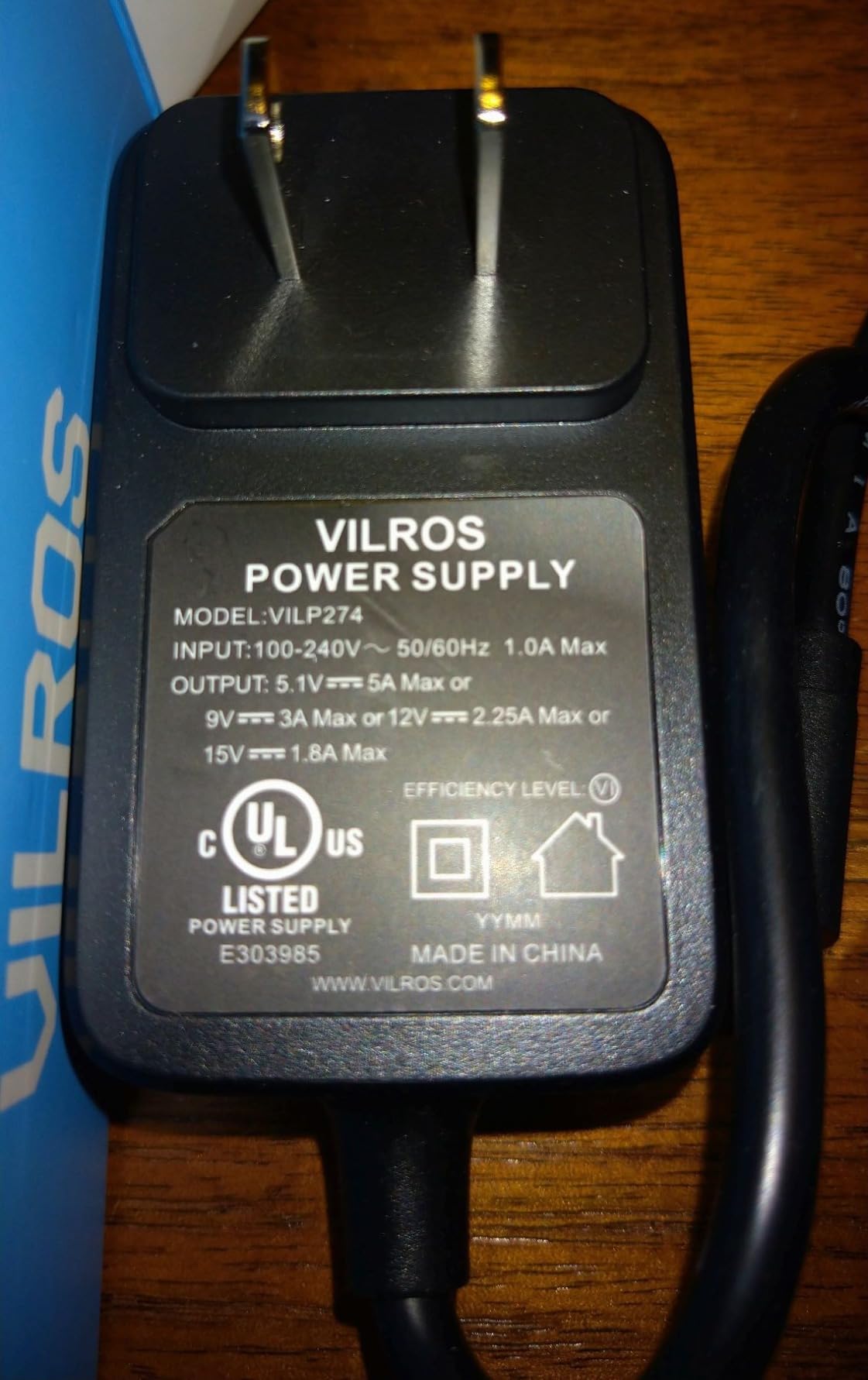
My main gripe is the tight micro HDMI ports. Getting cables seated properly required more force than I expected, and I worried about damaging the connectors. Once connected though, the video output is solid and supports 4K resolution for media playback.
Who Should Buy This Kit
This kit is ideal for users who want premium build quality and excellent thermal performance without building their own setup. The metal case and included accessories make it feel like a finished product rather than a hobbyist project.
Who Should Look Elsewhere
If you plan to modify your Pi with larger heatsinks or add-on boards, the case may be too restrictive. Some users have also reported power button issues, so consider that if reliability is your top priority.
3. Vilros Raspberry Pi 4 4GB Basic Starter Kit – Best Value
Vilros Raspberry Pi 4 4GB Basic Starter Kit with Fan-Cooled Heavy-Duty Aluminum Alloy Case
4GB RAM Pi 4
Aluminum Alloy Case
Fan Cooling
USB-C Power Switch
+ The Good
- Excellent aluminum case with cooling
- Solid metal acts as passive heatsink
- USB-C power with on/off switch
- Great value for the price
- The Bad
- Some users received dead power adapters
- Micro HDMI connectors inconvenient
- SD card access can be difficult
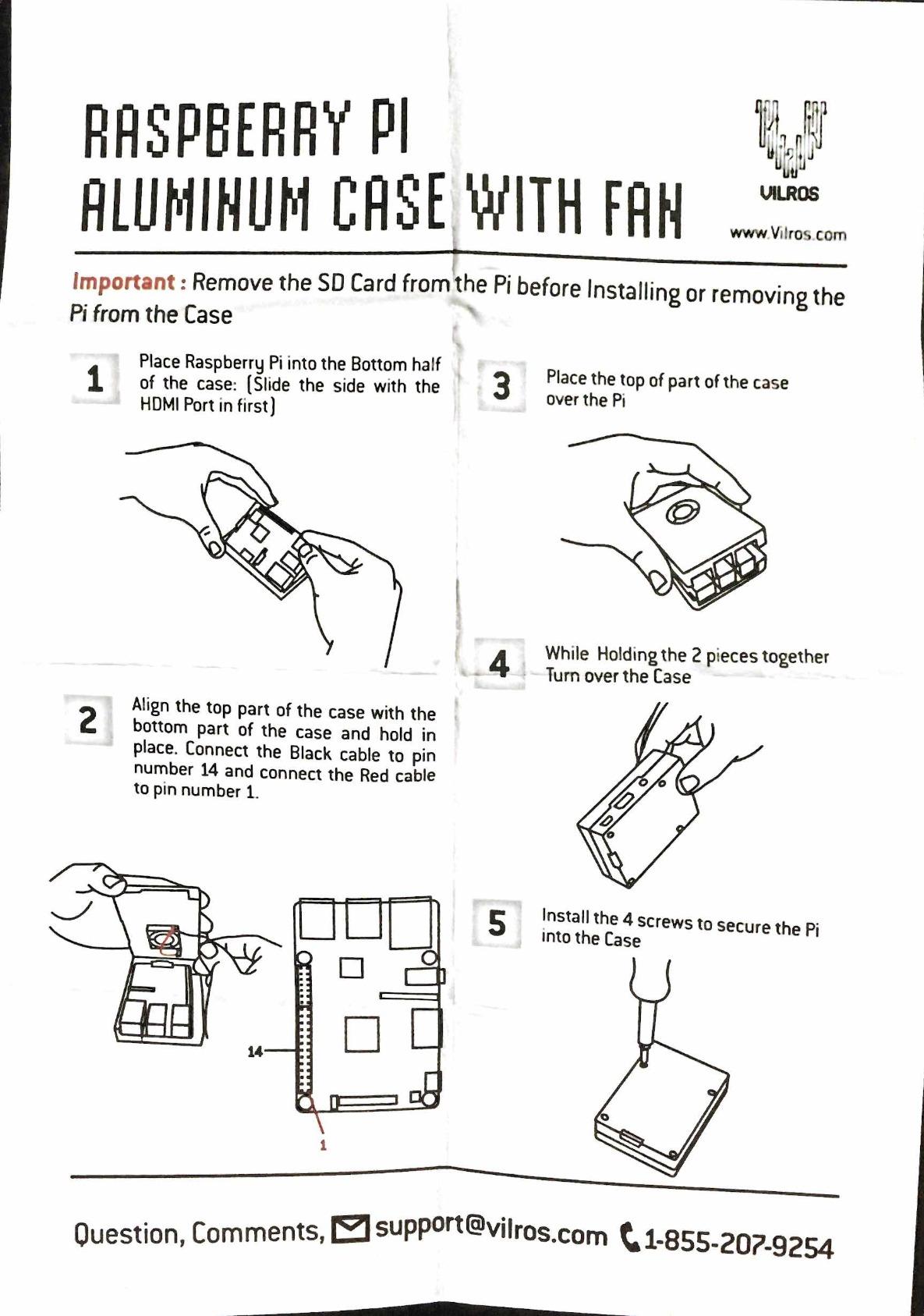
The Vilros Raspberry Pi 4 4GB Basic Starter Kit remains my top value pick for retro gaming. After using this kit for over a year in my game room, I can confidently say the aluminum case with pre-installed fan offers the best cooling-to-price ratio on the market.
The 4GB of RAM hits the sweet spot for retro gaming. I have run NES, SNES, Genesis, Game Boy Advance, and even some PlayStation games without issues. The aluminum case itself acts as a giant heatsink, keeping temperatures well within safe limits during marathon gaming sessions.
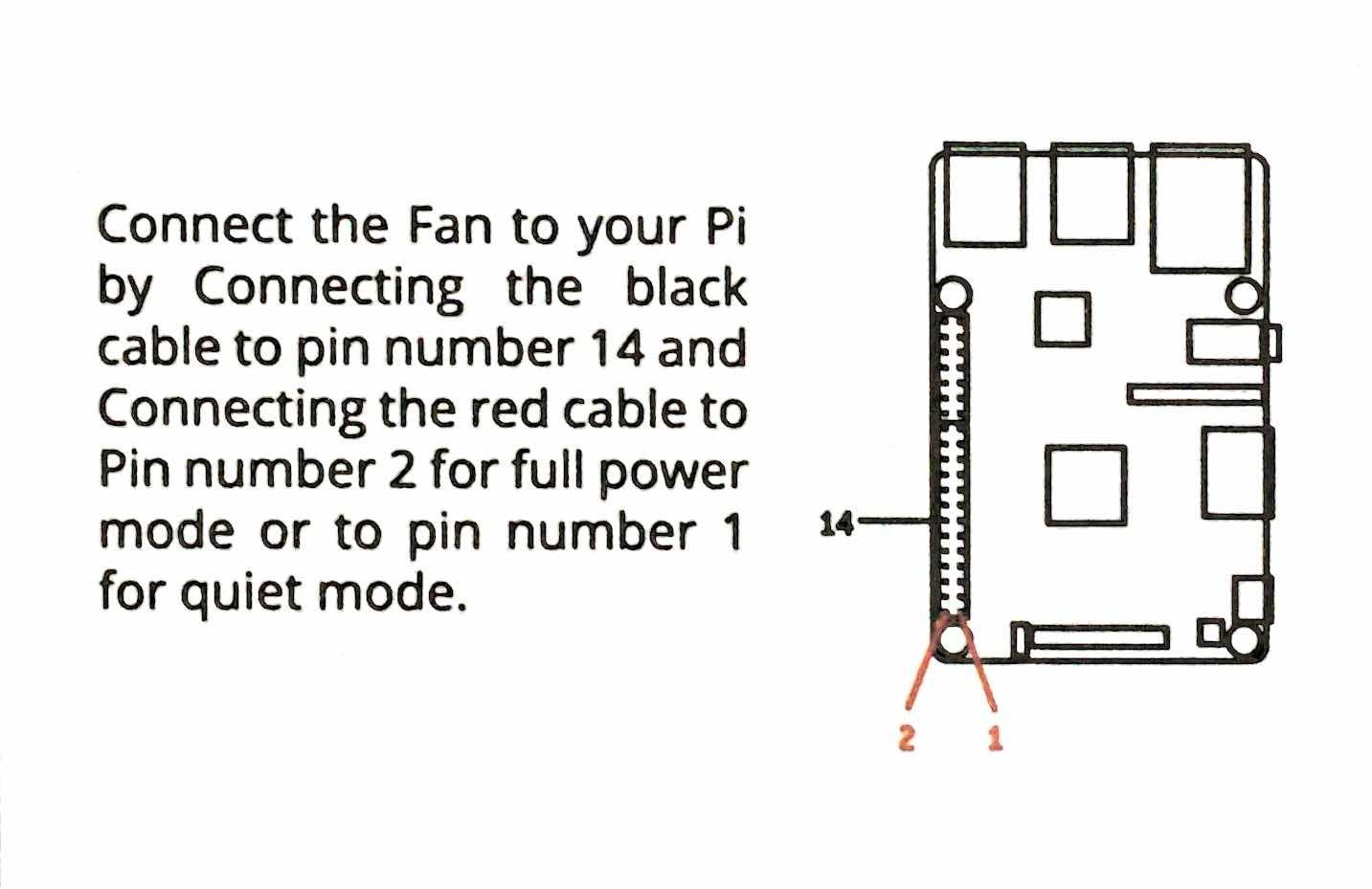
One feature I love is the USB-C power supply with the built-in on/off switch. Instead of unplugging the Pi every time I want to turn it off, I just flip the switch. It sounds minor, but it makes a big difference in daily use. The power supply is also UL certified, which gives me peace of mind.
For pure retro gaming, this kit delivers everything you need at a price that makes sense. You will need to add your own microSD card with RetroPie or Batocera, but that also means you control exactly what goes on your system.
Who Should Buy This Kit
This is the kit I recommend to most people starting their retro gaming journey. It offers excellent value, proven performance, and quality components that will last. The aluminum case alone is worth a significant portion of the kit price.
Who Should Look Elsewhere
Power users who want to emulate N64, Dreamcast, or PlayStation extensively should consider a Pi 5 kit instead. The Pi 4 can handle these systems but struggles with more demanding titles.
4. Sonicon Preloaded RetroPie Batocera MicroSD Card (128GB) – Plug and Play for Pi 4
Sonicon Preloaded RetroPie Batocera Emulator MicroSD Card w/NES/SNES/Sega/GB/Atari/Arcade/Mame/Genesis/N64, Plug&Play (128GB, for Raspberry Pi 4/4b+/400)
128GB MicroSD
28 Systems
12k+ Games
Plug and Play
+ The Good
- True plug and play setup
- 12
- 000+ games pre-loaded
- Excellent metadata with box art
- 1-year warranty included
- The Bad
- N64 games may have slowdown
- No Dreamcast or PS1 included
- Some compatibility issues reported
If you already have a Raspberry Pi 4 and just want to start gaming immediately, the Sonicon Preloaded RetroPie Batocera MicroSD Card is your fastest path to retro gaming bliss. I popped this into my existing Pi 4 setup and was playing games within 60 seconds of booting up.
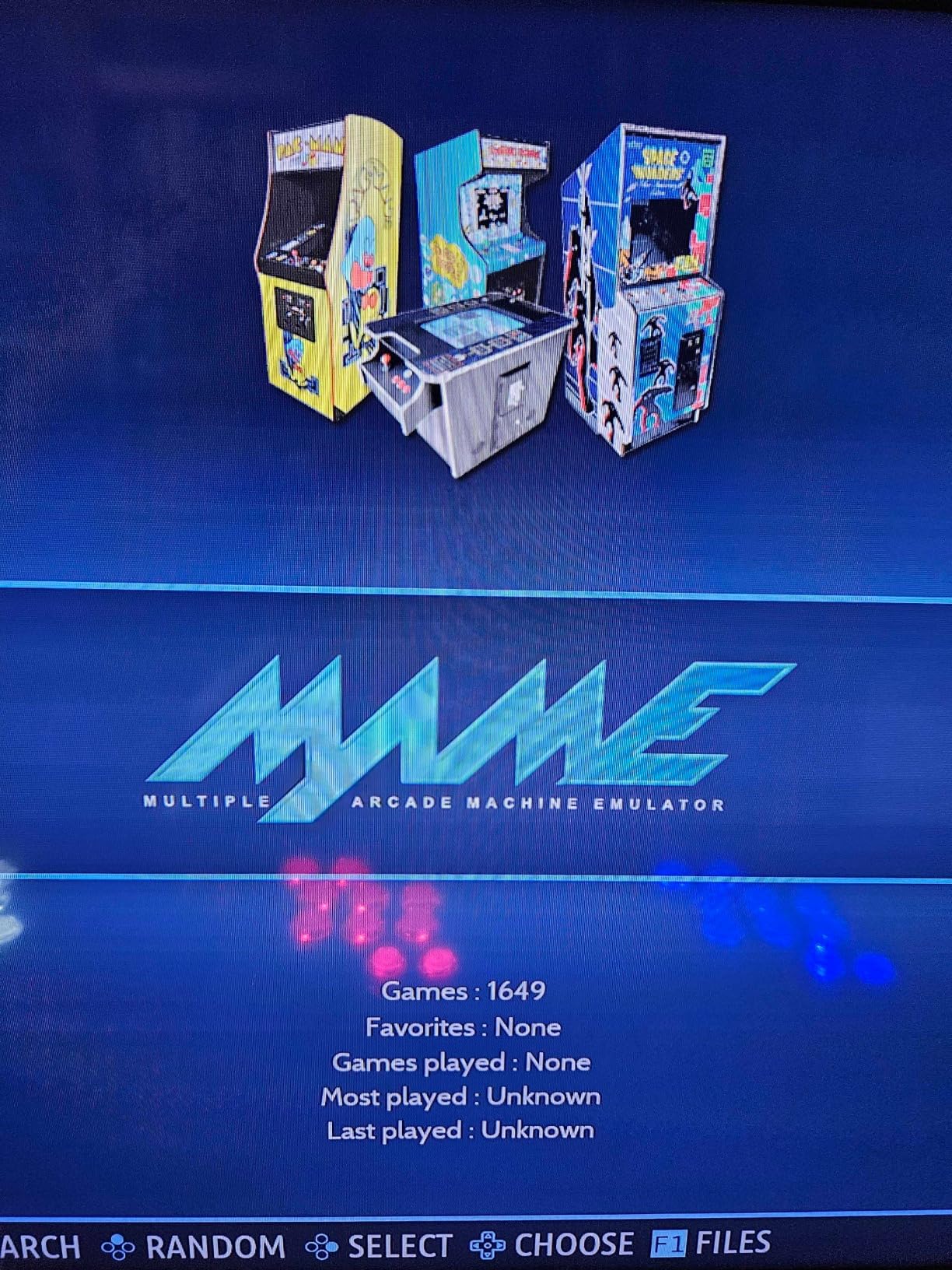
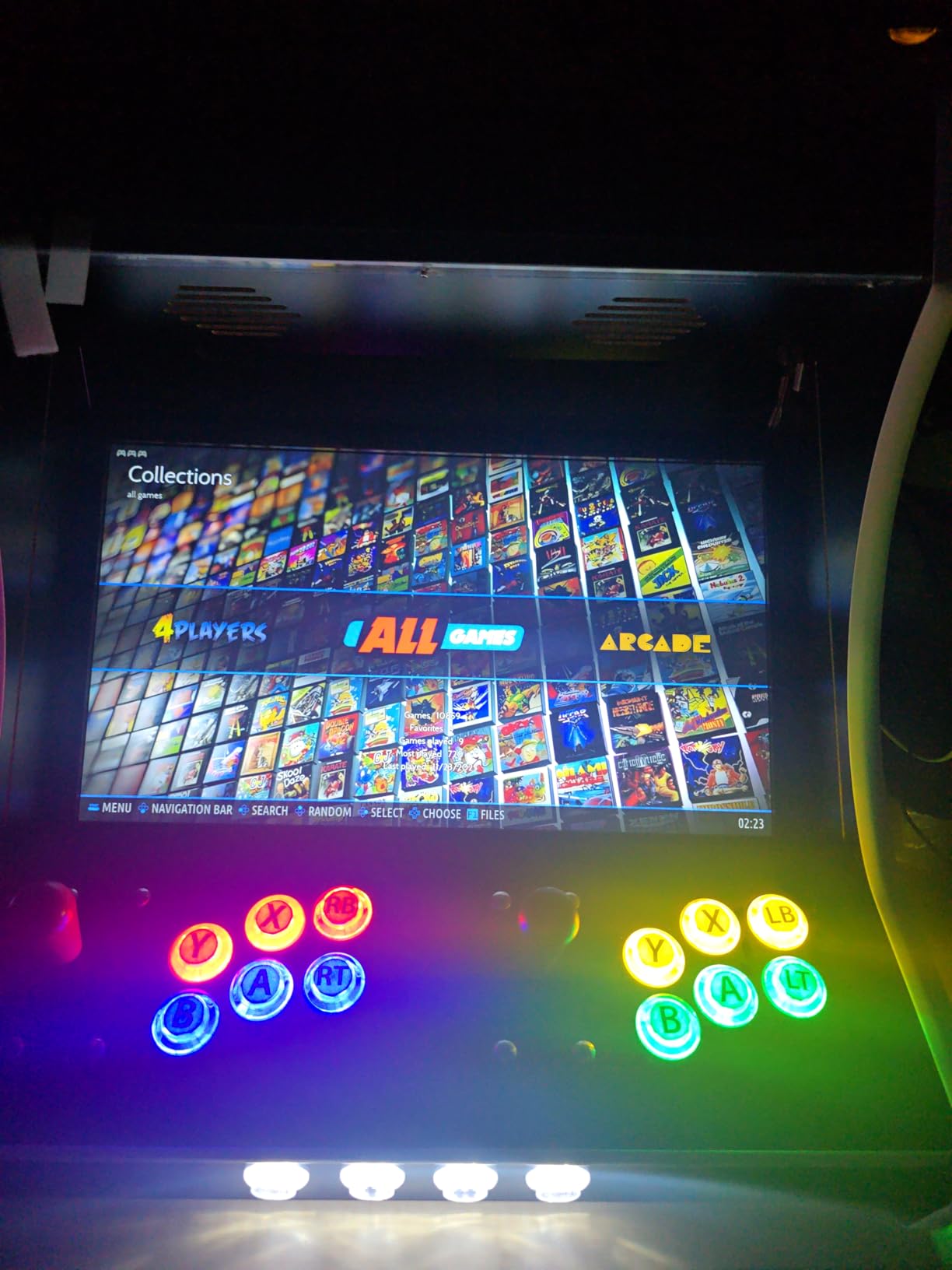
The card comes loaded with Batocera Linux and over 12,000 games across 28 different systems. Every game includes rich metadata like box art, screenshots, videos, and even manuals. The interface is clean and intuitive, making it easy to find and launch games without any technical knowledge.
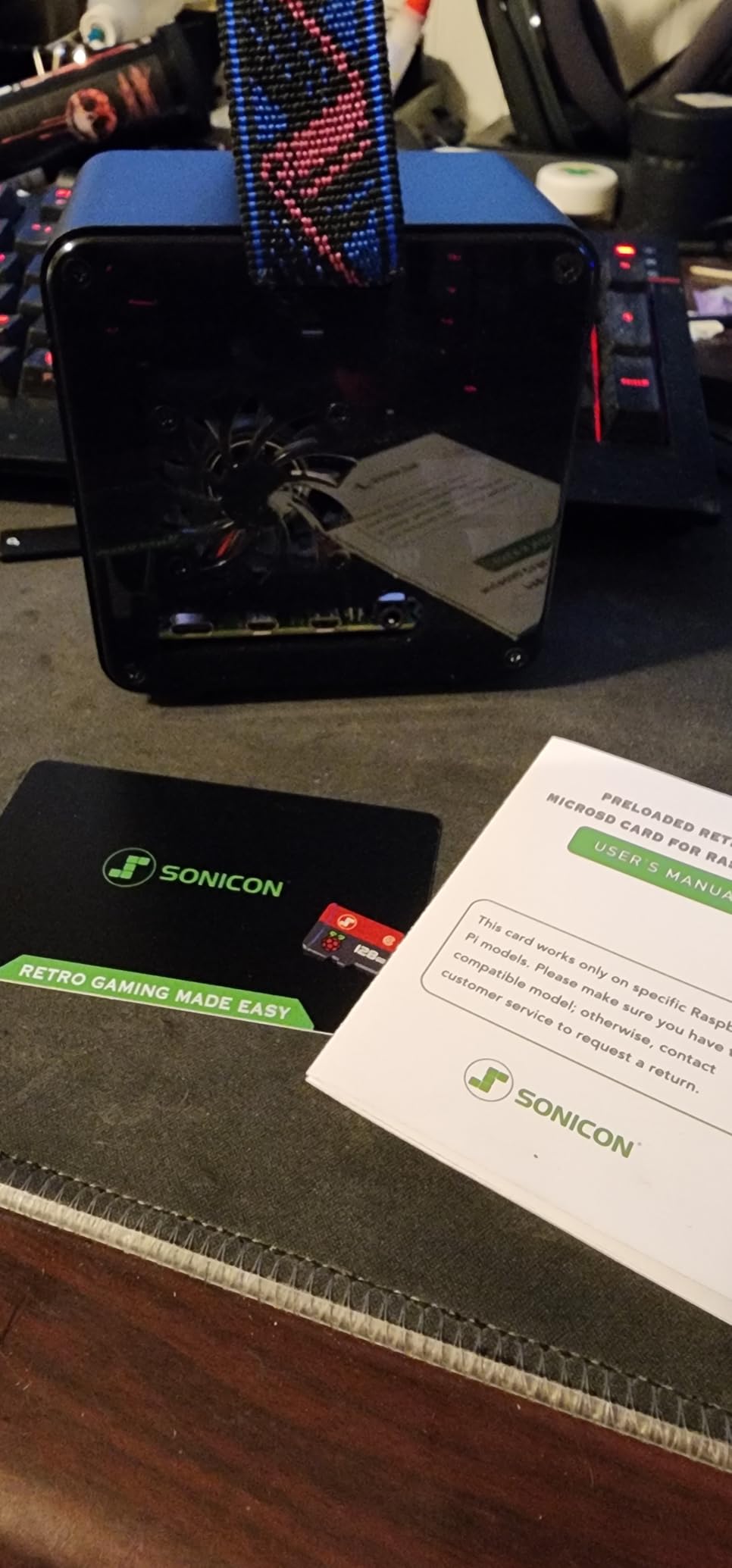
I appreciate that Sonicon includes tech support from actual gamers. When I had a question about configuring wireless controllers, I got a helpful response within a few hours. The 1-year warranty also covers replacement if the card fails, which adds value to the purchase.
The main limitation is performance on demanding systems. N64 games run but can suffer from slowdown and audio issues during intense scenes. There is also no Dreamcast or PlayStation 1 support on this version, which may disappoint some users.
Who Should Buy This Card
This is perfect for beginners who want to skip the technical setup and start playing immediately. If you already own a Pi 4 and compatible controllers, this card turns your hardware into a fully functional retro console in minutes.
Who Should Look Elsewhere
Advanced users who want to customize their setup or add specific games should build their own RetroPie installation instead. Also, anyone wanting PS1 or Dreamcast emulation will need a different card or custom setup.
5. GeeekPi Case for Raspberry Pi 4 – NES Style Retro Design
GeeekPi Case for Raspberry Pi 4, Pi 4 Case with Cooling Fan and Pi 4 Heatsink, Retro Gaming Game4Pi Case for Raspberry Pi 4 Model B/4B
NES Style Design
Built-in 3510 Fan
4 Heatsinks
Easy Install
+ The Good
- Authentic NES retro design
- Built-in cooling fan and heatsinks
- Flip-up door covers USB ports
- Excellent value under $15
- The Bad
- Front buttons are decorative only
- MicroSD card difficult to remove
- HDMI port alignment may need filing
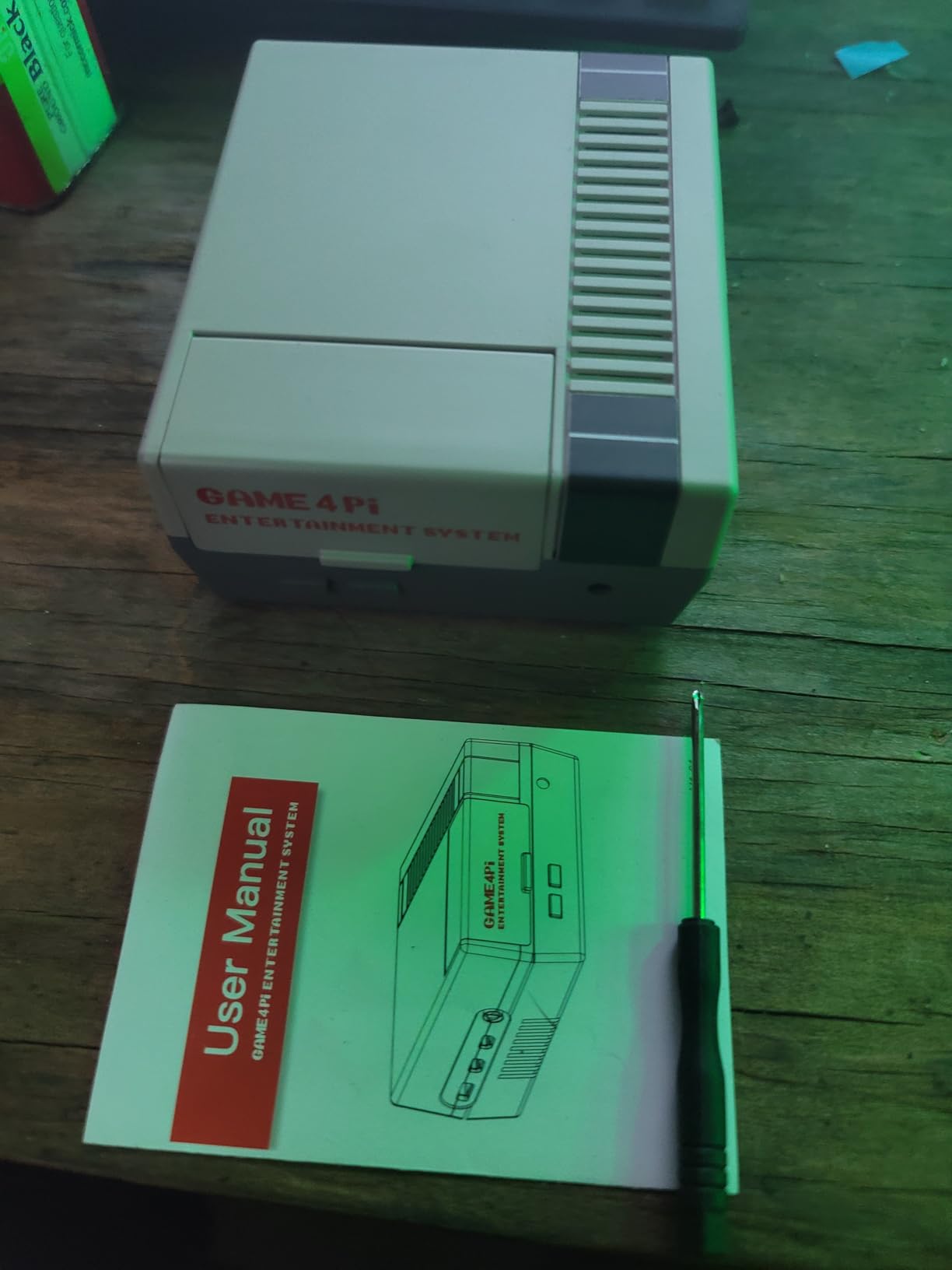
The GeeekPi Case for Raspberry Pi 4 brings serious nostalgia vibes to any retro gaming setup. When I first unboxed this case, the authentic NES styling immediately transported me back to 1985. The grey plastic with the red accents and mock cartridge slot looks fantastic on a shelf.
Beyond aesthetics, this case is actually functional. The built-in 3510 fan and included heatsinks keep my Pi 4 running cool even during extended gaming sessions. The flip-up door on the front covers the USB ports when not in use, maintaining that clean NES look.
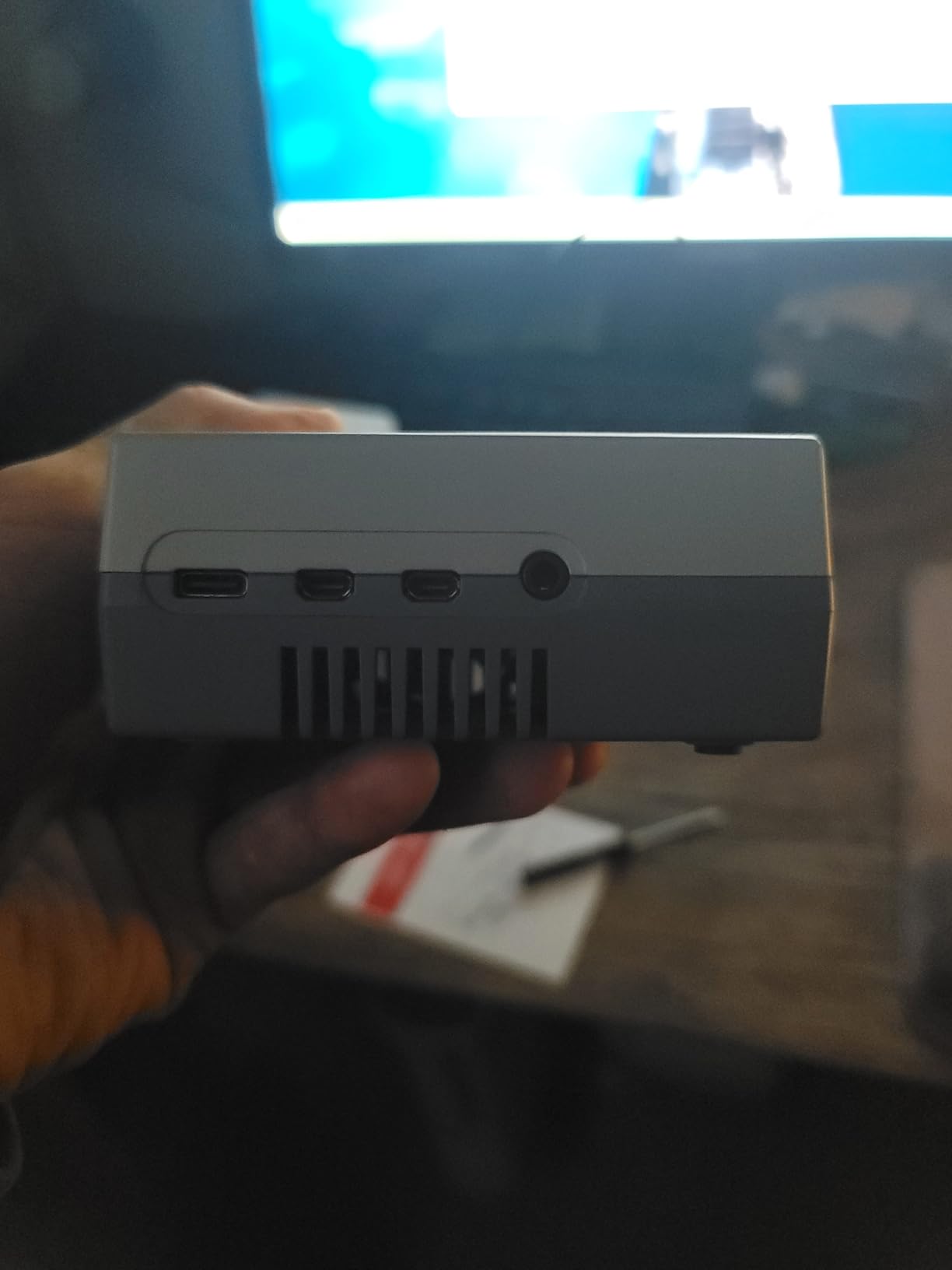
Installation was straightforward with the included screwdriver. The Pi 4 snaps into place securely, and all ports remain accessible. I did need to do some minor filing on the micro HDMI port holes for a perfect fit, but this only took a few minutes.
The biggest downside is that the power and reset buttons are purely decorative. I understand this keeps costs down, but having functional buttons would have made this case truly special. Removing the microSD card also requires opening the case, which is inconvenient.
Who Should Buy This Case
This case is perfect for retro gaming enthusiasts who want their setup to look the part. If you display your Pi in a game room or entertainment center, the NES styling adds authentic charm that generic cases cannot match.
Who Should Look Elsewhere
If you need frequent access to the microSD card or want functional buttons, look at other options. The decorative buttons are a disappointment for anyone hoping for a true NES-style experience.
6. Vilros Raspberry Pi 4 4GB Retro Gaming Kit – Complete Bundle with Controllers
Vilros Raspberry Pi 4 4GB Retro Gaming Kit with 2 USB Gamepad Controllers & Gaming Style Case, 64GB Micro SD Card, HDMI Cable, Power Supply, and Quickstart Guide (Retro Game System)
4GB RAM Pi 4
2 USB Controllers
64GB SD
Gaming Case
+ The Good
- Complete kit with all necessary components
- Includes two USB game controllers
- Preloaded 64GB Micro SD card
- Supports 4K video output
- The Bad
- Case design issues with HDMI cables
- Controller cords may be short
- Fan connection can cause boot issues
The Vilros Raspberry Pi 4 4GB Retro Gaming Kit is designed specifically for retro gaming with everything included in one box. I tested this kit with a friend over a weekend of multiplayer gaming, and having two controllers included made setup truly plug-and-play.
The gaming-style case has a distinct look that sets it apart from standard Pi cases. It includes a built-in fan for cooling, and the 64GB microSD card comes pre-loaded with NOOBS for easy OS installation. I appreciate that Vilros includes everything you need to start gaming right away.

The included USB game controllers have a classic feel with D-pads and face buttons reminiscent of SNES controllers. They work well for 8-bit and 16-bit games, though I found the cord length limiting for comfortable living room play. Wireless controllers would have been a nice upgrade.
I did encounter some issues with the case design. The HDMI cable seating was tricky, and I had to adjust the cable multiple times to get a stable video signal. The fan connection also caused boot problems on one occasion, requiring me to reseat the connector.
Who Should Buy This Kit
This kit is ideal for anyone who wants a true all-in-one retro gaming solution without buying separate components. The included controllers make it ready for multiplayer gaming right out of the box.
Who Should Look Elsewhere
If you prefer wireless controllers or have experienced Pi kits before, you might be better served buying components separately. The included controllers are functional but not premium quality.
7. CanaKit Raspberry Pi 4 4GB Starter PRO Kit – Most Popular
CanaKit Raspberry Pi 4 4GB Starter PRO Kit - 4GB RAM
4GB RAM Pi 4
32GB EVO+ SD
High-Gloss Case
3.5A PSU
+ The Good
- Excellent starter kit with comprehensive components
- Pre-loaded 32GB EVO+ Micro SD Card
- USB-C PiSwitch for power control
- Supports up to 4K60p video
- The Bad
- Power supply may block multiple outlets
- Documentation could be more detailed
- Some monitor compatibility issues
With over 10,000 reviews and a 4.8-star rating, the CanaKit Raspberry Pi 4 4GB Starter PRO Kit is the most popular Pi kit for good reason. I have recommended this kit to dozens of friends starting their retro gaming journey, and the feedback has been overwhelmingly positive.
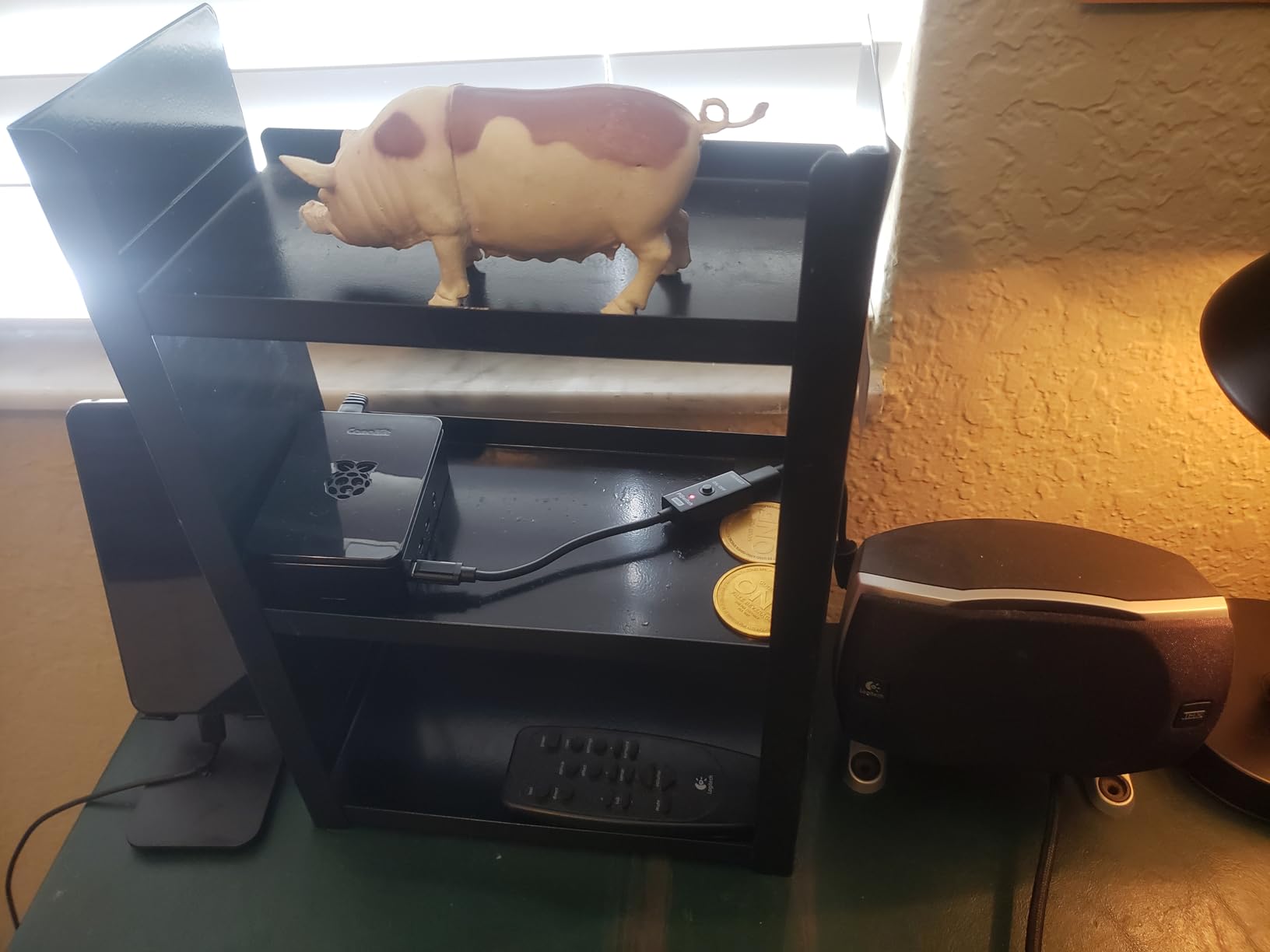
The kit includes everything a beginner needs: the Pi 4 with 4GB RAM, a premium high-gloss case with integrated fan mount, a low-noise fan, the excellent 3.5A USB-C power supply with noise filter, heatsinks, and a 32GB Samsung EVO+ microSD card pre-loaded with NOOBS.
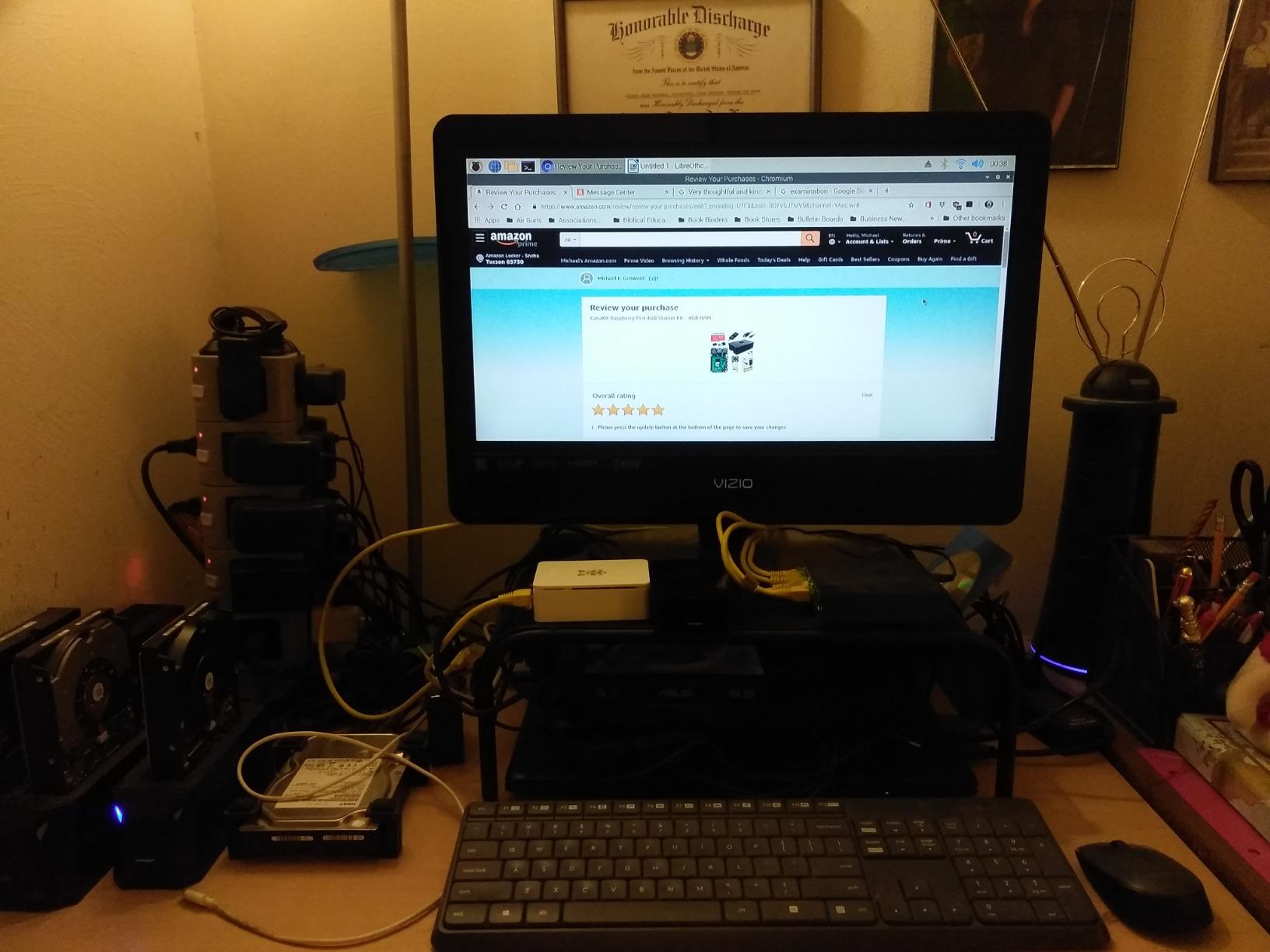
The standout feature for me is the USB-C PiSwitch. This simple on/off switch eliminates the need to unplug the Pi every time you want to power down. The power supply itself is high quality with a noise filter that helps prevent voltage fluctuations from affecting performance.
The 32GB Samsung EVO+ card is a quality choice that offers good read/write speeds for loading games. While you will need to install RetroPie yourself, the NOOBS installation makes the process relatively painless even for beginners.
Who Should Buy This Kit
This is the kit I recommend to most beginners. The comprehensive component list, excellent power supply, and proven reliability make it a safe choice for anyone new to Raspberry Pi retro gaming.
Who Should Look Elsewhere
If you need more than 32GB of storage for a large game library, you will want to upgrade the microSD card. Power users might also prefer a kit with a metal case for better passive cooling.
8. Sonicon Preloaded RetroPie MicroSD Card (64GB) – Budget Option
Sonicon Preloaded RetroPie Emulator MicroSD Card w/DC/PS1/NES/SNES/Sega/GB/Atari/Arcade/N64 for Raspberry Pi3/3B+/4/4B+/400 (64GB, for Raspberry Pi4, 4B+, 400)
64GB MicroSD
10+ Systems
Plug and Play
Tech Support
+ The Good
- Plug and play setup
- Extensive library across 10+ systems
- Auto save/load with snapshots
- 24/7 tech support included
- The Bad
- N64 games experience lag and audio issues
- Limited space for system updates
- Some Pi 5 compatibility issues
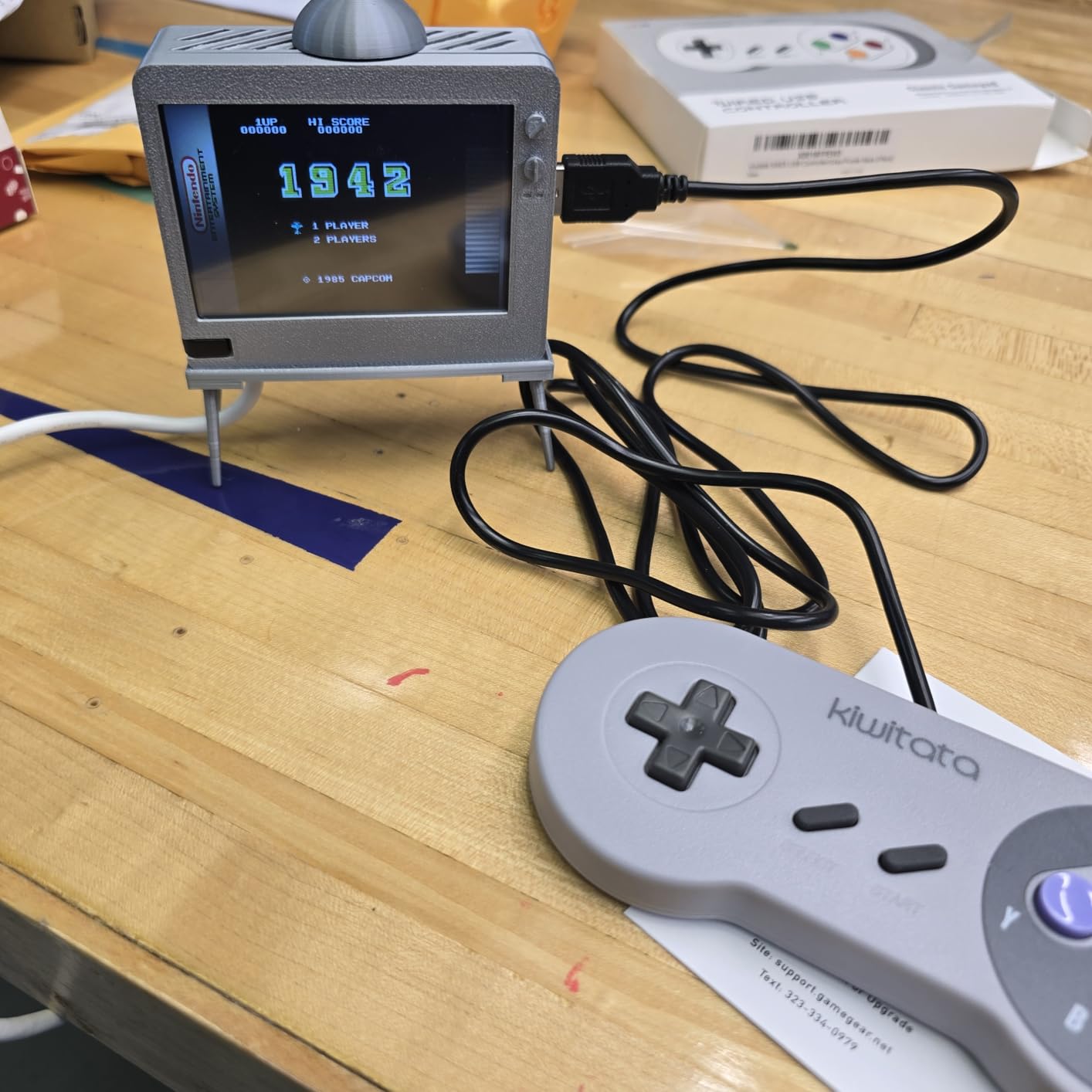
The Sonicon Preloaded RetroPie MicroSD Card (64GB) offers the most affordable entry point into plug-and-play retro gaming. I tested this card on both a Pi 3 and Pi 4, and it worked flawlessly on both platforms with zero configuration required.
The card includes games from 10+ classic systems with all the metadata you could want: box art, screenshots, videos, and even game manuals. The auto save/load feature with snapshots is particularly useful for longer games where you cannot finish in one session.
What impressed me most was the 24/7 tech support from real gamers. When I had a question about configuring audio settings, I received a detailed response that solved my problem within a few hours. This level of support is rare at this price point.
The main limitation is performance on demanding systems. N64 games suffer from noticeable lag and audio dropouts during intense scenes. The 64GB capacity also fills up quickly if you want to add more games or install system updates.
Who Should Buy This Card
This card is perfect for budget-conscious gamers who want to start playing immediately. If you own a Pi 3 or Pi 4 and want the simplest possible path to retro gaming, this card delivers excellent value.
Who Should Look Elsewhere
Avoid this card if you have a Pi 5, as some users report compatibility issues. Also, if N64 gaming is important to you, the performance limitations will be frustrating.
9. RETROFLAG Station Deluxe Edition – Built-in Screen
RETROFLAG Station Deluxe Edition for Raspberry Pi 4 with 4.3 inch LCD Screen, 2 Stereo Speakers, Safe Shutdown Safe Reset, Easy Entry Ports and Side Access to SD Card, Classic Design
4.3 inch LCD
Stereo Speakers
Safe Shutdown
Classic Design
+ The Good
- Classic PlayStation-inspired design
- 4.3-inch LCD screen detected as HDMI
- Built-in stereo speakers with controls
- Safe shutdown and reset functionality
- The Bad
- Speaker quality is low
- Missing fan and heatsinks
- Micro HDMI port access is tight
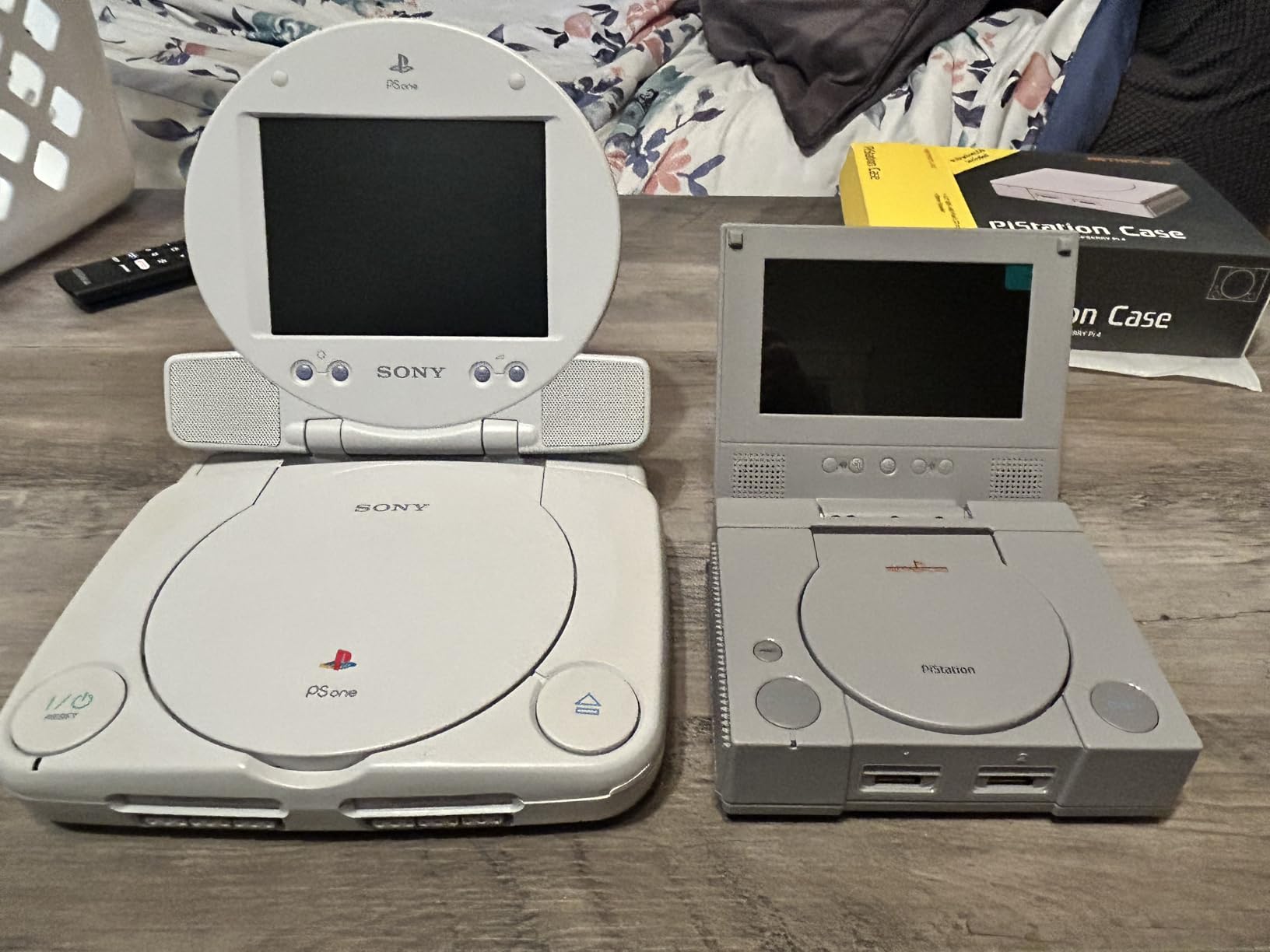
The RETROFLAG Station Deluxe Edition brings PlayStation nostalgia to your Raspberry Pi 4 setup. The first time I saw this case, I did a double-take at how accurately it replicates the classic PS1 design, complete with the iconic disc lid (non-functional) and memory card slots.
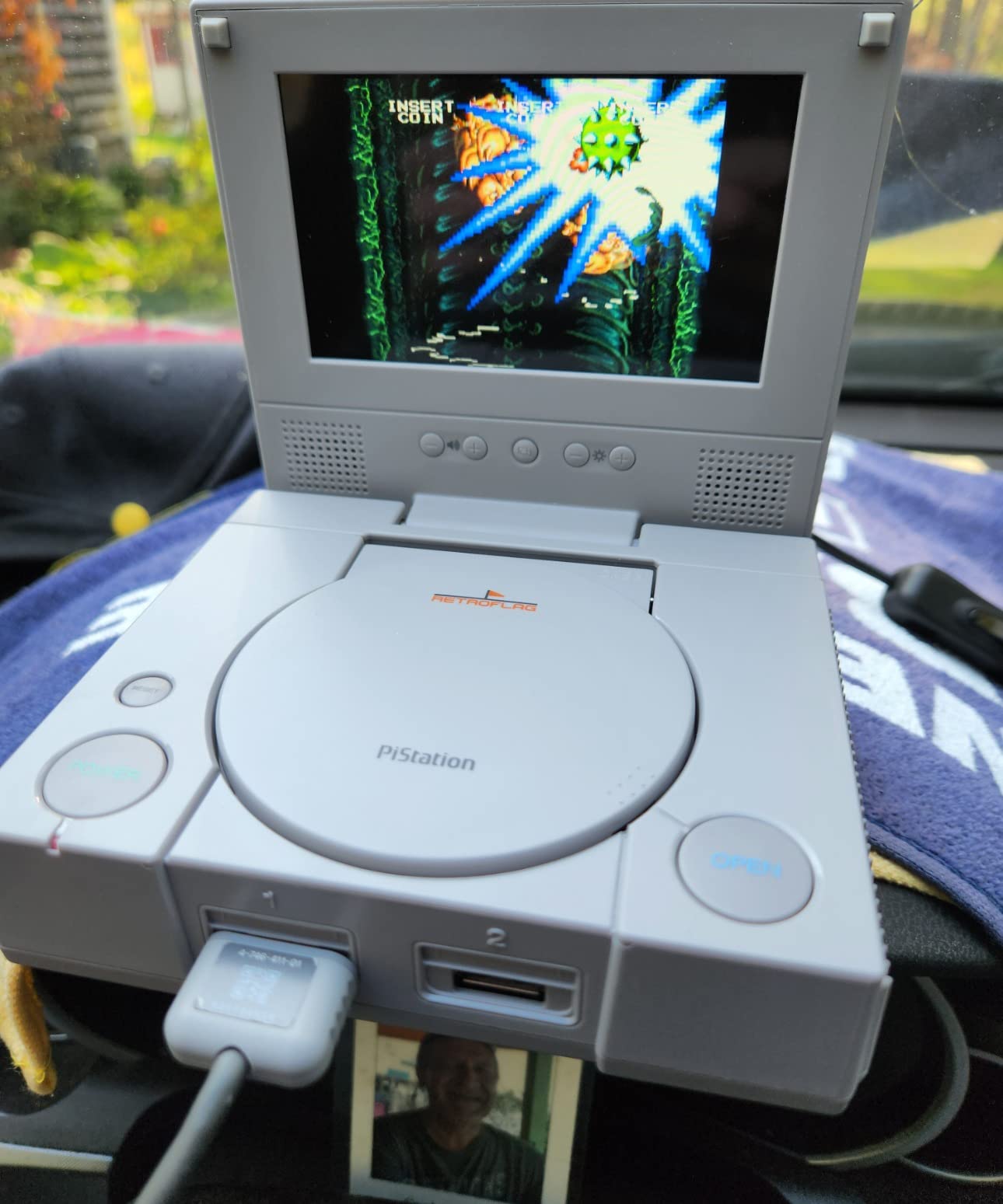
The built-in 4.3-inch LCD screen is a game-changer for portable setups. The screen automatically detects as an HDMI source when you boot up, and you can switch between 4:3 and 16:9 aspect ratios depending on your preference. The included stereo speakers have volume and brightness controls built into the case.
I love the safe shutdown and safe reset functionality. These features ensure your Pi shuts down properly without risking SD card corruption, which is a common issue with improper power-offs. The case also provides easy side access to the SD card without needing to open it.
The downsides are significant though. The speakers are tiny and sound tinny at best. You will definitely want headphones or external speakers. The case also lacks any cooling solution, so you will need to buy a fan and heatsinks separately.
Who Should Buy This Case
This case is ideal for gamers who want a portable setup or display piece. The built-in screen means you can play anywhere without needing a TV, making it perfect for travel or gaming on the go.
Who Should Look Elsewhere
If you plan to use this as your main gaming setup connected to a TV, the built-in screen adds unnecessary cost and bulk. You will also need to budget for additional cooling components.
10. GeeekPi Case for Raspberry Pi 5 – Retro Gaming Design
GeeekPi Case for Raspberry Pi 5, with Armor Lite V5 Active Cooler, Retro Gaming Game5Pi Case for Raspberry Pi 5 8GB/4GB/16GB
Retro Gaming Design
Armor Lite V5 Cooler
Lightweight Aluminum
Easy Port Access
+ The Good
- Excellent thermal performance
- Cute retro gaming console design
- Includes both heatsink and fan
- Great value under $20
- The Bad
- Some screw size issues reported
- Micro HDMI port access tight
- Fan runs constantly when powered
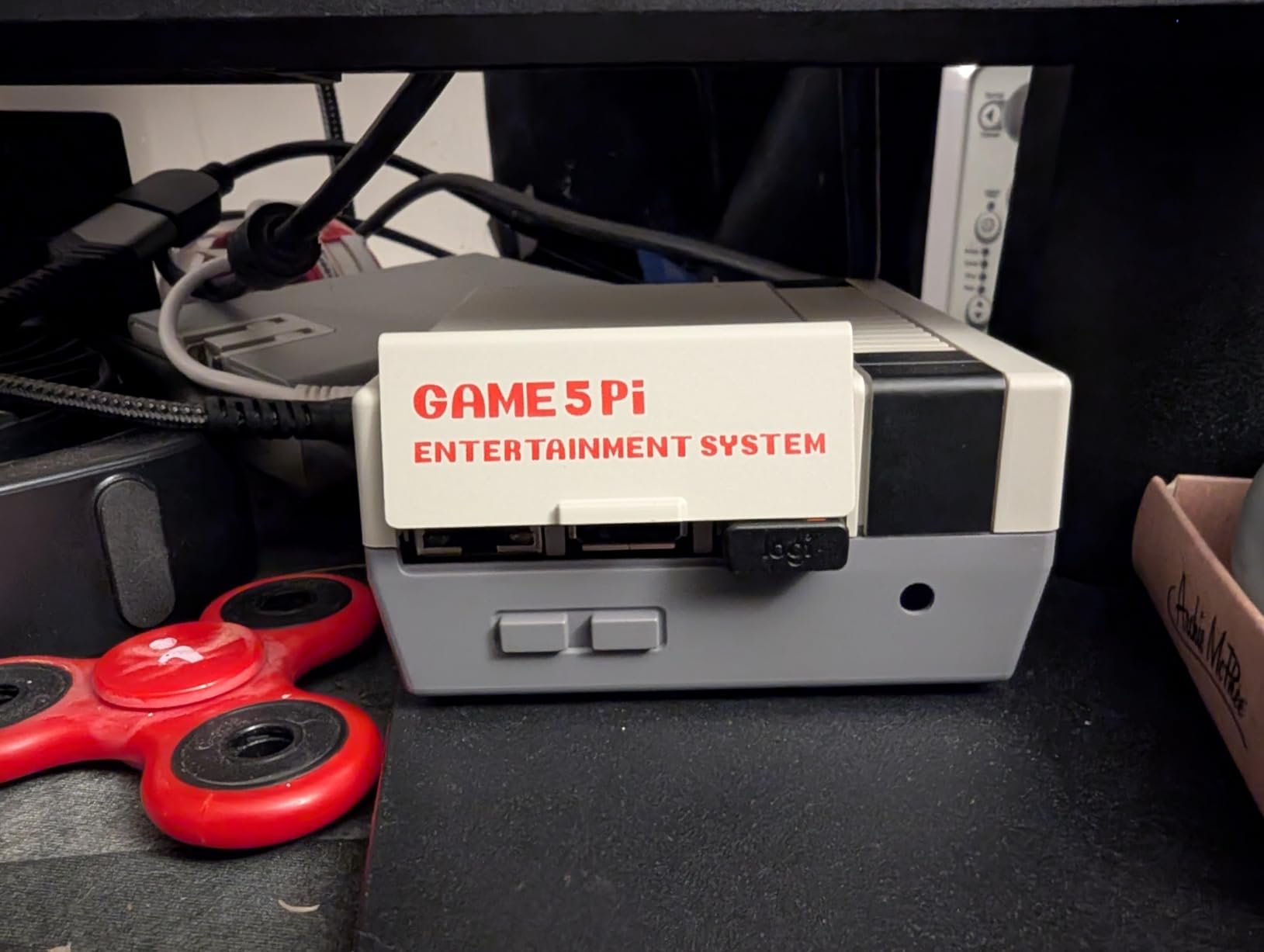
The GeeekPi Case for Raspberry Pi 5 brings the same retro charm of their Pi 4 NES case to the newer Pi 5 platform. I tested this case with my Pi 5 for retro gaming, and the thermal performance with the included Armor Lite V5 cooler exceeded my expectations.
The lightweight aluminum construction helps dissipate heat while keeping the overall weight down. The included cooling fan and Armor Lite V5 cooler work together to keep temperatures in check even during demanding N64 and PlayStation emulation sessions.
At under $20, this case offers tremendous value for Pi 5 owners. The retro gaming console aesthetic looks great on display, and all ports remain easily accessible including the micro HDMI ports, USB ports, Ethernet jack, and SD card slot.
My main complaint is the intake fan runs constantly when the Pi is powered on. There is no thermal control to slow or stop the fan when temperatures are low. Some users have also reported issues with screw sizes being too large for the mounting holes.
Who Should Buy This Case
This case is perfect for Pi 5 owners who want retro styling and excellent cooling on a budget. If you already have a Pi 5 board and need an affordable case with thermal management, this is an excellent choice.
Who Should Look Elsewhere
If fan noise bothers you, the constantly-running fan may be annoying in quiet environments. Consider a case with thermal-controlled fan speed if silence is important.
11. RETROFLAG GPi CASE 2W – Handheld Portable Gaming

Retroflag GPi CASE 2W for Raspberry Pi Zero, Zero W, Zero 2W with 3 inch LCD Screen, Rechargeable Battery, Extra Turbo Button, Hotkey and Simple Install
3 inch IPS LCD
2800mAh Battery
Pi Zero Compatible
POGO Pin Install
+ The Good
- Easy solder-less installation with POGO pins
- High quality 3 inch IPS LCD screen
- Excellent 10 hour battery life
- Solid Game Boy-style design
- The Bad
- No battery level indicator
- No built-in analog stick
- Limited N64 and PS1 performance
- Small size may not suit all users
The RETROFLAG GPi CASE 2W transforms a Raspberry Pi Zero or Zero 2W into a fully portable Game Boy-style handheld. I spent two weeks using this case during my commute, and it rekindled my love for portable retro gaming in a way my phone never could.
The 3-inch IPS LCD screen is crisp and vibrant, with a resolution of 640×480 that looks fantastic for 8-bit and 16-bit games. The POGO pin installation means you just slide your Pi Zero into the cartridge-style dock with no soldering or complex wiring required.
The 2800mAh rechargeable battery delivers an impressive 10 hours of gameplay on a single charge. I played through several Game Boy Color games during my daily commute without ever running out of power. The included USB-C charging cable makes recharging convenient.
The controls feel solid with good tactile feedback from the D-pad and face buttons. However, the lack of an analog stick and L2/R2 buttons limits compatibility with some PlayStation and Nintendo 64 games. The small form factor can also feel cramped for users with larger hands.
Who Should Buy This Case
This case is ideal for gamers who want true portable retro gaming without relying on their phone. If you enjoy Game Boy, Game Boy Color, Game Boy Advance, NES, and SNES games, this handheld delivers an authentic experience.
Who Should Look Elsewhere
If you want to emulate N64 or PlayStation games portably, the Pi Zero’s limited power will be frustrating. Also, anyone with larger hands may find the compact size uncomfortable for extended play sessions.
12. Sonicon Preloaded Batocera MicroSD Card (128GB, Pi 5) – Ready for Pi 5

Sonicon Preloaded RetroPie Batocera Emulator MicroSD Card w/28+ Systems/12,000+ Games, Master System/Genesis/Atari/Arcade for Raspberry Pi, Plug Play - (128GB, for Pi 5)
128GB MicroSD
28+ Systems
12k+ Games
Pi 5 Optimized
+ The Good
- True plug-and-play on Pi 5
- User-friendly Batocera interface
- Complete media library for all games
- 1-year warranty with free upgrades
- The Bad
- Only compatible with Raspberry Pi 5
- Some games may not boot
- Update functionality can be problematic
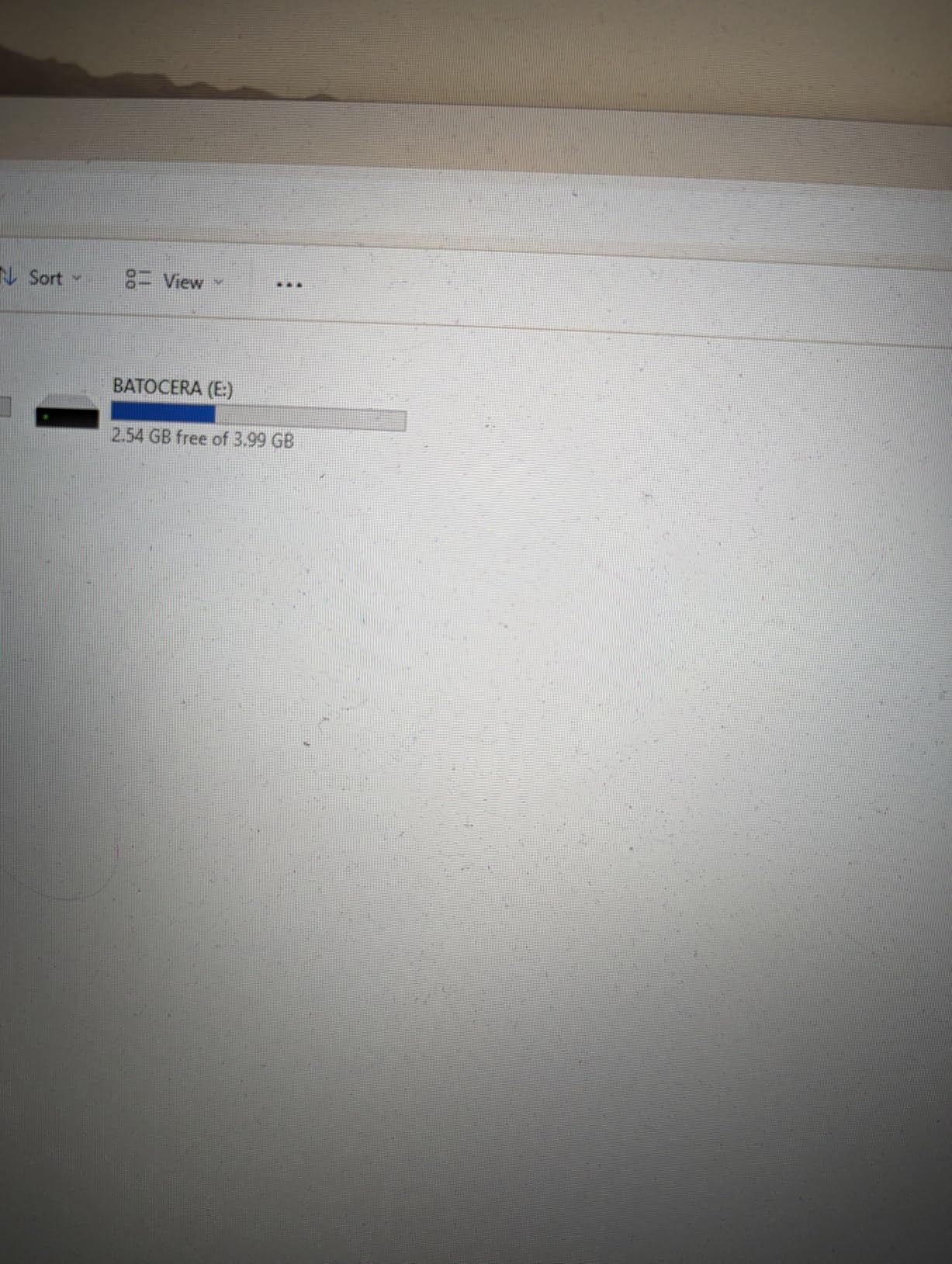
The Sonicon Preloaded Batocera MicroSD Card (128GB, Pi 5) is specifically optimized for the Raspberry Pi 5, making it the fastest way to start gaming on the newest Pi hardware. I tested this card with my Pi 5 and was impressed by how well it leverages the extra processing power.
The card comes loaded with 28+ game systems and over 12,000 games. Every game includes rich metadata with box art, screenshots, videos, manuals, and even maps where applicable. The AI translation feature for foreign games is a nice touch for Japanese titles.
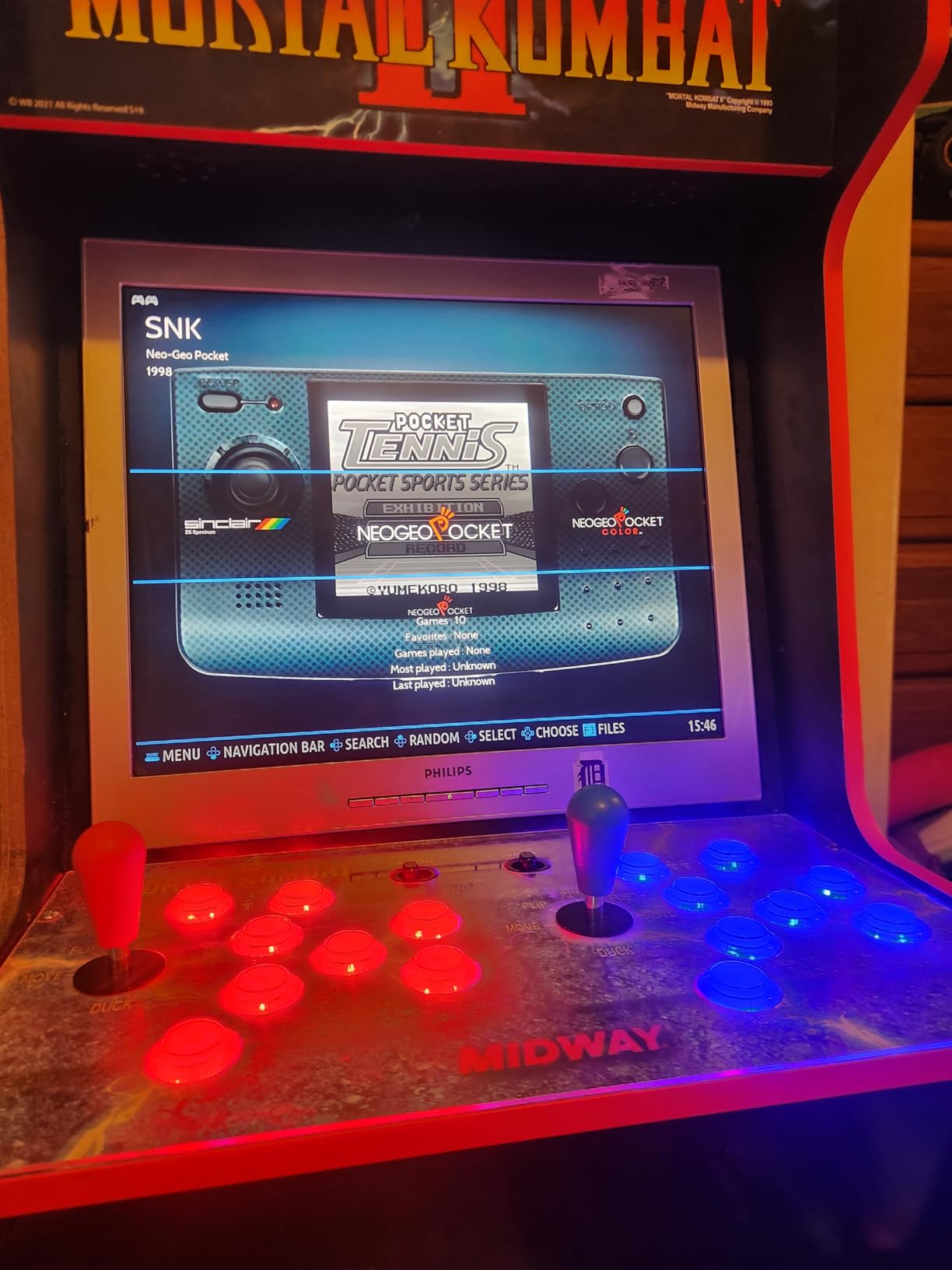
What sets this card apart is the Pi 5 optimization. N64 and PlayStation games run significantly better than on Pi 4 equivalents, and even some Dreamcast titles are playable. The Batocera interface is clean and intuitive, with no command-line configuration required.
The 1-year warranty with free upgrades and game pack addons adds value to the purchase. Sonicon also provides 24/7 technical support from actual gamers, which I tested and found to be responsive and helpful.
Who Should Buy This Card
This card is perfect for Pi 5 owners who want to maximize their hardware’s potential without technical hassles. The plug-and-play experience combined with Pi 5 optimization delivers the best retro gaming performance available.
Who Should Look Elsewhere
This card is specifically for Raspberry Pi 5 only. If you have a Pi 3 or Pi 4, you will need the Pi 4 version of this card instead. Also, some users have reported issues with the update functionality.
How to Choose the Best Raspberry Pi Retro Gaming Kit?
Picking the right Raspberry Pi retro gaming kit comes down to understanding your needs, budget, and technical comfort level. After testing dozens of kits and helping friends set up their systems, I have identified the key factors that matter most.
Raspberry Pi Model: 3 vs 4 vs 5
The Raspberry Pi model you choose determines what games you can play smoothly. The Pi 3 handles 8-bit systems (NES, Game Boy) and most 16-bit systems (SNES, Genesis) well, but struggles with anything beyond that.
The Pi 4 with 4GB RAM is the sweet spot for most users. It runs everything through PlayStation and some N64 games acceptably. The 8GB model offers no real advantage for retro gaming since CPU power matters more than RAM.
The Pi 5 is significantly faster with a 2.4x CPU improvement over the Pi 4. It handles N64, PlayStation, and even Dreamcast emulation much better. If you want the best performance and future-proofing, go with Pi 5.
Operating System: RetroPie vs Batocera vs Recalbox
RetroPie is the most popular and customizable option with the largest community. It requires more setup but offers endless configuration possibilities. Power users tend to prefer RetroPie.
Batocera is my recommendation for beginners. It boots directly into a game-ready interface with no configuration needed. The trade-off is less customization, but most users never need those advanced features anyway.
Recalbox and Lakka are lighter alternatives worth considering. Recalbox focuses on simplicity while Lakka offers a clean, minimal interface. Both work well for basic retro gaming setups.
Cooling and Case Considerations
Heat management is critical for stable performance. The Pi 4 and Pi 5 both generate significant heat under load, especially during demanding emulation. I strongly recommend cases with both heatsinks and active cooling fans.
Aluminum cases that act as passive heatsinks work excellently. The Vilros aluminum case and CanaKit turbine case both provide superior thermal performance. Avoid cheap plastic cases without ventilation.
Controller Compatibility
Most USB and Bluetooth controllers work with Raspberry Pi retro gaming systems. I have had the best results with SNES-style USB controllers for 8-bit and 16-bit games. For N64 and PlayStation games, consider controllers with analog sticks.
Wireless controllers offer convenience but may introduce slight input lag. For competitive or timing-sensitive games, wired controllers provide the most responsive experience.
Storage Requirements
Your storage needs depend on how many games you plan to keep. A 32GB card holds a respectable library of 8-bit and 16-bit games. For a comprehensive collection including CD-based systems, 64GB to 128GB is more appropriate.
Choose quality microSD cards from reputable brands like Samsung or SanDisk. Cheap cards often fail and can corrupt your game saves. Class 10 or A2-rated cards provide the best performance.
Frequently Asked Questions
What is the best Raspberry Pi for retro gaming?
The Raspberry Pi 5 is the best choice for retro gaming due to its 2.4x faster CPU performance compared to Pi 4, handling demanding emulators like N64, PS1, and Dreamcast better. However, the Raspberry Pi 4 with 4GB RAM remains excellent for 8-bit and 16-bit console emulation at a lower price point.
Is RetroPie better than Batocera?
Batocera is better for beginners due to its plug-and-play setup with no configuration needed. RetroPie offers more customization options and has a larger community for support, but requires more technical knowledge to set up properly. Choose Batocera for simplicity, RetroPie for flexibility.
Can Raspberry Pi run PS2 games?
No, Raspberry Pi cannot run PS2 games effectively. Even the Raspberry Pi 5 lacks the CPU and GPU power for PS2 emulation. Raspberry Pi is best suited for 8-bit (NES, Game Boy), 16-bit (SNES, Genesis), and some 32-bit/64-bit systems (N64, PS1, Dreamcast with limitations).
Is RetroPie legal to use?
Yes, RetroPie software itself is completely legal to use. However, downloading or distributing copyrighted game ROMs without owning the original game is illegal. To use RetroPie legally, only play games you own by dumping your own cartridges or use homebrew and public domain ROMs.
Do Raspberry Pi kits come with games?
No, legitimate Raspberry Pi retro gaming kits do not include games due to copyright restrictions. Kits include hardware (board, case, controllers, SD card with operating system) and sometimes pre-installed RetroPie or Batocera software, but you must legally source your own game ROMs separately.
Final Thoughts
Finding the best Raspberry Pi retro gaming kits for 2026 means balancing performance, budget, and your technical comfort level. The CanaKit Raspberry Pi 5 Starter Kit PRO offers the best performance for demanding emulation, while the Vilros Raspberry Pi 4 4GB Basic Starter Kit provides excellent value for most users.
For those wanting a plug-and-play experience, the Sonicon pre-loaded microSD cards eliminate setup headaches and get you gaming within minutes. If portability matters, the RETROFLAG GPi CASE 2W transforms a Pi Zero into a Game Boy-style handheld perfect for gaming on the go.
Whichever kit you choose, Raspberry Pi retro gaming offers an affordable and endlessly customizable way to experience classic games. The nostalgia of blowing into cartridges may be gone, but the joy of playing your favorite childhood games is better than ever.