
Adding sound effects to your gaming streams can transform a boring session into something viewers remember. Whether you are playing intense competitive matches or just hanging out with friends, the right audio cue at the perfect moment makes all the difference. I have spent countless hours testing different setups, and the best USB soundboard controllers for gaming sound effects give you instant access to those memorable sounds without breaking your gameplay flow.
These controllers come in two main types: audio mixers with built-in sound pads and programmable macro keypads that trigger audio through software. Audio mixers handle your microphone input, game audio, and chat separately while adding sound effects. Macro controllers focus purely on triggering actions, sounds, and commands with physical buttons. Both types connect via USB and work with popular streaming software like OBS, Streamlabs, and Discord.
At Beboivn, we understand that gamers need reliable gear that works without complicated setup. The right soundboard controller should feel natural to use during intense gaming moments. After testing 8 different options ranging from budget-friendly portable units to feature-rich streaming decks, I found clear winners for different needs and budgets.
Top 3 Picks for Gaming Soundboard Controllers (March 2026)
Best USB Soundboard Controllers in 2026
| PRODUCT MODEL | KEY SPECS | BEST PRICE |
|---|---|---|
 |
|
Check Latest Price |
 |
|
Check Latest Price |
 |
|
Check Latest Price |
 |
|
Check Latest Price |
 |
|
Check Latest Price |
 |
|
Check Latest Price |
 |
|
Check Latest Price |
 |
|
Check Latest Price |
1. FIFINE AmpliGame SC3 Gaming Audio Mixer – Best Overall for XLR Users
FIFINE Gaming Audio Mixer, Streaming RGB PC Mixer with XLR Microphone Interface, Individual Control, Volume Fader, Mute Button, 48V Phantom Power, for Podcast/Recording/Vocal/Game Voice-AmpliGame SC3
XLR Mic Input
48V Phantom Power
4-Channel Control
RGB Lighting
Sound Effects
+ The Good
- Great XLR interface with 48V phantom power
- Individual volume faders for each channel
- Easy plug and play setup
- Solid build quality at budget price
- The Bad
- Not compatible with USB microphones
- Customizable sound pads have lower quality
- XLR cable not included
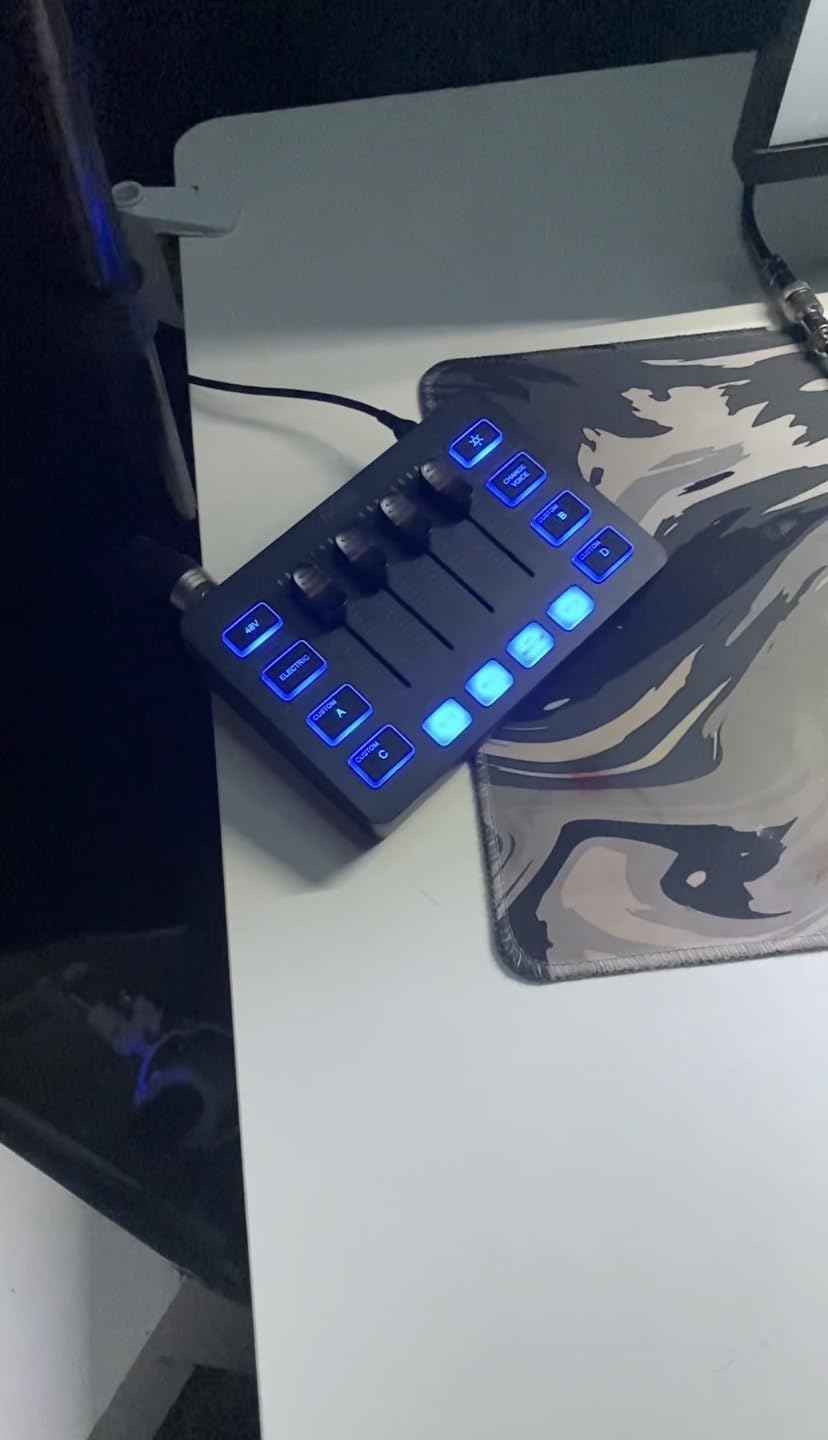
I picked up the FIFINE AmpliGame SC3 about six months ago when I wanted to upgrade from a basic USB microphone setup. Right out of the box, this mixer felt substantial and well-built. The four individual faders give me precise control over my microphone, line input, headphones, and output levels. Each channel has its own mute button, which saved me during several streams when unexpected background noise popped up.
The XLR input with 48V phantom power was the main reason I chose this over cheaper options. My condenser microphone finally sounds the way it should, with clear highs and deep lows that were missing before. Setup was genuinely plug-and-play on both Windows and Mac. I just connected the USB cable, selected the device in OBS, and started streaming within minutes.
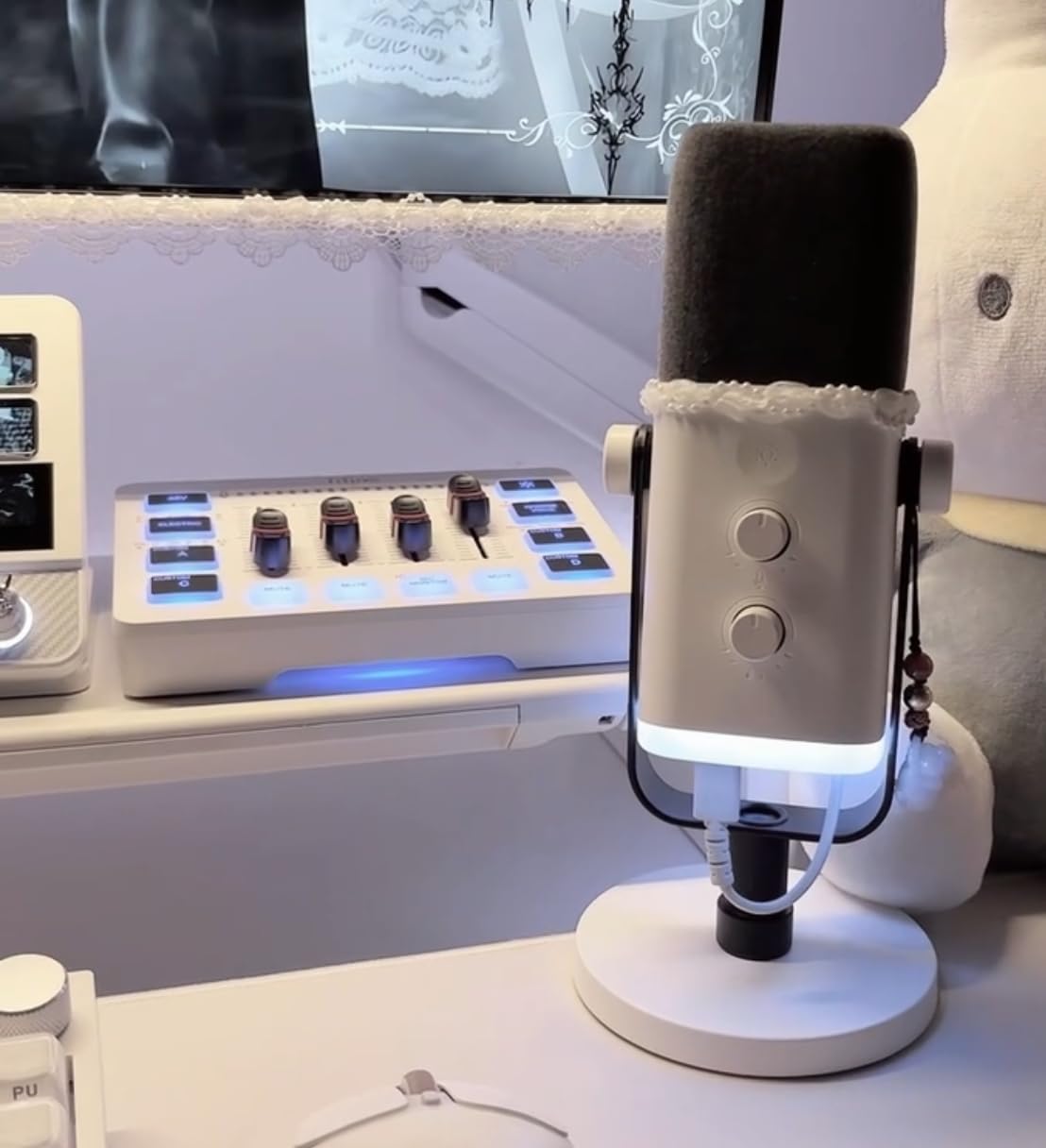
The RGB lighting adds a nice visual element to my streaming setup. You can switch between flowing colors or freeze on a single shade. While some users report power delivery issues with certain USB ports, I never experienced this problem using a powered USB hub. The lighting actually helps me quickly identify which channel I am adjusting during busy streams.
The sound effects and voice changer features work well for casual entertainment. Four customizable buttons let me load my own audio clips, and the six voice changing modes add variety to streams. I particularly enjoy using the robot voice for dramatic moments in games. However, the recording quality of the custom sound pads is noticeably lower than professional samples.
Perfect For
This mixer suits streamers who already own an XLR microphone or plan to upgrade to one. If you want professional audio quality without spending hundreds on a GoXLR, the SC3 delivers excellent value. The individual channel controls make it easy to balance game audio, chat, and music on the fly. It also works great for podcasters who need reliable phantom power.
Not Ideal For
Users with USB microphones should look elsewhere since this mixer only accepts XLR connections. If you need pristine audio quality from custom sound samples, the lower-quality sound pads might disappoint. Those requiring more than four input channels for complex setups will also find this limiting.
2. MAONO Gaming Audio Mixer G1 NEO – Best Bluetooth Connectivity
MAONO Gaming Audio Mixer, Audio Interface with Pro-preamp, RGB, Bluetooth, 48V Phantom Power for Live Streaming, Podcasting, Content Create, Gaming MaonoCaster G1 NEO (Not for USB Mic)
Pro-Preamp
48V Phantom Power
Bluetooth Input
Voice Changer
RGB Lighting
+ The Good
- Excellent preamp quality for XLR mics
- Bluetooth connectivity for wireless audio
- Intuitive interface for beginners
- Great platform compatibility
- The Bad
- Bluetooth headset compatibility issues
- Some LED lights flicker randomly
- Faders can feel abrupt below level 3
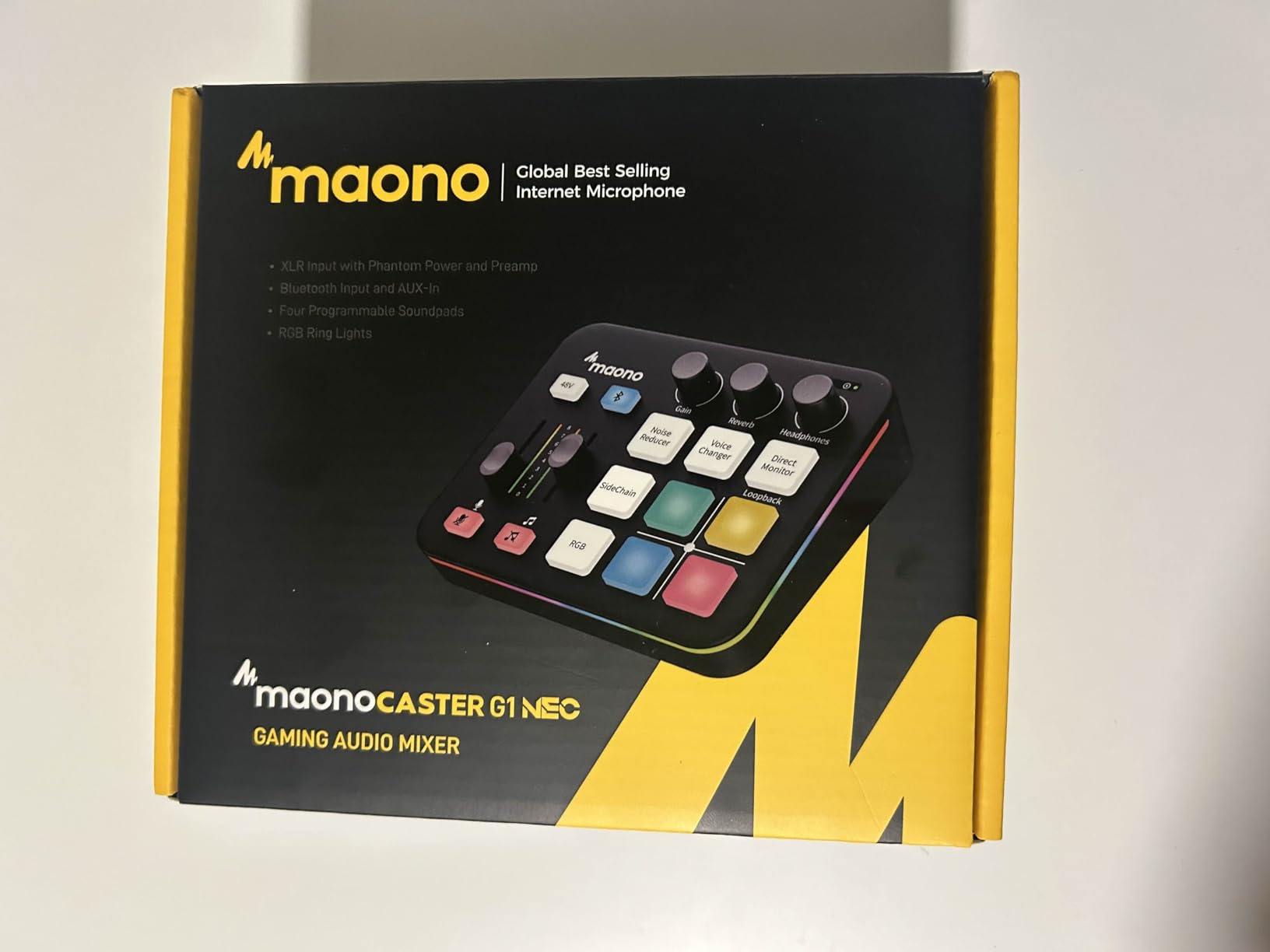
The MAONO G1 NEO caught my attention because of its Bluetooth connectivity feature. Being able to pipe in background music or sound effects from my phone without extra cables felt like a game-changer. In practice, the Bluetooth connection works reliably for music and audio accompaniment, though I did encounter issues when trying to connect Bluetooth headsets directly.
The pro-preamp delivers clean audio with 48V phantom power for condenser microphones. My test recordings came through crisp and clear, with minimal noise floor. The one-click noise reduction feature helps tame background sounds, though it can sound artificial if pushed too hard. I found the sweet spot was using it at about 50% intensity.
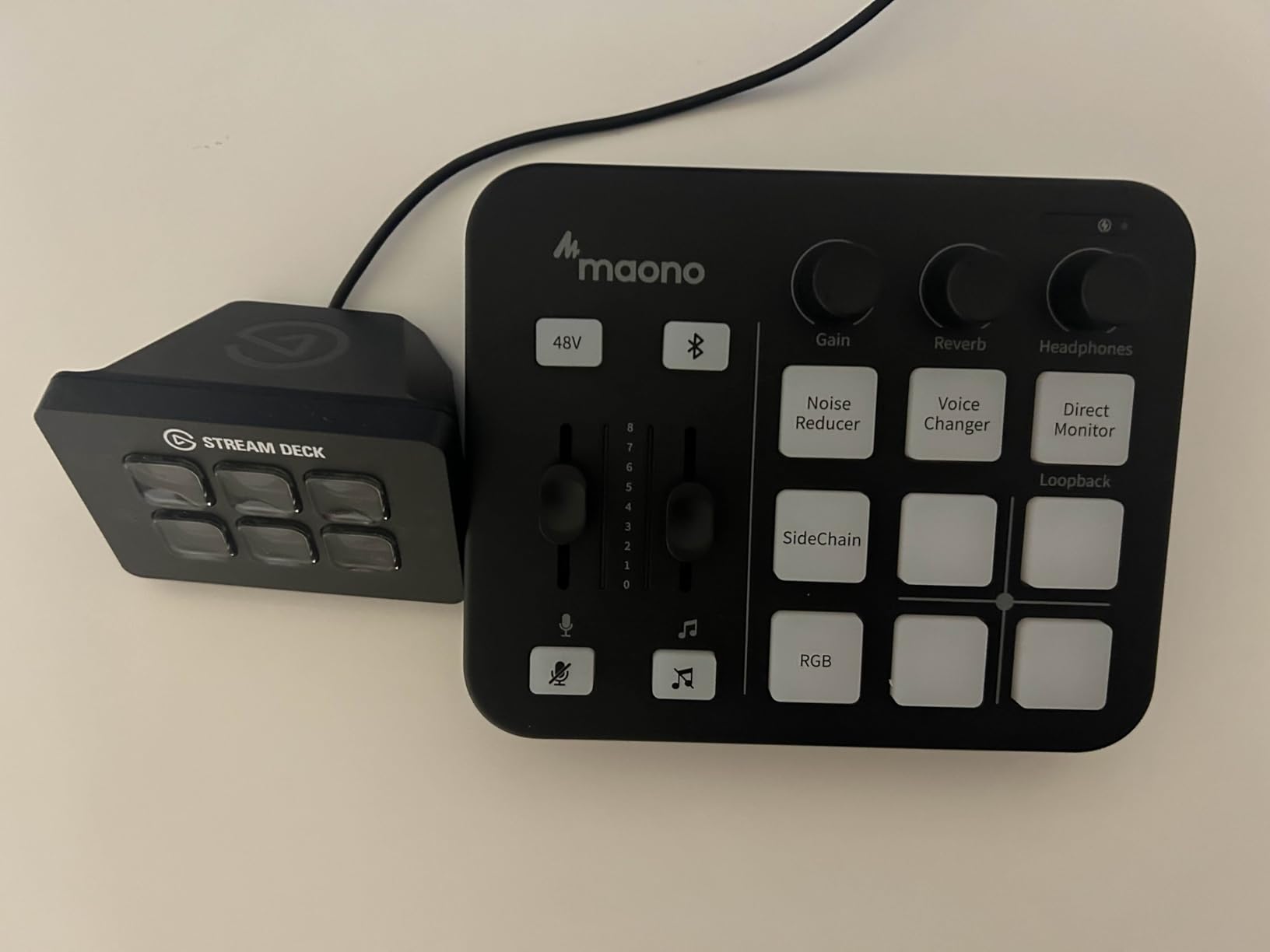
Voice changing options include female, male, baby, and robot voices. These work well for streaming entertainment, adding another layer of engagement for viewers. The custom sound pads let you record short voice tags or load audio clips. While not studio-quality, they serve their purpose for stream alerts and reactions.
Compatibility impressed me most about this unit. It works with phones, computers, tablets, PS4, and PS5 without any driver installation. I tested it across multiple platforms and experienced no connectivity issues. The RGB lighting offers 12 different color variations, letting you match your setup aesthetic.
Perfect For
Streamers who want wireless flexibility will appreciate the Bluetooth accompaniment input. If you switch between PC, console, and mobile streaming, the broad compatibility makes this an excellent choice. The intuitive interface also suits beginners who want professional features without a steep learning curve.
Not Ideal For
Users who need reliable Bluetooth headset connectivity should be cautious, as compatibility varies. Those wanting desktop software for advanced customization will find the lack of such software limiting. The abrupt fader behavior at low levels might bother audio perfectionists.
3. PUPGSIS Gaming Audio Mixer T12 – Best for Multi-Microphone Setups
PUPGSIS Gaming Audio Mixer, Audio Interface for PC/Podcast/Streaming, Sound Board with 3.5mm/XLR Mic Input, 48V Phantom Power, Voice Changer, Live Sound Card with DJ Mixer Effects/Bluetooth/4 Channel
3 Mic Inputs
48V Phantom Power
6 Voice Modes
4 Sound Pads
Zero Latency
+ The Good
- Supports up to 3 microphone inputs
- Good for beginner streamers
- Individual channel controls work well
- Voice changer and sound pads are fun
- The Bad
- May lack gain for high-end microphones
- Slider markings do not align with volume levels
- Quality concerns over long-term use
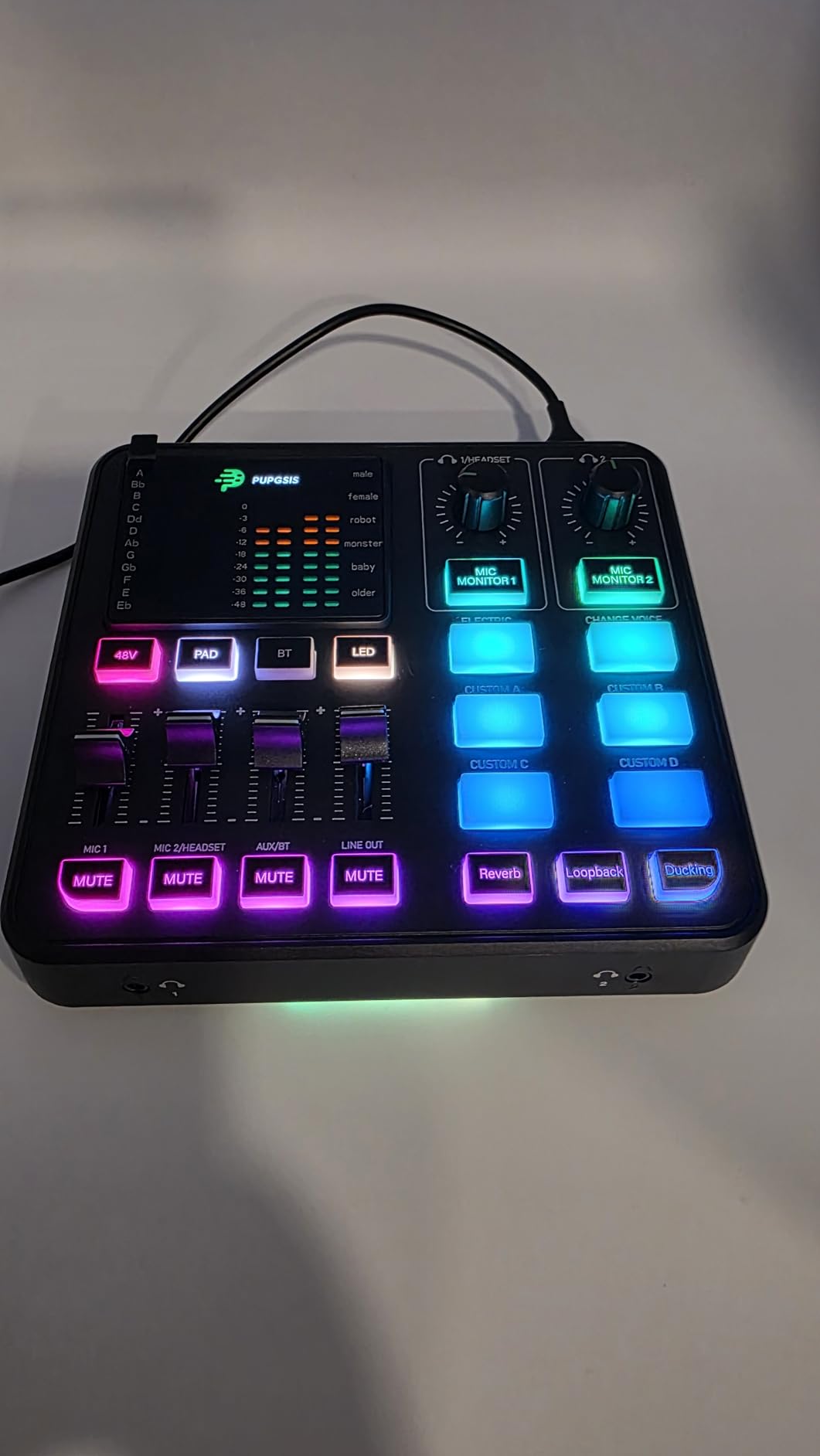
When I first set up the PUPGSIS T12, I was surprised by how many features they packed into this compact unit. The ability to connect up to three microphones makes it stand out from similarly priced options. This works great for podcast recordings with multiple participants or streaming sessions where guests join in person.
The professional preamplifier with 48V phantom power handled my dynamic microphone well. However, when I tested it with a high-end Shure SM7B, I noticed the gain struggled to reach optimal levels. For most standard microphones, though, the preamp provides plenty of clean power. The six voice-changing modes add entertainment value without requiring additional software.
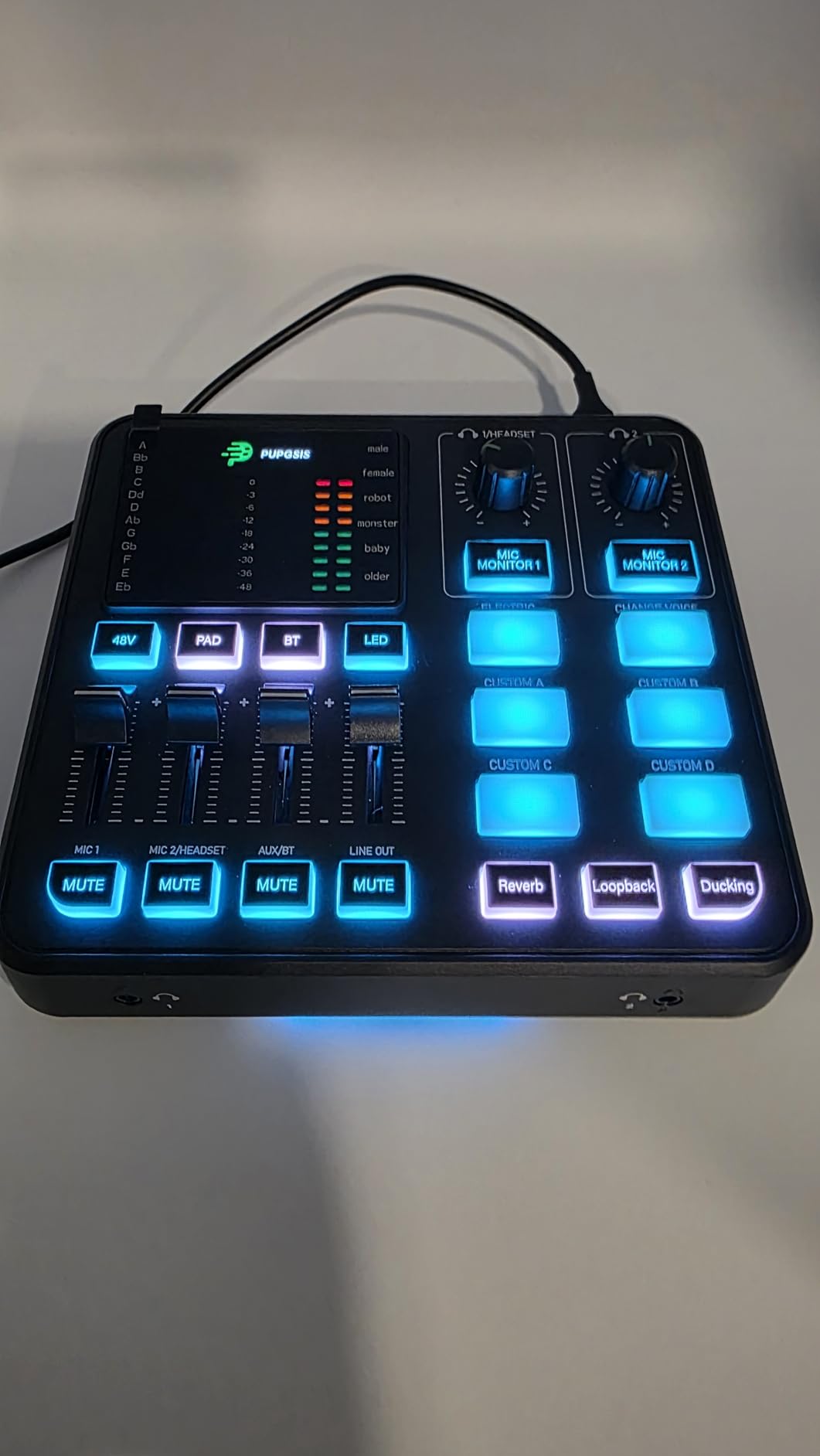
Four smooth volume faders give individual control over each channel. The zero-latency monitoring means you hear yourself in real-time without distracting echo. This feature matters more than you might think during long streaming sessions. The one-touch mute function provides instant silence when needed.
I found the four customizable soundpads useful for quick sound effects during streams. Loading custom audio clips is straightforward through the device interface. The two reverb presets add depth to voice without sounding overly processed. Compatibility with OBS, Discord, and Twitch means integration into existing setups requires minimal effort.
Perfect For
Content creators who need multiple microphone inputs will find the three-input capability valuable. Podcasters recording with guests in the same room benefit from the individual channel controls. Beginner streamers looking for an affordable entry point into audio mixing should consider this option.
Not Ideal For
Users with demanding microphones like the Shure SM7B may find the gain insufficient. Those needing precise volume level indicators will be frustrated by the misaligned slider markings. Professionals requiring bulletproof build quality for daily heavy use might want to invest in higher-tier options.
4. Facmogu F998 Live Sound Card – Best Budget Portable Option
Facmogu F998 Live Sound Card Audio Mixer, Podcast Audio Interface with DJ Mixer Effects, Voice Changer with Sound Effects for PS4 PS5 Karaoke Tiktok YouTube Live Streaming Record Gaming
Battery Powered
16 Sound Effects
7 Volume Knobs
DSP Chip
Bluetooth
+ The Good
- Very affordable entry-level mixer
- Portable and easy to carry
- Built-in battery for wireless use
- Works with phones without computer
- The Bad
- Limited instructions included
- May not work well with Xbox
- Bluetooth only connects one device
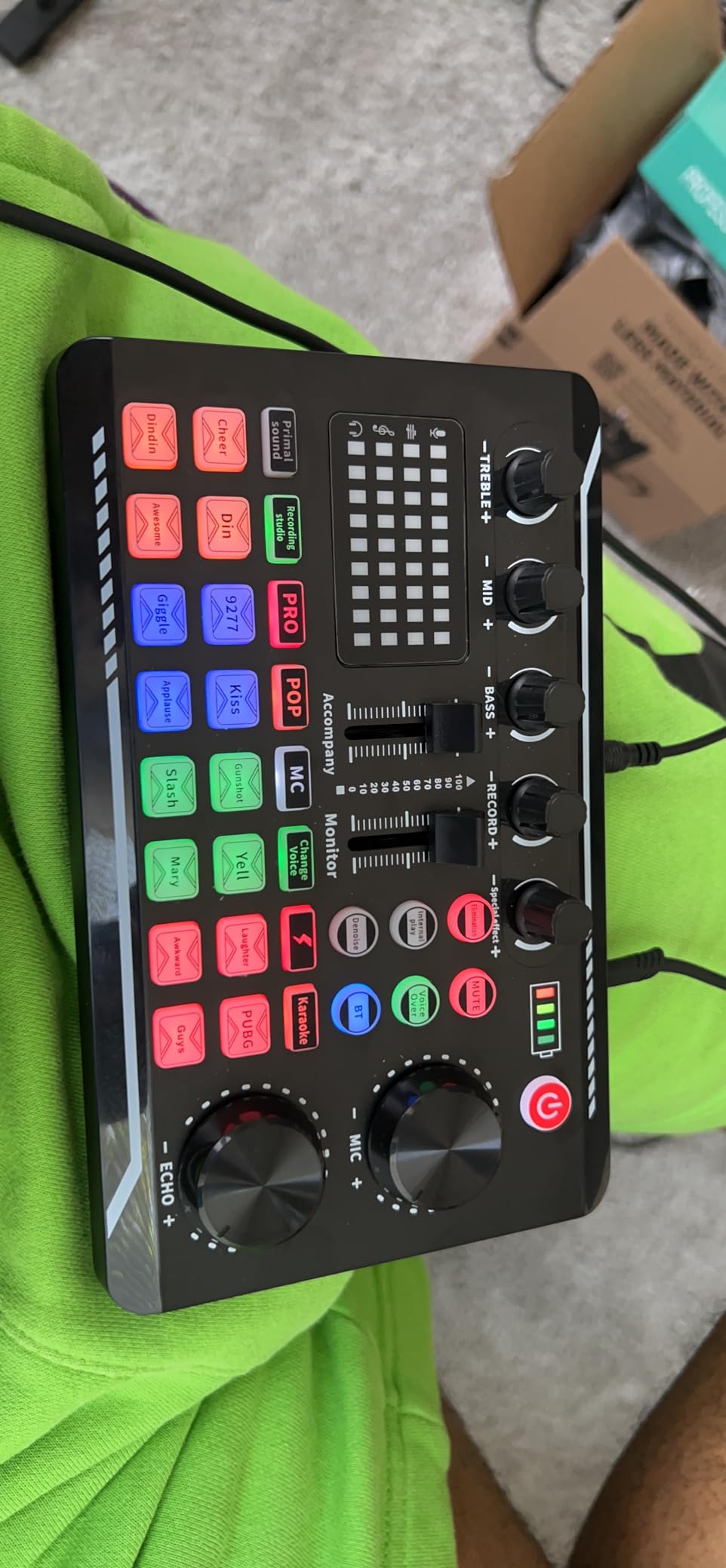
The Facmogu F998 represents the most budget-friendly option I tested, and it surprised me with its capabilities. The built-in 1200mAh battery means you can use it completely untethered from power outlets. I took it to a friend’s house for a mobile streaming session and it lasted several hours on a single charge.
Seven independent volume knobs give you granular control over different audio aspects. While this many knobs might seem overwhelming at first, they actually make it easier to dial in specific settings. The two fader buttons provide additional adjustment options for fine-tuning your mix on the fly.
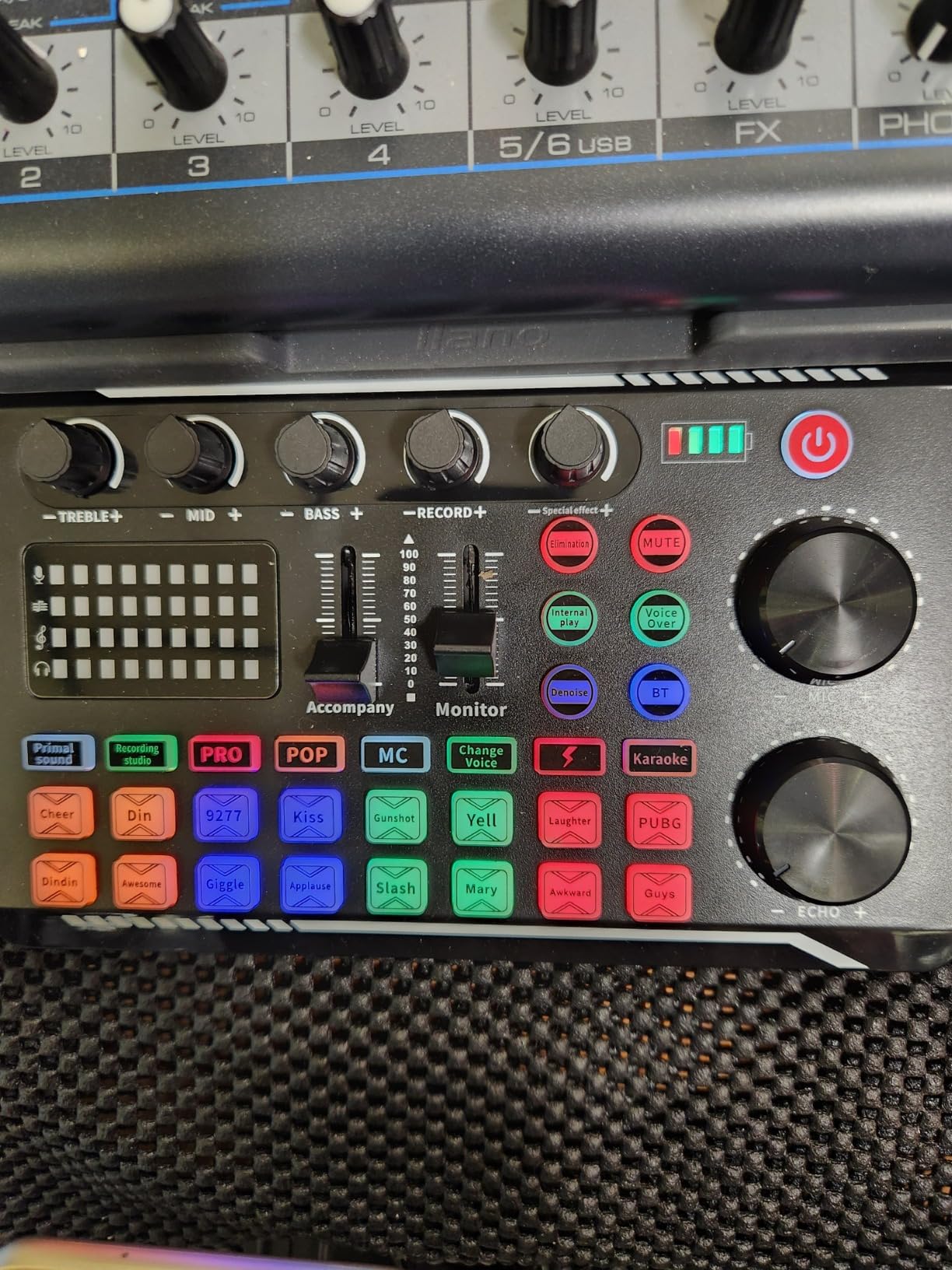
Sixteen personalized sound effects come pre-loaded, covering common streaming scenarios. The digital DSP intelligent processing chip handles audio processing without introducing noticeable delay. Intelligent noise reduction helps clean up audio in less-than-ideal recording environments, though it works best with consistent background noise.
The compact design fits easily in a backpack or even a large pocket. I appreciate the independent Bluetooth switch, which lets you toggle wireless connectivity without navigating menus. For mobile streamers or content creators who travel frequently, this portability factor cannot be overstated.
Perfect For
Mobile streamers who need a portable solution will love the battery-powered operation. Budget-conscious beginners wanting to test the waters before investing more should start here. Content creators who stream primarily from phones or tablets will find the direct connectivity valuable.
Not Ideal For
Xbox gamers should verify compatibility before purchasing, as some users report echo issues. Those needing detailed documentation will be frustrated by the sparse instructions. Anyone requiring multiple simultaneous Bluetooth connections will find the single-device limitation restrictive.
5. FIFINE AmpliGame D6 Stream Controller – Best Macro Key Controller
FIFINE AmpliGame Stream Controller with 15 Macro Keys, Streaming Keyboard with Trigger Actions in OBS/Twitch/YouTube/Streamlabs, Shortcut Buttons Keypad Works with Mac and PC-D6
15 LCD Macro Keys
OBS Plugin
9 RGB Modes
Touchscreen
Multi-Profile
+ The Good
- Great value alternative to premium stream decks
- 15 programmable keys with LCD icons
- Works well for streaming and gaming
- Easy setup with OBS and Streamlabs
- The Bad
- Icons may not load on boot sometimes
- Buttons can feel slightly clunky
- Delay when switching between screens
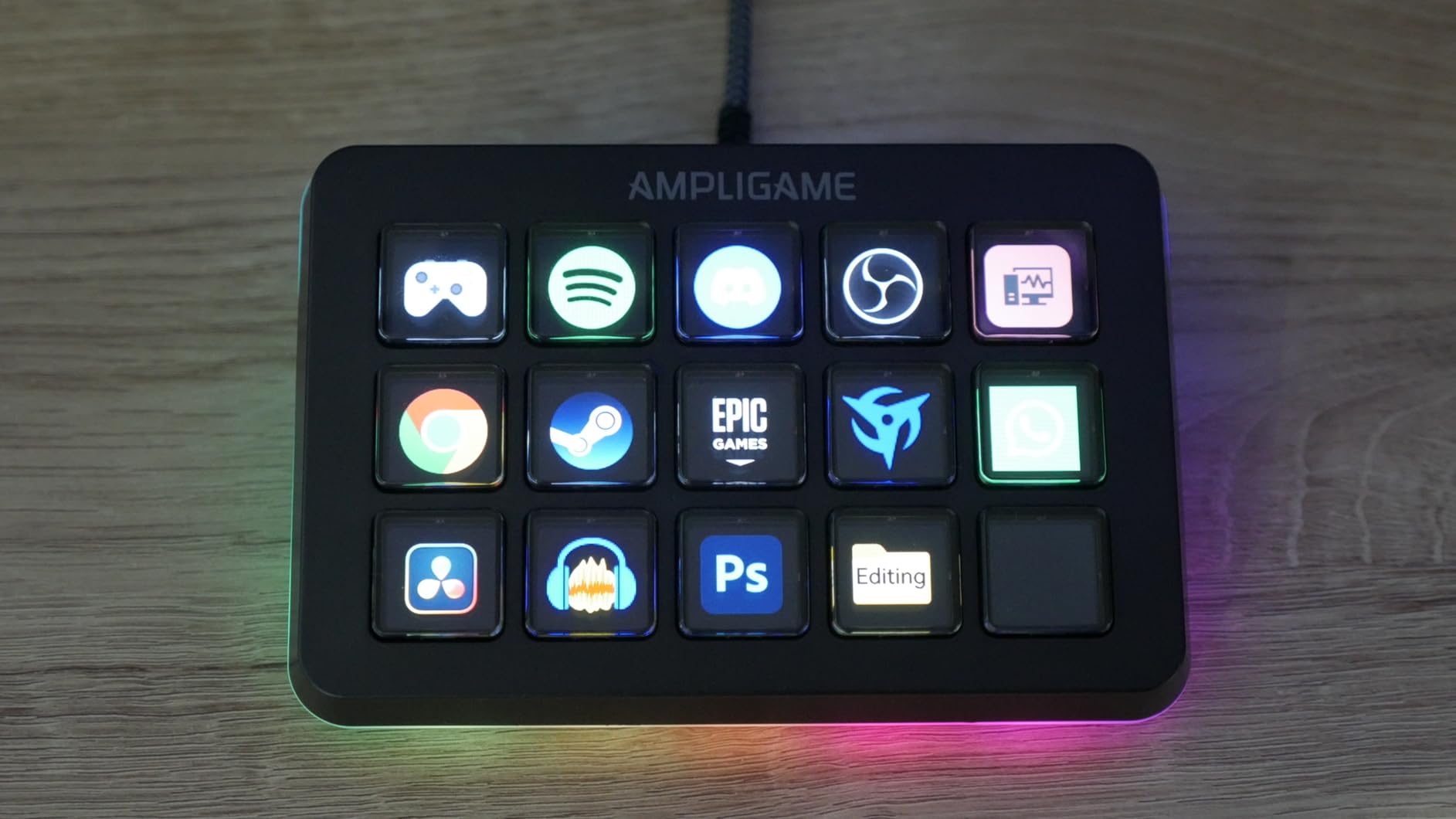
The FIFINE AmpliGame D6 takes a different approach from traditional audio mixers. Instead of handling audio routing, it focuses on triggering actions through 15 customizable macro keys. Each key features a small LCD screen that displays custom icons, making it easy to identify your sound effects and commands at a glance.
Setting up the D6 with OBS Studio took me about ten minutes. The drag-and-drop plugin support means you can assign complex multi-step actions to single button presses. I configured one button to play a sound effect, switch scenes, and post a chat message simultaneously. This kind of automation saves precious seconds during live streams.
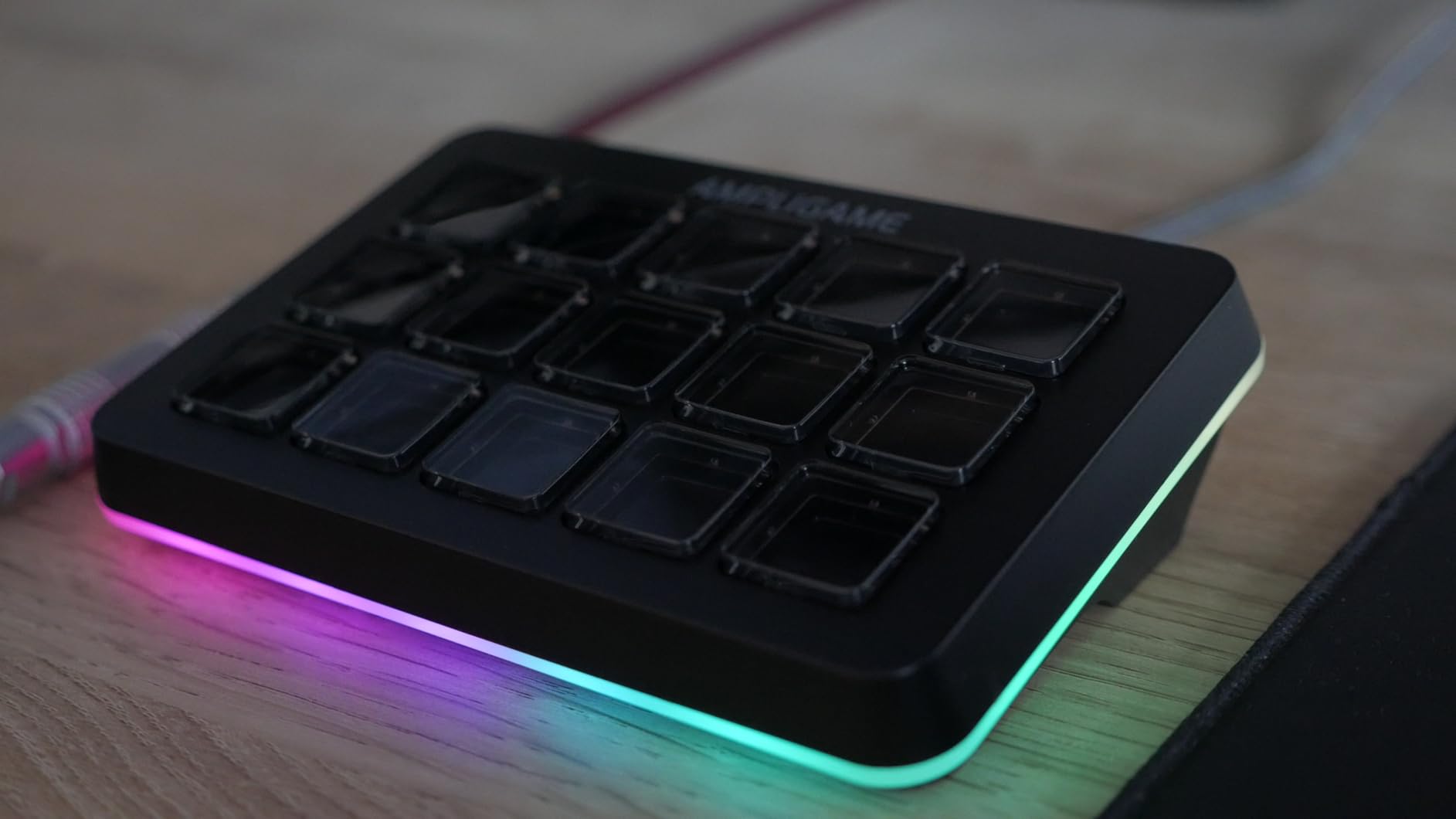
The nine RGB lighting modes let you match the controller to your existing setup. I prefer the static color mode for a cleaner look, but the reactive modes that respond to button presses add visual excitement. The solid build quality with good weight keeps the unit from sliding around during intense gaming sessions.
Multiple profile folders allow you to create different button layouts for various applications. I have separate profiles for streaming, video editing, and general productivity. The controller automatically detects when you switch between compatible applications, though there is a slight delay during transitions.
Perfect For
Streamers who want a Stream Deck alternative without the premium price tag will find excellent value here. Content creators who need physical buttons for triggering sounds, scenes, and commands should consider this option. Gamers who also use their PC for video editing or music production benefit from the multi-application profiles.
Not Ideal For
Those wanting seamless boot-up reliability may be annoyed by occasional icon loading issues. Users who prefer tactile button feedback might find the slightly clunky feel disappointing. Anyone needing instant screen transitions should be aware of the brief delay between profile switches.
6. FIFINE AmpliGame SC8 Gaming Mixer – Best for 7.1 Surround Sound
Fifine Gaming Mixer for Voice Chat and Streaming- 7.1ch Surround Sound Headphone Amp-XLR Preamp-USB Plug & Play-Voice Changer-RGB-Volume Control-3 EQ Modes Ampligame SC8
7.1 Surround Sound
48V Phantom Power
8 Voice Changer
3 EQ Modes
Game/Chat Balance
+ The Good
- Virtual 7.1 surround sound with 3 EQ presets
- Excellent XLR preamp with 48V phantom power
- Game/Chat balance dial for squad coordination
- Real-time mic monitoring
- The Bad
- NOT compatible with USB microphones
- XLR cable is NOT included
- Voice changer may not work for some users
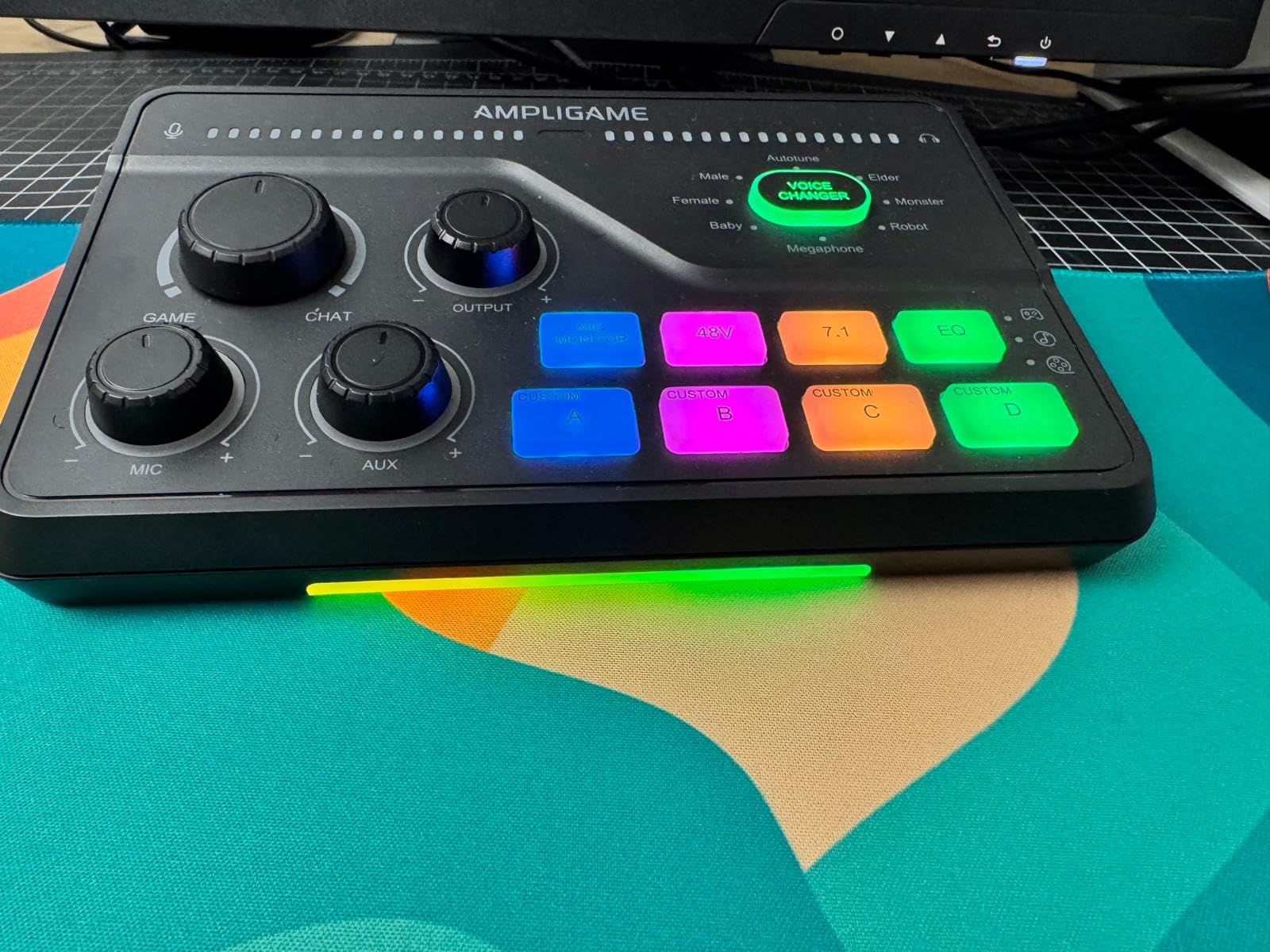
The FIFINE SC8 sits at the premium end of their gaming mixer lineup, and the features justify the positioning. Virtual 7.1 surround sound through headphones creates an immersive gaming experience. Three EQ presets optimized for game, music, and movie modes let you quickly switch audio profiles based on your activity.
The game/chat balance dial might be my favorite feature on this unit. During multiplayer sessions, I can instantly adjust the ratio between game audio and voice chat without pausing. This matters tremendously in competitive games where clear communication with teammates is essential. The dial has a satisfying resistance that makes precise adjustments easy.
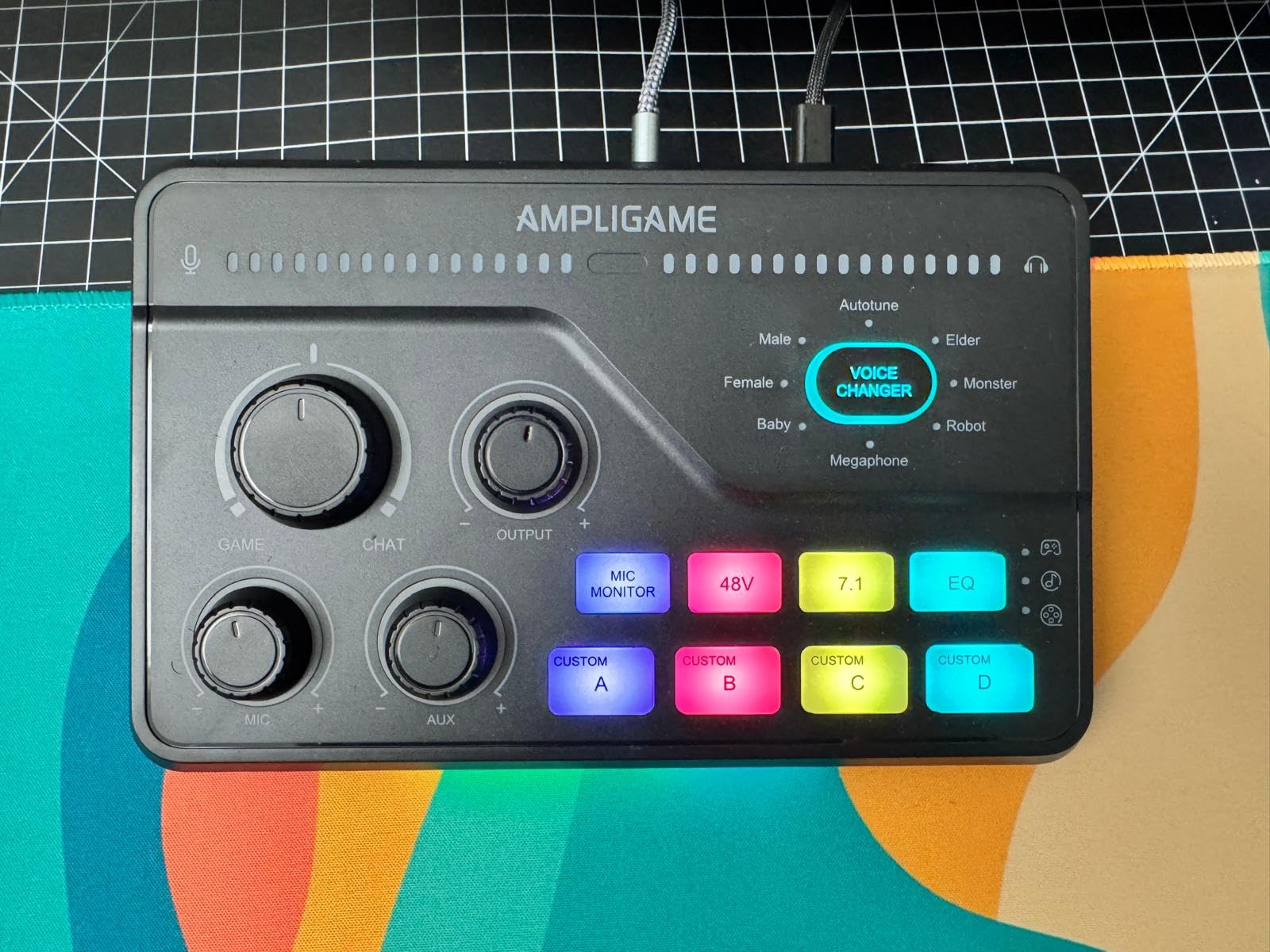
XLR support with 48V phantom power handles both dynamic and condenser microphones. The preamp supports high-sensitivity mics up to -50dB gain, which covers most professional options. I tested it with several microphones and achieved clean, professional-sounding results across the board. The 75dB signal-to-noise ratio keeps unwanted hiss to a minimum.
Eight voice changer options provide variety for entertainment streaming. Four customizable buttons let you load your own audio clips for quick access. The RGB lighting ties everything together visually, creating a streaming-ready aesthetic that looks professional on camera.
Perfect For
Competitive gamers who need precise game/chat audio balance will find the dedicated dial invaluable. Streamers who prioritize immersive headphone audio should consider the 7.1 surround capabilities. Content creators using XLR microphones will appreciate the robust preamp quality.
Not Ideal For
USB microphone users should look elsewhere since this mixer only supports XLR connections. Those who need an included XLR cable will need to purchase one separately. Anyone experiencing voice changer issues should verify their specific setup configuration before relying on this feature.
7. FIFINE AmpliGame SC3W Audio Mixer – Best White Design for Streamers
FIFINE Audio Mixer, Gaming Streaming PC Mixer with Slider Fader, XLR Microphone Interface, Monitoring, for Video/Game Voice/Podcast Recording-AmpliGame SC3W
4-Channel Design
XLR Interface
48V Phantom
Push Faders
RGB Lighting
+ The Good
- 4-Channel Design with individual control
- Real-time monitoring without latency
- Easy plug-and-play setup
- Great value for budget-conscious streamers
- The Bad
- Customizable pads have low recording quality
- RGB only rotates through preset colors
- Limited features compared to premium mixers
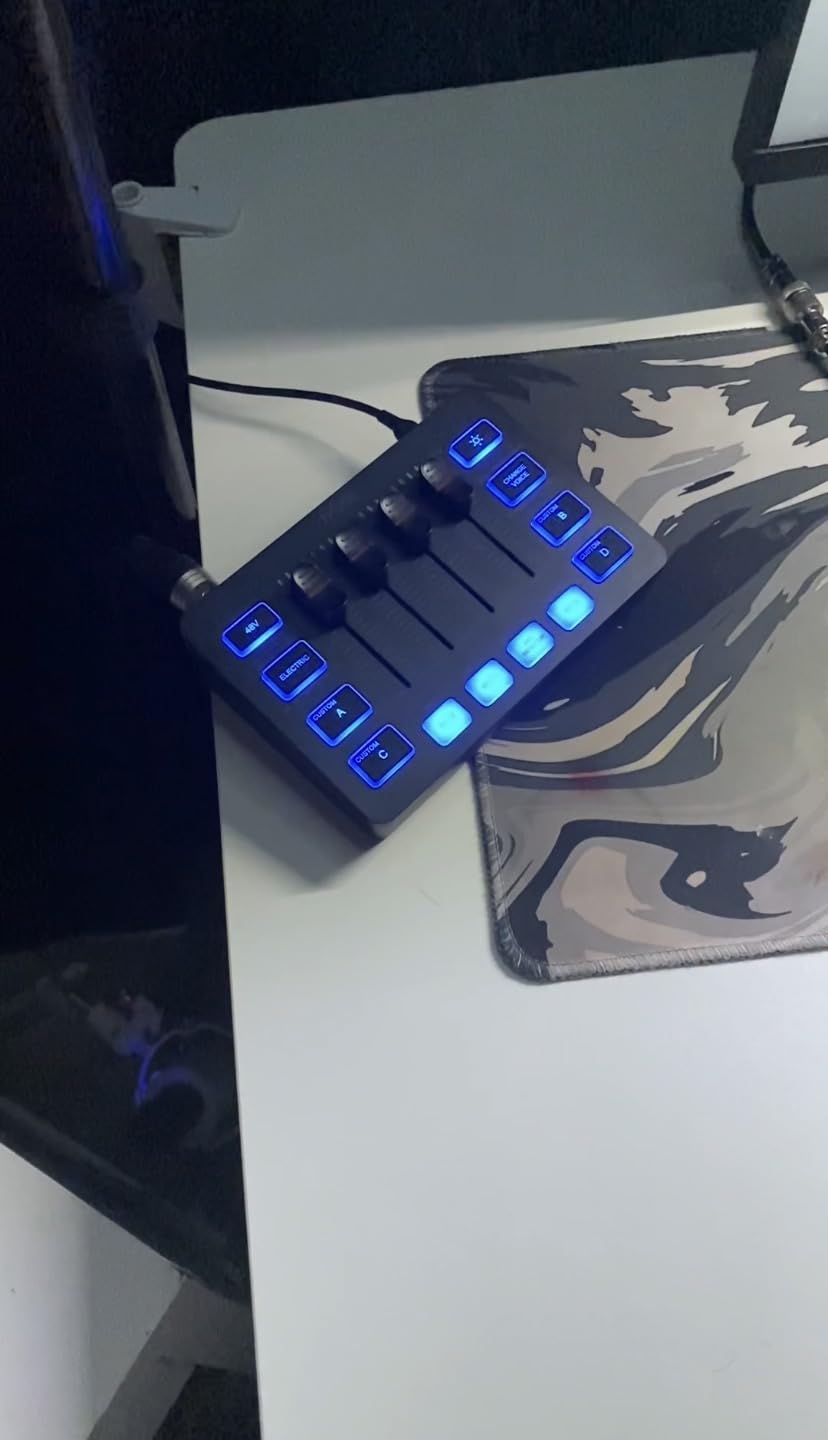
The SC3W is essentially the white version of FIFINE’s popular SC3 mixer, and sometimes aesthetics matter. My streaming setup features white peripherals and RGB lighting, so this mixer fit perfectly. Beyond the color difference, you get the same reliable 4-channel design with XLR microphone interface and 48V phantom power.
Individual volume faders for each channel give you precise control over your audio mix. The push-style faders feel smooth and responsive, making real-time adjustments during streams intuitive. Each channel includes its own mute button, which I use constantly for quick silence when needed.
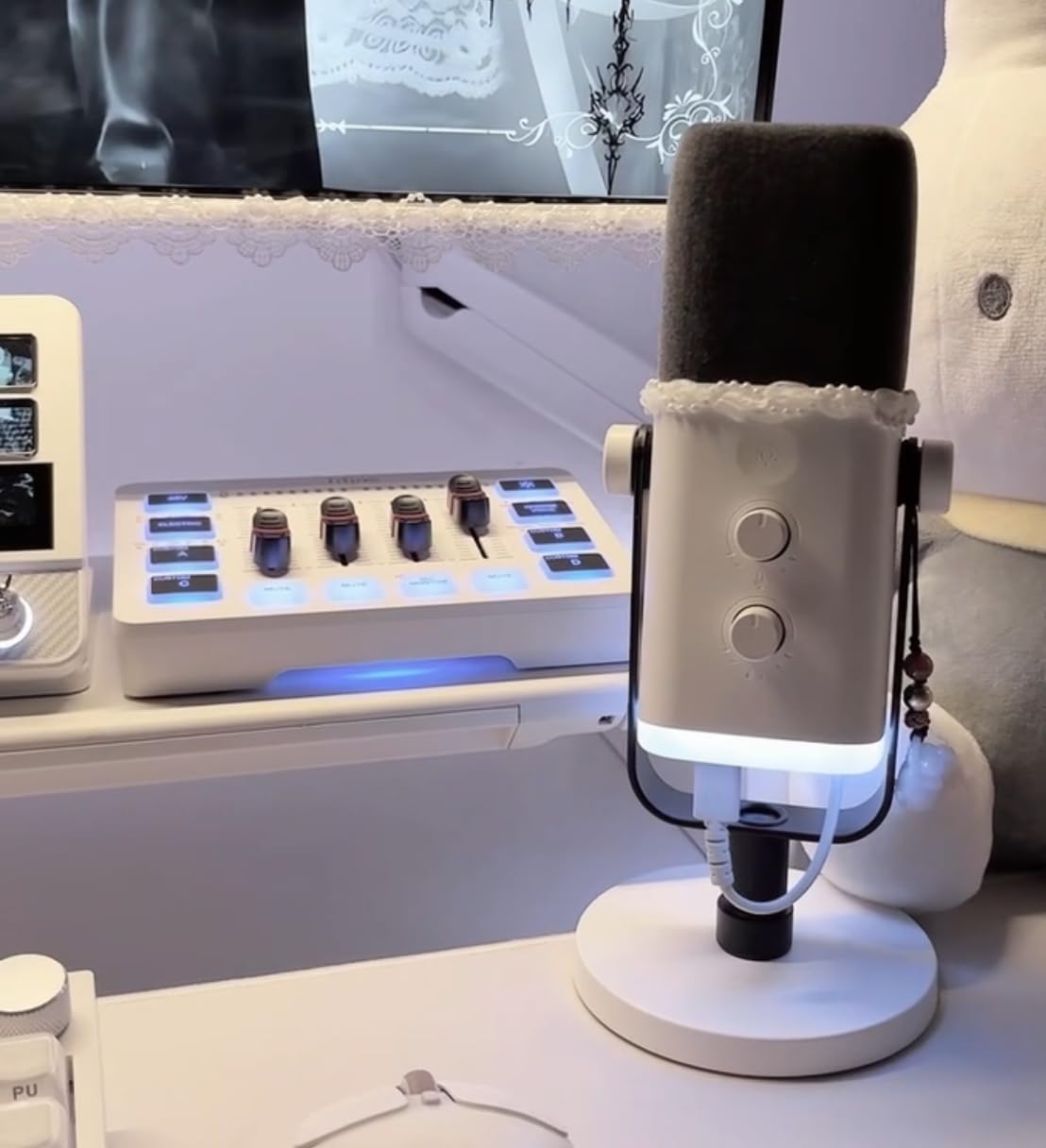
Real-time monitoring with zero noticeable latency means you hear yourself exactly when you speak. This eliminates the distracting echo effect that some cheaper mixers introduce. The monitoring volume has its own dedicated control, separate from your main output level.
Voice change effects and customized sound buttons add entertainment value to streams. The RGB lighting creates atmosphere, though it only rotates through preset colors rather than offering full customization. For the price point, this represents excellent value for streamers building their first serious audio setup.
Perfect For
Streamers with white-themed setups will appreciate the cohesive aesthetic. Budget-conscious content creators wanting reliable XLR support should consider this option. Beginners who need an easy plug-and-play solution will find the setup straightforward.
Not Ideal For
Those wanting fully customizable RGB lighting will find the preset-only options limiting. Users who need high-quality custom sound samples should be aware of the lower recording quality. Professionals requiring advanced features found in premium mixers may find this too basic.
8. VSDINSIDE Macro Keypad M18 – Best 18-Key Programmable Controller
VSDINSIDE Macro Keypad, Stream Controller Deck Gaming Streaming Shortcut Keyboard, 18 Programmable Keys Customizable Visual AI Pad USB Soundboard for OBS, YouTube, Desk Office Setup, Laptop, PC, Mac
18 Programmable Keys
15 LCD Screens
Auto Profile Switch
RGB Ring
Cross-Platform
+ The Good
- 18 keys with 15 visual LCD screens
- Customizable images and animations
- Automatic profile switching
- Cross-platform compatibility
- The Bad
- RGB ring cannot be turned off
- Software registration may have issues
- Configuration export can be difficult
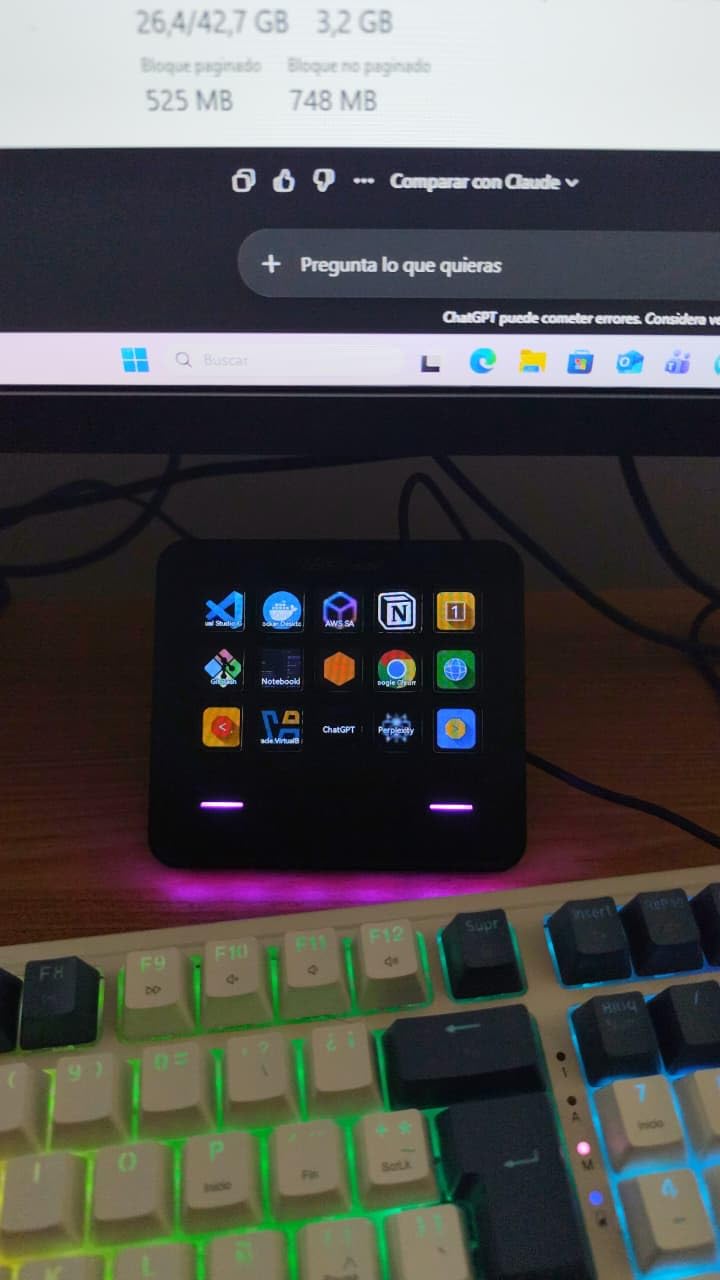
The VSDINSIDE M18 offers the most programmable keys among the controllers I tested. Eighteen total keys include fifteen with LCD screens and three standard buttons. This gives you more triggers than most stream decks at a fraction of the cost. The visual feedback from the LCD screens helps you identify each button’s function instantly.
Customization extends to images and animations displayed on each key. You can load JPG, PNG, and even GIF files to create dynamic button displays. I created custom animated icons for my most-used sound effects, which adds personality to my streaming setup. The intuitive drag-and-drop software makes configuration straightforward once you get it running.
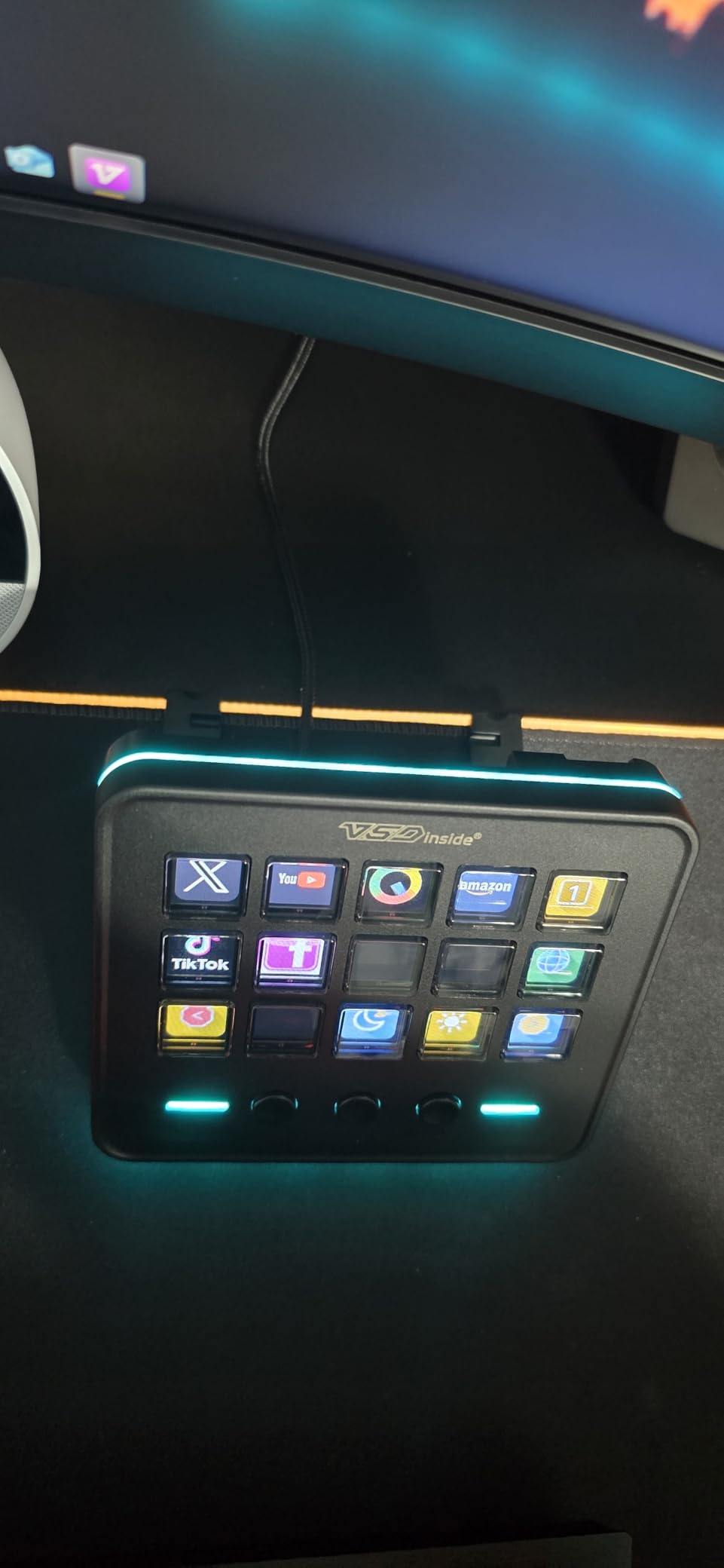
Automatic profile switching based on the active application is a standout feature. When I switch from OBS to my video editor, the keypad automatically loads my editing profile. This seamless transition saves time and mental energy during content creation workflows. The unit feels substantial with a heavy, sturdy build quality.
Cross-platform compatibility covers Windows 11 and macOS 14.0 or later. The USB-C connection provides reliable data transfer without dongles or adapters. Included plugins for schedule reminders, clock, stopwatch, weather, and calendar add productivity features beyond streaming.
Perfect For
Power users who need many programmable buttons will appreciate the 18-key layout. Content creators who work across multiple applications benefit from automatic profile switching. Those wanting visual customization through images and animations will enjoy the LCD capabilities.
Not Ideal For
Users sensitive to always-on RGB lighting should note the ring cannot be disabled. Those who need reliable configuration export between machines may encounter difficulties. Anyone wanting seamless software registration should be prepared for potential setup hurdles.
Buying Guide: How to Choose a USB Soundboard Controller?
Choosing the right soundboard controller depends on your specific streaming or gaming needs. Understanding the key features and how they apply to your situation helps narrow down the options. Whether you are just starting out or upgrading an existing setup, these factors should guide your decision.
What Is a USB Soundboard Controller?
A USB soundboard controller is a hardware device that lets you trigger sound effects, manage audio levels, and control streaming functions with physical buttons or faders. Unlike software-only solutions that require keyboard shortcuts, hardware controllers provide tactile feedback and visual organization. They connect via USB and integrate with streaming software like OBS, Streamlabs, Discord, and Twitch.
Audio Mixer vs Macro Controller
Audio mixers handle actual audio routing and processing. They accept microphone inputs, provide phantom power for condenser mics, and let you balance multiple audio sources. If you need professional microphone quality and real-time audio control, an audio mixer is the right choice.
Macro controllers focus on triggering actions rather than processing audio. They excel at playing sound effects, switching scenes, and executing complex commands with single button presses. If your microphone setup already works well and you just want sound effect buttons, a macro controller suits your needs.
XLR Input and Phantom Power
XLR inputs accept professional microphones that deliver superior audio quality compared to USB options. If you own or plan to buy an XLR microphone, ensure your mixer has this connection type. Phantom power (48V) is required for condenser microphones, which are popular for streaming due to their sensitivity and clarity.
USB microphones connect directly to your computer and bypass mixer inputs entirely. If you currently use a USB microphone and have no plans to upgrade, you do not need XLR inputs. However, most serious streamers eventually transition to XLR setups for the improved audio quality and flexibility.
Number of Programmable Buttons
Consider how many sound effects and commands you actually need. Basic streamers might only need 4-8 buttons for essential sounds. Advanced users with complex setups may require 15 or more triggers. The VSDINSIDE M18 offers 18 keys, while the FIFINE AmpliGame D6 provides 15 LCD keys for visual organization.
Also consider whether you need multiple profiles. Some controllers let you create different button layouts for various games or streaming scenarios. Automatic profile switching based on active applications adds convenience for power users.
Software Integration
Compatibility with your existing software matters tremendously. All the controllers in this guide work with OBS Studio, which is the most popular streaming software. Discord integration lets you route sound effects directly to voice chat. Twitch and YouTube integration enables channel-specific features like alert management.
Check whether the controller requires proprietary software or works with standard protocols. Proprietary software may offer more features but creates dependency on manufacturer support. Standard protocols provide broader compatibility but might lack advanced customization options.
Console Compatibility
Many gamers want soundboard functionality on PlayStation, Xbox, or Nintendo Switch. Most audio mixers in this guide support console connections through auxiliary inputs and outputs. The MAONO G1 NEO specifically lists PS4 and PS5 compatibility. However, macro controllers typically only work with PC and Mac since they require software drivers.
Budget Considerations
Soundboard controllers range from around $30 for basic units to over $200 for professional streaming decks. Budget options like the Facmogu F998 provide essential features for beginners. Mid-range choices like the FIFINE SC3 and MAONO G1 NEO offer professional XLR support without premium pricing. Consider your long-term needs when deciding how much to invest.
If you are playing multiplayer team games with friends, voice chat quality matters. A good audio mixer ensures your teammates hear you clearly while you trigger entertaining sound effects at the right moments.
Frequently Asked Questions
What do streamers use for soundboards?
Streamers use both hardware and software solutions for soundboards. Popular hardware options include Elgato Stream Deck, FIFINE AmpliGame controllers, and audio mixers with built-in sound pads like the MAONO G1 NEO. Software solutions like Voicemod and OBS plugins offer similar functionality without dedicated hardware. Most professional streamers prefer hardware controllers for their tactile feedback and reliability during live broadcasts.
Are USB soundcards good for gaming?
USB soundcards and audio interfaces are excellent for gaming when you need better audio quality than your motherboard provides. They offer cleaner audio signals, lower noise floors, and often include features like 7.1 surround sound and dedicated headphone amplifiers. For competitive gaming where audio precision matters, a quality USB audio interface can provide a noticeable advantage.
What is the best audio mixer for gaming?
The best audio mixer for gaming depends on your specific needs. The FIFINE AmpliGame SC3 offers excellent value with XLR support and 4-channel control. For surround sound enthusiasts, the FIFINE SC8 provides virtual 7.1 audio with game/chat balance control. Budget-conscious gamers should consider the Facmogu F998 for its portability and built-in battery.
What is the best USB audio interface?
The best USB audio interface for gaming and streaming combines clean preamps, low latency, and software compatibility. The FIFINE SC8 offers 48V phantom power, 75dB signal-to-noise ratio, and virtual 7.1 surround sound. For pure streaming control without audio processing, macro controllers like the FIFINE D6 or VSDINSIDE M18 provide excellent programmable button options.
Can I use a soundboard with console gaming?
Yes, many audio mixers work with consoles like PS5, PS4, and Nintendo Switch. The MAONO G1 NEO and several FIFINE models support console connectivity through auxiliary connections. You connect the mixer between your console and headset, allowing you to add sound effects and voice processing to your console gaming sessions. However, macro controllers typically only work with PC and Mac.
Conclusion
Finding the best USB soundboard controllers for gaming sound effects comes down to matching features with your specific needs. The FIFINE AmpliGame SC3 remains my top recommendation for most streamers because it combines professional XLR support, four-channel control, and entertainment features at an accessible price point. For those who prioritize macro keys over audio processing, the FIFINE D6 Stream Controller offers excellent value with 15 programmable LCD keys.
Budget-conscious creators should consider the Facmogu F998 for its portability and battery operation, while competitive gamers benefit from the FIFINE SC8’s game/chat balance dial and surround sound. Whatever your choice, a good soundboard controller transforms ordinary streams into engaging experiences that viewers remember. If you enjoy playing co-op games with friends, adding sound effects to your sessions makes the experience even more entertaining for everyone involved.