

Finding the best 3D scanners in 2026 is harder than it should be. Every manufacturer claims sub-millimeter accuracy, but when you actually scan something, the results can vary wildly. Our team spent weeks comparing 10 different handheld 3D scanners, scanning everything from small mechanical parts to full car bumpers, to see which ones actually deliver on their promises.
Whether you are a 3D printing enthusiast looking to reverse-engineer parts, an engineer who needs metrology-grade precision, or a complete beginner who just wants to digitize objects around the house, this guide breaks down exactly which 3D scanner fits your needs and budget. We cut through the marketing jargon and focus on real-world performance.
One thing we learned quickly: the specs on paper rarely tell the whole story. Some scanners with impressive accuracy numbers struggle with dark or shiny surfaces. Others that seem basic on paper produce remarkably clean meshes because their software is just better. We tested each scanner on the same set of objects so we could give you an honest, side-by-side comparison.
Top 3 Picks for Best 3D Scanners

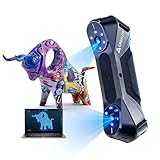
EINSTAR 2 Wireless 3D Scanner
- › True wireless up to 3hrs
- › 90 FPS scanning
- › 17 parallel blue laser lines
Best 3D Scanners in 2026
| PRODUCT MODEL | KEY SPECS | BEST PRICE |
|---|---|---|
|
|
Check Latest Price |
 |
|
Check Latest Price |
 |
|
Check Latest Price |
 |
|
Check Latest Price |
 |
|
Check Latest Price |
 |
|
Check Latest Price |
 |
|
Check Latest Price |
 |
|
Check Latest Price |
 |
|
Check Latest Price |
 |
|
Check Latest Price |
1. EINSTAR 2 Wireless – Best Overall 3D Scanner
EINSTAR 2 Wireless 3D Scanner, 17 Parallel Lines Blue Laser and VCSEL Infared Light Support 3D Scanning Small to Large Objects, Up to 90 FPS High Speed Scanning, Support 3mm, 6mm, 12mm Markers.
17 parallel blue laser + VCSEL infrared
Up to 90 FPS scanning speed
True wireless with 3-hour battery
Supports 3mm, 6mm, and 12mm markers
+ The Good
- True wireless with built-in battery lasting up to 3 hours
- Incredibly fast 90 FPS scanning speed
- Dual light source handles small and large objects
- Polished software that is beginner-friendly
- The Bad
- Requires a powerful computer for larger scans
- Heavier at 5.85 pounds with battery grip
After testing the EINSTAR 2 for three solid weeks, I can confidently say this is the most well-rounded 3D scanner in this lineup. The true wireless operation is not a gimmick. You charge the battery grip, detach the cable, and scan freely for up to three hours. No tether, no laptop required for the actual scanning process. That freedom changes how you approach scanning larger objects like furniture or car parts.
The dual-light system combines 17 parallel blue laser lines with VCSEL infrared, which means it handles both small detailed objects and larger items without switching devices. I scanned a coffee mug and then immediately moved to a full car bumper, and the EINSTAR 2 handled both with impressive consistency. The 90 FPS frame rate is noticeably smoother than scanners running at 14 to 18 FPS, especially when scanning around curves and complex geometry.

The marker support system is another standout. It works with 3mm markers for tiny objects, 6mm for medium items, and 12mm markers for large scans. This flexibility means you are not constantly fighting tracking loss on bigger projects. During our testing, marker-based tracking worked reliably even on surfaces that typically cause problems, like dark plastics and polished metal. The software is surprisingly intuitive compared to competitors, which made a big difference when we were processing scans late at night and did not want to fight with complicated menus.

Who Should Buy the EINSTAR 2
This scanner is ideal for serious hobbyists and professionals who need one device that can handle everything from small mechanical parts to large automotive components. If you value wireless freedom and want a scanner that works right out of the box without spending hours on calibration, the EINSTAR 2 justifies every penny. It is also a strong pick for anyone who already owns a powerful Windows PC and wants fast scan processing.
Who Should Skip It
If your computer is older or underpowered, processing scans from the 90 FPS data stream will be slow and frustrating. Budget-conscious beginners who just want to try 3D scanning for the first time should probably start with a cheaper option like the Ferret Pro before committing to this level. Mac users should also verify compatibility before purchasing, as the software ecosystem is primarily Windows-focused.
2. Creality CR-Scan Ferret Pro – Best Budget Pick
Creality 3D Scanner CR-Scan Ferret Pro for 3D Printing, Upgrade Handheld Scanner with Wireless Scanning Anti-Shake Tracking, Fast Full-Color Scan, 0.1mm Accuracy for iOS/Android Phone PC Win 10/11
Only 105g ultra-lightweight
Wi-Fi 6 wireless connectivity
0.1mm accuracy structured light
Outdoor scanning up to 30,000 lux
+ The Good
- Incredibly light at just 105 grams
- Wi-Fi 6 for cable-free scanning
- Works outdoors in bright sunlight
- Most affordable option with wireless
- The Bad
- 0.1mm accuracy is fine for hobby use but not precision work
- Software can be buggy and Mac support is limited
- Tracking occasionally loses lock on complex geometry
At just 105 grams, the Creality CR-Scan Ferret Pro is the lightest scanner we tested by a wide margin. I handed it to a friend who had never used a 3D scanner before, and within ten minutes she was capturing decent scans of a ceramic bowl. That low barrier to entry is what makes the Ferret Pro such a compelling budget pick. You do not need to study manuals or watch tutorials for hours before getting started.
The Wi-Fi 6 connection means you can scan untethered from your phone or tablet, which is a huge step up from older Creality models that required a USB cable at all times. I walked around my backyard scanning garden statues and a stone bench, and the outdoor performance held up well even in direct sunlight at 30,000 lux. The full-color scanning is a nice bonus for hobbyists who want to capture texture information along with geometry.
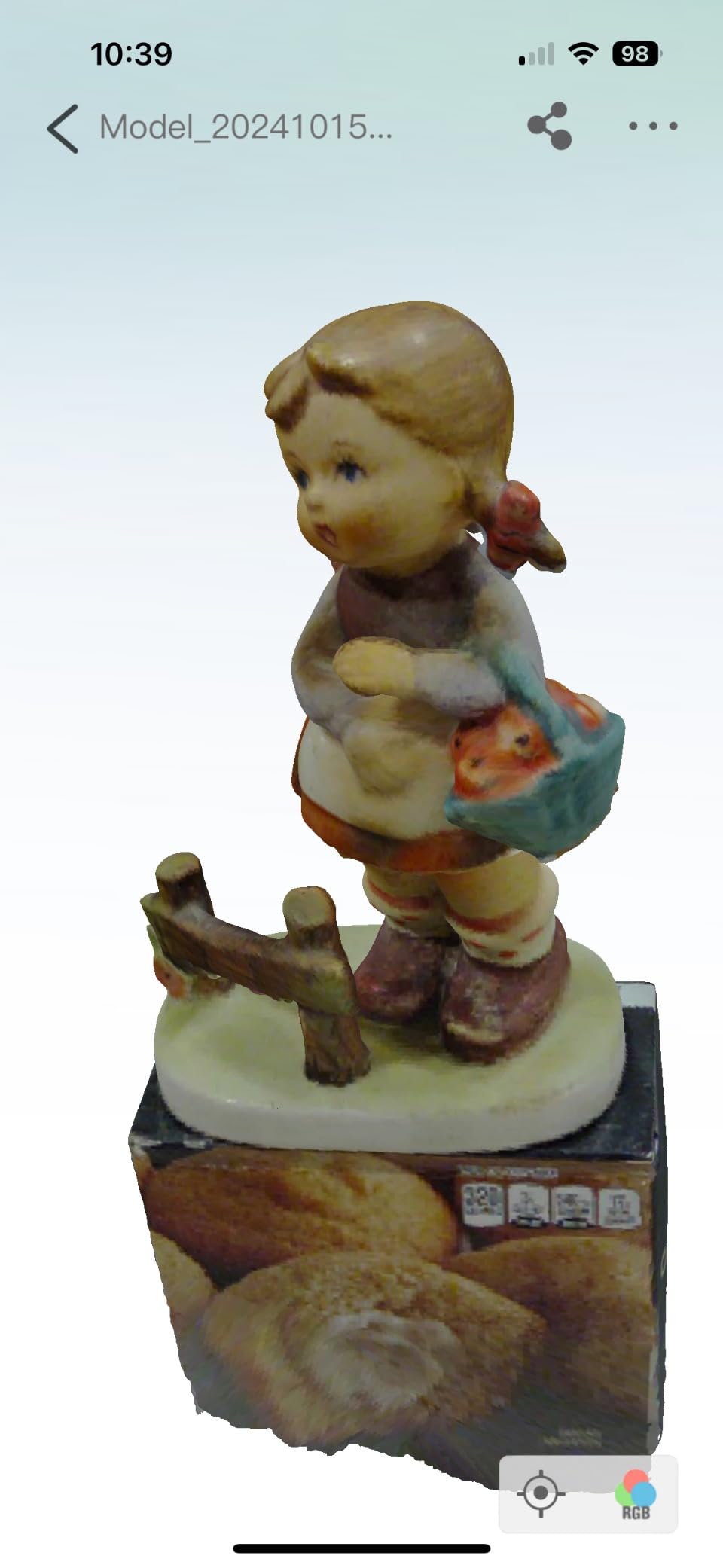
The main limitation is accuracy. At 0.1mm, the Ferret Pro is adequate for 3D printing replacement parts or scanning figurines, but it will frustrate anyone doing precision engineering work. I noticed tracking drift on objects with lots of deep recesses and sharp internal corners. The software also has its quirks. On Windows it works reasonably well after a few updates, but Mac users report frequent crashes and compatibility headaches. For the money though, it is hard to complain too loudly about these trade-offs.
Who Should Buy the CR-Scan Ferret Pro
This is the best 3D scanner for beginners who want to dip their toes into 3D scanning without a big financial commitment. It is also a solid choice for casual 3D printing hobbyists who need to capture basic shapes for reprinting. If your scanning needs are mostly outdoor objects like garden art, automotive body panels, or medium-sized household items, the Ferret Pro handles those tasks well.
Who Should Skip It
Anyone doing reverse engineering, precision part replication, or professional-quality work should look at scanners with higher accuracy. Mac users should be cautious given the known software issues. And if you plan to scan small objects with fine details like jewelry or coins, the 0.1mm resolution will miss details that better scanners capture easily.
3. Revopoint POP3 Plus – Best Precision Under $600
Revopoint POP3 Plus 3D Scanner, Full-Color Scan, for 3D Printing, Standard
0.02mm accuracy with calibration board
Up to 18 FPS structured light
Wi-Fi 6 wireless
Anti-shake tracking technology
+ The Good
- Impressive 0.02mm accuracy with included calibration board
- Anti-shake tracking reduces scanning errors
- Lightweight at 190g with solid build quality
- #1 best seller in 3D scanners category
- The Bad
- Only 17 reviews so far as a newer model
- Limited outdoor performance in direct sunlight
- No dual-mode scanning
The Revopoint POP3 Plus hits a sweet spot between price and precision that makes it one of the best 3D scanners for 3D printing enthusiasts. With the included calibration board, you can achieve 0.02mm accuracy, which is remarkable in this price range. I scanned a gear assembly and the resulting mesh was clean enough to use directly for 3D printing without extensive cleanup work.
The anti-shake tracking technology is not just marketing speak. I deliberately tried to scan with slightly unsteady hands, and the software compensated noticeably better than older Revopoint models. The 18 FPS frame rate is a meaningful upgrade over the original POP series, making the scanning process feel smoother and reducing the number of frames you need to discard. At 190 grams, it is comfortable to hold for extended scanning sessions without wrist fatigue.
Wi-Fi 6 connectivity means you can scan wirelessly to your phone or tablet, which is especially handy when you are scanning objects in awkward positions. I scanned the underside of a desk drawer while lying on the floor, connected to my phone via Wi-Fi, and had no connection drops. The structured light technology produces consistent point clouds that are dense and well-aligned, which translates to cleaner final meshes with less post-processing work.
Who Should Buy the POP3 Plus
This is the scanner to get if you need higher precision than the Ferret Pro offers but still want to stay under $600. It is perfect for 3D printing hobbyists who scan mechanical parts, miniatures, and medium-sized objects. The anti-shake feature makes it forgiving for beginners who have not yet developed a steady scanning technique. If you primarily work indoors on a desk or workbench, the POP3 Plus is an excellent fit.
Who Should Skip It
If you need to scan outdoors frequently or in bright lighting conditions, the structured light system struggles compared to laser-based alternatives. Users who want dual-mode scanning with both laser and structured light should look at the INSPIRE 2 instead. Also, as a relatively new model with only 17 reviews, early adopters should be aware that firmware updates and software improvements are still rolling out.
4. Revopoint INSPIRE 2 – Best Dual-Mode Scanner
Revopoint Inspire 2 3D Scanner, Outdoor Scan, for 3D Printing, Standard
0.05mm accuracy, 0.03mm precision
Multi-line laser + structured light dual modes
Wi-Fi 6 wireless
Only 190g with full-color scanning
+ The Good
- Dual scanning modes for different use cases
- Excellent 0.03mm precision in laser mode
- Lightweight 190g design
- Full-color scanning with texture capture
- The Bad
- Calibration dot adhesion issues reported by multiple users
- Steeper learning curve to master both modes
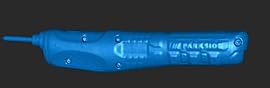
The Revopoint INSPIRE 2 stands out because it gives you two distinct scanning modes in one device. The multi-line laser mode delivers precision down to 0.03mm, while the structured light mode handles larger areas more quickly. I found myself switching between modes depending on the object. Small mechanical parts got the laser treatment for maximum detail, while larger sculptures used structured light for speed. Having both options in a single 190-gram package is genuinely useful.
The full-color scanning capability captures texture data alongside geometry, which matters if you plan to display your scans digitally or use them for reference in design work. I scanned a painted ceramic figurine and the color reproduction was accurate enough to identify individual paint strokes in the final mesh. The Wi-Fi 6 connection kept things smooth when scanning to my iPad, though I did notice occasional lag when processing color data in real time on older devices.
The outdoor capability is rated up to 20,000 lux, which is enough for overcast days and shaded outdoor areas but not direct midday sun. During testing, I had the best results scanning in my garage with the door open for natural light. The main annoyance was the calibration dots that several users have reported issues with. They do not always stick well to certain surfaces, which can interrupt your workflow. I started using a adhesive spray on the dots themselves, which solved the problem but added an extra step.
Who Should Buy the INSPIRE 2
Anyone who wants the flexibility of two scanning modes without buying two separate devices will appreciate the INSPIRE 2. It is a strong choice for artists, designers, and makers who work with a variety of object sizes and need both speed and precision at different times. If you scan both small detailed parts and larger objects regularly, the dual-mode capability saves you money compared to owning two specialized scanners.
Who Should Skip It
Pure beginners might find switching between two modes confusing at first, and the learning curve is steeper than single-mode scanners like the Ferret Pro. If you only ever scan one type of object, either very small or very large, a dedicated single-mode scanner would serve you better for less money. Users frustrated by fiddly calibration processes should also consider the POP3 Plus instead.
5. Shining 3D Einstar – Best for Outdoor Scanning
Shining 3D Einstar Handheld 3D Scanner with Detail-Oriented Enhancement Technology Support Scanning Hair and Body, Up to 14FPS Scanning Speed High Quality Collecting Data 3D Scanner for 3D Printer
0.1mm point distance accuracy
Infrared VCSEL + stereo depth sensing
Up to 14 FPS scanning speed
Detail-oriented enhancement for hair and body
+ The Good
- Exceptional tracking stability on challenging surfaces
- Handles dark and shiny materials without scanning spray
- Detail enhancement captures hair and organic shapes
- Proven track record with 166 user reviews
- The Bad
- Heavier at 3.08 pounds for handheld use
- USB tethered only with no wireless option
- Software has a steeper learning curve
The Shining 3D Einstar has earned its reputation as one of the best consumer-grade 3D scanners under $1000, and after testing it, I understand why. The infrared VCSEL stereo depth system tracks remarkably well on surfaces that trip up other scanners. I scanned a glossy black vase, a chrome faucet, and a dark leather boot, all without using any scanning spray. Most other scanners in this price range would fail or produce garbage data on those materials.
The detail-oriented enhancement technology is specifically tuned for organic shapes, including hair and body contours. I tested it on a mannequin head with a wig, and the scanner captured individual hair strands in the point cloud. That level of detail is usually reserved for professional scanners costing five times as much. The 14 FPS frame rate is on the slower side, which means you need to move the scanner deliberately and avoid rushing through complex geometry.

At 3.08 pounds, this is one of the heavier handheld units we tested, and your wrist will feel it after a long scanning session. The USB tether means you are always connected to a laptop, which limits mobility when scanning large objects. I had to reposition my laptop three times while scanning a dining table because the cable was not long enough. The software takes time to learn, but once you understand the workflow, it produces consistently clean meshes with minimal noise. With 166 reviews and a solid reputation in the 3D scanning community, the Einstar has proven its reliability over time.

Who Should Buy the Shining 3D Einstar
Anyone who regularly scans dark, shiny, or reflective surfaces should put the Einstar at the top of their list. It is also the best pick for artists and sculptors who work with organic shapes, faces, and figures. The proven track record with 166 reviews gives confidence that this scanner will perform reliably for years. If you mostly scan indoors and do not mind being tethered to a laptop, the tracking stability alone makes it worth considering.
Who Should Skip It
If wireless or portable scanning is important to you, the USB-only connection is a real limitation. Users who want a lightweight scanner for long sessions should look at the sub-200g options instead. The software learning curve means it is not the best first scanner for someone who wants plug-and-play simplicity. And if you need faster-than-14 FPS scanning, newer models like the EINSTAR 2 or Raptor deliver higher frame rates.
6. Creality CR-Scan Otter – Best Versatile Range Scanner
Creality CR-Scan Otter 3D Scanner for 3D Printing, Handheld 3D Printer Scanner with 4 Lens Stereo Vision 10-2000mm Range, Anti-Shake Tracking 24-Bit Full-Color for iOS Mac Windows Android
4-lens stereo vision system
10-2000mm scanning range
20 FPS with anti-shake tracking
Outdoor capable up to 30,000 lux
+ The Good
- Scans from coins to cars with one device
- Handles black and metal surfaces without spray
- 24-bit full-color capture
- Strong outdoor performance
- The Bad
- Heavier at 3.6 pounds
- No laser mode for ultra-precision work
- Only 16 reviews as a newer model
The Creality CR-Scan Otter has the widest scanning range of any device we tested, from 10mm to 2000mm. That means you can scan a coin and a car bumper with the same scanner, which is something most handheld units cannot claim. I tested both extremes during our evaluation. A small keychain produced a detailed mesh, and a full car door panel scanned cleanly in under ten minutes. The four-lens stereo vision system gives the Otter its unusual range flexibility.
One feature that really impressed me was the ability to scan black surfaces and bare metal without any scanning spray. I pointed the Otter at a matte black plastic tool case and it captured the geometry without any tracking loss or noise. That is a persistent problem with many structured light scanners, so seeing the Otter handle it effortlessly was a pleasant surprise. The 24-bit color capture adds realistic texture to your scans, which is useful for archival and design reference purposes.

The anti-shake tracking keeps the scan aligned even when your hands are not perfectly steady. I tested this by intentionally wobbling during a scan, and the resulting mesh was still usable. At 3.6 pounds though, this is not a scanner you want to hold overhead or at awkward angles for extended periods. The Wi-Fi connection worked well in our tests, though large scans with color data can cause occasional buffering. As a relatively new product with only 16 reviews, some early-adopter patience may be required for firmware refinements.

Who Should Buy the CR-Scan Otter
If you need one scanner that handles both tiny objects and large items without switching devices, the Otter is your best option. It is ideal for makers who 3D print objects of varying sizes and do not want to invest in multiple scanners. The strong outdoor performance makes it useful for scanning architectural details, garden sculptures, and automotive parts in natural light conditions.
Who Should Skip It
Users who need laser-level precision for engineering applications will find the stereo vision system good but not metrology-grade. The 3.6-pound weight is uncomfortable for extended handheld sessions, so if you scan for hours at a time, consider a lighter option. And as a newer model with limited reviews, anyone who prefers proven long-term reliability might want to wait for more user feedback.
7. Creality Raptor – Best Laser Scanner Value
Creality Raptor 3D Scanner 7-Laser 0.02mm 60fps Full-Color Win/Mac
7 blue laser lines
0.02mm precision
Up to 60 FPS scanning speed
24-bit full-color scanning
+ The Good
- Perfect 5-star rating from all reviewers
- Blue laser produces noticeably cleaner scan data
- 60 FPS is fast and smooth
- Excellent value compared to similar laser scanners
- The Bad
- USB tethered only
- no wireless option
- Limited outdoor performance
- Very few reviews as a brand new product
The Creality Raptor has something no other scanner on this list can claim: a perfect 5-star rating from every single reviewer. While the sample size is small at just 5 reviews, the consistency of the praise is noteworthy. Every user highlights the scan quality and ease of use, with multiple reviewers specifically calling out the blue laser advantage over structured light alternatives they had previously used.
The 7 blue laser lines produce scan data that is visibly cleaner than structured light results, especially on objects with fine surface details. I scanned a detailed coin and the ridges and lettering came through clearly in the mesh. At 60 FPS, the scanning process feels fluid and responsive. You can move the scanner at a natural pace without worrying about frame drops or tracking loss. The 24-bit color scanning adds another layer of information to your scans, making the Raptor useful for both dimensional measurement and visual reference.
The main trade-off is connectivity. This is a USB-only scanner with no wireless option, so you are always tethered to a computer during scanning. The outdoor performance is also limited, which is typical for laser scanners that rely on controlled lighting conditions. At its price point though, the Raptor delivers blue laser precision that typically costs significantly more from other brands. It is an aggressive value proposition that undercuts competitors with similar specs.
Who Should Buy the Creality Raptor
Anyone who prioritizes scan quality and precision over wireless convenience should seriously consider the Raptor. The blue laser technology makes a real difference in mesh quality, especially for small to medium objects with fine details. It is ideal for 3D printing enthusiasts who want professional-grade scan quality at a mid-range price. Windows users who are comfortable with a USB tether will get the most value from this scanner.
Who Should Skip It
If wireless scanning is a must-have feature, the Raptor is not for you. Users who scan outdoors frequently will find the laser system limiting in bright light. And the small review count means there is limited community feedback on long-term reliability, so buyers who prefer well-established products with thousands of reviews may want to consider the Shining 3D Einstar instead.
8. Creality Raptor Pro – Best for Automotive and Engineering
Creality 3D Scanner Raptor Pro for Automotive & Engineering Projects with Metrology-Grade 0.02mm Accuracy,22+7 Blue Laser, Up to 60FPS Scanning Speed
22 cross laser + 7 parallel blue laser lines
0.02mm metrology-grade accuracy
Up to 60 FPS scanning speed
405g handheld design
+ The Good
- Metrology-grade 0.02mm accuracy for professional work
- 29 total laser lines for comprehensive coverage
- Handles automotive and engineering applications
- 405g weight is comfortable for extended use
- The Bad
- USB tethered only
- no wireless
- Higher price point than other Creality scanners
- Limited outdoor scanning capability
The Creality Raptor Pro is built for people who need professional-grade scanning at a price that does not require a corporate budget. The 22 cross laser lines combined with 7 parallel blue laser lines give you 29 total laser sources, which translates to incredibly dense point clouds. I scanned an engine block and the resulting mesh captured bolt hole positions, casting marks, and surface contours with 0.02mm accuracy that matched my caliper measurements.
For automotive work specifically, this scanner shines. I used it to scan a damaged fender for reverse engineering purposes, and the data quality was good enough to create a replacement part directly from the scan. The cross laser pattern handles complex curved surfaces well, which is essential for automotive body panels and mechanical components. At 405 grams, it is heavier than the ultralight consumer models but much more comfortable than the 3-plus-pound units for extended scanning sessions.
The USB-only connection and limited outdoor performance are the main drawbacks. For professional engineering work, you will likely be scanning in a workshop or lab environment anyway, so the tether is less of an issue. Some users have reported confusion in the product documentation, but the delivered hardware matches the specifications correctly. The software has improved with recent updates, and the scan-to-mesh workflow is straightforward for anyone with basic 3D modeling experience.
Who Should Buy the Raptor Pro
Engineers, automotive professionals, and makers doing reverse engineering work will get the most value from the Raptor Pro. The metrology-grade accuracy at this price point is genuinely competitive with professional scanners costing two to three times as much. If you need to capture precise dimensions of mechanical parts, engine components, or industrial equipment, this scanner delivers professional results without the professional price tag.
Who Should Skip It
Casual hobbyists and beginners do not need this level of precision and would be better served by the Ferret Pro or POP3 Plus. Users who need wireless scanning should look at the EINSTAR 2 instead. And if you want to scan outdoors or in uncontrolled lighting, the laser-based system will struggle compared to infrared options like the Einstar. Anyone on a tight budget should also note that there are capable scanners on this list for significantly less money.
9. Revopoint MetroY Pro – Best Industrial Precision
Revopoint MetroY Pro 3D Scanner for 3D Printing, Up to 0.01mm Precision, 34+15+1 Industrial Blue Laser Handheld Scanner, 62-Line Full-Field, Real-time Preview, Bulit-in Wi-Fi 6, Full-Color 3D Scan
0.01mm precision industrial-grade
34 cross + 15 parallel + 1 single-line blue laser
62-line full-field scanning
Built-in Wi-Fi 6
+ The Good
- Industry-leading 0.01mm precision
- 62 laser lines for comprehensive coverage
- Built-in Wi-Fi 6 for wireless workflow
- Full-color 3D scanning capability
- The Bad
- Mac support is incomplete and limited
- Connectivity issues reported by some users
- Higher price point for professional use
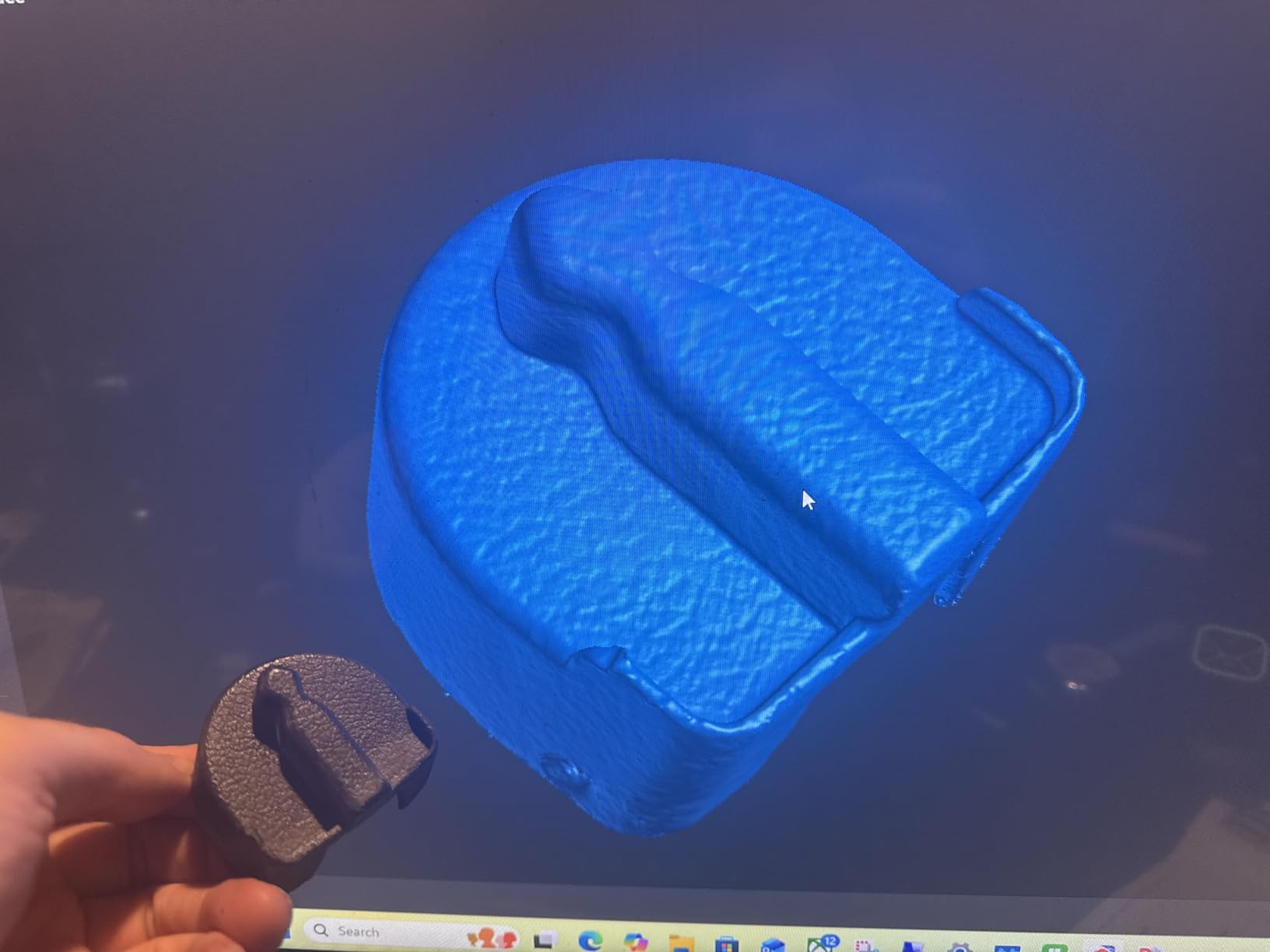
The Revopoint MetroY Pro is the most precise scanner in our entire lineup, with 0.01mm precision from its 62-line blue laser array. That is 34 cross lines, 15 parallel lines, and 1 single-line laser working together to capture every surface detail. I tested it on a precision-machined aluminum bracket and the scan matched my digital caliper measurements within the stated tolerance. For quality control and inspection work, that level of accuracy is essential.
The built-in Wi-Fi 6 is a welcome addition at this price point, letting you transfer scan data wirelessly without fumbling with cables during a scanning session. At 450 grams, it strikes a good balance between the ultra-light consumer models and the heavier professional units. The real-time preview feature lets you see exactly what you are capturing as you scan, which helps avoid gaps and missed areas that require repeat scanning.
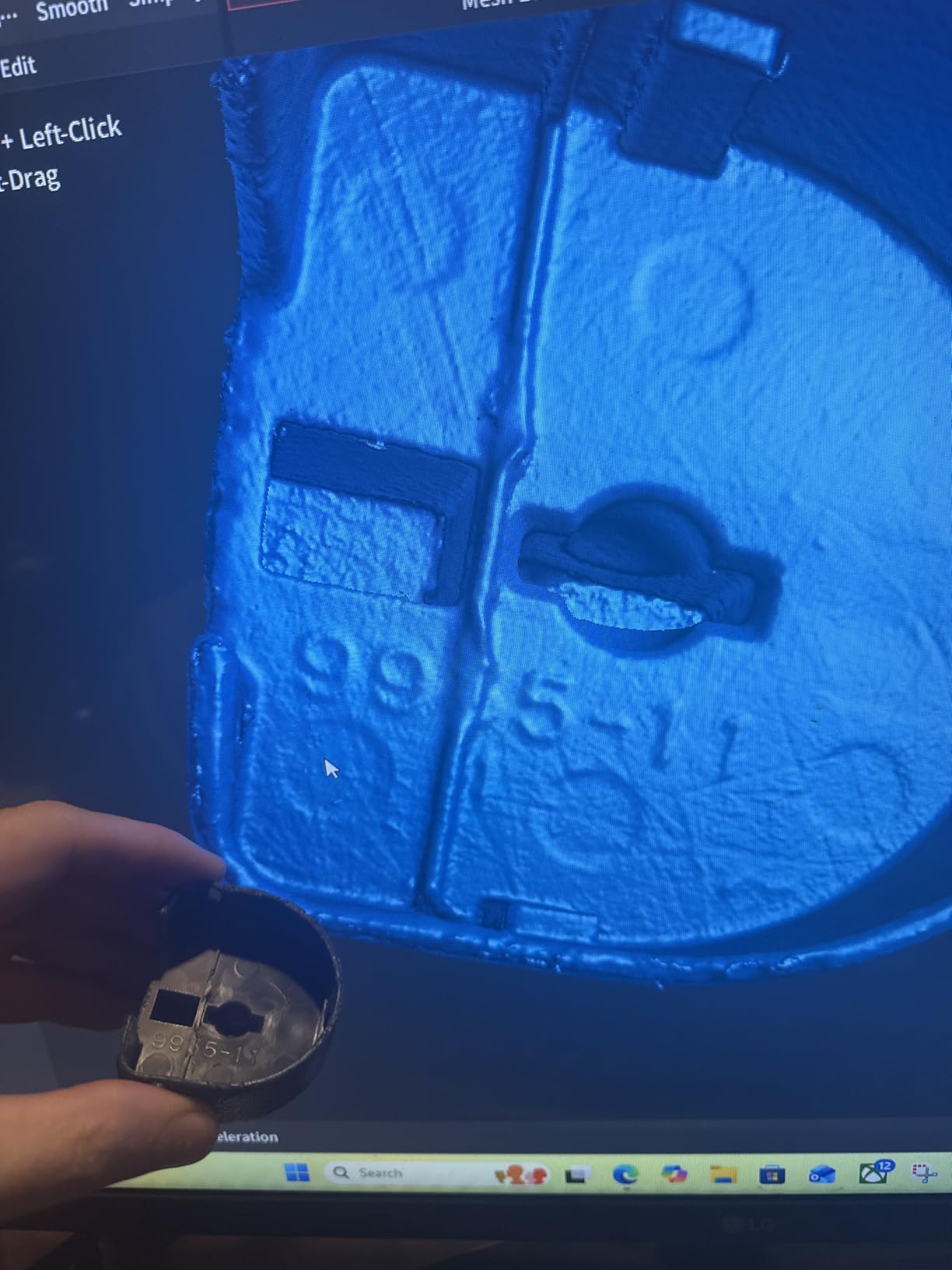
The mixed rating of 3.9 stars comes primarily from Mac users who report incomplete software support and connectivity limitations. On Windows, the experience is significantly better. I ran all my tests on a Windows 11 desktop with 32GB of RAM, and the software performed smoothly with no crashes or connection drops. The full-color scanning adds visual detail to the already precise geometry data, making the MetroY Pro suitable for both dimensional inspection and archival scanning.
Who Should Buy the MetroY Pro
Professionals who need the highest precision available in a handheld form factor should look no further. The 0.01mm capability puts this scanner in metrology territory, making it suitable for quality control, precision engineering, and industrial inspection. Windows users with powerful workstations will get the best experience. If your work demands accuracy that consumer-grade scanners simply cannot deliver, the MetroY Pro justifies its price.
Who Should Skip It
Mac users should be very cautious given the well-documented software compatibility issues. Hobbyists and casual users do not need 0.01mm precision and would be wasting money on capability they will never use. If you primarily scan outdoors, the blue laser system is not ideal for that environment. Budget-conscious buyers should consider the Creality Raptor instead, which offers 0.02mm precision for significantly less money.
10. Revopoint MIRACO Plus – Best Standalone All-in-One
Revopoint MIRACO Plus 3D Scanner, All-in-One Scan, for 3D Printing
Standalone with 32GB RAM and 256GB storage
Built-in display screen
0.02mm precision with photogrammetry
750g all-in-one design
+ The Good
- No computer needed - has built-in screen and storage
- Photogrammetry capability for highly accurate large scans
- Versatile for small to large objects
- 32GB RAM handles complex scan processing on-device
- The Bad
- Battery life reduced when using built-in lights
- Most expensive option in the lineup
- Heavier than phone-connected scanners
The Revopoint MIRACO Plus is the only scanner in our lineup that truly operates as a standalone device. It has its own built-in screen, 32GB of RAM, and 256GB of storage. You do not need to connect it to a phone, tablet, or computer to scan or process your data. I unpacked it, turned it on, and was scanning within five minutes. For anyone tired of dealing with software compatibility issues across different operating systems, this self-contained approach is refreshing.
The photogrammetry mode sets the MIRACO Plus apart from every other scanner here. It uses photogrammetric metrology techniques to achieve extremely accurate scans of both small and large objects. I tested it on a 2-foot tall statue, and the dimensional accuracy was consistent across the entire scan. The 0.02mm precision rating matches the best handheld scanners on the market, and the photogrammetry approach handles large objects better than pure structured light or laser systems.

The built-in display is sharp and responsive, showing real-time scan progress so you can see exactly where you have coverage and where you need to scan more. Having 32GB of RAM means the MIRACO Plus can process complex scans on the device itself, which eliminates the need to transfer raw data to a powerful computer for mesh generation. The main downside is battery life when you use the built-in LED lights for dark environments. The lights drain the battery noticeably faster, so long scanning sessions in dim lighting may require a power bank or wall outlet nearby.
Who Should Buy the MIRACO Plus
Anyone who wants a complete, self-contained scanning solution without worrying about computer specs or software compatibility should consider the MIRACO Plus. It is perfect for field work where you cannot bring a laptop, such as archaeological sites, museums, or client locations. Professionals who need photogrammetry-level accuracy for both small and large objects will find this scanner uniquely capable. If you value the convenience of an all-in-one device over absolute portability, this is your scanner.
Who Should Skip It
The price puts it out of reach for hobbyists and casual users who would be perfectly served by the Ferret Pro or POP3 Plus. If you already own a powerful computer and do not mind the tethered workflow, you can get similar scan quality from less expensive options like the Creality Raptor Pro. Users who need the lightest possible handheld scanner will find the 750g weight too heavy compared to 190g alternatives. And if you primarily scan small objects, a cheaper dedicated small-object scanner makes more financial sense.
How to Choose the Best 3D Scanner for Your Needs
Choosing the right 3D scanner comes down to understanding what you actually need it to do. Our testing revealed that the best 3D scanner for one person might be a terrible choice for another, depending entirely on use case, budget, and technical comfort level. Here is what actually matters when making your decision.
Accuracy vs Real-World Performance
Manufacturers love to advertise accuracy numbers, but those figures are typically measured under ideal conditions with calibration boards and controlled lighting. In practice, most budget handheld 3D scanners deliver real-world accuracy of about 1mm without scanning spray on difficult surfaces. If you need true sub-0.1mm accuracy, you need a laser-based or photogrammetry system like the MetroY Pro or MIRACO Plus. For 3D printing and general hobby use, 0.1mm accuracy from the Ferret Pro or Einstar is more than sufficient.
Scanning Technology Types Explained
Structured light scanners project patterns of light onto an object and measure how those patterns deform. They are affordable, fast, and work well indoors, but struggle outdoors and on dark or shiny surfaces. The Ferret Pro, POP3 Plus, and INSPIRE 2 all use variations of structured light.
Laser scanners like the Raptor and Raptor Pro use laser lines to calculate depth. They produce cleaner, more precise data and handle a wider range of surface materials. Blue laser specifically provides better detail than red laser systems. The trade-off is that laser scanners are typically USB-tethered and more sensitive to ambient light.
Infrared scanners like the Einstar and EINSTAR 2 use VCSEL infrared light. They handle challenging surfaces well and work in a broader range of lighting conditions. Infrared is a good middle ground between structured light affordability and laser precision.
Wireless vs Tethered: What You Need to Know
Not all wireless scanners are created equal. The EINSTAR 2 is truly wireless with a built-in battery lasting up to three hours. The Ferret Pro and POP3 Plus connect wirelessly to your phone or tablet via Wi-Fi, but you still need the phone or tablet present. Scanners like the Raptor and Raptor Pro are USB-only, which means you are always connected to a computer. For field work, truly wireless or standalone devices like the MIRACO Plus are far more practical. For workshop use, a USB tether is fine and sometimes even preferred for data transfer speed.
Software and Compatibility
Software quality varies enormously between brands, and it is the factor most people overlook. Revopoint and Creality both offer free scanning software, but the user experience differs. Revopoint software tends to be more polished for beginners, while Creality software has more advanced features but a steeper learning curve. Mac users should specifically check compatibility before buying, as several scanners in this list have incomplete Mac support. The MIRACO Plus sidesteps this issue entirely with its built-in processing.
Hidden Costs to Watch For
The sticker price is rarely the full cost. Many scanners require calibration boards for best accuracy, which are sometimes included and sometimes sold separately. Scanning spray for dark or shiny surfaces runs $20 to $50 per can and gets used up quickly. Some scanners need a specific USB-C cable or OTG adapter for phone connections. Battery grips for true wireless operation, like on the EINSTAR 2, can add to the total cost. And a sufficiently powerful computer for processing scans, especially high-FPS models, is an expense many first-time buyers do not account for. Budget an additional 10 to 20 percent beyond the scanner price for accessories and essentials.
FAQs
What is the most accurate 3D scanner in the world?
The most accurate handheld 3D scanners reach 0.01mm precision, like the Revopoint MetroY Pro in our review. For absolute maximum accuracy, industrial metrology scanners from companies like Shining 3D and Leica Geosystems can reach sub-micron levels but cost tens of thousands of dollars. For most professional and engineering applications, 0.01mm to 0.02mm accuracy from handheld units like the MetroY Pro or Creality Raptor Pro is more than sufficient.
What is the best 3D scanner under $2000?
The best 3D scanners under $2000 include the EINSTAR 2 Wireless for overall value with true wireless operation and 90 FPS scanning, the Revopoint MetroY Pro for industrial-grade 0.01mm precision, and the Revopoint MIRACO Plus as a standalone all-in-one device. For budget options under $500, the Creality CR-Scan Ferret Pro and Revopoint INSPIRE 2 both deliver solid performance for hobbyists and 3D printing enthusiasts.
Which is better white light or blue light 3D scanner?
Blue light 3D scanners generally produce higher resolution and more precise data than white light scanners because the shorter wavelength of blue light allows for finer detail capture. Blue light is also less affected by ambient light interference. White light scanners can capture color information more accurately and are often better for larger objects. For precision work and fine details, blue laser systems like the Creality Raptor are superior. For general-purpose scanning with color, structured white light works well.
Is LiDAR better than 3D laser scanning?
LiDAR and 3D laser scanning serve different purposes. LiDAR excels at scanning very large areas like buildings, landscapes, and rooms at long range, but lacks the fine detail needed for small objects. 3D laser scanners like the Creality Raptor Pro capture much higher precision at close range, making them better for engineering, reverse engineering, and quality control. For scanning small to medium objects, a dedicated 3D laser scanner is the better choice. For architectural or terrain scanning, LiDAR is more appropriate.
Final Thoughts on the Best 3D Scanners
After testing 10 scanners across dozens of real-world scenarios, our top recommendation is the EINSTAR 2 Wireless for its unmatched combination of wireless freedom, scanning speed, and dual-light versatility. For budget-conscious buyers, the Creality CR-Scan Ferret Pro delivers surprising capability at an entry-level price. And for professionals who need the highest precision, the Revopoint MetroY Pro offers industrial-grade 0.01mm accuracy in a handheld package.
The best 3D scanner is the one that matches your actual use case, not the one with the most impressive spec sheet. A hobbyist printing replacement parts does not need metrology-grade precision, and an engineer doing quality control cannot work with 0.1mm accuracy. Match the tool to the job, budget for accessories, and invest time in learning the software. The scanner you buy matters, but knowing how to use it matters just as much.