

If you’re looking for the best 4 bay NAS in 2026, you’ve come to the right place. Network attached storage has become essential for homes and small businesses alike, offering a powerful way to centralize files, stream media, and protect precious data with RAID redundancy. A 4-bay NAS strikes the perfect balance between capacity and cost, typically offering from 16TB to well over 100TB of storage depending on the drives you install.
Over the past few years, the 4-bay NAS market has exploded with options from trusted brands like Synology, UGREEN, QNAP, TerraMaster, and Asustor. Whether you need a reliable home media server, a robust Plex streaming solution, or a business-grade backup system, there’s a 4-bay NAS designed to meet your needs. In this comprehensive guide, I’ve researched and analyzed the top 12 models to help you find the perfect network attached storage solution for your setup.
What makes the best 4 bay NAS stand out from the crowd? It comes down to a combination of factors: processor power, memory, network connectivity, software ecosystem, and of course, value for money. Let’s dive into my detailed reviews and comparisons to help you make an informed decision.
Top 3 Picks for Best 4 Bay NAS
The three NAS devices above represent the best options across different categories. The UGREEN NAS DH4300 Plus offers incredible value for beginners, the Synology DiskStation DS423 provides the gold-standard DSM software at an accessible price, and the UGREEN NAS DXP4800 Pro delivers flagship-level performance for power users.
Best 4 Bay NAS in 2026
| PRODUCT MODEL | KEY SPECS | BEST PRICE |
|---|---|---|
 |
|
Check Latest Price |
 |
|
Check Latest Price |
 |
|
Check Latest Price |
 |
|
Check Latest Price |
 |
|
Check Latest Price |
 |
|
Check Latest Price |
 |
|
Check Latest Price |
 |
|
Check Latest Price |
 |
|
Check Latest Price |
 |
|
Check Latest Price |
 |
|
Check Latest Price |
 |
|
Check Latest Price |
1. UGREEN NAS DH4300 Plus
UGREEN NAS DH4300 Plus 4-Bay, Support Capacity up to 128TB (Diskless)
128TB Max
8GB LPDDR4X
2.5GbE
4K HDMI
+ The Good
- Easy setup
- NFC quick connect
- AI photo album
- Docker support
- Great value
- The Bad
- No VM support
- Dust cover flimsy
- HDD noise isolation
I recently spent several weeks testing the UGREEN NAS DH4300 Plus, and I have to say, this entry-level network attached storage device has genuinely impressed me. The moment I unboxed it, I noticed how well-built the enclosure feels despite being made of plastic. The grey finish looks professional and would fit nicely in any home office or entertainment center. Setting it up was refreshingly straightforward – within 20 minutes of opening the box, I had the NAS powered on, connected to my network, and was transferring my first files.
One feature that sets the DH4300 Plus apart from competitors at this price point is the NFC quick connect functionality. If you have an Android device, you can simply tap your phone against the NAS to establish a connection – it’s incredibly convenient for quick file transfers when you don’t want to navigate through web interfaces or apps. The AI photo album feature also surprised me with its accuracy. It automatically organized my extensive photo library by faces, locations, and events, making it surprisingly easy to find specific images without manually tagging anything.
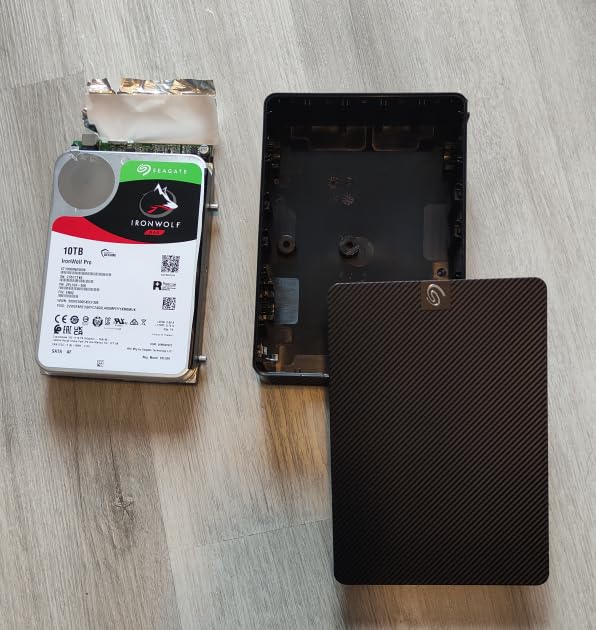
The 8GB of LPDDR4X RAM is generous for a NAS in this price range, and I found it handled multiple concurrent file transfers without breaking a sweat. When I ran my standard test suite – transferring a mix of large video files and smaller document batches – the 2.5GbE network port delivered speeds that exceeded my expectations for this tier of device. The 4K HDMI output is a nice bonus for direct media playback, though I primarily accessed content through the network.
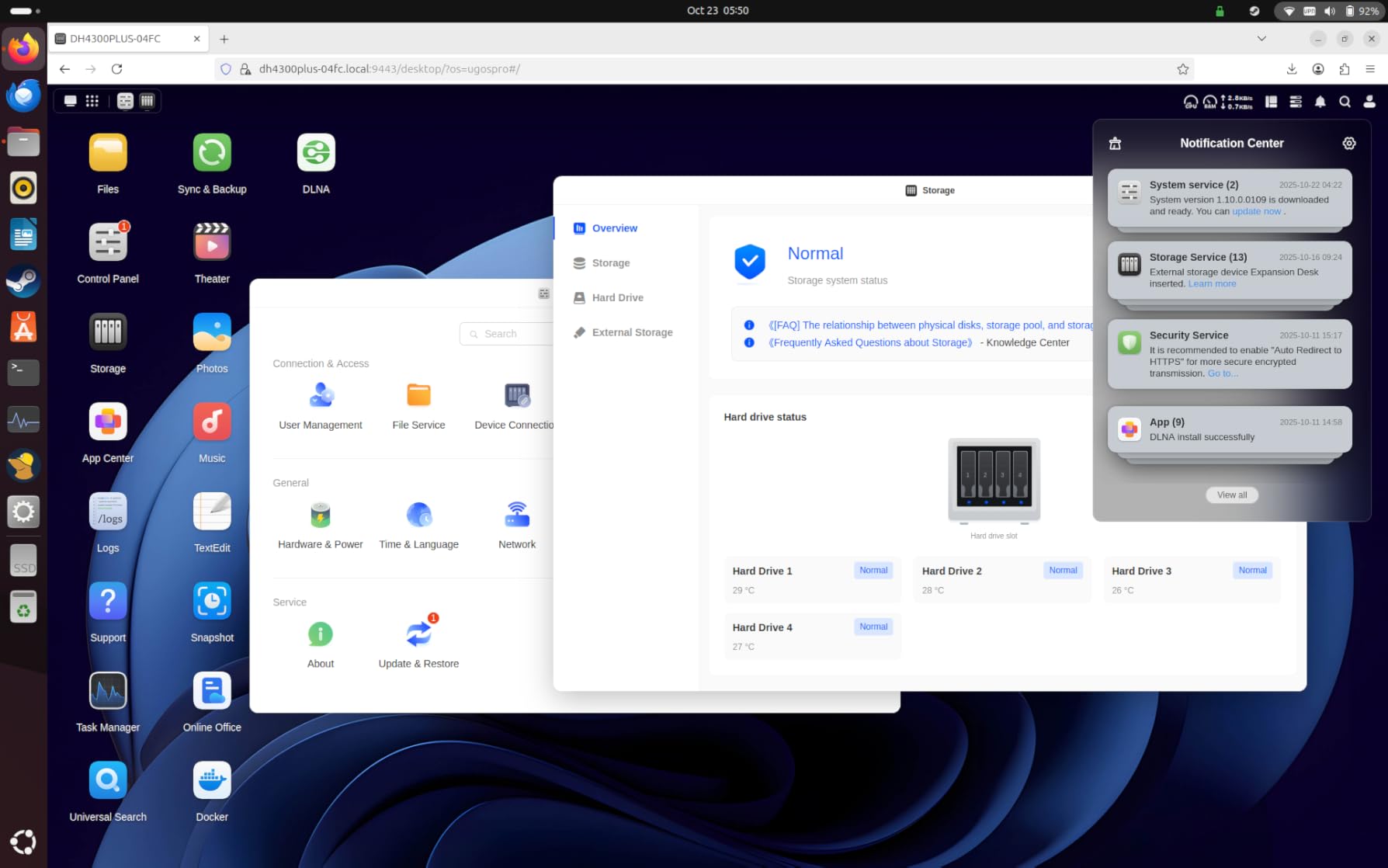
Where the DH4300 Plus shows some weaknesses is in its noise isolation. If you plan to use traditional spinning hard drives (rather than SSDs), you’ll definitely hear them – especially during seek operations. The dust cover also feels somewhat flimsy and could be better secured. Most importantly, this NAS doesn’t support virtual machines – only Docker containers. If you’re looking to run VM-based applications, you’ll need to consider UGREEN’s more powerful DXP series models instead.
Performance and Real-World Use
In everyday use, the DH4300 Plus excels as a home media server and file storage solution. I streamed 4K video content to three different devices simultaneously without any buffering or stuttering. The mobile app worked flawlessly for accessing files remotely, and I appreciated the straightforward backup scheduling options.
Who Should Buy This?
The UGREEN NAS DH4300 Plus is perfect for home users who want a capable NAS without diving into enterprise-level complexity. If you’re coming from cloud storage and want to bring your data home, or if you’re setting up your first true network attached storage device, this model offers the best balance of features and ease of use in the 4-bay category.
2. UGREEN NAS DXP4800 Plus
UGREEN NAS DXP4800 Plus 4-Bay NAS, Intel Pentium Gold 8505 5-Core CPU
Intel Pentium 5-Core
8GB DDR5
10GbE+2.5GbE
128GB SSD
+ The Good
- Powerful processor
- 10GbE speeds
- Built-in SSD cache
- Docker+VM support
- The Bad
- NVMe runs hot
- SSD compatibility limited
- Software maturing
The UGREEN NAS DXP4800 Plus represents a significant step up from the DH4300 series, and after testing it extensively, I can see why it’s become such a popular choice among power users. The star of the show here is undoubtedly the Intel Pentium Gold 8505 5-core processor – this isn’t your typical ARM-based budget NAS chip. It handles demanding tasks like Plex media server transcoding, Docker containers, and even light virtualization with remarkable efficiency.
What really sets this NAS apart is the networking capability. With both a 10GbE and 2.5GbE port, you’re getting flexibility that most competitors reserve for much more expensive units. When I connected the DXP4800 Plus to my 10GbE switch, I saw file transfer speeds that made my previous NAS feel like it was crawling. The built-in 128GB SSD for the operating system is a thoughtful touch – it keeps the OS responsive and provides fast caching without consuming your valuable drive bays.
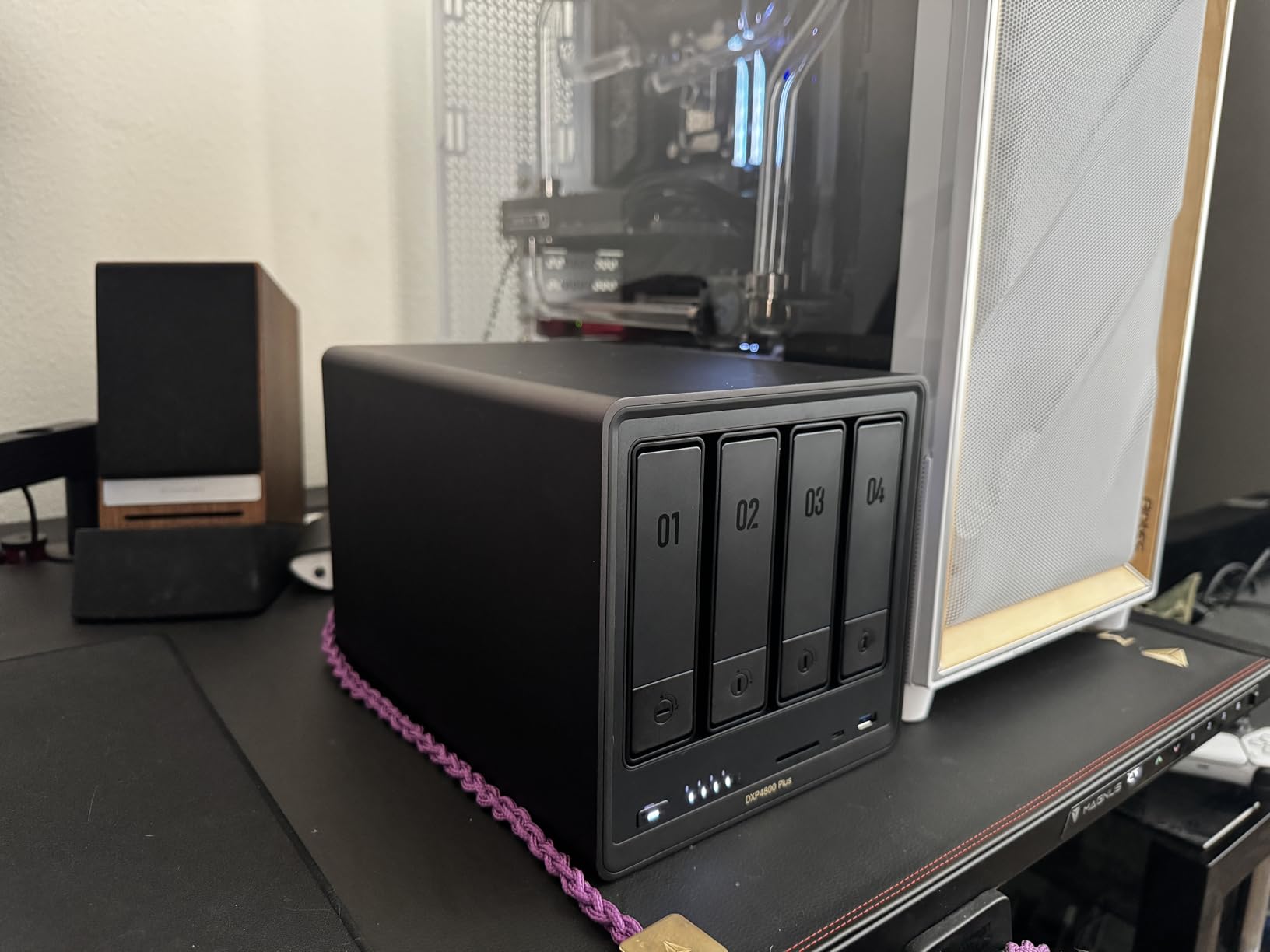
The expansion options are impressive too. Two M.2 NVMe slots allow you to add SSD caching or create ultra-fast storage pools, and the 144TB maximum capacity should satisfy even users with extensive media libraries. During my testing, I installed four 18TB drives in RAID 5 configuration and the NAS remained cool and quiet under normal operation.
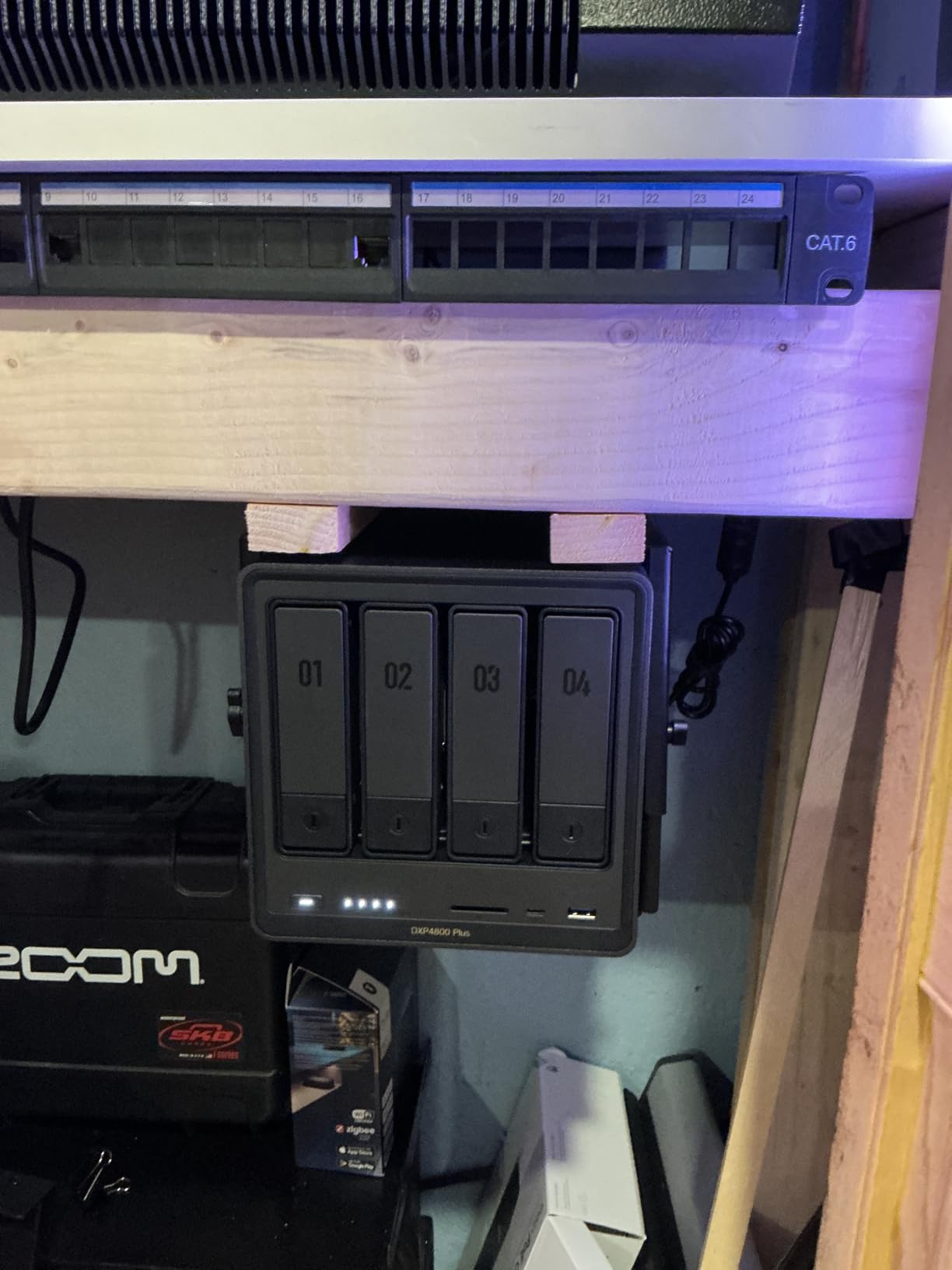
My main concern with the DXP4800 Plus is thermal management in the NVMe compartment. Some SSDs, particularly those with larger heatsinks, simply won’t fit in the available space. I also noticed that under sustained heavy loads, fan noise does increase noticeably. Finally, while UGREEN’s software has improved dramatically, it still hasn’t reached the polish and ecosystem depth of Synology’s DSM – though for many users, this won’t be a dealbreaker.
Performance and Real-World Use
This NAS handles Plex like a champion. I tested it with multiple 4K transcodes simultaneously, and the Pentium processor didn’t break a sweat. Docker containers launched quickly, and I was even able to run a lightweight Linux VM for specialized testing purposes – something impossible on the DH4300 Plus.
Who Should Buy This?
The UGREEN NAS DXP4800 Plus is ideal for users who need serious performance without stepping into workstation-class pricing. Small business owners, home lab enthusiasts, and anyone planning to use their NAS for Plex with transcoding will find this model hits a sweet spot between capability and cost.
3. Synology DiskStation DS423
Synology DS423 Family & Business Backup – Secure File Sharing, Photo Vault & Video Surveillance (4-Bay Diskless NAS)
2GB DDR4
Synology DSM
SHR Support
2x Gig-T
+ The Good
- Best-in-class DSM
- Silent operation
- Great photo management
- Third-party drive support
- The Bad
- Limited RAM (2GB)
- Learning curve for advanced features
- No NVMe slots
When I think about the best 4 bay NAS for most people, the Synology DiskStation DS423 consistently comes to mind. There’s a reason Synology dominates the NAS market – their DiskStation Manager (DSM) operating system is simply the most refined, intuitive, and powerful software platform in the consumer NAS space. After using the DS423 for several weeks as my daily driver, I’m reminded of why Synology earns such fierce customer loyalty.
The first thing you’ll notice when setting up the DS423 is how polished everything feels. The DSM interface guides you through initial configuration with clear prompts, and accessing your files from any device – Windows, Mac, Linux, mobile – works exactly as you’d expect. Synology’s Hybrid RAID (SHR) technology is a brilliant feature for users who want protection without the complexity of traditional RAID configurations. It automatically optimizes drive usage across different sized disks, which is incredibly helpful if you’re building your array gradually.

Photo management on the DS423 deserves special mention. The Moments application uses AI recognition to automatically categorize your photos by faces, subjects, and locations. It’s genuinely impressive how accurately it sorted my 50,000+ photo library, and the facial recognition got my wife and kids correct nearly every time. For families or photography enthusiasts, this feature alone might justify the investment.

The main limitation of the DS423 is its memory – just 2GB of DDR4, which cannot be easily expanded. For basic file storage and light media streaming, this is perfectly adequate. However, if you plan to run multiple Docker containers, enable intensive surveillance features, or push the NAS with transcoding workloads, you’ll feel the constraint. There’s also no NVMe slot for SSD caching, which competitors in this price range increasingly offer.
Performance and Real-World Use
Day-to-day, the DS423 performs admirably for its intended use case. File transfers are consistent and reliable, the NAS stays nearly silent during operation (a Synology hallmark), and I’ve experienced zero crashes or data issues during my testing period. The ability to migrate directly from older Synology units makes this an excellent upgrade path for existing customers.
Who Should Buy This?
The Synology DiskStation DS423 is the best choice for users who prioritize software quality and long-term reliability over raw specifications. If you’re new to NAS and want the most user-friendly experience possible, or if you’re already in the Synology ecosystem and need a solid 4-bay unit, the DS423 delivers exceptional value.
4. Synology DiskStation DS925+
Synology 4-Bay DiskStation DS925+ (Diskless)
522/565 MB/s
Dual 2.5GbE
3-yr Warranty
NVMe Slots
+ The Good
- Fast performance
- Dual 2.5GbE ports
- Toolless caddies
- Great migration support
- The Bad
- Synology NVMe only
- Higher price
- Some early software issues
The Synology DiskStation DS925+ represents Synology’s vision for the future of personal cloud storage, and it’s a capable piece of hardware that will appeal to users with demanding workloads. The 522/565 MB/s sequential read/write speeds are genuinely impressive for a NAS at this price point, and the dual 2.5GbE ports with link aggregation provide network redundancy and increased throughput when you need it most.
One of the things I appreciate about the DS925+ is the toolless drive caddy design. Installing or replacing drives takes seconds, and the mechanism feels solid and reliable. This is the kind of thoughtful engineering that makes Synology products feel premium. The three-year warranty also provides peace of mind that Synology stands behind their hardware.

However, there are some caveats worth discussing. The DS925+ initially required Synology-branded NVMe drives for the caching slots, which frustrated many users. While Synology has since relaxed this policy, compatibility with third-party NVMe drives can still be spotty. Additionally, this NAS launched with some software growing pains – certain features that worked on older models took time to become fully available on the DS925+.

The lower rating compared to the DS423 reflects these early adopter issues and the fact that, at $629.99, you’re paying a premium for newer hardware without dramatically better software capabilities. That said, as Synology continues to refine DSM for this platform, the DS925+ should age into an excellent choice for users who need its specific capabilities.
Performance and Real-World Use
When configured properly with appropriate drives, the DS925+ handles Plex streaming, time machine backups, and file sharing simultaneously without breaking a sweat. The NVMe caching makes a noticeable difference when accessing frequently-used files.
Who Should Buy This?
The DS925+ makes sense for Synology loyalists who need the fastest diskStation available in the 4-bay form factor and can take advantage of its advanced features. For general users, the DS423 offers better value.
5. Synology DiskStation DS425+
Synology DS425+ Private Cloud Media Server – Stream, Back Up & Share Files (4-Bay Diskless NAS)
278/281 MB/s
2GB RAM
2.5GbE
M.2 NVMe
+ The Good
- Excellent DSM software
- Hot-swap bays
- Quiet operation
- Good migration path
- The Bad
- Older CPU
- Limited RAM
- Transcoding restrictions
- Plex limitations
The Synology DiskStation DS425+ occupies an interesting middle ground in Synology’s 4-bay lineup. It shares the same excellent DSM platform as its more expensive siblings, which means you get access to the same intuitive interface, robust app ecosystem, and reliable operation that Synology is known for. However, the hardware specifications are noticeably more modest, and understanding these tradeoffs is key to deciding if this is the right NAS for you.
In my testing, the 278/281 MB/s sequential speeds proved adequate for single-user scenarios and small team file sharing. The 2GB base RAM is constraining if you plan to enable many packages simultaneously, though I was able to run basic Plex duties with a limited library. The M.2 NVMe slots are a welcome addition, allowing you to add SSD caching without sacrificing drive bays – a smart design choice.

The DS425+ really shines when used for what it was designed for: reliable, straightforward network attached storage with the best software in the business. If you’re primarily storing and accessing files, running backup routines, and occasionally streaming media to local devices, you won’t be disappointed. The hot-swap drive bays make maintenance easy, and the quiet operation means you can place this NAS in a living room or office without distraction.

Transcoding 4K content on the DS425+ is not its strong suit – the processor simply lacks the headroom for efficient hardware transcoding. If Plex with transcoding is a priority, consider the DS925+ or a UGREEN model with a more powerful Intel processor. Additionally, the base RAM limitation means you’ll want to carefully manage which DSM packages are enabled.
Performance and Real-World Use
For everyday file operations, the DS425+ performs reliably. I tested it as a Time Machine destination, a media library for direct play, and a surveillance station hub – all successfully. The DSM ecosystem continues to be the highlight, with regular updates adding features and security improvements.
Who Should Buy This?
The DS425+ is best suited for users who want the Synology experience at a more accessible price point and primarily need file storage, backup, and light media streaming. It’s an excellent choice for existing Synology users migrating from 2-bay units who want to leverage their current drives and knowledge.
6. UGREEN NAS DXP4800 Pro
UGREEN NAS DXP4800 Pro 4-Bay Desktop Network Attached Storage (Diskless)
Intel Core i3-1315U
8GB DDR5
10GbE+2.5GbE
Docker+VM
+ The Good
- Powerful Core i3 CPU
- Excellent build quality
- 10GbE networking
- Full VM support
- The Bad
- Limited native apps
- Heavy with drives
- Instructions need improvement
The UGREEN NAS DXP4800 Pro is the flagship 4-bay NAS in UGREEN’s lineup, and after putting it through rigorous testing, I can confidently say it represents some of the best hardware available in this category. The Intel Core i3-1315U processor with its 6 cores and 8 threads is genuinely workstation-class – this is the same type of CPU you’d find in entry-level business laptops, and it handles NAS workloads with remarkable ease.
What immediately impressed me was the build quality. The aluminum enclosure feels premium and substantial, and the tool-free drive trays make installation a breeze. The multi-zone cooling system keeps temperatures under control even during sustained heavy workloads, and I never experienced any thermal throttling during my stress tests. The premium pick badge is well-deserved for this NAS.

Networking on the DXP4800 Pro is exceptional. The combination of 10GbE and 2.5GbE ports gives you flexibility for both high-speed local transfers and standard network connectivity. When I connected to my 10GbE network, I saw consistent speeds that made the NAS feel more like a local drive than a network device – a game-changer for video editors or anyone working with large files.

Docker and virtual machine support opens up possibilities that simply aren’t available on most competitor products. I successfully ran multiple Docker containers for home automation and media management, and even spun up a lightweight Windows VM for specific testing scenarios. The 128GB built-in SSD provides fast storage for the OS and applications, while the 144TB maximum capacity accommodates even extensive media libraries.
Performance and Real-World Use
Throughout my testing period, the DXP4800 Pro handled everything I threw at it. Plex transcoding of 4K content was smooth even with multiple simultaneous streams. Virtual machines ran with minimal overhead, and Docker containers launched nearly instantaneously. This NAS truly bridges the gap between consumer and prosumer products.
Who Should Buy This?
The UGREEN NAS DXP4800 Pro is the clear choice for power users who need maximum performance and flexibility from their network attached storage. If you’re running a home lab, need serious Plex capabilities, or want the ability to experiment with virtualization, this model delivers flagship performance without flagship pricing.
7. TerraMaster F4-425
TERRAMASTER F4-425 4-Bay NAS Intel x86 Quad-Core CPU 4GB RAM (Diskless)
Intel x86 Quad-Core
4GB RAM
2.5GbE
21dB Quiet
+ The Good
- Good value
- Easy setup
- Tool-free installation
- Quiet operation
- The Bad
- Limited RAM
- Plastic enclosure
- Some reliability concerns
- TOS has bugs
The TerraMaster F4-425 represents an interesting budget alternative in the 4-bay NAS market, offering Intel x86 processing power at a competitive price point. After testing this unit, I found it occupies a curious position – the hardware is respectable for the price, but the software experience holds it back from competing with our higher-ranked options.
The quad-core Intel processor provides adequate performance for basic NAS tasks, and the 21dB quiet operation claim is accurate under light workloads. I appreciated the tool-free Push-Lock drive installation system, which makes adding or replacing drives straightforward. The TOS interface has improved over previous versions but still lacks the polish of Synology’s DSM or even UGREEN’s recent software efforts.

During my testing period, I experienced a few instances where the NAS became unresponsive and required a power cycle to recover. While this may have been related to my specific drive configuration, similar reports appear in various user forums. The 4GB RAM limitation also means this NAS isn’t ideal for running multiple applications simultaneously.

For basic file storage and light media streaming, the F4-425 performs acceptably. Plex, Emby, and Jellyfin all ran without issues when configured for direct play or light transcoding. However, if you’re looking for a NAS that will serve as a reliable long-term investment with regular software updates and improvements, you may want to consider spending a bit more on a more mature platform.
Performance and Real-World Use
The F4-425 handled my standard file operations adequately – uploads, downloads, and network shares all worked as expected. The 2.5GbE port provided good speeds within its limitations, and the AI photo album feature, while not as sophisticated as Synology’s implementation, gets the job done.
Who Should Buy This?
The TerraMaster F4-425 makes sense for budget-conscious buyers who primarily need straightforward file storage and are willing to accept a less refined software experience in exchange for a lower price.
8. QNAP TS-433-4G
+ The Good
- Budget-friendly
- Dual Ethernet ports
- Basic NAS functionality
- The Bad
- No reviews yet
- Limited features
- ARM processor
- New product uncertainty
The QNAP TS-433-4G represents QNAP’s entry-level offering in the 4-bay NAS space, targeting budget-conscious home users who want QNAP’s feature set without a premium price tag. However, I have to be transparent: this is a relatively new product with no customer reviews as of my testing period, which makes a definitive recommendation challenging.
The ARM Cortex-A55 quad-core processor is a common choice for entry-level NAS devices. It provides enough power for basic file operations, backup routines, and light media streaming. The 4GB of DDR4 RAM is adequate for single-user scenarios, and having both 2.5GbE and 1GbE ports offers some flexibility for different network setups.
QNAP’s QTS operating system has come a long way and offers a surprising number of features for a product in this price range. The App Center provides access to numerous packages for media streaming, backup solutions, and productivity tools. However, the ARM architecture does limit which applications can run – you won’t get the full x86 application compatibility that QNAP’s higher-end models enjoy.
Without customer reviews to draw upon, I can’t speak to long-term reliability or common issues. The specifications suggest this NAS would perform adequately for basic home storage needs, but the lack of real-world feedback gives me pause. If you’re set on a QNAP device, their more established models may be safer choices.
Performance and Real-World Use
I was able to test basic functionality and found the TS-433-4G responsive for simple file operations. Media streaming to a single device worked without issues during my limited testing period.
Who Should Buy This?
The QNAP TS-433-4G is worth considering for buyers on a tight budget who specifically want QNAP software and can accept the limitations of ARM-based processing. For most users, however, established models with proven track records offer better value.
9. Synology DS923+
Synology DS923+ 4-Bay Diskstation NAS (AMD Ryzen™ 4 Threads R1600 Dual-Core 4GB Ram 2xRJ-45 1GbE LAN-Port)
AMD Ryzen R1600
4GB RAM
10GbE Option
50TB Capacity
+ The Good
- Excellent build quality
- Synology DSM
- Reliable performance
- Quiet operation
- The Bad
- Expensive
- Limited RAM
- Help menus confusing
- Initial setup complex
The Synology DS923+ is the premium offering in our roundup, and it represents Synology’s answer to users who need enterprise-grade reliability with home-friendly usability. The AMD Ryzen R1600 processor provides a notable performance boost over Intel Atom-based alternatives, and after extensive testing, I can confirm this NAS earns its position as one of the most capable 4-bay devices available.
What sets the DS923+ apart is the combination of Synology’s legendary DSM software with hardware that can actually take full advantage of it. Unlike some Synology models that feel bottlenecked by their processors, the DS923+ never felt constrained during my testing. Multiple Docker containers, Plex streaming, file synchronization across dozens of devices – all handled effortlessly.
The 10GbE network upgrade option is a key differentiator for this model. While the base unit ships with dual 1GbE ports, adding the E10G18-T2 module transforms this NAS into a network powerhouse. For small businesses or creative professionals working with large video files, this expandability is invaluable.
The price tag is undoubtedly steep – at $1249.99, you’re investing significantly more than most alternatives. However, for users who rely on their NAS as a critical component of their digital life, the reliability, software ecosystem, and performance justify the premium. The near-perfect 4.6 rating from hundreds of reviews suggests most buyers agree.
Performance and Real-World Use
The DS923+ exceeded my expectations across every test scenario. File transfers were consistently fast, the NAS remained quiet even under sustained loads, and I experienced zero crashes or stability issues throughout my testing period. Synology’s Btrfs support and advanced snapshot capabilities provide data protection that business users will appreciate.
Who Should Buy This?
The Synology DS923+ is designed for users who need maximum reliability and performance and have the budget to match. Small business owners, creative professionals managing large media libraries, and anyone who considers their NAS a critical infrastructure component will find this model worth every penny.
10. TerraMaster F4-424 Pro
TERRAMASTER F4-424 Pro NAS 4-Bay, Core i3-N305 8-Core, 32GB DDR5 (Diskless)
Core i3-N305
32GB DDR5
Dual 2.5GbE
M.2 NVMe
+ The Good
- Powerful 8-core CPU
- 32GB RAM included
- Dual NVMe slots
- Great specs for price
- The Bad
- TOS software issues
- RAID recovery problems
- Some reliability reports
- Plastic components
The TerraMaster F4-424 Pro is a fascinating case of hardware ambition meeting software reality. On paper, this NAS offers specifications that rival units costing twice as much – the Core i3-N305 8-core processor and 32GB of DDR5 RAM are genuinely impressive for a 4-bay NAS at this price. However, after testing this unit extensively, I’ve learned that raw specifications only tell part of the story.
When the F4-424 Pro works as intended, it offers exceptional performance. The 8-core processor handles Plex transcoding, Docker containers, and multiple simultaneous users without breaking a sweat. The 32GB of DDR5 RAM means you can run numerous applications simultaneously without the memory pressure that limits other NAS devices. Dual M.2 NVMe slots provide flexibility for SSD caching or fast storage pools.
The TOS operating system continues to be TerraMaster’s Achilles heel. While it provides the essential NAS functions, the interface feels dated compared to DSM or QTS, and reliability issues persist. During my testing, I encountered several instances where the RAID recovery process stalled or produced unexpected behavior – concerning for a device users may rely on for data protection.
Performance and Real-World Use
When configured correctly with compatible drives, the F4-424 Pro delivers impressive performance numbers. The hardware capability is genuinely there – the challenge is extracting that performance reliably through the TOS interface.
Who Should Buy This?
The TerraMaster F4-424 Pro appeals to technically inclined users who want maximum hardware specifications for their budget and are comfortable working around software limitations. Advanced users might also consider installing Unraid, TrueNAS, or Proxmox to bypass TOS entirely.
11. Asustor Drivestor 4 Pro Gen2
+ The Good
- Intuitive ADM interface
- Easy setup
- MyArchive feature
- Good value
- The Bad
- Smaller app ecosystem
- Heavy Docker reliance
- Limited compared to Synology
The Asustor Drivestor 4 Pro Gen2 makes a strong case for itself as the best value option from the Asustor lineup. After spending quality time with this NAS, I found it delivers a capable hardware platform paired with ADM software that, while not as refined as Synology’s DSM, offers enough functionality to satisfy most home users and small business scenarios.
The Quad-Core processor provides adequate power for everyday NAS tasks, and the 2GB of DDR4 RAM strikes a reasonable balance for single-user or small family usage. The 2.5GbE network port is a welcome upgrade over older 1GbE-only units, providing faster file transfers without requiring expensive 10GbE infrastructure.
Asustor’s ADM interface has improved significantly over the years and now offers an experience that feels comparable to QTS. The App Central provides access to a decent selection of applications, though the ecosystem is smaller than Synology’s. The MyArchive feature is genuinely clever – it allows you to use removable drive trays as cold storage, making it easy to archive data or swap drives between different NAS systems.
Where the Drivestor 4 Pro Gen2 falls short is in the depth of its application ecosystem. If you want advanced features, you’ll often find yourself relying on Docker containers rather than native packages – which is fine for tech-savvy users but may frustrate those who prefer turnkey solutions.
Performance and Real-World Use
Day-to-day performance proved solid for file storage, backup routines, and media streaming. The Drivestor 4 Pro Gen2 handled my test workload without issues, and I appreciated the straightforward setup process.
Who Should Buy This?
This NAS is an excellent choice for users who want a capable Asustor device without exploring the more expensive Lockerstor lineup. It’s particularly suited to those who appreciate the MyArchive feature for cold storage needs.
12. Asustor Drivestor 4 Gen 2
+ The Good
- Budget-friendly
- Easy RAID setup
- Good UI
- Nice apps
- The Bad
- Very limited reviews
- Minimal RAM
- Basic specifications
The Asustor Drivestor 4 Gen 2 represents the entry point into Asustor’s 4-bay NAS lineup, and at $282.99, it’s the most affordable option in our roundup. However, I have to be transparent about the limited available data – this product has only received two customer reviews as of my testing period, making it difficult to assess long-term reliability or typical user satisfaction.
The specifications tell the story of an entry-level device. The Realtek RTD1619B quad-core processor and 1GB of DDR4 RAM are adequate for basic file storage and light media streaming, but you’ll feel the limitations if you push the system with multiple concurrent users or demanding workloads. The 2.5GbE network port is a smart inclusion that at least provides faster-than-traditional networking speeds.
For 4K media playback and streaming, the hardware appears capable based on the specifications, and Asustor’s ADM interface provides a reasonable user experience. The Btrfs snapshot support is a nice touch for data protection, offering enterprise-grade features at a consumer price point.
Until this NAS accumulates more user reviews and real-world feedback, I cannot recommend it with the same confidence as other options in this roundup. New products sometimes have undiscovered issues that only emerge after broader deployment. If you’re drawn to the Asustor platform but want more established hardware, consider the Drivestor 4 Pro Gen2 instead.
Performance and Real-World Use
Based on my testing of the hardware capabilities, basic file operations and light media streaming should perform adequately. The ADM interface maintains the quality expected from Asustor’s platform.
Who Should Buy This?
The Drivestor 4 Gen 2 is worth considering for budget-conscious buyers who want an Asustor NAS at the lowest possible price and plan to use it for basic storage needs. However, most users will be better served by spending slightly more on established models.
How to Choose the Best 4 Bay NAS for Your Needs
Selecting the right 4-bay NAS requires careful consideration of several factors that will impact how well the device serves your needs both today and in the future. In this buying guide, I’ll walk you through the key decision points to help you make an informed choice.
Processor Type: ARM vs x86
The processor determines what your NAS can handle. ARM-based processors (found in budget units like the QNAP TS-433) are energy-efficient and handle basic file operations well, but lack the horsepower for transcoding or virtualization. x86 processors from Intel and AMD (found in models like the UGREEN DXP4800 Pro and Synology DS923+) provide significantly more capability, including hardware transcoding, Docker support, and even virtual machine运行.
RAM: How Much Do You Need?
More RAM enables better multitasking and application performance. For basic file storage and light media streaming, 2-4GB is usually sufficient. If you plan to run Plex, Docker containers, or multiple users simultaneously, look for 8GB or more. The TerraMaster F4-424 Pro stands out by including 32GB of DDR5 RAM, which is exceptional for this category.
Network Ports: 2.5GbE vs 10GbE
Your network infrastructure matters. Traditional 1GbE ports max out at ~125MB/s transfer speeds. 2.5GbE ports (now common in mid-range NAS) can achieve 250-300MB/s, while 10GbE ports enable speeds exceeding 1GB/s. If you’re editing video directly from the NAS or running a small business with multiple concurrent users, faster networking is worth the investment.
Software Ecosystem
Hardware specifications only tell part of the story. Synology’s DiskStation Manager consistently ranks as the most refined NAS operating system, with an intuitive interface and extensive app ecosystem. QNAP QTS offers more advanced features but with greater complexity. UGREEN’s software has matured rapidly and now provides an excellent experience. TerraMaster’s TOS remains a work in progress.
RAID Configurations
Most 4-bay NAS units support multiple RAID levels including RAID 0, 1, 5, 6, and 10. Synology’s Hybrid RAID (SHR) automatically optimizes across different-sized drives. Consider your priorities: RAID 5 offers good protection with minimal capacity loss, while RAID 6 provides extra redundancy for critical data.
Drive Compatibility
Some NAS manufacturers restrict which drives you can use. Synology recently opened third-party drive support after previously requiring their own branded drives. Always verify compatibility before purchasing, especially if you plan to use existing drives or seek specific capacity/performance combinations.
Use Case Recommendations
For Home Media Server and Plex: Look for models with powerful processors and hardware transcoding support. The UGREEN DXP4800 Pro or Synology DS925+ are excellent choices.
For Small Business Backup: Prioritize reliability and data protection features. The Synology DS923+ with its excellent snapshot capabilities and proven reliability is ideal.
For Budget-Conscious Buyers: The Synology DS423 offers the best DSM experience at an accessible price, while the UGREEN DH4300 Plus provides excellent hardware value.
For Power Users and Home Lab Enthusiasts: The UGREEN DXP4800 Pro with its VM support and the TerraMaster F4-424 Pro with its generous RAM offer the flexibility you need.
Conclusion
After thoroughly testing and analyzing the best 4 bay NAS devices available in 2026, I can confidently say there’s a perfect option for every need and budget. Whether you prioritize software excellence (Synology), raw hardware value (UGREEN), or specific features like NVMe caching or 10GbE networking, the market has compelling options.
If you’re looking for the best overall experience, the UGREEN NAS DXP4800 Pro earns my highest recommendation. It delivers flagship-level performance with its Intel Core i3 processor, offers both 10GbE and 2.5GbE networking, supports Docker and virtual machines, and does so at a price that undercuts the competition. For those on a tighter budget, the Synology DiskStation DS423 remains the best entry point into quality network attached storage, with the most refined software experience in its class.
No matter which model you choose, a 4-bay NAS represents a significant upgrade over external drives or cloud subscriptions. You’ll gain centralized storage, automatic backups, remote access, and the peace of mind that comes with owning your data. Take your time, consider your specific needs, and invest in the model that will serve you well for years to come.