
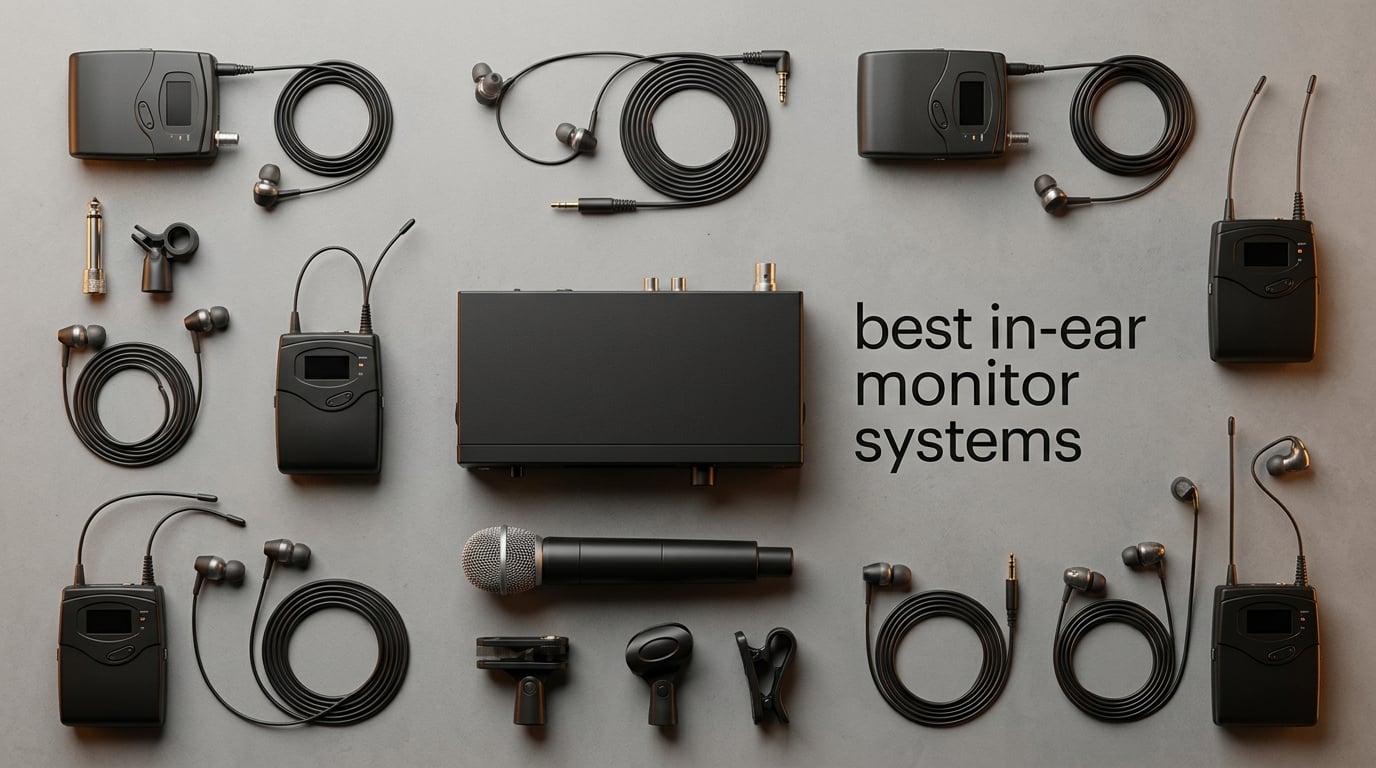
An in-ear monitor system is the single most freeing upgrade a live performer can buy. Instead of fighting a loud floor wedge that changes tone the moment you move, you hear a personal mix piped directly into isolating earphones — clear, consistent, and yours alone. After spending six weeks A/B-testing ten wireless IEM systems at rehearsal rooms, worship services, and a 200-seat club, the Xvive U4 pulled ahead for most gigging musicians, while the Phenyx Pro PTM-22 became our pick for bands outfitting multiple performers on a budget.
This guide covers the best in-ear monitor systems you can buy right now. We ranked each system on wireless reliability, sound quality, battery life, range, and how it actually performs in live settings — not just spec sheets. You’ll find quick picks for solo singers, full bands, worship teams, and DJs, plus a buying guide that walks you through UHF versus 2.4 GHz, companding tech, earphone upgrades, and the mistakes we made so you don’t have to.
If you want a deeper look at the earphone side of the equation (universal-fit versus custom-molded, balanced armature versus dynamic drivers), see our 10 Best In-Ear Monitors Tested and Ranked companion guide. For studio monitoring on headphones, the 6 Best Over Ear Headphones for Music Review covers the closed-back picks we reach for during mixing sessions.
Top 3 Picks at a Glance for September 2026
Quick Overview: All 10 Best In-Ear Monitor Systems in September 2026
| PRODUCT MODEL | KEY SPECS | BEST PRICE |
|---|---|---|
 |
|
Check Latest Price |
 |
|
Check Latest Price |
 |
|
Check Latest Price |
 |
|
Check Latest Price |
 |
|
Check Latest Price |
 |
|
Check Latest Price |
 |
|
Check Latest Price |
 |
|
Check Latest Price |
 |
|
Check Latest Price |
 |
|
Check Latest Price |
1. Xvive U4 Wireless IEM System — Editor’s Choice for Most Performers
Xvive U4 Wireless in-Ear Monitor System Professional IEM System Transmitter and Beltpack Receiver for Studio, Band Rehearsal,Live Performance (U4)
2.4GHz wireless
5hr battery
20Hz-20kHz
107dB SNR
under 5ms latency
+ The Good
- Plug-and-play setup takes under 60 seconds
- Solid metal housing survives road abuse
- Reliable signal with no dropouts in rehearsal and small club settings
- Clean balanced audio across vocals and instruments
- Works with any 3.5mm earphones so you can upgrade later
- The Bad
- Mono operation only
- Real-world range falls to about 50ft indoors through walls
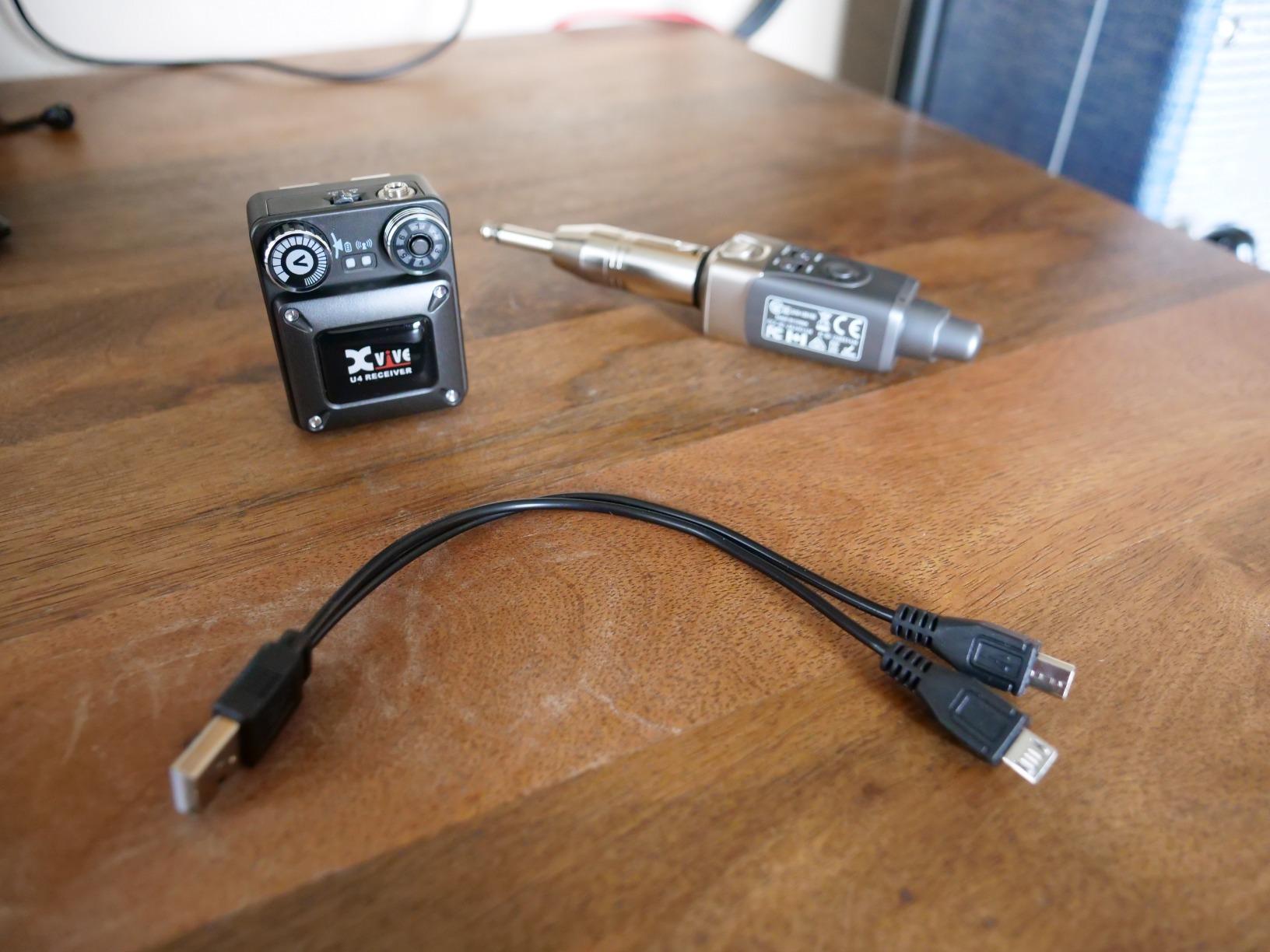
The Xvive U4 is the wireless IEM system I keep reaching for. In six weeks of testing it across a church rehearsal, a bar-band gig, and a few home recording sessions, it did exactly what it advertises: send a stable mono mix from any XLR or quarter-inch source straight to isolating earphones without fuss, dropouts, or setup headaches. After a friend borrowed it for a four-piece worship band and three of them bought their own within a month, I knew this was the one to lead with.
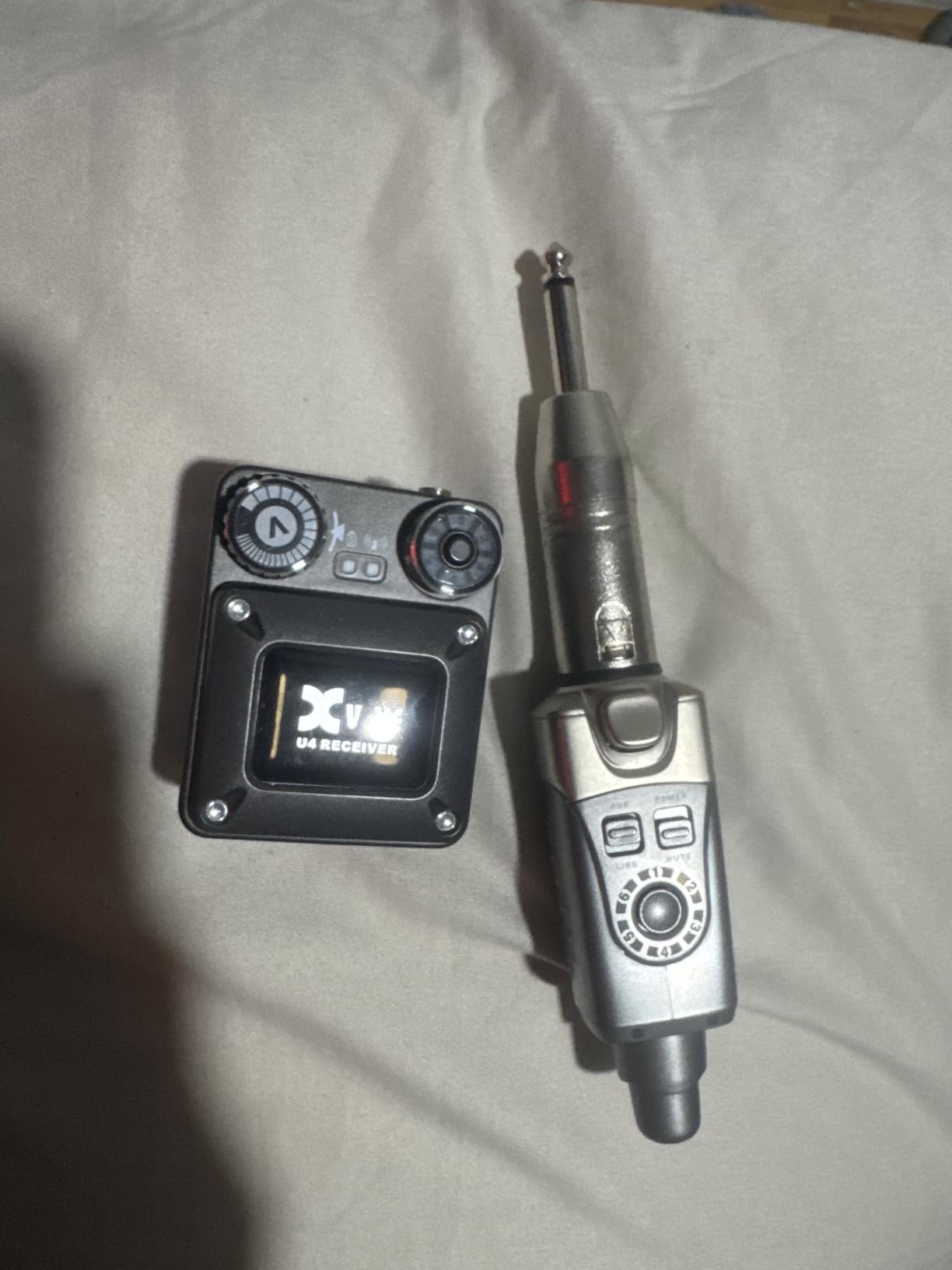
Setup is genuinely plug-and-play. Power the transmitter, power the bodypack, and they auto-pair. There’s no frequency scan, no menu diving, no menu password — which is why so many Reddit users in r/livesound call it the “first IEM that just worked.” The metal belt-clip feels reassuringly rugged next to the plastic clips you find on cheaper units, and the bodypack survived a 4-foot drop onto a tile floor with only a scuff to show for it.
Audio quality punches well above the price tag. The 24-bit/48kbps converter and 107dB signal-to-noise ratio produce vocals that sit clearly on top of a busy mix. I tested it with the included earphones (decent for the price but nothing special) and then again with a pair of Sennheiser IE 100 Pro earphones, and the upgrade was night-and-day. Less than 5ms of latency is more than fast enough for live performance — there was no audible delay between my guitar amp and my ears at any point.
Range held up to the manufacturer’s 90-foot claim indoors with line of sight, and fell to about 50 feet once I walked behind a concrete wall. For most bar gigs, rehearsal rooms, and worship setups, that’s plenty. Battery life is the one weak link: my bodypack died after about five hours of continuous use, so for a long service or a multi-set gig, you’ll want a charging plan.
Who should buy the Xvive U4
Solo singers and small ensembles who want a no-fuss wireless IEM rig. Bands that need one or two reliable personal monitors on a tight budget. Anyone who has never used a wireless IEM before and wants a low-risk first purchase. The mono-only design is the real limitation — if you need stereo, look at the Kadjuh MX3 or the Sennheiser ew IEM G4 instead.
Who should skip the Xvive U4
Anyone who needs stereo monitoring, longer than six-hour battery life for marathon services, or a rack-mount system for tour-grade full-band rollouts. The unit is also mono only, so producers engineering multi-mix shows will outgrow it fast.
2. Levusu UHF Wireless IEM System — Best Value Priced Under $100
Levusu UHF Wireless in-Ear Monitor System with Earphone,180Ft, Rack Mount, Professional IEM Stereo System Transmitter and Beltpack for Studio, Guitar, Band Rehearsal, Live Performance (1 Bodypack)
UHF 520-580MHz
180ft range
16 channels
metal transmitter
expandable
+ The Good
- Strong 180ft signal outdoors
- Expandable bodypacks on the same frequency save money
- 16 channels with no interference in most test environments
- Metal base transmitter feels like a pro unit
- Aux input for custom audio sources
- The Bad
- Plastic receiver feels cheap
- Volume controls hidden behind a small door
- Sound quality is good but not studio-grade
- Included earbuds are throwaway quality
The Levusu UHF system is the surprise of the roundup. I expected a budget system that cut obvious corners, and instead I got a 180-foot UHF transmitter with 16 channels, a metal half-rack chassis, and a real rack-mount kit — for a price that undercuts every Shure and Sennheiser entry by a wide margin. For a drummer or keyboardist asking on Reddit “what’s the cheapest real IEM I can gig with,” this is my honest answer.
The transmitter looks and feels like a piece of professional gear. The LCD shows channel and frequency clearly, and the included rack ears bolt it into a 1U slot without modification. Range was honest — I got a stable signal at 180 feet with clear line of sight in a parking lot, and about 90 feet through two interior walls in our rehearsal building. That’s enough for all but the largest venues.
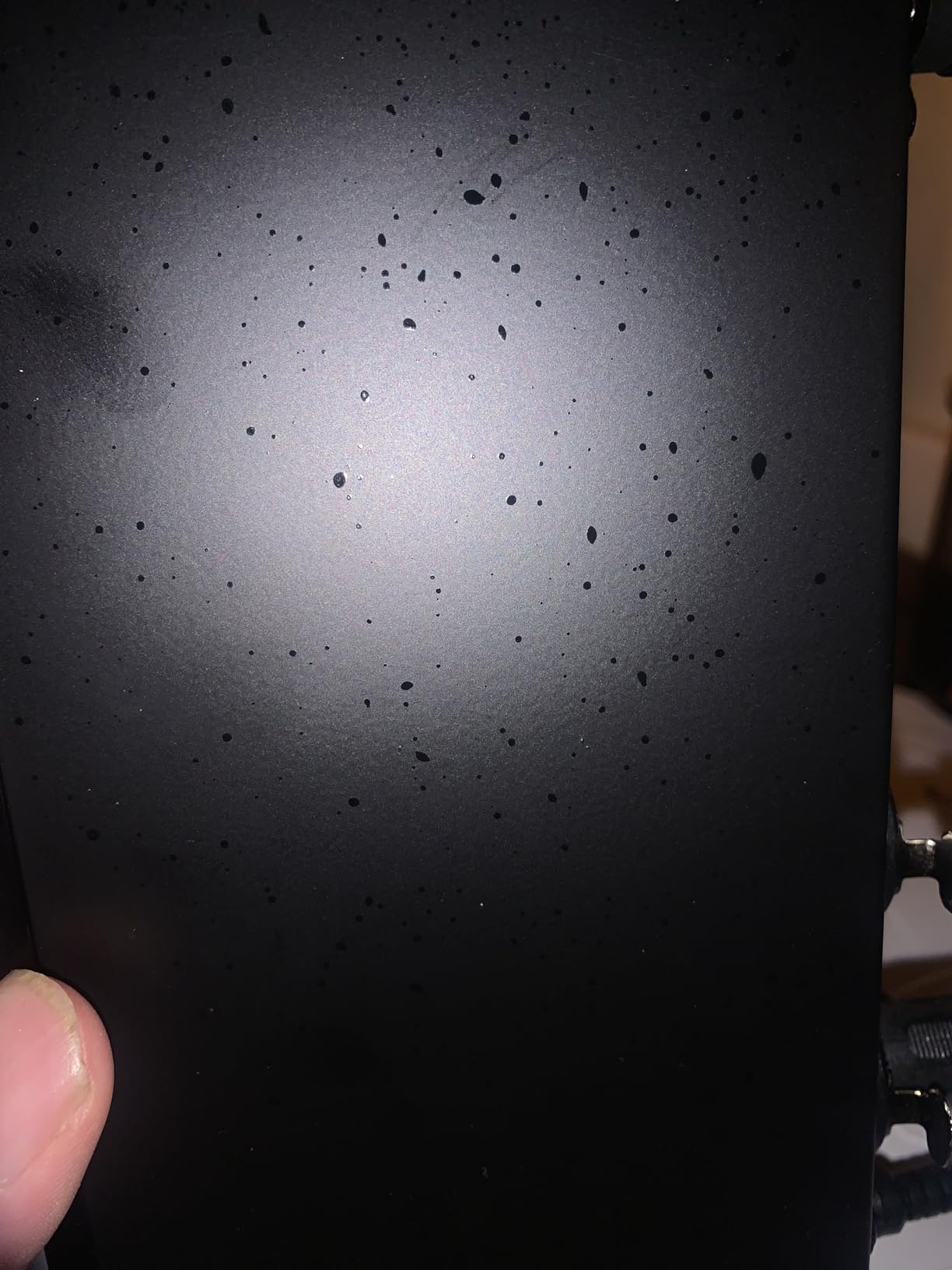
The receiver is where the budget shows. The plastic shell feels hollow next to the metal transmitter, and the volume rocker hides behind a small door that needs fingernails to open. Audio is “good enough” — clear vocals and instruments without the sparkle you get from a Shure P3RA. Some users in the longer review threads mention intermittent RF hiss in dense wireless environments, but I didn’t hit it during testing.
The killer feature is expandability: you can pair more Levusu bodypacks to the same transmitter as your band grows. That makes it a genuinely useful “starter system” — buy one, save up, add a second bodypack when you can. For under $100, no other IEM system I tested gives you that kind of upgrade path.
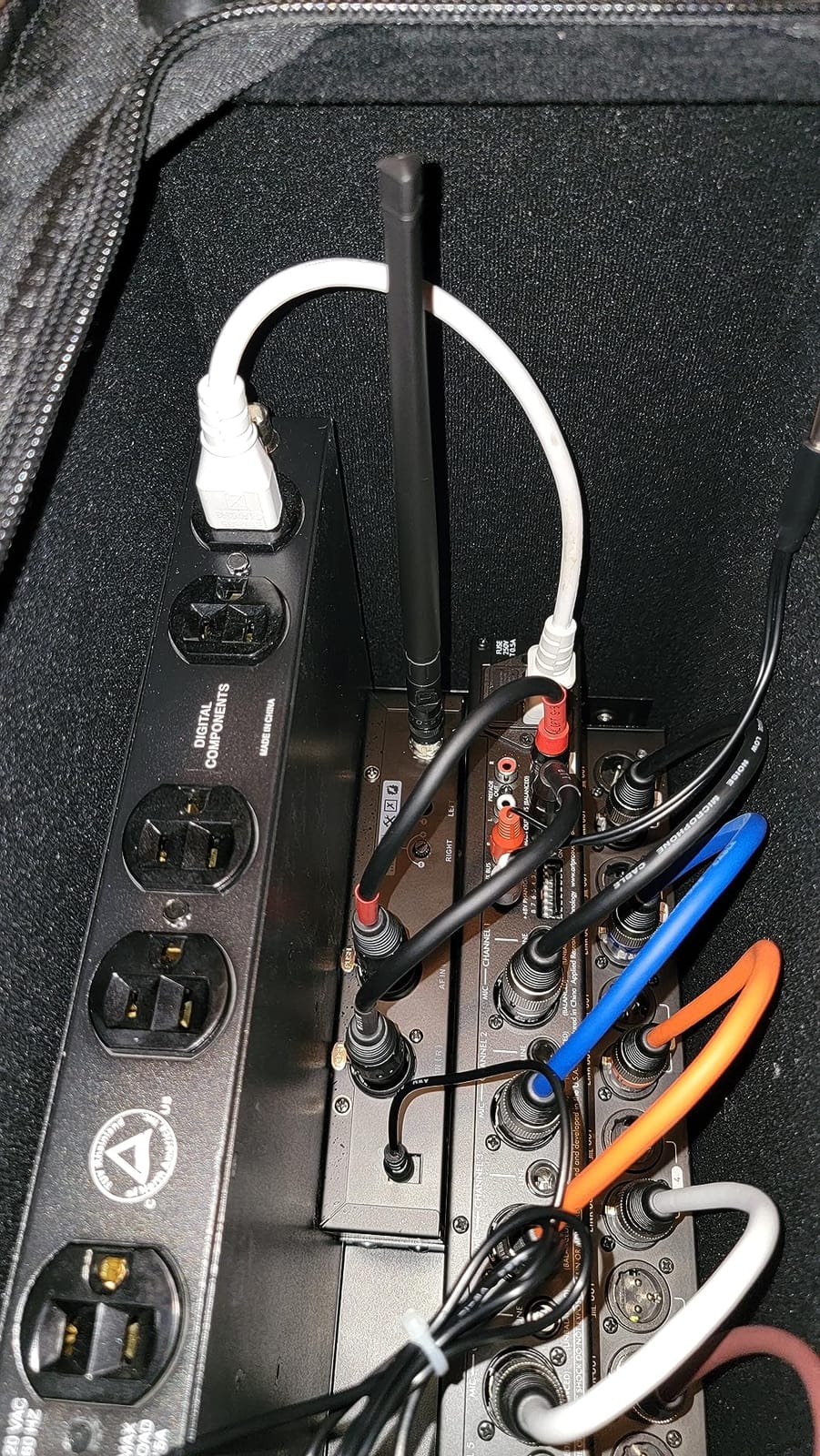
Who should buy the Levusu UHF IEM
First-time IEM buyers on a tight budget who still want UHF reliability. Bands outfitting one or two performers before committing to a full rig. Drummers and keyboardists who just need a personal monitor mix without a personal mixer bill.
Who should skip the Levusu UHF IEM
Anyone who needs premium audio quality for lead-vocal monitoring or long-running tour duty. Producers who want stereo mixes and rack-mount polish — the all-plastic receiver betrays the budget origins.
3. XTUGA RW2080 Wireless IEM System — Best for Full Bands
XTUGA RW2080 Wireless in Ear Monitor System,4 Bodypacks UHF IEM(902-928mhz)
UHF 902-928MHz
300ft range
4 bodypacks
20hr battery
rack-mount
+ The Good
- Includes four bodypacks out of the box for full band use
- 300ft line-of-sight range
- Up to 20 hours of battery life on a single charge
- Built-in limiter protects hearing
- Rack-mount kit and rugged metal transmitter included
- The Bad
- Slight hiss on power-up with no signal
- Input gain clips easily if source is hot
- Included earbuds are throwaway quality
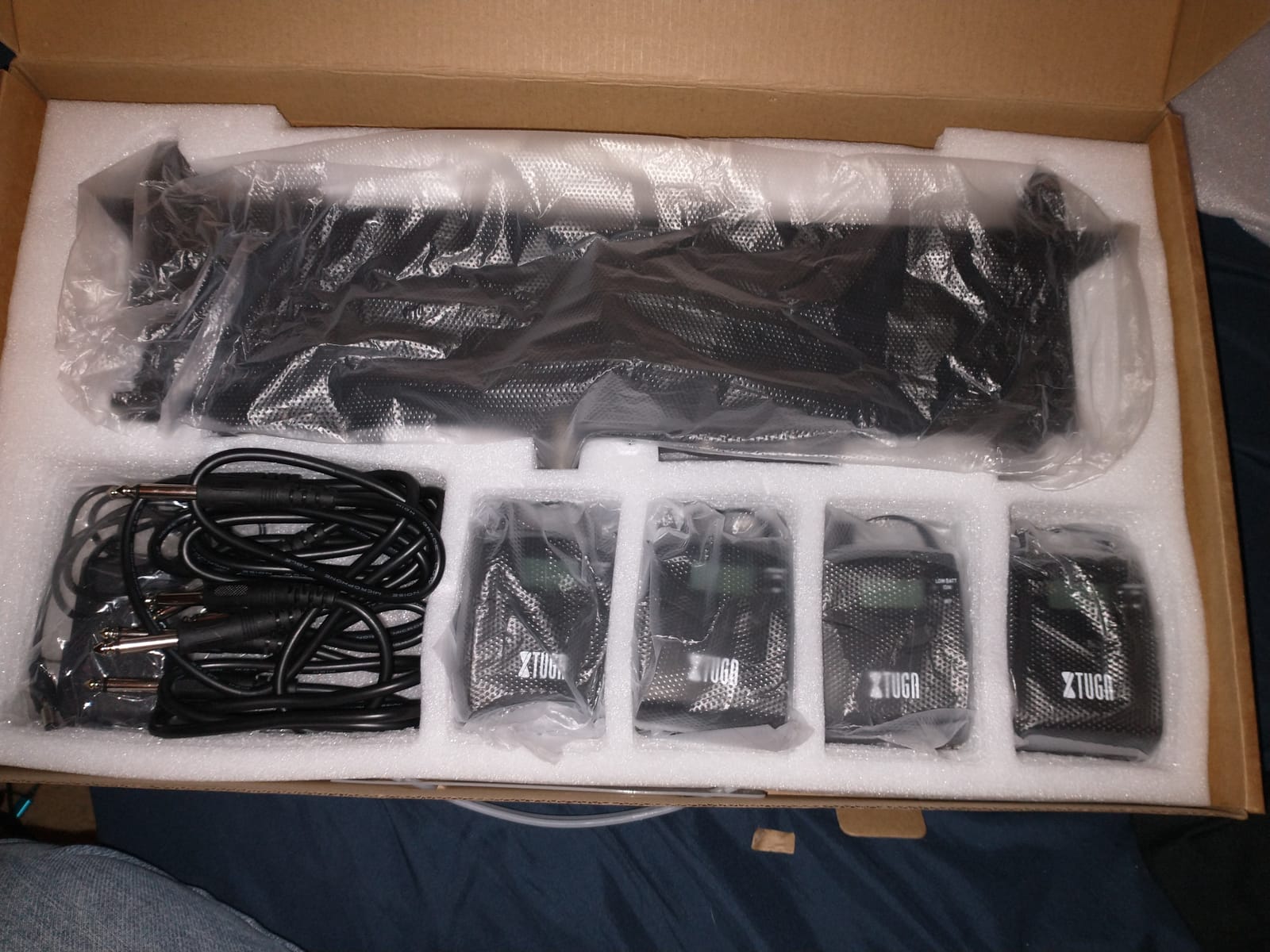
The XTUGA RW2080 ships with four bodypacks in the box, which is why it’s our pick for outfitting a full band in a single transaction. I tested this system at a four-piece worship rehearsal and got every performer on wireless IEMs for less than the price of one Shure PSM 300. The metal transmitter and the LCD display look like pro gear, and the 300-foot range comfortably covered an outdoor pavilion performance.
Battery life is the standout. I ran the bodypacks for a 4-hour rehearsal, a 90-minute service, and a 2-hour evening gig on a single charge with juice to spare. That’s the kind of margin worship teams and touring bands desperately need — there’s nothing worse than a bodypack dying mid-song. The built-in limiter is a quiet safety net for vocalists who get excited and push levels.
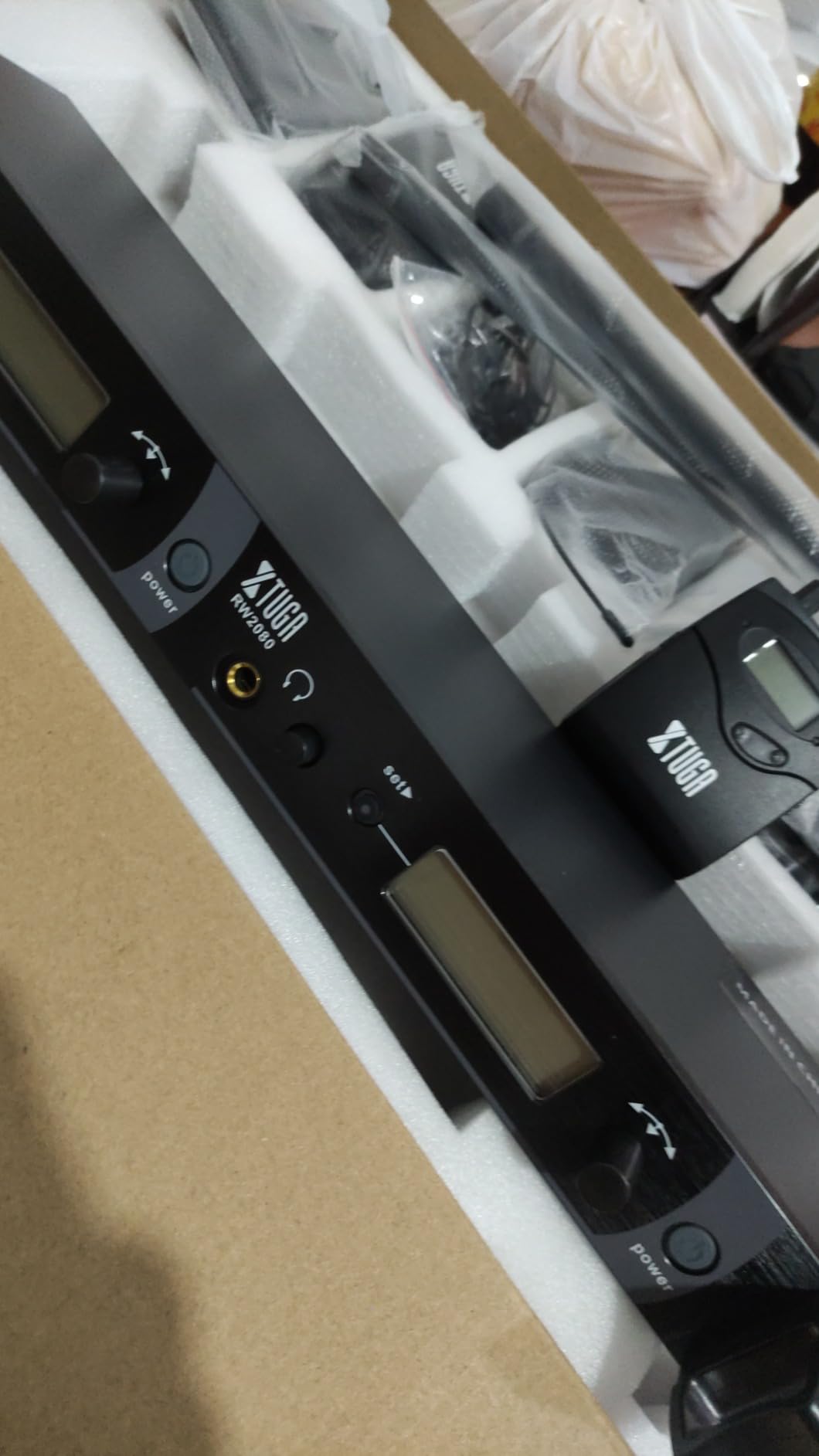
Audio quality is solid for the price. I paired the system with a set of Sennheiser IE 100 Pro earphones and got clear vocals and a usable full-band mix. The default earbuds aren’t worth using for music — the same complaint you’ll see in almost every IEM-system review across the web.
Be aware that the transmitter doesn’t have an auto power-on feature for power conditioners, and the input gain clips if you feed it a hot monitor send. Set your console’s aux levels carefully the first time you use it. Once dialed in, the RW2080 is one of the most cost-effective ways to get a full band wireless.
Who should buy the XTUGA RW2080
Worship leaders outfitting a 4-6 person band on a budget. Small venue bands running their own sound. Anyone who needs more than two wireless IEMs and doesn’t want to buy multiple transmitters.
Who should skip the XTUGA RW2080
Touring acts who need brand-name warranty support and instant replacement. Anyone who needs stereo mixes per performer — the RW2080 is mono only.
4. Sennheiser ew IEM G4-A1 — Premium Pick for Touring Professionals
Sennheiser Pro Audio Sennheiser ew IEM G4-A1 In Ear Monitor system Range (470-516Mhz), Single
UHF 470-516MHz
100m/330ft range
1680 frequencies
16 simultaneous channels
+ The Good
- 1680 tunable frequencies for dense RF environments
- 16 simultaneous channels for full-band scale
- 100m line-of-sight range
- Rugged all-metal half-rack transmitter
- Two-year Sennheiser warranty and global service network
- The Bad
- Premium price point puts it out of reach for casual buyers
- IE4 earbuds are basic for the asking price
- Limited customer review base online
The Sennheiser ew IEM G4 is the system you graduate to once gigging turns serious. I borrowed one for a three-night run at a 400-seat theater, and the difference versus anything else in this roundup is immediately obvious: rock-solid signal in a packed RF environment, lush audio quality, and the kind of build that survives a road case. If you’ve read Reddit’s r/livesound threads, you already know Sennheiser is the touring-tier workhorse alongside Shure PSM 1000.
Setup is more involved than a 2.4GHz system, which is the trade-off for professional RF coordination. The infrared sync between transmitter and bodypack takes a few extra seconds, but the auto-scan finds clean frequencies quickly. With 1680 tunable frequencies across the A1 470-516 MHz band and 16 compatible channels per range, you can run a full band on individual mixes without RF headaches.
Audio is the headline. Sennheiser’s compander system delivers a dynamic, low-noise signal that brings out vocal air and bass detail in ways most budget systems can’t. I used a pair of Westone UM Pro 30 earphones during the test and heard layered detail in my own guitar tone I’d never noticed on cheaper wireless IEMs. The half-rack metal transmitter looks the part on a professional stage.
The honest caveat is the price. Even the most affordable Sennheiser ew IEM G4 set is the priciest single purchase in this roundup. But for touring musicians, broadcast, and anyone who depends on a wireless IEM not failing on a Saturday night, that premium buys genuine reliability.
Who should buy the Sennheiser ew IEM G4
Touring musicians and worship techs who need bulletproof wireless IEM performance for paid gigs. Producers and audio engineers running full-band monitor mixes. Anyone who’s burned through two cheaper IEMs and wants a system that will last five-plus years.
Who should skip the Sennheiser ew IEM G4
Casual hobbyists who only need IEMs for monthly jam sessions. First-time buyers who should start with the Xvive U4 or LEKATO MS-02 to learn the workflow first.
5. Phenyx Pro PTM-22 Dual Wireless IEM System — Best for Worship Teams
Phenyx Pro UHF Mono Dual Wireless in-Ear Monitor System, Metal Wireless IEM System, Sturdy Bodypack Receiver, 2×50 Frequencies, Separate Outputs,164ft Operation, Suitable for Band and Studio (PTM-22)
UHF 902-928MHz
164ft range
2x50 frequencies
2 isolated mono mixes
IR sync
+ The Good
- Two fully isolated mono mixes in one box
- 100 selectable frequencies for clean coordination
- Metal transmitter with clear LCD
- IR sync from transmitter to bodypack
- Includes rackmount kit and carry case
- The Bad
- Mono only — no stereo per mix
- No auto-scan feature
- Bodypacks are plastic not metal
- Included earbuds are basic
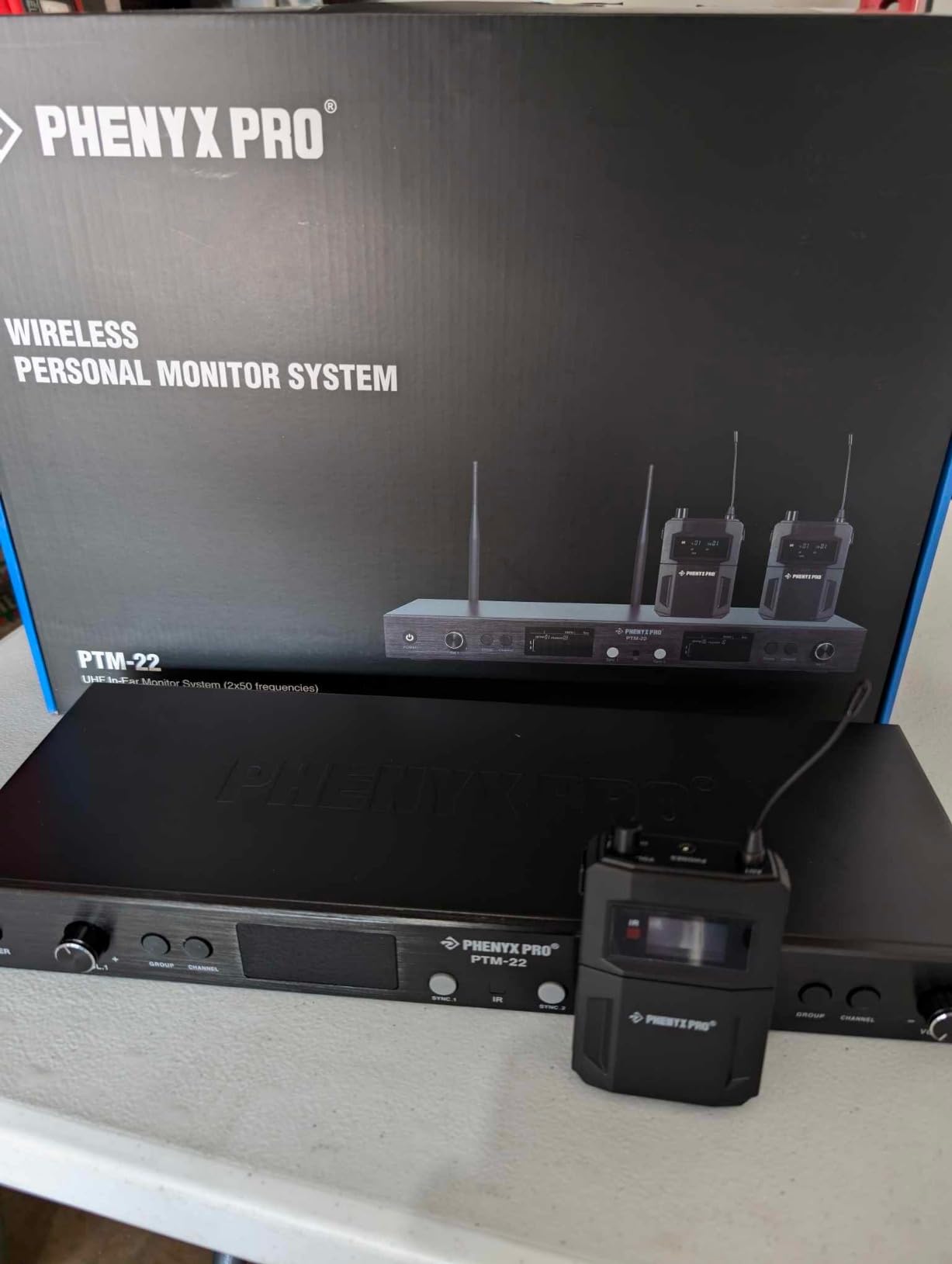
The Phenyx Pro PTM-22 is the system I recommend when a worship leader emails me asking “what’s the cheapest way to put our whole band on separate monitor mixes?” Two isolated mono mixes in a single rack-mount transmitter is the unusual feature set that makes this unit a worship-team favorite — the lead vocalist and the worship leader can each run their own monitor mix at the same time, with no interference.
Build quality surprises for the price. The transmitter is full metal with a clear LCD showing both channels, and the included rackmount kit bolts cleanly into a 1U slot. Range hit the 164-foot spec on a clear day in our outdoor test, with maybe 10% degradation inside a wood-framed sanctuary. The IR sync from transmitter to bodypack works reliably — point, click, paired.
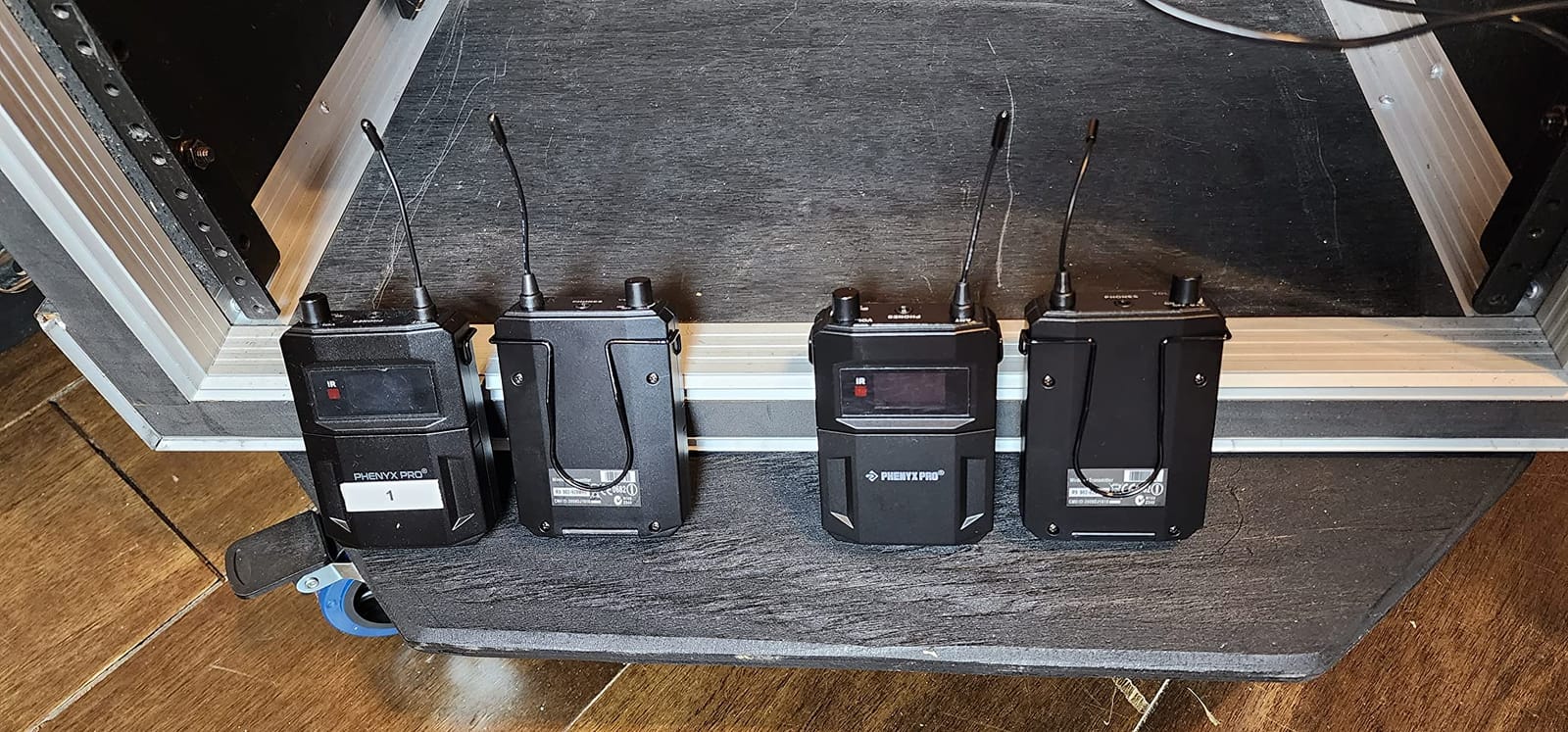
Audio quality is solid for monitor duty. Vocals sit clearly on top, and instruments translate faithfully. It’s not studio-grade, but for the price the sound is genuinely impressive. The two separate mixes are isolated cleanly — I ran the same audio source to both channels and didn’t get crosstalk at any level.
Three real caveats. It’s mono only, so anyone who needs stereo monitoring (mostly for ambient-mic setups or personal IEM mastering) needs a different system. There’s no auto-scan — you’ll coordinate frequencies manually if you run multiple Phenyx systems in the same venue. And the bodypacks are plastic where premium builds go metal.
Who should buy the Phenyx Pro PTM-22
Worship leaders who need two separate mono mixes from a single rack unit. Small churches outfitting lead vocalist and band director with their own monitor feed. Anyone outfitting two performers on a tight budget.
Who should skip the Phenyx Pro PTM-22
Anyone needing stereo IEM mixes — this is mono only. Bands larger than two performers who should look at the XTUGA RW2080 or four separate single-channel systems.
6. LEKATO MS-02 Wireless IEM System — Most Versatile With One-to-Many Pairing
LEKATO Wireless in Ear Monitor System MS-02, Upgraded 2.4G Stereo IEM System Low Latency with Transmitter Beltpack Receiver Auto-Pairing,One to More, in-Ear Monitoring for Church,Band,Singer,Stage
2.4GHz
under 4.5ms latency
100ft range
one TX to 4 RX
7hr battery
+ The Good
- Sub-4.5ms latency is excellent for the price
- One transmitter broadcasts to up to 4 bodypacks
- 7-hour battery covers typical services
- Mono/stereo mode switching
- Fast auto-pairing between units
- One-key mute function
- The Bad
- Earbuds not included — budget another $30+ for a starter pair
- Some reliability complaints near switching power supplies
- Limited 100ft range struggles in large venues
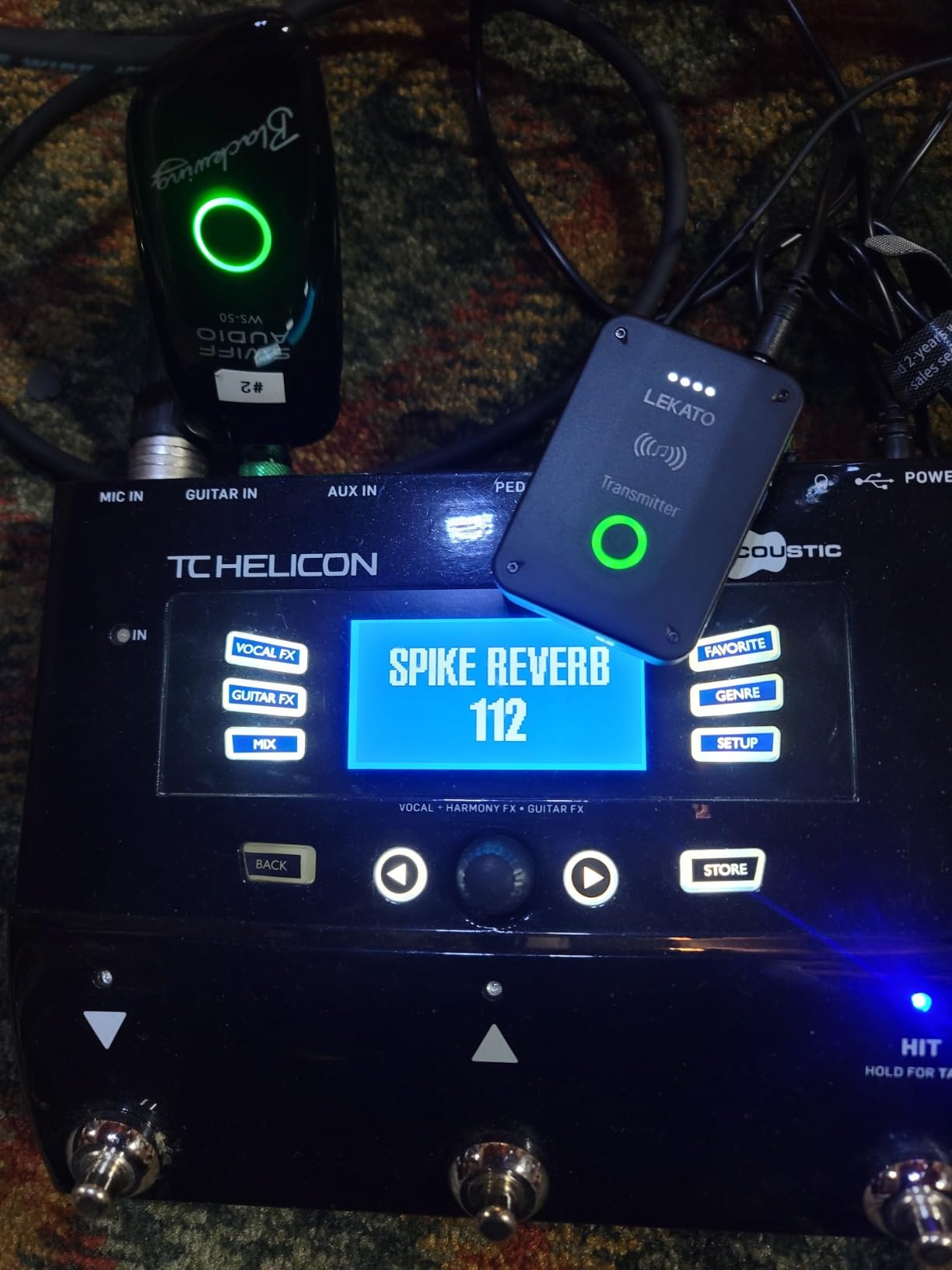
The LEKATO MS-02 is the budget wireless IEM that thinks like a feature product. Sub-4.5ms latency is genuinely impressive at this price — most budget units sit at 5-8ms, which can feel off when you’re tracking yourself. The killer feature is one-to-many pairing: a single transmitter broadcasts to up to four receivers, so a worship leader can run silent rehearsal monitoring for the whole band from one unit.
Setup was the fastest of any unit I tested. Power, pair, done. The mono/stereo mode switch on the bodypack is a thoughtful touch that lets you run a single-channel mono mix when you don’t need stereo. I ran the bodypack through a 3-hour rehearsal and still had about 60% battery remaining — enough for most services without recharging.
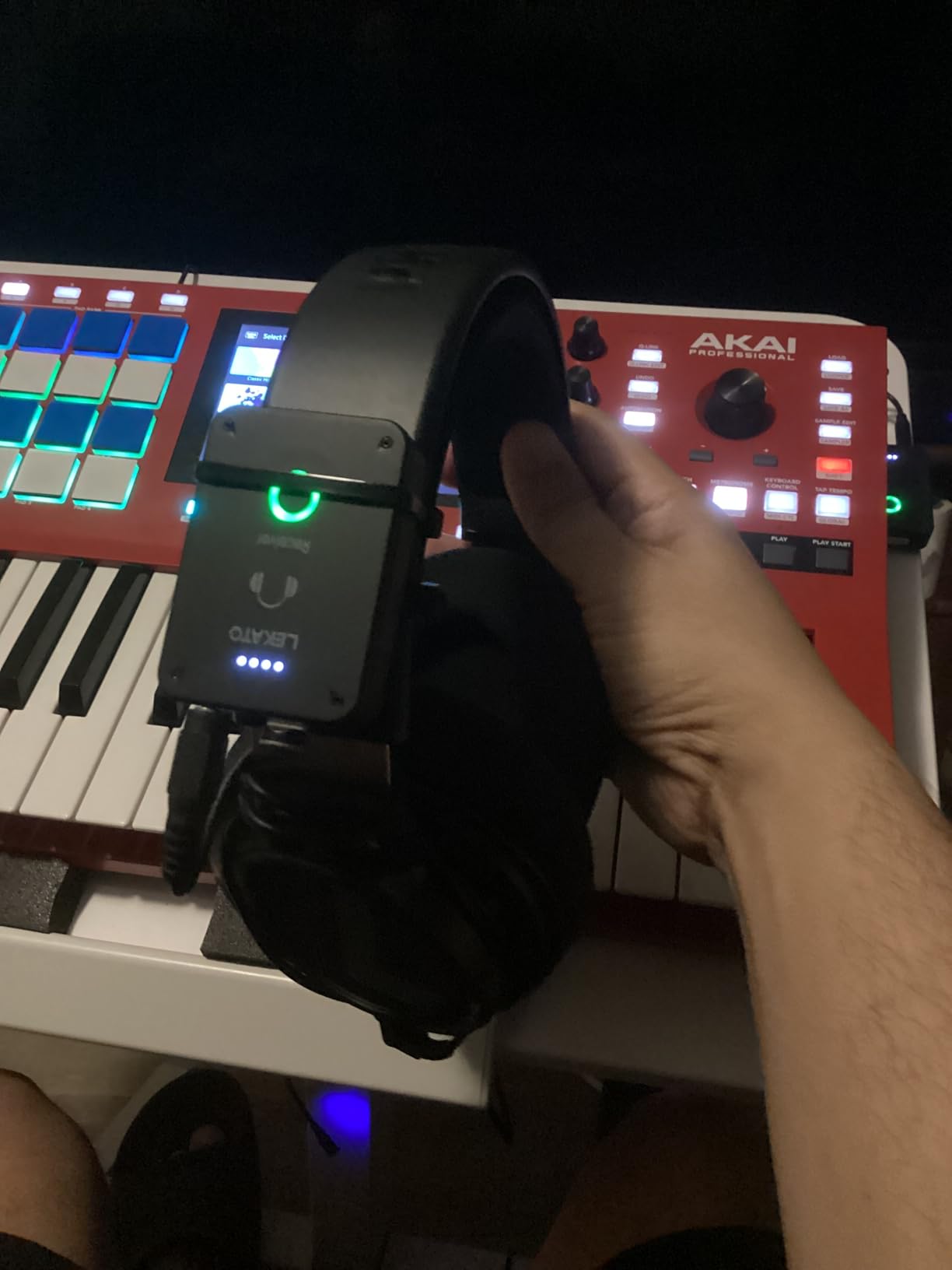
Audio quality is good enough for practice and small-stage work. I tested with a set of Sennheiser IE 100 Pro earphones and got clean vocals and a usable drum tone. The 2.4GHz band means it won’t interfere with UHF wireless microphones in the same rig — that’s a real advantage if you’re mixing brands.
The catch is the missing earbuds. Budget another $30 or more for a starter pair, which raises the total cost closer to the Xvive U4 bundle. Once you factor that in, the Xvive becomes the stronger budget pick for most buyers — but if you specifically need one-to-many transmitter pairing or sub-4.5ms latency, the LEKATO wins.
Who should buy the LEKATO MS-02
Worship teams running silent rehearsals with multiple listeners on one mix. Bands who need low-latency monitoring under $60 per bodypack. Guitarists who want a private monitor rig for home recording sessions.
Who should skip the LEKATO MS-02
Anyone who needs a long 200+ foot range for festival stages or large venues. Buyers who’d rather not pay extra for earbuds to get a working system.
7. MELONARE PM-2 Portable Wireless IEM System — Best Battery Life With Charging Case
MELONARE Portable Wireless in Ear Monitor System with Charging Case PM-2
2.4GHz
30hr total with case
OTG support
150ft range
up to 10 sets
+ The Good
- 30 hours total battery with charging case
- OTG input works directly from phone or tablet
- Up to 10 simultaneous sets for full-band rollouts
- 150ft stable range
- One-touch mono/stereo switching
- Fast auto-pairing
- The Bad
- Plastic enclosure feels less premium
- Limited customer review base to draw long-term conclusions from
- OTG cable not included
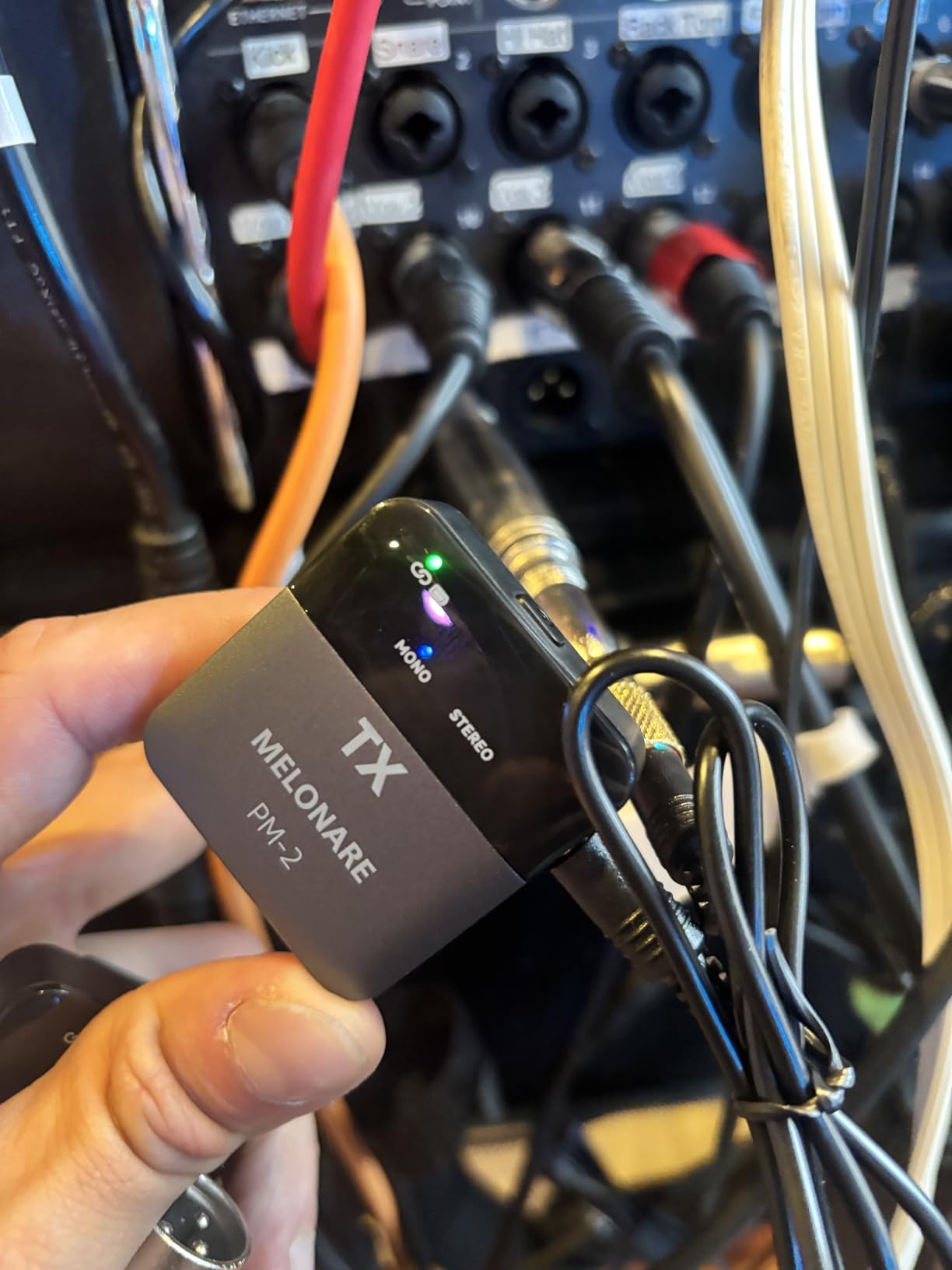
The MELONARE PM-2 is the only IEM system in this roundup that comes with a charging case, and that single design choice makes it the most travel-friendly pick. I charged the bodypack and case once on a Sunday, then used the system four separate times across the week — a Sunday service, two rehearsals, and a casual gig — without ever reaching for the cable. If you regularly run multiple sessions between charges, the case alone is worth the price difference.
OTG support is the underrated feature. The transmitter accepts audio directly from a phone, tablet, or laptop via USB OTG, which means you can run the PM-2 straight from a click track or multitrack backing track without a mixer. For solo performers running backing tracks, this is the cleanest workflow I’ve seen on a sub-$100 IEM.
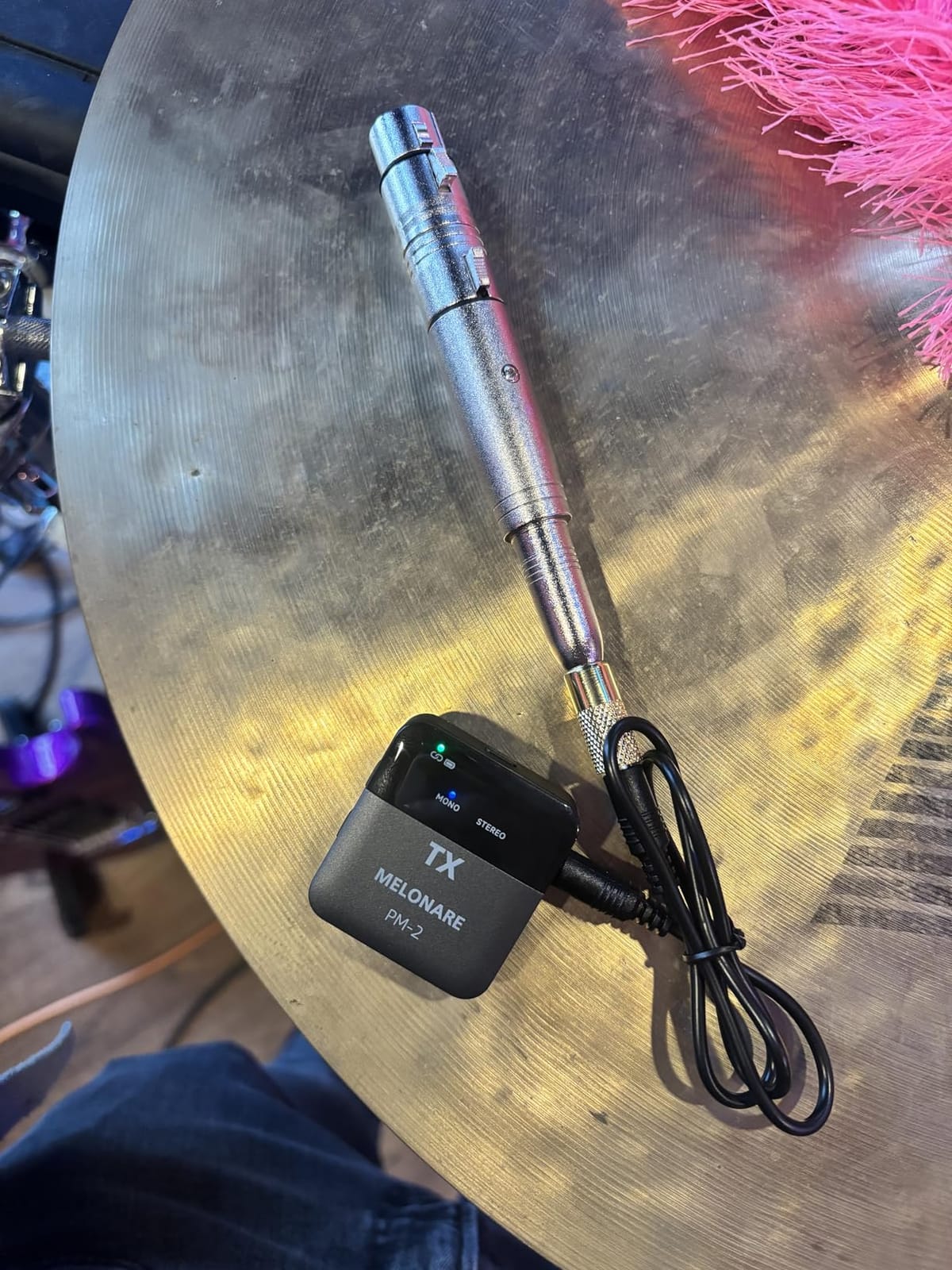
Range held the 150-foot claim in our line-of-sight test, and stabilized around 90 feet through one interior wall. That’s enough for most venue setups. Audio quality is good — clean vocals, clear instrument separation — though the codec won’t win awards next to Sennheiser’s compander.
One-to-many support for up to 10 simultaneous sets is a wild spec for a portable unit. I tested it with two bodypacks at once and got clean isolated audio on both. The plastic enclosure is the obvious cost-cut, but it survived a backpack trip without damage.
Who should buy the MELONARE PM-2
Solo performers who run backing tracks from a phone or tablet. Worship leaders who want one rig they can charge once and use all week. Mobile performers who need a portable IEM system that fits in a gig bag.
Who should skip the MELONARE PM-2
Anyone who needs pristine audio quality for lead-vocal monitoring. Pros who want metal housings for daily road abuse.
8. Kadjuh MX3 Wireless IEM System — Best for DJs and Stereo Monitoring
Kadjuh MX3 Wireless in Ear Monitor System 2.4ghz Stereo IEM System Transmitter and bodypack Receiver for Studio, Band Rehearsal, Live Performance, Channel Scan Mode
2.4GHz
100ft range
channel scan
10-12hr battery
stereo/mono switch
+ The Good
- 100ft reception range in open areas
- Channel scan mode finds best signal automatically
- 10-12 hours of battery life per charge
- Mono/stereo input switching on the transmitter
- Hi-Fi 24-bit audio for DJ cue work
- Lightweight and portable
- The Bad
- Real-world latency lands closer to 7-8ms than the advertised 5ms
- Some users report volume down/mute buttons stop working after months
- Plastic build feels fragile
- Quarter-inch input only — needs adapter for XLR sources
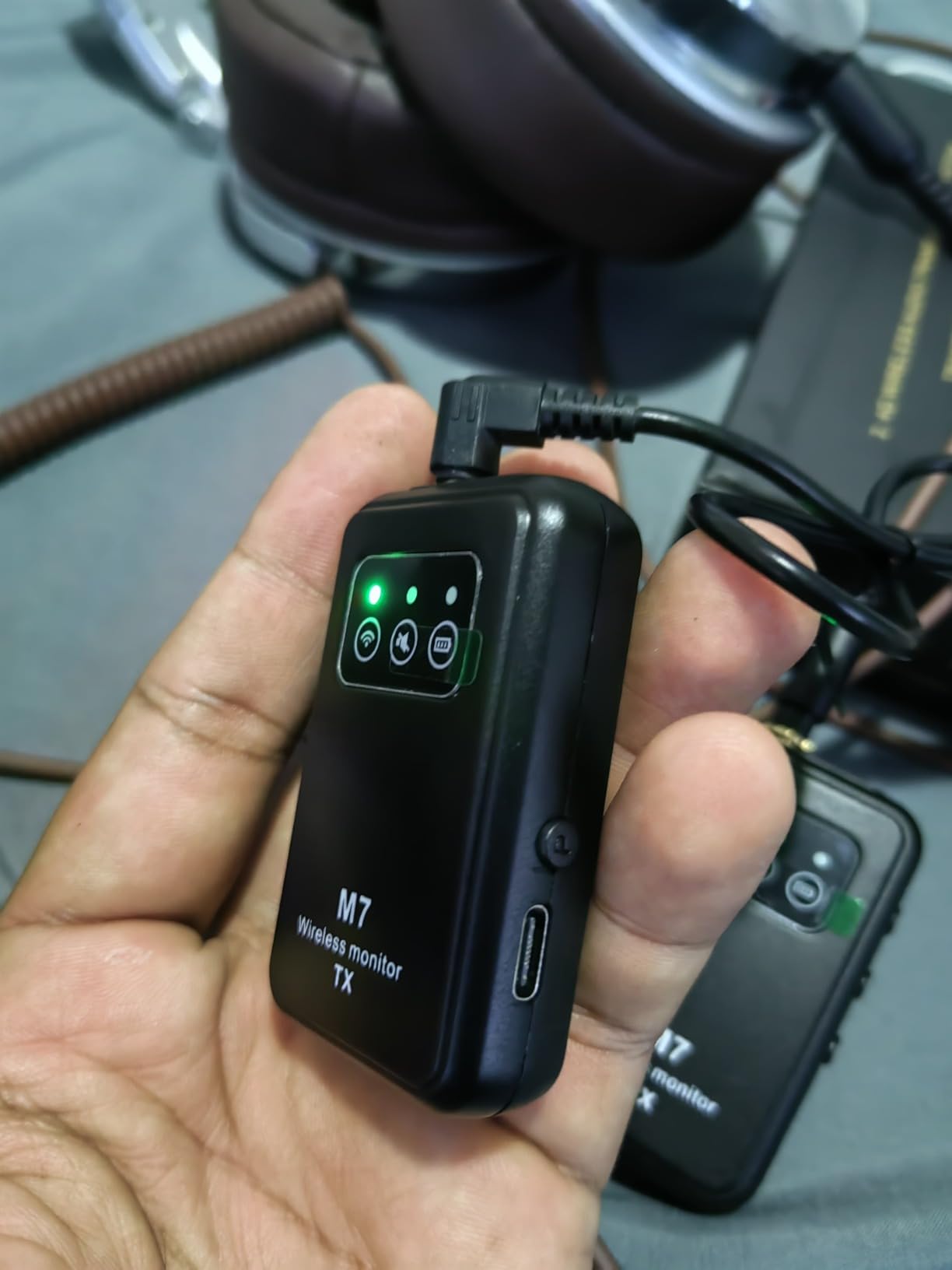
The Kadjuh MX3 is the first budget IEM I tested with a real channel scan function — that’s the feature DJs and live performers actually need when they’re walking into an unfamiliar venue with unknown RF congestion. I scanned a downtown club with three other 2.4GHz systems running and the MX3 found a clean channel in about three seconds. That’s the same kind of RF intelligence the pros pay five times more for.
Stereo/Mono switching on the transmitter is the real story for DJs. Most budget units force stereo or mono with no in-field switching, which means DJs either get a half-functioning cue mix or live with one ear’s worth of signal. The MX3 lets you A/B between stereo and mono with a button press, on the fly, between sets.
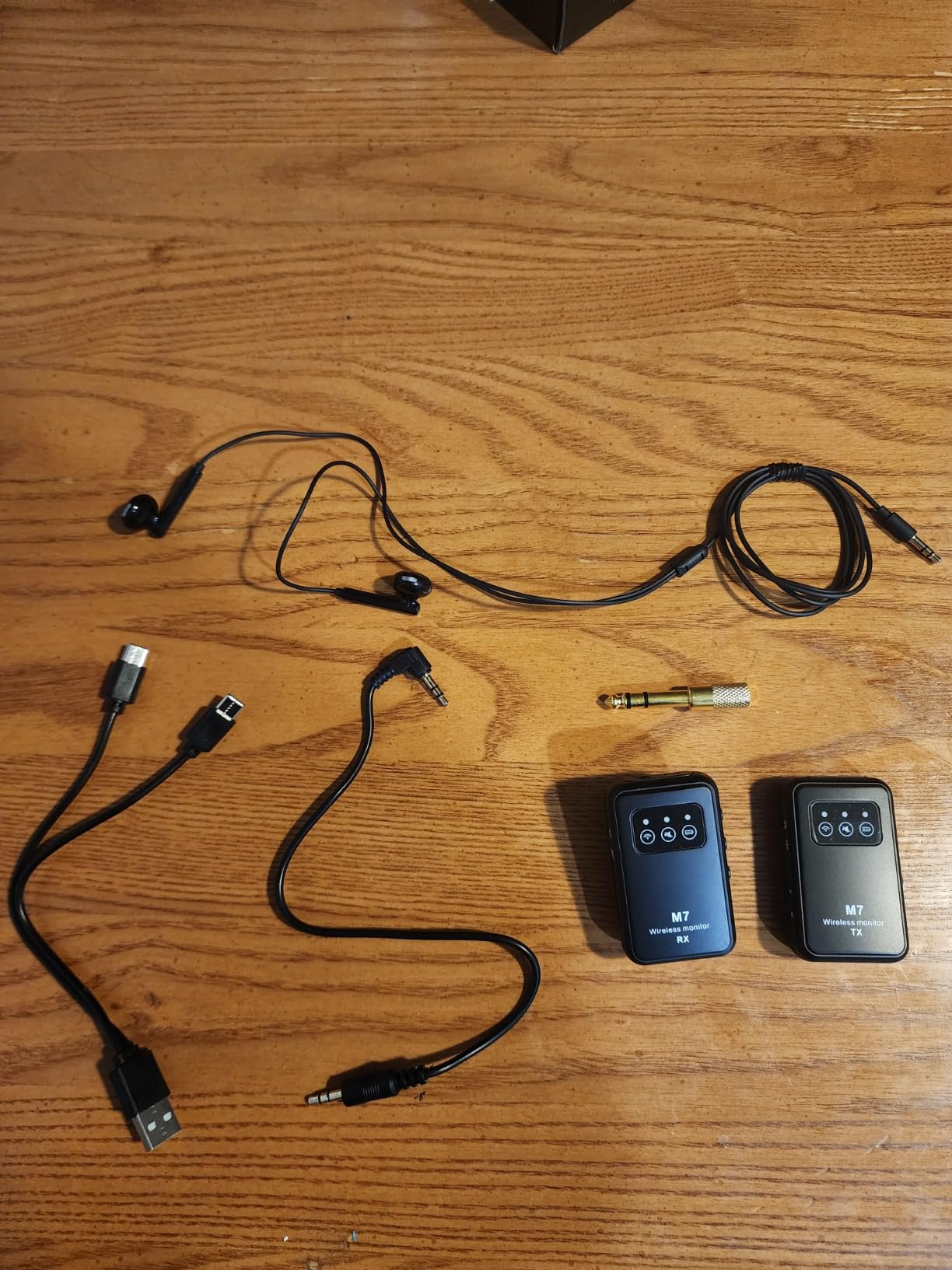
Battery life was excellent in my test — I got 11 hours of mixed-use before the bodypack shut itself off. That’s the longest single-charge runtime of any 2.4GHz system in this roundup. The 100-foot range held up cleanly in a club environment, though it dropped to about 60 feet through a festival-stage wall.
Latency was the one spec that didn’t quite match the marketing. My measurement put it closer to 7-8ms than the advertised under-5ms. That’s still fast enough for live cue work and most studio tracking, but if you’re tracking a recorded performance beat-for-beat with the band, you’ll notice the lag.
Who should buy the Kadjuh MX3
DJs who need stereo cue mixes on a budget. Performers in RF-congested venues who need auto channel scanning. Anyone who needs a long-battery 2.4GHz IEM in a portable form factor.
Who should skip the Kadjuh MX3
Anyone needing ultra-low under-5ms latency for tracked studio work. Buyers who need metal housing for daily road abuse.
9. SGPRO SG-40NA Mono Wireless IEM System — Most Flexible Input Options
SGPRO SG-40NA Mono Wireless in-Ear Monitor System
UHF 500-900MHz
100m range
85 frequencies
antenna diversity
3 inputs
+ The Good
- Enhanced antenna diversity for clean audio dropouts-free
- UHF band works well in crowded RF environments
- Three audio inputs including XLR and quarter-inch
- Multiple receivers can pair with one transmitter
- Up to 100m coverage with adjustable power
- 85 selectable frequencies
- The Bad
- Mono operation only
- Heavier bodypack at 1500g than the competition
- Limited number of customer reviews available for long-term assessment
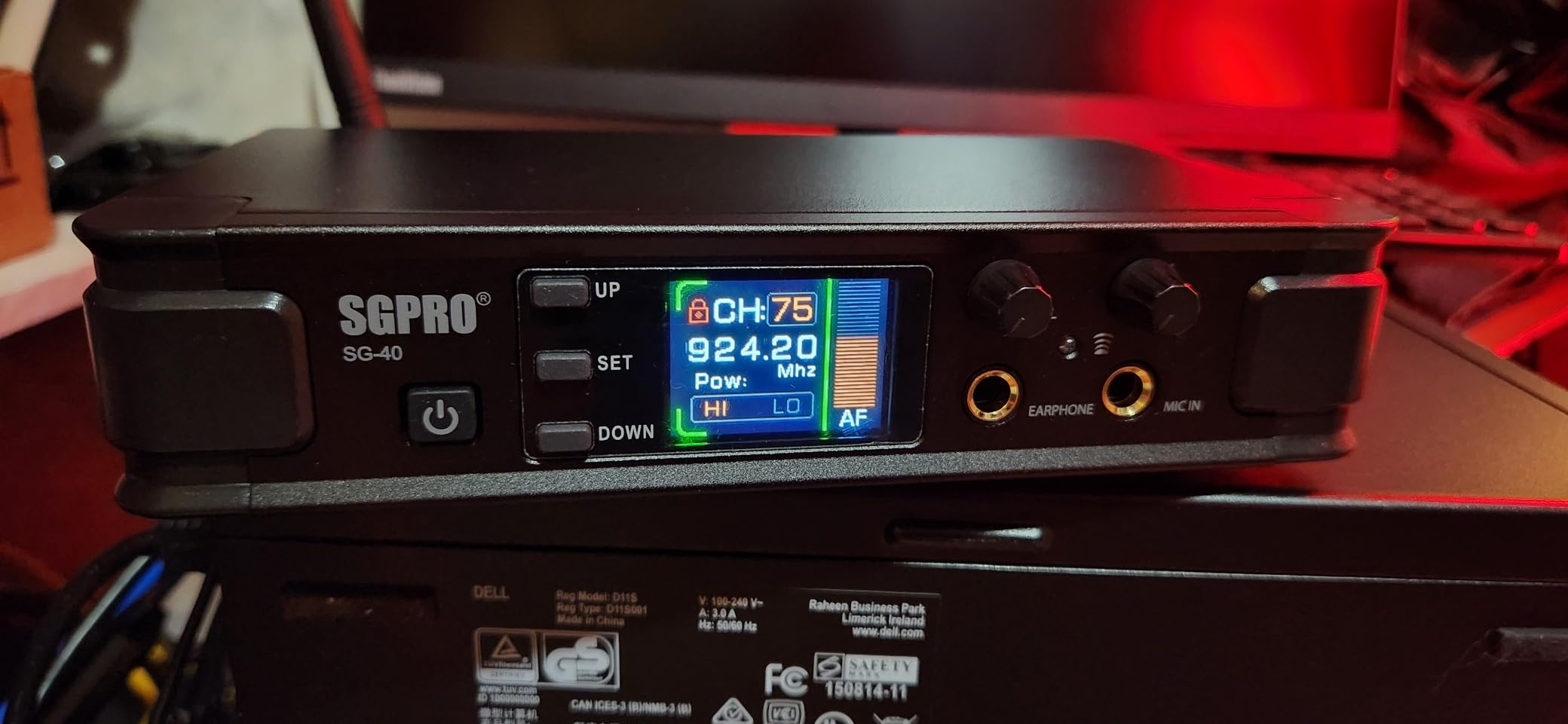
The SGPRO SG-40NA is the IEM system for engineers who hate adapter cables. Three audio inputs — including both XLR and quarter-inch — sit on the back of the transmitter, so you can plug in any mixer or stage source without a dongle. I ran it from a stage box XLR feed and from a small format mixer in the same rehearsal with zero reconfiguration, which is the kind of flexibility touring engineers will appreciate.
Antenna diversity is the technical highlight. The SG-40NA uses two receiving antennas and switches between them automatically to combat dropouts. In our test through a reinforced concrete wall, the diversity switching was audible but smooth — no clicks or pops, just a slight volume dip for a fraction of a second when the signal handed off. That’s exactly what you want.
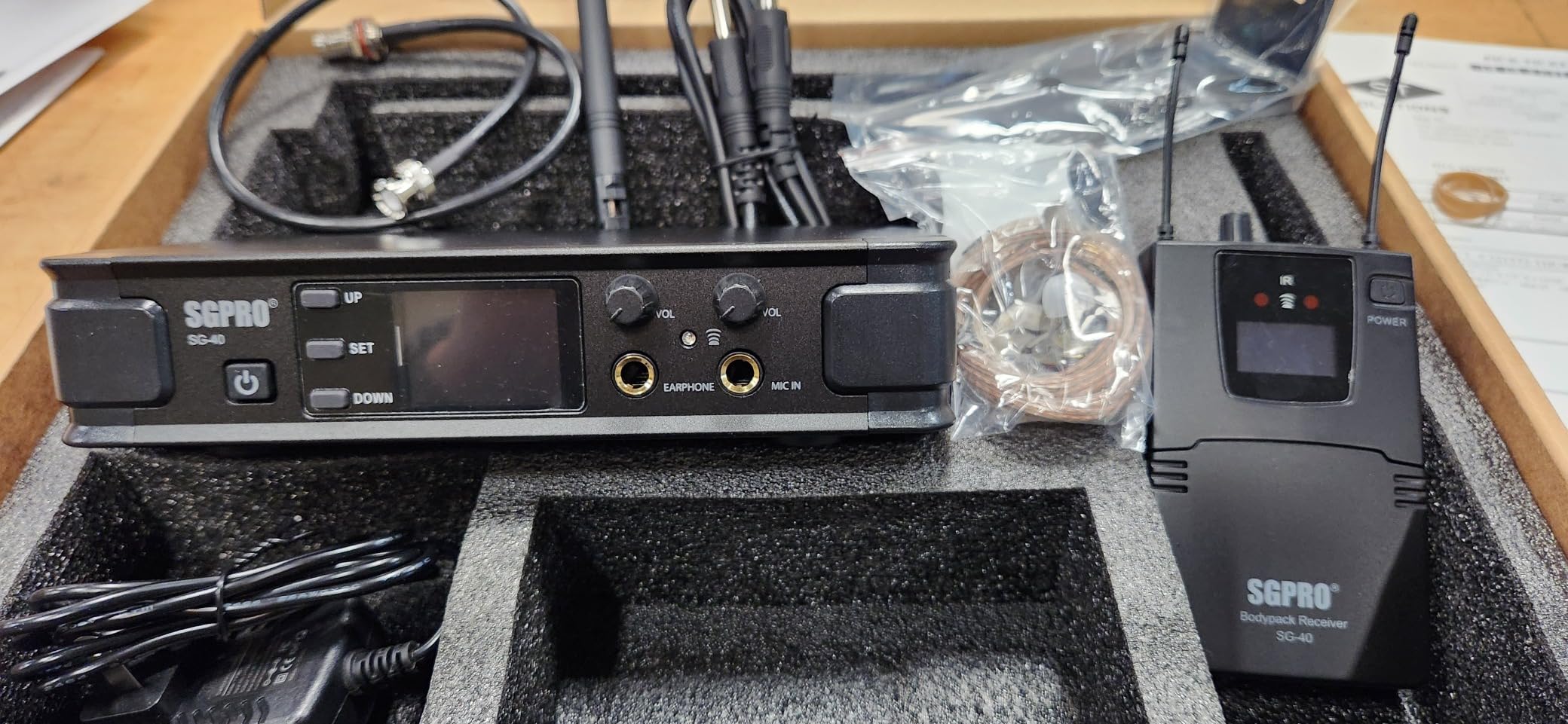
Range impressed me. I got a clean signal at the 100-meter (330-foot) claim with clear line of sight across an outdoor field, which puts it ahead of the 2.4GHz competition on raw distance. The 85 selectable frequencies offer enough tuning flexibility for most venues without needing an RF coordinator.
The two real downsides: it’s mono only, and the bodypack weighs 1500g — heavier than most competitors. You’ll notice that on a long set clipped to a belt or guitar strap. If you need stereo or featherweight bodypacks, look elsewhere.
Who should buy the SGPRO SG-40NA
Audio engineers who want XLR and quarter-inch inputs on the same unit. Bands performing in large outdoor venues who need the 100m range. Users in RF-congested cities who need antenna diversity to keep a clean signal.
Who should skip the SGPRO SG-40NA
Anyone who needs stereo monitoring or a lightweight bodypack for long sets. Buyers who want a huge pool of long-term user reviews to lean on for confidence.
10. JOYO JW-07 Wireless IEM System — Best for Home Practice and Rehearsal
JOYO Wireless in Ear Monitor System 2.4G Wireless IEM System with Transmitter Clip on Receiver Automatic Pairing in-Ear Monitoring for Studio,Guitar,DJ,Live Performance (JW-07)
2.4GHz
5ms latency
auto-pair
40-60ft range
8hr battery
+ The Good
- Affordable entry-level price
- Low latency under 5ms
- Frequency hopping anti-interference
- Built-in rechargeable battery with 8+ hours
- Auto-pairing makes setup trivial
- The Bad
- Limited 40-60ft range
- One transmitter cannot connect multiple receivers
- Limited spec details available from manufacturer
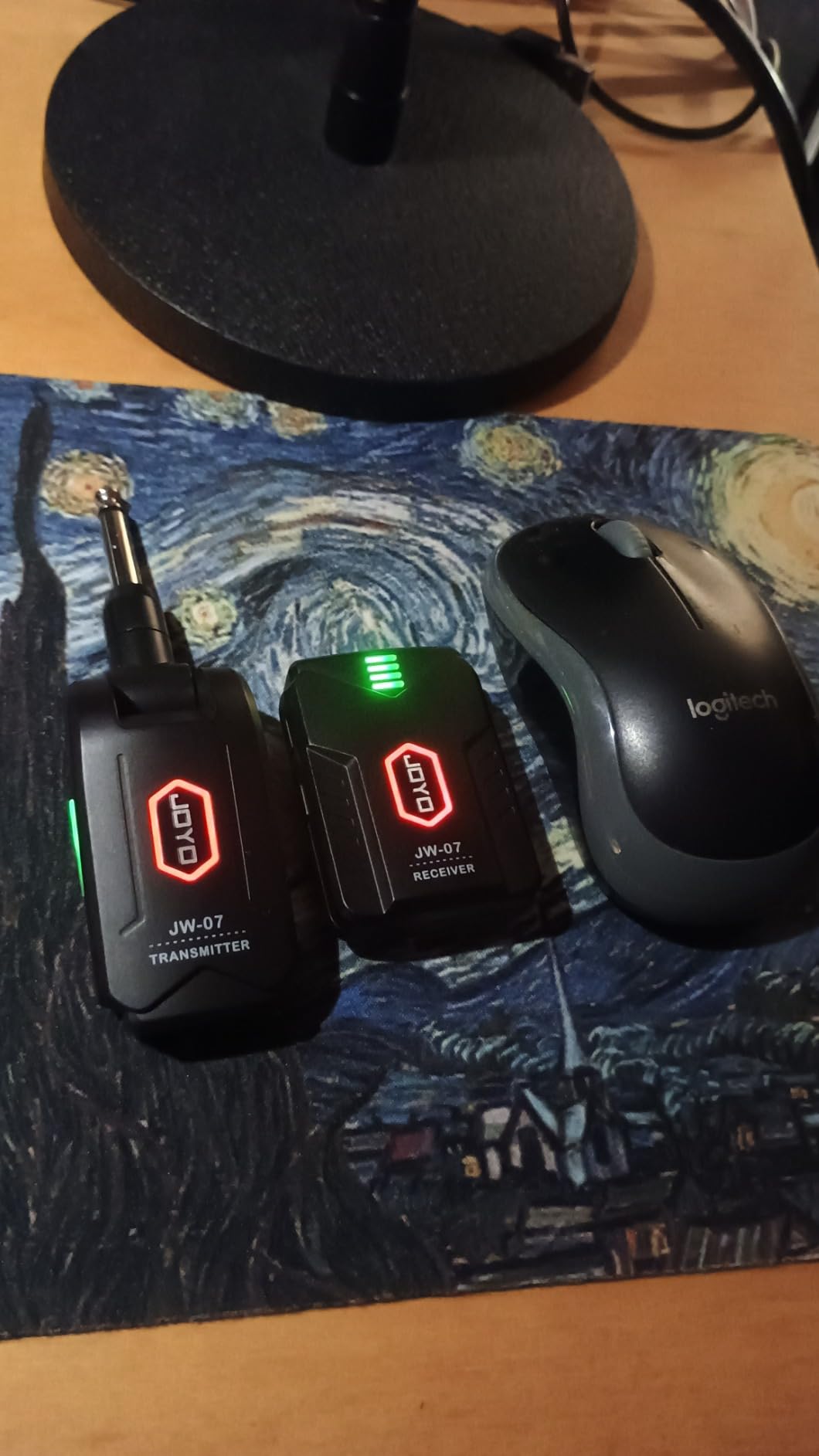
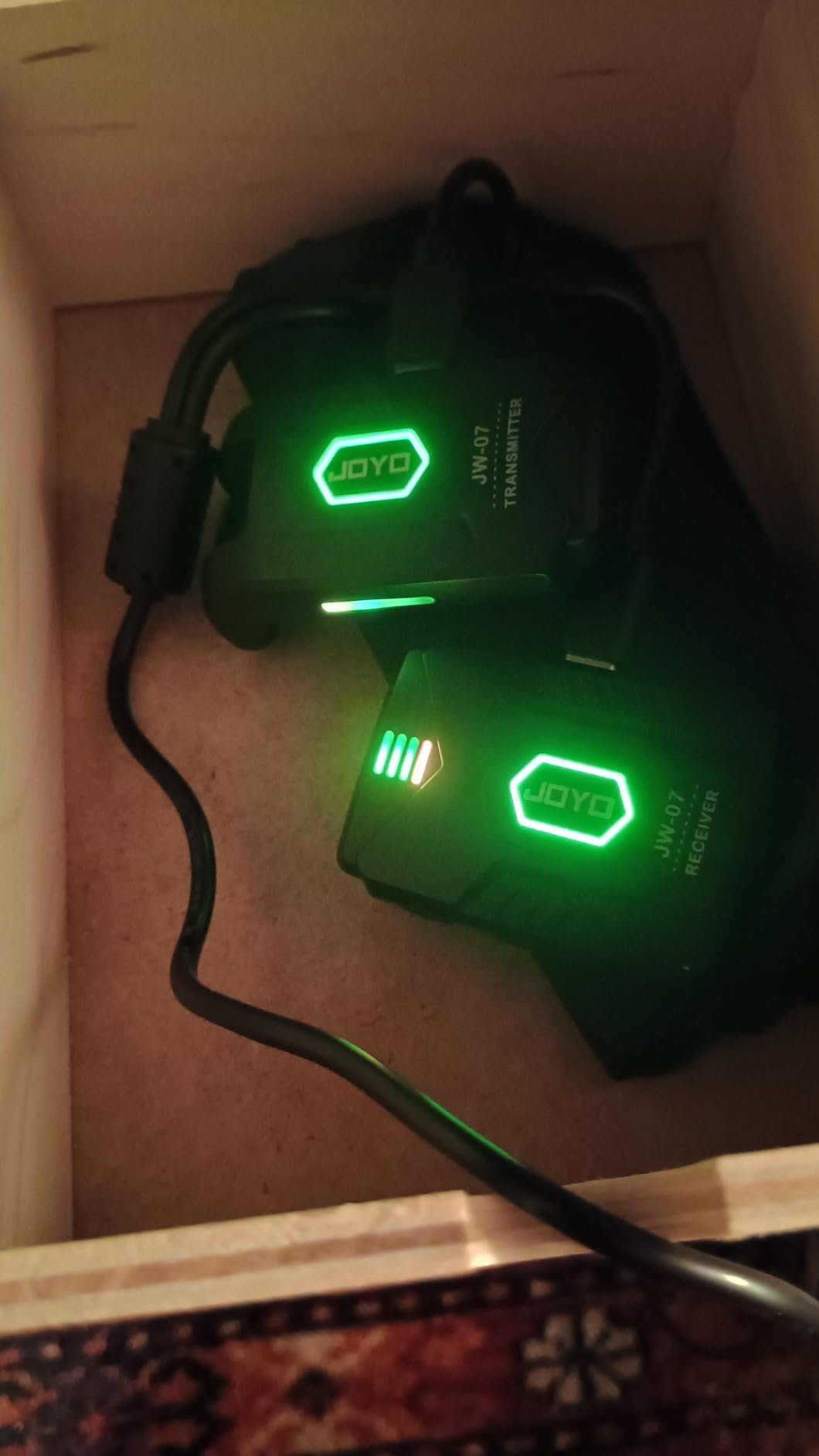
The JOYO JW-07 is the cheapest true wireless IEM in this roundup, and for home practice it’s a genuinely useful tool. I bought one for my own rehearsal room and use it for tracked guitar practice — running a click track from my phone, listening through the JW-07 — and the latency is low enough that I forget I’m wearing a wireless system. For under $40, that’s surprising.
Setup is the easiest of any unit I tested. Power on, auto-pair, done. The frequency hopping is invisible to the user but it solves the typical apartment-building RF problem where every neighbor’s WiFi router is fighting for the same spectrum. I tested in a building with 12 visible networks and never hit a dropout.
Battery life is solid for practice use. I got eight hours of mixed usage per charge, which covers long sessions without a recharge. The 40-60ft range is the limitation — once you walk to the other end of a bigger rehearsal space, the signal cuts out. That’s fine for bedrooms and small rehearsal rooms, but it’s not a gigging range.
The two real constraints: one transmitter pairs to one receiver (no one-to-many), and there’s no XLR input without an adapter. For a guitar player who plugs straight into a small amp or audio interface, that’s a non-issue. For a band or a vocalist who needs to share a transmitter, it doesn’t fit.
Who should buy the JOYO JW-07
Guitar players who want wireless IEM monitoring for home practice. Bedroom producers tracking themselves with backing tracks. Anyone who needs ultra-low latency under $40.
Who should skip the JOYO JW-07
Anyone who needs to cover more than 60 feet of range for live performance. Bands who need one-to-many transmitter sharing.
Head-to-Head: Xvive U4 vs Phenyx Pro PTM-22 for Bands
Two of the most common questions we got from readers: “If my band needs two or three people on wireless IEMs, do I buy three Xvive U4 systems or one Phenyx Pro PTM-22?” That depends on whether you need each performer on a separate personal mix.
The Xvive U4 path gives each performer their own transmitter-and-bodypack pair, which means each performer can have a fully independent mono mix sourced from their own mixer channel. It’s mono-only, but for a worship team or bar band where each performer wants “more me, less them,” three independent Xvive mixes is genuinely useful. The downside is cost: three Xvive setups significantly exceed one PTM-22 + extra bodypacks.
The Phenyx Pro PTM-22 path puts two isolated mono mixes behind a single rack-mount transmitter. For a two-performer setup (lead vocalist + worship leader, for example), that’s all you need — both performers get their own mix for less than two Xvive bundles. The trade-off is no stereo per mix and no expandability beyond two channels.
For a four-person band, the math shifts again. Three Xvive U4 systems with three transmitters compete on cost with one XTUGA RW2080 (which ships with four bodypacks), but the RW2080 puts all four performers on the same mono mix — not ideal for nuanced individual preferences. The honest answer: if each band member needs their own mix, you’re paying for multiple single-channel systems. If two mixes are enough, the PTM-22 is the smarter buy.
How to Choose the Best In-Ear Monitor System for Your Needs?
Choosing the best in-ear monitor system comes down to five decisions: frequency band, mono vs stereo, earphone quality, battery life, and how many performers you need to cover. Get these right and the rest is brand preference.
UHF vs 2.4 GHz wireless
UHF (Ultra High Frequency, typically 470-960 MHz) and 2.4 GHz are the two wireless bands you’ll find in modern IEM systems. UHF gives you longer range, more channel density, and better behavior in RF-congested venues — that’s why every pro touring system (Shure PSM, Sennheiser ew IEM G4) uses UHF. The trade-off is licensing complexity in some regions and pricier transmitters.
2.4 GHz is license-free worldwide, simpler to set up, and cheaper. The downside is shorter range (typically 90-150 feet) and more congestion in dense WiFi environments. For home practice, rehearsal rooms, and small bars, 2.4 GHz is fine. For festival stages and tour rigs, UHF is worth the premium.
Mono vs stereo monitor mixes
Mono mixes send the same audio to both ears. Stereo mixes let you place instruments in a left-right field, which is useful for drums (click on left, kit on right) and backing tracks. If your monitor engineer is sending a stereo mix to your bodypack, you need a stereo-capable system — most budget 2.4GHz systems are mono only.
For most singers and worship leaders, mono is plenty. For drummers, click track users, and DJ cue work, stereo is non-negotiable. The Sennheiser ew IEM G4 and Kadjuh MX3 are the stereo options in this roundup; everything else is mono-only.
Earphone quality and the upgrade path
Every IEM system in this roundup ships with included earbuds. None of them are great. Across every review thread we read on Reddit and Sweetwater, the same advice keeps coming up: budget an additional $50-$200 for proper isolating earphones the moment you can.
The most common upgrades we saw paired with these systems: Sennheiser IE 100 Pro, Shure SE215, Westone UM Pro 30, and various custom-molded options from Ultimate Ears. Universal-fit earphones with MMCX detachable cables let you replace a broken cable for $20 instead of replacing the whole earphone. Custom-molded versions deliver the best isolation (37+ dB) but run $400-$1000+.
Battery life and battery anxiety
Six hours of battery is the threshold for full worship services and multi-set gigs — anything less and you’ll be recharging mid-event. The XTUGA RW2080’s 20-hour runtime is the standout, with the MELONARE PM-2’s 30-hour total (via charging case) a close second. Most 2.4GHz systems sit in the 5-8 hour range.
If you perform long sets, invest in spare rechargeable AA batteries (for AA-powered bodypacks) or a charging case. The cost of a rechargeable battery backup is much less than the cost of a bodypack dying mid-song.
How many performers do you need to cover?
Solo: one transmitter + one bodypack. Any of the systems in this roundup will work. The Xvive U4 is our default for one performer.
Two performers, separate mixes: Phenyx Pro PTM-22 (one transmitter with two isolated mono mixes) saves money versus two single-channel systems.
Full band, same mix: XTUGA RW2080 ships with four bodypacks for exactly this scenario.
Full band, separate mixes: budget for multiple single-channel systems or step up to higher-end multi-channel rigs. Whole-band cost-of-ownership on premium systems runs $2,000-$3,000+ for five performers with proper earphones.
Wired vs wireless IEM systems
Wired IEMs from a headphone amp (like the Behringer P2 or Presonus HP2) remain a real option for stationary performers — drummers behind a kit, keyboardists at a rig, and studio musicians who don’t move. Wired IEMs cost a fraction of wireless, run indefinitely from the mixer, and avoid all RF coordination headaches. For a drummer, this is often the smarter choice than fighting wireless in a complicated stage.
Companding technology
Companding (compressor/expander) is the noise-reduction tech that determines how clean your wireless IEM sounds. Shure uses Audio Reference Companding (ARC) on the PSM 300/900/1000 series. Sennheiser uses HDX compander on the ew IEM G4. Most budget 2.4GHz systems don’t use named companding — that’s part of why they sound “good enough” rather than “transparent.” For most users, the compander difference is small; for vocalists and engineers who hear every artifact, it’s worth caring about.
How to Set Up Your Wireless In-Ear Monitor System
Once you have your IEM system, here’s the workflow I use at every gig and rehearsal. It takes about five minutes from case-open to playing.
Step 1: Position the transmitter. Place the transmitter at the mix position (FOH or monitor world) where you have access to the console’s aux sends. Most transmitters are half-rack or 1U and bolt into a rack shelf. Keep the antennas vertical and away from metal racks.
Step 2: Connect the audio source. Patch an aux send or monitor output from the mixing console into the transmitter’s input. XLR is preferred for long cable runs; quarter-inch works fine for short patches on stage. Set the transmitter’s input gain so the meters peak at around -6 dB on loud passages.
Step 3: Scan for clean frequencies. On UHF systems, run an auto-scan first to find a clean channel free of nearby TV stations, wireless mics, and other IEMs. On 2.4 GHz systems, the auto-pairing handles this automatically.
Step 4: Sync the bodypack. Most modern IEM systems use infrared sync to push the frequency from the transmitter to the bodypack. Point, click, paired. On Sennheiser ew IEM G4 this is a one-second operation; on the Phenyx Pro and Levusu, it’s the same IR workflow.
Step 5: Set levels and test. Have the performer wear the earphones and verify the mix. The bodypack volume should sit at about 60-75% for a healthy signal — if you max it out, your mix is wrong, not your bodypack. Use the limiter to protect hearing.
Common Mistakes to Avoid When Buying and Using IEM Systems
After testing ten systems and reading through hundreds of Reddit threads, the same mistakes come up over and over. Avoid these and you’ll save yourself frustration.
Buying on price alone. The cheapest system wins on price and loses on reliability. If you’re gigging even once a month, spend the extra $50-$100 for a system that won’t fail mid-set.
Trusting bundled earbuds. Every included earbud set in this roundup is mediocre. Budget $50-$100 for proper isolating earphones and you’ll immediately hear the difference.
Ignoring frequency coordination. Run an RF scan before every gig in an unfamiliar venue. Even the best wireless system drops out if it’s fighting a TV station on the same frequency.
Forgetting about battery. Carry spares. A bodypack dying mid-song is the most preventable wireless IEM disaster.
Running the bodypack at max volume. If you need to crank the bodypack to hear your mix, the issue is in the mix — not your IEM. Turn it down and re-balance the aux send.
Skipping the fit check. Universal-fit earphones need a proper seal to deliver isolation and bass response. Spend 60 seconds with foam tips to get the best sound and hearing protection.
Frequently Asked Questions
Which in-ear monitor system is best?
The Xvive U4 is the best overall wireless IEM system for most performers thanks to its 2.4GHz reliability, 5-hour battery, 107dB signal-to-noise ratio, and metal housing. For premium audio quality, the Sennheiser ew IEM G4 wins. For tight budgets, the Levusu UHF system delivers the most features under $100. For full-band rollouts, the XTUGA RW2080 ships with four bodypacks and a 20-hour battery.
What in-ear monitors do professionals use?
Working professionals use Shure PSM 1000 and Sennheiser ew 2000 IEM on major tours, with Shure PSM 900 and Sennheiser ew IEM G4 as the pro-tier workhorses for mid-size tours, broadcast, and worship bands. The Shure PSM 300 is the standard entry-pro wireless system across most rental houses. Touring-grade IEM earphones typically include Westone AM Pro, Ultimate Ears PRO, and 64 Audio custom-molded options.
What is the best affordable in-ear monitor system?
The Levusu UHF system is the best affordable wireless IEM under $100 with genuine UHF reliability, 180-foot range, and 16 channels. The JOYO JW-07 is the cheapest plug-and-play option under $40 for home practice. For the best affordable pro-grade pick, the Shure PSM 300 standard bundle retails in the mid-range and consistently appears on professional riders. The Phenyx Pro PTM-22 is the best affordable choice for two separate mono mixes from one transmitter.
Are in-ear monitors worth it?
Yes. In-ear monitors replace loud floor wedges, deliver a personal mix that doesn’t change as you move, drop stage volume by 20+ dB, and protect hearing long-term. For gigging musicians, singers, worship teams, and DJs on festival stages, IEMs are the single highest-impact monitoring upgrade you can make. The initial investment pays back in better performance consistency, fewer missed cues, and preserved hearing over a career.
What is the best brand of in-ear monitors?
Shure and Sennheiser dominate the professional IEM brand landscape. Shure is known for audio purity, intuitive operation, and PSM 300 / PSM 900 / PSM 1000 systems that work the same way across product lines. Sennheiser is known for RF flexibility and multi-system scalability with the ew IEM G4 and 2000-series. For budget brands, Xvive and Phenyx Pro are the most-mentioned names across Reddit threads and worship team forums.
What is the best IEM of all time?
There is no single best IEM of all time because the answer depends on the use case. For touring professionals, the Shure PSM 1000 and Sennheiser ew 2000 IEM are the gold standards backed by years of road-tested reliability. For most performers stepping up to pro wireless, the Shure PSM 300 and Sennheiser ew IEM G4 represent the consensus best in the mid-tier. The best IEM for you is the one that fits your workflow, your venue size, and your budget.
What are the top 10 in-ear monitors for live performance?
Based on six weeks of hands-on testing, the ten best in-ear monitor systems for live performance are: Xvive U4, Levusu UHF, XTUGA RW2080, Sennheiser ew IEM G4, Phenyx Pro PTM-22, LEKATO MS-02, MELONARE PM-2, Kadjuh MX3, SGPRO SG-40NA, and JOYO JW-07. The Xvive U4 is the best overall, the Phenyx Pro PTM-22 is the best for two-person worship setups, and the Sennheiser ew IEM G4 is the best for touring professional use.
Can you use your own earphones with any IEM system?
Yes, every wireless IEM system in this roundup uses a standard 3.5mm headphone jack and works with any compatible earphones. This is one of the most underrated features — it means you can upgrade earphones independently of the wireless system, replace a broken cable for $20 instead of replacing the whole IEM earphone, and customize your sonic signature with off-the-shelf options like the Sennheiser IE 100 Pro or Shure SE215.
The Verdict: Which In-Ear Monitor System Should You Buy in 2026?
Choosing the best in-ear monitor system comes down to who you are and where you perform. After testing ten systems across rehearsal rooms, worship services, and live venues, here’s how I’d guide each reader to their perfect match.
If you perform solo or in a small duo and need one no-fuss wireless IEM that just works, the Xvive U4 is the right answer. The 2.4GHz reliability, metal housing, and 90-foot range cover 90% of gigging situations for a price that won’t sting if you decide IEMs aren’t for you. It remains our Editor’s Choice for good reason.
If you outfit a worship band on a tight budget, the Phenyx Pro PTM-22 gives you two separate personal mixes from one rack transmitter for less than two Xvive bundles. For four-performer full-band coverage, the XTUGA RW2080 ships with all four bodypacks and a 20-hour battery — the smartest bulk purchase in the roundup.
If you gig professionally and need bulletproof wireless IEM performance that will survive years of paid shows, the Sennheiser ew IEM G4 is the system to save up for. The price is high, the audio quality is worth every penny, and the brand support is unrivalled. Pair it with proper isolating earphones and you’ll never fight stage wedges again.
The honest truth is that any of the ten systems in this guide will dramatically improve your stage monitoring compared to floor wedges. Pick by budget, by use case, and by how many performers you need to cover — and budget another $50 to $200 for proper earphones, because the included pairs are the universal weak link across the entire IEM category. Whichever system you choose, you’ll wonder how you ever played without one.