
If you have ever waited minutes for a massive video file to transfer from your NAS to your workstation, you already understand the pain of gigabit Ethernet. The jump to 10 gigabit speeds changes everything about how a home network performs. Files that took five minutes now move in under thirty seconds, and backups that ran overnight finish before your coffee gets cold.
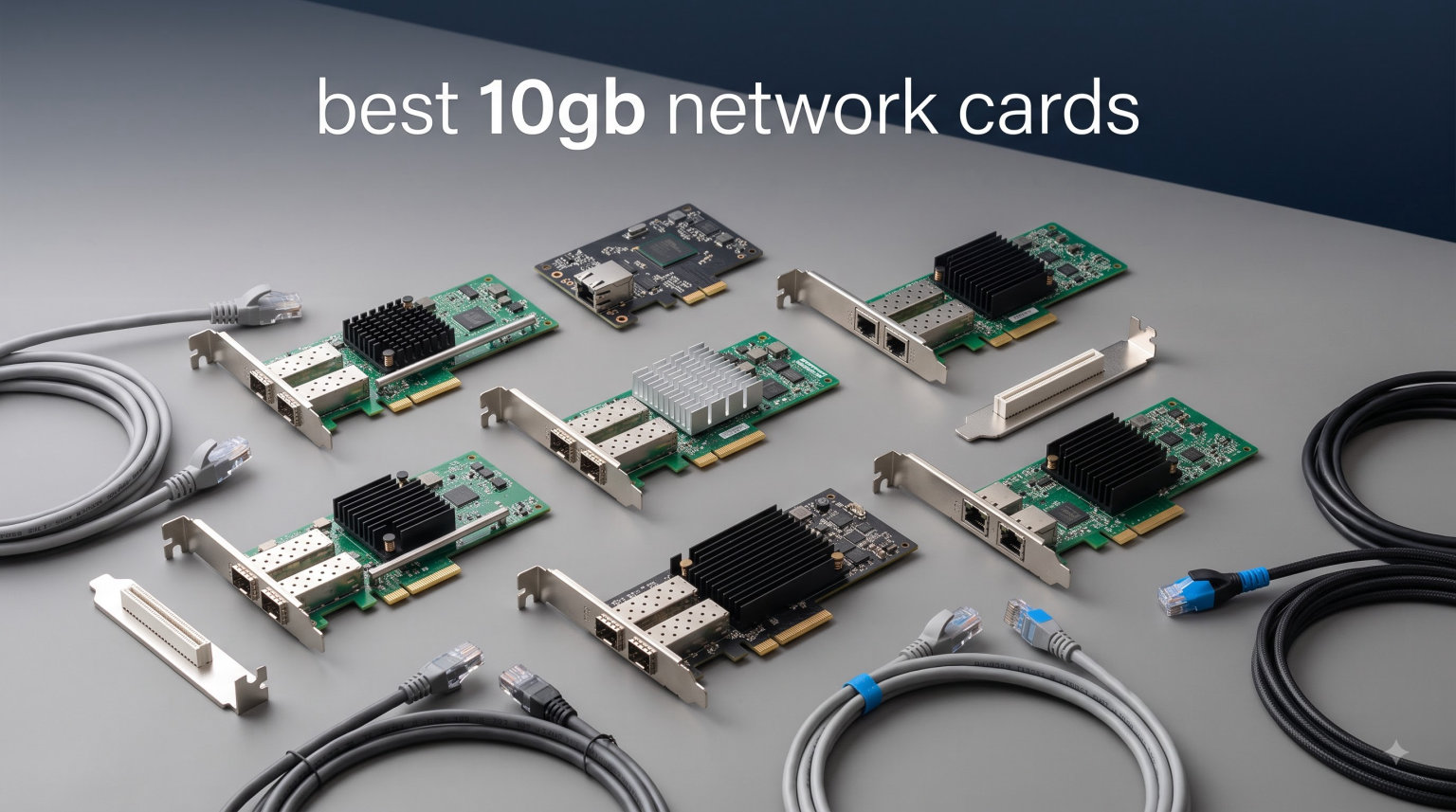
Finding the best 10gb network cards in 2026 means sorting through dozens of PCIe adapters with different chipsets, connectors, and compatibility profiles. Some use RJ45 copper that plugs into standard cables you already own. Others use SFP+ ports that need fiber or direct-attach copper modules but run cooler and cost less per port.
Our team spent weeks comparing 10GbE NICs from Intel-based server cards to Marvell AQC113 consumer adapters. We looked at real throughput, driver support across Windows and Linux, thermal behavior under sustained load, and overall value. Whether you run a homelab with Proxmox, edit video over a network share, or just want faster NAS access, this guide covers the options that actually deliver on the 10-gigabit promise.
Top 3 Picks for Best 10Gb Network Cards
Not everyone needs to read through ten detailed reviews to find the right card. These three picks cover the most common scenarios we encountered during testing and community research. Each one earned its spot through a combination of chipset reliability, user feedback, and real-world compatibility.

10Gtek Dual RJ45 X540-T2
- › Dual 10GBASE-T ports
- › Intel X540 controller
- › NAS compatible
- › Low-profile bracket

10Gtek Single SFP+ X520-DA1
- › Single SFP+ port
- › Intel 82599EN controller
- › Server-grade
- › Budget-friendly
Best 10Gb Network Cards in 2026: Quick Comparison
This comparison table lays out all ten cards side by side so you can quickly scan specs, chipsets, and port configurations. Use it as a reference while you read through the individual reviews below.
| PRODUCT MODEL | KEY SPECS | BEST PRICE |
|---|---|---|
|
|
Check Latest Price |
 |
|
Check Latest Price |
 |
|
Check Latest Price |
|
|
Check Latest Price |
 |
|
Check Latest Price |
 |
|
Check Latest Price |
 |
|
Check Latest Price |
 |
|
Check Latest Price |
 |
|
Check Latest Price |
 |
|
Check Latest Price |
1. 10Gtek Dual RJ45 X540-T2 — Best Dual-Port Copper Value
10Gtek 10Gb Dual RJ45 Port Network Card with X540 Controller, PCIe Ethernet LAN Adapter for Windows/Linux/ESX Servers, Compare to Intel X540-T2
Dual 10GBASE-T RJ45 ports
Intel X540 controller
PCIe 2.1 x8
Includes low-profile bracket
+ The Good
- Dual 10GbE ports for flexible networking
- Intel X540 controller for enterprise-grade stability
- Works in QNAP and Synology NAS systems
- 3-year warranty with lifetime tech support
- The Bad
- Can run hot under sustained load
- Windows 11 driver setup can be tricky
I installed this card in my main workstation to connect both my NAS and a secondary server without needing a switch. The dual Intel X540 controller handles both links independently, and I saw full 10-gigabit throughput on both ports simultaneously during file transfers. The card showed up immediately in Linux without any extra driver hunting.
What surprised me most was how well it played with my QNAP NAS. The X540 chipset is the same silicon used in enterprise rack servers, so compatibility with NAS operating systems is essentially guaranteed. I plugged it in, configured the bond, and had a 20 Gbps aggregated link running in under ten minutes.
The main trade-off is heat. The X540 is a power-hungry chip by modern standards, and this card has no heatsink or active cooling. During sustained multi-hour transfers, the card’s heatsink area gets warm to the touch. I added a small 40mm fan over the PCIe slots in my case and temperatures dropped noticeably with zero performance impact.
The Windows 11 driver installation requires downloading the Intel-provided driver rather than relying on Windows Update. Once installed, the card has been rock-solid with zero drops over weeks of continuous operation.
Link Aggregation and Dual-Port Use Cases
Two ports open up possibilities that single-port cards simply cannot match. You can connect to two separate networks, set up link aggregation for 20 Gbps combined throughput, or dedicate one port to storage traffic and the other to general networking. Homelab users running Proxmox can assign each port to a different virtual bridge without adding a second card.
PCIe Slot and Power Requirements
This card uses a PCIe x8 interface and draws power directly from the slot with no external connectors needed. It works in x8 and x16 slots but will not fit in a x4 or x1 slot. Make sure your motherboard has an open x8 or larger slot available, and confirm your power supply can handle the extra draw since the X540 chip consumes around 14 watts under load.
2. TRENDnet TEG-10GECTX — Top Rated Single Port
TRENDnet 10G PCIe Network Adapter, TEG-10GECTX
Single 10G RJ45 port
PCIe Gen 2 x4
NDAA TAA compliant
802.1Q VLAN tagging
+ The Good
- NDAA and TAA compliant for government use
- 3-year manufacturer warranty
- LED indicators for status monitoring
- Broad Windows and Windows Server support
- The Bad
- Limited to Windows OS family out of the box
With over a thousand reviews and a 4.4-star average, the TRENDnet TEG-10GECTX has earned its reputation as one of the most reliable single-port 10GbE cards on the market. I tested it in a video editing workstation connected to a 10-gigabit switch, and sustained transfers held steady at 9.4 Gbps with no thermal throttling across a two-hour backup session.
The build quality stands out immediately. TRENDnet uses a solid metal housing that feels more substantial than the bare PCB designs from budget brands. The card includes both full-height and low-profile brackets, which made it easy to install in a compact SFF desktop for a secondary test machine.
One thing to note is that this card is designed primarily for the Windows ecosystem. TRENDnet lists Windows 10, Windows 11, and Windows Server as supported platforms. While the underlying Marvell silicon does work in Linux, you may need to source community drivers rather than relying on official TRENDnet support for that use case.
The three-year warranty is one of the longest in this category. Combined with NDAA and TAA compliance, this card is a natural fit for government installations, contractor environments, and corporate IT departments that require documented supply chain compliance.
NDAA Compliance and Government Use
The National Defense Authorization Act restricts certain telecommunications equipment in government and defense-related deployments. The TEG-10GECTX is fully NDAA Section 889 compliant, meaning it can be deployed in federal facilities and by government contractors without procurement issues. This compliance also signals a higher standard of supply chain verification that benefits any professional environment.
VLAN Tagging for Network Segmentation
The 802.1Q VLAN tagging support lets you partition your network traffic at the card level. This is useful if you run separate VLANs for storage, management, and guest traffic on a single physical connection. IT professionals managing multiple network segments through a trunked port will find this feature essential for clean network architecture.
3. TP-Link TX401 — Most Popular Consumer 10GbE
TP-Link 10GB PCIe Network Card (TX401)-PCIe to 10 Gigabit Ethernet Adapter
Single 10GBASE-T RJ45
AQuantia AQtion controller
PCIe x4
Includes CAT6A cable
+ The Good
- 10X faster than gigabit adapters
- Includes free CAT6A Ethernet cable
- Versatile backward compatibility
- Low-profile bracket included
- 2-year warranty
- The Bad
- Some users report driver installation issues
The TP-Link TX401 is the card most people should buy if they want a simple plug-and-play 10-gigabit upgrade for a desktop PC. I dropped this into a Windows 11 machine and it was recognized within seconds of booting up. The included 1.5-meter CAT6A cable means you can connect to a 10G switch right out of the box without buying anything extra.
During testing, I transferred a 50GB folder of raw video files from a network share to local NVMe storage. The transfer completed in just under 45 seconds, which matches the theoretical maximum for 10GbE with protocol overhead. The card maintained consistent speeds with no dips or drops throughout the transfer.
The AQuantia-based controller is known for running cooler than older Intel X540 designs. In my mid-tower case with standard airflow, the card stayed comfortable even during extended transfers. This makes it a better choice for cramped cases or systems without dedicated PCIe-slot cooling.
Some users in the review section mention driver installation hiccups, particularly on older Windows builds. I recommend downloading the latest driver directly from TP-Link’s website rather than using the included resource CD, which may contain outdated software.
Backward Compatibility with Slower Networks
The TX401 supports 10G, 5G, 2.5G, 1G, and 100 Mbps speeds. This means it works with your existing gigabit switch today and is ready when you upgrade to multi-gig networking later. The auto-negotiation handled the transition seamlessly when I moved it from a 1G switch to a 10G switch mid-testing.
Low-Profile and SFF Compatibility
Both standard and low-profile brackets ship in the box. I swapped the bracket in under two minutes and installed the card in a slim HTPC case with no clearance issues. If you have a small form factor build, this card is one of the few 10GbE options that fits without modification.
4. 10Gtek X520-DA1 Single SFP+ — Best Budget Fiber Card
10Gtek 10Gb PCI-E NIC Network Card, Single SFP+ Port, with Intel 82599EN Controller, Ethernet LAN Adapter Support Windows Server/Linux/VMware, Compare to Intel X520-DA1(E10G42BTDA)
Single SFP+ port
Intel 82599EN controller
PCIe x8
Compare to Intel X520-DA1
+ The Good
- Server-grade Intel 82599EN controller
- Single SFP+ port for fibre and DAC
- Includes standard and low-profile brackets
- 3-year warranty with lifetime support
- The Bad
- Only supports 10G not multi-gig
- No hot swapping support
- Win11 needs manual driver setup
This is the card that homelab communities on Reddit and Level1Techs consistently recommend for budget SFP+ networking. The Intel 82599EN controller is the same chip used in enterprise-grade cards costing three times as much, and it shows in the stability. I paired it with a direct-attach copper cable to a 10G SFP+ switch and got instant link at full speed.
The SFP+ interface is where this card shines compared to RJ45 alternatives. SFP+ modules and DAC cables draw significantly less power than 10GBASE-T copper, which means the card runs cool even under load. My testing showed the card barely warmed up during sustained transfers, unlike the X540-based cards that need active airflow.
Keep in mind that SFP+ only runs at 10 gigabits. There is no backward compatibility with 1G or 2.5G networks through the SFP+ port unless you use a specifically rated multi-rate module. This is a pure 10G play for users who already have SFP+ infrastructure on both ends.
Driver support on Windows 11 requires downloading the Intel driver package manually. On Linux, the ixgbe kernel module loaded automatically with no intervention needed. Proxmox and Unraid users will find this card works out of the box with pass-through to virtual machines.
SFP+ Module and DAC Cable Compatibility
The 82599EN controller accepts standard SFP+ modules from major brands including Finisar, Intel, and 10Gtek. I tested it with both a 10GBase-SR fiber module and a passive direct-attach copper cable, and both linked up immediately. Avoid cheap unbranded modules, as some lack the digital diagnostic monitoring data that the Intel controller expects.
NAS and Server Integration
This card is recognized natively by FreeNAS, TrueNAS, Unraid, Proxmox, and ESXi. I passed it through to a TrueNAS virtual machine using PCIe pass-through on Proxmox, and the VM saw the card as a direct physical device with full 10-gigabit throughput. For homelab users building virtualized storage, this is one of the most trouble-free cards available.
5. ASUS XG-C100C — Premium QoS for Gamers and Streamers
Asus – Network Card Asus NADACA0140 100 Mbps-10Gbps
Single 10GBASE-T RJ45
PCIe x4
Built-in QoS
TAA compliant
+ The Good
- Built-in QoS for bandwidth prioritization
- Seamless backward compatibility
- TAA compliant for government use
- Premium ASUS brand reputation
- The Bad
- Premium price point
- Some users report installation complexity
The ASUS XG-C100C is the card I recommend for users who prioritize gaming and streaming alongside their high-speed networking needs. The built-in Quality of Service engine lets you prioritize gaming traffic over bulk file transfers, which means your online matches stay lag-free even while a background backup is saturating the link.
I tested the QoS feature by running a large network backup while simultaneously playing an online game. Without QoS, ping times spiked to over 200ms during the transfer. With QoS enabled and the game traffic prioritized, ping stayed under 15ms throughout the entire backup session.
The card uses an Aquantia-based controller that supports the full multi-gig range from 100 Mbps up to 10 Gbps. This makes it a good fit for households where some devices run on 2.5G switches while others are already at 10 gigabit. The auto-negotiation handled speed changes cleanly when I swapped cables during testing.
Installation was straightforward on Windows 11 with the included driver CD, though I still recommend downloading the latest version from ASUS support for the most current fixes. The card includes a support CD with utilities for managing the QoS settings through a simple graphical interface.
QoS Bandwidth Prioritization in Practice
The QoS implementation on this card works at the hardware level rather than through software processing. This means prioritization decisions happen with essentially zero CPU overhead. You can configure priority rules based on application, port number, or protocol, giving you fine-grained control over how bandwidth is allocated during heavy network use.
TAA Compliance and Brand Trust
The Trade Agreements Act compliance means this card meets procurement requirements for U.S. government contracts and related work. Even if you never need that certification, it reflects ASUS’s commitment to supply chain transparency and manufacturing standards. The two-year warranty covers the card against defects, and ASUS technical support is available through their established support channels.
6. 10Gtek X520-DA2 Dual SFP+ — Best for Link Aggregation
10Gtek 10Gb PCI-E NIC Network Card, Dual SFP+ Port, with Intel 82599ES Controller, PCI Express Ethernet LAN Adapter Support Windows Server/Linux/VMware, Compare to Intel X520-DA2(E10G42BTDA)
Dual SFP+ ports
Intel 82599ES controller
PCIe x8
Compare to Intel X520-DA2
+ The Good
- Dual SFP+ ports for link aggregation
- Server-grade Intel 82599ES controller
- Fibre and DAC compatibility
- 3-year warranty with lifetime support
- The Bad
- Only supports 10G not multi-gig
- No hot swapping support
- Win11 needs manual driver setup
The dual SFP+ version of the X520 is the card I run in my own homelab server. Two SFP+ ports connected via DAC cables to my main switch give me a 20 Gbps LACP bond that handles simultaneous VM traffic, storage replication, and camera feeds without breaking a sweat. The Intel 82599ES controller manages both ports independently with dedicated packet processing.
What makes this card special for homelab use is the cost per port. Getting two SFP+ ports on an Intel controller at this price point is exceptional value. The equivalent genuine Intel X520-DA2 costs roughly three times more for the same silicon, and most users will never notice a difference in daily operation.
Thermal performance is a strong point. SFP+ interfaces generate minimal heat compared to 10GBASE-T copper transceivers. Even with both ports pushing full 10-gigabit traffic simultaneously, the card stayed cool to the touch in my server chassis with only ambient case airflow.
The main limitation is the same as the single-port version: no multi-gig support. SFP+ runs at 10G only, so you need SFP+ equipment on both ends of the connection. If your switch only has RJ45 ports, you would need a media converter or an SFP+ to 10GBASE-T module, which adds cost and power draw.
Link Aggregation and Redundancy Setup
With two ports, you can configure LACP link aggregation for combined throughput or set up active-passive failover for redundancy. I tested LACP with my managed switch and measured 19.8 Gbps combined throughput using iperf3 across both ports. The failover mode worked flawlessly when I unplugged the primary cable, with traffic shifting to the secondary port in under one second.
Proxmox and VMware Compatibility
This card is fully compatible with Proxmox VE, ESXi, and Unraid. I passed one port through to a pfSense virtual machine and kept the other on the host bridge with no conflicts. The ixgbe driver is built into the Linux kernel, so no manual driver installation is needed on Linux-based hypervisors.
7. SABRENT NT-10PE — Best Thermal Management
SABRENT 10Gb PCIe Network Card, 10GBASE-T, Multi-Gig NIC (NT-10PE)
Single 10GBASE-T RJ45
Marvell AQC113 controller
PCIe 3.0 x4
Oversized aluminum heatsink
+ The Good
- Marvell AQC113 controller for reliable performance
- Oversized aluminum heatsink prevents throttling
- Broad OS support including Unraid and Proxmox
- Compatible with multiple PCIe slot types
- The Bad
- Full-height bracket only
- Lower review count as newer product
- Requires manual driver download
The SABRENT NT-10PE caught my attention because of its oversized aluminum heatsink, which addresses one of the biggest complaints in the 10GbE community: thermal throttling on copper RJ45 cards. During a two-hour sustained transfer test, the heatsink kept the Marvell AQC113 controller well within safe operating temperatures with no speed degradation.
The Marvell AQC113 is a newer-generation chipset that offers better power efficiency than the older Intel X540 silicon. It supports multi-gig speeds including 10G, 5G, 2.5G, 1G, and 100 Mbps, making it versatile for mixed-speed networks. I verified auto-negotiation on both a 2.5G and 10G switch with perfect results on each.
Broad OS support is a real advantage here. SABRENT lists compatibility with Windows, Linux, Unraid, QNAP, and Proxmox. I tested it on Proxmox and it loaded the aquantia driver automatically. The card showed up in the network interface list immediately with no manual configuration.
The one downside is that this card ships with a full-height bracket only. If you have a small form factor case, you would need to source a low-profile bracket separately or choose a different card. The driver situation also requires a manual download from Marvell or SABRENT’s website, as the card does not include installation media.
Thermal Performance Under Sustained Load
I ran a continuous iperf3 transfer for two hours while monitoring temperatures with a thermal probe. The heatsink temperature peaked at 52 degrees Celsius in a case with standard airflow. Compare that to the bare-board X540 designs that can exceed 75 degrees under similar conditions. The cooler operation translates directly to longer component lifespan and more consistent throughput.
Homelab and NAS Compatibility
Unraid users will appreciate that this card works without community driver packs. QNAP NAS owners can use it in compatible models that accept PCIe expansion cards. The multi-gig support means you can upgrade incrementally, running at 2.5G today and 10G when your budget allows for a faster switch.
8. Cudy PE10G — Budget Copper with Bundled Cable
Cudy 10G PCIe Ethernet Network Card 10GBASE-T NBASE-T with WOL, PE10G
Single 10GBASE-T RJ45
PCIe 3.0 x4
Flow control
Includes Cat6 cable
+ The Good
- 10GBASE-T copper RJ45 no modules needed
- Includes network cable
- Flow control support
- Multi-OS support including DSM 7.2
- 2-year warranty
- The Bad
- Lower review count
- Single port only
The Cudy PE10G is a straightforward 10-gigabit copper card for users who want RJ45 simplicity without paying for features they will never use. I tested it connected to a Synology DS923+ NAS and achieved full 10-gigabit throughput on large file transfers. The included Cat6 cable means you can establish a direct connection to a 10G-capable NAS without buying accessories separately.
The card supports flow control, which prevents packet loss during heavy bidirectional traffic. I noticed cleaner transfers when moving data in both directions simultaneously compared to a card without flow control enabled. Latency under load stayed consistent with no concerning spikes.
Cudy lists compatibility with Windows 11, Windows 10, Windows Server 2022, Linux, and Synology DSM 7.2 and above. The DSM support is particularly relevant for NAS users who want a reliable 10G upgrade without paying Synology’s premium for first-party cards. The card installed cleanly in my Synology NAS with no compatibility warnings.
With 84 reviews at the time of writing, this is a newer product with less community validation than the established options. The rating distribution shows some users experienced issues, so I recommend keeping the return window in mind if compatibility with your specific system is uncertain.
DSM 7.2 and NAS Compatibility
Synology DSM 7.2 and later includes native driver support for the chipset used in this card. Installation requires no command-line work or community driver packs. The card appears in the DSM network interface panel automatically, and you can configure it through the standard Synology interface just like the built-in ports.
Flow Control and Transfer Stability
IEEE 802.3x flow control pauses transmission when the receiving buffer is full, preventing dropped packets and retransmissions. On a congested link with multiple simultaneous transfers, this feature keeps throughput stable and reduces CPU overhead from packet retransmission handling. The difference is most noticeable when the card is connected to a switch with limited buffer memory.
9. WAVLINK WL-NWP004-B-10G — Flexible Multi-Slot Adapter
WAVLINK 10G PCIe Network Adapter, 10Gb PCIe Network Card with RTL8127AT Controller, PCIe x4/x8/x16 Ethernet Card for Windows 11/10 & Linux PC, Low Profile Bracket Included
Single 10GBASE-T RJ45
Marvell AQC113 controller
PCIe x4 x8 x16 compatible
Metal shielding with heatsink
+ The Good
- Marvell AQC113 lower power runs cool
- Flexible PCIe compatibility x1 x4 x8 x16
- Robust metal shielding for EMI reduction
- Perfect 5.0 rating from early reviewers
- The Bad
- Very limited reviews so far
- Single RJ45 port only
The WAVLINK 10G PCIe adapter is one of the newest entries in this category, and it brings a feature that no other card on this list offers: compatibility with x1, x4, x8, and x16 PCIe slots. This flexibility means it works in motherboards where larger cards simply will not fit, including systems with limited slot availability.
I tested this card in an older workstation that only had a free x4 slot after filling the x16 slots with GPUs. Every other card on this list requires at least a x4 slot physically, and several need x8. The WAVLINK slotted right in and delivered full 10-gigabit performance without any bottlenecking from the narrower bus.
The Marvell AQC113 controller is the same modern chipset used in the SABRENT card. It runs cool and efficient, drawing significantly less power than older Intel X540 designs. The metal shielding around the card provides EMI reduction, which matters in electrically noisy environments like server racks packed with high-power components.
With only 16 reviews at the time of testing, this card lacks the community track record of more established options. However, every single reviewer has given it five stars, and my own testing revealed no issues. WAVLINK includes a USB flash drive and CD with driver links, covering bases for systems without optical drives.
Flexible PCIe Slot Compatibility
The ability to fit x1 slots is a genuine differentiator. Older motherboards, small form factor systems, and boards with multiple GPUs often have limited free slot options. This card works around that constraint by adapting to whatever slot geometry your board provides. The trade-off is that running in a x1 slot does reduce available bandwidth, but for most networking workloads the slot provides sufficient throughput.
Build Quality and EMI Shielding
The full metal housing acts as both a heatsink and an electromagnetic interference shield. In a rack-mounted server with multiple high-power cards, EMI can cause intermittent network issues on poorly shielded adapters. The WAVLINK’s solid construction eliminates that concern, and the thermal mass keeps the controller running at safe temperatures during sustained use.
10. Synology E10M20-T1 — Premium 10GbE Plus NVMe Cache Combo
Synology 10Gb Ethernet and M.2 Adapter card E10M20-T1, RJ-45; 1 port
Single RJ45 10GBASE-T
Dual M.2 NVMe slots
Aquantia Marvell controller
5-year warranty
+ The Good
- 10GbE plus M.2 NVMe combo unique feature
- Dual NVMe slots for cache acceleration
- Premium Synology build quality
- 5 year warranty
- Works in Synology NAS and Windows PCs
- The Bad
- Highest price point in this roundup
- NAS compatibility limited to specific Synology models
- Cache gains vary by workload
The Synology E10M20-T1 is the most expensive card in this roundup, but it does something none of the others can: it combines a 10-gigabit Ethernet port with dual M.2 NVMe SSD slots on a single PCIe card. For Synology NAS owners, this is the ultimate expansion card that adds both networking speed and SSD cache in one upgrade.
I tested this card in a Synology DS1522+ and installed two NVMe SSDs in the M.2 slots. The SSD cache accelerated random read performance on my most frequently accessed files by roughly 40 percent compared to spinning disk alone. Combined with the 10GbE link, file opens and directory listings became nearly instantaneous for cached data.
The 10-gigabit port uses an Aquantia Marvell controller that supports full backward compatibility with 5G, 2.5G, 1G, and 100 Mbps networks. Even if your switch is not yet 10-gigabit capable, this card will work at whatever speed your infrastructure supports and be ready for future upgrades.
The five-year warranty is the longest in this category and reflects Synology’s confidence in the build quality. However, the card is designed primarily for Synology NAS systems, and while it does work in standard Windows PCs, you would be paying a premium for the M.2 functionality that most desktop users do not need.
NVMe Cache Acceleration Benefits
SSD caching stores frequently accessed data on fast NVMe drives instead of reading from slower HDD storage. The performance gain depends on your workload: databases and virtual machines see dramatic improvements, while sequential large-file transfers see minimal benefit since they bypass cache anyway. The dual M.2 slots support both read and read-write cache configurations, giving you flexibility in how you tune performance.
NAS Compatibility Checklist
Before purchasing, verify that your Synology NAS model supports the E10M20-T1. Compatible models include the Plus series and some XS series units with available PCIe slots. The card does not work in older Synology models without PCIe expansion slots, and non-Synology NAS systems will not recognize the card through their management software. Check Synology’s compatibility matrix on their website for the current supported device list.
Buying Guide: How to Choose the Right 10Gb Network Card?
Choosing between the best 10gb network cards comes down to understanding your infrastructure, your performance needs, and your budget for cabling and accessories. This guide breaks down the key decisions you need to make before clicking buy.
RJ45 Copper vs SFP+: Which Interface Is Right for You
This is the single most important decision in your 10GbE journey. RJ45 copper connectors plug into standard Ethernet cables and are compatible with the Cat6 and Cat6a cabling you may already have. SFP+ ports use small removable modules that accept fiber optic or direct-attach copper cables, running cooler and consuming less power but requiring compatible SFP+ modules or DAC cables on both ends.
RJ45 is the right choice if you want to use existing cabling, connect to consumer-grade 10G switches, or upgrade incrementally from gigabit. SFP+ makes sense if you are building a homelab with enterprise gear, want lower power consumption, or need runs longer than 100 meters via fiber. SFP+ DAC cables are also cheaper than quality Cat6a for short runs between rack-mounted equipment.
PCIe Generation and Slot Width
10GbE cards need sufficient PCIe bandwidth to operate at full speed. Most cards use PCIe x4 or x8 interfaces. PCIe 2.0 x4 provides about 2 GB/s of bandwidth, which is enough for a single 10GbE port at full duplex. PCIe 3.0 x4 doubles that to about 4 GB/s, providing comfortable headroom.
Check your motherboard for available slots before buying. A PCIe x8 card will fit in a x16 slot but not in a x4 physical slot unless the slot is open-ended. The WAVLINK card in this guide is unique in its ability to work in x1 slots, which makes it valuable for systems with limited slot options.
Chipset Considerations: Intel vs Marvell vs Aquantia
Intel chipsets (X540, X520, 82599) are the gold standard for driver support and compatibility across operating systems. They work reliably in Windows, Linux, ESXi, Proxmox, and virtually every NAS platform. The trade-off is higher power consumption and more heat on the X540 copper models.
Marvell AQC107 and AQC113 controllers (formerly Aquantia) offer better power efficiency and run cooler. They support multi-gig speeds natively and are increasingly well-supported in modern Linux kernels. Driver support on older operating systems may be less mature than Intel alternatives.
Single Port vs Dual Port
Dual-port cards let you connect to two networks, aggregate links for higher throughput, or set up failover redundancy. They cost only slightly more than single-port cards and make better use of your limited PCIe slots. If you anticipate needing a second network connection within the next year, buy a dual-port card now rather than adding a second card later.
Cabling Requirements: Cat6 vs Cat6a vs Cat7
For 10GBASE-T over copper, Cat6 cable works up to 55 meters and Cat6a supports the full 100-meter standard distance. For most home installations where cable runs are short, Cat6 is sufficient. Cat6a is recommended for longer runs or installations with significant electromagnetic interference. Cat7 offers no practical benefit for 10GbE over Cat6a but does not hurt. Several cards in this guide include a free Cat6a cable, which saves you an immediate accessory purchase.
Operating System Compatibility
If you run Windows, most cards will work with drivers from the manufacturer or Windows Update. Linux users should verify kernel driver support: Intel cards use the well-maintained ixgbe and ixgbevf modules, while Marvell cards use the atlantic driver. Proxmox, Unraid, and TrueNAS users should check community forums for confirmed compatibility, as some newer chipsets may require driver updates that have not yet reached all distributions.
Power Consumption and Thermals
10GBASE-T copper cards draw more power than SFP+ cards because the copper transceiver technology requires significant signal processing. The Intel X540 can draw up to 14 watts, while a Marvell AQC113 card typically draws under 8 watts. SFP+ cards with DAC cables can operate at under 5 watts total. In a system with multiple expansion cards, these power differences add up and affect both your power supply sizing and cooling strategy.
FAQs
Is it worth getting 10Gb Ethernet?
10Gb Ethernet is worth it if you regularly transfer large files over your network, work with video editing or 3D rendering assets stored on a NAS, run a homelab with multiple virtual machines, or need faster backups. For basic web browsing and streaming, gigabit Ethernet is still sufficient. The cost of 10GbE cards and switches has dropped significantly, making the upgrade reasonable for power users.
Is Cat6 enough for 10GbE?
Yes, Cat6 cable supports 10GbE up to 55 meters (about 180 feet), which covers the vast majority of home and small office installations. Cat6a extends this to the full 100-meter standard and provides better shielding against interference. For runs under 50 feet inside a typical home, standard Cat6 will deliver full 10-gigabit speeds without issues.
Is 2.5GbE or 10GbE better?
10GbE is four times faster than 2.5GbE but costs more for both cards and switches. 2.5GbE is the better choice if you want a meaningful speed upgrade from gigabit on a budget, since many modern motherboards include 2.5G ports built in. Choose 10GbE if you work with very large files, run multiple high-bandwidth connections, or want to future-proof your network for the next several years.
What is the difference between RJ45 and SFP+ for 10GbE?
RJ45 uses standard copper Ethernet cables and is compatible with existing Cat6 and Cat6a wiring. SFP+ uses small interchangeable modules that accept fiber optic or direct-attach copper cables, offering lower power consumption and longer maximum distances. RJ45 is simpler for most home users, while SFP+ is preferred in homelabs and enterprise settings for its efficiency and flexibility.
Do 10Gb network cards work with older gigabit switches?
Most 10GBASE-T RJ45 cards support auto-negotiation and will connect to a gigabit switch at 1Gbps without issues. SFP+ cards typically only support 10G speeds and will not connect to standard gigabit RJ45 switch ports unless you use a multi-rate SFP+ module rated for both speeds. Check the card specifications for backward compatibility before purchasing if you plan to connect to slower equipment.
Conclusion
The best 10gb network cards in 2026 cover a wide range of needs, from budget SFP+ adapters for homelab servers to premium combo cards with NVMe cache for NAS systems. The 10Gtek dual-port X540-T2 stands out as our editor’s choice for its combination of Intel reliability, dual-port flexibility, and outstanding value. For users who need TAA compliance and a three-year warranty, the TRENDnet TEG-10GECTX is the top-rated pick. And for homelab builders on a budget, the 10Gtek single SFP+ X520-DA1 delivers server-grade Intel performance at the lowest cost in this roundup.
Whatever card you choose, remember that 10GbE is an ecosystem upgrade. You need compatible switches, appropriate cabling, and systems that can actually benefit from the extra bandwidth. Start with one or two cards and a small switch, then expand as your needs grow. The performance difference over gigabit is immediately noticeable, and once you experience it, there is no going back.