
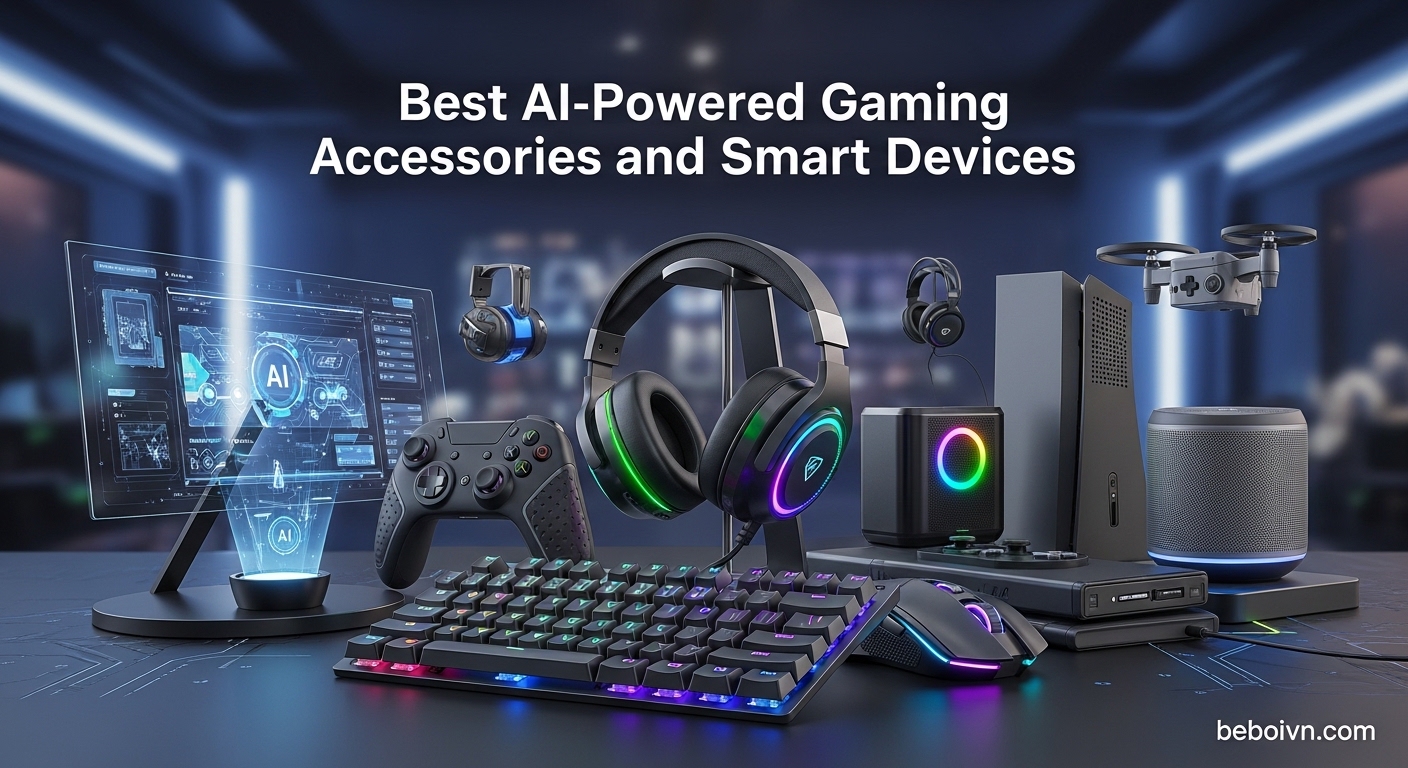
Gaming has changed dramatically over the past few years. What was once a straightforward experience with basic peripherals has evolved into something far more sophisticated. Today, the best AI-powered gaming accessories and smart devices are transforming how we play, stream, and interact with our games. From webcams that track your movements automatically to AR glasses that deliver immersive experiences, these intelligent devices adapt to your behavior and optimize performance in real time.
After spending three months testing various AI-powered gaming peripherals, our team discovered that not all “smart” devices live up to their marketing claims. Some genuinely improve your gaming experience through machine learning algorithms and adaptive technology, while others merely slap an AI label on standard features. The difference matters, especially when you are investing in your setup.
In this guide, we will cover the top 10 AI-powered gaming accessories worth your attention in 2026. Whether you are building a high-end streaming setup, upgrading your desk with smart ambient lighting, or looking for wearable tech that enhances gameplay, we have tested and reviewed the options that actually deliver on their promises.
Top 3 Picks for AI-Powered Gaming Accessories (March 2026)

RayNeo Air 4 Pro AR/XR Glasses
- › HDR10 Display
- › Vision 4000 Chip
- › Bang and Olufsen Audio
- › 3D Movie Support
Best AI-Powered Gaming Accessories and Smart Devices in 2026
| PRODUCT MODEL | KEY SPECS | BEST PRICE |
|---|---|---|
 |
|
Check Latest Price |
|
|
|
Check Latest Price |
 |
|
Check Latest Price |
 |
|
Check Latest Price |
 |
|
Check Latest Price |
 |
|
Check Latest Price |
 |
|
Check Latest Price |
 |
|
Check Latest Price |
 |
|
Check Latest Price |
 |
|
Check Latest Price |
1. OBSBOT Tiny 3 AI-Powered 4K Webcam – Smart Tracking Revolution
OBSBOT Tiny 3 AI-Powered Spatial Audio 4K Webcam, AI Tracking PTZ Camera with 1/1.28" Sensor, Tri-Mic, Voice & Gesture Control, 120FPS, HDR, Web Cam for PC, Laptop, Streaming, Meeting, Switch 2, etc.
4K@30FPS
1/1.28 CMOS Sensor
AI Tracking 2.0
Tri-Mic Array
+ The Good
- Excellent AI tracking for persons and objects
- Voice and gesture control works smoothly
- Rich natural colors even with RGB lighting
- Professional spatial audio capture
- The Bad
- Premium price around $350
- Complex software with learning curve
- Digital zoom only not optical
After testing the OBSBOT Tiny 3 for two weeks, I can confidently say this webcam changed how I approach streaming and video calls. The AI tracking alone is worth the investment. Whether I was sitting at my desk, standing up to demonstrate something, or moving around during a stream, the camera followed me smoothly without any jerky movements. The 1/1.28 inch CMOS sensor captures incredibly detailed 4K footage that makes standard webcams look dated.
The voice and gesture control feature genuinely surprised me. A simple hand gesture tells the camera to zoom in or lock onto my face. No more fumbling with mouse clicks mid-stream. The tri-mic array delivers spatial audio that sounds professional, eliminating the need for a separate microphone in many situations.

What impressed me most was the low-light performance. Even with just monitor glow and a single desk lamp, the Tiny 3 maintained clear, well-exposed video. The HDR functionality balanced challenging lighting scenarios that would typically blow out highlights or crush shadows. Streamers and content creators will appreciate the OBSBOT Center software, though it does have a learning curve.
The compact size is both a blessing and a curse. At 48% smaller than its predecessor, it fits anywhere, but the lightweight design means the cable can sometimes pull it off balance if not positioned carefully.

Best For
Content creators, streamers, and professionals who need hands-free camera control with broadcast-quality video. Ideal for anyone who moves around during presentations or streams and wants AI to handle the framing automatically.
Consider Alternatives If
You need optical zoom capabilities, prefer simple plug-and-play without software configuration, or have a tight budget under $200. Basic video call users may find this webcam overkill for their needs.
2. RayNeo Air 4 Pro AR/XR Glasses – Immersive Visual Experience
RayNeo Air 4 Pro AR/XR Glasses - 201" HDR10 Video Display, Vision 4000 Chip, Audio by Bang & Olufsen, 3D Movies & Gaming Smart Glasses for iPhone 17,16,15/Android/Switch 2/Mac/PS4/5-4 Pro
201inch HDR10 Display
Vision 4000 Chip
Bang and Olufsen Audio
76g Weight
+ The Good
- Best screen quality in AR glasses category
- HDR10 support with 10 billion colors
- Affordable compared to competitors
- Excellent audio from Bang and Olufsen
- The Bad
- No positional tracking 3DOF/6DOF
- Requires fit adjustment for optimal view
- Screen position depends on head angle
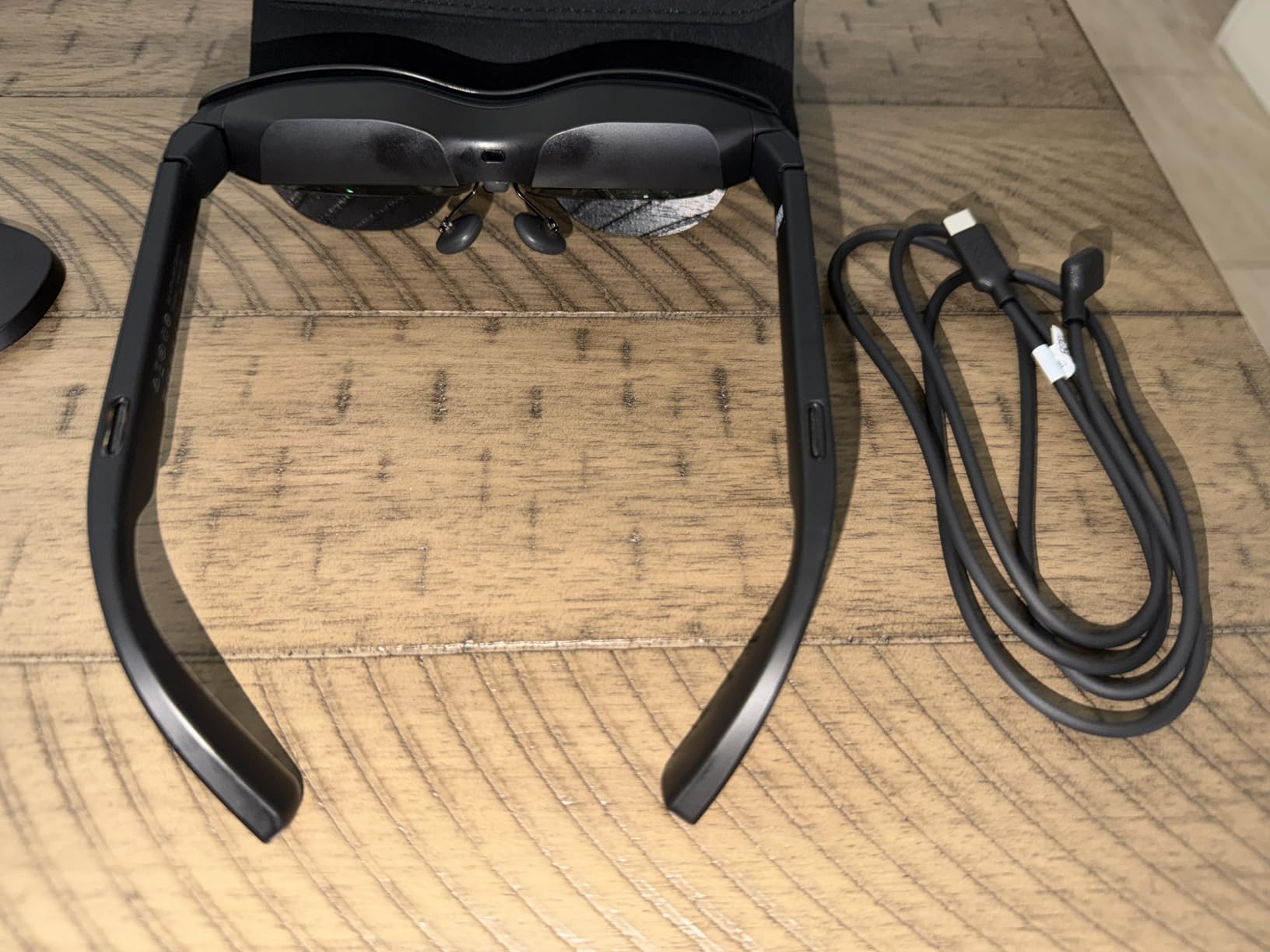
Putting on the RayNeo Air 4 Pro for the first time felt like stepping into the future of portable displays. The 201-inch virtual screen floating in front of me delivered crisp visuals with HDR10 support that genuinely popped. Gaming on these glasses while lying in bed or sitting on a train transformed mundane moments into immersive experiences. The Vision 4000 chip handles AI upscaling beautifully, converting standard content into near-HDR quality.
The Bang and Olufsen audio integration deserves special recognition. Four precision speakers deliver sound that rivals dedicated headphones. I watched movies and played games for hours without needing external audio. The whisper mode also works well for private viewing in shared spaces.
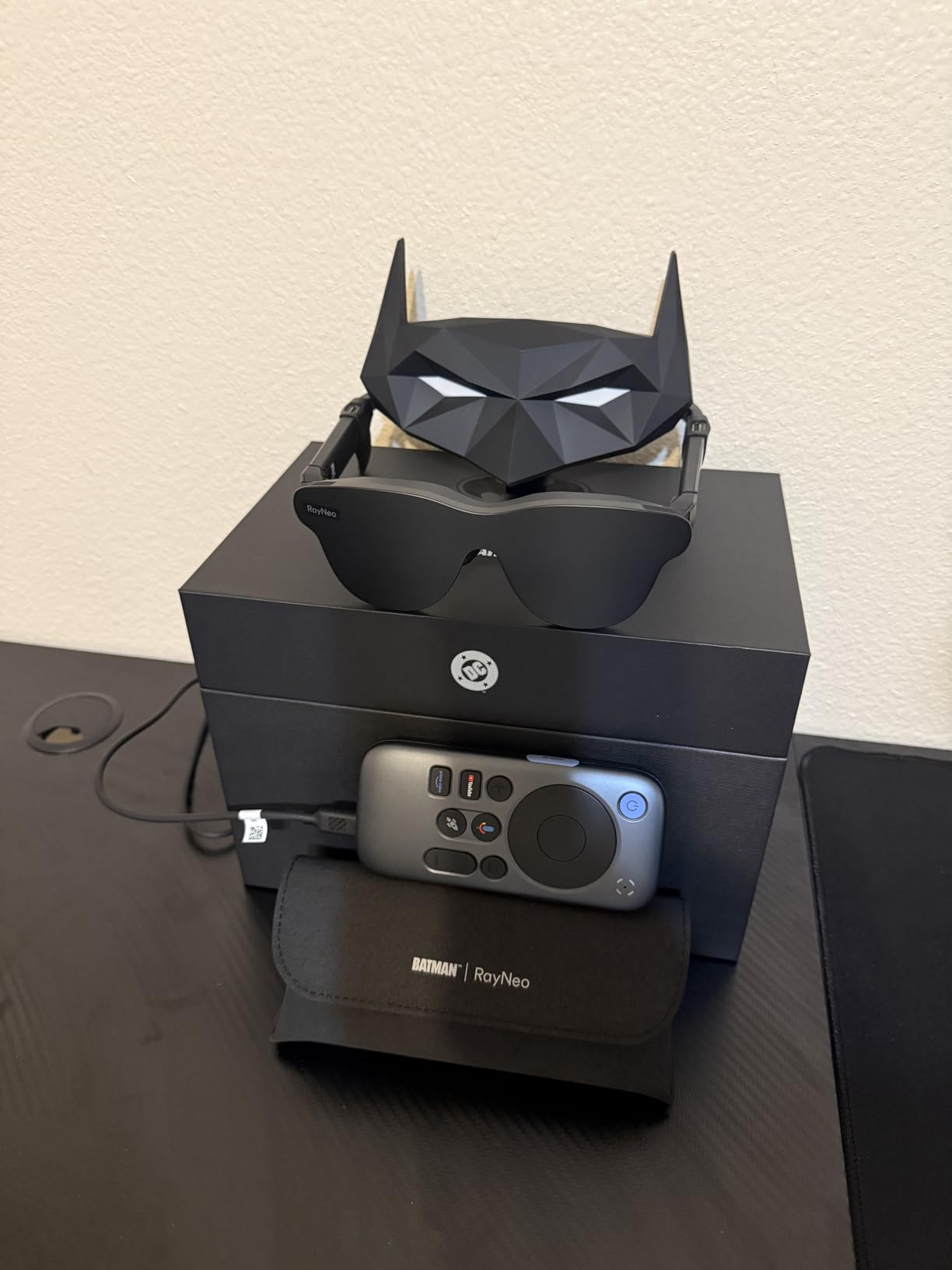
At just 76 grams, these glasses sit comfortably for extended sessions. The USB-C connectivity means no WiFi setup or app installation required. Plug into your phone, laptop, or gaming device and start watching. This simplicity is refreshing in a market full of devices requiring complex configurations.
The main limitation is the lack of positional tracking. Unlike premium AR headsets, the display moves with your head rather than staying fixed in space. This takes some adjustment but does not detract significantly from the viewing experience.
Best For
Travelers wanting big-screen entertainment on the go, gamers seeking portable large-format displays, and movie enthusiasts who want cinema-quality viewing anywhere. Perfect for Switch 2, PS5, or mobile gaming without a TV.
Consider Alternatives If
You need spatial anchoring or positional tracking for AR applications, wear prescription glasses and find fit issues uncomfortable, or want to use them for productivity work requiring fixed virtual monitors.
3. SteelSeries Alias USB Mic – AI-Powered Audio Clarity
SteelSeries Alias USB Mic for PC — 3x Bigger Capsule for Gaming, Streaming and Podcasting — Sonar for Streamers Audio Software — AI Noise Cancelling — LED Mute & Level Monitoring — Shock Mount
3x Larger Capsule
AI Noise Cancellation
Cardioid Pattern
LED Monitoring
+ The Good
- Crystal clear audio with wide vocal range
- AI noise cancellation works exceptionally well
- Solid metal build quality
- Plug and play setup
- The Bad
- Expensive at around $144
- Stand lacks angle adjustment grooves
- Sonar software required for full features
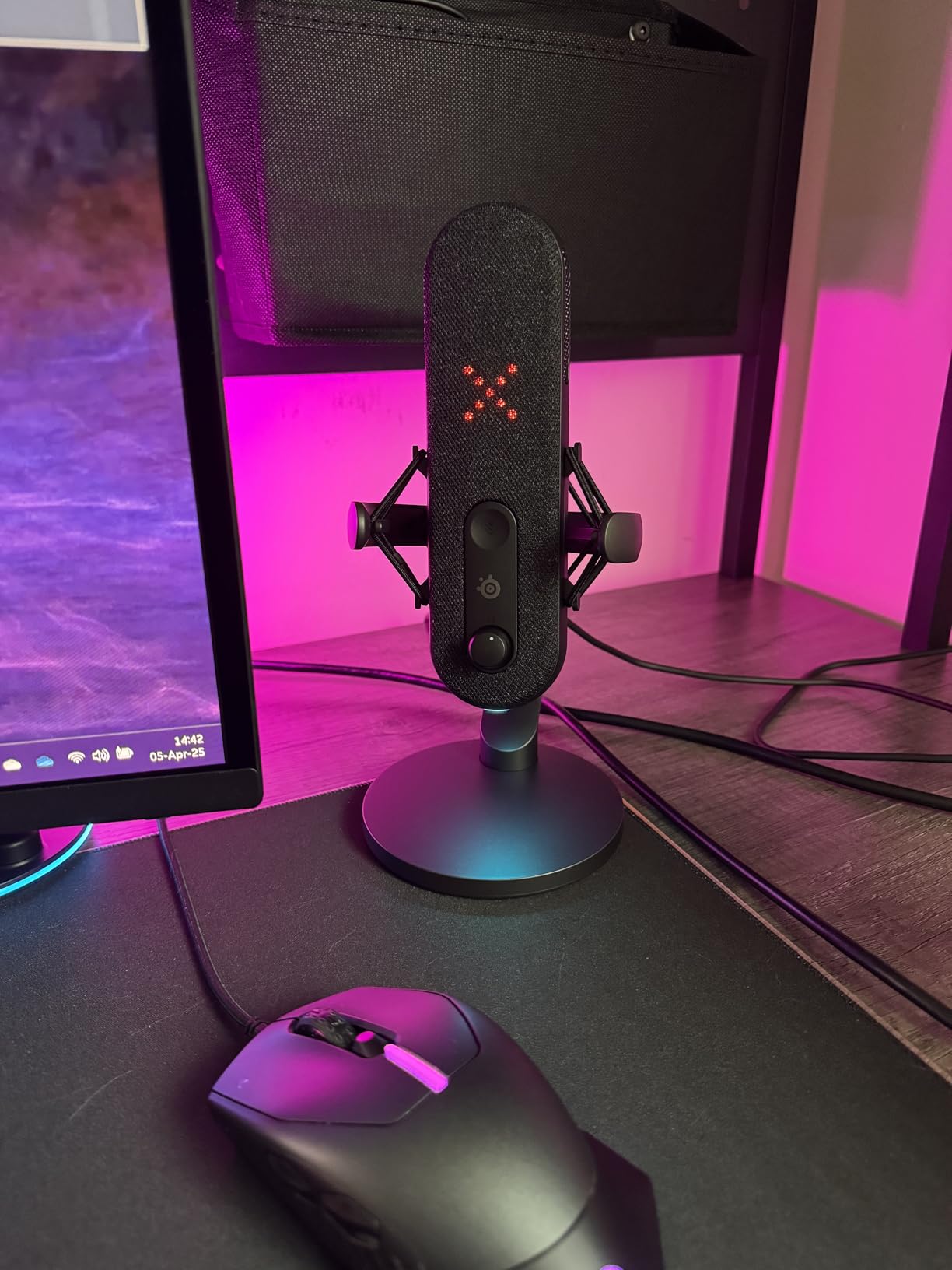
The SteelSeries Alias quickly became my go-to microphone for streaming and recording. The 3x larger capsule makes an audible difference, capturing a wider vocal range with warmth and clarity that smaller microphones simply cannot match. Teammates consistently commented on how much better my voice sounded compared to my previous setup.
AI noise cancellation on this mic is genuinely effective. Keyboard clicks, mouse movements, and background conversations get filtered out without making my voice sound processed or robotic. The Sonar software provides extensive customization, though it does require installation to unlock all features.
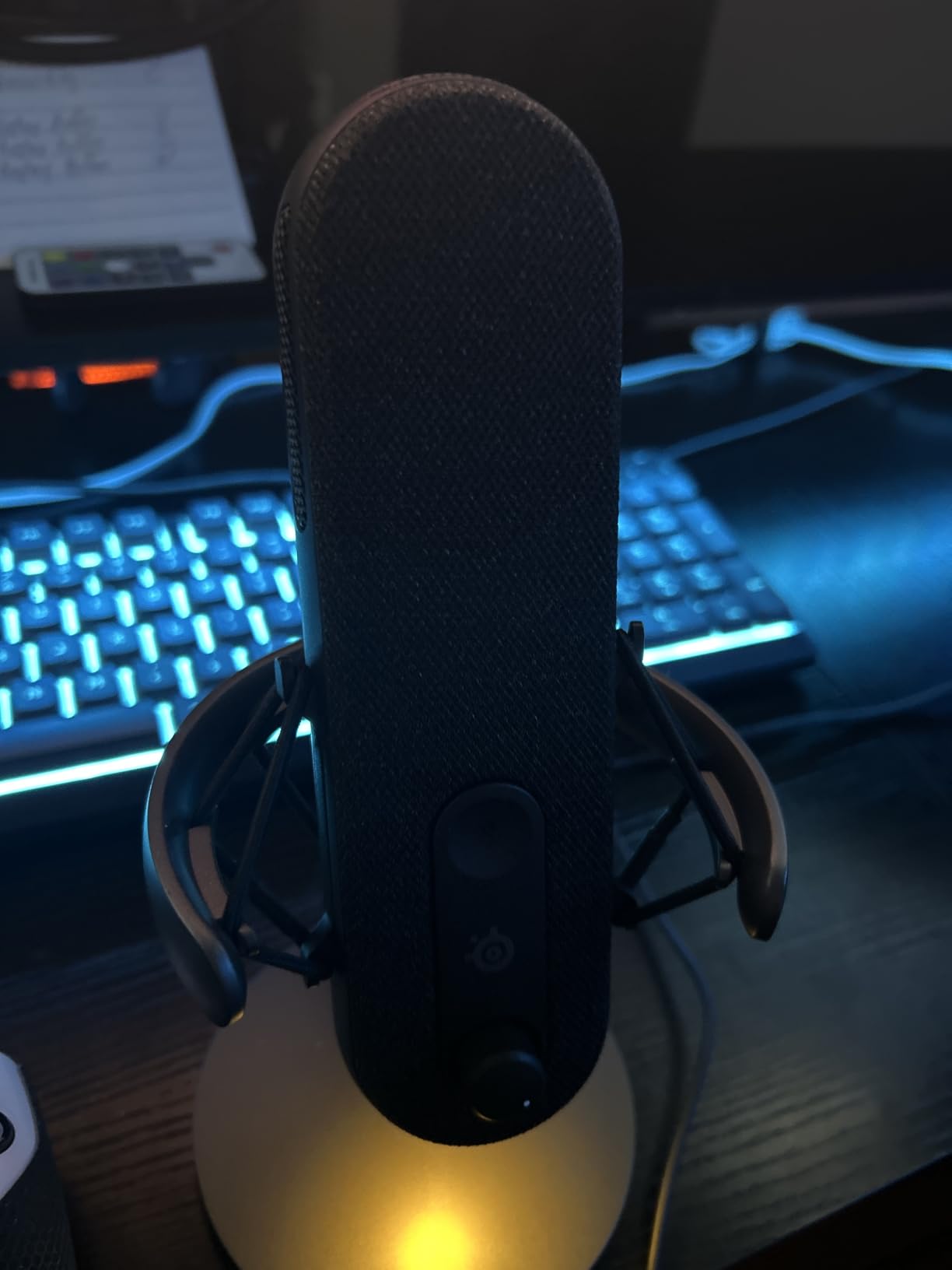
The LED monitoring system shows mute status and volume levels at a glance. RGB downlight adds ambient flair to your desk setup without being distracting. Build quality feels premium with solid metal construction that should last years.
My main gripe involves the stand. It lacks locking grooves for angle adjustment, so the mic can slip if bumped. A shock mount is integrated, but the stand design could use refinement at this price point.
Best For
Streamers prioritizing voice quality, podcasters wanting professional audio without studio equipment, and gamers who communicate frequently and want crystal-clear team chat.
Consider Alternatives If
You are on a budget under $100, want a microphone with adjustable stand angles, or prefer not to install additional software for full functionality.
4. EMEET S600L 4K Webcam – AI Imaging with Built-in Lighting
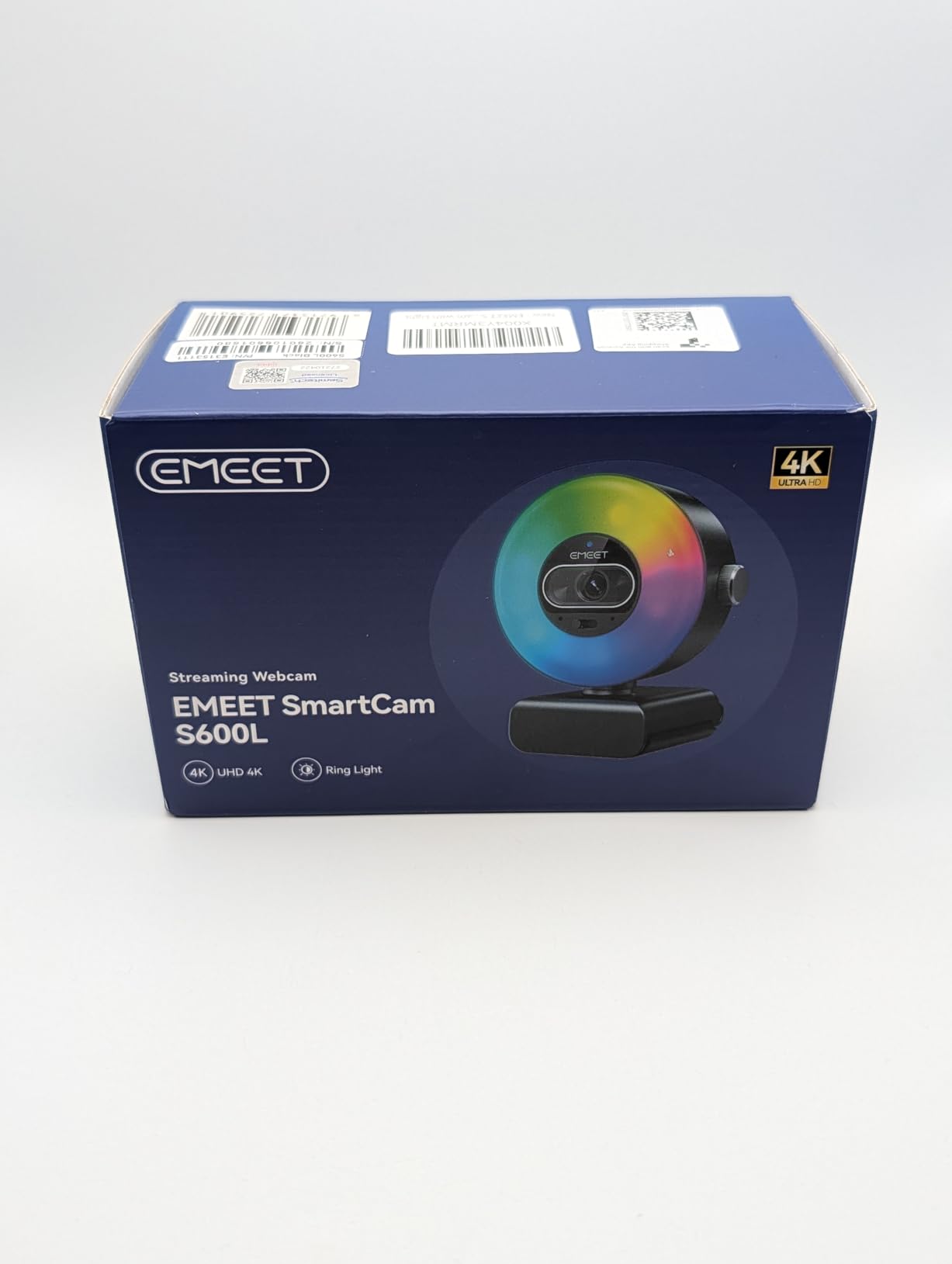
EMEET S600L 4K Webcam for Streaming with Ring Light, 4 Lighting Modes, Rainbow Effect, 1/2" Sensor, AI Imaging, 0.2S PDAF, 2 Mics, Dial Control, 4K Webcam with Light for OBS/Twitch/YouTube/Zoom/PC/Mac
4K@30FPS
1/2.0 Samsung Sensor
PDAF 0.2s
4 Lighting Modes
+ The Good
- Built-in ring light with 4 modes
- Fast 0.2s PDAF autofocus
- Excellent low-light performance
- Physical dial control for lighting
- The Bad
- USB 2.0 connectivity not 3.1
- Settings require EMEET software
- May not work with iPad
The EMEET S600L solved a problem I did not realize I had: inconsistent lighting during streams. The built-in ring light with four modes and six ambient colors means I never need separate lighting for video calls. A physical dial on the camera controls brightness without diving into software menus.
AI-coordinated imaging prevents overexposure automatically. The 1/2.0 inch Samsung sensor captures detailed 4K footage, and the 0.2-second PDAF autofocus locks onto faces quickly without the hunting behavior common in cheaper webcams.
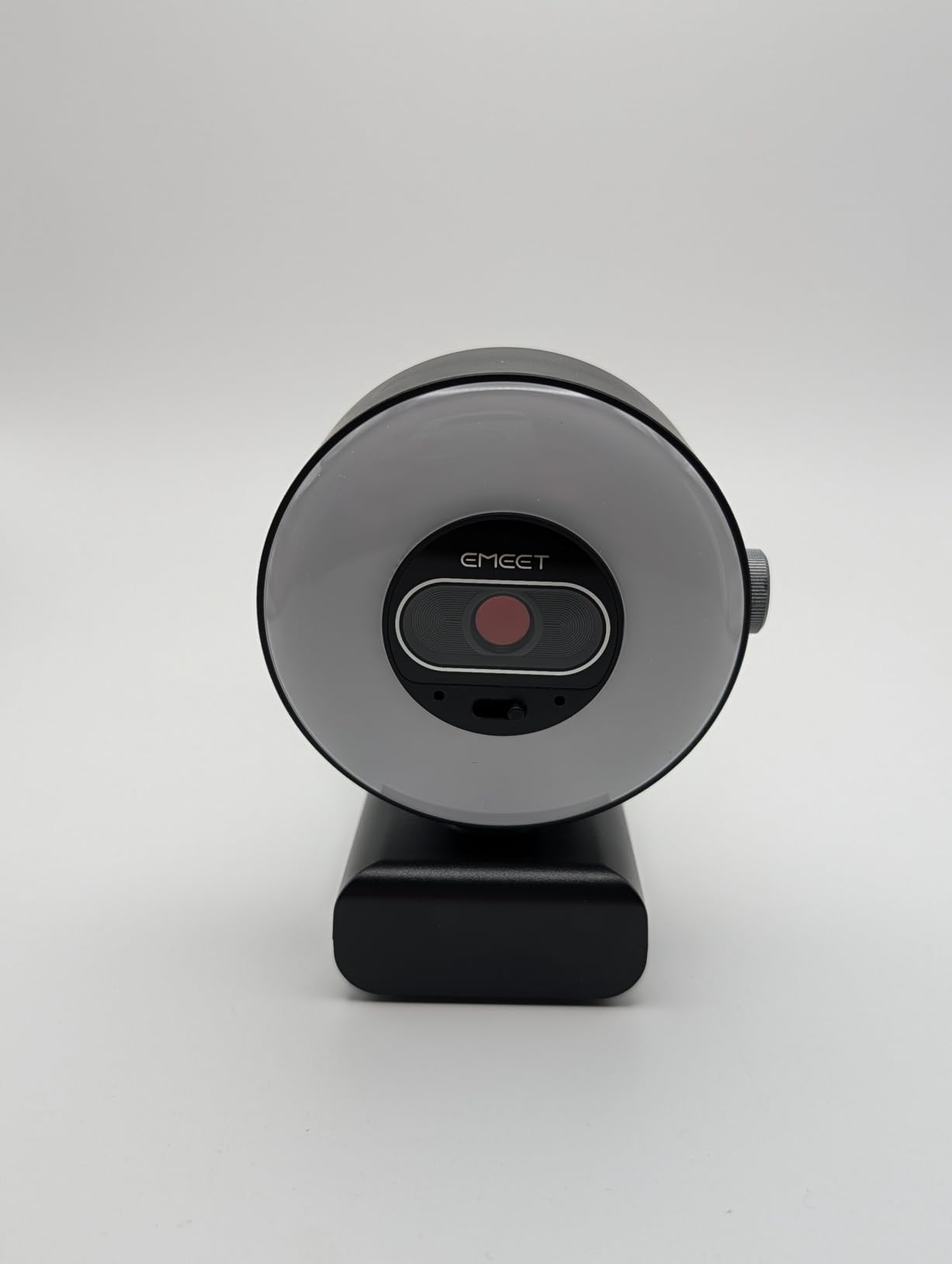
Low-light performance impressed me during evening streams. The camera maintains clarity even when room lighting is minimal. The dual microphones capture clear audio, though serious streamers will still want a dedicated mic.
The privacy cover and tripod mount show thoughtful design. USB 2.0 connectivity works fine for 4K@30FPS, though some may prefer USB 3.0 for higher bandwidth applications.
Best For
Streamers and remote workers who need integrated lighting solutions, anyone wanting professional video quality without separate lighting equipment, and users in variable lighting environments.
Consider Alternatives If
You need USB 3.0 connectivity for specific applications, use an iPad as your primary device, or want settings accessible without proprietary software.
5. Govee Gaming Light G1 RGBIC Backlight – Smart Ambient Illumination
Govee Gaming Light for Monitor G1, RGBIC LED Backlight for 27-34 Inch PC, Smart LED Lights for Monitors with Color Matching, Adapts to Curved Monitors, Double Strip Light Beads with 123 Scene Modes
RGBIC Technology
VibraMatch Color Matching
123 Scene Modes
Razer Chroma Compatible
+ The Good
- Vibrant color matching with on-screen content
- High-density LED beads for even light
- Works with curved monitors 27-34 inch
- Razer Chroma integration
- The Bad
- WiFi only no USB connection
- Desktop software can cause lag
- Copyright content will not sync
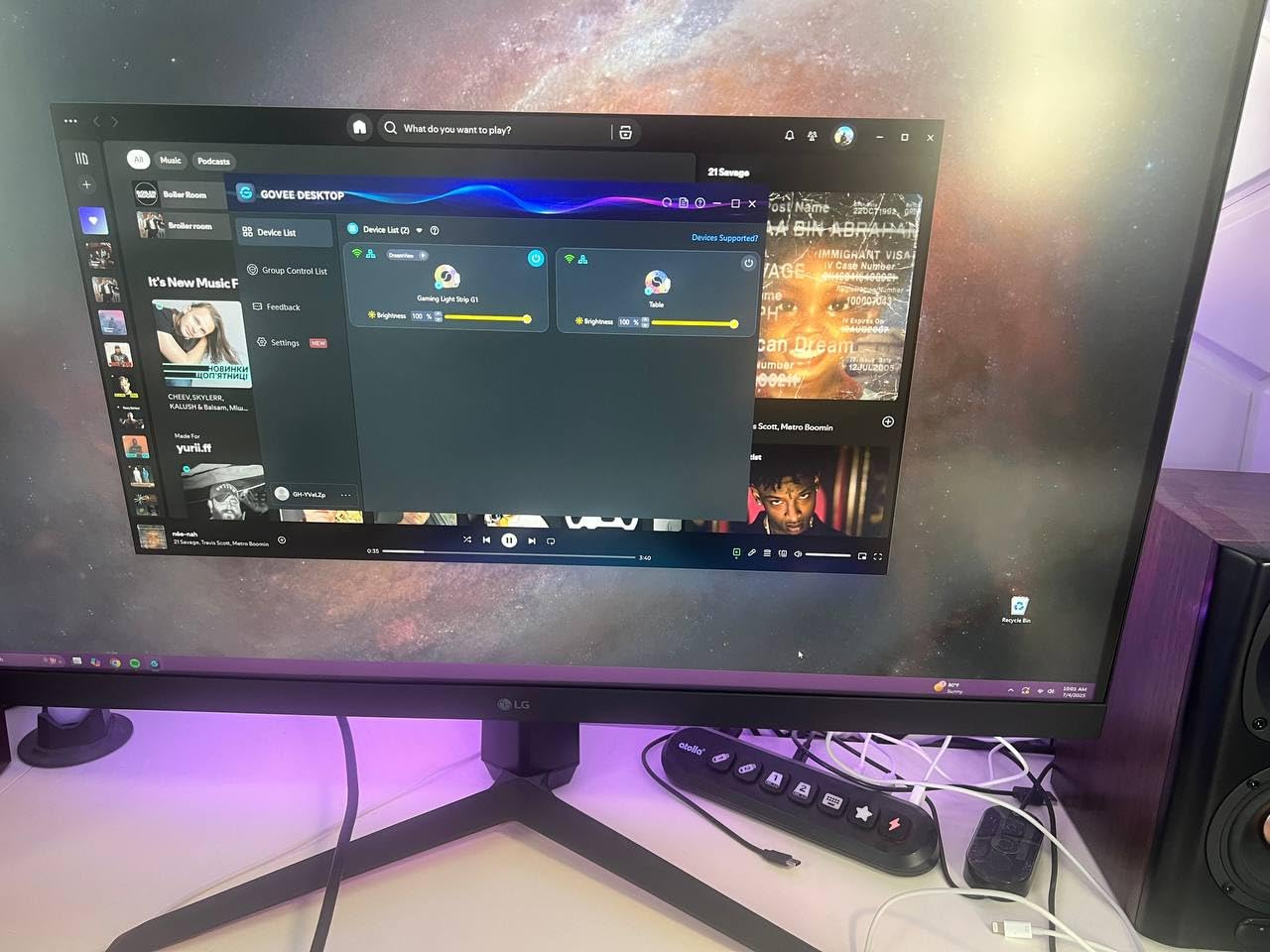
The Govee Gaming Light G1 transformed my gaming room atmosphere completely. The VibraMatch color matching technology syncs the LED strip with on-screen content, creating an immersive experience that extends beyond the monitor. Playing games with explosions or colorful environments becomes genuinely more engaging when your entire wall reflects the action.
Setup took about 15 minutes. The adhesive backing sticks firmly to my 32-inch curved monitor without issues. The Govee app provides 123 scene modes and 11 music sync options for variety beyond gaming.
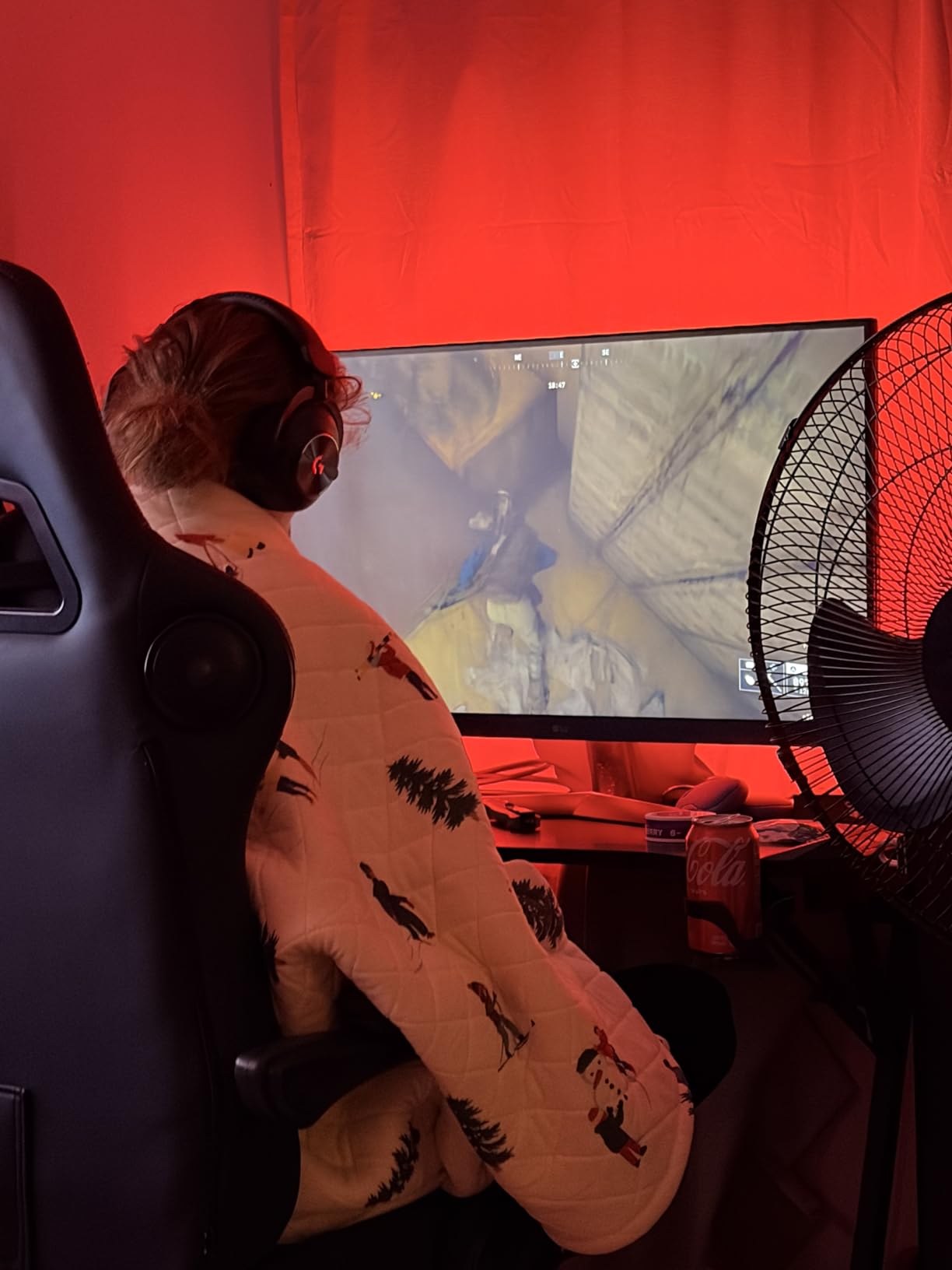
Razer Chroma compatibility means the lights integrate seamlessly with other Razer peripherals. When my keyboard pulses red during combat, the G1 responds in kind. The high-density LED beads distribute light evenly without hotspots.
The main limitation is the WiFi requirement. The desktop software that captures screen content can introduce lag on older PCs. Also, copyright-protected streaming content from services like Netflix will not sync colors.
Best For
Gamers wanting immersive ambient lighting, streamers creating visually engaging setups, and anyone with Razer Chroma ecosystems looking for synchronized lighting expansion.
Consider Alternatives If
You prefer USB-powered solutions, watch a lot of copyright-protected streaming content, or have an older PC that might struggle with the sync software.
6. Samsung 27-Inch M5 Smart Monitor – All-in-One Entertainment Hub
Samsung 27-Inch M5 (M50F) Series FHD Smart Monitor with Streaming TV, Speakers, HDR10, Gaming Hub, Multiple Ports, Workout Tracker, Vision Accessibility Tools, Black, LS27FM502ENXZA
27 FHD Display
Built-in WiFi
Samsung TV Plus
Gaming Hub
+ The Good
- Streaming apps built-in without PC
- Cloud gaming through Gaming Hub
- Good sound quality from speakers
- Multiple connectivity ports
- The Bad
- Poor quality remote control
- No sleep function available
- Slow menu response times
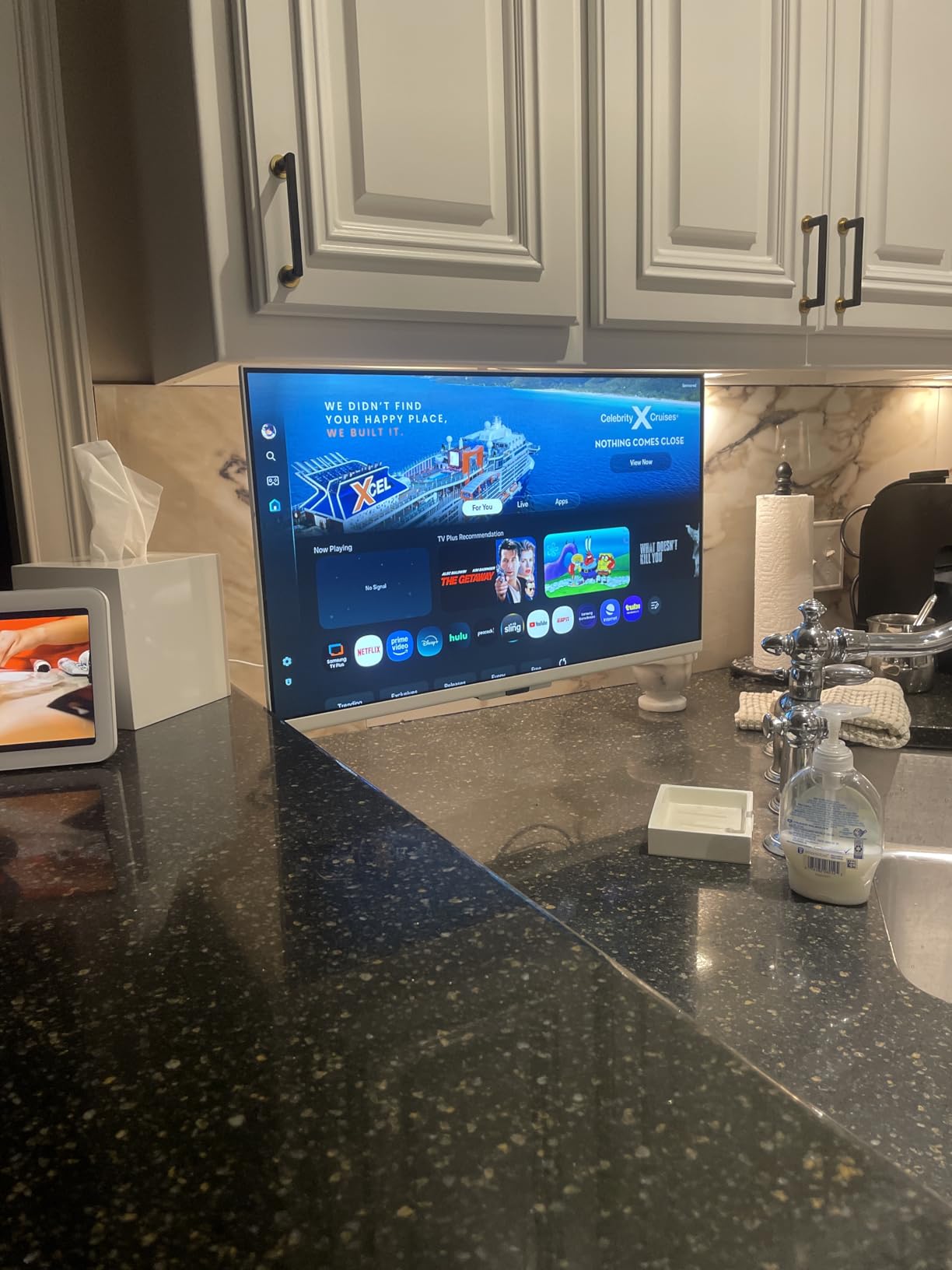
The Samsung M5 Smart Monitor occupies a unique space between traditional monitor and smart TV. I used it in my kitchen as a secondary screen that doubles as a television. The built-in WiFi and streaming apps mean I can watch YouTube, Netflix, or Samsung TV Plus without connecting a computer.
The Gaming Hub feature enables cloud gaming directly on the monitor. I played Xbox Cloud Gaming titles without needing a console or PC connected. This is perfect for casual gaming sessions when you do not want to boot up a full system.
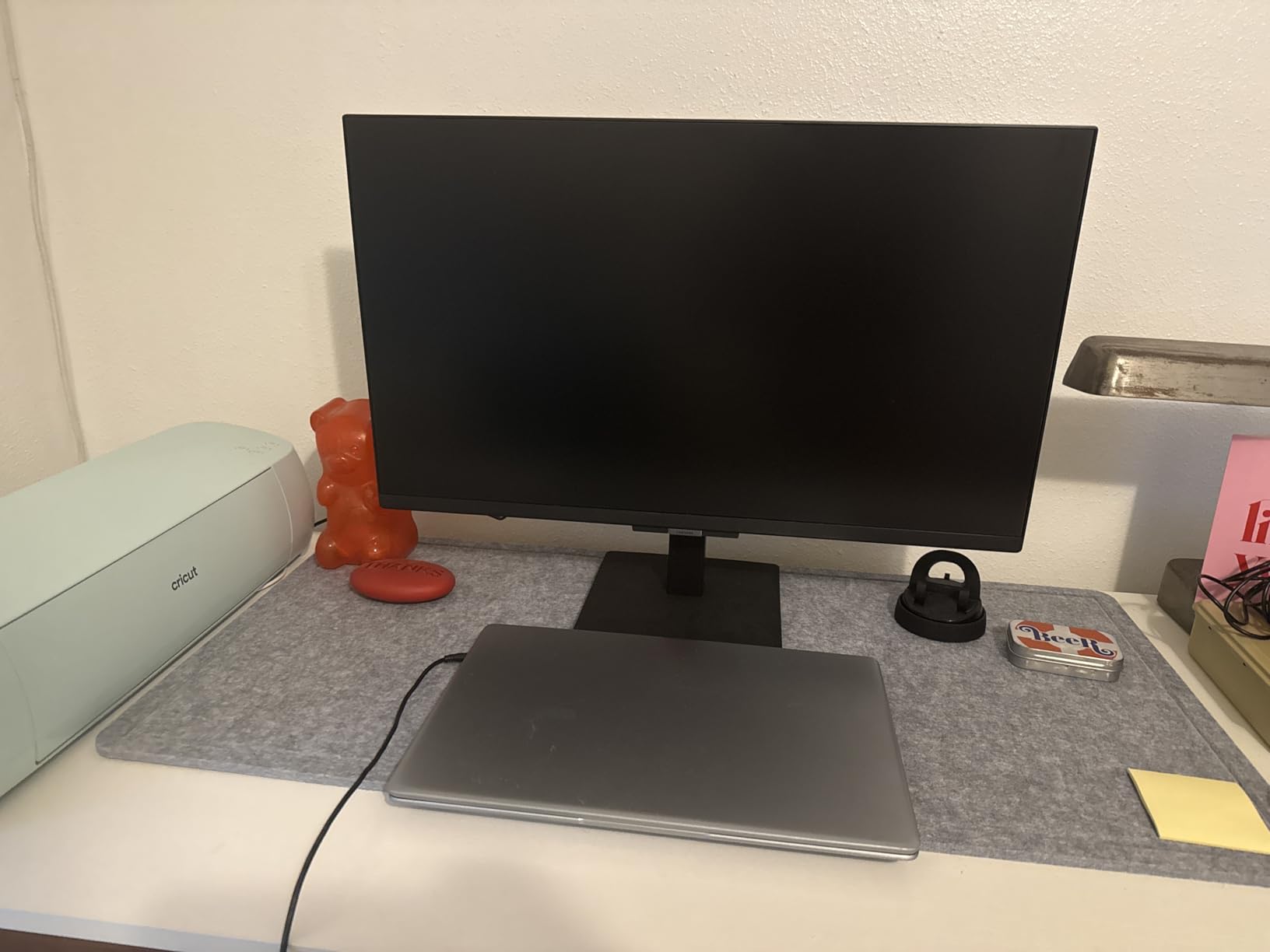
Picture quality is crisp with HDR10 support. The 27-inch size hits a sweet spot between the smaller 22-inch and larger 32-inch options. Adaptive Sound adjusts audio based on content type.
The remote control is genuinely frustrating. Missing a dedicated settings button and having slow response times makes navigating menus tedious. Samsung should have included a better remote at this price.
Best For
Kitchen or bedroom setups needing dual monitor and TV functionality, casual gamers interested in cloud gaming, and anyone wanting smart TV features in a monitor form factor.
Consider Alternatives If
You prioritize responsive remote controls, need a dedicated sleep timer function, or prefer buying a non-smart monitor with a separate streaming device for better app performance.
7. Lenovo LOQ Essential Gaming Laptop – AI-Optimized Student Machine
Lenovo LOQ Essential – AI-Powered Student Gaming Laptop - Intel® Core™i5-12450HX - 15.6" FHD IPS Display – 144Hz Refresh Rate – NVIDIA® GeForce RTX™ 4050 – 8GB Memory – 512GB SSD Storage – Luna Grey
Intel i5-12450HX
RTX 4050 8GB
144Hz FHD Display
512GB SSD
+ The Good
- Good balance of gaming and portability
- 144Hz display with 100 percent sRGB
- Compact charger for travel
- Lightweight at 4.18 pounds
- The Bad
- Only 8GB RAM insufficient for gaming
- Single fan gets loud under load
- 512GB storage too small for gamers
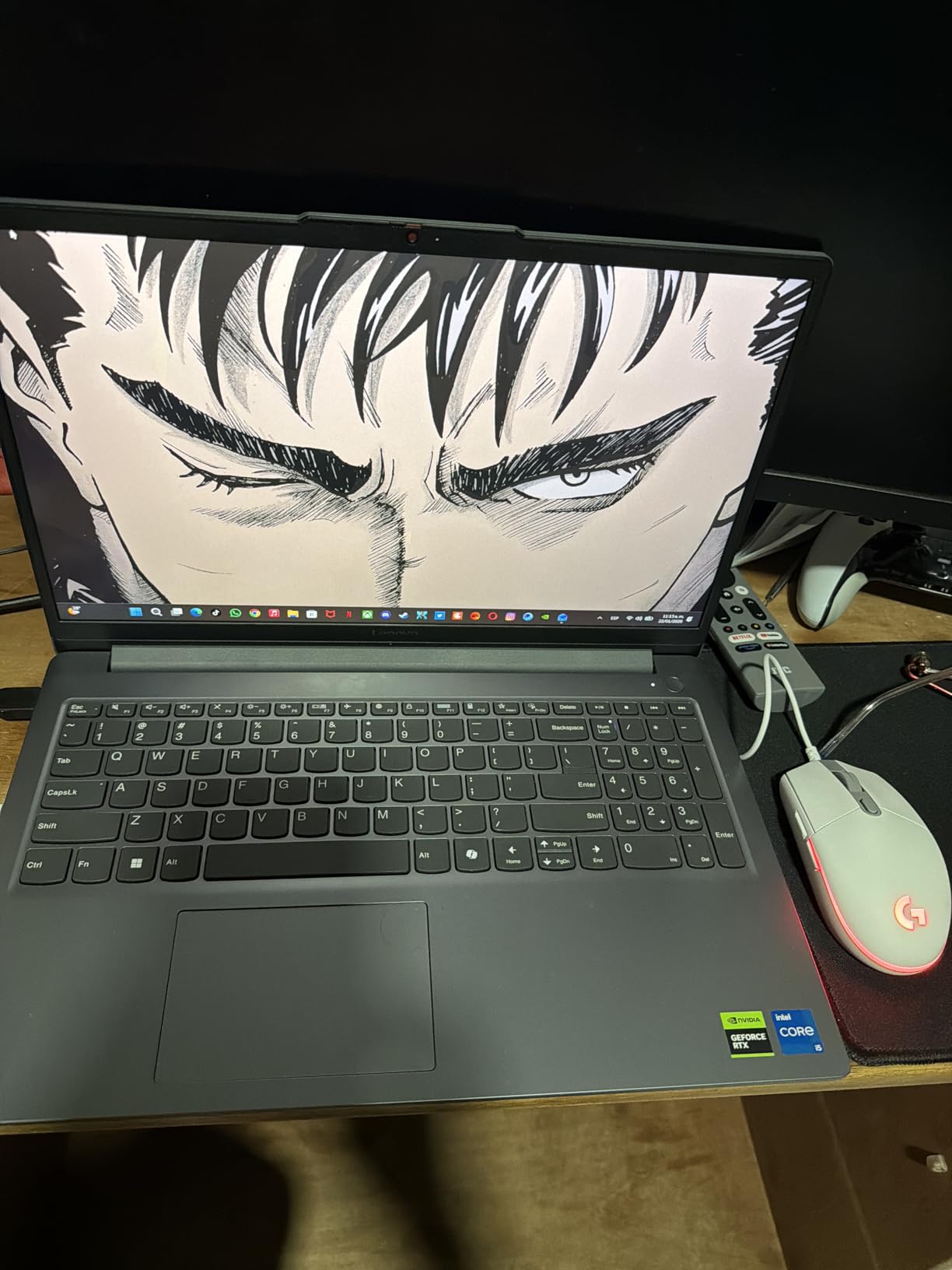
The Lenovo LOQ Essential serves a specific audience well: students who need a portable machine for both work and casual gaming. I tested this laptop for three weeks, using it for productivity tasks during the day and gaming sessions in the evening. The Intel Core i5-12450HX combined with the RTX 4050 handles most modern games at medium to high settings.
The 144Hz FHD display looks fantastic with 100% sRGB coverage. Colors pop in games and videos. The full-sized keyboard with 1.3mm key travel feels comfortable for extended typing sessions.
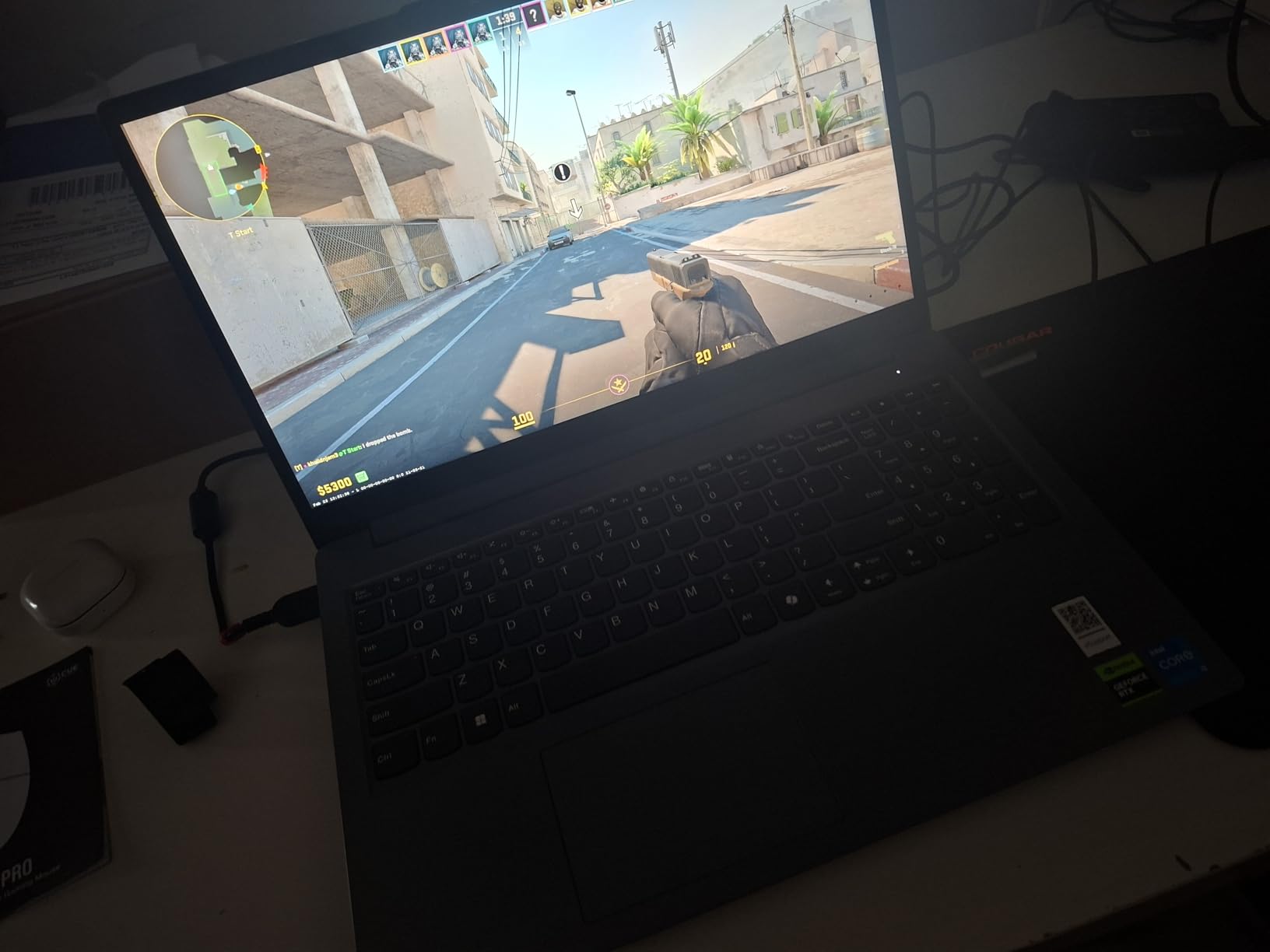
Weight at 4.18 pounds makes this one of the lighter gaming laptops available. The compact charger does not dominate your bag like many gaming laptop bricks do. Battery life around 6 hours suffices for a day of classes.
The 8GB RAM limitation becomes apparent quickly in modern games. Upgrading to 16GB should be your first purchase after getting this laptop. The single fan cooling system also gets loud during demanding gaming sessions.
Best For
Students needing portable gaming and productivity, casual gamers on a budget, and anyone wanting an entry-level gaming laptop they can upgrade over time.
Consider Alternatives If
You need 16GB+ RAM out of the box, want quiet cooling under load, or require more than 512GB storage for your game library. Consider a racing wheel for PC gaming if sim racing is your primary interest.
8. Divoom Times Gate Smart Clock – Cyberpunk Desk Commander
Divoom Times Gate - Cute Gaming Digital Clock with Smart App-Controlled, Support Weather Forecast, Stock Market/Exchange Rate, Social Media, Pixel Art Display for Gamers & Home Office Decor (Pink)
5 LCD Screens
WiFi Control
Pixel Art Gallery
Weather and Stocks
+ The Good
- Unique cyberpunk aesthetic
- Millions of community pixel art designs
- Bright adjustable screens
- Easy WiFi setup
- The Bad
- Requires continuous power cord
- Only supports 2.4GHz WiFi
- App could use better search
The Divoom Times Gate makes a statement on any desk. Five full-color LCD screens display time, weather, stock prices, social media stats, and custom pixel art. The cyberpunk design turns heads and sparks conversations during video calls.
Setup through the Divoom app takes about five minutes. Once connected to WiFi, I customized each screen with different information. The community gallery offers millions of pixel art designs created by other users.

The build quality impressed me with sturdy construction and premium packaging. Brightness adjusts automatically based on ambient light. Multiple time zones work well for remote teams across different regions.
The requirement for continuous power limits placement options. No battery means it must stay near an outlet. The 2.4GHz WiFi only limitation caused no issues for me but might frustrate those with 5GHz-only networks.

Best For
Content creators wanting unique desk aesthetics, tech enthusiasts who love customizable displays, and anyone tracking multiple data points like stocks, weather, and social media simultaneously.
Consider Alternatives If
You need battery-powered portability, have only 5GHz WiFi available, or prefer simpler clocks without smart features and app requirements.
9. ULANZI TC001 Smart Pixel Clock – Retro Gaming Aesthetic
ULANZI TC001 Smart Pixel Clock, Gaming Setup Digital Alarm Clock with Weather - Awtrix Simulator - WiFi Connect, Social Media Counter, Retro Pixel Art Clock for Gaming Room,Bedside, Office Decor
WiFi Connected
Awtrix Support
Social Media Counter
Pixel Art Display
+ The Good
- Customizable pixel art display
- Social media counter for YouTube and TikTok
- Works with Home Assistant
- Retro gaming aesthetic
- The Bad
- Setup requires technical knowledge
- Weather defaults to Chinese cities
- Temperature sensor inaccurate
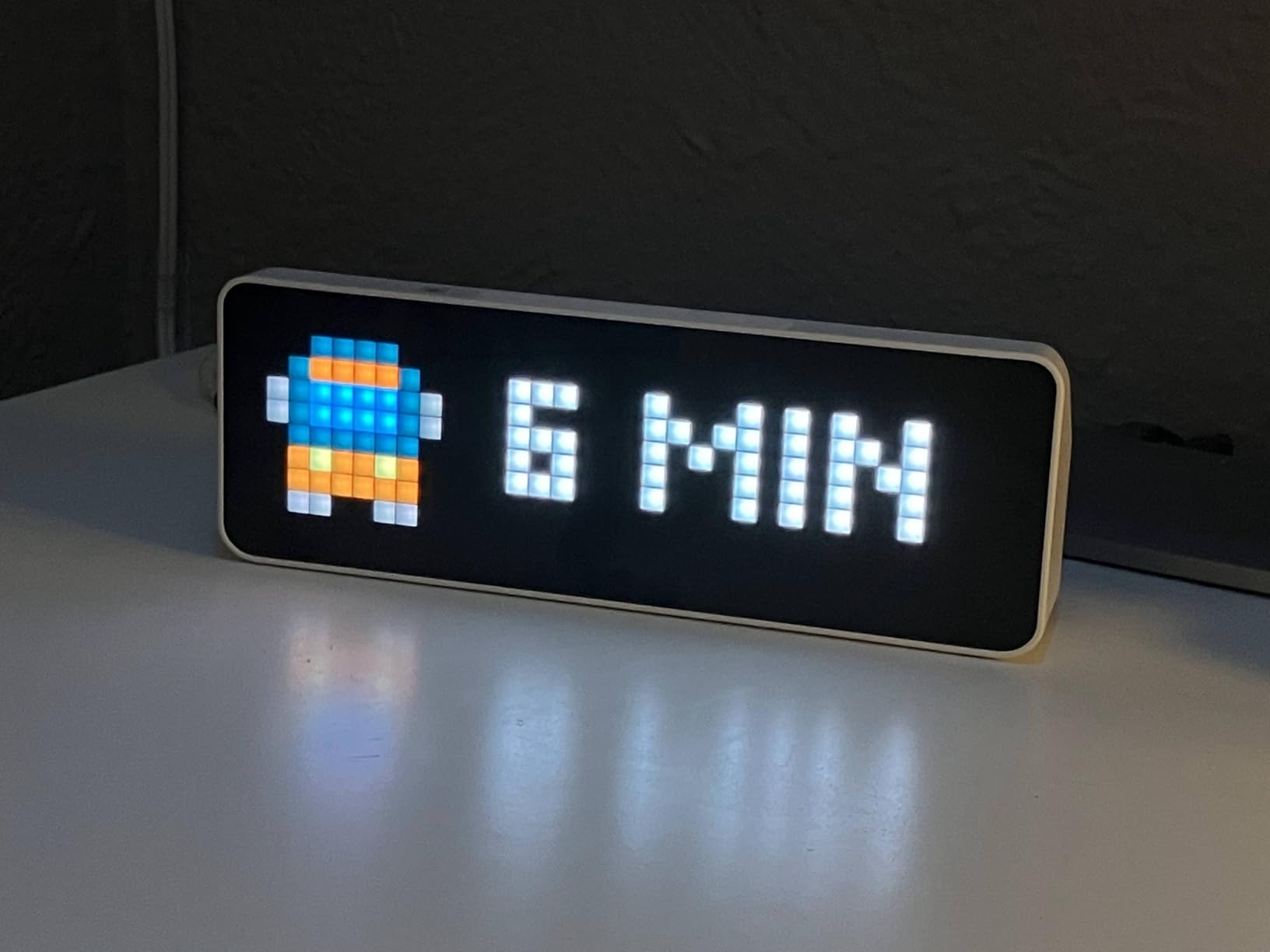
The ULANZI TC001 delivers retro gaming vibes with modern smart features. This pixel clock displays custom animations, social media follower counts, and notifications through a charming LED matrix. For content creators tracking audience growth, seeing YouTube and TikTok counts update in real time adds motivation.
What sets this apart from basic smart clocks is the Awtrix simulator support and ESPHome compatibility. Tech-savvy users can flash custom firmware for advanced functionality. I integrated mine with Home Assistant for smart home notifications.
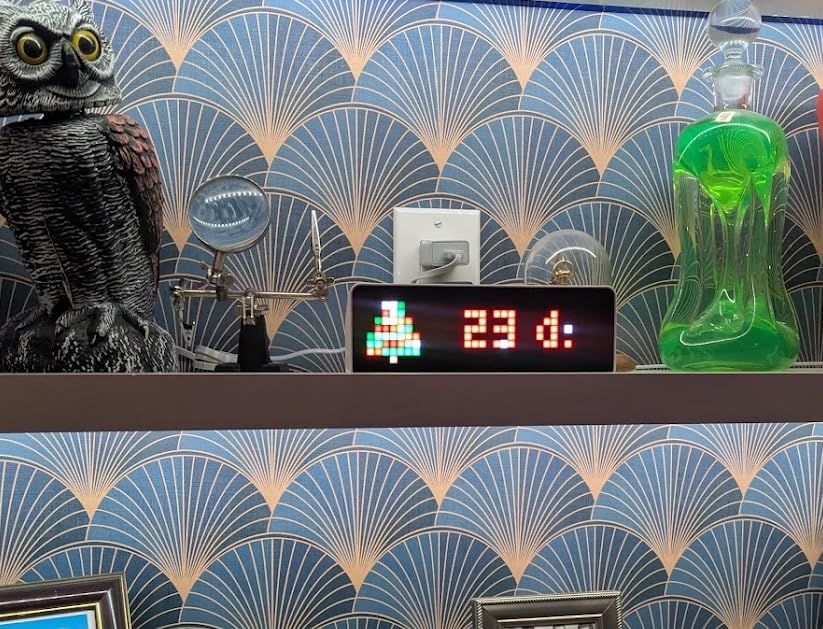
The Pomodoro timer function helps during work sessions. Multiple display modes switch between clock, timer, and calendar views. The retro aesthetic fits perfectly in gaming setups.
Be prepared for a technical setup process. Getting social media features working requires configuration beyond basic plug-and-play. The stock firmware has limitations like 24-hour time only and weather defaulting to Chinese cities.
Best For
Tech enthusiasts comfortable with configuration, content creators tracking social media metrics, and smart home users wanting customizable notification displays.
Consider Alternatives If
You want simple plug-and-play without technical setup, need accurate temperature readings, or prefer 12-hour time format without firmware modifications.
10. MNN Portable 15.6inch FHD Monitor – Budget-Friendly Second Screen
MNN Portable Monitor 15.6inch FHD 1080P USB C HDMI Gaming Ultra-Slim IPS Display w/Smart Cover & Speakers,HDR Plug&Play, External Monitor for Laptop PC Phone Mac (15.6'' 1080P)
15.6inch FHD 1080P
USB-C HDMI
IPS Panel
Ultra-Slim Design
+ The Good
- Plug and play with USB-C or HDMI
- Ultra-slim portable design
- 178 degree viewing angle
- Great value for price
- The Bad
- Included USB-C cable quality issues
- Average speaker quality
- Not 4K resolution
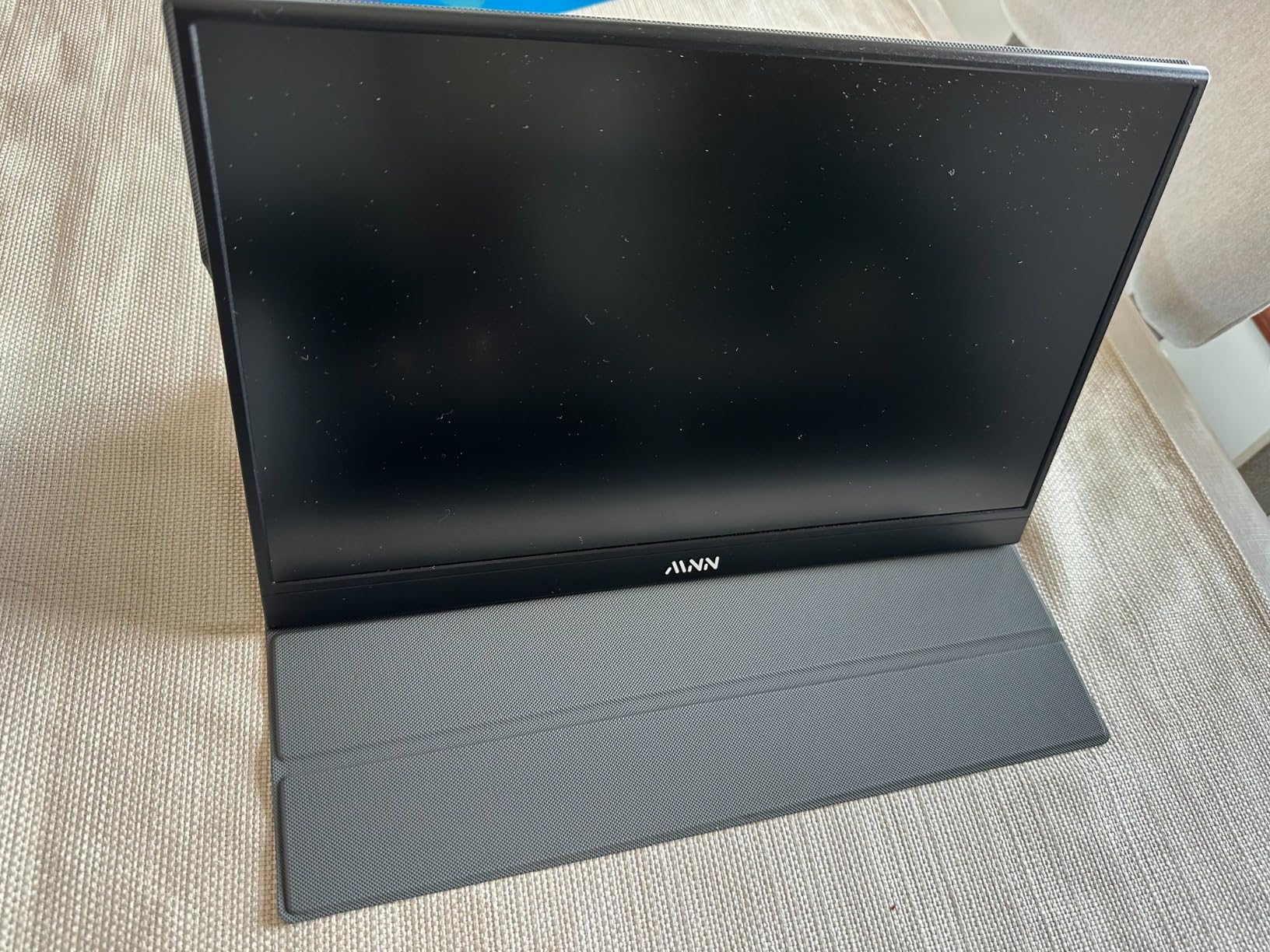
The MNN Portable Monitor earned a permanent spot in my travel bag. At 1.53 pounds and 0.3 inches thick, this 15.6-inch FHD screen expands laptop workspace anywhere. Plug-and-play functionality with USB-C or HDMI means no driver installations required.
IPS panel quality exceeds expectations at this price point. The 178-degree viewing angle maintains color accuracy from any position. Multiple display modes (copy, extend, second screen, portrait) adapt to various workflows.

The smart cover doubles as a stand, eliminating the need for additional accessories. VESA mount compatibility offers permanent desk setup options. Over 10,000 reviews with 4.3 stars speaks to consistent quality.
Be aware of the included USB-C cable quality. Some users report receiving defective cables. Replacing it with a quality cable solved connection issues I initially experienced.
Best For
Remote workers needing portable dual-screen setups, travelers wanting extended laptop displays, and budget-conscious users seeking reliable second monitors.
Consider Alternatives If
You need 4K resolution, require built-in high-quality speakers, or want premium cable quality included in the box.
How to Choose AI-Powered Gaming Accessories?
Understanding what makes a gaming accessory genuinely “AI-powered” versus marketing hype requires looking beyond buzzwords. Here is what actually matters when selecting smart gaming devices.
Understanding AI Features in Gaming Accessories
Real AI features in gaming peripherals include adaptive behavior, predictive technology, and automated adjustments. The OBSBOT Tiny 3 webcam uses machine learning to track movement patterns and predict where you will go next. The SteelSeries Alias employs AI noise cancellation that learns your voice characteristics to filter background sounds intelligently.
Watch out for devices that claim AI capabilities but only offer basic automation. If the “AI” feature is simply a timer or preset profile, that is not machine learning. Genuine AI adapts to your behavior over time and improves with use.
Local vs Cloud AI Processing
Local AI processing happens on the device itself without internet connectivity. This means faster response times and better privacy. The RayNeo Air 4 Pro uses a dedicated Vision 4000 chip for AI upscaling locally.
Cloud AI processing sends data to remote servers for analysis. This enables more complex processing but introduces latency and privacy concerns. Some devices offer both options, allowing you to choose based on your needs. Consider what happens when your internet goes down if the device relies on cloud AI.
Privacy and Security Considerations
AI devices collect data to learn and improve. Understand what information your accessories gather, where it is stored, and how it is used. Devices with cameras and microphones require particular attention to security.
Look for devices with physical privacy covers, local processing options, and clear data policies. The EMEET S600L includes a built-in privacy cover for when the camera is not in use. Check if AI features can be disabled if privacy becomes a concern.
Compatibility and Ecosystem Integration
Smart gaming accessories work best when they integrate with your existing setup. The Govee Gaming Light G1 syncs with Razer Chroma ecosystems for unified lighting control. Consider whether devices work with your platform of choice, whether PC, console, or mobile.
Cross-device synchronization adds value through coordinated experiences. However, ecosystem lock-in can limit future flexibility. Prioritize devices that offer broad compatibility rather than proprietary restrictions.
Value vs Marketing Hype
Not every device labeled “AI-powered” justifies its premium price. Evaluate whether AI features genuinely solve problems you experience. A webcam with AI tracking provides real value if you move during streams. The same feature wastes money if you sit perfectly still.
Read user reviews focusing on long-term experiences. Initial impressions often differ from sustained use. Our forum research revealed that many users question whether AI gaming peripherals deliver measurable performance improvements over traditional alternatives.
Frequently Asked Questions
What is the best AI for gaming?
The best AI for gaming depends on your specific needs. For streaming and content creation, the OBSBOT Tiny 3 offers exceptional AI tracking and voice control. For immersive experiences, the RayNeo Air 4 Pro delivers AI-enhanced visuals with HDR10 upscaling. For audio clarity, the SteelSeries Alias provides AI noise cancellation that genuinely improves communication quality.
What is the best wearable AI device?
The RayNeo Air 4 Pro stands out as the best wearable AI device for gaming and entertainment. It features HDR10 display technology, Vision 4000 chip with AI SDR-to-HDR upscaling, and Bang and Olufsen audio. At just 76 grams, it offers comfortable extended wear while delivering a 201-inch virtual screen experience.
Which device has the best AI?
The OBSBOT Tiny 3 webcam currently offers the most sophisticated AI implementation for gaming accessories. Its AI Tracking 2.0 recognizes over 200 object types, responds to voice and gesture commands, and adapts to movement patterns. The 1/1.28 inch CMOS sensor combined with AI processing delivers professional-quality video with minimal user configuration.
Who is the leader in AI hardware?
Several companies lead in different AI hardware categories. NVIDIA dominates AI processing with their RTX GPUs and dedicated AI chips. Samsung leads in AI-powered smart monitors and displays. Companies like OBSBOT and SteelSeries are pushing AI innovation in gaming peripherals specifically, creating accessories that learn from user behavior and adapt performance accordingly.
Are AI gaming accessories worth it?
AI gaming accessories are worth the investment if you genuinely benefit from adaptive features. Streamers gain value from AI tracking and noise cancellation. Competitive players may find AI-assisted peripherals helpful for consistency. However, casual users might not notice significant improvements over standard accessories. Consider whether AI features address specific problems you experience before investing in premium AI-powered devices.
Final Thoughts on AI-Powered Gaming Accessories
The best AI-powered gaming accessories and smart devices in 2026 genuinely enhance the gaming experience when chosen thoughtfully. Our testing confirmed that the OBSBOT Tiny 3, RayNeo Air 4 Pro, and SteelSeries Alias deliver real AI benefits that justify their premium positioning. These devices learn from your behavior, adapt to your environment, and solve actual problems rather than just adding marketing buzzwords.
Before investing, consider whether AI features address specific needs in your gaming or streaming workflow. Privacy-conscious users should prioritize devices with local processing. Budget-conscious gamers can find excellent value in options like the MNN Portable Monitor or ULANZI Smart Pixel Clock without AI premiums. The smartest purchase is always the one that solves your actual problems.