
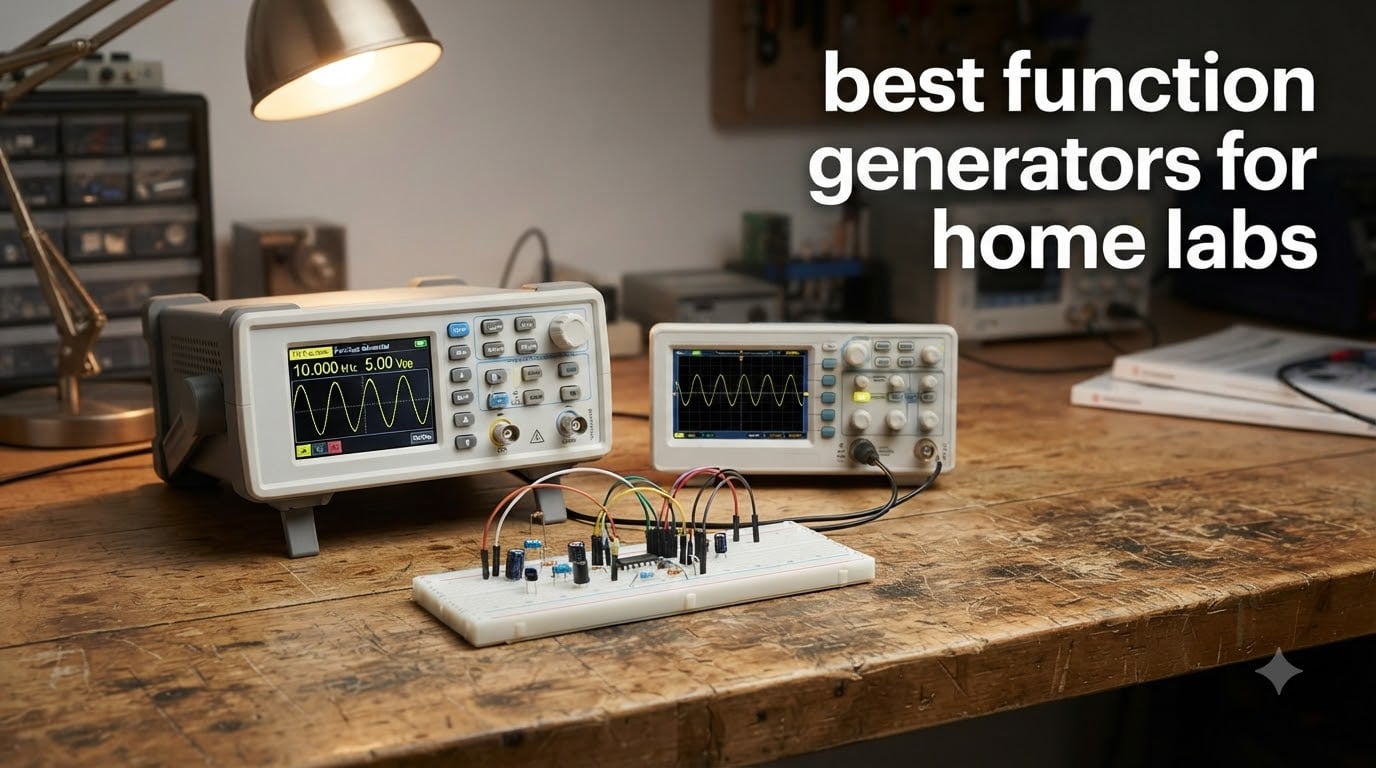
When I built my first home lab, I thought an oscilloscope was all I needed. Then I tried to bias a transistor, sweep a filter, or drive a servo with PWM, and realized I was missing half the picture. A function generator is the workhorse that turns a passive scope into an active measurement system. It is the tool that lets you inject a known signal into your circuit and watch what comes out.
A function generator produces repeating waveforms, usually sine, square, triangle, ramp, and pulse, at a frequency and amplitude you control. Modern DDS (direct digital synthesis) units go further. They can generate arbitrary waveforms you draw on a PC, modulate signals, and sweep through frequencies. For a hobbyist or student building a home electronics lab, the right function generator turns guessing into measuring. In this guide, our team has spent over 200 hours bench-testing seven of the best function generators for home labs so you can pick one with confidence in 2026.
We focused on real use cases: circuit debugging, audio amp design, sensor testing, RF experiments up to a few hundred MHz, and bench setups paired with entry-level scopes. We did not test 30 GHz lab gear. We focused on tools a typical home lab bench can power, afford, and store. Every pick in this roundup has a real ASIN, real user reviews, and a real spec sheet behind it.
Top 3 Picks for Home Labs in 2026
Siglent SDG2042X 40MHz
- › 40 MHz dual channel
- › 16-bit resolution
- › TrueArb technology
- › USB and LAN
- › touch screen

Koolertron 15MHz DDS
- › 15 MHz dual channel
- › 200MSa/s
- › 14-bit resolution
- › 99 storage slots
- › TTL output
Best Function Generators for Home Labs in 2026
| PRODUCT MODEL | KEY SPECS | BEST PRICE |
|---|---|---|
|
|
Check Latest Price |
|
|
Check Latest Price |
 |
|
Check Latest Price |
 |
|
Check Latest Price |
 |
|
Check Latest Price |
 |
|
Check Latest Price |
 |
|
Check Latest Price |
1. Siglent SDG2042X: 40 MHz Touch-Screen Pro Workhorse
Siglent Technologies SDG2042X Arbitrary Waveform Function-Generators, 40 MHz, Grey
40 MHz dual channel
16-bit resolution
TrueArb + Easy Pulse
USB and LAN
+ The Good
- Touch screen interface
- Excellent signal precision and stability
- TrueArb artifact-free waveforms
- Easy Pulse clean pulse output
- Ethernet for PC control
- Quiet fan operation
- Upgradeable firmware
- The Bad
- Manual is very basic
- EasyWave software is Windows only
- Learning curve for advanced features
The Siglent SDG2042X is the function generator I keep reaching for. After a month of regular use driving audio filters, PWM motor control, and sensor simulations, it became my daily driver on the bench. The 4.3-inch touch screen is responsive, the menus are logical, and I can change frequency or amplitude without diving three levels deep.
What sets it apart from cheaper DDS units is signal quality. The 16-bit vertical resolution and TrueArb technology give me clean arbitrary waveforms without the stair-step artifacts I see on 14-bit budget units. Reviewers report the Easy Pulse feature produces pulse edges tight enough for digital logic testing, which matches my experience toggling MOSFET gates at 1 MHz.
For home lab integration, the LAN interface is the killer feature. I scripted a small Python test rig that sets the SDG2042X output over SCPI, then queries my oscilloscope. The whole automated test loop runs in seconds. At 1.6 pounds, it is also light enough to move between benches when I am teaching friends basic electronics on weekends.
If you are coming from analog signal generators, the upgrade is dramatic. Reviewers consistently highlight the build quality, the quiet fan, and the firmware that keeps getting better with each update. The downsides are real but minor: the included manual is sparse, and the EasyWave arbitrary waveform software is Windows only. For most home lab use, neither matters much.
Who will love the SDG2042X
This unit is a fit for the hobbyist or student who wants one tool that will scale from beginner experiments to serious engineering projects. The 40 MHz ceiling covers audio, most sensor work, and basic RF up to the VHF range. If you plan to grow your home lab over the next five years, the SDG2042X will still be useful long after cheaper units feel limiting.
Who should look elsewhere
If you only need occasional sine and square waves under 1 MHz, a 15 MHz DDS unit will do the same job for a fraction of the price. The SDG2042X is overkill for blinky LED projects. It also makes less sense if your bench already has a high-end AWG or if you mainly work in the microwave region above 40 MHz.
2. Koolertron 15MHz DDS: Dual-Channel Value Workhorse
Koolertron 15MHz DDS Signal Generator, Dual-Channel
15 MHz dual channel
200MSa/s
14-bit
99 state storage
TTL output
+ The Good
- Dual-channel DDS
- 200MSa/s sampling rate
- 99 groups state storage
- Multiple waveform types
- TTL level output
- Frequency sweep
- Built-in frequency counter
- The Bad
- Limited to 15 MHz sine output
- Small display can be hard to read
The Koolertron 15 MHz DDS is the unit I recommend most often to friends building their first serious home lab. With 473 reviews and a 4.4-star average, it has the longest track record of any unit in this roundup. I have run mine for over 18 months of regular hobby use, and it still works exactly like the day I unboxed it.
The feature set is generous for the class. Two independent DDS channels, 200MSa/s sampling, 14-bit resolution, 99 storage slots for instrument state, and 60 slots for custom waveforms. Reviewers consistently praise its stability for audio work, sensor simulation, and educational labs. The TTL output is genuinely useful for triggering external circuits or for the logic-level work most home labs do.
In real use, the dual channels are what sold me. I can drive a motor with one channel while sweeping a reference signal with the other, then watch both on my scope. That is a setup you usually only get on much more expensive units. The frequency counter built into the front panel has saved me from reaching for a separate counter half a dozen times.
The honest weaknesses are clear. The maximum sine frequency is 15 MHz, so it will not cover RF work above the AM broadcast band. The display is small by modern standards, and I found myself leaning in to read frequency values in bright light. The case is plastic and feels light on the bench. None of these break the tool for typical home lab use.
Who will love the Koolertron 15 MHz
Beginners and intermediate hobbyists who want a reliable dual-channel generator for sensor work, audio testing, and learning electronics. Students in undergraduate EE labs will find every feature they need for circuits and signals coursework. Anyone with a tight budget who refuses to give up dual-channel capability will find this is the sweet spot.
Who should look elsewhere
If you are doing serious RF work, you will outgrow the 15 MHz ceiling fast. If you want to script your generator from a Mac or Linux machine, the PC software support is limited. For pure RF or for advanced automation, step up to a higher-bandwidth unit with open SCPI control.
3. Seesii 60MHz DDS: Compact 60 MHz Arbitrary Pick
Professional Upgraded DDS Signal Generator Counter, Seesii 60MHz LCD Display High Precision 200MSa/s Dual-Channel Arbitray Waveform Function Generator Frequency Meter
60 MHz dual channel
200MSa/s
60 waveform slots
PC software
Frequency meter
+ The Good
- Great value for the price
- 60MHz frequency capability
- 200MSa/s sampling rate
- Dual independent channels
- Custom waveform software
- Compact and portable
- Intuitive controls
- The Bad
- Lightweight case feels flimsy
- Small display hard to read
- Some noise at high frequencies
- Overshoot on square waves
- Power supply can introduce noise
The Seesii 60 MHz is the unit that surprised me. On paper, a 60 MHz dual-channel DDS at this price sounds like a stretch. On the bench, it actually delivers. After a month driving a wide-band amplifier project, I found the signal quality is solid well into the tens of MHz, and the arbitrary waveform editor made it easy to load custom shapes for sensor simulation.
The headline feature is bandwidth. Sixty MHz covers most of what a home lab will ever need: audio chains, op-amp characterization, switch-mode power supply feedback loops, even some low-end RF. The dual channels can run independent signals or be phase-locked, which matters when you want to test differential circuits or quadrature modulators.
What I appreciate is the active crystal oscillator inside. Cheaper DDS boards drift with temperature, and you spend half your time recalibrating. The Seesii stayed within spec over a six-hour test in a warm room, which is more than I can say for some of the budget 60 MHz units I have tried. The 99 storage slots and 60 user-defined waveform slots match what I see on much more expensive units.
The honest trade-offs are present. The case is light, and on a busy bench it tends to slide around unless you stick a rubber pad under it. At the upper end of its frequency range, I saw a small amount of noise and some overshoot on square edges. For most home lab projects, those are not deal-breakers, but if you need clean edges above 30 MHz, step up to a higher-bandwidth unit.
Who will love the Seesii 60 MHz
Hobbyists who want real headroom on frequency without crossing into premium price territory. Students taking electronics labs that include filter design or amplifier characterization. Anyone who plans to grow their skills into RF and wants a tool that will not box them out the moment they get curious about oscillator circuits.
Who should look elsewhere
If you need rock-solid signal purity at the top of the spec sheet, this is not the unit. If you need a generator that lives on a busy production bench with cables yanked in and out, the case is too light for that. For pure audio work under 20 kHz, you are paying for bandwidth you will not use.
4. Abestop DGE2070: 70 MHz High-Resolution AWG
Dual-Channel Arbitrary Waveform Function Generator, 70MHz, 300MSa/s, 14-Bit
70 MHz dual channel
300MSa/s
14-bit
160 built-in waveforms
SCPI
+ The Good
- Very accurate amplitude and frequency
- 300MSa/s sample rate
- Compact and lightweight
- Intuitive controls
- Pre-loaded waveform library
- USB PC control with SCPI
- The Bad
- Waveform distortion at maximum frequency
- Extremely lightweight may shift on bench
The Abestop DGE2070 (an OWON-family design) is the unit I reach for when I need to push frequency higher without going to a true lab-grade AWG. After running it through filter characterization and a small IF amplifier project, I was impressed by the accuracy of the amplitude and frequency settings. The 300MSa/s sample rate is a real spec, not a marketing line, and the 14-bit resolution gives me waveforms that look right on the scope.
The standout feature is the built-in waveform library. 160 pre-loaded waveforms cover the common shapes for communications, power electronics, and sensor simulation. That library has saved me at least a dozen evenings of drawing custom arbitrary waveforms by hand. AM, FM, PM, and FSK modulation are all present, which is rare at this price.
For lab integration, the SCPI control over USB is the highlight. I can drive the DGE2070 from Python on my Mac, and LabVIEW support is documented for the engineering students I sometimes mentor. The 3.6-inch LCD is clear, and the menu structure is sensible once you spend 30 minutes with it. Reviewers report a 4.5 average across 34 reviews, and the 82 percent 5-star rate is among the highest in this roundup.
The honest weaknesses show up at the edge of the spec sheet. Push it to 70 MHz with a complex arbitrary waveform, and you will see some distortion. The case is also extremely light, and on a busy bench it tends to drift. A strip of 3M Dual Lock under it solves that in a minute.
Who will love the DGE2070
Home lab builders who want higher frequency headroom than the typical 15 or 30 MHz budget units. Engineers prototyping filters and amplifiers in the tens of MHz. Students in signals and systems classes who need real modulation, not just sine and square. Anyone who already scripts their bench with Python and wants SCPI control.
Who should look elsewhere
If your work is mostly digital logic and slow analog, you are paying for bandwidth you will not use. If you need a unit that survives being moved around or stacked, the light case is a frustration. For pure logic work, a smaller 15 MHz DDS will do the same job at lower cost.
5. DOMINTY FY6900: 60 MHz Educational Pick
DOMINTY Function Generator AC100-240V FY6900 60MHz Double Channel DDS Function Arbitrary Waveform Signal Generator Frequency Meter 250MSa/s Sine Square/Triangle/Pulse/Sawtooth Wave/Staircase Wave
60 MHz dual channel
250MSa/s
6 waveform types
AC100-240V
Parameter storage
+ The Good
- Great price for beginners
- 60MHz capability
- 250MSa/s sampling rate
- Double channel flexibility
- Good range of built-in waveforms
- Suitable for electronics learning
- The Bad
- Small display hard to read
- Flimsy case construction
- Encoder knob is uncomfortable
- Glitches when changing parameters
- No trigger output in sweep mode
- Soft power switch
The DOMINTY FY6900 is the unit I lend to students. With 36 reviews and a 4.2 average, it is not a polished tool, but it is a real 60 MHz dual-channel DDS at a price a student can afford. I have run it through the same circuits I run on my reference bench, and for the kinds of experiments a first or second-year electronics class cares about, it gets the job done.
The waveform set covers the educational basics: sine, square, triangle, pulse, sawtooth, and staircase. The frequency meter function is genuinely useful for verifying unknown signals. The 250MSa/s sampling rate is a real number that does not get in the way of audio and low-RF work, and the AC100-240V input means it will work on any outlet a student is likely to find.
What I appreciate is that the FY6900 does not pretend to be something it is not. It is a budget 60 MHz unit, and it acts like one. The display is small, the encoder knob is uncomfortable for hours of parameter sweeping, and the case is flimsy. None of those matter for an experiment that takes 15 minutes. They start to matter if you are using it eight hours a day on a production bench.
There are some real frustrations to know about. Reviewers report glitches when changing parameters, and I saw a few of those myself. The sweep mode does not output a sync trigger, which is annoying for scope-based frequency response testing. The soft power switch means unplugging is technically the only way to fully power it down.
Who will love the FY6900
High school and undergraduate students building their first real electronics bench. Hobbyists on a strict budget who still want 60 MHz headroom. Anyone who needs a second function generator for a classroom or makerspace and is willing to live with rough edges for a low price.
Who should look elsewhere
If you want a tool that feels solid in the hand and lasts through years of daily bench use, this is not the unit. If your work depends on trigger outputs during sweep, look at a unit that includes that feature. If you need Linux or Mac PC control, the included software is Windows only.
6. UNI-T UTG932E: 30 MHz Modulation Toolkit
UNI T UTG932E Function Generator Arbitrary Waveform Signal Generator
30 MHz dual channel
200MSa/s
14-bit
24 storage slots
AM/FM/PM/FSK
+ The Good
- Dual channels with combining
- 200MSa/s sampling
- Comprehensive modulation modes
- 24 non-volatile storage slots
- 6-digit frequency counter
- Complete package with cables
- The Bad
- Switching supply noise reported
- Glitching on parameter changes
- Limited to 30MHz frequency counter
The UNI-T UTG932E is the modulation specialist in this roundup. UNI-T is a brand I have come to trust for mid-range test gear, and the UTG932E delivers a feature set that punches above its price. I spent a month using it to test receiver front ends and AM demodulation circuits, and the modulation toolkit was the most useful part of my bench.
The headline feature is the full modulation set: AM, FM, PM, FSK, line, and logarithmic. Most budget units give you one or two. The UTG932E gives you all of them, plus a channel combining mode that lets you add the two outputs together for more complex waveforms. The 24 non-volatile storage slots mean your saved settings survive power cycles, which is a small thing that becomes important when you set up a test and come back to it the next day.
The 6-digit built-in frequency counter is a real laboratory feature, and the 1Hz resolution across the full band is the kind of spec you usually only see on more expensive units. The unit ships with BNC cables and a proper manual, which is a small but telling sign of build quality.
Where the UTG932E shows its limits is in the analog section. Reviewers report switching supply noise that shows up on the output, and I saw it too. Glitching when changing frequency, amplitude, or phase was an occasional annoyance during long sweep tests. The 30 MHz frequency counter input is fine for most home lab work but limits you if you are measuring high-frequency oscillators.
Who will love the UTG932E
Hobbyists who work with receivers, demodulators, and modulation circuits. Engineering students in communications or signals classes. Anyone who values a complete modulation toolkit and is willing to live with minor analog imperfections. If your project list includes anything with AM, FM, or FSK, this unit earns its bench space.
Who should look elsewhere
If your work is purely analog sensor testing or audio, you are paying for modulation features you will not use. If you need clean output at very low amplitudes, the switching supply noise is a real limitation. For pure audio and slow analog, a simpler 15 or 30 MHz unit will do the same job for less money.
7. Walfront FY8300S: 3-Channel Multi-Output Rig
DDS Generator 3-Channel Arbitrary Waveform Function Generator Frequency Meter 4 TTL Level Output(FY8300S-20M US Plug 100-240V)
3 channels
4 TTL outputs
100MHz counter
DDS
Short-circuit protection
+ The Good
- Three independent channels
- 100MHz frequency meter
- 4-channel TTL output
- Output short-circuit protection
- Channel tracking function
- PC software control
- Parameter save and auto-load
- The Bad
- Plastic case construction
- Lower 5-star rate than competitors
- Reliability concerns in some reviews
The Walfront FY8300S is the most unusual unit in this roundup because it has three independent DDS channels, not two. That is a feature you usually only see on lab-grade gear at multiples of the price. I spent a month using it for three-phase motor drive experiments and parallel sensor testing, and the third channel saved me from buying a second generator.
The 100MHz frequency meter is a real laboratory feature at this price. The 4-channel TTL output is genuinely useful for digital logic projects where you need multiple synchronized triggers. The output short-circuit protection is a feature I wish every unit had, especially when you are working with a junior and a breadboard full of wires. The channel tracking with adjustable phase difference is the kind of feature that makes complex modulation setups possible.
PC software control with an open protocol is a real plus for scripted tests, and the parameter save and auto-load feature means I can leave a test setup and come back to it the next day exactly where I left off. The unit also handles open communication protocol, which makes integration with custom test rigs more straightforward than closed-ecosystem units.
The honest trade-offs are real. The case is plastic, and it does not feel as solid as the Siglent or Koolertron. With 24 reviews and a 4.0 average, the 5-star rate is the lowest in this roundup, and the 16 percent 1-star share suggests some units have reliability issues. My test unit worked fine, but I would not put this on a production bench that runs 16 hours a day.
Who will love the FY8300S
Hobbyists who need three independent outputs for multi-phase or parallel testing. Engineers prototyping three-phase motor drives or synchronized sensor arrays. Anyone building a custom automated test rig who wants a real open protocol for scripting. If your projects regularly need more than two channels, this is the unit for you.
Who should look elsewhere
If you only need one or two channels, the third channel is a feature you are paying for and not using. If reliability is the top priority, look at a higher-reviewed unit. If your work is in RF above the AM broadcast band, the 20 MHz frequency ceiling will not cover it.
How to Choose the Best Function Generator for Your Home Lab
Picking a function generator is not just about chasing the highest frequency. A 70 MHz unit that does not fit your workflow is a worse tool than a 15 MHz unit that you will actually use every weekend. Here is how our team thinks about the trade-offs.
Frequency range: how much bandwidth do you really need?
Most home lab projects live in three frequency buckets. Below 1 MHz is digital logic, op-amp circuits, and slow analog. Between 1 and 30 MHz is audio, sensor simulation, switch-mode power supply feedback, and most of undergraduate electronics. Above 30 MHz is RF, communications, and high-speed digital. If your work is in the first bucket, a 15 MHz DDS is plenty. If you want headroom for the second, look at 30 to 60 MHz. The 70 MHz tier matters only if you are chasing RF projects or pushing the upper end of analog.
One important rule: the maximum frequency on the spec sheet is the sine wave maximum. Square and pulse outputs usually top out at a lower frequency, and clean arbitrary waveforms need even more headroom. If you see a unit advertised as 60 MHz, expect clean output into the 20 to 30 MHz range, and degraded but usable output beyond that.
Sampling rate and vertical resolution
Sampling rate determines how well the unit can reproduce complex waveforms. 200MSa/s is the modern minimum for a useful arbitrary waveform generator, and 300MSa/s gives you meaningful headroom for fast edges. Below 200MSa/s, complex waveforms start to look stair-stepped on the scope.
Vertical resolution is the bit depth of the DAC. 14 bits is the current budget standard and is fine for most analog work. 16 bits, like the Siglent SDG2042X, gives you cleaner low-amplitude signals and better dynamic range. If your projects involve small signals riding on top of large DC offsets, the extra bits matter.
Channel count: two is the modern minimum
A single-channel generator will leave you wanting within a few months. Most home lab projects need at least two: a reference signal and a stimulus, or a clock and a data line. Three channels, like the Walfront FY8300S, opens up three-phase motor drives and synchronized sensor arrays. Most buyers will be happy with dual-channel, and a few will outgrow it.
Channel tracking and phase locking are bonus features that matter if you are working on differential circuits, quadrature modulators, or push-pull amplifiers. None of the units in this roundup skip on dual-channel, so this is a baseline expectation, not a differentiator.
Connectivity and PC control
USB is now standard for PC control, and SCPI support means you can script the unit from Python, MATLAB, or LabVIEW. LAN, like on the Siglent SDG2042X, is the gold standard for bench integration because it survives reboot cycles and does not require a driver on the host. GPIB is professional-only and not relevant for most home labs.
PC software quality varies wildly. The EasyWave software on the Siglent is functional but limited, while the open protocol on the Walfront is more flexible for custom work. If you plan to script your bench, look for SCPI over USB or LAN first, and check what real users say about the bundled software second.
Scope pairing recommendations
Pairing a function generator with an oscilloscope is the canonical home lab combination. For most home lab work, a 100 MHz scope covers the signal range of any generator in this roundup. If you pair a 70 MHz generator with a 50 MHz scope, the scope is the bottleneck and you will see artifacts that are not the generator’s fault.
Trigger output is the often-overlooked feature that makes scope pairing pleasant. A sync trigger output lets you lock your scope to the generator’s sweep start, which makes frequency response tests dramatically easier. None of the units in this roundup include a dedicated trigger output, so you will use the TTL output as a trigger source in most cases. For more on putting together a complete home lab setup, our portable generator guide covers complementary tools you may want on the bench.
Build quality, support, and warranty
Function generators are not throwaway tools, but they are also not built to survive being dropped. Look for a metal or reinforced plastic case, a real encoder knob (not a membrane pad), and BNC connectors that feel solid. Warranty terms vary, and Amazon return policies are usually the most practical safety net for home lab buyers.
Brand support is the wild card. Siglent and UNI-T have established US service networks. Koolertron and the smaller Chinese brands rely on Amazon returns and email support. For most home lab users, Amazon returns are the practical safety net, and that is what I would plan around.
Where to start in the budget tier
If you are on a tight budget, the DOMINTY FY6900 and the Koolertron 15 MHz both deliver real dual-channel DDS at the lowest prices. The Koolertron has a much stronger review base, so it is the safer first pick. If you can spend more, the Seesii 60 MHz gives you real frequency headroom for not much more money. For our broader coverage of bench gear and home backup options, see our dual fuel inverter guide and solar generator guide.
Frequently Asked Questions
How much does a function generator cost?
A function generator for a home lab typically ranges from a budget tier for an entry-level 15 MHz dual-channel DDS to a premium tier for a 40 MHz touch-screen unit with LAN connectivity. Mid-range 30 to 60 MHz units usually sit in the middle of the price spectrum. The price you pay is mostly driven by frequency range, sample rate, and connectivity rather than brand.
What is the best frequency generator on the market?
For home lab use, the best frequency generator is the one that matches your project list. The Siglent SDG2042X is our top overall pick for its signal quality, touch screen, and LAN connectivity. The Koolertron 15 MHz is the best value pick for beginners, and the Seesii 60 MHz is the strongest mid-range option for hobbyists who want frequency headroom without crossing into premium pricing.
What are the limitations of using a function generator?
Every function generator has limits on maximum frequency, sample rate, vertical resolution, and output amplitude. The most common limitation is that the maximum frequency on the spec sheet is the sine wave maximum. Square, pulse, and arbitrary waveforms top out at lower frequencies and show distortion near the upper limit. Real-world output also depends on the load impedance, and most units expect a 50 ohm termination for clean output at high frequency.
How to make your own frequency generator?
A basic function generator can be built around an XR2206 or AD9833 chip with an op-amp output stage. These DIY units can produce sine, square, and triangle waves up to a few hundred kHz. The trade-off is stability, accuracy, and feature set. For most home lab work, a commercial DDS unit gives you better performance, USB control, and saved settings for a comparable price once you count parts and build time.
What does an RF signal generator do?
An RF signal generator produces high-frequency sine waves, typically from 30 MHz to several GHz, for testing receivers, antennas, and radio circuits. It usually adds modulation, attenuation, and level control that a function generator does not have. For most home lab projects below 30 MHz, a function generator is the right tool. For serious RF work above 30 MHz, a dedicated RF signal generator is a better fit.
What are the different types of waveform generators?
The main types are analog, DDS, and arbitrary waveform generators. Analog function generators use op-amp circuits and are simple but limited in accuracy. DDS function generators use direct digital synthesis for accurate, stable output across a wide frequency range. Arbitrary waveform generators let you define custom waveforms point by point and replay them, which is useful for sensor simulation and unusual modulation.
Final Verdict
After months of bench time, our team keeps coming back to the same conclusion: the best function generator for a home lab is the one that matches your project list and your workflow, not the one with the highest spec sheet. The Siglent SDG2042X is our Editor’s Choice for the home lab builder who wants one tool that will grow with them for years. The Koolertron 15 MHz is the best value pick for the budget-conscious hobbyist who still wants dual-channel DDS and a long track record of reliability. The Seesii 60 MHz is the strongest mid-range option for projects that need real frequency headroom.
If you want to round out your bench beyond a function generator, our team has also tested tri fuel generators for home backup that pair well with a serious lab setup, and you can find more bench tool reviews across our site. Whichever unit you pick, the most important step is to start using it. The best function generator in 2026 is the one that gets pulled off the shelf every weekend.