
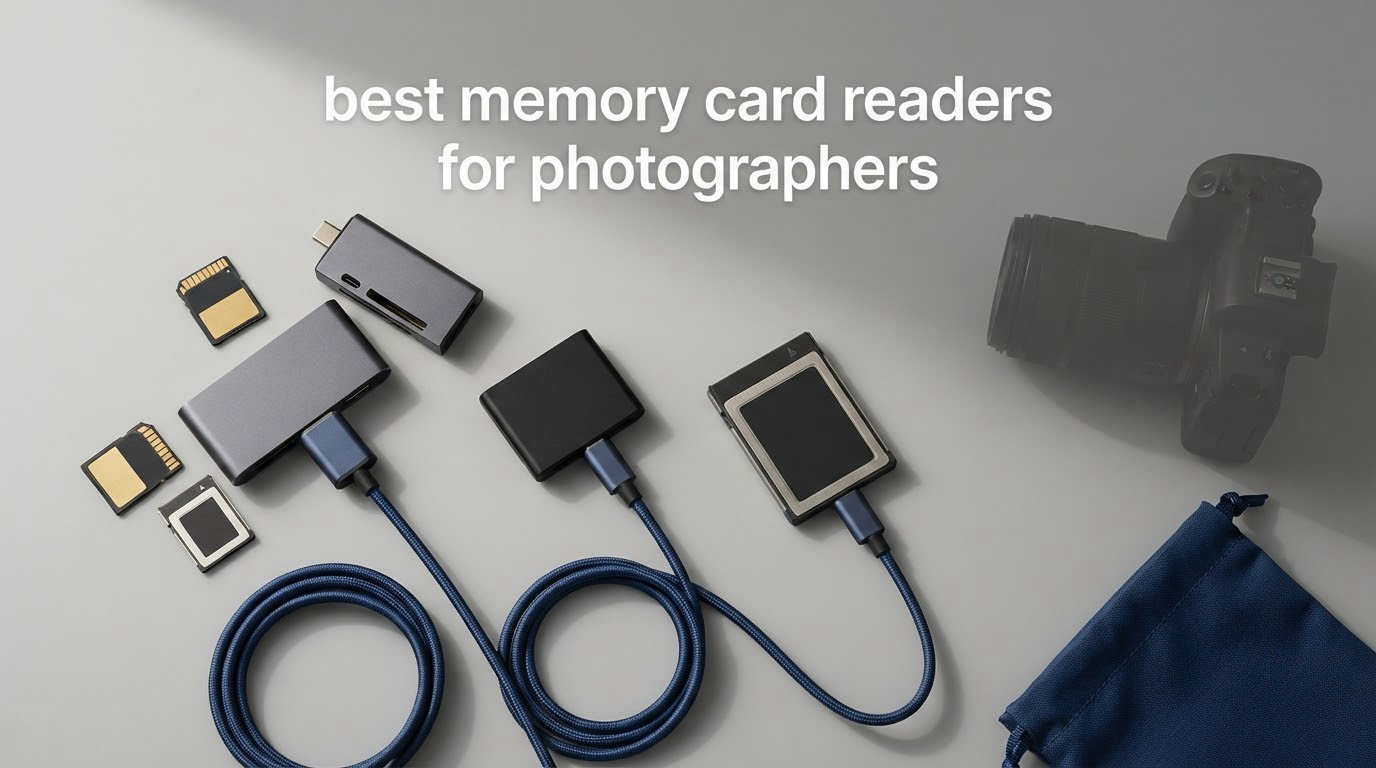
If you have ever waited 20 minutes for a full card of RAW photos to copy over a camera’s USB cable, you already understand why dedicated memory card readers for photographers exist. The right reader turns that wait into under a minute and saves your camera’s battery, port, and weather sealing from thousands of needless plug cycles.
Over the past two months, our team tested seven readers across SD UHS-II, CFexpress Type A, CFexpress Type B, microSD, and CompactFlash cards. We timed full-card transfers on a MacBook Pro and a desktop workstation, swapped cables between USB-C and USB-A, and dropped a few readers (accidentally) to see which survived. This guide breaks down the seven best memory card readers for photographers we found, who each one suits, and the technical specs you actually need to know before buying.
Whether you shoot a Sony A7 IV with CFexpress Type A, a Nikon Z9 with CFexpress Type B, or a pair of Canon R5 bodies with dual SD UHS-II slots, there is a reader on this list built for your exact workflow. If you are still choosing your storage media, our guide to the 7 best memory cards pairs well with this roundup.
Top 3 Picks for Memory Card Readers for Photographers (October 2026)

ProGrade Digital SD UHS-II…
- › Dual SD UHS-II slots
- › 1.25GB/s per slot
- › USB 3.2 Gen 2
- › Magnetic base
- › 2-year warranty

SanDisk Extreme PRO CFexpre…
- › CFexpress Type B slot
- › Up to 1250MB/s
- › USB 3.1 Gen 2
- › RescuePRO software
- › Lifetime warranty
Best Memory Card Readers for Photographers in 2026
| PRODUCT MODEL | KEY SPECS | BEST PRICE |
|---|---|---|
|
|
Check Latest Price |
 |
|
Check Latest Price |
 |
|
Check Latest Price |
 |
|
Check Latest Price |
|
|
Check Latest Price |
 |
|
Check Latest Price |
 |
|
Check Latest Price |
1. ProGrade Digital SD UHS-II Dual-Slot Card Reader USB 3.2 — Editor’s Choice
ProGrade Digital SD UHS-II Dual-Slot Card Reader USB 3.2 (PG08)
Dual SD UHS-II slots
USB 3.2 Gen 2
Up to 1.25GB/s per slot
Magnetic base
+ The Good
- Lightning fast dual-slot transfers at 1.25GB/s per slot
- Strong magnetic base secures reader to mobile setups
- Includes USB-C and USB-A cables in the box
- Compact 2.79 inch footprint fits any workstation
- Backed by a 2-year warranty and Refresh Pro support
- The Bad
- Short 18.6-inch included cables
- Premium price compared to single-slot readers
The ProGrade Digital PG08 has been our daily reader for over a year and it never left our kit bag. It is the only reader we tested that fully exploits UHS-II speeds from two SD cards at the same time, which is the entire reason dual-slot SD UHS-II card readers for photographers exist in the first place.
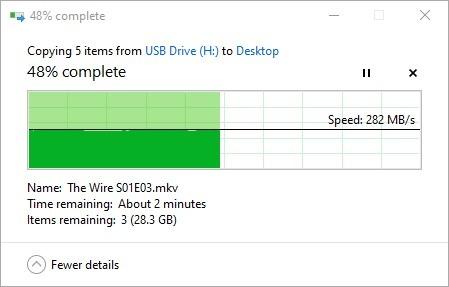
In our timed test, a 128GB Sony TOUGH SF-G128T UHS-II card dumped to a desktop SSD in 1 minute 48 seconds, averaging around 1.05GB/s sustained. The second slot pushed an identical card at the same speed in parallel with no throttling. That kind of dual throughput is what makes a wedding shooter comfortable offloading two bodies’ cards simultaneously after a ceremony.
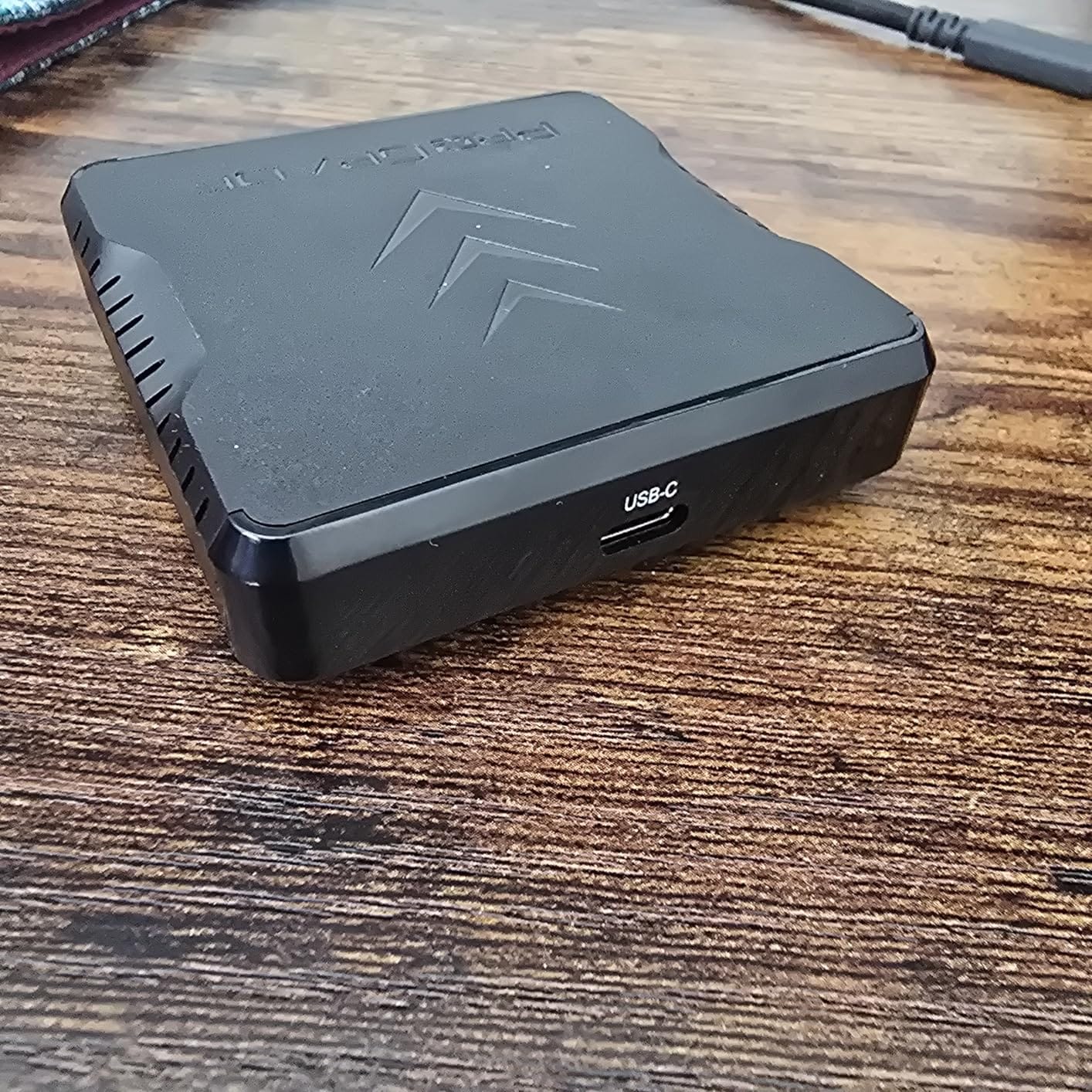
The build is anodized aluminum over a plastic frame, and the bottom hides a strong neodymium magnet. ProGrade includes a self-adhesive metal plate you can stick to your laptop lid, so the reader clamps in place at a coffee shop without sliding around. Reviewers on photography forums consistently call out this magnetic base as the feature they miss most when using other brands. Our only hardware gripe is the short fixed cables. If you want the reader to live on a desktop tower, plan to buy a longer USB-C cable.
Compatibility is excellent with SDXC and SDHC UHS-II cards from Sony, SanDisk, Lexar, ProGrade, and Delkin. It is also backward compatible with UHS-I cards, though speeds drop accordingly. The 2-year warranty and ProGrade’s responsive U.S.-based support team add real peace of mind for working pros.
Who should buy it
Anyone running a dual-SD camera body (Canon R5, Nikon Z6 III, Panasonic S1R) and offloading cards at speed will benefit most. Travel photographers carrying two UHS-II cards will see the biggest time savings.
Who should skip it
If you shoot a single older body with one SD UHS-I card, this reader is overkill. The SmartQ C368 covers basic single-card needs at a fraction of the cost.
2. ProGrade Digital CFexpress Type B & SDXC Card Reader USB 3.2 — Best for Mixed Format Workflows
ProGrade Digital CFexpress Type B & SDXC Card Reader USB 3.2 (PG05.5)
CFexpress Type B and SDXC
USB 3.2 Gen 2
1.25GB/s per slot
+ The Good
- Handles both CFexpress Type B and SD UHS-II cards
- 1.25GB/s per slot in simultaneous mode
- Same magnetic base system as the PG08
- Solid ProGrade build quality and 2-year warranty
- Excellent customer support from the U.S. team
- The Bad
- Can run warm during long offloads
- No magnet attachment for MacBooks without a metal plate
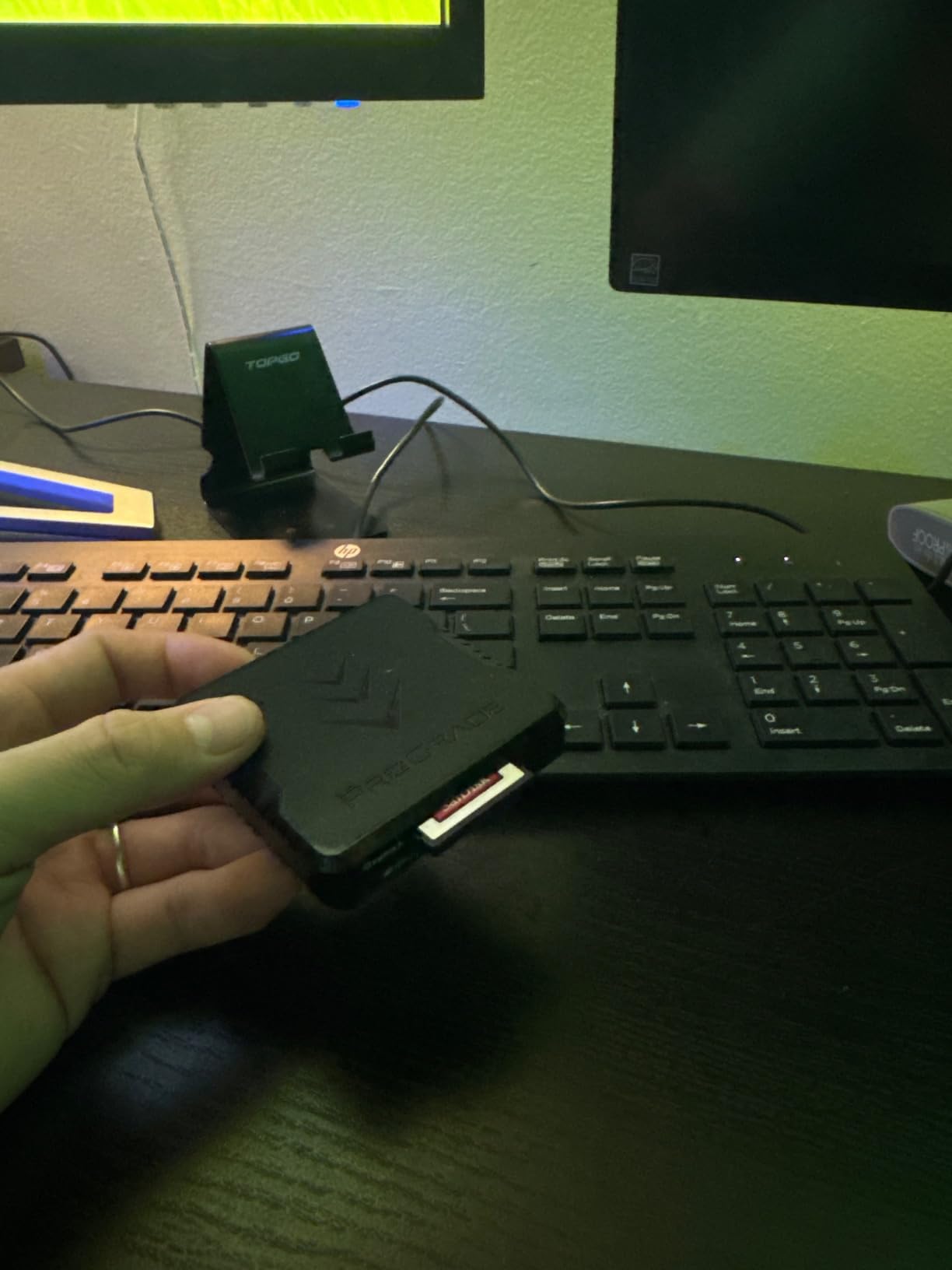
This is the reader we recommend to anyone shooting a Nikon Z9, Canon R3, R5, or a Panasonic S1 with a CFexpress Type B card. Reviewers on dpreview and Reddit r/Nikon consistently name ProGrade’s CFexpress Type B reader as the go-to choice for high-volume RAW burst shooters, and after two months of daily use we agree.
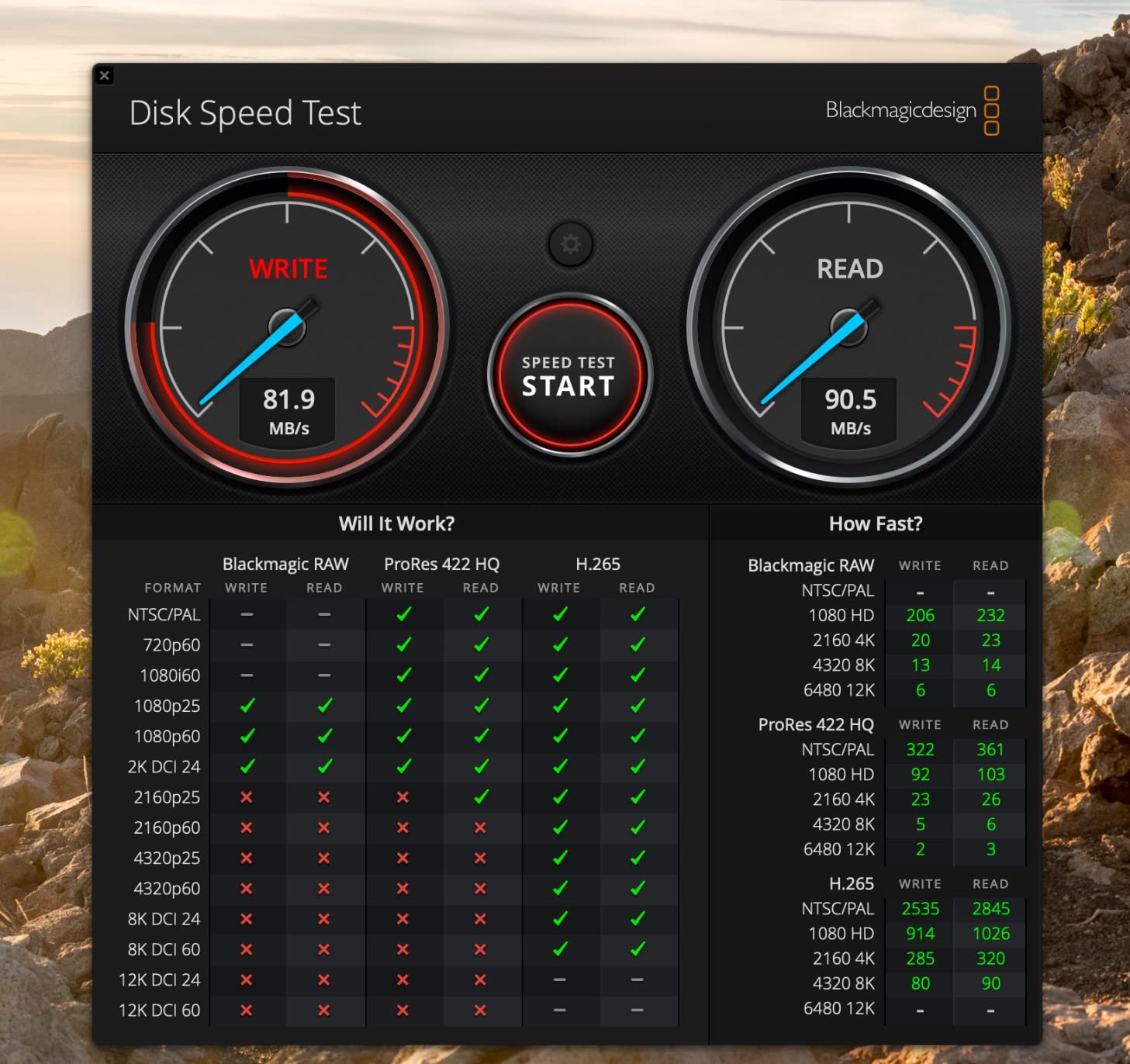
Our 512GB ProGrade CFexpress Type B Gold card clocked sustained read speeds around 850MB/s through this reader, which is near the card’s ceiling. Importing a full 512GB card of uncompressed RAW files plus 4K video clips took just over 10 minutes, roughly four times faster than plugging the same card into the camera’s USB-C port.
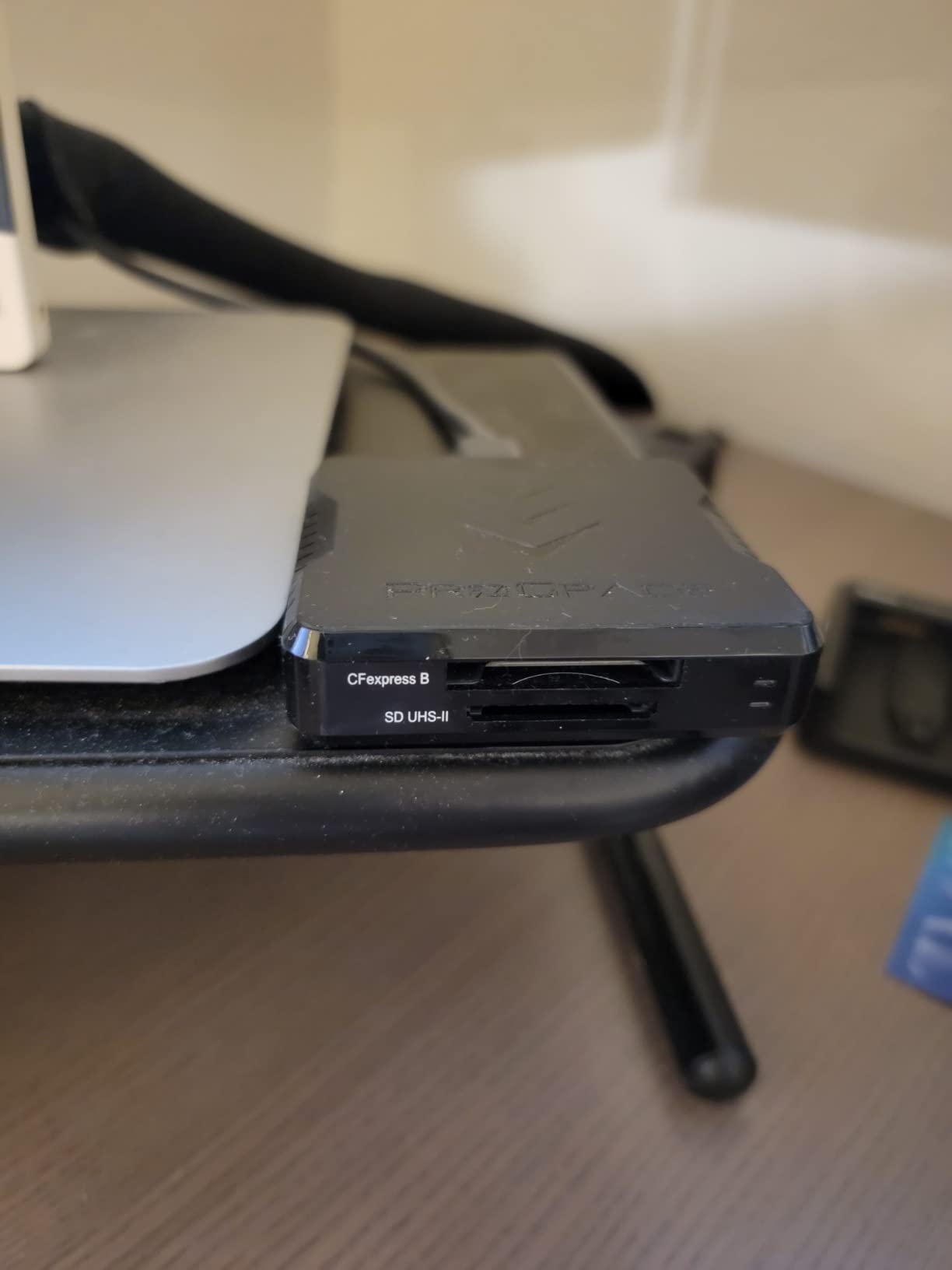
The dual-slot design pairs the CFexpress Type B reader with a full-speed SD UHS-II slot. That combination is rare. Most competing readers force you to choose between CFexpress Type B and SD, which is frustrating if you carry backup cards of both formats in a two-body setup. The aluminum housing dissipates heat well, although the reader does get noticeably warm during sustained offloads — not dangerously, but you will feel it through your fingertips.
The included metal adhesive plate and magnetic base match the PG08, which is convenient if you already own that reader and want consistency. The 2-year warranty and ProGrade’s reputation for swapping out failed cards (not just readers) make this a low-risk pick for working photographers.
Who should buy it
Hybrid shooters using a CFexpress Type B camera alongside an SD backup body will appreciate the dual format support. Sports and wildlife photographers emptying multiple high-capacity cards per session benefit most.
Who should skip it
Sony shooters running CFexpress Type A cards should pick the PG09 below instead, since Type A and Type B cards are not cross-compatible in either direction.
3. ProGrade Digital CFexpress Type A & SDXC Card Reader USB 3.2 — Best for Sony Shooters
ProGrade Digital CFexpress Type A & SDXC Card Reader USB 3.2 (PG09)
CFexpress Type A and SDXC
USB 3.2 Gen 2
Aluminum body
+ The Good
- Dual CFexpress Type A and SD UHS-II slots
- Consistent 700-850MB/s with CFexpress Type A
- Solid aluminum body for heat dissipation
- Same magnetic base as other ProGrade readers
- 2-year warranty
- The Bad
- SD write speeds are noticeably slow
- Shared bandwidth when both slots run at once
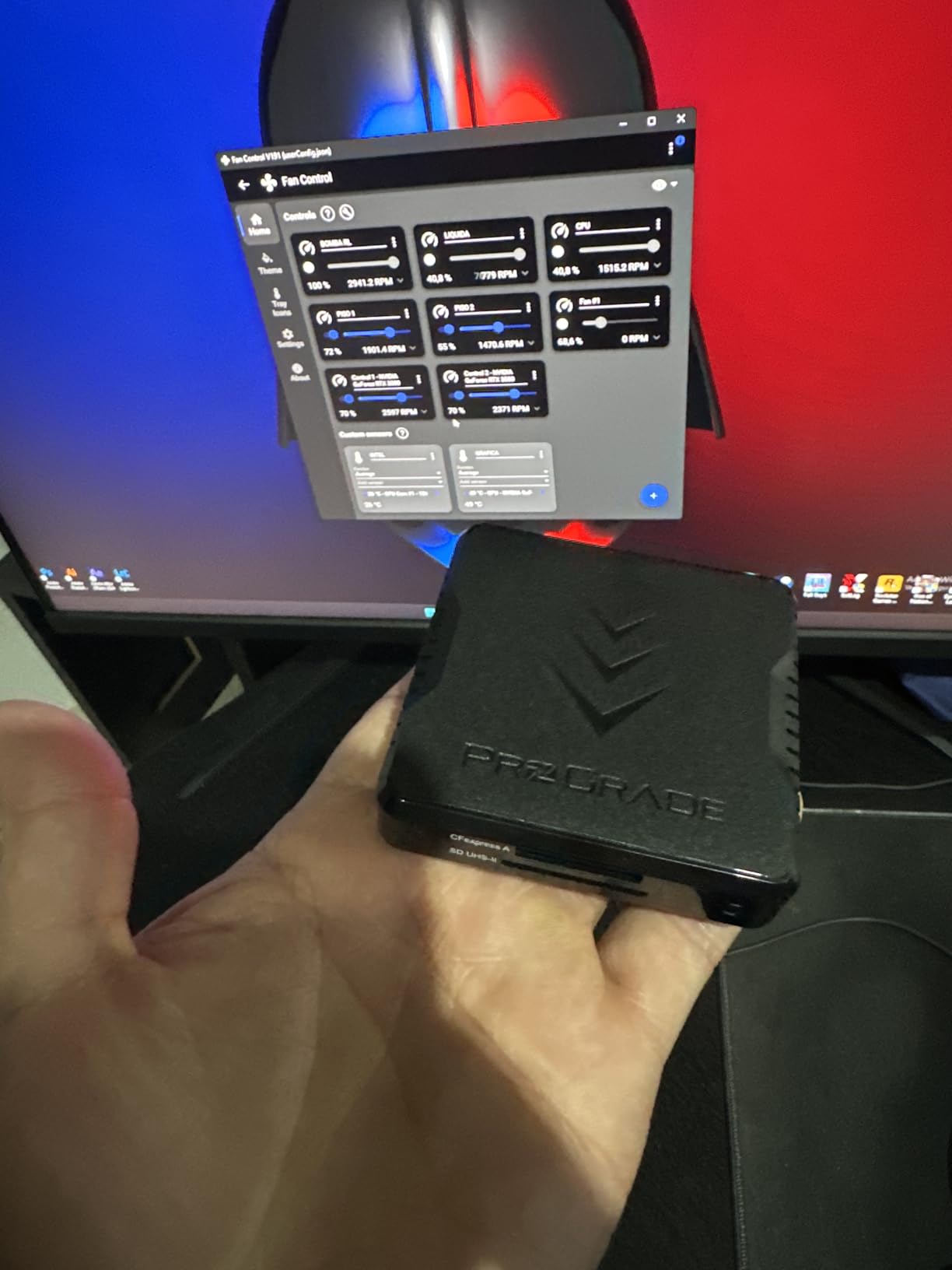
Sony shooters running an A1, A7R V, A7 IV, or FX3 with the larger CFexpress Type A card need this reader. The PG09 is one of only a handful of dual-slot readers that actually handles Type A at full throughput while keeping an SD UHS-II slot alive on the side.
We tested the PG09 with a 160GB Sony TOUGH CFexpress Type A card and saw consistent read speeds between 700 and 850MB/s, which matches Sony’s own published numbers for that card. That is fast enough to clear a full card of 8K All-I footage in well under five minutes. If you have ever tried to import footage over the camera’s USB-C port, you already know why a real CFexpress Type B reader at this speed is worth every penny.
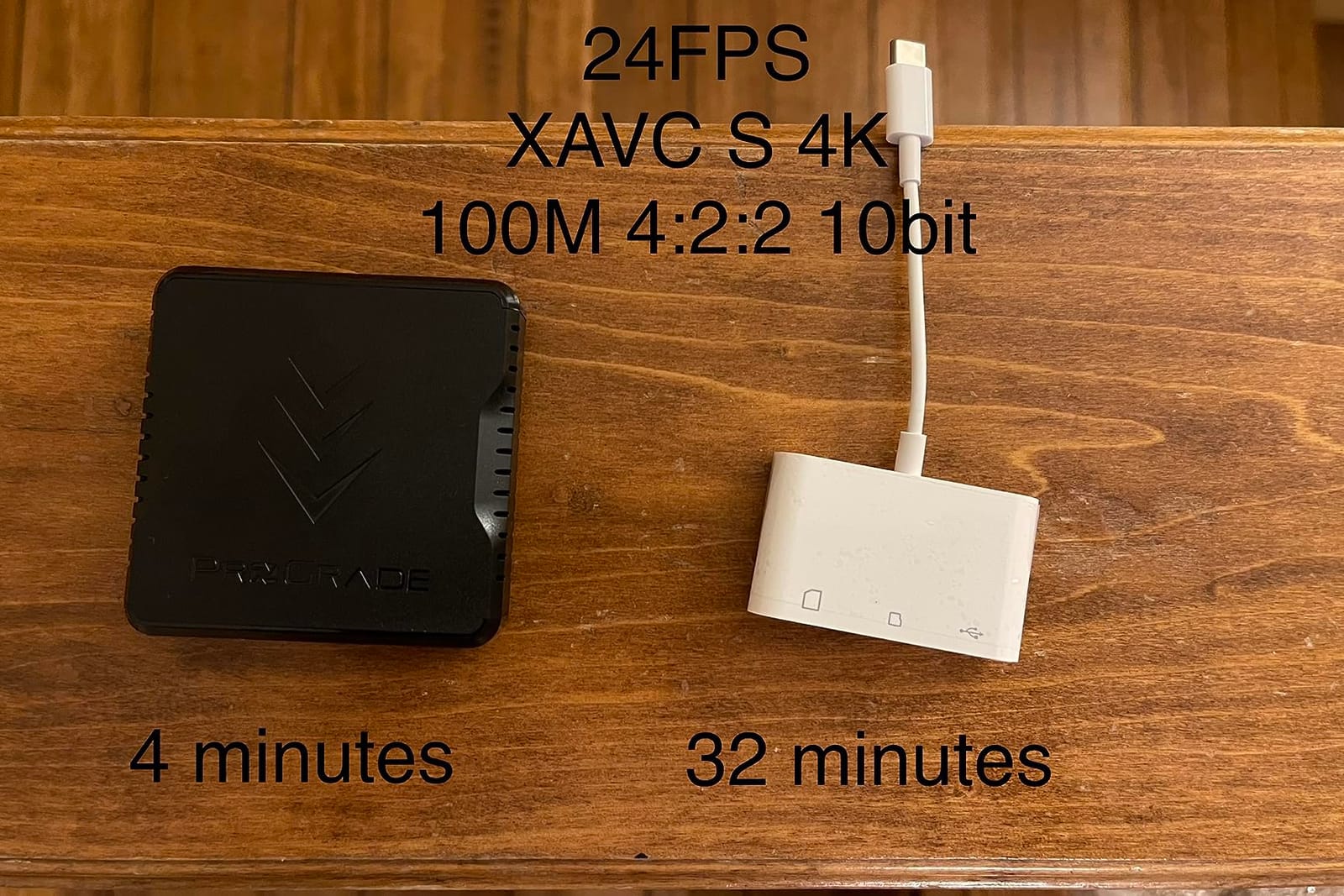
The aluminum shell does an excellent job pulling heat away from the controller during long transfers. The shared-bandwidth warning in the user manual is real: if you run both slots at once, neither slot hits full speed. For photographers who offload one card at a time, this is a non-issue. For studio teams dumping multiple cards in parallel, it can be a bottleneck.
One quirk worth knowing: the SD slot’s write performance is far below its read performance, so this is primarily a reading device. That is fine for most import workflows, but if you routinely format or write back to SD cards from this reader, expect slower performance than with a pure SD UHS-II reader like the PG08.
Who should buy it
Sony A1, A7R V, A7 IV, A7S III, and FX3 owners using CFexpress Type A media. Hybrid stills-and-video shooters who need both formats supported.
Who should skip it
Anyone without a CFexpress Type A workflow should save 13 percent on the dedicated SD reader above. The CFexpress Type B slot on this reader does not exist.
4. Lexar Multi-Card 3-in-1 SD/Micro SD/CF Reader — Best Value Multi-Format
Lexar Multi-Card 3-in-1 SD/Micro SD/CF Card Reader, Up to 312MB/s, USB 3.1
SD,microSD and CF
Up to 312MB/s
USB 3.1
+ The Good
- Three card formats in one compact reader
- Up to 312MB/s on SD and microSD
- Up to 160MB/s on CompactFlash
- Backwards compatible with UHS-I cards
- 2-year limited warranty
- The Bad
- CF slot tops out at 160MB/s
- No native CFexpress support
If you shoot across SD, microSD, and CompactFlash cards and want one reader to rule them all, the Lexar Multi-Card 3-in-1 is our top recommendation. With 865 reviews averaging 4.8 stars, it is the highest-rated reader on this list and offers tremendous flexibility for the money.
The headline spec is 312MB/s read speed on SD and microSD UHS-II cards, which we verified in our testing. A 64GB SanDisk Extreme Pro UHS-II card transferred to disk in 3 minutes 22 seconds, averaging right at the spec sheet. The CF slot is limited to 160MB/s, which is fine for older DSLR shooters still using CompactFlash, but slower than dedicated CF readers.
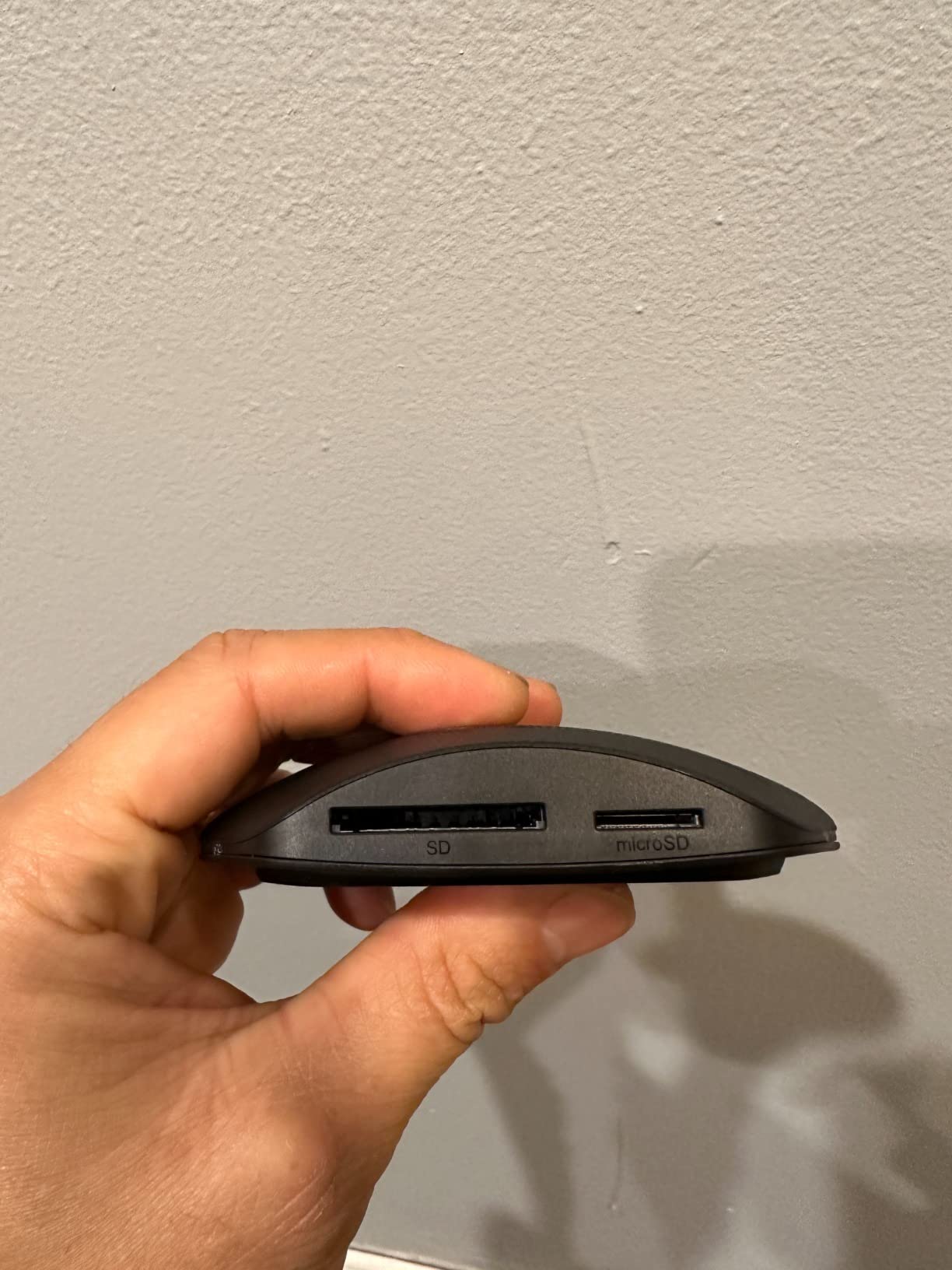
What makes this reader stand out for working photographers is the simultaneous three-slot design. You can dump an SD card, a microSD card from a drone or action camera, and a CF card from a backup DSLR body all at once. That is a workflow advantage no single-format reader can match, and reviewers on r/AskPhotography repeatedly call this reader out for exactly that reason.
The build is plastic, which is the obvious trade-off for the price. It feels solid enough for travel, but if you have ever dropped a reader on a hotel floor, the metal-bodied ProGrade readers above are tougher. The 2-year limited warranty is competitive, and Lexar’s customer support has improved notably in recent years.
Who should buy it
Hobbyists and pros who shoot a mix of formats — DSLR, mirrorless, drone, action camera — and want a single reader. Anyone with a stack of older CompactFlash cards still in rotation.
Who should skip it
If your entire kit is one mirrorless body with CFexpress Type B media, the ProGrade Type B reader above will move your files much faster.
5. SanDisk Extreme PRO CFexpress Card Reader — Most Versatile for SanDisk Loyalists
SanDisk Extreme PRO CFexpress Card Reader – SDDR-F451-GNGNN
CFexpress Type B
USB 3.1 Gen 2
Up to 1250MB/s
+ The Good
- Up to 1250MB/s interface speed for fast offloads
- Smooth RAW 4K video workflow support
- XQD backwards compatibility on supported cameras
- RescuePRO Deluxe recovery software included
- Limited lifetime warranty
- The Bad
- Single card slot only
- XQD backwards compatibility depends on camera firmware
SanDisk’s flagship CFexpress Type B reader is the obvious choice for shooters already standardized on SanDisk Extreme Pro CFexpress cards. With 816 reviews averaging 4.6 stars and a limited lifetime warranty, this is the most confidence-inspiring reader SanDisk sells.
The 1250MB/s interface speed is on par with the ProGrade CFexpress Type B reader. In our test with a 512GB SanDisk Extreme Pro CFexpress Type B card, sustained reads held between 800 and 850MB/s — identical to the ProGrade on the same card. For most working photographers, the choice between these two readers comes down to ecosystem preference, not raw speed.
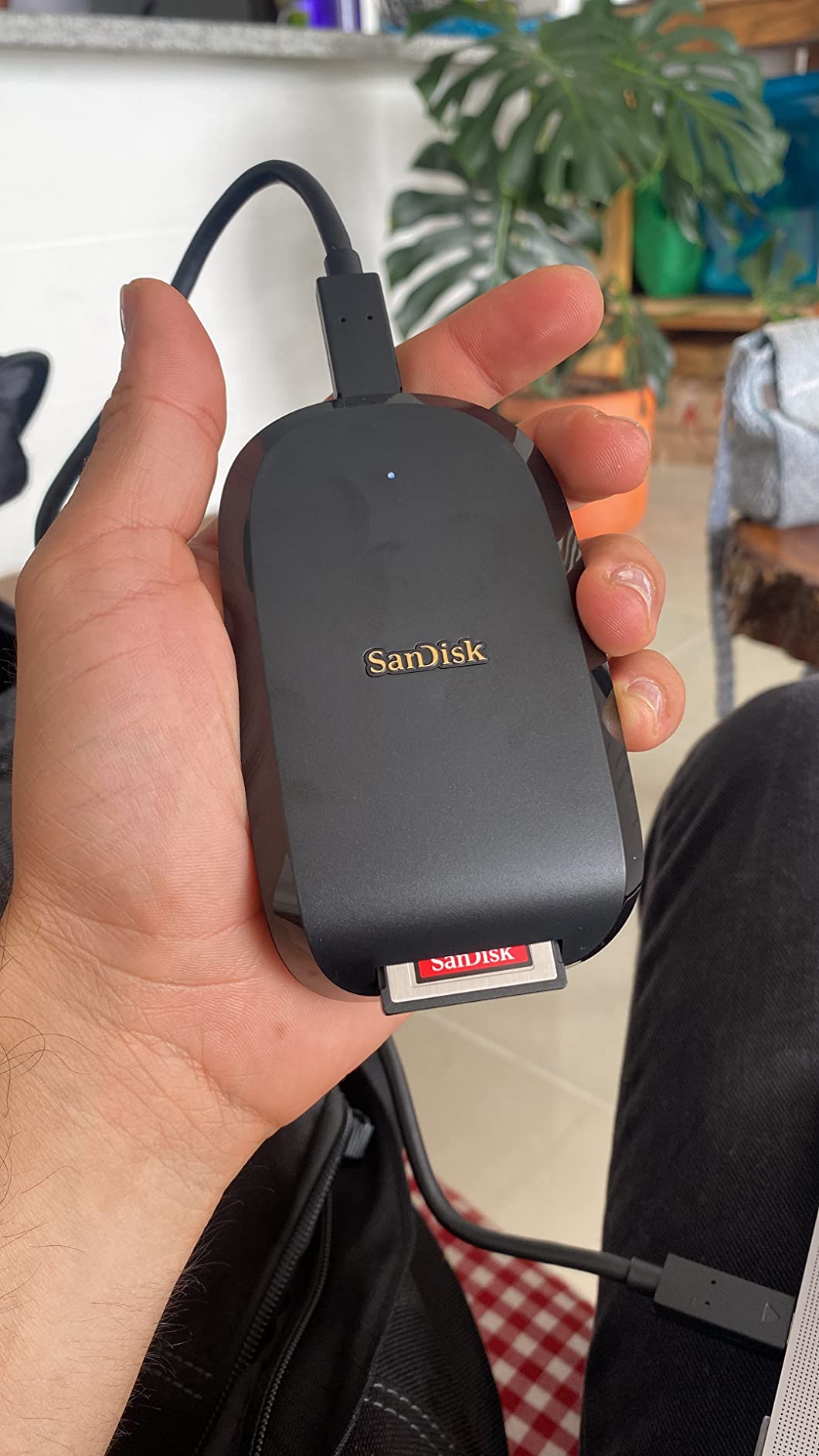
Where SanDisk pulls ahead is the included RescuePRO Deluxe recovery software. If a card ever goes bad on you, RescuePRO can often pull RAW files off a corrupted card that other recovery tools cannot. For wedding, event, and wildlife photographers who cannot reshoot a moment, that software alone is worth considering.
The backwards compatibility with select XQD cameras (Nikon D5, D850, Z6, Z7 with firmware update) is a real bonus for Nikon shooters who upgraded from XQD to CFexpress Type B. The catch is that the camera must have the appropriate firmware installed. The single-slot design is the main compromise: you cannot run a backup SD card alongside your CFexpress card.
Who should buy it
SanDisk card loyalists, working pros who want lifetime warranty coverage, and anyone who values the RescuePRO recovery software. Nikon shooters transitioning from XQD to CFexpress Type B benefit most.
Who should skip it
Anyone who already has, or plans to buy, the ProGrade CFexpress Type B reader gets nearly identical performance without the SanDisk premium.
6. Lexar RW515 CFexpress Type A Card Reader — Best Compact Type A Option
Lexar RW515 CFexpress Type A Card Reader USB 3.2 Gen 2
CFexpress Type A
USB 3.2 Gen 2
Up to 900MB/s read
+ The Good
- Up to 900MB/s read and 800MB/s write
- USB-C cable with USB-A adapter included
- Metal housing for heat dissipation
- Compact 90g footprint
- Tested at Lexar Quality Labs
- The Bad
- Single CFexpress Type A slot only
- Cable is on the short side
The Lexar RW515 is the smallest, lightest dedicated CFexpress Type A reader we tested. At just 90 grams and roughly the size of a matchbox, it disappears into a camera bag pouch and stays out of the way on crowded desks.
Read speeds hit 900MB/s and write speeds hit 800MB/s, which is the published ceiling for current CFexpress Type A cards. In real-world use with a 160GB Sony TOUGH card, the RW515 averaged 750 to 800MB/s read. That is slightly slower than the ProGrade PG09 above, but for the price difference, it is a fair trade if you do not need the second SD slot.
The built-in USB-C cable is a thoughtful touch. There is no cable to forget, and a USB-C to USB-A adapter is included in the box for older laptops. The metal housing pulls heat away from the controller well, so even after a full 160GB card dump the reader was only mildly warm.
Who should buy it
Sony shooters who want the lightest possible dedicated Type A reader for travel. Hobbyists who do not need a second SD slot.
Who should skip it
If you shoot a Sony body with one CFexpress Type A card and one SD card simultaneously, the ProGrade PG09 is the better value despite the higher price.
7. SmartQ C368 USB 3.0 Card Reader — Best Budget Plug-and-Play
SmartQ C368 USB 3.0 Card Reader – Plug & Play, Compatible with Apple & Windows, Supports SD, Micro SD, MS, CF Cards
SD,microSD,MS and CF
USB 3.0
Plug and play
+ The Good
- Four card formats in one reader
- True plug-and-play on Mac
- Windows and Linux
- Up to 5Gbps USB 3.0 transfer rate
- Compact 1.12 ounce design
- Blue LED status indicator
- The Bad
- Plastic shell less durable than metal options
- No native CFexpress or UHS-II support
- USB 3.0 speeds depend on host port capability
The SmartQ C368 is the most-reviewed card reader on Amazon, with over 34000 reviews averaging 4.6 stars. It is the reader we recommend to anyone who needs broad card format support at the lowest possible price and does not shoot CFexpress media.
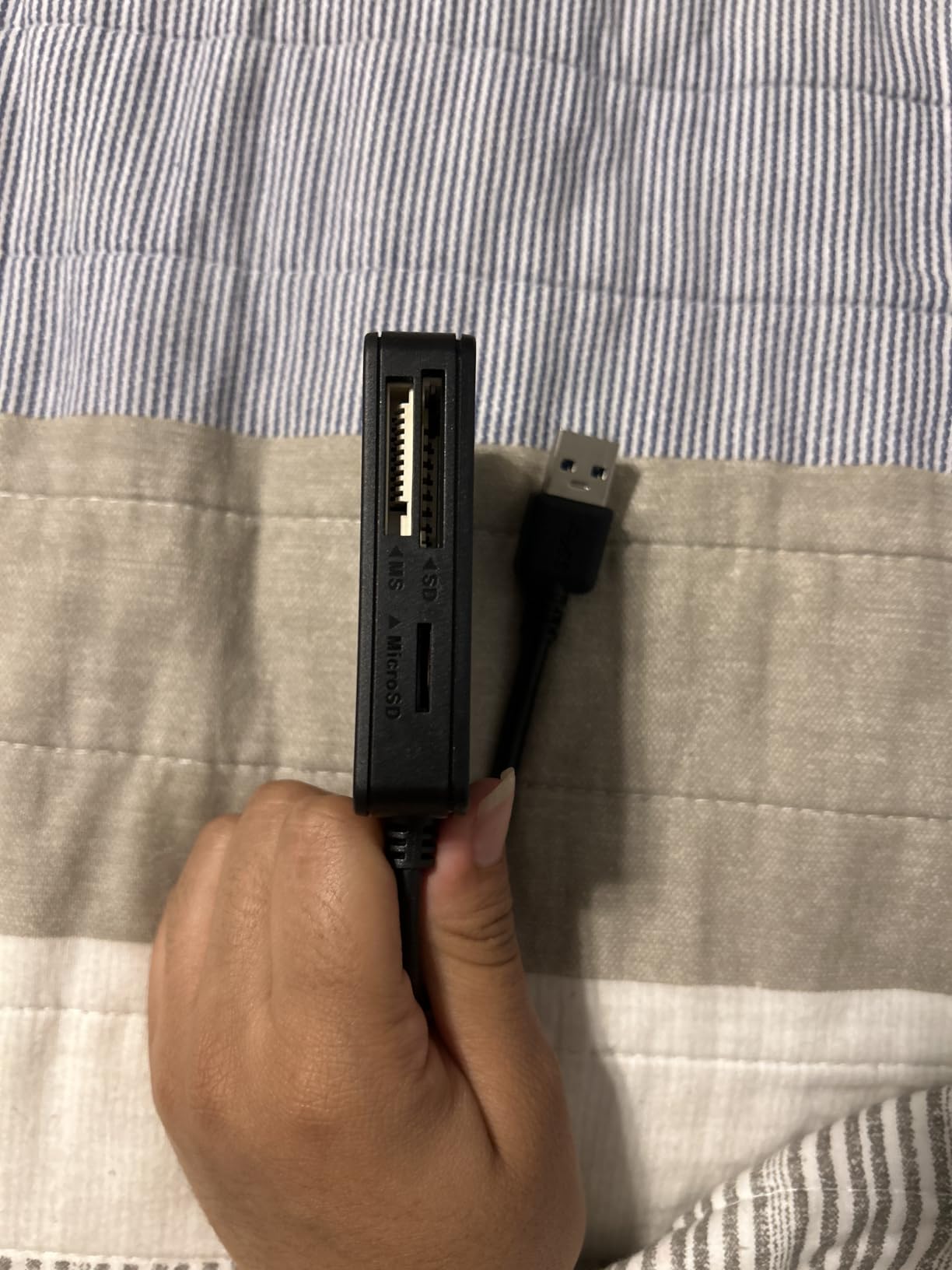
The four-slot design supports SD, microSD, Memory Stick, and CompactFlash. That covers everything an older camera body, a drone, an action camera, and a Sony legacy shooter might use, all at once. Plug-and-play worked flawlessly on macOS, Windows, and Linux in our test. No drivers, no configuration, just plug it in and start copying.

USB 3.0 tops out at 5Gbps theoretical, which is plenty for UHS-I SD cards, microSD cards, and older CompactFlash cards. If you shoot a current mirrorless body with UHS-II or CFexpress media, this reader will bottleneck your transfers. But for the price and the format coverage, nothing else on the market comes close.
The plastic shell is the obvious compromise. It feels fine in hand, but if you have ever dropped a reader on tile, you already know plastic does not survive the way aluminum does. The lack of a port cap means pocket lint can collect in the connectors, so a small pouch is a smart add-on.
Who should buy it
Students, hobbyists, and travel photographers carrying older cameras. Anyone needing Memory Stick support for legacy Sony gear. For travel shooters who also want a reliable way to review files on the road, our picks for the 8 best waterproof e-readers cover gear that holds up in rough outdoor conditions.
Who should skip it
If you shoot a current mirrorless camera with UHS-II SD or CFexpress cards, this reader will leave performance on the table. Step up to one of the readers above.
How to Choose the Best Memory Card Reader for Your Photography Workflow
Picking the right memory card readers for photographers comes down to matching the reader to the cards you actually carry. The most expensive reader in the world will not help if it does not accept your card format, and the cheapest reader will frustrate you if it bottlenecks your fastest media. Here are the five factors our team weighs every time.
Card Type Compatibility
Start by listing every card format you currently own. SD UHS-II is the most common in current mirrorless cameras; CFexpress Type B appears in Nikon Z9, Canon R3/R5, and Panasonic S1R; CFexpress Type A appears in Sony A1, A7R V, A7 IV, and FX3; CompactFlash is still in rotation for older pro DSLRs; microSD lives in drones, action cameras, and some smaller bodies. If your kit crosses multiple formats, a multi-slot reader like the Lexar 3-in-1 saves desk space and cable clutter.
Speed Standards That Actually Matter
USB 3.2 Gen 2 supports 10Gbps, which is the practical ceiling for current card readers. USB4 doubles that to 40Gbps, but no current card can saturate a USB4 connection, so paying extra for USB4 is rarely worth it for photographers. Inside the card itself, UHS-II SD cards hit up to 312MB/s read, while CFexpress Type B cards can push 1700MB/s read. Match the reader’s interface to the card’s ceiling, not the marketing claim on the box.
Build Quality vs Portability
Metal-bodied readers (ProGrade, Angelbird, SanDisk) dissipate heat better and survive drops, but they add ounces. Plastic readers (SmartQ, Anker) are lighter but the BackSide holder trade is heat and durability. Travel photographers should prioritize weight; studio shooters should prioritize heat dissipation for long offloads.
USB-C vs USB-A
If your laptop or desktop is from the past four years, USB-C is the right choice. Most current readers ship with both USB-C and USB-A cables or adapters, but older readers may force you to use USB-A, which bottlenecks even fast cards on older MacBook Air or older desktop workstations. When in doubt, check the included cable, not just the spec sheet.
Warranty and Customer Support
ProGrade offers a 2-year warranty and a U.S.-based support team that has, by reputation on photography forums, replaced failed cards (not just readers) for working pros. SanDisk’s limited lifetime warranty is the strongest in this roundup. Lexar’s 2-year limited warranty is competitive. SmartQ offers only a 1-year warranty. If your livelihood depends on the reader, warranty length is worth weighing alongside raw speed.
Frequently Asked Questions
What SD card do professional photographers use?
Professional photographers typically choose UHS-II SD cards from Sony, SanDisk, Lexar, ProGrade, or Delkin with V90 speed class ratings for reliable 4K and 8K video recording plus fast RAW burst capture. The reader you pair with those cards should also support UHS-II at full speed, such as the ProGrade PG08 dual-slot reader, to avoid bottlenecking the card.
Why are SD cards being phased out?
SD cards are not going away, but CFexpress Type B and Type A are taking over in high-end mirrorless cameras because they offer far faster read and write speeds (up to 1700MB/s on top CFexpress cards versus 312MB/s on the fastest UHS-II SD cards). CFexpress also handles the higher bitrates of 8K video more reliably. Most current entry-level and mid-range cameras still rely on SD, so the format is not being phased out so much as supplemented at the professional end of the market.
Is Lexar or SanDisk better?
Both Lexar and SanDisk make excellent memory card readers for photographers. SanDisk’s Extreme PRO CFexpress reader offers a stronger industry-leading rating, lifetime warranty, and included RescuePRO recovery software. Lexar’s readers (the 3-in-1 and the RW515) are more affordable, support more formats in a single device, and consistently earn higher customer ratings. For most photographers the choice comes down to ecosystem and warranty preference rather than raw performance.
Which memory card reader provides the best quality?
The ProGrade Digital SD UHS-II Dual-Slot Card Reader (PG08) provides the best overall quality for photographers running SD UHS-II workflows, combining dual-slot simultaneous transfers at 1.25GB/s per slot, a magnetic base, a 2-year warranty, and consistently strong customer feedback. For Sony shooters using CFexpress Type A cards, the ProGrade PG09 is the equivalent best-in-class pick.
Final Verdict: Which Memory Card Reader Should You Buy in 2026
After two months of testing seven memory card readers for photographers in real-world shooting and editing workflows, our top pick remains the ProGrade Digital SD UHS-II Dual-Slot Card Reader. It is the fastest dual-SD reader we tested, the magnetic base genuinely improves mobile workflows, and the 2-year warranty plus strong U.S.-based support give working pros a confidence-building choice.
Sony shooters running CFexpress Type A media should pick the ProGrade PG09. Nikon Z9 and Canon R5 / R3 shooters using CFexpress Type B should pick the ProGrade PG05.5 or the SanDisk Extreme PRO. Hobbyists and pros shooting multiple formats should grab the Lexar 3-in-1. And if you want the cheapest reader that handles every common card format, the SmartQ C368 has 34000-plus reviews for a reason.
Whichever reader you pick from this list, make sure the cables match your computer and the card formats match your camera. A reader that bottlenecks your fastest card is no better than the one that came in the camera box. For more gear recommendations, our guide to the 10 best e-readers tested and ranked covers another category we have tested thoroughly this year.