
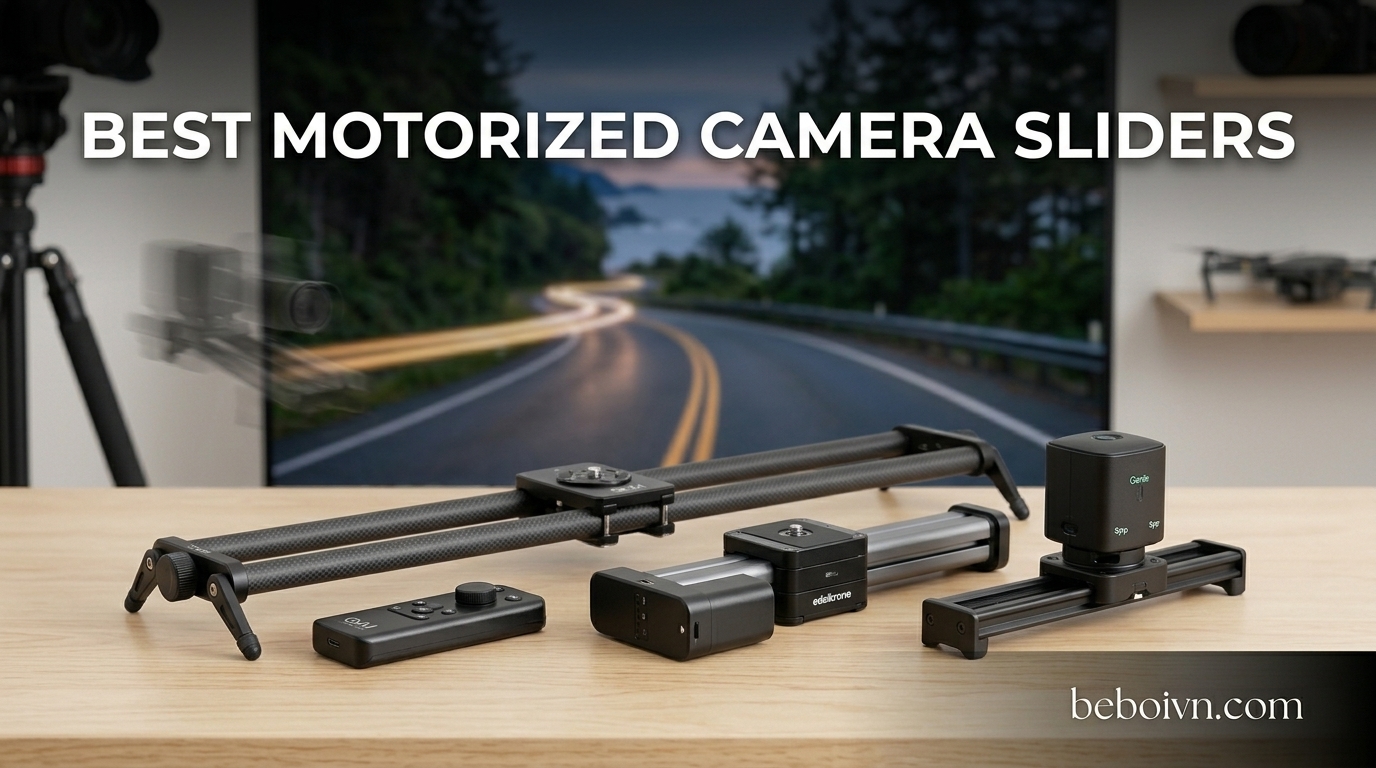
Getting smooth, cinematic camera movement used to mean buying expensive jibs, cranes, or hiring a dedicated camera operator. But motorized camera sliders changed that equation completely. These compact devices let a single creator pull off tracking shots, timelapse sequences, and panoramic sweeps that look like they came from a professional production studio.
I have spent the last several months testing motorized camera sliders across different shooting scenarios — from quiet interview setups to outdoor timelapse sessions in challenging weather. What I found is that the right slider depends heavily on what you shoot, what camera you use, and how much gear you are willing to carry. A smartphone content creator needs something very different from a filmmaker running a rigged-out cinema camera with a gimbal attached.
The best motorized camera sliders in 2026 range from ultra-portable dollies that fit in a jacket pocket to professional-grade carbon fiber rails that can handle 20-pound rigs. Whether you are shooting product videos for YouTube, capturing real estate walkthroughs, or filming interviews with background movement, there is a slider on this list that fits your workflow and budget. I tested 8 of the most popular options currently available, and this guide breaks down exactly what each one does well and where each one falls short.
Top 3 Picks for Best Motorized Camera Sliders August
Best Motorized Camera Sliders in 2026
| PRODUCT MODEL | KEY SPECS | BEST PRICE |
|---|---|---|
 |
|
Check Latest Price |
 |
|
Check Latest Price |
 |
|
Check Latest Price |
 |
|
Check Latest Price |
 |
|
Check Latest Price |
 |
|
Check Latest Price |
 |
|
Check Latest Price |
 |
|
Check Latest Price |
1. iFootage Shark Slider Nano II 660 – Best Overall Motorized Slider
IFOOTAGE Shark Slider Nano II 660 Motorized Camera Slider – 26″ Multi-Axis Pan Slider for DJI RS 2/RS3 Pro/RS 4/RS 4 Pro Gimbals, 15.4lbs Payload, 360° Panoramic, 6 Modes, Phone/Camera Compatible
26-inch Rail
15.4lb Horizontal Payload
360-Degree Unlimited Pan
Brushless Motor Under 20dB
DJI RS Gimbal Integration
+ The Good
- Aviation-grade aluminum and carbon fiber build
- Whisper-quiet operation under 20dB
- 360-degree unlimited pan with multi-axis control
- Seamless DJI RS2/RS3/RS4 gimbal sync
- 8 customizable waypoints with auto-save
- IPS touchscreen plus smartphone app
- The Bad
- Occasional app disconnection requiring re-pairing
- Vertical payload limited to 7.7 lbs
- No delay programming after last keyframe
The iFootage Shark Slider Nano II 660 is the slider I keep reaching for when the shoot matters. This is not a beginner toy — it is a professional tool built with aviation-grade aluminum and carbon fiber rails that feel solid the moment you pick it up. I have used it with a Sony FX6 rigged with a DJI RS4 Pro gimbal, and the dual-axis synchronized motion between the slider and gimbal creates shots that normally require a dedicated motion control operator.
The 360-degree unlimited pan movement is a standout feature that most sliders at this size simply cannot match. You can program up to 8 waypoints through the iFootage Moco app, each with its own speed setting, and the slider remembers everything after you power it off. That last point sounds minor, but if you have ever used a slider that resets every time you turn it back on, you know how frustrating that gets on a long shoot day.
What really sets this slider apart for me is the noise level. At under 20 decibels, it is essentially silent during operation. I have used it during interview shoots where the camera was positioned less than four feet from the subject, and the microphone picked up zero motor noise. The brushless motor is paired with self-cleaning carbon fiber rails that keep the carriage gliding without any jitter, even under the full 15.4-pound horizontal load.
The touchscreen on the unit itself is responsive and well-designed, so you can set up shots without even opening the app. When you do use the app, the AI dynamic tracking mode can follow subjects automatically. The USB-C PD 60W charging port can power the slider, charge your gimbal, and even keep your camera running simultaneously through a single connection. It is a thoughtful design choice that reduces cable clutter on set.
Who should buy this slider
This slider is built for serious filmmakers and content creators who are already invested in the DJI RS gimbal ecosystem. If you are running a DJI RS2, RS3 Pro, RS4, RS4 Pro, or RS5, the synchronized dual-axis motion capability makes this the most versatile slider in its class. It is also the right pick if you shoot interviews or dialogue-heavy content where motor noise would be a dealbreaker.
Studio shooters who need repeatable, programmable camera moves for product videos or commercial work will get the most out of the 8-waypoint system. The touchscreen and auto-save settings mean you can replicate the exact same move across multiple takes without any drift or variation.
Who should look elsewhere
If your camera rig exceeds 7.7 pounds and you need vertical shooting, this slider will struggle. The vertical payload is significantly lower than the horizontal rating. Content creators working primarily with smartphones or lightweight mirrorless setups might find this slider to be more than they need, and the $699 price point reflects its professional positioning.
Anyone who relies heavily on app control should be aware that some users report occasional Bluetooth disconnection issues that require re-pairing. The onboard touchscreen mitigates this problem since you can operate everything without the app, but it is worth knowing about going in.
2. Accsoon Toprig S60 – Best Value Motorized Slider
Accsoon Toprig S60 Motorized Camera Slider, 24”/60cm Electric Video Slider with App/Button Control, 120° Panoramic Shooting, Time-Lapse/Loop Mode/Speed Konb, Compatible with DSLR,GoPro,Insta360,Phone
24-inch Rail
4kg Horizontal Payload
Brushless Motor Under 30dB
120-Degree Panoramic
60-Hour Battery Life
+ The Good
- Extremely quiet operation under 30dB
- Up to 60-hour runtime with NP-F batteries
- On-device button controls plus app control
- 120-degree panoramic shooting mode
- Solid aluminum alloy build
- Compact and travel-friendly at 5 lbs
- The Bad
- Battery not included (requires NP-F type)
- Limited to 4kg horizontal and 2.5kg vertical payload
- No tilt kit or add-on accessories available
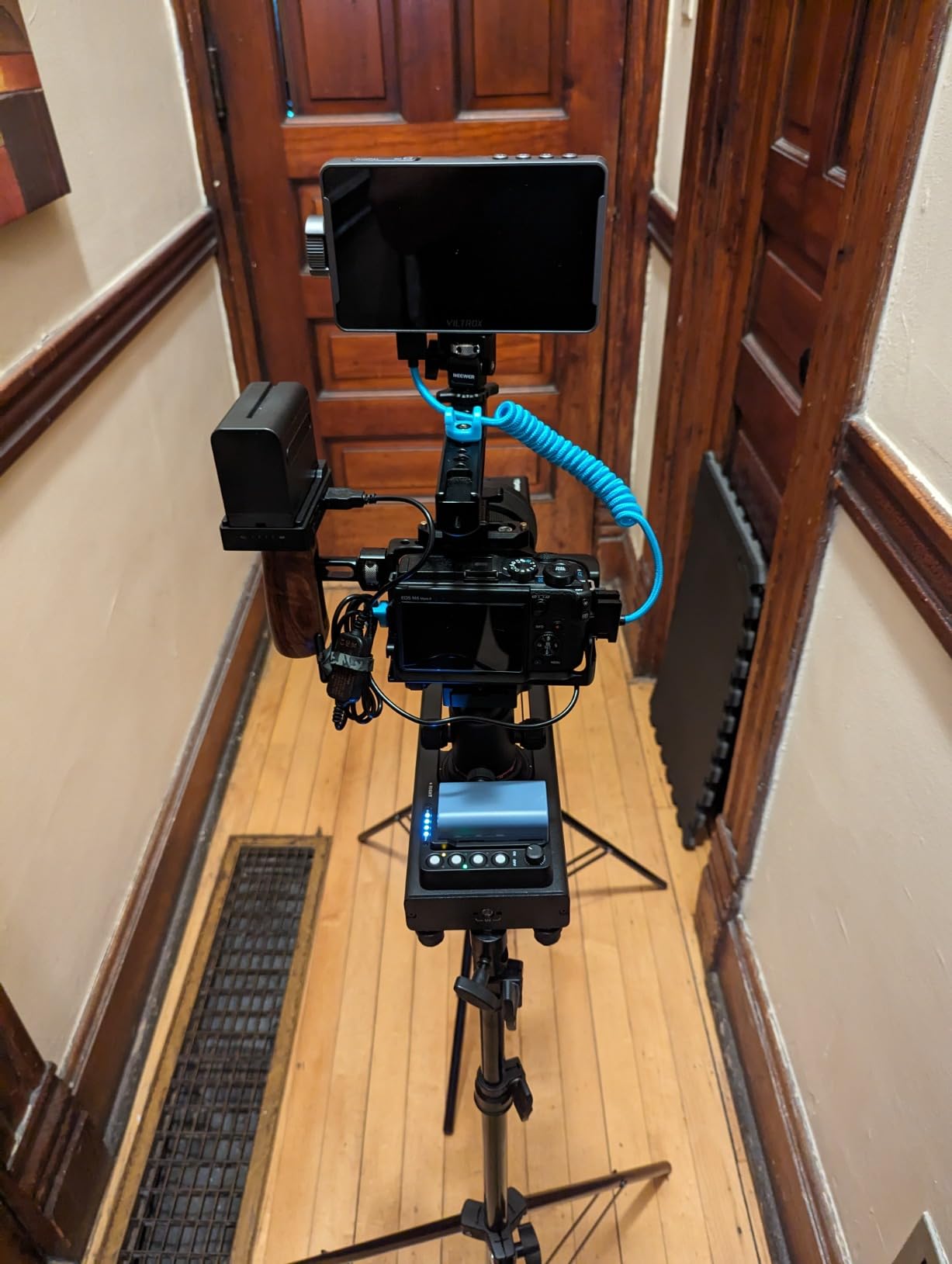
The Accsoon Toprig S60 hits a sweet spot that most motorized camera sliders miss: it delivers professional-grade performance without the professional-grade price tag. I first used this slider on a two-day product shoot where I needed consistent, repeatable camera moves across 40+ takes. The on-device controls meant I never had to fumble with my phone between setups — just press the button, adjust the speed knob, and go.
That speed knob is one of my favorite design choices on this slider. Instead of digging through app menus to adjust movement speed, you just turn the physical knob on the side of the unit. The speed range goes from 0.1 cm/s for slow, dramatic reveals up to 5 cm/s for quicker tracking shots. It is intuitive and immediate in a way that app-only controls never quite manage.
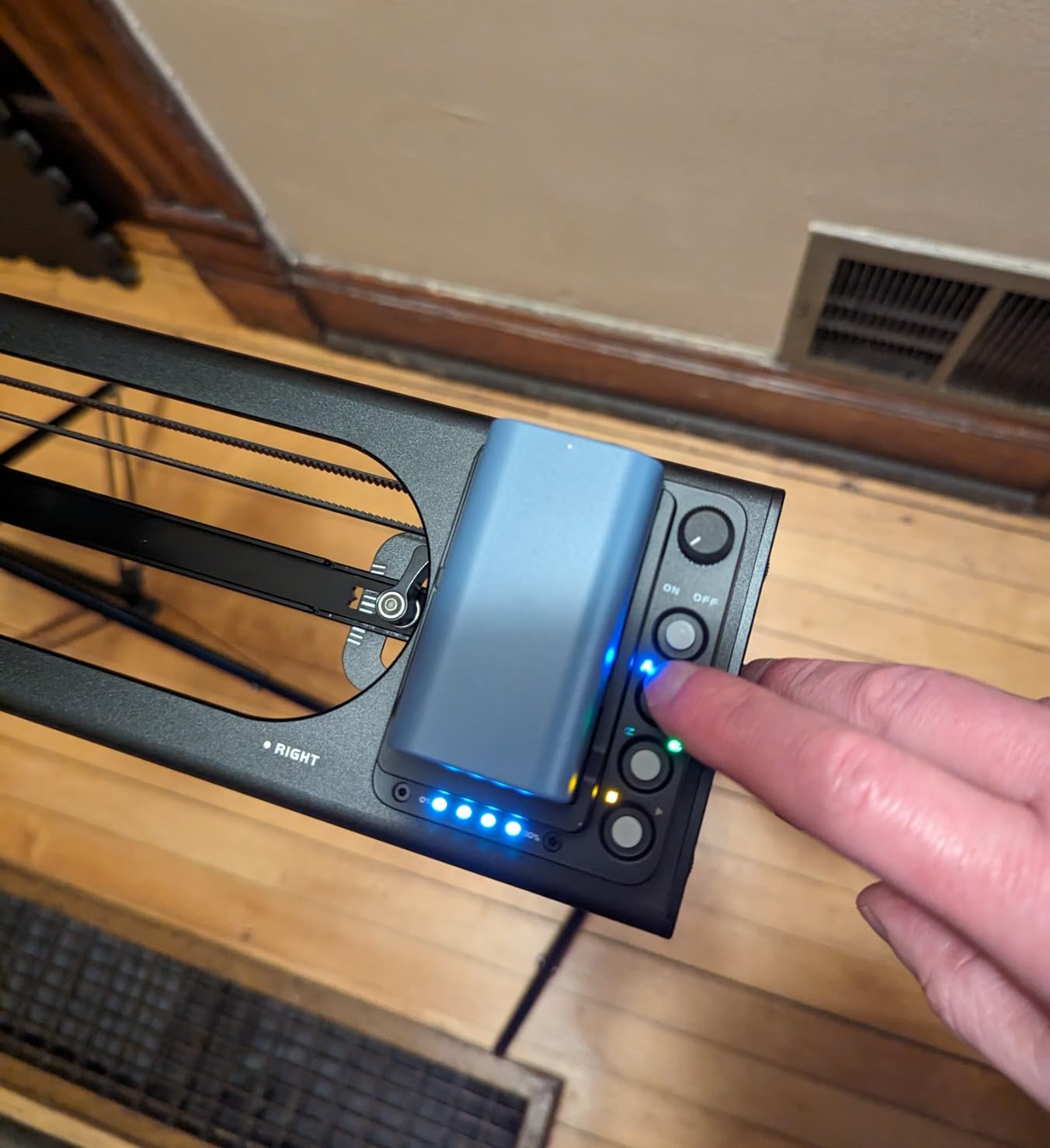
The brushless motor keeps noise below 30 decibels, which is quiet enough for interview work. I tested it during a sit-down interview with a lavalier mic positioned about two feet from the slider, and the audio was clean. It is not as whisper-silent as the iFootage Nano II, but at less than half the price, the noise performance is impressive.
Battery life is where this slider really shines. When paired with an NP-F970 battery, you get up to 60 hours of runtime. That is not a typo. I charged the battery once at the start of a three-day shoot and it was still going strong on the final day. The catch is that the battery is not included, so you need to factor that into your total cost. I recommend picking up an NP-F970 since it gives you the maximum runtime.
Who should buy this slider
This is the slider I recommend most often to people who ask me what to buy. It works for YouTubers who need smooth B-roll movement, product videographers who want repeatable shots, and independent filmmakers who need reliable gear without spending a fortune. The 24-inch rail provides enough travel distance for most indoor shooting scenarios, and the 4-kilogram horizontal payload handles most mirrorless camera setups comfortably.
Creators who prefer physical controls over app-based operation will especially appreciate the button interface and speed knob. You can operate the entire slider without ever opening the app, which is faster and more reliable on set.
Who should look elsewhere
If you are running a heavy cinema camera rig that exceeds 4 kilograms, this slider will not support it. The vertical payload drops to just 2.5 kilograms, so angled shots with heavier cameras are out. You also need to buy an NP-F battery separately, which adds to the total cost. Filmmakers who need multi-axis synchronized motion or DJI gimbal integration should step up to the iFootage Nano II 660.
3. iFootage Shark Slider Pico Pro – Best Compact Slider for Smartphones
IFOOTAGE Pico Pro Motorized Slider Phone Gimbal Stabilizer 15.7″
15.7-inch Rail
3.3lb Payload
2-Axis Slide and 360 Pan
NFC Pairing
5000mAh Battery 7hr Runtime
1.8 lbs Total Weight
+ The Good
- Ultra-portable at just 1.8 lbs
- Virtually silent motor operation
- Excellent metal build quality
- NFC tap-to-pair instant connection
- Best-in-class app with reliable Bluetooth
- 4-axis capability with DJI Osmo Pocket 3/4
- The Bad
- Limited to 3.3lb payload capacity
- Higher price for a compact slider
- Object centering tricky in 2-point mode
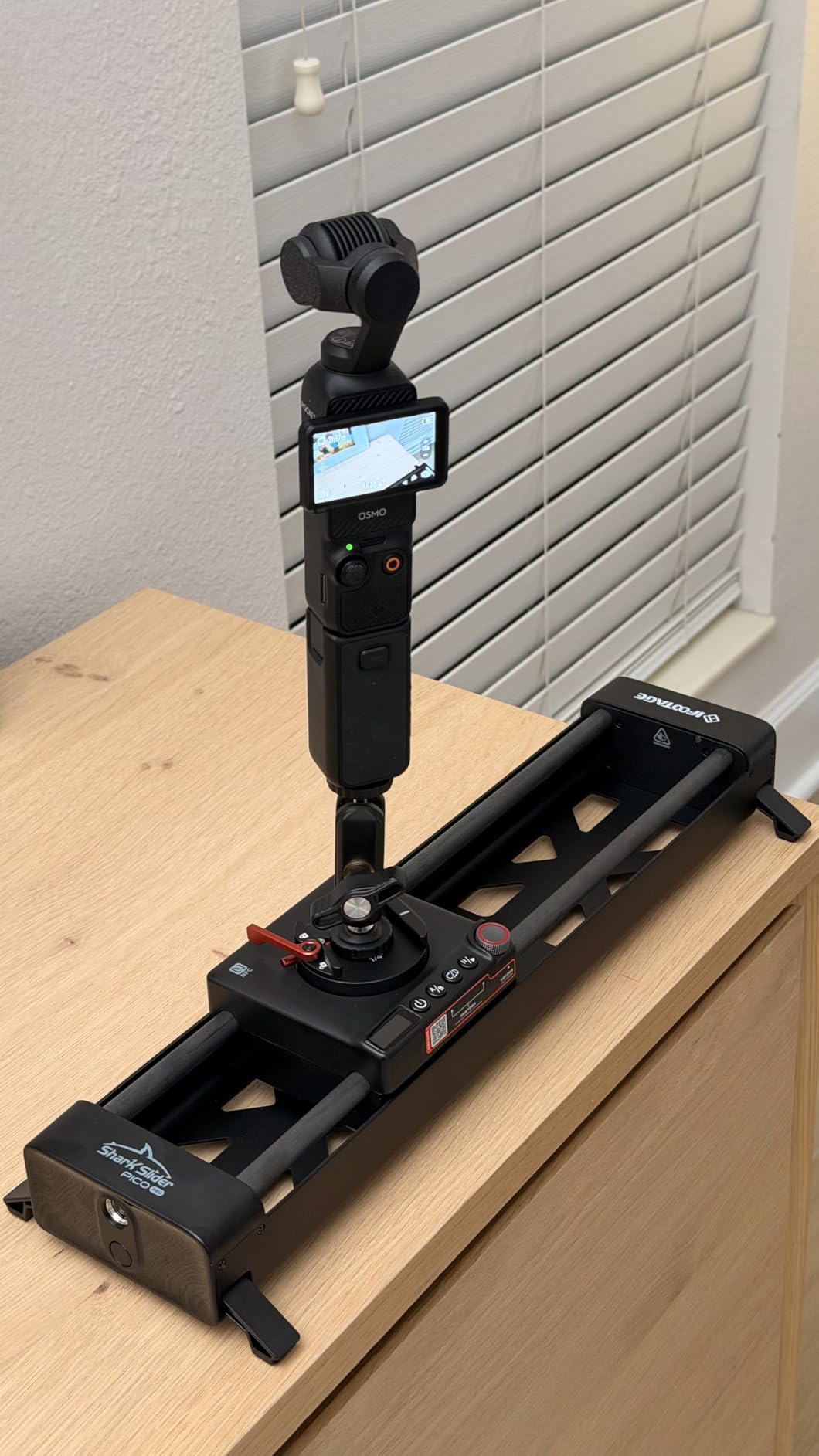
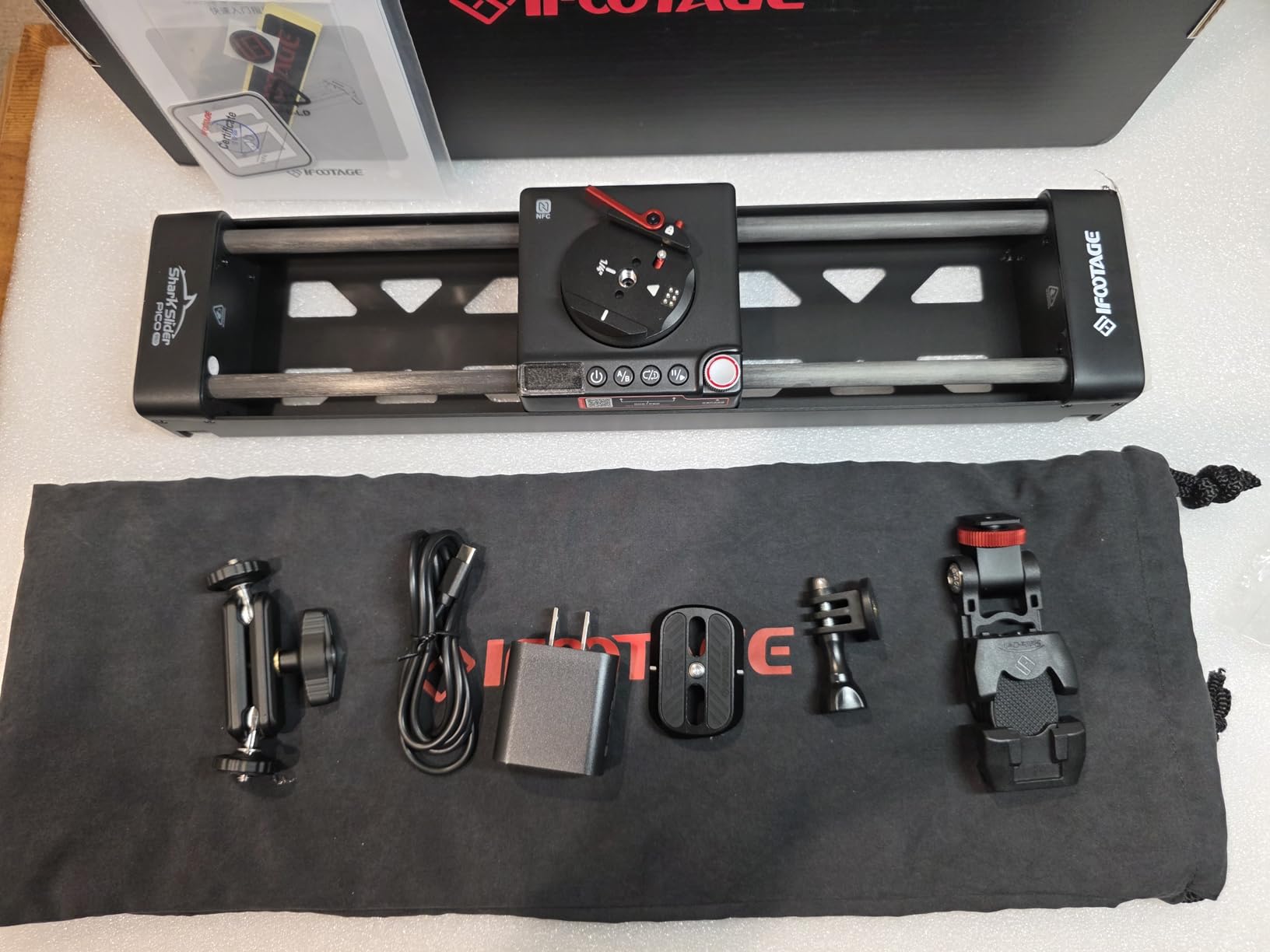
The iFootage Shark Slider Pico Pro is the most travel-friendly motorized slider I have ever used, and honestly, it is not even close. At 1.8 pounds with a 15.7-inch rail, this thing fits inside a backpack alongside your camera gear without you even noticing the weight. I carried it through an entire travel shoot across three cities, setting it up on restaurant tables, hotel balconies, and even a rocky overlook without any stability issues.
The fold-away stabilizing legs are a clever design touch. They flip out when you need a stable tabletop platform and fold flat against the body when packed away. The 2-axis movement gives you both slide and 360-degree pan, and when you pair it with a DJI Osmo Pocket 3 or 4, you get 4-axis motion control in a package that costs and weighs far less than any cinema slider.
NFC pairing is one of those features I did not think I would care about until I used it. You just tap your phone against the slider and the app connects instantly. No Bluetooth menus, no pairing codes, no waiting. It sounds like a small thing, but when you are setting up shots quickly on location, it removes a layer of friction that you do not realize is there until it is gone.
The 5000mAh internal battery delivers up to 7 hours of continuous shooting, and the 30W fast charging means you can top it off during a lunch break and get back to shooting. The build quality is solid metal throughout — this does not feel like a toy. The onboard control knob lets you set A-B points manually, and through the app you can program up to 8 keyframes for complex moves.
Who should buy this slider
Smartphone content creators, vloggers, and anyone using a DJI Osmo Pocket 3 or 4 should put this slider at the top of their list. The 4-axis capability when paired with DJI Pocket cameras is genuinely unique at this size and price. Travel photographers and content creators who need to keep their kit lightweight will appreciate the 1.8-pound total weight and the included protective soft pouch.
Anyone who values quiet operation in a compact form factor will find the Pico Pro impressively silent. It is well-suited for indoor product videos, food photography setups, and tabletop content creation where space is limited.
Who should look elsewhere
If you shoot with a DSLR or larger mirrorless camera with a heavy lens, the 3.3-pound payload limit will be restrictive. This slider is designed for smartphones, action cameras, and compact devices like the DJI Pocket series. Users who need a longer rail for wider tracking shots should consider the Accsoon Toprig S60 or the GVM 48-inch slider instead.
4. GVM 48-inch Carbon Fiber Motorized Slider – Best for Long Tracking Shots
GVM 48″/120cm Motorized Camera Slider, APP Professional Carbon Fiber Dolly Rail Camera Slider, Motorized Time Lapse and Video Shot Follow Focus Shot and 120 Degree Panoramic Shooting
48-inch Carbon Fiber Rail
20lb Payload
App Control via Bluetooth
Parallax Tracking Mode
6-in-1 Shooting Modes
+ The Good
- Longest rail in its price class at 48 inches
- Carbon fiber construction keeps weight manageable
- 20-pound payload handles heavy rigs
- Parallax tracking for creative shots
- Excellent battery life with NP-F batteries
- Includes 6 shutter release cables and carry bag
- The Bad
- App requires account setup and internet connection
- Bluetooth connectivity can be unreliable
- Start and stop points reset when powered off
When you need serious travel distance for sweeping tracking shots, the GVM 48-inch carbon fiber slider delivers four feet of smooth, motorized movement at a price that undercuts most competitors with similar rail length. I used this slider for a real estate walkthrough video where I needed long, continuous lateral movement through open floor plans, and the extra rail length made a visible difference in the final edit.
The carbon fiber construction keeps the total weight reasonable for a 48-inch slider, though at roughly 4 kilograms it is not something you want to carry on a hike. The 20-pound payload capacity means you can mount a fully rigged cinema camera without worrying about the carriage struggling or the motor stalling. I tested it with a Canon C70, Sigma 18-35mm lens, and a small monitor — a setup that weighs about 12 pounds — and the slider handled it without any jitter.
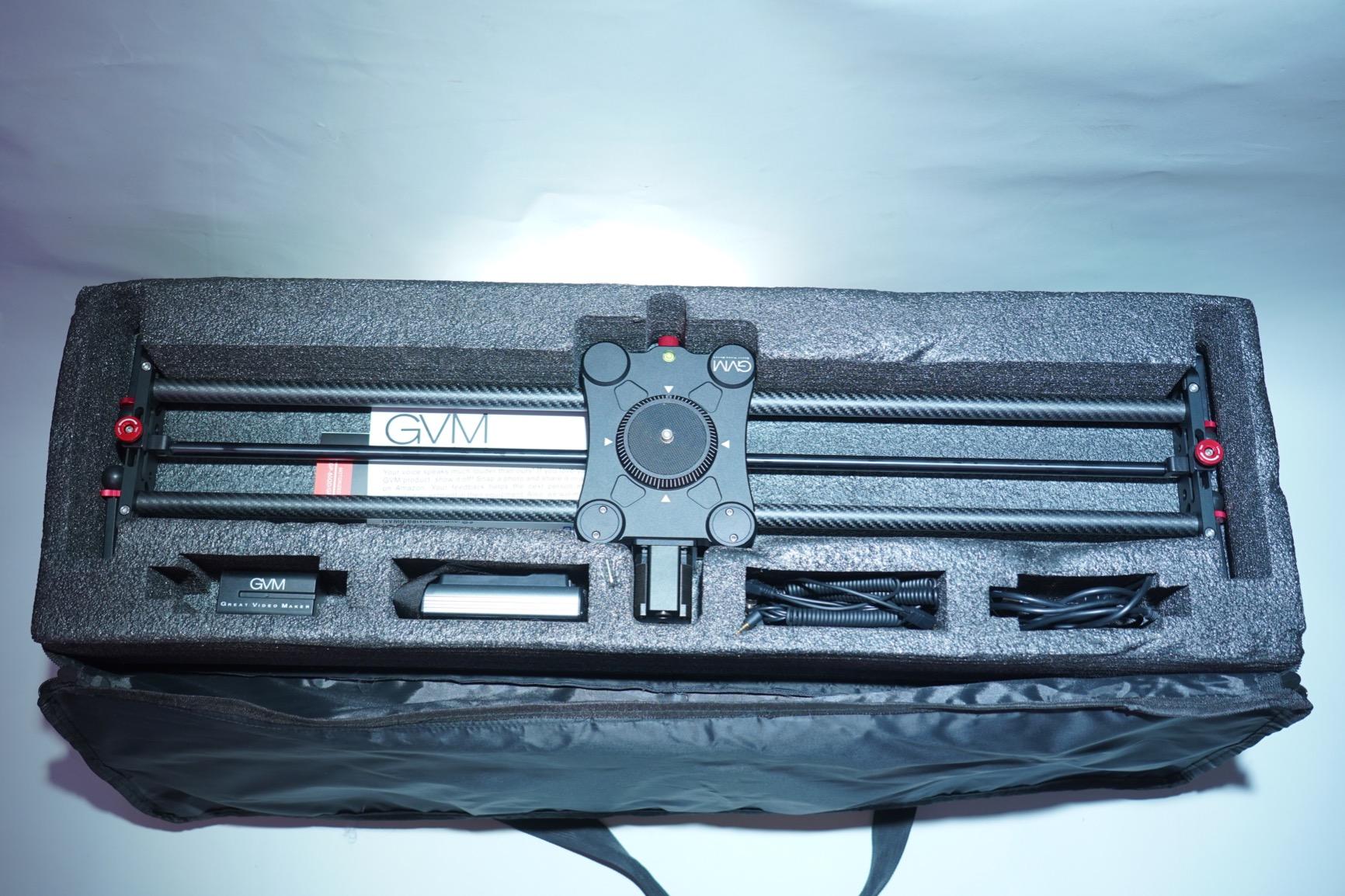
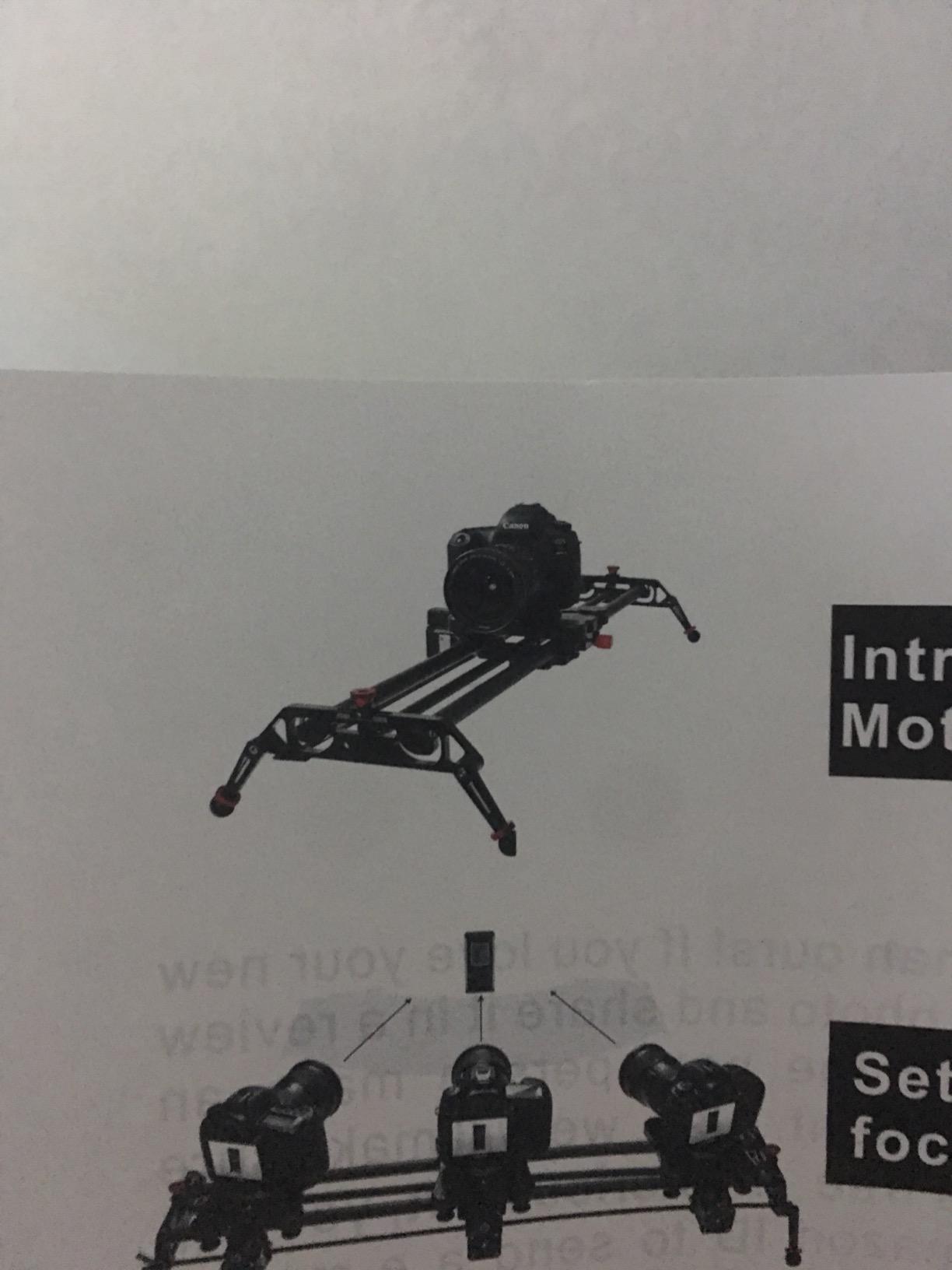
The parallax tracking feature is worth learning. It lets the camera maintain focus on a subject while the slider moves laterally, creating that cinematic depth shift that makes product shots look expensive. The learning curve is a bit steep, but once you figure out the setup process, the results are impressive for a slider at this price point.
My main frustration with this slider is the app. It requires you to create an account and connect to the internet before you can use it, which feels unnecessary for a hardware device communicating over Bluetooth. Some users have reported data privacy concerns about this requirement. The Bluetooth connection itself can also drop occasionally, requiring you to reconnect mid-shoot.
Who should buy this slider
Independent filmmakers and videographers who need maximum rail travel for tracking shots should look here first. The 48-inch length provides enough distance for dramatic lateral reveals, and the 20-pound payload means your camera rig will not be the limiting factor. Real estate videographers, product shooters, and anyone filming in larger indoor spaces will benefit most from the extra travel distance.
Budget-conscious professionals who want carbon fiber construction and professional features like parallax tracking without paying premium brand prices will find strong value in this slider.
Who should look elsewhere
If you want a slider that just works without any app setup or account creation, look at the Accsoon Toprig S60 with its on-device controls. The GVM app requirement and occasional Bluetooth issues can be frustrating if you prefer minimal tech friction on set. Creators who need vertical shooting capability should also note that this slider is primarily designed for horizontal and angled use on tripods.
5. GVM 31-inch Carbon Fiber Motorized Slider – Best Mid-Range Slider
GVM Motorized Camera Slider, 31″ Carbon Fiber Dolly Rail Camera Slider with Time-Lapse Photography, Tracking Shooting and 120 Degree Panoramic Shooting for Most Cameras, with Remote Controller
31-inch Carbon Fiber Rail
20lb Payload
Silent Stepper Motor
120-Degree Panoramic
Remote Controller
NP Battery Powered
+ The Good
- Carbon fiber rail at an affordable mid-range price
- Extremely smooth and quiet stepper motor
- Field-tested reliability in extreme conditions
- 8-plus hours on NP-F970 battery
- Fast 5-minute setup time
- Multiple shooting modes including panoramic
- The Bad
- Remote control feels cheap and plasticky
- Menu navigation is counter-intuitive
- No memory when powered off
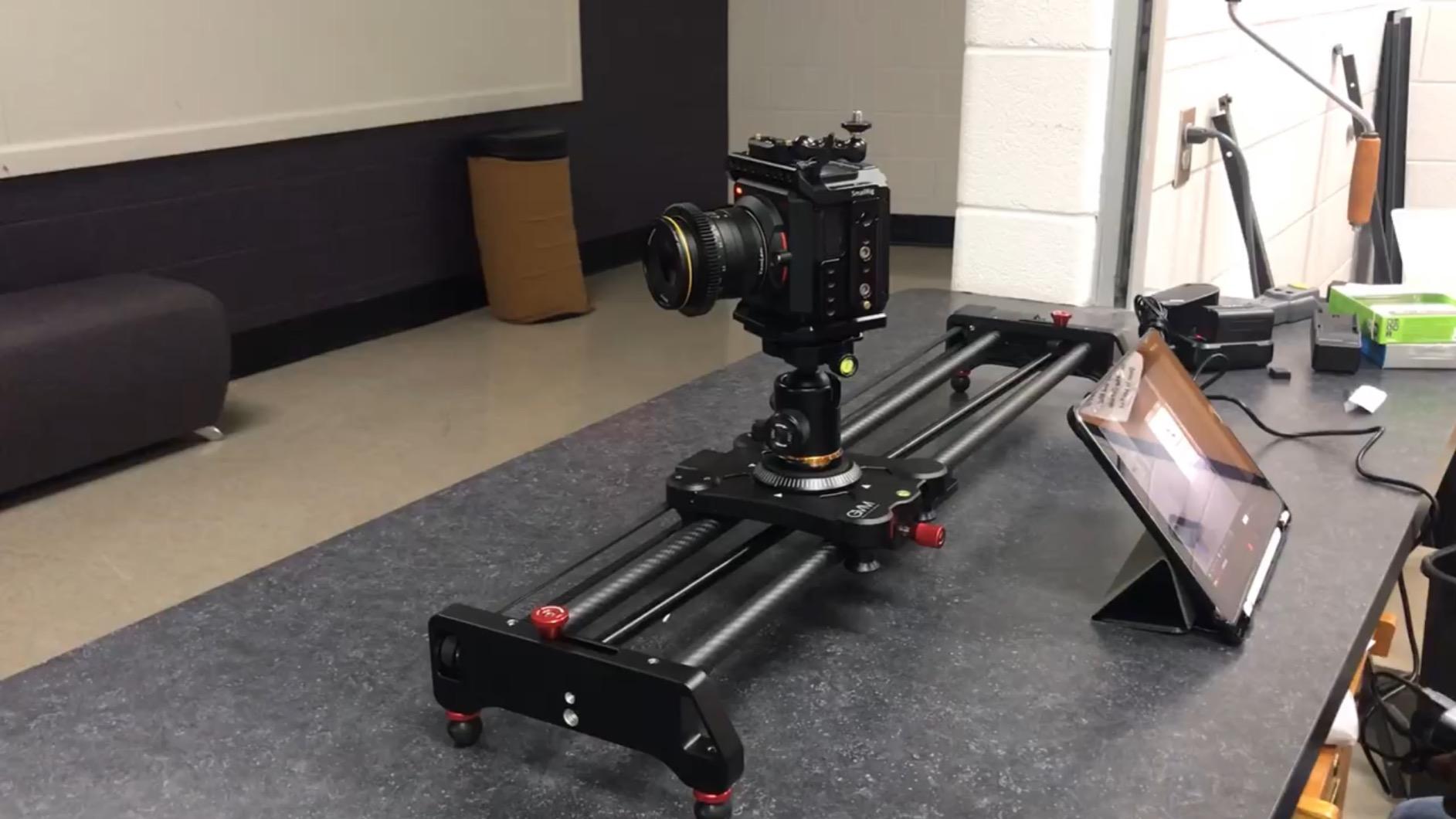
The GVM 31-inch carbon fiber slider occupies a practical middle ground between short tabletop sliders and long studio rails. The 31-inch rail gives you enough travel distance for meaningful camera movement without the bulk of a 48-inch setup. I found this to be the sweet spot for indoor interviews, product showcases, and medium-distance tracking shots where you want visible motion but do not have room for a longer rail.
What surprised me most about this slider is its build toughness. I read reviews from users who had run it in 110-degree desert heat and light rain without any issues, so I decided to test it during an outdoor timelapse session in unpredictable weather. The slider performed flawlessly through a morning dew cycle and moderate temperature swings. The carbon fiber rails and sealed bearing system seem to handle field conditions better than I expected at this price.
The silent stepper motor delivers genuinely smooth movement that works well for video. At slower speeds, the operation is quiet enough for interview environments. The three shooting modes — horizontal, tracking, and 120-degree panoramic — give you creative flexibility without needing to reconfigure the setup. The panoramic mode rotates the camera while sliding, which creates engaging reveal shots for product videos.
Battery performance is strong when you use the NP-F970 battery. I consistently got over 8 hours of shooting from a single charge, which covers a full production day with power to spare. The 5-minute setup time is accurate — once you learn the process, you can go from bag to shooting in about the time it takes to set up a tripod.
Who should buy this slider
This is an excellent choice for videographers who want carbon fiber build quality and professional features without spending $400 or more. The 20-pound payload handles DSLR and mirrorless rigs with confidence, and the 31-inch rail provides enough travel for most indoor and controlled outdoor shooting. Interview shooters will appreciate the quiet motor and the included ball head.
Creators who already own NP-F style batteries from other video gear will save money since this slider uses the same power ecosystem. GVM includes a ball head, shutter release cables, and an extension cable in the box, which adds real value.
Who should look elsewhere
The included remote control is the weakest part of this package. It feels plasticky and the menu navigation is confusing enough that I had to reference the manual multiple times during my first week with it. The screen on the remote also seems vulnerable to cracking during transport. If physical controls and intuitive interface matter to you, the Accsoon Toprig S60 is a better option. Also, the slider loses its start and stop points when you power it off, which means you need to reset your move every time you turn it back on.
6. Neewer DL400 Motorized Camera Dolly – Best Motorized Dolly for Versatile Surfaces
Neewer DL400 Upgraded Motorized Camera Slider Dolly with App Control, Ultra Quiet Powerful Dual Motor Drive, 5H Runtime, Compatible with GoPro iPhone Android Samsung Smartphone DSLR Camera Camcorder
Dual Motor Drive
6.6lb Payload
App and Button Control
NP-F750 Battery Included
5hr Runtime
Climbs 30-Degree Inclines
+ The Good
- Solid metal construction throughout
- Ultra quiet dual motor under 30dB
- Works on floors desks and outdoor surfaces
- NP-F750 battery included in the box
- 5-hour runtime
- 360-degree ball head with articulation
- The Bad
- Knobby wheels cause slight shake on smooth surfaces
- Difficult to get perfectly straight movement at higher speeds
- Phone holder feels cheap
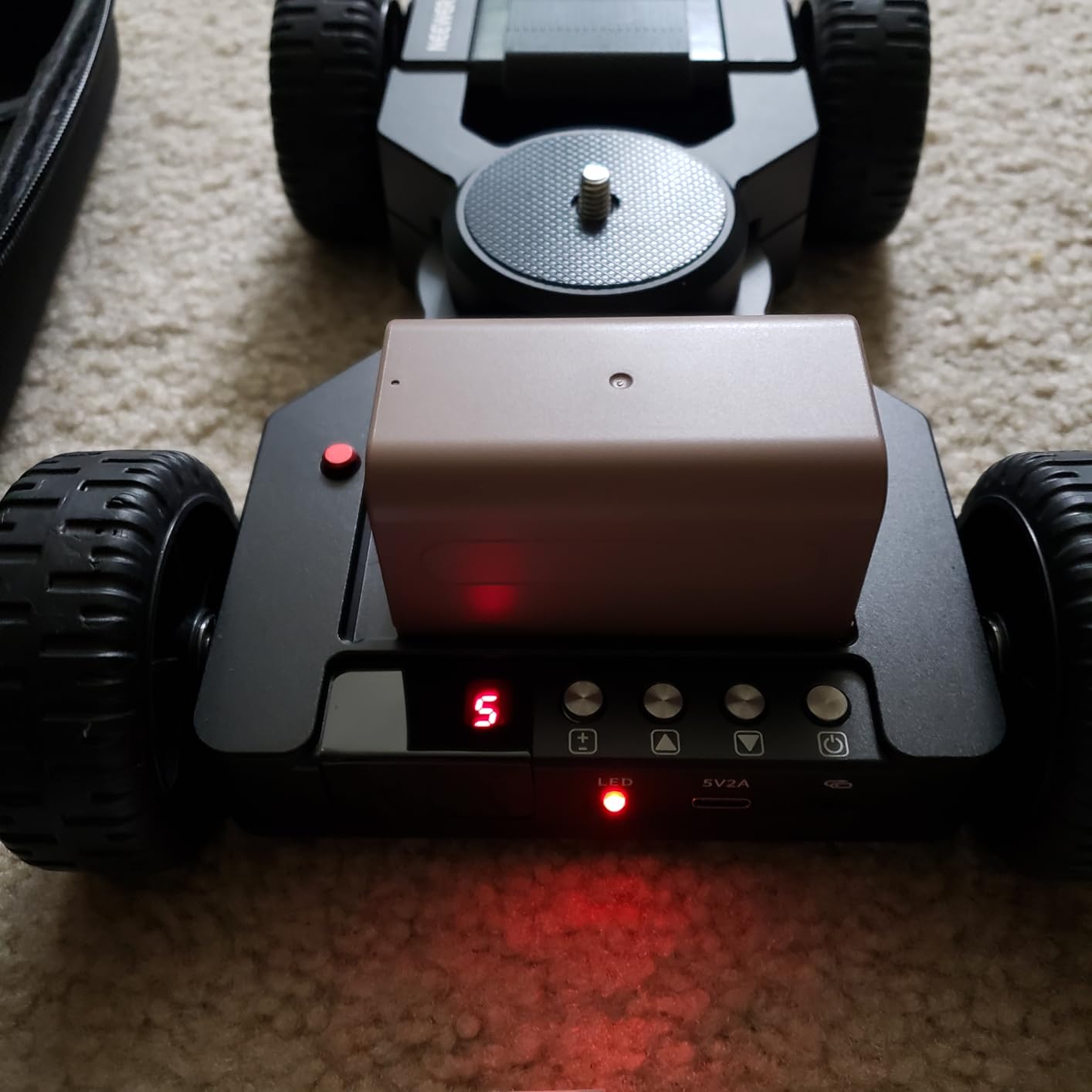
The Neewer DL400 takes a different approach from rail-based sliders — it is a motorized dolly that rolls on rubber wheels across any flat surface. This design gives you freedom that rail sliders cannot match: you can set it on a desk, roll it across a hardwood floor, or even take it outside onto concrete. I used it for a series of low-angle product shots where I needed the camera to move across a tabletop, and the freedom to place it anywhere without setting up rails was genuinely useful.
The dual motor drive provides independent front-wheel control, which means you can program curved paths and arcs through the app. The 360-degree ball head with 30-degree left and right articulation gives you decent framing flexibility once the dolly is moving. At under 30 decibels, the dual motors are quiet enough for indoor shooting, though not completely silent.
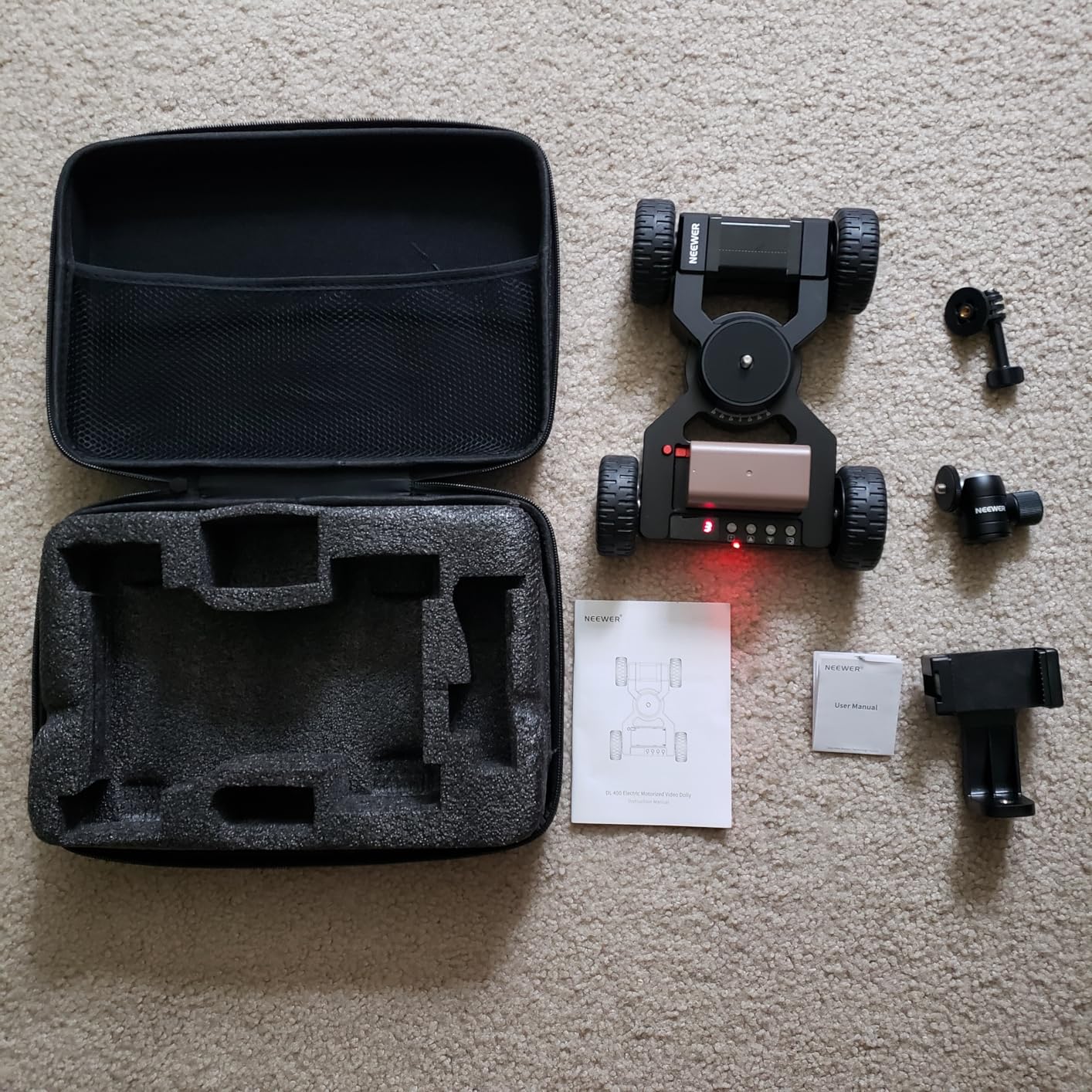
One of the best things about this dolly is that Neewer includes the NP-F750 battery in the box. That might sound like a small detail, but when you consider that sliders like the Accsoon Toprig require you to buy batteries separately, getting 5 hours of runtime included is a real value add. The USB-C charging is convenient, and the carrying case keeps everything organized in your gear bag.
The main tradeoff with any wheel-based dolly is surface dependency. On smooth, clean surfaces the movement is reasonably smooth, but the knobby rubber wheels can introduce slight vibration that shows up in close-up shots. At higher speeds, maintaining a perfectly straight line requires careful setup and a flat surface. This is less of an issue for wider shots and B-roll, but something to consider if you need pixel-perfect stability.
Who should buy this dolly
Content creators who want maximum versatility without committing to a fixed rail setup will get the most out of the DL400. It works well for tabletop product shots, low-angle floor movement, and any scenario where you need the camera to travel across a surface without laying down tracks. The included battery and carrying case make it a complete, ready-to-shoot package right out of the box.
Creators who shoot in multiple locations and need a quick-setup solution will appreciate that you can place this dolly on virtually any flat surface and start rolling in under a minute.
Who should look elsewhere
If you need buttery-smooth, vibration-free movement for close-up product shots or macro work, a rail-based slider will outperform this dolly. The wheel design inherently introduces more micro-vibrations than a bearing-based rail system. Filmmakers who need precise, repeatable A-to-B movement for multi-take consistency should also consider a rail slider instead, since the dolly’s path can vary slightly between takes depending on the surface.
7. GVM 27-inch Aluminum Alloy Motorized Slider – Best Entry-Level Rail Slider
GVM Camera Slider, 27” Aluminum Alloy Motorized Slider with Time-Lapse, Video Shooting and Round Trip Shooting, Track Dolly Rail for Most DSLR Cameras for Interview Photography
27-inch Aluminum Rail
5.5lb Payload
Wired Remote Controller
Time-Lapse and Video Modes
70-Degree Slope Capability
+ The Good
- Solid aluminum alloy construction at a budget price
- Smooth movement for video work
- Quiet motor at lower speeds
- Includes carrying bag and accessories
- Great GVM customer service
- Good for interviews and B-roll
- The Bad
- Remote feels cheap with loud button clicks
- Start and end points reset when powered off
- Battery life could be better
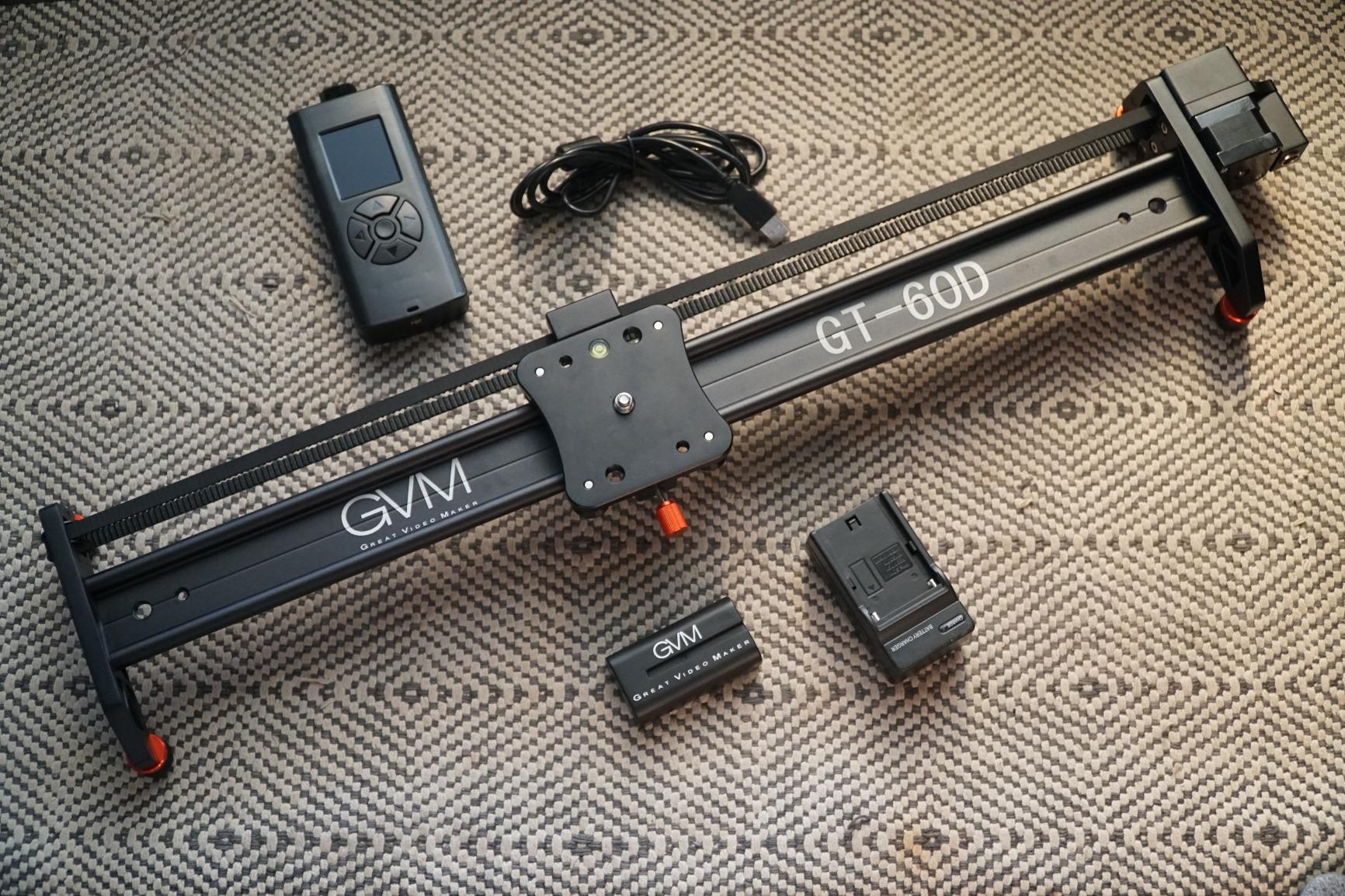
The GVM 27-inch aluminum slider is the entry point I recommend for anyone who wants a traditional rail slider without spending more than necessary. It gives you the core motorized slider experience — smooth lateral movement, timelapse capability, and auto round-trip mode — in a solid aluminum package that costs significantly less than carbon fiber alternatives. I tested it with a Sony A7III and a 24-70mm lens, and the 5.5-pound payload handled that setup without complaint.
The aluminum alloy construction is heavier than carbon fiber, but it also feels more durable for the price. I would not hesitate to check this slider in a gear case for transport. The adjustable non-slip feet with a built-in bubble level make setup straightforward on uneven surfaces, and the 70-degree slope capability means you can angle it steeply on a tripod for vertical or high-angle shots.
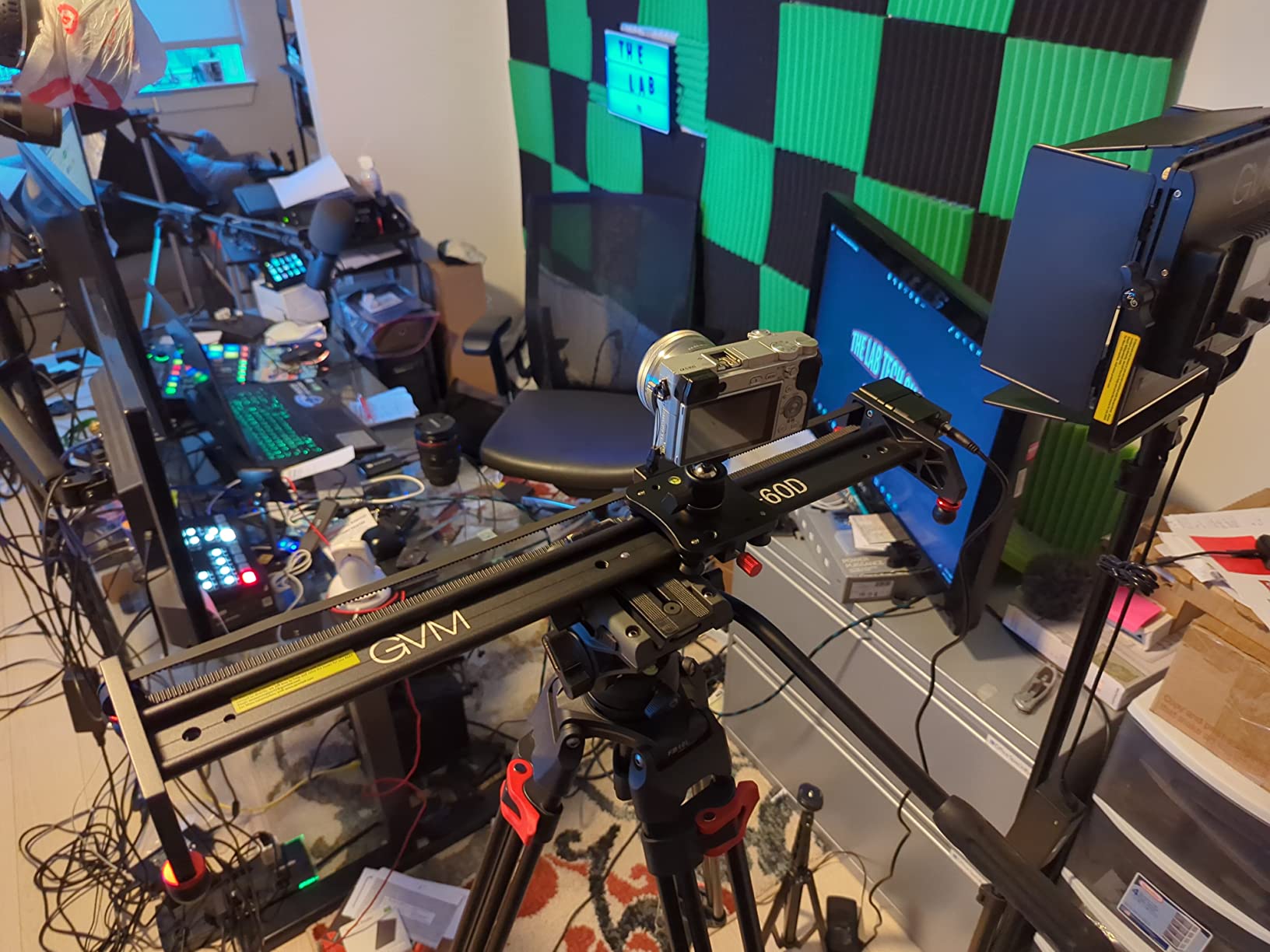
At lower speeds, the motor operates quietly enough for interview work. I used it for a talking-head setup where the slider ran slowly behind the subject, and the built-in camera mic did not pick up any motor noise. The wired controller keeps things simple — no app setup, no Bluetooth pairing, no account creation. You just plug in the controller, set your start and end points, and press play.
The biggest compromise here is the remote control itself. It feels plasticky and the buttons click loudly enough that you hear it on camera if you press them mid-take. The menu navigation is not intuitive, and I had to spend about 20 minutes with the manual before I felt comfortable with all the settings. But once you learn it, the slider itself performs well.
Who should buy this slider
Beginner videographers and content creators who want to try motorized camera movement without a large investment will find this slider to be a practical starting point. Interview shooters who need slow, subtle background movement will appreciate the quiet low-speed operation and straightforward wired controls. It is also a good option for students or anyone building their first video production kit.
The included accessories — carrying bag, wired controller, shutter cables, and battery — mean you have everything you need to start shooting right away. GVM’s customer service is consistently praised by users, which adds peace of mind for first-time buyers.
Who should look elsewhere
If your camera rig exceeds 5.5 pounds including lens and accessories, this slider will struggle under the load. The lack of settings memory means you lose your start and end points every time you power off, which gets tedious on multi-day shoots. Anyone who wants smartphone app control or wireless operation should step up to the GVM 48-inch or the Accsoon Toprig S60.
8. Neewer 3-Wheel Wireless Camera Dolly – Best Budget Camera Dolly
Neewer 3 Wheels Wireless Video Camera Dolly, 3 Speed Motorized Electric Track Rail Slider Dolly Car with Remote Control, Compatible with DSLR Camera Camcorder GoPro iPhone and Android Smartphone
3-Wheel Motorized Dolly
6.6lb Payload
Wireless Remote (6m Range)
3 Speed Settings
180-Degree Adjustable Wheels
1800mAh Battery
+ The Good
- Extremely affordable entry into motorized movement
- Super lightweight at 17.6 ounces
- Easy setup without reading instructions
- Wireless remote with 19.7ft range
- 3 speed settings for versatile shooting
- 180-degree wheel angle for creative routes
- The Bad
- Motor can be noisy for audio recording
- Not ideal for smooth close-up work
- Struggles on inclines and uneven surfaces
At under $75, the Neewer 3-Wheel Wireless Dolly is the most accessible motorized camera movement device on this list. I bought one of these two years ago when I first started experimenting with camera motion, and honestly, it taught me more about when and why to move the camera than any tutorial ever did. It is simple, it works, and it gets you thinking about camera movement as a creative tool.
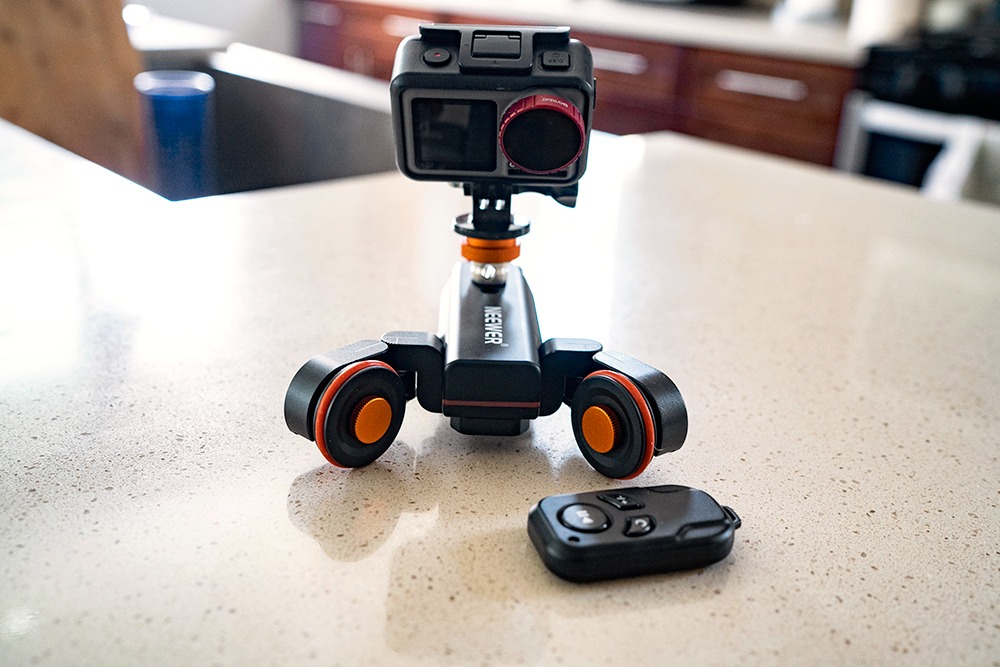
The dolly ships with three rubber wheels that can each be angled independently up to 180 degrees. This means you can set up straight paths, curved arcs, and even circular orbits around a subject. The wireless remote has a 6-meter range with three speed settings: 1.4 cm/s for slow reveals, 2.4 cm/s for medium tracking, and 3.0 cm/s for faster movement. The remote is simple and reliable — I never had connectivity issues during testing.
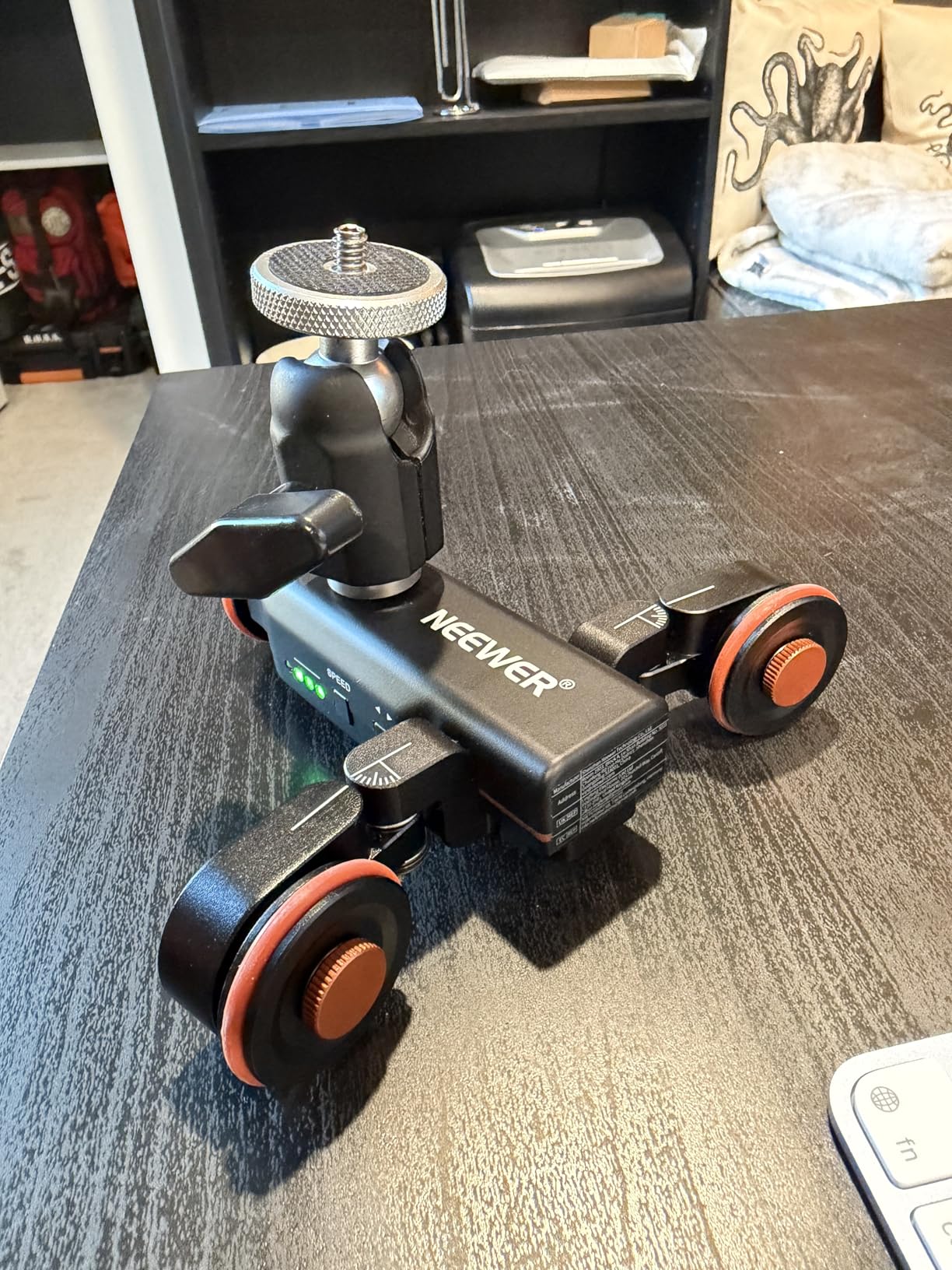
At just 17.6 ounces, this dolly is the most portable option in the entire roundup. You can literally slip it into a camera bag pocket and forget it is there until you need it. The 1800mAh rechargeable battery gives you up to 6 hours of use, which is impressive for something this small. The 1/4-inch to 3/8-inch convertible screw means it works with virtually any camera, phone mount, or ball head.
The tradeoffs are real, though. The motor produces noticeable noise that will be picked up by any microphone within a few feet. Close-up shots with tight framing will reveal vibration and slight inconsistencies in the movement path. And while it works great on smooth, flat surfaces, the small wheels struggle with even minor surface imperfections.
Who should buy this dolly
Anyone who is curious about motorized camera movement but does not want to spend hundreds of dollars should start here. Content creators who primarily shoot wider shots and B-roll where micro-smoothness is less critical will get solid results. The adjustable wheel angles make it surprisingly creative for product orbit shots and curved reveals on flat tabletops.
Students, hobbyists, and social media content creators working with smartphones or lightweight cameras will find this dolly to be a fun, low-risk way to add production value to their videos.
Who should look elsewhere
If you need smooth movement for close-up product shots, interviews with live audio, or any scenario where motor noise would ruin a take, spend more for the Accsoon Toprig S60 or an iFootage slider. The Neewer dolly is best suited for wider shots where the audience will not notice minor vibrations. Professional videographers who need repeatable, precise movement should also look at rail-based options instead.
How to Choose the Best Motorized Camera Slider
Picking the right motorized camera slider comes down to matching the tool to your specific shooting workflow. After testing all 8 of these sliders across different scenarios, here are the key factors that actually matter when making your decision.
Rail length and travel distance
The rail length determines how far your camera can travel in a single shot. For tabletop product shots and close-quarters indoor work, 15 to 24 inches is usually sufficient. For interviews where you want subtle background movement, 27 to 31 inches provides enough range without dominating the room. For sweeping tracking shots, real estate tours, or any scenario where you want dramatic lateral movement, the 48-inch GVM slider gives you the most creative freedom. The important thing is to match the rail length to your actual shooting space — a 48-inch slider will not help you in a small office.
Payload capacity
Always check the payload rating against your heaviest camera rig. Your rig weight includes the camera body, lens, any monitor or external recorder, and a mounting plate. I recommend choosing a slider with at least 20% more payload capacity than your current heaviest setup. This gives you headroom for future gear upgrades and ensures the motor does not strain under load, which can cause jitter and reduce motor lifespan. The GVM sliders handle 20 pounds, which covers most professional setups. The Neewer dollies max out around 6.6 pounds, which is fine for smartphones and lightweight mirrorless cameras.
Motor noise level
This is the factor that catches people off guard. If you shoot interviews, dialogue scenes, or any content where the camera is within a few feet of a live microphone, motor noise matters more than almost any other spec. The iFootage sliders operate below 20 decibels, which is essentially silent. The Accsoon Toprig and Neewer DL400 stay under 30 decibels, which is quiet enough for most interview setups. The Neewer 3-Wheel Dolly produces audible motor noise that will show up on any nearby microphone — plan to record audio separately or use it only for shots without live sound.
Control method: app vs physical controls
Some sliders offer only app-based control, some have physical buttons, and the best ones offer both. App control gives you more programming options like keyframes and complex move sequences, but it also introduces potential connectivity issues. Physical controls are faster and more reliable on set, especially when you need to make quick adjustments between takes. The Accsoon Toprig S60 strikes the best balance with both a speed knob and app control, while the GVM 27-inch aluminum slider keeps things simple with a wired remote.
Battery life and power system
For timelapse shooting, battery life is critical. A long timelapse sequence can run for hours, and you do not want the battery dying mid-capture. The Accsoon Toprig leads with up to 60 hours on an NP-F970 battery, while the GVM carbon fiber sliders deliver 8-plus hours on the same battery type. The Neewer dollies run 5 to 6 hours on internal batteries. If you plan to shoot extended timelapse sessions, check whether the slider uses standard NP-F batteries (which you can swap and charge separately) or proprietary batteries that limit your options.
Dolly vs rail slider: which design is right for you
Rail sliders provide precise, repeatable movement on a fixed track. They are the better choice for professional work where consistency between takes matters. Dollies roll freely on wheels across any flat surface, giving you more placement flexibility but less precision. If you shoot mostly in controlled environments and need repeatable results, get a rail slider. If you shoot in varied locations and want maximum flexibility, a dolly might be the better fit.
FAQs
What is the best motorized camera slider?
The iFootage Shark Slider Nano II 660 is the best overall motorized camera slider for 2026. It offers 360-degree unlimited pan, DJI RS gimbal integration for multi-axis motion, whisper-quiet operation under 20 decibels, and 15.4-pound horizontal payload capacity in a 26-inch carbon fiber rail design. For budget-conscious buyers, the Accsoon Toprig S60 delivers excellent value with quiet brushless motor operation and 60-hour battery life.
How much does a good camera slider cost?
Motorized camera sliders range from around $70 for basic dollies like the Neewer 3-Wheel Wireless Dolly to $700 or more for professional models like the iFootage Shark Slider Nano II 660. A good mid-range motorized slider with carbon fiber construction, app control, and reliable performance typically costs between $230 and $320. Spending more gets you quieter motors, higher payload capacity, multi-axis movement, and better build materials.
What length camera slider do I need?
For tabletop and close-up product work, 15 to 24 inches of rail is sufficient. For interviews and indoor tracking shots, 27 to 31 inches works well. For sweeping cinematic tracking shots or real estate video tours, consider a 48-inch slider. The general rule is to measure your typical shooting space and choose a rail length that uses most of that distance for meaningful camera movement.
Are motorized sliders worth it?
Yes, motorized sliders are worth the investment if you regularly shoot video content that benefits from smooth camera movement. They enable consistent, repeatable tracking shots, automated timelapse sequences, and panoramic sweeps that would be difficult or impossible to achieve manually. For content creators, YouTubers, and independent filmmakers, a motorized slider adds significant production value to videos without requiring a camera operator or expensive crane equipment.
After testing all 8 of these motorized camera sliders across different shooting scenarios, my top recommendation for most videographers is the Accsoon Toprig S60. It delivers the best balance of quiet operation, battery life, build quality, and price. For professionals who need DJI gimbal integration and multi-axis cinematic motion, the iFootage Shark Slider Nano II 660 is worth every dollar. And for anyone just starting out with motorized camera movement, the Neewer 3-Wheel Wireless Dolly at under $75 is a no-brainer entry point. The best motorized camera sliders in 2026 cover every budget and use case — pick the one that matches your camera, your shooting style, and your production needs.