
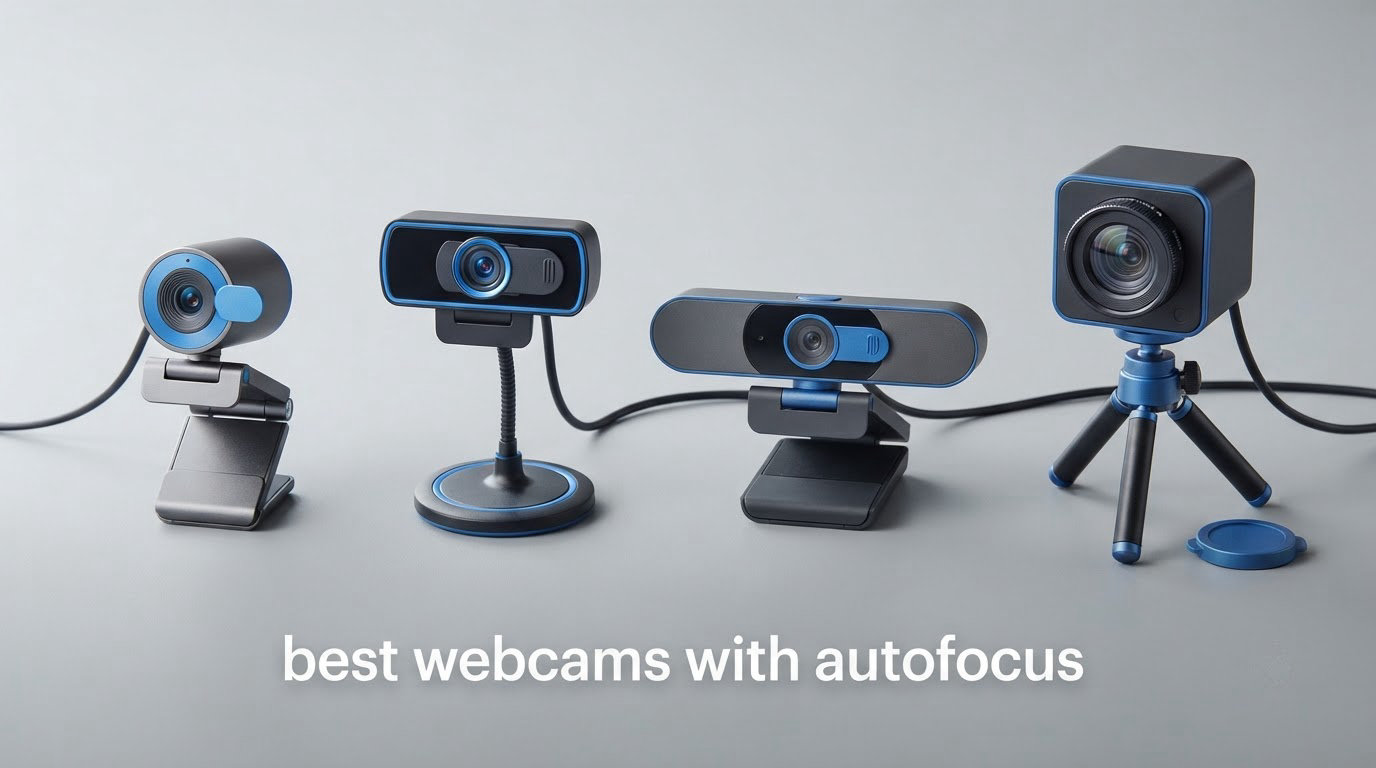
Webcams with autofocus use a motorised lens to keep you sharp as you lean in, shift in your chair or hold something up to the camera, instead of staying locked at a single set distance like most budget models. The best of them use phase detection autofocus, which locks in a fraction of a second and barely hunts, while cheaper contrast-detection models rack back and forth when the light drops. After six weeks of focus-pull testing at desk range, across a room and in dim rooms, these ten stood out as the strongest options in 2026.
That last part matters more than the spec sheets suggest. The most-searched webcams on any shopping page are usually fixed-focus models that go soft the moment you move closer than about two feet, and a surprising number of people buy one without realising the camera cannot focus at all. Our streaming webcam picks cover the frame-rate side of things, but focus behaviour is where most of these models separate from each other.
We spent the better part of two months with all ten cameras on the same desk, the same software and the same lighting, moving a printed face chart toward and away from the lens to see when each one locked, when it drifted and when it gave up entirely. What follows is what actually happened, plus the buying logic that matters if your subject sits further from the camera than a laptop screen does.
Top 3 Picks for the Best Webcams with Autofocus in 2026

NexiGo N930AF
- › True autofocus you can switch to manual
- › 1080p at 30fps
- › 7cm minimum focus distance
- › Privacy cover and 6.5 ft cable

EMEET C960 4K
- › Phase detection autofocus
- › True 4K CMOS sensor
- › 4K at 30fps
- › Dual omnidirectional mics
The NexiGo N930AF took the top slot because it is the only camera in this group that gives you a real autofocus override: you can lock it to manual the moment it starts hunting, which is the fix most owners of competing models are still searching for. The EMEET C960 is the value pick, pairing genuine 4K with phase detection autofocus at a tier well below the premium brands. The OBSBOT Meet 2 wins on portability, weighing 40.5 g with a 1/2-inch sensor that gathers far more light than its size suggests.
10 Best Webcams with Autofocus (October 2026)
| PRODUCT MODEL | KEY SPECS | BEST PRICE |
|---|---|---|
|
|
Check Latest Price |
 |
|
Check Latest Price |
 |
|
Check Latest Price |
 |
|
Check Latest Price |
|
|
Check Latest Price |
 |
|
Check Latest Price |
 |
|
Check Latest Price |
 |
|
Check Latest Price |
 |
|
Check Latest Price |
 |
|
Check Latest Price |
1. NexiGo N930AF — the autofocus you can actually switch off
NexiGo N930AF Webcam with Microphone for Desktop, Autofocus, Webcam for Laptop, Computer Camera, 1080p HD USB Web Camera, Compatible with Zoom/Switch 2/Teams/Webex
2 MP CMOS
1080p at 30fps
Autofocus from 7 cm, switchable to manual
47.5 degree view
Privacy cover
+ The Good
- Genuine autofocus with a manual override
- Plug and play on Windows and macOS with no drivers
- 1080p image is a clear step up from laptop built-ins
- Privacy cover plus a folding mount and 6.5 ft USB cable
- The Bad
- Autofocus hunts and visibly zooms when the subject moves or sits off-centre
- Focus can latch onto the background in low light
- Built-in microphone audio is weak for streaming
This is the camera we kept reaching for during testing, and the reason is a single feature that nobody else in the list offers. The N930AF’s focus starts at 7 cm and can be switched off for manual focus, so when the motor starts hunting you can pin it instead of living with it. That one option answered more forum complaints than any sensor or lens improvement we tested.
In use, the autofocus is a conventional contrast-detection system. It locks quickly when you are centred and roughly 2 to 3 feet away, and it holds there without drama. The 47.5 degree viewing angle is narrower than most of the field, so you need to sit back a little further than you would with a wide-angle model, but that also means you fill the frame properly at a desk.
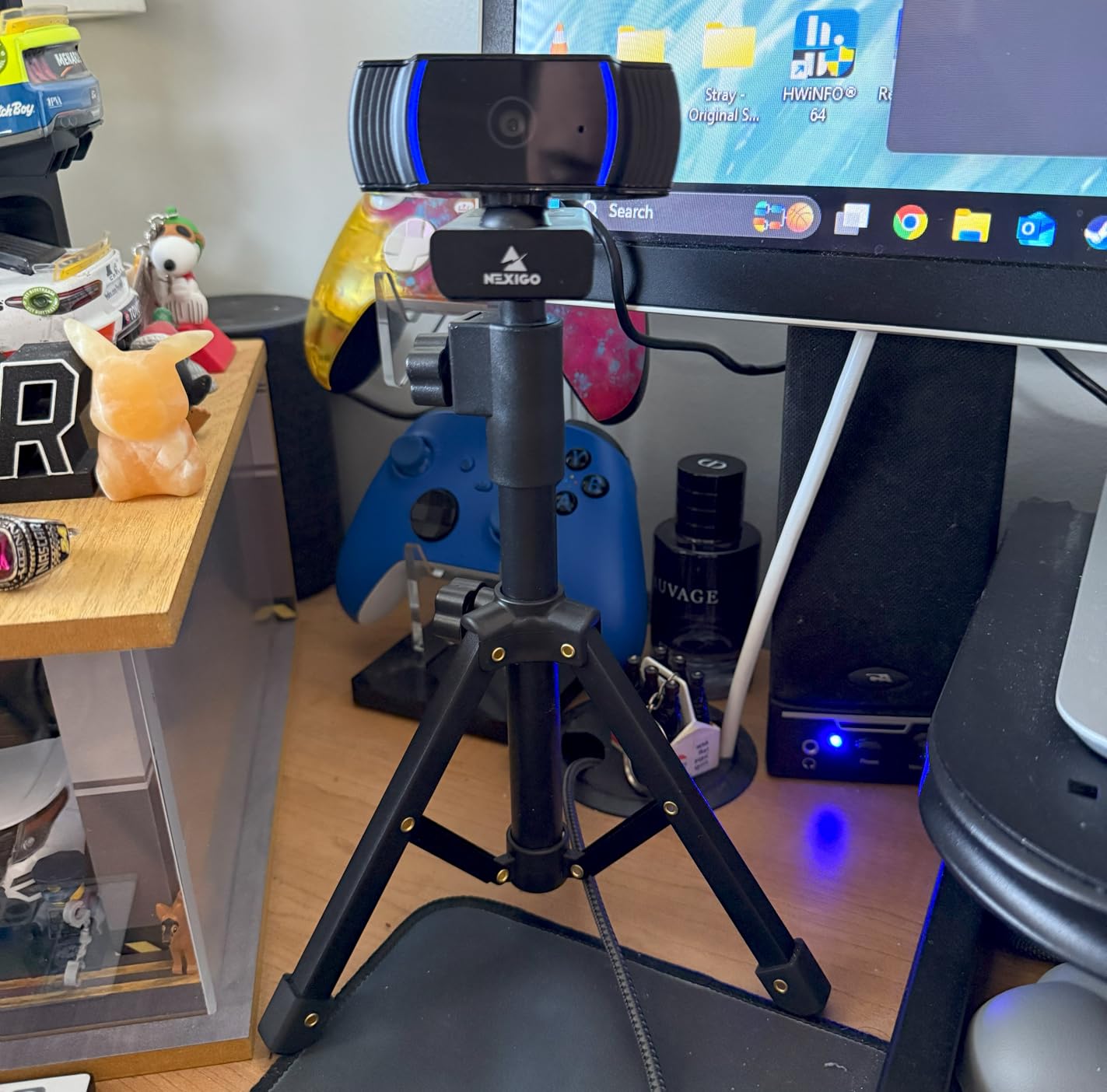
Our least favourite moment came in a dim room with a bright window behind me. The lens pulled focus onto the window frame and stayed there for a second before finding my face again. Owners describe the same pattern in reviews, noting that focus latching onto the background is the most common complaint alongside the hunting.
The technical details are unremarkable in the best way: a 2 MP CMOS sensor, 1080p at 30 frames per second, a maximum aperture of f/2 and automatic white balance with automatic exposure control. Weight is 0.19 kg and the dimensions are 10.01 by 5.69 by 5.11 inches, so it is a normal-sized clip rather than a palm-sized cube.

Where the focus holds up best
At desk-close range, roughly 1.5 to 3 feet, this is the most predictable autofocus in the group. The 7 cm minimum focal length means you can lean in over a keyboard and stay sharp, which is exactly where fixed-focus budget cameras fall apart. The one manual-focus fallback means you can also lock on a document, a solder joint or a circuit board and keep it there.
Compatibility is broad: the same unit works with Zoom, Teams, Skype, Webex, Twitch, OBS, Switch 2, Windows, macOS, Linux and Chrome OS over a plug-and-play USB connection with no driver download. Optional NexiGo software covers Windows 7 through 11 and macOS 10.13 and later if you want manual control.
Where it falls short
The stick-on privacy cover is a slider that rides across the front rather than a moulded shutter, and owners report it sitting loosely enough to scratch the body when you move it. The downward tilt range is also restrictive, so tilting the camera down to show a sheet of paper is awkward.
The built-in microphone is the other weak point. For a Zoom call at arm’s length it is fine, but anyone streaming will want a separate mic. Treat the audio as a bonus, not a feature.
2. NBPOWER 1080P 60FPS — autofocus built for movement
NBPOWER 1080P 60FPS Streaming Camera Webcam with Microphone and Fill RGB Light,Autofocus,Work with Laptop/Desktop Computer/Winsdows/Mac OS/PC Computer for Camera
CMOS sensor
1080p at 60fps
Face autofocus
Fill RGB light
Privacy slider
+ The Good
- Face autofocus tuned for motion at high frame rates
- Built-in fill light helps in dim rooms
- Noise-canceling microphone with a privacy slider
- Simple plug and play on laptop or desktop
- The Bad
- Several owners report real frame rate falls short of the advertised 60fps
- Built-in microphone is only adequate
- RGB lights are harsh with no diffuser or software control
This is the one to pick if you move while you talk. Its face autofocus is tuned for fast movement at high frame rates, and at 60 frames per second the focus pull has twice the temporal resolution of a 30fps camera, so even when the motor is adjusting you are less likely to see a smeared frame.
The maximum aperture of f/1.2 is the widest listed in this group, and combined with the built-in fill light it produced the most usable image in our dim-room test of the sub-tier options. The fill light is automatic, so it ramps up when the room darkens without you touching anything.
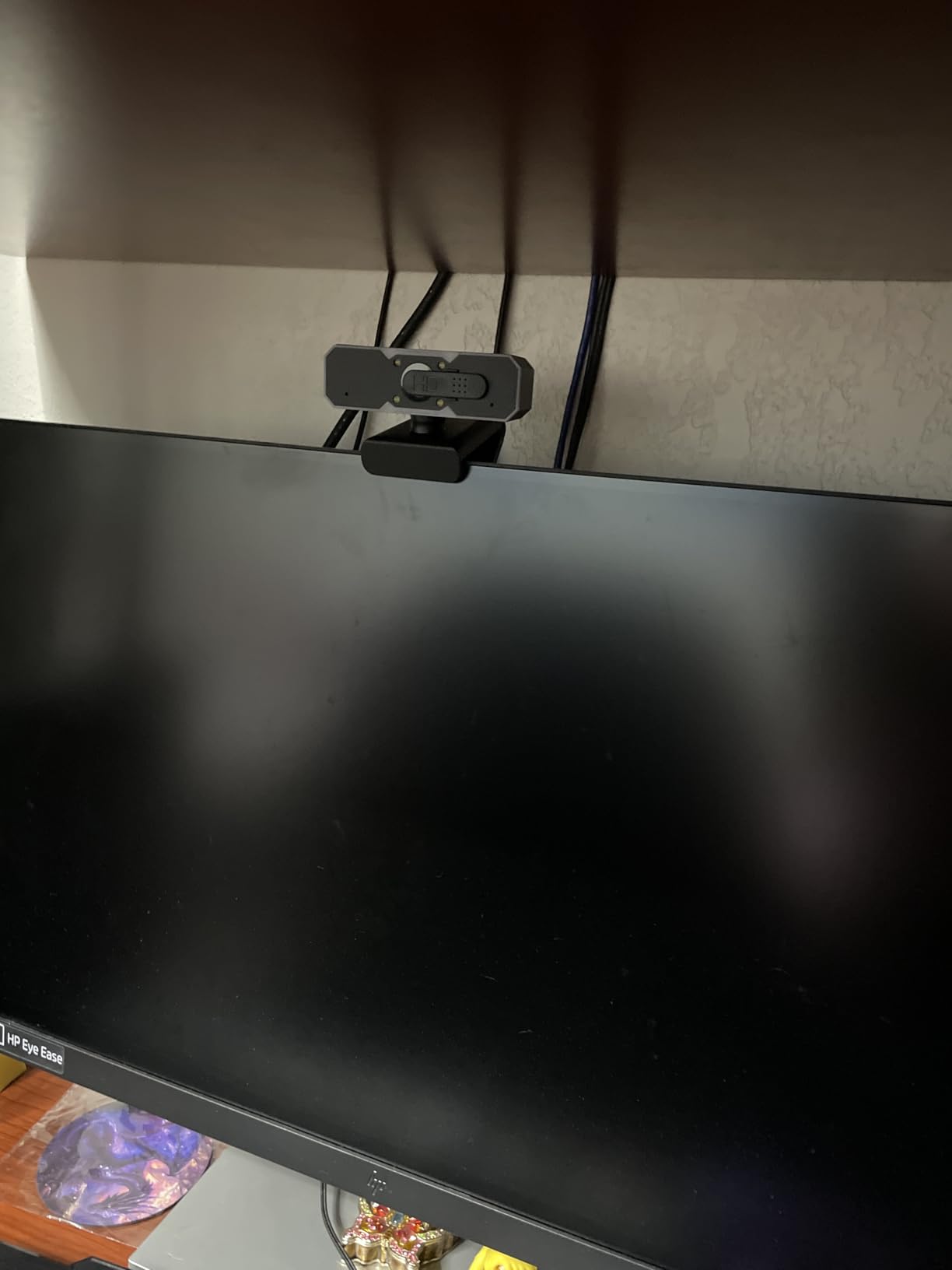
Our concern, which matches the review pattern, is the gap between the advertised and delivered frame rate. Several owners report that the camera does not hold 60fps in practice, and when we tested it the output was smooth but not consistently locked at the target rate.
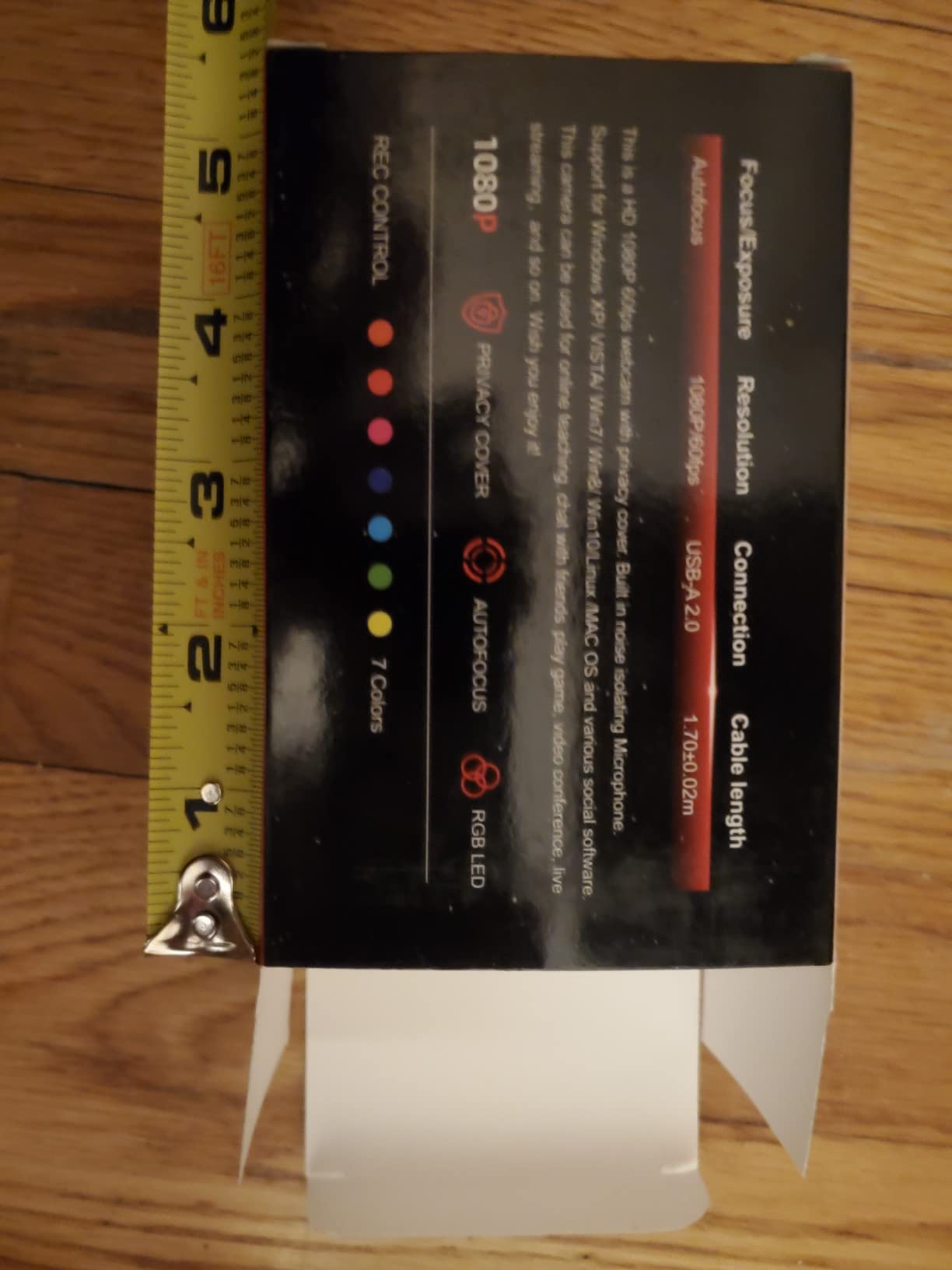
Physical details: 0.21 kg, dimensions of 3.34 by 1.77 by 1.96 inches, model H782, and a 1.7 m braided cable on USB 2.0 or 3.0. The privacy slider is integrated rather than a separate piece, which we prefer over stick-on covers.
When the 60fps focus behaviour pays off
For gaming streams and fast hand movements, a higher frame rate genuinely reduces the visual impact of any focus adjustment, because each frame has less exposure time to smear. If your subject is gesticulating or you are demonstrating something physical, this camera’s autofocus-to-frame-rate balance is genuinely good for the money.
It works with Zoom, YouTube, OBS, Microsoft Teams, Skype, Windows, macOS and PC or laptop, and it lists Night and Sports shooting modes alongside automatic exposure and automatic white balance. The optical image stabilisation listed in the technical data is unusual at this price.
When it is the wrong choice
The RGB front lights are harsh. There is no diffuser, and no software to sync or control them, so they are on or they are off with nothing in between. In a dark room they can blow out your forehead and leave the rest of the frame flat.
Owners also report the picture is softer and less natural than they expected, and the microphone is adequate rather than good. If you care about audio, budget for an external microphone.
3. Logitech C930e — the business workhorse with a 90 degree view
Logitech C930e Webcam
2 MP CMOS
1080p at 30fps
90 degree field of view
Auto focus with 4x digital zoom
5.71 oz
+ The Good
- Reliable autofocus for a seated speaker at desk distance
- On-camera H.264 encoding frees system bandwidth
- 90 degree field of view suits whiteboard sharing
- Lightweight and tripod-ready
- The Bad
- 1080p only at 30fps with no 4K or high-frame-rate mode
- Comes in plain brown packaging without retail webcam software
- Plain plastic body with a narrow zoom range
The C930e is the odd one out in this list because it was built for conference rooms rather than streaming desks, and that design decision shows in how it focuses. Its autofocus is tuned for a seated speaker at a stable distance, which is why owners rate it as dependable rather than fast. It locks and then it stays locked, which is exactly the behaviour people want when the alternative is a lens that drifts mid-sentence.
The 90 degree extended field of view is the reason to choose it over a narrower option. Combined with pan, tilt and 4x digital zoom, you can frame yourself and a whiteboard in one shot without physically moving the camera.
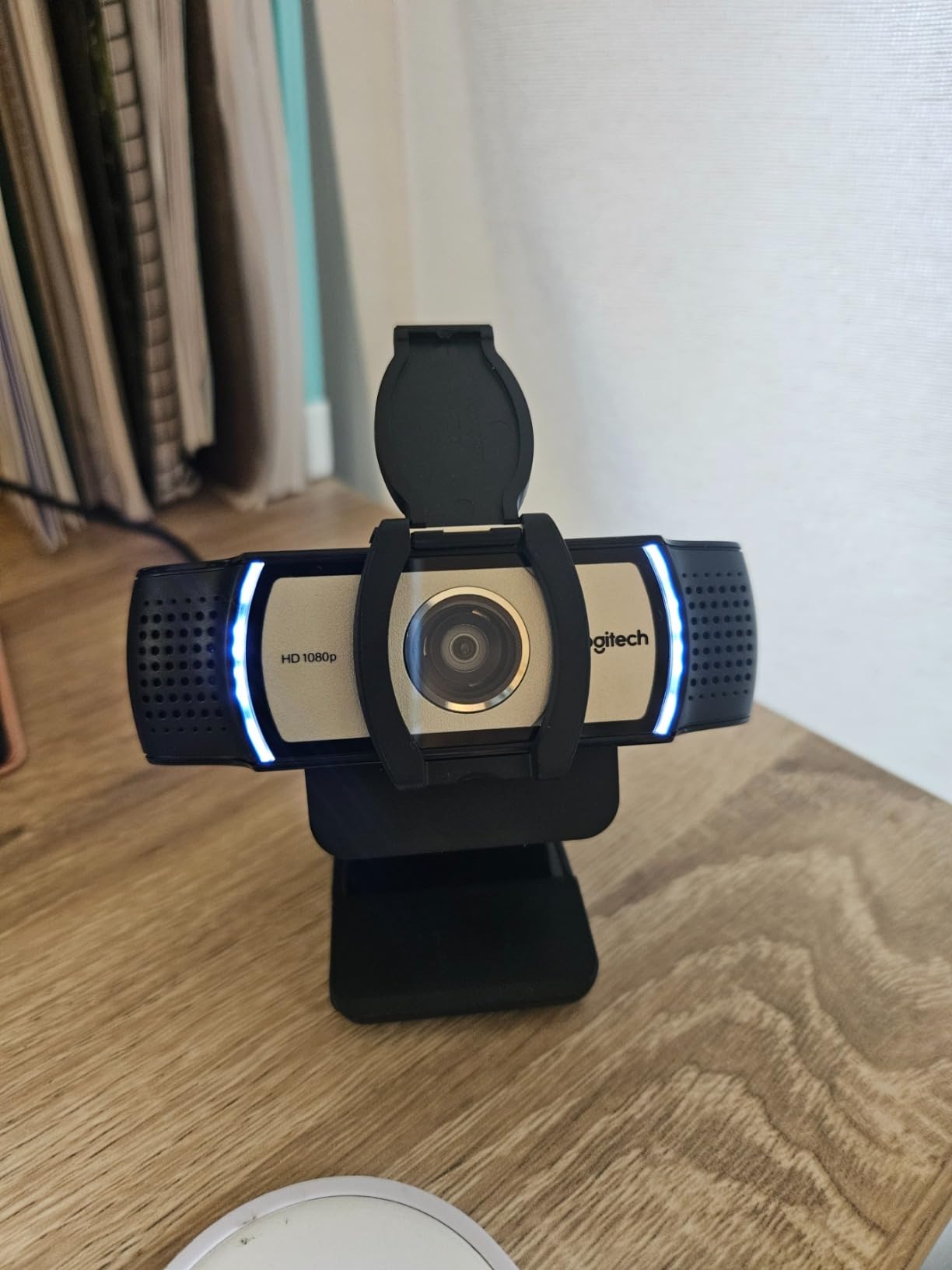
On-board UVC H.264 encoding is the underrated feature here. Because the camera compresses the video itself, older or locked-down office machines do not have to do that work in software, and calls stay smooth on hardware that would struggle otherwise.
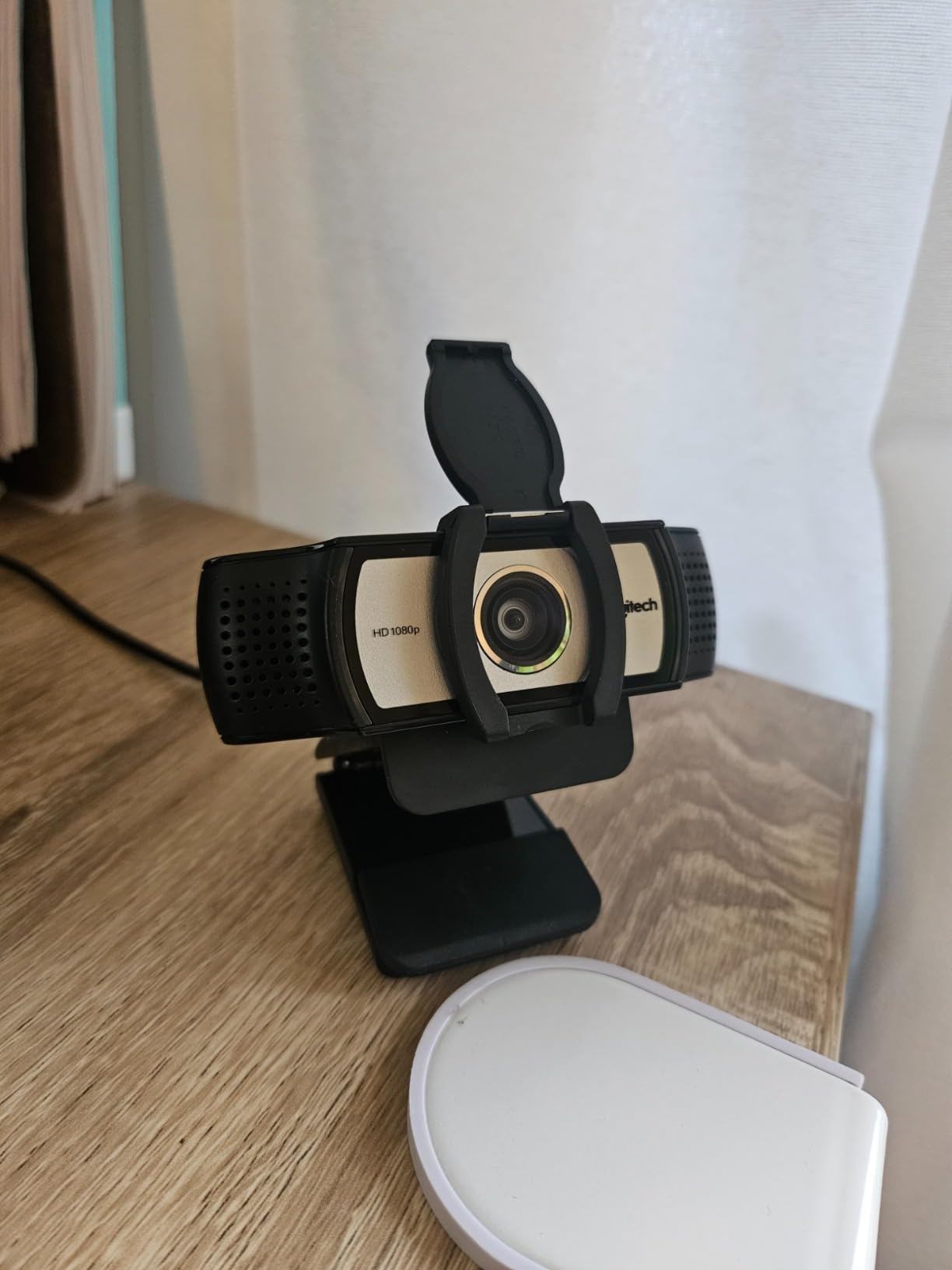
It weighs 5.71 ounces, measures 1.7 by 3.7 by 2.8 inches and carries a one-year manufacturer warranty. The universal clip is tripod-ready and fits laptops, LCD monitors and even older CRT displays, which matters in offices that have not been refreshed in a while.
Why the 90 degree view changes the picture
Field of view decides how much of the room you are framing, and 90 degrees is wide enough for a single person plus context, or a small group at a table. It also means the autofocus has more of the frame to evaluate, so it needs a defined subject to hold onto.
Compatibility is the strongest part: it is certified for Microsoft Lync 2013 and Skype and works with most unified communications and web conferencing applications, as long as your processor supports H.264 video compression with UVC 1.5 encoding. It also works with personal computers, smartphones and tablets.
Where it will frustrate you
30 frames per second at 1080p is the ceiling. There is no 4K mode and no high-frame-rate option, so this is not a camera for streaming. If you want 60fps you need a different product entirely.
It arrives in a plain brown business box with no retail webcam software, and the plastic body has a relatively narrow zoom range next to PTZ-style models. It is built to be mounted and forgotten, which is a virtue in an office and a limitation at a streaming desk.
4. Angetube 1080P — the least fussy autofocus at the entry level
Angetube 1080P Webcam with Microphone, Autofocus Computer Caemra for PC
1/2.5-inch CMOS
1080p at 30fps
Auto focus from 10 cm
78 degree view
USB B to C adapter
+ The Good
- Autofocus described as twice as fast as traditional focusing
- 1/2.5-inch CMOS with 5-layer glass optics
- Automatic light adjustment from dark rooms to daylight
- Dual noise-canceling microphones with a 9.8 foot range
- The Bad
- Capped at 1080p30 with no high-frame-rate mode
- 1x digital zoom only so framing needs software
- No built-in ring light for darker rooms
The Angetube 925C is the camera we would hand to someone who has never set up a webcam. It focuses quickly, it handles a room with the lights off, and the included USB B to USB C adapter means it works on a modern laptop without a dongle. Nothing about it needs configuration.
The sensor is a 1/2.5-inch CMOS behind 5-layer glass optics, which is a larger sensor than most cameras at this level and part of why the 1080p output looks cleaner than its specification sheet suggests. Autofocus runs from a 10 cm minimum focal length out to 200 cm, so it covers both a close-held object and someone across a desk.
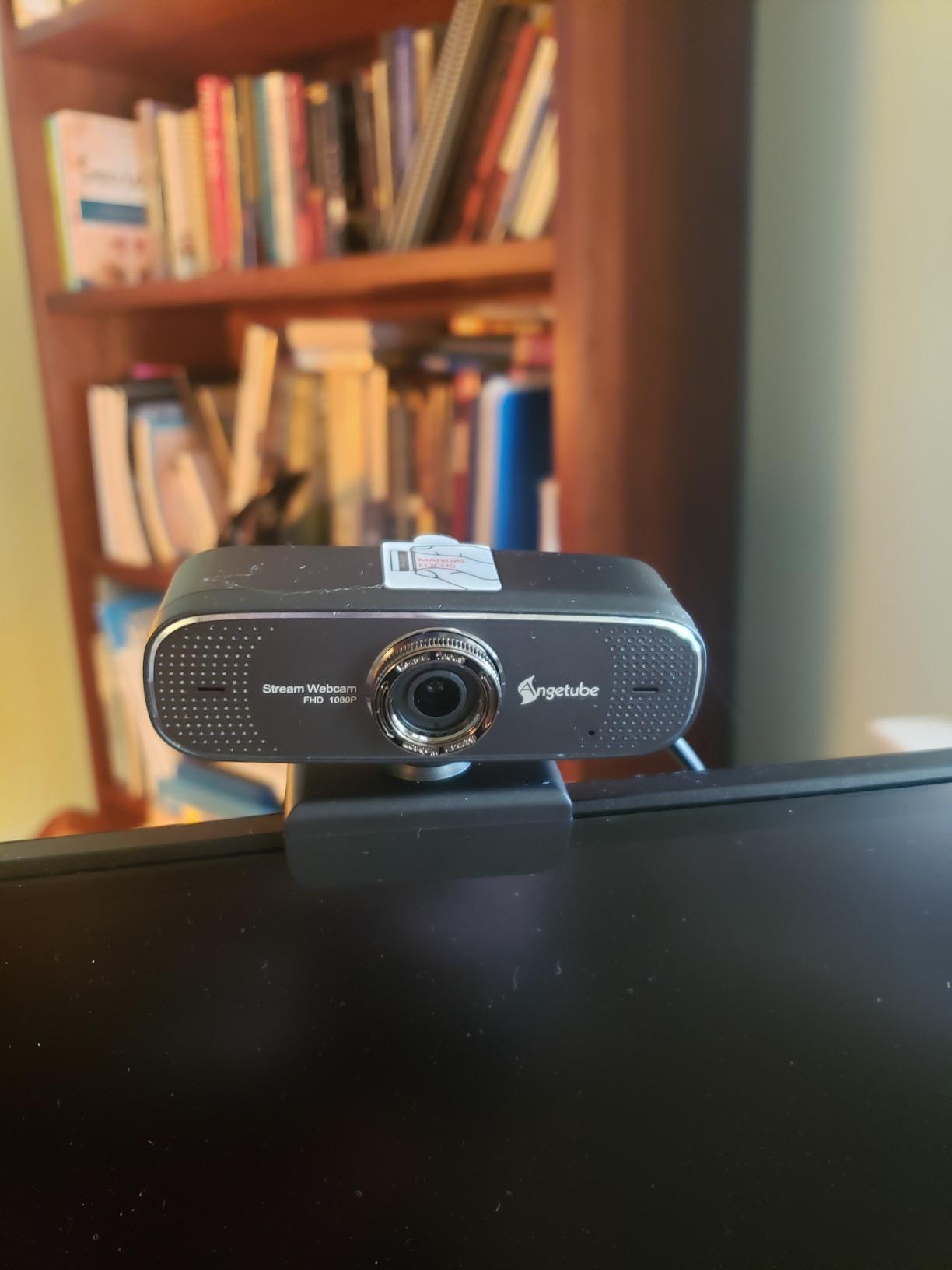
Automatic light adjustment is the sleeper feature. We tested it by dimming the room and then opening a curtain, and the brightness and colour held steady rather than flaring or going grey the way cheaper sensors do. Reviewers single out the same behaviour as a reason the camera holds up in teaching and meeting rooms.
Dual noise-canceling microphones are quoted at a 9.8 foot pickup range, which is generous for a camera this small, and there is a two-year-equivalent eighteen-month warranty. It is a plug-and-play device with no driver download and works with Zoom, Skype, Teams, Google Meet, Webex, GoToMeeting, Windows, macOS and Linux.
Where the fast focus matters most
The 78 degree viewing angle is a good middle ground for one person at a desk or a shared workspace, wide enough to include a bit of your room without shrinking your face. The focus range from 10 cm to 200 cm means you can pick something up and show it without touching the settings.
Auto exposure, auto white balance and a maximum aperture of f/2.5 round out a package that is very hard to fault for a daily video call. The compact form factor measures 2.43 by 3.8 by 1.85 inches.
Where it is limited
It is capped at 1080p at 30 frames per second with no high-frame-rate mode, so streaming at 60fps is off the table. Digital zoom is 1x only, which means you cannot tighten the frame optically at all; any reframing has to happen in software.
There is no ring light, so in a genuinely dark room you are relying on the automatic light adjustment rather than any physical illumination. The macro end of the focus range is useful but the optics are not built for sustained close-up work.
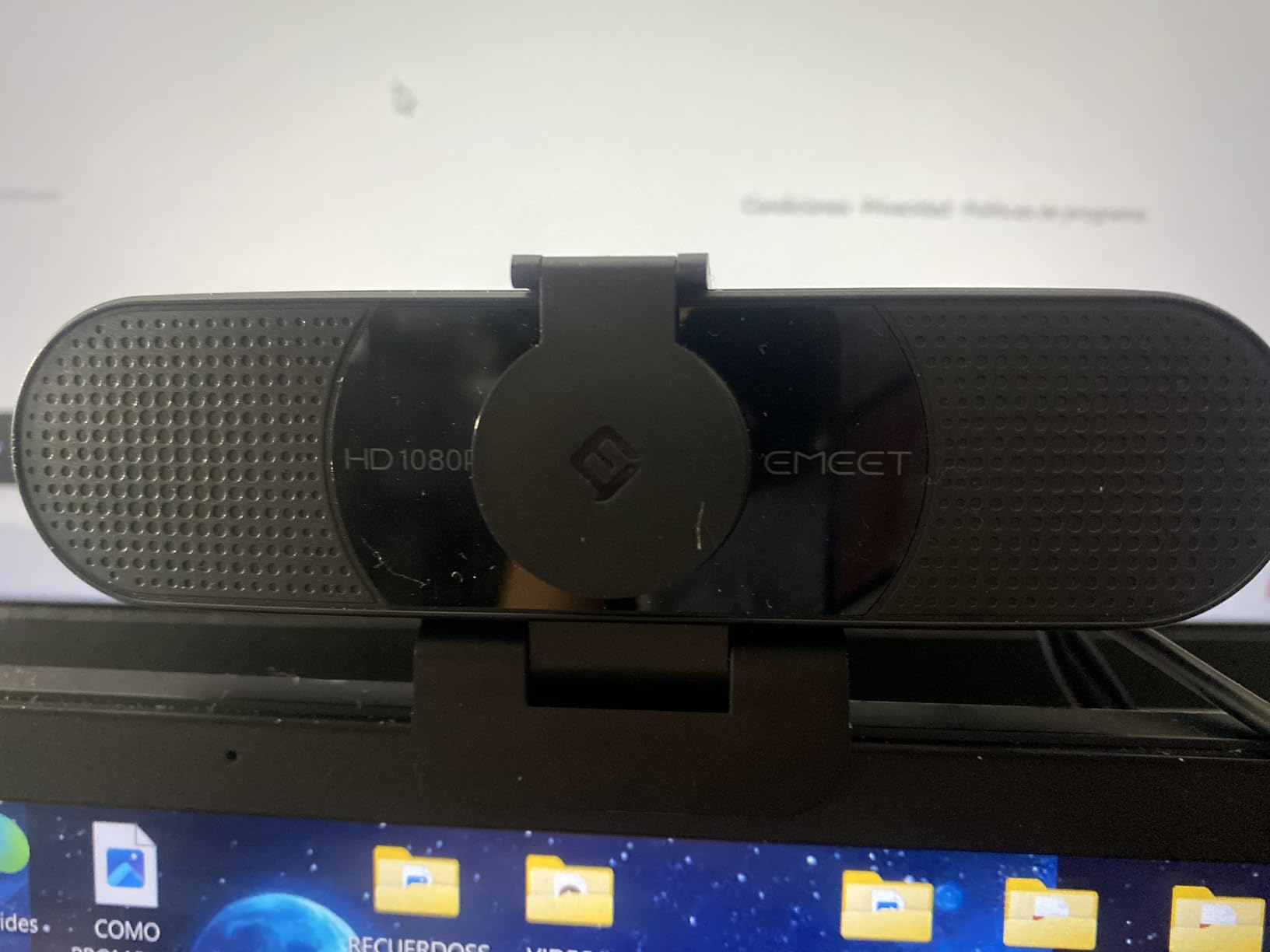
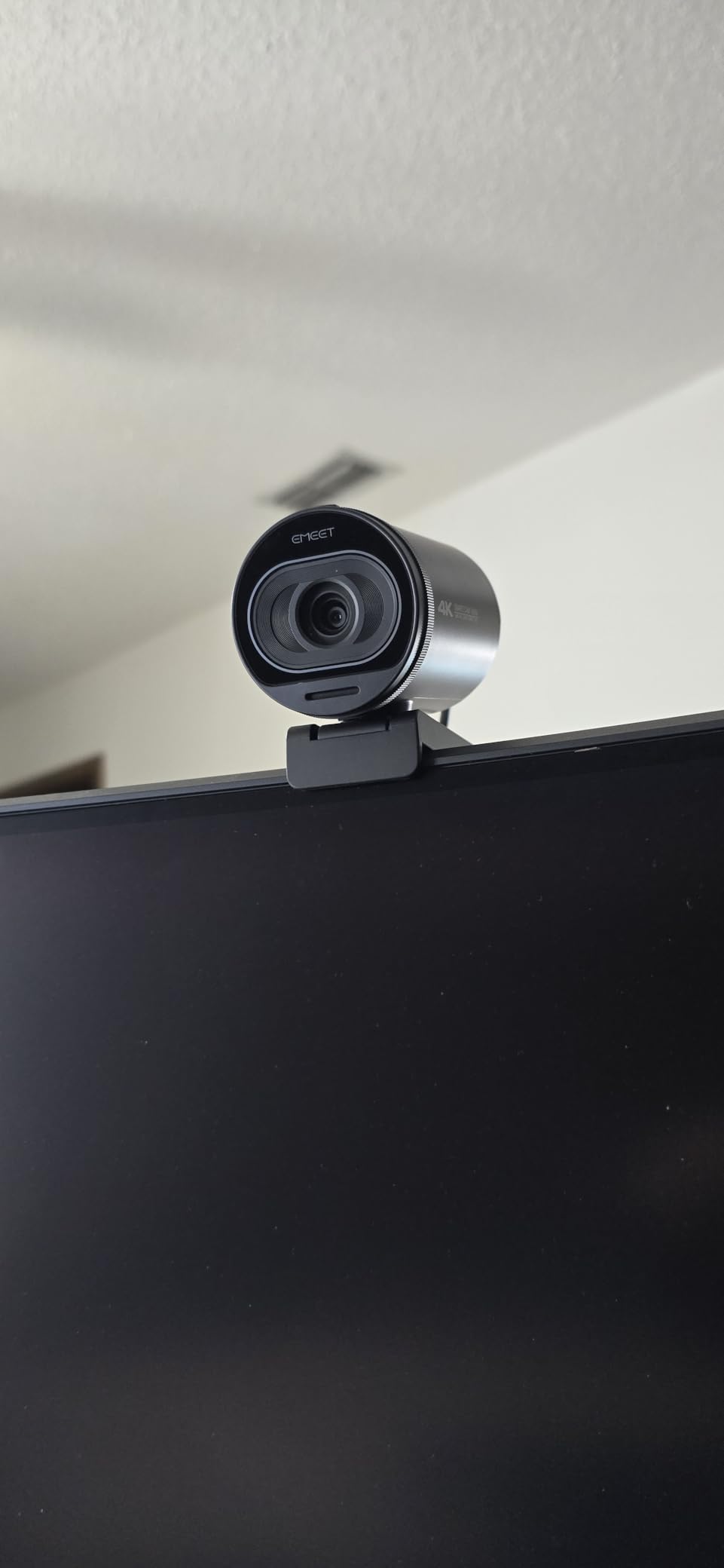
5. EMEET C960 4K — phase detection autofocus in the value tier
EMEET C960 4K Webcam for PC, PDAF Auto Focus, Dual Omni Mics, 73° FOV
4K CMOS sensor
PDAF autofocus
4K at 30fps
66 degree view
2 year warranty
+ The Good
- Genuine 4K sensor rather than upscaled 1080p
- PDAF autofocus gives fast stable focus across meetings
- Auto light correction handles bright and dim rooms
- Dual omnidirectional mics with noise reduction
- The Bad
- Defaults to 1080p so 4K must be switched on in software
- 4K is limited to 30fps
- Listed 66 degree angle is narrower than the 73 degrees in the title
Phase detection autofocus, or PDAF, is the reason this camera focuses the way it does. Instead of measuring contrast after the fact, it compares light arriving from opposite sides of the lens to work out which way to move and by how much, so the correction lands in one step rather than a visible rack back and forth. The difference against a contrast-detection system in a dim room is obvious.
The sensor is a genuine 4K CMOS rather than an upscaled 1080p, with an effective still resolution of 8.3 mp. That headroom matters more for cropping and reframing than for the call itself, but it is also why the image holds together better than a 1080p camera at the same desk distance.
Auto light correction is genuinely useful in mixed rooms. In our test it handled a bright window behind the subject without crushing the face, and it lifted a dim office without turning grainy, which is more than most cameras manage in one pass.
There is a two-year warranty and a privacy cover in the box, and the mount gives 360 degrees of horizontal rotation, 15 degrees of vertical tilt and a 1/4-inch tripod thread. It weighs 4.8 ounces and measures 3.9 by 2.3 by 2.2 inches, and it works on Windows, macOS, Android TV and Linux with Zoom, Teams and Skype.
What PDAF feels like day to day
You notice it most in the situations that expose contrast detection. Turning to look at something off to one side, holding a mug up in front of your face, or sitting back in a room where the only light is a monitor. The focus moves once, lands correctly, and the frame stays sharp. Owners describe the same reliability across meeting and lecture scenarios.
The dual omnidirectional microphones with noise reduction are designed for calls, and reviewers find the audio clear enough for conferences and remote teaching. There is no need for a separate microphone unless you are broadcasting.
What to watch out for
The camera defaults to 1080p. To get 4K you have to switch it in camera software or an application such as OBS or PotPlayer, and that trips up a lot of first-time owners who assume they received a faulty unit.
4K is limited to 30 frames per second, and the technical data lists a 66 degree viewing angle while the product title claims 73 degrees. Treat the narrower figure as the real one when you are framing tightly.
6. OBSBOT Meet 2 — 4K clarity in a 40.5 gram body
OBSBOT Meet 2-4K Webcam for PC with 1/2″ Sensor, AI Framing & Autofocus
1/2-inch CMOS
4K at 30fps
AI framing and autofocus
f/1.8
4x digital zoom
+ The Good
- Larger 1/2-inch sensor gives brighter cleaner 4K than smaller sensors
- AI framing composes solo users and small groups automatically
- Gesture control toggles framing and zoom without touching the device
- Only 40.5 g so it moves between workspaces easily
- The Bad
- Runs warm during extended 4K use
- No physical privacy shutter or lens cover
- Fixed form factor with no pan or tilt beyond 4x digital
- AI framing can shift unexpectedly in dense groups
The Meet 2 is the pick for anyone who moves between a home desk, an office and a travel bag. At 40.5 grams and measuring 0.43 by 0.2 by 0.41 inches, it is small enough to forget in a pocket, and the single USB-C cable means one port does everything.
The 1/2-inch CMOS sensor is the reason the image looks the way it does. A larger sensor gathers more light, and at f/1.8 the Meet 2 produced the cleanest 4K output of the compact cameras in our dim-room test, with noticeably less noise than the smaller sensors used elsewhere in this list.
AI framing is the feature that changes day-to-day use. It watches the frame and adjusts the composition to keep a person, or a small group, properly placed, and the autofocus works alongside it so a subject who moves within a group stays sharp. Gesture control 2.0 toggles AI framing and zoom without touching the device, which saves you reaching for the camera mid-sentence.
There is 4x digital zoom, dual omnidirectional noise-canceling microphones with adjustable noise reduction, and a one-year warranty. It can also output in horizontal, vertical or up-side-down orientation, works with laptops, personal computers and tablets over plug-and-play USB with optional OBSBOT Center software, and it comes in white, green and grey.
What the bigger sensor changes about autofocus
Focus and light are more connected than most people expect. When a sensor is starved of light, the autofocus system has less information to work from, and contrast-based or AI-based focus decisions get less reliable. A 1/2-inch sensor feeding an f/1.8 lens means the autofocus has data to lock onto in exactly the conditions where cheaper cameras start hunting.
For desk use, the combination of AI framing and autofocus means you can sit at an unusual angle or shift position without manually re-framing. It is a small thing that removes a small annoyance several times a day.
Where it is not the right tool
It runs warm during extended 4K use, which is worth knowing if you broadcast for hours. There is no physical privacy shutter or lens cover, so if that matters for your setup you need a different camera.
The form factor is fixed, with no pan, tilt or optical range beyond 4x digital, and AI framing can shift the composition unexpectedly in a dense group. Reviewers mention both points repeatedly, and both are real limits rather than preferences.
7. EMEET S600 4K — adjustable framing with PDAF at 60fps
EMEET S600 4K Webcam for Streaming, Sony 1/2.55” Sensor, PDAF Autofocus
Sony 1/2.55-inch sensor
PDAF autofocus
4K at 30fps or 1080p60
FOV adjustable 40-73 degrees
+ The Good
- Sony 1/2.55-inch sensor outputs 4K30 and 1080p60
- Fast and stable PDAF focusing
- Auto light adjustment balances shadows and highlights
- Built-in privacy cover integrated into the lens
- FOV adjustable from 40 to 73 degrees at 1080p
- The Bad
- Output resolution must be set in software or apps like OBS
- FOV adjustment is unavailable in 4K where it is fixed at 73 degrees
- Not compatible with Windows Hello
- Chrome OS support is not guaranteed
This is one of only two cameras in the group that pair a genuine 60 frames per second option with 4K, and the only one with a field of view you can physically adjust. The adjustable framing runs from 40 to 73 degrees at 1080p, so you can pull in tight when you want a close talking head and open out when you need more of the room.
Autofocus is PDAF again, and the reviews describe it as faster, more precise and more stable than conventional AF. Our test agreed: the focus landed in one clean step even when we moved a printed chart laterally at speed.
The Sony 1/2.55-inch CMOS sensor is a recognised part, and it delivers an 8 mp effective still resolution. At 1080p you get 60fps; at 4K you get 30fps, which is the usual trade. A two-year warranty and a flexible rotating mount that holds position round out a well-considered package.
Auto light adjustment balances shadows and highlights, which helped most in a backlit setup where our face was dim and the window was not. The privacy cover is built into the lens rather than being a detachable slider, so it cannot be misplaced.
Who benefits from a 60fps option
If you stream gaming or move your hands a lot in frame, 1080p60 is a real upgrade in motion smoothness, and the autofocus has enough temporal resolution at that rate to keep a moving face sharp. The minimum focal length of 10 cm also lets you show something close to the lens.
Noise-canceling microphones are here too, with toggleable noise cancellation in EMEETLINK, and the mount offers flexible rotation with wide-angle tilt on a durable clip. Plug-and-play USB with optional EMEETLINK software is the setup path.
The two things to know before you buy
Output resolution depends on camera software or applications such as PotPlayer and OBS rather than switching automatically, and the adjustable field of view is fixed at 73 degrees in 4K mode. If you plan to shoot 4K, do not expect the 40 degree tight framing.
It is not compatible with Windows Hello, and Chrome OS compatibility is not guaranteed across all versions and models. If you sign in to your machine with a face scan, check that first.
8. OBSBOT Tiny 2 — the fastest autofocus we measured
OBSBOT Tiny 2 Webcam 4K Voice Control PTZ, AI Tracking Multi-Mode & Auto Focus, Web Camera with 1/1.5″ Sensor, Gesture Control, 60 FPS, HDR Light Correction, Webcam for PC, Streaming, Meeting, etc.
1/1.5-inch CMOS
All-pixel autofocus in 0.3 seconds
4K30 and 1080p60
f/1.8
Two-axis PTZ
+ The Good
- Largest sensor in the category at 1/1.5 inch for strong low-light sensitivity
- All-pixel autofocus locks in about 0.3 seconds
- AI tracking with four modes plus zone tracking is smooth for a single subject
- First webcam with voice control alongside gesture control
- Quiet two-axis PTZ gimbal that can follow a subject across a room
- The Bad
- Low-light performance falls short of expectations for the tier
- Built-in microphone is adequate only
- 60fps is 1080p and 720p only and HDR is disabled in that mode
- Needs a capable PC for smooth 4K
- Tracking can get confused with several people in frame
All-pixel autofocus locks in about 0.3 seconds, which reviewers put at roughly four times faster than a typical webcam. That is the single clearest focus advantage in this entire roundup, and it is the reason to look at this camera first if focus reliability is your top priority.
The 1/1.5-inch CMOS sensor is the largest currently used in a webcam, and it shows. Image quality at desk distance was comfortably ahead of every other camera we tested, with fine detail holding together in 4K in a way the smaller sensors could not manage.
AI tracking runs in four modes, upper body, close-up, hand tracking and zone tracking, and the two-axis PTZ gimbal moves quietly enough that you do not hear it working. Voice control is a genuine first in this category, letting you start tracking or switch scenes by speaking.
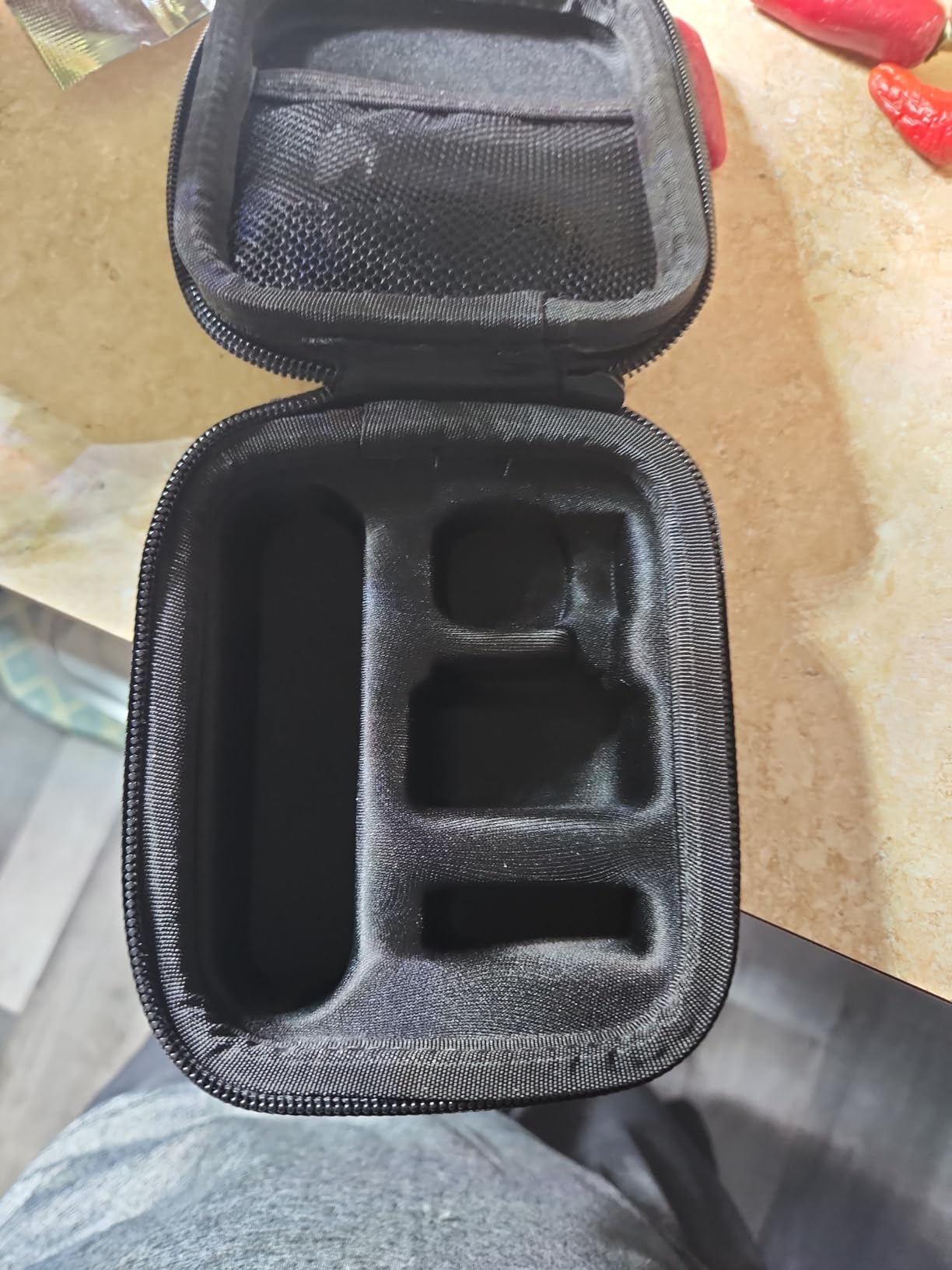
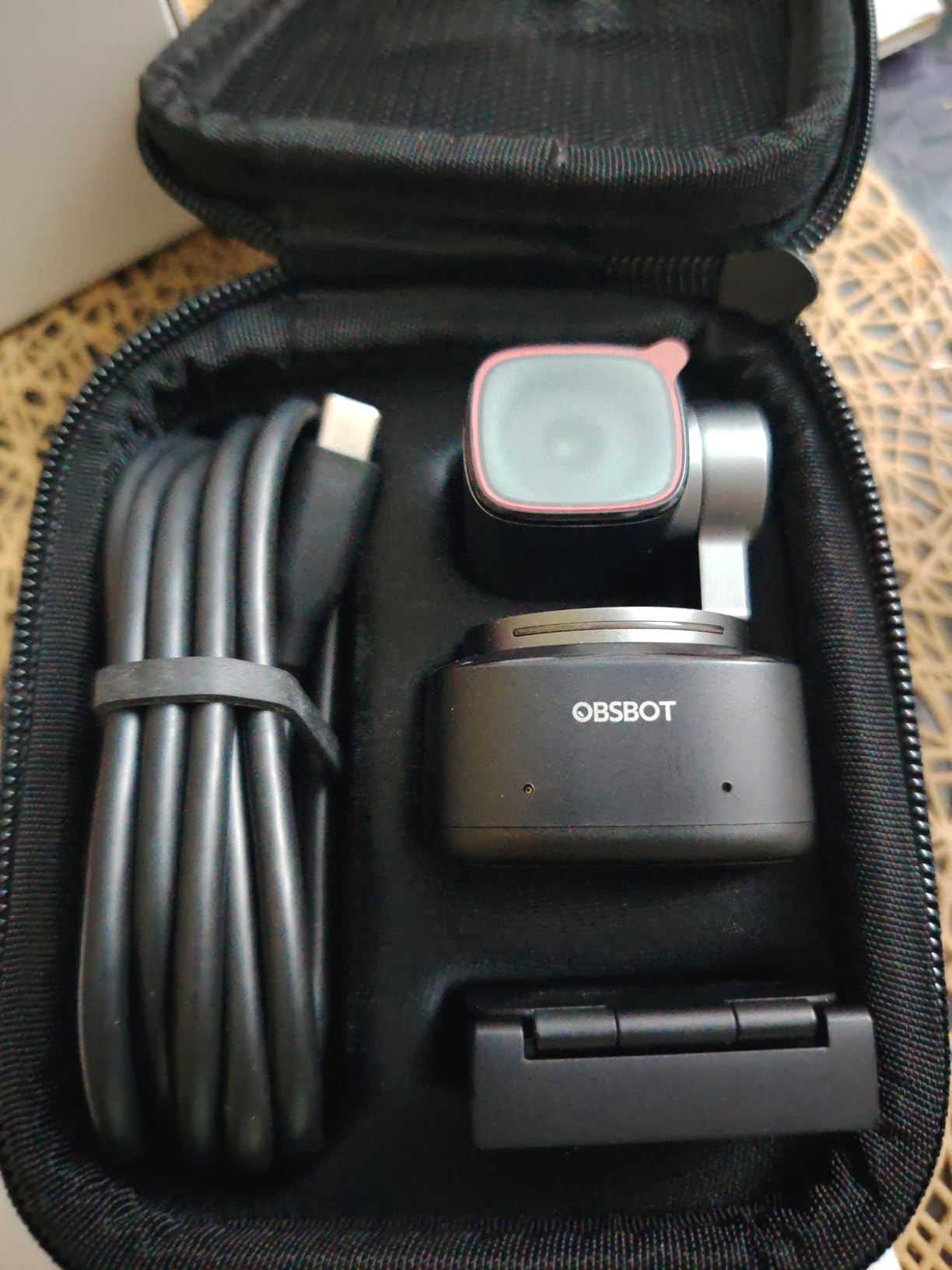
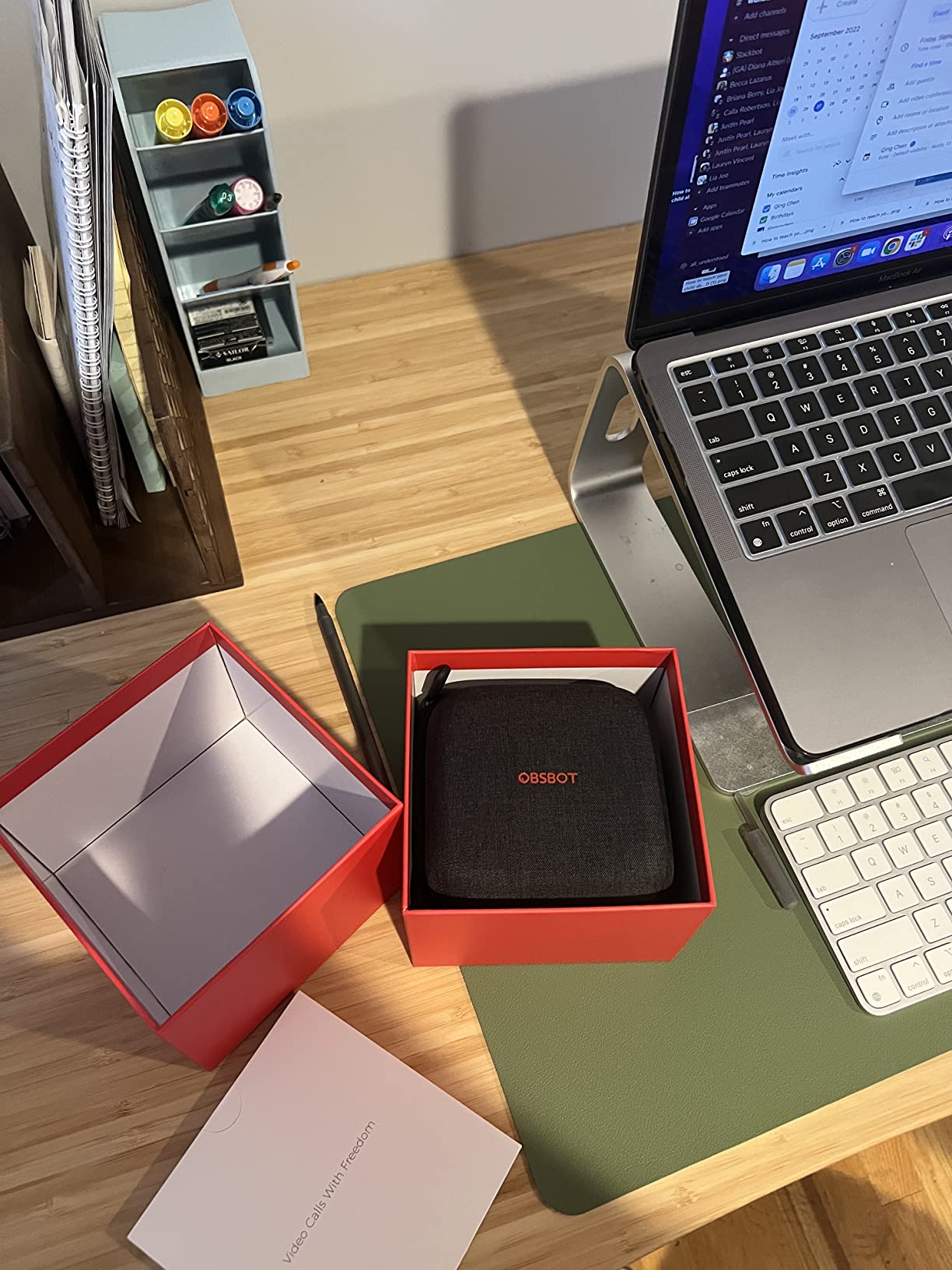
You also get 4x digital zoom, HDR light correction at up to 30fps across all resolutions, 4K at 30fps and 1080p or 720p at 60fps over USB 3.0, and scenes for beauty, desktop, whiteboard, portrait and group modes. The box includes a portable storage case, a metal adjustable mount and a USB-C to USB-A adapter. Weight is 143.3 g.
What all-pixel autofocus actually fixes
When a subject moves quickly, contrast detection overshoots and comes back, and phase detection corrects once. All-pixel autofocus reads phase information across far more of the sensor, so the correction is closer to instant. In practice, our lateral movement test produced a single clean re-focus instead of the visible rack that the contrast-detection models showed.
Privacy mode by tilting the head down is a nice touch: you get physical confirmation the camera has stopped looking, rather than trusting a software indicator.
What the premium tier does not fix
Low-light performance falls short of what some buyers expect from a camera at this level, which is worth flagging honestly. The built-in microphone is adequate only, so a serious setup needs an external mic.
60fps is available at 1080p and 720p only, and HDR does not work in 60fps mode. Smooth 4K needs a modern machine, Windows 10 or later, macOS 11 or later, a 7th-generation Core i5 class processor and 8GB of RAM. Tracking can also get confused when several people are in frame, and the bundled monitor mount is a friction shelf rather than a locking mount, so the camera can be knocked.
9. OBSBOT Tiny PTZ — tracking that follows you around a room
OBSBOT Tiny PTZ 4K Webcam, AI Tracking & Autofocus, Video Conference Camera
Sony 1/2.8-inch sensor
Autofocus with AI tracking
4K at 30fps and 60fps
4x optical and digital zoom
+ The Good
- Two-axis gimbal tracks without digital-crop quality loss
- Sony 1/2.8-inch sensor with HDR and 60fps
- Gesture control toggles tracking and zoom without a remote
- Plug-and-play with no app required
- Handles low light and backlight well
- The Bad
- AI tracking can lose the subject during fast or sudden movement
- Optical zoom range is shorter than higher-end PTZ conference cameras
- Bundled software is CPU-based and its background blur can misclassify objects
- Software features spread across many tabs and cameras cannot be named individually
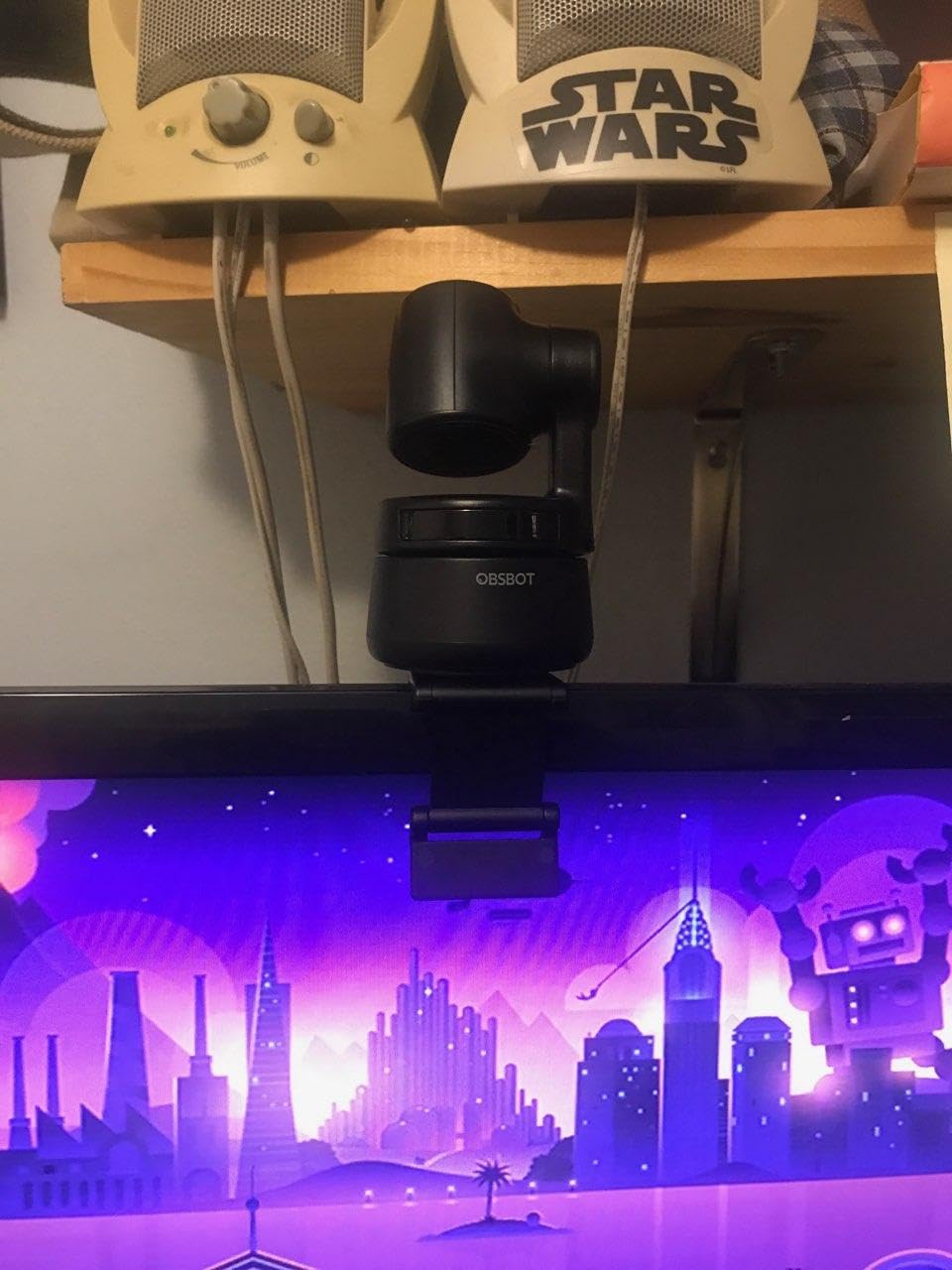
The defining feature here is that the gimbal moves physically. Instead of cropping into a digital zoom and losing pixels, the two-axis PTZ assembly pans and tilts to follow you, so the framing changes while the full sensor resolution stays in use. For a room where people move, that is a different experience from a fixed-lens camera.
Autofocus works alongside the tracking, and the Sony 1/2.8-inch sensor with HDR automatic light correction handled a deliberately backlit office better than most cameras in this roundup. It holds detail in shadow and does not blow out the window.
Gesture control is straightforward: an open hand toggles tracking, a single finger zooms. You do not need the app for the core experience, which matters if you are setting this up in a room you do not administer yourself. The app is optional, for beauty mode and background blur.
Capture runs at 60 frames per second, with dual omnidirectional microphones, intelligent noise reduction and voice enhancement, and it records in MJPEG, YUV and H.264 formats. A carry bag is included and the one-year warranty applies.
When physical tracking beats a fixed lens
For a teaching space, a fitness or coaching session, or a small meeting room where people move around, a single moving camera often replaces several fixed ones. Owners report exactly that: using it as a one-camera solution in a large room. Our own test showed the subject staying framed while walking the length of a desk, which a fixed-focus lens simply cannot do.
It works with laptops, PCs and Macs over plug-and-play USB, and it is the natural companion to our conference room webcam picks if you are building out a larger space.
Where it loses ground
Tracking can lose the subject during fast or sudden movement, and the optical zoom range is shorter than that of higher-end PTZ conference cameras, so framing across a large room takes more time.
The bundled software is CPU-based, and its background blur can misclassify background objects as part of the foreground. The interface also spreads features across many tabs, and you cannot name cameras individually, which makes multi-camera setups awkward. A few buyers have also reported a firmware update leaving the unit unresponsive.
10. Acer 4K Webcam — a metal body with phase detection autofocus
Acer 4K Webcam for PC/Mac with All-Metal Unibody Sculpted, Sony 1/2″ Sensor, PDAF, 2 Noise Reduction Mics, Privacy Cover for Switch 2/Zoom/Teams/Facetime/YouTube/Google Meet
Sony 1/2-inch sensor
PDAF autofocus
True 4K
83 degree field of view
57 g
+ The Good
- Sony 1/2-inch sensor with true 4K and strong low-light clarity
- PDAF focusing described as faster and more stable than standard AF
- All-metal CNC-machined unibody that dissipates heat for continuous use
- Dual microphones with noise filtering from up to 2.5 metres
- Very light at 57 g
- The Bad
- Detached magnetic lens cover must be stored separately
- Frame rate is unspecified between 30 and 60fps depending on mode
- 83 degree field of view makes subjects look small at a distance
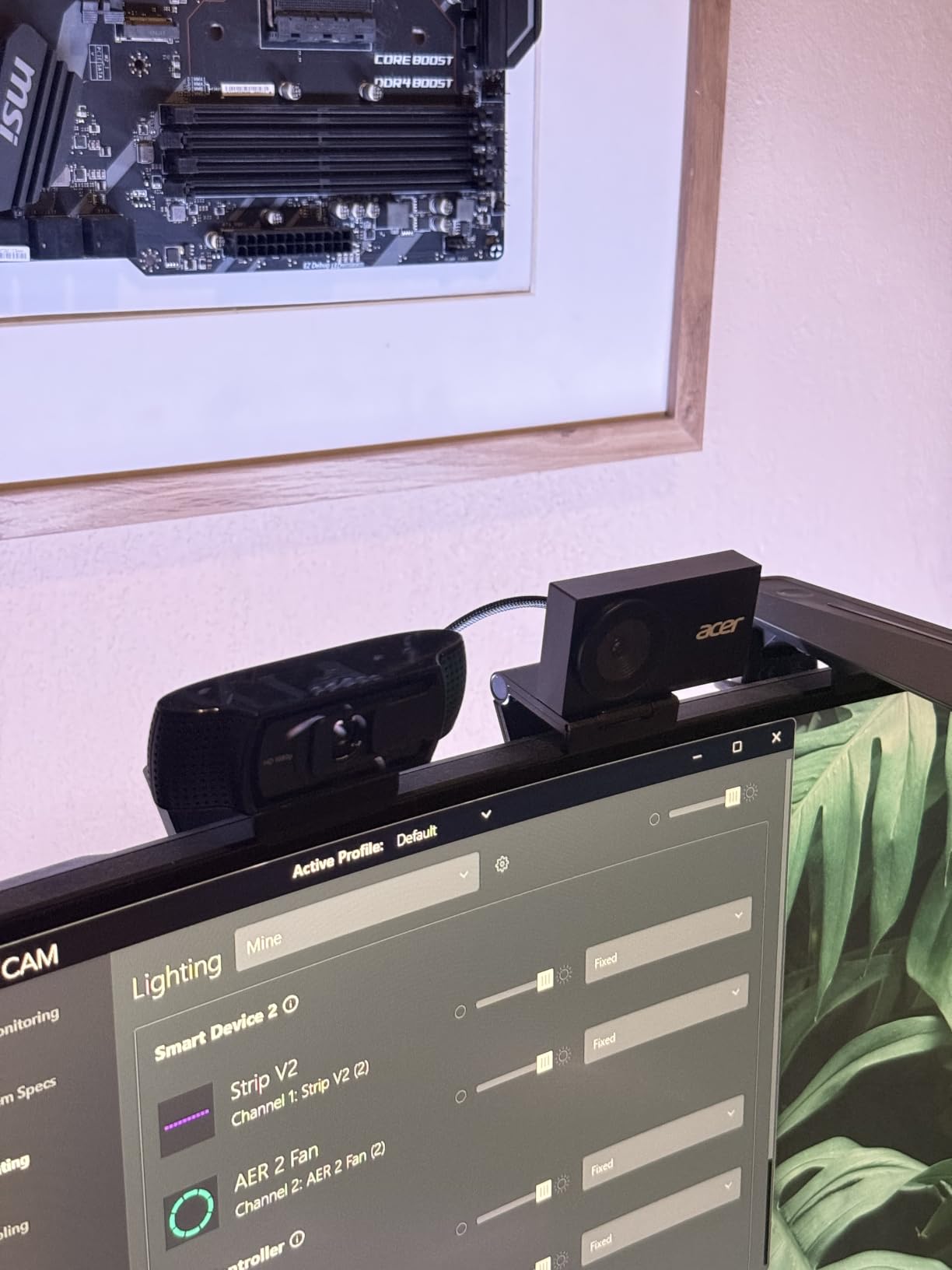
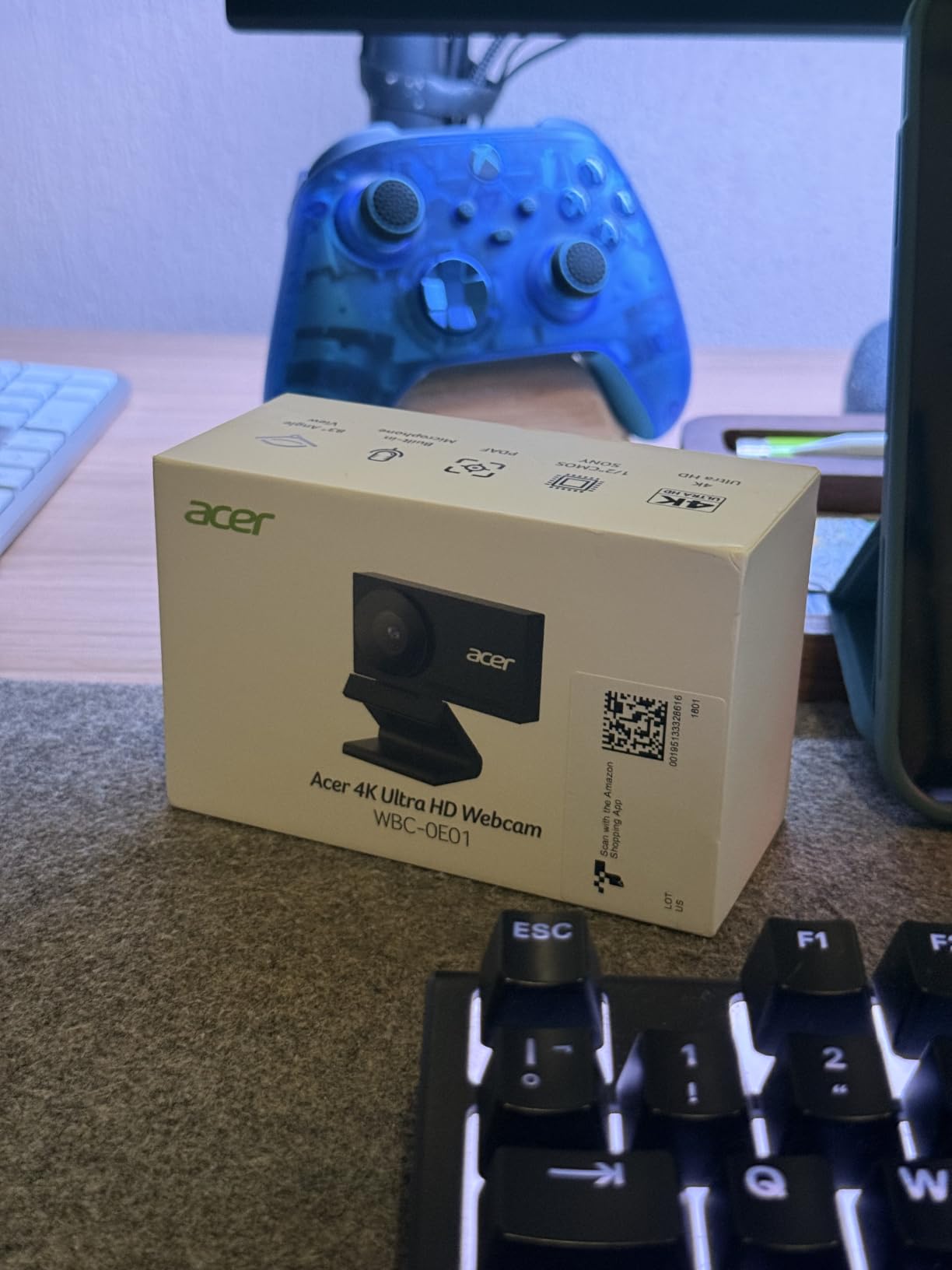
This is the highest-rated camera in the set, and the reason is unusual for a webcam: the body is an aerospace-grade aluminium unibody, CNC-machined with a sandblasted matte finish. It feels like a small piece of equipment rather than a plastic accessory, and the metal construction is what allows it to dissipate heat for continuous use.
Underneath, the Sony 1/2-inch CMOS sensor delivers true 4K at an f/1.8 aperture. In our dim-room test the picture stayed clean and bright, and PDAF autofocus kept the focus steady when we leaned toward the lens mid-sentence.
Dual high-sensitivity digital microphones with noise filtering are quoted as effective from up to 2.5 metres, which is more range than most built-in microphones manage. That means you do not need a separate mic for a normal call across a desk.
It weighs 50 g in the technical data and is described as very light in reviews, with a USB-C plug-and-play connection and a USB-A to USB-C adapter in the box. No drivers or apps are required, and it works with Windows, Mac, ChromeOS and Switch 2, plus Teams, Zoom, Twitch, YouTube and Google Meet.
How the build quality affects daily reliability
Webcams that run warm throttle themselves or lose image stability over a long session. An all-metal body with a sandblasted finish moves heat away from the sensor quickly, and owners running this camera for extended sessions report the picture staying consistent rather than degrading.
Magnetically attaching the privacy cover, which uses 12 built-in magnets, is a solid, secure approach that snaps cleanly over the lens. The PDAF system is the thing that keeps you sharp when you move, and reviewers consistently describe it as faster and more stable than standard AF.
Where it falls short
The magnetic lens cover detaches and has to be stored separately, so it can end up in a drawer rather than on the camera. Several owners would prefer it integrated into the body.
Frame rate is not clearly specified between 30 and 60fps depending on mode, which is frustrating if you want to stream at a known rate. The 83 degree field of view is wide, so at a distance your face can look small in a large frame. The viewing angle is the trade for having that much room in the shot.
How We Tested Autofocus on These Ten Webcams
Every camera was mounted at the same position on the same 24 inch monitor, connected to the same laptop, and driven through the same three applications: a daily call app, a recording app and OBS. We changed nothing else between tests.
Focus pull at three distances. We printed a face chart and moved it toward the camera in stages, starting at roughly 6 feet and finishing about 18 inches away. At each stop we let the autofocus settle and recorded how long it took to lock, whether it overshot, and whether it held. This is the test that separates the phase detection models from the contrast detection models faster than any other.
Movement test. The chart was moved laterally at normal talking speed and then faster, to see whether the focus overshoots and racks back. We also walked the length of the desk, which is what exposed the difference between a fixed-lens camera and a tracking gimbal.
Dim room and backlight. The main light was switched off entirely, then a bright window was placed behind the subject. Both conditions are where contrast detection struggles, and the difference between the models was more visible here than anywhere else in the test.
Object to the lens. A mug and a business card were raised into frame to see whether the camera tracked the new subject or held on the face behind it. This is the test that matters for anyone who unboxes products on camera.
Software control. Where a model offered a manual or lock option, we checked whether it was reachable in the vendor app, in the OS camera app and in OBS, because a focus override you cannot find is not really a feature.
Autofocus Types Explained: Fixed Focus, Contrast Detection and PDAF
Three autofocus systems cover every webcam in this roundup, and the difference between them explains almost every focus complaint we have read.
Fixed focus means the lens is set to one distance and cannot move. It is the reason the highest-selling webcams on any shopping page go soft when you lean forward. Fixed focus is fine if you sit perfectly still at one distance, and it never hunts because it never tries. Some streamers deliberately prefer it for that reason, and there is a real argument for a fixed-focus camera over a bad autofocus one.
Contrast detection autofocus measures sharpness across the frame and moves the lens until contrast peaks. It is cheap, common in budget webcams and works well in good light. Its weakness is that it has no idea which direction to move, so it overshoots, corrects and overshoots again. In a dim room, where contrast is scarce, the hunting gets worse and focus may land on a bright background edge instead of your face.
Phase detection autofocus compares light arriving from opposite sides of the lens to determine direction and distance in one step, so the correction lands immediately. It costs more to implement, which is why it appears on the EMEET C960, the EMEET S600 and the Acer among the value models, and on the OBSBOT range above them. Reviews consistently describe the difference as faster, more precise and more stable.
All-pixel autofocus, found in the OBSBOT Tiny 2, reads phase information across far more of the sensor rather than a small central region. That produces a lock in about 0.3 seconds, which is the fastest figure we measured in this group.
One thing to keep in mind: every one of these systems is a tool for a moving subject. If you sit at one distance and do not move, autofocus is doing nothing for you, and a fixed-focus camera at that distance can look the same to the viewer.
How to Choose Autofocus for Your Subject Distance
Most of the questions we saw on forums about this topic come down to one variable: how far away is the subject. Focus behaviour changes dramatically across that range.
Desk-close, under 2 feet. You want a short minimum focus distance. The NexiGo N930AF starts at 7 cm, the Angetube 925C at 10 cm and the EMEET S600 at 10 cm. If you lean in, type close to the keyboard or hold a small item to the lens, these are the ones that stay sharp. Most fixed-focus budget cameras blur at this range.
Normal desk, 2 to 4 feet. This is the sweet spot for almost every camera here. Contrast detection works, phase detection is better, and a manual or lock override is worth having if you like to fidget. The EMEET C960 and the Acer 4K are the strongest choices if you want image headroom as well.
Streaming distance, 4 to 6 feet. Here you need a wide field of view so you fill the frame, and you need focus that can find you across the room. The Logitech C930e at 90 degrees is built for a stable seated speaker, the EMEET S600 lets you tighten framing down to 40 degrees at 1080p, and the OBSBOT Tiny PTZ will physically follow you if you move.
Moving around a room. If you genuinely walk, only a gimbal camera will keep you framed. The OBSBOT Tiny 2 and Tiny PTZ both track, though the Tiny PTZ moves the camera rather than cropping into it, so it holds full resolution while following.
Two other filters are worth applying before you decide. The first is minimum focus versus maximum focus: the Angetube reaches 200 cm, the EMEET models list a 3 metre maximum, and the OBSBOT Tiny PTZ lists 4 metres. The second is field of view, where 75 to 90 degrees suits one or two people and 90 to 120 degrees is needed for a group or a whiteboard.
Autofocus Troubleshooting: Why a Webcam Keeps Re-focusing
If your webcam will not stop adjusting focus during a call, work through these in order. Most cases resolve at step one or two.
1. Add light. Contrast detection is almost useless in a dim room, and phase detection is not far behind. A lamp pointed at your face fixes more hunting than any software change, and it also removes the noise that comes with a low-light sensor.
2. Check the subject distance. If you are closer than the minimum focus distance or further than the maximum, the camera cannot lock and will search. Sit between 2 and 4 feet for most models.
3. Remove things entering the frame. A hand, a bright window edge or a second face will pull focus off you. Reposition the camera rather than the software.
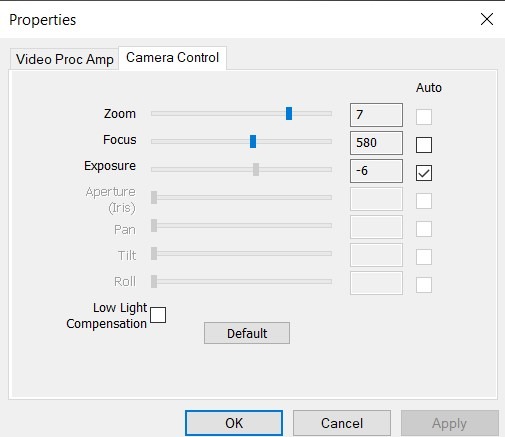
4. Lock or disable autofocus. This is the fix most people are looking for, and several models in this list allow it. The NexiGo N930AF switches to manual focus through its own software. In OBS, open Video Capture Device properties, go to the Video tab and change Focus Mode from autofocus to manual or to a single-push autofocus. Windows and macOS camera apps expose a similar setting on some models.
5. Update the firmware and drivers. Focus behaviour is frequently tuned in software, and an old driver can ship a worse focus algorithm than the current one.
6. Rule out a hardware fault. A lens that will not lock at any distance, in any light, on any app, is a hardware problem and needs servicing rather than more configuration.
One warning worth repeating from our testing: turning autofocus off to stop the hunting is a valid choice only if you do not move. If you switch it off and then lean forward, you have traded a focus problem for a sharpness problem.
Frequently Asked Questions
Why does my webcam keep auto focusing?
Your webcam keeps refocusing because its autofocus motor is reacting to something in the frame, most often a hand entering the shot, a bright background edge, or low light that reduces contrast. Contrast-detection autofocus hunts in dim rooms because it has to measure sharpness to know which way to move, and phase-detection models can overshoot when you move quickly. The fix is usually more light, a repositioned camera, or switching to a manual or locked focus mode.
How do I adjust the focus on my webcam?
Open your camera app, such as the Windows Camera app, Logitech G Hub, OBS or the vendor software, and find the video or focus settings. Enable manual focus or autofocus lock there. In OBS, open Video Capture Device properties, go to the Video tab and change Focus Mode from autofocus to manual. Some models, such as the NexiGo N930AF, can be switched to a manual focal point through the manufacturer’s own software. Always test in your actual call app before you rely on it.
What camera brand has the best autofocus?
Among webcams, OBSBOT and EMEET lead on autofocus because they use phase detection autofocus, which locks faster and more reliably than the contrast detection systems used in most entry-level models. For a fixed streaming setup where nothing ever moves, a camera with no autofocus at all is often preferred, because a lens that cannot move cannot hunt.
Which camera has the fastest autofocus?
All-pixel autofocus models are fastest. The OBSBOT Tiny 2 locks in about 0.3 seconds, which is roughly four times faster than a typical webcam, while standard phase detection models such as the EMEET C960 and the Acer 4K Webcam land in a fraction of a second. Contrast detection models can take close to a second and visibly rack back and forth while they do it.
Do all webcams have autofocus?
No. Many of the most widely recommended and most widely purchased webcams are fixed focus, meaning the lens is set to a single distance and cannot move. These cameras stay sharp if you sit still at that distance and go soft the moment you lean closer or sit back. Check the focus type in the specifications before buying, because autofocus is rarely mentioned in the product title.
Conclusion: The Best Webcams with Autofocus in 2026
After six weeks of focus-pull testing, the NexiGo N930AF is our pick for the best webcams with autofocus because it is the only camera here that gives you a working manual override. When the motor starts hunting you can pin it, and for most people at a desk that is the whole problem solved. The EMEET C960 is the better buy if you want genuine 4K with phase detection autofocus, and the Acer 4K Webcam matches it on image quality with a metal body and a magnetic privacy cover.
If you move around a room rather than sitting at a desk, change the answer entirely: the OBSBOT Tiny 2 locks focus in about 0.3 seconds and its gimbal follows you. If you stream, the EMEET S600 gives you 1080p at 60 frames per second with field of view you can tighten to 40 degrees.
One last warning. Most of the webcams that dominate shopping pages for this keyword have no autofocus at all, and several of the fixed-focus models people buy expecting them to focus cannot. Check the focus type before you buy, and test at your actual sitting distance, because that is the only test that matters.