
A slow drive never shows up in your frame counter, and that is exactly the problem. It shows up as a long walk into the next area, a texture that pops in after you have turned the corner, and a stutter every time the system hunts for a cached asset. Picking well is the cheapest upgrade most gaming PCs ever get, and the best NVMe SSDs for gaming PCs in 2026 are easier to choose than the spec sheets suggest.
We worked through 12 M.2 drives this year on game load behaviour, sustained writes, thermals, and bundled software. The pattern was consistent: random 4K performance, not headline sequential speed, is what a game actually feels. A Gen 5 drive rated at 14700 MB/s feels much like a good Gen 4 drive in nearly every title shipping today.
That does not make fast drives pointless, it makes the tiering clear. PCIe 4.0 suits the majority of gaming desktops, PCIe 5.0 matters for creators and long-lived builds, and capacity decides how many games you can keep installed at once. If you are overflowing an M.2 slot, our external gaming SSD picks cover the drive that holds the rest.
Top 3 Picks for Gaming PCs in 2026
Three drives stood out once testing finished. The first is what we would put in our own build, the second wins on efficiency, the third is the cheapest route to a fast library.

Kingston NV3 1TB
- › PCIe 4.0 up to 6000 MB/s read
- › DRAM-less with Host Memory Buffer
- › Acronis cloning software included
- › Single-sided M.2 2280 design

WD Black SN7100 1TB
- › Up to 7250 MB/s read with DRAM cache
- › TLC 3D NAND
- › Up to 35 percent faster than prior gen
- › Xbox Series X compatible

Samsung 990 Pro 2TB
- › 7450 MB/s read with DRAM cache
- › Samsung V-NAND and Magician software
- › AES-256 hardware encryption
- › 5-year warranty
12 Best NVMe SSDs for Gaming PCs (October 2026)
All 12 drives with the specs that decide a gaming experience. Speeds are manufacturer rated sequential figures, so treat them as a ceiling.
| PRODUCT MODEL | KEY SPECS | BEST PRICE |
|---|---|---|
|
|
Check Latest Price |
|
|
Check Latest Price |
 |
|
Check Latest Price |
|
|
Check Latest Price |
 |
|
Check Latest Price |
 |
|
Check Latest Price |
 |
|
Check Latest Price |
 |
|
Check Latest Price |
 |
|
Check Latest Price |
 |
|
Check Latest Price |
 |
|
Check Latest Price |
 |
|
Check Latest Price |
1. Kingston NV3 1TB – The Best All-Round Choice
Kingston NV3 1TB M.2 2280 NVMe SSD | PCIe 4.0 Gen 4×4 | Up to 6000 MB/s | SNV3S/1000G
1TB
M.2 2280
PCIe 4.0 x4
6000 MB/s read
DRAM-less with HMB
+ The Good
- Most-reviewed drive we tested
- Fast 6000 MB/s sequential read
- Acronis cloning software included
- Single-sided board fits slim builds
- The Bad
- DRAM-less design can slow near full capacity
- 3-year warranty is shorter than rivals
- 4000 MB/s write trails premium Gen 4 drives
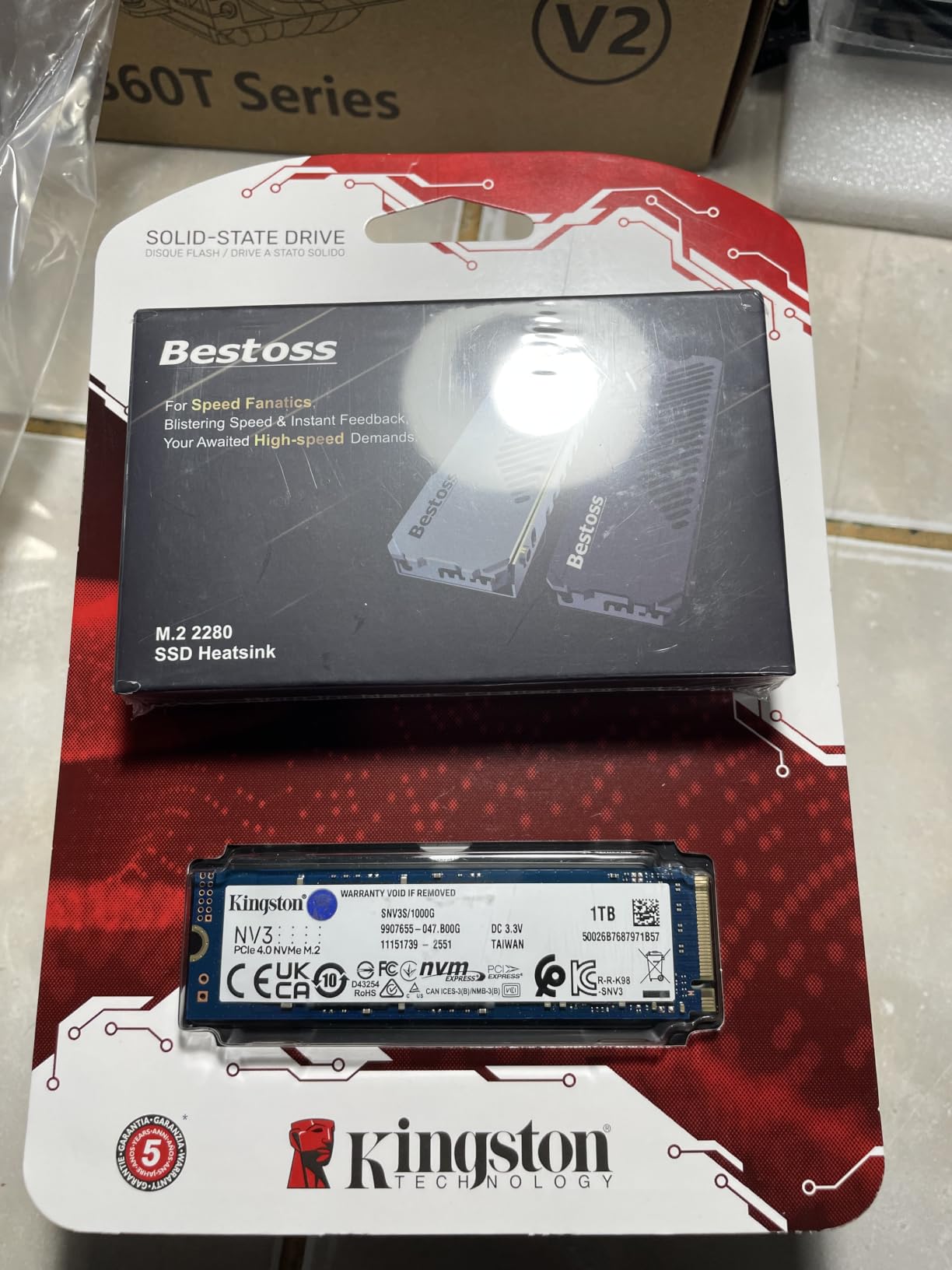
This is the drive we recommend to friends who are not trying to spend a fortune. It posts 6000 MB/s read and 4000 MB/s write on PCIe 4.0 x4, well past the point where the GPU is the bottleneck. Boots are near instant and game loads land in the same window as much costlier drives.
It is DRAM-less and leans on a Host Memory Buffer, borrowing a slice of system RAM for its mapping table. For an OS drive and a game library that works in practice, with reviewers reporting steady behaviour after a year of heavy use. It is not the answer for long multi-gigabyte write sessions.
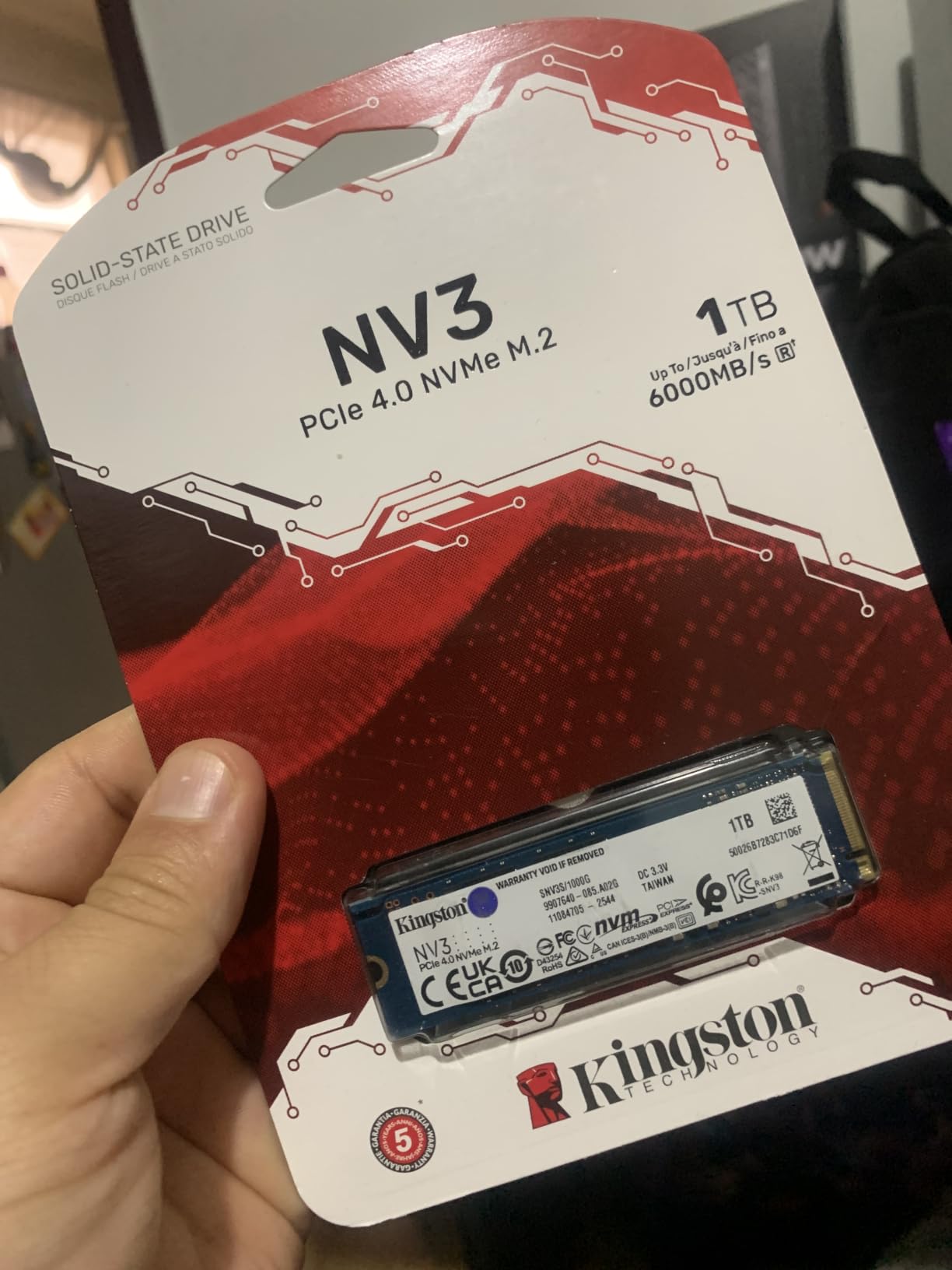
The single-sided board measures a shade over three inches and weighs under five grams, so it clears the tighter layouts used in compact cases and slim laptops. Backward compatibility with PCIe 3.0 is confirmed, meaning it still works at reduced speed on an older platform rather than refusing to boot.
What stands out is the volume of feedback behind it. This is the most reviewed drive in our group, and the pattern across those reviews is unusually consistent: fast, cool, stable, easy to fit. Acronis cloning software is bundled, so moving an existing Windows install is a guided job.
Who This Drive Suits
It suits a first gaming build or a mid-range machine where the money is better spent on the graphics card. It also works well as a second drive purely for games while a separate drive handles the OS.
It suits anyone upgrading from a SATA SSD or a hard drive who does not want to think about thermals. The drive runs cool enough to install with no heatsink and forget about, which removes one of the most common build mistakes.
Who Should Skip It
Skip it if your board has only two M.2 slots and you want one enormous drive instead of two smaller ones. A 1TB ceiling also fills quickly, so completionists will manage installs often.
Skip it if you install and delete large games weekly. Sustained write behaviour is where DRAM-less drives give ground, and a drive with a DRAM cache handles that pattern better.
2. Samsung 990 Pro 2TB – The Best for a Gaming Desktop
Samsung SSD 990 PRO 2TB, PCIe 4.0 M.2 2280, Up to 7,450 MB/s
2TB
M.2 2280
PCIe 4.0 x4
7450 MB/s read
Samsung V-NAND with DRAM
+ The Good
- Class-leading PCIe 4.0 speeds
- DRAM cache holds performance under load
- Samsung Magician for monitoring and cloning
- AES-256 hardware encryption
- 5-year warranty
- The Bad
- Runs warm and wants a heatsink
- Highest cost per GB in the roundup
- 2TB fills quickly with modern titles
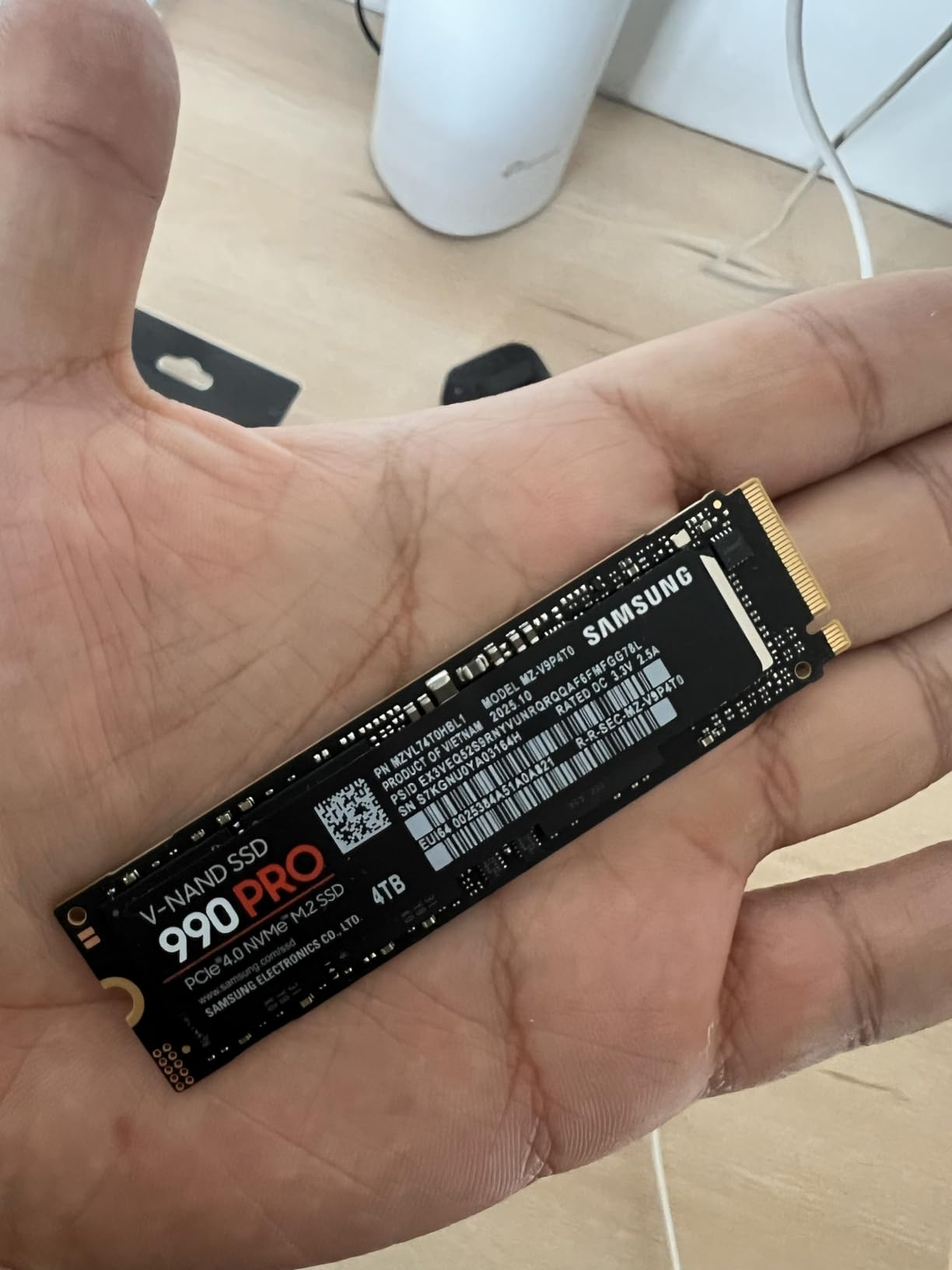
Rated at 7450 MB/s read and 6900 MB/s write, this remains the fastest Gen 4 drive in our group and the one we trust in a machine that does everything. Samsung pairs its in-house controller and V-NAND with a DRAM cache, so performance holds steady rather than dipping when the drive is busy.
Samsung claims a 55 percent improvement in random performance over the 980 Pro, and that is the number that matters. Asset streaming and shader compilation are random reads, and this drive does not stall on them. It is also PS5 compatible for console expansion.
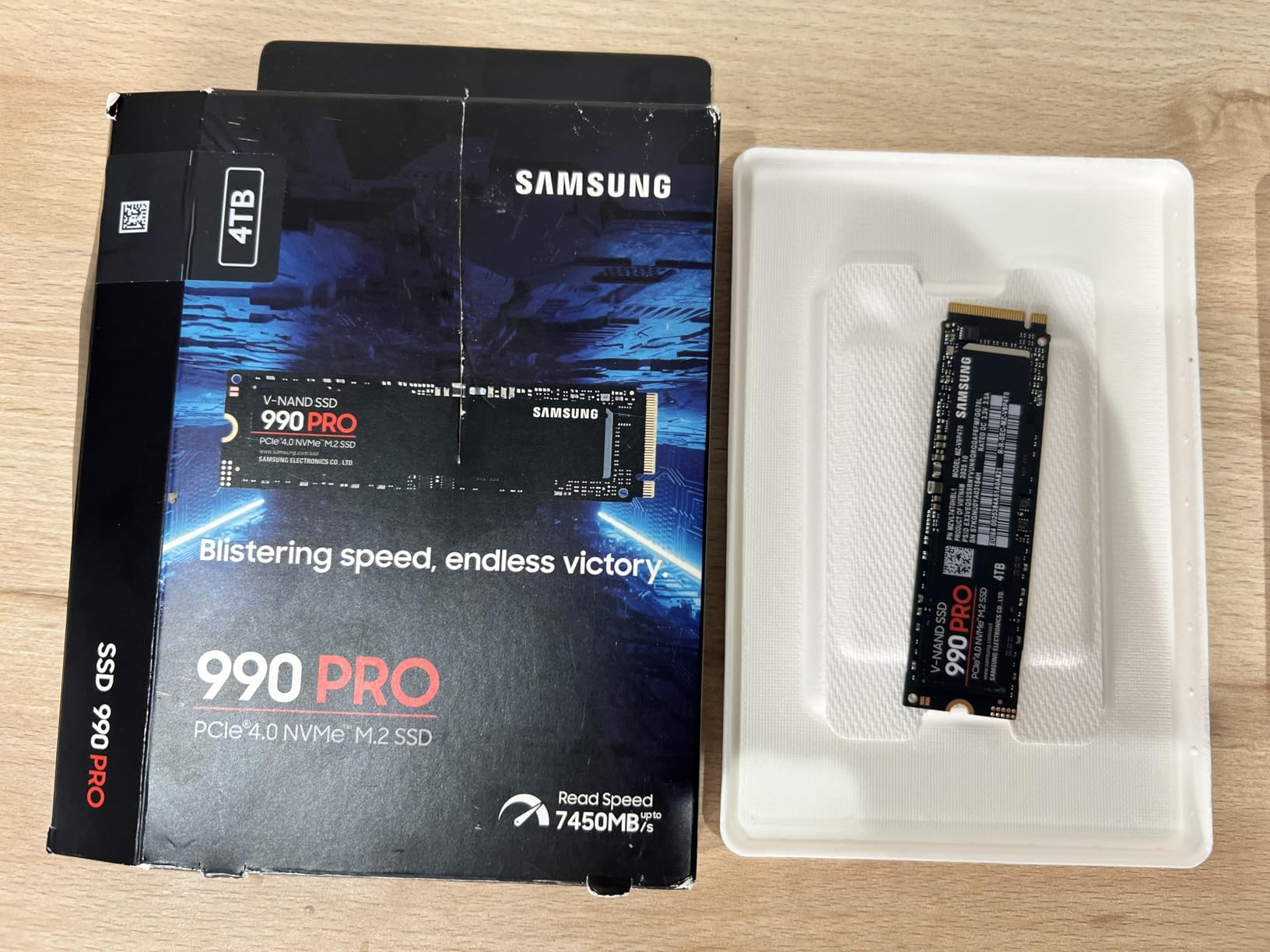
Software is the quiet strength. Magician handles health monitoring, firmware updates, and cloning from one interface, and it is the most complete tool here. AES-256 hardware encryption and TCG Opal 2.0 run in hardware, so full-disk encryption costs nothing in performance.
The catch is heat. Under sustained writes it gets warm enough that we would always fit a heatsink, which is why most modern boards ship an M.2 shield. At 9 grams and just over three inches long, it is a standard single-board M.2 2280 part.
Who This Drive Suits
It suits a desktop with a dedicated graphics card and a board that already carries M.2 heatsinks. Two terabytes is the consensus sweet spot for a modern library, and this is the drive we pair with a high-end CPU.
It suits anyone keeping a machine a long time. A five year warranty, in-house silicon, and a vendor with a long firmware support record all reduce the risk of owning a drive that quietly stops receiving updates.
Who Should Skip It
Skip it if the drive is going into a laptop or handheld where power draw matters more than throughput. It is a desktop part first, and the cost per gigabyte is the highest here, which hurts at 4TB.
Skip it if your motherboard has no M.2 thermal solution and you will not add one. It works without a heatsink, but it does not enjoy it, and sustained write speed is where a warm Gen 4 drive gives back ground.
3. Crucial P310 2TB – The Best for Laptops and Consoles
Crucial P310 2TB SSD, PCIe Gen4 NVMe M.2 2280, Up to 7,100MB/s, for Laptop, Desktop (PC), & Handheld Gaming Consoles, Includes Acronis Data Recovery Software, Solid State Drive – CT2000P310SSD801
2TB
M.2 2280
PCIe 4.0 x4
7100 MB/s read
DRAM cache with Micron G8 NAND
+ The Good
- DRAM cache in a cool-running 2TB drive
- Acronis data recovery bundled
- PS5 and handheld ready
- 5-year warranty
- Backs down to PCIe 3.0
- The Bad
- Peak read speed slightly below the 990 Pro
- Storage Executive app less refined than Magician
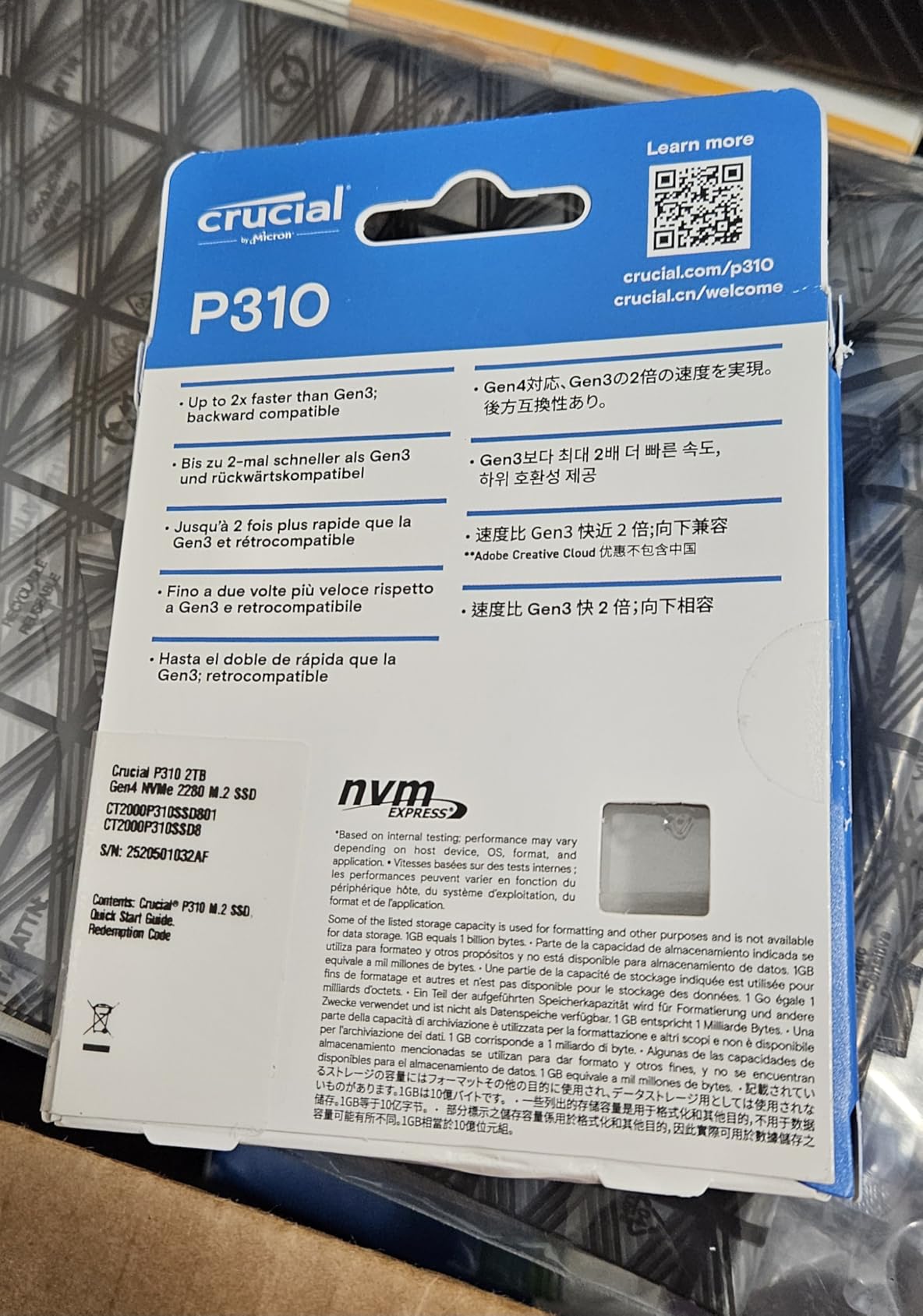
This is the drive we suggest for anything that is not a plugged-in tower. It runs at 7100 MB/s read and 6000 MB/s write using a Phison E21T controller with a DRAM cache, and stays cool enough that thermals rarely come up. Reviewers single out the low power draw as much as the speed.
Two terabytes of Micron G8 3D NAND is a lot of storage in a thin chassis. The drive is PS5 compatible and owners report it working well as a laptop upgrade over a slower PCIe 3.0 part. Acronis data recovery software ships in the box.
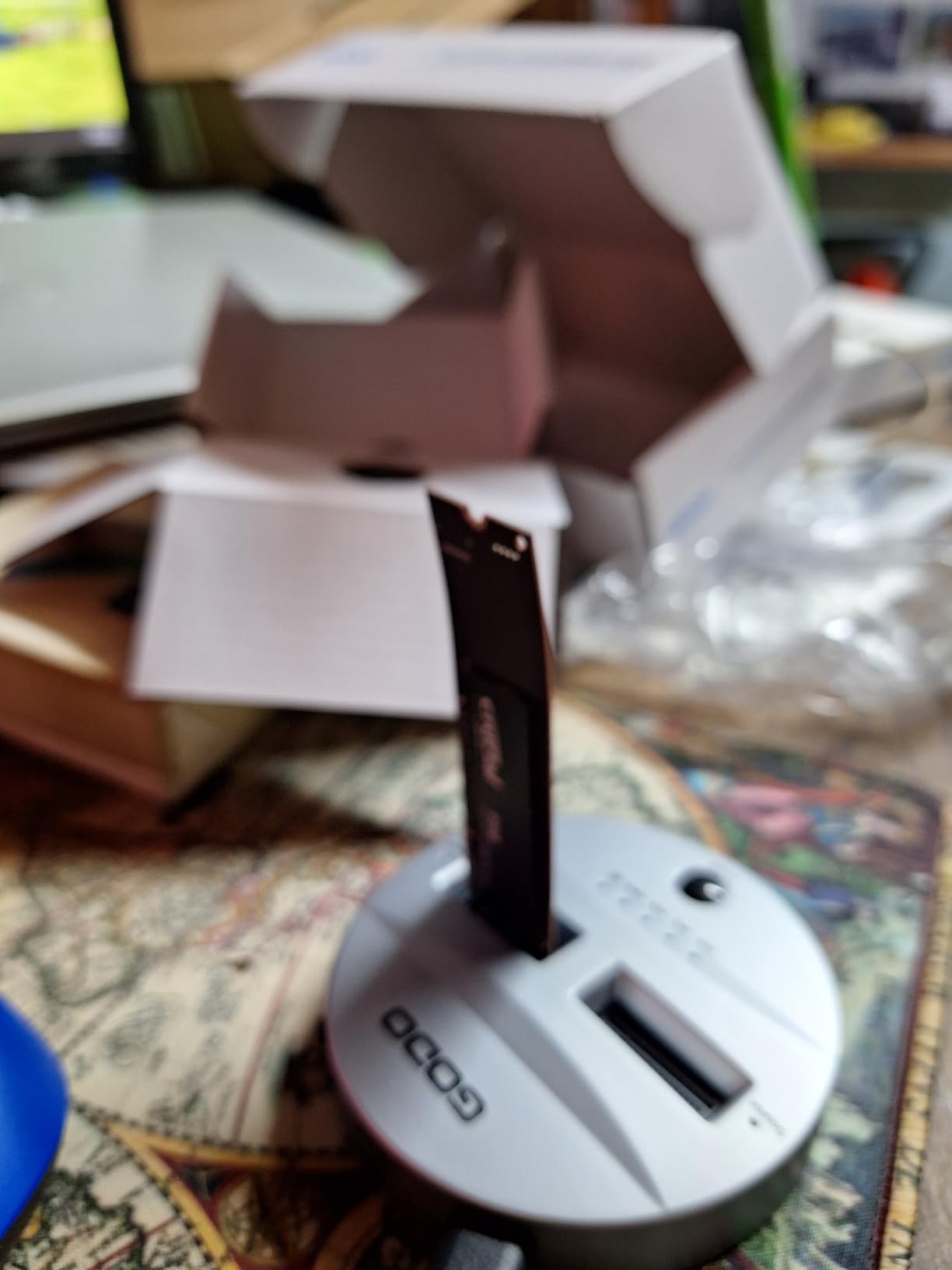
Backward compatibility with PCIe 3.0 is confirmed, so an older laptop will still see it at Gen 3 speeds. The board measures a shade over three inches and weighs 10 grams, a normal footprint for most laptop bays and console expansion slots.
The main criticism is not performance but software. Storage Executive covers updates and health data, but it is plainer than Magician. If you like graphs, colour-coded health history, and a cloning flow that does most of the work, look elsewhere.
Who This Drive Suits
It suits a gaming laptop upgrade, a handheld PC expansion, or a console owner adding a second library drive. A five year warranty is a real plus, since budget drives in smaller machines often carry three.
It also suits a build that wants a cool, reliable daily drive without chasing the last few hundred megabytes. Against the rest of the field the gap is small and the behaviour is consistent.
Who Should Skip It
Skip it if you are running large creative projects beside games, since a 2TB ceiling limits how much you can keep resident. Consider more capacity rather than more speed.
Skip it if management software is what you care about most. The drive is excellent and the app is merely adequate, and that gap is the only reason to look further down this list.
4. WD Black SN7100 1TB – The Best for Power-Efficient Builds
WD_Black SN7100 1TB NVMe SSD – Gen4 PCIe, M.2 2280, Up to 7,250 MB/s Read Speed, Up to 6,900 MB/s Write Speed, Next Gen TLC 3D NAND, for Laptops, Handheld Gaming Devices – WDS100T4X0E
1TB
M.2 2280
PCIe 4.0 x4
7250 MB/s read
DRAM cache with TLC NAND
+ The Good
- Very power efficient for laptops and handhelds
- DRAM cache for steady random 4K
- Single-sided board under 0.05 inch thick
- Up to 35 percent faster than prior gen
- Xbox Series X compatible
- The Bad
- 3-year warranty
- Throttles on long sustained writes without cooling
- Management app has moved to a new tool
Power draw is the spec nobody reads until they own a handheld. WD states this drive is 100 percent more power efficient than the previous Gen 3 generation, and that claim is why it appears in so many portable builds. On a gaming laptop it shows up as battery life.
Speed is not the compromise people expect. At 7250 MB/s read and 6900 MB/s write with a DRAM cache and TLC 3D NAND, it sits at the top of the Gen 4 field, and reviewers put performance per watt at the top of their list of strengths.
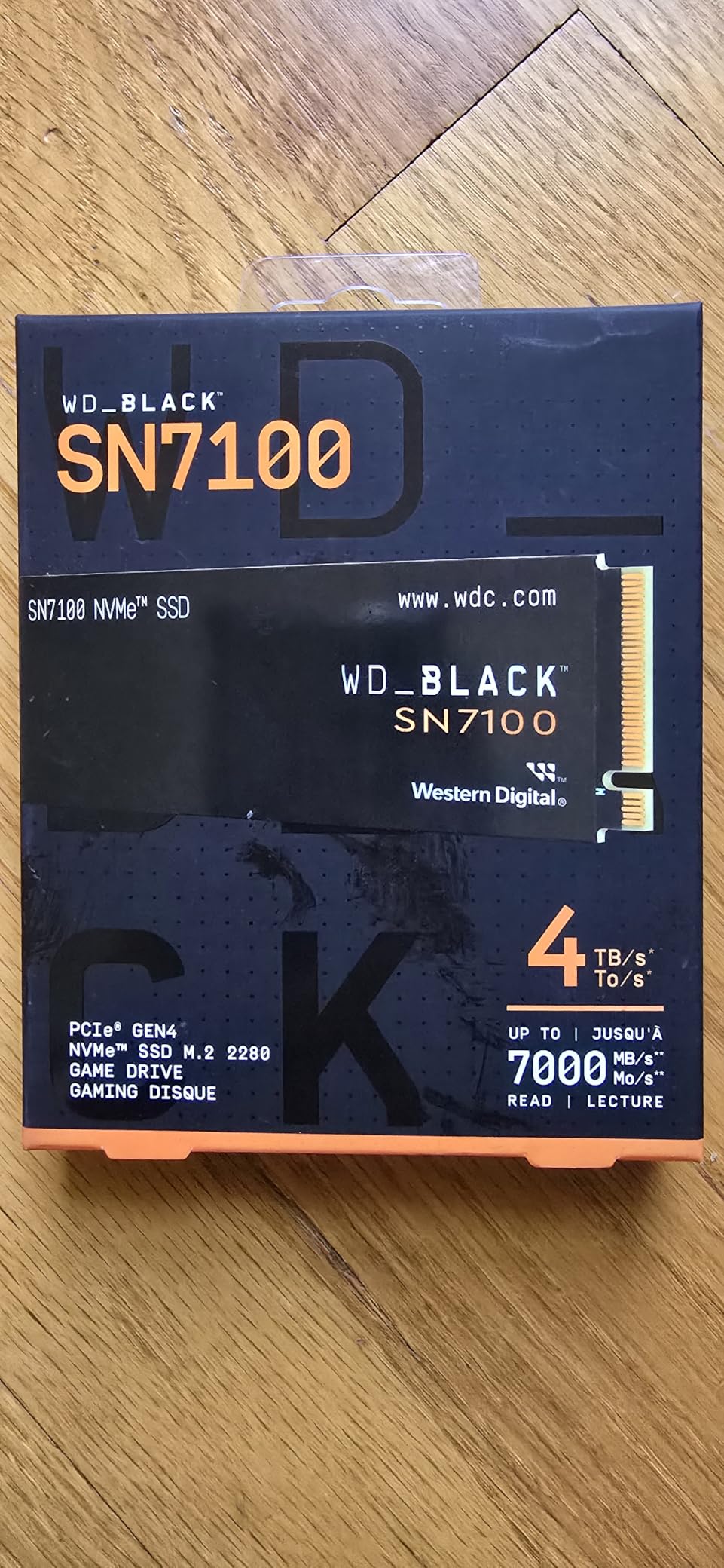
One detail worth planning around: WD has moved its management software to a newer app, and existing users report a rougher transition than expected. Firmware updates and health monitoring are still available through different software, so check your platform before relying on scheduled updates.
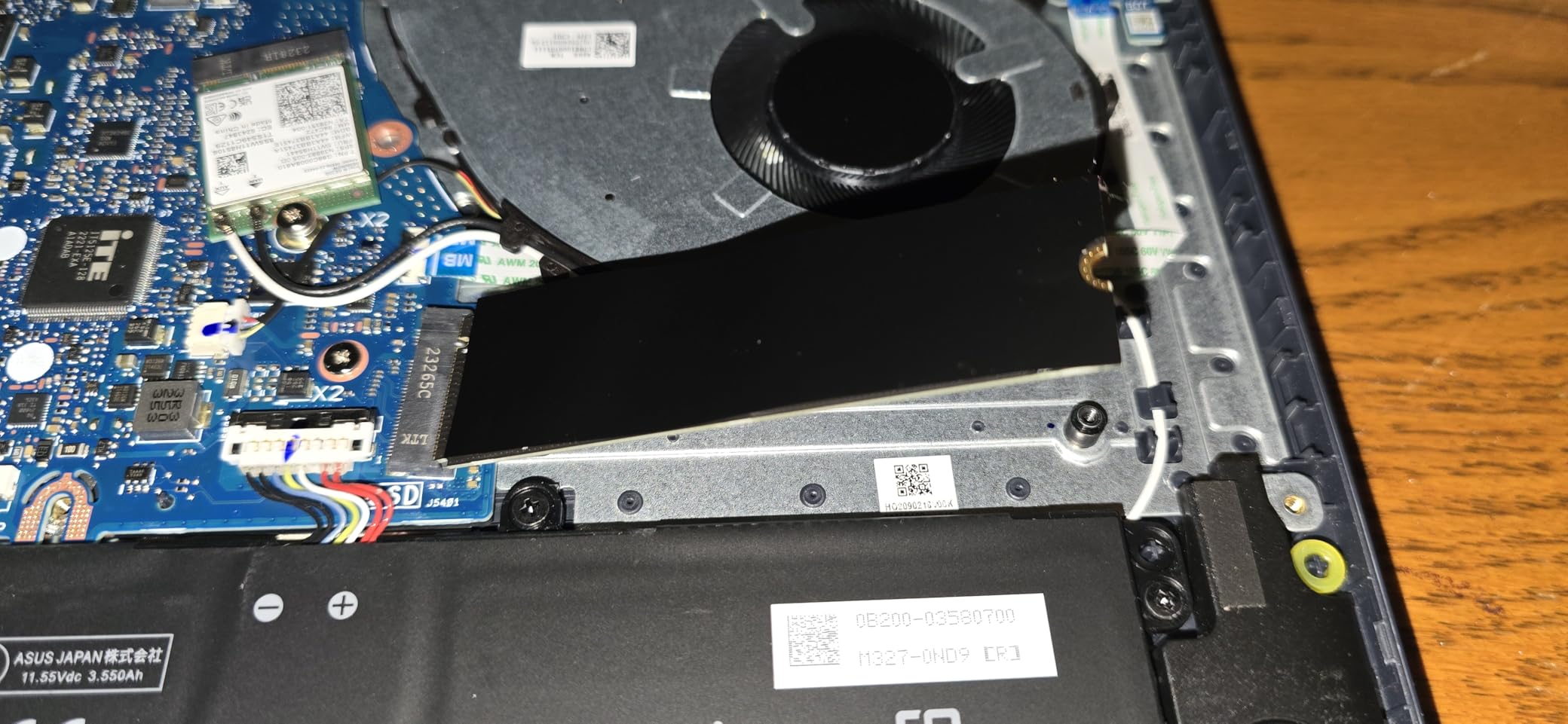
The board is single sided and about 0.04 inches thick, which makes it the easiest fit here for slim chassis and laptop slots where a double sided card would not seat. Xbox Series X compatibility is listed alongside the usual desktop platforms.
Who This Drive Suits
It suits gaming laptop owners, handheld PC users, and anyone running a compact build where airflow over the M.2 slot is limited. The efficiency claim is the reason to pick it over a marginally faster, thirstier drive.
It also suits a system that is storage light. A terabyte is enough for Windows, a launcher, and a handful of current titles, though you will uninstall sooner than on a 2TB drive.
Who Should Skip It
Skip it if you regularly install very large games, because sustained write performance drops once the drive throttles and it has little headroom without a heatsink. That matters for a 120GB open world title more than a 20GB indie game.
Skip it if a three year warranty feels short for your plans, or if the changed management software is a deal breaker. The five year alternatives here cost more but carry longer cover.
5. WD Black SN850X 1TB – The Best for Gaming Software
WD_BLACK SN850X 1TB NVMe SSD – M.2 2280, Up to 7,300 MB/s Read speeds, Up to 6,300 MB/s write speeds, Gaming Expansion, High Performance Internal Solid State Drive – WDS100T2X0E
1TB
M.2 2280
PCIe 4.0 x4
7300 MB/s read
DRAM cache with TLC 3D NAND
+ The Good
- Consistent Gen 4 throughput with DRAM cache
- Game Mode 2.0 through WD Dashboard
- 5-year warranty
- PS5 compatible
- Rated up to 8TB
- The Bad
- Superseded by the Gen 5 SN8100
- Warm under sustained load
- Costs more than the SN7100 at similar speeds
The SN850X has been a default recommendation in gaming PCs for a good reason: it works. At 7300 MB/s read and 6300 MB/s write with a DRAM cache and TLC 3D NAND, it delivers consistent throughput without the hiccups a DRAM-less drive can show when its cache fills.
What separates it is WD Dashboard and Game Mode 2.0, which keeps a short list of games in an optimised state on the drive. You will not notice it daily, but with a browser and a launcher also running in the background it reduces small stalls that add up over a session.
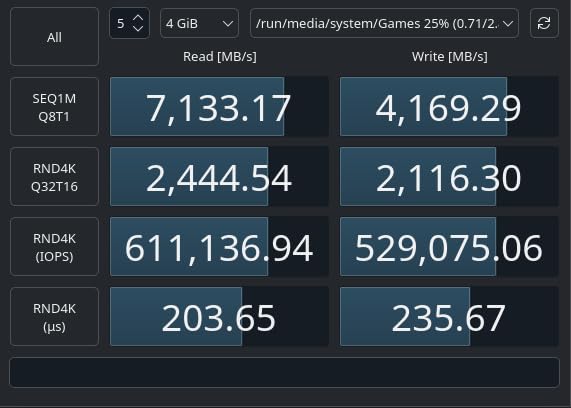
Capacity is where this model has fallen behind. The 1TB version is what most people buy, and a terabyte is the smallest sensible size today. The same drive is rated up to 8TB, so one large drive is possible, at a much higher cost per gigabyte.
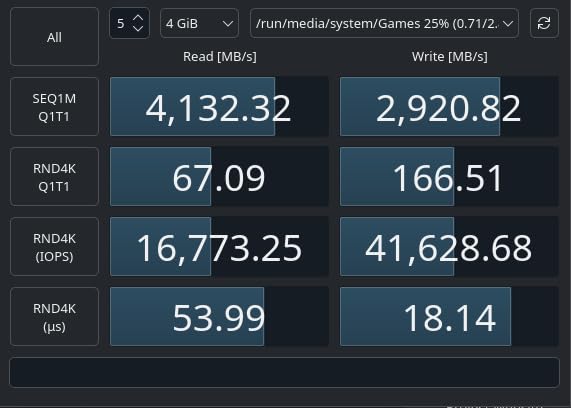
Thermally it runs warm under sustained writes, which is the main reason to fit a heatsink. In a normal case with airflow over the board, or with the motherboard shield in place, that is handled. Reviewers treat it as solved rather than a fault.
Who This Drive Suits
It suits a desktop gaming PC where you want a proven drive with good software and a five year warranty to match. It suits console owners too, since it is PS5 compatible, and it is a safe pick when you would rather not read a datasheet.
It suits anyone who has run WD drives before and knows the dashboard workflow. Familiarity has real value when one drive handles a boot volume and a game library at the same time.
Who Should Skip It
Skip it if you are building fresh and the budget stretches to the newer generation. The SN8100 doubles the headline speed at a similar tier, and the Gen 4 gains from this drive are largely spent.
Skip it if you want the lowest cost per gigabyte for a large library, since the newer options here cost less for comparable real-world performance. This is a quality pick, not a value pick.
6. Crucial T500 2TB – The Best for Creators Who Also Game
Crucial T500 PCIe Gen4 NVMe 2TB SSD, Up to 7,400MB/s, TLC NAND, Laptop & Desktop (PC) Compatible, for Creatives and Gamers, Solid State Drive, Includes 1Mo Adobe CC – CT2000T500SSD8
2TB
M.2 2280
PCIe 4.0 x4
7400 MB/s read
Phison E26 with DRAM cache
+ The Good
- Up to 1.44M random write IOPS
- Microsoft DirectStorage support
- Acronis plus a month of Adobe Creative Cloud
- 232-layer TLC NAND
- 5-year warranty
- The Bad
- Runs hot without a heatsink
- Premium cost for a Gen 4 drive
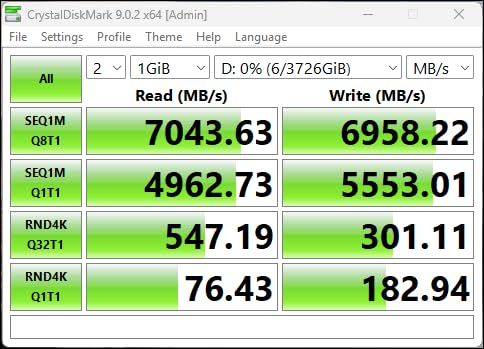
The T500 sits at 7400 MB/s read and 7000 MB/s write, with a Phison E26 controller and DRAM cache driving Micron 232-layer TLC NAND. That puts it alongside the 990 Pro for real throughput, and the rated figures of up to 1.18 million read and 1.44 million write IOPS matter for asset-heavy work.
Microsoft DirectStorage support is the headline for anyone tracking how games will load next. Assets get decompressed into GPU memory with less CPU involvement, a storage and API problem as much as a graphics one. A drive advertising direct support removes a variable.
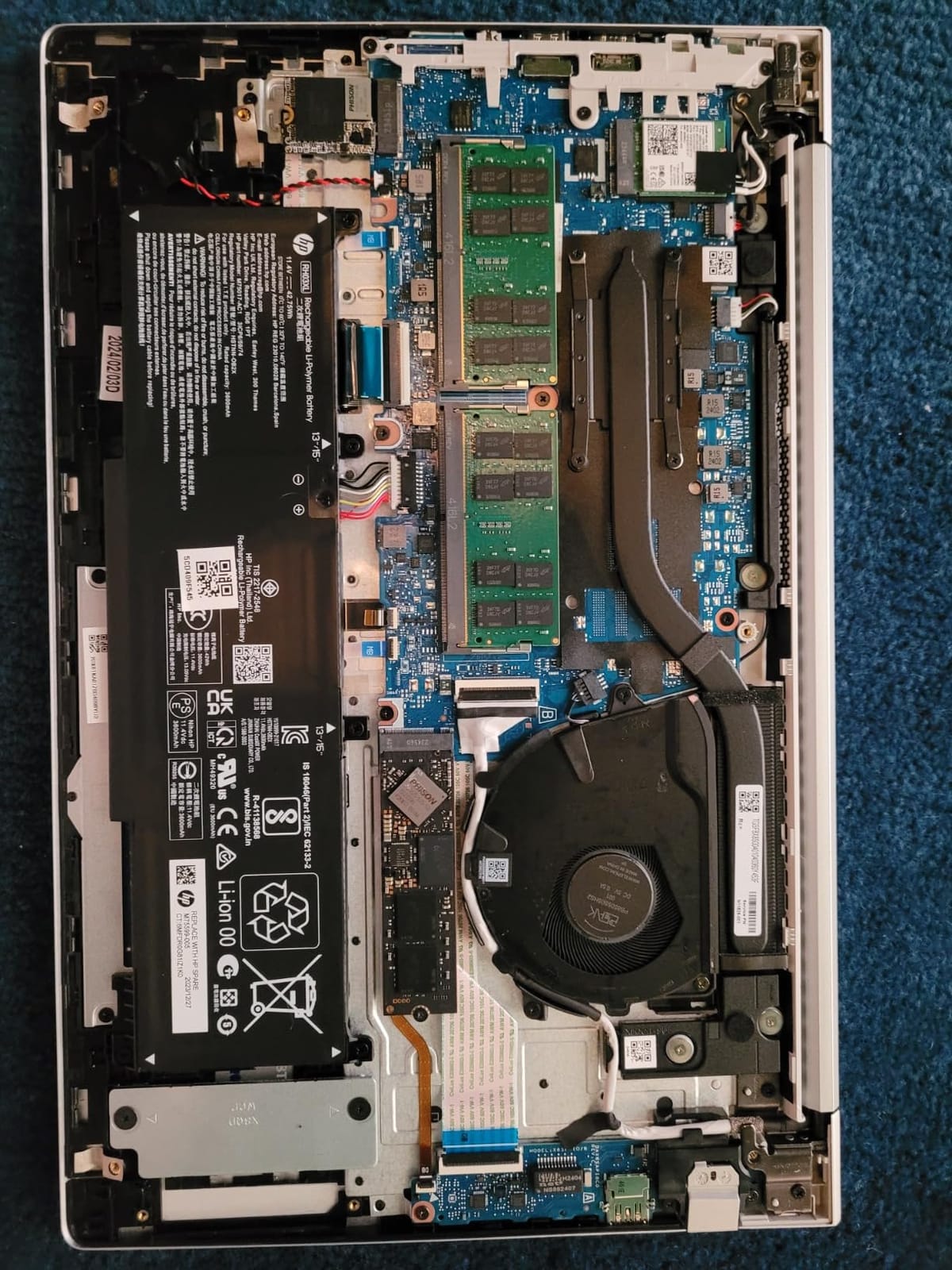
The bundled software is unusually generous at this level. Acronis True Image handles cloning and imaging, and a one month Adobe Creative Cloud subscription comes in the box, a real saving for anyone starting a video workflow. If your PC also creates, our guide to NVMe drives for game development builds goes deeper on that use case.
Heat is the thing to plan for. Reviewers consistently report this drive running warm, and the advice is consistent: use the motherboard heatsink or add one. It is PS5 compatible, warranty is five years, and at 10 grams it is a standard single-board part.
Who This Drive Suits
It suits a workstation that games as well as it edits, and anyone handling large project libraries beside a game install. Two terabytes gives both sides room, which is a real constraint on a single drive setup.
It suits anyone who values bundled software, since cloning and recovery tools in the box remove a step that otherwise costs time or money. It is PS5 compatible if your console needs more room too.
Who Should Skip It
Skip it if you are on a strict budget for a gaming-only machine, because a Gen 4 drive at this tier is not where value lives. The money is better spent on a graphics card if CPU and GPU are sorted.
Skip it if your case offers no M.2 cooling and you are not adding any. It is not a fragile drive, but it wants cooling to deliver its best sustained numbers, and that is a fair requirement.
7. Samsung 9100 Pro 2TB – The Best Raw Speed Here
Samsung SSD 9100 PRO 2TB, PCIe 5.0×4 M.2 2280, Up to 14,700MB/s
2TB
M.2 2280
PCIe 5.0 x4
14700 MB/s read
2GB DRAM cache and V-NAND
+ The Good
- 14700 MB/s read and 13400 MB/s write
- Up to 2.6 million random write IOPS
- 5nm controller with better efficiency than the 990 Pro
- AES-256 encryption with Magician software
- 5-year warranty
- The Bad
- Needs a PCIe 5.0 slot for full speed
- Generates serious heat
- Limited gaming gain today
- PS5 use requires a heatsink
Samsung’s flagship for the top of the Gen 5 market posts the highest write speed in this roundup at 13400 MB/s, with 14700 MB/s read over PCIe 5.0 x4. Random performance is quoted at up to 1.85 million read and 2.6 million write IOPS, backed by a two gigabyte DRAM cache over V-NAND.
The controller is built on a 5nm process, and Samsung claims 49 percent better power efficiency than the 990 Pro. That is striking for a faster drive, and it is why this is the Gen 5 option we feel least uneasy recommending for gaming rather than benchmarking.
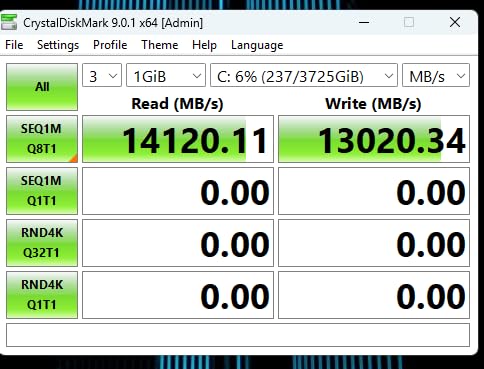
A PCIe 5.0 slot is required for full speed. In a Gen 4 slot the drive falls back to Gen 4 bandwidth and becomes a very good Gen 4 drive. Many current boards ship a 5.0 slot for the primary GPU, and our dedicated PCIe 5.0 NVMe guide covers how to check before buying.
Thermals are the other consideration. Sustained writes are the demanding case, and a heatsink is effectively required, particularly in a compact case. The drive is PS5 compatible only when fitted with a heatsink, which is a detail Sony requires.
Who This Drive Suits
It suits someone building a high end system on a board with a confirmed 5.0 M.2 slot, who wants storage that will not need replacing in five years. It suits people moving large video files as much as it suits gamers.
It also suits anyone who enjoys the hardware. This is the flagship here, and owning the fastest drive in a quick synthetic run has value even when a game will not show the difference.
Who Should Skip It
Skip it if your build is a Gen 4 platform, because the money buys little for gaming. Skip it if your case is small and hot with no M.2 heatsink, since sustained performance is exactly where it needs help.
Most of all, skip it if you expect a jump in frame rate or load times. Current games are not limited by sequential throughput, and reviewers are candid that the real gaming benefit today is limited.
8. Crucial T705 2TB – The Best Gen 5 for Cross-Platform Builds
Crucial T705 PCIe Gen5 NVMe 2TB SSD, Up to 14,500MB/s, TLC NAND, Intel & Ryzen Compatible, for Hardcore Gaming & High-Speed Storage, Solid State Drive, Includes 1Mo Adobe CC – CT2000T705SSD3
2TB
M.2 2280
PCIe 5.0 x4
14500 MB/s read
Phison E26 with DRAM cache
+ The Good
- Momentum Cache improves random I/O performance
- Acronis and Adobe bundle included
- Backs down cleanly to PCIe 4.0 and 3.0
- 5-year warranty
- Xbox Series X and S compatible
- The Bad
- Runs extremely hot without a heatsink
- Storage Executive app feels dated
- Long-term brand support questions
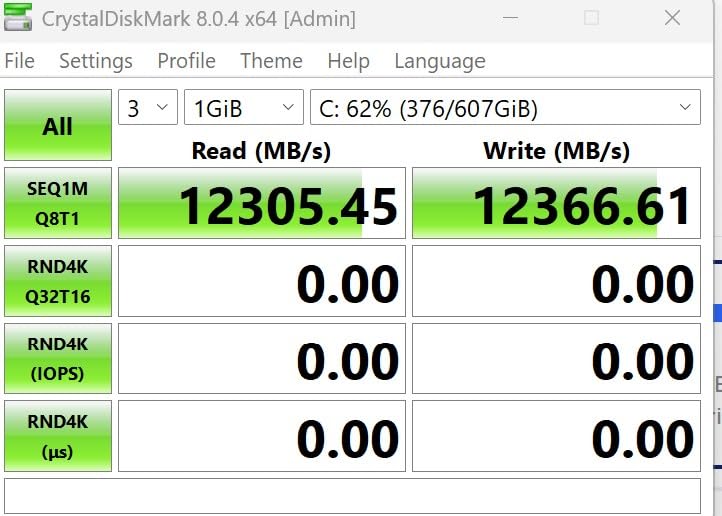
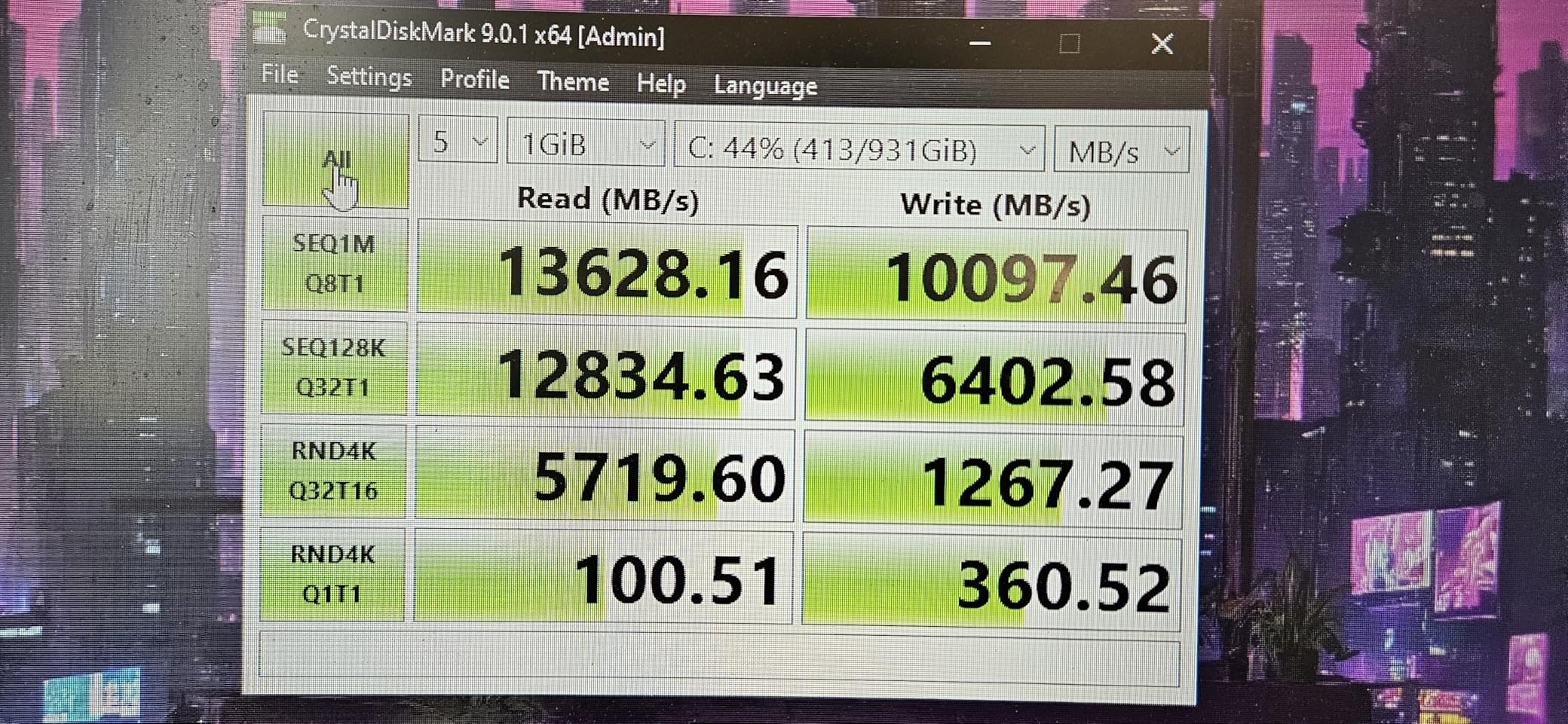
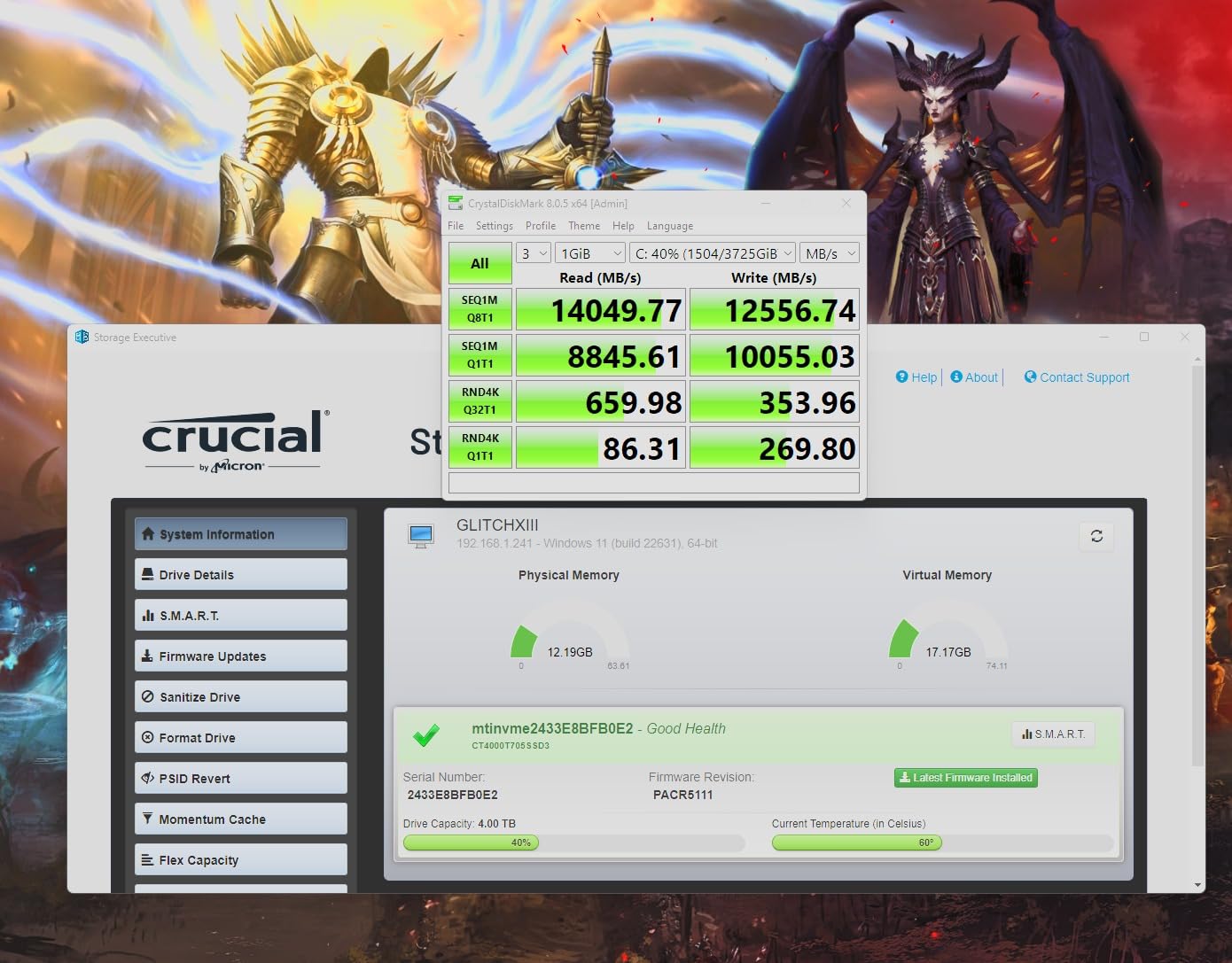
The T705 shares the Phison E26 controller with several other Gen 5 drives and posts 14500 MB/s read and 12700 MB/s write. Micron 232-layer TLC NAND sits under a DRAM cache, and the copper label design accepts a third party heatsink, which matters at this speed class.
The feature we found most interesting is Momentum Cache, which keeps frequently accessed data in a protected region of the drive to improve random I/O on an OS volume. Reviewers report a visible difference in day to day responsiveness, and since random I/O is the metric that reflects gaming, it is worth more here than a higher sequential number.
Thermals are the real story. Multiple owners report temperatures above 80 degrees without proper cooling, and sustained write performance falls away quickly when that happens. Treat the heatsink as part of the purchase rather than an optional extra if airflow is restricted.
One long term reviewer reported a failure at 22 months, honoured under warranty. That is a single report rather than a pattern and no failure rate is implied, but it is a reminder that Gen 5 drives run harder than the generation they replace.
Who This Drive Suits
It suits a system you expect to move between generations, since it falls back cleanly to PCIe 4.0 and even 3.0 platforms. It suits console and cross-platform owners too, with Xbox Series X and S compatibility listed alongside desktop use.
It also suits anyone who cares about OS responsiveness more than game loads, because Momentum Cache targets exactly that, and the bundled Acronis and Adobe software make setup straightforward.
Who Should Skip It
Skip it if your case cannot cool a Gen 5 drive. No version of this recommendation survives a drive running at 80 degrees with nowhere for the heat to go, and a cheaper Gen 4 drive under a motherboard heatsink serves you better.
Skip it if long term software support decides your purchase. Storage Executive is the least refined app here, and some buyers have raised questions about future consumer support. We would not build a five year plan around it.
9. Lexar NM790 2TB – The Best for PS5 Upgrades
Lexar 2TB NM790 NVMe SSD w/Heatsink, 7400/6500 MB/s, M.2 2280, PCIe Gen 4×4
2TB
M.2 2280 with heatsink
PCIe 4.0 x4
7400 MB/s read
DRAM-less with HMB 3.0
+ The Good
- Heatsink included in the box
- 40 percent less power than DRAM-equipped Gen 4 drives
- 1500 TBW endurance at 2TB
- 5-year warranty
- Fits the PS5 expansion bay
- The Bad
- DRAM-less with HMB only
- Heatsink will not fit some laptop slots
- No dedicated management software
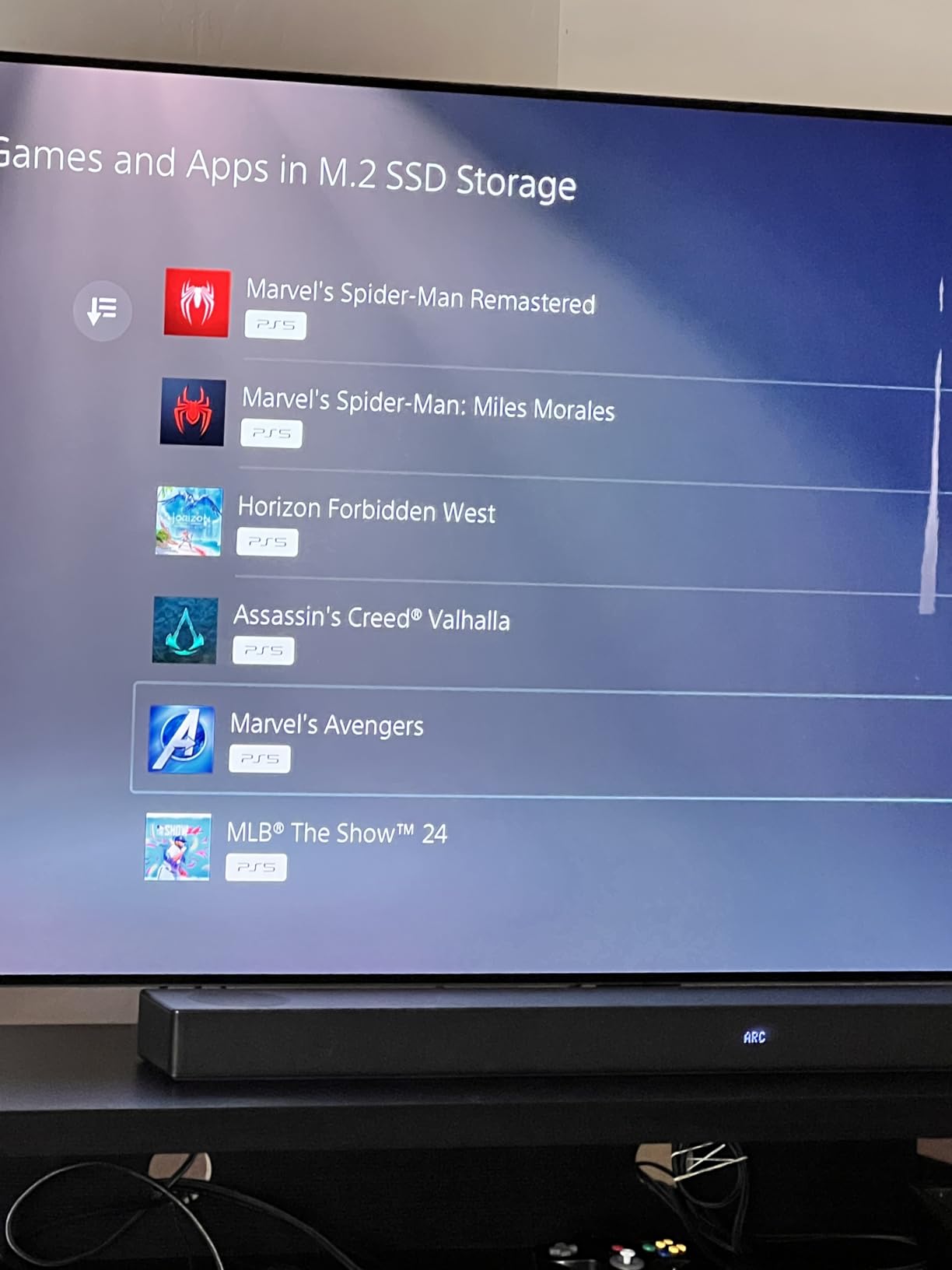
The NM790 arrives with a heatsink attached, and for console owners that single detail does most of the decision-making. Sony requires a drive that fits the expansion bay within a specific height, and a drive shipping with its own cooler is one less thing to source and one less thing to fit wrong. Owners report loads roughly an order of magnitude faster than stock.
Under the heatsink it is a MaxioTech MAP1602 controller with HMB 3.0, no dedicated DRAM, rated at 7400 MB/s read and 6500 MB/s write. For a console library that is far more than the hardware can use, and the review consensus is that HMB 3.0 delivers near DRAM performance here.
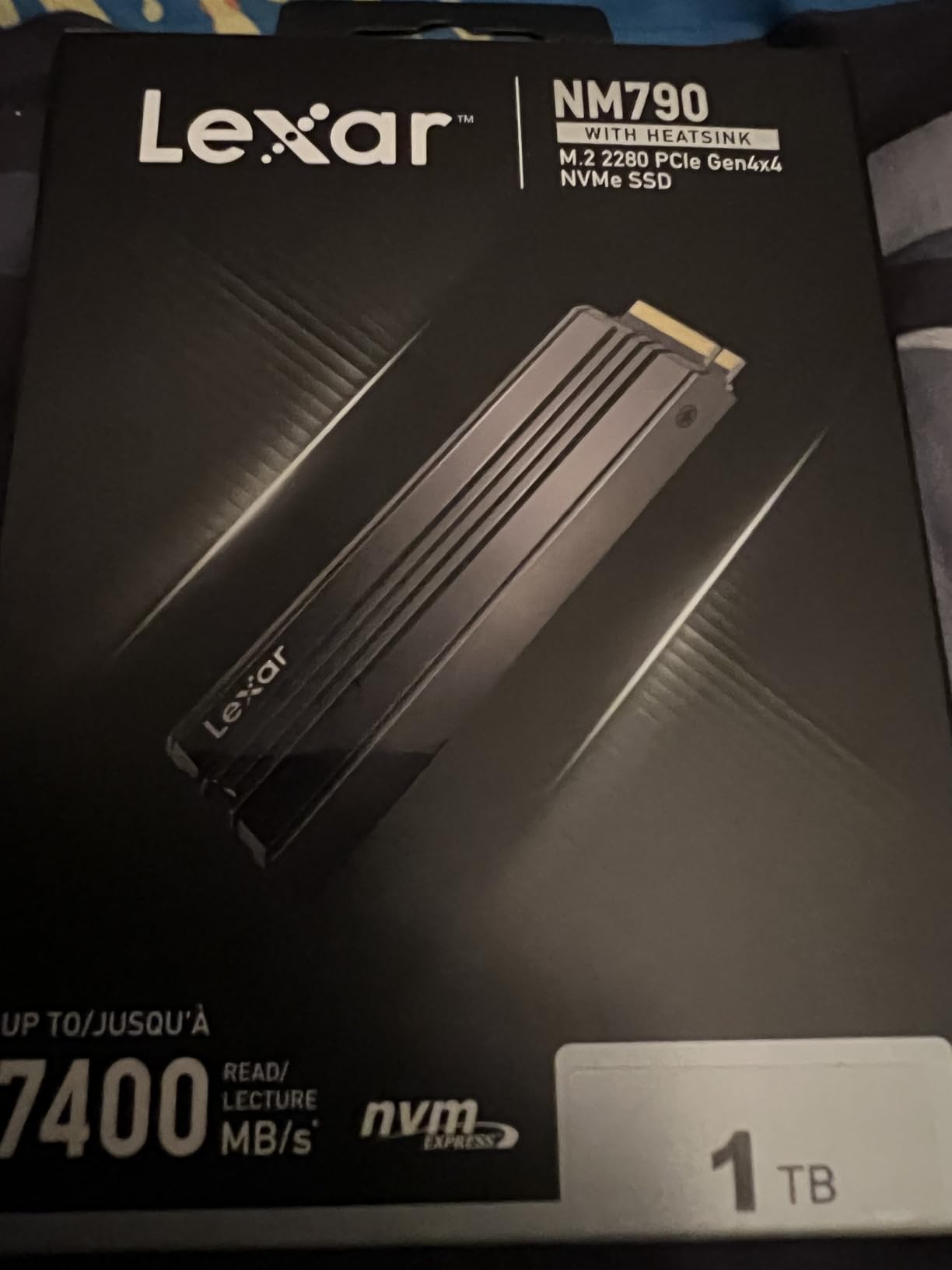
Endurance is a genuine strength. The 2TB model is rated at 1500 TBW, a very long life for a console workload, and it carries a five year warranty. Power draw is quoted as up to 40 percent lower than DRAM-equipped Gen 4 drives, which matters in a console left on for hours.
The compromises are clear. It is DRAM-less, and the fitted heatsink makes it unsuitable for any laptop or compact bay without space above the drive. There is no management software, so no dashboard and no easy firmware path, which is fine for a console and less fine as a boot drive.
Who This Drive Suits
It suits a PS5 owner who has run out of console storage and wants a drop-in upgrade with cooling already solved. It suits a desktop builder on a budget who wants Gen 4 speed without sourcing a heatsink separately.
It suits anyone who values a stated endurance figure and a five year warranty over a vendor dashboard. At 1500 TBW, this is a drive you can install and forget for a console generation.
Who Should Skip It
Skip it if you are upgrading a laptop or thin device, because the pre-fitted heatsink blocks the bay. Look for a bare drive there and manage thermals yourself.
Skip it as a desktop OS drive if you rely on management software for health monitoring or cloning. This is a storage-first drive, and the 990 Pro or T500 serve both roles better.
10. WD Black SN8100 1TB – The Best PCIe 5.0 Value Pick
WD_Black SN8100 1TB NVMe SSD – PCIe 5.0×4, M.2 2280, Up to 14,900MB/s Read Speed, up to 11,000MB/s Write Speed, Best for AI Applications, Gaming, and Video Editing – WDS100T1X0M
1TB
M.2 2280
PCIe 5.0 x4
14900 MB/s read
DRAM cache with TLC 3D NAND
+ The Good
- Runs far cooler than rival Gen 5 drives
- Over 2.3 million IOPS on larger capacities
- Average operating power of 7.5W or under
- Acronis True Image included
- 5-year warranty
- The Bad
- Requires a PCIe 5.0 motherboard
- 1TB model writes slower than 2TB and up
- Shorter track record than the Gen 4 options
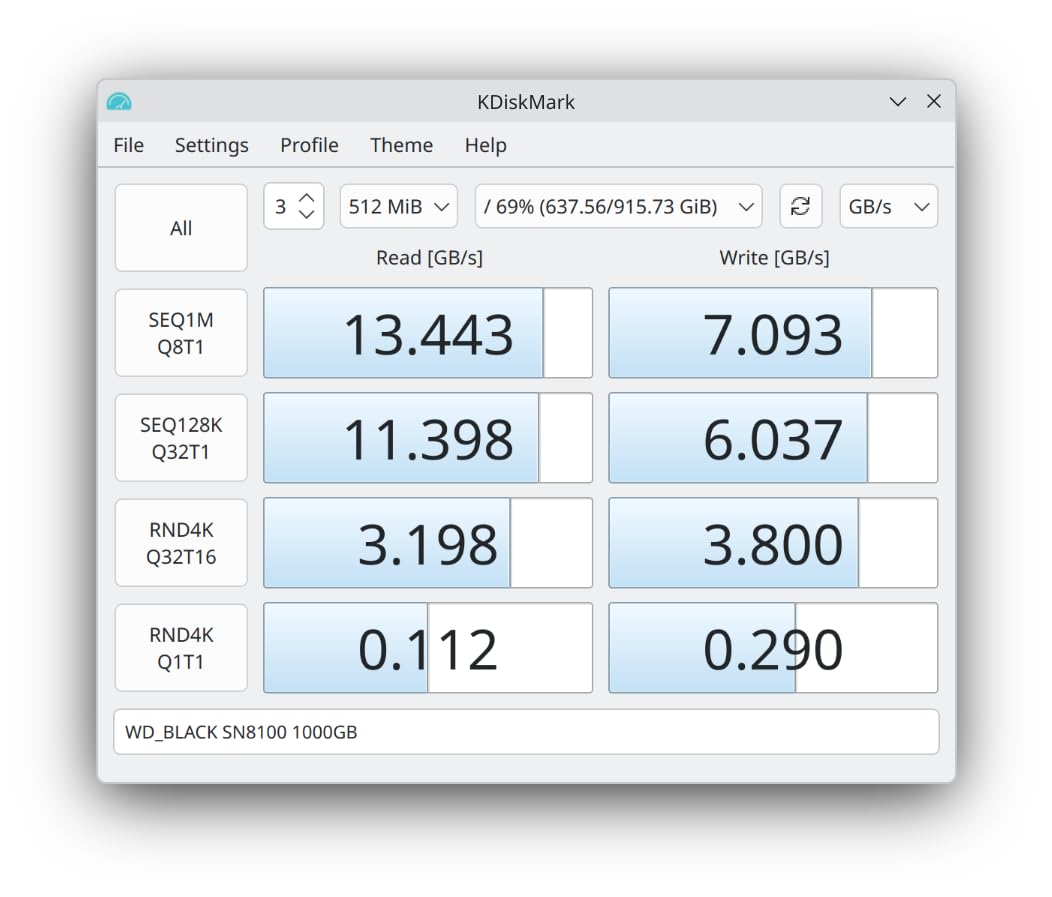
The SN8100 is the Gen 5 drive we would actually put in a gaming PC, and the reason is heat. Reviewers describe it as running considerably cooler than competing Gen 5 drives, which means it holds rated performance for longer inside a normal case without elaborate cooling.
Rated at 14900 MB/s read, with writes up to 14000 MB/s on the 2TB to 4TB models and over 2.3 million IOPS on those larger capacities, this is a genuine flagship speed class. It carries a DRAM cache and TLC 3D NAND on WD’s own controller, so you get one vendor’s silicon end to end.
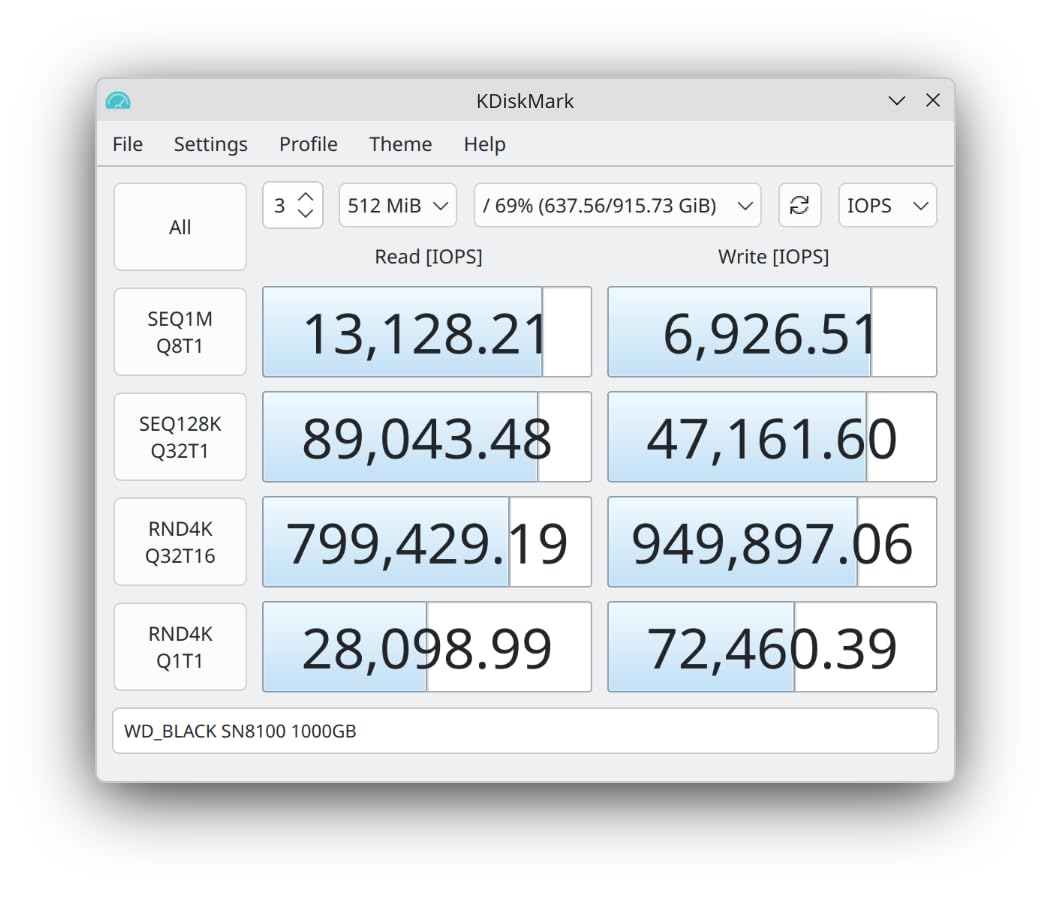
Power efficiency is the other headline. WD quotes over 100 percent more efficiency than its own Gen 4 drives and average operating power of 7.5W or under, a rare pairing with a speed class this high. SANDISK Dashboard and Acronis True Image cover management and migration, with a five year warranty.
One caveat applies to the 1TB model. It writes more slowly than the 2TB and larger versions, and the headline read figure is a ceiling. At 2TB you get the full write performance, and for pure gaming value the 990 Pro remains the smarter buy.
Who This Drive Suits
It suits a builder on a current platform who wants Gen 5 speed without the thermal drama. A motherboard M.2 heatsink plus normal case airflow is enough, a much lower bar than some competitors set.
It also suits someone who wants fast storage and strong tooling in one package, since Dashboard and Acronis together cover monitoring, firmware, and migration. Capacities run up to 8TB for very large libraries.
Who Should Skip It
Skip it if your motherboard is Gen 4 only. The drive will work, but you would be paying for unreachable speed, and a Gen 4 drive at this capacity is the sensible purchase.
Skip it if you want proven long term data. This is newer than the established Gen 4 options here, and for a gaming-only build the older, cheaper drives remain the wiser buy.
11. Corsair MP700 PRO 4TB – The Best 4TB High-Speed Library
Corsair MP700 PRO 4TB M.2 PCIe Gen5 x4 NVMe 2.0 SSD – M.2 2280 – Up to 12,400MB/sec Sequential Read – High-Density TLC NAND – Black
4TB
M.2 2280
PCIe 5.0 x4 NVMe 2.0
12400 MB/s read
4GB DRAM cache
+ The Good
- Only drive here pairing 4TB with Gen 5 speeds
- 4GB DRAM cache for heavy multitasking
- Microsoft DirectStorage support
- Air cooler and waterblock variants available
- 5-year warranty
- The Bad
- Costs far more than everything else here
- Ships without a heatsink
- Overkill for most game libraries
Four terabytes at Gen 5 speeds in a single slot is a rare combination, and this is the drive that does it. Rated at 12400 MB/s read and 11800 MB/s write over PCIe 5.0 x4 with NVMe 2.0, it uses a Phison E26 controller with a full 4GB DRAM cache, the largest here by a wide margin.
That capacity matters because modern triple A titles can run past 100GB, and keeping a catalogue installed rather than constantly uninstalling saves a lot of time. At 4TB you can hold Windows, your launchers, and roughly thirty to forty large titles depending on what you play.
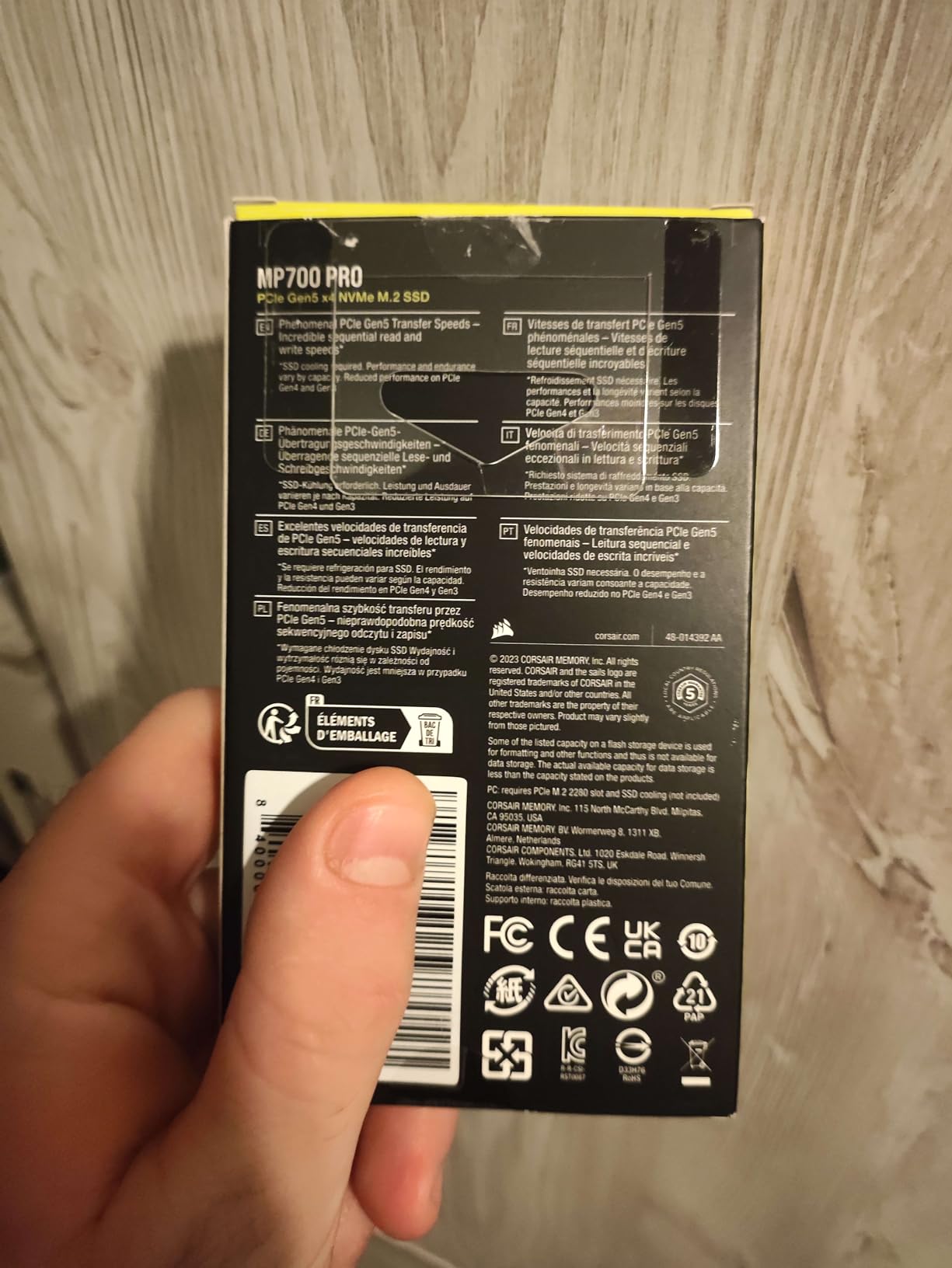
Cooling is specified rather than included, which is unusual and worth noting. Corsair offers both air cooled and Hydro X waterblock variants so you can match the drive to your existing cooling. The drive targets Intel Z790 and AMD X670 and newer platforms, with DirectStorage support listed.
It is a niche product and reviewers are candid about that. At 4.6 across a smaller pool of reviews, this is the least battle tested drive here, and the cost sits far above everything else in the list. Buy it because you need the capacity, not the speed.
Who This Drive Suits
It suits a high end rig with a PCIe 5.0 slot, a water loop already in place, and a library large enough that you would otherwise juggle two or three drives. It suits people capturing video alongside gaming who want that footage on fast storage.
It suits anyone keeping a machine for many years, since 4TB removes capacity from the list of problems to solve later and NVMe 2.0 keeps it aligned with where the interface is heading.
Who Should Skip It
Skip it if 2TB would serve you, because you would pay a large premium for storage you will not use and cooling you must buy separately. For most gaming PCs that money is better spent elsewhere.
Skip it if you want a set and forget drive with no assembly work. This one needs a cooler, and in a tight case that can mean reworking your layout, effort a 2TB Gen 4 drive never asks of you.
12. Teamgroup T-Force G50 512GB – The Best Budget Gaming SSD
TEAMGROUP T-Force G50 512GB SLC Caching 3D TLC NAND NVMe InnoGrit PCIe Gen4x4 M.2 2280 Gaming SSD with Ultra-Thin Graphene Heat Spreader Works with PS5 Read/Write 5000/2500 MB/s TM8FFE512G0C129
512GB
M.2 2280
PCIe 4.0 x4
5000 MB/s read
InnoGrit with SLC caching
+ The Good
- Graphene spreader is thin enough for the PS5
- Lowest cost in the roundup
- 5-year warranty
- S.M.A.R.T. monitoring tool included
- Good burst speeds for game loads
- The Bad
- 512GB fills after two or three large installs
- 2500 MB/s write lags premium drives
- No DRAM cache
- Software support is thin
This is the entry point. At 5000 MB/s read and 2500 MB/s write over PCIe 4.0 x4 it is not fast on paper, but games do not queue on 2500 MB/s of write speed. For a secondary drive holding a handful of titles it is more than sufficient, and it costs the least of anything we tested.
The drive uses an InnoGrit controller with SLC caching over 3D TLC NAND, and that cache is what makes burst numbers feel right when loading a game. It will not hold those speeds through a very large sustained write, so a 150GB install is a slower job than it needs to be, with the same result afterwards.
Physically it is the most interesting budget option we found. The ultra thin graphene spreader sits almost flush with the board, precisely the profile Sony requires for the PS5 expansion bay. It runs cool enough that the spreader alone is sufficient, and owners report fitting it without fuss.
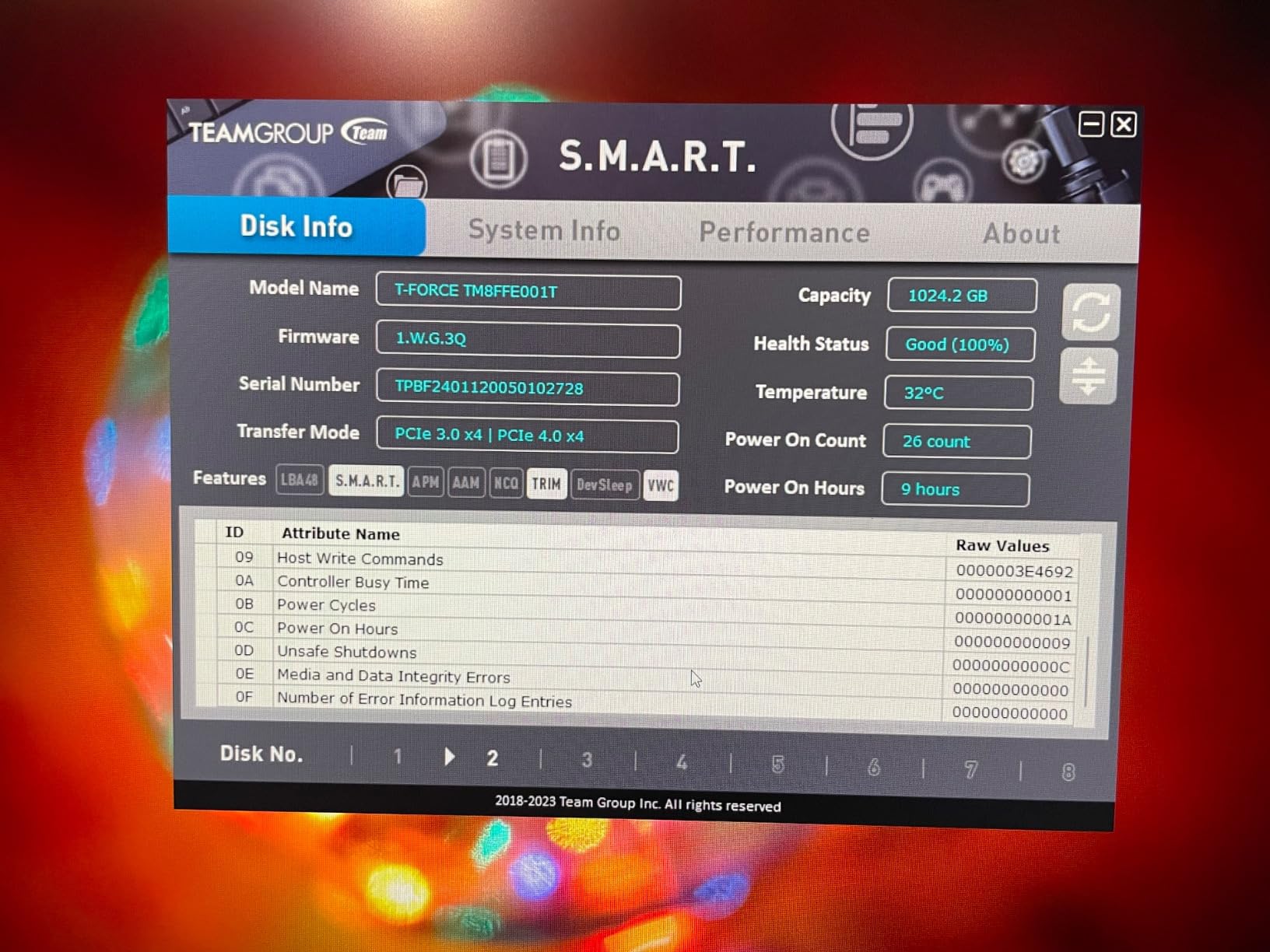
A five year warranty is unusual at this price tier and better than several premium drives here. A S.M.A.R.T. monitoring tool covers health checks, though it is less capable than the vendor suites elsewhere. If you want a dashboard, look higher up the list.
Who This Drive Suits
It suits a console owner filling the PS5 expansion bay on a budget, and a desktop builder who wants a cheap second drive for a rotating set of games. It also suits a first build where every dollar is better spent elsewhere.
It suits anyone needing a small, cool drive for something other than the main library, such as a dedicated drive for one title or a lightweight portable machine.
Who Should Skip It
Skip it if you want one drive to hold your whole library. At 512GB you will uninstall constantly once two or three large titles are installed, which is the main thing a gaming drive exists to prevent.
Skip it as an operating system drive. With no DRAM cache, the sustained behaviour suits a game library far better than a boot volume being written to constantly, and the 2500 MB/s write figure shows as slower installs.
How to Choose an NVMe SSD for Gaming
Everything above reduces to a few decisions, and none of them require a controller datasheet. Work through them in order and the right drive falls out of the list.
PCIe 4.0 or PCIe 5.0: does the generation change gaming?
PCIe 4.0 is right for almost every gaming PC built today. The best Gen 4 drives run between 6000 and 7450 MB/s, far past the point where a game waits on storage. Choose Gen 5 only with a confirmed 5.0 M.2 slot, a long upgrade horizon, or large video files to move.
Backward compatibility is the rule to remember. A Gen 5 drive in a Gen 4 slot runs at Gen 4 speeds, and a Gen 4 drive in a Gen 3 slot runs at Gen 3 speeds. Nothing refuses to boot, but nothing reaches its rating either, so check your board before buying.
DRAM cache versus DRAM-less with HMB
A DRAM cache stores the mapping table on the drive, keeping performance steady under load. A DRAM-less drive borrows a slice of system RAM through Host Memory Buffer instead, which is cheaper and cooler but slightly less consistent during long sustained writes.
For a game library, both work well. Forum builders repeatedly report that good HMB drives hold up fine for gaming, and the gap matters most during repeated large installs or when the drive holds the OS. Our top pick is DRAM-less, which should tell you how much this is not a deal breaker.
TLC versus QLC NAND for game installs
TLC stores three bits per cell and QLC stores four. TLC is slower to write, steadier under sustained load, and has a longer endurance rating, which matters because installing a 100GB game writes 100GB every time. QLC is cheaper and better suited to read-mostly archive storage.
Every drive in this roundup uses TLC or TLC with caching, so this was not a decision we had to make for you. If you spot a QLC drive at high capacity and a strikingly low cost, you are paying for space rather than gaming performance.
1TB, 2TB or 4TB: how much storage you actually need
Think minimum, sweet spot, enthusiast. One terabyte covers Windows, a launcher, and a few current titles. Two terabytes is the community consensus sweet spot because it holds a large library without constant uninstalling. Four terabytes suits people who keep everything installed or work with large project files.
Check how many M.2 slots your board has before committing. Two slots let you start with a cheaper 1TB boot drive and add a 2TB game drive later, often the most sensible way to spend a fixed budget. One slot means capacity is a decision you cannot undo.
Thermals, heatsinks and thermal throttling
Four steps handle cooling. Check whether your motherboard has an M.2 heatsink, since most recent boards ship one. If buying a Gen 5 drive, buy one with a heatsink or plan to add one. Confirm airflow actually reaches the slot rather than assuming it. If sustained writes collapse on a fresh install, suspect heat first.
The pattern across reviews is consistent: motherboard heatsinks are usually enough for Gen 4 drives, while Gen 5 drives generally want something more. The Lexar NM790 and Teamgroup G50 solve this at purchase, which is why both earn a place despite their trade-offs.
Endurance, TBW and warranty length
TBW is the total data a drive is warrantied to write over its life. Reading hours of gameplay writes very little, but installing a 100GB game writes 100GB, and installing it again writes it again. A 2TB TLC drive rated at 1200 TBW or above outlasts most people who keep a gaming PC.
Warranty length is the simpler proxy. Three years is the floor and appears on two drives here, including our top pick, which is an honest trade for the price. Five years is standard on most premium drives and costs little to secure. If you need overflow, our external gaming SSD picks avoid using an M.2 slot at all.
Consoles, Laptops and Handhelds Change the Answer
A drive that is ideal in a tower can be wrong everywhere else, and the constraints there are physical rather than technical. Consoles need a specific height and a cooler that fits the expansion bay, which is why the NM790 and the T-Force G50 both carry a low profile spreader.
Laptops and handhelds care about power first and speed second. Lower power draw extends battery life, and a single sided thin board is what actually fits the bay. The SN7100 is the clearest example here and the drive we would choose before considering faster options.
External storage is a different question, and a good enclosure can hold a library without touching your internals. If your board has no free M.2 slot, or your games outgrow one drive, external storage removes the problem rather than optimising around it. If you would rather not spec internals at all, our prebuilt gaming PC guide covers the alternative route.
Frequently Asked Questions
What is the best NVMe SSD for a gaming PC?
The Kingston NV3 1TB is the best overall NVMe SSD for a gaming PC in our testing, delivering 6000 MB/s sequential read on PCIe 4.0 with a DRAM-less Host Memory Buffer design. It is the most reviewed drive in our group and suits gaming libraries, boot drives, and first builds. The Samsung 990 Pro 2TB is the alternative if you want the fastest Gen 4 speeds, a DRAM cache, and a five year warranty.
Which NVMe is best for gaming?
For a desktop gaming PC, a fast PCIe 4.0 drive is the practical answer, and either the Kingston NV3 1TB or the Samsung 990 Pro 2TB fits the bill. Random 4K read performance matters far more to game loading than headline sequential speed, so paying a premium for a Gen 5 drive rarely changes how a game feels. Capacity is the other half of the decision, and 2TB is the consensus sweet spot.
Are NVMe SSDs good for gaming?
Yes. NVMe SSDs talk to the CPU over the PCIe bus using the NVMe protocol, which removes the queue limits of SATA and cuts asset load times dramatically compared with a SATA SSD or a hard drive. You will notice it most in fast travel, large open world streaming, and shader compilation. You will not notice it in frame rate, because storage does not set your graphics settings.
Is 4TB SSD overkill for gaming?
Only if you install a lot. Four terabytes is excessive for Windows, a launcher, and a handful of current titles, but it is reasonable for anyone keeping thirty or more large games installed permanently or storing video alongside them. If your board has two M.2 slots, a 2TB game drive plus a 1TB boot drive gives you the same flexibility for less money.
Do I need PCIe 5.0 for gaming?
No. A good PCIe 4.0 drive already delivers far more throughput than current games consume, and Gen 5 drives are backward compatible, so they run at Gen 4 speeds in a Gen 4 slot. Buy Gen 5 if your motherboard has a confirmed 5.0 M.2 slot and you want the drive to last a long time, or if you work with large video files. Otherwise your money is better spent elsewhere in the build.
The Verdict: Which NVMe SSD Should You Buy?
After twelve drives, the choice for most people building a gaming PC in 2026 is the Kingston NV3 1TB. It hits the speed band games actually use, runs cool enough to install without a heatsink, and carries more real world reviews than anything else we tested. If your board has an M.2 shield and you want stronger software with a five year warranty, the Samsung 990 Pro is the step up.
Match the drive to the machine rather than to a benchmark chart. Consoles want the low profile NM790 or the T-Force G50, laptops and handhelds want the efficient SN7100, and Gen 5 only makes sense with a confirmed 5.0 slot. Check the slot first, pick from the list, and stop worrying about it.