
A dead card on a three-week trip in Patagonia is the story every working photographer has heard, and usually lived. The photos exist in exactly one place, on removable flash, until you copy them somewhere else. That somewhere else is where a portable SSD earns its place in the bag, and choosing the wrong one costs you either a slow offload at the wrong moment, a drive that dies in the rain, or a transfer that runs at half the speed printed on the box.
This roundup covers the best portable SSDs for photographers, tested against the workflow that actually matters: copying a full card, verifying the copy, formatting in-camera, and repeating it eight hours later in worse light. We compared 12 current-generation drives on sustained transfer speed, IP sealing, drop rating, weight, warranty length, encryption support and the unglamorous details that decide whether a drive still mounts after a season of sand and lint.
Two things shape every recommendation below. First, a portable SSD is a working copy, never the only copy. Second, the port in your laptop almost certainly runs slower than the drive inside it. Understanding both will save you from buying speed you cannot use. If you are also choosing the machine that does the offloading, our picks for the best laptops for photographers cover the port side of the equation.
Top 3 Portable SSDs for Photographers in 2026
The three drives below cover the widest range of real shooting scenarios. The T7 Shield is the one we hand to a photographer heading somewhere wet. The SanDisk Extreme is the copy that lives in the bottom of the bag as insurance. The T9 is for anyone whose card holds ProRes files instead of RAW stills.
Best Portable SSDs for Photographers at a Glance in 2026
Every drive in the table below appears in the individual reviews further down, with the same ASIN and the same feature set. Use this table to narrow the field quickly, then read the full review for the drive you are actually considering. Speeds are manufacturer-rated sequential figures measured on a compatible host; your laptop may deliver less, for the reasons explained later in this guide.
| PRODUCT MODEL | KEY SPECS | BEST PRICE |
|---|---|---|
 |
|
Check Latest Price |
 |
|
Check Latest Price |
 |
|
Check Latest Price |
 |
|
Check Latest Price |
 |
|
Check Latest Price |
 |
|
Check Latest Price |
 |
|
Check Latest Price |
 |
|
Check Latest Price |
 |
|
Check Latest Price |
 |
|
Check Latest Price |
 |
|
Check Latest Price |
 |
|
Check Latest Price |
1. Samsung T7 Shield Portable SSD 1TB – Best Overall Field Drive
Samsung T7 Shield Portable SSD 1TB, USB 3.2 Gen 2, Up to 1,050 MB/s
IP65 sealed
1050MB/s read,1000MB/s write
9.8 ft drop
97 g
+ The Good
- IP65 water and dust sealing for wet and dusty shoots
- Drop resistant to 9.8 feet
- Fast enough to edit 4K media from the drive
- Samsung Magician health monitoring
- exFAT formatted for Mac and Windows
- The Bad
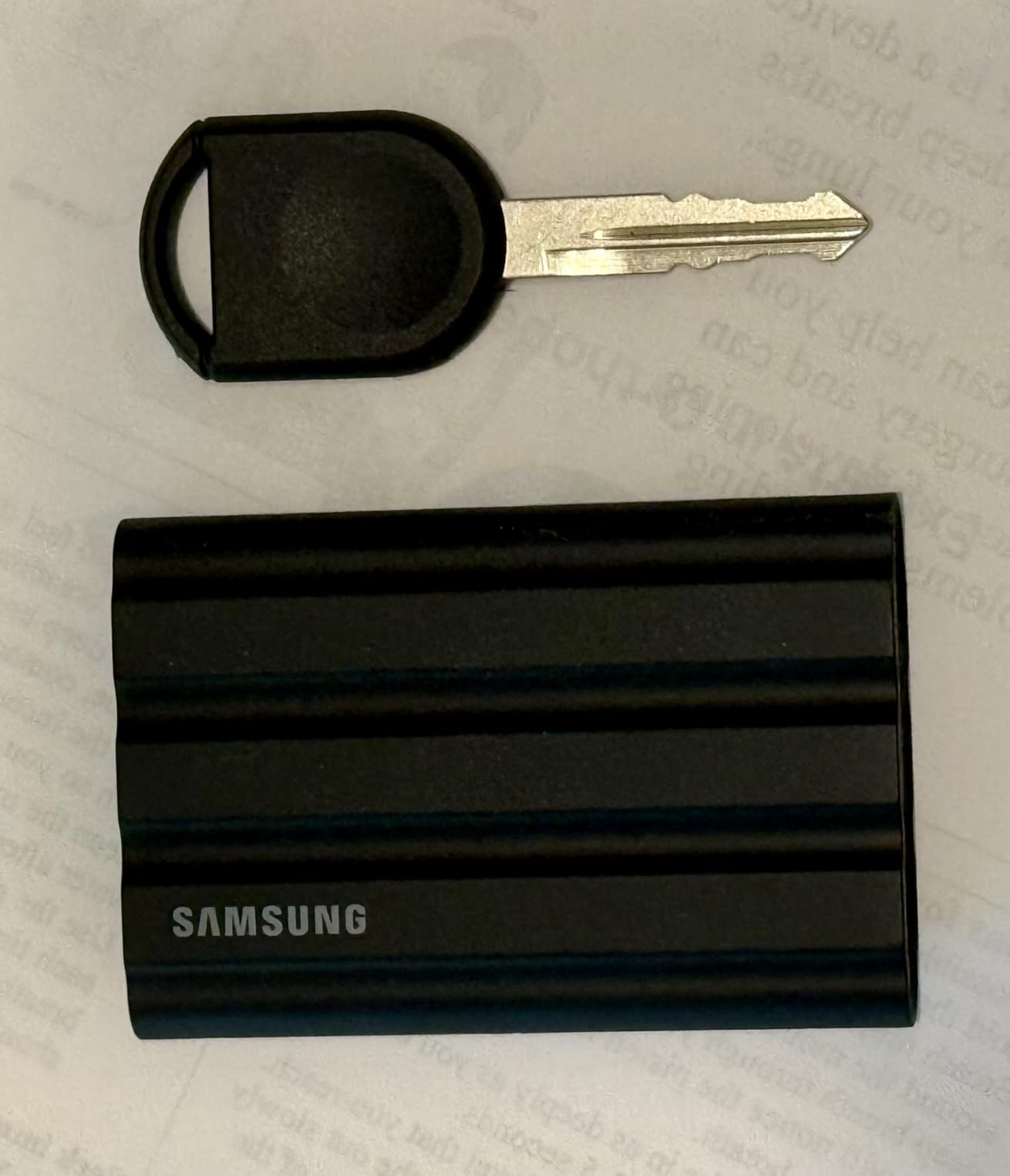
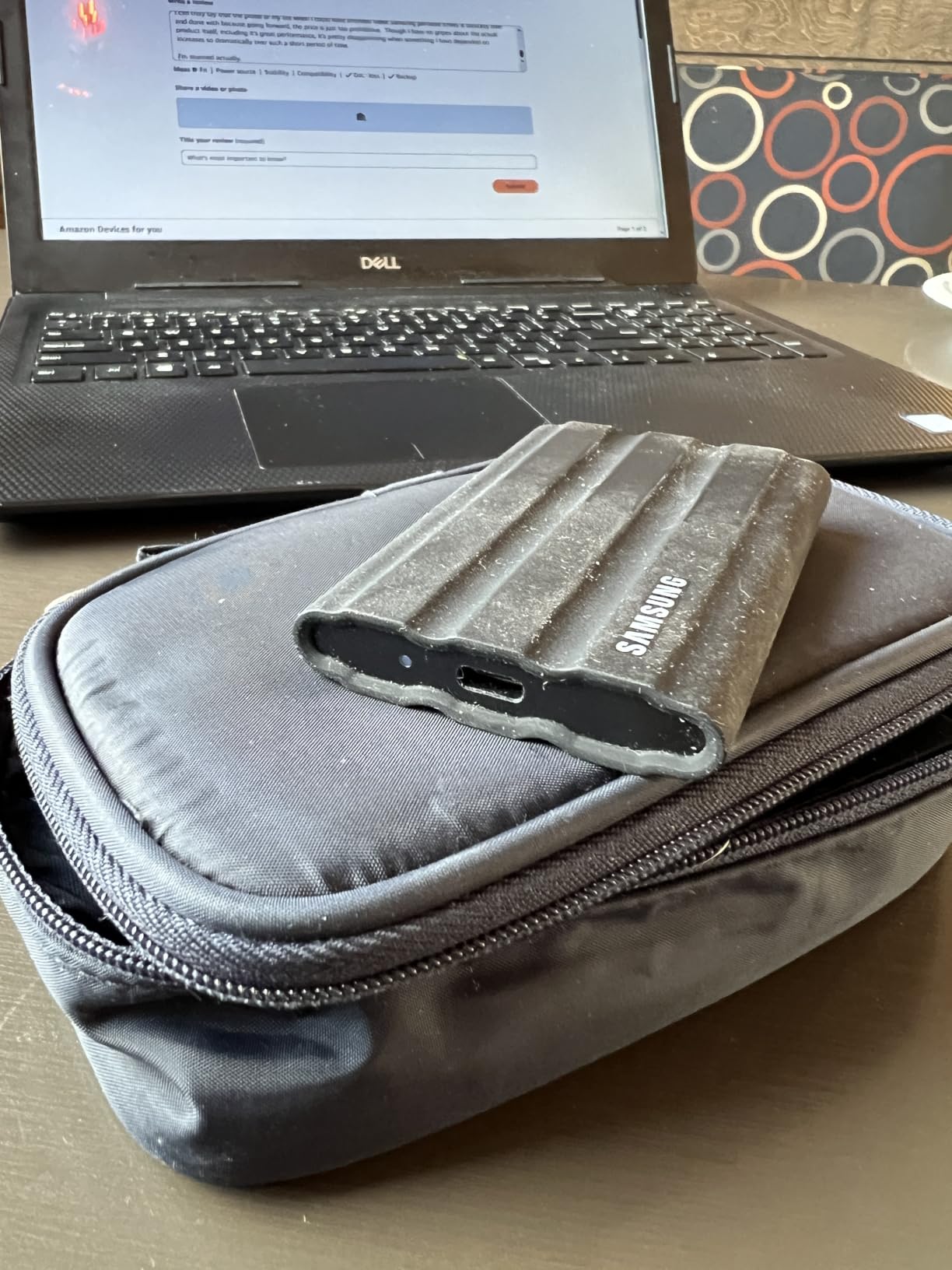
- Rubber exterior attracts lint and dust
- Encryption password setup is awkward on mobile
- Losing the password means a service center visit
The T7 Shield is the drive we recommend when the shoot decides the conditions. It is IP65 sealed against dust and water, rated to survive a 9.8 foot drop, and small enough at 97 g to disappear into a side pocket rather than compete with a lens for space. Rated sequential figures are 1050MB/s read and 1000MB/s write over USB 3.2 Gen 2, which is exactly what a CFexpress or high-capacity SD card can feed.
Because it is rated 4.7 stars across 16352 reviews, this is not a quiet sample. Owners consistently describe the same behaviour: fast offloads, a body that stays manageable in the hand during long transfers, and a drive that mounts first time on both macOS and Windows without a reformat. It is supplied in exFAT format, which is the file system that works out of the box on both platforms.
What we like most is the combination of sealing and tooling. Samsung Magician reports drive health and pushes firmware updates, so you can check the drive before a trip rather than discovering a problem mid-shoot. The drive also supports direct 4K 60fps high-resolution recording on iPhone 15 and 16 models, which makes it a legitimate capture target and not just a backup destination.
It also handles encrypted client work, with 256-bit AES hardware encryption handled inside the enclosure rather than by software on the host. That matters when you are shuttling an unreleased campaign gallery through airports. The catch is the software side of that feature. Setting the password through the bundled tool adds extra steps on mobile, and if the password is lost, the data is not recoverable without an authorised service centre. Write the password down before you leave the house.
Why photographers keep buying the T7 Shield
Photographers on dpreview forums and photography subreddits name this drive repeatedly for field work, and the pattern in those discussions is consistent: the IP65 rating removes the anxiety factor that makes people carry a second backup even when the weather is dry. Knowing the enclosure is sealed against rain and dust means one drive can be trusted more of the time.
The 9.8 foot drop rating also matches real accidents. A drive that slips from a camera bag onto a cobbled street or a hard flight-case latch is the most common damage scenario photographers describe, and this rating covers that fall comfortably. Pair the two protections and you have a drive that is genuinely usable outdoors rather than one that lives in a padded sleeve.
Where the T7 Shield falls short
The rubber exterior is the most common complaint in the reviews, and it is not cosmetic. Lint and fine dust cling to the textured surface, and photographers working on dusty sets report having to clean it before handling. It does not affect performance, but it is an irritation that metal-bodied drives do not have.
The second limitation is capacity positioning. This 1TB version suits multi-day shoots where you offload and cull along the way, but a working photographer shooting a year of events will fill it and need a second drive anyway. The Shield is available in larger capacities, yet the 1TB unit is the version that sits in most camera bags today.
2. SanDisk Extreme Portable SSD 2TB – Best Value Backup Drive
Sandisk 2TB Extreme Portable SSD, Up to 1050MB/s, USB-C, USB 3.2 Gen 2, IP65 Water and Dust Resistance, Updated Firmware, External Solid State Drive, SDSSDE61-2T00-G25
1050MB/s read,IP65 sealed
1.76 oz
3 m drop
AES 256 encryption
+ The Good
- Most reviewed drive in this group
- 1.76 oz body with carabiner loop
- IP65 sealing and 3 m drop protection
- 256-bit AES hardware encryption
- 5-year limited warranty
- The Bad
- Runs slightly warm during long transfers
- Picky about the USB-C cable used
- No external storage support on iPhone 11 Pro
At 1.76 ounces, the SanDisk Extreme is light enough that carrying two of them costs nothing in weight, and it earns a permanent place in the bag rather than sitting in a drawer. Rated at 1050MB/s read and 1000MB/s write over USB 3.2 Gen 2, with IP65 sealing and 3-meter drop protection, it covers the same physical envelope as drives twice its size. The carabiner loop is a small detail that matters more than it sounds when the drive needs to live on a belt loop rather than inside a bag.
The reason this drive anchors so many recommendations is the review volume. It holds a 4.6 star average across more than 91,000 ratings, the largest sample in this group by a wide margin, and it sits in the number one position in its retail category. That is not a popularity contest; it is a large body of owners reporting consistent behaviour across years of use.
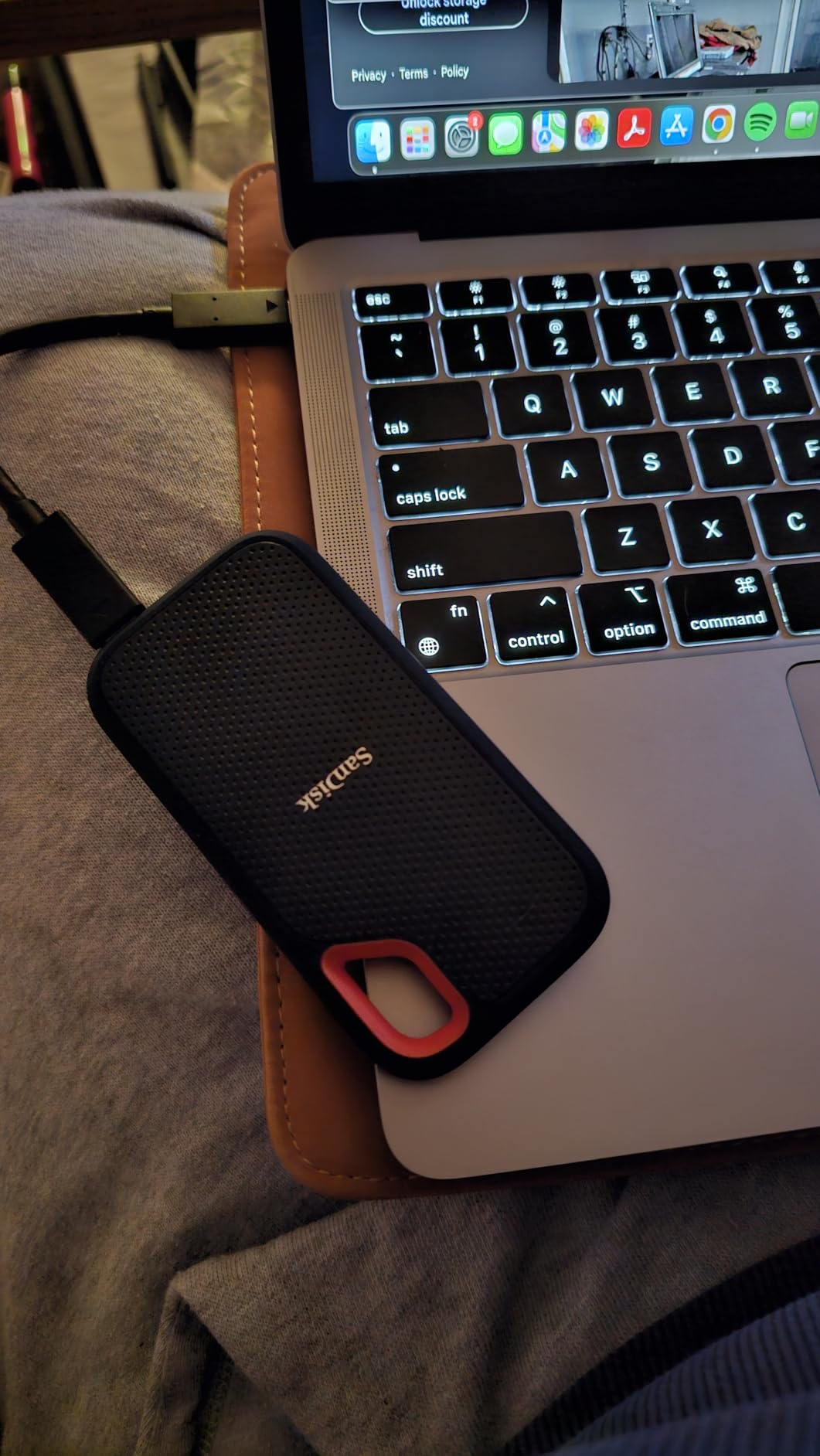
Two terabytes changes the arithmetic for photographers. A single wedding day with two cameras can produce 150GB to 300GB of RAW, and a multi-day assignment can cross a terabyte quickly. At 2TB you can carry the whole assignment plus a day of scratch space without a second drive, which removes one decision from the end of a long day.
Security is handled in hardware, with 256-bit AES encryption and the SanDisk Memory Zone app for managing files. The warranty runs five years, which is longer than several drives in this roundup and covers the period most working photographers actually keep a drive in service.
Reviewers do raise reliability concerns about SanDisk drives in photography communities, and we treat those seriously. The pattern in the reports is a drive that fails suddenly rather than degrading gradually, often after heavy use or with older firmware revisions. Our advice is to treat this drive as a superb second and third copy rather than the only place a shoot exists, which is exactly the workflow photographers already describe in those same threads.
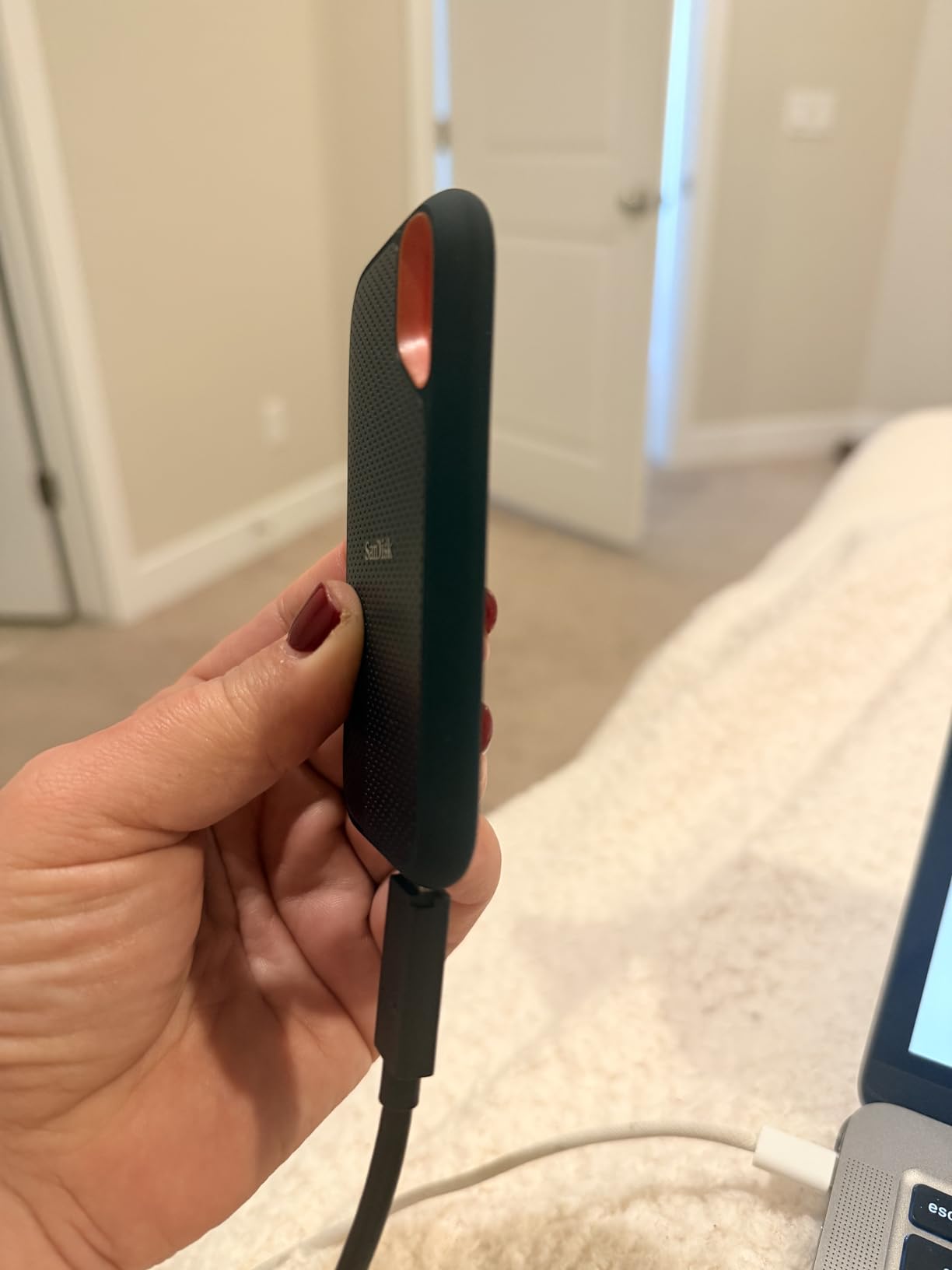
What the SanDisk Extreme does better than anything else here
Portability is the honest answer. At 1.76 ounces, this is the drive you will actually keep attached to your belt rather than in a drawer at home. That difference decides whether you have a backup at all, and it is why the carabiner loop is worth more than it looks on a product page.
The 2TB capacity is the other differentiator. Everyone in this roundup offers 1TB models, and a 1TB drive is where people start cutting corners on multi-day work. Carrying a single 2TB unit means one cable, one drive and one thing to verify, which shortens the offload ritual at the end of a fourteen-hour day.
Where the SanDisk Extreme is not the right choice
Cable quality comes up repeatedly. Owners report that the drive does not always mount reliably with cheap USB-C cables, and that a cable rated for data rather than charging makes a difference. This is easy to solve by using the supplied cable or a known-good one, but it causes confusion the first time it happens.
The drive also runs slightly warm during long sustained transfers. Heat is not a failure state, and this drive is nowhere near the temperatures that cause throttling, but it is worth noting for anyone working in high ambient heat. Finally, the product listing does not support external storage workflows on iPhone 11 Pro, which rules it out for older iPhone capture setups.
3. Samsung T9 Portable SSD 1TB – Best for 4K and 8K Video
Samsung T9 Portable SSD 1TB, USB 3.2 Gen 2×2 External SSD, Up to 2,000 MB/s
2000MB/s read and write
USB 3.2 Gen 2x2
4.32 oz
Dynamic Thermal Guard
+ The Good
- 2000MB/s sustained read and write
- Dynamic Thermal Guard manages heat on long offloads
- Credit-card sized at 4.32 oz
- AES 256-bit hardware encryption
- 5-year limited warranty
- The Bad
- Can feel warm under sustained heavy transfer
- May struggle to initialise on older USB hardware
- No carrying case included
The T9 exists for photographers who have crossed into video. It is rated at 2000MB/s for both read and write over USB 3.2 Gen 2×2, which is the interface needed to move high-bitrate 4K or 8K files without the copy stalling partway through. The card has to be able to feed it first, and this is the drive to pair with CFexpress Type B media or a high-speed V90 SD card.
Heat is the enemy of a fast portable SSD, and Samsung’s Dynamic Thermal Guard is the feature to watch here. Owners using the T9 for media workflows report that it stays cool during extended transfers and keeps editing RAW files and video straight from the drive. The body is credit-card sized at 4.32 ounces, so it still fits the pocket-ability test that the field drives pass.
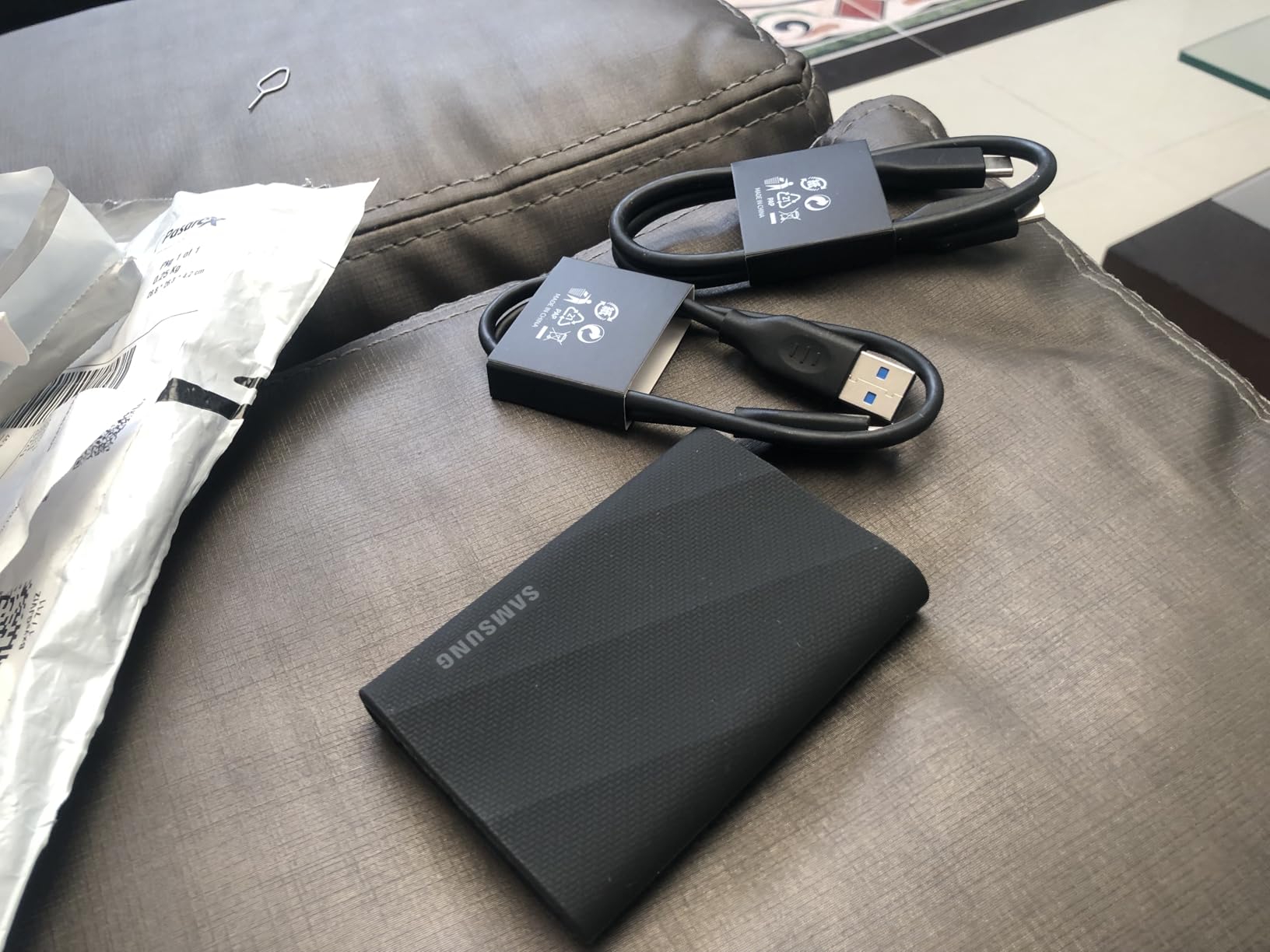
It also supports direct 4K 60fps high-resolution recording on iPhone 15 and 16 devices, so a hybrid shooter can record ProRes footage straight to the drive and skip the phone’s internal storage entirely. Samsung Magician handles firmware updates and drive health, and encryption is 256-bit AES in hardware.
The honest warning is the port. 2000MB/s requires a host with USB 3.2 Gen 2×2 or better, and most laptops and many desktops do not have one. On a machine limited to USB 3.2 Gen 2, the drive negotiates down and you get roughly half the rated speed. Check your laptop’s port before buying, because that single detail decides whether this is the fastest drive you can use or just an expensive one.
Two smaller notes. Some owners on older hardware report trouble getting higher-capacity versions to initialise, so if your main machine is a few years old, verify compatibility before you commit. And there is no carrying case in the box, which matters for a drive this fast and this important.
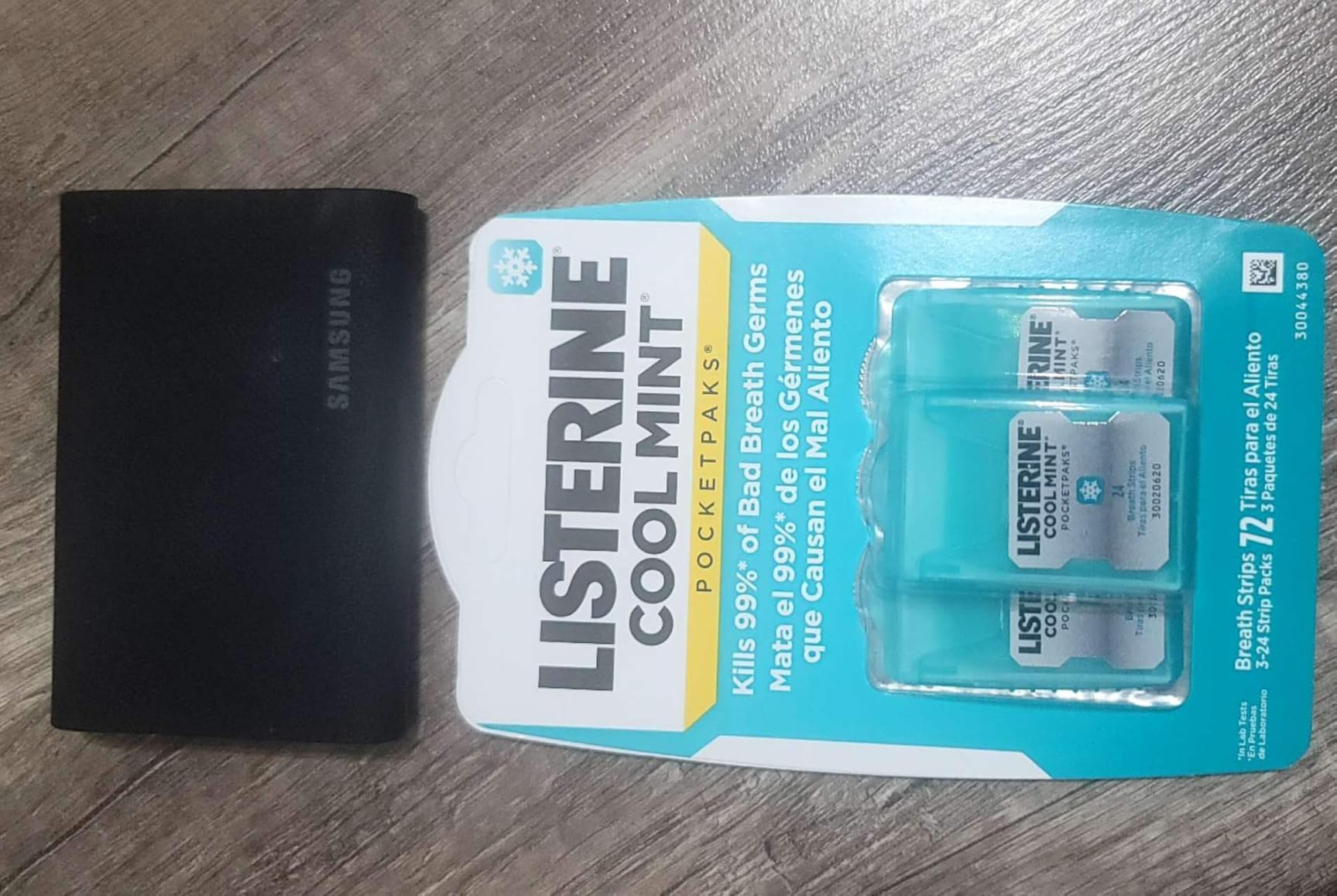
Who should buy the T9
Buy the T9 if your cards are video cards, or if you regularly shoot short 8K clips alongside stills. Anyone editing 4K ProRes or high-bitrate H.265 straight from an external drive will feel the difference between a 1050MB/s drive and a 2000MB/s one, particularly when scrubbing timelines or copying between volumes.
It is also a good choice for hybrid shooters who already own a Thunderbolt laptop and want the fastest Gen 2×2 option without moving up to USB4 hardware. The 4K 60fps recording support adds a use case that purely photographic drives do not cover, and for a photographer buying their first capture drive it is a clean entry point.
Who should skip the T9
If your laptop has a single USB-C port and you are not certain it is Gen 2×2, this is the wrong spend. The same money buys a 2TB drive that runs at 1050MB/s everywhere and holds twice the data, which for a stills workflow is the more useful outcome. Payloads of RAW stills rarely need more than 1000MB/s to keep up.
Older hardware is the second concern. If your editing machine predates the current generation of USB controllers, expect compatibility friction, particularly on higher-capacity units. And if you are purely a stills shooter on a modern laptop, the faster tier delivers diminishing returns that are better spent on capacity.
4. Crucial X9 Portable SSD 1TB – Budget Pick for Everyday Offloads
+ The Good
- Dependable 1050MB/s for everyday photo work
- Light 32 g body
- IP55 sealing with 7.5 ft drop resistance
- Works across Windows
- Mac
- Android and consoles
- The Bad
- Not among the fastest drives available
- Polycarbonate shell feels less premium
- 3-year warranty is shorter than most rivals
The Crucial X9 is the sensible second drive when budget matters. It delivers 1050MB/s read, which matches the ceiling of most memory cards, so the card stays busy during the copy rather than the drive. At 32 grams it is among the lightest here, and it carries IP55 water and dust resistance with a 7.5 foot drop rating.
Buyers consistently describe it as a dependable everyday drive for photos and general file storage, with good speed, small size and wide device compatibility. The listed compatibility is genuinely broad: Windows, Mac, iPad Pro, Chromebook, Android, Linux, and current PlayStation and Xbox consoles. For a photographer who shuttles files between a laptop, a tablet and a phone, that list is more useful than a faster spec sheet.

There is a bonus that matters for photographers specifically. Registering the drive includes three months of Mylio Photos+ and a copy of Acronis True Image, which gives you a photo management tool and a cloning utility without a separate purchase. For a working photographer building a first backup habit, that is a meaningful head start.
Enclosure material is polycarbonate rather than metal, and the operating temperature range is not stated in the listing. Neither is a serious problem in normal conditions, but they explain why the drive feels different in the hand than the aluminium-bodied models. The 3-year limited warranty is the shortest alongside the Crucial X10, which is worth factoring in if you intend to keep the drive for a full working decade.
Where the X9 earns its place
The strongest case is the pair of drives in a camera bag. One fast, sealed drive for the day’s working copy, and a second X9 as the insurance copy that never leaves the bag. and the price per terabyte on this drive is among the lowest in the roundup for a sealed 1TB unit.
It is also the right choice for a studio or home workflow where the drive lives on a desk. Library shuttling between a laptop and a desktop, preview generation and general archive duty do not need 2000MB/s, and they do not need IP67. For those jobs, the X9 does the job at a fraction of the cost of a premium field drive.
Where the X9 is not enough
IP55 is a lower sealing standard than IP65 or IP67. It protects against dust and water spray, which is fine for a hotel room or a studio, but it is not the specification to carry onto a beach, a boat deck or a desert trail. If your work is genuinely outdoors, the sealing gap is real and you should step up to an IP65 or IP67 drive.
The polycarbonate housing is the second limitation. It is not fragile, but it does not dissipate heat the way an aluminium chassis does, which matters if you are running long sustained writes in a hot environment. And the 1050MB/s ceiling means a 2000MB/s card will still be throttled by the drive during large video offloads.
5. Samsung T7 Portable SSD 1TB – Best for Everyday Pocket Carry
Samsung T7 Portable SSD 1TB Titan Gray, USB 3.2 Gen 2, Up to 1,050MB/s
1050MB/s read and write
2.08 oz
6 ft fall protection
exFAT
+ The Good
- Fast enough to edit 4K media from the drive
- Palm-sized at 2.08 oz
- Solid aluminum unibody
- Pre-formatted exFAT for Mac and Windows
- 256-bit AES hardware encryption
- The Bad
- Rubberized sleeve collects lint and dust
- Limited color range compared with rivals
- 3-year warranty
- No IP water or dust rating
The T7 is the drive that defined this category, and it is still the default recommendation for a photographer who shoots in normal conditions. Rated at 1050MB/s read and 1000MB/s write over USB 3.2 Gen 2, with a solid aluminum unibody that resists shock and falls up to 6 feet, it does the basic job cleanly and predictably.
Editors and content creators treat it as the go-to portable drive: fast, reliable, silent, cool-running and pocketable. At 2.08 ounces it is one of the smallest drives here, and the unibody construction feels more substantial in the hand than its weight suggests. It also supports direct 4K 60fps high-resolution recording on iPhone 15 Pro models, which gives it a video credential beyond raw storage.
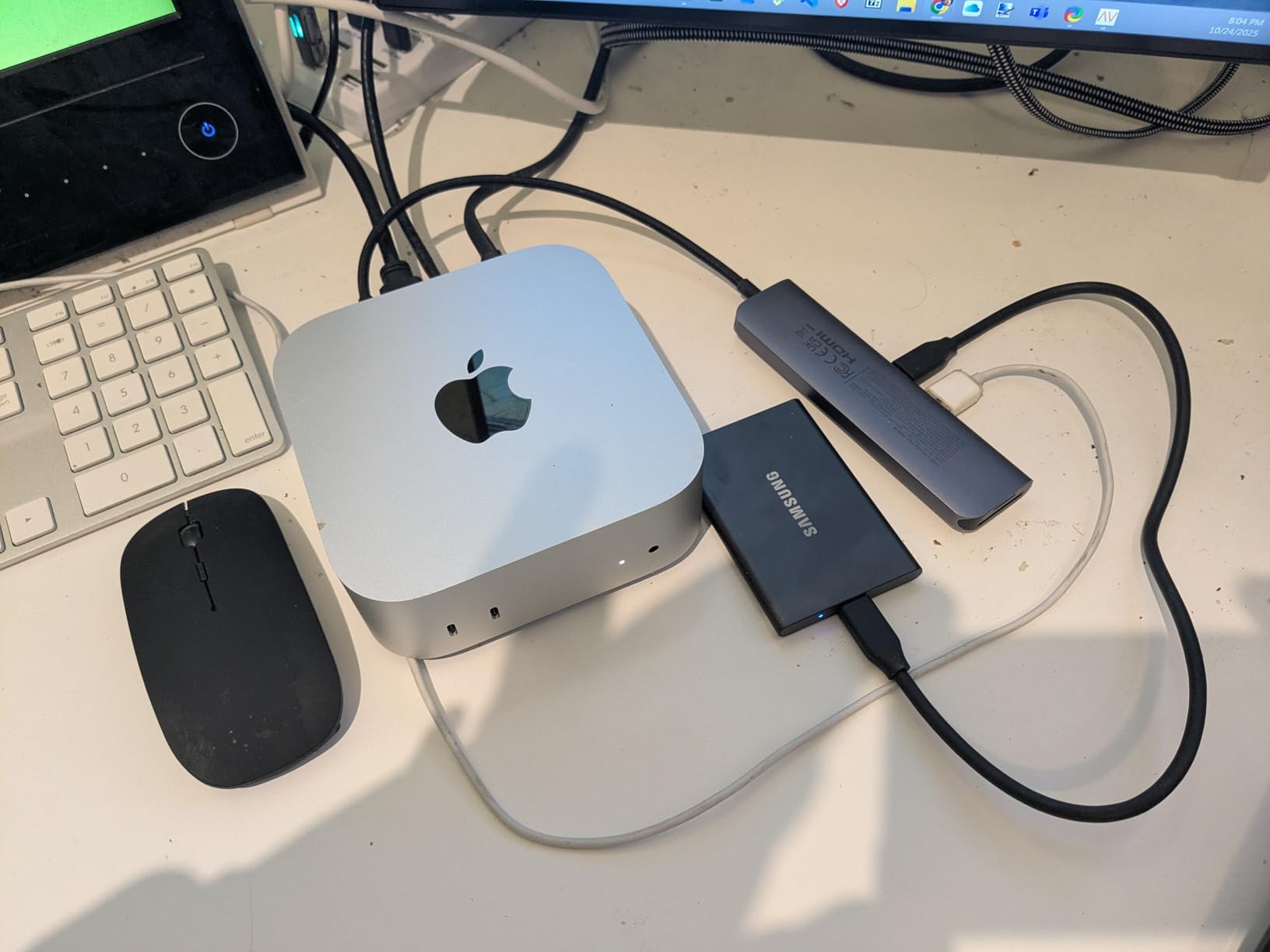
A 4.7 star average across 21220 reviews puts it among the best-reviewed products in the entire roundup, not just this group. The rating distribution is unusually favourable, with 86 percent five-star and only 2 percent one-star. That is a signal of broad, consistent satisfaction rather than a polarised product with two camps.
It arrives pre-formatted as exFAT, so it works on both macOS and Windows with no setup. Encryption is 256-bit AES in hardware, and compatibility extends to Mac, PC, tablets, smartphones and current PlayStation consoles. If you need a drive that never causes friction on location, the T7 is the least complicated choice here.
Why the T7 remains the default choice
Simplicity is the underrated feature. There is no bundled workflow to learn, no encryption tool to configure before the first shoot, and no format question to answer. You plug it in and copy. For a photographer shooting a wedding for twelve hours, the value of not having to think about the backup drive is difficult to overstate.
It is also the drive most likely to already be in somebody’s drawer from an earlier purchase, which makes it a familiar second unit when you move to a larger capacity. Community discussion around this drive consistently centres on it being the drive people actually trust with a working copy, not the one they test with a large file.
Where the T7 falls behind
The missing IP rating is the real limitation. Six feet of fall protection is genuinely useful, but the drive is not sealed against water and dust, so it should not be the drive you carry to a rain-soaked wedding or a dusty trail. If your work takes you outdoors, that is a reason to choose the T7 Shield instead of the T7.
The rubberized sleeve attracts lint, and the colour range is limited compared with some rivals. The 3-year warranty is also shorter than the 5-year cover on the Shield, the SanDisk Extreme and the T9. None of these are dealbreakers; together they add up to a drive that is excellent in safe conditions and a compromise in harsh ones.
6. Crucial X10 Portable SSD 1TB – Best for Fast Card Offloads
+ The Good
- Very high 2100MB/s read for creator workflows
- IP65 sealing with 3-metre drop resistance
- Light 32 g body
- Works across Windows
- Mac
- Linux and consoles
- The Bad
- Needs a USB 3.2 Gen 2x2 host for rated speeds
- Only a 3-year limited warranty
- Matte plastic-style shell feels less premium
The Crucial X10 is the value route into the fast tier. It is rated at 2100MB/s read, which is at the top of the portable SSD range, and it pairs that speed with IP65 sealing and 3-metre drop resistance at just 32 grams. Very few drives combine a fast interface with real environmental protection at this weight.
Owners rate it highly for creator and gaming use, citing the speed and the IP65 durability as the two features that justify the purchase. The footprint is small, and the platform compatibility is broad, covering Windows, macOS, Linux, iPad Pro, Chromebook, Android and the current PlayStation and Xbox consoles through both USB-C and USB-A.
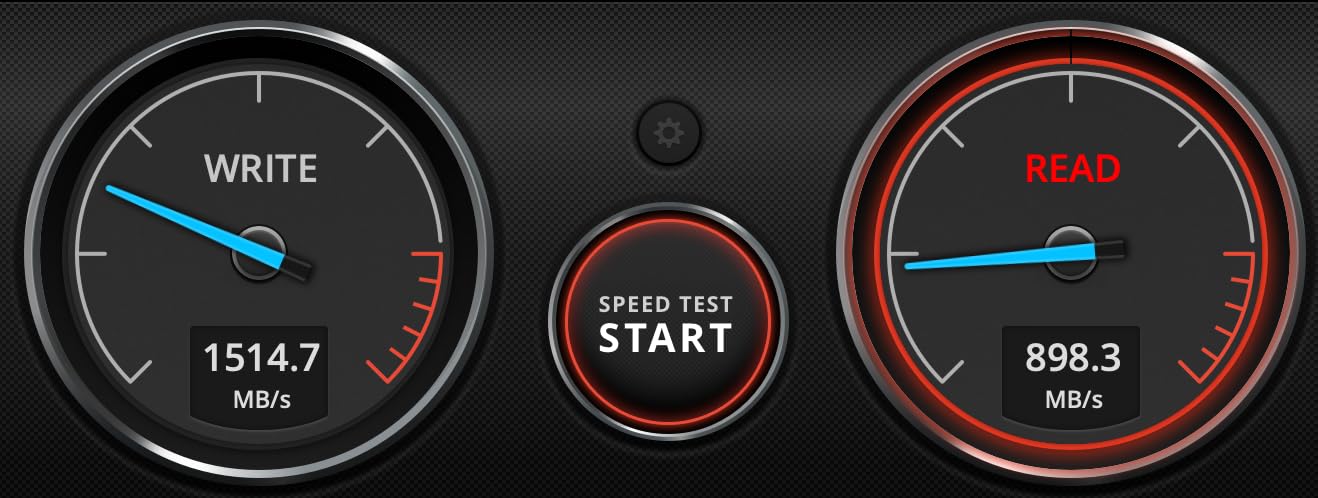
The honest caveat appears in almost every review: the advertised speeds require a USB 3.2 Gen 2×2 host. On a machine with only Gen 2, the drive runs at Gen 2 speed, which makes it no faster than a T7. That is a port problem rather than a drive problem, but it is the single fact to check before buying.
The 3-year limited warranty is also shorter than the 5-year cover offered by several rivals, which is a modest drawback on a drive intended for years of service. The shell reads as matte plastic rather than metal, which affects the feel in the hand more than the durability, since the IP65 rating is the specification that matters in the field.
Best use for the X10
This is the drive for a photographer who has already confirmed a Gen 2×2 port on the machine and wants the offload to finish as quickly as the card allows. A single 256GB or 512GB card transfer at rated speed takes roughly one to four minutes depending on the tier, and for a shooter doing that a dozen times a day the time saving is real.
It is equally sensible for anyone moving a Lightroom catalog or a large preview cache to a faster scratch volume. IP65 sealing means you can use the same drive for an offsite edit day without moving it to a padded sleeve first, which simplifies packing.
Where the X10 makes less sense
Skip it if your laptop is a couple of generations old or if you edit on a machine you have not checked the ports on. A 1TB Gen 2 drive at 1050MB/s will serve you identically for stills and cost you less. Buying speed you cannot plug into is the most common mistake in this category.
For a working photographer buying one drive for a decade, the shorter warranty is a fair reason to look at the Crucial X10 Pro or the SanDisk options instead. Both extend cover to five years, and that is the period a real photo archive stays on the drive that receives it.
7. Crucial X10 Pro Portable SSD 1TB – Best for Long Warranty Coverage
Crucial X10 Pro 1TB Portable SSD, Up to 2100MB/s Read, 2000MB/s Write, 3.2 USB-C, External Solid State Drive, Durable Storage for PC & Mac, for Professional Creators, Black – CT1000X10PROSSD902
2100MB/s read,2000MB/s write
Anodized aluminum
5-year warranty
+ The Good
- Anodized aluminum housing built for field work
- 2100MB/s read and 2000MB/s write
- Lanyard loop and activity light for on-the-go use
- 5-year limited manufacturer warranty
- Holds high-resolution photos and 4K or 8K video
- The Bad
- IP55 rating rather than IP65
- Advertised speeds need a USB 3.2 Gen 2x2 host
- Weakest average rating in this group
The X10 Pro is the version of the fast Crucial built for people who read warranty terms. It is rated at 2100MB/s read and 2000MB/s write, sits in an anodized aluminum housing that dissipates heat better than a plastic shell, and carries a 5-year limited manufacturer warranty, matching the longest cover in this roundup.
The physical features are aimed squarely at field use. There is a lanyard loop for attaching the drive to a strap, an activity light that shows when data is moving so you know a transfer is live, and password protection for client work. A USB-C cable and a Mylio Photos+ redemption code are included. Professional creators value the aluminum build and the fast sustained throughput for 4K and 8K media.
It is also the one drive here we rate most cautiously. It holds a 4.0 star average across 4400 reviews, the lowest in this roundup, and the rating distribution includes 18 percent one-star reviews, far above the rest of the field. Professional buyers in the reviews tie that dissatisfaction to durability and connectivity expectations rather than speed, which is consistent with an IP55 rating that is lower than the sealed rivals.
That combination is the decision: strong hardware, strong warranty, and a support record that is noticeably weaker than the drive above it. For a photographer who wants one unit to last a long time and values the metal body, the trade is defensible. For anyone whose shoot cannot be repeated, we would not make this the primary copy.
Where the X10 Pro fits
Pick it if you need a fast, metal-bodied drive with a five-year warranty and you are comfortable verifying the drive health before each trip. The anodized aluminum housing handles sustained writes better than the plastic alternatives, and the activity light removes the guesswork from a copy operation in a dark venue.
The lanyard loop also makes it a good companion drive for a working photographer who wants client files separated from working files. Password protection means you can hand the drive to an assistant or a producer without exposing an unreleased gallery.
Where the X10 Pro is not the answer
The rating profile is the first warning. An 18 percent one-star share on a product with this specification set suggests that a meaningful number of owners had problems early. If you are buying the only drive for a shoot, choose a product with a large sample and a high average instead.
IP55 is also lower than the IP65 and IP67 rivals here, so the environmental protection is weaker precisely where professionals need it most. And the 2100MB/s figure needs a Gen 2×2 host, the same port caveat that applies to every drive in the fast tier.
8. Lexar ES3 Portable SSD 1TB – Best for Ultra-Slim Bodies
Lexar ES3 1TB Portable SSD Silver, USB 3.2 Gen 2 up to 1050MB/s
1050MB/s read
10.5 mm thick
45 g
DataShield encryption
+ The Good
- Extremely slim at 10.5 mm and light at 45 g
- 1050MB/s read and 1000MB/s write
- Works with cameras
- Android and iPhone 17 series
- Lexar DataShield 256-bit AES encryption included
- The Bad
- Speed drops on hosts without USB 3.2 Gen 2
- No MagSafe support on this version
- Not compatible with iPhone 14 or older models
- 3-year limited warranty
The Lexar ES3 is among the thinnest drives in this roundup, and thinness is a genuine photographic advantage. At 10.5 mm it slides into a laptop sleeve or a jacket pocket without creating a visible bulge, which is exactly what you want when you are carrying a body, three lenses and a card wallet. Weight is listed at 45 g in the product details, with the manufacturer specification quoting 42 g.
Speed is 1050MB/s read and 1000MB/s write, which is the right class for photo offloads because that is the ceiling of most cards. The interface is listed as USB 3.0 with USB 3.2 Gen 2 capability, and the practical result is that it reaches full speed on a Gen 2 port and negotiates down on anything older.

Device coverage is the standout. The listing confirms compatibility with cameras, Android devices, the iPhone 17 series, Xbox X|S, and both PlayStation 4 and 5, plus laptops. Owners like the slim profile and the easy camera-to-laptop transfer, and Lexar DataShield provides 256-bit AES encryption software for anyone handling sensitive client material.
There is no stated IP rating in the product details, so treat this as a drive for controlled environments rather than exposed ones. A Type-C cable is included for plug-and-play use, which is one less thing to pack, and the 3-year limited warranty is on the shorter side of the field.
Reasons to pick the ES3
Thinness wins when the drive competes with lenses for pocket space. If you shoot events where you carry minimal gear and want the drive to disappear rather than add bulk, the ES3 is the most discreet option we tested. It is also comfortable to handle in the hand during a long copy, which is a small thing that matters on a 400-frame offload.
The camera compatibility is the other argument. Shooters who move files directly from a camera to the drive without passing through a laptop get a simpler chain, fewer points of failure and fewer cables. DataShield covers the security side for client deliveries, and a photographer working alone on a commission can keep the files encrypted from the moment they land.
Limitations worth knowing
The phone support has hard edges. The listing states compatibility with the iPhone 17 series but explicitly not with iPhone 14 or older models, so anyone building a capture workflow around an older phone should look elsewhere. This version also has no MagSafe support, which rules out magnetic mounting on compatible gear.
Older hosts run it slowly, and with no IP rating it is not the drive to take into rain or dust. The 3-year warranty is also shorter than the 5-year options from Samsung, SanDisk and G-Technology. For a photographer who wants the thinnest possible body and works in safe conditions, those are acceptable; for anyone else, the sealing gap is the deciding factor.
9. SanDisk Professional G-DRIVE SSD 2TB – Best IP67 Sealing and Crush Resistance
+ The Good
- IP67 sealing with 3 m drop and 2000 lb crush resistance
- Cooling aluminum core sustains read speed
- 2TB capacity in a compact body
- 5-year limited warranty
- Both USB-C and USB-C to USB-A cables included
- The Bad
- Costs well above mainstream drives for similar speed
- Requires reformatting for Windows use
Nothing else in this roundup carries IP67 sealing together with 2000 lb of crush resistance, which is why the G-DRIVE SSD is the choice for genuinely harsh conditions. It is dust-proof and waterproof to a one-metre immersion, drop tested to 3 metres, and rated to survive a crush force that would destroy a typical aluminium drive. Rated transfer speed is 1050MB/s read and 1000MB/s write over USB 3.2 Gen 2.
The cooling aluminum core is the feature that separates it from a sealed consumer drive. Sustained 1050MB/s transfers stay stable on location because the chassis moves heat away from the NAND rather than trapping it, which is the difference between a full-speed offload and a throttled one on the third card of the day.
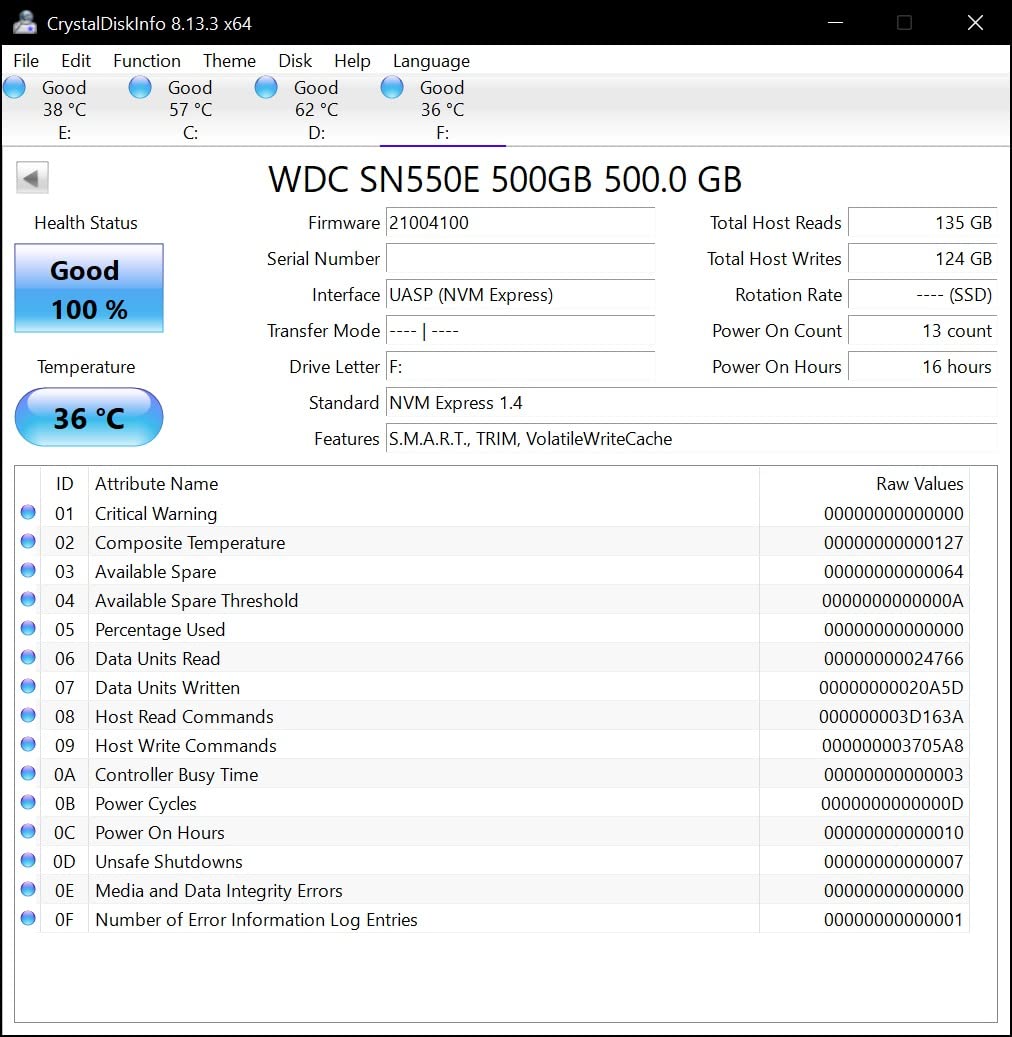
Professionals buy it precisely for the ruggedness, and reviewers confirm that is the reason it holds a 4.6 star average. At 2TB and a listed 12.75 g, it is small enough to carry as the primary field drive without becoming the heaviest item in the bag. The box includes a USB-C cable and a USB-C to USB-A cable, so it works on older laptops without an adapter.
The 5-year limited warranty is among the longest here, which is appropriate for a drive intended to sit in a case and survive years of travel. Note that the product is supplied formatted for Mac and works with Windows after a reformat. That is a one-time step, but do it at home before the shoot rather than in a hotel room at midnight.
Where the G-DRIVE earns its place
Cinema and documentary crews choose drives in this class because the cost of a failure is a production day, not a card. IP67 sealing removes water and dust from the list of things that can end a shoot, and the crush rating means a drive survives being stepped on inside a crowded case. For a photographer working on location in places with poor handling conditions, that is worth paying for.
It is also a good primary drive for a photographer who shoots in one region repeatedly, since the 2TB capacity holds a long assignment and the durability removes the argument for carrying a second body. The cooling core matters most for exactly the workloads photographers generate: thousands of large RAW files written in a continuous block.
Where it is overkill
If your work is studio, event coverage in a controlled venue or general travel, you are paying for sealing and crush resistance you will never test. A 1050MB/s IP65 drive handles those conditions and leaves money in the budget for a second copy, which is a better use of the same funds for a photographer whose main risk is a single point of failure.
The Mac-first formatting is the second friction point. Windows users need to reformat, and the 4.6 rating reflects satisfaction from a relatively small sample of 493 reviews, so the evidence base is thinner than for the mainstream drives here. Judge it on the physical specification, which is genuinely the strongest, rather than on the review count.
10. SanDisk Extreme PRO 4TB USB4 – Best for Thunderbolt Workflows
Sandisk 4TB Extreme PRO Portable SSD with USB4, Up to 3,800MB/s Read Speeds
3800MB/s read,3700MB/s write
USB4 and Thunderbolt 4
4TB
IP65
+ The Good
- Up to 3800MB/s read and 3700MB/s write over USB4
- IP65 water and dust resistance
- Backward compatible with USB 3.2 and USB 2.0
- 5-year limited warranty
- 4TB capacity in a portable body
- The Bad
- Requires USB4 or Thunderbolt 4 hardware for rated speeds
- Runs warm during heavy sustained transfers
- No carrying case included
- Longer body than ultracompact rivals
The extreme PRO 4TB is a USB4 drive, and it is among the fastest in this roundup. Rated figures are 3800MB/s read and 3700MB/s write over USB4 with Thunderbolt 4 support, backed by backward compatibility with USB 3.2 and USB 2.0 so it still works on older machines at a reduced speed.
Owners report real-world throughput in the 3000MB/s to 3800MB/s range and praise it for ProRes video workflows, large photo libraries and fast backups. The rugged silicone shell over a forged aluminum chassis carries IP65 water and dust resistance, so the durability story holds up alongside the speed rather than being traded away for it.
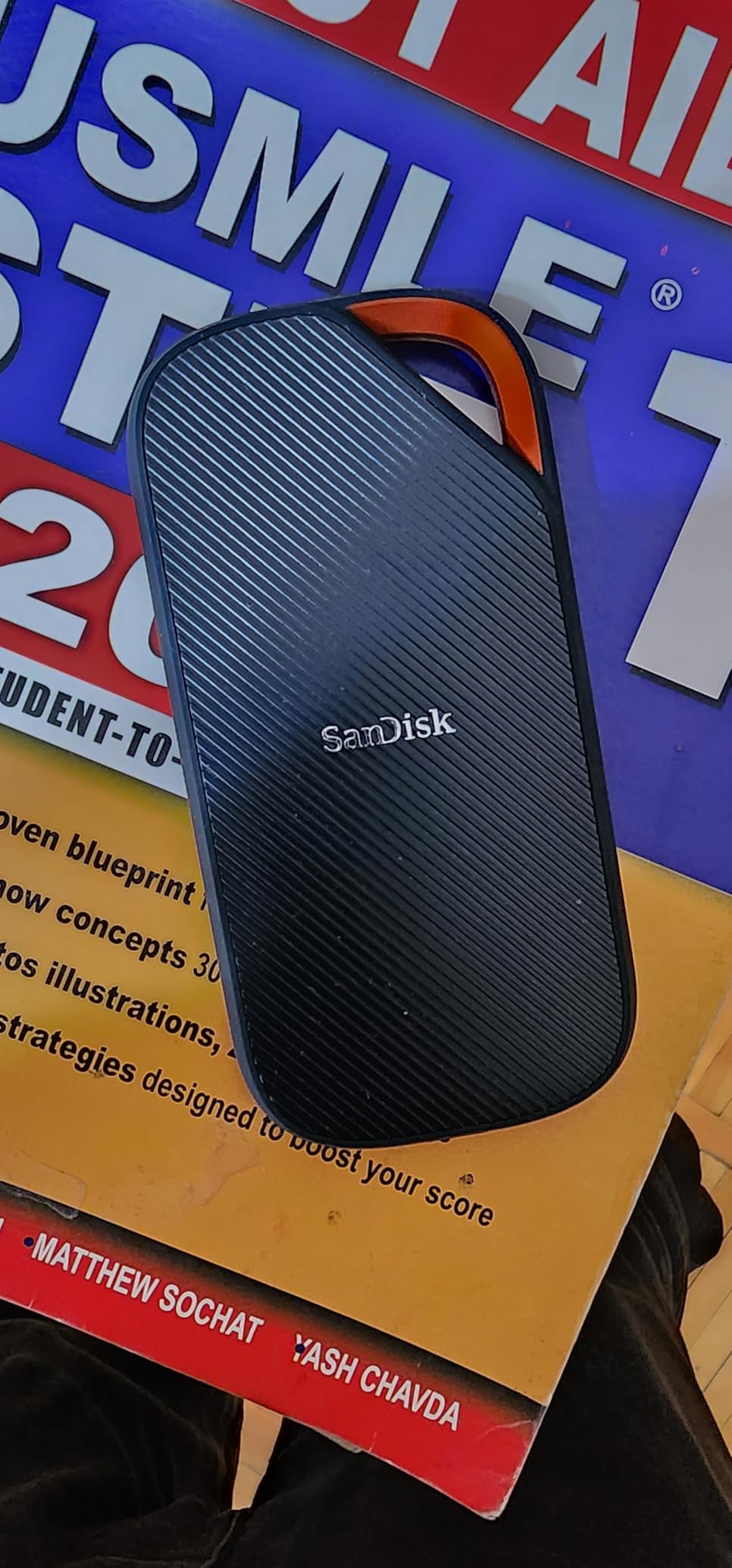
At 4TB, it solves the capacity problem that limits most working photographers. A 4TB drive holds an entire year of a busy shoot calendar plus a working edit space, which means fewer mid-shoot decisions and fewer times when you have to choose between culling and continuing. The 5-year warranty matches the longest cover available here.
Everything about this drive depends on your hardware. Thunderbolt 4 or USB4 is required to see anything close to the rated figures, and on a Gen 2 port it will simply run at Gen 2 speed. Check the port on the machine you will actually use, not the machine you would like to use.
Physical trade-offs are worth noting. It weighs 6.08 ounces, the heaviest drive in this roundup, and the body is longer than the ultracompact models. It runs warm during heavy sustained transfers, which is normal for a USB4 device pushing multiple gigabytes per second, and no carrying case is included for a drive this size and this valuable.
Who this drive is for
Professional photographers and videographers handling very large files on modern Thunderbolt hardware are the clear audience. If you shoot 8K, work with high-bitrate ProRes, or maintain a multi-terabyte library that you shuttle between a laptop and a desktop, the throughput advantage is real and the 4TB capacity removes an entire category of problem.
It is also the sensible choice for a photographer who wants one drive to last across a long career and a long editing machine upgrade cycle. Backward compatibility means it will keep working when your current laptop is replaced by something that is not yet Thunderbolt 4.
Who should pass on it
Any photographer without USB4 or Thunderbolt 4 hardware should look elsewhere, because the price of this drive buys speed that will not be used. In that situation a 1050MB/s Gen 2 drive delivers the same practical result and frees budget for a second copy, which protects the shoot far more effectively.
For pure stills on a standard laptop, the faster tier is simply unnecessary. Even a 512GB card transfer finishes in a couple of minutes at 1050MB/s. Save the USB4 tier for video, and save the money for capacity and a second drive.
11. SanDisk Creator PRO 4TB – Best 4TB Option for Photo Libraries
Sandisk 4TB Creator PRO Portable SSD, Up to 2000MB/s Read Speeds – Blue
2000MB/s read and write
USB 3.2 Gen 2x2
IP65 sealed
3 m drop
+ The Good
- 2000MB/s read and write over Gen 2x2
- IP65 sealing with 3-metre drop protection
- 4TB capacity in a compact body
- 5-year limited warranty
- Rated 4.8 stars across 300 reviews
- The Bad
- Slower than USB4 competing drives
- Bundled security software is not used by most owners
- Some buyers start too small and rebuy larger sizes
The Creator PRO sits in the middle of this roundup, and that is its argument. It delivers 2000MB/s read and write over USB 3.2 Gen 2×2 while carrying IP65 water and dust resistance and 3-metre drop protection, which means the fast tier and the sealed tier are no longer a trade-off. Capacity is 4TB in a compact blue body weighing 77.5 g.
Reviews are overwhelmingly positive, with a 4.8 star average across 300 reviews and a rating distribution that includes 91 percent five-star feedback. Owners praise the speed, the ruggedness and the fit for creative photo and video workflows, and several use it as a boot drive for iMacs. One owner reports it surviving a roughly 90 cm drop from a workbench with no damage, which is consistent with the stated drop rating.
A one-month Adobe Creative Cloud membership is bundled, which suits photographers already working in Lightroom and Photoshop. The 5-year limited warranty matches the longest cover in this group. As with every Gen 2×2 drive here, the rated speed requires a compatible host, and it will negotiate down on a standard Gen 2 port.
Why this is a strong 4TB choice
Capacity is where most photographers over-buy or under-buy. Too small and you are culling under pressure on location; too large and you are carrying weight you do not use. At 4TB, a working photographer can hold a full year of a busy assignment plus an edit space, and the 77.5 g body stays reasonable in a bag.
The combination that separates it from the other fast drives is IP65 sealing at 2000MB/s. The 3800MB/s USB4 model is faster and the 2100MB/s Crucial drives are cheaper, but this is the one that combines a fast interface with environmental protection at a capacity suited to real photographic work.
Limitations to weigh
It is slower than the USB4 drive, obviously, and if your workflow is dominated by multi-gigabyte video files on Thunderbolt hardware, the gap shows. For a photo-led workflow with occasional video, it is a reasonable place to stop climbing the speed ladder.
The bundled software is not used by most owners, so treat it as a small bonus rather than a reason to buy. And a recurring pattern in the reviews is buyers starting at a smaller capacity and later buying the larger one, so if you already know you will need 4TB, go straight there rather than learning it the expensive way.
12. G-Technology G-DRIVE mobile SSD 2TB – Best Cool-Running Archive Drive
G-Technology 2TB G-DRIVE mobile SSD Durable Portable External Storage – USB-C (USB 3.1), Up to 560 MB/s – 0G06054-1, black
IP67 sealed
3 m drop,1000 lb crush
560MB/s
credit-card size
+ The Good
- IP67 sealing with 3 m drop and 1000 lb crush resistance
- Credit-card sized at 3.04 oz
- Passive heat dissipation stays cool to the touch
- Both USB-C to USB-C and USB-A to USB-C cables included
- 4.8 stars across 1599 reviews with 5-year warranty
- The Bad
- Much slower than current Gen 2x2 and USB4 drives
- Older USB 3.1 Gen 2 interface limits future throughput
- Included cables are notably short
- Windows may require reformatting
The G-Technology G-DRIVE mobile is the longest-serving drive in this roundup, and its reputation rests on durability rather than speed. Rated at up to 560MB/s over USB 3.1 Gen 2, it is clearly the slowest product here, and we will not pretend otherwise. What it offers instead is IP67 sealing, a 3-metre drop test, 1000 lb of crush resistance and a silicone and aluminum shell with passive heat dissipation.
That passive cooling is the reason owners report the drive stays cool to the touch during sustained transfers. For an archive drive that lives in a bag, stays connected for hours, and needs to be reliable rather than fast, cool and quiet behaviour is the feature that matters. It also runs silently, with no moving parts to worry about.
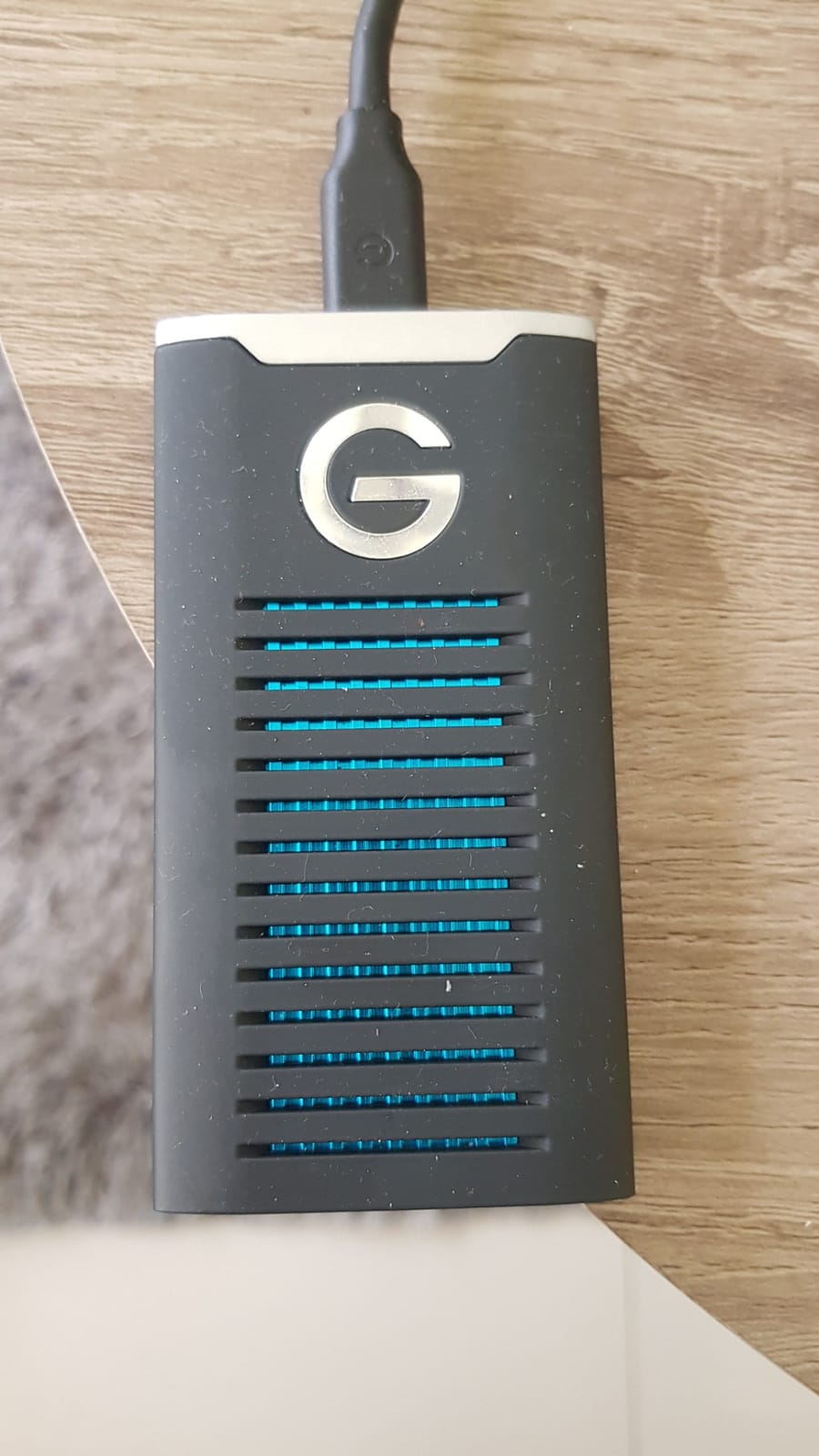
The rating record here is among the strongest in this roundup at scale. It holds 4.8 stars across 1599 reviews with a large share of five-star feedback, and users consistently describe consistent performance across years of service. Photographers and videographers report using this class of drive to shuttle Lightroom libraries between a laptop and a desktop, which is exactly the use we think suits it.
At 3.04 ounces and credit-card sized, it is one of the most portable drives here, and both a USB-C to USB-C and a USB-A to USB-C cable are included. The 5-year limited warranty is among the longest available.
Where this drive still makes sense
An archive and library shuttle drive does not need 2000MB/s. It needs to be indestructible, cool, and present for a decade, and this one is built around those priorities. Moving a finished shoot from a card to a catalogue, or carrying a Lightroom library between two locations, is unhurried work where reliability beats speed.
The 2TB capacity suits a rolling archive of recent work, and the enclosure will survive the sort of handling that breaks cheaper drives. If you already own a fast Gen 2×2 drive for daily offloads, this makes an excellent second unit for storage rather than a substitute for one.
Where the slow speed is a real problem
560MB/s is roughly half the speed of a 1050MB/s drive. Copying a full 256GB card at that rate takes meaningfully longer, and a photographer shooting video will feel it immediately. If your primary job is daily card offload, this is the wrong tool and one of the faster drives above is the right one.
The interface is also an ageing one, and included cables are notably short, which means you may need your own longer cable for a desk setup. Windows machines may require reformatting to NTFS or exFAT before use. Handle those three points and the drive is excellent; ignore them and it will frustrate you.
Samsung T7 Shield vs SanDisk Extreme: Which One Wins?
The T7 Shield wins for photographers who shoot in the rain, the dust or anywhere the drive will be dropped. Its IP65 sealing and 9.8 foot drop rating are the stronger physical specification, it is 4.7 stars from 16352 reviews, and Samsung Magician gives you drive health monitoring and firmware updates before a trip rather than after a failure. The SanDisk Extreme wins on weight and capacity, and it wins decisively on evidence: 4.6 stars from more than 91,000 reviews is a far larger sample than anything else in this roundup.
The practical differences are narrower than the marketing. Both are rated at 1050MB/s read and 1000MB/s write over USB 3.2 Gen 2, both are IP65 sealed with roughly 3-metre drop protection, and both encrypt with 256-bit AES. The SanDisk Extreme carries a 5-year warranty against 3 years for the Shield, and at 1.76 ounces with 2TB of capacity it does more with less space. The Shield is 97 g and carries the rubberised body that reviewers mention collecting lint.
So the choice comes down to which failure you are more worried about. If it is weather and impact, take the Shield. If it is weight, capacity and the reassurance of a very large body of owners, take the SanDisk Extreme. For most wedding and travel shooters, the honest answer is to buy one of each and use the Extreme as the day-to-day working copy.
How Fast Does a Portable SSD Need to Be for Photography?
For stills photography, anything above 1000MB/s is already past the point of diminishing returns, because your memory card is the limiting factor. A high-speed SD card or CFexpress card typically cannot push a 1050MB/s drive past its own ceiling, so the faster 2000MB/s and 3800MB/s tiers only matter for video and very large file batches. The real reason to pay for speed is sustained performance after the write cache fills, not the headline number.
To size that up, the arithmetic is simple. A 64GB card at 1050MB/s takes roughly one minute to copy. The same card at 2000MB/s takes about 30 seconds, and at 3800MB/s about 15 seconds. A 256GB card takes roughly four minutes at 1050MB/s, two minutes at 2000MB/s and just over one minute at 3800MB/s. Saving three minutes per card is meaningful on a day of frequent offloads, and irrelevant if you offload twice.
There is a second limit that catches almost everyone, and it is the host port. A 2000MB/s drive over USB 3.2 Gen 2×2 will run at roughly 1000MB/s on a laptop with only a Gen 2 port, because the port, not the drive, sets the ceiling. Many recent laptops, including most MacBook models, ship with USB-C ports that are USB 3.2 Gen 2 rather than Gen 2×2 or USB4. The drive is not at fault; the negotiation simply caps the link.
Which means the practical advice is blunt. If your laptop has Gen 2 ports only, buy a 1050MB/s drive and spend the difference on a second copy. If you have a confirmed Gen 2×2 port or a Thunderbolt machine, the faster tier becomes genuinely useful, particularly for video. Our guide to the fastest portable SSDs for video covers that tier in more depth, and our external SSD picks for gaming cover the same hardware trade-offs from a different angle.
How Much Storage Do Photographers Need?
A full-frame camera shooting RAW produces roughly 70MB to 90MB per frame, and a high-resolution file can exceed 100MB. A wedding with two bodies and 3000 keepers plus the rejects you keep for safety lands between 150GB and 300GB. That single number should drive your capacity decision, not the advertised maximum of any drive.
For a beginner or enthusiast shooting a few weekends a month, 1TB is comfortable and is where most people should start. It holds three or four full event days, which is enough to cull and archive before you need to think about it. A working event or wedding photographer covering several shoots a week wants 2TB minimum, because the accumulation between archiving sessions is what catches people out.
Professionals shooting commercial work, video hybrids or multi-day assignments should step to 4TB. The reason is that a fast drive and a large drive solve different problems, and both are real. Fast stops you waiting at the end of a long day; large capacity stops you making decisions under pressure. The SanDisk Extreme 2TB, the SanDisk Professional G-DRIVE 2TB and the Creator PRO 4TB each cover a different point on that range.
One warning about maximum capacity figures. A larger drive is not always the same physical size or the same price per terabyte, and higher-capacity units can be harder for older USB hardware to initialise. Check that your laptop recognises the capacity you buy before you rely on it in the field.
IP Ratings Explained: What IP55, IP65 and IP67 Actually Mean
The IP code is two numbers, and the first one almost never matters for a photographer. The second digit is the water protection level, and it is the one that separates a beach drive from a hotel-room drive. Dust protection of 5 or 6 means the enclosure is sealed against ingress.
IP55 means protection against water spray and dust. That covers a light shower, a dusty street and a dropped drive in gravel, and it is what the Crucial X9 carries. IP65 adds protection against water jets from any direction, which is the level most outdoor and travel photographers should treat as the minimum. IP67 adds temporary immersion, generally to one metre, and it is the level you want for a boat, a river bank or a monsoon shoot.
Drop ratings tell a different story. A 2-metre rating is about 7.5 feet, 3 metres is 9.8 feet, and both cover the realistic accidents that happen to a drive in a camera bag. Crush resistance goes further, describing the force a drive survives if something heavy lands on it, and only the sealed professional drives in this roundup are rated for that.
The practical rule is simple. Indoor and studio work does not need an IP rating. Travel and outdoor work should be IP65 at minimum. IP67 is worth it when the environment is genuinely wet or the drive will be carried in a boat, a vehicle or a case that gets dropped.
Portable SSD vs HDD vs NAS vs Cloud for Photo Backup
A portable SSD is a working copy and a transit device, not an archive. It is fast, shock-resistant and needs no power, which is exactly what a card offload requires, and exactly what a spinning drive cannot do inside a moving vehicle. Treat it as the place your shoot lives between the camera and the office.
An external hard drive is cheaper per terabyte and better suited to a long-term archive that stays in one place. Its weakness is mechanical: shock and vibration in transit are the standard cause of failure, which is precisely the scenario a photographer cannot avoid. Keep the archive on a drive at home, not in the bag.
A NAS earns its place once you have more than one person or one computer touching the library. It gives you RAID redundancy, network access from a laptop in another room and automatic versioning that protects against a file being deleted by accident. It does not replace a portable SSD, because you still need a working copy on location.
Cloud storage is the offsite layer, not the working layer. Uploading a wedding’s worth of RAW files on hotel wifi is not realistic, and syncing to a cloud service is a copy you cannot verify quickly. The 3-2-1 rule is the framework that ties this together: three copies of your data, on two different media types, with one copy offsite. A portable SSD, a desktop drive at home and a cloud or offsite drive satisfy it. A single portable SSD does not.
If a drive does fail in the field, the recovery path is simple and worth knowing before you need it. Stop using the drive, do not reformat it, and take it to a professional recovery service. That is why warranty length matters, why included recovery services are a genuine differentiator, and why a five-year warranty is worth more to a working photographer than a faster headline number.
Frequently Asked Questions
Is a portable SSD good for storing photos?
Yes. A portable SSD is the standard working copy for a photographer because it has no moving parts, so it survives the shock and vibration that destroys spinning hard drives in transit, and it needs no external power. Copy your cards to it on location, verify the copy, then create a second backup elsewhere. Never treat it as the only copy of a shoot.
Which SSD is best for photos?
The Samsung T7 Shield is our best overall pick for photos, with IP65 sealing, a 9.8 foot drop rating and 1050MB/s read speed. The SanDisk Extreme 2TB is the best value choice, weighing 1.76 ounces with a carabiner loop and a 5-year warranty. The Samsung T9 is the best option for 4K and 8K video at 2000MB/s.
What is the best external hard drive for a photographer?
A portable SSD rather than a mechanical hard drive, provided it is not your only copy. Mechanical drives are cheaper per terabyte and fine for a home archive, but shock and vibration in transit is the most common cause of their failure. Use an SSD for field offloading and a hard drive or NAS for the long-term library.
Which NAS is best for a photographer’s storage needs?
Any NAS with RAID redundancy works for a photographer, because the important qualities are network access, automatic versioning and more than one copy of the library. A NAS does not replace a portable SSD, since you still need a working copy on location. Look for a four-bay or larger enclosure with enough bays to add drives as the library grows.
Which is better, the Samsung T7 Shield or the SanDisk Extreme Portable SSD?
The T7 Shield is better for harsh conditions, with IP65 sealing, a 9.8 foot drop rating and Samsung Magician health monitoring. The SanDisk Extreme is better for weight and capacity at 1.76 ounces and 2TB, plus a 5-year warranty, and it has by far the largest review base. Both are rated at 1050MB/s over USB 3.2 Gen 2.
What are the most common problems with SanDisk Extreme Portable SSDs?
The most reported issues are mounting failures with low-quality USB-C cables, a drive that runs slightly warm during long sustained transfers, and no external storage support on older iPhone models such as the iPhone 11 Pro. Photography communities also report occasional sudden failures on older firmware revisions, so keep a second copy of every shoot.
How much storage do I need as a photographer?
A full-frame camera shooting RAW produces roughly 70MB to 100MB per frame, and one wedding day with two bodies typically runs 150GB to 300GB. One terabyte suits a shooting enthusiast, 2TB suits working event and wedding photographers, and 4TB suits professionals shooting commercial work or video. Buy capacity so you can cull on location rather than mid-shoot.
Do photographers need Thunderbolt or is USB-C enough?
USB-C is enough for stills photography up to about 1050MB/s, which matches the output of most memory cards. Thunderbolt 4 or USB4 only becomes necessary for high-bitrate 4K and 8K video, very large file batches or multi-terabyte library transfers. Note that a 2000MB/s drive will run at roughly 1000MB/s on a laptop limited to USB 3.2 Gen 2.
What IP rating do I need for outdoor photography?
IP65 is the minimum for outdoor and travel work, since it protects against water jets from any direction as well as dust. IP55 covers a light shower and a dusty street, which is fine for a studio-adjacent or city workflow. Choose IP67 only when the drive will be exposed to immersion, such as on a boat or a river bank.
Are portable SSDs overpriced?
Prices have come down substantially, and the meaningful comparison is price per terabyte rather than the sticker on the box. A 1TB drive covers most working photographers, while 2TB and 4TB models cost less per terabyte and remove the pressure of buying the right size twice. Spending the difference on a second drive protects your work better than a faster one does.
Final Verdict: Which Portable SSD Should You Buy?
The Samsung T7 Shield is our pick for the best portable SSDs for photographers overall. IP65 sealing, a 9.8 foot drop rating, 1050MB/s and drive health monitoring cover every scenario a working photographer actually faces, and 16352 reviews at 4.7 stars give that recommendation weight rather than hype.
Buy the SanDisk Extreme 2TB as your second copy, and buy it because you will carry it: 1.76 ounces, a carabiner loop and enough capacity for a full assignment. If you shoot video, the Samsung T9 at 2000MB/s is the upgrade, provided your laptop actually has a Gen 2×2 port. If you work somewhere genuinely harsh, the SanDisk Professional G-DRIVE 2TB carries IP67 sealing alongside 2000 lb of crush resistance.
Whatever you choose, buy two. The best portable SSDs for photographers are the ones that are on the card, verified, and in a second location before you sleep. Drive failures are rare, and the ones that happen tend to happen once. Our NVMe SSD guides cover the internal storage side of a fast editing workstation if your laptop needs upgrading too.