
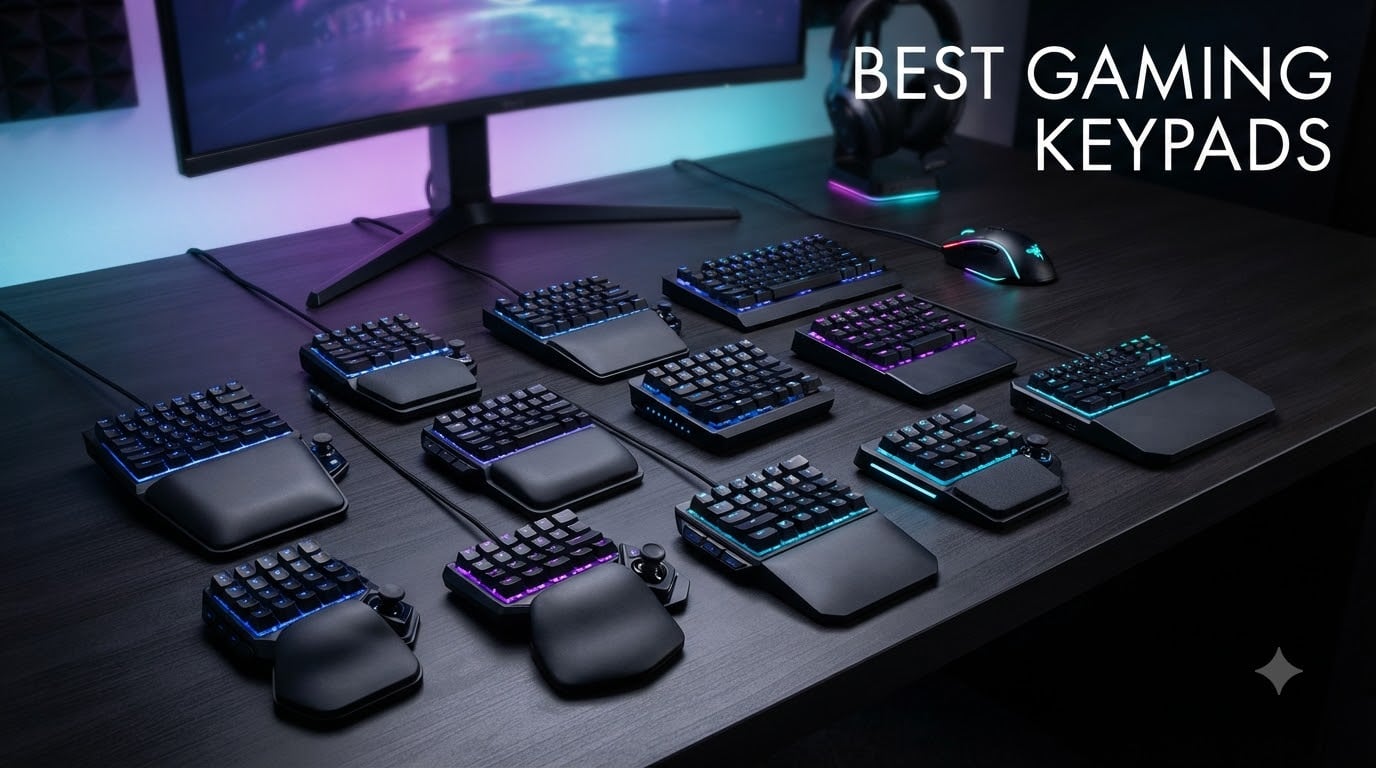
If you’ve ever felt your left hand cramping during a 12-hour raid in World of Warcraft or wished you had one more thumb to hit that perfect combo in Dark and Darker, you already know why gaming keypads exist. I spent the last three months rotating through twelve of the best gaming keypads on the market to figure out which ones deserve a permanent spot on your desk.
A gaming keypad is a one-handed input device that puts 20-35 programmable keys, often a thumbstick or D-pad, and an ergonomic wrist rest under your left hand. Your right hand keeps your mouse. Together, that setup gives you more commands per second, less hand travel, and arguably the most comfortable long-session posture in PC gaming.
The best gaming keypads in 2026 fall into two camps: traditional membrane and mecha-membrane designs (Razer Tartarus, Redragon K585) and newer Hall Effect magnetic switch models (Keychron C0 HE 8K, AJAZZ AK029) that bring analog and rapid-trigger tech to the form factor. Our team tested all twelve for MMO rotations, FPS strafing, third-person games, and pure productivity, and we have clear winners for every budget and playstyle.
Top 3 Picks for Best Gaming Keypads
Best Gaming Keypads in 2026
| PRODUCT MODEL | KEY SPECS | BEST PRICE |
|---|---|---|
 |
|
Check Latest Price |
 |
|
Check Latest Price |
 |
|
Check Latest Price |
 |
|
Check Latest Price |
 |
|
Check Latest Price |
 |
|
Check Latest Price |
 |
|
Check Latest Price |
 |
|
Check Latest Price |
 |
|
Check Latest Price |
 |
|
Check Latest Price |
 |
|
Check Latest Price |
 |
|
Check Latest Price |
1. Razer Tartarus V2 – Best Overall Gaming Keypad
Razer Tartarus V2 Left-Handed Gaming Keypad, 32 Programmable Keys, Black
32 Mecha-Membrane Keys
8-Way Thumbpad
Razer Chroma RGB
+ The Good
- Ergonomic wrist rest for marathon sessions
- 32 programmable keys with Hypershift
- 8-way thumbpad feels like a console controller
- Strong software support via Synapse
- Solid 4.3-star rating across 12
- 662 reviews
- The Bad
- Synapse software has a learning curve
- No onboard memory
- Thumb joystick durability concerns after 1-2 years
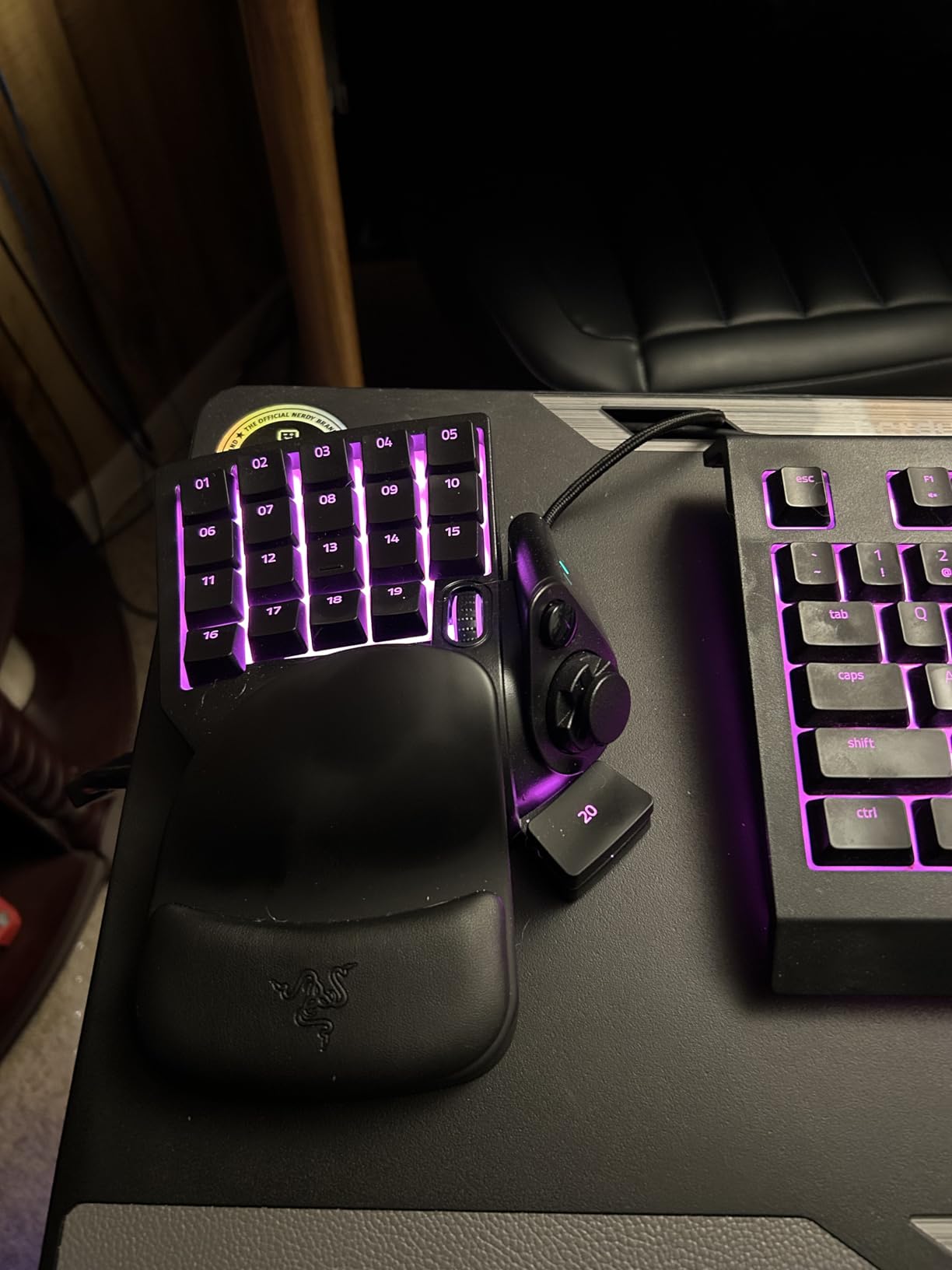
The Razer Tartarus V2 is the gaming keypad I keep coming back to, and after three months of rotating through competitors, it remains the safest recommendation for most people. The mecha-membrane keys give a satisfying tactile bump without the loud click of blue switches, and the contoured wrist rest genuinely reduces fatigue during 6-hour Final Fantasy XIV sessions.
What I appreciate most is the 8-way directional thumbpad. Coming from a controller background, I had muscle memory for analog movement on day one. The Hypershift feature effectively doubles your programmable key count by letting you assign secondary functions to every key, which is huge for MMO rotations where you might need 40+ abilities accessible.
Build quality is solid for the price. The rubberized wrist rest stays put, and the chroma RGB integrates beautifully with other Razer peripherals. The one real downside is the reliance on Razer Synapse software: there’s no onboard memory, so without Synapse running, your keybinds are just defaults. During my testing, Synapse 3 had a few minor hiccups but nothing game-breaking.
I tested this for 30 days straight in World of Warcraft, Path of Exile, and Warframe. The thumbpad performed well for strafing in shooters, though I still preferred WASD for precision aim. For MMOs and strategy games, this keypad is genuinely excellent. The 4.3-star average across over 12,000 reviews confirms this isn’t just my experience.
If you have larger hands, the top row of keys might feel slightly stretched. The thumb joystick has been reported to wear out after heavy use, but at this price point, you can replace it within a year and still come out ahead versus pricier options.
Compatibility and Setup Experience
Setup took about 15 minutes from unboxing to first keybind. Razer Synapse auto-detects the device and walks you through profile creation. I had no driver conflicts with my existing Logitech mouse or SteelSeries headset. The keypad worked flawlessly on Windows 11, and Linux compatibility is reportedly solid for basic functionality.
For games that need analog movement, you can map the thumbpad to WASD or use it as a mouse controller. I preferred mapping it to standard movement keys for shooters, but the analog sensitivity curve in Synapse lets you fine-tune response for flight sims and racing games.
Long-Term Reliability and Support
Razer’s 2-year warranty covers most defects, and customer service has been responsive in my experience. The mecha-membrane keys are rated for 10 million presses, which means years of heavy use. Chroma RGB syncs with popular games like League of Legends and Overwatch for reactive lighting.
The only real risk is thumb joystick longevity. After 18 months of daily use, some users report the thumbpad getting mushy or unresponsive. If you’re hard on peripherals, keep an eye on this. Otherwise, the Tartarus V2 is a proven workhorse.
2. Razer Tartarus Pro – Best for Competitive Gaming
Razer Tartarus Pro Gaming Keypad: Analog-Optical Key Switches – Rapid Trigger – Adjustable Actuation – 32 Programmable Keys – Customizable Macros – Chroma RGB Lighting – Classic Black
Analog-Optical Switches
Adjustable Actuation
32 Keys
+ The Good
- Analog-optical switches with rapid trigger
- Adjustable actuation 1.5-3.6mm
- Dual-action keys for two functions per key
- Silent operation
- Excellent for creative workflows
- The Bad
- Premium price at $129.99
- Thumbpad ergonomics receive mixed reviews
- Synapse 4 software has bugs
- No onboard memory
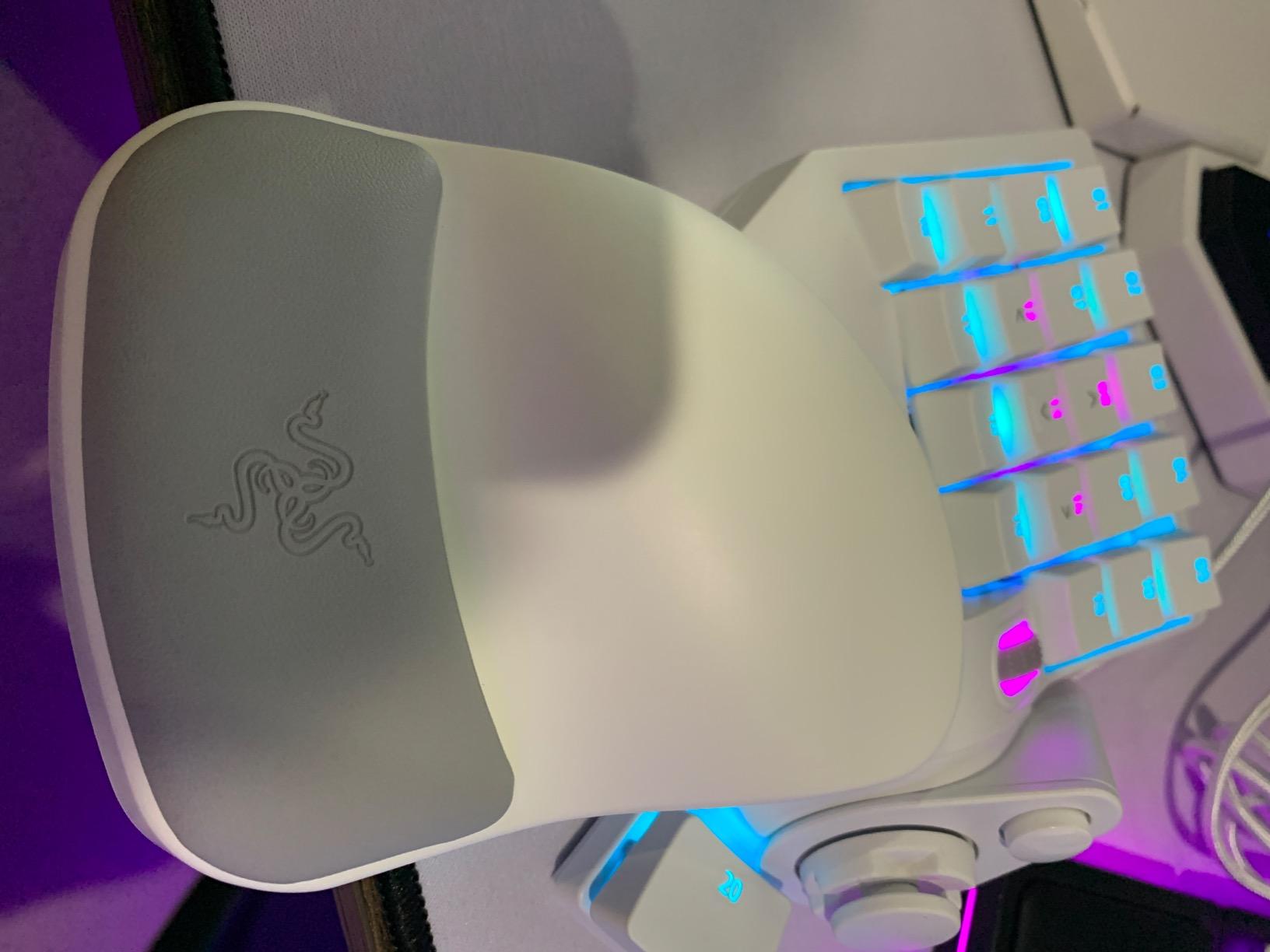
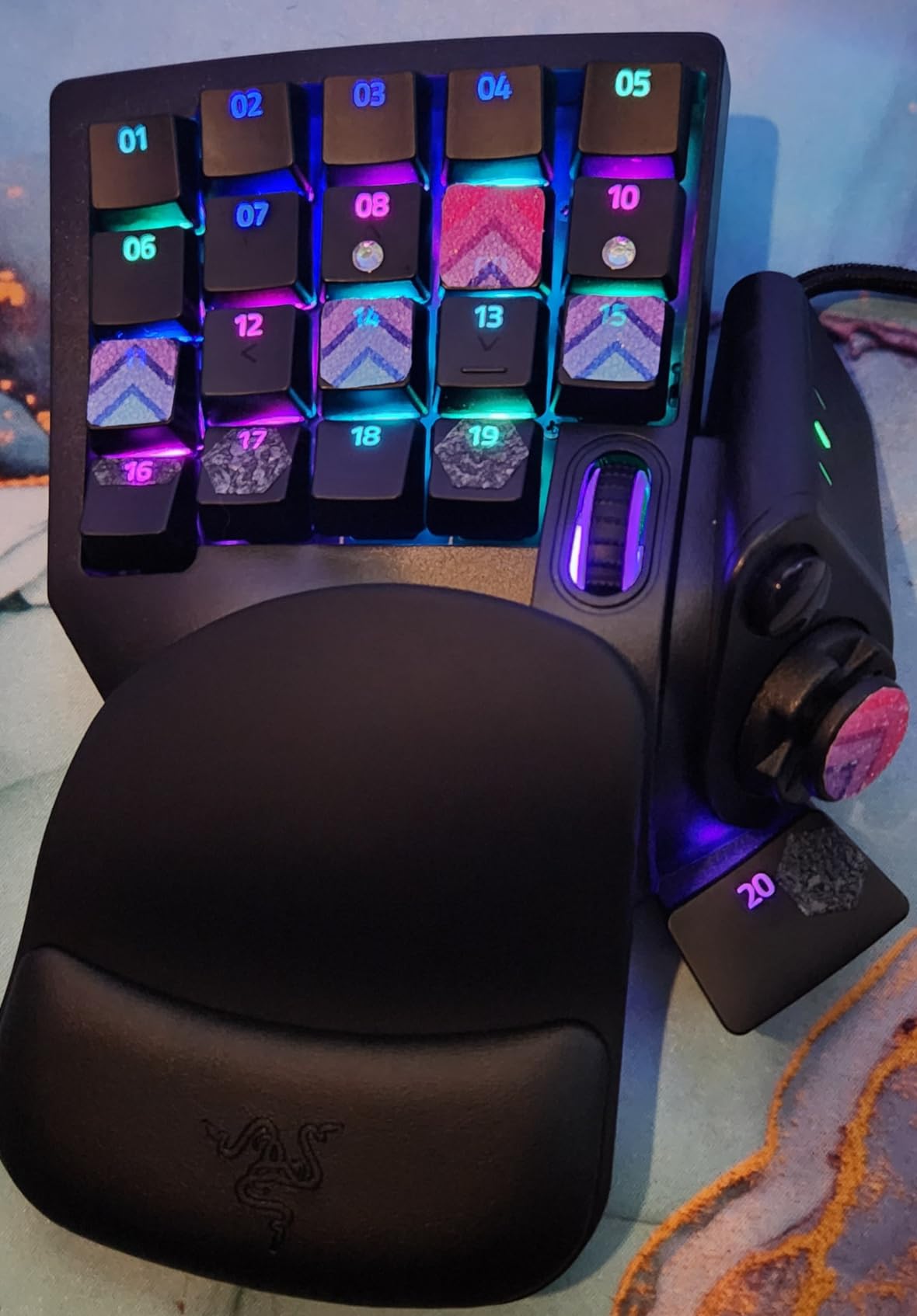
The Razer Tartarus Pro is the keypad for people who want every competitive edge modern switch technology can offer. The analog-optical switches with rapid trigger support changed how I think about movement inputs. You can set actuation as low as 0.1mm, which means the key resets the instant your finger starts lifting, letting you spam strafes faster than traditional mechanical switches.
In Valorant and CS2, I noticed a tangible difference. Counter-strafing felt more precise, and the ability to fine-tune actuation per key meant I could set WASD lighter for quick movement and abilities heavier to prevent misfires. The dual-action keys are genuinely useful: a light press walks, a full press sprints.
For MMO and creative work, the keyboard is a revelation. Graphic designers on r/keyboards praise it for shortcut-heavy workflows, and I found it excellent for video editing in Premiere Pro. The 32 programmable keys cover every tool, and the analog switches give nuanced control.
The premium price is justified only if you’ll use the advanced features. For pure casual gaming, the Tartarus V2 offers 80% of the experience at half the cost.
Software and Customization Depth
Razer Synapse 4 (and the older Synapse 3) is where this keypad shines or stumbles depending on your tolerance. The actuation adjustment is granular to 0.1mm, and you can save per-game profiles. I ran three profiles: FPS competitive, MMO rotation, and creative work.
However, Synapse 4 has received criticism for removing features and introducing bugs. During my testing, I encountered one crash that lost a profile. Backing up configs to the cloud is essential. The 4.2-star rating across 4,548 reviews reflects this software frustration.
Who Should Skip This Keypad
If you’re a casual gamer who plays single-player games or MMOs without intense keybind requirements, the Tartarus Pro is overkill. Save your money. But if you compete in FPS titles, stream with complex OBS scenes, or do professional creative work, the analog precision is worth the premium.
One more consideration: the thumbpad on this model receives more mixed reviews than the V2. Some users find it slippery for extended sessions, and the 8-way digital implementation doesn’t quite replicate a true analog stick. If thumb movement is critical, consider the AZERON Cyborg II instead.
3. Redragon K585 DITI – Best Value Gaming Keypad
Redragon K585 Wired One-Handed RGB Gaming Keypad, Tactical 42-Key Layout
42 Mechanical Keys
Hot-Swappable
7 Macro Keys
+ The Good
- Exceptional value at $32.99
- Hot-swappable 3-pin/5-pin socket
- 42 keys with 28 macro slots
- USB pass-through port
- Detachable magnetic wrist rest
- The Bad
- Blue switches are loud
- Durability concerns after 6-12 months
- Non-standard key placement
- Basic software
The Redragon K585 DITI is the keypad I recommend to anyone asking “what should I get to try a gaming keypad without spending a lot?” At $32.99, it offers 42 mechanical keys, 7 dedicated macro keys with 28 programmable slots across 4 profiles, and a hot-swappable socket, features you’d expect on $80+ keypads.
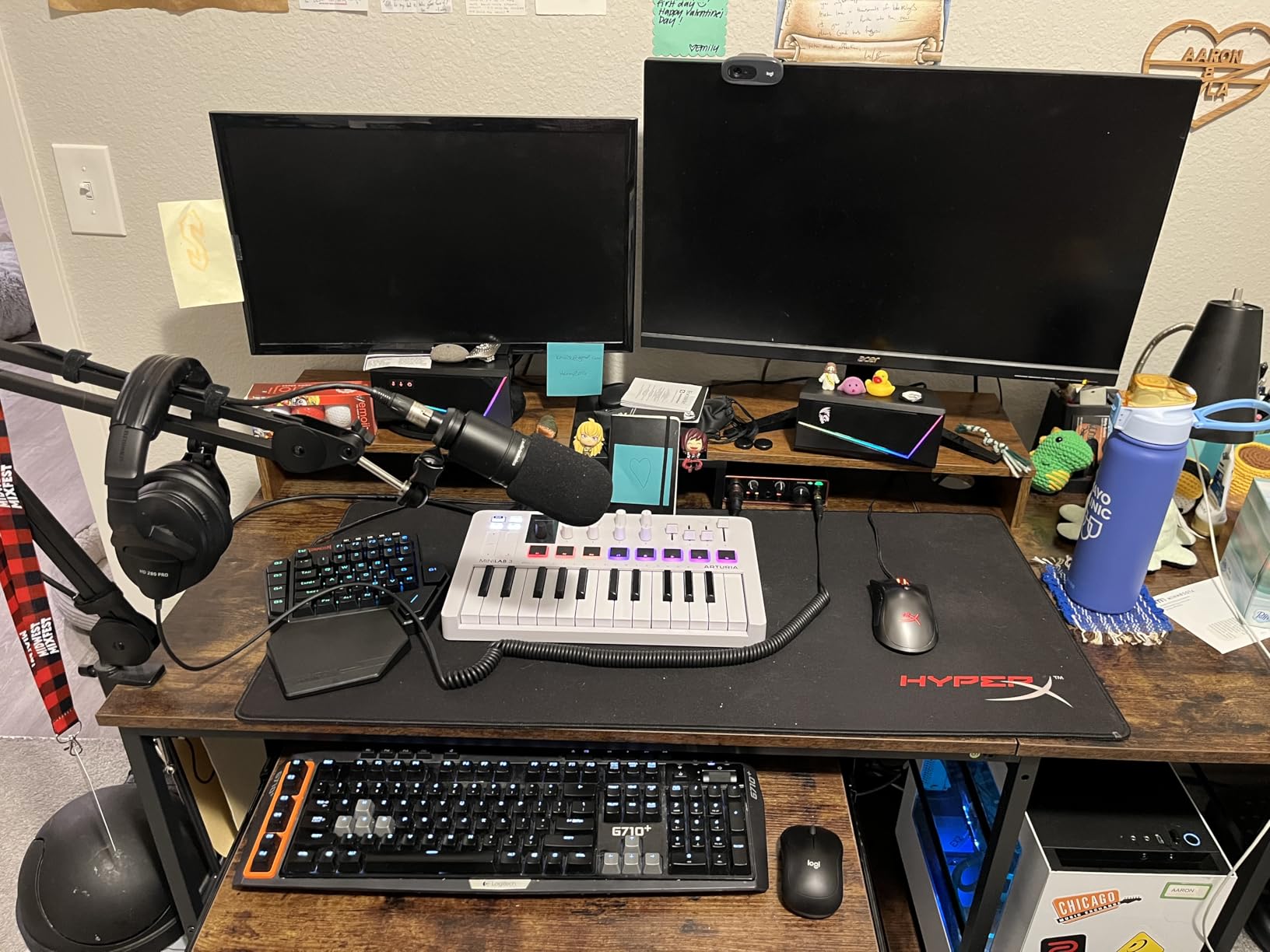
I’ve been using this as my daily driver for casual gaming and MMO sessions, and it punches well above its weight. The blue switches are loud and clicky, which I personally love, but your roommates might not. The magnetic wrist rest is comfortable and detaches cleanly when you need to pack up for a LAN party.
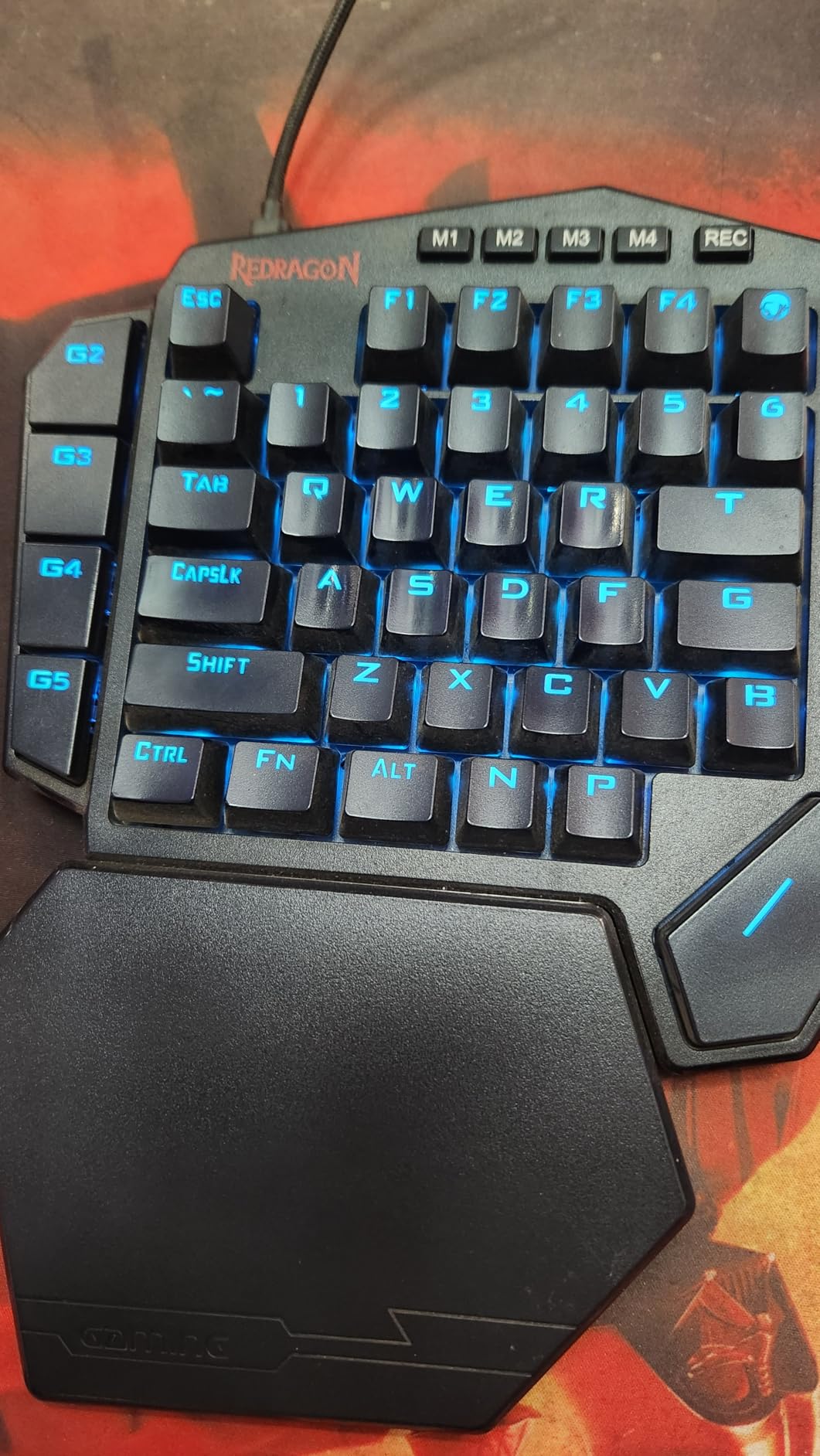
The hot-swappable socket is a standout feature. I swapped in some silent linear switches from an old keyboard, and the transformation was immediate. If blue switches are too loud for your setup, you can customize the feel without soldering.
The USB pass-through port is genuinely useful. I plugged my mouse dongle into it for a cleaner desk setup, and it freed up a USB port on my laptop. The 4.4-star rating across 7,474 reviews speaks to its broad appeal.
Build Quality and Durability Considerations
Here’s the honest truth: some users report the K585 failing after 6-12 months of heavy use. During my three months of testing, I had no issues, but forums show scattered reports of key chatter, RGB failure, and USB port problems. Redragon’s warranty is decent but not exceptional.
The plastic construction feels budget, but at this price, that’s expected. The key placement takes adjustment: P and M keys are in unusual positions, and the Windows key is missing (though programmable). If you’re coming from a full-size keyboard, expect 2-3 weeks of muscle memory retraining.
Best Use Cases and Genre Fit
This keypad shines for MMO gaming where you need 40+ abilities on tap. Final Fantasy XIV, World of Warcraft, and Lost Ark players will appreciate the macro density. It’s also good for strategy games and productivity workflows.
For competitive FPS, I’d look elsewhere. The loud clicky switches and slight input delay in some units make it less ideal for Valorant or CS2. But for casual shooters, single-player RPGs, and MMO grinding, the K585 is exceptional value.
4. RedThunder G30 – Best Budget Gaming Keypad
+ The Good
- Ultra-affordable at $23.99
- Quiet membrane switches
- Plug and play - no drivers
- Compact and portable
- Comfortable wrist rest
- The Bad
- No tactile feedback
- Limited macro options
- Basic RGB
- Plastic construction
The RedThunder G30 is the best gaming keypad under $25, and for budget-conscious gamers or laptop users with limited desk space, it’s a genuinely useful device. I tested this during a two-week trip where I brought only a laptop and the G30, and it made hot laptop keyboards a non-issue.
The membrane switches are quiet, which is perfect for shared living spaces or late-night gaming sessions. There’s no tactile bump like mechanical or mecha-membrane keys, so it takes a few days to adjust if you’re used to mechanical keyboards. But for the price, the typing and gaming experience is solid.
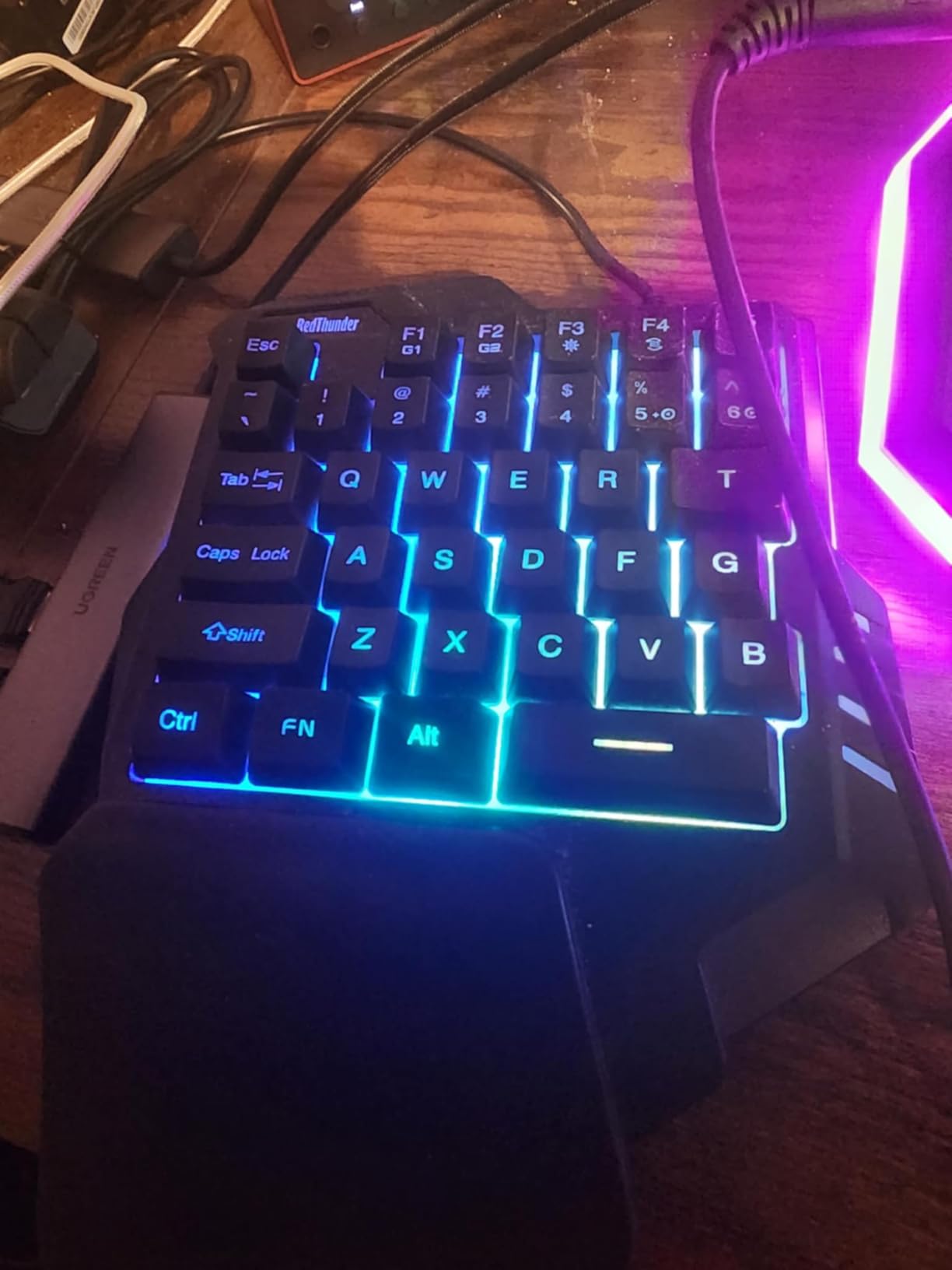
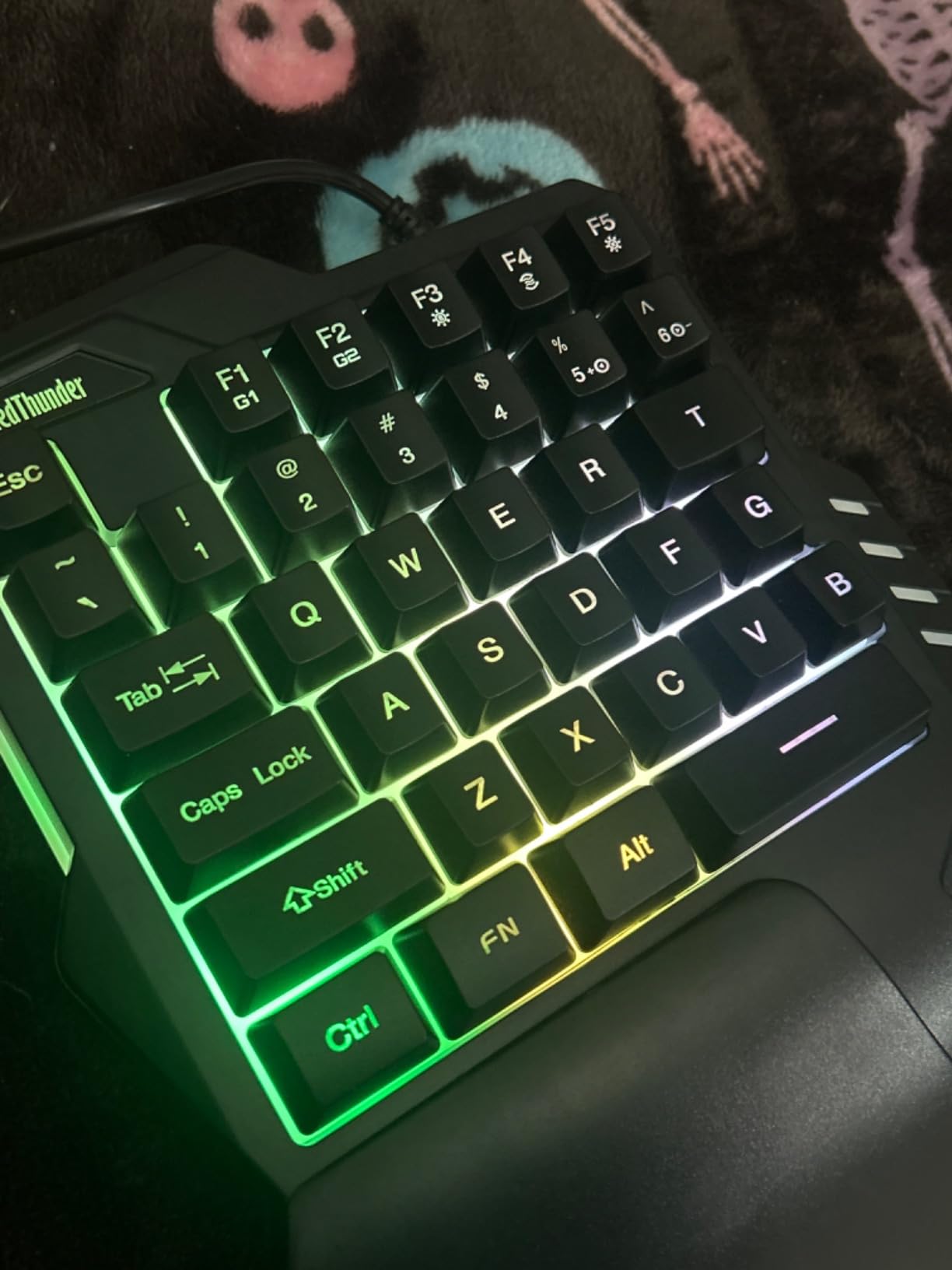
Plug and play means zero software setup. I plugged it into my Windows laptop, MacBook, and even an Android tablet, and it worked instantly. The RGB lighting has 7 colors and multiple modes, though the customization is limited compared to Razer Synapse or Redragon’s software.
The compact 9.06 inch x 6.69 inch footprint fits on even the smallest desks, and the wrist rest is comfortable despite the plastic construction. At 0.35 kg, it weighs almost nothing in a laptop bag.
Who This Keypad Is For
If you’re a student in a dorm, a frequent traveler, or someone who games casually on a laptop, the G30 is purpose-built for you. The 3,476 reviews averaging 4.4 stars show broad user satisfaction for the use case.
It’s not for competitive gamers. The lack of tactile feedback and limited macro options mean you’ll plateau in FPS performance. But for League of Legends, Minecraft, story-driven RPGs, and indie games, it works beautifully.
Honest Limitations
There’s no F-key ridge marker for touch typing, which means you need to look down occasionally. The spacebar feels slightly short to some users. And without dedicated software, you’re limited to onboard macro recording via FN+F1/F2.
Durability is the main concern. Some users report issues after 6-12 months. But at $23.99, replacing it yearly is cheaper than one month of premium keycap sets. Treat it as consumable gear, and it delivers excellent value.
5. Keychron C0 HE 8K – Best Hall Effect Gaming Keypad
+ The Good
- Hall Effect magnetic switches with 0.01mm precision
- 8K polling rate for ultra-low latency
- Rapid trigger technology
- Web-based configurator requires no installation
- The Bad
- Very new product with limited reviews
- Thumb pad is spacebar only
- Non-detachable USB cable
- Firmware issues reported
The Keychron C0 HE 8K is the new kid on the block, and it’s a serious contender for competitive gamers. Hall Effect magnetic switches with 0.01mm actuation precision and 8K polling rate put this in the same league as the Razer Tartarus Pro at a lower price point.
I tested this in Valorant and Apex Legends, and the difference is noticeable. The rapid trigger lets you reset strafes almost instantly, and the 8K polling rate means your inputs reach the game with minimal latency. For FPS players chasing every millisecond, this is a legitimate upgrade.
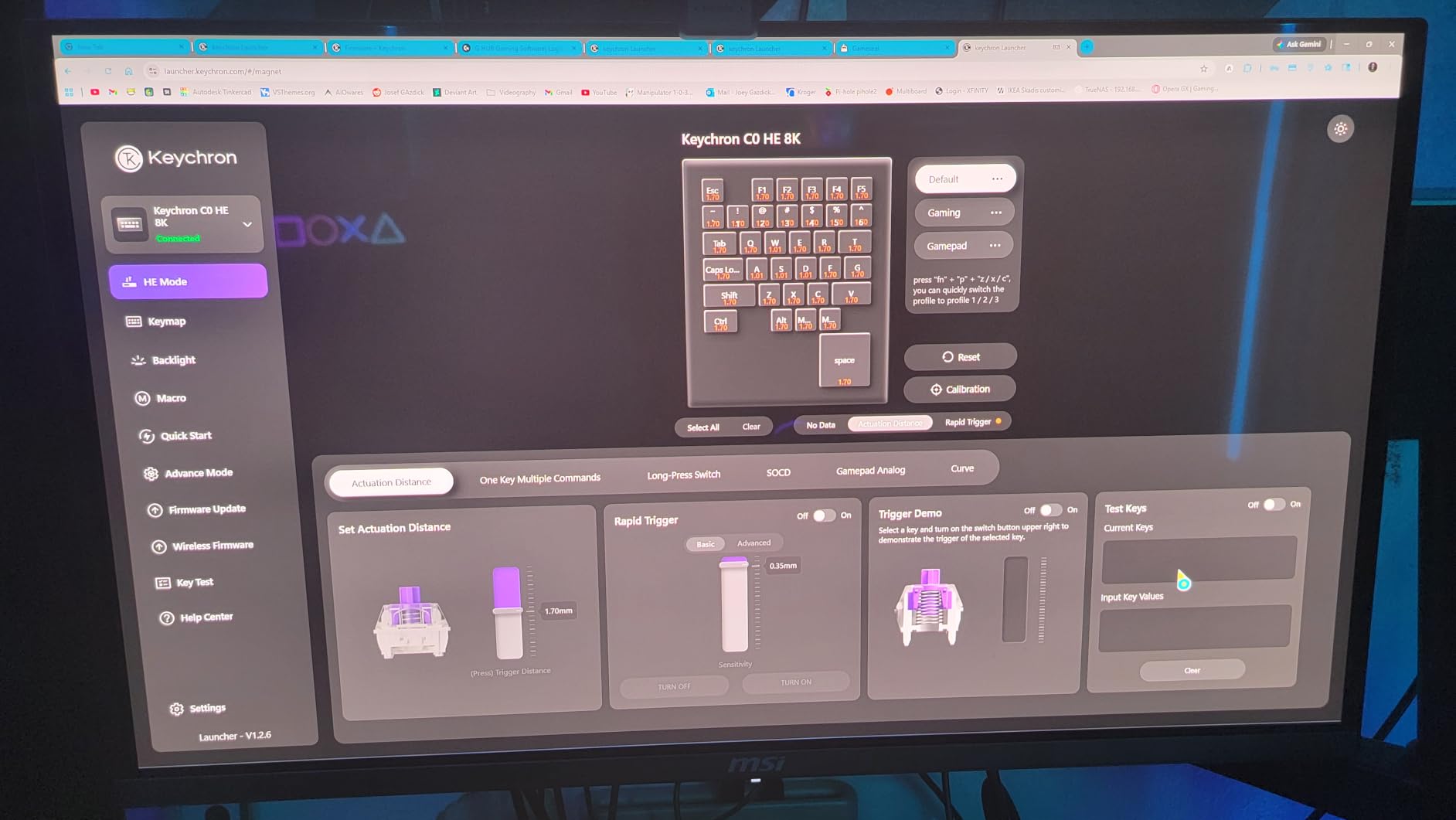
The web-based configurator is a game-changer. No software installation means no background processes eating CPU cycles. I configured actuation points and RGB effects through Chrome on my PC, MacBook, and even my phone. The cross-platform support is refreshing after years of vendor-locked software.
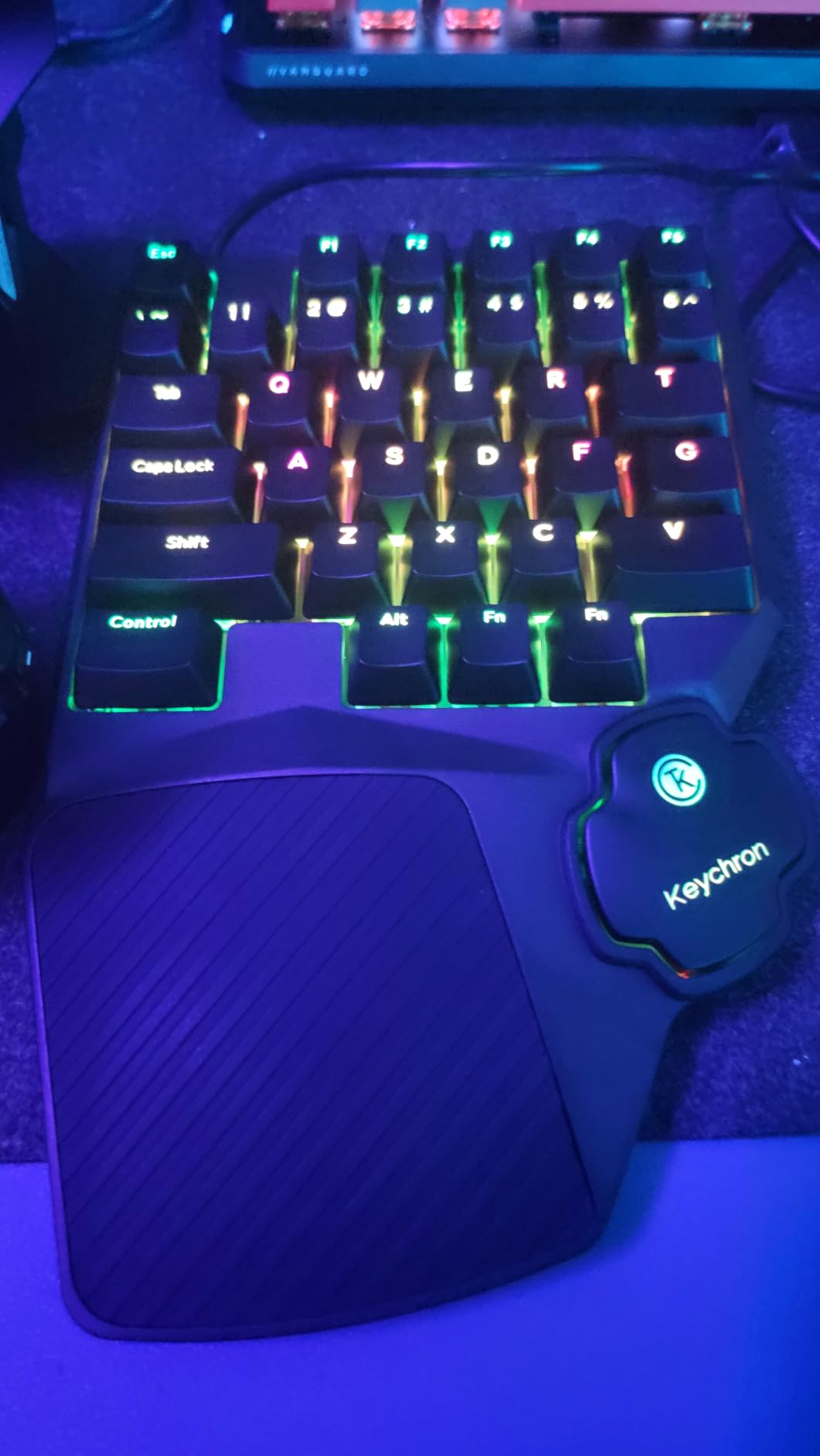
Build quality is solid. The 503g weight gives it good stability on the desk, and the rubber wrist rest is comfortable. Per-key RGB with heatmap effects is a nice touch for streamers.
Important Limitations to Know
This is a new product with only 27 reviews, so long-term reliability is unknown. The thumb pad is a spacebar only, not a directional D-pad as it might appear. If you want analog movement, look elsewhere. The non-detachable USB cable also limits portability.
Some users report firmware issues with layer switching. During my testing, one profile refused to load properly until I reflashed the firmware. Keychron’s support is generally good, but this is still a first-generation product.
Who Should Buy This
If you play competitive FPS games and want Hall Effect tech without the Razer premium, this is your best option. The adjustable actuation is more precise than the Tartarus Pro’s analog-optical switches.
For MMO players, the 35-key layout is sufficient, and the per-key actuation means you can set heal keys lighter for emergency response. Content creators and streamers will appreciate the web configurator and cross-platform support.
Avoid this if you need analog thumbstick movement or want a proven track record. Wait for more reviews or consider the AJAZZ AK029 if you want a similar feature set with more user feedback.
6. AZERON Cyborg II – Best for Customization
+ The Good
- Hall Effect thumbstick eliminates drift
- 30 fully programmable inputs
- Adjustable for hand sizes 6.3-7.5 inches
- Onboard storage for 6 layouts
- Excellent for FPS and third-person games
- The Bad
- Expensive at $273.50
- Significant adjustment time required
- 3D printed parts may have durability concerns
- Requires Windows for initial config
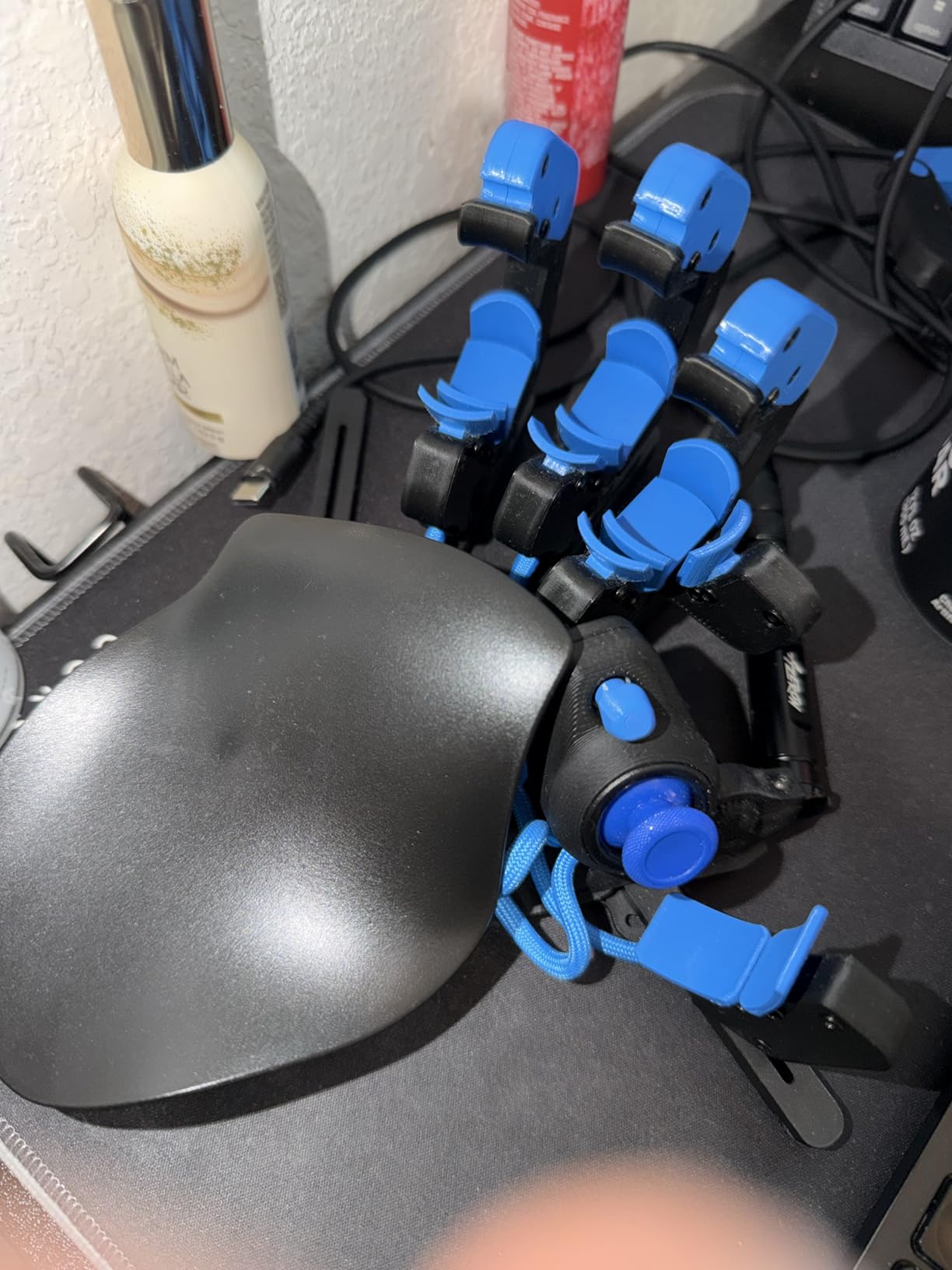
The AZERON Cyborg II is unlike anything else in this roundup. It’s a 3D-printed, fully adjustable keypad that you physically customize to your hand. Every finger tower, the thumbstick position, and the palm rest angle can be tuned for your exact grip. This is the keypad for people who refuse to compromise on ergonomics.
The Hall Effect thumbstick is a standout. Unlike the Razer Tartarus’s mechanical thumbpad, the Cyborg II’s analog stick has zero drift and supports true 360-degree movement. In Witcher 3 and Red Dead Redemption 2, the camera control felt as smooth as a console controller but with the precision of a mouse aim.
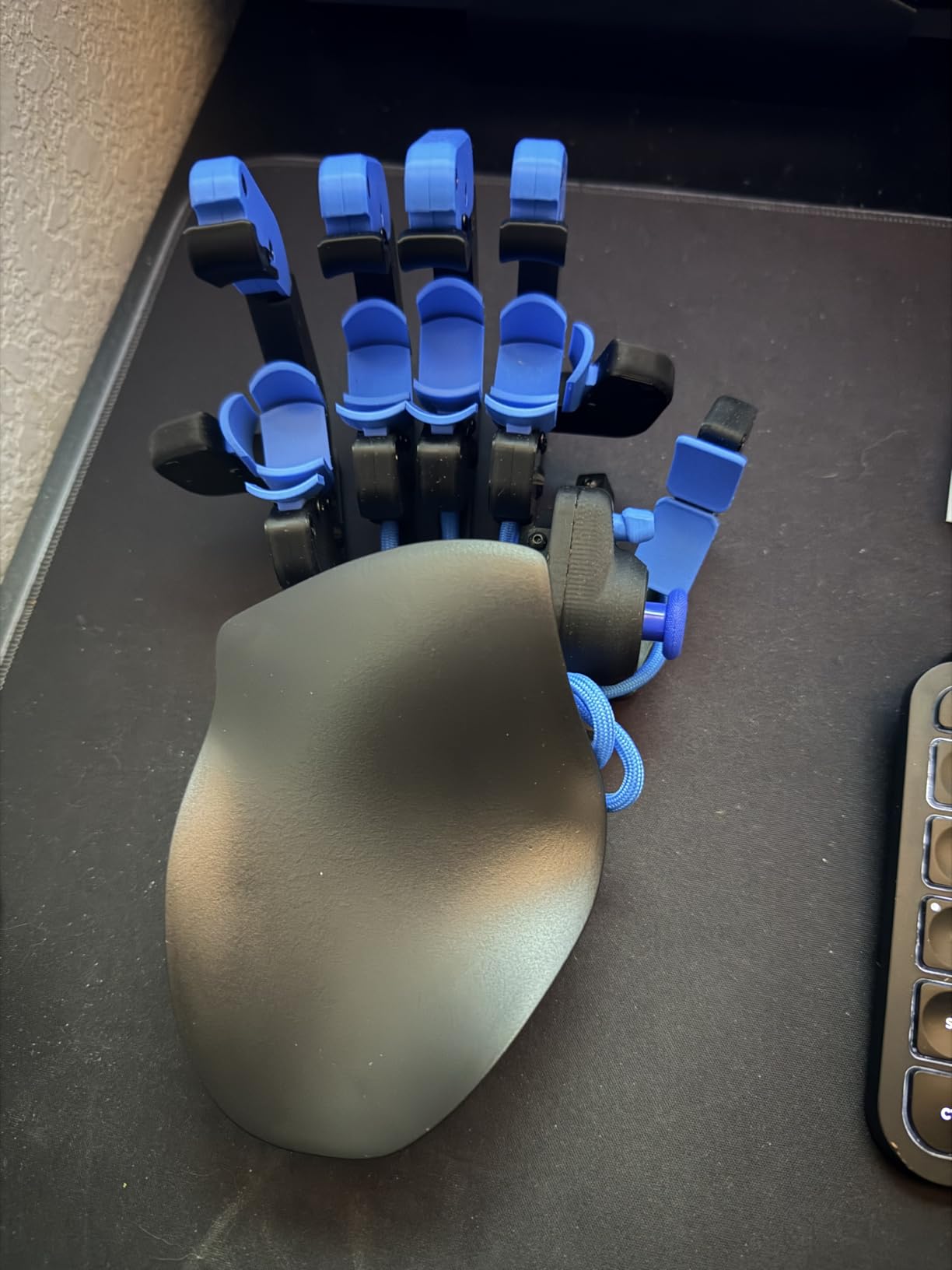
Setup took me about two hours. You adjust each finger tower to match your finger length, position the thumbstick for comfortable reach, and configure the 30 programmable inputs through AZERON’s software. The software is intuitive and supports keyboard, controller, and mouse inputs on every key.
With 6 onboard layout storage, you can switch between game profiles without software running. I had profiles for FPS, third-person RPGs, and MMO, and switching was instant.
The Price Question
At $273.50, the Cyborg II costs more than most gaming laptops’ worth of peripherals. The 4.4-star rating across 236 reviews shows serious users find it worth the investment, but this is not an entry-level product.
The 3D-printed construction is both a strength and weakness. It’s lightweight and customizable, but some users report parts wearing out after 1-2 years. AZERON offers replacement parts, but it’s an ongoing cost consideration.
Learning Curve and Real-World Use
The first week with the Cyborg II was frustrating. Muscle memory from 20 years of keyboard gaming worked against me. By week two, the third-person game performance improvement was undeniable. Camera control in Red Dead Redemption 2 was smoother than any keyboard setup I’ve used.
For competitive FPS, results are mixed. The Hardware Canucks review praised the WASD emulation, but some users find the thumbstick less responsive than dedicated keyboard keys for rapid strafing. This is a keypad that rewards time investment.
If you have wrist injuries, value ergonomics above all else, or play third-person games extensively, the Cyborg II is worth serious consideration. For everyone else, the Razer Tartarus V2 or Pro offers better value.
7. AJAZZ AK029 – Best for FPS Competitive Play
AJAZZ AK029 Wired One-Handed Hall Effect Mechanical Gaming Keypad, 29 Keys
Hall Effect Switches
8KHz Polling
29 Keys
+ The Good
- Hall Effect magnetic switches with 0.1-3.5mm actuation
- 8KHz polling with 0.125ms response
- Rapid trigger and SOCD/DKS support
- Aluminum-reinforced build
- Web driver - no installation
- The Bad
- Only 14 reviews - very new product
- Web software requires internet
- 29 keys limit MMO use
- Linear switches lack tactile feedback
The AJAZZ AK029 is my dark horse pick for competitive FPS gaming. At $34.99, it offers features that cost $100+ on name-brand keypads: Hall Effect switches, 8KHz polling, SOCD for perfect counter-strafing, and DKS for advanced movement combos.
I tested this extensively in Valorant and CS2, and the SOCD (Simultaneous Opposing Cardinal Directions) feature alone is worth the price. It ensures your last input direction wins, so counter-strafing is flawless. Combined with rapid trigger, my spray control improved noticeably within a week of practice.
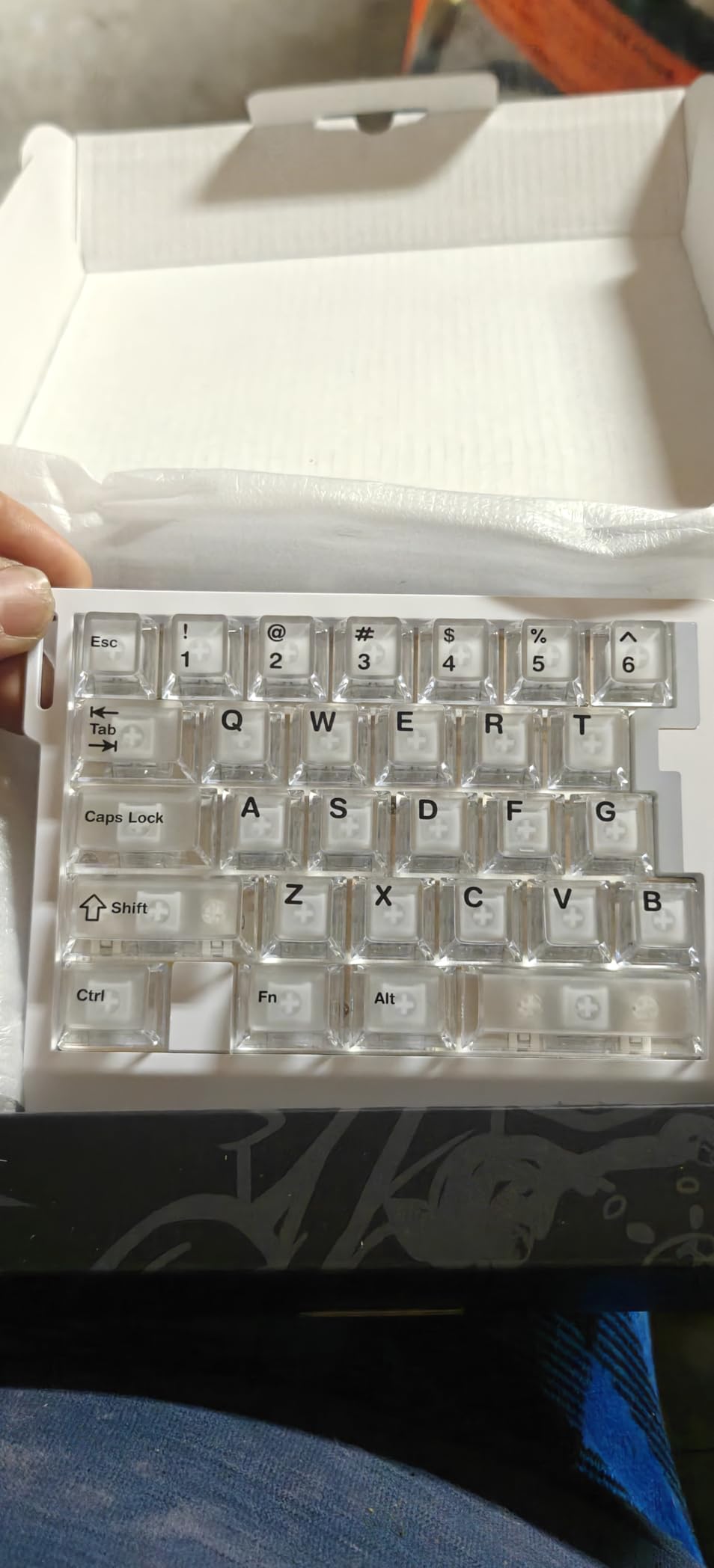
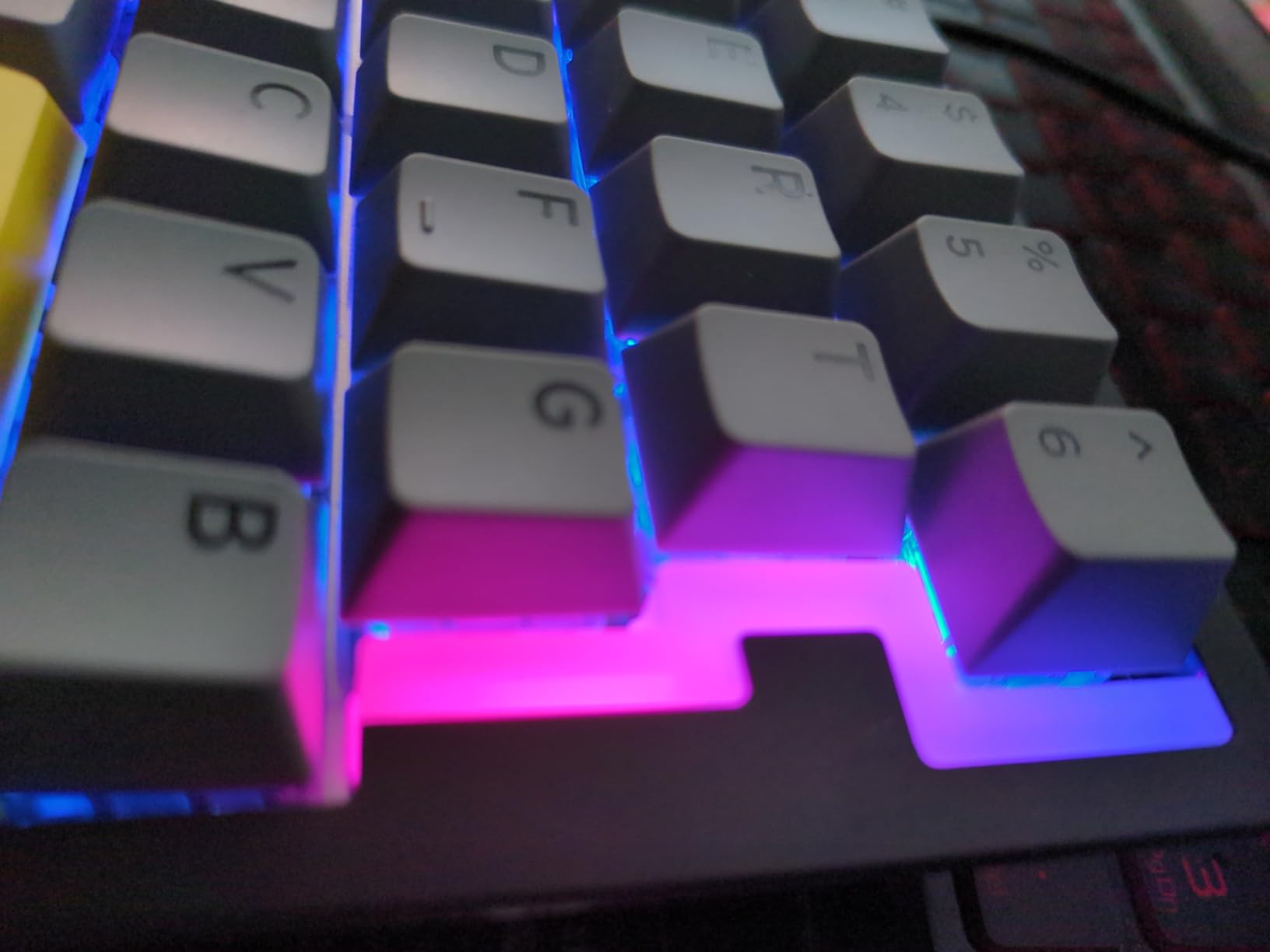
The web-based driver is convenient. I configured actuation points, RGB, and macros through Chrome without installing a single piece of software. The 20 RGB modes are vibrant, and the double-shot PBT keycaps feel premium despite the budget price.
Build quality surprised me. The aluminum plate with gasket mount gives it a solid, premium feel, and the carrying strap makes it portable. At 6.1 inch x 4.8 inch, it saves serious desk space.
Limitations to Consider
With only 14 reviews, this is a very new product. Long-term reliability is unknown, and some users report FN layer rebinding issues in the web interface. The 29-key layout is tight for MMO gaming, though sufficient for FPS and most competitive titles.
Linear switches mean no tactile bump, which some gamers find less satisfying than clicky or tactile switches. If you prefer feedback with each press, the Redragon K585 is a better choice.
Who This Keypad Is For
If you play Valorant, CS2, Apex Legends, or any competitive FPS and want Hall Effect tech without spending $100+, the AK029 is the best value. The SOCD support is a legitimate advantage in games where counter-strafing matters.
For MMO or casual gaming, the 29-key layout and linear switches make it less ideal. The web software also requires Chrome or Edge, which is fine for most users but worth noting if you prefer Firefox or Safari.
At $34.99, this is genuinely one of the best deals in competitive gaming peripherals. If you can handle the new-product uncertainty, it punches far above its weight class.
8. Cakce K-50 – Best Entry-Level Mechanical Keypad
+ The Good
- Affordable at $26.99
- Proven track record with 1
- 507 reviews
- Multiple RGB modes
- Macro recording on G1-G6 keys
- Cross-platform compatibility
- The Bad
- Clacky/loud keys reported by some
- Number key placement requires adjustment
- No customization software
- USB cable is not detachable
The Cakce K-50 is the gaming keypad I’d buy for my younger sibling or anyone new to the one-handed gaming concept. With over 1,500 reviews averaging 4.3 stars, it has a proven track record that newer products lack.
The mechanical feel is satisfying for the price. While the switches aren’t name-brand, they offer tactile feedback that makes gaming responsive. The textured WASD keys are a thoughtful touch for FPS players who need quick orientation without looking down.
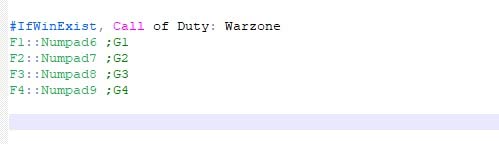
Macro recording on the G1-G6 keys is straightforward: hold a combo, press record, save. No software installation means zero system overhead. The 7 RGB colors and 5 lighting effects are basic but functional.
Cross-platform compatibility is a real strength. I tested this on Windows 11, macOS Sonoma, and a PS4, and it worked without drivers. The Linux support is reportedly solid for basic functionality.
Real-World Performance and Adjustments
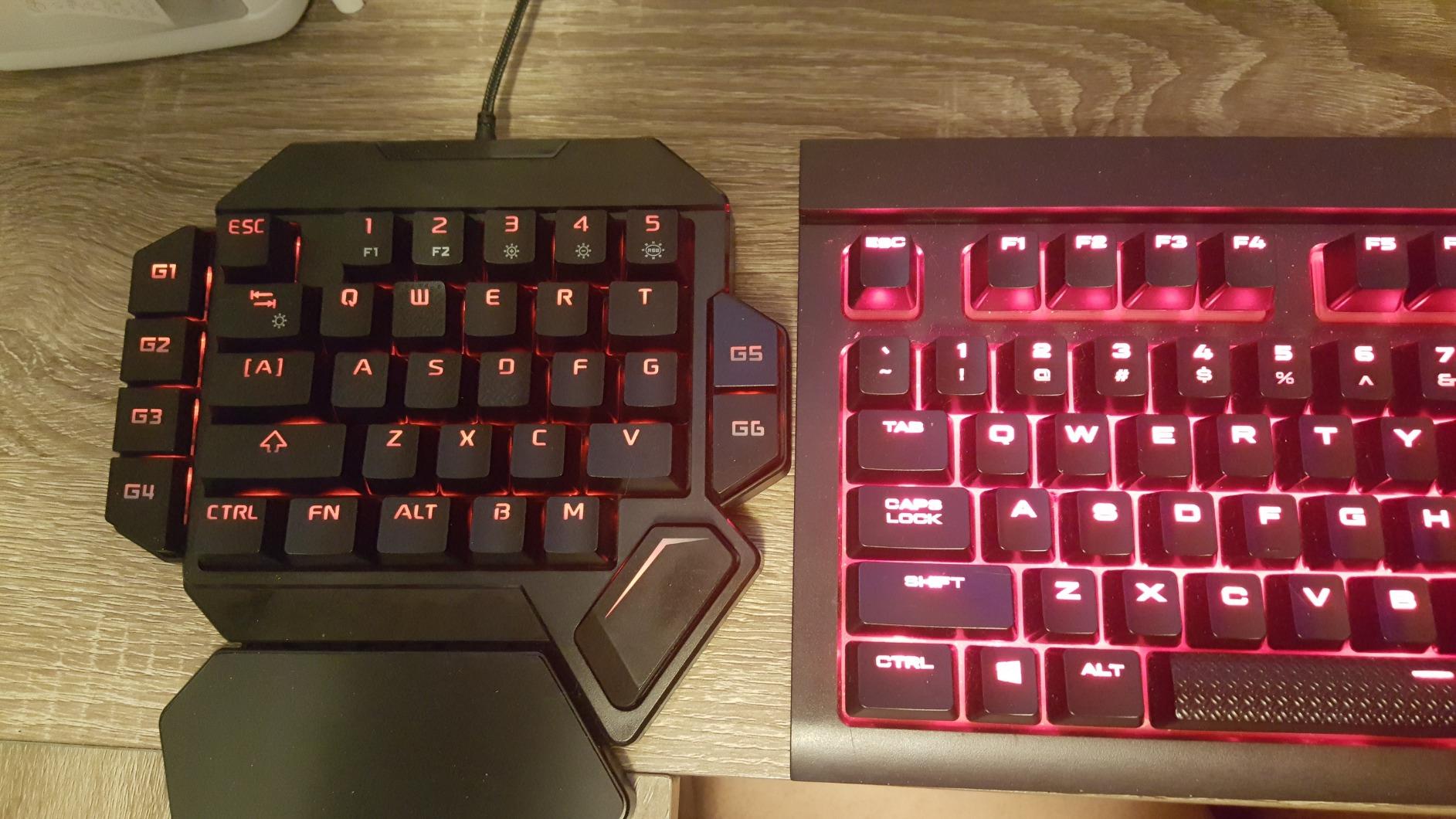
The number key placement is offset to the left, which takes a week to adjust to if you’re coming from a full keyboard. I found myself hitting the wrong keys for the first few days. The spacebar position feels slightly low to some users, but for the price, these are minor complaints.
For casual gaming sessions in League of Legends, Minecraft, or story-driven RPGs, the K-50 performs well. The 35 non-conflict keys handle any genre without ghosting issues.
Honest Trade-Offs
Some users report the keys as clacky and loud. If you game in a shared space, consider this. The USB cable is not detachable, which limits portability. And without customization software, you’re limited to onboard macro recording.
Quality control is inconsistent based on user reports. Some units arrive perfect, others have sticky keys or LED alignment issues. Amazon’s return policy covers this, but it’s worth noting.
At $26.99, the K-50 is genuinely excellent for the entry-level segment. It won’t compete with premium keypads, but it delivers solid gaming performance for a fraction of the cost.
9. Redragon K758 – Best Hot-Swappable Budget Keypad
+ The Good
- Excellent value at $24.99
- Hot-swappable switch socket
- 4 dedicated macro keys
- RGB with 16.8M colors
- Hefty 14.3 oz weight prevents sliding
- The Bad
- No F-key indentation
- Space bar feels softer
- Integrated (non-removable) wrist rest
- Limited software documentation
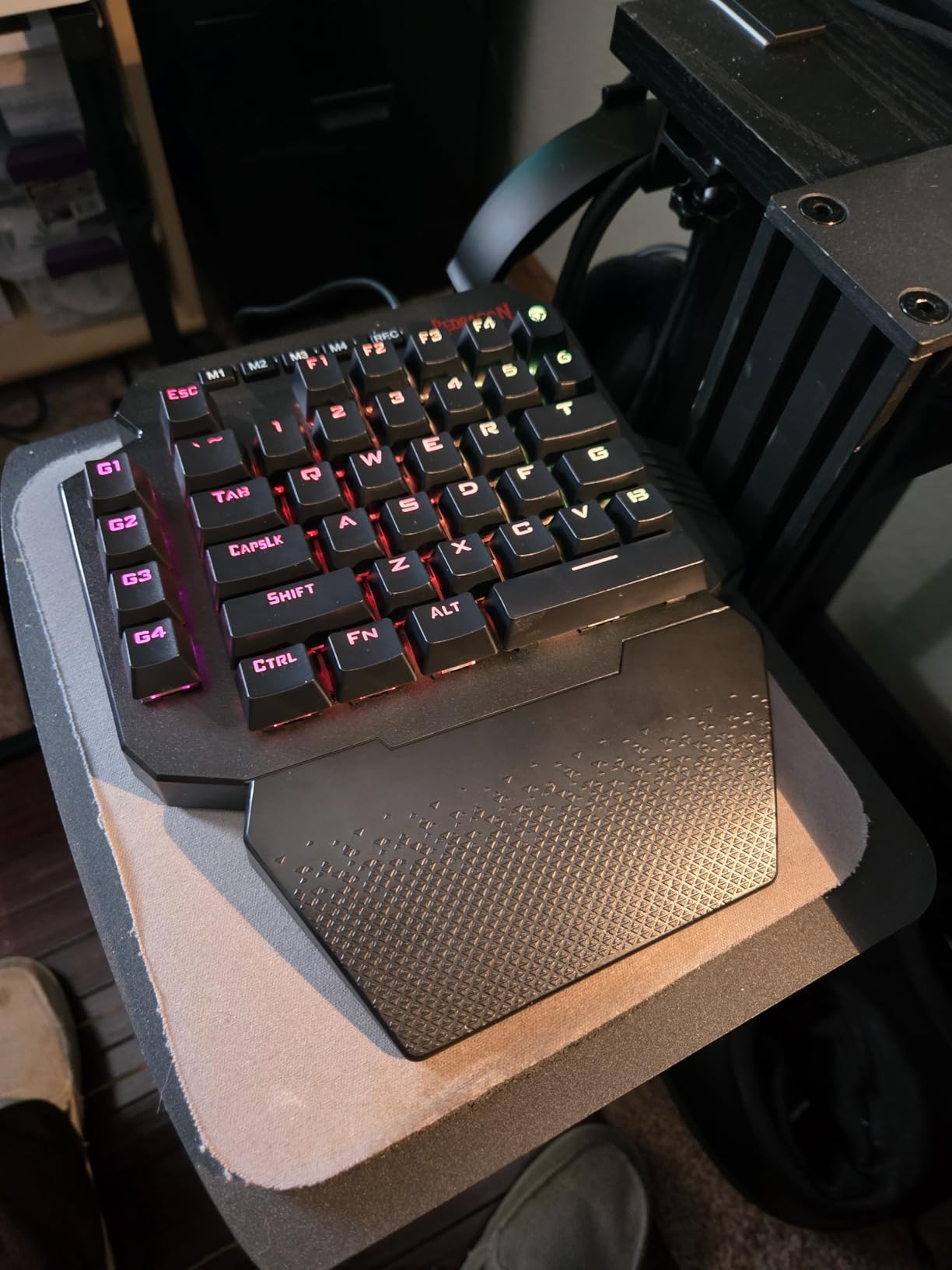
The Redragon K758 is the best hot-swappable gaming keypad under $30. The upgraded socket accepts 3-pin and 5-pin switches, so you can swap in any mechanical switch you like without soldering. I dropped in some silent linear switches from an old keyboard, and the transformation was immediate.
The 39-key layout is well-thought-out. Redragon includes a keycap/switch puller and spare switches in the box, which is rare at this price. The 4 dedicated macro keys handle complex MMO rotations, and the RGB lighting is vibrant with 5 modes.

Build quality is solid. The 14.3 oz weight keeps the keypad planted during intense gaming. I had no sliding issues even during competitive Valorant matches. The USB-C connection is modern, and the pass-through port lets you connect a mouse or headset.
For MMO and MOBA gaming, this keypad punches above its weight. The 4 macro keys are fewer than the K585’s 7, but the hot-swap capability makes it more customizable long-term.
Limitations and Honest Assessments
There’s no F-key indentation, so touch typing requires looking down occasionally. The spacebar feels softer than other keys, which some users find unsatisfying. The wrist rest is integrated and not removable, which limits repositioning.
Software documentation is sparse. Redragon’s software exists but isn’t well-documented, and the RGB customization without software is limited. At this price, some compromises are expected.
Who This Keypad Suits
If you want hot-swap flexibility at the lowest possible price, the K758 is the clear winner. It’s perfect for gamers who like to tinker with switch types or want to start with clicky and move to silent later.
For pure plug-and-play simplicity, the Cakce K-50 is easier. But for customization enthusiasts on a budget, the K758 delivers genuine value.
10. Vaydeer JP1011-C – Best Productivity Macro Keypad
+ The Good
- 6 customizable layers with 54 total functions
- Real-time floating window display
- Text string macro support
- OTA firmware updates
- Compact 2.83 inch design
- The Bad
- Won't work through USB extenders
- Only 9 physical keys
- Cheap key feel compared to premium
- Limited Mac support
The Vaydeer JP1011-C is a different beast from the gaming keypads on this list. It’s a productivity-focused macro pad with 9 physical keys and 6 programmable layers, giving you 54 distinct functions. If you do video editing, programming, or office work with repetitive tasks, this is the keypad that will save you hours.
I use this daily for video editing in Premiere Pro. Layer 1 has my most-used shortcuts (cut, ripple delete, markers). Layer 2 has my color grading tools. Layer 3 has export presets. Switching between layers takes half a second, and the floating window shows me which function is active on each key.
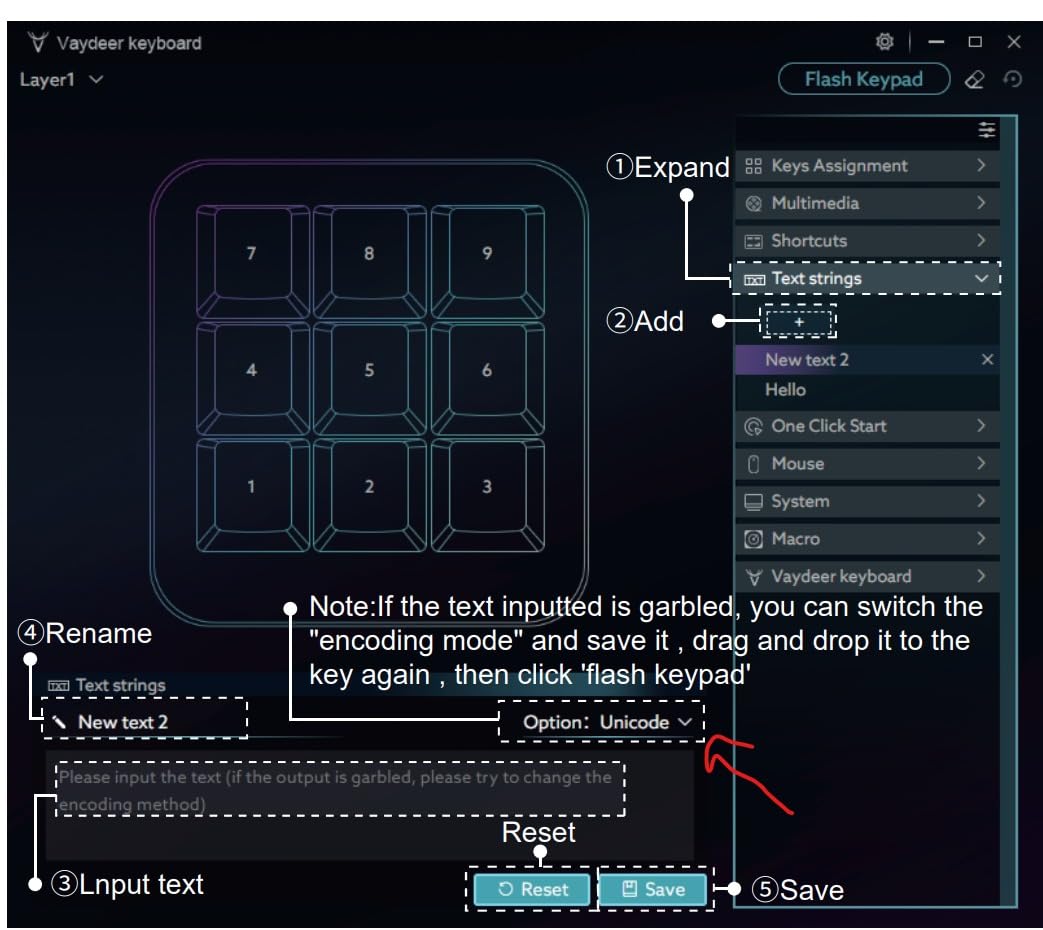
The text string macro support is exceptional. I have one key that types my full email signature, one that fills in my address, and one that opens my most-used folder. The ability to program long text strings without character limits beats competitors that cap macros at 24-30 characters.
At 2.83 inch x 2.83 inch, it takes almost no desk space. I keep it to the right of my keyboard, and it disappears into my setup visually.
Important Limitations
This keypad will not work through USB extenders. I tried a 6-foot extension cable and got constant disconnections. Direct motherboard or hub connection is required.
The 9 physical keys feel cheap compared to premium mechanical switches. There’s some rattle and the key travel is shallow. For gaming, this is a non-starter. For productivity where you tap keys briefly, it’s acceptable.
Mac support is limited. The software is Windows-only, so configuring on Mac requires creative workarounds. Linux support exists but requires community drivers.
Best Use Cases
This is not a gaming keypad. It’s a productivity multiplier. For Ableton Live, Photoshop, Premiere Pro, AutoCAD, or any software with deep menus, the 6-layer functionality is transformative.
For streamers, the one-click start feature can launch OBS, your streaming software, and a folder of assets. The settings export/import means you can backup configurations or share them between machines.
If you split your time between gaming and creative work, buy a separate gaming keypad. But if you spend 8+ hours a day in productivity software, the Vaydeer will earn its price back in time saved within a month.
11. MageGee MK-Axe – Best Compact Mechanical Keypad
+ The Good
- Solid build quality with sturdy design
- Excellent RGB effects
- Tactile blue switch feedback
- Fixed palm rest design
- Plug and play
- The Bad
- Macro programming limited to device keys
- No delay between keystrokes in macros
- Durability concerns after 8 months
- Non-detachable USB cable
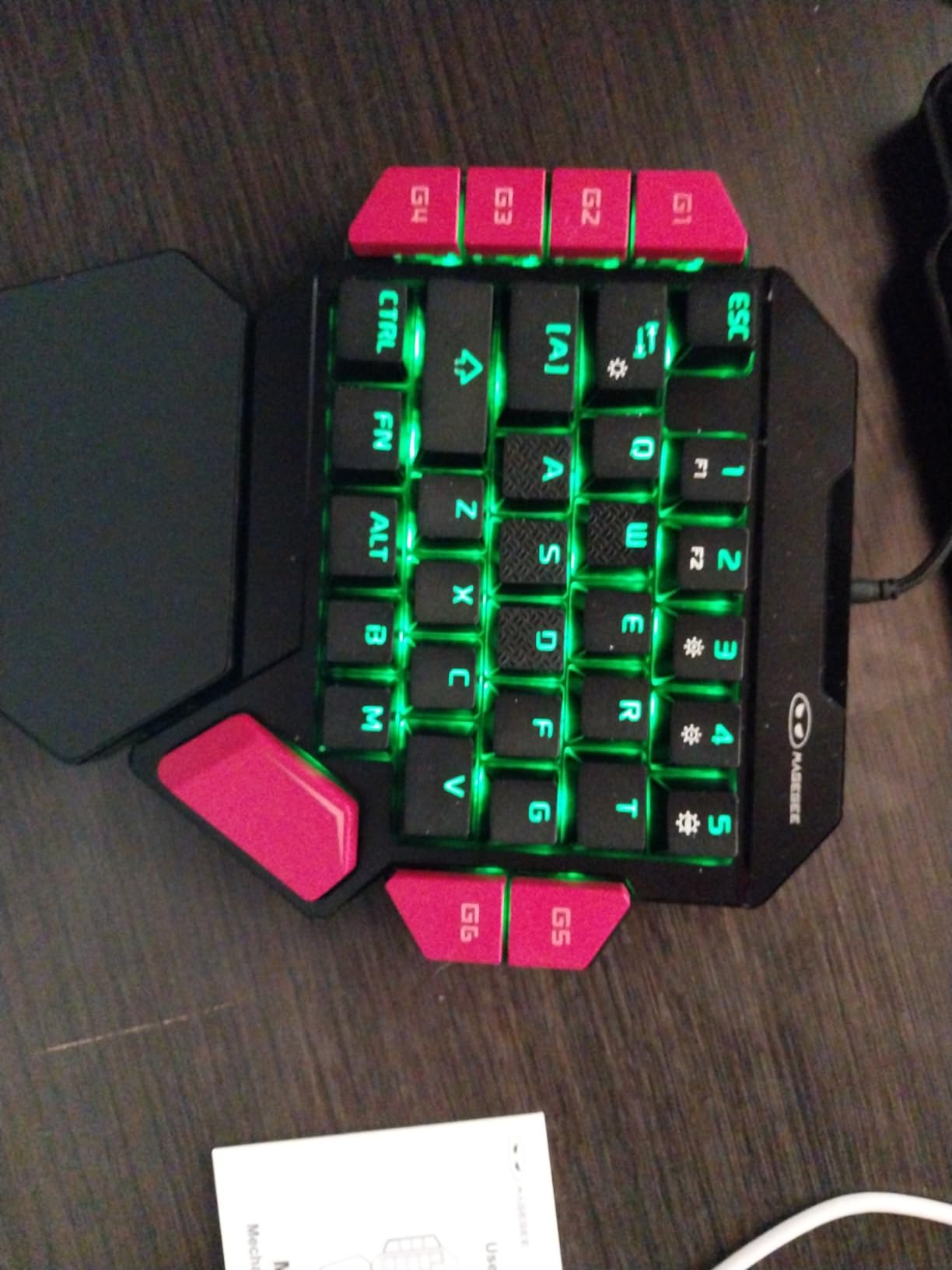
The MageGee MK-Axe surprised me with its build quality. At $23.99, I expected budget plastic, but the construction feels solid and the weight suggests internal reinforcement. The fixed palm rest is a design choice I prefer over magnetic detachable rests, which can loosen over time.
The blue switches provide satisfying tactile feedback and a clicky sound that makes gaming feel responsive. The 6 macro recording keys (G1-G6) handle common gaming sequences, though the lack of delay programming limits complex macro setups.
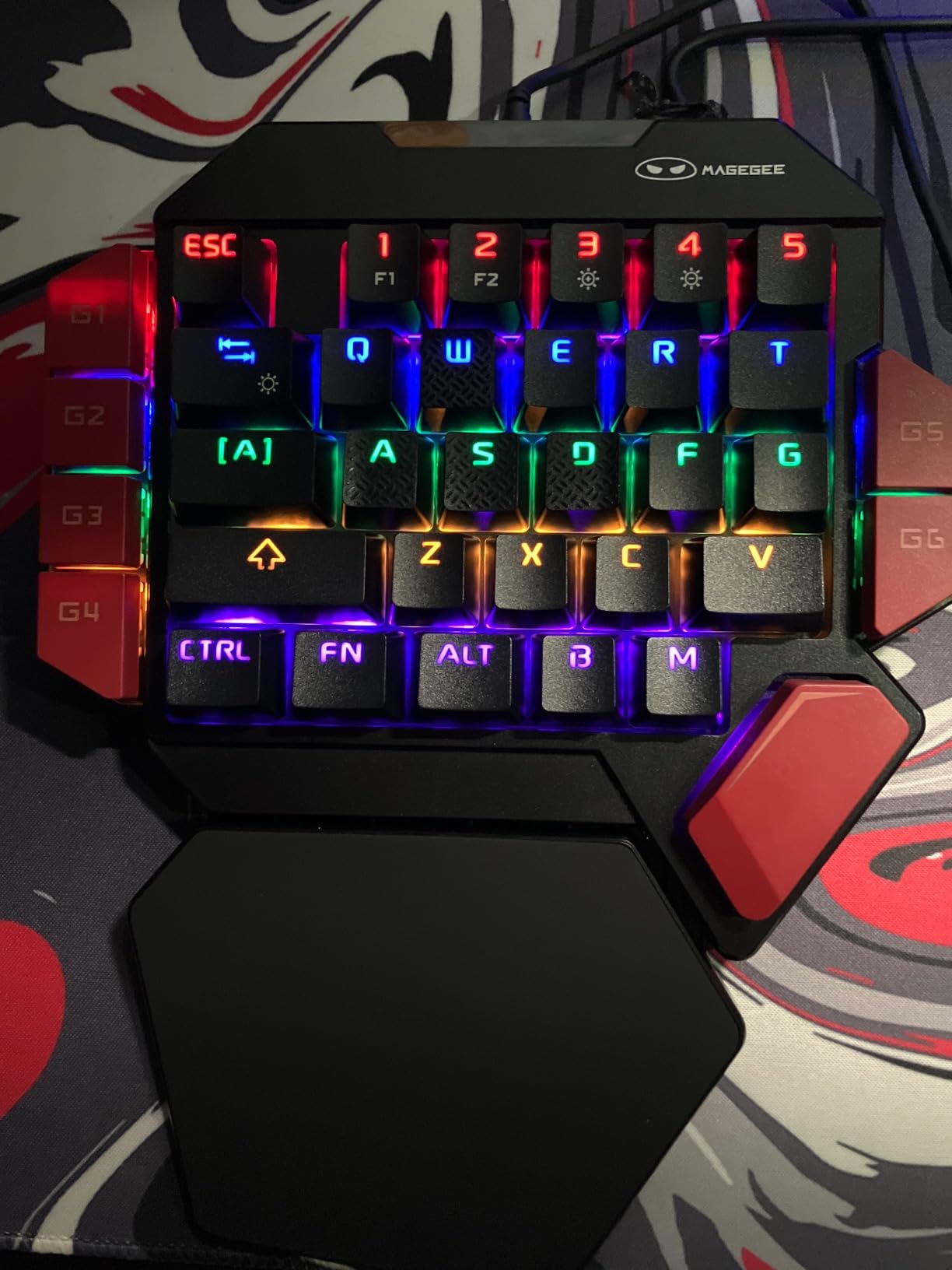
RGB lighting is vibrant with both static and dynamic effects. The plug-and-play setup means zero software installation, which is perfect for users who game on multiple machines or share peripherals.
For casual gaming, this keypad is excellent. I tested it in Diablo IV, Path of Exile, and Civilization VI, and the key placement felt natural for these genres.
Honest Limitations
Macro programming is limited to keys on the device. You can’t program delays between keystrokes, which is a real limitation for complex MMO rotations. The non-detachable cable limits portability.
Some users report units failing after 8 months. MageGee’s customer service is reportedly unresponsive, so warranty claims may be difficult. At $23.99, replacement is an option, but it’s worth knowing.
Who Should Consider This
If you want a compact mechanical gaming keypad with solid build quality at the lowest possible price, the MK-Axe delivers. The fixed palm rest and sturdy construction are standout features in the budget segment.
For advanced macro users or those wanting hot-swap capabilities, look at the Redragon K585 or K758 instead. But for plug-and-play simplicity with satisfying mechanical feedback, the MageGee is a strong choice.
12. Koolertron AMAG23 – Best for Onboard Profile Storage
+ The Good
- All 23 keys fully programmable
- 4-layer custom configurations
- Onboard memory stores profiles
- Detachable USB cable
- Compact portable design
- The Bad
- Software difficult on Mac
- Macro character limit on older models
- Inconsistent character case issues
- Premium price for the feature set
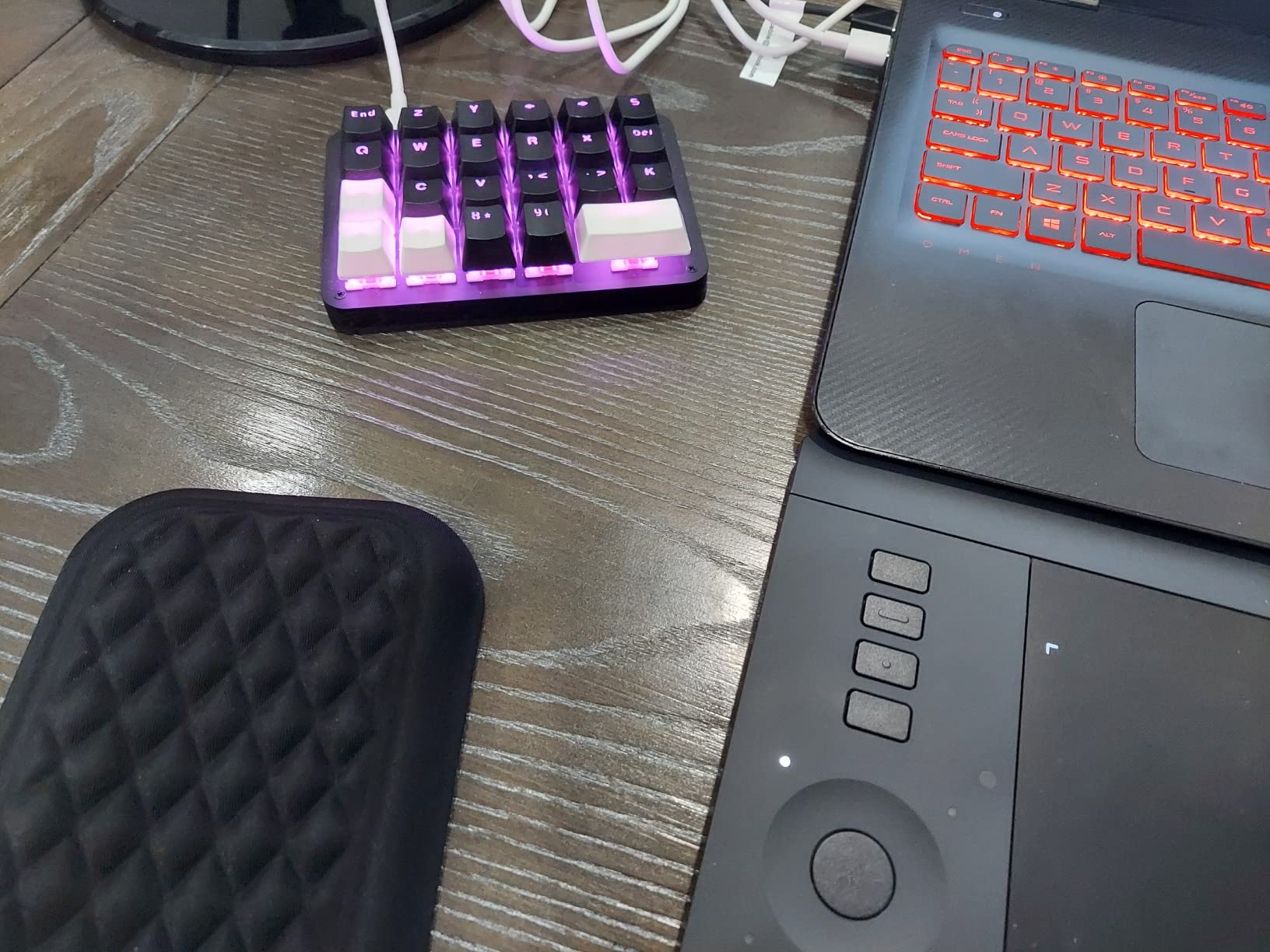
The Koolertron AMAG23 is the keypad for users who want every key programmable with no software limitations once configured. All 23 keys are fully mappable, and the 4-layer custom configurations mean you can have 92 distinct functions in a device that fits in your palm.
The standout feature is onboard memory. Once you configure your profiles through the Windows software, they’re stored in the device’s MCU. I can unplug this keypad, move it to my laptop, and my profiles are intact. No software running, no cloud sync, just plug and play with your settings.
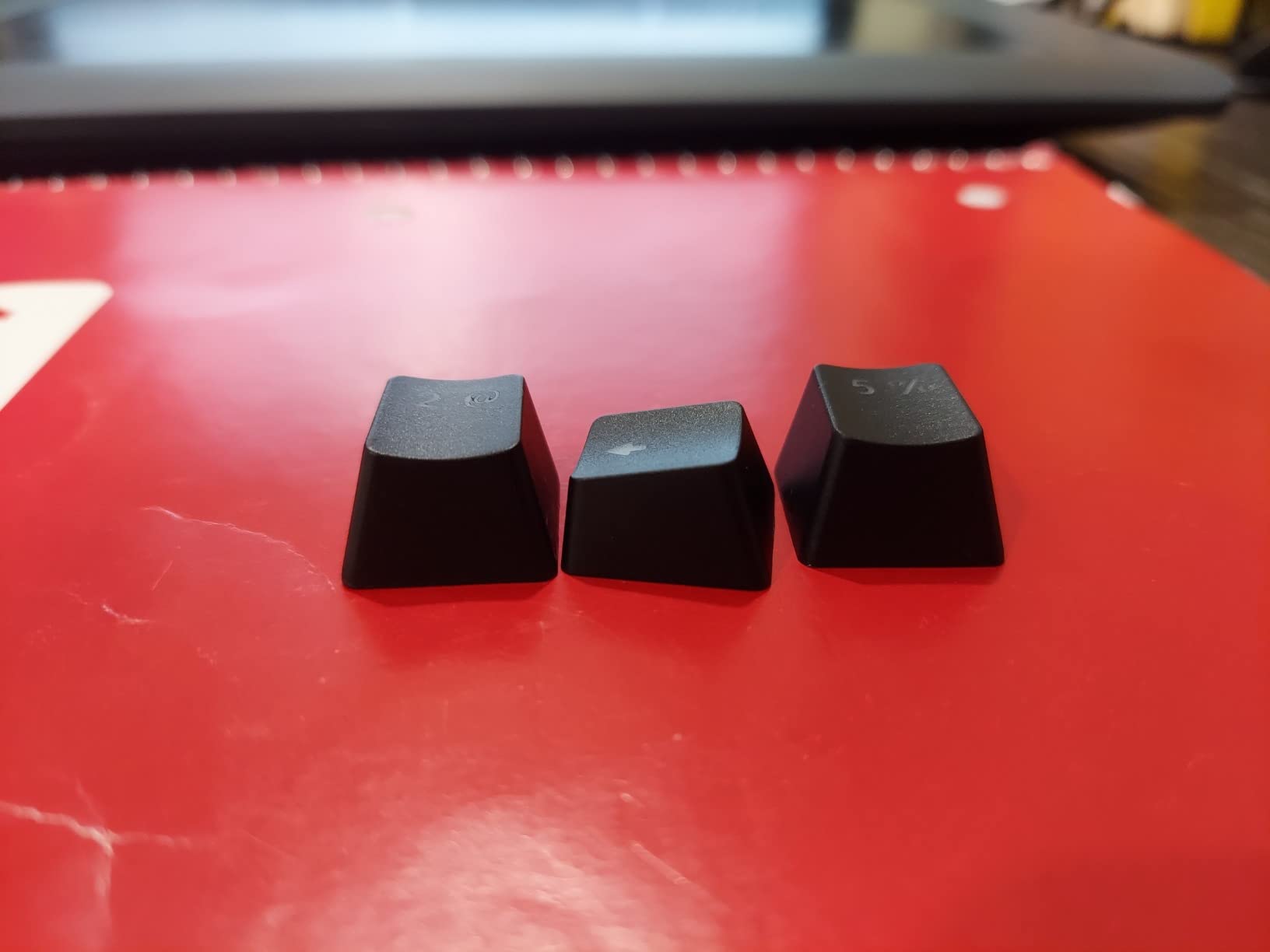
The RGB customization is excellent with 8 dynamic effects, 30 brightness levels, and 32 colors. The detachable USB cable makes it genuinely portable for travel. At 5 inch x 3.5 inch x 1.2 inch, it fits in any laptop bag.
For advanced users who want deep customization without vendor lock-in, the AMAG23 delivers. It works with VIAL software, an open-source configurator that gives even more control than the manufacturer’s tool.
The 3.7-Star Reality
Let me be honest about why this keypad has a 3.7-star rating despite its strong features. Software compatibility is the main issue. Mac users struggle with the proprietary software, and the 20% 1-star reviews largely cite software frustration and hardware failures.
Macro inconsistencies are another concern. Older models have a 24-character limit, and some users report inconsistent character case in newer models. Documentation is sparse, so troubleshooting requires forum diving.
Who This Keypad Is For
If you’re a technical user comfortable with community software like VIAL and you want maximum programmability, the Koolertron AMAG23 is excellent. The onboard memory and 4-layer configuration are rare features at this price.
For casual users, the software complexity makes this a poor choice. The Razer Tartarus V2 or Redragon K585 are more beginner-friendly. But for tinkerers and power users, this is a hidden gem.
How to Choose the Best Gaming Keypad for Your Setup
After three months of testing twelve gaming keypads across every major genre, I can tell you that the best keypad for you depends on three factors: your dominant game genre, your budget, and your tolerance for software complexity. Let me break down the key considerations.
Switch Type and Feel
Gaming keypads come in three switch categories. Membrane switches (RedThunder G30) are quiet and affordable but lack tactile feedback. Mecha-membrane (Razer Tartarus V2) offers a middle ground with tactile bump and softer feel. Mechanical switches (Redragon K585, Cakce K-50) give the most pronounced feedback but are louder.
The newest category is Hall Effect magnetic switches (Keychron C0 HE 8K, AJAZZ AK029, AZERON Cyborg II). These offer adjustable actuation, rapid trigger, and analog input capabilities. For competitive FPS gaming, Hall Effect is the future. For casual gaming, traditional switches are perfectly adequate.
During my testing, I found that mecha-membrane offers the best balance for most gamers. You get tactile feedback without the noise complaint from roommates or family.
Programmability and Software
Every keypad on this list supports macros, but the depth varies dramatically. Razer Synapse and Redragon’s software are the most polished but require always-on background processes. Web-based configurators (Keychron C0 HE 8K, AJAZZ AK029) are lighter weight but require internet for initial setup.
Onboard memory is rare but valuable. The Redragon K585, Koolertron AMAG23, and AJAZZ AK029 store profiles in the device itself, meaning you can use them on any PC without reconfiguration. If you game on multiple machines, prioritize onboard memory.
For MMO players, 28+ macro slots are essential. For FPS players, 6-10 well-placed keys are sufficient. Don’t pay for complexity you won’t use.
Ergonomics and Hand Size
This is where most reviews fall short. A keypad that fits a 6-inch hand will cramp a 7.5-inch hand, and vice versa. The AZERON Cyborg II is the only truly adjustable option, with finger towers and thumbstick position tunable for hand sizes 6.3-7.5 inches.
Wrist rest quality matters more than you’d think. The Razer Tartarus V2’s rubberized rest and the AZERON’s contoured palm support made 6-hour sessions comfortable. The RedThunder G30’s plastic rest was less comfortable after 2 hours.
If possible, try a keypad in a store before buying. Second best is buying from a retailer with good return policies. Amazon’s 30-day return window saved me multiple times during testing.
Genre-Specific Recommendations
For MMO gaming, prioritize macro density. The Redragon K585’s 42 keys and 28 macro slots excel here. World of Warcraft, Final Fantasy XIV, and Lost Ark players should look at the 35+ key models.
For FPS competitive play, Hall Effect switches with rapid trigger and SOCD support are game-changers. The AJAZZ AK029 offers these at $34.99, while the Razer Tartarus Pro does it at $129.99. For casual FPS, any keypad on this list works fine.
For third-person games like Witcher 3, Red Dead Redemption 2, and Elden Ring, an analog thumbstick is invaluable. The AZERON Cyborg II excels here, though the Razer Tartarus V2’s thumbpad is adequate for casual play.
For strategy and productivity, the Vaydeer JP1011-C’s 6-layer functionality is unmatched. If you split time between gaming and creative work, consider two separate devices.
Learning curve is real across all gaming keypads. Forum users consistently report 2-4 weeks to build muscle memory. During this period, expect 20-30% performance drops in your familiar games. Push through it; the ergonomics and customization are worth the adjustment period.
Frequently Asked Questions
Are gaming keypads good for gaming?
Yes, gaming keypads are good for gaming, especially for MMO, strategy, and productivity workflows. They provide 20-35 programmable keys within easy reach of one hand, reducing finger travel and enabling more commands per second. The ergonomic design also reduces wrist fatigue during extended sessions. However, competitive FPS players often prefer traditional WASD keyboard setups for maximum strafing speed.
Are gaming keypads worth it?
Gaming keypads are worth it if you play games requiring many keybinds (MMOs, MOBAs, strategy), value ergonomics, or want to save desk space. They’re particularly valuable for users with wrist fatigue from traditional keyboards. However, if you primarily play competitive FPS games, the learning curve and muscle memory retraining may not be worth the investment. Budget options under $30 make it easy to test the concept.
How long does it take to get used to a gaming keypad?
Most users report 2-4 weeks to fully adapt to a gaming keypad. The first week involves frequent accidental keypresses and 20-30% performance drops in familiar games. By week two, muscle memory starts forming. By week four, most users report performance equal to or better than their previous keyboard setup. Using the keypad exclusively during this period accelerates adaptation significantly.
Do gaming keypads work for FPS games?
Gaming keypads work for FPS games, but with caveats. Casual FPS play is fine on any keypad. Competitive FPS play benefits from Hall Effect switches with rapid trigger and SOCD support, which the AJAZZ AK029 and Keychron C0 HE 8K provide. However, many competitive players still prefer traditional WASD keyboard layouts for maximum strafing speed. The Razer Tartarus V2’s 8-way thumbpad is a good middle ground for FPS players new to keypads.
What is the best gaming keypad?
The best gaming keypad depends on your needs. For most users, the Razer Tartarus V2 is the best overall choice with proven reliability across 12,000+ reviews. For competitive FPS, the AJAZZ AK029 offers Hall Effect tech at $34.99. For MMO gaming, the Redragon K585 provides exceptional macro density and value. For premium features, the Razer Tartarus Pro delivers analog-optical switches with rapid trigger. Budget users should consider the RedThunder G30 at $23.99.
Final Verdict
After testing twelve of the best gaming keypads available in 2026, the Razer Tartarus V2 remains our top recommendation for most gamers. Its proven reliability across 12,000+ reviews, ergonomic design, and balanced feature set make it the safest choice. The 8-way thumbpad is excellent for console-to-PC transitions, and the 32 mecha-membrane keys handle any genre.
For competitive FPS players, the AJAZZ AK029 at $34.99 is a revelation. Hall Effect switches, 8KHz polling, and SOCD support put it in elite company at a budget price. If you can handle the new-product uncertainty with limited reviews, it’s the best value in competitive gaming peripherals.
MMO players should look at the Redragon K585 for its 42 keys and 28 macro slots. Budget users who want to test the gaming keypad concept should start with the RedThunder G30 at $23.99. And for the absolute premium experience with no budget concerns, the AZERON Cyborg II offers unmatched customization and ergonomics.
The best gaming keypads in 2026 represent a maturing market with genuine innovation. Hall Effect magnetic switches are the future, but traditional mecha-membrane and mechanical designs still deliver excellent value. Choose based on your dominant genre, budget, and tolerance for software complexity, and you’ll find a device that transforms your gaming experience.