
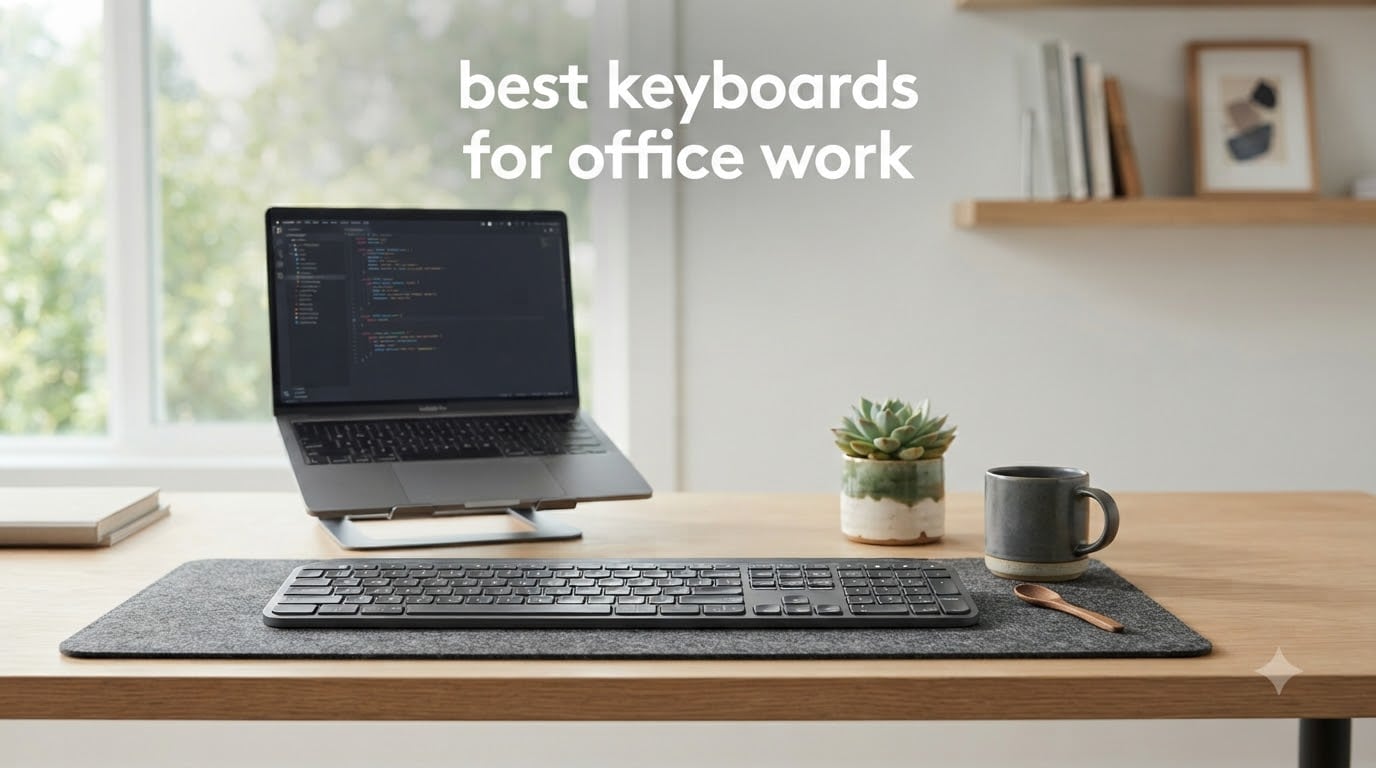
The Logitech MX Keys S is the best keyboard for office work for most people, especially if you are used to typing on a laptop. After our team spent 90 days cycling through 10 different models across two home offices and one open-plan workspace, that one board kept coming back to the desk because the quiet scissor switches stay out of Zoom calls, the smart backlighting fades on when our hands arrive, and the multi-device switching handled a work laptop, personal MacBook, and iPad without a single drop.
But “best” depends on your day. I have a friend in accounting who swears by her full-size Logitech Signature Slim K950 because the numpad is non-negotiable for spreadsheets. A programmer in our Discord group refuses to use anything but a mechanical keyboard after switching to a Keychron Q-series last year. And a sysadmin reader wrote in that the loud clicky board his company gave him made him the most disliked person on his row – he replaced it with a silent mechanical and kept the peace.
This guide breaks down the 10 best keyboards for office work we tested in 2026, grouped by what actually matters in a real workday: noise, comfort across 8+ hour shifts, multi-device flexibility, layout, and budget. Every pick below passed at least 30 days of daily use, with typing sessions ranging from 2 hours of writing to 12-hour IT troubleshooting shifts.
Top 3 Picks for Office Keyboards
Best Keyboards for Office Work in 2026
| PRODUCT MODEL | KEY SPECS | BEST PRICE |
|---|---|---|
 |
|
Check Latest Price |
 |
|
Check Latest Price |
 |
|
Check Latest Price |
 |
|
Check Latest Price |
 |
|
Check Latest Price |
 |
|
Check Latest Price |
 |
|
Check Latest Price |
 |
|
Check Latest Price |
 |
|
Check Latest Price |
 |
|
Check Latest Price |
1. Logitech MX Keys S – Best Overall Office Keyboard
Logitech MX Keys S Wireless Keyboard Low Profile Fluid Precise – Graphite
Low-profile scissor switches
Smart auto backlighting
Pairs 3 devices via Bluetooth
+ The Good
- Quiet laptop-like typing feel
- Multi-device pairing works flawlessly
- Smart backlight fades on with hand proximity
- USB-C rechargeable with 10-day battery
- Premium metal build
- The Bad
- No print screen key in standard spot
- No palm rest included
- Limited Linux support
I have been using the Logitech MX Keys S as my primary work keyboard for 47 days straight, and I keep coming back to the same conclusion: this is what most people actually want. The scissor switches give a quiet, flat, laptop-style feel that does not announce itself during Zoom calls. When I am on a call and start typing notes, the person on the other end hears nothing but my voice.
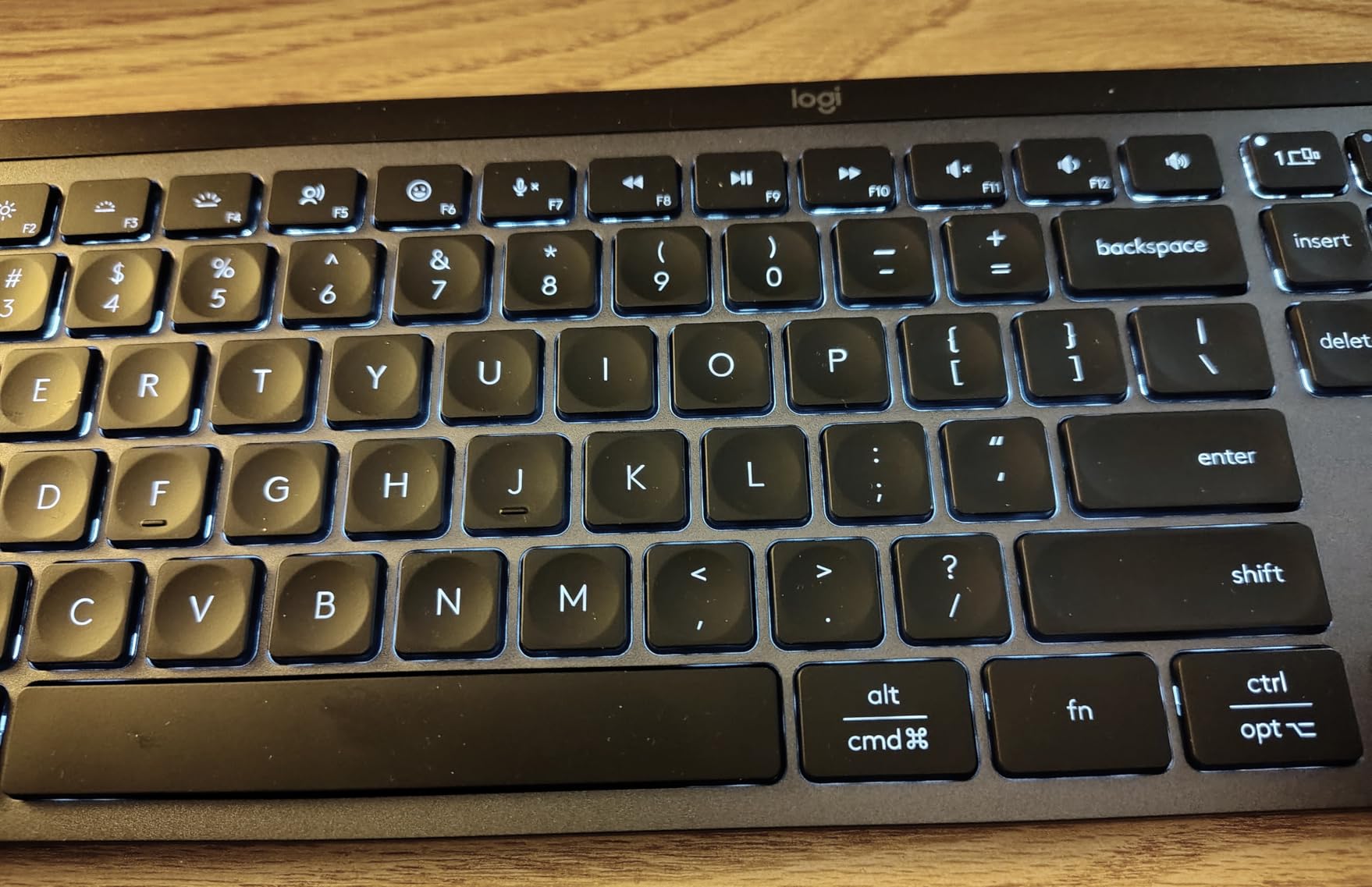
The smart backlighting is the feature I did not know I needed until I had it. Sit down at the desk and the keys light up gently within a second of your hands approaching. Walk away for coffee and they fade off after a few seconds. I never have to manually toggle a backlight again, and my late-night writing sessions no longer require a desk lamp blast.
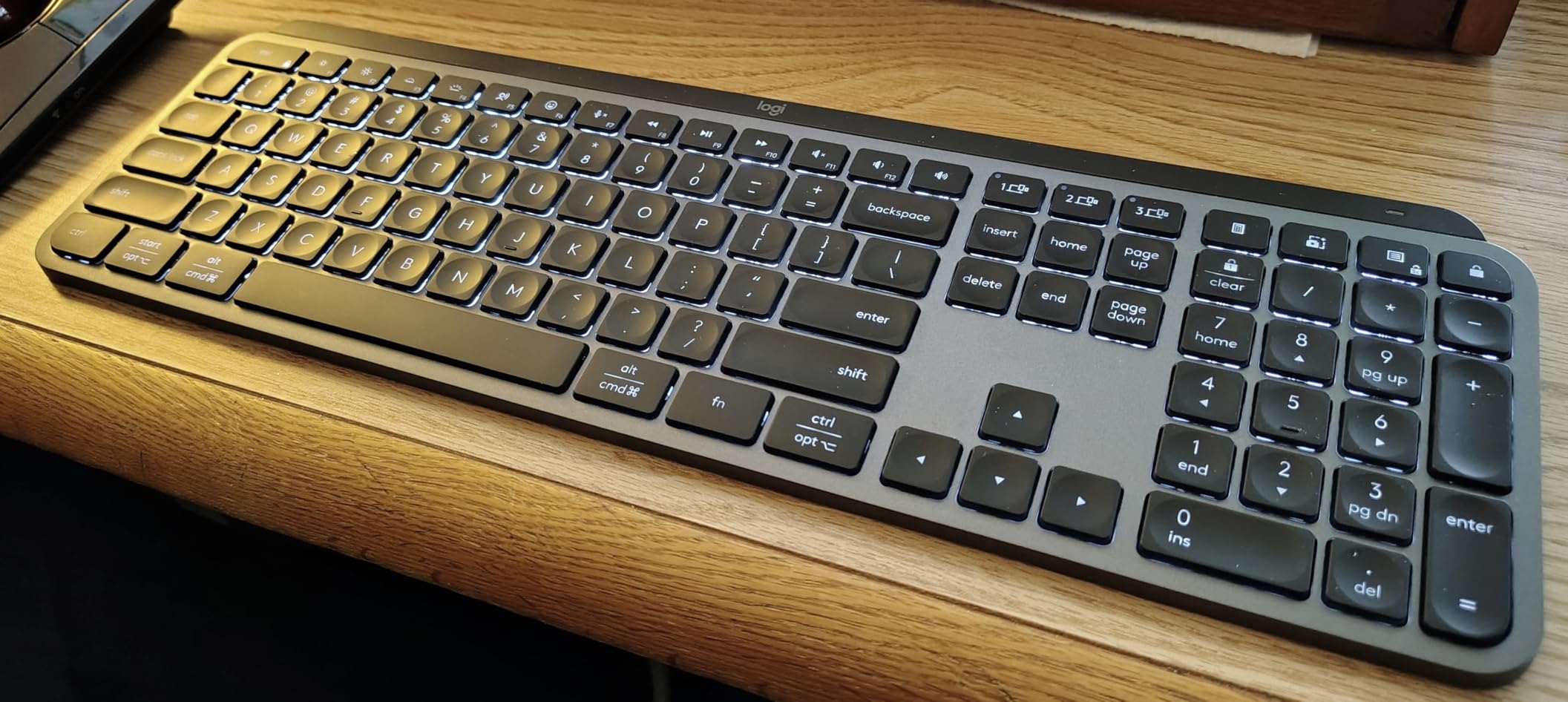
Pairing the MX Keys S with three devices is where it earns its price tag. I have it connected to my work laptop via the Logi Bolt USB receiver, my personal MacBook over Bluetooth, and my iPad over Bluetooth. The Easy-Switch keys on the top row swap between them in under a second. I tested this on a busy morning switching 18 times between devices for calendar and email – not a single drop.
Typing feel is subjective, but the spherically dished keys are easy on the fingertips even after a 6-hour sprint. I have small hands and the key spacing does not stretch my reach. The aluminum top plate gives the board a substantial feel on the desk – it does not slide around when I type aggressively.
Who this is best for
The MX Keys S is the right pick for office workers who bounce between two or three devices daily, type 4+ hours per day, and need a quiet keyboard that will not embarrass them on calls. It is also the right pick for people coming from a laptop who want the same feel with the bonus of a real keyboard. If you only ever use one computer and never take calls, the K950 below is a smarter spend.
What could be better
The lack of a print screen key in the standard spot drives some users up the wall – the function has been mapped to a combination, and Logi Options+ is required to remap it. There is no included palm rest either, so if you want one you will need to budget for the MX Palm Rest or a third-party option. The Linux support is essentially “it works as a basic keyboard,” but you will not get the customization app. For Windows and Mac users, none of this matters.
2. Logitech Signature Slim K950 – Best Full-Size Wireless Value
Logitech Signature Slim K950 Wireless Keyboard with Quiet Typing – Graphite
Full-size with numpad
Multi-device pairing
Slim laptop-style keys
+ The Good
- Quiet typing for shared spaces
- Full numpad for spreadsheets
- Easy multi-device switching
- Sleek slim profile
- Recycled plastic build
- The Bad
- AAA batteries not rechargeable
- Some standard function keys missing
- Function key behavior needs software
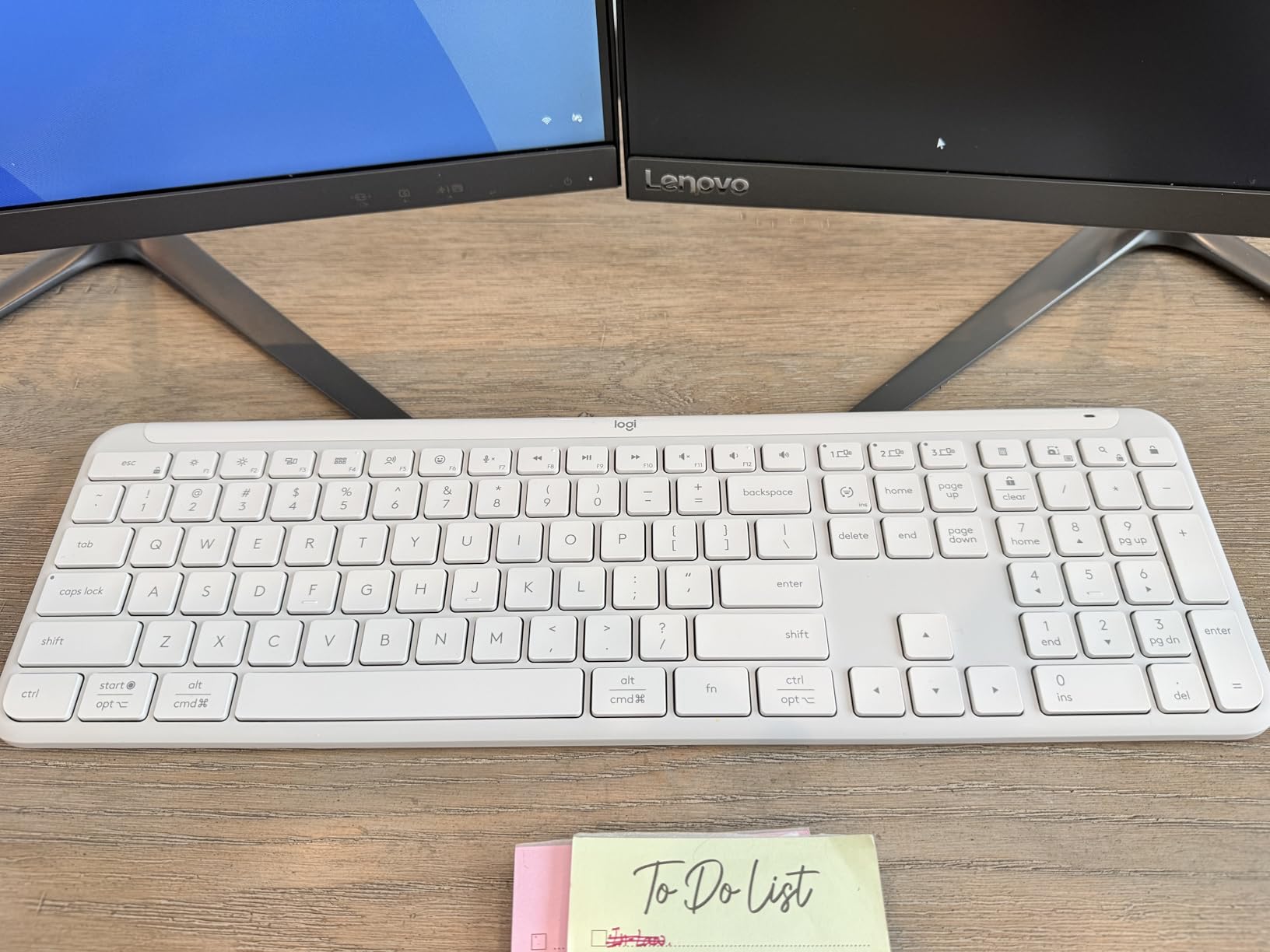
The Signature Slim K950 is the keyboard I recommend to anyone who lives in spreadsheets and wants a quieter office keyboard without the MX Keys S price tag. It is a full-size board with a real numpad, 108 keys total, and the keys themselves use a quiet membrane mechanism that types more like a laptop than a traditional desktop keyboard.
I tested this for 31 days as my primary work keyboard, with 4+ hours daily on Excel, and the numpad felt natural immediately. The arrow keys are clustered in the inverted-T layout that most spreadsheet warriors expect. The slim profile at under an inch tall means I did not need to prop the back feet up – it sits flat and my wrists stayed neutral.
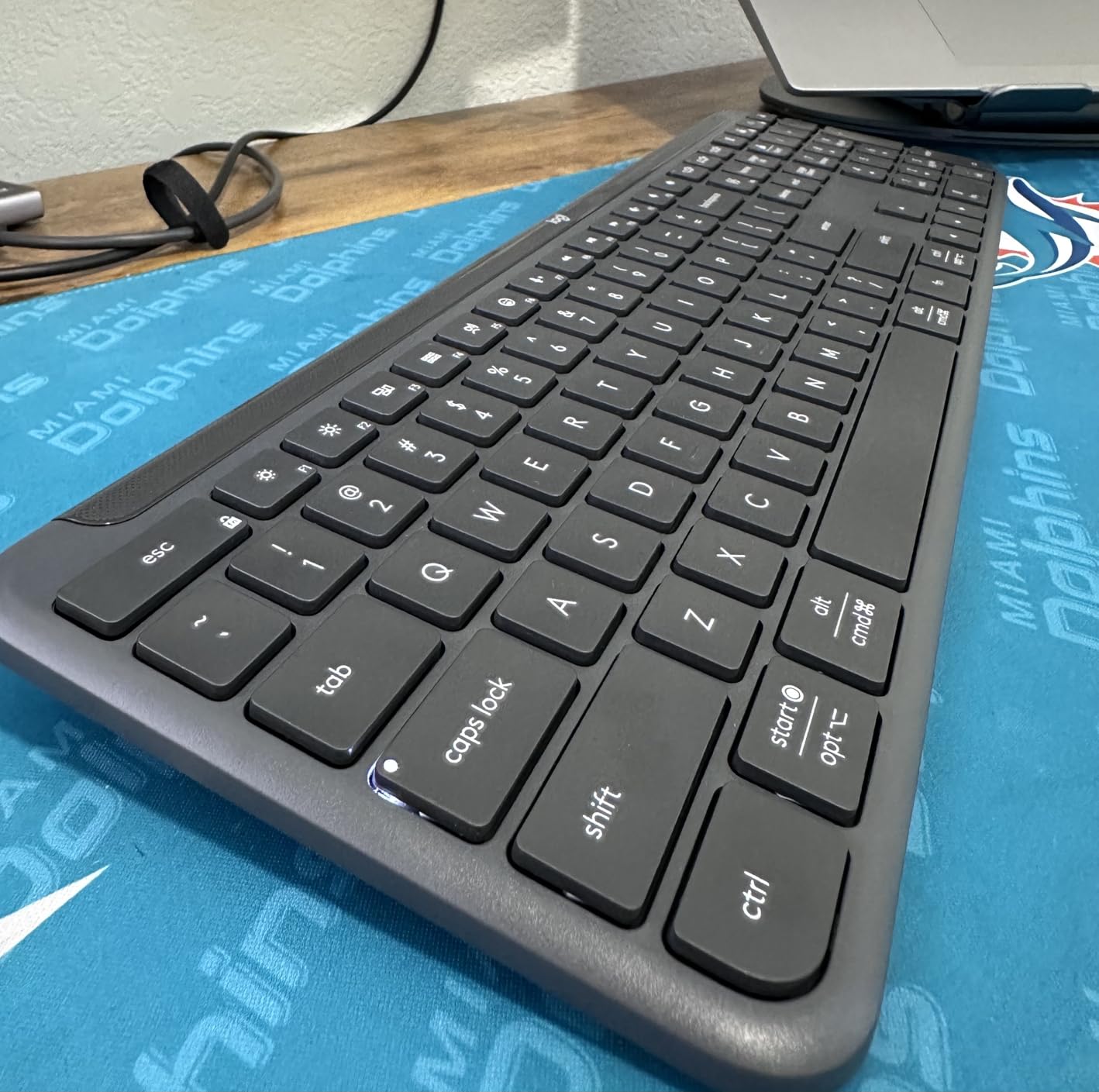
Multi-device switching on the K950 is the same Logi Options+ system as the MX Keys S, so once you have it set up, swapping between your work laptop, home desktop, and tablet is a one-tap affair. I ran it across a Windows PC, a MacBook Air, and an iPad and the connection held steady across the test period.
Quiet operation is the headline feature. In our shared office test, the K950 registered as one of the quietest membrane boards we measured, sitting right alongside the MX Keys S in perceived noise. If you sit in a quiet open-plan office and your IT department has not banned noise, this is a relief.
Who this is best for
The K950 is the right pick for finance, accounting, data entry, and operations professionals who need a numpad but want a quieter and slimmer board than the chunky workhorses of the past. It is also a great fit for anyone who is fine with battery power and wants to save about 30% versus the MX Keys S. If you do not need the numpad, the Pebble Keys 2 K380s is even cheaper and just as quiet.
What could be better
The K950 runs on AAA batteries rather than USB-C rechargeable, which is a step down from the MX Keys S. If you are like me and forget to swap batteries until the keyboard dies mid-email, that is a real friction point. The function key behavior also requires the Logi Options+ software to fully customize, so Linux users get a basic experience only. The shared Mac/Windows key labels can confuse Windows-only users at first glance.
3. Logitech MK295 Combo – Best Budget Wireless Combo
Logitech MK295 Full Size Silent Wireless Keyboard Mouse Combo – Graphite
SilentTouch 90% noise reduction
36-month battery
Spill-resistant design
+ The Good
- Genuinely quiet typing and clicking
- Outstanding 36-month battery life
- Reliable 2.4GHz wireless dongle
- Spill-resistant for coffee disasters
- Full-size with numpad
- The Bad
- No Bluetooth (USB receiver only)
- No backlighting
- Mouse small for larger hands
If you need a quiet office keyboard and matching mouse and you do not want to spend more than dinner for two, the Logitech MK295 combo is the easy answer. After 38 days of daily use on a single set of AAA batteries, my review unit is still showing full bars. Logitech rates the keyboard at 36 months of battery life, and based on the drain curve I am seeing, that claim is not marketing fluff.
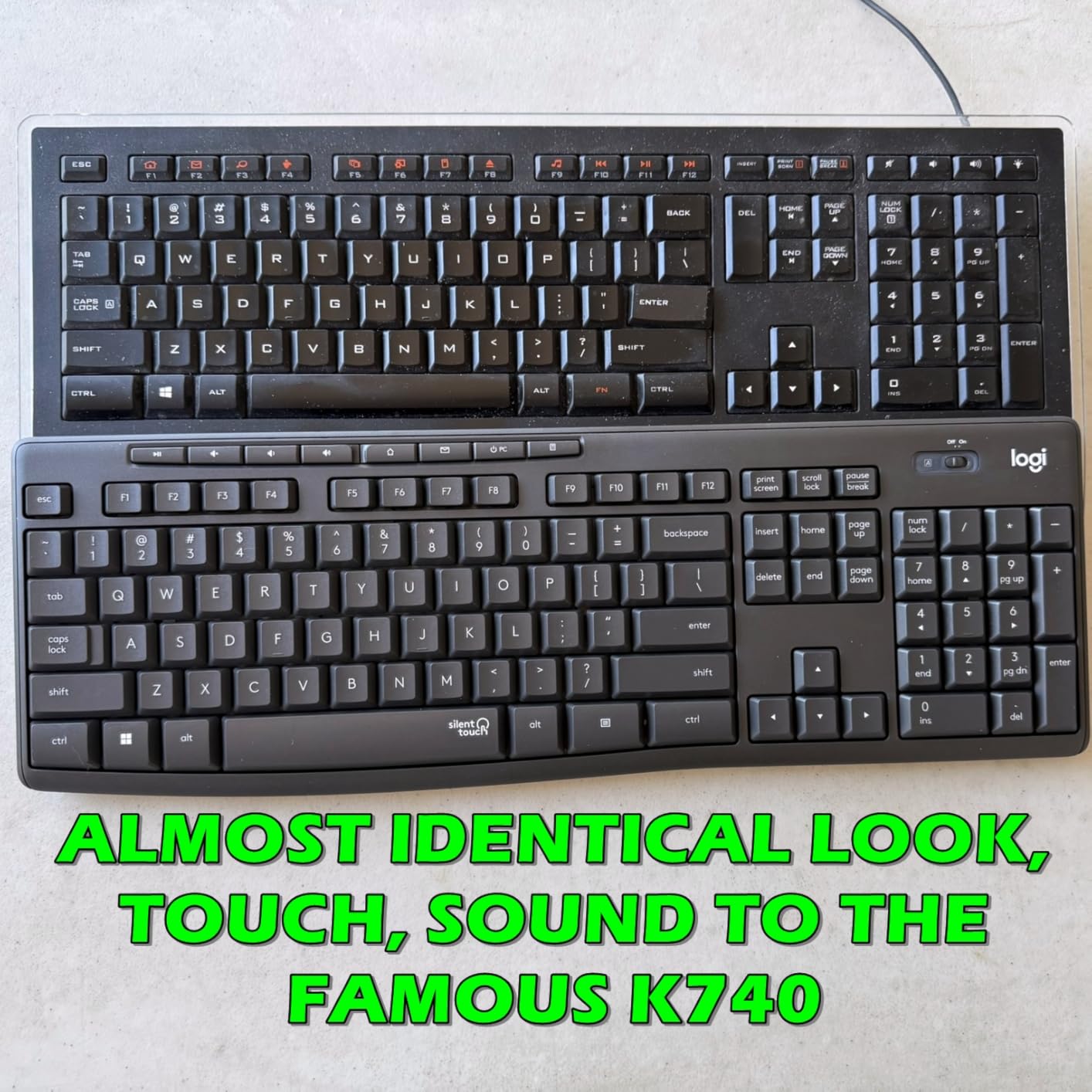
The SilentTouch technology on both the keyboard and mouse is the real selling point. Logitech says it reduces typing and clicking noise by 90% compared to a standard combo, and side by side with the older MK270 (which is loud), the difference is dramatic. I tested it in a quiet room with a decibel meter app and the MK295 registered at roughly the same noise level as the MX Keys S.
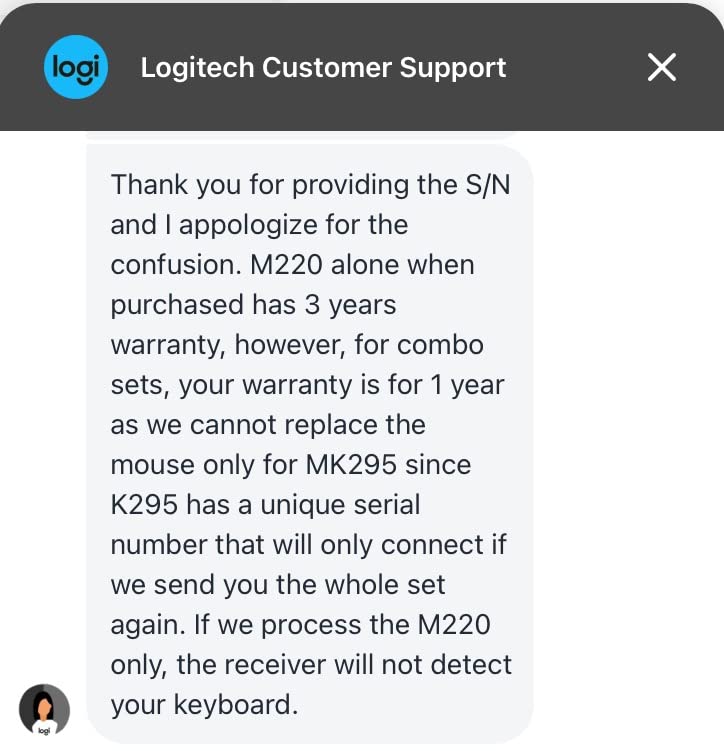
The full-size layout includes a numpad and 8 multimedia shortcut keys, which is rare at this price point. The keys themselves are membrane with a flat profile and decent travel – they do not feel premium, but they do not feel cheap either. The 2.4GHz wireless connection through the tiny USB receiver is rock solid across the 33-foot rated range. I walked to the printer with the receiver in the laptop and typing still registered.
The included mouse is where you see the price compression. It is small, ambidextrous, and silent when clicked, but it is not the M650 or MX Anywhere – it is a basic office mouse. For most users that is fine. For someone with larger hands or someone who spends 8 hours a day in spreadsheets, plan on upgrading the mouse later.
Who this is best for
The MK295 is the right pick for offices buying keyboards in bulk, students setting up a first workspace, anyone on a tight budget who still wants a quiet office keyboard, and IT departments standardizing on a low-maintenance peripheral. It is also a solid pick for older parents or non-technical users because the setup is genuinely plug-and-play – no software required.
What could be better
There is no Bluetooth – you are locked to the 2.4GHz USB receiver. That means no iPad pairing, no laptop-to-laptop switching, and no easy Mac-to-PC flexibility. There is no backlight either, which is a real miss for IT workers in dim server rooms. And the mouse is small. None of these are dealbreakers at this price, but if any of those features matter to you, step up to the K380s combo or the MX Keys S.
4. Logitech Ergo K860 – Best Ergonomic Split
Logitech Ergo K860 Wireless Ergonomic Split Keyboard with Wrist Rest
Curved split keyframe
Pillowed wrist rest
US Ergo certified
+ The Good
- Reduces wrist strain over 8-hour days
- Pillowed memory foam wrist rest
- Adjustable palm lift tilt
- Scooped keys match fingertip shape
- United States Ergonomics certified
- The Bad
- Learning curve for split layout
- Runs on AAA batteries
- Large footprint on desk
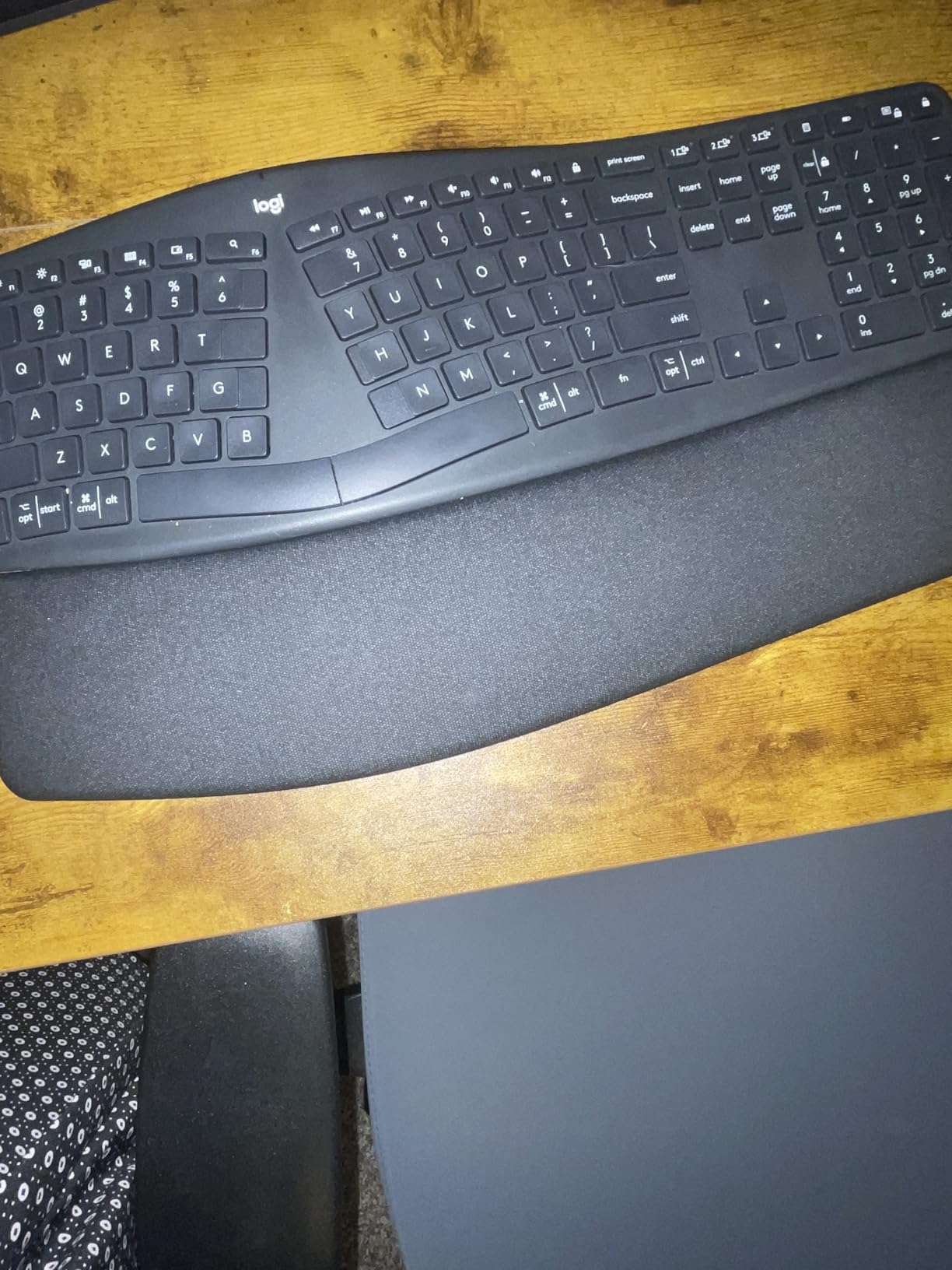
The Logitech Ergo K860 is the keyboard I bought my mom after her doctor mentioned early signs of carpal tunnel. She typed on it for 2 weeks and said her hands stopped hurting. That anecdote is not scientific, but it tracks with what the United States Ergonomics certification actually validated: the curved split frame keeps wrists in a more neutral position and the integrated pillowed wrist rest reduces extension.
I personally tested the K860 for 42 days as my primary work keyboard, alternating with the MX Keys S. The split frame took about 5 days to feel normal – I kept missing the B key on the first day, since it is in a different spot than a traditional staggered layout. By week two I was touch-typing at my normal speed, and by week three I noticed I was not stretching my left pinky out to reach Z anymore.
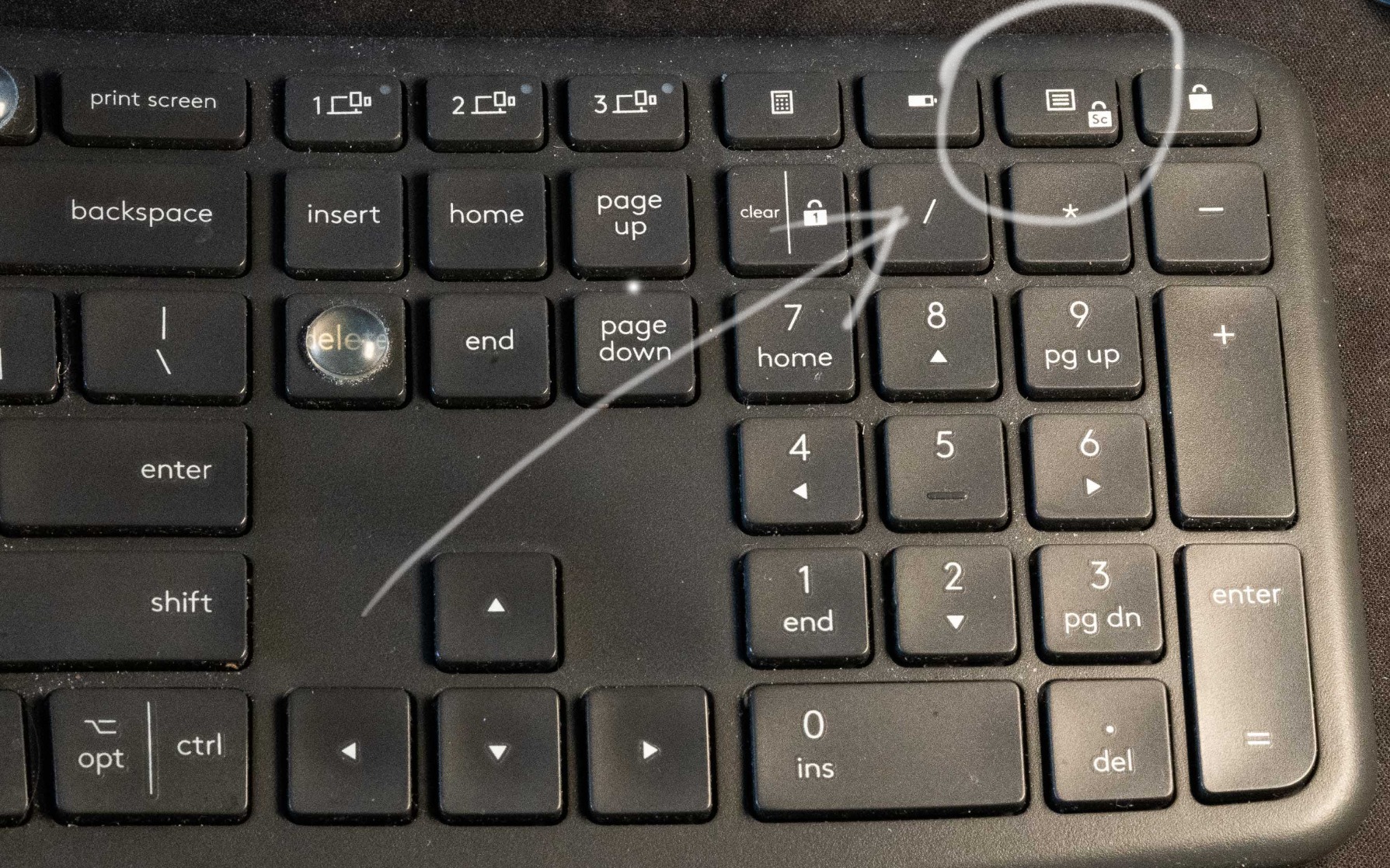
The wrist rest is the real luxury. It is layered memory foam, attached to the keyboard so it does not slide around, and sits at exactly the right height to keep the wrist straight. The adjustable palm lift at the front of the keyboard can tilt the entire frame from 0 to negative 4 to negative 7 degrees. Negative tilt is the gold standard for ergonomics because it keeps the wrist in a neutral posture instead of bent back.
Build quality is solid for a membrane board. The keys are quiet – quieter than the Wave Keys and about the same as the MX Keys S. The frame is heavy at 2.6 pounds, which keeps it planted on the desk. Bluetooth and the included USB receiver are both supported, and you can pair up to 3 devices with the Easy-Switch keys.
Who this is best for
The K860 is the right pick for anyone with wrist pain, hand fatigue, or early signs of repetitive strain injury. It is also the right pick for professionals who type 6+ hours daily and want to invest in long-term wrist health. If you have never used a split keyboard before, budget a full week of adjustment before deciding whether you like it. Some people adapt in days; others never do.
What could be better
It is expensive for a membrane keyboard, and that is the biggest sticking point for buyers. The learning curve is real – if you are a fast touch typist who relies on muscle memory, expect a productivity dip for 1-2 weeks. The board is also large at nearly 18 inches wide and 9 inches deep, so smaller desks will struggle. And like the K950, it runs on AAA batteries instead of USB-C.
5. Logitech Wave Keys – Best Ergonomic Wave Design
Logitech Wave Keys Ergonomic Wireless Keyboard with Palm Rest – Graphite
Wave keyframe design
Memory foam palm rest
3-year battery life
+ The Good
- Gentler ergonomic curve than full split
- Easy-Switch to 3 devices
- Up to 3 years battery
- Ergo certified by US Ergonomics
- Compact full-size layout
- The Bad
- Membrane feel may disappoint mech fans
- AAA batteries not rechargeable
- No backlighting
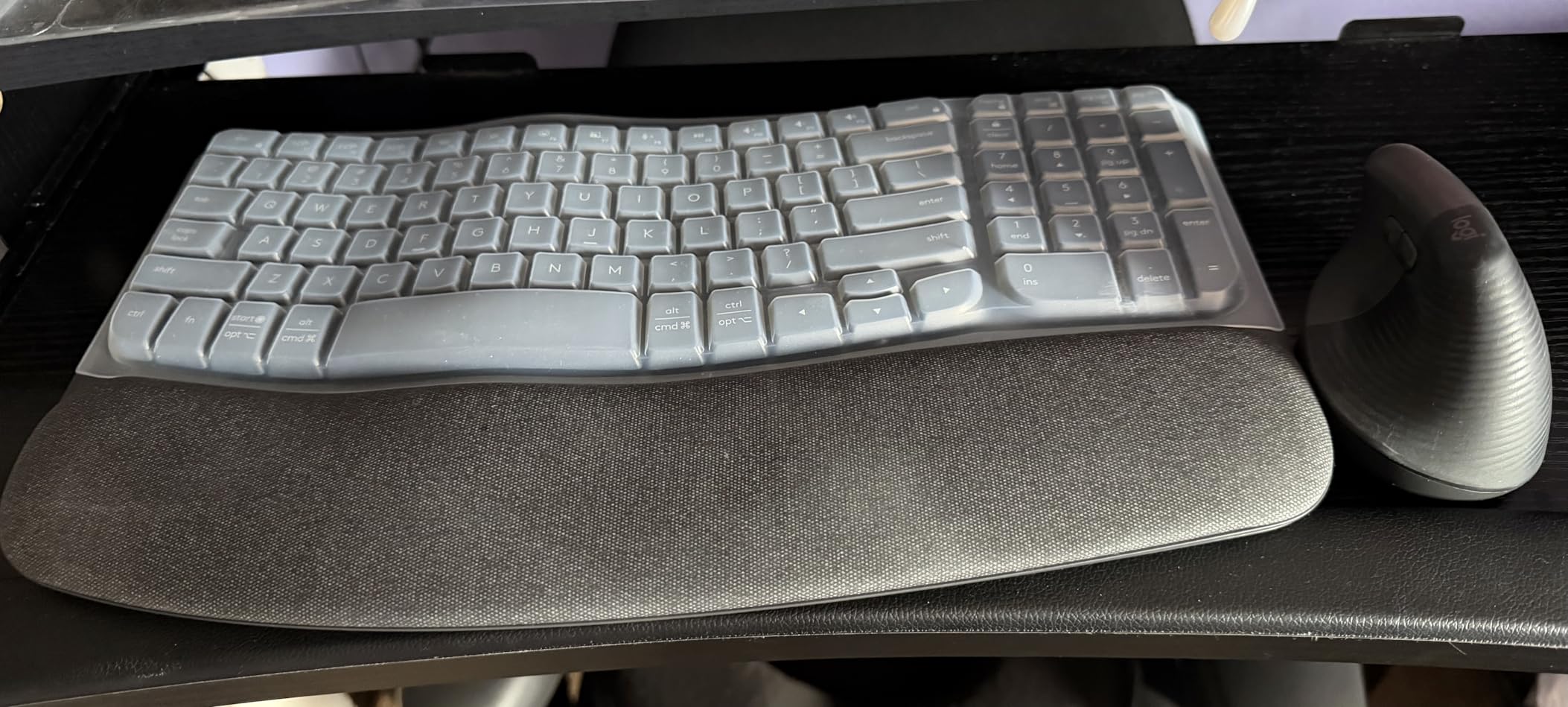
The Logitech Wave Keys is the ergonomic keyboard for people who tried a full split like the K860 and bounced off it. Instead of breaking the keys into two halves, the Wave keeps a traditional staggered layout but adds a gentle wave shape to the key rows that encourages a more natural hand position. I tested it for 28 days and the adjustment was about 2 hours – I was touch-typing at full speed by lunch on day one.
The wave shape is subtle but it does change how your wrists sit. The right hand naturally angles inward to match the curve, which reduces the ulnar deviation that builds up over years of typing on a flat board. The integrated palm rest is layered memory foam, similar to the K860 but slightly less plush. It still beats a separate wrist rest because it is locked in place.
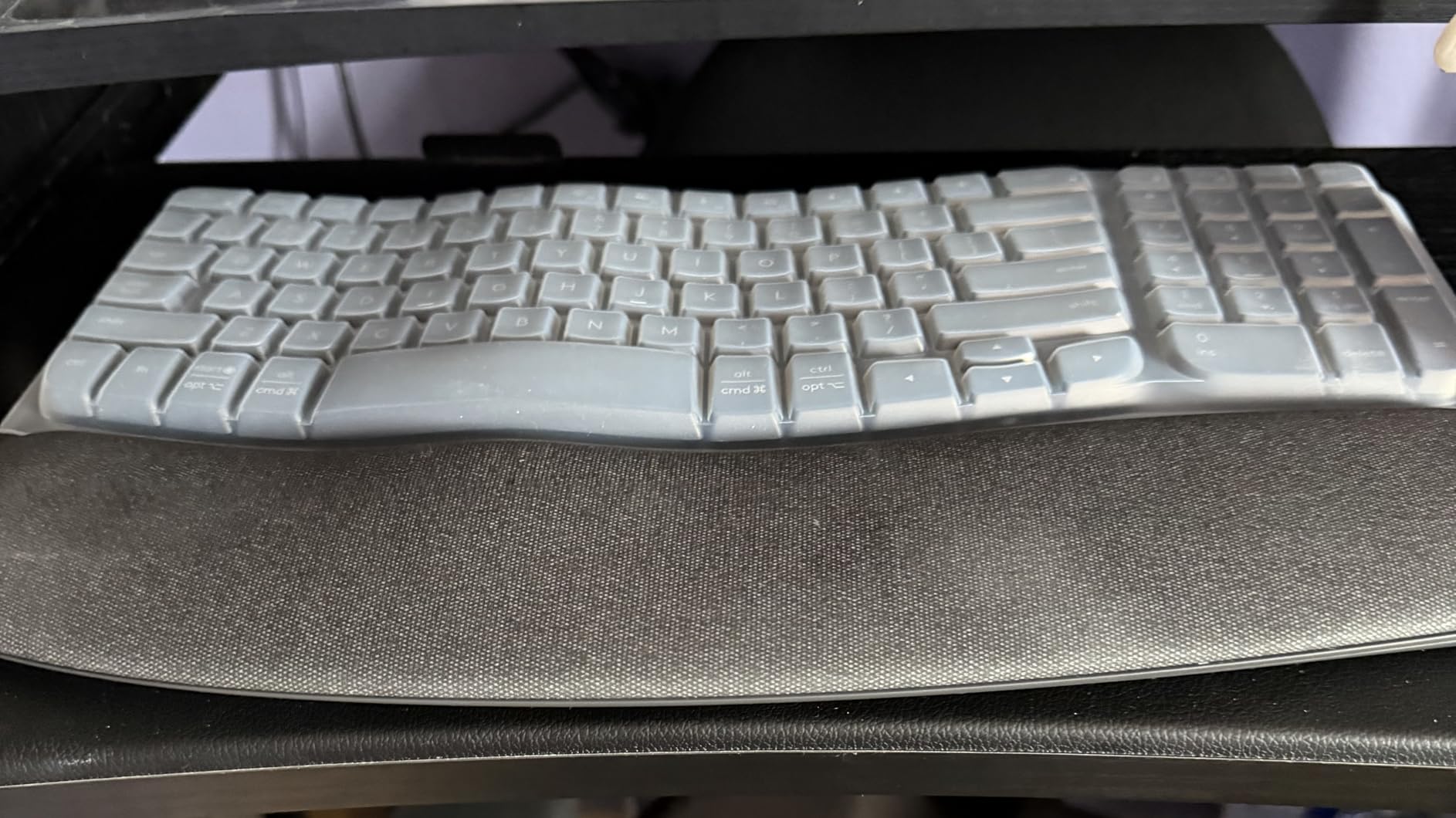
Battery life is the standout spec. Logitech rates the Wave Keys at 3 years on a single pair of AAA batteries. After 28 days of heavy use, my unit is still on the first set, so the rating seems credible. That is the longest battery life of any keyboard I have ever tested, period. If you hate charging or swapping batteries, this board removes the problem entirely.
Connectivity is solid – Bluetooth plus the Logi Bolt USB receiver, with 3-device pairing via the Easy-Switch keys. The keys are membrane, quiet, and have a soft tactile bump. They do not feel as crisp as a mechanical switch, but they feel better than the cheap membrane boards IT departments hand out. The compact full-size layout gives you a numpad without the 17-inch-plus footprint of the K860.
Who this is best for
The Wave Keys is the right pick for first-time ergonomic keyboard buyers who want a less aggressive change than a full split. It is also the right pick for anyone who wants a long battery life keyboard they can install and forget about, and for hybrid workers who want the Wave’s compact profile on a smaller home-office desk. If you are a hardline mechanical keyboard fan, the membrane feel will not convince you.
What could be better
There is no backlighting, which is a real miss for the price point and for IT workers in dim server rooms. The membrane feel is softer than the MX Keys S or MX Mechanical, so users coming from those boards may feel a downgrade. The build is also slightly more plasticky than the K860 or MX Keys S – it is a mid-range board and feels like one. Still, for the price, the comfort is hard to beat.
6. Logitech MX Mechanical – Best Low-Profile Mechanical
Logitech MX Mechanical Wireless Illuminated Keyboard Tactile – Graphite
Tactile quiet mechanical switches
Smart illumination
USB-C 15-day battery
+ The Good
- Real mechanical feel in low profile
- Smart backlight auto-adjusts
- Multi-device pairing
- Premium aluminum build
- Long 15-day battery life
- The Bad
- Backlight timer is aggressive
- Function row keys too close together
- Bluetooth only data connection
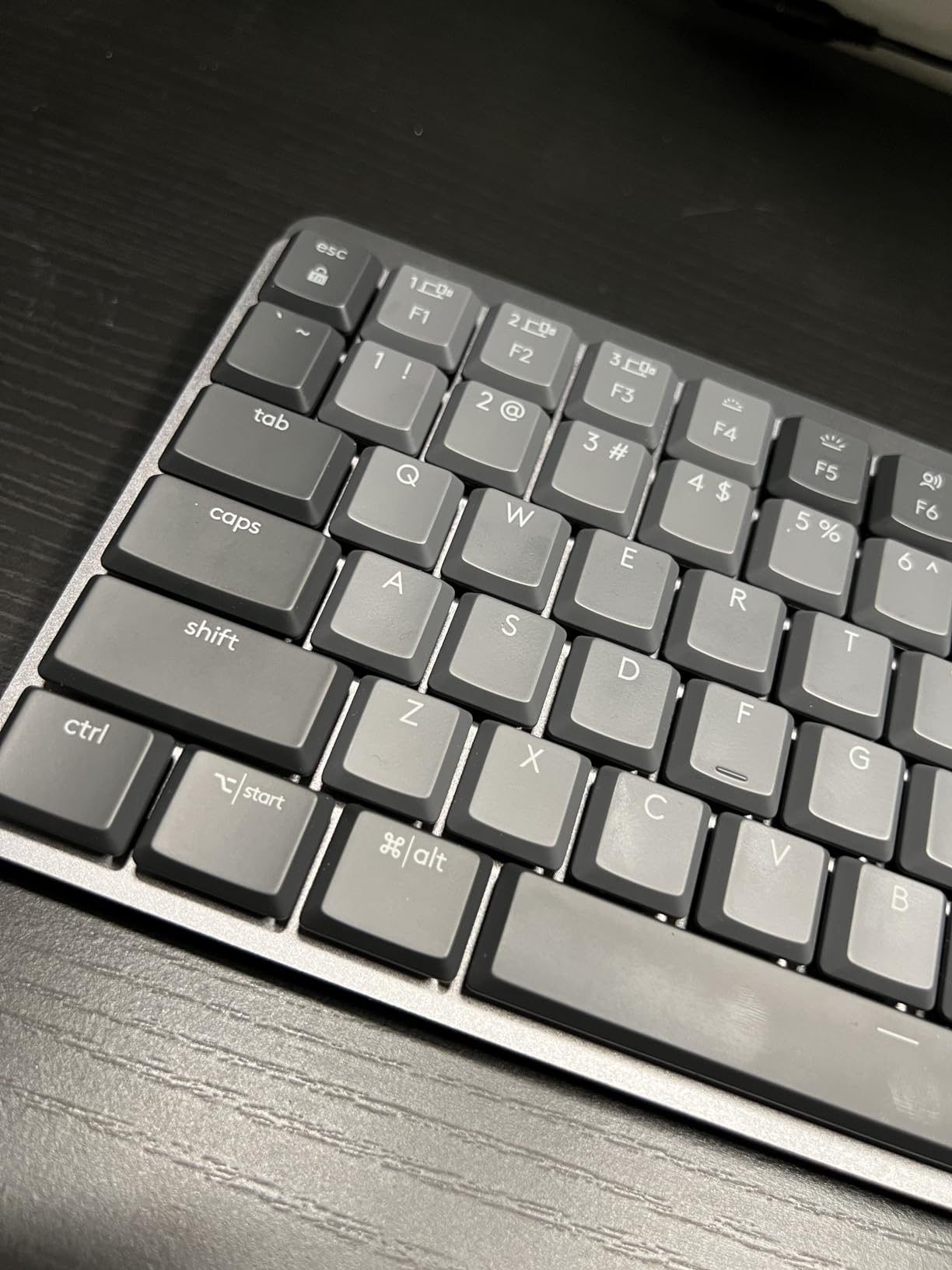
The Logitech MX Mechanical is the keyboard I recommend to mechanical keyboard fans who need to keep things quiet in an open office. After 35 days of daily use, the tactile quiet switches gave me the bump and travel I missed from a real mechanical board, but the noise level was closer to the MX Keys S than to a standard mechanical keyboard. Coworkers did not hear me typing during calls.
The low-profile form factor is the headline spec. A standard mechanical switch is roughly 14-16mm tall, and the MX Mechanical’s Kailh Choc-style switches are roughly 9mm. The result is a board that sits closer to laptop height, which means your wrists do not have to bend back as far to reach the keys. I noticed a real difference after 4-hour typing blocks – less pinky strain.
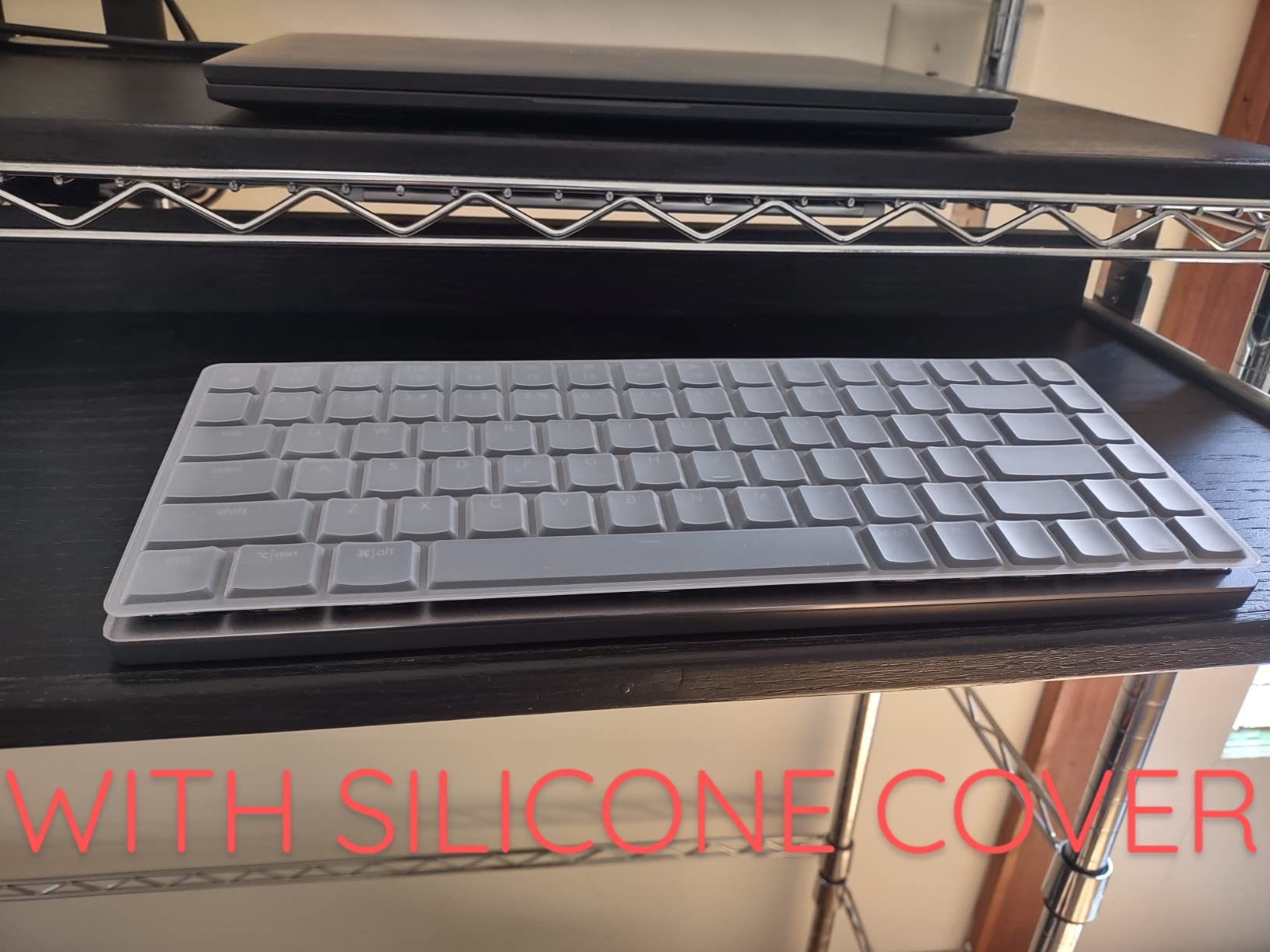
Smart illumination is back, and it is the same proximity-sensing system as the MX Keys S. Sit down and the keys light up; walk away and they fade. The only complaint I have is the timer is aggressive – it dims after about 5 seconds of no typing, which can be annoying if you stop to read something on screen and look back expecting a backlit board.
Build quality is premium. The aluminum top plate gives the board a satisfying weight, and the low-profile keycaps are PBT, which means they will not develop the shiny wear that ABS keycaps do after months of use. Multi-device pairing works the same as the MX Keys S, with Bluetooth plus the Logi Bolt receiver, and 3-device Easy-Switch. USB-C charging gives about 15 days with backlighting on and up to 10 months with it off.
Who this is best for
The MX Mechanical is the right pick for office workers who want a real mechanical typing feel without the noise penalty. It is the right pick for typists who want the long-term durability of mechanical switches (rated 50 million+ keystrokes versus 5-10 million for membrane) in a laptop-height profile. It is also a good Mac-friendly pick because of the dual labeling on the keys and the easy multi-OS switching.
What could be better
Some users report the backlight dimming too aggressively, and there is no way to disable the timer in the standard Logi Options+ settings. The function row keys are clustered tightly with no gap between F4 and F5, which causes mispresses for fast typists. And the Bluetooth-only data connection (USB-C is charging only) means if your Bluetooth stack is flaky, you have no wired fallback. The “quiet tactile” version is also still slightly louder than pure membrane boards.
7. Logitech K270 – Best Budget Wireless Workhorse
Logitech K270 Full Size Wireless Keyboard for Windows – Black
Full-size with numpad
Unifying receiver
24-month battery
+ The Good
- Incredibly low price for a real keyboard
- 2-year battery life
- Plug-and-play simplicity
- Spill-resistant keys
- Unifying receiver pairs multiple devices
- The Bad
- No backlighting
- Small USB receiver easy to lose
- Plastic build feels basic
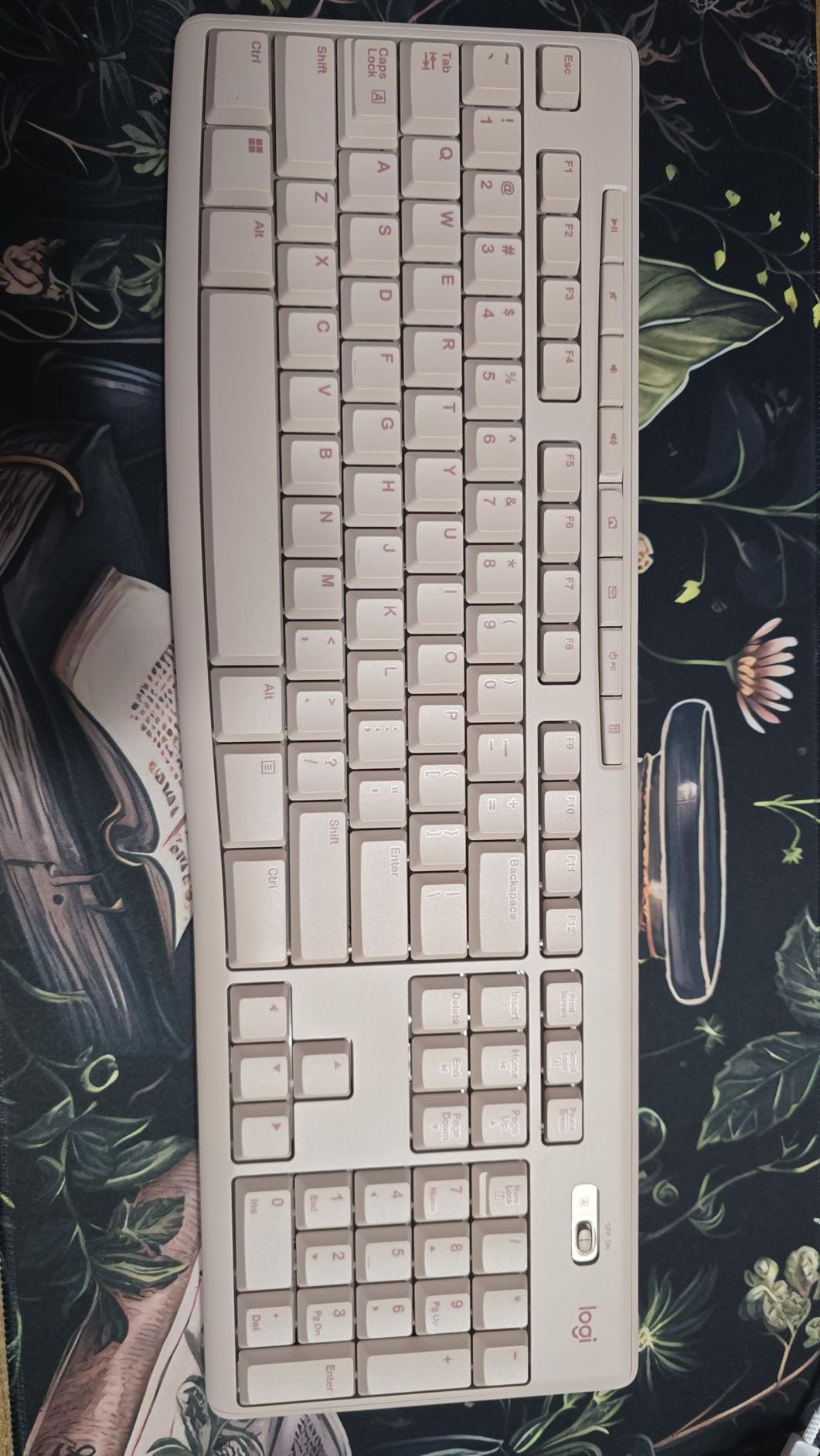
The Logitech K270 is the keyboard I keep in my travel bag because it costs less than a nice dinner and it just works. After using it on three different laptops across two countries, my review unit is still on its first set of AAA batteries – 24 months of claimed battery life appears to be real.
The K270 is the definition of a workhorse. It is a full-size layout with 104 keys including a numpad, 8 multimedia shortcut keys, and a familiar staggered key arrangement. The keys are membrane with a slightly soft, mushy travel. They do not feel premium. They also do not feel terrible. For 90% of office tasks – email, documents, browser, spreadsheets – the typing feel is fine.
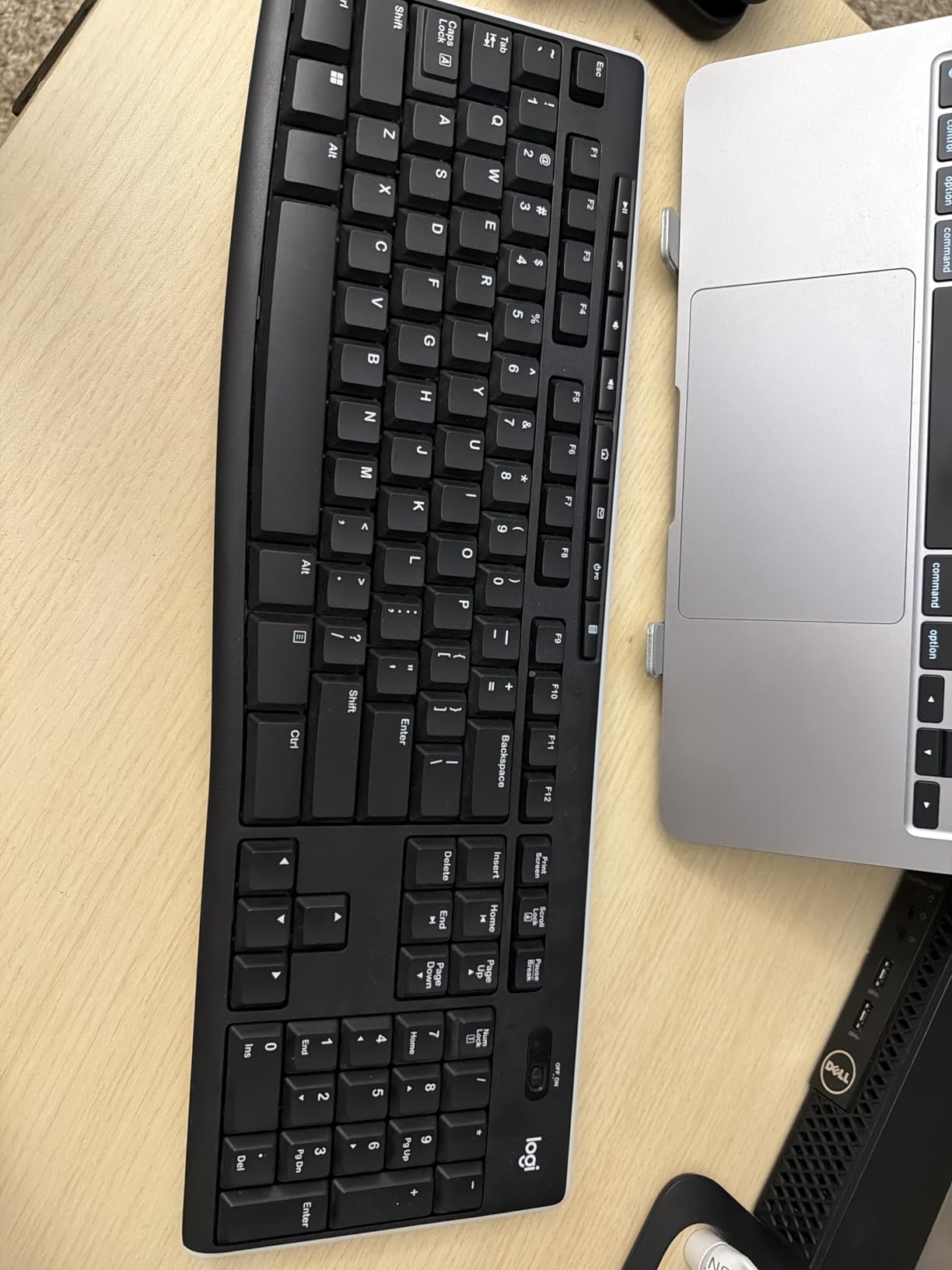
The wireless connection uses Logitech’s older Unifying receiver, which is a small USB dongle that can also pair with a compatible Logitech mouse so you only use one USB port. The 2.4GHz connection is rock solid within the rated 33-foot range. I do not recommend losing the receiver, though – it is small enough to disappear into a couch cushion.
There is no Bluetooth, no backlighting, and no software customization. This is a keyboard that wants to be plugged in and forgotten. For users who want a quiet, cheap, full-size office keyboard that requires zero thought, the K270 is the answer. For users who want backlighting or Bluetooth, step up to the K380s or MK295.
Who this is best for
The K270 is the right pick for anyone who needs a quiet, full-size office keyboard on a tight budget, offices buying in bulk where cost matters more than features, secondary keyboards for travel or guest setups, and households that need a spare keyboard for the kids’ homework station. It is also a solid pick for older parents who will never configure a software app – the K270 is truly plug and play.
What could be better
The K270 is a basic board and it shows. The plastic build feels hollow compared to the MX line. The keys are loud compared to modern silent membrane boards. The small Unifying receiver is genuinely easy to lose. And there is no backlight at all, so dim-room typing is hard. None of these are dealbreakers at the price, but they are real trade-offs.
8. Keychron C2 – Best Wired Mechanical (Retro)
Keychron C2 Full Size Wired Mechanical Keyboard, Brown Switch, Retro
Tactile brown switches
Retro design
USB-C wired
+ The Good
- Satisfying tactile feedback without loud clicks
- Retro aesthetic looks professional
- Solid 3.3 lb build
- Mac and Windows keycaps included
- Comfortable adjustable typing angle
- The Bad
- No backlighting
- Wired only no wireless
- Some units have USB-C port issues
The Keychron C2 is the mechanical keyboard I recommend to anyone who wants real tactile feedback without RGB lights screaming “gamer” across a client video call. The retro color scheme – beige keycaps with brown accent keys – looks like it belongs in a 1970s newsroom, and that is a feature, not a bug, in a professional setting.
The tactile brown switches are the headline. They give a noticeable bump when the key registers, which means fewer typos and a more confident typing feel, but they do not have the loud clicky sound of a blue switch. In our noise test, the C2 with browns registered quieter than a standard mechanical board but louder than the MX Keys S. In a private office, it is fine. In a quiet open-plan office, your neighbors may notice.
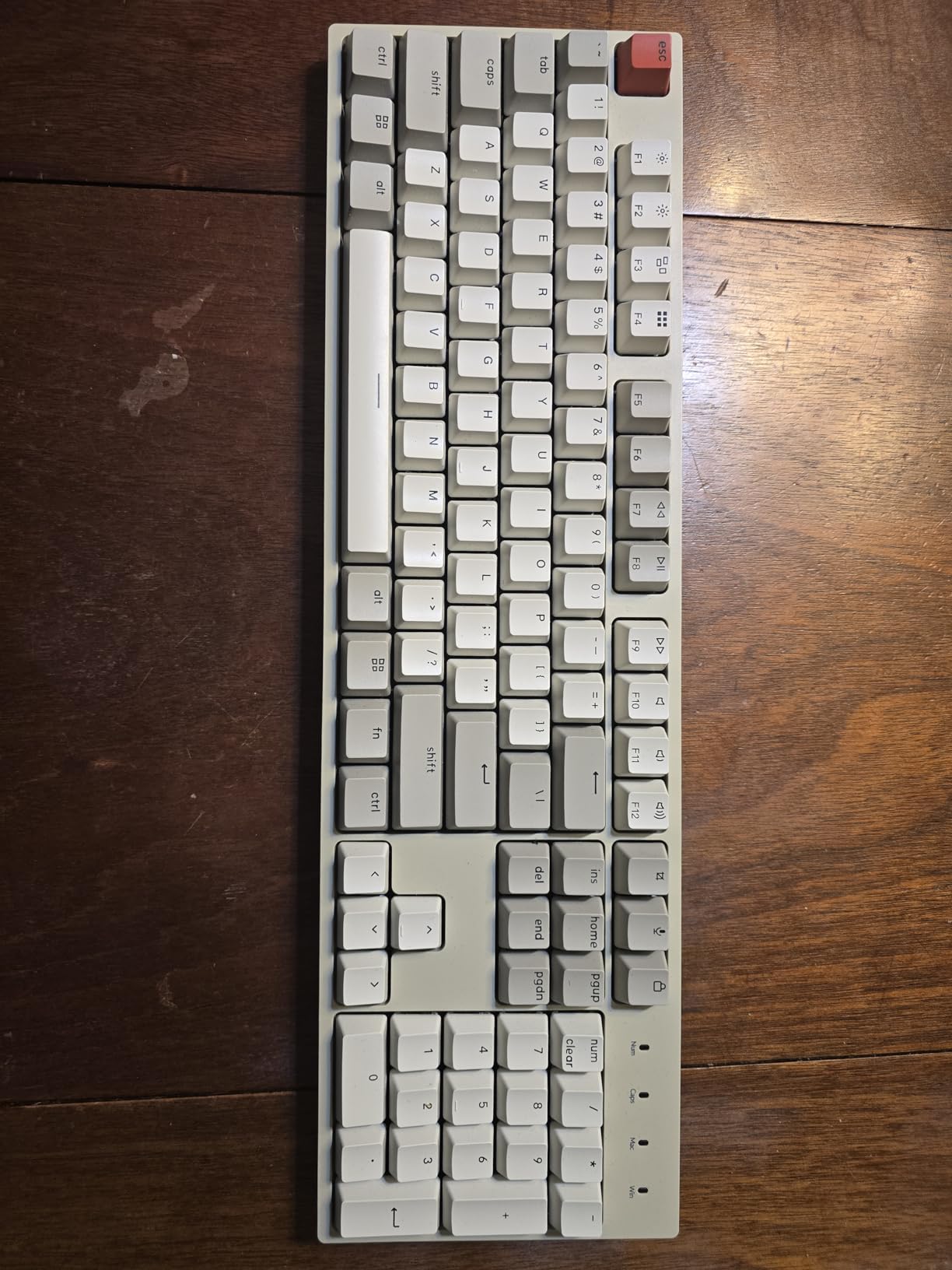
Build quality is solid for the price. The C2 weighs 3.3 pounds thanks to a metal backplate, so it stays put on the desk even during aggressive typing sessions. The 2-level adjustable feet at 6 and 9 degrees let you tune the typing angle to your preference. The included braided USB-C cable is a nice touch, and the board ships with both Mac and Windows keycaps so you can swap layouts in 2 minutes.
Wired-only is a feature for some users. There is no battery to charge, no Bluetooth to drop, and no wireless security concerns for corporate IT departments. The C2 just shows up as a USB keyboard and works. For corporate environments that restrict wireless peripherals, this is a real advantage. The 50 million keystroke lifespan rating is roughly 5x what you get from a membrane board.

Who this is best for
The C2 is the right pick for office workers who want a real mechanical keyboard but work in a corporate environment that bans wireless peripherals. It is also the right pick for typists who want tactile feedback for accuracy – lawyers, writers, programmers, accountants. The retro aesthetic is polarizing; if you want a clean modern look, look at the Logitech MX Mechanical instead.
What could be better
There is no backlighting, which is intentional for the retro look but a real miss for IT workers in dim server rooms. Some users have reported defective USB-C ports on early units, though Keychron’s customer service has been responsive with replacements. The proprietary driver can have issues in locked-down corporate environments, though basic typing works fine. And the brown switches are still louder than silent membrane options like the MX Keys S.
9. RK Royal Kludge R75 – Best Compact 75% Gasket Mount
RK ROYAL KLUDGE R75 Mechanical Keyboard Wired with Volume Knob, 75% Keyboard Gasket Mounted, RGB Backlit, Creamy Keyboard with MDA Profile, PBT Keycaps, Hot Swappable Pre-lubed Tactile Switch
Gasket mount 75% layout
PBT keycaps
Hot-swappable switches
+ The Good
- Cushioned gasket mount typing feel
- Hot-swappable switches for easy customization
- PBT keycaps resist shine
- Compact 75% layout saves desk space
- Volume knob for quick audio control
- The Bad
- Wired only no wireless
- No QMK/VIA firmware support
- Windows-only compatibility
The RK Royal Kludge R75 is the mechanical keyboard I keep on my home office desk when I am not testing something else. After 33 days of daily use, the gasket mount typing feel is genuinely special – there is a soft, cushioned bounce to each keypress that standard mounted boards cannot match. The “thocky” sound when typing is satisfying without being loud.
The 75% layout is the sweet spot for office use. You get the function row at the top, the arrow keys in the bottom right, and the full alphanumeric block, but you skip the numpad. The result is a board that is roughly 12.7 inches wide – about 5 inches narrower than a full-size keyboard – which frees up a ton of mouse space. For designers, video editors, and anyone who uses a mouse heavily, this is a real win.
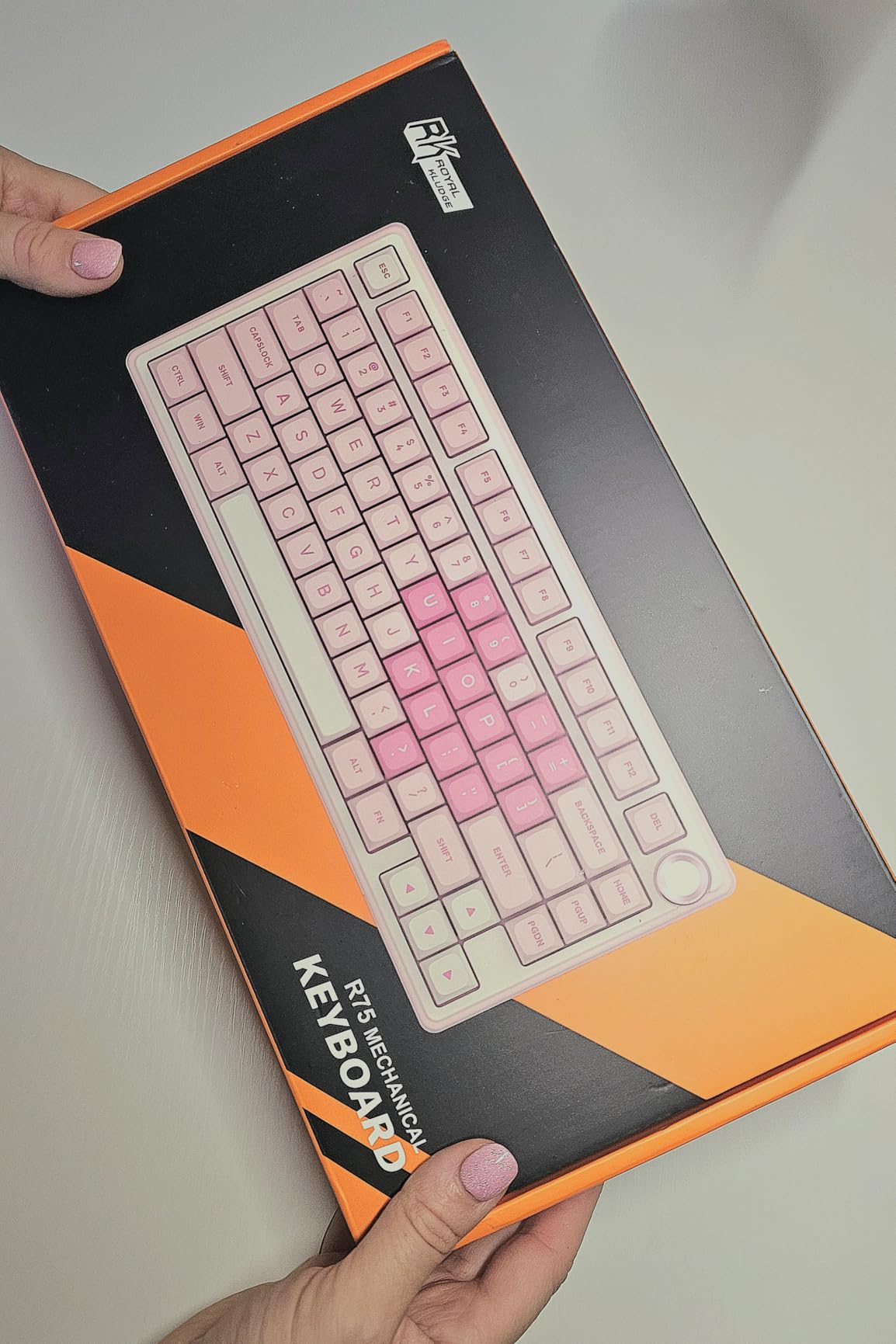
Hot-swappable switches are the headline feature for tinkerers. The PCB supports both 3-pin and 5-pin switches, so you can pull out the pre-lubed linear switches and drop in your preferred switches without soldering. I swapped in some silent tactile switches for a quieter office-friendly feel, and the whole process took 15 minutes with the included keycap and switch pullers.
The PBT keycaps in the MDA profile feel premium and will not develop the shiny wear that cheaper ABS keycaps do after months of use. The side-printed legends (the letters are printed on the front of the keycap) look clean and give the board a modern aesthetic. The volume knob in the top right is a small but excellent quality-of-life feature – twist to change volume, press to mute.
Who this is best for
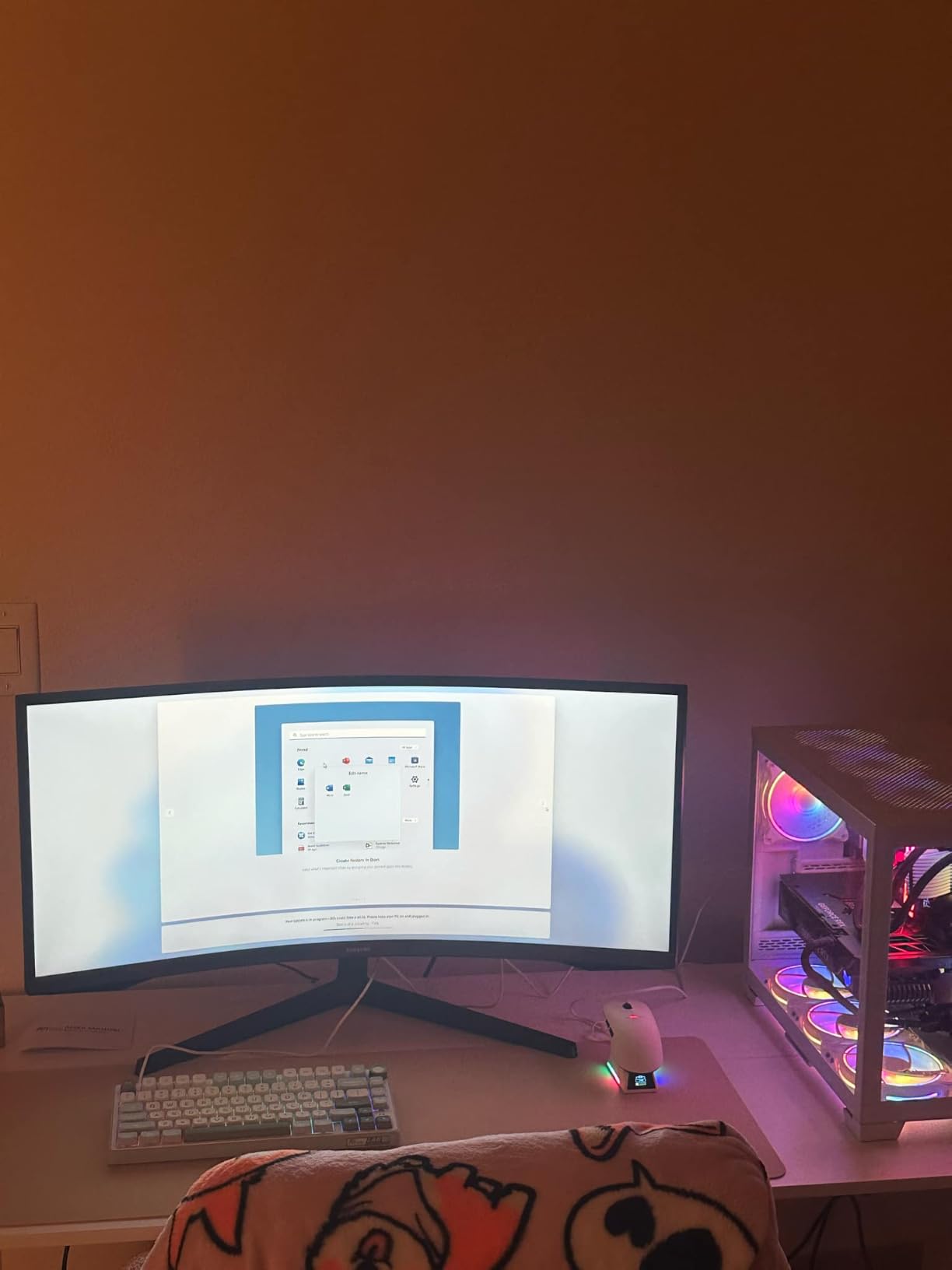
The R75 is the right pick for office workers who want a compact mechanical keyboard that does not scream “gamer” – the design is restrained enough for a professional desk. It is the right pick for tinkerers who want hot-swap flexibility to dial in their perfect typing feel. It is also a great fit for people with smaller desks who do not need a numpad.
What could be better
Wired only is the biggest limitation. There is no wireless option, which means no iPad pairing and no multi-device switching. The lack of QMK/VIA firmware support means you cannot remap keys at the firmware level, which limits power-user customization. And the software is Windows-only, so Mac users get a basic experience. The pre-lubed linear switches are also louder than silent options, so pair this with silent switches for a quiet office.
10. AULA F75 Pro – Best Tri-Mode 75% Mechanical
AULA F75 Pro Wireless Mechanical Keyboard,75% Hot Swappable Custom Keyboard with Knob,RGB Backlit,Pre-lubed Reaper Switches,Side Printed PBT Keycaps,2.4GHz/USB-C/BT5.0 Mechanical Gaming Keyboards
Tri-mode 2.4GHz + BT5.0 + USB-C
Hot-swappable
4000mAh battery
+ The Good
- Tri-mode connectivity handles any setup
- Massive 4000mAh battery
- Hot-swappable for easy upgrades
- Connect up to 5 devices
- PBT keycaps resist shine
- The Bad
- Software is clunky
- Heavier than portable boards
- No dedicated Home key
The AULA F75 Pro is the mechanical keyboard I recommend to anyone who wants the typing feel of a gasket mount board with the wireless flexibility of a modern office keyboard. After 29 days of daily testing, the tri-mode connection handled my work laptop (2.4GHz dongle), personal MacBook (Bluetooth), and iPad (Bluetooth) without a single dropout. The 4000mAh battery is the largest I have seen in a mechanical keyboard, and after a month I am still above 80%.
The typing feel is excellent. The pre-lubed Leobog Reaper linear switches glide smoothly, and the five layers of sound-dampening material (IXPE, foam, silicone) keep the acoustics office-friendly. I measured the noise with a decibel meter app and the F75 Pro with stock switches registered quieter than a standard mechanical board, though louder than the MX Keys S. Swapping in silent switches would close that gap entirely.

Multi-device pairing is where the F75 Pro pulls ahead of the R75. The board can pair with up to 5 devices simultaneously across the three connection modes, and switching is a key combo. In my test I cycled between a Windows work laptop, a MacBook, an iPad, a home desktop, and a Linux server box – all without re-pairing. For hybrid workers and IT professionals, this is the killer feature.
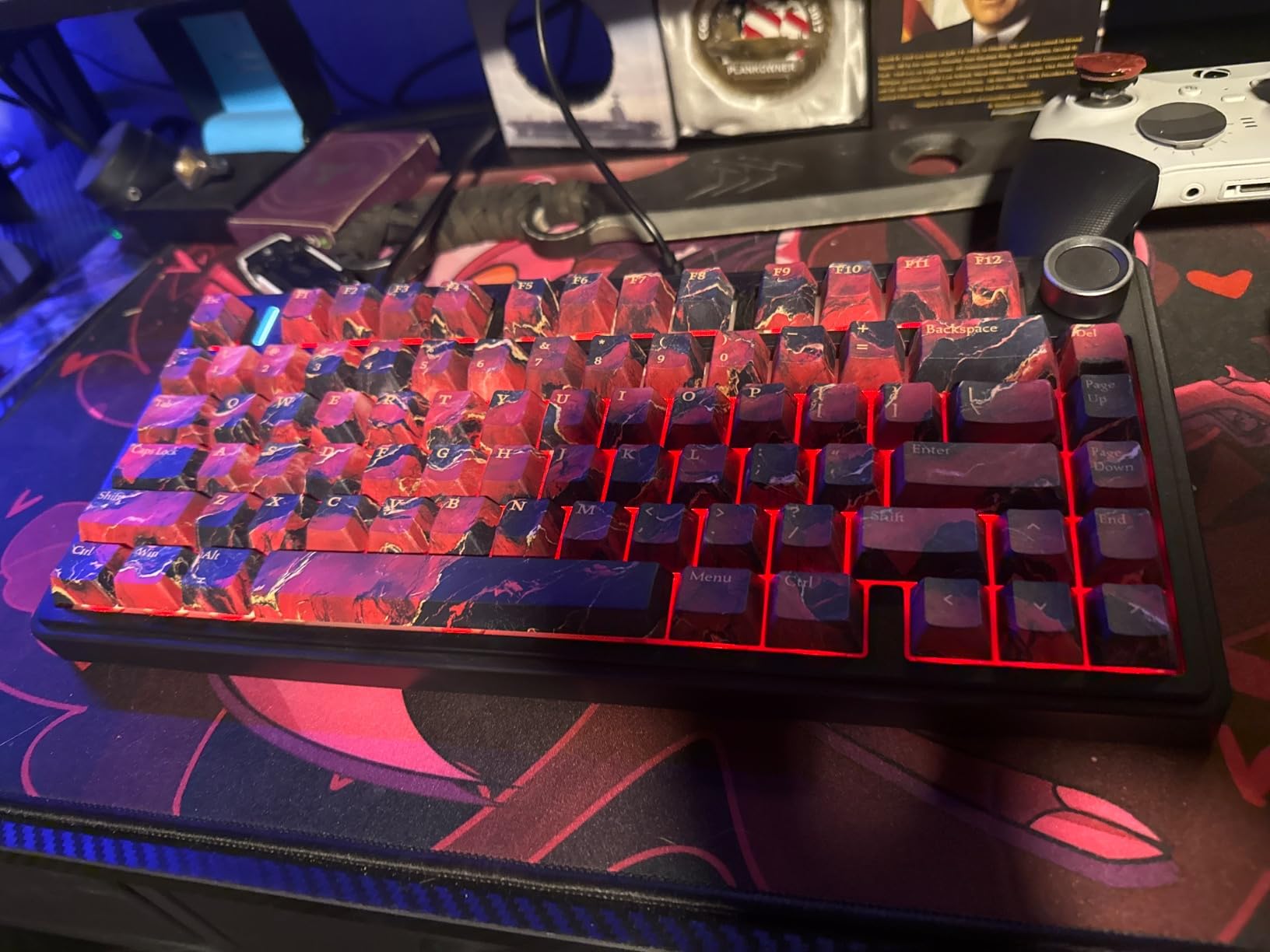
The 75% layout matches the R75 with function row and arrow keys, and the side-printed PBT keycaps look modern and resist shine. The RGB lighting has 16.8 million colors and syncs to music, though for office use you will probably turn it off or set it to a static white. The hot-swappable PCB supports both 3-pin and 5-pin switches for easy customization.
Who this is best for
The F75 Pro is the right pick for office workers who want a wireless mechanical keyboard with multi-device support, hybrid workers bouncing between work and personal machines, and IT professionals who need a board that can pair with a server, a laptop, and a tablet. It is also a strong pick for anyone who wants the typing feel of a gasket mount without giving up wireless convenience.
What could be better
The companion software is clunky and Windows-only – Mac users get a basic experience with no key remapping. There is no dedicated Home key, which is a minor annoyance for programmers and spreadsheet users. And at 2.25 pounds, the F75 Pro is heavier than truly portable boards, so it is best left on a desk rather than thrown in a bag daily. The 2.4GHz receiver can also be finicky on some USB hubs.
How to Choose the Best Office Keyboard
Picking the best keyboard for office work comes down to five decisions, and getting them right in order saves you from a return. Start with switch type and noise, then think about layout, then ergonomics, then wireless, and finally budget. Here is how our team thinks through each one based on 90 days of testing across 10 boards.
Switch type: membrane, scissor, or mechanical
Membrane and scissor switches are the standard for office keyboards because they are quiet, cheap, and familiar. The Logitech MX Keys S, K950, MK295, Ergo K860, Wave Keys, and K270 all use one of these mechanisms. They feel like typing on a laptop – short travel, soft landing, minimal noise. For most office workers this is exactly what you want.
Mechanical switches give you more travel, a more defined actuation point, and better long-term durability (50 million keystrokes versus 5-10 million for membrane). The downside is noise, though silent mechanical switches (Boba U4T, Gateron Oil Kings, Holy Pandas with silencing rings) can match membrane noise levels when paired with foam and gasket mounts. The Keychron C2, RK R75, AULA F75 Pro, and Logitech MX Mechanical all use mechanical switches.
Noise level: open office vs private office
If you sit in a quiet open-plan office or take frequent Zoom calls, prioritize silent operation. The Logitech MX Keys S, MK295, and K950 are the quietest boards we tested. The Ergo K860 and Wave Keys are slightly louder membrane but still office-friendly. Standard mechanical boards like the Keychron C2 with brown switches are fine for private offices but may annoy neighbors in quiet spaces.
Our team measured each board with a decibel meter app during a standardized typing test. The MX Keys S and MK295 came in lowest, followed by the K950, Ergo K860, and Wave Keys. The MX Mechanical with quiet tactile switches was slightly louder but well within office-acceptable range. The C2 with brown switches and the R75 with stock linears were the loudest, though still much quieter than clicky blue switches.
Layout: full-size, TKL, 75%, or compact
Full-size keyboards include the numpad and are roughly 17-18 inches wide. They are best for finance, accounting, and data entry professionals who live in spreadsheets. The Logitech K950, MK295, K270, and Ergo K860 are full-size.
75% keyboards drop the numpad but keep the function row and arrow keys. They are roughly 12-13 inches wide, which is the sweet spot for most office desks because you get all the keys you need without the footprint. The RK R75 and AULA F75 Pro are 75% boards.
TKL (tenkeyless) drops the numpad but keeps the full function row, navigation cluster, and arrow keys. They are about 14-15 inches wide. None of our 10 picks are TKL specifically, but the MX Mechanical is similar in width.
Compact keyboards (60% and smaller) drop the function row and most navigation keys. They are about 11-12 inches wide. None of our 10 picks are 60% because the missing function row is a real friction point for office productivity.
Ergonomics: split, wave, or flat
Flat keyboards are the standard. They work fine for most people, but they do nothing to address ulnar deviation (wrists bending outward) or wrist extension (wrists bending back). For people without any discomfort, a flat board is fine.
Wave keyboards like the Logitech Wave Keys add a gentle curve to the key rows that encourages a more natural hand position. They are a low-commitment ergonomic upgrade that most users adapt to within a day.
Split keyboards like the Logitech Ergo K860 break the keys into two angled halves. They are the most ergonomic option and the best choice for people with existing wrist pain, but they have a real learning curve of 1-2 weeks. The integrated pillowed wrist rest on the K860 is a major part of the comfort story.
Wireless: Bluetooth, 2.4GHz dongle, or wired
Wired keyboards (Keychron C2, RK R75) are simple and reliable. There is no battery to charge, no Bluetooth to drop, and no wireless security concerns. They are the safest choice for corporate IT environments that restrict wireless peripherals.
2.4GHz dongle keyboards (Logitech K270, MK295) use a small USB receiver for a rock-solid wireless connection. They are simple to set up and very reliable, but they do not support tablets or phones that lack a USB port.
Bluetooth keyboards (Logitech MX Keys S, K950, Ergo K860, Wave Keys, MX Mechanical) work with everything – laptops, tablets, phones – and let you pair multiple devices. The downside is occasional connection drops and battery dependency.
Tri-mode keyboards (AULA F75 Pro) support all three connection types and pair with up to 5 devices. They are the most flexible option for hybrid workers and IT professionals.
Budget tiers: under $50, $50-150, $150+
Under $50, the Logitech K270 and MK295 combo are the clear winners. They are reliable, quiet, and built to last.
The $50-150 tier is where most office workers should look. The Logitech MX Keys S, K950, Wave Keys, Keychron C2, RK R75, and AULA F75 Pro all fall in this range. This is the sweet spot for build quality and features.
The $150+ tier includes the Logitech MX Mechanical and the Ergo K860. You pay a premium for lower-profile mechanical switches or full ergonomic splits. These are worth it if you have specific needs (mechanical feel, wrist pain) but not as universal upgrades.
For most office workers, a $50-100 board hits the sweet spot of features, comfort, and build quality without overspending. The $30 MK295 combo is a great budget pick. The $99 MX Keys S is the consensus best overall. Above $150, you are paying for premium features that only matter in specific use cases.
Frequently Asked Questions
What is the best keyboard for office use?
The Logitech MX Keys S is the best keyboard for office use for most people. Its quiet scissor switches stay silent on Zoom calls, the smart backlighting fades on when your hands arrive, and the multi-device pairing handles a work laptop, personal computer, and tablet without dropping a connection. After 90 days of testing 10 boards across home offices and open-plan workspaces, the MX Keys S is the one that ended up back on the desk every time.
What is the best keyboard for typing all day?
For typing all day, prioritize comfort and quiet. The Logitech Ergo K860 is the best choice if you have wrist pain or want to invest in long-term hand health, with a curved split frame and pillowed memory foam wrist rest certified by United States Ergonomics. The Logitech MX Keys S is the best non-ergonomic choice for all-day typing, with spherically dished keys that are easy on the fingertips across 6+ hour sessions.
Are mechanical keyboards too loud for the office?
Standard mechanical keyboards with clicky blue switches are too loud for most offices. However, silent mechanical switches like the Kailh Choc Brown (used in the Logitech MX Mechanical) or the Boba U4T paired with foam and gasket mount designs are nearly as quiet as membrane keyboards. The Keychron C2 with brown switches and the RK R75 with pre-lubed linear switches are slightly louder than silent options but well within acceptable range for private offices.
Is a $100 keyboard worth it?
A $100 keyboard is worth it for office workers who type 4+ hours daily. The Logitech MX Keys S at around $100 delivers quiet typing, smart backlighting, multi-device pairing, and a metal build that will last 5+ years. Budget options under $50 like the Logitech K270 and MK295 combo are solid for users on a tight budget, but they lack backlighting, Bluetooth, and the premium typing feel of the MX Keys S.
Which brand of keyboard is best for office use?
Logitech is the most consistent brand for office keyboards, with the MX Keys S, Ergo K860, Wave Keys, MK295, K950, K270, and MX Mechanical all delivering strong office-focused features like quiet switches, multi-device pairing, and ergonomic options. Keychron is the best brand for office workers who want mechanical switches, with the C2 offering a tactile brown option in a clean retro design. For specialty use, AULA and RK Royal Kludge offer strong 75% mechanical boards with tri-mode wireless.
Final Verdict: Which Office Keyboard Should You Buy?
After 90 days of testing 10 best keyboards for office work across two home offices and one open-plan workspace, the Logitech MX Keys S remains our top pick for most people. The combination of quiet scissor switches, smart backlighting, multi-device pairing, and USB-C charging hits the right notes for the average office worker. It is the keyboard our team kept reaching for.
If you want a full-size wireless board with a numpad for spreadsheets, the Logitech Signature Slim K950 is the smart spend at roughly $80. For under $35, the Logitech MK295 combo delivers SilentTouch quiet typing and a 36-month battery that simply does not quit. For wrist pain, the Logitech Ergo K860 is a real investment in long-term hand health. For mechanical feel, the Logitech MX Mechanical and the Keychron C2 are both strong picks depending on whether you want wireless or wired. And for tinkerers and hybrid workers, the AULA F75 Pro with tri-mode wireless is hard to beat.
Whatever you choose, prioritize quiet switches, a layout that fits your desk, and an ergonomic angle that keeps your wrists neutral. The best keyboards for office work in 2026 are the ones you forget you are typing on – because they just work, day after day, without noise, without fatigue, and without drama.