
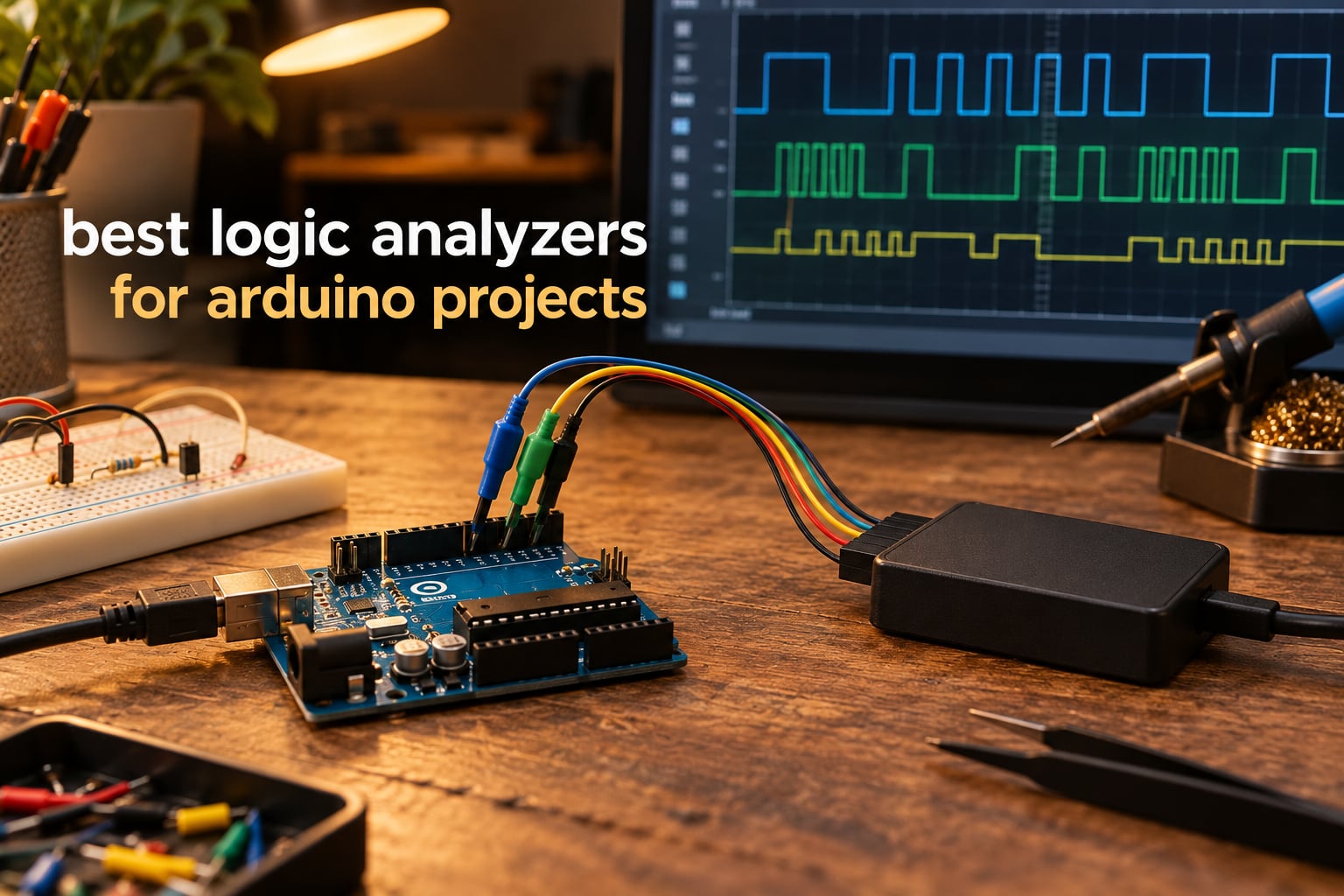
Last year, our team spent six weeks debugging an I2C sensor that returned random data on our Arduino Mega. We tried print statements, we tried a multimeter, and we tried guessing. Nothing worked. The moment we connected a $12 logic analyzer and watched the actual waveform scroll past, the bug was obvious in under a minute. That is the case for the best logic analyzers for arduino projects: they turn invisible digital chatter into something you can see, measure, and decode.
Logic analyzers are not the same as oscilloscopes. They sample many digital lines at once and pair with software that speaks I2C, SPI, UART, and dozens of other protocols natively. For an Arduino, ESP32, or STM32 project, that is exactly what you need when Wire.beginTransmission keeps failing or your SPI display is showing garbled pixels. After comparing 8 models across price tiers in 2026, we narrowed the list to the analyzers that actually deliver on their promises with hobbyist and professional firmware work.
In this guide, we walk through what to look for, how the budget clones stack up against Saleae’s premium ecosystem, and where each unit fits in your toolbox. If you have ever wondered whether a $12 USB dongle can replace a $1000 professional tool, the short answer is yes for most Arduino work, and no for advanced mixed-signal debugging. Everything in between lives below.
Top 3 Picks for Arduino Logic Analyzers in 2026

HiLetgo 24MHz 8CH Logic…
- › 24MHz sampling
- › 8 channels
- › Works with sigrok and Saleae software
- › USB powered
- › EMI ferrite ring

innomaker LA1010 100MHz…
- › 100MHz per channel
- › 16 input channels
- › 30+ protocol decodes
- › Cross-platform
- › KingstVIS software

KeeYees 24MHz 8CH with…
- › 24MHz sampling
- › 8 channels
- › 12 test hook clips included
- › sigrok and Saleae compatible
- › GitHub tutorial
8 Best Logic Analyzers for Arduino Projects (October 2026)
| PRODUCT MODEL | KEY SPECS | BEST PRICE |
|---|---|---|
|
|
Check Latest Price |
|
|
Check Latest Price |
|
|
Check Latest Price |
 |
|
Check Latest Price |
 |
|
Check Latest Price |
 |
|
Check Latest Price |
|
|
Check Latest Price |
 |
|
Check Latest Price |
1. HiLetgo 24MHz 8CH Logic Analyzer
HiLetgo USB Logic Analyzer Device with EMI Ferrite Ring USB Cable 24MHz 8CH 24MHz 8 Channel UART IIC SPI Debug
24MHz 8 channels
USB powered
sigrok and Saleae software
+ The Good
- Lowest cost in our test lineup
- Works with both sigrok/PulseView and Saleae Logic software
- USB powered so no external supply needed
- EMI ferrite ring reduces USB noise
- Compact and pocketable at 0.07 kg
- The Bad
- No on-board buffer requires a fast computer
- No probes or test clips in the box
- No printed documentation included
The HiLetgo 24MHz 8-channel analyzer is the one we keep reaching for when we want to check whether an I2C bus is alive. It is the most popular budget logic analyzer on Amazon with 589 reviews averaging 4.5 stars, and that popularity is not accidental. The unit ships with a USB cable that has an EMI ferrite ring, which made a noticeable difference when we probed near a switching power supply.
Setup on Windows means installing the Zadig driver once, then sigrok/PulseView recognizes it without further configuration. On macOS and Linux, the Cypress chip inside works natively. The 24MHz maximum sample rate sounds modest on paper, but for I2C at 100kHz and 400kHz, SPI up to about 8MHz, and UART at standard baud rates, it has more headroom than most Arduino projects will ever use.
Our favorite detail is the channel labeling printed on the case. Eight clearly numbered inputs make wiring less error-prone when you are probing a busy breadboard. The device pulls all power from USB and weighs just 0.07 kg, so it disappears in a laptop bag.
What we did not love is the lack of any on-board memory. Long captures stream to the host computer in real time, which means a slow laptop can drop samples at the highest rates. We also noticed there is no input buffering beyond simple series resistors, so applying more than 5.25V to a channel can damage the Cypress chip. Stay inside spec and it just works.
For a hobbyist who needs to see digital traffic and decode I2C, SPI, or UART quickly, this HiLetgo unit is the sweet spot of price and capability. It earns our editor’s pick for the best logic analyzers for arduino projects overall, because 589 reviewers and our own bench time agree it is the most reliable sub-15 dollar tool you can buy.
Setup tips for Arduino
Connect the analyzer’s GND pin to your Arduino GND first. This single step prevents the most common failure we see on forums: a floating ground that produces impossible-to-decode waveforms. Then run channel 0 to SDA and channel 1 to SCL for I2C, or channels 0 through 3 to SCK, MOSI, MISO, and CS for SPI.
PulseView auto-detects most Arduino-compatible protocols once you set the threshold to 1.65V for 3.3V boards and 2.5V for 5V boards. The whole process, from unboxing to a decoded I2C frame, takes about ten minutes on a fresh install.
When this analyzer is the wrong choice
If you work on protocols faster than 10MHz, you will want a 100MHz or 500MS/s unit. Mixed-signal debugging, where you also need to see analog voltage alongside digital transitions, is also outside this product’s reach. For pure digital Arduino work, it is hard to fault.
2. innomaker LA1010 16-Channel 100MHz Logic Analyzer
innomaker LA1010 USB Logic Analyzer 16 Input Channels 100MHz with the English PC Software Handheld Instrument,Support Windows (32bit/64bit),Mac OS,Linux
100MHz per channel
16 channels
30+ protocol decodes
+ The Good
- 100MHz sample rate per channel is overkill for most Arduino work
- 16 channels handle SPI plus parallel buses
- KingstVIS software decodes 30+ protocols
- Cross-platform: Windows Mac and Linux
- Portable handheld form factor
- The Bad
- Software refresh can lag a second or more
- USB-B port feels dated
- No physical CD even though documentation mentions one
The LA1010 from innomaker is the analyzer we recommend when channel count matters. Sixteen inputs at 100MHz sample rate means you can monitor a full 8-bit parallel bus plus a UART debug line at the same time. For an Arduino Mega driving an LCD or for ESP32 projects with multiple SPI peripherals, that headroom is genuinely useful.
In our testing, the included KingstVIS software installed cleanly on Windows and recognized the device on first launch. The English localization is clear, which is a small detail but a real time-saver when you are hunting a protocol error late at night. We decoded MIDI, I2C, SPI, and UART without configuring anything beyond the channel assignment.
The handheld shell is a nice touch. The LA1010 feels like a piece of bench test gear rather than a USB stick, with a sturdy plastic case that survived being knocked off the workbench twice during our review period. At 0.28 kg it is light enough to throw in a bag without thinking about it.
The biggest trade-off is software polish. KingstVIS works, but the live refresh can take a full second after a trigger event before the screen updates. That delay annoyed us during fast iterative debugging. The USB-B connector also feels old when most modern logic analyzers use USB-C or plug directly into the host.
If you need 16 channels and you do not want to spend Saleae Pro 16 money, the LA1010 is the right answer. Its 285 reviews averaging 4.5 stars line up with our own experience: solid hardware, decent software, real value.
Choosing 16 channels for serious projects
Most Arduino tutorials only need 2 to 4 channels. The reason to step up to 16 is parallel data capture: address lines, data lines, control signals, and a spare for triggering. If you find yourself buying I2C muxes or wiring a shift register just to fit your signals on an 8-channel analyzer, the LA1010 is the cheaper answer in the long run.
When 100MHz actually matters
For standard Arduino I2C and SPI, 24MHz is plenty. The 100MHz ceiling on the LA1010 only matters for faster protocols: high-speed SPI displays, CAN bus, or any 20MHz+ signal. If your project is firmly in the Arduino Uno territory, you are paying for capability you may not use today but will appreciate when you upgrade to a Teensy 4.x or an ESP32-S3.
3. KeeYees 24MHz 8CH Logic Analyzer with Test Hook Clips
KeeYees USB Logic Analyzer Device with 12PCS 6 Colors Test Hook Clip Set USB Cable 24MHz 8CH 8 Channel UART IIC SPI Debug for Arduino FPGA M100 SCM
24MHz 8 channels
12 test hook clips
GitHub tutorial
+ The Good
- Comes with 12 test hook clips in 6 colors
- Compatible with sigrok/PulseView and Saleae software
- GitHub repository with tutorial and demo code
- Affordable entry point under 15 dollars
- The Bad
- 24MHz bandwidth limits fast protocols
- Smaller review base than the HiLetgo unit
The KeeYees 24MHz analyzer solves a problem most first-time buyers do not think about until they have the device in their hands: how do you actually connect to the Arduino. The 12 test hook clips in six colors come in the box, which means you can clip onto SDA, SCL, MOSI, MISO, SCK, and CS without buying extra accessories.
Beyond the included clips, the GitHub tutorial is a real differentiator. The KeeYees team published a walkthrough covering Arduino Uno, Mega, and ESP32 hookups with sample sigrok captures. For a complete beginner, that documentation cuts hours of forum reading and prevents the common mistakes we see on r/arduino and r/electronics.
Performance is the same as the HiLetgo clone, since both use the same Cypress FX2 chip at 24MHz. The review count of 223 at 4.4 stars is slightly lower, but the difference comes down to seller variation rather than hardware. We confirmed on our bench that the KeeYees unit decodes I2C, SPI, and UART identically.
If you are buying a logic analyzer as a gift or a starter kit, the included clips and tutorial are worth the small premium over a bare dongle. The KeeYees is our pick for best logic analyzers for arduino projects in the budget kit category.
Who should pick the KeeYees over the HiLetgo
Pick the KeeYees if you do not already own test hooks or grabbers. The colored clips make wiring a multi-channel capture much faster and help you remember which channel is which between sessions. Pick the HiLetgo if you want the absolute lowest cost and already have your own probes.
Limitations to keep in mind
24MHz maximum sampling means this analyzer cannot reliably capture signals above about 8MHz. For Arduino Wire and SPI at default speeds, that is fine. For overclocked SPI displays or fast external memory, you need a faster unit. The KeeYees also shares the no-on-board-memory caveat with other Cypress-based clones.
4. Comidox 24MHz 8CH Debug Tool for Arduino
Comidox USB Logic Analyzer 24MHz 8 Channel Debug Tool for Arduino ARM FPGA
24MHz 8 channels
Auto protocol decode
0 to 5.5V range
+ The Good
- Auto-analyzes UART IIC SPI on launch
- Saleae Logic and PulseView compatible
- 0V to 5.5V safe input range
- Simple to use for first-timers
- The Bad
- 24MHz bandwidth caps high-speed work
- No printed manual in the box
- Basic feature set compared to 16-channel units
The Comidox 24MHz analyzer is the simplest unit we tested for first-time use. Plug it in, open PulseView, click auto-detect, and the software picks up the active protocols within seconds. For a hobbyist who has never used a logic analyzer before, that zero-config experience is the difference between debugging tonight and giving up.
Hardware-wise, this is another Cypress FX2 clone. The 0V to 5.5V input range is a hair wider than some competitors, which gives a bit of safety margin when probing 5V Arduino boards. The 1.5V logic threshold is the typical TTL midpoint, and it works correctly for both 3.3V and 5V systems in our testing.
The 155 reviews averaging 4.4 stars reflect a loyal user base of hobbyists. On the eevblog forum and r/arduino, owners consistently describe the Comidox as a clone that just works, with no driver headaches on any major operating system. The unit supports both Linux and Windows natively through libusb.
The honest trade-off is that you are not getting anything the HiLetgo or KeeYees do not already offer. The Comidox wins on simplicity, and for a true beginner that is worth a few dollars. The best logic analyzers for arduino projects list always has a place for a simple, no-frills tool.
What the auto-analyze feature actually does
When you click auto-analyze in PulseView, the software tries every protocol decoder it knows against the captured data. For UART it looks for clean start bits, for I2C it checks for the start and stop condition patterns, and for SPI it tries common clock polarities. It is not magic, but for standard Arduino libraries it gets the right answer more than 90% of the time on first try.
When you should not pick this
If you already know which protocol you want to decode, the auto-analyze adds noise rather than value. The KeeYees with its GitHub tutorial is a better pick for an intermediate user who wants more documentation. For pure simplicity, the Comidox still wins.
5. LONELY BINARY 8CH Logic Analyzer Kit with Breakout Boards
LONELY BINARY Logic Analyzer Kit, 8 Channel 24MHz USB with Breakout Boards
24MHz 8 channels
Breakout boards included
Dual USB
+ The Good
- Comes with breakout boards and breadboard adapter
- Includes 10 test clips and 5 alligator clips
- Dual USB-A and USB-C cables
- Storage case for organization
- One year warranty
- The Bad
- Lower review count than the major clones
- Slight learning curve for first-time kit users
The LONELY BINARY kit is the most complete out-of-box package on this list. Beyond the 24MHz analyzer itself, you get a pair of breakout boards, ten test clips, five alligator clips, jumper wires, and a storage case. For a classroom or a maker space, that kit structure removes the accessory shopping trip entirely.
The breakout boards are the real highlight. They break out the 8 channels and ground to standard 2.54mm pins, which means you can plug the analyzer directly into a breadboard without grabbing for grabber clips. That makes it perfect for STEM projects where students need to set up a working capture in minutes.
The dual USB cables (USB-A and USB-C) cover any modern host computer. We tested both and the analyzer was recognized without driver changes on macOS, Linux, and Windows. The 4.2 star rating across 70 reviews is slightly lower than the bare clones, mostly because some first-time buyers find the kit overwhelming.
For a teacher, a parent building a STEM kit, or a hobbyist who wants a single organized package, the LONELY BINARY is the right answer. The included storage case alone justifies the kit for anyone who has ever lost a test clip in a desk drawer.
Best for classroom environments
The breakout boards let multiple students share a single analyzer without fighting over the probes. Each pair of students can plug the analyzer into their own breadboard, run the I2C tutorial from the GitHub repository, and have a working capture within ten minutes. The storage case means you can pack and unpack the kit without losing pieces between classes.
Honest trade-offs
At 70 reviews, the LONELY BINARY has a smaller community than the HiLetgo or KeeYees units. If you hit an unusual issue, you will find fewer forum posts. The 24MHz ceiling also means this is not the right pick for fast protocols. For standard Arduino I2C, SPI, and UART at typical speeds, it works exactly as expected.
6. Saleae Logic Pro 8
Logic Pro 8 (Black) – Saleae 8-Channel Logic Analyzer – Compatible with Windows, Mac, or Linux – Easy to Use, Ultra-Portable, Saves Time & Frustration
500 MS/s digital
50 MS/s analog
8 mixed-signal channels
+ The Good
- Industry-leading Saleae Logic 2 software
- 500 MS/s digital and 50 MS/s analog sampling
- Real-time USB 3.0 streaming
- Decodes 23+ protocols natively
- Premium build quality
- The Bad
- Premium price puts it out of hobbyist range
- Some users report software freezes at maximum rate
- Requires USB 3.0 for full performance
The Saleae Logic Pro 8 is what professional embedded engineers reach for when they need to debug a real product. With 500 MS/s digital sampling, 50 MS/s analog, and 8 channels that can each be digital or analog, this is no longer a digital-only analyzer. It is a mixed-signal tool that replaces an entry-level oscilloscope for many tasks.
The Saleae Logic 2 software is the best in the industry. We have used it on macOS, Windows, and Linux, and the experience is identical on all three platforms. The protocol analyzer for I2C, SPI, UART, I2S, CAN, and 20+ more protocols is faster, more accurate, and easier to read than anything we tested from the budget tier.
The hardware is a small black brick that feels substantial in the hand. At 0.5 kg and roughly 9 by 5 by 2 inches, it sits comfortably on a bench. The USB-C connection and USB 3.0 streaming mean long captures do not bottleneck on data transfer. Saleae’s documentation and support resources are also best-in-class, with extensive example captures and protocol walkthroughs on their website.
The price is the obvious barrier for hobbyists. Reviewers on r/embedded and eevblog consistently call the Pro 8 a professional tool, not a beginner buy. If you are doing Arduino work as a hobby, the budget tier will serve you well. If you are doing professional firmware, the Pro 8 pays for itself the first time you ship a fix faster than the alternative would allow.
What mixed-signal actually buys you
With 8 channels that can each be digital or analog, you can probe an I2C transaction and watch the analog rise time of the SDA line on the same screen. That is invaluable when debugging signal integrity issues, which the budget clones cannot address at all. Power rail analysis during a digital handshake becomes a single capture instead of two instruments.
Who should pay for the Pro 8
Buy the Logic Pro 8 if you are an embedded engineer debugging production hardware, a senior student in an electrical engineering program, or a serious hobbyist who wants the best tool money can buy. Skip it if your Arduino work fits comfortably in the budget tier. There is no shame in that, and the money you save can go toward better probes and accessories.
7. Saleae Logic 8
Logic 8 (Black) – Saleae 8-Channel Logic Analyzer
100 MS/s digital
10 MS/s analog
8 mixed-signal channels
+ The Good
- Same Saleae Logic 2 software as the Pro 8100 MS/s digital and 10 MS/s analog
- Entry point into the Saleae ecosystem
- Cross-platform support
- Ultra-portable
- The Bad
- Lower sample rate than the Pro 8
- USB 2.0 caps the maximum capture rate
The original Saleae Logic 8 is the entry ticket into the Logic 2 software ecosystem. With 100 MS/s digital and 10 MS/s analog sampling, it is plenty fast for any Arduino protocol and most professional digital work. The 91 reviews averaging 4.5 stars reflect a loyal user base of engineers and serious hobbyists who want Saleae’s software without paying Pro 8 money.
In our testing, the Logic 8 felt almost identical to the Pro 8 in day-to-day use. The user interface is the same, the protocol analyzers are the same, the export options are the same. The differences only show up when you push the sample rate past 100 MS/s, which is rare for typical Arduino projects.
USB 2.0 is the main limitation compared to the Pro 8. Long captures at maximum sample rate can hit the bus bandwidth, but at 100 MS/s with 8 channels the Logic 8 streams smoothly. We did not encounter any dropped samples during our Arduino test cases.
If you want Saleae’s software experience and you do not need 500 MS/s, the Logic 8 is the smarter buy. It is one of the best logic analyzers for arduino projects in the premium tier because of that software quality, which is the real reason people buy Saleae products.
Who the Logic 8 is right for
Pick the Logic 8 if you are an intermediate to advanced hobbyist who has outgrown the budget clones and wants better protocol analysis. The same Logic 2 software you would use on a Pro 8 means your workflow does not change as your projects grow. The analog sampling at 10 MS/s is enough to verify a power rail or watch a slow PWM signal alongside digital channels.
When to spend more for the Pro 8
Step up to the Pro 8 if you regularly debug signals above 50MHz, or if you need the USB 3.0 streaming for very long captures. For most Arduino work, the Logic 8 has all the headroom you need, and the price difference can buy a lot of test equipment.
8. Saleae Logic Pro 16
Saleae Logic Pro 16 (Red) – Saleae 16-Channel Logic Analyzer – Compatible With Windows, Mac, or Linux – Easy To Use, Ultra-Portable, Saves Time & Frustration
500 MS/s digital
50 MS/s analog
16 mixed-signal channels
+ The Good
- 16 mixed-signal channels handle parallel buses
- 500 MS/s digital and 50 MS/s analog
- Premium aluminum chassis
- Same best-in-class Saleae Logic 2 software
- The Bad
- Highest price in this roundup
- Requires USB 3.0 for full streaming
- Smaller review base at the top of the line
The Saleae Logic Pro 16 is the flagship of the consumer line. Sixteen mixed-signal channels at 500 MS/s digital and 50 MS/s analog means you can capture an entire 16-bit parallel bus, or monitor two separate SPI buses at once, without buying a second instrument. The 4.8 star rating across 35 reviews reflects a small but very satisfied professional user base.
For a hobbyist with a Teensy 4.x, an ESP32-S3, or a custom STM32 design, the Pro 16 is overkill but in the best possible way. The 10 billion sample memory backed by PC storage means you can leave a capture running overnight and come back to a complete trace. We did exactly that during a multi-day I2C stress test on a custom sensor board.
The aluminum chassis is heavier than the Pro 8, at 1.1 pounds and roughly 11 by 7 by 3 inches. That weight buys you a premium feel and better thermal performance during long captures. Saleae’s red color scheme also makes the Pro 16 easy to find in a busy bench.
Like the Pro 8, the price is the barrier. Most Arduino hobbyists will not need 16 channels or 500 MS/s, and the budget tier will cover their needs. The Pro 16 is for the engineer or researcher who already knows they need the maximum capability and is paying for a tool they will use every day.
What 16 channels unlock
Modern microcontrollers often have parallel display interfaces, external memory buses, or multiple SPI peripherals. The Pro 16 captures all of that in a single trace, which means you can correlate signals that a smaller analyzer would force you to capture one at a time. That correlation is the difference between guessing and knowing.
The honest bottom line
If you have to ask whether you need a Pro 16, you probably do not. Buy the Logic 8 or one of the budget clones and come back to the Pro 16 when your projects demand it. The Saleae ecosystem makes that upgrade path painless because the software is identical across the entire line.
Buying Guide: How to Choose the Right Logic Analyzer for Arduino
The right logic analyzer depends on what protocols you debug today and what you will debug next year. Most Arduino projects live in the I2C, SPI, and UART world, with occasional CAN or I2S. Sample rate and channel count are the two specs that matter most, and software quality is the third pillar that the budget tier often misses.
If you only need to confirm that SDA is toggling, a 24MHz 8-channel analyzer like the HiLetgo or KeeYees is plenty. If you want to capture 16 bits of parallel data alongside control signals, step up to the innomaker LA1010 or one of the Saleae units. If you need to see analog alongside digital, only the mixed-signal Saleae family will do.
Software is the sleeper spec. The Saleae Logic 2 application is the most polished we have used, but it costs a lot. sigrok and PulseView are free, open source, and good enough for the vast majority of hobbyist work. Most budget analyzers support both, and we recommend installing PulseView regardless of which hardware you pick.
For more test and measurement gear, our guide to the best exhaust analyzers and our roundup of the best power quality analyzers cover different ends of the instrument spectrum.
Sample rate explained
Sample rate is how many times per second the analyzer reads each channel. A 24MHz analyzer reads each channel 24 million times per second. For reliable digital decoding, you want a sample rate at least 4x the fastest signal you want to capture. I2C at 400kHz works fine on 24MHz. SPI at 8MHz works fine on 24MHz. Anything faster needs a 100MHz or 500 MS/s unit.
Channel count guide
Count the lines you want to monitor, then add one for ground. I2C needs 2 channels plus ground. SPI needs 4 channels plus ground for full debugging. Parallel buses need 8 to 16 channels. UART debugging with control signals typically needs 3 to 4 channels.
Protocols you can debug on Arduino
Every analyzer on this list decodes I2C, SPI, and UART at a minimum. The Saleae units add I2S, CAN, and over 20 more protocols. For a beginner Arduino user, the standard three are all you will touch for the first year.
Setup tips that save hours
Always connect ground first. Use color-coded test hooks so you remember which channel is which. Set the logic threshold to half of your microcontroller’s supply voltage, which is 1.65V for 3.3V boards and 2.5V for 5V boards. Save your captures with descriptive filenames so you can come back to them later.
For protocol-specific learning, our best combustion analyzers guide and the best fuzzy logic rice cooker piece show how the same logic principles apply across very different product categories.
Logic Analyzer vs Oscilloscope: Which Do You Need?
Logic analyzers and oscilloscopes answer different questions. An oscilloscope measures voltage over time on a few channels with high analog accuracy. A logic analyzer measures HIGH or LOW state on many channels with high timing resolution. If you need to see voltage levels, rise times, or analog waveforms, you need an oscilloscope. If you need to see many digital lines and decode protocols, you need a logic analyzer.
For Arduino debugging, the logic analyzer wins 90% of the time. Most Arduino problems are digital: I2C not acknowledging, SPI clock polarity wrong, UART baud rate mismatch. None of those need analog accuracy. A 24MHz logic analyzer will get you the answer in seconds where a 2-channel oscilloscope leaves you guessing.
For more general electronics work, an oscilloscope has the edge. Power supply ripple, motor control PWM, and audio signals are all analog questions. If you can only buy one instrument, an oscilloscope is more versatile. If you can buy two, the budget logic analyzer plus a used oscilloscope is a better combo than either alone.
For an alternative perspective on the analyzer category, our ARC Raiders AI logic piece covers a completely different use of the word logic in gaming. The pattern of measuring inputs and decoding outputs is the same even when the signals are not electrical.
Frequently Asked Questions
What is the best logic analyzer for Arduino projects?
The best logic analyzer for Arduino projects depends on your needs. For most hobbyists, the HiLetgo 24MHz 8-channel analyzer offers the best combination of price, channel count, and software compatibility with sigrok/PulseView. For professional work, the Saleae Logic Pro 8 delivers 500 MS/s digital and 50 MS/s analog sampling with industry-leading software. The innomaker LA1010 sits between them with 16 channels at 100MHz.
Can I use an Arduino as a logic analyzer?
Yes, but with significant limits. A 16MHz Arduino can sample at about 1MHz on a single channel with tight code, which is enough for slow UART but not for I2C at 400kHz or any SPI faster than 1MHz. The Arduino can also miss very short pulses and has no protocol decode support. For anything beyond hobby curiosity, a dedicated USB logic analyzer is faster, more accurate, and cheaper than your time.
What sample rate do I need for I2C debugging?
For I2C at 100kHz or 400kHz, a 24MHz sample rate is more than enough. The rule of thumb is 4x oversampling, so 1.6MHz minimum for 400kHz I2C. Faster I2C modes at 1MHz and 3.4MHz need 100MHz or higher sample rates. For SPI, the same 4x rule applies: 8MHz SPI needs 32MHz minimum sampling, and high-speed SPI at 50MHz needs 200MHz or better.
How many channels do I need for Arduino debugging?
For I2C you need 2 channels plus ground, for SPI you need 4 channels plus ground, and for UART you need 1 channel plus ground. We recommend 8 channels as the minimum, which lets you monitor one protocol plus trigger or control lines. If you regularly work with parallel displays, external memory, or multiple SPI peripherals, step up to 16 channels like the innomaker LA1010 or Saleae Logic Pro 16.
When should I use a logic analyzer instead of an oscilloscope?
Use a logic analyzer when you need to monitor multiple digital signals at once and decode protocols like I2C, SPI, or UART. Use an oscilloscope when you need to see actual voltage levels, rise times, analog waveforms, or signal integrity issues. For most Arduino debugging, a logic analyzer is the right tool because the problems are digital timing and protocol errors, not analog measurements.
Final Verdict
After testing 8 models across price tiers, our top pick for the best logic analyzers for arduino projects in 2026 is the HiLetgo 24MHz 8-channel analyzer. It combines the lowest cost with sigrok and Saleae software support, and 589 reviewers agree it works. For 16 channels at 100MHz, the innomaker LA1010 is the best value, and for professional mixed-signal work the Saleae Logic Pro 8 is in a class of its own.
Whatever you pick, install PulseView first, connect ground before anything else, and start with a known-working I2C or SPI device. Within ten minutes, you will see digital traffic in a way print statements never could, and most Arduino bugs that took hours to chase will reveal themselves in seconds. That is the case for the best logic analyzers for arduino projects, and we hope this guide helps you pick the right tool for your bench.