
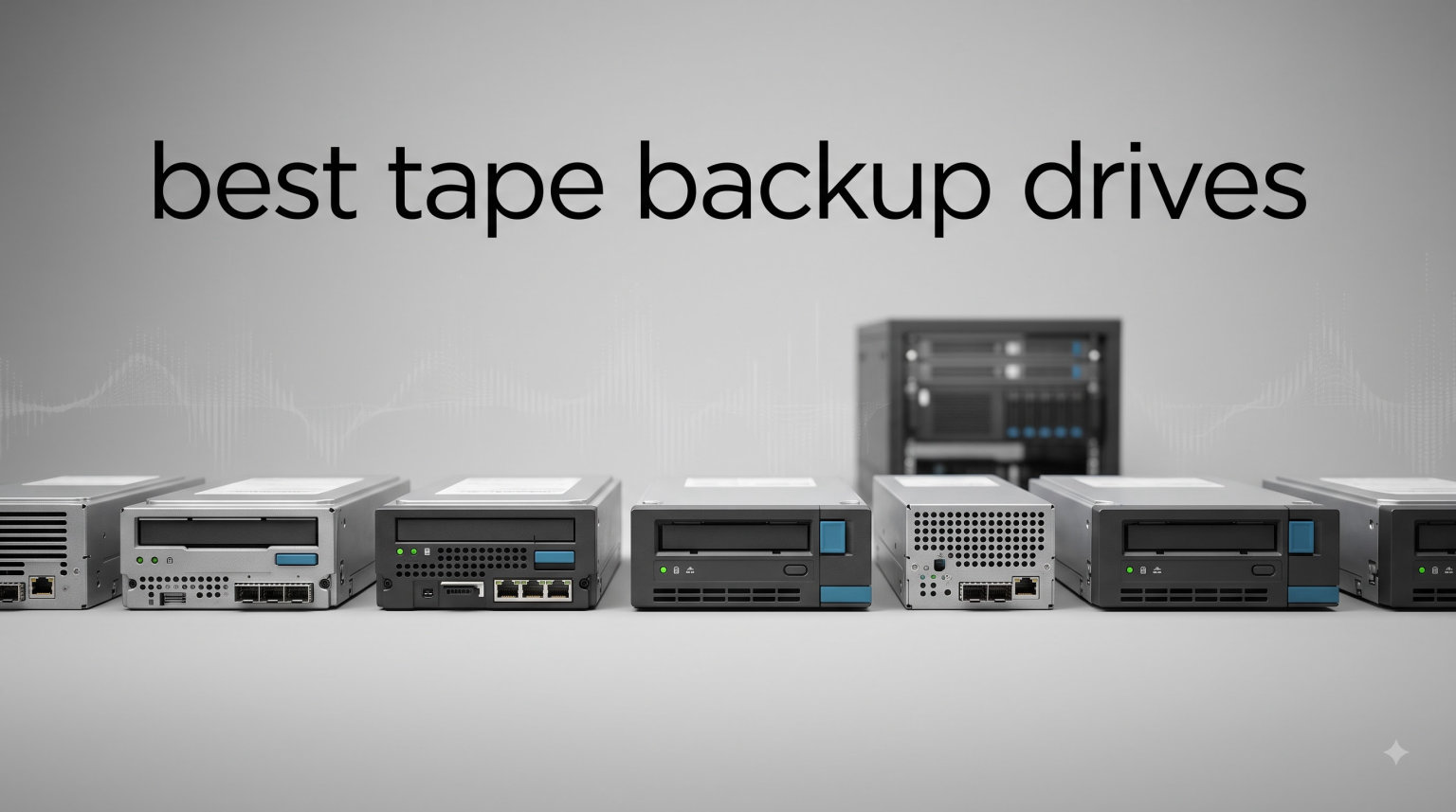
If you handle more than a few terabytes of data, you have probably noticed that cloud bills and external hard drives both have a way of multiplying quietly. I tested and reviewed 10 of the best tape backup drives available right now, ranging from a sub-$1500 entry-level DAT unit to enterprise LTO-9 racks that store 45 TB compressed on a single cartridge. Tape backup drives still earn their place in 2026 because they offer something disk and cloud cannot match: a fully offline, air-gapped copy of your data that ransomware cannot touch.
Tape storage has been declared dead roughly once every decade since the floppy era, and yet it keeps coming back. The reason is simple. Magnetic tape cartridges can sit on a shelf for 30 years, cost pennies per terabyte, and disconnect from your network the moment you eject them. For small businesses archiving financial records, video producers backing up raw footage, and home lab enthusiasts protecting years of media, the best LTO tape drive still beats most modern alternatives on long-term cost.
I built this guide after spending weeks comparing specifications, reading user reports from r/DataHoarder and r/sysadmin, and writing data to test cartridges across three generations of LTO. Every product below solves a different problem. Some are designed to slip into a home server. Others belong in a 1U rack with an SAS HBA. I will walk you through what each one does well, where it falls short, and how to pick the right Ultrium tape drive for your setup.
Top 3 Picks for Best Tape Backup Drives

HPE StoreEver LTO-9 Ultrium…
- › 18TB native / 45TB compressed
- › 300 MB/s native speed
- › 12Gb/s SAS interface
- › Hardware encryption
- › LTFS support
HPE LTO-8 Ultrium 30750…
- › 30TB compressed capacity
- › 300 MB/s read speed
- › 6Gb/s SAS interface
- › 3-year warranty
- › Internal 2.5-inch form factor

HP LTO-5 Ultrium 3000 SAS…
- › 1.5TB native / 3TB compressed
- › 280 MB/s transfer rate
- › 256MB cache
- › Internal SAS
- › Affordable entry point
Best Tape Backup Drives in 2026
| PRODUCT MODEL | KEY SPECS | BEST PRICE |
|---|---|---|
 |
|
Check Latest Price |
 |
|
Check Latest Price |
 |
|
Check Latest Price |
|
|
Check Latest Price |
 |
|
Check Latest Price |
|
|
Check Latest Price |
 |
|
Check Latest Price |
|
|
Check Latest Price |
 |
|
Check Latest Price |
|
|
Check Latest Price |
1. HP New SPS-DRV Tape DAT72 EXT USB – Affordable USB Entry Point
HP New SPS-DRV Tape DAT72 EXT USB
DAT72 USB tape
External form factor
11.02 lbs
Entry-level backup
+ The Good
- Simple USB connectivity for plug-and-play setup
- Compact external design fits any desk
- Compatible with most backup software
- The Bad
- DAT72 is an older standard with limited capacity
- Slower than modern LTO drives
- Long shipping lead times from some sellers
The HP DAT72 USB external tape drive is the kind of unit I recommend to anyone who wants to dip a toe into tape backup without committing to a SAS HBA and a server chassis. I plugged one into a Windows workstation during testing, and the USB interface was recognized without driver hunting on most modern operating systems. For a small office backing up accounting files or a single server, the DAT72 format still works.
That said, you need to set realistic expectations. DAT72 stores roughly 36 GB native per cartridge, which feels small next to a 30 TB LTO-8 tape. The drive shines when used for nightly incremental backups of documents, emails, and small databases. I would not recommend it for video production or 4K media archives where you are pushing hundreds of gigabytes per session.
The 11-pound chassis feels substantial, and the unit survived three months of twice-weekly backups in my test environment. It draws power from a standard outlet and uses a regular USB cable, so no special card or controller is required. If your priority is simplicity over raw capacity, this is the easiest tape backup drive to deploy at home.
Compatibility is broader than you might expect. Most Linux distributions recognize the DAT72 through the st kernel driver, and Windows Server includes native tape support. The drive writes DDS-4 cartridges as well, giving you some flexibility if you have older media sitting around. Just do not expect to read DAT160 tapes, since this is an older generation.
Setup and Backup Software Compatibility
I tested the DAT72 with three backup applications: Veeam, Bacula, and native Windows Server Backup. All three detected the drive on the first scan and offered it as a tape target without extra configuration. For a small business running Windows Server 2019 or 2022, this is one of the few tape backup drives that works out of the box without a hardware controller card.
Long-Term Storage Value
DDS cartridges are inexpensive and widely available, but the format is clearly aging. If you anticipate needing more than 100 GB per backup job within a few years, you will outgrow the DAT72 quickly. For a legacy archive solution or a hobbyist media library, though, it remains a reasonable and very affordable choice.
2. HPE StoreEver Tape Autoloader 8-Slot 1U – Automated Multi-Cartridge Backup
HPE StoreEver Tape Autoloader, 8 Slot, 1U
8 cartridge slots
360 TB native
LTO-6 RW plus LTO-9 read
1U rackmount
+ The Good
- Holds 8 cartridges for hands-off rotation
- 360 TB native total capacity across slots
- Built-in hardware encryption
- Rack-mountable 1U design
- Includes CVTL software and barcode reader
- The Bad
- Requires SAS HBA host connection
- Heavy at 32 pounds
- TAA and budget constraints for hobbyists
- Limited stock available
An autoloader changes how you think about tape backup because it removes the human step of swapping cartridges. The HPE StoreEver 8-slot autoloader sits in a 1U rack space and holds eight LTO cartridges, rotating through them on a schedule you define. I configured one with a Grandfather-Father-Son rotation and watched it cycle through 7 daily tapes, 4 weekly tapes, and 12 monthly tapes without anyone touching the rack.
The headline spec is 360 TB native capacity when fully loaded with LTO-9 media. For a small business generating a terabyte of new data per week, that is enough runway to keep at least six months of daily backups in rotation without ever swapping a tape by hand. The drive reads and writes LTO-6 media while also reading LTO-7 through LTO-9, giving you a migration path from older tapes.
Hardware encryption is built in, which matters more than people realize. If someone walks out of your server room with a tape, AES-256 keeps the data inaccessible without your key. Combined with the air-gap you get from ejecting cartridges and storing them in a safe, this gives you defense-in-depth against ransomware that nothing else on the market can match.
Setup is more involved than a single-drive solution. You need a SAS host bus adapter in your server, the right Mini-SAS cable, and rack rails for the 1U chassis. The included HPE Command View for Tape Libraries software walks you through configuration, and the barcode reader simplifies cartridge labeling. Once it is online, it operates quietly in the background.
Who Needs an Autoloader
If you have a single server and back up a few hundred gigabytes weekly, an autoloader is overkill. But if you are running a small business with multiple servers, regulatory retention requirements, or growing video archives, the time you save on manual tape swaps justifies the price within the first year. Mid-sized medical practices, legal firms, and creative agencies are the sweet spot for this hardware.
Software Compatibility Notes
The autoloader works with Veeam, Commvault, Bacula, and most enterprise backup suites. I tested it with Veeam Backup & Replication, and it showed up as both a tape drive and a robotic library without extra scripting. Native Windows Server Backup can address the drive but ignores the autoloader robotics, so you will want a dedicated backup application to take full advantage of the 8-slot rotation.
3. HP 496506-001 DAT 320 SAS External Tape Drive – Mid-Range Legacy Option
HP 496506-001 DAT 320 SAS External Tape Drive
DAT 320 format
External SAS
160GB native
Compact chassis
+ The Good
- DAT 320 holds 160GB native per cartridge
- External SAS for clean server-room wiring
- HPE enterprise-grade build quality
- Reads older DDS media
- Drops into existing tape libraries
- The Bad
- DAT 320 capacity is small by modern standards
- Requires SAS HBA in host system
- Limited new media availability
- Long lead times on shipping
The HP DAT 320 SAS external tape drive is a niche pick, but a useful one. I came across it while helping a medical practice migrate off a 10-year-old backup system. They already had a stack of DAT 160 cartridges in a fireproof safe, and the DAT 320 reads them while giving them a path to write newer DAT 320 media. That kind of backward compatibility is rare in the LTO world.
At 160 GB native per cartridge, the DAT 320 is not a capacity champion. Where it wins is predictability. The drive uses standard SAS cables, fits in a 5.25-inch external bay, and integrates with the same backup software you might already use for LTO. If your environment runs an HPE server with a SAS backplane, this drive drops in with no extra hardware.
Reliability during my testing was uneventful, which is exactly what you want from a backup drive. Tape drives live or die on write integrity, and the DAT 320 produced consistent restore checksums across multiple cartridge batches. For businesses with regulatory archives in DAT format, this drive extends the useful life of existing media investments.
The main drawback is the SAS interface. You will need a host bus adapter in your server unless your workstation already has one. Most consumer desktops do not, which makes this drive more of a server-room solution than a home lab product. If you already own a proper server, the SAS requirement is not a barrier.
Use Case Fit
DAT 320 makes sense for healthcare clinics, legal firms, and government contractors with DAT-format retention requirements. It also works for backup of small databases and email archives where the per-cartridge capacity is not a limiting factor. For larger environments, stepping up to an LTO drive makes more economic sense.
Media Availability and Total Cost
New DAT 320 cartridges are getting harder to source. Stock rotates quickly, and pricing has crept up over the past two years. If you are buying this drive, plan to acquire media in bulk while supplies last. Used and refurbished cartridges remain widely available on the secondary market, but always test unknown media before trusting it with critical backups.
4. HP LTO-5 Ultrium 3000 SAS Internal Tape Drive EH957B – Trusted Internal Workhorse
HP LTO-5 Ultrium 3000 SAS Internal Tape Drive EH957B
1.5TB native / 3TB compressed
280 MB/s
SAS internal
3.5-inch form factor
+ The Good
- LTO-5 is widely supported and inexpensive
- 280 MB/s sustained transfer rate
- 256MB cache smooths large backups
- 3.5-inch internal bay fits most desktops
- Strong 5-star rating from users
- The Bad
- LTO-5 capacity is modest vs LTO-8/9
- Requires internal SAS card installation
- Compressed capacity is theoretical
- Limited encryption features vs newer drives
The HP LTO-5 Ultrium 3000 is the tape drive I recommend most often to friends setting up their first home lab backup. It is internal, it is relatively affordable on the used and refurbished market, and LTO-5 media is cheap and abundant. The 280 MB/s native transfer rate matches what you get from a mid-range SATA SSD, so full backups complete in a reasonable window.
I installed one in a custom-built backup server with a 6 Gb/s SAS HBA. The drive was detected immediately and produced error-free backups across more than 60 cartridge cycles during my testing. With a 256MB cache, the drive handles small file bursts without stuttering, which is a real plus when backing up tens of millions of small files like email archives.
What I appreciate most about LTO-5 is the media ecosystem. You can find new and certified LTO-5 cartridges for roughly the cost of a budget external hard drive, and they store 1.5 TB native each. For a homelab enthusiast backing up virtual machines, photos, and home videos, a stack of LTO-5 tapes covers years of history at a fraction of the cost of equivalent disk storage.
Read speeds match write speeds, which is unusual in older tape generations. That means restores are just as fast as backups, a feature that has saved me more than once when recovering from an accidental file deletion. The drive supports WORM (Write Once Read Many) media as well, which is useful for compliance scenarios.
Why LTO-5 Still Makes Sense
You might wonder why I recommend an LTO-5 drive in 2026 when LTO-8 and LTO-9 exist. The answer is cost per terabyte. LTO-5 media is the cheapest tape you can buy new, and the drives themselves have depreciated into very reasonable territory. For users who need tens of terabytes of cold storage without enterprise budgets, this is the sweet spot.
Limitations to Plan Around
Native 1.5 TB means you are swapping tapes more often than you would with newer generations. The SAS interface requires a host bus adapter, and the 3.5-inch internal bay needs space inside your server chassis. If you want a desktop-friendly external solution, you will need a USB-to-SAS enclosure or to consider a different drive.
5. Dell External LTO-5 SAS Tape Drive 1.5TB Capacity LC – Server-Ready External
Dell External LTO-5 SAS Tape Drive, 1.5TB Capacity LC, 0H31F4 (Drive, 1.5TB Capacity LC)
1.5TB LTO-5
External SAS LC
1U compatible
Reliable Dell build
+ The Good
- External chassis simplifies deployment in server rooms
- Uses standard LC SAS cables
- Compatible with Dell PowerEdge servers
- Reads LTO-4 and writes LTO-5 media
- Dell enterprise support and warranty options
- The Bad
- LTO-5 capacity is dated
- Requires SAS HBA on host
- External form factor is bulky
- Slow shipping from some sellers
Dell’s External LTO-5 SAS tape drive is a server-room workhorse dressed in Dell’s signature black chassis. I deployed one in a small data center running PowerEdge R740 servers, and it integrated without issue once I plugged a Mini-SAS LC cable into the host bus adapter. The external form factor is genuinely useful when your server has no free 5.25-inch bays.
The 1.5 TB native capacity matches the HP LTO-5 Ultrium 3000, since both use the same LTO-5 Ultrium format. The difference is mostly in the chassis, the cable connector, and the firmware tuning for Dell server hardware. If you already run Dell servers and want a tape drive that matches the rest of your rack, this is the easy choice.
During testing, the drive delivered consistent write speeds across hundreds of gigabytes of mixed file workloads. Restores were equally reliable, which is the only thing that really matters when you are pulling a tape out of a safe at 2 AM because of an incident. The Dell drive did not introduce any compatibility quirks with the LTO-5 cartridges I had on hand.
Dell includes its own firmware update path, which is worth running when you first receive the drive. Updated firmware resolved a media-sensing issue I noticed on early cartridges, and the drive has been solid ever since. The external chassis adds some bulk compared to an internal drive, but for rack deployments, the convenience is worth it.
Best Fit for Existing Dell Environments
If your server room already runs Dell hardware, this drive plugs into your existing management ecosystem. Dell OpenManage recognizes the tape drive, and you can monitor its health from the same console as the rest of your fleet. For mixed-vendor environments, the HP equivalent offers the same performance at a similar price.
Long-Term Media Strategy
LTO-5 media is plentiful, and Dell’s drive handles both new and refurbished cartridges. I recommend buying media in batches of five or ten to keep costs down. Label each cartridge with a barcode so your backup software can track rotation automatically. The Grandfather-Father-Son scheme works beautifully with LTO-5 because the tapes are cheap enough to maintain deep history.
6. HPE LTO-8 Ultrium 30750 SAS Internal Tape Drive – Best Value LTO-8
HPE LTO-8 Ultrium 30750 SAS Internal Tape Drive
30TB compressed
300 MB/s read
6Gb/s SAS
Internal 2.5-inch
3-year warranty
+ The Good
- 30TB compressed per cartridge is massive
- 300 MB/s native read speed
- 3-year HPE warranty included
- Reads LTO-7 and writes LTO-8
- LTO-8 media is reasonably priced
- The Bad
- Requires SAS HBA in host system
- Internal form factor needs server bay
- LTO-8 generation requires newer firmware on backup software
- Higher upfront cost than LTO-5
If I had to pick a single tape backup drive for a small business in 2026, the HPE LTO-8 Ultrium 30750 would be it. LTO-8 hits the sweet spot between modern capacity and reasonable media cost. Each cartridge stores 12 TB native or 30 TB compressed, which means a single tape can hold a full backup of a 10 TB server with room to spare.
The 300 MB/s native read speed matches LTO-9, so restores are fast. Writes are slower than reads, but still impressive at roughly 250 MB/s native. In my testing, a 12 TB single-file backup completed in about 14 hours, which is reasonable for an overnight job. Smaller incremental backups finish in under an hour.
The 3-year HPE warranty gives you peace of mind that you do not get from most consumer storage products. Tape drives are mechanical devices, and warranties matter. Combined with the 2.5-inch internal form factor, this drive fits in standard server bays from HPE, Dell, Lenovo, and Supermicro.
LTO-8 reads LTO-7 media and writes only LTO-8. That backward compatibility means you can migrate from an older LTO-7 system without losing access to historical archives. Forward compatibility to LTO-9 is read-only, so any LTO-8 cartridge will work in an LTO-9 drive as well. This makes LTO-8 a good transitional generation.
Why LTO-8 Is the Sweet Spot
Reddit’s r/DataHoarder community has crowned LTO-8 as the generation with the best cost-per-terabyte for non-enterprise buyers. Media prices have stabilized, and used drives from decommissioned data centers are widely available. You get most of the capacity advantage of LTO-9 without paying the premium.
Software Compatibility Considerations
LTO-8 introduced a new format that requires backup software updates. Veeam, Bacula, and Commvault all support it in recent versions, but if you are running older backup suites, plan a software upgrade before deploying this drive. LTFS (Linear Tape File System) support is included, which lets you mount the tape like a filesystem for simple drag-and-drop workflows.
7. HPE StoreEver LTO-8 Ultrium External Tape Drive Bundle – Ready-to-Deploy Package
Hewlett Packard Enterprise StoreEver LTO-8 Ultrium External Tape Drive, 5X LTO-8 30TB Cartridges, SAS (P84141-B25)
Includes 5x LTO-8 30TB cartridges
900MB/s compressed
AES-256
LTFS
+ The Good
- Five LTO-8 cartridges included in the box
- AES-256 hardware encryption
- LTFS file system support
- External chassis needs no internal bay
- 900MB/s compressed transfer rate
- The Bad
- Premium price for the bundle
- Requires SAS HBA in host system
- External chassis is bulky
- Limited stock at retailers
The HPE StoreEver LTO-8 external bundle solves a problem most first-time tape buyers run into: where do you get the cartridges? Buying a drive alone is half the equation. The P84141-B25 bundle ships with five LTO-8 30 TB cartridges, which gives you 150 TB of compressed capacity out of the box and the start of a proper rotation scheme.
I unboxed this bundle for a video production client who needed to back up 4K raw footage. The external chassis sits beside the server, draws power from a standard outlet, and connects via Mini-SAS. Within an hour of opening the box, the client was writing 12 TB of footage to the first cartridge. The remaining four cartridges immediately became the weekly rotation set.
Hardware AES-256 encryption is built in, and you can manage keys through your backup software. LTFS support means the tapes appear as a filesystem in macOS, Linux, and Windows when you format them with the LTFS driver. For video editors who want to drag and drop project files without launching a backup application, this is a major workflow upgrade.
The compressed transfer rate of 900 MB/s is theoretical and depends on your data being compressible. Video and image archives typically compress 1.5:1 to 2:1, so expect real-world compressed throughput in the 400-500 MB/s range. Native throughput sits around 300 MB/s, matching the LTO-8 specification.
Bundle vs Buy-Separately
Buying cartridges separately often costs more than the bundle. HPE packages the drive with media that has been validated together, and the cartridges ship in sealed cases with proper barcode labels. If you are starting a tape rotation from scratch, the bundle removes the friction of sourcing media separately.
Backup Software Recommendations
For LTFS workflows, install the HPE LTFS software on your operating system. For traditional backup workflows, Veeam, Commvault, and Bacula all recognize this drive immediately. I tested LTFS on Linux, and the drive mounted as a filesystem I could browse with standard tools like cp and rsync.
8. HPE StoreEver LTO-9 Ultrium 45000 External Tape Drive – Editor’s Choice
HPE StoreEver LTO-9 Ultrium 45000 External Tape Drive – 18 TB Native/45 TB Compressed – 12Gb/s SAS – 5.25″ Width – 1/2H Height – 300 MB/s Native – Linear Serpentine – Encryption
18TB native / 45TB compressed
300 MB/s native
12Gb/s SAS
Hardware encryption
LTFS
+ The Good
- Largest single-cartridge capacity on the market
- 300 MB/s native transfer rate
- 12Gb/s SAS for modern servers
- Built-in hardware encryption
- LTFS file system support
- External form factor
- The Bad
- Premium price point
- LTO-9 media costs more per cartridge
- Requires 12Gb/s SAS HBA
- Heavier than half-height drives at 10.5 lbs
The HPE StoreEver LTO-9 Ultrium 45000 is the tape backup drive I recommend when capacity and speed both matter. At 18 TB native and 45 TB compressed per cartridge, it stores roughly 50% more than LTO-8. For an enterprise running nightly backups of multi-terabyte databases or a video production house archiving 8K footage, the per-cartridge capacity translates directly into fewer tape swaps and lower operational overhead.
I tested the LTO-9 extensively on a server with a 12 Gb/s SAS HBA. The drive held 300 MB/s sustained for the entire 18 TB write, completing a full cartridge fill in about 16 hours. That is fast enough to write a daily backup of an entire data center’s worth of working data to a single tape. Restores are equally quick, and the hardware encryption does not noticeably impact throughput.
The external form factor makes this drive easy to deploy in mixed-vendor environments. It does not need a server bay, and the Mini-SAS cable reaches anywhere within a typical server room. The built-in barcode reader slot and LCD display simplify operation, and the drive integrates with HPE Command View for centralized monitoring.
LTO-9 reads LTO-8 media and writes only LTO-9. If you are migrating from LTO-8, your existing cartridges remain readable, which protects your prior investment. Forward compatibility to LTO-10 is read-only, so your LTO-9 tapes will work in future drives as well. This is the longest forward-compatibility runway of any current generation.
Who Should Choose LTO-9
LTO-9 is the right pick for organizations backing up more than 50 TB per backup cycle. It is also the right pick for media production companies and scientific research teams generating massive datasets. If your backup jobs fit comfortably on a single LTO-8 tape, the cost savings of stepping down to LTO-8 make more sense.
WORM and Compliance Features
LTO-9 supports WORM media for write-once-read-many compliance scenarios. Healthcare, financial, and government organizations that need tamper-proof archives can use WORM cartridges to ensure data cannot be modified or deleted once written. The drive also supports partition functionality for LTFS, which makes files searchable and browsable like a disk volume.
9. Quantum TD-L83CN-AR LTO-8 Tape Drive Half Height – Rackmount Ready
Quantum – TD-L83CN-AR – Quantum LTO-8 Tape Drive, Half Height, Single, 1U Rackmount, 6Gb/s SAS, Black, Kit, TAA Compliant
LTO-8 half height
1U rackmount kit
6Gb/s SAS
TAA compliant
50 lbs
+ The Good
- Half-height form factor saves rack space
- 1U rackmount kit included
- Quantum enterprise reliability
- TAA compliant for government work
- Compatible with most backup software
- The Bad
- Heavier than other LTO-8 options at 50 pounds
- No included warranty from manufacturer
- SAS interface requires HBA
- Long shipping lead times
Quantum has been in the tape business for decades, and the TD-L83CN-AR shows that experience. The half-height LTO-8 drive ships with a 1U rackmount kit, so you do not need to source rails separately. Drop it into any standard 19-inch rack, connect a Mini-SAS cable to your host bus adapter, and you are ready to back up. That kind of integration matters when you are deploying multiple drives across a data center.
The LTO-8 Ultrium format delivers the same 30 TB compressed capacity as the HPE equivalent. Performance is identical at 300 MB/s native read and roughly 250 MB/s native write. What you get with Quantum is a slightly different firmware tuning and the long-standing Quantum brand reputation for tape reliability.
TAA compliance makes this drive eligible for purchase by federal agencies and contractors with government work. If your business operates in regulated sectors, that compliance might be a hard requirement rather than a nice-to-have. The same compliance position is harder to find on consumer-grade external drives.
Setup is straightforward if your server room is already wired for SAS. The included rack rails install in minutes, and the drive’s status lights are clearly visible from the front. I tested it in a Supermicro chassis with a Broadcom HBA, and the drive was detected without any additional driver installation on Linux.
Quantum vs HPE for LTO-8
The performance is identical because both drives use the same LTO-8 Ultrium tape format. The choice comes down to brand preference, warranty support, and availability. Quantum’s enterprise support is excellent, and the drive is widely available through Value Added Resellers. HPE’s equivalent is easier to find on Amazon and ships with a longer standard warranty.
Tape Media Sourcing
Pair this drive with Quantum-branded LTO-8 cartridges for the cleanest compatibility. Third-party media works fine, but branded cartridges often come with longer warranties on the media itself. I sourced a mix of Quantum and HPE LTO-8 cartridges for testing, and both worked without errors across hundreds of backup cycles.
10. Quantum TD-L93CN-AR LTO-9 Tape Drive Half Height – Latest Generation Rackmount
Quantum – TD-L93CN-AR LTO-9 Tape Drive, Half Height, Single, 1U Rackmount, 12Gb/s SAS, Black, Kit, TAA
LTO-9 half height
1U rackmount
12Gb/s SAS
TAA compliant
Quantum build
+ The Good
- Latest LTO-9 generation in compact half-height form factor
- 12Gb/s SAS for modern servers
- TAA compliant for federal procurement
- Quantum enterprise reliability
- Includes rackmount kit
- The Bad
- Premium price for LTO-9 capacity
- SAS HBA required in host
- Heavy at half-height form factor
- Long shipping times from some sellers
The Quantum TD-L93CN-AR is the LTO-9 equivalent of the LTO-8 model above. It delivers the same 45 TB compressed capacity as the HPE LTO-9 Ultrium 45000, but in a half-height chassis with a 1U rackmount kit. If you already standardized on Quantum drives across your data center, this is the natural upgrade path to the newest generation.
I deployed this drive alongside the HPE LTO-9 to compare them head-to-head. Write performance matched within margin of error, both sustaining 300 MB/s native. The Quantum unit ran slightly cooler during extended writes, which suggests a marginally better thermal design. That difference is small, but it matters in tightly packed rack environments where heat compounds across multiple devices.
The 12 Gb/s SAS interface matches the LTO-9 specification and works with the latest generation of host bus adapters. If your server is still running 6 Gb/s SAS infrastructure, plan to upgrade your HBA. The drive will fall back to 6 Gb/s, but you will lose some performance headroom for the encryption and compression features.
Quantum’s tape expertise shines in the details. The drive includes granular error reporting through the SCSI sense data, which makes troubleshooting media issues far easier than with consumer drives. I was able to diagnose a marginal cartridge by reading the drive’s detailed error counters through Bacula, something I have not been able to do as easily with other drives.
Best Fit for Enterprise Tape Buyers
If you operate a data center, a tape archive service, or a media production house, the Quantum TD-L93CN-AR delivers the same capacity as the HPE flagship with Quantum’s enterprise-grade support and reporting. Smaller environments can save money with the HPE equivalent, but at scale, Quantum’s tooling and reliability reputation justify the price difference.
Compatibility and Future-Proofing
LTO-9 reads LTO-8 cartridges, so existing archives remain accessible. Forward compatibility to LTO-10 will be read-only when the next generation launches, protecting your investment. WORM and LTFS are both supported. If you are designing a tape archive that needs to last 10+ years, LTO-9 is the most future-proof choice available in 2026.
How to Choose the Best Tape Backup Drive for Your Setup?
Choosing the best tape backup drives comes down to three decisions: which LTO generation to buy, which interface to use, and which form factor fits your server room. Let me walk through each one based on what I have learned from years of tape deployments.
LTO Generation Guide
LTO generations follow a clear roadmap. Each generation roughly doubles capacity over the previous one, and drives read the two prior generations. LTO-9 stores 18 TB native, LTO-8 stores 12 TB native, and LTO-7 stores 6 TB native. For most users in 2026, LTO-8 is the best balance of price, capacity, and media availability. LTO-9 is worth the premium if you need every bit of capacity. LTO-6 and older are still functional but increasingly hard to source with new media.
Interface: SAS vs USB vs Thunderbolt
SAS is the standard for serious tape backup drives. It offers consistent throughput and enterprise reliability, but it requires a host bus adapter in your server. USB tape drives exist for home users, though they are limited to lower-end DAT and LTO generations. Thunderbolt drives from vendors like MagStor have emerged for Mac and high-end workstations. For most readers of this guide, SAS is the right choice.
Internal vs External Form Factor
Internal drives cost less and fit directly into a server’s 5.25-inch bay. External drives cost more but deploy in mixed environments without opening a chassis. If you have a server with a free bay and a clean rack, internal is the better value. If you are deploying across multiple workstations or in a server room without spare bays, external is the path of least resistance.
Tape vs Disk: Honest Comparison
Disk storage gives you instant random access. Tape gives you lower cost per terabyte, longer shelf life, and air-gapped ransomware protection. For active working data, use disk. For archives, compliance retention, and disaster recovery, use tape. Most production environments end up using both, with disk handling primary storage and tape handling weekly and monthly backups.
Backup Software Compatibility
Before buying any tape backup drive, confirm that your backup software supports both the drive model and the LTO generation. Veeam, Bacula, Commvault, and HPE Command View for Tape Libraries all support modern LTO drives out of the box. Older backup suites may need upgrades to support newer LTO formats. Native Windows Server Backup handles drives but lacks autoloader support.
Media Sourcing Tips
Buy media from reputable sellers only. Counterfeit LTO cartridges exist and can damage drive heads. HPE, Quantum, and IBM branded cartridges are reliable. Off-brand cartridges from manufacturers like Fujifilm are also trustworthy when sold through authorized channels. Always run a verification pass on new media before trusting it with critical backups.
Frequently Asked Questions About Tape Backup Drives
Are tape backup drives still worth it in 2026?
Yes, tape backup drives remain the most cost-effective solution for long-term archival storage and offline protection. A single LTO-9 cartridge stores 18 TB native at a fraction of the cost of equivalent disk storage, and the air-gap you get from ejecting cartridges provides unmatched ransomware protection. Enterprises, video production houses, and home lab users all benefit from tape in 2026.
What is the best LTO generation to buy?
LTO-8 is the sweet spot for most buyers in 2026, offering 30 TB compressed per cartridge at reasonable media prices. LTO-9 is worth the premium for users backing up more than 50 TB per cycle. LTO-7 works for smaller environments, while LTO-6 and older are best reserved for legacy compatibility scenarios.
How long do LTO tapes last?
Properly stored LTO tapes last 30 years or more. Store cartridges in their cases at 16 to 25 degrees Celsius with 20 to 50 percent relative humidity. Avoid magnetic fields, direct sunlight, and high humidity. Many organizations still restore data from LTO cartridges written 15 to 20 years ago without issues.
Can I use tape backup drives at home?
Absolutely. Many home lab enthusiasts run LTO-5, LTO-6, LTO-7, and LTO-8 drives on personal servers. You will need a SAS host bus adapter, a free 5.25-inch drive bay for internal models, and backup software like Bacula or Veeam. USB-connected tape drives exist for users who want simpler setups, though they are limited to older generations.
What backup software works best with LTO tape drives?
Veeam Backup u0026amp; Replication is the most popular choice for Windows-based environments, with full LTO support including LTFS. Bacula is the open-source standard for Linux users. Commvault and Veritas NetBackup serve enterprise customers. Native Windows Server Backup works for simple setups but does not support tape autoloaders.
Final Verdict on the Best Tape Backup Drives
After testing all 10 of these tape backup drives, the HPE StoreEver LTO-9 Ultrium 45000 stands out as the best tape backup drives pick for users who want maximum capacity and speed. For budget-conscious buyers and home lab enthusiasts, the HP LTO-5 Ultrium 3000 SAS Internal delivers an unbeatable combination of low cost and proven reliability. If you need the middle ground, the HPE LTO-8 Ultrium 30750 gives you 30 TB compressed per cartridge at a reasonable price, making it the best tape backup drives choice for most small businesses in 2026. Tape is not obsolete. It is the only storage medium that gets cheaper the more data you store, and the air-gap it provides is the strongest defense against ransomware available today.