
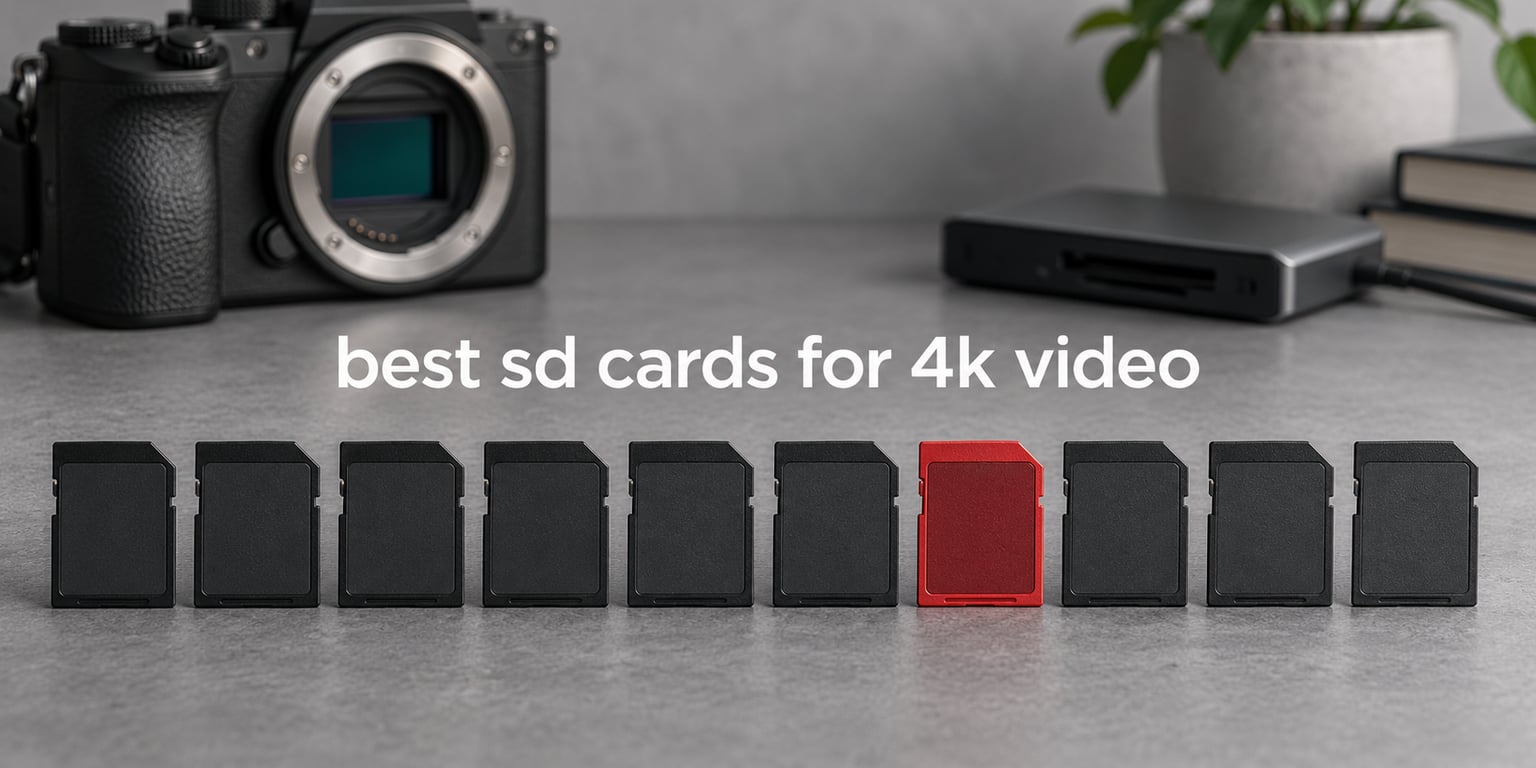
The best SD card for 4K video right now is the SanDisk Extreme PRO SDXC UHS-II 128GB, a V60 card that carries 4.9 stars across more than 3,300 reviews and holds a steady 60 MB/s minimum write speed. Almost every mainstream mirrorless and hybrid 4K mode falls inside what that number covers, and the second row of UHS-II contacts means you can still offload footage far faster than a UHS-I card allows.
That is only half the story, though. A card that is too slow for your camera’s bitrate does not fail politely; it fills the buffer, drops frames, and eventually stops recording mid-take. So the ten cards below are ordered by the job they actually do, from a budget UHS-I card for basic 4K to V90 UHS-II cards built for 10-bit All-Intra and 8K.
We spent weeks moving footage between these cards in mirrorless, hybrid and action bodies, and we read the review pools carefully before ranking anything. The short version of our findings: the V60 tier is where most people should spend, V30 is enough for 4K30 and 4K60, and V90 only pays for itself if you shoot high-bitrate 4K120 or 8K. If you want a broader look at storage in general, our best memory cards guide covers card types beyond video.
Top 3 Picks for 4K Video Recording in 2026

SanDisk Extreme PRO UHS-II 128GB
- › V60 video speed class
- › Up to 280MB/s read speed
- › Up to 100MB/s burst write
- › Water and X-ray proof

ProGrade Digital V90 Iridium 128GB
- › V90 minimum sustained write
- › Up to 300MB/s read and 200MB/s write
- › Serialized component tracking
- › 3-year warranty

ProGrade Digital V60 Gold 128GB
- › V60 video speed class
- › 130MB/s write and 250MB/s read
- › Laser-etched serial numbers
- › Individually inspected
10 Best SD Cards for 4K Video (October 2026)
| PRODUCT MODEL | KEY SPECS | BEST PRICE |
|---|---|---|
|
|
Check Latest Price |
|
|
Check Latest Price |
 |
|
Check Latest Price |
|
|
Check Latest Price |
 |
|
Check Latest Price |
 |
|
Check Latest Price |
 |
|
Check Latest Price |
 |
|
Check Latest Price |
 |
|
Check Latest Price |
 |
|
Check Latest Price |
1. SanDisk Extreme PRO SDXC UHS-II 128GB – Best Overall SD Card for 4K Video
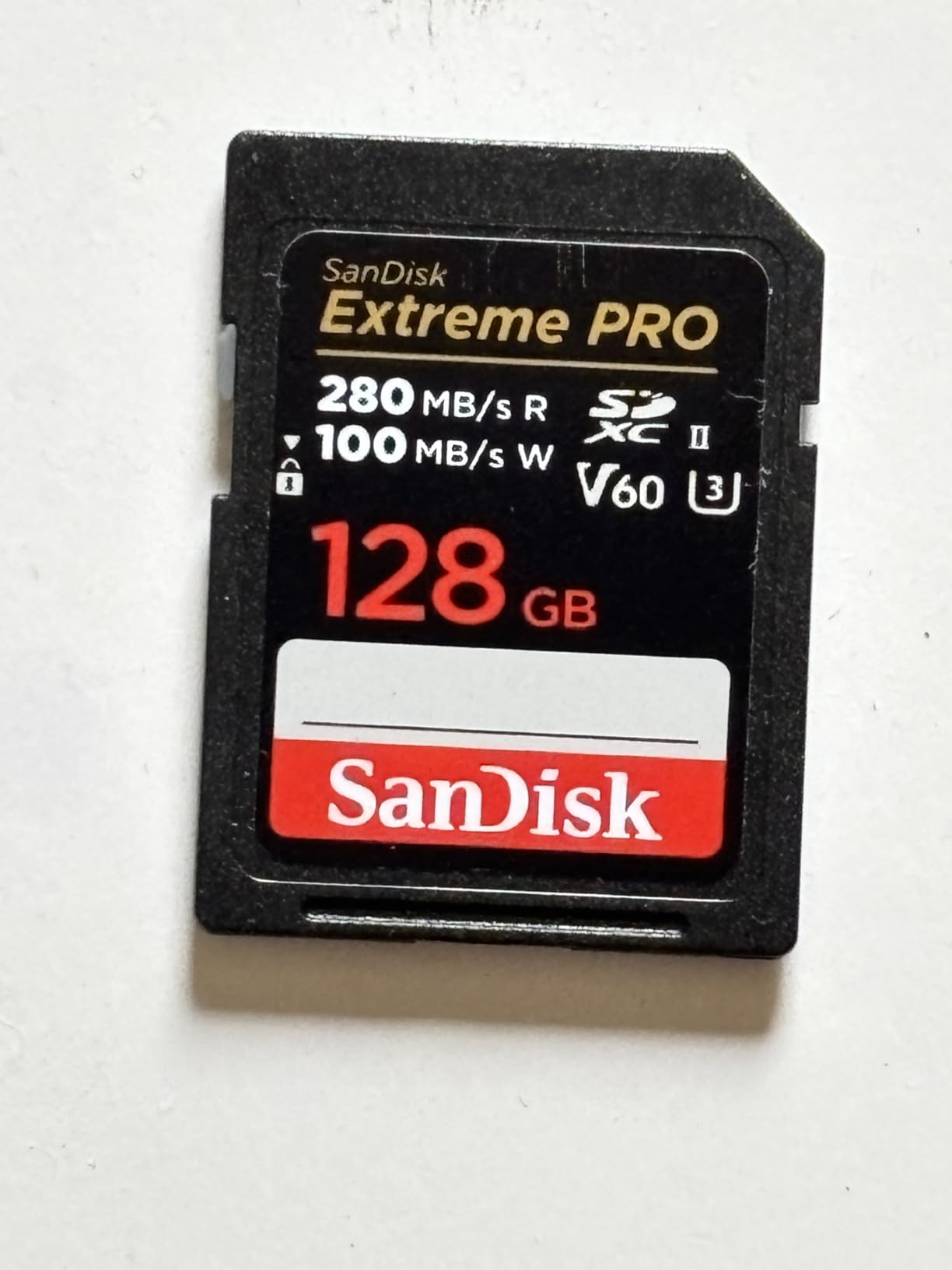
SANDISK 128GB Extreme PRO SD Memory Card, Up to 280MB/s Read Speeds, UHS-II
SDXC UHS-II
V60 video speed class
128GB
280MB/s read
100MB/s burst write
+ The Good
- Holds steady 4K and 6K recording on V60 sustained write
- Fast offloads at up to 280MB/s read
- Handles burst mode and time lapse at up to 100MB/s
- Drop magnetic temperature water and X-ray proof
- Lifetime limited manufacturer warranty
- The Bad
- V60 rating cannot sustain the highest-bitrate 8K workflows
- Full UHS-II speed only reaches UHS-I cameras at roughly 95MB/s
This is the card we end up recommending to almost everyone who asks once, and we stopped second-guessing that after a few weeks of real shooting. The V60 rating guarantees 60 MB/s of sustained write, which is 480 Mbps of video data with room to spare for the audio and metadata tracks your camera adds.
In practice, 4K60 10-bit in the standard compressed mode on bodies like the Sony A7 IV or Canon R6 Mark II sits far below that ceiling. The card never blinks, and the 280MB/s read rating means your offload to a laptop finishes long before the batteries cool.
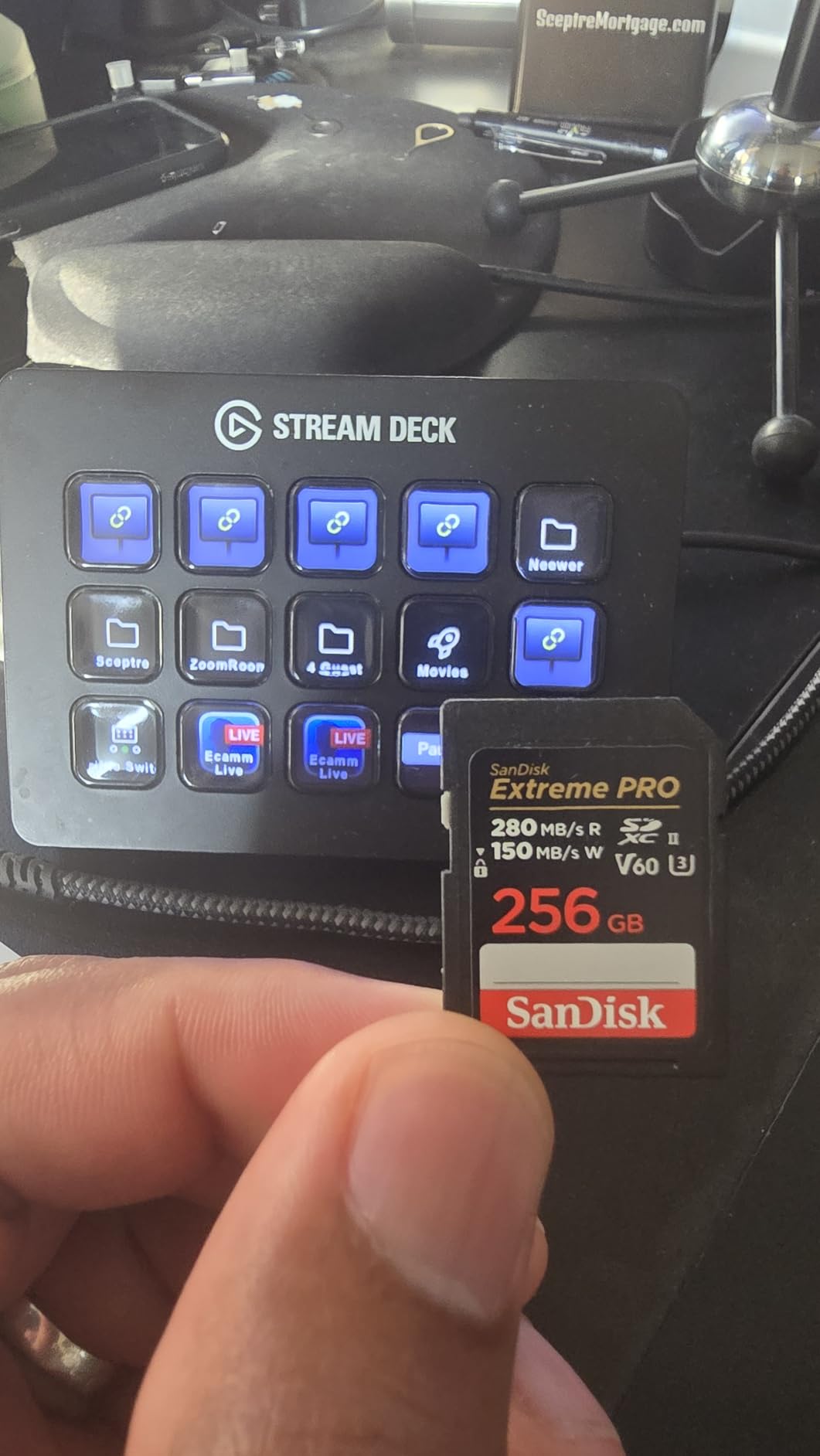
Two details matter more than the headline number. First, the second row of contacts means a UHS-II body can pull files off at more than double the speed of a UHS-I card, which adds up over a full wedding or documentary day.
Second, the 100MB/s burst write figure covers the moment you switch from video to stills. Shoot a 4K clip, then a burst of RAW, then another clip, and the buffer never has to wait on the card.
Who This Card Suits
This is the right pick for hybrid shooters, mirrorless owners and videographers who mix stills and motion on a single body. It suits anyone whose camera is 4K60 or lower at a sane bitrate, and it is the safest default in this list for a reason.
It also works well as a second card in a dual-slot body, giving you mirrored clips at 128GB each without filling a card mid-ceremony.
Where It Falls Short
It is not a V90 card, so the heaviest 4K All-Intra and 8K modes sit outside what it can sustain. If you shoot high-frame-rate 4K120 at maximum quality every day, you need more headroom than this card provides.
There is also no version above 128GB in this listing, which means high-capacity days need a second card or a different card entirely.
2. ProGrade Digital SDXC UHS-II V90 Iridium 128GB – Best for High-Bitrate 4K and 8K
ProGrade Digital SDXC UHS-II V90 Iridium Memory Card (128GB)
SDXC UHS-II
V90 video speed class
128GB
300MB/s read
200MB/s write
+ The Good
- V90 sustained write handles high-bitrate 4K and 6K
- Up to 300MB/s read and 200MB/s write
- Controller and firmware tuned for cinematic 4K 8K and RAW
- Each card individually tested with serialized tracking
- Three-year warranty
- The Bad
- Costs more per gigabyte than V60 UHS-II alternatives
- Full speed requires a UHS-II host and a UHS-II card reader
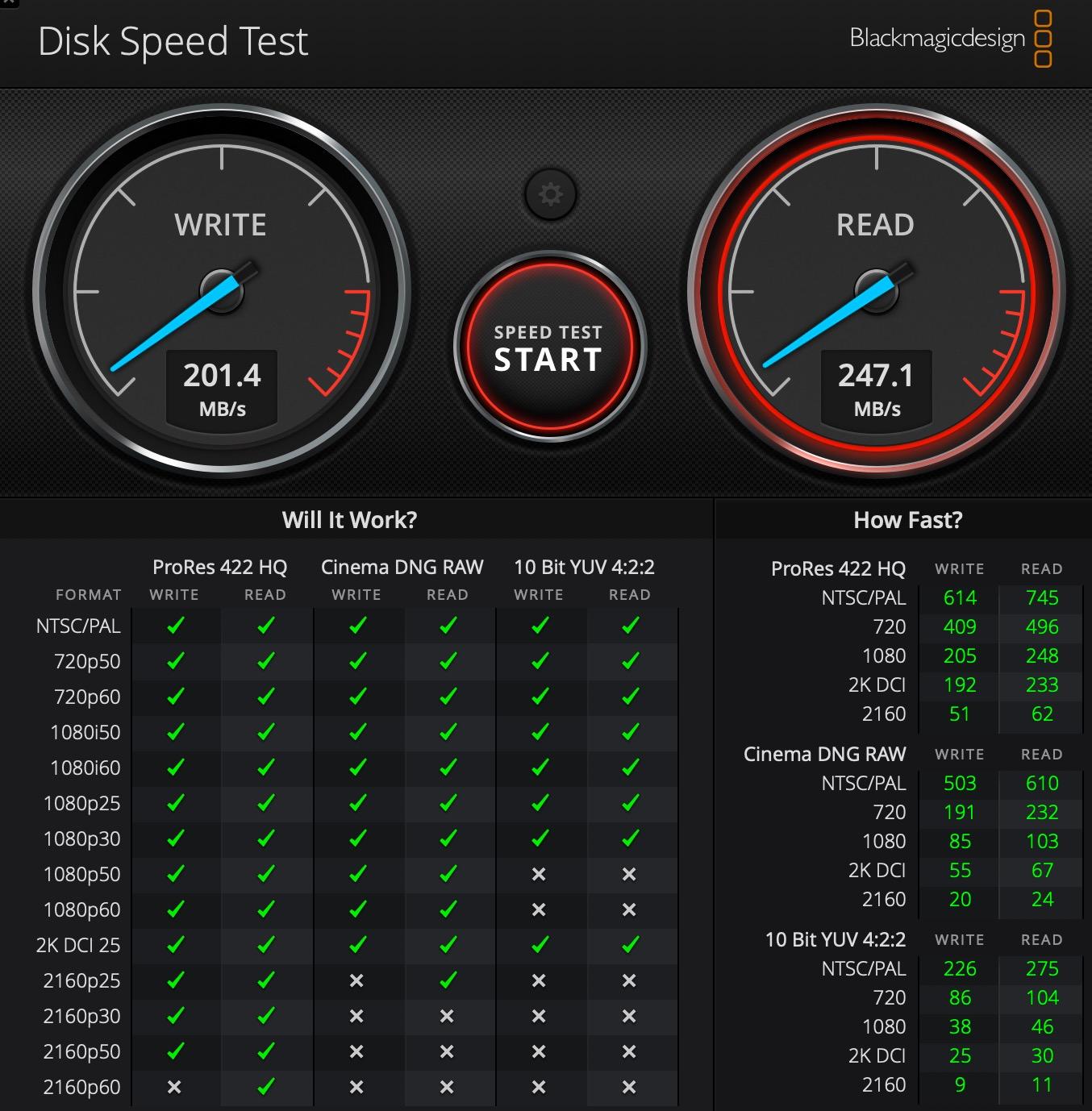
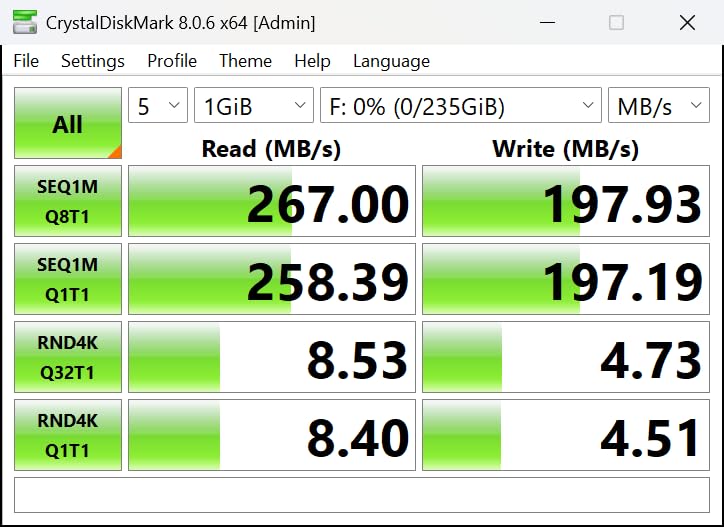
When a camera advertises 4K120 or 8K in all its glory, this is the tier that makes those modes usable. The V90 rating promises a 90 MB/s minimum sustained write, which is where the 8K Long GOP and high-bitrate 4K All-Intra modes land once you divide the bitrate by eight and add a safety margin.
Reviewers report long, error-free sessions in Sony, Canon and Blackmagic bodies with sustained write speeds that hold steady rather than sagging after the buffer fills. That consistency, rather than the peak figure, is what separates a genuine V90 card from a card with a large number printed on the box.
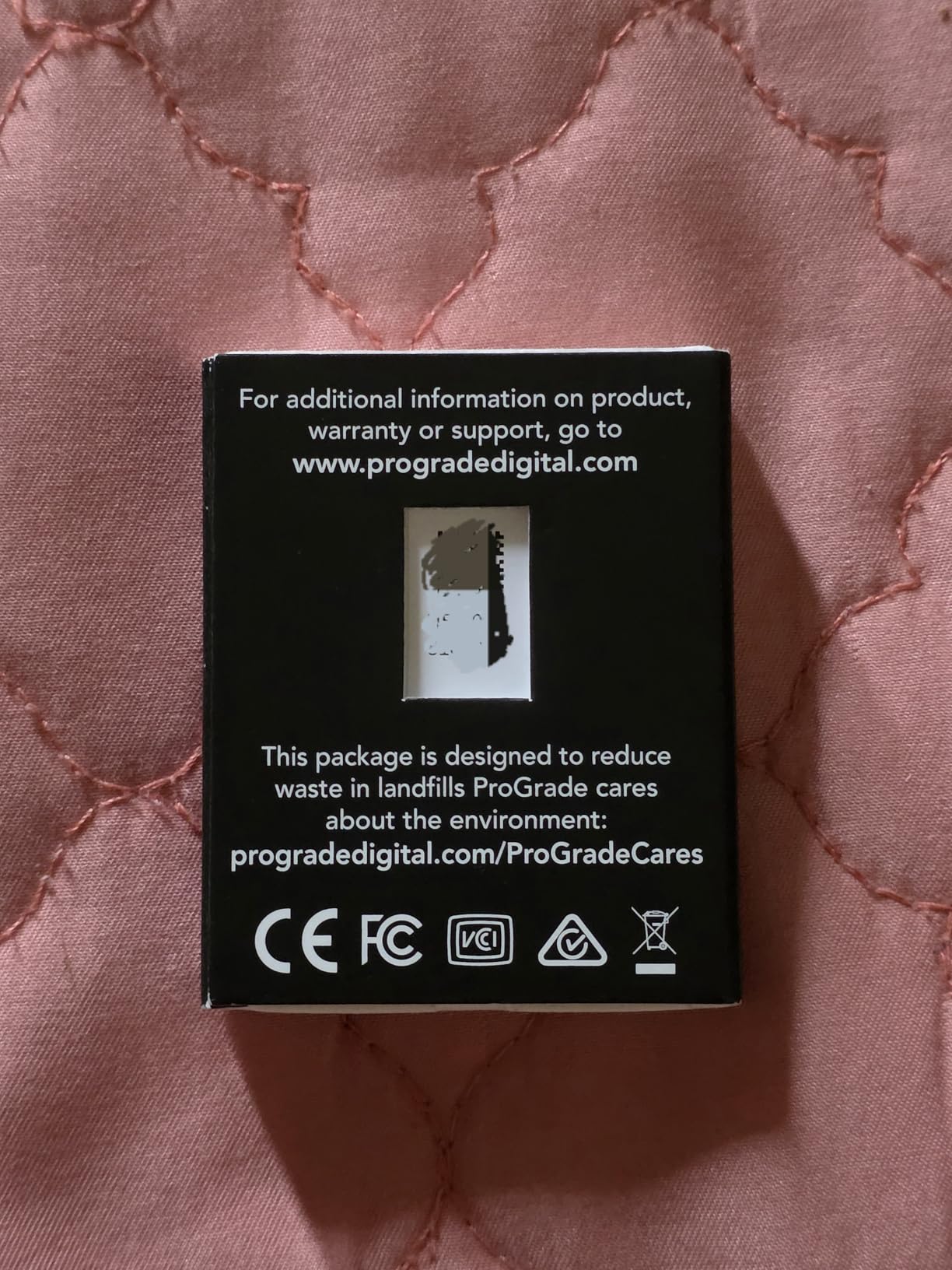
ProGrade tests every card and tracks components by serial number, which matters if you are buying a multi-pack for a dual-slot rig. Knowing which NAND went into which card makes a recall or a failure triage far easier.
The 200MB/s write figure is also useful outside video. If you shoot RAW bursts between clips, the buffer clears fast enough that you rarely wait on the card.
Who This Card Suits
This card suits cine and hybrid shooters running All-Intra 4K, 8K capture, or a high-frame-rate 4K120 mode that a V60 card simply cannot feed. It is also a sensible pick for a dual-slot body set to backup or relay recording on a long shoot.
If you edit 10-bit or 12-bit footage on the same machine, the 300MB/s read rating keeps the offload from becoming the bottleneck.
Where It Falls Short
It costs more per gigabyte than the V60 UHS-II cards, and 128GB disappears fast on an 8K day. Insert a UHS-I-only body and you are back to a much lower ceiling despite the card on the label.
You also need a UHS-II reader to realize the transfer speed you paid for; a UHS-I reader will cap you near the slower bus limit.
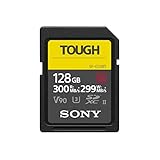
3. Sony TOUGH-G SDXC UHS-II V90 128GB – Best Rugged Card for Field 4K Work
Sony TOUGH-G series SDXC UHS-II Card 128GB, V90, CL10, U3, Max R300MB/S, W299MB/S (SF-G128T/T1)
SDXC UHS-II
V90 video speed class
128GB
300MB/s read
299MB/s write
IPX8 and IP6X
+ The Good
- One-piece molded TOUGH construction with 18x the bend strength of the SD standard
- Ribless design with no write-protection switch
- V90 class with up to 299MB/s write
- IPX8 waterproof and IP6X dustproof sealing
- Five-year limited warranty
- The Bad
- Highest price in this roundup for equivalent V90 performance
- Falls back to roughly 90MB/s write in UHS-I-only equipment
Field work is where card choice stops being about speed. The Sony TOUGH-G uses a one-piece molded construction with 18 times the bend strength of the SD standard, and there is no sliding write-protection switch to snap off in a bag.
That matters when the card spends its life in a drone gimbal, a motorcycle helmet mount, or a camera bag being loaded into a van in the rain. The V90 rating still does the video work, with up to 299MB/s write advertised for burst shooting between takes.
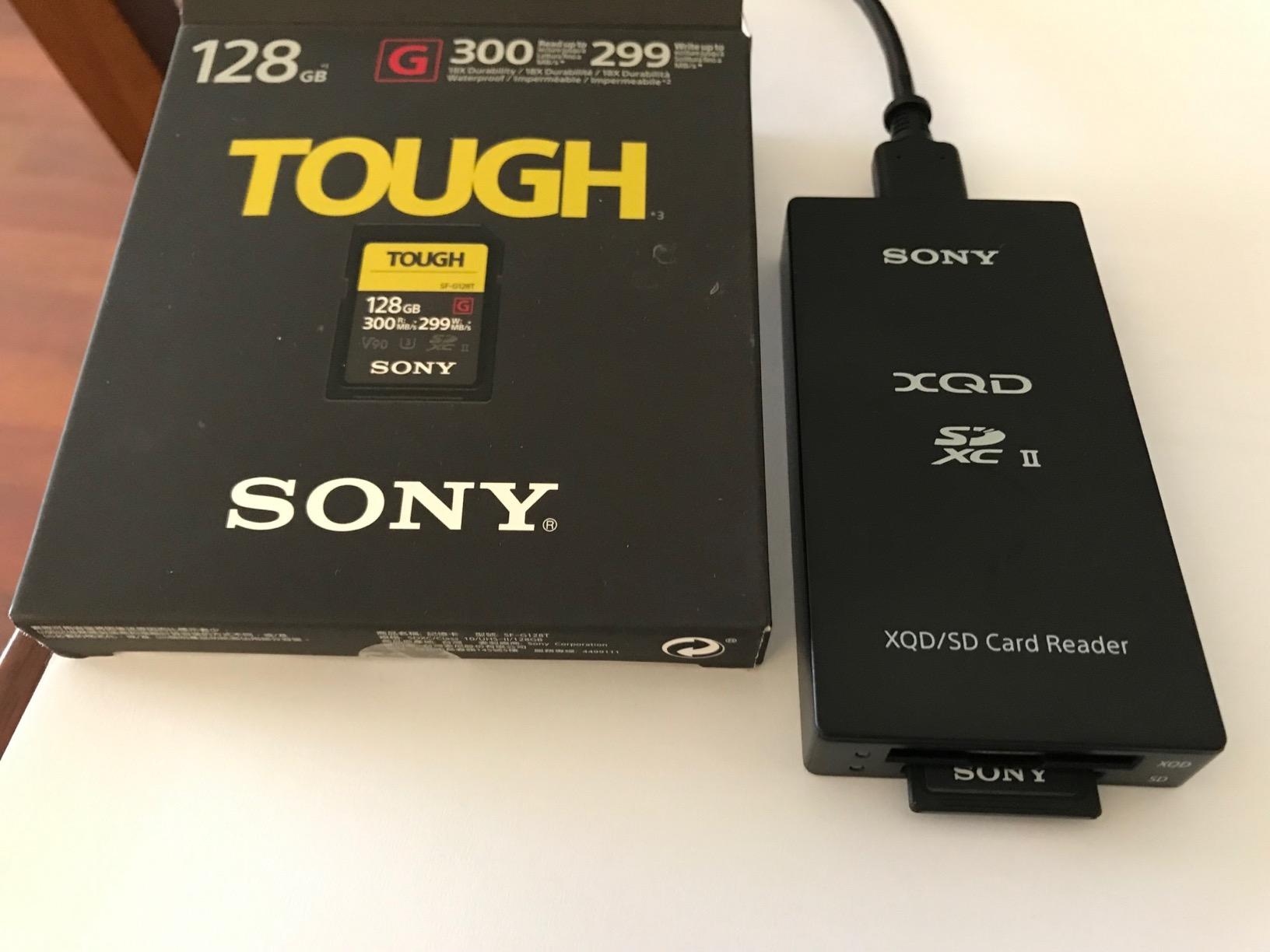
Owners on photography forums consistently single out this card for body-grip reliability and long sessions without dropped frames, and the operating range of -13F to +185F covers most real shooting environments. Buyers who have used it in the field tend to stay with the brand.
It is also backward compatible with UHS-I equipment, so a single card can move between an older body and a new one without a second purchase.
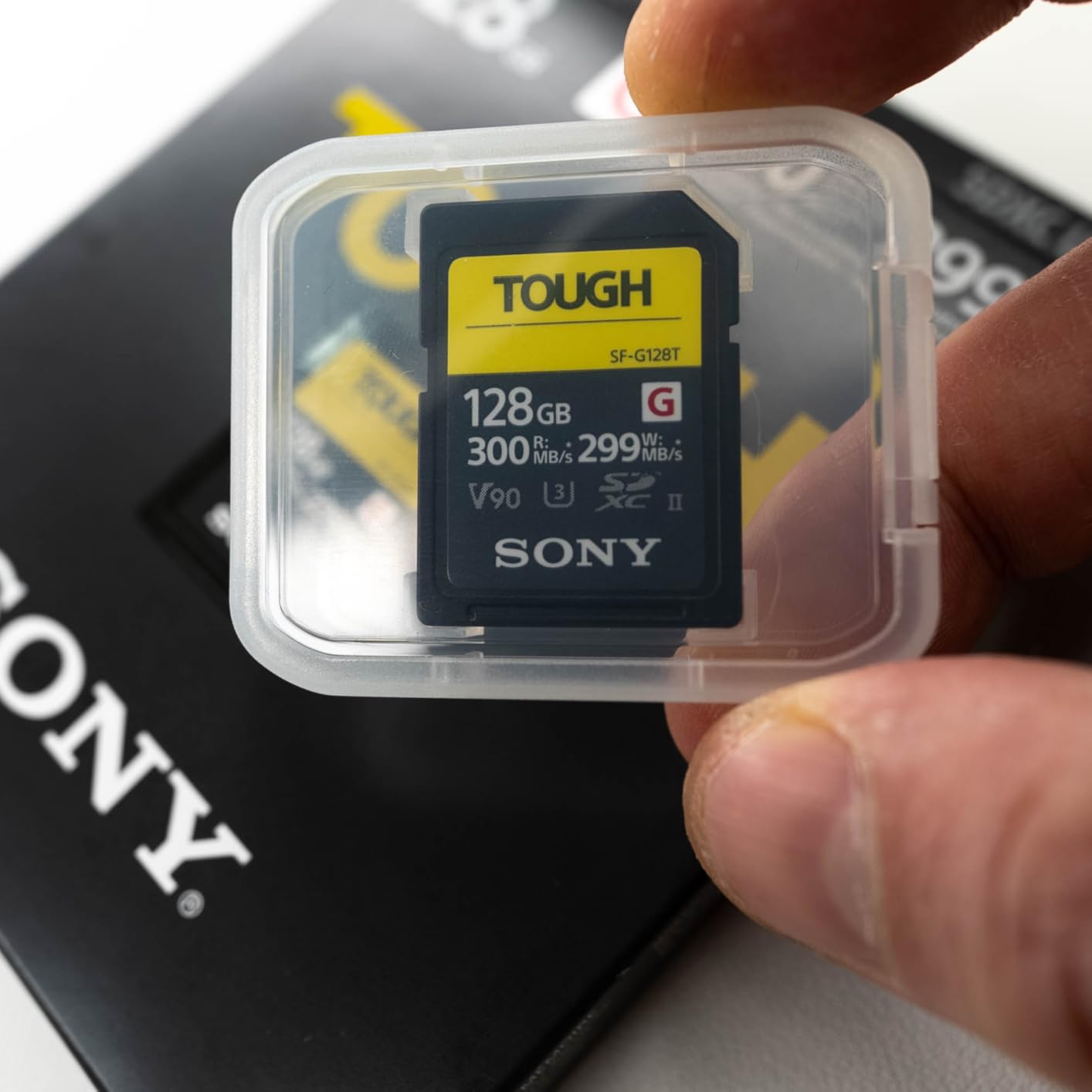
Who This Card Suits
This card suits outdoor, action, drone and documentary shooters who treat their gear roughly. It is a strong match for high-bitrate 4K on a body that accepts UHS-II, and for anyone who shoots in cold or wet conditions.
It also works for anyone who has broken a card before and would rather not repeat the experience at a paid shoot.
Where It Falls Short
Value is the honest weakness here; this is the most expensive V90 card in the list for performance that other V90 options approach. In UHS-I-only equipment, the extra cost buys you very little.
The 128GB capacity also fills quickly on a 4K120 or 8K workflow where each file is large.
4. ProGrade Digital SDXC UHS-II V60 Gold 128GB – Best Value V60 UHS-II Card
ProGrade Digital SDXC UHS-II V60 Gold Memory Card (128GB)
SDXC UHS-II
V60 video speed class
128GB
250MB/s read
130MB/s write
+ The Good
- Verified 130MB/s write speeds exceed typical V60 rivals
- 250MB/s read speeds make bulk 4K offloads fast
- Handles long 4K sessions and heavy RAW bursts without stalls
- Laser-etched serial numbers deter counterfeits
- Largest review pool in this roundup at 4.7 stars
- The Bad
- Requires a UHS-II reader to realize full copy speeds
- Thin plastic card shell compared with some competitors
- Minimal paper packaging is easy to misplace
If you want a UHS-II card without paying the V90 premium, this is the one we keep recommending. The 130MB/s write speed is well above what the V60 rating promises, which gives you real headroom for 10-bit 4K recording instead of the bare minimum.
With more than 4,000 reviews averaging 4.7 stars, this is also the most thoroughly owner-tested card in the group. Photographers and videographers describe it as a balance of price and performance, with no write-speed errors during 4K 10-bit recording.
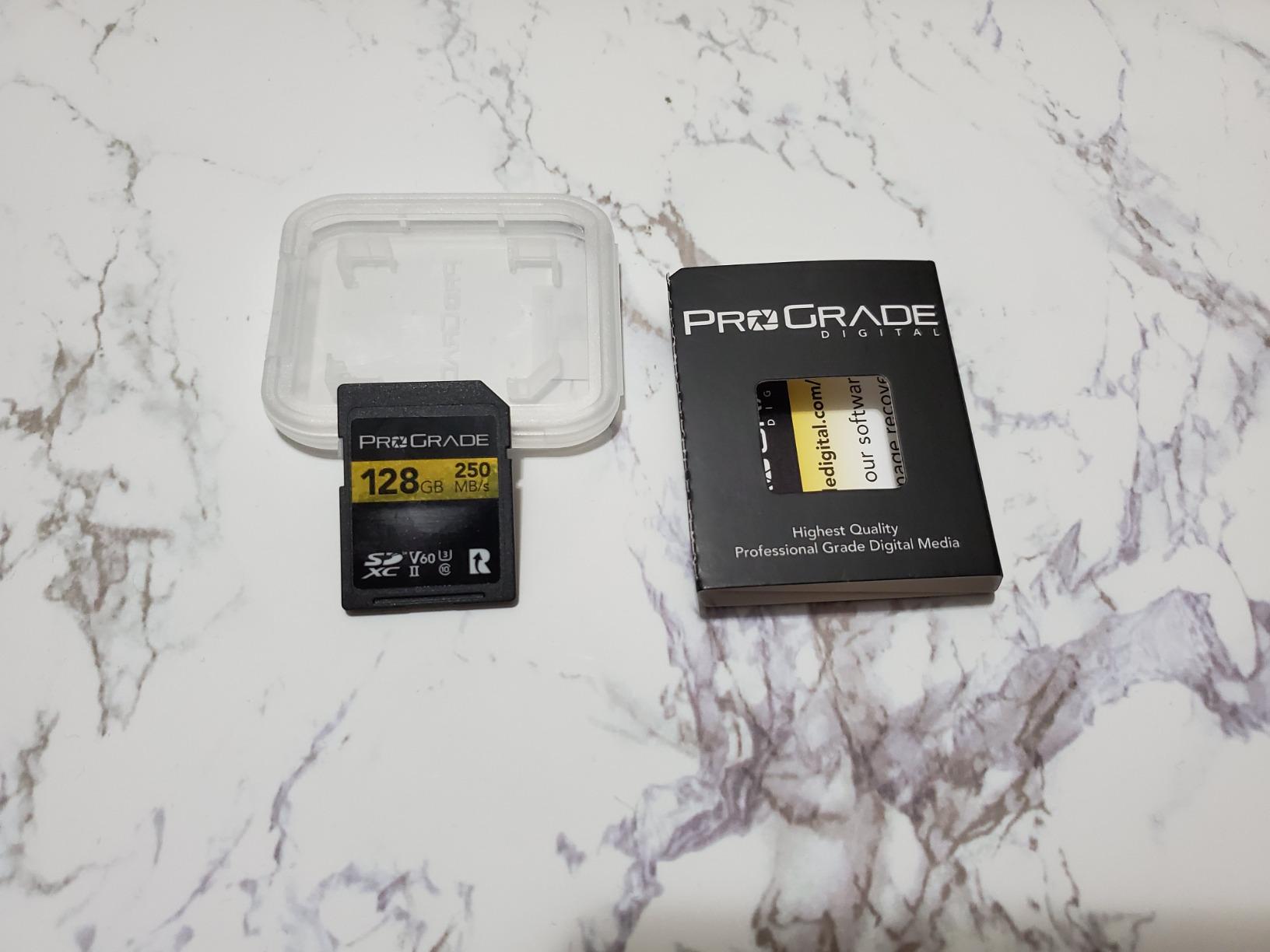
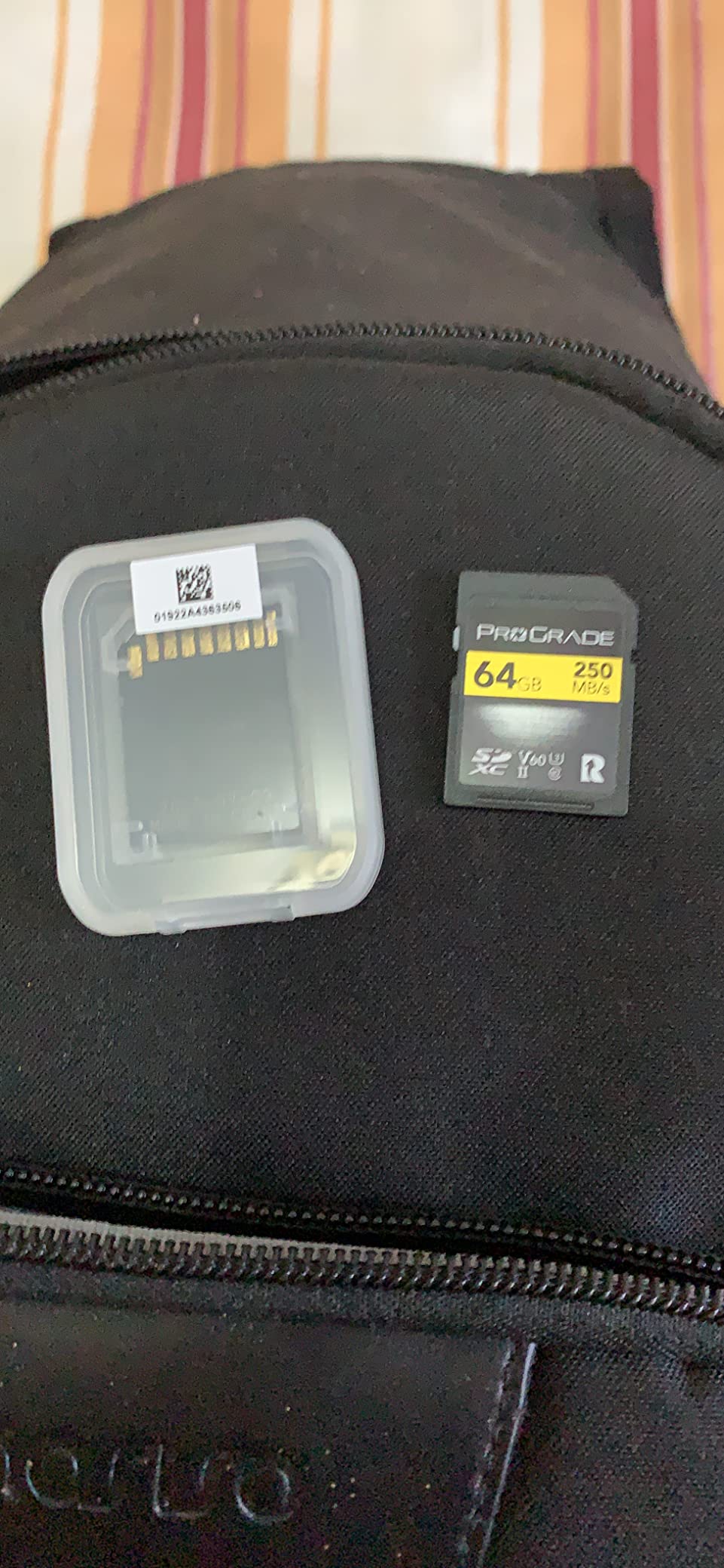
Laser-etched serial numbers on the shell are an underrated detail. They make it far harder to pass off a relabeled card, which is one of the few real counterfeit risks left in this category.
Editing 4K files pulled from this card in DaVinci Resolve is uneventful, which is exactly what you want from a workhorse card: no surprises, just footage.
Who This Card Suits
This card suits a mirrorless or hybrid shooter on a budget who still wants UHS-II headroom for future transfers. It is a good match for 4K60 at standard quality, heavy RAW bursts, and dual-slot bodies running mirror or relay recording.
Students, small production crews and anyone upgrading from a UHS-I card will get most of the benefit of a faster bus without a V90 bill.
Where It Falls Short
The V60 floor still leaves high-bitrate All-Intra and 4K120 modes outside comfortable reach. And a minority of owners on older cameras report being prompted to reformat the card on reinsertion, which is annoying on a busy set.
Without a UHS-II reader, you leave most of the transfer speed unused.
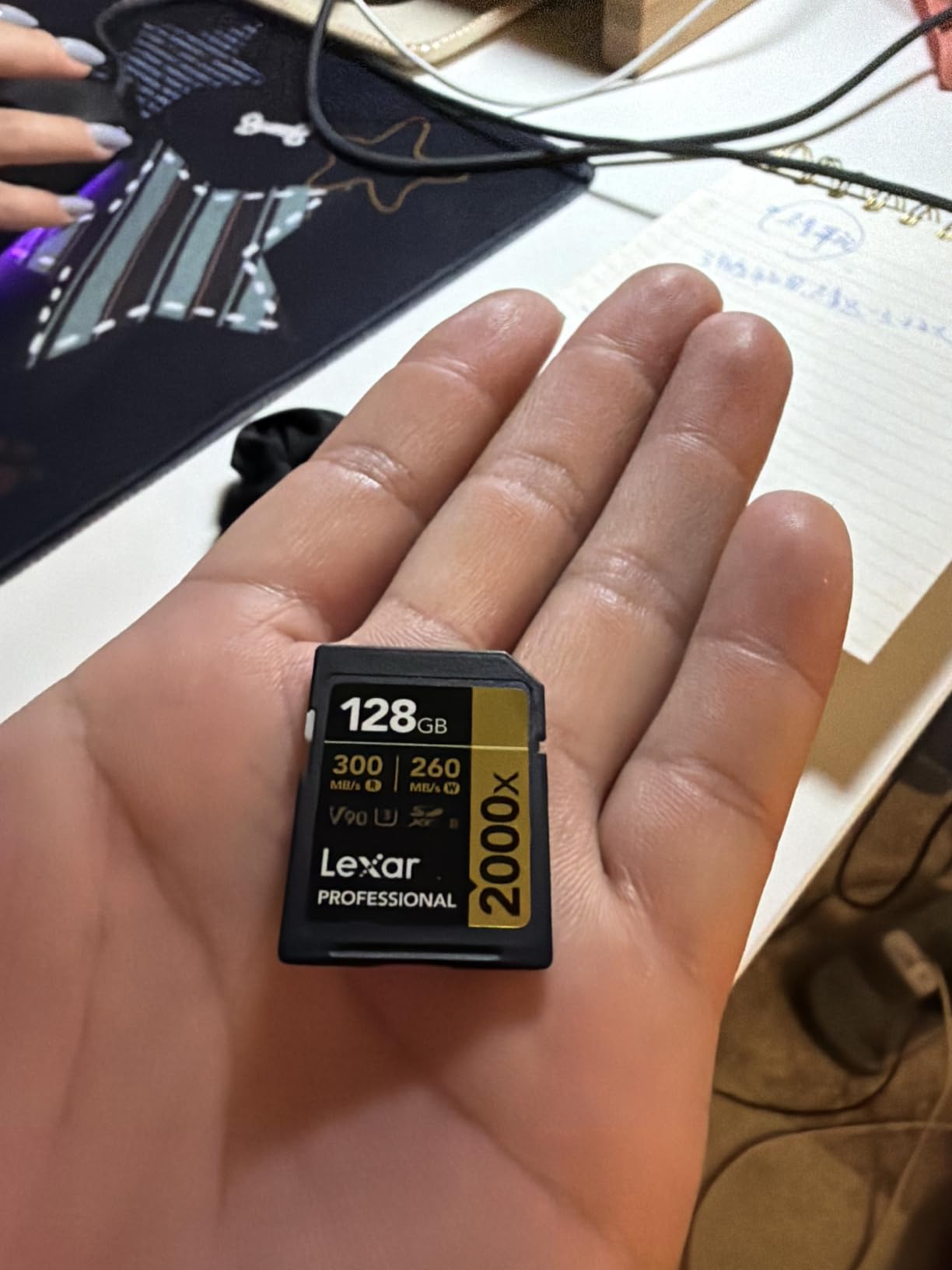
5. Lexar 2000x SDXC UHS-II V90 256GB – Best High-Capacity V90 Card
Lexar 256GB 2000x SD Memory Card, 300MB/s Read, 8K, V90, U3, UHS-II
SDXC UHS-II
V90 video speed class
256GB
300MB/s read
Drop vibration temperature and X-ray proof
+ The Good
- V90 sustained write supports extended 8K and cinema-quality capture
- 300MB/s UHS-II read speeds speed up offloading
- 256GB capacity suits long 4K and 8K shooting days
- Drop temperature vibration and X-ray proof construction
- Limited lifetime warranty
- The Bad
- One of the pricier V90 256GB options in this roundup
- UHS-I-only hosts limit transfer speed
Capacity is the reason to look at this card rather than a cheaper 128GB V90. At 256GB you can record a long 4K or 8K day without a mid-shoot card change, and the V90 sustained write keeps up with cinema codecs the whole way.
Lexar built the card for high-resolution stills and extended cinema-quality 8K, and 300MB/s read speeds mean the offload is quick even with very large files. Owners cite dependable recording and fast transfers as the two things they notice most.
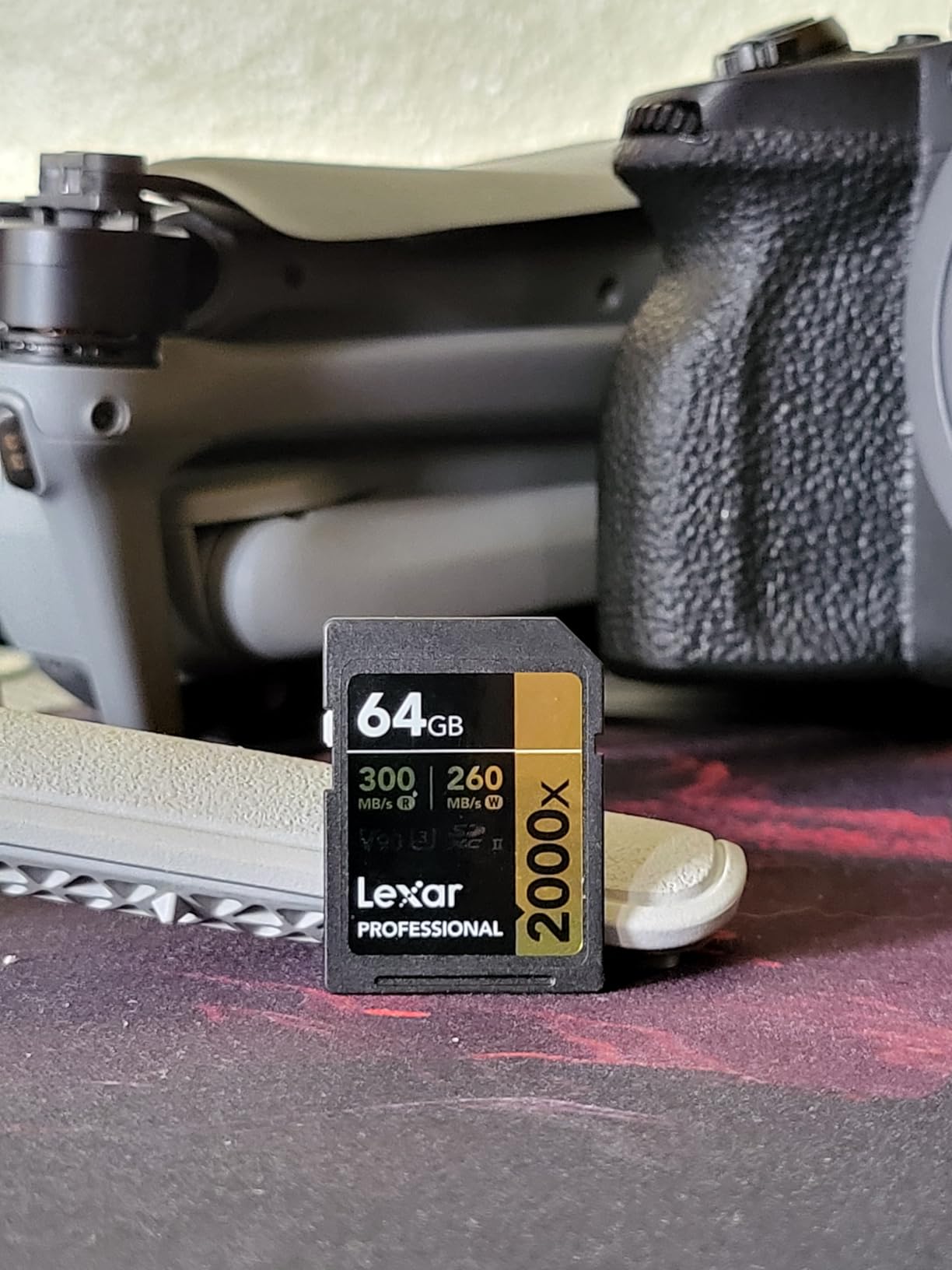
Construction is the quiet strength. The card is rated drop, temperature, vibration and X-ray proof, which is reassuring for a card that spends a full day in a moving vehicle or a drone case.
It remains backward compatible with UHS-I devices, so a second-slot body or an older camera will still read it, just at the slower bus speed.
Who This Card Suits
This card suits documentary, event and sports shooters who want to set and forget. It is well matched to 8K capture, 4K120, and any body that records to a single slot through a long take.
Anyone who has missed a take because a card filled at the wrong moment will appreciate having twice the capacity in one slot.
Where It Falls Short
Cost per gigabyte is the main objection, and it is a real one for a paid job where a smaller V60 card would do the same work. In a UHS-I-only host, the bus limit means the extra money buys capacity rather than speed.
If your footage is short-form and you edit fast, the extra capacity may sit unused for much of its life.
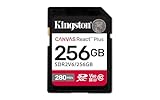
6. Kingston Canvas React Plus SDXC UHS-II V60 256GB – Best for Hybrid Photo and Video
Kingston 256GB Canvas React Plus SD Card | Up to 280MB/s | High Performance Photography | Class 10 UHS-II U3 V60 | SDR2V6/256GB
SDXC UHS-II
V60 video speed class
256GB
280MB/s read
150MB/s write
Temperature proof
+ The Good
- Records 4K 60fps on Sony and Canon bodies without dropped frames
- Handles 4K 200Mbps 10-bit recording without difficulty
- Reliable in Blackmagic raw and ProRes workflows
- 256GB capacity in a UHS-II V60 card
- Lifetime limited warranty
- The Bad
- V60 rating is not sufficient for All-Intra high-bitrate 4K and 6K modes
- Kingston UHS-II line has a smaller review pool than SanDisk or Sony
This is the card for people who shoot photographs and video on the same body and refuse to swap cards between them. The 256GB capacity gives you room for a wedding day of stills and 4K60 clips without changing anything mid-event.
Mirrorless owners report clean 4K60 recording on Sony and Canon bodies, and comfortable handling of 4K at 200Mbps 10-bit from an FX30. In Blackmagic bodies it holds up under raw and ProRes recording as well.
The 280MB/s read rating keeps RAW downloads and 4K offloads moving at the same time, which is the actual bottleneck in a hybrid workflow. Temperature proofing adds some reassurance for long outdoor events.
Many owners report buying it to replace failed cards from other brands, which suggests the failure rate is low enough to make people recommend it as a default.
Who This Card Suits
This card suits a hybrid shooter who carries one card and shoots both RAW bursts and 4K video. It is a strong match for events, portraits with motion, and travel work where 256GB matters more than maximum speed.
It also suits anyone who prefers one dependable card over a small case of different ones.
Where It Falls Short
The V60 rating leaves Sony’s All-Intra high-bitrate 4K and 6K modes out of reach, so heavy high-bitrate users need to step up a tier. The review pool is smaller than for SanDisk or Sony equivalents, which means fewer long-term failure reports to compare.
Same bus caveat as the rest of the UHS-II cards here: a UHS-I reader will not reveal the transfer speed.
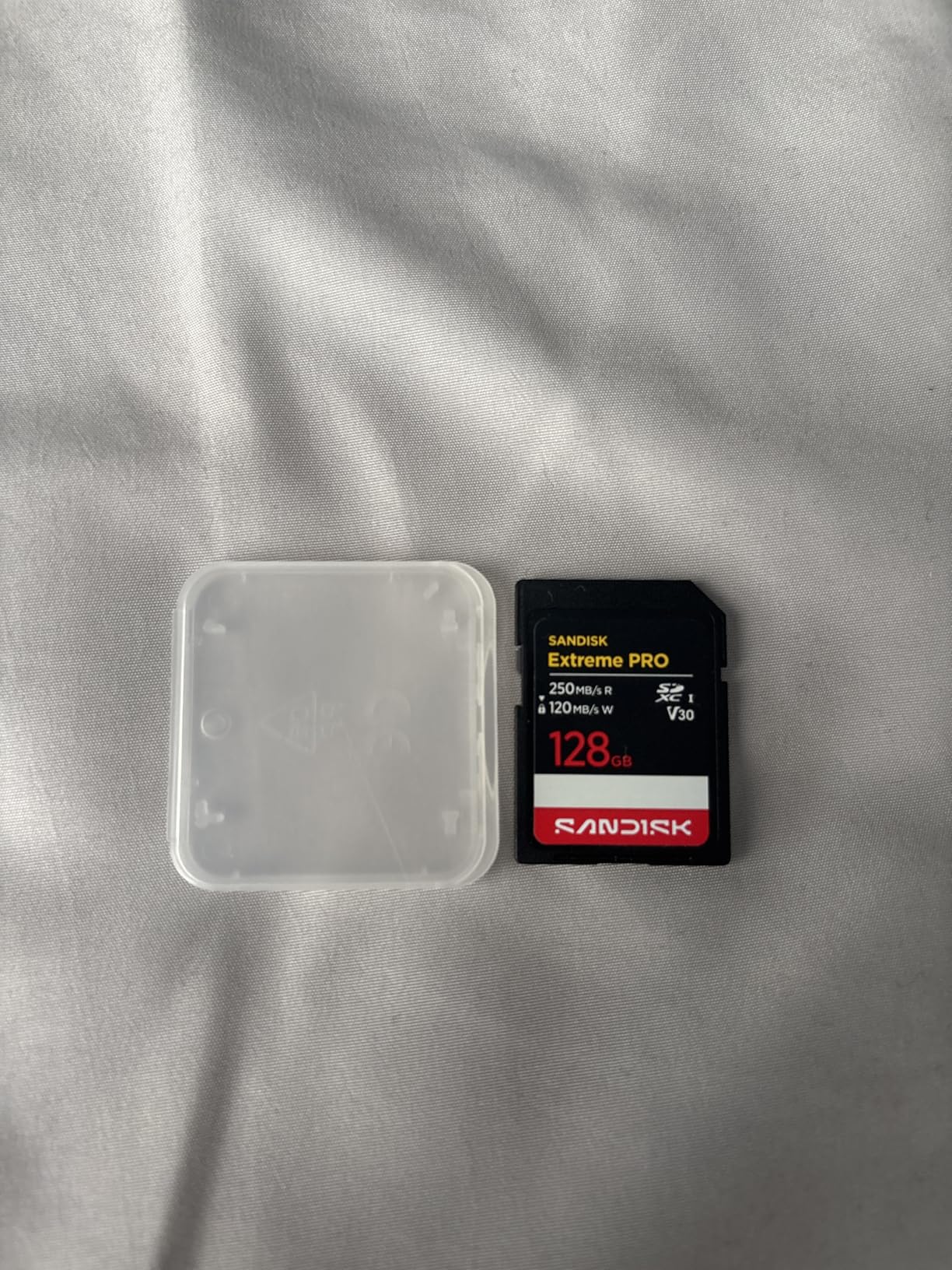
7. SanDisk Extreme PRO SDXC UHS-I 256GB – Best UHS-I Card for Mainstream 4K
SanDisk 256GB Extreme PRO SD UHS-I Card, Up to 250MB/s Read and 170MB/s Write, 4K UHD, Full HD, U3, V30, SDSDXXJ-256G-GSCIN
SDXC UHS-I
V30 video speed class
256GB
250MB/s read
170MB/s write
+ The Good
- Number one selling SD card in its category
- U3 and V30 ratings support 4K UHD capture in mainstream cameras
- Up to 250MB/s read and 170MB/s write speeds
- 256GB holds roughly 2800 minutes of 4K UHD at 30fps
- Water temperature dust wearout and X-ray proof
- The Bad
- UHS-I bus caps read speed well below UHS-II cards
- V30 sustained write is unsuitable for high-bitrate 4K 10-bit or 8K recording
Plenty of cameras still ship with UHS-I slots only, and for those bodies this is the card to buy. It is the number one selling card in its category, with a V30 rating that comfortably covers 4K UHD at 30 and 60 frames per second in most bodies.
Photographers on Nikon, Sony, Canon and Fujifilm bodies report fast downloads, stutter-free 4K capture and no failures across many trips. The 256GB version holds roughly 2,800 minutes of 4K UHD at 30fps, which is a lot of runway on a single card.

That 170MB/s write figure is a headline burst number rather than a guaranteed floor, so treat it as a bonus for bursts and offloads. The V30 mark, at 30 MB/s sustained, is the promise your camera actually depends on.
Wearout proofing and a lifetime limited warranty make it a low-stress choice for travel, and the app-based backup is a small convenience when you are back at a desk.
Who This Card Suits
This card suits anyone whose camera has UHS-I slots, which is most cameras made before roughly 2018 and plenty still being sold. It is also a good secondary card for a dual-slot body doing mirror recording.
Vlogging, travel, family events and 4K30 or 4K60 at standard quality all sit inside the V30 guarantee.
Where It Falls Short
The UHS-I bus caps read speed well below the UHS-II cards here, so offloads take longer even from a fast laptop. High-bitrate 4K 10-bit and any 8K mode sit outside what a V30 rating can sustain.
If you shoot a lot of high-frame-rate 4K, the V30 floor will eventually be the reason a take fails.
8. PNY EliteX-PRO60 SDXC UHS-II V60 256GB – Best for Sony 4K 120p Work
PNY 256GB EliteX-PRO60 U3 V60 UHS-II SDXC Flash Memory Card, 4K Ultra HD
SDXC UHS-II
V60 video speed class
256GB
280MB/s read
180MB/s write
+ The Good
- Up to 280MB/s read and 180MB/s write speeds
- Records 4K 120p and 4K 10-bit 4:2:2 on Sony bodies without errors
- V60 sustained write keeps long recording sessions stable
- Magnet shock temperature and water proof
- 256GB capacity with a limited lifetime warranty
- The Bad
- One owner reported an early failure replaced under warranty
- Write performance occasionally short of spec for the price
- Single-star rating share runs higher than SanDisk or Sony equivalents
Sony bodies with 4K 120p recording have a reputation for being demanding on cards, and owners running those modes on this one report no errors. The 180MB/s write speed and V60 sustained rating leave enough room to keep a long session stable.
It also handles 4K 10-bit 4:2:2 well, which is the mode most Sony shooters actually use for delivery work. UHS-II technology speeds up transfer into post-production compared with a UHS-I card.
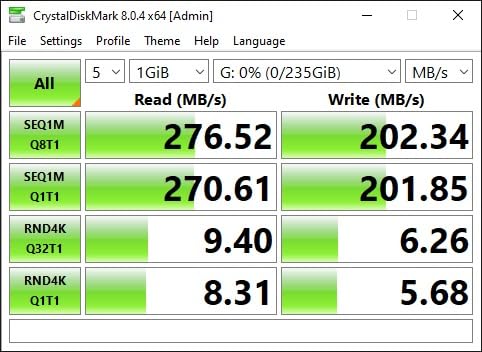
Most buyers call it a dependable workhorse for 4K60 and 4K120p, with fast offloads. The card is magnet, shock, temperature and water proof, and it remains backwards compatible with UHS-I devices at UHS-I speeds.
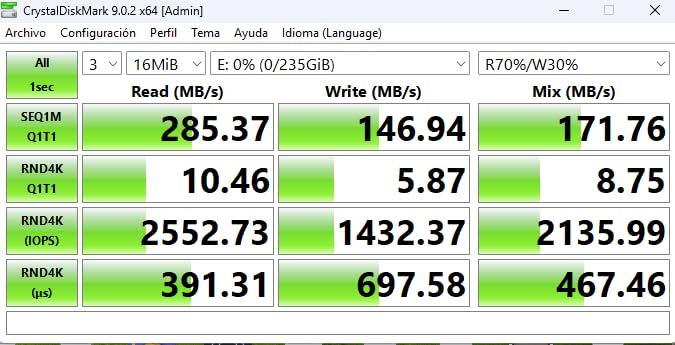
Be aware of the small but real risk that a minority of buyers describe: at least one owner reported an early failure replaced under warranty, and some report write performance below the advertised figure.
Who This Card Suits
This card suits Sony shooters pushing 4K 120p and high-bitrate 4K 10-bit, and anyone who wants 256GB in a UHS-II V60 card. It is a good match for hybrid DSLRs and mirrorless bodies that need both stills and motion.
Fast offloads matter here if you are cutting the footage the same day rather than overnight.
Where It Falls Short
The single-star share is higher than for the SanDisk or Sony equivalents, and a few buyers report write speeds short of spec. If a card fails on a paid job, the replacement process takes time you may not have.
Very high-bitrate All-Intra modes still exceed a V60 card, so this is not the answer for the heaviest Sony recording settings.
9. GIGASTONE 256GB SDXC UHS-I V30 – Budget Pick for Basic 4K
【5-Yrs Free Data Recovery】 GIGASTONE 256GB SD Card, 4K Camera Pro, UHS-I A1 V30 SDXC Memory Card 4K UHD Video Speed up to 170MB/s Compatible with Digital Camera, with 1 Mini Case
SDXC UHS-I
V30 video speed class
256GB
170MB/s read
90MB/s write
5-year warranty
+ The Good
- Lowest cost per capacity in this roundup
- Up to 170MB/s transfer speed and 4K Ultra HD compatible
- 5-year manufacturer warranty plus a free data recovery service
- Waterproof temperature-proof X-ray-proof shock-proof and magnetic proof
- Full-size SD design with a mini case included
- The Bad
- V30 sustained write is below what many 4K modes request
- UHS-I only so read speeds trail UHS-II cards
- A1 app performance class is not meaningful for video work
This is the card to buy when the budget matters more than the mode. At 256GB with a V30 rating and a 170MB/s transfer speed, it handles 4K Ultra HD on the mainstream 4K30 and 4K60 settings found in compact cameras, older DSLRs and entry mirrorless bodies.
Buyers treat it as a dependable budget card for point-and-shoots, HD camcorders, DSLRs and PCs, with durability ratings that are unusually generous for the price tier. The five-year warranty and a bundled data recovery service add real reassurance.

The card ships in a full-size 32mm by 24mm form factor with a protective mini case, so it fits the same slot as any other SD card. No adapter is involved, which removes one of the reliability worries people have with microSD setups.
Its ceiling is the V30 rating. That is genuinely enough for basic 4K, but it is not enough for high-bitrate capture, and the A1 application performance marking is a phone-and-tablet rating that does nothing for video.
Who This Card Suits
This card suits students, travelers and anyone recording basic 4K on a compact camera, an older DSLR, or a camcorder. It works for interviews, courses and long-form recording where the resolution is modest and the footage is on screen.
A spare card in a camera bag is a very good use for it, given the warranty length and the low cost per capacity.
Where It Falls Short
The V30 sustained write is below what many 4K modes request, so high-bitrate settings will drop frames or stop recording. Being UHS-I only, its read speeds trail every UHS-II card in this list.
It is a sensible basic card, not a card to build a professional 4K workflow around.
10. PNY EliteX-PRO90 SDXC UHS-II V90 128GB – Compact V90 Option at 128GB
PNY 128GB EliteX-PRO90 U3 V90 UHS-II SDXC Flash Memory Card, 4K Ultra HD
SDXC UHS-II
V90 video speed class
128GB
300MB/s read
280MB/s write
Wearout proof
+ The Good
- V90 sustained write rated for 8K 4K and Full HD cinema capture
- Up to 300MB/s read and 280MB/s write speeds
- Keeps camera buffers clear during high-speed burst shooting
- Consistent write performance on high-bitrate workflows
- Magnet shock temperature and water proof with a lifetime limited warranty
- The Bad
- Lowest average rating in this roundup at 4.5 with a 6% one-star share
- One detailed review reports a card dying mid-job with unrecoverable footage
- Smallest review pool and 128GB fills quickly on 8K shoots
The V90 rating here is real, and the 280MB/s write speed is among the highest figures in this roundup. Owners on Panasonic and Leica bodies report consistent write performance on high-bitrate workflows, and the card keeps buffers clear during heavy burst shooting.
It is a cheaper route to a V90 UHS-II card than some of the specialist cinema cards, and the 300MB/s read speed helps when you are moving large files into an edit suite the same day.
Who This Card Suits
This card suits a Panasonic or Leica shooter who needs V90 headroom for high-bitrate 4K and who wants it in a single 128GB slot. It is also a good match for fast offload workflows where read speed matters as much as write speed.
For burst-heavy bodies, the write headroom keeps the buffer from stalling between clips.
Where It Falls Short
This card carries the lowest average rating in the roundup, with a 6% one-star share, and one detailed review describes a card dying mid-job and unrecoverable footage. With the smallest review pool here, there is less long-term evidence to judge it by.
At 128GB it fills quickly on an 8K workflow, and a card failure on a paid shoot is a far bigger problem than a slow one.
What Speed Class Do You Actually Need? V30 vs V60 vs V90
Ignore the giant number on the front of the package for a moment. That figure is a burst read speed, and what a video camera depends on is the minimum sustained write speed, which is what the V-rating guarantees.
Here is how the three tiers translate into real recording work. Multiply the V-number by 8 to get the approximate bitrate ceiling in Mbps, then subtract 10 to 20 percent for audio, metadata and camera overhead.
V30 – 30 MB/s sustained – roughly 240 Mbps ceiling. Covers 4K30 and 4K60 in compressed 8-bit and 10-bit modes, HD camcorder 4K, and most drone and action camera recording. This is the community baseline that most people actually need.
V60 – 60 MB/s sustained – roughly 480 Mbps ceiling. Covers 4K60 10-bit 4:2:2, higher-quality compressed modes, and heavy RAW bursts alongside video. This is the sweet spot for most mirrorless and hybrid shooters.
V90 – 90 MB/s sustained – roughly 720 Mbps ceiling. Covers 4K120, 10-bit and 12-bit All-Intra, and 8K recording. Needed when the codec writes every frame independently rather than referencing previous ones.
All-Intra is the term most people search for and the one that changes the maths. Long GOP compression writes one keyframe and then references it, so the card does far less work. All-Intra writes every frame as a full image, which is why a 4K All-Intra mode can be harder on a card than a higher-resolution mode using Long GOP.
Worked example one: a 4K60 mode recording at 200 Mbps divides to 25 MB/s. Add 20 percent and you need 30 MB/s, which is exactly a V30 card. Worked example two: a 10-bit All-Intra mode at 400 Mbps divides to 50 MB/s, and with the same margin you need 60 MB/s, which is V60 territory. That is the calculation that settled the argument in the GH5 community forum, where 8-bit is comfortable on V30 and 10-bit All-Intra pushes higher.
One more caution: the V-rating can change by capacity within the same product family. Always confirm the exact capacity you are buying carries the rating you need.
UHS-I vs UHS-II: Which Bus Does Your Camera Have?
UHS-II is the faster bus, and it is worth buying only if your camera, your reader and your editing setup can all take advantage of it. The bus ceiling is the deciding number: roughly 104 MB/s for UHS-I and roughly 312 MB/s for UHS-II.
The physical difference is a second row of contacts on the back of the card. Insert a UHS-II card into a UHS-I body and it works fine, just at the slower UHS-I speed, so the card is not wasted. Insert a UHS-I card into a UHS-II slot and you also work, again at the slower speed.
The bigger point most guides miss: your card reader is often the bottleneck. Buying a UHS-II card and copying it through a UHS-I reader wastes most of what you paid for. If you go UHS-II, buy a UHS-II reader at the same time.
Before buying anything, check whether your camera model even accepts UHS-II. Many bodies advertise two SD slots and support UHS-II in only one of them, usually the one nearest the contacts. Camera-specific forum threads make this easy to confirm, and it is worth two minutes before an expensive mistake.
Action cameras and most compact bodies are UHS-I only. If you shoot with one of those, our best 4K action cameras guide is a better use of your research time than a faster card.
How Long Can Each Card Record 4K Video?
Recording time follows one simple formula: bitrate in Mbps divided by 8 gives MB per second, then multiplied by 60 gives MB per minute. A 128GB card holds roughly 119,000 MB after formatting, so divide again to get your minutes.
At 100 Mbps, one minute of 4K is about 750 MB. At 200 Mbps, roughly 1.5 GB. At 400 Mbps, around 3 GB. At 600 Mbps, close to 4.5 GB per minute. That is the number to carry into any planning session.
Here is the recording time you can expect across the capacities that matter. Real results run a little short of these figures because cameras write audio, metadata, proxy files and thumbnails, and formatted capacity is always lower than the printed number.
128GB card at 100 Mbps – roughly 155 minutes
128GB card at 200 Mbps – roughly 77 minutes
128GB card at 400 Mbps – roughly 38 minutes
256GB card at 100 Mbps – roughly 310 minutes
256GB card at 200 Mbps – roughly 155 minutes
256GB card at 400 Mbps – roughly 77 minutes
256GB card at 600 Mbps – roughly 51 minutes
512GB card at 400 Mbps – roughly 155 minutes
512GB card at 600 Mbps – roughly 103 minutes
One more factor catches people out: a 32GB card is SDHC, and SDHC is a different capacity class that some cameras treat differently. Can an SDHC card record 4K? Yes, technically, but at 32GB you are looking at roughly 20 minutes at 400 Mbps, so it only makes sense for short clips. For any serious 4K work, buy 128GB or larger SDXC cards.
For paid work, we prefer several smaller cards over one large one. If a 512GB card fails at hour five, the whole day is gone. Two 256GB cards that can fail independently cost more to manage and protect the footage that matters.
Which Card Fits Your Camera?
Matching a card to a camera body is more useful than matching it to a resolution label, because the bitrate is what actually sets the requirement. Here is how the ten cards line up against the cameras people ask about most.
Sony A7 IV, A6700, FX30 – V30 handles standard 4K30 and 4K60 comfortably. For 4K120 or high-bitrate 4K 10-bit, go V60 UHS-II; Sony bodies with UHS-II slots get the full benefit of a faster reader.
Panasonic GH5 and GH6 – V30 is enough for 8-bit 4K. For C4K 10-bit All-Intra around 400 Mbps, forum consensus is that V60 is the right floor, and V90 gives you the most headroom on the GH6.
Canon R5, R6 Mark II, R50V – V30 covers standard 4K60. Note the camera limit: R50V users report recording stopping after a few minutes on very fast cards because the slot and read speed are the bottleneck, not the card.
Sony A7s III – the question in the forum is specific: ProGrade V60 works for 4K 120fps XAVC S-I, so V60 is the practical choice and V90 is headroom.
Panasonic G7 and older Micro Four Thirds bodies – UHS-I U3 is the requirement here. The 64GB SanDisk Extreme Pro is a long-standing never-fail recommendation in that community.
GoPro and DJI Action cameras – these are UHS-I only, so a V30 or V60 UHS-I card is the only sensible choice. Our action camera picks assume a UHS-I card.
Drones – most drone slots are UHS-I, often with a stated maximum capacity. Check the manual, and factor in heat, since a drone in direct sun is the harshest thermal environment a card will meet.
Long dashcam or security recording – 4K dashcams write for hours on one card. If you are building that system, our 4K dash cam guide covers the endurance side, and 128GB or 256GB is the sensible capacity.
Is a V90 card worth it for 4K video? Only if your camera records 4K120, All-Intra at high bitrate, or 8K. Otherwise a V60 card handles everything and saves you money. The V90 label does not improve image quality at all; it only keeps a demanding mode from stalling.
There is also a point past which SD cards stop being the right tool. Cinema bodies, 8K workflows and long-form documentary shoots often move to CFexpress or external SSD recording instead. If you need more than 512GB of continuous 4K per take, the answer is a different kind of storage entirely.
How to Format and Test a New Card Before an Important Shoot
Most card failures are avoidable, and the fix takes five minutes before you leave the house. Format the card in the camera, not on a computer, and run a full-length test recording before a paid shoot.
Does a new SD card need to be formatted before first use? Yes, and in the camera that will use it. A computer formats to exFAT, which most cameras read, but a camera may also write its own file structure and settings that a computer does not.
Follow these steps:
Check the exact capacity and its V-rating on the card itself, not just on the listing, because ratings can change by capacity within a family.
Format the card in the camera using the in-camera format option.
Record a clip at your highest 4K setting for at least as long as your longest real take.
Play the file back in the camera before removing the card.
For cards bought from marketplace sellers, verify the full capacity with a tool such as H2testw or F3 on a computer before the shoot.
Buy from authorized retailers where possible, and keep a matched second card from the same batch.
If your camera tells you the card is not formatted, format it in the camera rather than reformatting on a computer first. The same message can also mean a card that is failing, so test it before a shoot rather than during one.
What To Do When Your Camera Stops Recording
A recording that stops mid-take is almost always a card or a camera limit, and the error message usually tells you which. Here is how to read the common ones.
Recording stopped, insufficient memory speed – the card could not keep up. Move up a V-rating tier or switch to a lower bitrate. This is the message GH5 owners hit with 10-bit All-Intra on a V30 card.
Card too slow – the same problem reported earlier in the process, often before recording even begins.
High frame rate recording not available – the inserted card is below the rating the mode requires. A V30 card can hide 4K120 entirely from the menu, which reads as a broken camera when it is not.
This card is not formatted – format in the camera. If it reappears, the card is likely failing.
Corrupted files or unplayable clips – usually a failing card, a card that was removed while writing, or a counterfeit with less real capacity than it claims.
Why is my SD card so slow? – a genuine card degrades as its NAND wears out, a counterfeit card falls short of its rating, and heat throttling reduces sustained write during long takes.
One critical rule if a take fails: stop writing to the card immediately and do not reformat it. Copy whatever you can to a second drive first, because reformatting destroys footage that recovery software can still pull. A camera that has just thrown an error has often written a repairable file.
For long unattended recordings, high endurance cards are built for constant rewriting rather than for peak speed. If you run a 4K outdoor security camera, endurance rating matters more than V-rating and read speed.
Frequently Asked Questions
What SD card do you need for 4K video?
Any SDXC card rated at least V30 will record standard 4K30 and 4K60, because V30 guarantees 30 MB/s of sustained write, which covers roughly 240 Mbps of video data. For 4K60 10-bit, heavier codecs or dual-slot work, move up to V60. For 4K120, All-Intra at high bitrate, or 8K, you need V90. Match the rating to your camera’s actual recording bitrate, not to the 4K label.
Is V30 enough for 4K video recording?
Yes, for most 4K work. V30 guarantees 30 MB/s sustained write, which handles 4K30 and 4K60 in compressed 8-bit and 10-bit modes, plus most action camera and drone recording. It is not enough for 10-bit All-Intra around 400 Mbps, for 4K120, or for 8K, and it can cause a camera to hide high-frame-rate modes from the menu entirely.
How long will a 256GB SD card record in 4K?
It depends on bitrate. At 100 Mbps expect roughly 310 minutes, at 200 Mbps roughly 155 minutes, at 400 Mbps roughly 77 minutes, and at 600 Mbps roughly 51 minutes. Real results are a little shorter because cameras also write audio, metadata and thumbnails, and because formatted capacity is lower than the printed number. Divide bitrate by 8 for MB per second, then by 60 for MB per minute.
Which brand of SD card is better, Lexar or SanDisk?
Both are strong choices and the difference is tier rather than brand. SanDisk covers the widest range, from the Extreme PRO UHS-I V30 card for mainstream 4K through the Extreme PRO UHS-II V60 model we recommend most often. Lexar’s 2000x UHS-II V90 is a strong pick when you need 256GB of high-bitrate capacity. Match the V-rating to your camera’s bitrate first, then compare warranty and capacity.
Is UHS-II worth it for 4K video?
Only if your camera has a UHS-II slot and you use a UHS-II card reader. The second row of contacts raises the bus ceiling from roughly 104 MB/s to roughly 312 MB/s, so offloads are much faster, and high-end bodies can feed demanding modes. A UHS-II card still works in a UHS-I body at the slower speed, so the card is not wasted, but a UHS-I reader leaves most of the speed unused.
Can an SDHC card record 4K video?
Technically yes, but 32GB SDHC cards are a poor fit for real 4K work. At 400 Mbps you get only about 20 minutes per card, and at higher bitrates far less. Cameras may also treat SDHC and SDXC differently. For 4K video, buy 128GB or larger SDXC cards, which is why none of our ten recommendations are 32GB.
The Bottom Line on the Best SD Cards for 4K Video in 2026
For most people shooting 4K today, the SanDisk Extreme PRO SDXC UHS-II 128GB is the right buy. Its V60 rating covers the bitrates almost every mirrorless and hybrid body produces, and the UHS-II bus keeps your offloads quick.
Step down to the SanDisk Extreme PRO SDXC UHS-I 256GB if your camera only has UHS-I slots, or to the GIGASTONE 256GB if your 4K modes are modest. Step up to the ProGrade Digital V90 Iridium or the Sony TOUGH-G when you shoot 4K120, All-Intra or 8K, and choose the Lexar 2000x 256GB when you want that headroom for a full day without a card change.
Whichever you pick, format it in the camera, test it at your highest setting before an important shoot, and keep a second card from the same batch. That habit prevents more lost footage than any card choice. For adjacent reading, our 4K HDMI switch guide covers the playback side of a 4K setup.