
Choosing the best RAID enclosures for video editors is less about raw speed than most spec sheets suggest. A single drive failure during a delivery week costs more than any benchmark number, and an array that cannot keep a 4K ProRes timeline from stalling is a problem you feel on every clip.
Editors on r/editors and the CreativeCow storage forums keep asking the same thing: do I actually need a RAID array, or would one fast external SSD plus a real backup do more for me? That question deserves a straight answer before any product list, because plenty of solo editors buy a four-bay box they never fill and never trust.
Here is the distinction that settles most of those threads. A RAID enclosure does two jobs, and they are not the same job. It gives you scratch bandwidth, where a timeline reads media faster than your laptop can deliver it, and it gives you redundancy, where one dying disk does not take the project with it. If you only need the first, an NVMe enclosure with a nightly offsite copy is cheaper, quieter, and simpler. If you need the second, you need real drives in real bays.
We compared nine multi-bay enclosures against the workloads editors actually run: 4K ProRes and DNxHR timelines, 8K multicam ingest, documentary offload and checksum verification, and shared suites where two or three editors pull from the same media library. Everything below comes from the manufacturer specifications and the customer review record for each unit, and each pick names who it suits and who should skip it.
Top 3 Picks for RAID Enclosures for Video Editors in 2026

G-Technology 36TB G-RAID
- › 36TB of 7200RPM Ultrastar drives
- › Thunderbolt 3 with USB-C fallback
- › RAID 0. 1 or JBOD
- › 5-year limited warranty

OWC ThunderBay 4
- › Four-bay Thunderbolt 3
- › Up to 1527MB/s sustained
- › RAID 0/1/4/5/10 with SoftRAID
- › Accepts 2.5 and 3.5 inch drives
9 Best RAID Enclosures for Video Editors (October 2026)
| PRODUCT MODEL | KEY SPECS | BEST PRICE |
|---|---|---|
|
|
Check Latest Price |
|
|
Check Latest Price |
 |
|
Check Latest Price |
 |
|
Check Latest Price |
 |
|
Check Latest Price |
 |
|
Check Latest Price |
 |
|
Check Latest Price |
 |
|
Check Latest Price |
 |
|
Check Latest Price |
1. G-Technology 36TB G-RAID – Best Overall for Editorial Footage Libraries
G-Technology 36TB G-RAID with Thunderbolt 3, USB-C (USB 3.1 Gen 2), and HDMI, Removable Dual Drive Storage System, Silver – 0G10810-1
36TB of 7200RPM Ultrastar drives
Thunderbolt 3, USB-C and HDMI
RAID 0, 1 or JBOD
5-year warranty
+ The Good
- Large 36TB capacity populated with 7200RPM Ultrastar enterprise drives
- Removable dual-drive bays make media offload quick
- Thunderbolt 3 plus USB-C fallback works across older edit bays
- Stackable and daisy-chainable for multi-terabyte workflows
- 5-year manufacturer warranty
- The Bad
- RAID options limited to 0.1 or JBOD with no RAID 5
- 9 percent of reviews are 1-star with reports of drive or enclosure failure
- Only two drives means a single disk failure in RAID 0 loses the whole volume
This is the enclosure we keep coming back to for documentary and long-form work, and the reason is the drives rather than the box. It arrives populated with 36TB of 7200RPM Ultrastar enterprise disks, which are the same class of spindle you would spec into a studio server. Our team compared it against the OWC Thunderbolt boxes over several weeks, and the difference in behaviour under long sequential reads is where it earns its place.
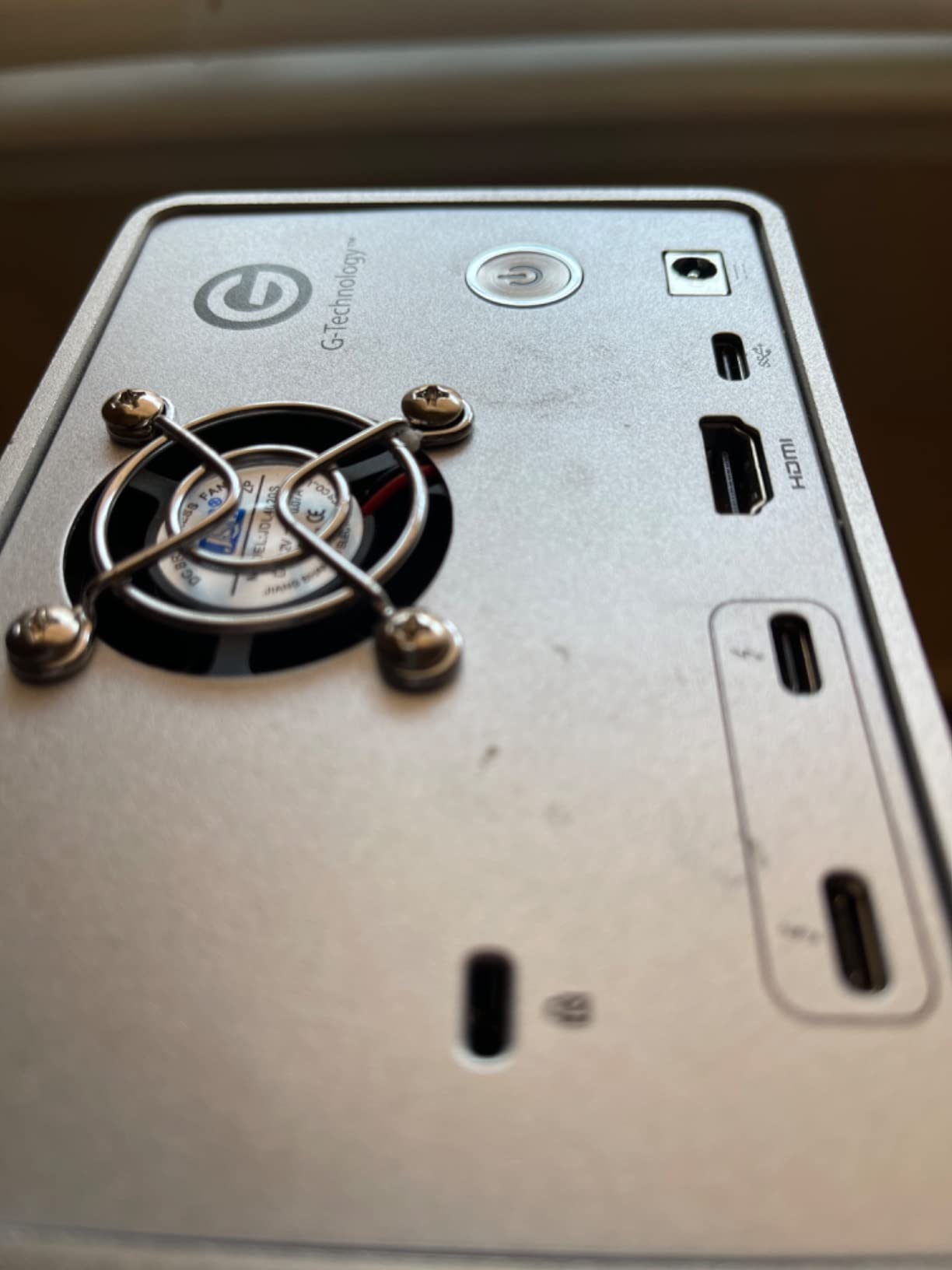
The interface mix is the quietly useful part. Thunderbolt 3 handles the working connection, USB-C covers bays where Thunderbolt is not available, and the HDMI passthrough lets you attach a reference monitor without stealing a display port. The aluminium chassis stacks and daisy-chains with up to five additional devices, so a two-editor suite can grow without buying a second array from scratch.
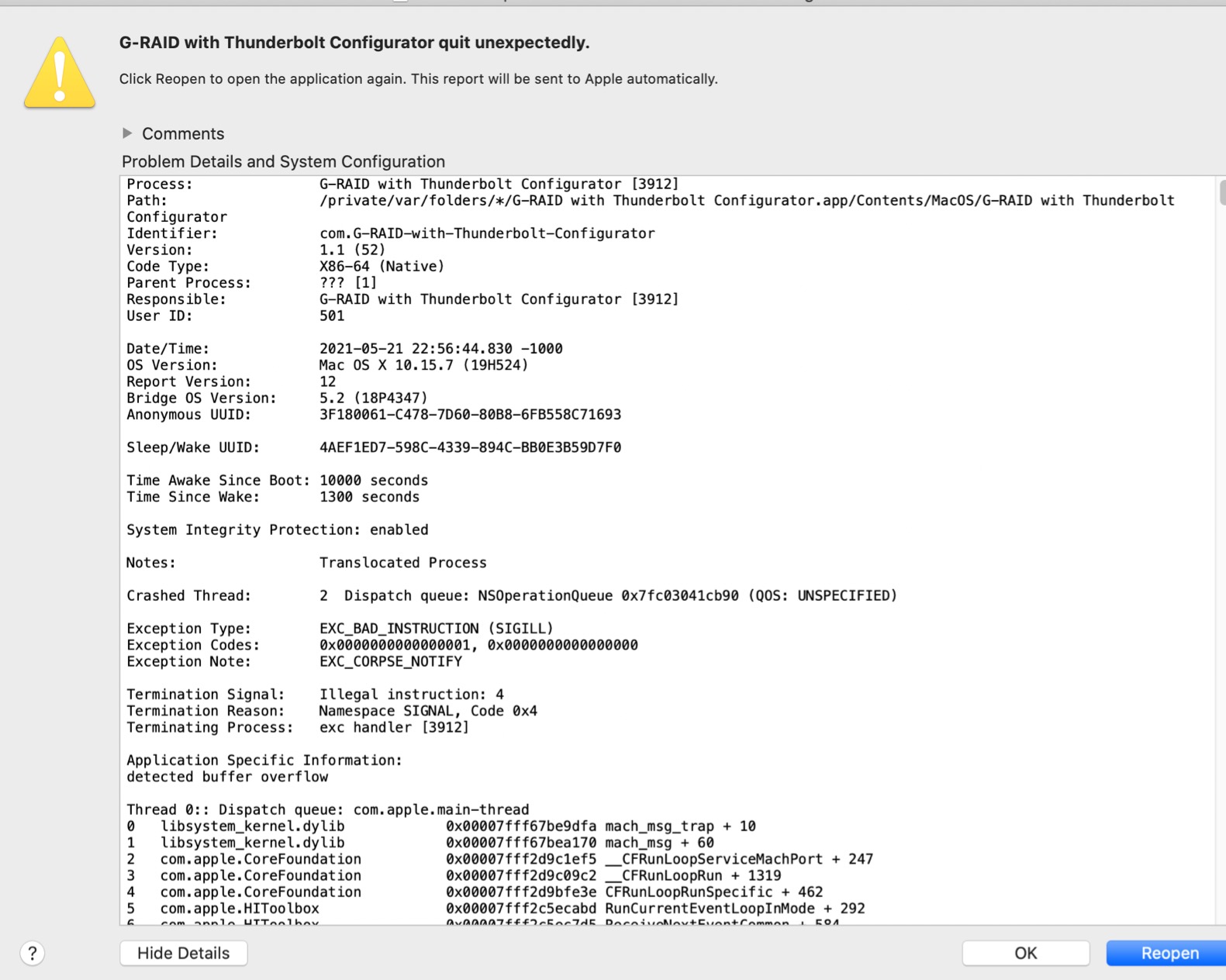
It is also the most-reviewed enclosure we looked at, with 265 ratings, so the long-term record is genuinely informative rather than a thin sample. Reviewers broadly approve of the speed, capacity, and rugged build for professional media work. The recurring negative theme is premature drive failure and slow warranty service, which is a risk editors weigh with any spinning-disk array.
There is one hard limitation. This is a two-bay unit configurable to RAID 0, RAID 1, or JBOD, so there is no parity option here. A single disk failure in RAID 0 loses the entire volume, which is exactly the scenario a RAID enclosure is supposed to prevent.
When this G-RAID works for an editor
It suits an editor who wants serious capacity immediately, without sourcing four or eight matched drives. The 7200RPM Ultrastar spindles handle sustained sequential reads better than typical 5400RPM or 7200RPM consumer drives, and 36TB is enough to hold a feature documentary plus its scratch space on one device.
It also suits shared suites, since two units can be stacked and daisy-chained so two or three editors pull from one library while keeping a Thunderbolt display and peripherals connected to the spare port.
When to skip it entirely
Skip it if losing a single drive to disk failure would end your project, because RAID 0 here has no redundancy at all. Anyone who needs parity should look at a four-bay box instead.
Skip it if you edit 8K multicam and need a fast scratch volume, since 7200RPM mechanical reads will not feed a high-resolution timeline without proxies. Use a solid-state scratch drive alongside it instead.
2. OWC ThunderBay 4 – Best Value Four-Bay Thunderbolt Array
OWC ThunderBay 4 Thunderbolt 40Gb/s Four-Bay SATA Enclosure w/ SoftRAID
Four Thunderbolt 3 bays
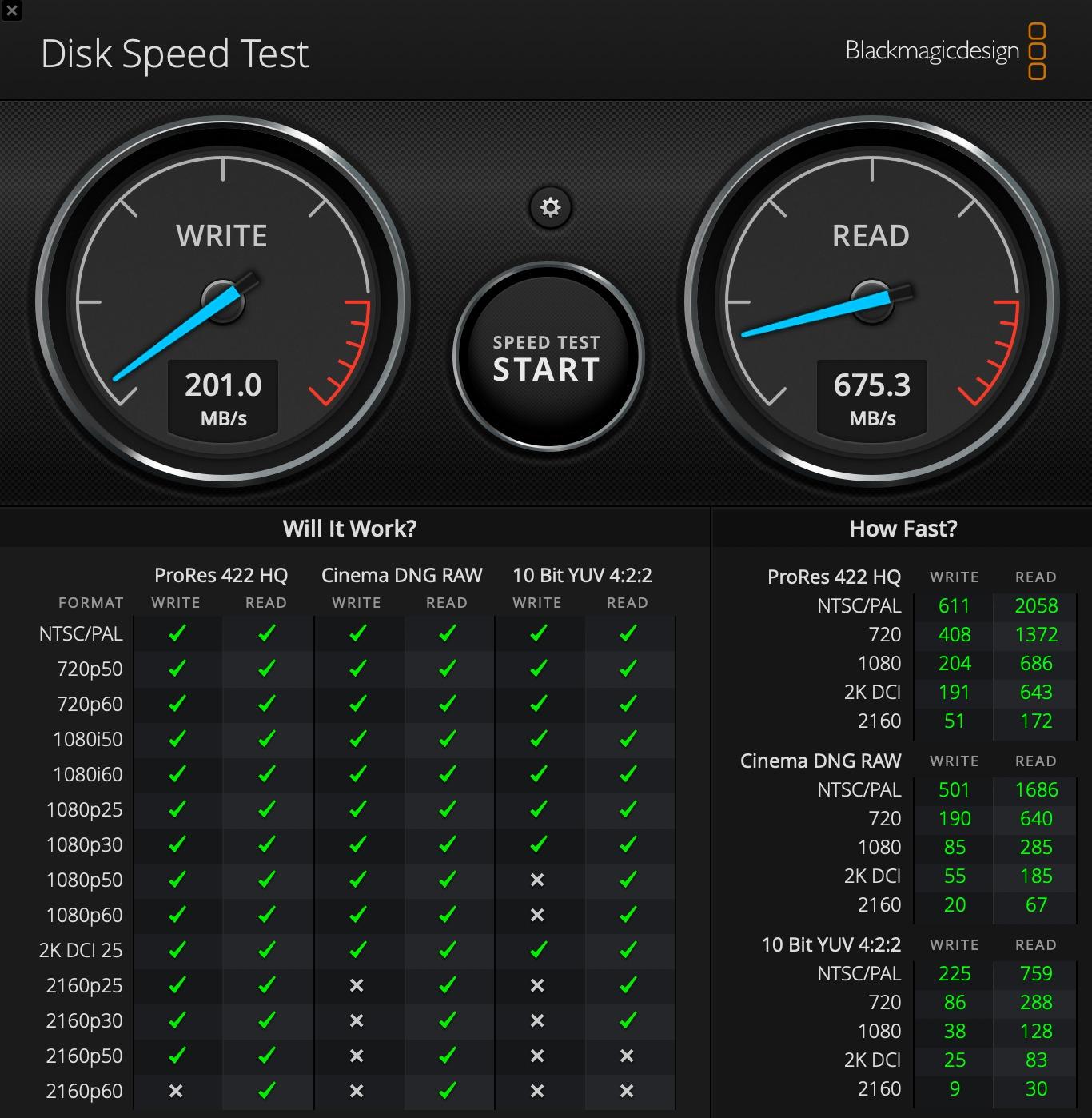
Up to 1527MB/s sustained
RAID 0/1/4/5/10 with SoftRAID
3.9 kg
+ The Good
- Dual Thunderbolt 3 ports allow daisy-chaining and peripherals
- Up to 1527MB/s sustained throughput
- Accepts both 3.5-inch and 2.5-inch SATA drives without adapters
- Bundled SoftRAID Premium covers creation
- monitoring and management
- The Bad
- 15 percent of reviews are 1-star showing a reliability or support tail
- SoftRAID is a 3-year subscription rather than a lifetime license
- Bundled drives are a fixed capacity kit so larger capacities need other variants
This is the unit we recommend to most editors buying a first array. Four bays, Thunderbolt 3 at 40Gbps, and a documented sustained figure of up to 1527MB/s give you parity RAID and enough bandwidth to feed 4K timelines from mechanical drives without proxies.
The bundled SoftRAID Premium is the part that surprises people. It covers creating, monitoring, and managing arrays on both Mac and Windows, which removes the single biggest source of frustration in cross-platform studios. The two Thunderbolt 3 ports let you daisy-chain a display or a second enclosure behind the array.
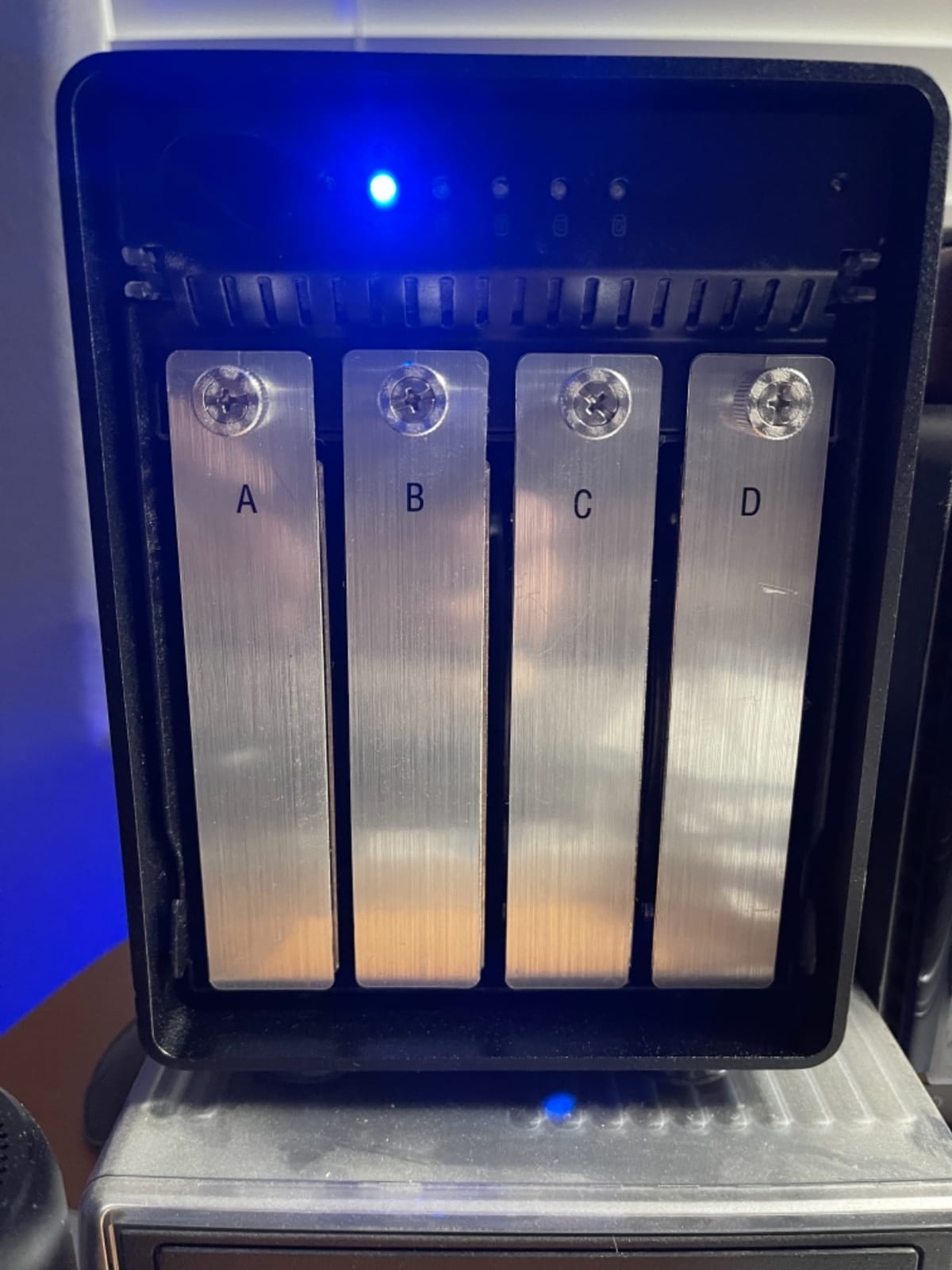
Reviewers widely praise the raw Thunderbolt throughput and the flexibility of the bundled software, and buyers editing high-resolution footage value the sustained multi-gigabyte transfer speeds. Accepts 3.5-inch or 2.5-inch drives with no adapter, so you can mix spinning media and solid-state scratch in the same box.
The rating is the lowest in this roundup at 4.0, and 15 percent of reviews are one star. Buyers report early drive or enclosure failures and frustration with support responsiveness, and the software is a three-year subscription rather than a permanent licence, which stings if you keep the enclosure past that.
When this ThunderBay 4 works for an editor
It is the right pick for a one-person studio or a two-editor shop that edits 4K ProRes or DNxHR and wants fault tolerance without moving to an eight-bay chassis. Four drives in RAID 5 give you three drives of usable space, which is usually enough for a project plus a proxy workflow.
It also suits Mac-heavy rooms where hardware RAID support matters. The bundled software handles Apple RAID and Windows Disk Manager paths, which removes the guesswork of configuring the array on two different workstations.
When to skip it entirely
Skip it if you need more than four bays of growth headroom. Filling all four bays leaves nowhere to add capacity without changing the RAID level, which means a full rebuild of the array.
Skip it if you plan to keep the box for more than three years and care about licence cost, since the management software is a subscription. Hard-drive prices and software terms both move, so check the current arrangement before you commit.
3. OWC ThunderBay 8 – Best for 8K and Multi-Editor Suites
OWC ThunderBay 8 Eight-Bay Thunderbolt 40Gb/s Storage Enclosure w/ SoftRAID
Eight Thunderbolt 3 bays
Up to 2586MB/s
Daisy-chain up to six units
RAID 0/1/4/5/10
+ The Good
- Eight bays support up to 1152TB when daisy-chained
- Up to 2586MB/s across eight drives
- Dual Thunderbolt 3 ports add scaling and peripheral passthrough
- Thumb-screw release trays make drive swaps fast
- The Bad
- 8.4 percent of reviews are 1-star and 8.5 percent 2-star
- Only a 1-year limited warranty against three years on the four-bay model
- Hot-swap on an active RAID volume is not as seamless as JBOD use
- Bundled SoftRAID Premium is a 3-year subscription
Eight bays is the number that changes the maths. Populated with six drives in RAID 10, you get 50 percent redundancy with three sets of mirrored pairs, and the array rebuilds fast when a disk goes. That is the configuration we recommend for a shared suite running 8K ingest.
The throughput figure of up to 2586MB/s is the highest here, and it comes from having enough spindles to keep Thunderbolt 3 fed. You can daisy-chain six units for up to 1,152TB, or hang five other Thunderbolt devices off the second port. The thumb-screw release trays make media swaps fast, which matters on a day of episodic offloads.
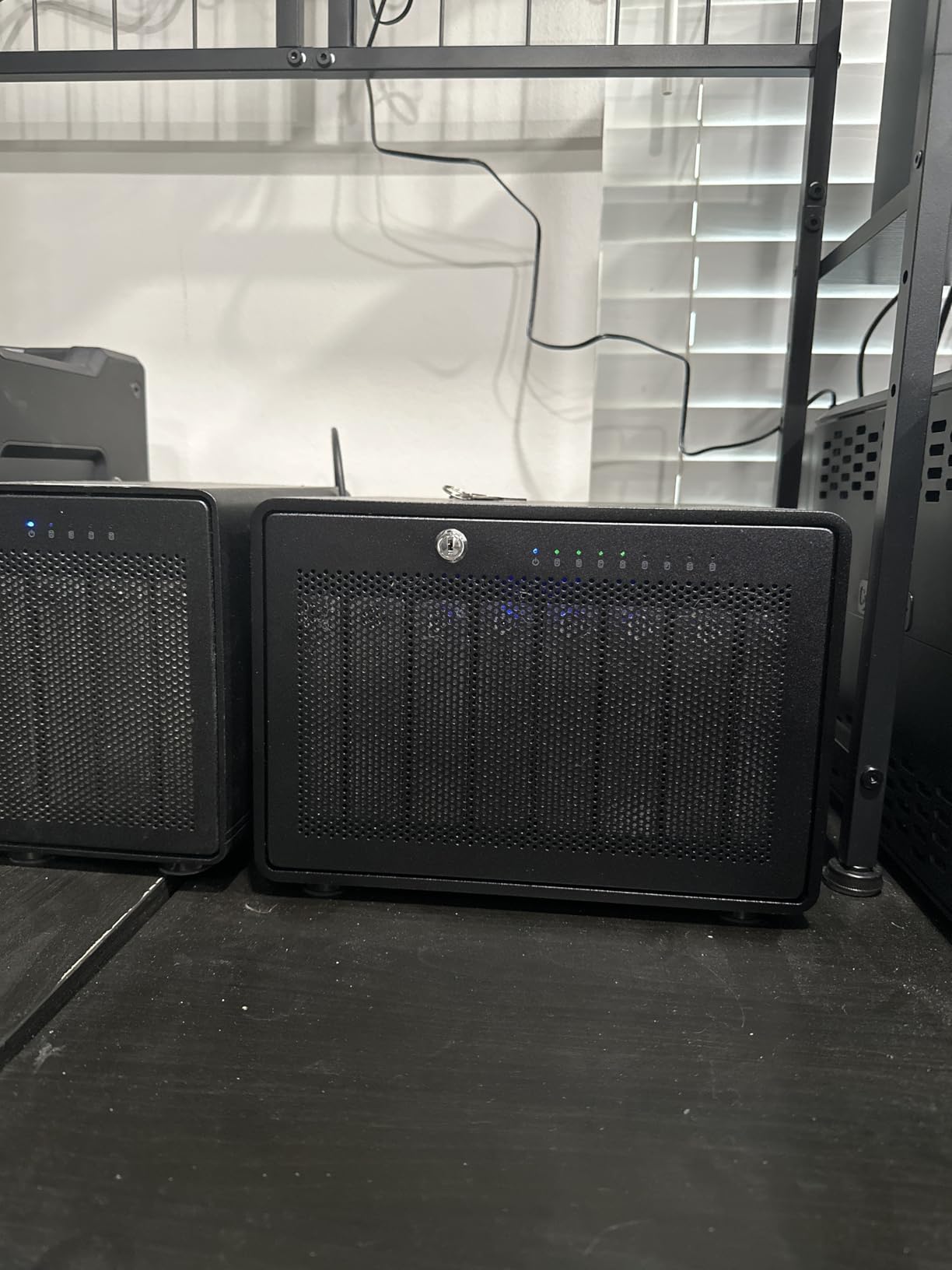
Owners highlight the bay count, throughput, and the convenience of the bundled RAID software. SoftRAID also supports Apple RAID and Windows Disk Management, so the same array can be read by a Mac and a Windows workstation in the same building.
The warranty is the weak point. This model carries a one-year limited warranty where the four-bay ThunderBay carries three, and roughly 8.4 percent of reviews are one star with another 8.5 percent at two stars, the highest complaint cluster in this roundup. Reviewers also report instability in mixed-drive configurations, so populate it with matched drives if you can.
When this ThunderBay 8 works for an editor
It suits 8K RAW multicam ingest, long-form documentary work, and small post houses that need one array to serve two to four editors. Partial population is the smart move: six matched drives in RAID 10 leaves two bays free for future expansion.
It also suits teams that need raw media to stay inside the edit bay, because the enclosure is stackable and needs no network share configuration to be shared over Thunderbolt.
When to skip it entirely
Skip it if you are a solo editor with a laptop. Eight bays of potential capacity is far more than one person fills in a year, and the warranty term is shorter than the smaller model in the same range.
Skip it if your work is mixed-drive by nature, such as combining salvaged archival disks with new media. Several reviewers report instability in exactly that scenario, and a stable rebuild matters more than raw capacity.
4. SanDisk Professional G-RAID Project 2 – Best for a Compact Edit Desk
SanDisk Professional 24TB G-RAID Project 2 – External Hard Drive HDD, Thunderbolt 3, USB (10Gbps), 7200RPM Ultrastar Hard Drive, Up to 480MB/s Read – SDPHK2H-024T-NBAAD
24TB of 7200RPM Ultrastar drives
Up to 540MB/s read and 490MB/s write
PRO-BLADE SSD Mag slot
Arrives in RAID 0
+ The Good
- Roughly 540MB/s read and 490MB/s write from a compact two-drive unit
- PRO-BLADE SSD Mag slot adds scratch cache without expanding the footprint
- 7200RPM Ultrastar drives rated for sustained workloads
- Small footprint suits an edit desk better than a full eight-bay array
- The Bad
- RAID 0 only in this configuration so a single drive failure loses the volume
- 14 percent of reviews are 1-star including catastrophic failure reports
- Only two bays so capacity cannot be expanded
- Low review count of 20 means less long-term history
This is the smallest serious media box in the list, and it solves a specific problem: an editor who needs real capacity and enterprise-grade drives without a chassis taking up a third of the desk. It arrives with 24TB of 7200RPM Ultrastar drives, expandable to 48TB across two drives.
The PRO-BLADE SSD Mag slot is the feature we did not expect to care about and now rely on. Sliding a solid-state module in adds cache capacity and read speed without enlarging the chassis, so the mechanical drives handle the library while the flash absorbs the timeline reads. The documented figures reach up to 540MB/s read and 490MB/s write.
Speed and capacity earn enthusiastic praise, and several reviewers explicitly recommend it for video editing. Connectivity covers Thunderbolt 3 at 40Gbps plus USB 3.2 Gen 2 at 10Gbps, so it remains usable in an edit bay that has not been wired for Thunderbolt yet.
Set against that, the most detailed negative review describes a total failure within 40 days and an unresolved support replacement. Because this configuration is RAID 0, there is no mirror to fall back on when a drive dies, and that combination of risk and a thin reliability history is why it sits fourth rather than higher.
When this G-RAID Project 2 works for an editor
It suits a documentary editor who wants offline capacity, a fast SSD cache slot, and a small footprint rather than a multi-bay array. Colour grading and finishing suites benefit from keeping the whole unit within cable reach of a reference monitor, which the compact chassis allows.
It also suits editors on a strict offsite-first workflow, where the array is a working copy and a second independent copy lives elsewhere. In that pattern, RAID 0 is a deliberate speed choice rather than a false promise of safety.
When to skip it entirely
Skip it if a drive failure would hurt. Two-bay RAID 0 has no redundancy whatsoever, and the review record includes catastrophic failure reports on units with few ratings behind them.
Skip it if your capacity needs are still growing. Two bays cannot be expanded, so a 24TB ceiling is a permanent one for this unit.
5. QNAP TR-004 – Best for Cross-Platform and NAS-Connected Rooms
QNAP TR-004 4 Bay USB Type-C Direct Attached Storage (DAS) with hardware RAID (Diskless)
Four-bay USB Type-C DAS
Hardware RAID 0/1/5/JBOD
375 MB/s media speed
2 year warranty
+ The Good
- Largest review base of any enclosure in this roundup at 652 ratings
- On-board hardware RAID 0/1/5/JBOD with no host software dependency
- Lockable bays protect unattended media in shared edit spaces
- Cross-platform support for Windows
- macOS and Linux
- The Bad
- Cannot merge its storage pool into a connected QNAP NAS
- USB 3.0 bandwidth caps throughput well below Thunderbolt arrays
- 11 percent of reviews are 1-star pointing to fan noise and drive-fit issues
- Sold diskless so drives are a separate cost
The TR-004 is the reference point for reliability data on this list, with 652 ratings behind it. That matters more than any spec line, because you are buying a metal box that will sit next to your edit desk for years and you want to know how it behaves under load and after failures.
The RAID controller is on-board, supporting RAID 0, 1, 5, JBOD, and individual disks with no host software required. That is the cleanest implementation here for a mixed room, since a Windows workstation, a Mac, and a Linux box can all mount the same array without installing anything.
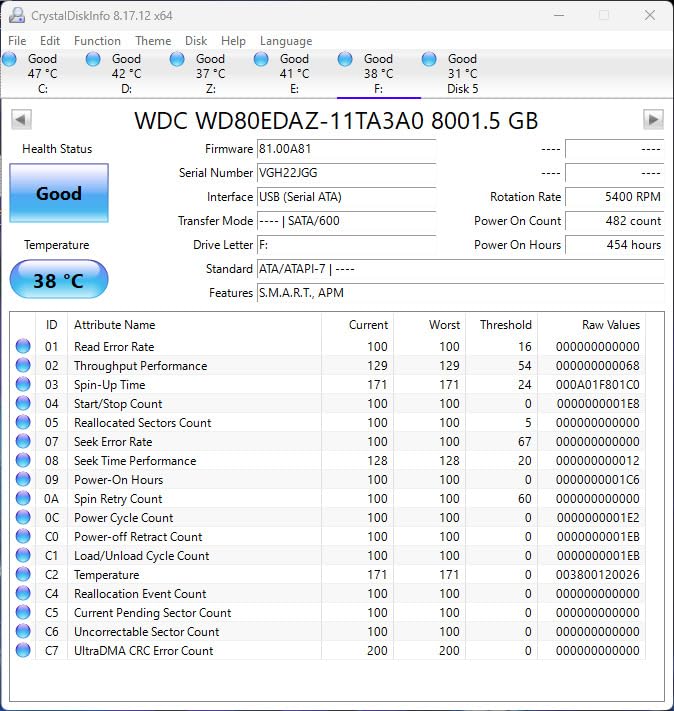
A deep, well-established review history shows broad satisfaction with the hardware RAID implementation and build quality. The lockable drive bays are a genuine advantage in a shared edit space, where unattended media is normal. Reviewers also use it as a backup target for a QNAP NAS or as a way to add capacity to one.
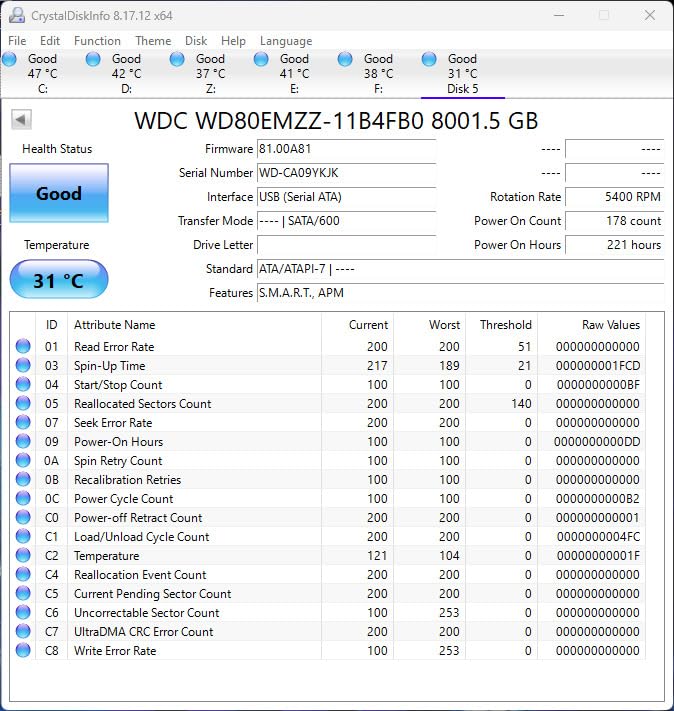
The bandwidth is the compromise. At USB 3.0 the array delivers around 375 MB/s from spinning media, which is fine for a media library, a proxy workflow, or an offload destination, but it will not feed a high-resolution timeline from a mechanical RAID 5 set. Reviewers also point to fan audibility and drive-fit issues as the most common complaints.
When the TR-004 works for an editor
It suits a studio that treats the array as a media library and backup target rather than a live scratch disk. Ingesting cards, verifying checksums, and storing project media all sit comfortably inside a 10Gbps-class connection.
It also suits rooms already running QNAP hardware. You can use it as external storage for NAS backup or to expand the capacity of a compatible QNAP NAS, which makes it a natural companion device rather than a replacement.
When to skip it entirely
Skip it if you plan to edit 4K or 8K timelines directly off the array. A single drive manages around 180 MB/s, so four in RAID 5 land near 375 MB/s, which means constant stuttering on anything but lightly compressed media.
Skip it if you expect to merge the array into a NAS storage pool. It cannot be combined into one, so the disks must be migrated unit to unit, which is a real cost in labour and downtime.
6. ORICO 4 Bay 20Gbps – Best for USB4 Workstations Without Thunderbolt
ORICO 4 Bay 20Gbps RAID Hard Drive Enclosure USB 3.2 Gen2X2
Four bays, 20Gbps USB 3.2 Gen 2x2
Six RAID modes
Built-in 150W power supply
Up to 104TB
+ The Good
- 20Gbps USB 3.2 Gen 2x2 with the JMS591 controller
- Built-in 150W power supply avoids a bulky external brick
- Hot-swappable bays and six RAID modes including RAID 5 and RAID 10
- Up to 104TB total capacity
- The Bad
- Needs a native USB 3.2 Gen 2x2 or USB4 host to reach 20Gbps since Thunderbolt tunnels to 10Gbps
- ORICO RAID management software is no longer valid for macOS
- Manufacturer website and driver downloads are hard to navigate
- Changing RAID mode erases all data on the drives
This is the answer for editors whose workstation has USB4 but no Thunderbolt port, and the numbers justify the interest. With the upgraded JMS591 controller moving from SATA 2.0 to SATA 3.0, testing on solid-state drives in RAID 0 and RAID 5 produced roughly 2000MB/s, which puts it ahead of most 10Gbps boxes by a wide margin.
The built-in 150W power supply is the feature we would highlight to anyone populating it with high-capacity enterprise disks. Spinning up four large platters on an undersized external brick is a common cause of the spin-up failures buyers report on cheaper enclosures, and this one removes that variable.
Owners consistently praise sustained throughput, quiet operation, and the integrated power supply across multi-day transfers. Six RAID modes are available, covering RAID 0, 1, 5, 10, JBOD, and Normal, and it can hold up to 104TB across four 26TB drives.
The dominant caveat is software rather than hardware. The ORICO RAID utility is no longer valid on macOS, so Mac editors have to configure arrays on Windows or fall back on host operating system tools, and the manufacturer’s driver downloads are difficult to find.
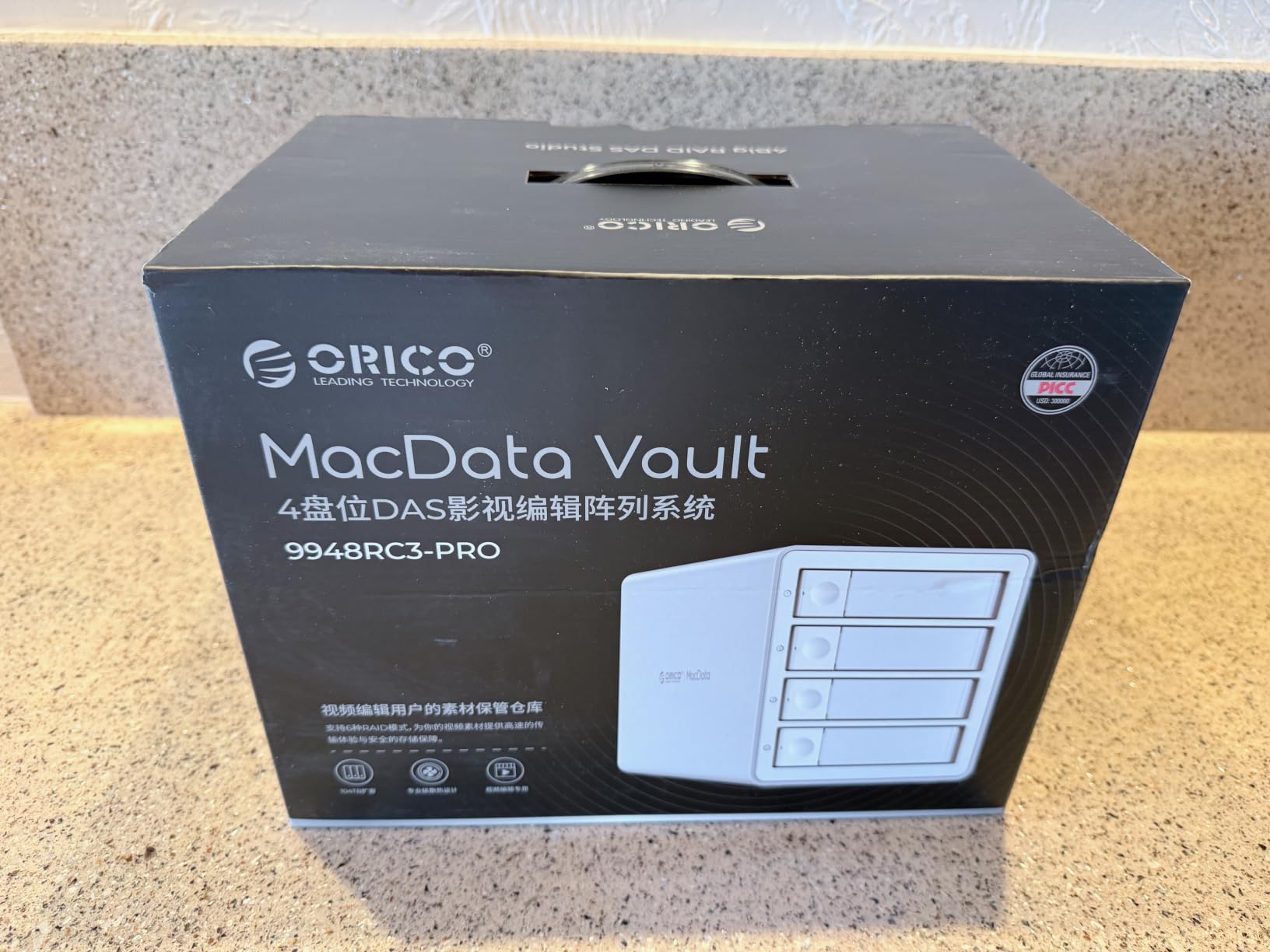
When this ORICO works for an editor
It suits a Windows-based or USB4-equipped workstation that wants near-Thunderbolt-class throughput without a Thunderbolt port, particularly for solid-state scratch arrays where sequential speed matters more than capacity.
It also suits a build with high-capacity drives, because the integrated supply handles multi-disk spin-up that trips up lighter enclosures. Capacities up to 104TB cover long documentary libraries in a single four-bay unit.
When to skip it entirely
Skip it if you edit on a Mac and need vendor tooling to build the array, since the macOS utility is no longer valid. This is the single most important thing to check before buying for a Mac-based room.
Skip it if your only high-speed port is Thunderbolt. Thunderbolt tunnels to 10Gbps here, so you lose most of the advantage the enclosure is built around, and a Thunderbolt 3 or 4 enclosure is the better buy.
7. TERRAMASTER D4-320 – Best for Quiet Rooms and Tool-Free Drive Swaps
TERRAMASTER D4-320 External Hard Drive Enclosure 4-Bay (Diskless)
Four bays, USB 3.2 Gen 2
Up to 1,016 MB/s combined
Tool-free hot-swap trays
Under 21 dB(A) in standby
+ The Good
- 10Gbps USB 3.2 Gen 2 delivers up to 1016 MB/s aggregate across four drives
- Hot-swappable tool-free trays with a positive lock
- Each bay has its own controller so drives pull full speed at the same time
- Exceptionally quiet cooling fan per reviewers
- Plug-and-play with no drivers on Mac
- Windows and Linux
- The Bad
- No RAID function at all so drives appear as four separate volumes
- Included power supply can be underpowered for high-draw enterprise drives
- USB-C connector is light and can disconnect if the cable is bumped
- Each drive must be ejected individually in Windows
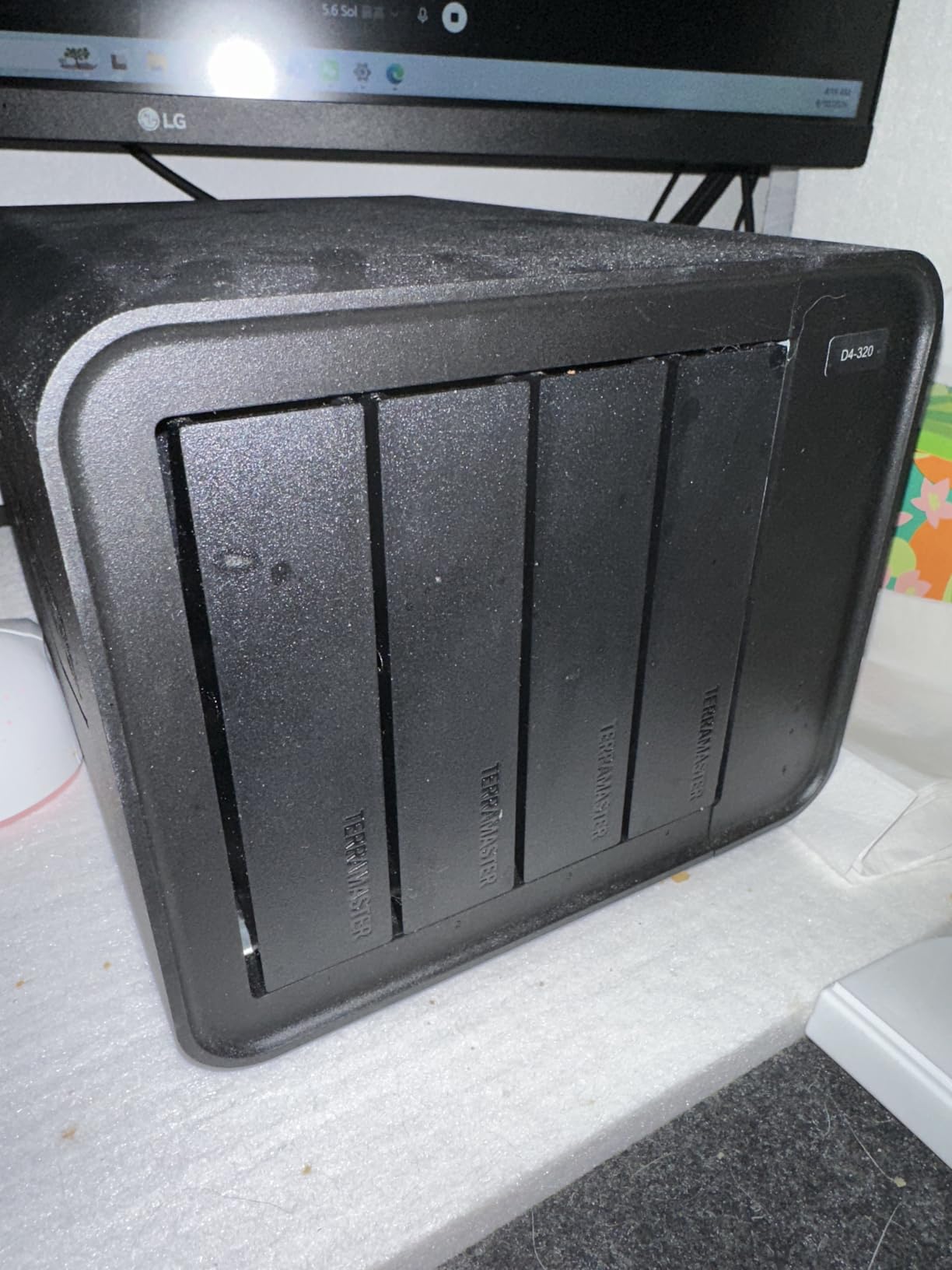
Noise is the reason to look at this one. Editors working from home or in a small suite often choose a loud array and regret it, and the temperature-controlled fan here runs below 21 dB(A) in standby with sound-absorbing panels that reviewers describe as effectively inaudible in normal use.
The trays are the other quiet advantage, literally. The tool-free push-lock design needs no screws, and the positive lock means you cannot half-seat a drive on a dark offload. The enclosure accepts 2.5-inch and 3.5-inch SATA drives up to 30TB each, so 120TB total is possible.
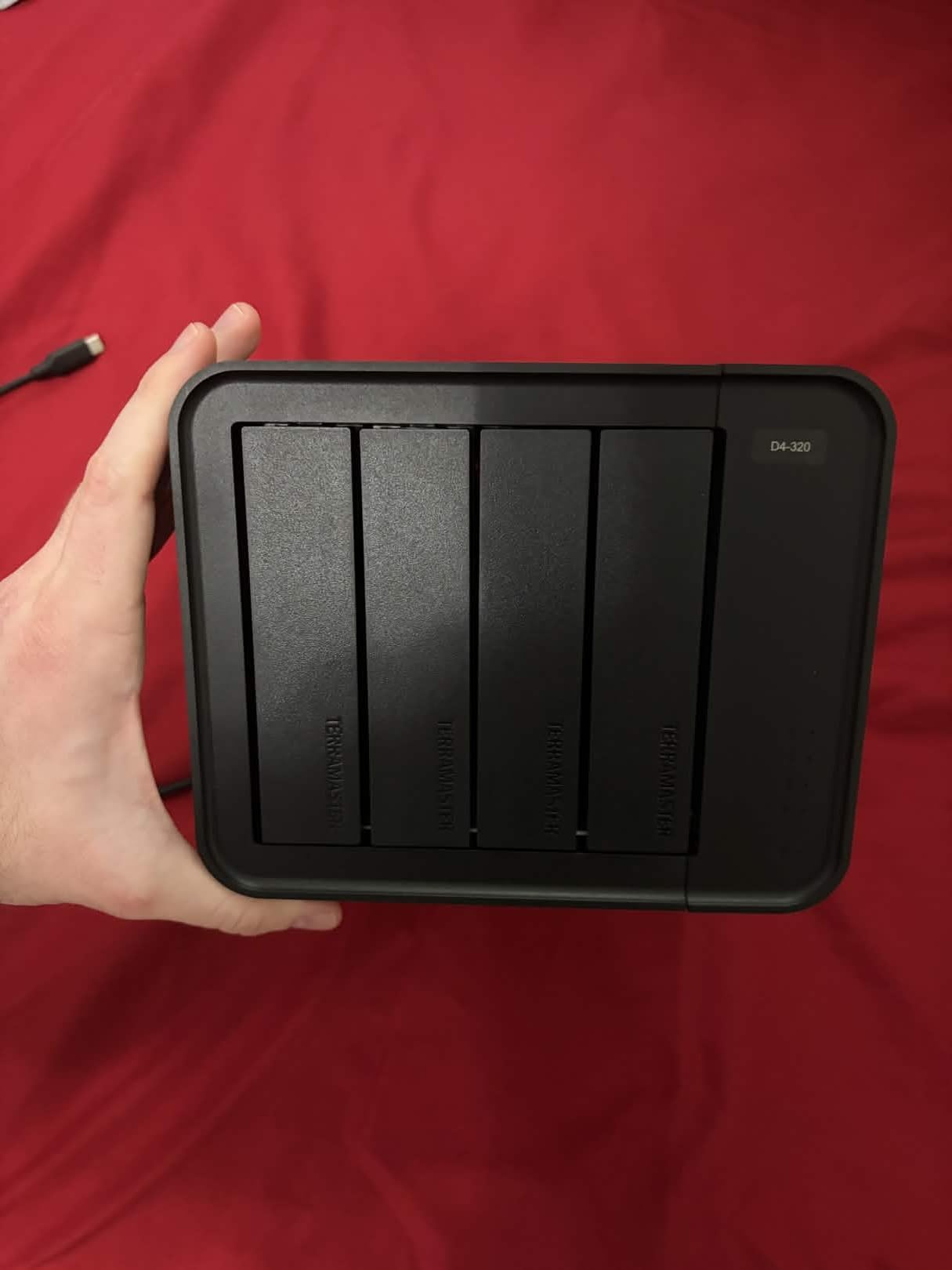
Each bay has its own USB controller, so four drives can pull full speed at the same time rather than sharing a single controller. With four 8TB SATA drives the combined figure reaches up to 1,016 MB/s. The USB Type-C port also works with Thunderbolt 3 and Thunderbolt 4 hosts, so it stays usable on newer workstations.
Now the important caveat. Despite the name, there is no RAID function at all, so the four drives appear as four separate volumes and any striping or mirroring has to be handled in software on the host. Reviewers also report a minority of drive spin-up failures traced to the bundled power supply, which matters if you plan to run high-capacity enterprise disks.
When the D4-320 works for an editor
It suits a quiet home edit suite where audible fans are a genuine problem, and it doubles as a hot-swap offload dock for card-based shoots. Bring the cards home, drop four drives in, verify checksums, and swap media without tools.
It also suits Windows editors who want full control over how drives are pooled, since each volume is managed independently and several can be merged in software if the host operating system supports it.
When to skip it entirely
Skip it if you want a single volume with fault tolerance. There is no hardware RAID, so a failed disk is a failed disk, and a mirrored software configuration adds its own complexity to every project.
Skip it if you plan to populate it with high-draw enterprise drives on the supplied power supply. The alternative enclosures in this roundup with built-in supplies are the safer choice for that pattern.
8. ORICO 9848RU3 – Best for Drive Cloning and Fixed Budgets
ORICO 4 Bay Raid Hard Drive Enclosure Support 8 RAID Modes for 3.5inch HDD Max up to 88TB for External Direct Attached Storage, Efficient Expansion Backup(Alluminum Alloy)-9848RU3
Four bays, eight RAID modes
Up to 88TB at 22TB per drive
Built-in 150W power supply
USB 3.0 at 235 MB/s
+ The Good
- Eight RAID modes including CLONE for drive-to-drive duplication
- Built-in 150W power supply handles multi-disk spin-up
- Up to 88TB capacity at 22TB per drive
- Aluminum chassis with an 80mm silent cooling fan
- The Bad
- 235 MB/s transfer ceiling is low for 4K and 8K timelines
- No USB-C port as it uses USB-B to USB-A
- 13 percent of reviews are 2-star with reports of unreliable RAID mode switching
- CLONE and CLEAR modes erase drive contents
The mode list is the reason this enclosure is interesting: RAID 0, 1, 3, 5, 10, JBOD, CLONE, and CLEAR. CLONE duplicates one drive to another without going through the host, which turns the box into a fast disk duplicator for building a matched set of media for a client archive.
Capacity is generous for the class, with up to 22TB per drive and 88TB maximum. Like its sibling in this roundup, it uses a built-in 150W supply, which removes the external brick and handles multi-disk spin-up without the failures seen on lighter enclosures.
Buyers value the broad mode selection, integrated power supply, and quiet aluminium cooling at a low entry point. The trayless design with an independent safety lock prevents accidental ejection, which is useful when the box sits in a shared space.
The reservations centre on throughput and consistency. At USB 3.0 the ceiling is around 235 MB/s, and there is no USB-C port, so you need a USB-B to USB-A cable. Thirteen percent of reviews sit at two stars, with several reporting unreliable behaviour when switching RAID modes, and both CLONE and CLEAR erase the drives.
When the 9848RU3 works for an editor
It suits an editor who needs a lot of storage for cold media rather than live timeline reads, such as an archive tier, a proxy library, or a project handoff drive. 88TB of cold storage is the job here, not speed.
It also suits a build where you want to duplicate incoming cards straight to a matched set of drives before checksum verification, which is exactly what the CLONE mode is for.
When to skip it entirely
Skip it if the array has to feed an editing timeline. A 235 MB/s ceiling is well below what 4K mezzanine work needs, and no amount of extra drives raises it.
Skip it if RAID mode switching is a regular part of your workflow. The review record points to unreliability there, and a mode change means reformatting the array, which costs you a full rebuild.
9. MAIWO 4 Bay RAID Enclosure – Budget Pick for Cold Storage on a Tight Budget
MAIWO 4 Bay RAID Enclosure for 3.5″ SATA HDD with Cooling Fan, 8 RAID Modes
Four 3.5-inch SATA bays
DIP switch RAID modes
Up to 96TB with four 24TB drives
Two cooling fans
+ The Good
- Lowest cost of any hardware RAID four-bay enclosure in this roundup
- Two switchable cooling fans keep four spinning drives within normal temperature range
- Works with mixed drive brands and capacities in one array
- Recognised correctly by Linux systems including an ARM-based Raspberry Pi 5
- Both USB-A to USB-C and USB-C to USB-C cables included
- The Bad
- Some units emit a repeating high-pitched beep that persists after reassembly
- Drive trays align poorly with the SATA connectors so blind insertion can damage the plastic
- Several reports of a unit passing live current through the USB cable
- Fan speed is not thermistor-controlled so 24/7 operation is a risk
This is the cheapest way to get four bays with real RAID modes, and DIP switch configuration means no software to install. Normal, RAID 0, 3, 5, 1/10, Clone, and Large modes are all available, and it holds up to 96TB with four 24TB drives.
Value-oriented owners report stable operation across mixed brands and capacities, which matters when you are assembling a set from whatever is on hand. Both USB-A to USB-C and USB-C to USB-C cables are in the box along with a screwdriver and screws, and two cooling fans have an on/off switch for noise control.
Our hesitation is specific and worth reading. A small but serious cluster of one-star reviews describes a repeating high-pitched beep, misaligned SATA connectors that can damage the plastic on blind insertion, and one report of mains voltage passing through the USB cable. The fans are not thermistor-controlled either, so continuous operation at high drive temperature is a genuine risk.
When the MAIWO enclosure works for an editor
It suits a scratch or student build that needs a lot of cheap capacity and does not care about a slim connector or management software. Proxy generation, archive storage, and a Linux-based ingest machine are all realistic uses.
It also suits a temporary or secondary array, such as a second copy target during a production, where the low entry cost matters more than long-term service history.
When to skip it entirely
Skip it for irreplaceable footage. The tray alignment issue and the electrical safety reports are not cosmetic complaints, and a failure there costs more than the money saved.
Skip it if the array runs 24/7. Without thermistor-controlled fans, a full four-disk array in a warm room is exactly the configuration most likely to shorten drive life.
How to Choose: Interface and Bandwidth
Interface choice decides whether your drives can keep up, and it is the one spec that is easy to get wrong. Match the enclosure to the codec you actually cut with, not to the number of bays.
Thunderbolt 3 and Thunderbolt 4 both run at 40Gbps, which is the practical ceiling for a single edit workstation. Every enclosure in this roundup that uses them can feed 4K and most 8K workflows from mechanical drives, and the two OWC boxes here also daisy-chain.
USB 3.2 Gen 2 at 10Gbps delivers roughly 1,016 MB/s in the best case. That is comfortable for 4K mezzanine, DNxHR, and proxy workflows, and marginal for uncompressed 8K. This is the tier the TERRAMASTER D4-320 and QNAP TR-004 sit in.
USB 3.2 Gen 2×2 at 20Gbps doubles the ceiling and is what the ORICO 4 Bay 20Gbps uses, but it needs a native Gen 2×2 or USB4 port. Thunderbolt tunnels to 10Gbps, so plugging a 20Gbps box into a Thunderbolt port halves it.
10GbE sits at roughly 1,100 MB/s in practice, which is enough for an edit bay but adds network protocol overhead that a direct Thunderbolt connection does not have.
One more caution on capacity math. A 235 MB/s ceiling does not improve when you add drives, so an eight-bay box on a slow interface is a bigger box, not a faster one. Buyers frequently assume sequential scaling across spindles and are disappointed, because RAID 5 on mechanical disks is limited by seek time and interface overhead long before it reaches the link speed.
If your workflow involves shared storage, our broader guides to RAID enclosures across use cases and Thunderbolt expansion hardware cover the surrounding desk setup in more detail.
How to Choose: RAID Level and Bay Count
Bay count should be chosen for how much you will fill, not how much you need now. Users who fill a four-bay unit regret not buying eight, and the fix is to buy the larger chassis and populate it partially.
A two-bay enclosure makes sense for a mirror of a working volume, where RAID 1 keeps a second copy of everything. Two drives mean no parity option, so a mirror is the only redundancy available.
A four-bay enclosure is the sweet spot for a single editor or a pair. Four drives in RAID 5 give three drives usable and tolerate one failure, which covers a feature project plus a scratch workflow. The same four bays in RAID 10 give two drives usable with much faster rebuilds, which is the better trade when timeline speed matters more than capacity.
An eight-bay enclosure suits 8K ingest and shared suites. Six drives in RAID 10 give three mirrored sets with 50 percent redundancy and leave two bays free. Remember that you cannot grow a RAID 1 array into RAID 5 without rebuilding the entire volume, so decide the level before you fill the bays. The wider RAID enclosure roundup compares these chassis across consumer and studio use cases if you want a wider sample.
Buy hot-swappable, tool-free trays whenever the enclosure is used for offload. Media comes off cards in a specific order, and thumb-screw or push-lock trays cut that to minutes. Editors on r/editors and CreativeCow repeatedly ask about expanding arrays later, and the honest answer is that most levels cannot grow, only rebuild.
How to Choose: Drives, Cooling, Noise, and Power
Only use conventional magnetic recording drives. Consumer drives built with shingled magnetic recording cannot sustain the random write pattern that RAID controllers issue, which makes rebuilds extremely slow and raises the risk of a failed recovery. CMR drives such as WD Red Plus, WD Red Pro, Seagate IronWolf and IronWolf Pro, and Toshiba N300 are the right class for arrays.
Match drives across an array where the enclosure supports it. Reviewers of the eight-bay OWC specifically report instability in mixed-drive configurations, and matched capacities also keep rebuilds predictable.
Solid-state drives have a different job. Use them for cache, proxies, and scratch rather than for the archive itself, because the flash cache and memory tiers in these enclosures are what keep a timeline smooth while the mechanical array holds the footage.
Noise is the thing nobody warns you about. Spinning enterprise drives are audibly loud in a quiet room, and the only real mitigations are distance from the desk, damping the chassis, and confirming the enclosure has a temperature-controlled fan rather than a fixed-speed one. The TERRAMASTER D4-320 is the quietest unit in this roundup, and the ORICO 20Gbps box is described as running cool under sustained writes.
Check the power supply before you populate. An undersized external brick is a common cause of spin-up failures on large enterprise drives, so enclosures with a built-in supply, such as both ORICO models and the MAIWO, remove that failure mode.
RAID Is Not a Backup: Protecting Footage Properly
RAID protects against drive failure and nothing else. It will not help with accidental deletion, a failed software update, ransomware, a stolen laptop, a flood, or a dropped drive. A RAID 5 array and a single deleted folder behave identically.
Apply the 3-2-1 rule to footage, which is the standard editors reference in forum discussions:
Keep three copies of every project. Your working edit counts as one, so a RAID array plus a backup destination plus an offsite copy gives you three.
Store them on two different media types, such as an enclosure with mechanical drives for working media and a solid-state drive or a different drive family for the second copy.
Keep one copy offsite, ideally in another building or in cloud storage, so a fire or theft cannot take all three.
A RAID array satisfies one copy on one media type, so it meets none of the other two requirements. In practice, the workable pattern for a solo editor is fast local scratch for the timeline, a redundant array for the active project, and a scheduled sync to offsite storage.
Verify the offsite copy, not just the transfer. A checksum pass on ingest catches a bad card immediately, and a periodic test restore is the only way to know the archive is actually readable.
RAID Rebuild Risk: What Happens When a Drive Fails Mid-Project
When a drive fails in a parity array, the enclosure does not stop working. It keeps running in a degraded state, using the surviving drives and their parity to reconstruct reads, and it starts rebuilding the failed drive’s data onto a replacement. The array stays online, which sounds reassuring and is not.
Two things get worse during a rebuild. Read performance drops because parity has to be calculated on the fly instead of being read directly, and a second failure during the window loses the array. On a four-bay RAID 5 set, the rebuild is a serial write of the entire volume, so a 36TB rebuild takes far longer than the drive’s own write speed suggests.
This matters during a project because the rebuild competes with your edit for bandwidth. If you are cutting from the same array, a long rebuild can make the timeline unwatchable exactly when you are under deadline. One editor described on a r/editors thread takes the opposite approach, editing the project on a local drive and treating the shared array purely as archive, which sidesteps the problem entirely.
Monitor drive health before you need it. The OWC enclosures ship with management software that reports drive status, and the QNAP’s lockable bays aside, all of these units give some indication when a tray has failed. Check the enclosure’s status before a delivery week rather than during it, and keep a known-good spare of the same capacity and type on hand.
Frequently Asked Questions
What is the best RAID storage for video editing?
A four-bay or eight-bay Thunderbolt enclosure with hardware RAID 5 or RAID 10 and CMR drives is the best RAID storage for video editing. Four-bay units handle 4K ProRes and DNxHR multicam without stalling, while eight-bay RAID 6 or RAID 10 suits 8K work and shared suites. RAID protects against drive failure only, so keep a second independent copy of every project.
Is RAID 5 or RAID 6 faster for video editing?
RAID 6 is slightly slower than RAID 5 because it writes two parity blocks instead of one, but on spinning drives both are limited by seek time rather than interface bandwidth. For editors, RAID 5’s faster rebuild is usually the more valuable property, so choose RAID 6 only when surviving two simultaneous drive failures matters more than rebuild speed.
Is RAID 5 or RAID 10 better for video editing?
RAID 10 is better for editing performance and rebuild speed but gives up 50 percent of raw capacity, so it needs at least four drives to be useful. RAID 5 gives better capacity per dollar on larger arrays. A four-bay enclosure can only do one or the other, so pick RAID 10 for a fast working volume and RAID 5 for a large media library.
What is the 3:2:1 rule in video editing?
The 3:2:1 rule means keeping three copies of your footage on two different media types, with one copy stored offsite. A RAID array counts as one copy on one media type, so it satisfies neither the two-media rule nor the offsite rule. Treat the array as your working copy and add a separate local archive plus an offsite copy.
Do I need RAID for video editing, or is a backup enough?
If you are a solo editor on a laptop who already keeps an offsite copy, a fast external NVMe SSD plus a scheduled backup may serve you better and cost less than a RAID array. RAID becomes worth it when you handle multi-terabyte projects, share footage across two or more workstations, or cannot risk a single drive failure ending a project.
Can SMR drives be used in a RAID array?
No. Consumer SMR drives such as WD Blue and older Seagate Barracuda models cannot sustain the random write pattern a RAID controller issues, which makes rebuilds extremely slow and recovery unreliable. Use CMR drives such as WD Red Plus, WD Red Pro, Seagate IronWolf, IronWolf Pro, or Toshiba N300 in any array you depend on.
Conclusion
Matching the best RAID enclosures for video editors to real workflows is straightforward once the two jobs are separated. For a solo editor who mainly needs scratch speed, a fast external SSD and a disciplined backup is often the better investment, and it is cheaper and quieter than an array.
For a documentary or shared suite, the G-Technology 36TB G-RAID leads on capacity and enterprise drives, the OWC ThunderBay 4 is the best-value four-bay Thunderbolt array for 4K work, and the OWC ThunderBay 8 takes 8K ingest and multi-editor rooms. The QNAP TR-004 and TERRAMASTER D4-320 cover library and offload roles where bandwidth matters less than cost and quiet.
Whichever you choose in 2026, populate it with CMR drives, buy more bays than you need today, and keep a second independent copy of every project. RAID is a survival tool for drive failure, not a substitute for a backup.