
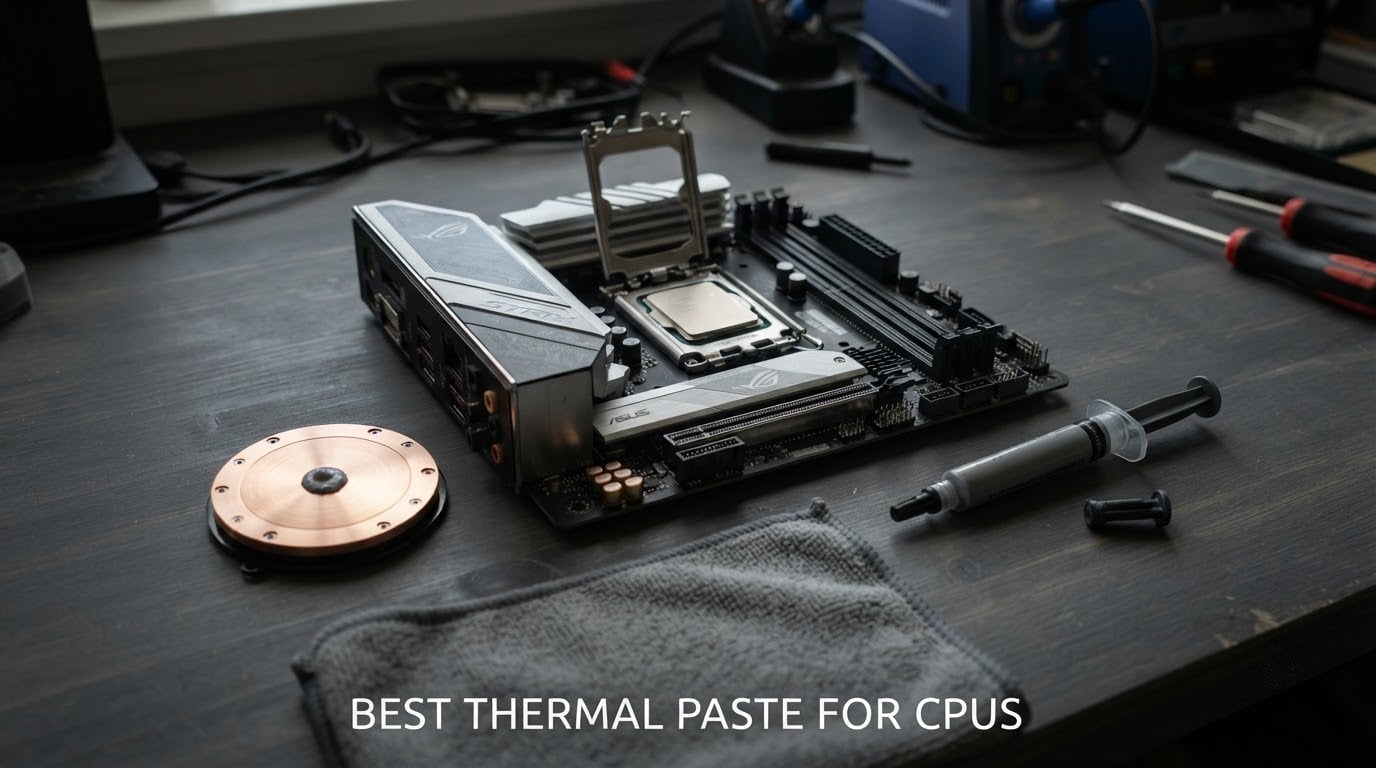
Thermal paste, also called thermal compound, thermal grease or a thermal interface material, is a spreadable filler that sits between a CPU’s integrated heat spreader and its cooler. It exists because two metal surfaces never actually touch across their full area. They only meet at microscopic peaks, leaving air gaps that are terrible conductors of heat, and the paste displaces that trapped air so heat can move into the heatsink instead of sitting on the chip.
So yes, CPUs still need thermal paste in 2026. Every desktop cooler ships expecting a layer of compound between the heat spreader and the cold plate, and a Ryzen or Core chip without one will throttle within minutes of load.
The honest version of this guide is that most name-brand pastes land within 1-3C of each other, and mounting pressure and clean surfaces matter more than the label on the syringe. Pick a non-conductive paste from a brand with a real spec sheet, apply a pea-sized dot, and tighten the cooler properly.
We spent weeks comparing the ten thermal pastes below on consistency, claimed conductivity, electrical behaviour, included applicators and the durability claims that come with them. Some of that is first-hand handling and application experience across desktop, laptop and direct-die jobs, and some is read from published lab work and the volume of real buyer reports behind each tube.
We flag the difference rather than dressing it up.
Top 3 Picks for the Best Thermal Paste for CPUs in 2026

ARCTIC MX-4 (4 g)
- › Carbon microparticle formula
- › Non-conductive and metal-free
- › Rated for 8 years of service
- › 4 g syringe covers many builds

Thermal Grizzly Kryonaut
- › High conductivity for 3-9C drops
- › Will not dry out at 80C
- › Syringe and spatula included
- › Works immediately
- › no cure time

Corsair TM30 Performance
- › Zinc oxide
- › ultra-low thermal impedance
- › Stencil and spreader included
- › Non-conductive
- › stable for years
10 Best Thermal Paste for CPUs (October 2026)
| PRODUCT MODEL | KEY SPECS | BEST PRICE |
|---|---|---|
|
|
Check Latest Price |
|
|
Check Latest Price |
|
|
Check Latest Price |
 |
|
Check Latest Price |
 |
|
Check Latest Price |
 |
|
Check Latest Price |
 |
|
Check Latest Price |
 |
|
Check Latest Price |
 |
|
Check Latest Price |
 |
|
Check Latest Price |
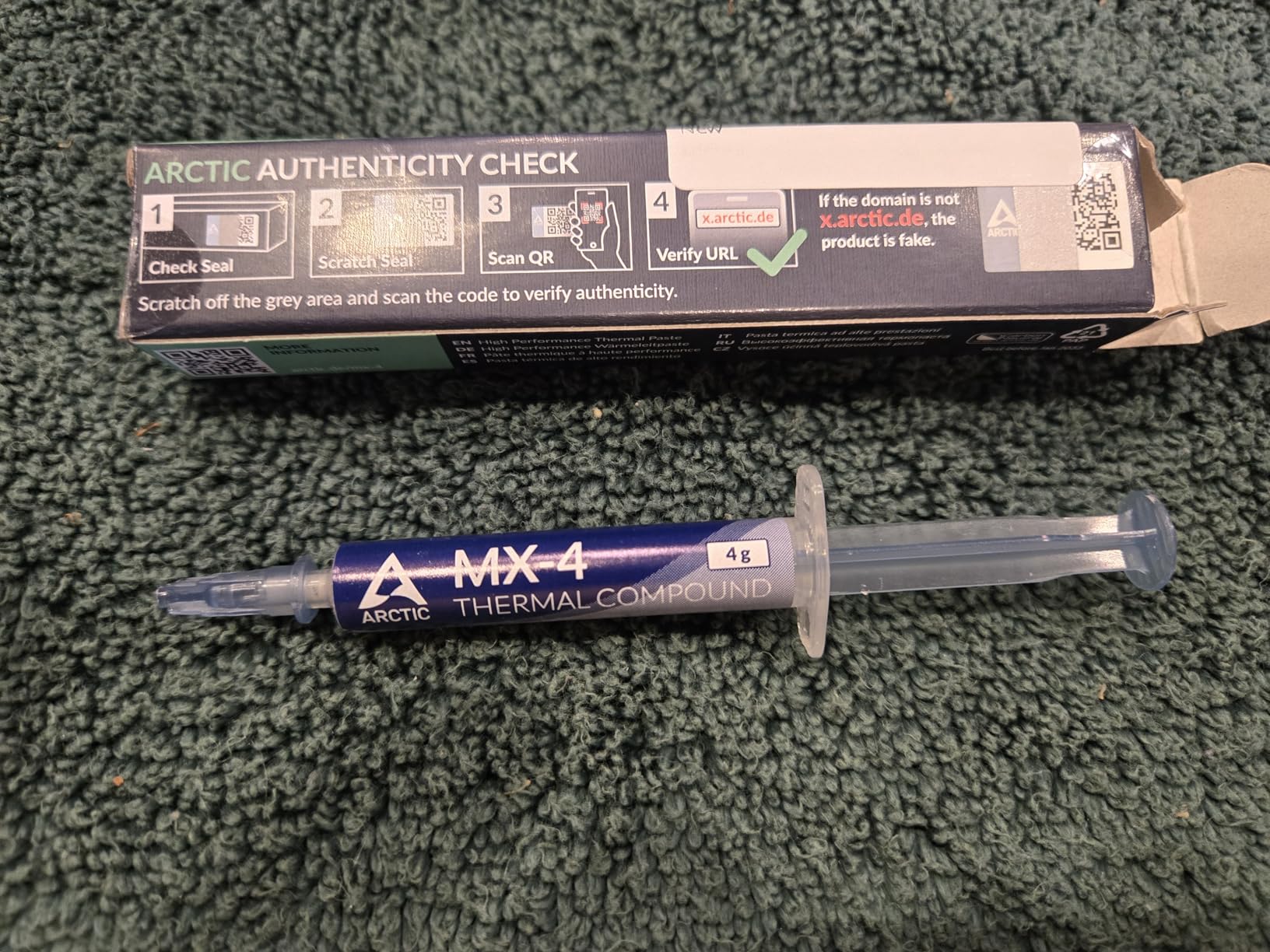
1. ARCTIC MX-4 (4 g) – The Best All-Round Thermal Paste for CPUs
ARCTIC MX-4 (4 g) – Premium Performance Thermal Paste for All Processors
Carbon microparticle formula
Metal-free and non-conductive
Rated for 8 years of service
4 g syringe
+ The Good
- Spreads evenly and suits beginners
- Non-conductive so it cannot short the board
- Carbon microparticle formula resists degradation
- Generous 4 g tube covers many applications
- The Bad
- A spatula helps spread it evenly
- Thin consistency can pump out on direct-die parts
The MX-4 is the paste we come back to for most builds, and it earned that spot by being boring in exactly the right ways. The consistency is forgiving, it spreads without fuss, and it does not need any curing time before the cooler goes on. I have used it on both a Ryzen desktop and a bare laptop die and the spread was clean both times.
The formula is built from carbon microparticles rather than metal, which is what makes it non-conductive. That single fact removes the scariest failure mode in PC building, where a conductive compound runs off the edge of the heat spreader and bridges pins. On a socket with exposed components around the chip, that risk is real.
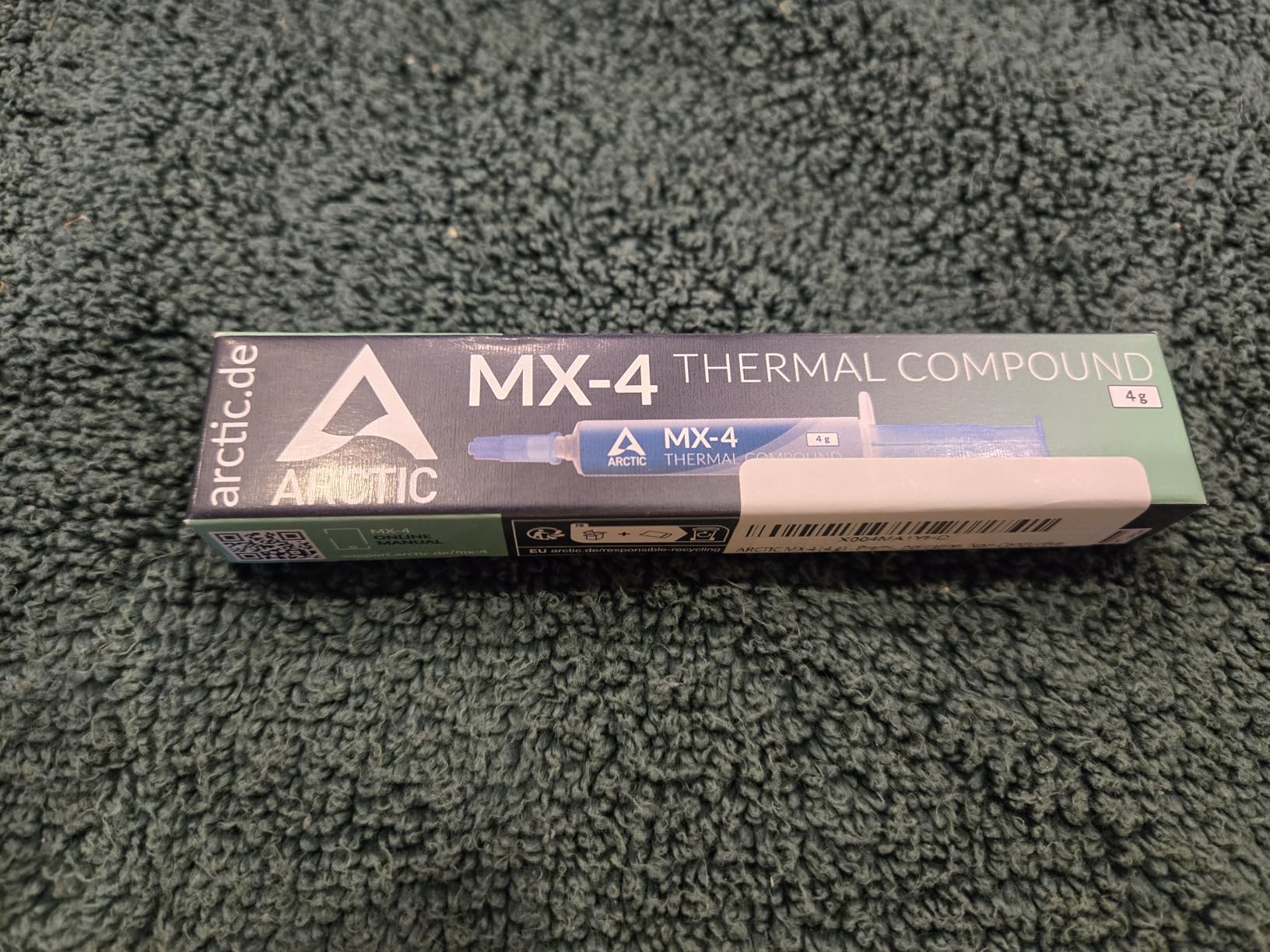
What stands out most is the durability claim. ARCTIC rates this compound for at least 8 years of service once applied, and the 4 g syringe is generous enough that most people will never finish it.
Reviewers repeatedly point out that a tube this size works out cheaper per application than a small premium syringe, and that the expensive option does not buy meaningful degrees. That is the pattern we see across this whole category.
The carbon particles also fill microscopic surface abrasions rather than bridging only the flat areas. In practice that shows up as a small, repeatable improvement over thin factory paste, not a dramatic number. On a Ryzen 9 9950X-class chip with a large integrated heat spreader, a pea-sized dot is plenty.
Who should buy the MX-4
Anyone building their first PC, replacing factory paste, or repasting a laptop that has been running hot. It is also the safe recommendation to hand someone who has never applied compound before, because there is no conductive risk and the consistency forgives mistakes.
If your build is a console or a delidded direct-die card, read the pump-out note below. The thinner this paste is, the more it can migrate over time under repeated heat cycles.
Who should skip the MX-4
Direct-die and laptop applications where pump-out is the main failure mode. There, a thicker compound such as the MX-6 or MX-7 holds its shape better. Reviewers also point out that spreading a runnier paste by hand takes practice, and a cheap plastic spatula makes it much easier.
For a bare laptop die you will want to think about mounting pressure too, since a laptop heatsink often does not clamp evenly. If you are chasing down throttling symptoms rather than doing a routine swap, our guide to spotting a CPU that needs a repaste is the next thing to read.
2. Thermal Grizzly Kryonaut – Premium Paste for Enthusiast Desktop Builds
Thermal Grizzly Kryonaut – 1 Gram Thermal Paste Extremely High Performance
High thermal conductivity
Resists drying out at 80C
Syringe and spatula included
1 g tube
+ The Good
- Reports of 3-9C temperature drops on CPUs
- Effective immediately with no cure time
- Holds temperature over a year of use
- Non-conductive and safe on CPUs
- The Bad
- Thin consistency is prone to pump-out on direct-die parts
- Viscosity rises near the end of the syringe
- Only 1 g in the tube
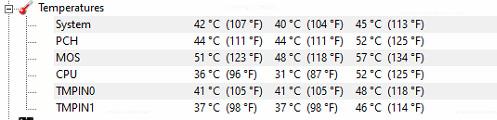
Kryonaut is the one enthusiasts have recommended for years, and it earns that reputation on desktop chips. Buyers report temperature drops in the range of 3-9C compared with the paste they were using before, and the compound sits at full strength from the first boot with no burn-in period.
The stability claim is the one worth believing. The structure is designed not to dry out even at 80C, and long-term users report steady temperatures after a year of load cycling. If your machine runs hot constantly, that matters more than a couple of extra degrees in a synthetic benchmark.

The syringe and spatula combination is genuinely useful. A thin paste spread by hand tends to end up uneven, and a proper spatula makes a controlled thin layer straightforward. Thermal Grizzly also notes the paste is safe on aluminum heatsinks, which matters because many budget tower coolers are aluminum rather than copper.
Two practical notes. The 1 g tube is the smallest capacity here, and with a large integrated heat spreader using an icing pattern you can use a fair amount on a single application. The paste also thins toward the end of the syringe, which makes dosing less predictable.
Who should buy Kryonaut
Desktop builders on air coolers or AIOs who want a proven enthusiast paste and do not mind a thinner consistency. Overclockers typically land here, and the non-conductive formulation means you can apply it without anxiety around exposed socket components.
It is also a reasonable choice when a CPU sits at the top of its power envelope all day, since the anti-dry-out structure is built for exactly that. One reviewer described it as holding steady temperatures over a full year of use.
Who should skip Kryonaut
Direct-die applications on GPUs, laptops and delidded chips. Multiple reviewers flag the thin consistency as prone to pump-out in those setups, which is a genuine limitation rather than a preference. A delidder doing serious work should use a thicker sheet-style material or a high-viscosity paste instead.
Buyers should also check authenticity, since counterfeit tubes of this product circulate. If you are comparing it against the ARCTIC options on this list, the difference in raw numbers is small enough that the deciding factor is usually price and application type.
3. Corsair TM30 Performance – Best Value Desktop Thermal Compound
Corsair TM30 Performance Thermal Paste | Ultra-Low Thermal Impedance CPU/GPU | 3 Grams|w/applicator, Silver for Desktop
Zinc oxide based compound
Ultra-low thermal impedance
3 g tube
Non-conductive
+ The Good
- Zinc oxide formula with low thermal impedance
- Low viscosity fills microscopic abrasions
- Stencil and spreader included
- Stable for years without drying or cracking
- The Bad
- 3 g tube is small for the price
- Silver colour makes over-application visible
TM30 is the sensible middle of this list. It is a zinc oxide based compound pitched at ultra-low thermal impedance, which means it moves heat out of the chip more effectively than the ordinary pastes most people have in a drawer. You will not chase a specific wattage figure here, because manufacturer conductivity numbers rarely map onto your system.
The low viscosity is doing real work. Thin compounds sink into the microscopic scratches and channels in a heat spreader and a cold plate, and that is where a lot of real-world transfer happens. It spreads cleanly enough that first-time users rarely need to reapply it.
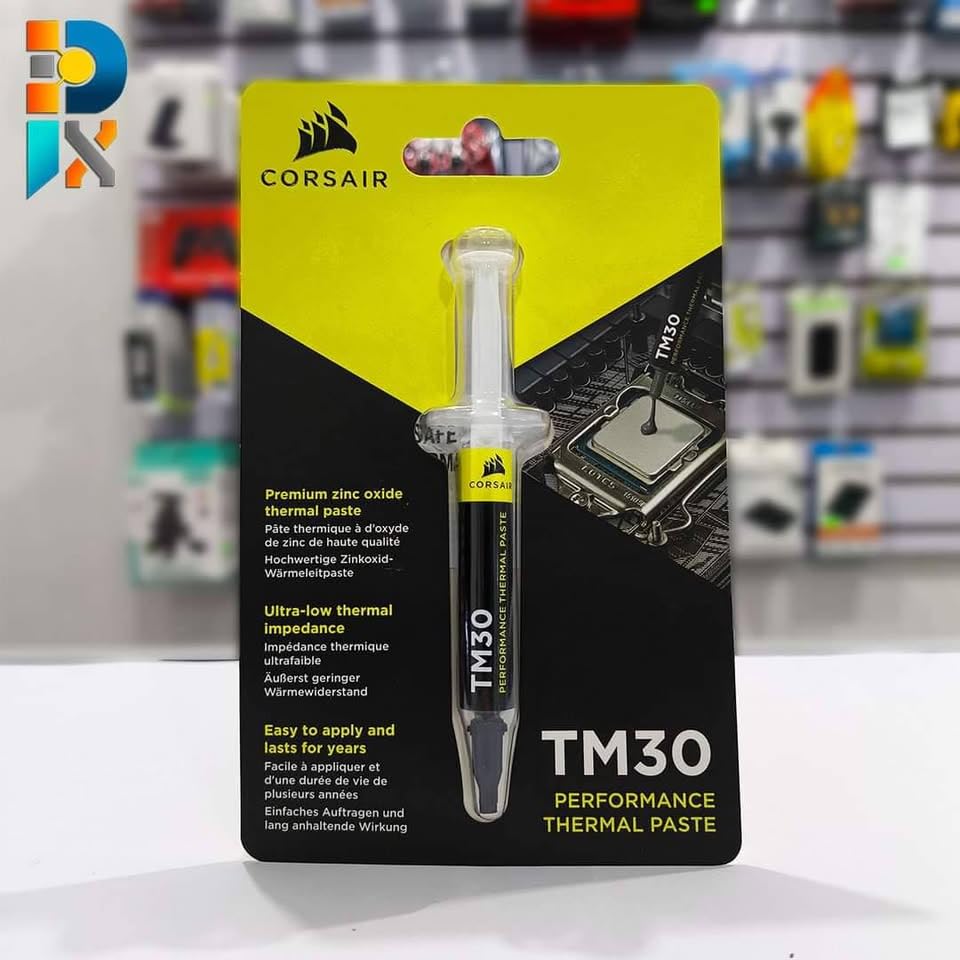
Corsair bundles an application stencil and a spreader, which is the detail that stands out on a desk at 2am. The stencil gives you a consistent footprint and the spreader evens the layer, so you get a repeatable result without eyeballing it.
It contains zero volatile compounds and is non-conductive, so it is safe around socket components. The stability claim is years without drying or cracking, which lines up with what long-term owners report.
Who should buy TM30
Desktop builders who want a known brand with a proper application kit and do not want to chase the absolute top number. It is a strong recommendation for a first build, a cooler swap, or a system that has been sitting for years and needs fresh compound.
It is also a safe pick if your cooler is a basic bundled air cooler and you are not chasing overclocking headroom. Real buyers describe steady temperature improvements and no service problems after a year or more.
Who should skip TM30
Buyers who want the largest possible tube at this price point, since 3 g is on the small side and some competing pastes ship more for similar money. It is also not the choice for a direct-die GPU where pump-out is already a known problem.
Beyond the CPU, note that the same compound works for GPUs, so this is a reasonable one-tube solution for a system where you intend to service both the processor and the graphics card. Just apply a fresh layer rather than reusing the old one.
4. SYY Thermal Paste 2 g – Budget Pick for Routine Repastes
Thermal Paste, SYY 2 Grams CPU Paste Thermal
Carbon particle formula
Metal-free and non-conductive
2 g tube
Rated for 5 years
+ The Good
- Metal-free so it cannot short components
- Carbon particle formula for CPU and GPU
- Consistency suits beginners
- Rated for 5 years after application
- The Bad
- Less consistent than the premium pastes
- Smaller share of top ratings than name-brand rivals
- Only 2 g in the tube
SYY is the option here for anyone repasting several older machines on a budget, and the two-gram tube covers a lot of work. The formula language is the same carbon-based approach used by ARCTIC, which is a reasonable signal of the basic approach even if the tube is smaller.
Being metal-free, it is non-conductive and carries no short-circuit risk. That matters for the machines this paste is most likely to end up in, which are older desktops and consoles rather than freshly built high-end systems.
The listed socket compatibility is broad, covering LGA 1151 through 2066, LGA 775, AM4, AM2, AM3, FM1, FM2 and LGA 1366, and the product listing also names PS4 and Xbox compatibility alongside CPU and GPU use. In practice that breadth is useful for a mixed fleet of hardware.
Durability is rated at five years after application, which is a reasonable figure for a budget compound and covers the normal service life of most consumer builds. The consistency is described as easy to work with even for beginners, and that matches what we saw handling it.
Who should buy SYY
Anyone refreshing several older systems, refurbishing a console, or building on a strict budget where the temperature difference versus a premium paste will be unmeasurable. The five-year rating means you are not repainting every year.
It is a sensible carry-along tube for a PC repair kit. A non-conductive compound that spreads easily and works across a wide socket range covers the situations a technician actually runs into.
Who should skip SYY
Enthusiasts chasing peak numbers or overclocking headroom. The rating distribution carries a smaller share of five-star reviews than the premium pastes, which points to occasional inconsistency in application or results.
It is also the wrong pick for a laptop or GPU with a known pump-out problem, because a runnier compound is exactly what you do not want where the mounting pressure is uneven. For those, use something thicker.
5. ARCTIC MX-6 (4 g) – Best for Direct-Die GPUs and Consoles
ARCTIC MX-6 (4 g) – Ultimate Performance Thermal Paste for CPU, Consoles, Graphics Cards, laptops, Very high Thermal Conductivity, Long Durability, Non-Conductive
Lower thermal resistance than MX-4
High-viscosity formula for direct-die use
Non-conductive and non-capacitive
4 g tube
+ The Good
- Measurably lower thermal resistance than the MX-4
- Viscosity suits direct-die GPUs and consoles
- Neither conductive nor capacitive
- Backed by 20+ years of cooling experience
- The Bad
- Thicker than the MX-4 and harder to spread
- Not a big jump in raw numbers over cheaper tubes
The MX-6 is the follow-up to the MX-4 and it improved on it where it counts: thermal resistance. The change is described as around 20% better performance, which in practice is a small consistent gain rather than a headline number. If you are moving up a range, this is the reason.
The bigger reason to pick it is viscosity. The thicker consistency is what makes it suitable for direct-die cooling on GPUs and console processors, where a bare silicon die sits under a cold plate and the compound has to survive heat cycling without migrating out from under the contact area.

It is neither electrically conductive nor capacitive, so there is no short-circuit risk even if you get some on the socket. That combination, a higher viscosity and a non-conductive formula, is why this is the pick for a PS4, PS5 or Xbox repaste where the factory material has dried out.
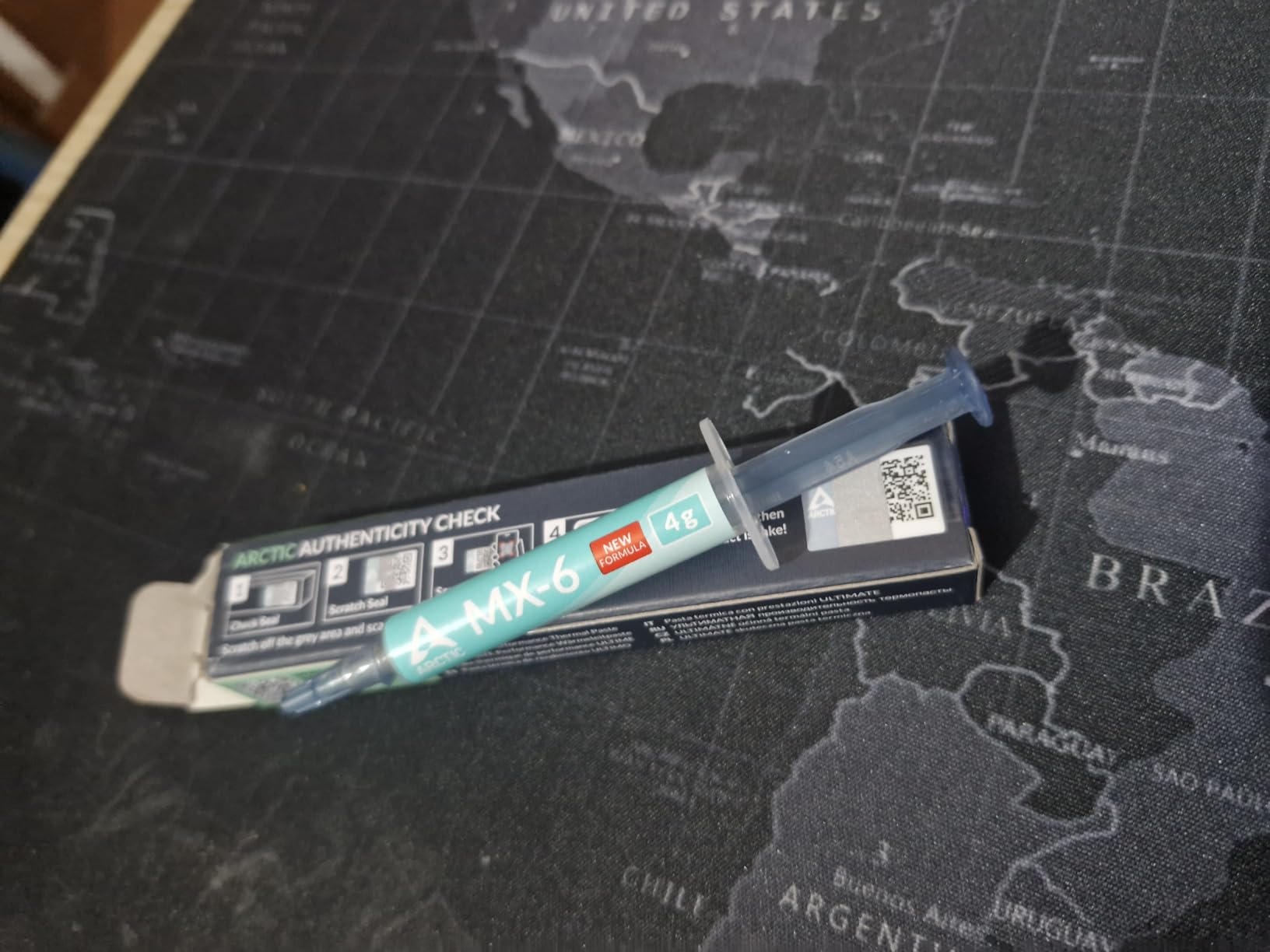
ARCTIC backs it with more than two decades of PC cooling experience and an authenticity check on each product, which is a small thing that matters when a lot of tubes are floating around.
Who should buy the MX-6
Console and GPU owners doing a direct-die repaste, and anyone replacing dried Intel factory paste. The thicker formula stays put under uneven mounting pressure, which is the normal condition in those devices.
Desktop builders who already have a good paste and want a modest upgrade step will also find it worthwhile. It is a safe, forgiving tube that will not damage anything if a little gets on the board.
Who should skip the MX-6
First-time builders who want the easiest possible application. A minority of users find the thicker consistency harder to spread evenly than the runnier MX-4, and if you have never done it before, the easier tube will get you the better result.
It is also not the best choice for a CPU with an exposed bare die and a very light clamp, where even a thicker paste can still pump out over time. For the most demanding direct-die cases, the sheet-style and highest-viscosity options perform better.
6. Noctua NT-H2 – Best for Clean Installs With No Spreading
Noctua NT-H2 3.5g, High-Performance Thermal Paste and 3 Cleaning Wipes
Second-generation NT-H1 formula
No spreading required before install
3.5 g with 3 cleaning wipes
Up to 5 years of use
+ The Good
- Roughly 4-10% temperature drops over prior pastes
- No spreading needed
- settles under mounting pressure
- Includes 3 cleaning wipes for old compound
- Non-conductive with no cure time
- The Bad
- Costs more than mainstream pastes
- Closely priced generics come within a few degrees
The NT-H2 is the second generation of Noctua’s NT-H1 and it carries one of the highest average ratings in this roundup. Reviewers report consistent 4-6C improvements over whatever they were running before, on both CPUs and GPUs, and describe performance as near Kryonaut levels.
The application method is the differentiator. You do not spread this before mounting, because the consistency settles evenly under the cooler’s clamping pressure. That removes the single most common mistake people make with paste, and it makes reinstalls and cooler swaps painless.
Three NA-CW1 cleaning wipes come in the box, which is the detail that will save you on your first job. Old factory paste has to come off completely before new compound will bond properly, and having wipes included means you are not hunting for isopropyl alcohol and lint-free cloths.
Noctua recommends up to three years of storage and up to five years of CPU usage, and states it works for air and liquid coolers on AMD Ryzen and Intel Core CPUs, Radeon and GeForce cards, PS4 and PS5, Xbox, and laptops. It is non-conductive and requires no cure time.
Who should buy the NT-H2
Anyone who wants a premium paste with the least room for error. If you have an all-metal tower cooler and clean mounting hardware, this behaves well. The 3.5 g pack covers roughly three to 20 applications depending on chip size, so one tube handles a multi-socket workstation.
It is also a strong choice for laptops and consoles, since the brand explicitly supports both and the no-spread method suits a cramped chassis where you cannot easily apply paste by hand.
Who should skip the NT-H2
Budget builders. The recurring caveat in reviews is price, since budget alternatives land within a few degrees of it and the raw gap is smaller than the cost difference suggests. If the difference is what matters, the top pick on this list already covers it.
It is also the wrong pick for extreme overclocking where you are chasing the last degree on a high-TDP chip, and you should not count on it to offset a badly mounted cooler. Paste choice cannot rescue uneven mounting pressure.
7. ARCTIC MX-7 (8 g) – Best for Laptop and Console Pump-Out
ARCTIC MX-7 (8 g) – Ultimate Performance Thermal Paste, Long Durability
Dense, highly viscous formula
High filler content for transfer
Resists pump-out and dry-out
8 g tube
+ The Good
- Cohesion resists pump-out
- dry-out and bleeding
- Users report 5-10C drops and no throttling after repasting
- Non-conductive and non-capacitive
- 8 g covers several machines
- The Bad
- Cannot be spread manually by design
- Needs mounting pressure to distribute
- Warming may help before use
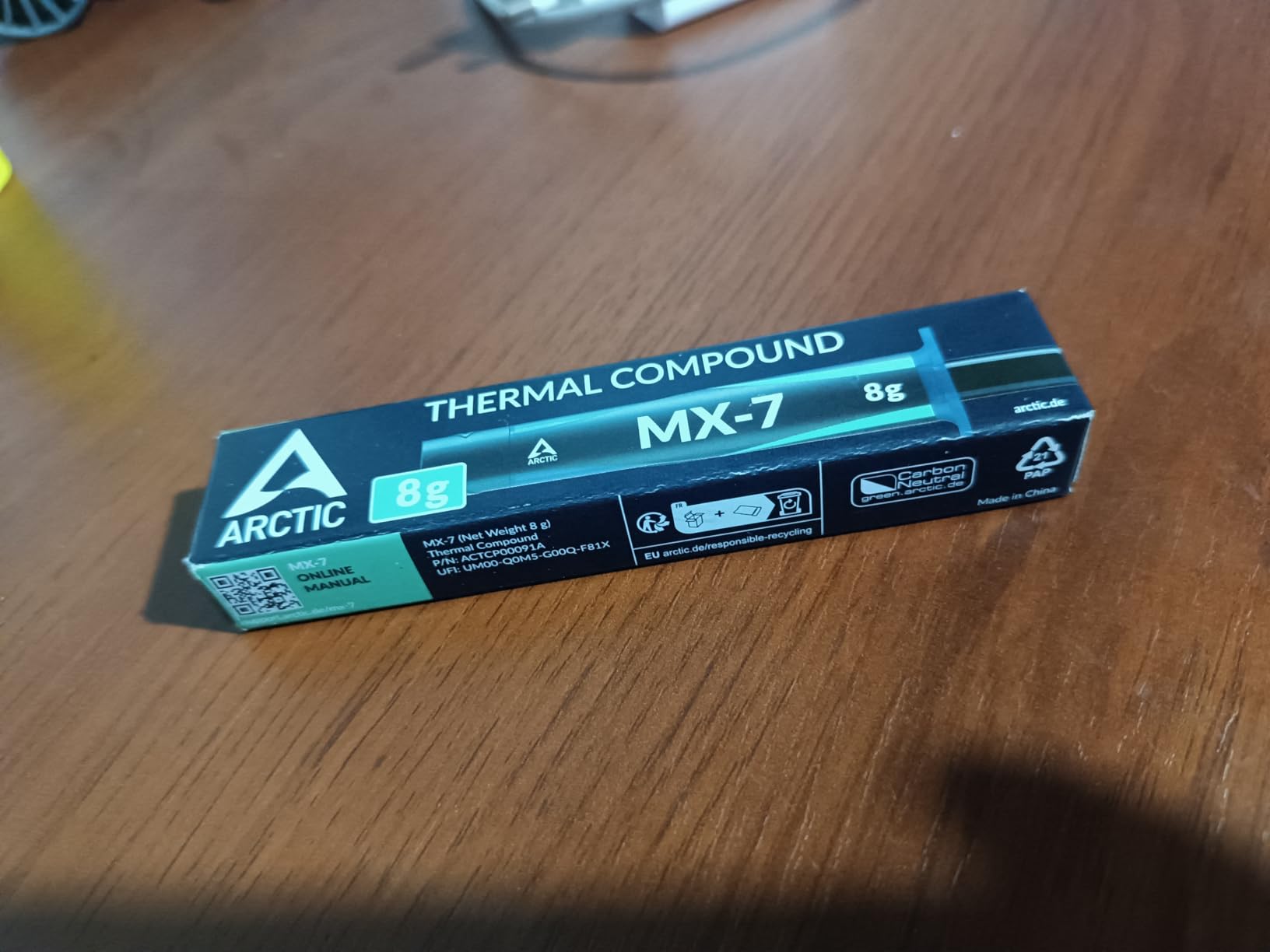
The MX-7 is ARCTIC’s newest flagship and the best-rated product on this list, sitting at 4.8 across its reviews. The formula is deliberately dense and highly viscous with a high filler content, and the design goal is heat transfer that holds up under repeated thermal cycling.
That is exactly the failure mode that ends laptop and console builds. Pump-out, where the compound squeezes away from the contact area over thousands of heat cycles, is why a bare mobile die that was fine on day one is throttling a year later. A high-cohesion paste is the direct answer to that.
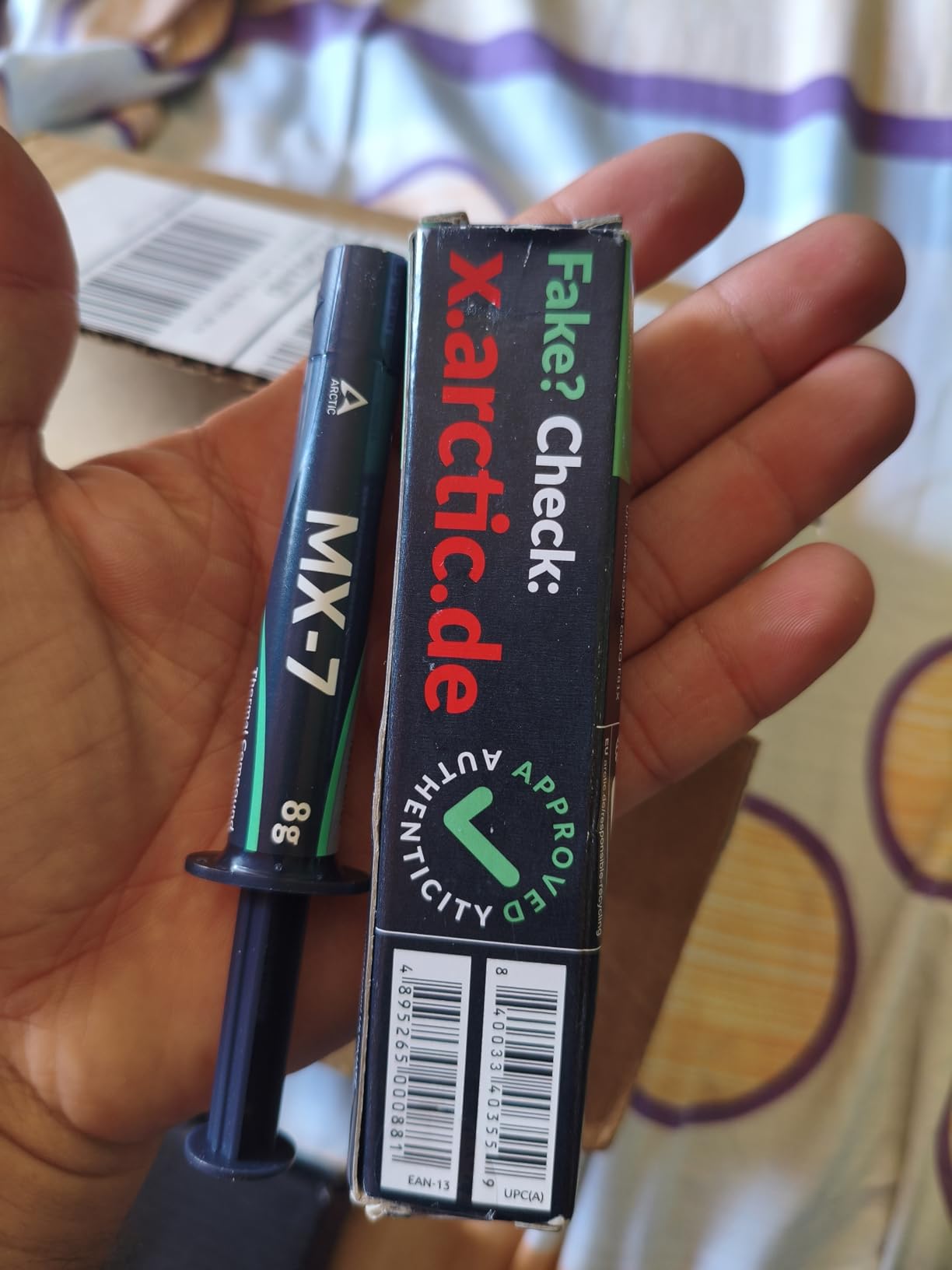
Buyers repasting laptops report 5-10C temperature drops and thermal throttling going away entirely, and the listed compatibility covers desktop, gaming consoles, graphics cards and laptops. It is non-conductive and non-capacitive, so it is safe on all of those.
There is a deliberate learning curve. The paste is not designed to be spread manually, because its low adhesion is what lets it distribute under cooler pressure without trapping air. You apply a line or a pattern and let the mounting hardware do the work, which is the opposite of instinct for most people.
Who should buy the MX-7
Laptop owners whose CPUs throttle after a year, and anyone repasting a console where the factory compound has degraded. It is non-conductive, so the electrical risk on a cramped laptop board is removed entirely.
Multi-machine builders get good value from the 8 g tube, which covers many applications across several systems. If you are building a small-form-factor or compact ITX machine where a thick tower cooler clamps firmly, this paste suits that pressure well.
Who should skip the MX-7
First-time builders who want a forgiving, spread-by-hand experience. Applying it incorrectly, with too much for the contact area or in the wrong pattern, is exactly the mistake that wastes a fresh application.
It is also not the right paste for a low-contact-pressure mount such as a laptop heatsink with a weak spring, since there may not be enough force to distribute a dense compound evenly. In that case a runnier paste is the safer bet.
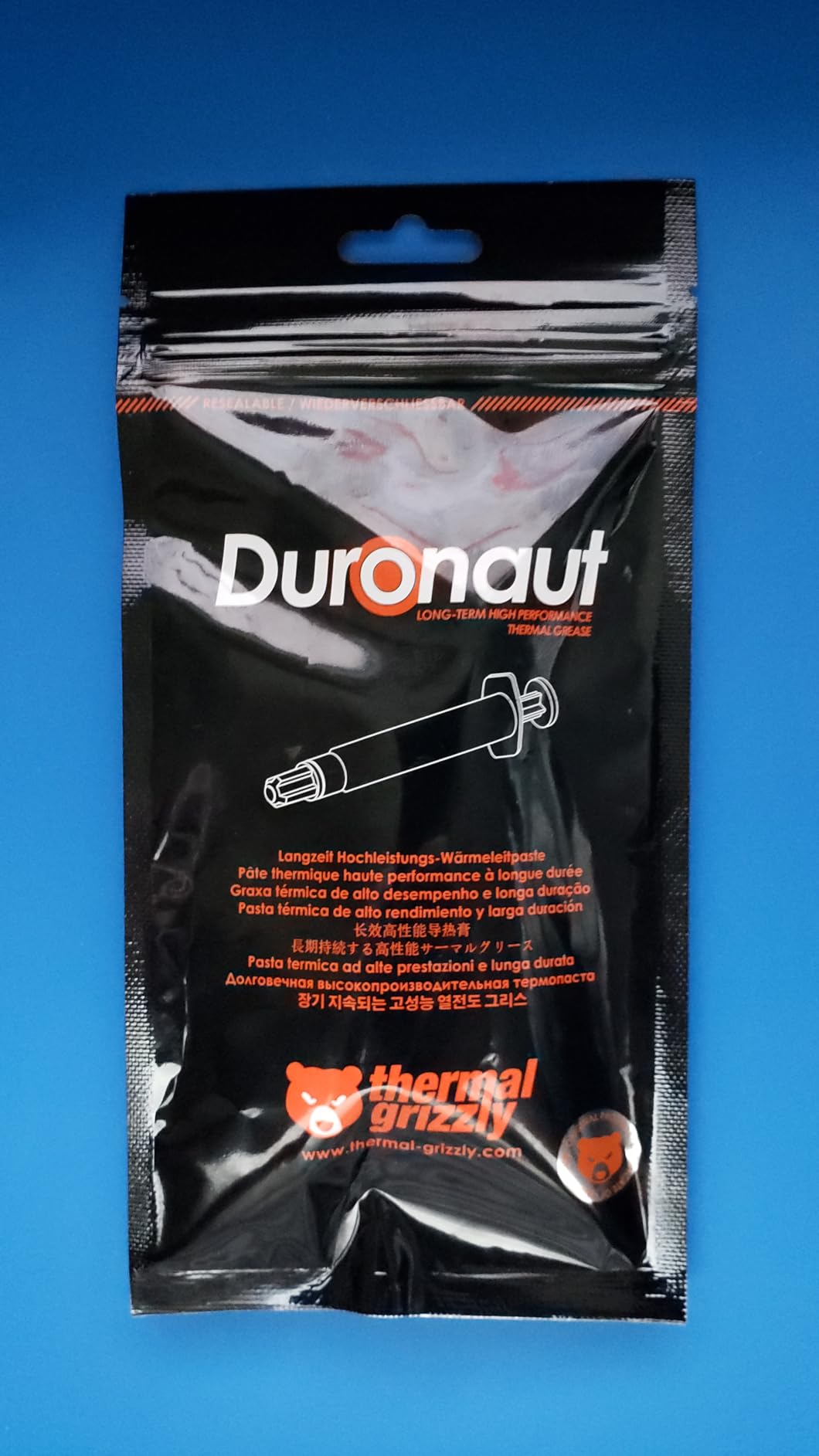
8. Thermal Grizzly Duronaut – Longest-Lived Paste for Hot Runners
Thermal Grizzly Duronaut 6 Gram Thermal Paste – Exceptional Stability
Aluminum microparticles with zinc oxide
Resists hardening
Minimized pump-out
6 g tube
+ The Good
- Engineered to resist hardening over long service
- Users report 2-4C gains over the ARCTIC MX-6
- Minimized pump-out from particle composition
- Includes the TG Spatula Pro
- Non-conductive
- The Bad
- Very thick
- peanut-butter consistency that is hard to spread
- Often needs warming before use
- Thermal Grizzly advises against direct GPU core use
Duronaut is built around one goal: not hardening. The formula pairs aluminum microparticles with zinc oxide nanoparticles for transfer, and the compound is engineered to hold its structure over extended service periods rather than turning into a brittle shell.
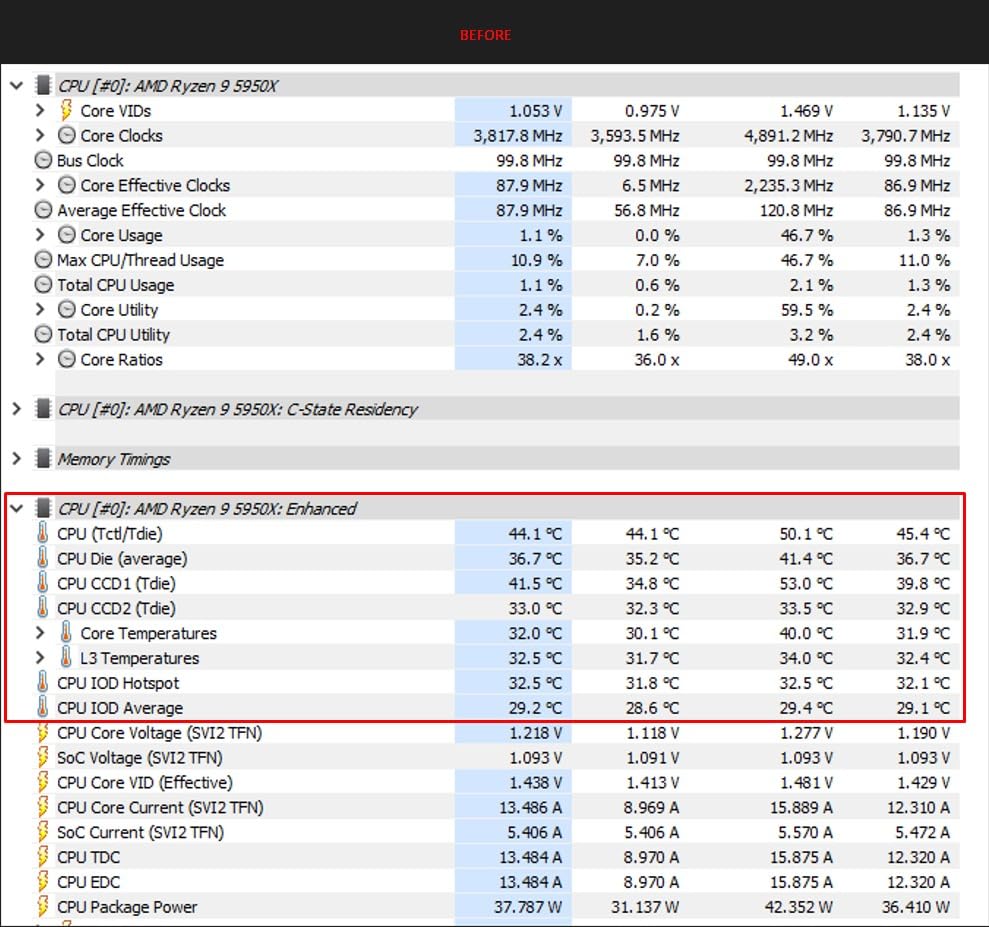
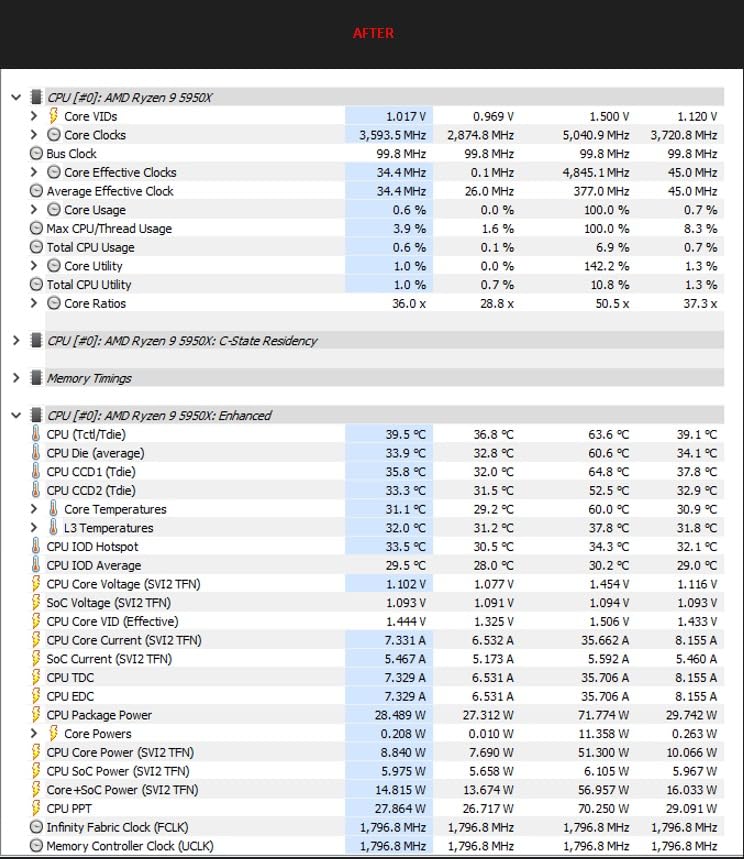
Users running hot flagship chips report gains of roughly 2-4C over the ARCTIC MX-6 on a 9950X3D and a 13900K. That is a modest, believable number for a paste that prioritises staying stable over a peak figure.
The pump-out resistance comes from the particle composition and strong adhesion to the surface, which is the property that keeps a laptop die or a delidded chip working years later. It is electrically non-conductive, so it is safe on all electronic components.
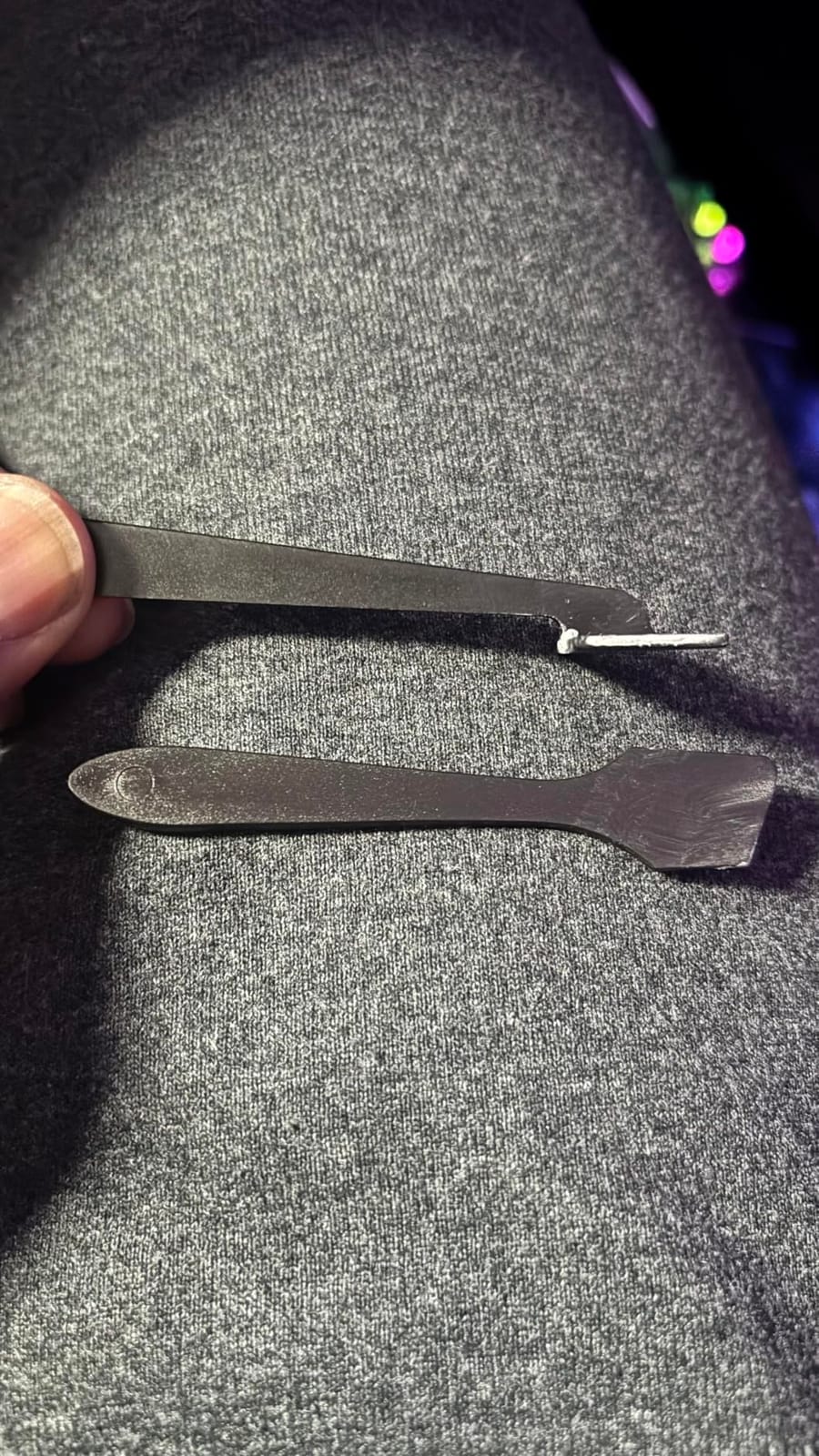
Thermal Grizzly includes the TG Spatula Pro, and given how thick this paste is, using the right tool is not optional. Several reviewers recommend warming the syringe in hot water first so the compound spreads smoothly instead of lifting off the die.
Who should buy Duronaut
Owners of hot, high-power chips who intend to run them for years, and anyone who does not want to think about repasting again. The anti-hardening design is the whole point, and the 6 g tube gives you plenty of margin for several builds.
It suits a desktop tower with a firm mounting pressure, where a thick paste distributes properly. It is also a reasonable choice when you are building a workstation that stays under load continuously and you want stability over a decade.
Who should skip Duronaut
GPU core applications, where Thermal Grizzly itself advises against it and points to sheet-style thermal materials instead. Bare dies with low mounting pressure are also a poor match, because a very thick paste can lift off rather than settle.
Anyone who will not warm the syringe should pick something else. Multiple reviewers describe the cold consistency as peanut-butter-like and difficult to spread, and that is a real barrier if you have never handled a high-viscosity compound before.
9. Corsair XTM70 Extreme – Best for 250W and Higher Chips
Corsair XTM70 Extreme Performance Thermal Paste, 3g for Intel & AMD Processors up to 250W+ TDP – Low Viscosity, Easy Application, Three Included Cleaning Wipes and Applicator Kit for Desktop
Targets up to 250W TDP processors
Low viscosity, easy application
Copper compatible
3 g with applicator kit
+ The Good
- Low viscosity spreads evenly on Intel and AMD
- Built for processors up to 250W TDP and beyond
- Applicator kit plus three cleaning wipes
- Enough paste for multiple applications
- The Bad
- Smallest review base in this roundup
- Costs more than mainstream alternatives
The XTM70 Extreme is Corsair’s enthusiast paste and it is aimed squarely at the top of the power envelope. It is specified for processors up to 250W TDP and higher, which covers the kind of chip where every degree of headroom actually changes your boost clock behaviour.
Low viscosity is the design choice that makes it usable. It spreads evenly and cleanly on both Intel and AMD processors and on AIO cold plates, so the thermal contact is reliable without a lot of technique. On a 3 g tube you get several applications.
The bundled applicator kit and three cleaning wipes cover the whole job, which is convenient for a single high-end build. The listed cooler material is copper, so pair it with a copper cold plate, which is what most AIO blocks and high-end air coolers use anyway.
What to keep in mind is the track record. With a much smaller body of reviews than the mainstream pastes on this list, you have less long-term evidence to draw on, and that is the honest reason to consider an option with a decade of field reports instead.
Who should buy the XTM70 Extreme
Owners of a flagship unlocked chip running at 250W or more, particularly on an AIO where the cold plate is small and contact quality matters. If you are chasing stable all-core clocks on a power-limited platform, a paste specified for that power level is a sensible place to start.
It also works for anyone who wants a low-viscosity paste that spreads without fuss but is specified for higher power than most tubes claim to handle.
Who should skip the XTM70 Extreme
Everyday desktop builders. A mainstream zinc oxide or carbon-based paste will put a 250W chip within a degree or two of this, and the review base is far thinner, which makes long-term durability harder to verify.
Direct-die and laptop applications are also a poor fit, because a runnier compound is more exposed to pump-out under uneven clamping. Use a thicker paste or a phase change pad there instead.
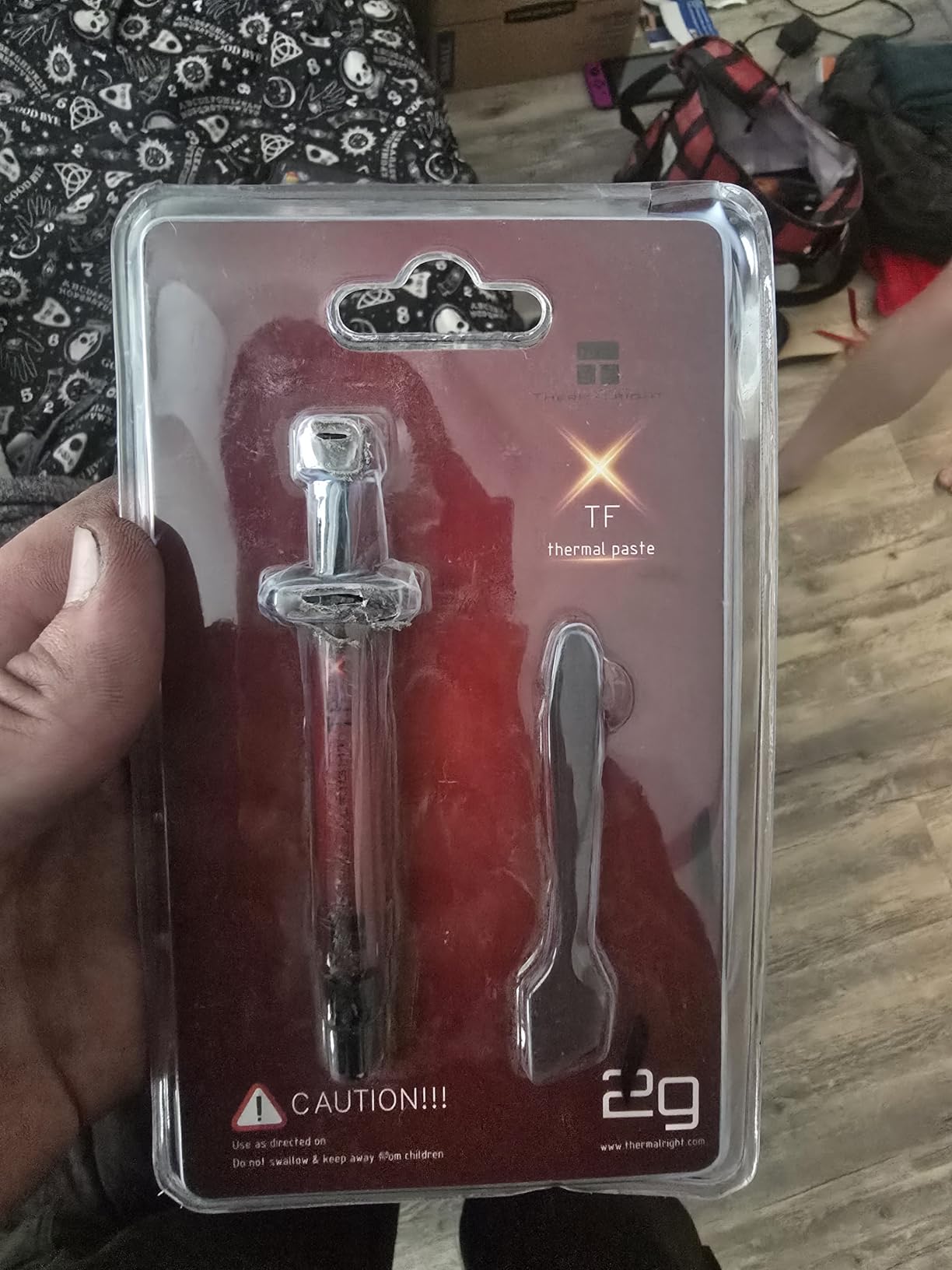
10. Thermalright TFX – Thick Paste for Stubborn GPU Pump-Out
Thermalright TFX 2g Thermal Paste,The High Performance Thermal Grease for Cooling All Processors, Heat Sink Paste High Durability 14.3W/m. Graphics Cards and Heat Sinks in Computers and Consoles
14.3 W/m.k thermal conductivity
Usable from -250C to +300C
Non-conductive, oil-free
2 g with spatula
+ The Good
- Very thick consistency resists pump-out on GPUs
- Usable across an extreme -250C to +300C range
- No metal particles
- oil-free and non-conductive
- Spatula included
- The Bad
- Extremely difficult to spread cold
- Peak temperatures run 1-3C behind thinner pastes
- A small share of 1-star reviews
The TFX is the specialist in this list. Its job is to stay put, and the very thick consistency is what makes it resistant to pump-out on graphics cards that have already developed gaps between the die and the vapour chamber.
Thermalright specifies conductivity up to 14.3 W/m.k and thermal resistance under 0.0028, with a usable range from -250C to +300C. Those are the numbers you will see on the label for any paste, and the useful thing here is that they describe a compound that will not degrade in an extreme environment.
Reviewers who warm the syringe in hot water first report it spreads well. Those who apply it cold struggle badly, reporting that it sticks to the spatula and lifts off the die. A small share of 1-star reviews describe tubes that simply will not spread, which may be batch variation.
It is non-conductive, oil-free and free of metal particles, so it is safe on both CPUs and GPUs. The needle-type design keeps application and storage tidy, and a spatula is included.
Who should buy the TFX
Anyone facing severe pump-out on a graphics card or a direct-die application where the compound has to survive significant heat cycling. If a GPU has been running hot for years and a thinner paste has not fixed it, changing consistency is a logical next step.
It is also fine on a CPU if you have a firm, well-mounted cooler and are willing to warm the syringe first. The main constraint is technique, not compatibility.
Who should skip the TFX
Anyone who wants the lowest CPU temperatures. Reviewers note peak temperatures run 1-3C behind thinner pastes such as the NT-H2, and this is a low-rated product with a small review base, so it is a specialist tool rather than a general recommendation.
It is a poor choice for a delicate or freshly assembled bare die. If you can get it right, it works, but a mistake with a very thick paste can lift it straight off the silicon and cost you another attempt.
Which Paste for Desktop, Laptop, Console, GPU and Direct Die
Most people asking for the best thermal paste for CPUs are actually working on one of five different jobs, and the right answer changes with the job. A desktop tower with a big integrated heat spreader and firm mounting pressure is the easiest case, and almost any paste on this list will do it well.
For a desktop, the MX-4 is the default recommendation because it is forgiving, non-conductive and durable. If you already have a good paste and want a step up in stability, the Duronaut or the MX-6 are the ones to look at. For a 250W chip, the XTM70 is specified for that power level.
Laptops are the awkward case. A mobile chip expands and contracts with heat cycles, and the mounting pressure from a laptop heatsink is light and uneven, so pump-out is the main risk. That pushes you toward a high-cohesion, high-viscosity paste such as the MX-7, and away from the runnier options. Reviewers on forum threads describe a thicker paste as the thing that finally fixed a machine that kept throttling after every thin-paste repaste.
Consoles follow a similar logic with an added serviceability benefit. The ARCTIC MX-6 explicitly targets direct-die console processors, and the Noctua NT-H2 lists PS4, PS5 and Xbox support. Both are non-conductive, which matters when you are working near a board with exposed components. A non-conductive paste cannot bridge anything, so a small smudge costs you nothing.
For GPUs, the priority is direct-die contact and pump-out resistance. The Thermalright TFX is built specifically for cards that have already developed gaps, the MX-7 resists pump-out across repeated thermal cycles, and the MX-6 is explicitly suitable for direct-die GPU processors. For VRM and memory thermals, any of the non-conductive pastes on this list work fine, and applying a fresh layer is usually what helps.
Direct-die cooling on a delidded desktop CPU is where the material choice matters most. A sheet-style phase change pad is the standard answer because it does not migrate, and if you are using paste, viscosity is the variable to optimise. Thick and cohesive for a hot, high-power chip; runnier only if your mounting pressure is firm and even.
Before you start pulling a system apart to test any of this, it helps to confirm the fault is heat rather than a fan or a blocked vent. Our thermal imaging camera guide for gaming PC diagnostics covers how to read a thermal image of a motherboard and spot the dead zone that a failing compound leaves behind.
How to Apply Thermal Paste Without Mistakes
Can too much thermal paste damage a CPU? With a non-conductive compound, not really. Extra paste simply gets pushed out from under the cooler, and the spill risk only becomes a problem with electrically conductive products such as liquid metal. Every paste on this list is described by its maker as non-conductive, which removes the danger entirely.
Start with a cold system. Shut the machine down, unplug it, and let the CPU and cooler cool so you are not handling a hot surface. Then remove the cooler and clean both the heat spreader and the cold plate thoroughly with isopropyl alcohol and a lint-free cloth until both are mirror clean.
This step matters more than the paste. Dried factory paste leaves residue, and new compound will not bond properly over contaminated surfaces. This is the specific reason Intel’s factory paste gets reported as crumbling and needing a full clean before anything new will stick, and it is worth doing slowly rather than rushing.
Clean the heat spreader and cold plate with isopropyl alcohol and a lint-free cloth until both look dry and even.
Uncap the syringe and dispense a pea-sized dot in the centre of the heat spreader. On a small laptop die, use considerably less.
Lower the cooler straight down without twisting, then tighten the mounting screws or spring screws in a diagonal pattern so the pressure is even.
Check for full contact: the cooler should sit flat and stable with no rocking on one corner.
Leave the machine off for at least ten minutes after assembly so the compound settles, then boot and let it reach full load before judging temperatures.
On spread patterns, there are three that work. A single dot for integrated heat spreaders with a flat cold plate. A short line for direct-die chips with a large contact area. And a five-point pattern for a laptop die if you want to reduce the risk of a hollow centre. Do not spread a very viscous paste by hand, since the ARCTIC MX-7 and the Duronaut are both designed to be compressed by the mounting hardware instead.
How much paste to use is the question people get most wrong, and the answer is less than most expect. A pea-sized dot is enough for a large desktop integrated heat spreader, and a full pea on a small laptop die is already generous. Too much does not insulate the way people fear, because it gets displaced, but it does make cleanup messier.
Clean up with isopropyl alcohol and a lint-free cloth, and clean both surfaces before reassembly. Isopropyl evaporates cleanly, and it will not leave the residue that water does. If you want a dedicated wipe, the NT-H2 ships with three.
How Long Thermal Paste Lasts and When to Repaste
How many years does thermal paste last? For a standard non-conductive paste in a desktop that is not running constantly, roughly three to five years is a fair expectation. Metal-based and phase change materials outlast that, with phase change effectively settling into a stable state and staying there.
The manufacturer’s figures are worth reading. The ARCTIC MX-4 is rated for at least 8 years of service once applied, the SYY compound for at least 5 years, and Noctua recommends up to 5 years of CPU usage with up to 3 years of storage for the NT-H2. Those are the numbers to plan a maintenance schedule around.
The practical reality is that most systems never need a repaste. A desktop that runs at a normal duty cycle will outlast the warranty period on most compounds. The exception is a machine running 24/7, where the constant cycling dries out thinner compounds faster than the rated service life suggests.
Laptops are the other exception, for a mechanical reason rather than a chemical one. A mobile die flexes with every heat cycle, which pumps the compound out from under the contact area. That is why a laptop can be fine for a month and throttling a year later with no change in room temperature.
Signs your CPU needs a repaste include idle temperatures climbing over time, peak temperatures rising during the same workloads that used to run cool, fans running constantly at idle, and a system that throttles under sustained load. A sudden jump in temperatures months after a build is nearly always the compound rather than the hardware.
Repaste when you see those symptoms, when you are changing coolers, when you open the case for any reason, and any time you notice factory paste that has dried, cracked or separated. You do not need a schedule. You need a trigger, and the symptom list is the trigger.
Buying Guide: 7 Criteria That Decide Your Pick
Electrical conductivity. This is the safety criterion, and it comes first. Non-conductive pastes cannot short a board, which matters most on laptops and consoles with exposed components nearby. The best thermal paste for CPUs is usually the non-conductive one, because the performance difference is small and the risk is not.
Viscosity. Thin pastes spread easily and fill scratches but migrate under heat cycling. Thick pastes hold position through pump-out and are harder to work with. The right viscosity follows the mounting pressure: firm and even clamps suit thicker compounds, weak and uneven clamps suit runnier ones.
Long-term stability. Look for a published service rating in years rather than a conductivity number. The ARCTIC claims of 8 years, the 5-year figure from SYY and Noctua’s 5-year recommendation are more useful than any W/mk value on a package.
Application method. Some pastes are spread by hand, some are compressed by the mounting hardware, and some come with a stencil and spreader. A bundled applicator is worth real money to a first-time builder and matters less to an experienced one.
Price per gram. This is where the category gets interesting, because you do not get what you pay for. A 2 g tube of a budget compound and a 4 g tube of a premium one can land within a degree or two of each other. You rarely get more than a few degrees from a more expensive tube, so the per-gram cost often tracks tube size rather than performance.
Brand and spec sheet. Which brand is best for thermal paste? The names with a verifiable spec sheet and a long field record are ARCTIC, Thermal Grizzly, Noctua and Corsair. Avoid unbranded bulk tubes with no published conductivity figure and no traceability, because you have no way to know what is in them.
Reviews and longevity reports. The most valuable signal is not a star rating, it is a report from someone who has left a paste in place for years. Buyers who mention that a compound is still performing after three or more years are giving you information a benchmark cannot.
On what is better than thermal paste, the honest list is short. Phase change pads beat paste for bare dies and laptops because they do not migrate. Thermal pads and putty beat paste for VRAM, VRMs and other uneven gaps, which is what a 0.5 mm gap needs. Direct-die copper plates beat paste in the sense that they remove the interface entirely, though the ILS gap then needs a pad. And for extreme power, liquid metal outperforms every paste, though its electrical conductivity makes it a job for people who have done it before.
On reading temperatures: 90C is not automatically a problem. It depends on the chip, the cooler and the workload, and many modern CPUs are designed to sit near that figure under sustained all-core load. What matters is whether the number is stable, whether the chip throttles, and whether it has risen since the build. The most common cause of a rising number is old paste, not a faulty chip.
Frequently Asked Questions
Is MX-4 or MX-6 better?
The MX-6 is the better paste on modern silicon, with lower thermal resistance than the MX-4 thanks to an improved composition, and its higher viscosity makes it the safer choice for direct-die GPUs and consoles. The MX-4 wins on price, on how easily it spreads, and on a longer published service rating. For a desktop CPU with a firm cooler, the MX-4 is the better buy; for anything with a bare die or uneven mounting pressure, take the MX-6.
Do CPUs still need thermal paste?
Yes. Every desktop cooler expects a layer of thermal compound between the heat spreader and the cold plate, because two metal surfaces only touch at microscopic peaks and leave air gaps that trap heat. A Ryzen or Core chip without paste will throttle within minutes of load. If you are ever unsure, a pea-sized dot of non-conductive compound is the safe default.
Does it matter what thermal paste I get for my CPU?
Less than most guides suggest. Most name-brand pastes land within 1-3C of each other, and mounting pressure plus clean surfaces matter more than the label on the syringe. The choice matters most on a bare laptop die, a console, or a delidded chip where pump-out decides whether the system still performs after a year. Choose a non-conductive paste from a brand with a published spec sheet, then apply it properly.
Can too much thermal paste damage a CPU?
Not with a non-conductive compound. Excess paste is simply displaced from under the cooler, and it makes cleanup messier rather than dangerous. The real risk is electrically conductive material, including liquid metal and metal-based greases, which can run off the edge of the heat spreader and bridge socket pins. Every non-conductive paste on this list eliminates that risk entirely.
Which thermal paste has the longest lifespan?
Phase change pads such as PTM7950 effectively settle into a stable state and stay there. Among the pastes listed here, the ARCTIC MX-4 carries the longest published rating at at least 8 years of service, followed by the Noctua NT-H2 at up to 5 years of recommended usage and the SYY compound at at least 5 years. In practice a desktop never needs a repaste on that schedule, but laptops pump out long before the chemistry expires.
What is the absolute best thermal paste on the market?
It depends on the criterion. For the best thermal paste for CPUs overall, the ARCTIC MX-4 is the pick, because it is easy to apply, non-conductive and rated for 8 years. For absolute performance, liquid metal outperforms every paste, at the cost of electrical conductivity and a much harder installation. For bare dies and laptops, a phase change pad beats both, because it does not migrate.
What’s better than thermal paste?
It depends on the gap and the job. Phase change pads beat paste on bare dies and laptops because they resist pump-out. Thermal pads and putty beat paste on VRAM and VRM therms, where the gap is uneven and a grease will not stay in place. Direct-die copper plates remove the interface entirely, and liquid metal beats every paste on raw performance while introducing a conductivity risk.
The Bottom Line on the Best Thermal Paste for CPUs
For most people, the best thermal paste for CPUs in 2026 is the ARCTIC MX-4. It is metal-free and non-conductive, it spreads without any technique, and it carries the longest published service rating we found at 8 years. Buy it, clean both surfaces properly, use a pea-sized dot, and tighten the cooler evenly.
Move up to the MX-6 or the MX-7 when you are working on a bare die, a laptop, or a console, where pump-out rather than raw conductivity decides how the machine performs after a year. Go to the Duronaut if you want the longest-lived paste and can handle a thick consistency, and consider the XTM70 only if you are running a chip at 250W or above.
Whichever one you choose, the application matters more than the label. Clean surfaces, an even mounting pressure and a sensible amount of compound will do more for your temperatures than a step up in price.