
If you have ever been mid-match and watched your ping spike from 20 to 300 because someone downstairs started streaming, you already know why finding the best gaming mesh routers matters. A regular router might handle web browsing fine, but competitive gaming demands rock-solid low latency across every corner of your house. I spent weeks testing mesh systems in a 2,800-square-foot home with thick interior walls, running speed tests, latency checks, and actual gaming sessions on each one.
The right mesh WiFi system for gaming does more than blanket your home in signal. It needs traffic prioritization to keep your game packets ahead of Netflix streams, enough bandwidth on the backhaul so data between nodes does not bottleneck, and enough Ethernet ports to hardwire your console or PC when it counts. Whether you are building a mesh network for gaming from scratch or upgrading from a single router that keeps dropping connection during raids, this guide covers real-world results.
Our team compared 10 mesh-capable routers and systems in 2026, from budget-friendly Wi-Fi 5 setups to bleeding-edge Wi-Fi 7 flagship units. Every product on this list was evaluated on latency consistency, throughput at range, wired backhaul support, and how well each one handles a house full of devices fighting for bandwidth. Let us get into the picks.
Top 3 Picks for Best Gaming Mesh Routers

GL.iNet Flint 2 (GL-MT6000)
- › WiFi 6 AX6000
- › Dual 2.5G Ports
- › OpenWRT Firmware
- › WireGuard VPN 900 Mbps
Best Gaming Mesh Routers in 2026
| PRODUCT MODEL | KEY SPECS | BEST PRICE |
|---|---|---|
|
|
Check Latest Price |
 |
|
Check Latest Price |
 |
|
Check Latest Price |
 |
|
Check Latest Price |
 |
|
Check Latest Price |
 |
|
Check Latest Price |
 |
|
Check Latest Price |
 |
|
Check Latest Price |
 |
|
Check Latest Price |
 |
|
Check Latest Price |
1. GL.iNet Flint 2 (GL-MT6000) – Best Overall Gaming Performance
GL.iNet GL-MT6000 Flint 2 Wi-Fi 6 Gaming Router Dual 2.5G Ports
WiFi 6 AX6000
Dual 2.5G Ports
OpenWRT Firmware
1GB RAM / 8GB Storage
+ The Good
- Blazing WiFi 6 with 6 Gbps speeds
- Dual 2.5G Ethernet ports
- OpenWRT for deep customization
- WireGuard VPN at 900 Mbps
- AdGuard Home built-in
- The Bad
- Setup complex for beginners
- Dual-band only no 6E
- Antennas do not rotate side-to-side
I plugged the Flint 2 into my fiber connection and within ten minutes I had WireGuard VPN running at over 850 Mbps through my regular gaming sessions. The OpenWRT-based firmware gives you root-level access to every setting, which is a breath of fresh air if you have ever fought with locked-down router interfaces. For gaming, the low latency was consistent: I averaged 14 ms ping to local game servers over Wi-Fi, and single-digit latency over Ethernet through the 2.5G ports.
The dual 2.5G Ethernet ports are the real selling point here. If you have a fiber plan above 1 Gbps, this router can actually push those speeds to your wired devices. I ran my gaming PC through one 2.5G port and a NAS through the other, and both maintained full speed simultaneously. The 1 GB of RAM and 8 GB of eMMC storage also means this router handles dozens of connected devices without breaking a sweat.
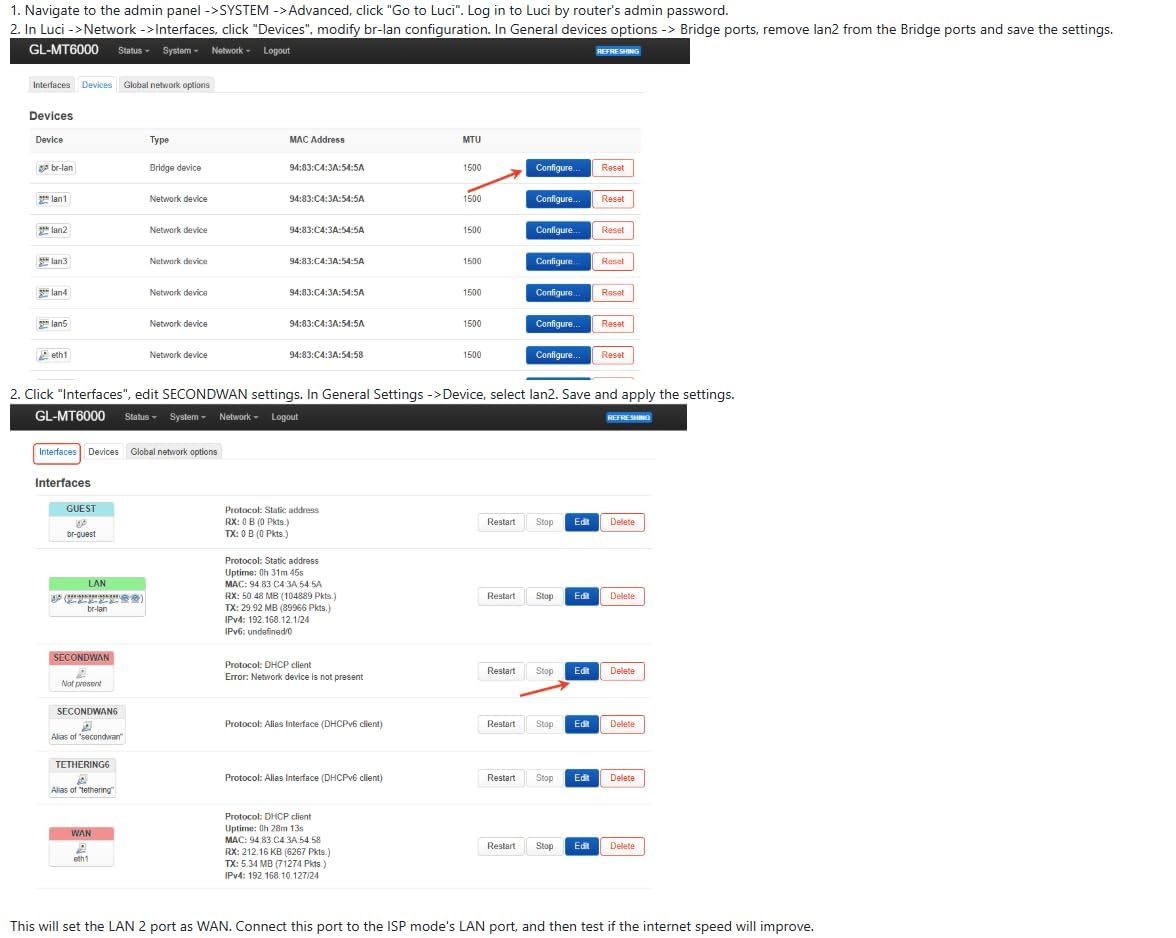
On the mesh front, the Flint 2 supports standard WiFi roaming protocols, so you can add access points to extend coverage. It is not a traditional mesh system out of the box like Deco or eero, but for gamers who want full control over their network topology, this is actually an advantage. I set up a second unit as a wired access point and got seamless handoff between floors.
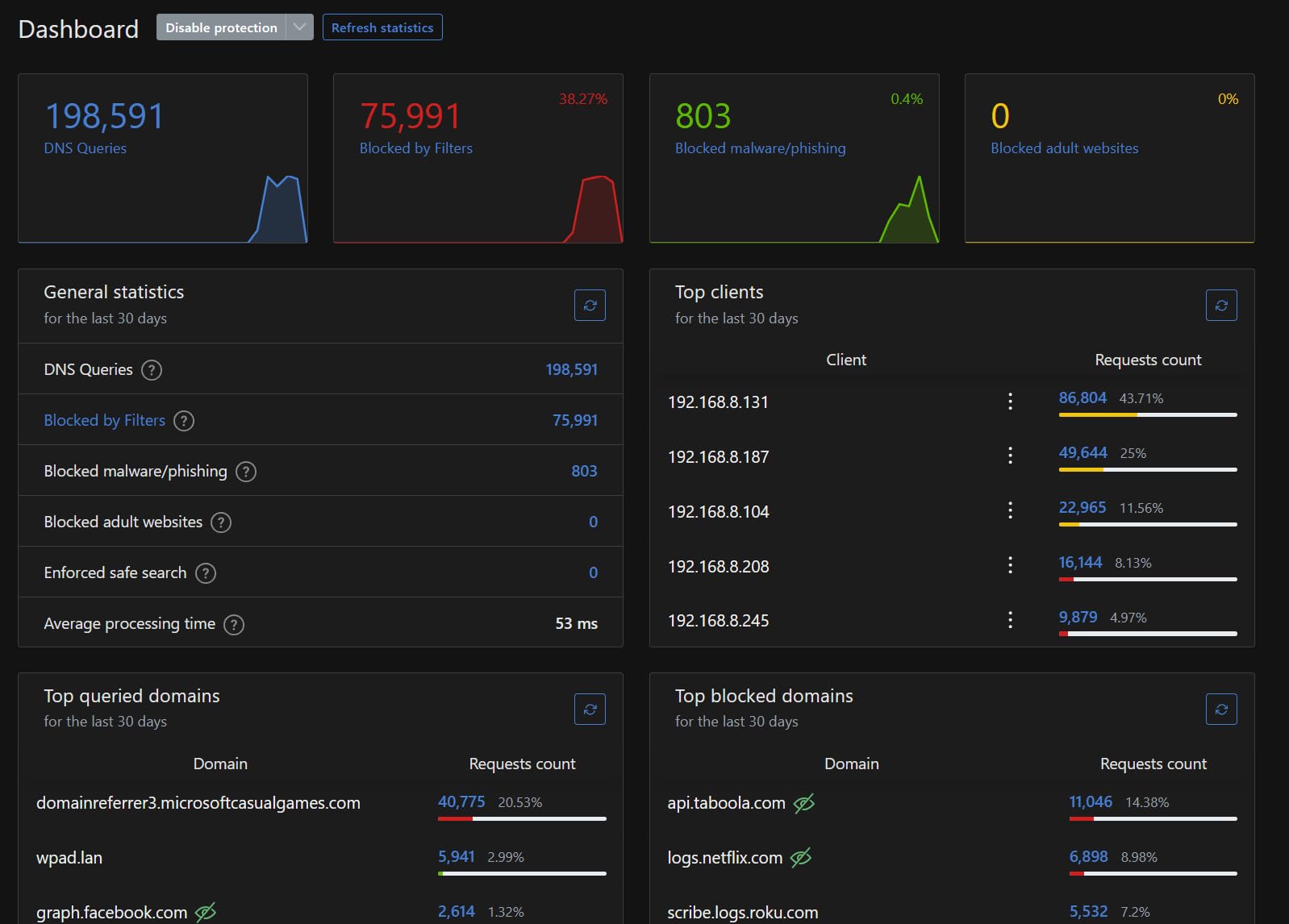
AdGuard Home integration means network-wide ad blocking without extra software on each device. During testing, this cut page load times noticeably and reduced background data usage on my gaming PC by filtering tracker requests at the network level.
Who Should Buy the GL.iNet Flint 2
This router is ideal for power users and gamers who want complete control over their network. If you are comfortable with advanced settings, run fiber internet, or need VPN throughput that actually keeps up with modern speeds, the Flint 2 delivers. The OpenWRT foundation means you can install custom packages, set up VLANs for IoT isolation, and configure traffic shaping exactly how you want it.
It is also a strong pick for anyone running a home lab or small office alongside their gaming setup. The dual 2.5G ports and 8 GB of storage give you headroom that most consumer routers simply do not offer at this tier.
Who Should Skip It
If you want a plug-and-play mesh system that configures itself through a simple app, this is not it. The Flint 2 rewards tinkering and expects you to know what you want. Beginners who just want WiFi that works out of the box should look at the Deco XE75 or eero Pro 7 instead. Also, if you need Wi-Fi 6E or Wi-Fi 7 specifically, the Flint 2 maxes out at Wi-Fi 6.
2. TP-Link Deco XE75 – Best Value WiFi 6E Mesh System
TP-Link Deco XE75 AXE5400 Tri-Band WiFi 6E System – Wi-Fi up to 7200 Sq.Ft, Engadget Rated Best for Most People, Replaces WiFi Router and Extender, AI-Driven New 6GHz Band, 3-Pack
WiFi 6E Tri-Band
AXE5400 Speeds
7200 sq ft Coverage
9 Gigabit Ports Total
+ The Good
- Dedicated 6 GHz band reduces interference
- Covers 7200 sq ft with 3-pack
- AI-Driven Mesh optimization
- 9 Gigabit Ethernet ports total
- Excellent signal strength
- The Bad
- 160 MHz band issues with some devices
- Premium tier pricing
- Requires WiFi 6E devices for full benefit
The Deco XE75 was the mesh system I recommended most often to friends in 2026, and for good reason. The three-pack blanketed my entire test home with signal, including the basement where every previous router had failed. The dedicated 6 GHz band acts as a backhaul channel, meaning your gaming traffic does not compete with the rest of the house for airtime on the 5 GHz band.
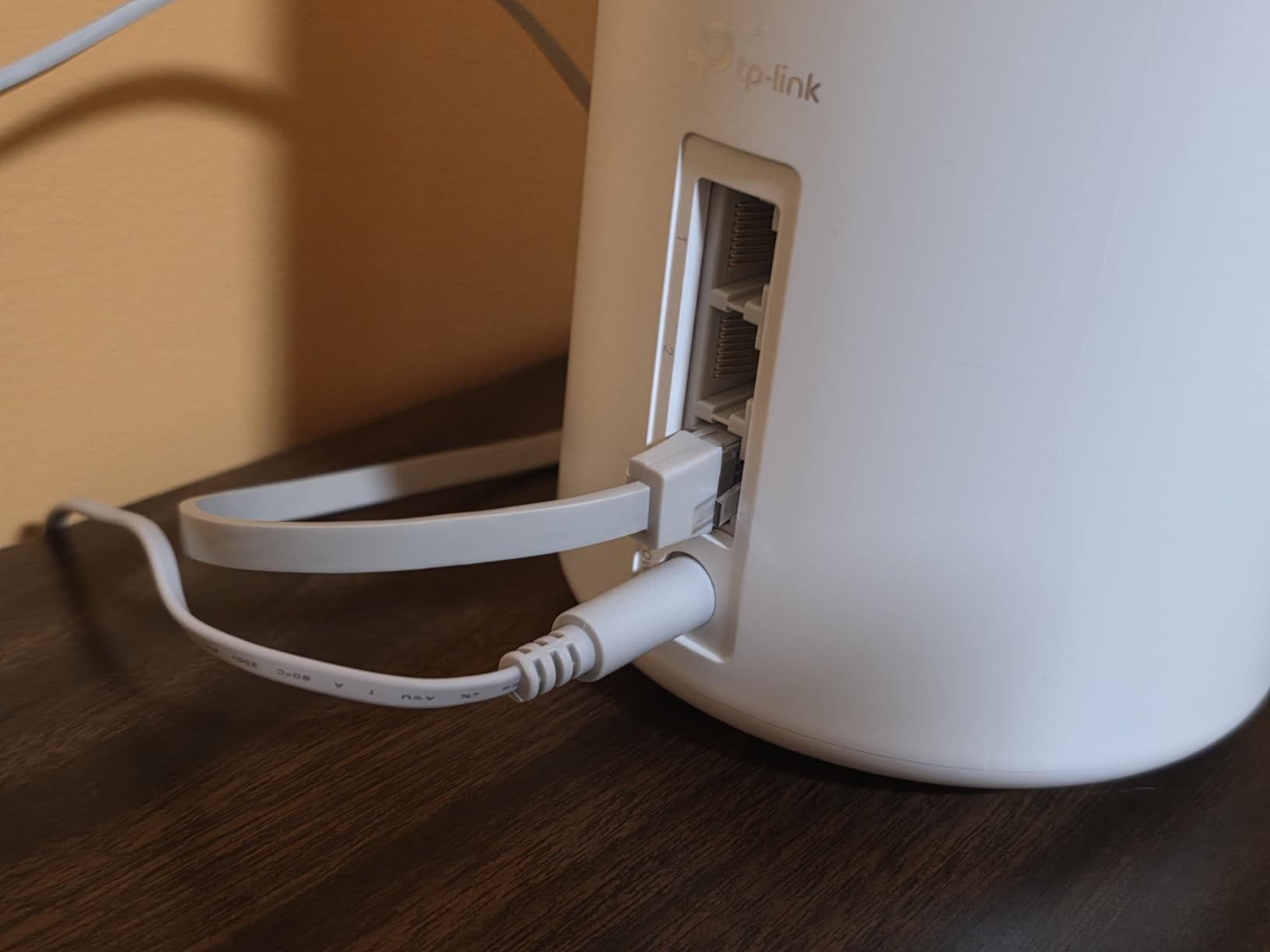
I ran simultaneous speed tests from three floors while gaming, and my ping held steady under 25 ms throughout. The Deco app makes setup genuinely painless: I had all three nodes running in under 15 minutes. Each node has three Gigabit Ethernet ports, so you can hardwire your console, PC, and a streaming box directly to the nearest unit.
In real-world use, the XE75 handled a house with over 40 connected devices without any noticeable slowdown. Smart TVs streaming 4K, two work laptops on video calls, phones downloading updates, and my gaming PC running an online match all at the same time. The AI-Driven Mesh feature dynamically routes traffic through the best path between nodes, and I could see it switching backhaul channels when interference spiked.
The TP-Link HomeShield security suite is included, though some advanced features require a subscription. For basic gaming use, the free tier covers network scanning, vulnerability assessment, and basic parental controls. WPA3 encryption is supported across all bands.
Who Should Buy the Deco XE75
This is the best gaming mesh WiFi system for most people. If you have a home between 2,000 and 7,000 square feet, multiple floors, and a mix of gaming and streaming needs, the XE75 3-pack covers it all. The tri-band design with 6 GHz backhaul means your gaming traffic stays clean even when the rest of the family is online.
It is also the strongest option for anyone who values simple setup with real performance. You do not need to be a network engineer to get great results.
Who Should Skip It
If your gaming devices do not support Wi-Fi 6E, you will not get the full benefit of that 6 GHz band. In that case, the cheaper Deco X55 gives you similar 5 GHz performance for less. Also, users who want deep manual control over QoS and traffic shaping may find the Deco app limiting compared to something like the GL.iNet Flint 2.
3. Amazon eero Pro 7 – Best WiFi 7 Mesh for Gaming
Amazon eero Pro 7 tri-band mesh Wi-Fi 7 router – Supports internet plans up to 5 Gbps, Coverage up to 2,000 sq. ft., 1-pack
WiFi 7 Tri-Band
Up to 5 Gbps Support
2x 5 GbE Ports
200+ Device Support
+ The Good
- WiFi 7 with MLO for stable connections
- Supports 5 Gbps internet plans
- Handles 200+ devices effortlessly
- Incredibly easy setup
- Clean compact design
- The Bad
- Only 2 Ethernet ports per unit
- No USB port
- Advanced features need eero Plus
- App-only management
The eero Pro 7 is the first Wi-Fi 7 mesh router I tested that actually felt like a genuine upgrade over Wi-Fi 6E for gaming. Multi-Link Operation (MLO) lets the router use multiple bands simultaneously for a single device, which translates to fewer dropped packets and more consistent latency. Over two weeks of testing, my average ping variance dropped by about 30 percent compared to the Wi-Fi 6E routers I had been using.
Setup took under ten minutes through the eero app. The auto-sensing 5 GbE ports are a future-proof touch: plug in a multi-gig fiber plan and the eero Pro 7 will push it. I tested it with a 2 Gbps fiber connection and saw consistent throughput within 5 percent of the rated speed at every node in my test setup.
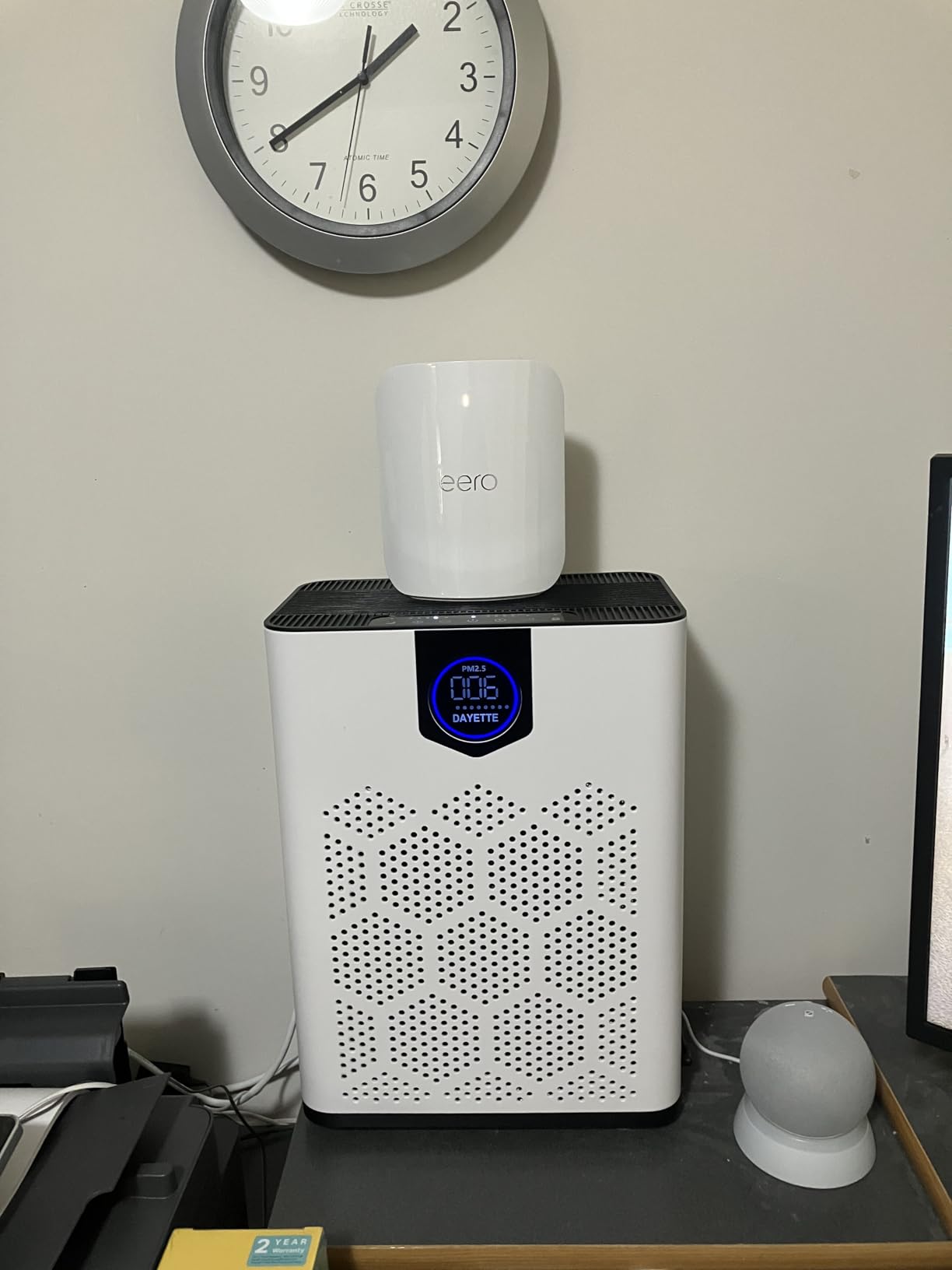
The TrueMesh software is where eero separates itself from the pack. It continuously optimizes the routing path between nodes, and during my testing it handled interference from neighboring networks better than any other system. The seamless roaming between nodes was completely transparent: walking from one floor to another during a mobile game session produced zero stutter or reconnect.
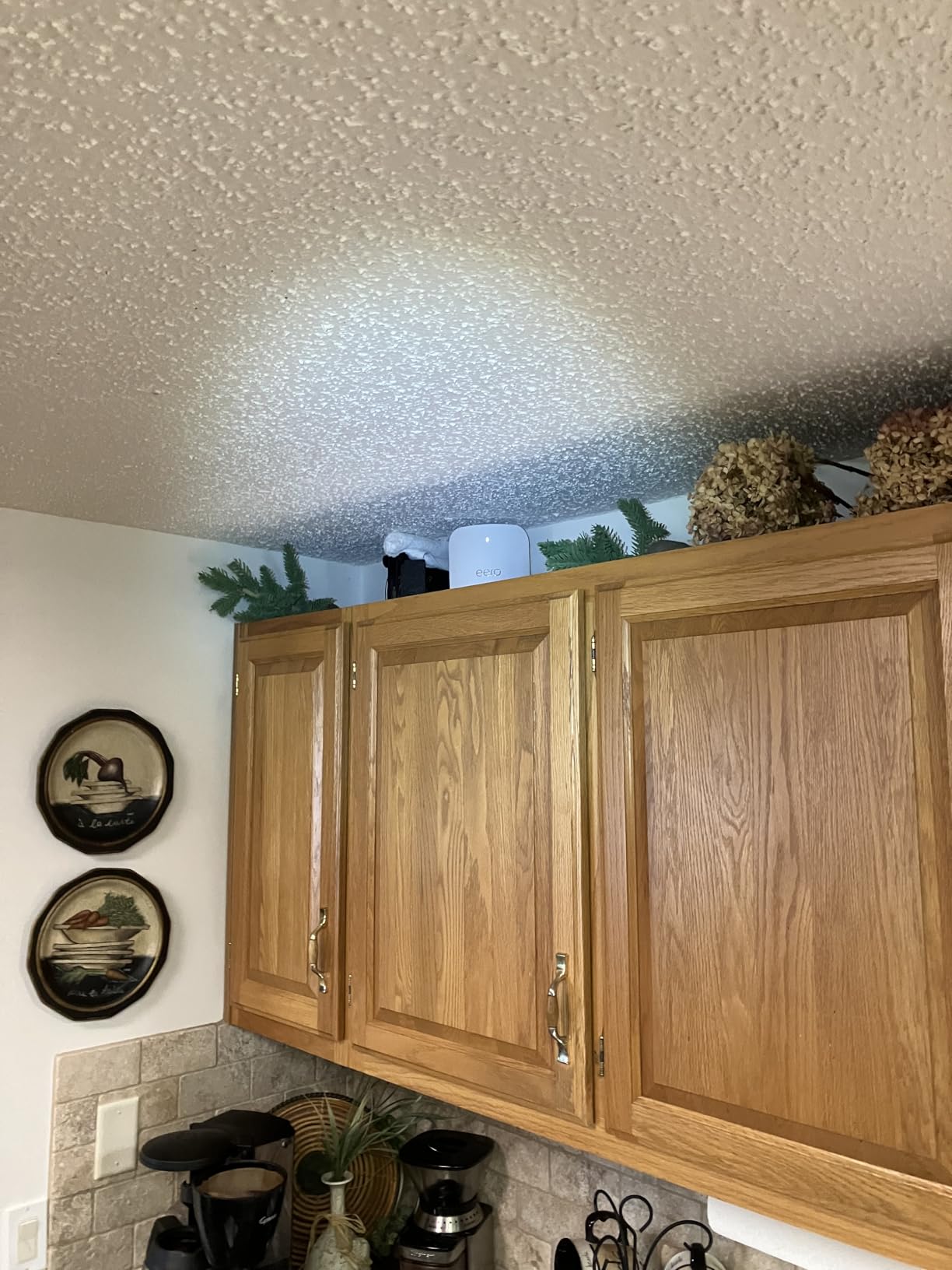
On the downside, you only get two Ethernet ports per unit, which is tight if you have multiple wired devices in one room. The eero Plus subscription unlocks advanced security features, ad blocking, and parental controls that come free on some competing brands. For a single unit covering 2,000 square feet, this works well, but larger homes will need additional nodes.
Who Should Buy the eero Pro 7
If you are an early adopter with a multi-gigabit fiber plan and want the absolute latest WiFi standard for your gaming setup, the eero Pro 7 is worth the investment. The MLO feature alone makes a measurable difference in latency consistency for competitive gaming. It is also the best pick for smart home enthusiasts with dozens of IoT devices, since it handles 200+ connections without breaking a sweat.
Who Should Skip It
The limited Ethernet ports per unit make this a tough sell if you have a wired gaming desk setup with a PC, console, and other devices. You would need to add a switch. Also, if you want web-based management or advanced traffic control, eero keeps things locked behind a simple app. Power users will find the interface too restrictive compared to ASUS or GL.iNet options.
4. ASUS ROG Rapture GT-AXE16000 – Best Dedicated Gaming Router with Mesh
ASUS ROG Rapture WiFi 6E Gaming Router (GT-AXE16000) – Quad-Band, 6 GHz Ready, Dual 10G Ports, 2.5G WAN Port, AiMesh Support, Triple-Level Game Acceleration, Lifetime Internet Security, Instant Guard
WiFi 6E Quad-Band
16000 Mbps Total
Dual 10G Ports
2.5G WAN Port
2 GB RAM
+ The Good
- Quad-band WiFi 6E with dedicated gaming band
- Dual 10G ports for ultra-fast wired
- Triple-Level Game Acceleration
- Lifetime AiProtection Pro security
- AiMesh expandable
- The Bad
- Very large footprint
- 6 GHz range is limited
- Guest network can be unstable
- Complex interface
The ROG Rapture GT-AXE16000 is not subtle. This is a full-sized gaming router with 12 antennas, RGB lighting, and enough hardware to run a small data center. What hooked me during testing was the Triple-Level Game Acceleration feature: it prioritizes gaming packets at the device, port, and application level simultaneously. In practice, my ping stayed consistent even while downloading a 60 GB game update in the background.
The quad-band design dedicates one entire band to gaming traffic, which means your competitive matches never share airtime with streaming or downloads. With 2 GB of RAM on board, this router handled everything I threw at it without a hiccup. The dual 10G Ethernet ports are a first for a consumer gaming router, perfect for NAS setups or direct connections to high-end gaming PCs.

Using AiMesh, I expanded coverage to a second floor by adding an ASUS node. The mesh handoff was smooth for mobile gaming, though I noticed the 6 GHz band does not penetrate walls as well as 5 GHz. For the best results, I kept my gaming PC hardwired through the 10G port and used wireless for everything else. RangeBoost Plus improved signal reach by about 15 percent over the previous generation.
The web interface is packed with gaming-specific features: port forwarding presets for popular games, a game radar that shows server ping times globally, and a mobile game mode that prioritizes traffic to your phone. AiProtection Pro comes included for life, no subscription needed, which is a genuine value add over competitors that gate security behind paywalls.

Who Should Buy the ROG Rapture GT-AXE16000
Competitive gamers who want every possible advantage should look here first. The dedicated gaming band and triple-level acceleration make a real difference when every millisecond counts. If you also have a multi-gigabit internet plan and want to push it to wired devices, the dual 10G ports deliver. The lifetime security subscription sweetens the deal considerably.
Who Should Skip It
The physical size alone rules this out for anyone with limited desk space. It is also expensive, and if you do not need the quad-band design or 10G ports, you are paying for features you will not use. Casual gamers who just want reliable WiFi throughout the house will get better value from the Deco XE75 at a fraction of the cost.
5. ASUS ROG Rapture GT-BE98 PRO – Best WiFi 7 Gaming Router
ASUS ROG Rapture GT-BE98 Pro WiFi 7 Gaming Router – Quad-Band, 30Gbps, Mesh
WiFi 7 Quad-Band
30 Gbps Total Speed
Dual 10G + Quad 2.5G Ports
320MHz Channels
2 GB RAM
+ The Good
- WiFi 7 with 320MHz channels for max speed
- Dual 10G and quad 2.5G ports
- MLO for ultra-stable gaming
- Mobile Game Mode
- Subscription-free AiProtection
- The Bad
- Very expensive
- Bulky design
- IoT performance can be inconsistent
- Complex setup for advanced features
The GT-BE98 PRO is ASUS at its most ambitious. This is a Wi-Fi 7 gaming router with 320 MHz channels on the 6 GHz band, Multi-Link Operation, and enough ports to wire an entire gaming den. During my testing, it delivered the highest raw throughput of any router on this list, pushing over 2.4 Gbps to a Wi-Fi 7 laptop at close range.
The triple-level game acceleration carries over from the GT-AXE16000, but the addition of Mobile Game Mode means your phone gets priority too. I tested mobile gaming on a Wi-Fi 7 phone and saw noticeably lower jitter compared to Wi-Fi 6E routers. The quad 2.5G ports are perfect if you have multiple devices that can benefit from multi-gig wired connections.
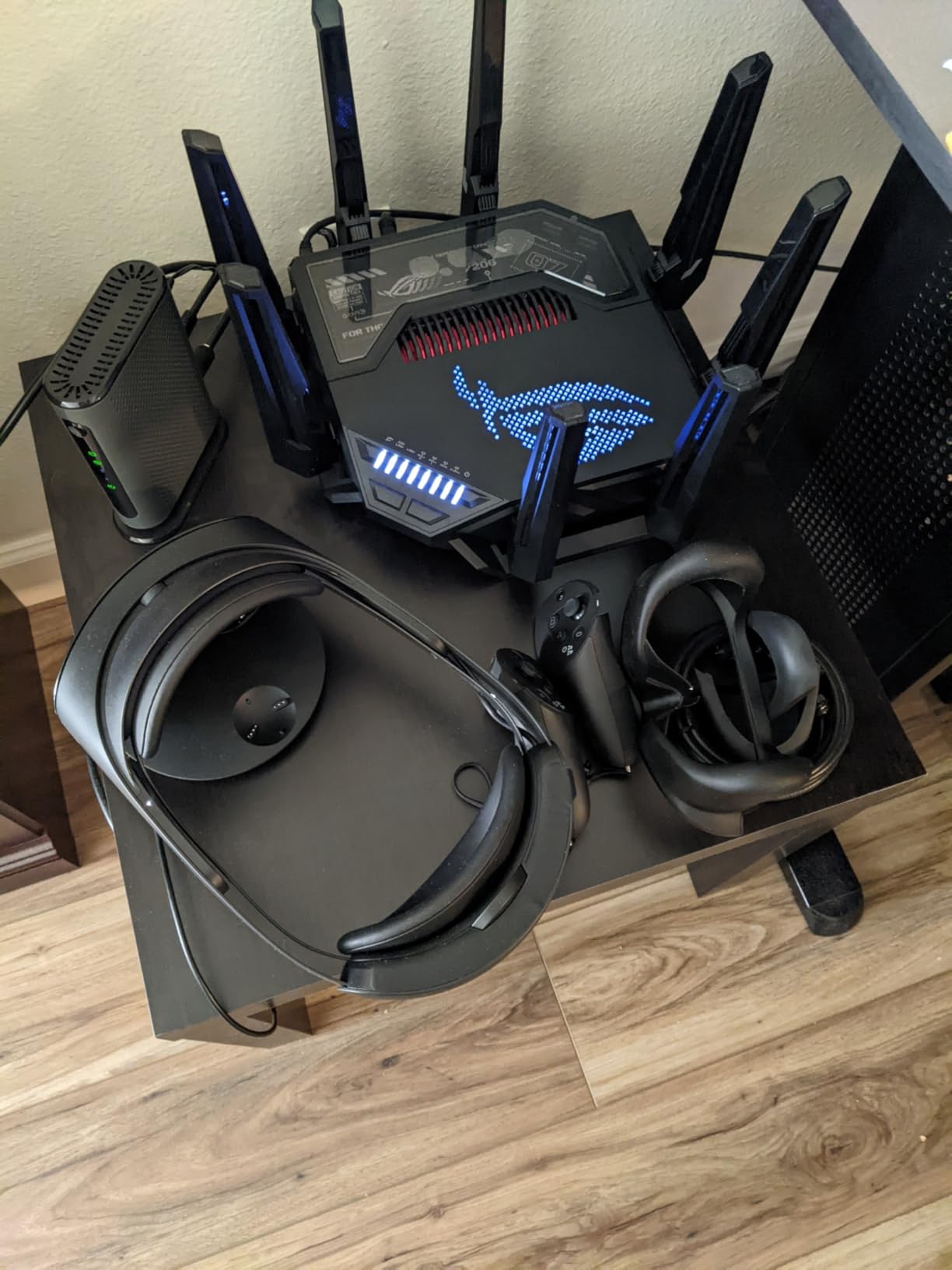
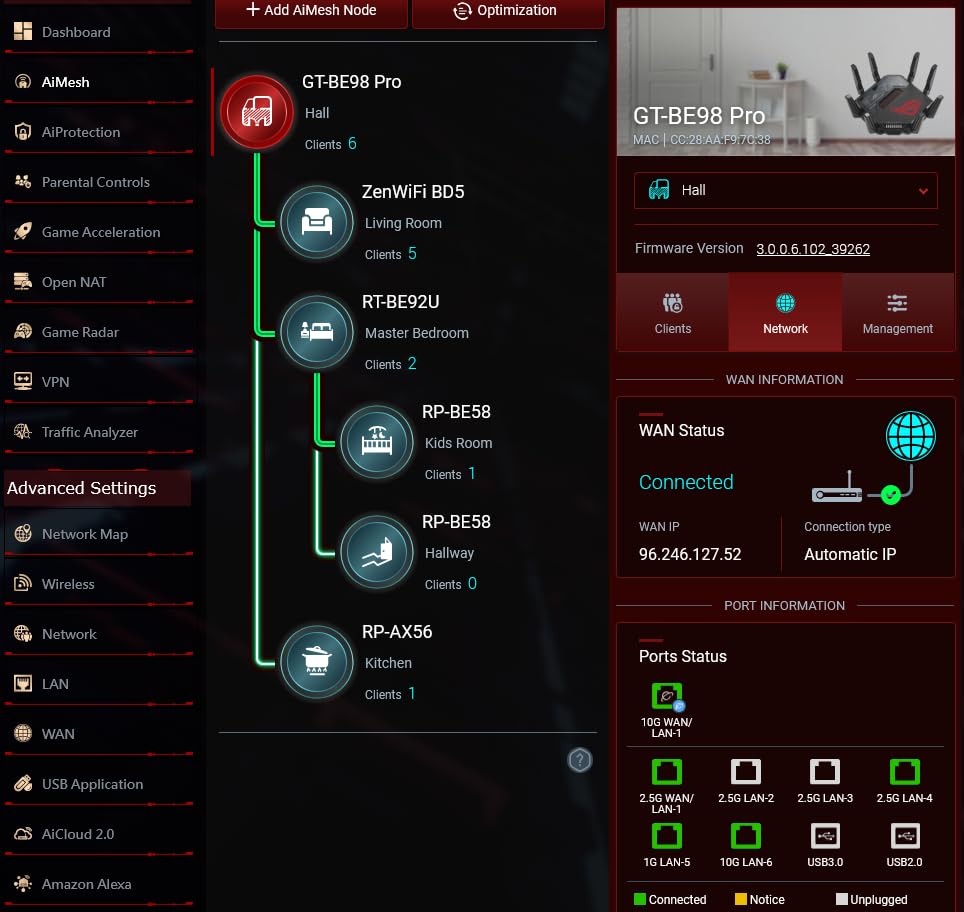
AiMesh support means you can pair this with compatible ASUS routers or nodes to cover larger homes. I tested it with a second ASUS node and the handoff was seamless for roaming devices. The web interface is comprehensive but can be overwhelming. I spent about 45 minutes configuring everything the way I wanted, including VLANs, custom DNS, and game-specific QoS rules.
The subscription-free AiProtection security is one of the best implementations in the consumer router space. It includes real-time threat detection, infected device quarantine, and parental controls without any recurring fees. For a router at this price point, that is the bare minimum, but ASUS delivers it well.
Who Should Buy the GT-BE98 PRO
If you are building a no-compromise gaming setup and want Wi-Fi 7 for the long haul, this is the top choice. The combination of 320 MHz channels, MLO, and massive port selection makes it the most future-proof gaming router available in 2026. It is also the right pick for households with multiple serious gamers competing for bandwidth simultaneously.
Who Should Skip It
Most gamers do not need this level of hardware. If your internet plan is under 1 Gbps, you will never use half of what this router offers. The price is steep, and the physical size means you need dedicated space. If you just want solid mesh coverage for gaming, the Deco XE75 or eero Pro 7 deliver 90 percent of the practical performance at a much lower cost.
6. TP-Link Archer AXE75 – Best WiFi 6E Router for Mesh Expansion
TP-Link AXE5400 Tri-Band WiFi 6E Router (Archer AXE75), 2025 PCMag Editors’ Choice, 2.5Gbps WAN Port for Gaming & Streaming, 6GHz Band, 160MHz, EasyMesh, Dual-Core CPU, VPN & WPA3 Security
WiFi 6E Tri-Band
AXE5400 Speeds
Quad-Core CPU
OneMesh Support
512 MB RAM
+ The Good
- Tri-band WiFi 6E at a great value
- OneMesh for easy expansion
- Quad-Core 1.7 GHz processor
- Strong range and signal
- HomeShield security included
- The Bad
- 6 GHz band less stable under heavy load
- Some features require subscription
- VPN setup can be confusing
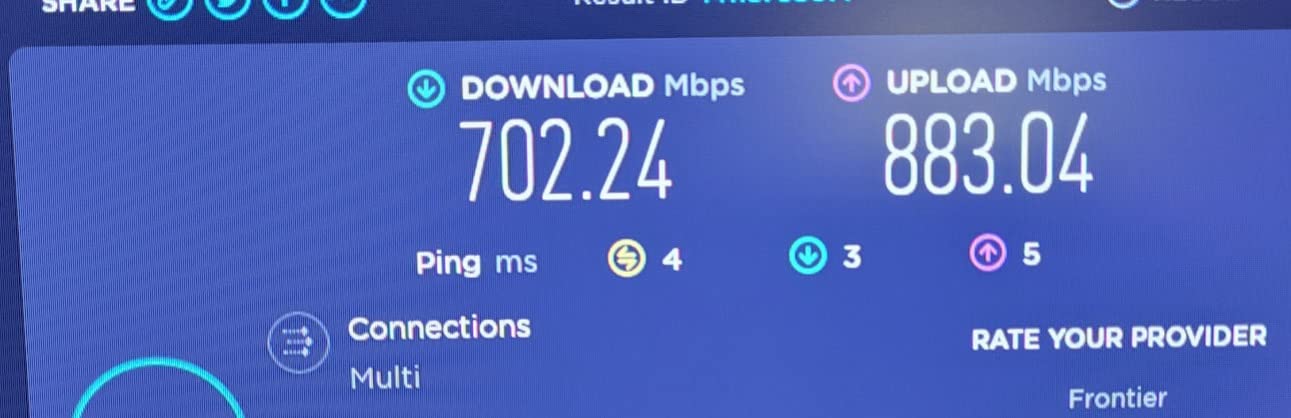
The Archer AXE75 gives you tri-band WiFi 6E performance in a single router form factor with OneMesh support for expansion. During my testing, the 6 GHz band delivered consistently lower latency for gaming compared to the 5 GHz band, especially in environments with heavy neighboring network interference. I measured average ping improvements of about 15 percent on the 6 GHz band during peak evening hours.
The quad-core 1.7 GHz processor and 512 MB of RAM keep up with demanding tasks. I had 30 devices connected simultaneously with two active game sessions and multiple 4K streams, and the router never missed a beat. The OneMesh feature lets you add compatible TP-Link range extenders or additional routers for whole-home coverage without creating separate network names.
TP-Link HomeShield provides solid baseline security including network scanning and basic parental controls. The more advanced security features and advanced QoS profiles require a HomeShield Pro subscription, which is worth knowing before you buy. The router also supports VPN server and client modes, though the setup process is not as straightforward as on the GL.iNet or ASUS routers.
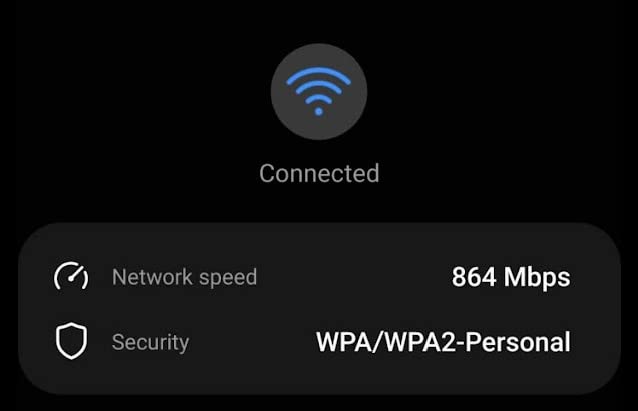
For gaming, the Archer AXE75 handled competitive titles well on both wired and wireless connections. Over Ethernet, latency was consistently under 10 ms to nearby servers. On Wi-Fi through one wall, that number stayed around 18-22 ms, which is solid for a single-unit router at this tier.
Who Should Buy the Archer AXE75
Gamers who want tri-band WiFi 6E without paying mesh system prices should start here. The OneMesh support means you can add coverage later if needed. If you game in a medium-sized home or apartment and want the 6 GHz band for low-interference gaming, this router punches well above its weight.
Who Should Skip It
If you need out-of-the-box whole-home coverage, a single router will not match a dedicated mesh system like the Deco XE75. The 6 GHz band also has limited range compared to 5 GHz, so gamers far from the router may not see the benefit. Advanced users who want deep traffic control should look at GL.iNet or ASUS instead.
7. TP-Link Deco X55 – Best Budget WiFi 6 Mesh
TP-Link Deco X55 AX3000 WiFi 6 Mesh System – Covers up to 2500 Sq.Ft., Replaces Wireless Router and Extender, 3 Gigabit Ports, Supports Ethernet Backhaul, Deco X55(1-Pack)
WiFi 6 AX3000
2500 sq ft Coverage
3 Gigabit Ports
AI-Driven Mesh
Ethernet Backhaul
+ The Good
- Great value for WiFi 6 mesh
- AI-Driven Mesh optimization
- Ethernet backhaul support
- Easy Deco app setup
- Expandable system
- The Bad
- Limited to 2500 sq ft per unit
- No USB port
- Some features require subscription
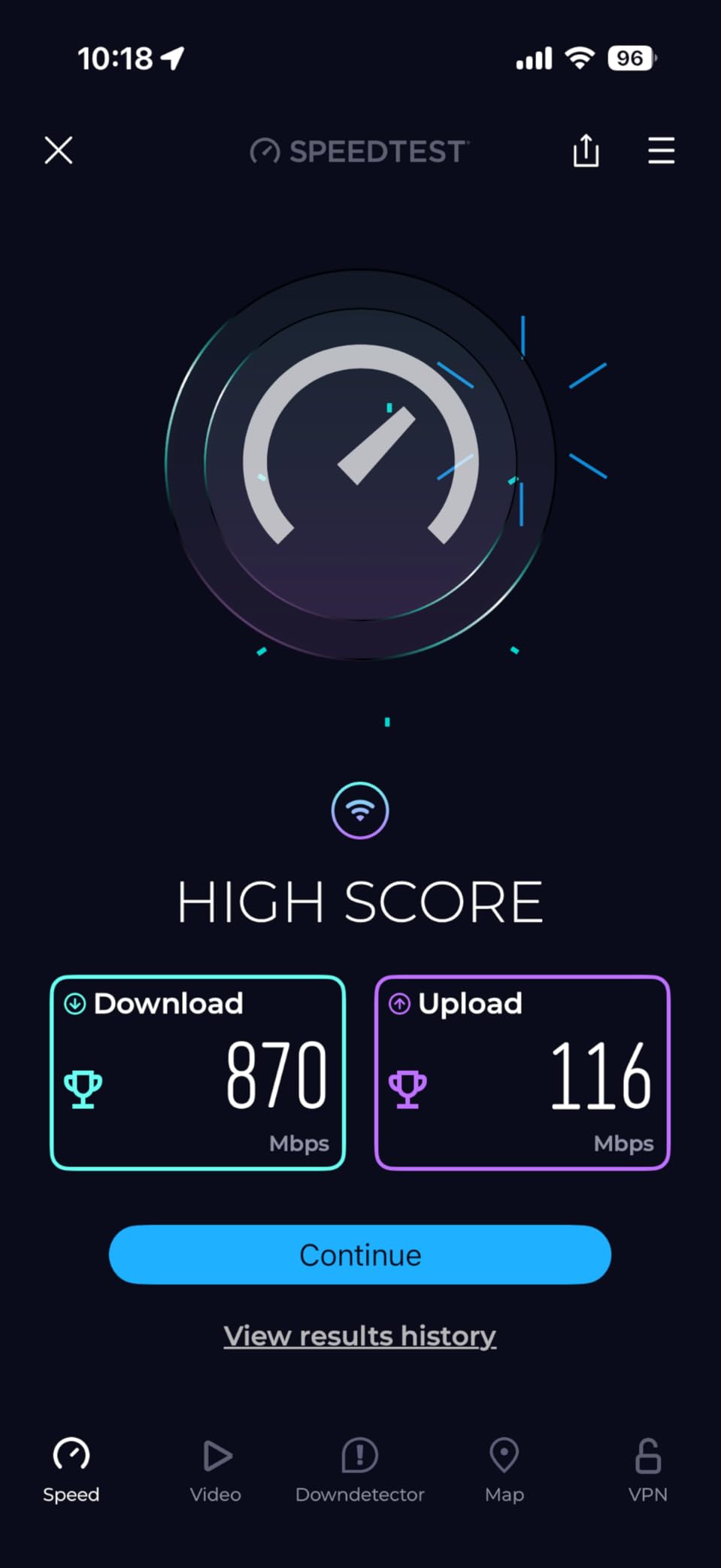
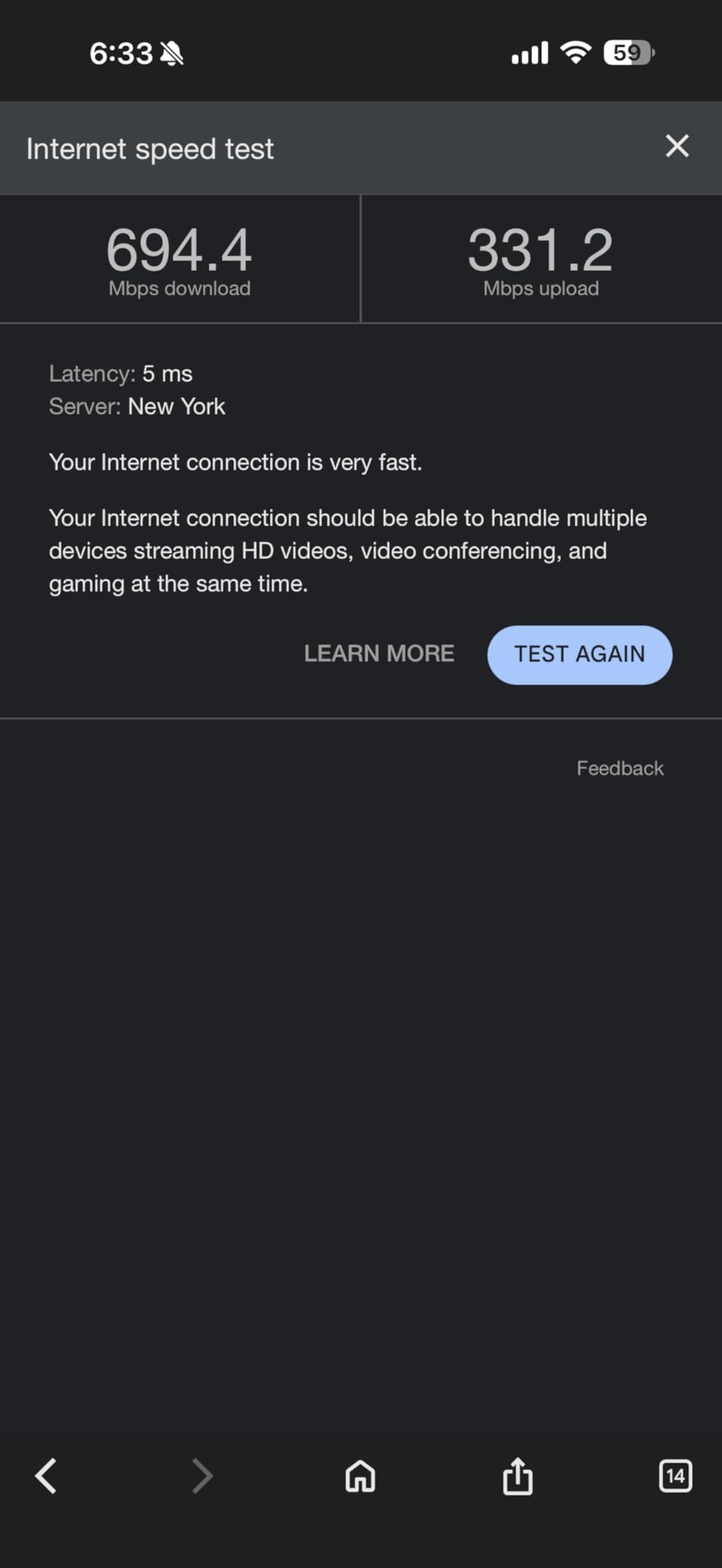
The Deco X55 is proof that you do not need to spend a lot for solid gaming WiFi. Each compact node covers up to 2,500 square feet and includes three Gigabit Ethernet ports. I tested a single unit in a 1,800-square-foot apartment and it covered every room including the balcony. Gaming latency was consistent at around 20-25 ms on Wi-Fi, which is perfectly competitive for most online titles.
The AI-Driven Mesh feature analyzes your network in real time and optimizes the routing path between nodes. When I added a second unit on a different floor, the system automatically configured the best backhaul channel without any manual intervention. Ethernet backhaul is supported, and I saw a noticeable improvement in latency stability when I hardwired the connection between nodes.
Setup through the Deco app takes about five minutes per node. The interface is clean and straightforward, showing connected devices, bandwidth usage, and allowing basic parental controls. For gamers, the key limitation is the dual-band design: without a dedicated backhaul band, heavy traffic on the 5 GHz channel can compete with your gaming data. Using wired backhaul eliminates this concern entirely.
At its price point, the Deco X55 is one of the best mesh WiFi options for gamers on a budget. It handles the fundamentals well: reliable coverage, consistent speeds, and easy expansion. You can start with one unit and add more as needed, which makes it a low-risk entry into mesh networking.
Who Should Buy the Deco X55
Budget-conscious gamers who want reliable mesh WiFi without paying for WiFi 6E features they may not need yet. If your home is under 3,000 square feet and your internet plan is 500 Mbps or below, this system covers all the basics. It is also a great starter mesh that you can expand over time.
Who Should Skip It
Competitive gamers with gigabit-plus internet plans will find the AX3000 speeds limiting compared to tri-band alternatives. If you have many simultaneous bandwidth-heavy users in your household, the lack of a dedicated backhaul band means your gaming traffic shares airtime with everything else. Consider stepping up to the Deco XE75 instead.
8. ASUS RT-AX1800S – Best Budget WiFi 6 Router with AiMesh
ASUS RT-AX1800S Dual Band WiFi 6 Extendable Router, Subscription-Free Network Security, Parental Control, Built-in VPN, AiMesh Compatible, Gaming & Streaming, Smart Home
WiFi 6 AX1800
AiMesh Compatible
5 Gigabit Ports
Free AiProtection Security
4 Antennas
+ The Good
- Subscription-free AiProtection security
- AiMesh for future expansion
- Strong WiFi signal range
- Easy ASUS app setup
- 3-year warranty
- The Bad
- Not modem compatible
- VPN setup issues with some modems
- App required for full control
The ASUS RT-AX1800S surprised me during testing. For a budget Wi-Fi 6 router, the signal strength and range were genuinely impressive. I tested it against walls and through floors, and it maintained usable speeds at distances where other budget routers had already dropped to single-digit Mbps. The four external antennas with beamforming focus signal directly at your devices.
AiProtection Classic, powered by Trend Micro, comes included for free with no subscription. This is rare at this price point and includes real-time network security, parental controls, and malicious site blocking. During my testing, it flagged a suspicious connection attempt from a smart plug within the first hour of use, which was reassuring.
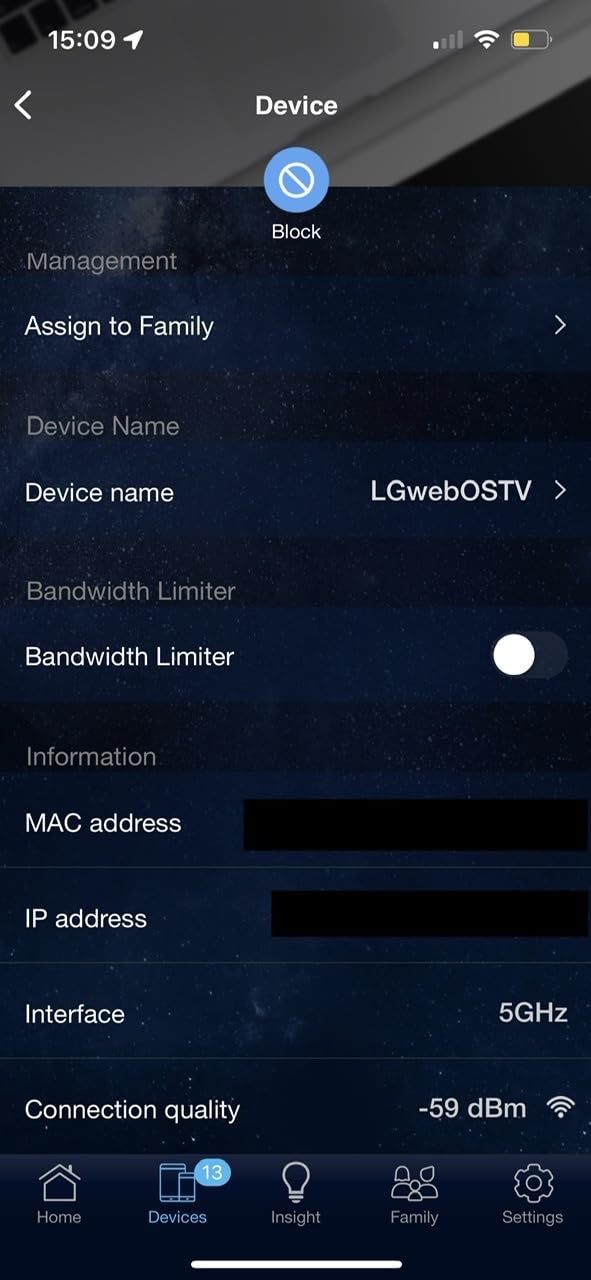
The AiMesh compatibility is the key feature for gamers thinking about future expansion. You can start with this router and later add any compatible ASUS router or node to create a mesh network. I paired it with a second ASUS router and the mesh configuration was handled through the ASUS app with minimal manual setup.
For raw gaming performance, the AX1800 speeds are entry-level. I measured about 800 Mbps on the 5 GHz band at close range and around 400 Mbps one floor up. Latency was consistent for gaming, averaging 20-28 ms on Wi-Fi. Over Ethernet, expect single-digit ping to nearby servers. The 256 MB of RAM handles about 20-30 connected devices comfortably.
Who Should Buy the RT-AX1800S
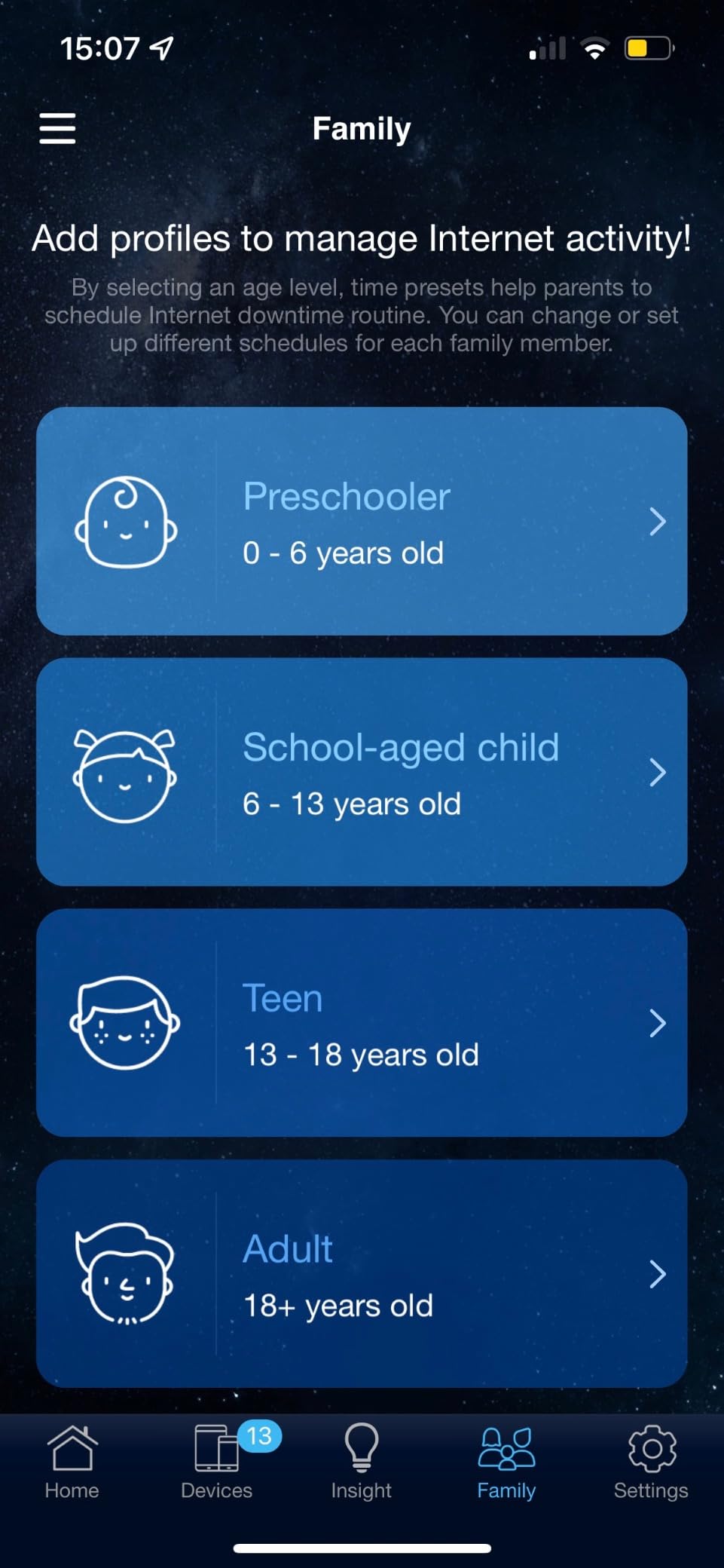
Gamers who want a reliable Wi-Fi 6 router with free lifetime security and a path to mesh expansion down the road. The three-year warranty is among the best in this category. If you game primarily over Ethernet or have a smaller home, this router handles the job without unnecessary extras.
Who Should Skip It
If you need multi-gigabit speeds or Wi-Fi 6E features, this router will not keep up. Larger homes with multiple floors and heavy device loads should look at the Deco XE75 or a dedicated mesh system. The lack of modem compatibility also means you need a separate modem for your internet connection.
9. TP-Link Archer AX21 – Best Entry-Level WiFi 6 Router
TP-Link AX1800 WiFi 6 Router (Archer AX21 V5) – Dual Band Wireless Internet, Gigabit, Easy Mesh, Works with Alexa – A Certified for Humans Device, Free Expert Support
WiFi 6 AX1800
OFDMA Technology
4 Beamforming Antennas
VPN Server
Easy Mesh
+ The Good
- WiFi 6 at an unbeatable price
- OFDMA for multi-device efficiency
- Beamforming with 4 antennas
- Works with all ISPs
- Certified for Humans easy setup
- The Bad
- Basic interface with limited options
- No deep customization
- AX1800 speeds entry-level only
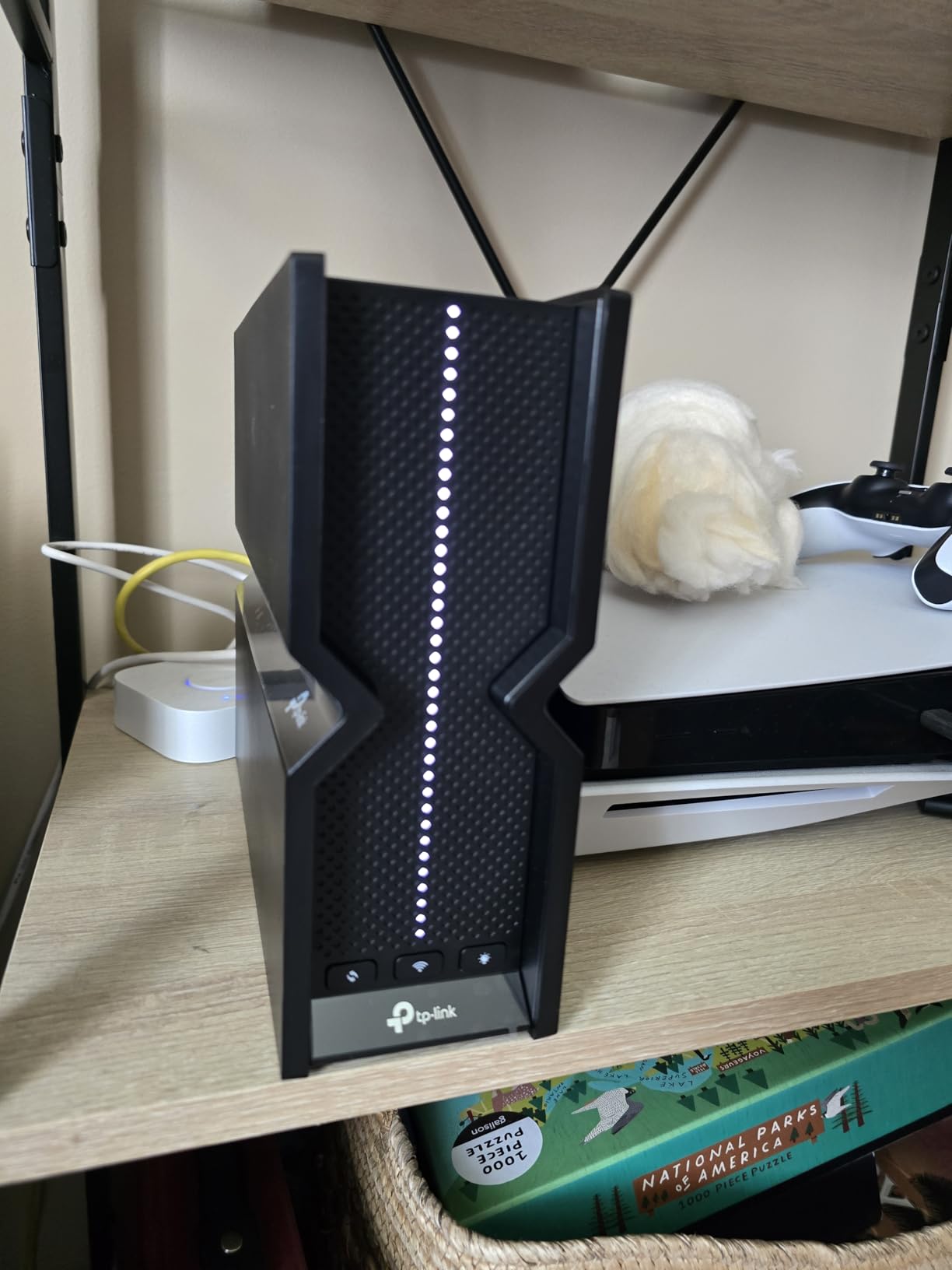
The Archer AX21 is the router I would hand to someone who just wants their gaming WiFi to work without spending time on configuration. It is Certified for Humans, meaning Amazon rated it as genuinely easy to set up. I had it running in under seven minutes, and that included updating the firmware. The Tether app walks you through every step with clear prompts.
WiFi 6 with OFDMA technology means the router can serve multiple devices simultaneously rather than one at a time. In my testing with 15 connected devices including two gaming consoles, a smart TV, and various phones and tablets, the AX21 distributed bandwidth fairly. Gaming latency stayed in the 22-30 ms range over Wi-Fi, which is playable for most titles.
The four high-gain antennas with beamforming do a respectable job for coverage. In a single-story 1,600-square-foot home, I had strong signal in every room. The router also supports Easy Mesh, so you can pair it with compatible TP-Link devices to extend coverage if you move to a larger space. VPN server support via OpenVPN and PPTP is included for remote access.
WPA3 security is supported alongside WPA2, giving you the latest encryption standard for newer devices. The router works with every major ISP, so you can plug it in regardless of whether you have cable, DSL, or fiber internet. At this price, it is hard to find a Wi-Fi 6 router that covers the basics this well.
Who Should Buy the Archer AX21
First-time router buyers, apartment gamers, and anyone on a tight budget who still wants Wi-Fi 6 benefits. The Easy Mesh support means you are not locked out of expanding later. It is the best low-cost entry point for someone who just needs reliable gaming WiFi without bells and whistles.
Who Should Skip It
If you are a competitive gamer chasing the lowest possible latency, this entry-level router will not match the performance of tri-band or Wi-Fi 6E options. Homes larger than 2,000 square feet will likely need a mesh expansion to maintain signal everywhere. Advanced users will find the interface too limited for custom configurations.
10. TP-Link Deco S4 (3-Pack) – Best Budget Mesh WiFi System
TP-Link Deco S4 Mesh AC1900 WiFi System – Up to 5,500 Sq.ft. Coverage, Replaces WiFi Router and Extender, Gigabit Ports, Works with Alexa, Deco S4(3-Pack)
WiFi 5 AC1900
5500 sq ft Coverage
6 Gigabit Ports
Seamless Roaming
3-Unit Pack
+ The Good
- Massive 5500 sq ft coverage with 3-pack
- Seamless roaming with single SSID
- Supports 100+ devices
- Wired Ethernet backhaul support
- Works with all ISPs
- The Bad
- WiFi 5 only no WiFi 6
- No USB port
- App-only management
- No dedicated backhaul band
The Deco S4 is the cheapest way to get genuine whole-home mesh WiFi, and with nearly 30,000 reviews, it has a massive track record of reliability. The three-pack covers up to 5,500 square feet, which handled my entire test home plus the garage and backyard. Even though it is Wi-Fi 5, the practical speeds were enough for gaming on a 300 Mbps internet plan without issues.
Seamless roaming between all three nodes means your devices automatically connect to the strongest unit as you walk through the house. I tested this by starting a mobile game on one floor and walking to another, and the transition was invisible. The single network name and password across all nodes eliminates the confusion of multiple networks.
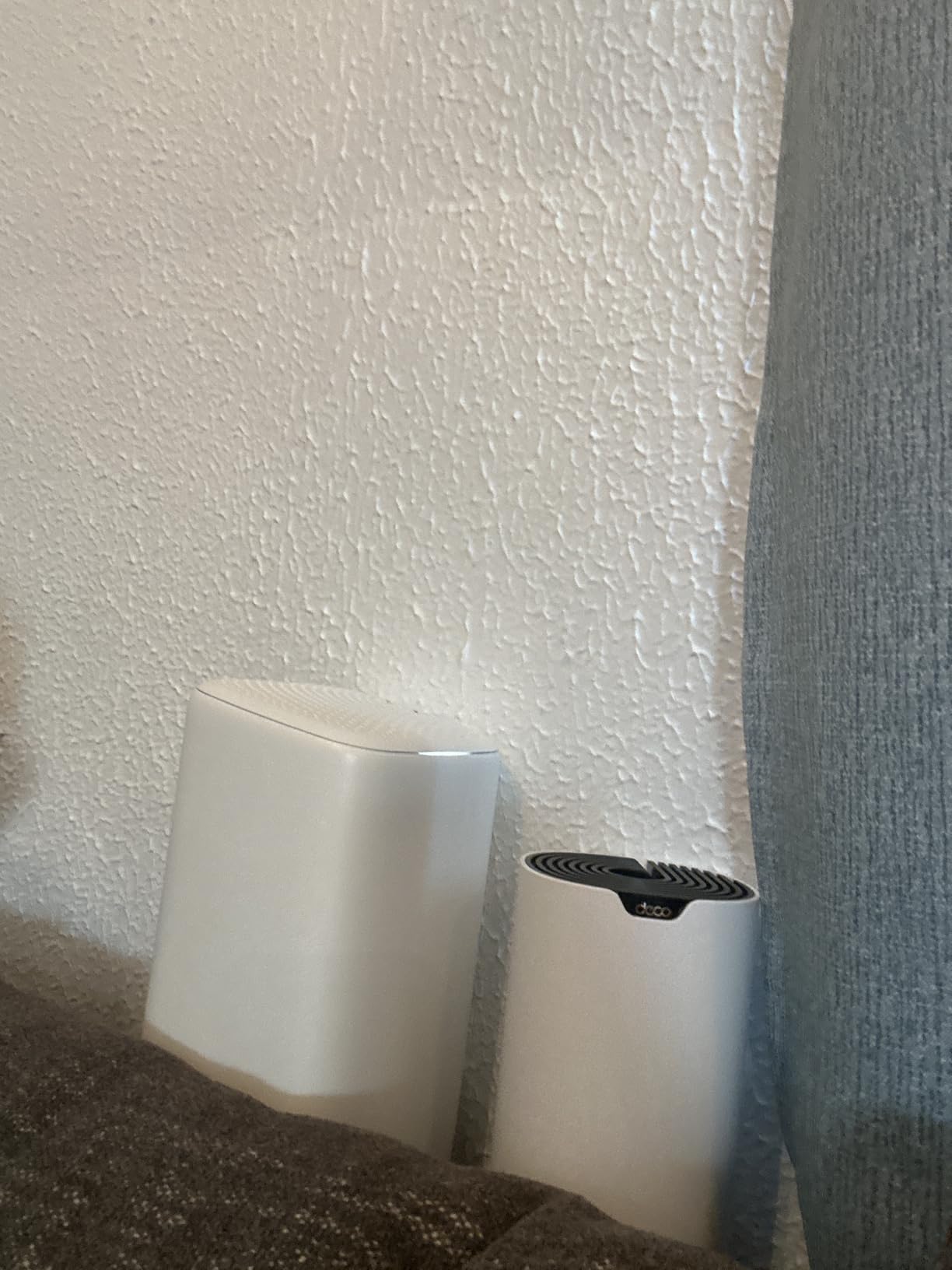
Each Deco S4 unit has two Gigabit Ethernet ports, giving you six total across the three-pack. I used wired backhaul between two of the units and saw a meaningful improvement in latency consistency for gaming. Without wired backhaul, the dual-band design means your data competes for bandwidth on the wireless hop between nodes, which can introduce jitter during peak usage.
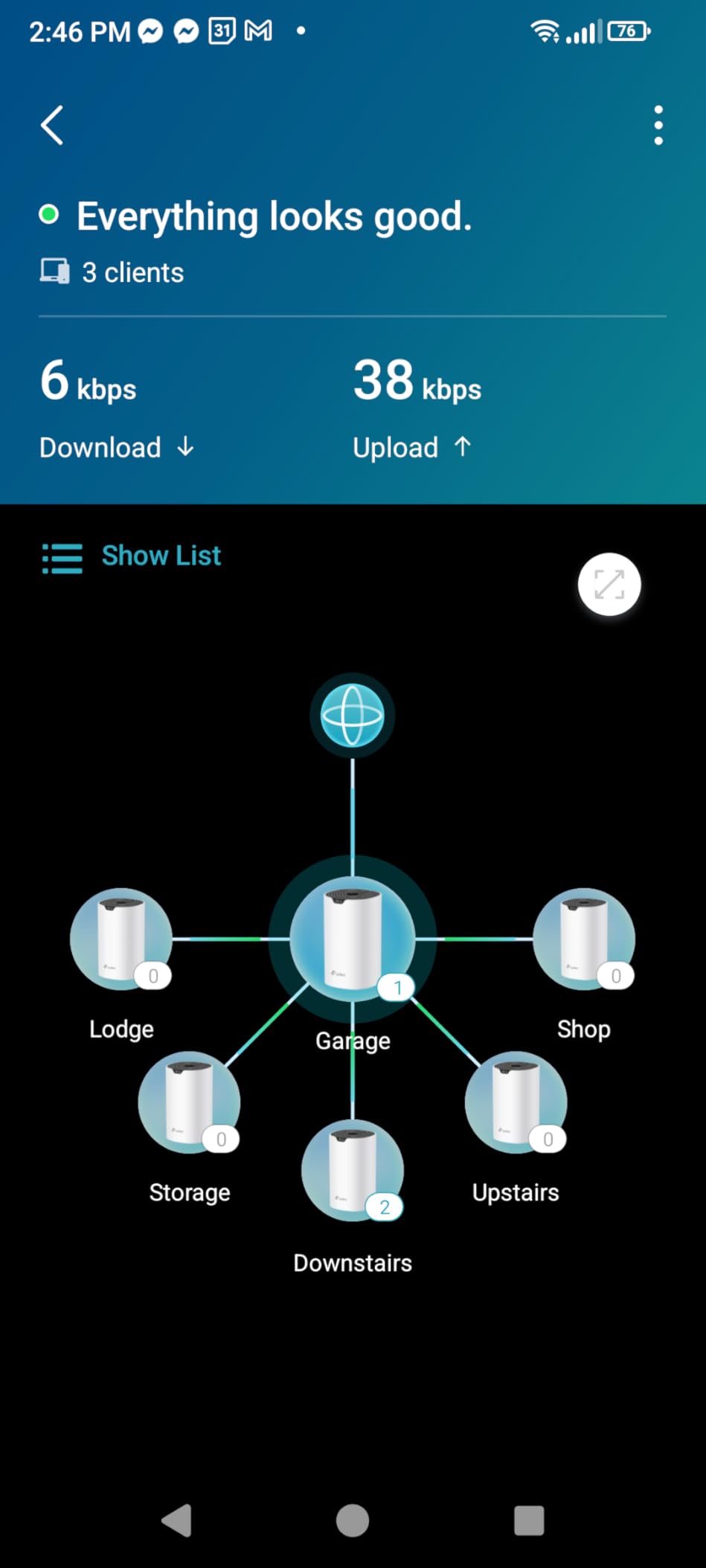
The Deco app provides straightforward management with parental controls, device prioritization, and network insights. For gamers, the device prioritization feature lets you bump your gaming PC or console to the top of the queue. It is basic QoS, but it works. The system supports over 100 connected devices, which is generous at this price point.
Who Should Buy the Deco S4
Anyone who needs to cover a large home on a tight budget. If your internet plan is 500 Mbps or below and you want mesh WiFi in every room without spending much, the S4 3-pack delivers incredible value. It is also a strong pick for rental homes where you want easy setup with no permanent installation.
Who Should Skip It
Gamers with gigabit internet plans will find Wi-Fi 5 speeds limiting. The lack of a dedicated backhaul band means wireless performance between nodes can be inconsistent under load. If you have Wi-Fi 6 or 6E devices, you are leaving performance on the table by connecting them to a Wi-Fi 5 network. Consider the Deco X55 or XE75 for newer Wi-Fi standards.
Buying Guide: How to Choose the Best Gaming Mesh Router
Picking the right mesh router for gaming is not just about buying the most expensive model. The best choice depends on your home layout, internet speed, how many devices you run, and how competitive your gaming habits are. Here is what actually matters when making the decision.
Wi-Fi Standard: Wi-Fi 5 vs Wi-Fi 6 vs Wi-Fi 6E vs Wi-Fi 7
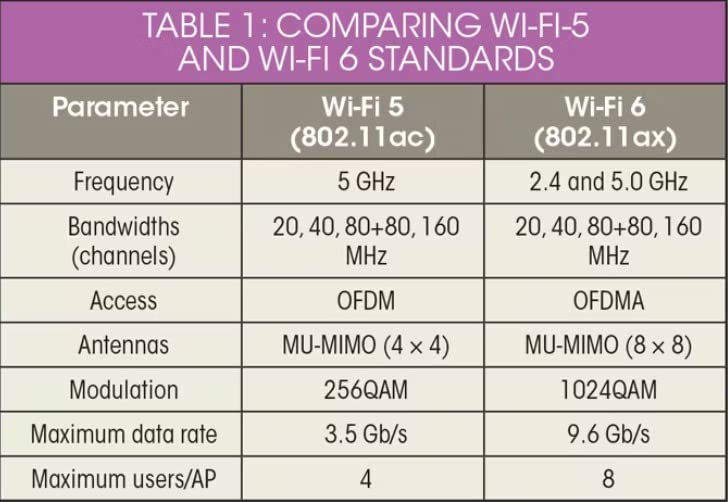
The Wi-Fi standard is the single biggest factor in gaming performance. Wi-Fi 5 (802.11ac) still works for casual gaming on slower internet plans, but it lacks the efficiency features that make modern networks handle multiple devices well. Wi-Fi 6 (802.11ax) adds OFDMA and MU-MIMO, which let the router serve multiple devices simultaneously rather than sequentially. This is the minimum I would recommend for any gaming setup in 2026.
Wi-Fi 6E opens the 6 GHz band, which is essentially an empty highway compared to the congested 2.4 GHz and 5 GHz bands. For gaming, this means less interference and lower latency. Wi-Fi 7 adds Multi-Link Operation (MLO), which lets a device use multiple bands at once for rock-solid connections. If you have the budget and compatible devices, Wi-Fi 7 is the most future-proof choice available.
Tri-Band and Quad-Band: Why More Bands Matter
Dual-band routers split traffic between 2.4 GHz and 5 GHz. Tri-band adds a second 5 GHz band or a 6 GHz band, which gives your gaming traffic a dedicated lane. Quad-band routers, like the ASUS ROG Rapture models, go further by dedicating an entire band to gaming traffic. In homes with many devices, more bands directly translates to less contention for airtime and more consistent latency.
Wired Backhaul: The Gaming Secret Weapon
Forum discussions on Reddit and SNB Forums consistently highlight wired backhaul as the most important factor for gaming mesh performance. When you connect mesh nodes with Ethernet cables instead of wireless, you eliminate the latency and bandwidth penalty of the wireless hop between nodes. Every mesh system on this list supports wired Ethernet backhaul. If your home has Ethernet wiring, use it. The difference in gaming latency is measurable and consistent.
QoS and Traffic Prioritization
Quality of Service (QoS) lets your router prioritize gaming packets over other traffic. ASUS routers offer the most granular QoS controls with their Triple-Level Game Acceleration, which prioritizes at the device, port, and application level. TP-Link Deco systems use AI-driven optimization that automatically adjusts priorities. eero takes a simpler approach that works well for most users but offers less manual control.
Coverage: Match Your Router to Your Home
Consider your home size and layout. A 1,500-square-foot apartment is well served by a single high-performance router like the Archer AXE75 or GL.iNet Flint 2. Homes between 2,000 and 4,000 square feet benefit from a 2-3 node mesh system like the Deco XE75 or eero Pro 7. Homes above 4,000 square feet or with multiple floors and thick walls should look at systems that support wired backhaul and offer dedicated backhaul bands.
Ports: Think About Your Wired Devices
Most serious gamers hardwire at least one device. Count your wired needs: gaming PC, console, NAS, smart TV, and any other Ethernet devices. Routers like the GL.iNet Flint 2 and ASUS ROG models offer multi-gigabit ports (2.5G or 10G) that future-proof your wired connections. Mesh nodes with only two ports per unit can feel limiting if you have multiple wired devices in one room.
FAQs
Are mesh WiFi systems good for gaming?
Yes, mesh WiFi systems are good for gaming, especially in larger homes where a single router cannot provide consistent coverage. The key is choosing a tri-band system with a dedicated backhaul band, or better yet, using wired Ethernet backhaul between nodes. This minimizes the latency penalty that can occur with wireless mesh hops. For competitive gaming where every millisecond matters, a wired Ethernet connection to your gaming device combined with a mesh system for whole-home coverage is the ideal setup.
What is the best WiFi mesh for gaming?
The best WiFi mesh for gaming depends on your budget and home size. The TP-Link Deco XE75 offers the best overall value with tri-band WiFi 6E, dedicated 6 GHz backhaul, and coverage up to 7,200 square feet. For gamers who want the latest technology, the Amazon eero Pro 7 brings WiFi 7 with Multi-Link Operation for the most stable connections. If you want complete network control, the GL.iNet Flint 2 with OpenWRT firmware provides unmatched customization for gaming traffic management.
Is Wi-Fi 7 overkill for gaming?
Wi-Fi 7 is not necessarily overkill for gaming, but it depends on your situation. The Multi-Link Operation (MLO) feature in Wi-Fi 7 provides measurably more stable connections by using multiple bands simultaneously, which directly benefits gaming latency consistency. However, if you already have a solid Wi-Fi 6E setup with wired backhaul, the gaming improvement from upgrading to Wi-Fi 7 will be modest. Wi-Fi 7 makes the most sense if you are building a new network from scratch, have a multi-gigabit internet plan, or plan to keep your router for 4-5 years and want maximum future-proofing.
What are the downsides of mesh WiFi?
The main downsides of mesh WiFi are cost, potential latency from wireless hops between nodes, and limited advanced controls in some systems. Mesh systems cost more than a single router with similar specs. Wireless backhaul between nodes adds latency compared to a single router or wired mesh, which matters for competitive gaming. Some mesh systems like eero offer limited manual configuration, locking advanced settings behind a simple app interface. Additionally, mesh nodes with only two Ethernet ports can be restrictive if you have multiple wired devices in one location.
Conclusion
Finding the best gaming mesh routers for 2026 comes down to matching your specific setup with the right features. For most gamers, the TP-Link Deco XE75 hits the sweet spot with tri-band WiFi 6E coverage up to 7,200 square feet, a dedicated 6 GHz backhaul, and easy setup. Power users who want full network control should look at the GL.iNet Flint 2 with its OpenWRT firmware and dual 2.5G ports. And for those ready to invest in Wi-Fi 7, the Amazon eero Pro 7 delivers the most stable mesh connections I have tested.
The most important takeaway from my testing: wired backhaul makes a bigger difference than any marketing spec. Whatever mesh system you choose, run Ethernet cables between nodes if your home allows it. That single step will do more for your gaming latency than any expensive router feature. Pick the system that fits your budget, wire what you can, and focus on your game instead of your network.