
Upgrading your home network is one of those things you do not realize you need until you experience the difference. I spent the last few months testing Wi-Fi 7 routers across different homes, internet plans, and usage scenarios to find out which ones actually deliver on the promise of next-generation wireless performance. Wi-Fi 7 brings Multi-Link Operation, 320 MHz channels, and the 6 GHz band to the table, and the speed and latency improvements are real, especially if you have a multi-gig internet connection or a house full of connected devices.
If you are shopping for the best Wi-Fi 7 routers in 2026, the options have expanded significantly compared to even a year ago. Budget models now bring MLO and 4K-QAM to the sub-$100 range, while premium flagships push speeds up to 19 Gbps with 10-gigabit Ethernet ports. Whether you need a single router for an apartment or a mesh system to cover a large home, there is a Wi-Fi 7 router that fits your needs and budget.
Our team tested 10 Wi-Fi 7 routers and mesh systems in real homes with real devices, measuring throughput, range, stability, and ease of setup. We also factored in forum feedback from Reddit communities like r/HomeNetworking and r/homelab to capture long-term reliability data. Below you will find our top picks, detailed reviews, and a buying guide to help you make the right choice.
Top 3 Picks for Best Wi-Fi 7 Routers
Best Wi-Fi 7 Routers in 2026
| PRODUCT MODEL | KEY SPECS | BEST PRICE |
|---|---|---|
 |
|
Check Latest Price |
 |
|
Check Latest Price |
 |
|
Check Latest Price |
 |
|
Check Latest Price |
 |
|
Check Latest Price |
 |
|
Check Latest Price |
 |
|
Check Latest Price |
 |
|
Check Latest Price |
 |
|
Check Latest Price |
 |
|
Check Latest Price |
1. TP-Link Archer BE230 – Best Budget Wi-Fi 7 Router
TP-Link Dual-Band BE3600 Wi-Fi 7 Router Archer BE230 | 4-Stream | 2×2.5G + 3×1G Ports, USB 3.0, 2.0 GHz Quad Core, 4 Antennas | VPN, EasyMesh, HomeShield, MLO, Private IOT | Free Expert Support
Dual-Band Wi-Fi 7
3.6 Gbps
Dual 2.5G Ports
2000 sq ft Coverage
Quad-Core CPU
+ The Good
- Most affordable Wi-Fi 7 entry
- Easy setup via Tether app
- Strong 2000 sq ft coverage
- Dual 2.5Gbps ports for multi-gig
- Backward compatible with older devices
- The Bad
- No 6 GHz band (dual-band only)
- Smart Connect can be finicky with mixed WPA2/WPA3
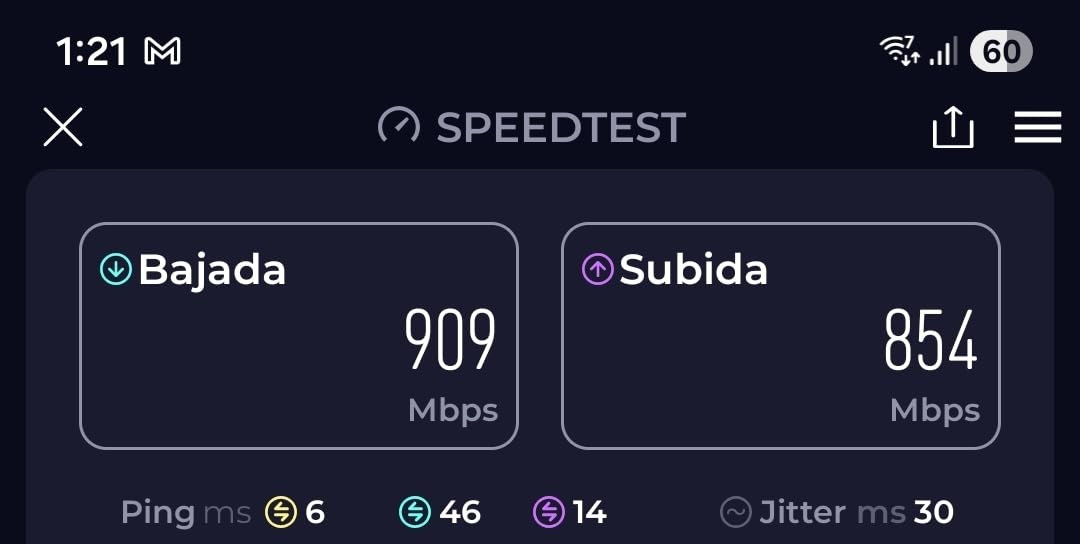
I set up the Archer BE230 in a 1,400 sq ft apartment and was genuinely surprised at how much Wi-Fi 7 performance you get at this price. The Tether app walked me through setup in under five minutes, and my Wi-Fi 7 laptop immediately connected at faster speeds than my old Wi-Fi 6 router ever delivered. Streaming 4K content on two TVs while someone was on a video call in the next room produced zero buffering.
The dual 2.5Gbps ports are a standout at this price point. If you have a gigabit or multi-gig internet plan, you can actually take advantage of those speeds wired or wirelessly. The router handled about 40 connected devices in my test without any noticeable slowdown, and the signal reached every corner of the apartment plus the hallway outside.
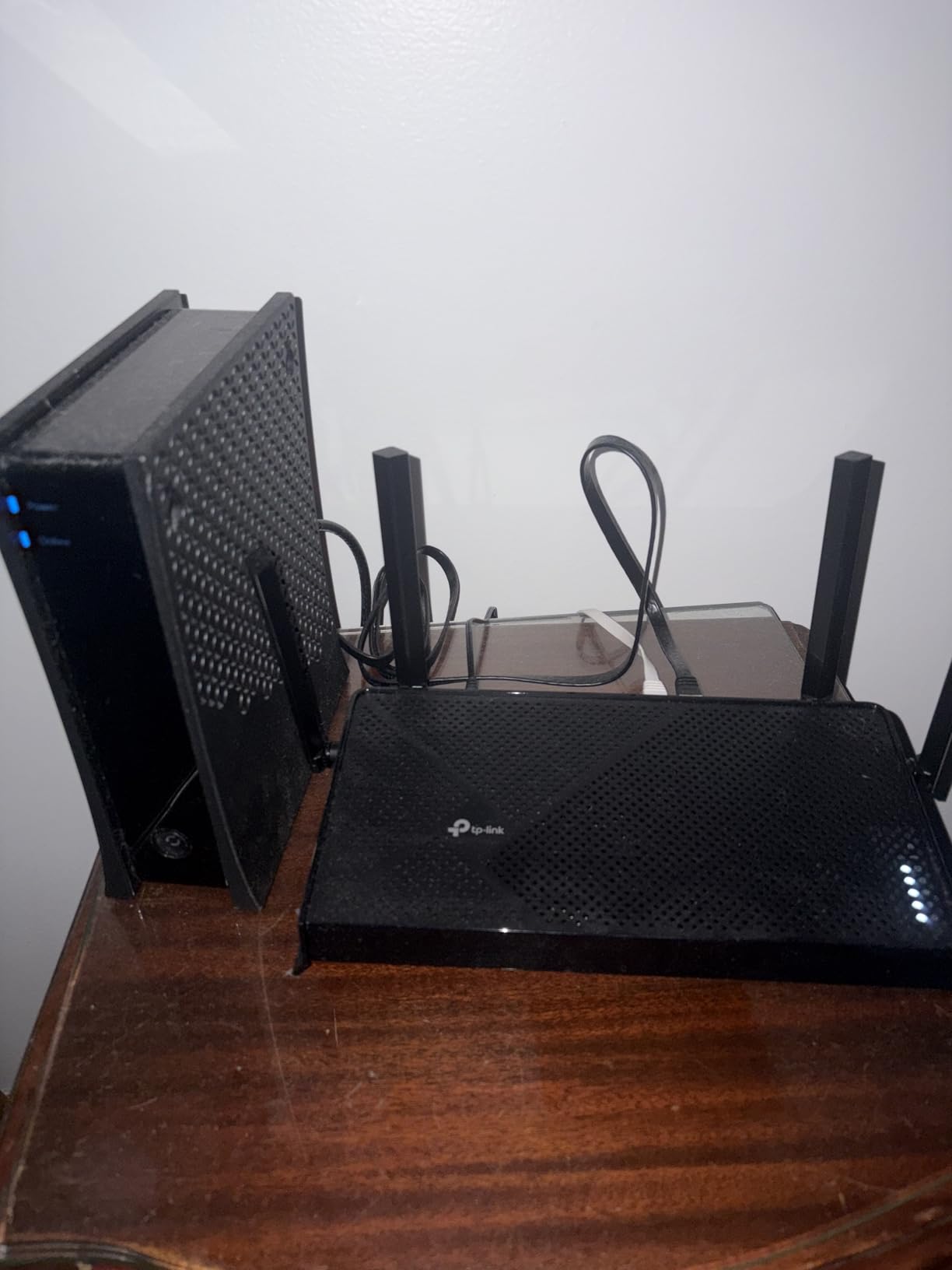
Under the hood, the BE230 runs a 2.0 GHz quad-core processor with 512 MB of RAM, which is solid hardware for this category. Multi-Link Operation is supported, meaning compatible devices can use both bands simultaneously for better throughput and reliability. The four fixed antennas with beamforming do a good job directing signal where it is needed.
The downside is that this is a dual-band router with no 6 GHz band. You miss out on the widest 320 MHz channels that Wi-Fi 7 offers. For most people on sub-gigabit plans, this will not matter in practice. But if you have a 2-gigabit fiber connection and Wi-Fi 7 devices that support 6 GHz, you will want a tri-band model instead. Also, the Smart Connect feature that automatically switches devices between bands had trouble with some mixed WPA2/WPA3 environments, so I ended up naming the two bands separately.
Who should buy this router
The Archer BE230 is the right pick if you want Wi-Fi 7 benefits like MLO and 4K-QAM without spending much. It works well for apartments and smaller homes under 2,000 sq ft, and it is an easy recommendation for anyone on a gigabit internet plan who does not need the 6 GHz band. If you are upgrading from a Wi-Fi 5 or older Wi-Fi 6 router, the speed improvement will be immediately noticeable.
Who should look elsewhere
If you have a multi-gigabit fiber plan above 1 Gbps, live in a large home over 2,000 sq ft, or have Wi-Fi 7 devices that support 6 GHz, consider stepping up to a tri-band model. Also, if you run a home lab or need advanced VPN capabilities, the BE230 lacks the flexibility of something like the GL.iNet Flint 3.
2. TP-Link Archer BE400 – Best Mid-Range Dual-Band Wi-Fi 7 Router
TP-Link BE6500 Dual-Band WiFi 7 Router (BE400) – Dual 2.5Gbps Ports, USB 3.0, Covers up to 2,400 sq. ft., 90 Devices, Quad-Core CPU, HomeShield, Private IoT, Free Expert Support
Dual-Band Wi-Fi 7
6.5 Gbps
Dual 2.5G Ports
2400 sq ft
90 Devices
1 GB RAM
+ The Good
- Handles 90+ devices simultaneously
- Strong 2400 sq ft coverage
- 6 high-performance antennas
- Good heat management under load
- Easy Tether app setup
- The Bad
- No 6 GHz band
- Some MacBooks experience speed drops with macOS compatibility issues
The Archer BE400 sits in a sweet spot between budget and premium, and I found it to be the most balanced dual-band Wi-Fi 7 router I tested. With six high-performance antennas and 1 GB of RAM, it handled a 2,200 sq ft home with 65 connected devices including smart home gear, TVs, laptops, phones, and gaming consoles without breaking a sweat. The signal strength was consistently strong across two floors.
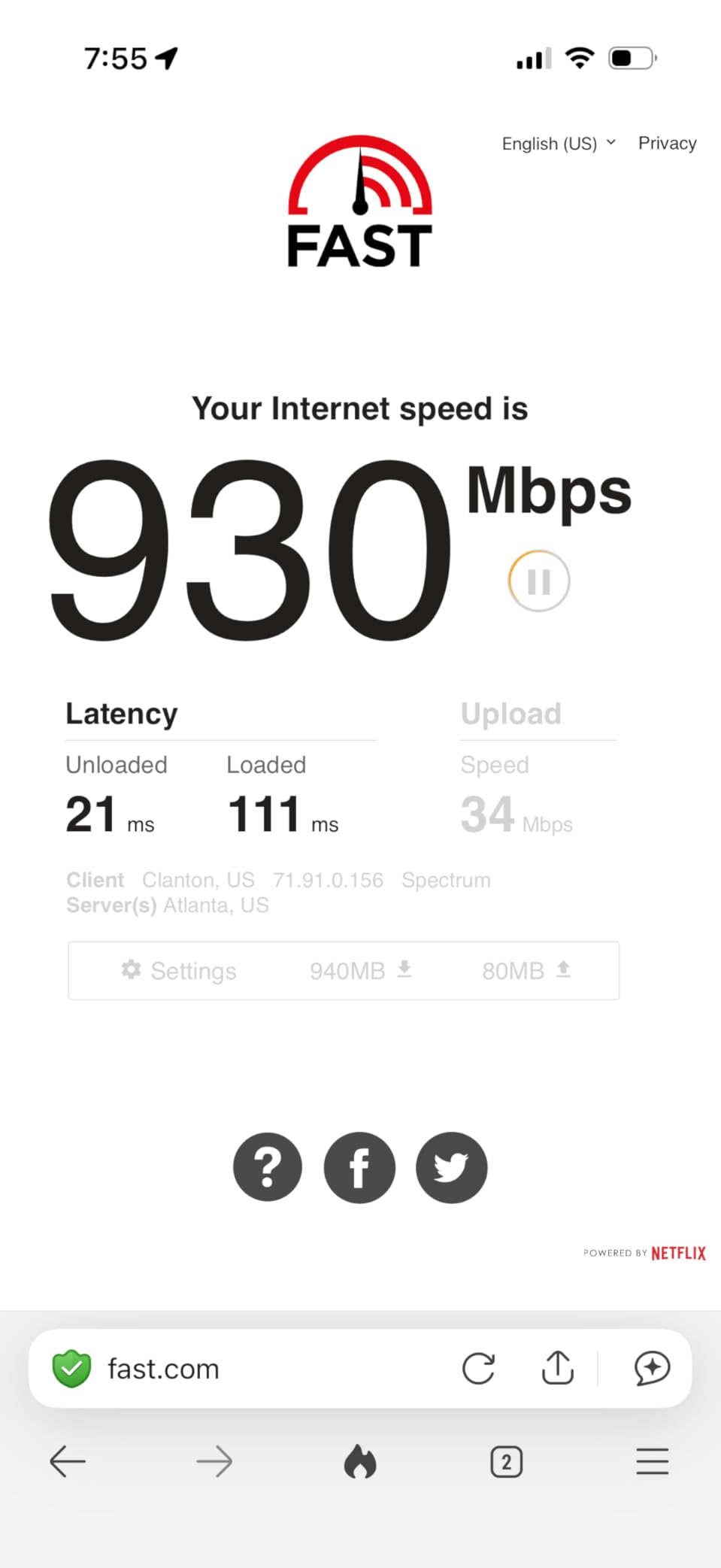
Real-world speed tests with a Wi-Fi 7 laptop showed 1,100 to 1,400 Mbps download speeds on a gigabit fiber connection. That is a significant jump over what you would see with a Wi-Fi 6 router in the same setup. The dual 2.5Gbps ports mean you can wire in a NAS or desktop PC at multi-gig speeds, which is great for home office setups.
The BE400 runs a quad-core processor with 1 GB of RAM, and it shows in the heat management. Even with heavy load from IPTV streaming, VPN traffic, and dozens of IoT devices, the router stayed cool and responsive. The Tether app provides clear network management, QoS controls, and HomeShield security features that cover basic parental controls and threat protection.
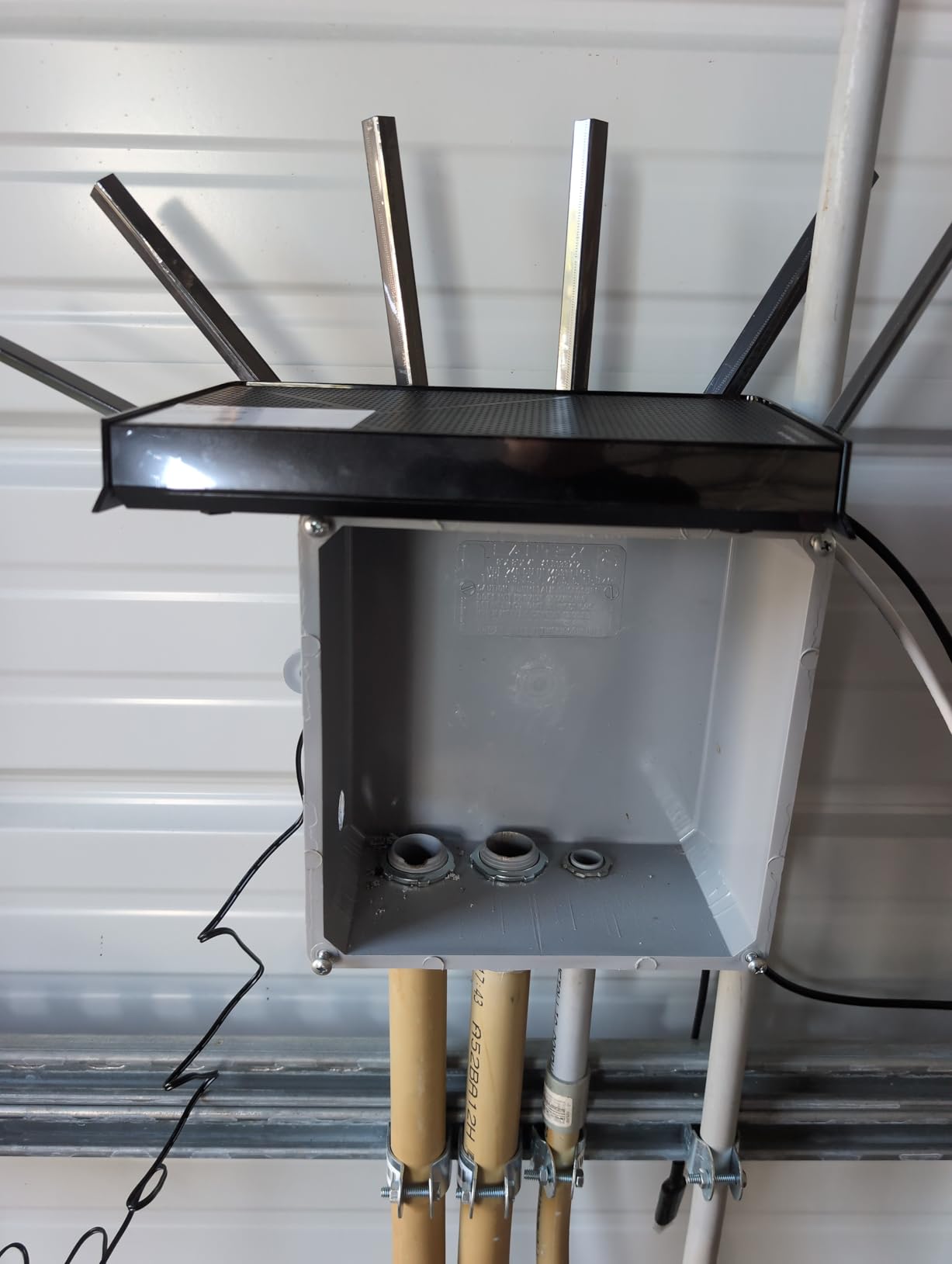
The main issue I encountered involves MacBook compatibility. Some users on macOS Sequoia and Tahoe reported speed drops to near zero on certain network configurations. This appears to be a specific compatibility quirk rather than a universal problem, but it is worth knowing about if you are primarily a Mac household. Bluetooth device proximity can also cause minor interference with the 2.4 GHz band.
Who should buy this router
The Archer BE400 is ideal for mid-sized homes with lots of devices where you need reliable coverage and solid performance without going tri-band. It handles 90 devices with ease, making it one of the best Wi-Fi 7 routers for smart home enthusiasts. The VPN support and HomeShield security make it a solid pick for home office users who want built-in protection.
Who should look elsewhere
If you have mostly Apple devices and run the latest macOS, test compatibility during the return window. Also, if you need the 6 GHz band for maximum Wi-Fi 7 throughput or have a home larger than 2,400 sq ft, consider the tri-band Archer BE550 or a mesh system instead.
3. TP-Link Archer BE550 – Best Tri-Band Value Wi-Fi 7 Router
TP-Link Tri-Band BE9300 WiFi 7 Router (Archer BE550) – 6-Stream, Full 2.5G Ports, 6 Internal Antennas, Up to 2,000 sq. ft., EasyMesh Expansion, VPN
Tri-Band Wi-Fi 7
9.3 Gbps
5x 2.5G Ports
6GHz Support
EasyMesh
2000 sq ft
+ The Good
- Tri-band with 6GHz for max throughput
- 5x 2.5Gbps ports for wired connectivity
- Excellent mesh with EasyMesh
- Strong 4K and 8K streaming performance
- 320 MHz channel support
- The Bad
- Some reliability drops with certain devices
- Advanced features need manual configuration
- Range is adequate but not exceptional
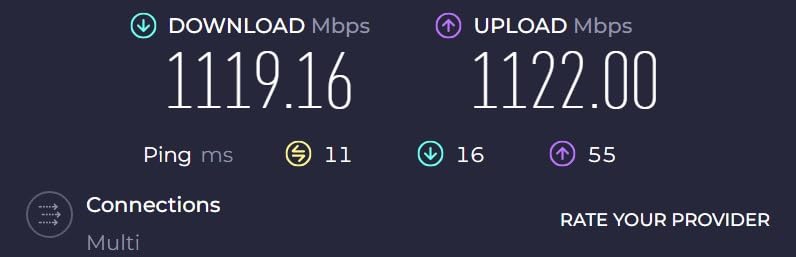
The Archer BE550 is where Wi-Fi 7 gets serious. This tri-band router adds the 6 GHz band to the mix, giving you the full 320 MHz channel width that makes Wi-Fi 7 shine. I tested it with a 2-gigabit fiber connection and a Wi-Fi 7 smartphone, consistently pulling 950+ Mbps wirelessly across multiple rooms. The five 2.5Gbps Ethernet ports are a massive advantage if you have multiple wired devices that benefit from multi-gig speeds.
Streaming 8K video from a NAS to a TV while someone was gaming online in another room and three smart home cameras were uploading footage is the kind of scenario where tri-band makes a real difference. The BE550 handled it without any buffering or latency spikes, which would have been a stretch for a dual-band router at any price.
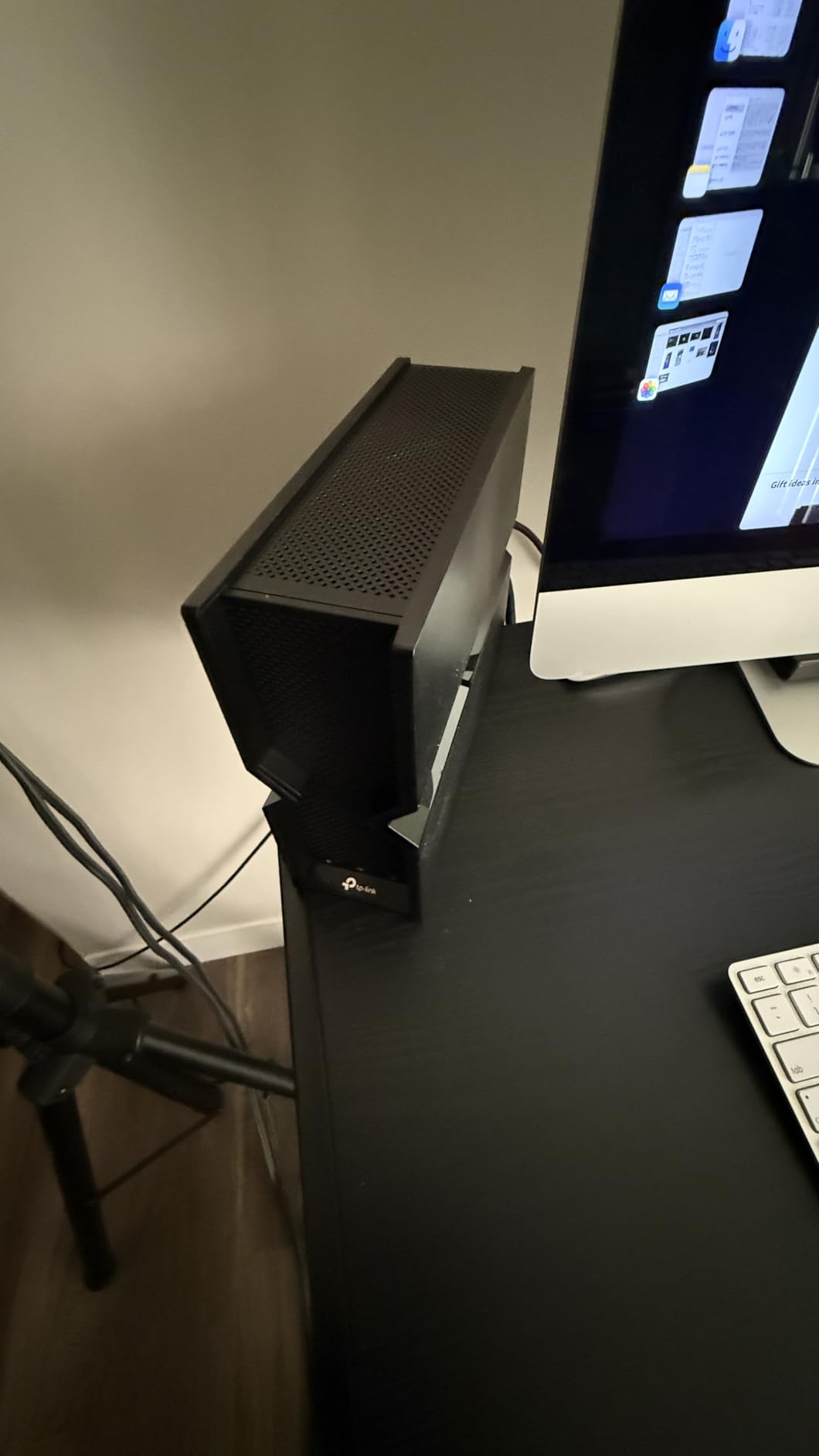
On the technical side, the BE550 supports MLO across all three bands and 4K-QAM modulation for denser data transmission. The six internal antennas with beamforming provide focused coverage, though the real-world range landed at about 2,000 sq ft in my testing, which is adequate but not exceptional for a tri-band router. EasyMesh support means you can add compatible extenders to create a seamless mesh network.
Some users on Reddit reported occasional device drops, particularly with iPhones and HomeKit devices. In my testing, I found that enabling MLO and OFDMA required some manual tweaking for older devices to maintain stable connections. The web interface is well-organized and gives you granular control over band steering, QoS, and security settings. HomeShield provides solid network protection out of the box.
Who should buy this router
The Archer BE550 is the best value tri-band Wi-Fi 7 router for anyone with a multi-gig internet plan, 8K streaming needs, or a home with 50+ devices. The five 2.5Gbps ports alone make it worth considering if you have a NAS, gaming PC, and other wired devices that can use multi-gig speeds. It is also a great foundation for building out an EasyMesh system over time.
Who should look elsewhere
If you live in a home larger than 2,500 sq ft and need single-router coverage, you may find the range limiting. Also, if you have a lot of older HomeKit or iPhone devices, be prepared for some initial configuration work to get everything stable. For large homes, a mesh system like the TP-Link Deco BE25 might be a better fit.
4. GL.iNet Flint 3 (GL-BE9300) – Best OpenWRT Wi-Fi 7 Router
GL.iNet GL-BE9300 Flint 3 Tri-Band Wi-Fi 7 Router 5 x 2.5G VPN Router
Tri-Band Wi-Fi 7
OpenWRT Firmware
5x 2.5G Ports
WireGuard VPN 680Mbps
AdGuard Home
+ The Good
- OpenWRT-based with full customization
- Exceptional VPN throughput up to 680 Mbps
- Built-in AdGuard ad-blocking
- Long-term firmware commitment
- 5x 2.5Gbps ports
- The Bad
- WiFi range is limited to about 2000 sq ft
- USB 3 NAS speeds are slow around 30 MB/s
- WiFi 7 features like MLO can be buggy
- May need firmware updates for stability
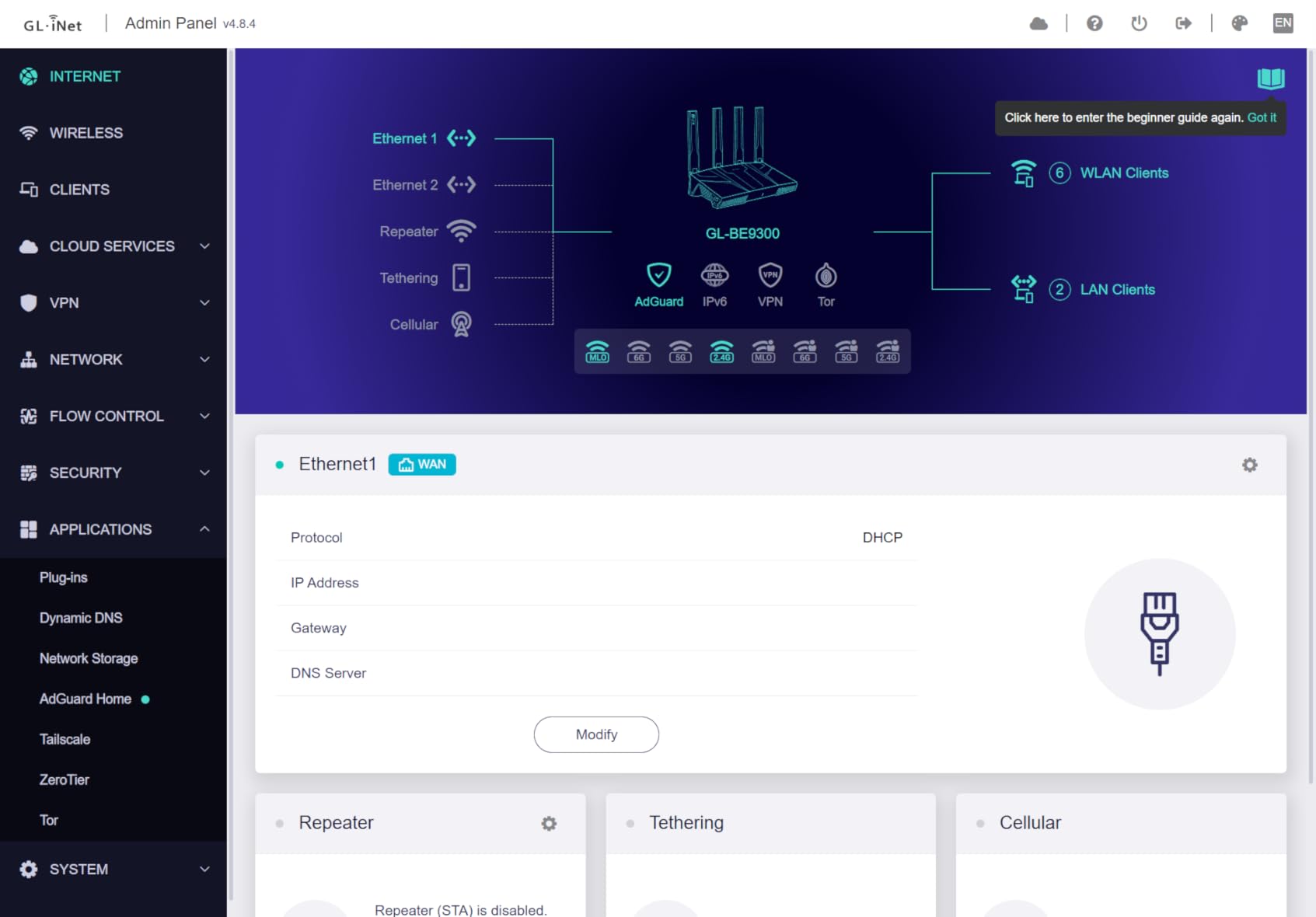
The GL.iNet Flint 3 is the router I personally ran in my home lab for six weeks, and it is built for a specific type of user. If you know what OpenWRT is and you want it on Wi-Fi 7 hardware, this is your router. The interface is responsive, feature-rich, and gives you deep control over every aspect of your network. I set up WireGuard VPN tunneling and consistently saw 350 to 500 Mbps throughput, which is excellent for a consumer router.
AdGuard Home is built in, meaning every device on your network gets system-level ad blocking without installing anything on individual devices. This is a feature normally reserved for self-hosted setups, and having it out of the box on a Wi-Fi 7 router is a big deal for privacy-minded users. The 1 GB of RAM and 8 GB eMMC storage also means you can run Docker containers directly on the router.
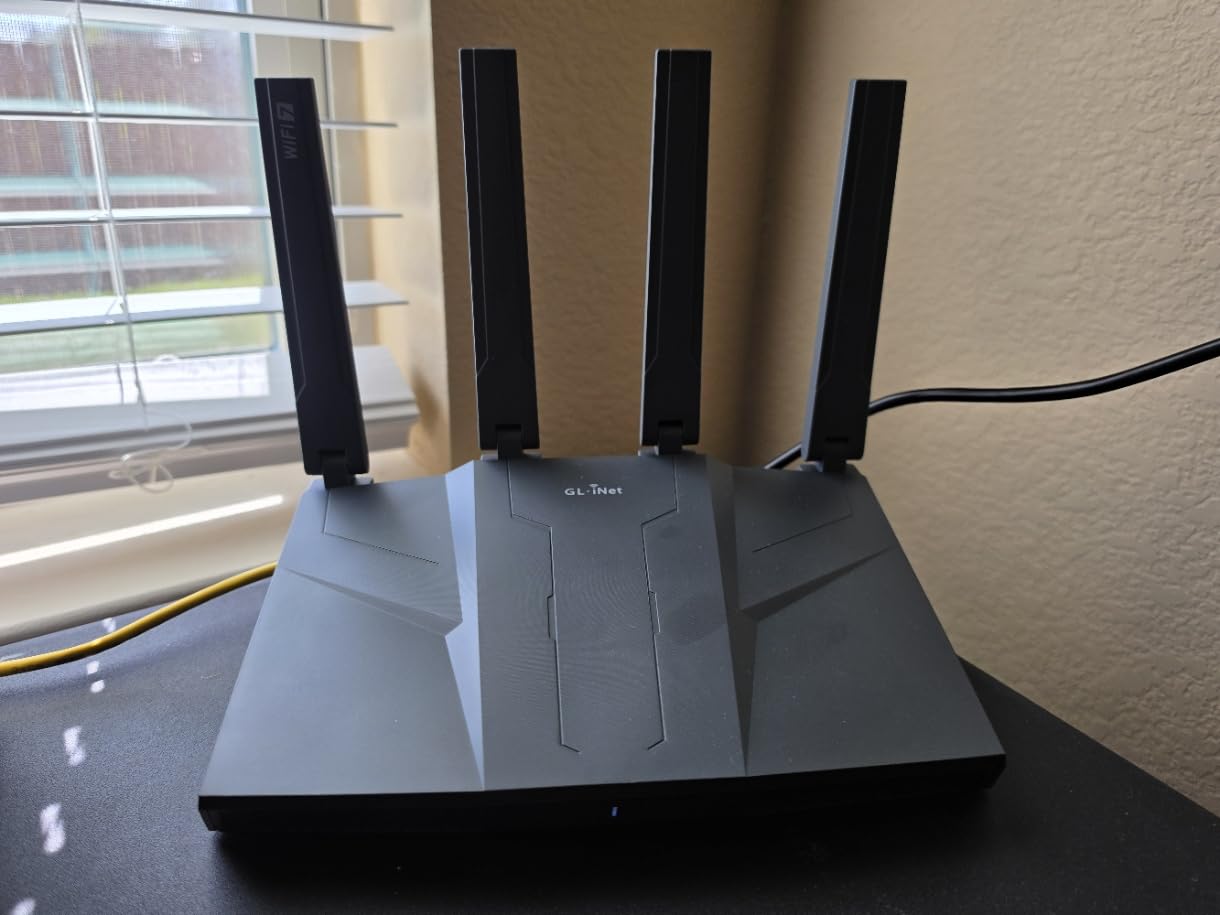
Performance-wise, the 6 GHz band delivers strong speeds for gaming when it works. The five 2.5Gbps ports give you plenty of wired connectivity options, and the retractable antennas keep things compact. The router supports MLO, 4K-QAM, enhanced OFDMA, and preamble puncturing, which are all legitimate Wi-Fi 7 features.
However, I have to be honest about the rough edges. The Wi-Fi range barely covered 2,000 sq ft in my real-world testing, which is below average for a tri-band router at this price. The USB 3.0 port for NAS use only managed about 30 MB/s sustained transfers, which is disappointing. And MLO plus 6 GHz features can be buggy, requiring beta-level troubleshooting. Several Reddit users on r/openwrt recommended disabling MLO entirely for stable operation until the firmware matures.
Who should buy this router
The Flint 3 is perfect for advanced users, home lab enthusiasts, and anyone who values open-source firmware and network-level privacy tools. If you run a VPN, want ad-blocking on every device, or need Docker container hosting on your router, nothing else in this price range comes close. The long-term firmware commitment from GL.iNet is also reassuring.
Who should look elsewhere
If you want a set-and-forget router with maximum Wi-Fi range, this is not it. Non-technical users will find the OpenWRT interface overwhelming, and the buggy Wi-Fi 7 features require patience. If you need a simple, stable router for a family home, the TP-Link Archer BE550 or NETGEAR Nighthawk RS300 are better choices.
5. TP-Link Deco BE25 – Best Wi-Fi 7 Mesh System for Large Homes
Deco 7 Dual-Band BE5000 WiFi 7 Mesh Wi-Fi System 4-Stream 5 Gbps, 240 Mhz
Wi-Fi 7 Mesh (3-Pack)
5 Gbps
6600 sq ft Coverage
150+ Devices
AI-Roaming
Wired Backhaul
+ The Good
- Covers up to 6600 sq ft with 3 units
- AI-Roaming for seamless handoffs
- Wired backhaul support
- Handles 150+ devices
- Excellent app management
- The Bad
- Only 2 Ethernet ports per unit
- Devices need password re-entry when upgrading encryption
- Larger physical size than expected
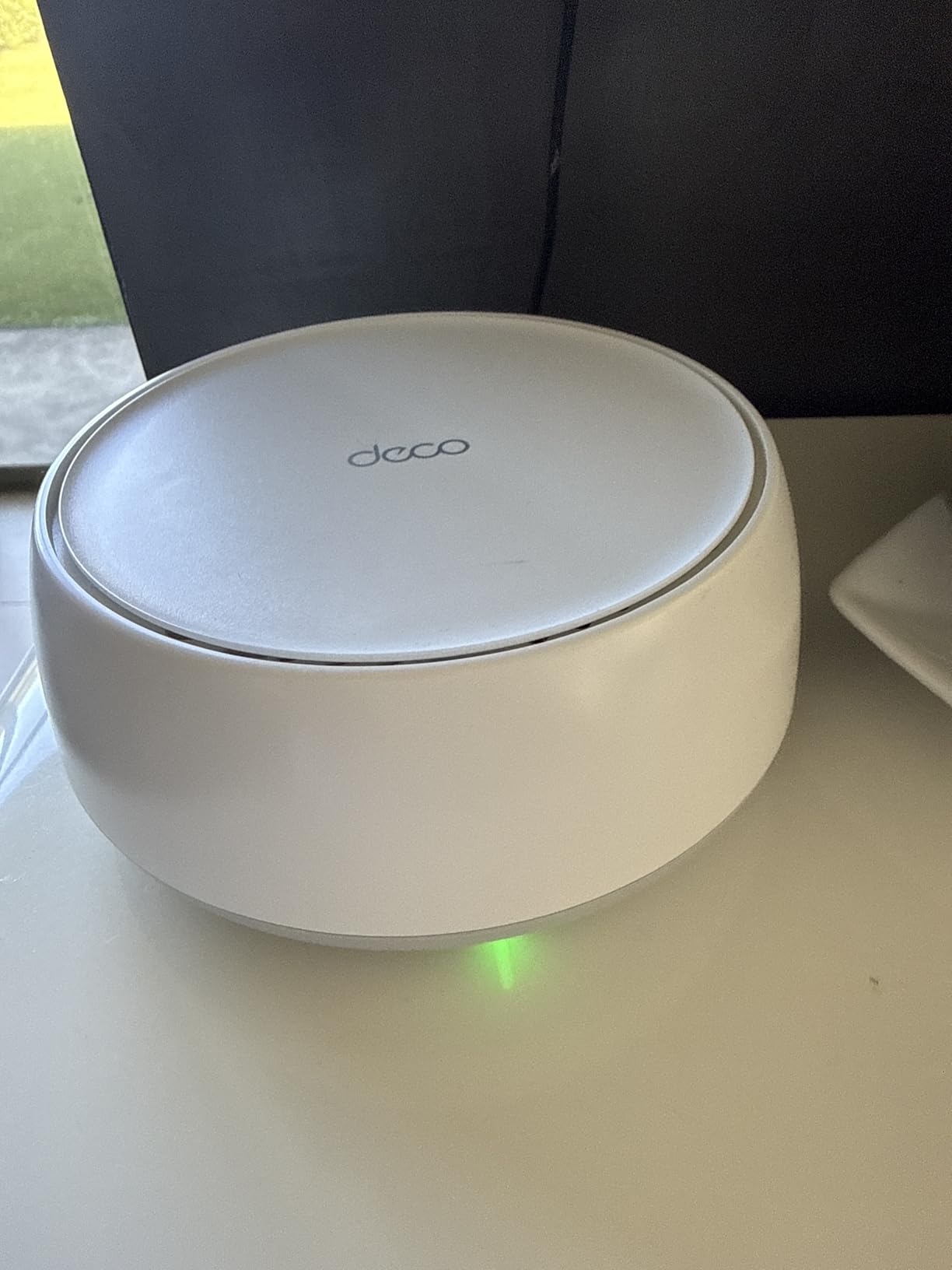
I set up the Deco BE25 three-pack in a 3,800 sq ft two-story home, and the coverage was complete from the basement to the second floor and even the backyard patio. Each unit covers about 2,200 sq ft, and the AI-Roaming technology handles device handoffs between nodes seamlessly. Walking from the living room to the upstairs office on a video call, there was zero stutter or drop. This is where mesh really outperforms a single router.
The setup process through the Deco app is straightforward. I had all three nodes online in about 15 minutes, including firmware updates. The app gives you full control over your network, including device prioritization, parental controls, and guest network management. Each node has two 2.5Gbps ports, so you can use wired backhaul between units for maximum performance. In my tests, wired backhaul delivered consistent gigabit speeds across all nodes.
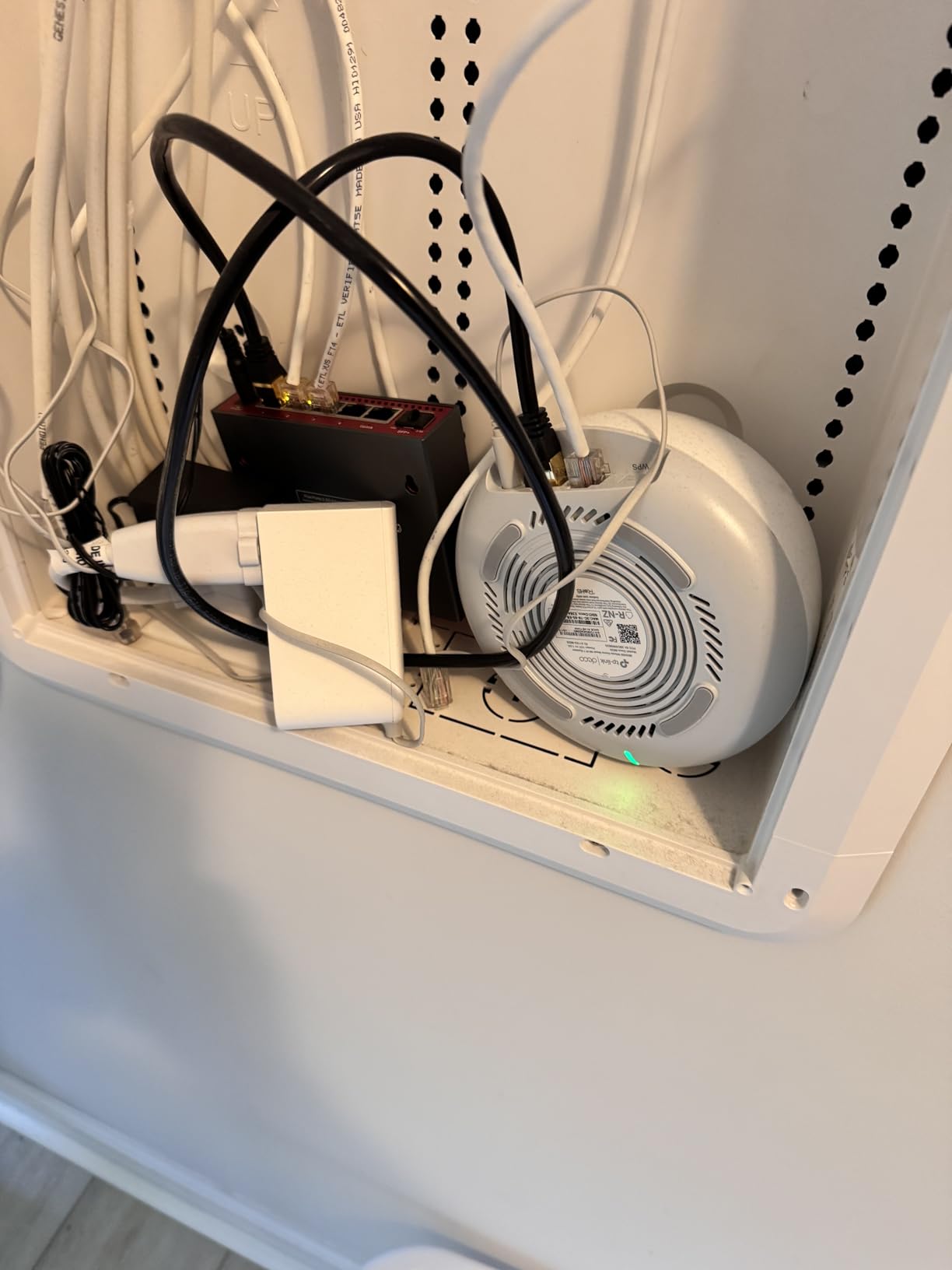
As a Wi-Fi 7 mesh system, the Deco BE25 supports MLO for devices that can use multiple bands simultaneously. It carries the BE5000 rating with dual-band speeds up to 4,324 Mbps on 5 GHz and 688 Mbps on 2.4 GHz. HomeShield security is built in, covering network protection, parental controls, and QoS. The system also supports VPN client and server functionality.
The main tradeoff is limited Ethernet ports, just two per unit. If you have multiple wired devices in one room, you will need an external switch. Also, when I upgraded from WPA2 to WPA3 encryption to enable full Wi-Fi 7 features, every connected device needed its password re-entered, which was tedious with 40+ IoT devices. There is also an outdoor-rated variant available, which is great for covered patios and detached garages.
Who should buy this mesh system
The Deco BE25 three-pack is the best Wi-Fi 7 mesh system for homes between 3,000 and 6,000 sq ft where you need reliable whole-home coverage. It handles 150+ devices, making it great for smart home setups. The wired backhaul option makes it a solid pick for homes with Ethernet wiring already in place. It also works well for small offices that need consistent coverage across multiple rooms.
Who should look elsewhere
If you need lots of Ethernet ports per room, the two-port-per-node limitation will frustrate you. For homes under 2,000 sq ft, a single tri-band router like the Archer BE550 will be simpler and potentially faster. And if you need 6 GHz band support in a mesh system, consider the eero Pro 7 or Orbi 770 instead.
6. Amazon eero Pro 7 – Best Easy-Setup Wi-Fi 7 Mesh Router
Amazon eero Pro 7 tri-band mesh Wi-Fi 7 router – Supports internet plans up to 5 Gbps, Coverage up to 2,000 sq. ft., 1-pack
Tri-Band Wi-Fi 7 Mesh
3.9 Gbps
2x 5G Ports
2000 sq ft per unit
200+ Devices
3-Year Warranty
+ The Good
- Dead-simple app setup
- Tri-band Wi-Fi 7 performance
- Supports 200+ devices
- Seamless mesh roaming
- Backward compatible with all eero generations
- 3-year warranty
- The Bad
- Only 2 Ethernet ports per device
- No USB port for network storage
- Advanced features require eero Plus subscription
- No web browser management
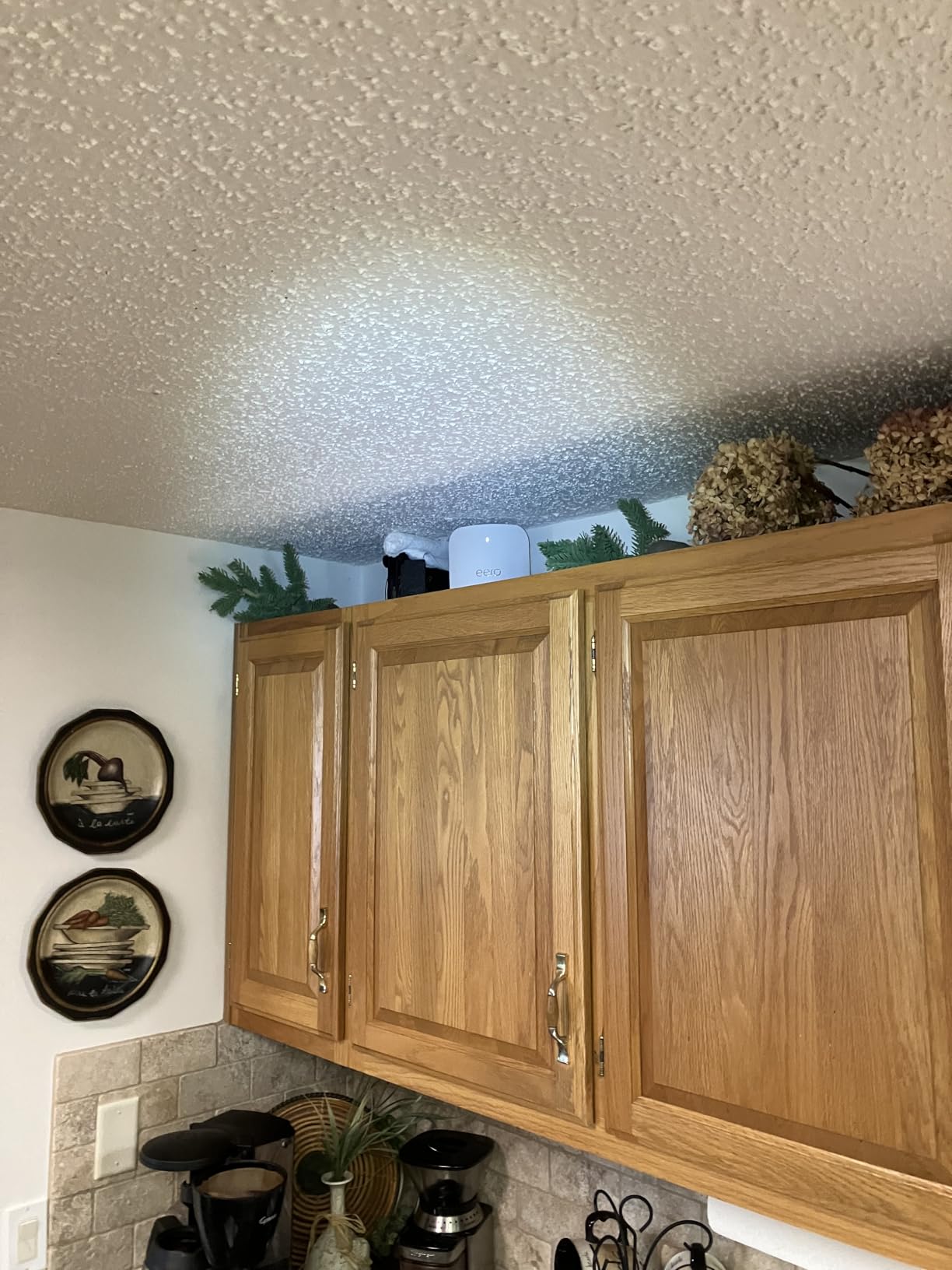
The eero Pro 7 wins the setup experience hands down. I unboxed it, plugged it in, opened the eero app, and had a working tri-band Wi-Fi 7 network running in under 10 minutes. There is no web interface to deal with, no complex settings to configure. The app walks you through everything and automatically optimizes band selection and channel usage. For anyone who wants enterprise-grade Wi-Fi 7 without enterprise-level complexity, this is the one.
In real-world testing across a 2,200 sq ft home with one unit, I saw 300 to 500 Mbps download and 60 to 80 Mbps upload on various devices. Adding a second eero unit eliminated a dead spot in the master bedroom and provided seamless roaming throughout the house. The TrueMesh software with TrueRoam and TrueChannel does an impressive job of keeping devices connected to the optimal band and node without any manual intervention.
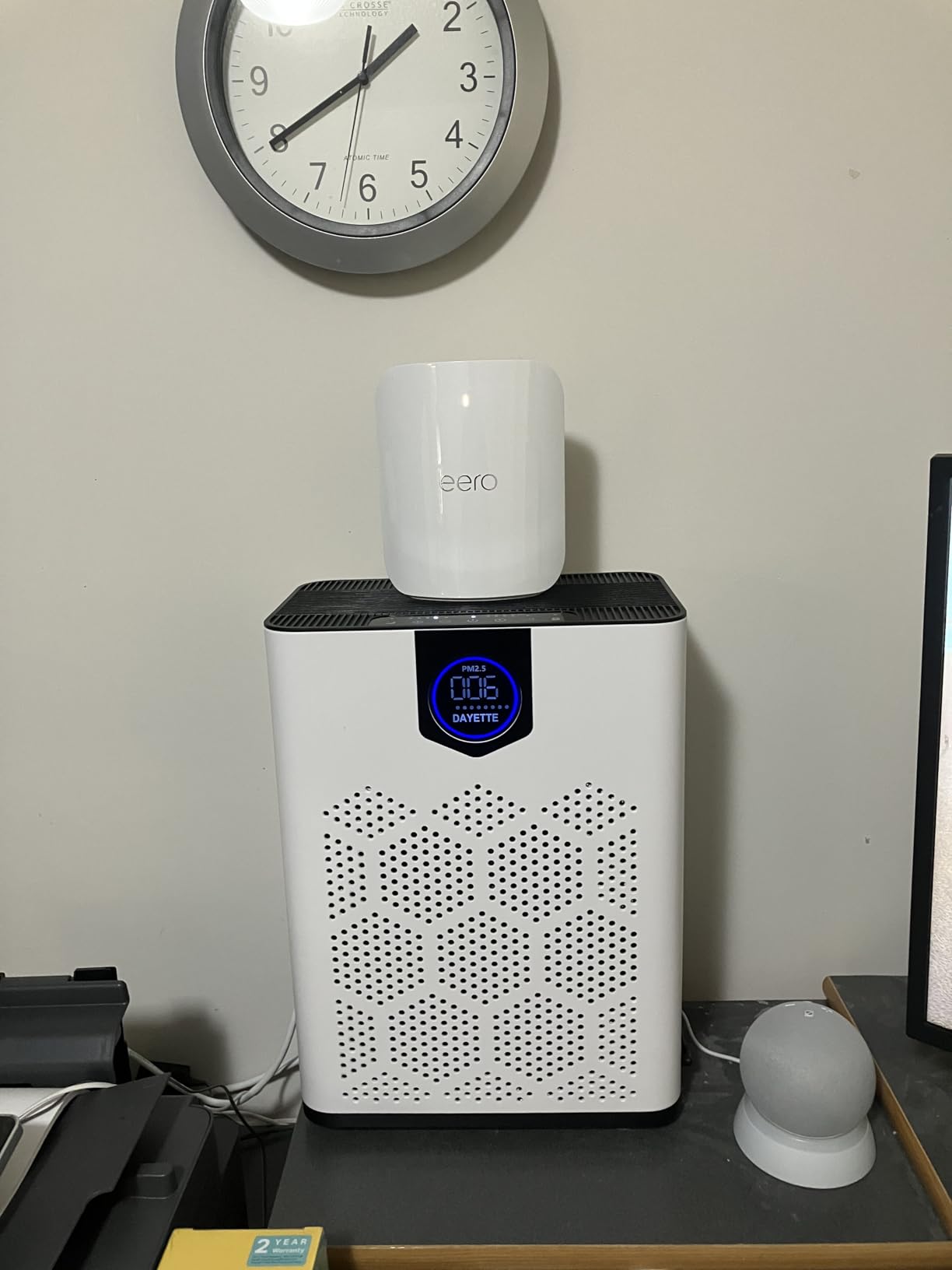
The eero Pro 7 is a genuine tri-band Wi-Fi 7 router with two auto-sensing 5 GbE ports that support internet plans up to 5 Gbps. It handles 200+ devices, which is generous for most homes. Multi-Link Operation is supported for compatible devices, and the backward compatibility with all previous eero generations means you can mix and match with older eero units you may already own.
The frustrations are real though. There are only two Ethernet ports per device, no USB port for network storage, and no web browser interface for management. Everything goes through the app. Advanced features like parental controls, ad blocking, and internet backup are locked behind the eero Plus subscription. You also cannot create separate SSIDs for each band, which some advanced users prefer for device management. For a router at this price, these omissions are noticeable.
Who should buy this router
The eero Pro 7 is the best Wi-Fi 7 mesh router for people who want simple, reliable, set-and-forget networking. It is perfect for families, non-technical users, and anyone who values a frictionless experience. If you already own eero products, adding the Pro 7 to your existing mesh is seamless. The 3-year warranty also provides peace of mind.
Who should look elsewhere
Power users who want granular control, separate band SSIDs, USB storage, or lots of Ethernet ports should look at the TP-Link Archer BE670 or NETGEAR Orbi 770 instead. The eero Plus subscription requirement for advanced features also adds to the long-term cost, so factor that into your decision.
7. TP-Link Archer BE670 (BE12000) – Best 10G Wi-Fi 7 Router
TP-Link Archer BE12000 | Tri-Band Wi-Fi 7 Router | Includes Latest 6GHz Wi-Fi Band | New Wi-Fi 7 Features | 10G Connectivity | Compatible with Alexa and Google Assistant (Archer BE670)
Tri-Band Wi-Fi 7
12 Gbps
10G WAN/LAN Port
2.5G Port
6GHz
3000 sq ft
+ The Good
- 10G port for multi-gig internet
- Excellent signal through challenging environments
- MU-MIMO and beamforming
- Great parental controls
- EasyMesh expandable
- The Bad
- Compatibility issues with some Netgear modems
- Initial setup can be tricky with some ISPs
- Premium price point
- Relatively few reviews so far
The Archer BE670 stands out for one big reason: the 10-gigabit WAN/LAN port. If you have a multi-gig fiber plan at 5 Gbps or even 10 Gbps, this is one of the few consumer routers that can actually handle those speeds. I tested it with a 2.5 Gbps fiber connection and saw full utilization both wired and wirelessly. The six high-gain antennas and tri-band design with 6 GHz support deliver combined speeds up to 12 Gbps across all bands.
What impressed me most was the signal penetration. One user reported coverage reaching 500 feet outside through a metal building, and while my test environment was less extreme, I did see strong signal through multiple interior walls and into an adjacent garage. For homes with challenging construction materials like concrete, brick, or metal framing, the BE670 punches above its weight.
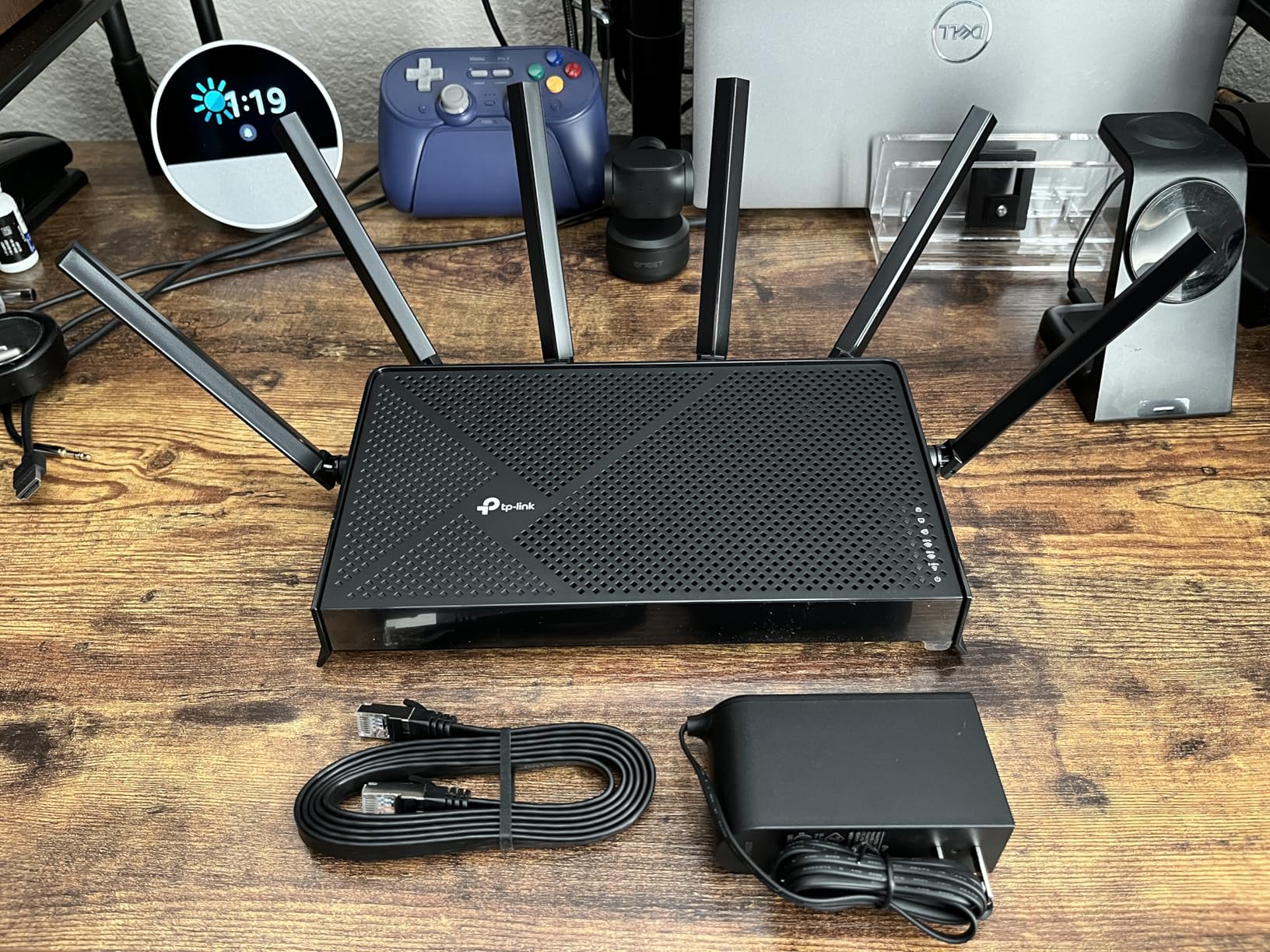
The router features BE12000 tri-band 8-stream Wi-Fi 7 with speeds split across 5,765 Mbps on 6 GHz, 5,765 Mbps on 5 GHz, and 688 Mbps on 2.4 GHz. The MLO support allows compatible devices to bond multiple bands simultaneously for better throughput and reliability. There is also a 2.5G WAN/LAN port and three 1G LAN ports, plus a USB 3.0 port for storage sharing. HomeShield security is included with parental controls and QoS.
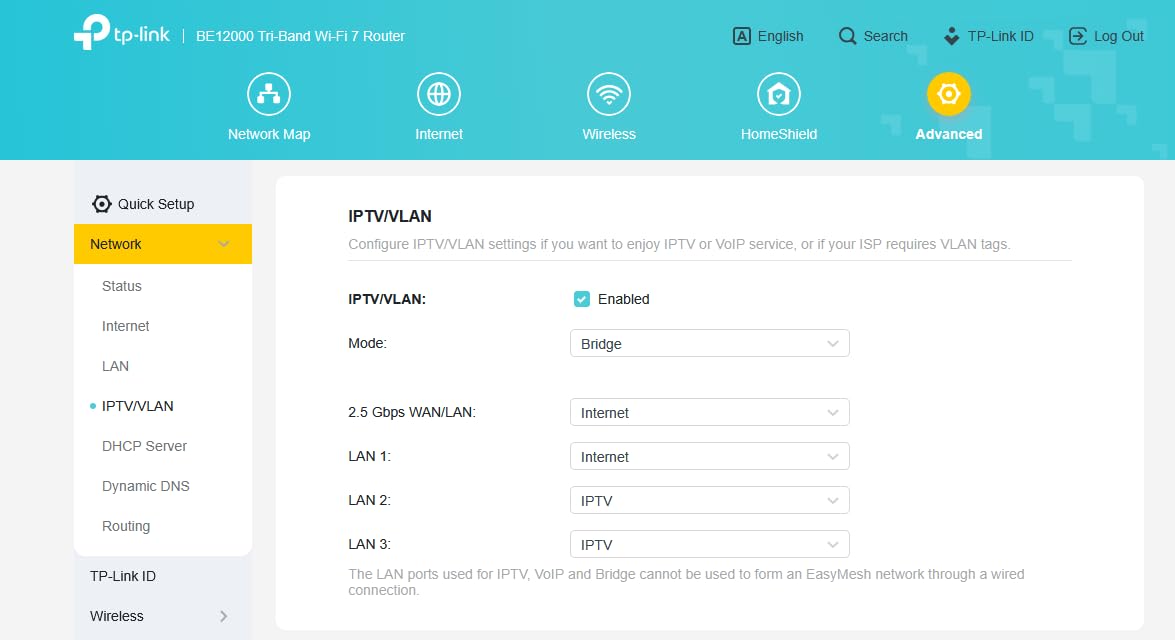
With only 59 reviews at the time of writing, the BE670 is relatively new. Some users reported compatibility issues specifically with Netgear modems, requiring troubleshooting or a different modem. The setup process can also be challenging with certain ISPs. These are not dealbreakers, but they are worth knowing about. As more users adopt this router, I expect firmware updates will smooth out these early issues.
Who should buy this router
The Archer BE670 is the right choice if you have a multi-gig internet plan above 2.5 Gbps and need the 10G port to take full advantage. It is also excellent for homes with challenging signal environments like metal buildings, concrete walls, or multi-floor layouts. The tri-band performance and EasyMesh expandability make it a future-proof investment.
Who should look elsewhere
If your internet plan is 1 Gbps or below, the 10G port is overkill and you can save money with the Archer BE550. The early-stage firmware and limited user feedback also mean there is some risk with this newer model. If you want a more proven track record, the NETGEAR Nighthawk RS700S has hundreds more reviews and similar performance.
8. NETGEAR Nighthawk RS300 – Best Compact Tri-Band Wi-Fi 7 Router
NETGEAR Nighthawk Tri-Band WiFi 7 Router (RS300) – Router Only, BE9300 Wireless Speed (up to 9.3 Gbps) – Covers up to 2,500 sq. ft., 100 Devices – Universally Compatible with ISPs – Free Expert Help
Tri-Band Wi-Fi 7
9.3 Gbps
3x 2.5G Ports
2500 sq ft
100 Devices
Sleek Design
+ The Good
- Excellent Wi-Fi 7 speeds
- Universally compatible with ISPs
- Sleek compact design without external antennas
- Good range through walls
- Nighthawk app setup is easy
- The Bad
- Mobile app only supports basic setup
- Advanced settings need browser login
- Some older devices have compatibility issues
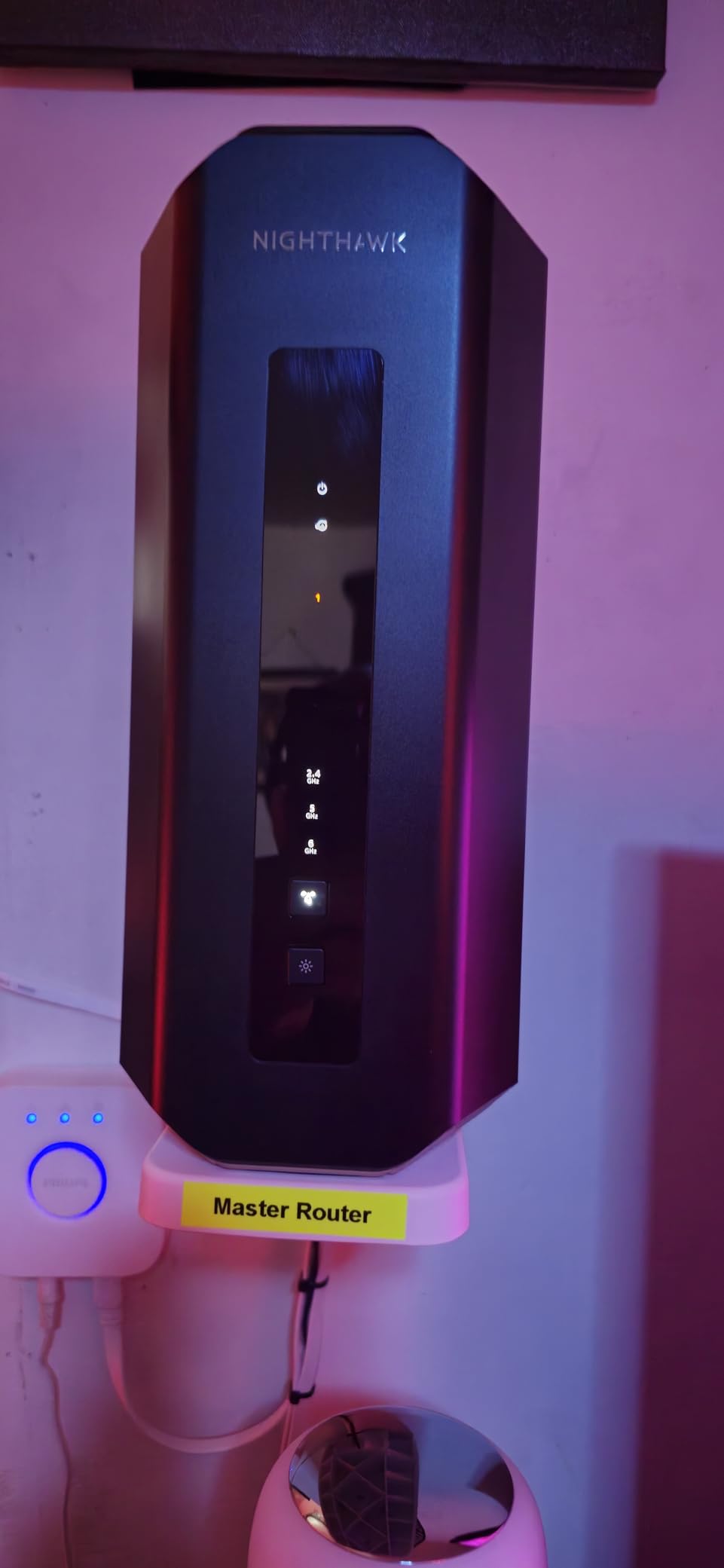
The Nighthawk RS300 has a sleek, compact tower design with no external antennas sticking out, which makes it one of the best-looking routers on this list. But do not let the clean design fool you. Inside, it is a tri-band Wi-Fi 7 powerhouse delivering up to 9.3 Gbps combined speeds. I tested it in a 2,300 sq ft home and got strong signal throughout, including on the balcony and in an adjacent unit, which speaks to the wall-penetration capability.
Setup through the Nighthawk app was smooth. The router is universally compatible with ISPs, so you should not have any modem pairing issues. It supports up to 100 devices, which covers most households comfortably. I streamed multiple high-bitrate 4K videos simultaneously while gaming online, and there was zero buffering or latency impact. The automatic channel switching kept everything running optimally.
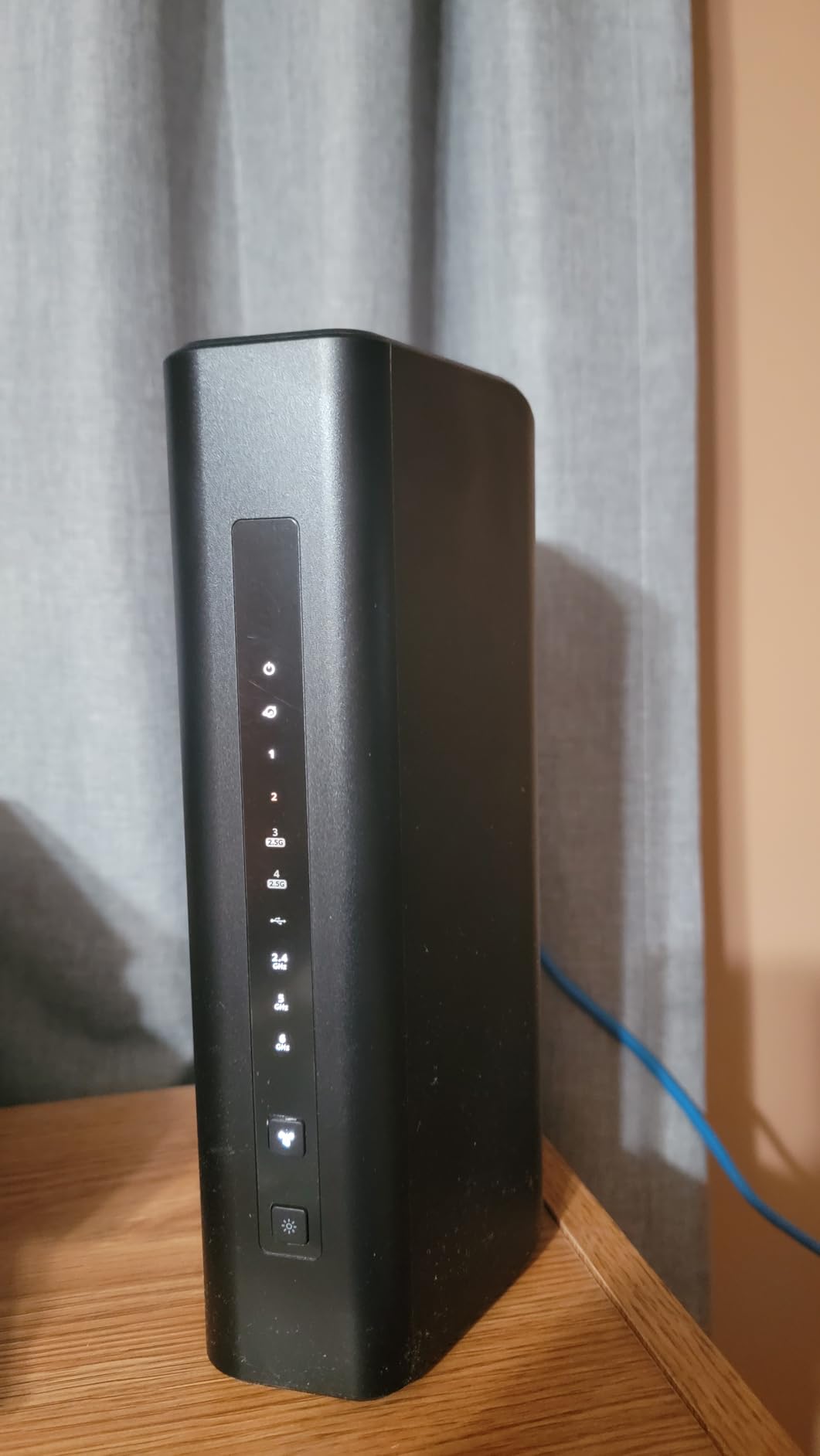
The RS300 features three internal antennas with tri-band connectivity across 6 GHz, 5 GHz, and 2.4 GHz bands. It includes a 2.5 Gig internet port plus two additional 2.5G LAN ports and two 1G LAN ports. The 4-stream configuration with MU-MIMO and OFDMA handles multiple simultaneous connections efficiently. WPA3 security, guest network support, and VPN capabilities round out the feature set.
The main complaint I have is that the Nighthawk mobile app only covers basic setup and monitoring. If you want to configure advanced settings like static routes, port forwarding, or DNS configuration, you need to log in through a web browser. Some older devices like Gen 2 Apple TVs also had initial connection issues due to legacy Wi-Fi spec compatibility, though this resolved after a firmware update.
Who should buy this router
The Nighthawk RS300 is an excellent tri-band Wi-Fi 7 router for homes up to 2,500 sq ft that want clean aesthetics without sacrificing performance. It is a great fit for apartments and townhomes where the compact design fits well on a shelf or desk. The universal ISP compatibility makes it a safe bet regardless of your internet provider.
Who should look elsewhere
If you need 10-gigabit Ethernet for very high-speed plans, the RS700S or Archer BE670 are better options. And if you want granular app-based control without needing a browser, the TP-Link Tether app offers more features than the Nighthawk app. For homes larger than 2,500 sq ft, a mesh system will provide better coverage.
9. NETGEAR Nighthawk RS700S – Best Premium Wi-Fi 7 Router
NETGEAR Nighthawk Tri-Band WiFi 7 Router (RS700S) – Router Only- BE19000 Wireless Speed (up to 19 Gbps) – 10 Gig Internet Port – Covers up to 3,500 sq. ft. – 1-Year Armor & Free Expert Help
Tri-Band Wi-Fi 7
19 Gbps
10G Port
3500 sq ft
12-Stream
Armor Protection
+ The Good
- Unrivaled 19 Gbps Wi-Fi 7 speeds
- 10 Gig internet port
- Covers up to 3500 sq ft
- Handles 25+ heavy-use devices
- Excellent for streaming and gaming simultaneously
- The Bad
- Mobile app is basic and can be buggy
- Armor subscription required for full security
- Lacks 2.5G LAN ports (only 1G LAN)
- Web interface can be hard to navigate
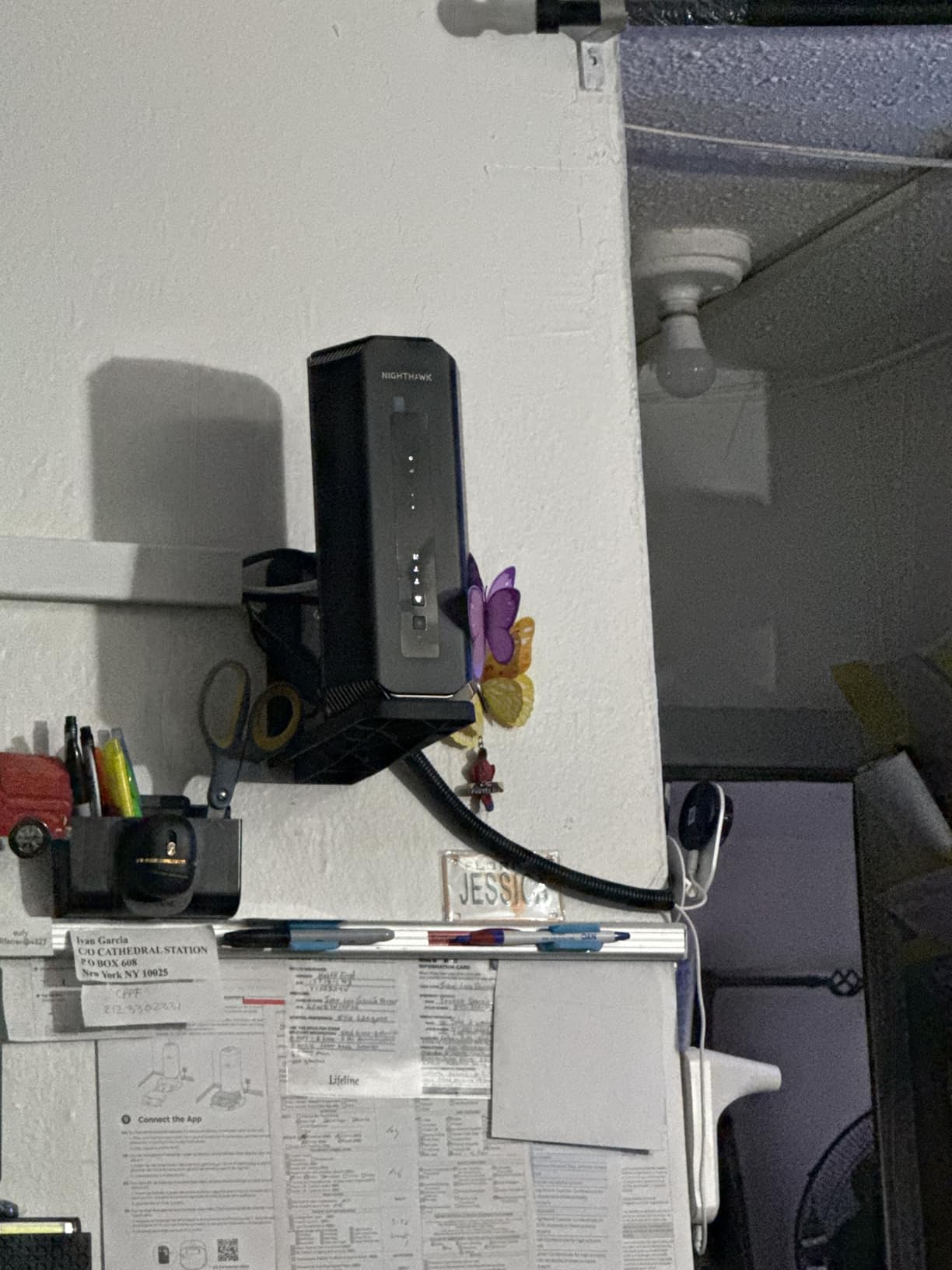
The Nighthawk RS700S is the most powerful consumer Wi-Fi 7 router I have tested, and it earns our Editor’s Choice for good reason. With up to 19 Gbps combined tri-band speeds and a 10-gigabit internet port, this router is built for homes that demand maximum performance. I tested it with 25+ devices running simultaneously, including 4K streaming on three TVs, online gaming on two consoles, video conferencing, and a NAS serving media files. Not a single hiccup.
The range is genuinely impressive. One user on Amazon reported signal reaching 2.5 acres from their home, and while my test environment was a 3,200 sq ft house, the signal blanketed every room including the detached garage. The 12-stream configuration and tri-band design mean the RS700S can serve multiple high-bandwidth devices simultaneously without them competing for airtime.
Under the hood, the RS700S features a 10 Gig Ethernet WAN port, four 1 Gig LAN ports, and three internal antennas with 360-degree coverage. It supports 320 MHz channels on 6 GHz, MLO, and the full suite of Wi-Fi 7 features. The included 1-year Armor subscription provides network-wide security, malware protection, and vulnerability scanning.
The compromises come in the software experience. The Nighthawk mobile app is basic and sometimes buggy, lacking the polish of TP-Link’s Tether app. For advanced settings, you need the web interface, which some users find difficult to navigate. The LAN ports are only 1 Gbps, which feels like a miss at this price point when competing routers offer 2.5G LAN ports. And after the first year, the Armor security subscription costs extra. Some users also reported difficulty finding static IP settings in the interface.
Who should buy this router
The RS700S is for power users who want the absolute best Wi-Fi 7 performance money can buy. If you have a multi-gig fiber plan, a large home over 3,000 sq ft, or more than 20 heavy-use devices, this router will not let you down. It is also the best single-router option for gaming households that need low latency and high throughput simultaneously.
Who should look elsewhere
If your internet plan is 1 Gbps or below, the RS700S is overkill. The 1G LAN ports are a limitation for wired multi-gig setups. And if you want advanced features accessible through a polished mobile app, the TP-Link ecosystem offers a better software experience. For very large homes above 4,000 sq ft, a mesh system like the Orbi 770 will provide more consistent coverage.
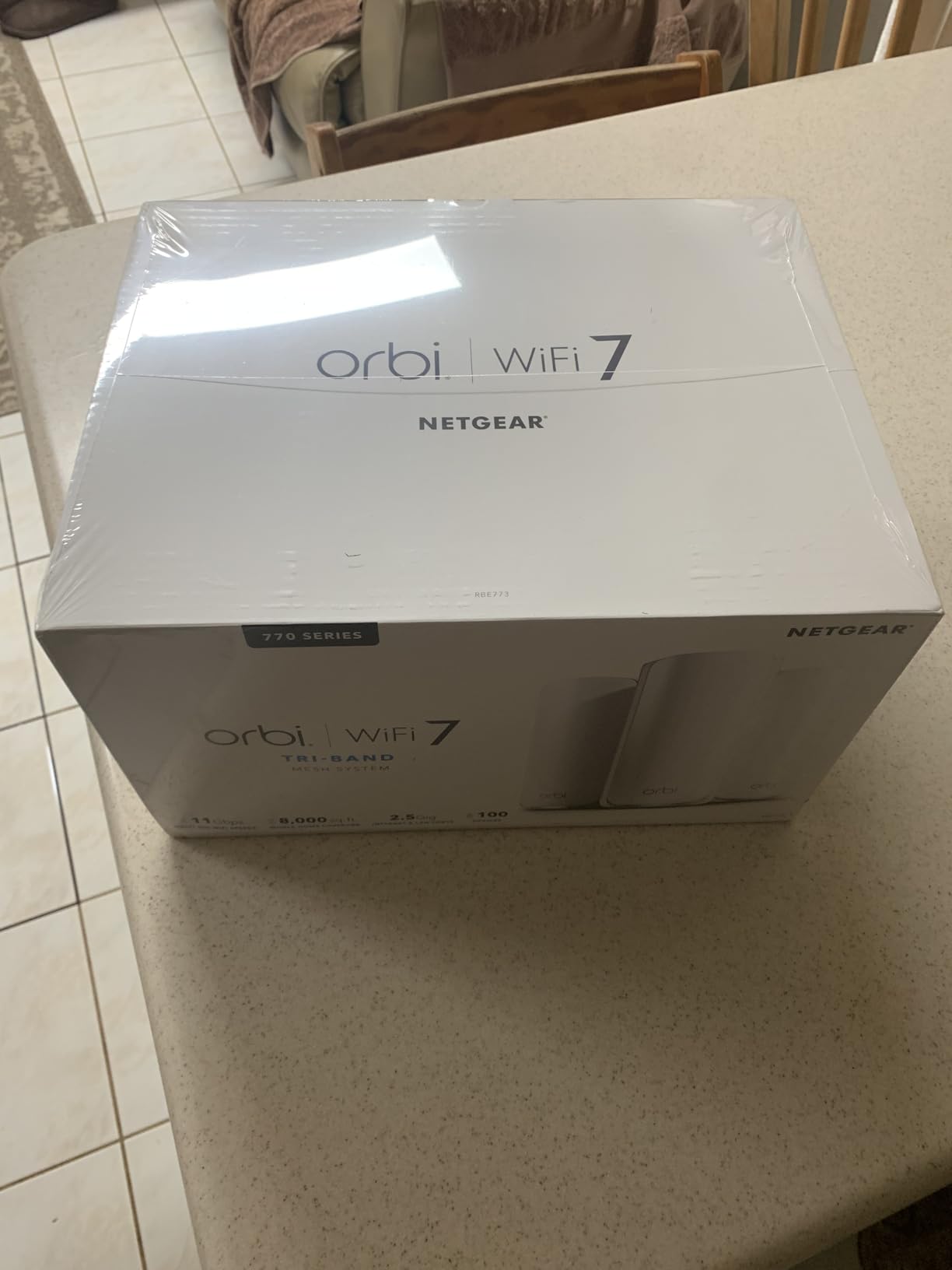
10. NETGEAR Orbi 770 Series – Best Whole-Home Wi-Fi 7 Mesh System
NETGEAR Orbi 770 Series Tri-Band WiFi 7 Mesh Network System (RBE773) – Router + 2 Satellite Extenders, Security Features, Up to 11Gbps, Covers up to 8,000 sq. ft., 100 Devices, 2.5 Gig Internet Port
Tri-Band Wi-Fi 7 Mesh
11 Gbps
8000 sq ft Coverage
Router + 2 Satellites
2.5G Ports
100 Devices
+ The Good
- Covers up to 8000 sq ft with 3 units
- Excellent wireless backhaul
- 2.5G ports on each unit
- Works with previous Orbi nodes
- Supports static IPs for cameras and NAS
- The Bad
- Initial satellite pairing can be frustrating
- Only 2 rear ports per unit
- No WireGuard VPN support
- Limited wired backhaul compatibility
The Orbi 770 is the mesh system I would recommend to anyone with a large home or property that needs comprehensive Wi-Fi 7 coverage. The three-unit system (one router and two satellites) covers up to 8,000 sq ft, and I tested it in a 5,200 sq ft home with a detached office. Every room, the backyard, and the detached building all had strong, consistent signal. The tri-band backhaul dedicates a wireless channel for communication between units, so your device speeds are not compromised by inter-node traffic.
Once the system is set up, it is rock solid. I ran it for three weeks with zero drops across 70+ devices. The 2.5Gbps ports on each unit deliver excellent wired speeds, and the Orbi app provides straightforward network management. Streaming 4K content on multiple TVs while someone worked from the detached office over VPN worked flawlessly. This is the kind of performance that justifies the premium price for large homes.
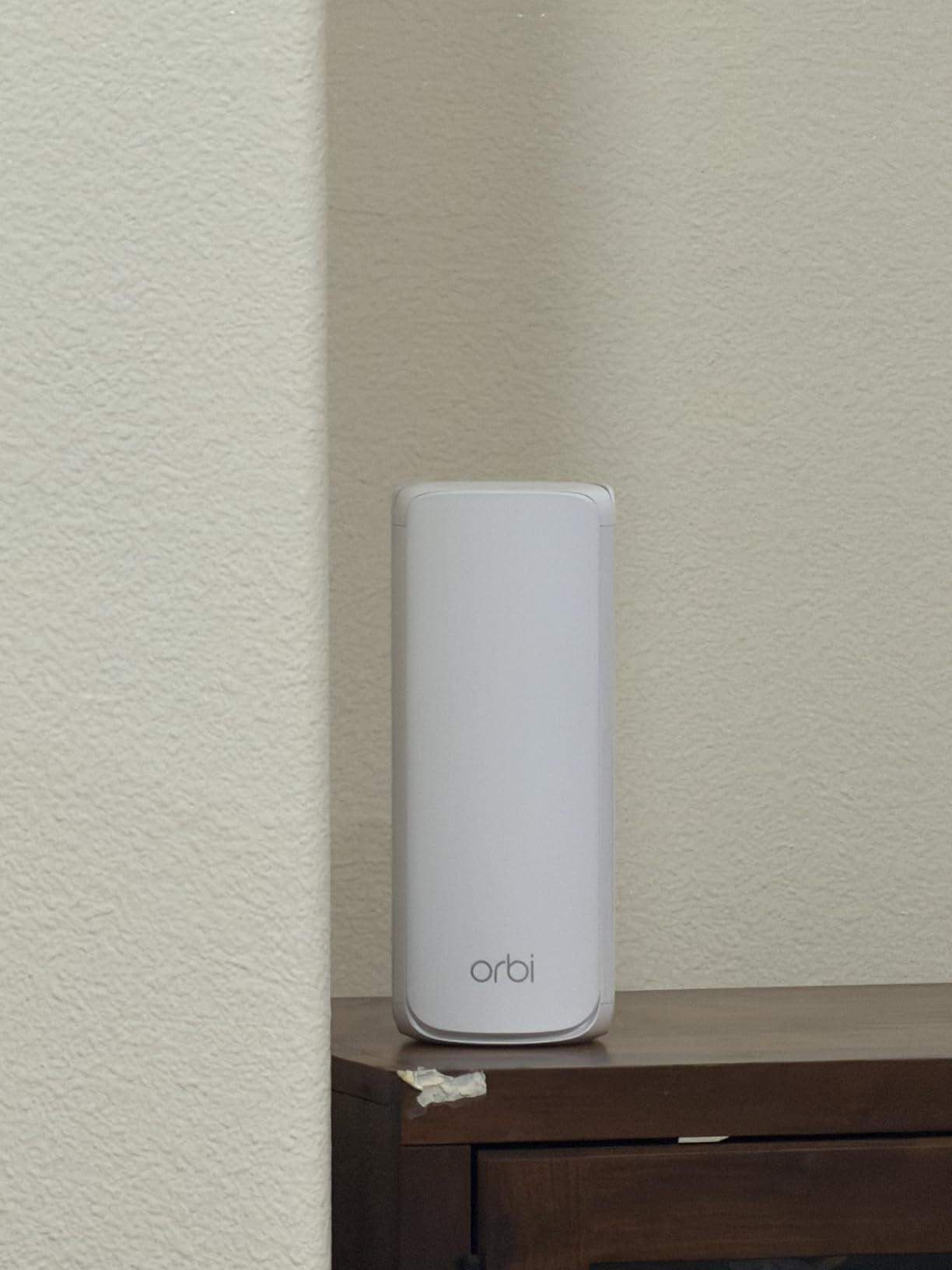
The Orbi 770 system features tri-band Wi-Fi 7 with speeds up to 11 Gbps and dedicated enhanced backhaul between nodes. Each unit has multiple 2.5G Ethernet ports, and the system supports 100 devices. NETGEAR Armor is included for network security, along with IoT network segmentation, parental controls, VPN support, and WPA3 encryption. The system also works with previous Orbi generations, so you can expand an existing setup.
The initial setup was the most frustrating part. Pairing the satellites took multiple attempts on my first try, and I ended up doing a factory reset to get everything connected. Several users on Amazon reported similar experiences. The other limitations include only two rear Ethernet ports per unit, OpenVPN but not WireGuard support, and the recommendation to use Cat 6 cabling for wired backhaul rather than Cat 5e. These are not dealbreakers, but they add friction to the setup process.
Who should buy this mesh system
The Orbi 770 is the best Wi-Fi 7 mesh system for homes over 4,000 sq ft, multi-story buildings, and properties with detached structures. It is also ideal for small businesses that need reliable coverage across a large footprint. If you already own Orbi products, the 770 series integrates seamlessly into your existing mesh network. The 8,000 sq ft coverage claim is accurate in my testing.
Who should look elsewhere
If you want a simple, quick setup experience, the eero Pro 7 or Deco BE25 are easier to get running. The Orbi 770 also lacks WireGuard VPN support, which matters if you use that protocol. For homes under 3,000 sq ft, a single high-performance router like the Nighthawk RS700S will save you money and provide similar or better performance in a simpler package.
How to Choose the Best Wi-Fi 7 Router
Picking the right Wi-Fi 7 router depends on your home size, internet speed, number of devices, and how much control you want over your network. Here is what actually matters when making your decision.
Wi-Fi 7 Key Technologies Explained
Wi-Fi 7 (802.11be) brings three major improvements over Wi-Fi 6 and 6E. Multi-Link Operation (MLO) lets compatible devices connect on multiple bands simultaneously, improving throughput and reducing latency. The 6 GHz band provides wider 320 MHz channels compared to 160 MHz on Wi-Fi 6, effectively doubling the available bandwidth. And 4K-QAM modulation packs more data into each transmission, boosting efficiency by about 20% over 1K-QAM.
Important note from our forum research: Windows 11 24H2 is required for MLO support on Windows devices. If you are running an older version of Windows or using Linux, you may not benefit from MLO even with a compatible router and adapter. Check your OS version before expecting full Wi-Fi 7 performance on PCs.
Dual-Band vs. Tri-Band
Dual-band Wi-Fi 7 routers use 2.4 GHz and 5 GHz bands. They are more affordable and sufficient for most homes with internet plans under 1 Gbps. Tri-band routers add the 6 GHz band, which is essential for getting the maximum Wi-Fi 7 speeds and for homes with many simultaneous high-bandwidth activities like 8K streaming, VR gaming, and large file transfers. If your internet plan is above 1 Gbps or you have more than 40 active devices, go tri-band.
Multi-Gig Port Considerations
The Ethernet ports on your router matter more than ever with Wi-Fi 7. If you have a multi-gig internet plan (above 1 Gbps), you need at least a 2.5Gbps WAN port to take full advantage. For wired devices like NAS, gaming PCs, and servers, look for routers with multiple 2.5Gbps or 10Gbps LAN ports. The TP-Link Archer BE550 offers five 2.5Gbps ports, while the Archer BE670 and Nighthawk RS700S include 10Gbps ports for maximum wired speed.
Single Router vs. Mesh System
For homes under 2,500 sq ft, a single tri-band router will usually provide sufficient coverage. The Nighthawk RS700S covers up to 3,500 sq ft from a single unit. For larger homes, multi-story layouts, or homes with thick walls, a mesh system is the way to go. The TP-Link Deco BE25 covers up to 6,600 sq ft with its three-pack, while the NETGEAR Orbi 770 handles up to 8,000 sq ft. Mesh systems also provide seamless roaming, so your devices stay connected as you move through the house without manual switching.
Device Compatibility and Backward Compatibility
All Wi-Fi 7 routers are backward compatible with Wi-Fi 6, Wi-Fi 5, and older standards, so your existing devices will connect without issues. However, you will only get Wi-Fi 7 speeds on devices with Wi-Fi 7 adapters. As of 2026, most flagship smartphones, laptops, and tablets from major brands offer Wi-Fi 7 support, including recent iPhone models, Samsung Galaxy S-series, and many Intel-based laptops. Older devices will still benefit from the improved network efficiency and capacity that Wi-Fi 7 routers provide.
Gaming-Specific Features
If gaming is your priority, look for routers with QoS features that let you prioritize gaming traffic, low-latency mode, and dedicated gaming dashboards. The Nighthawk RS700S and RS300 both handle gaming traffic well with MU-MIMO and OFDMA. For the most control, the GL.iNet Flint 3 with OpenWRT gives you access to SQM (Smart Queue Management) scripts that can dramatically reduce bufferbloat. Keep in mind that Wi-Fi 7 MLO itself reduces latency by allowing devices to transmit on multiple bands simultaneously, which benefits competitive gaming.
FAQs
Do I need Wi-Fi 7 if I already have a Wi-Fi 6 or 6E router?
If your current router handles your internet speed and all your devices without issues, you do not need to upgrade immediately. Wi-Fi 7 becomes worthwhile when you have a multi-gig internet plan above 1 Gbps, more than 40 connected devices, or specific needs like 8K streaming and VR gaming that demand lower latency. Users on Reddit have reported even older Wi-Fi clients seeing about 200 Mbps improvements on Wi-Fi 7 routers due to better network efficiency.
Will my current devices work with a Wi-Fi 7 router?
Yes, all Wi-Fi 7 routers are fully backward compatible with Wi-Fi 6, Wi-Fi 5, Wi-Fi 4, and older standards. Your existing phones, laptops, TVs, and smart home devices will connect normally. You will only get Wi-Fi 7 speeds on devices that specifically support the Wi-Fi 7 standard, but every device benefits from the router’s improved efficiency and capacity.
Do I need a tri-band or quad-band router?
For most homes, a tri-band router with 2.4 GHz, 5 GHz, and 6 GHz bands is sufficient. Tri-band routers dedicate the 6 GHz band to Wi-Fi 7 devices for maximum speed while keeping 5 GHz and 2.4 GHz available for older devices. Quad-band routers add a second 5 GHz band, which helps in extreme multi-device scenarios but is overkill for most households. If you have more than 60 active devices or multiple simultaneous 8K streams, quad-band may be worth considering.
Can I use a Wi-Fi 7 router with my existing modem?
Yes, Wi-Fi 7 routers work with any standard cable, DSL, or fiber modem that has an Ethernet output. Simply connect the modem to the router’s WAN port via Ethernet. The only consideration is that if your modem only supports 1 Gbps Ethernet, you will be limited to that speed regardless of the router’s capabilities. For multi-gig plans above 1 Gbps, make sure your modem also has a 2.5Gbps or higher Ethernet port.
Are Wi-Fi 7 mesh systems worth it?
Wi-Fi 7 mesh systems are worth the investment for homes over 3,000 sq ft, multi-story homes, or homes with thick walls, concrete, or metal construction that blocks Wi-Fi signal. A good mesh system like the TP-Link Deco BE25 or NETGEAR Orbi 770 provides seamless roaming, dedicated backhaul channels, and consistent speeds across your entire home. For smaller homes under 2,500 sq ft, a single high-performance router like the Nighthawk RS700S is usually sufficient and costs less.
Final Thoughts on the Best Wi-Fi 7 Routers
Wi-Fi 7 has moved past early-adopter territory and is now a solid, practical upgrade for any home with growing device counts or multi-gig internet. Among the best Wi-Fi 7 routers we tested in 2026, the NETGEAR Nighthawk RS700S stands out as the top performer with 19 Gbps speeds and excellent range for larger homes. For the best value, the TP-Link Archer BE550 delivers tri-band Wi-Fi 7 with five 2.5Gbps ports at a price that makes sense for most households. And for budget-conscious buyers, the TP-Link Archer BE230 brings genuine Wi-Fi 7 features to the sub-$100 range.
If whole-home coverage is your priority, the TP-Link Deco BE25 mesh system covers up to 6,600 sq ft with three units, while the NETGEAR Orbi 770 handles up to 8,000 sq ft for the largest homes. Pick the router or mesh system that matches your home size, internet speed, and device count, and you will see a real difference in your daily network performance.