
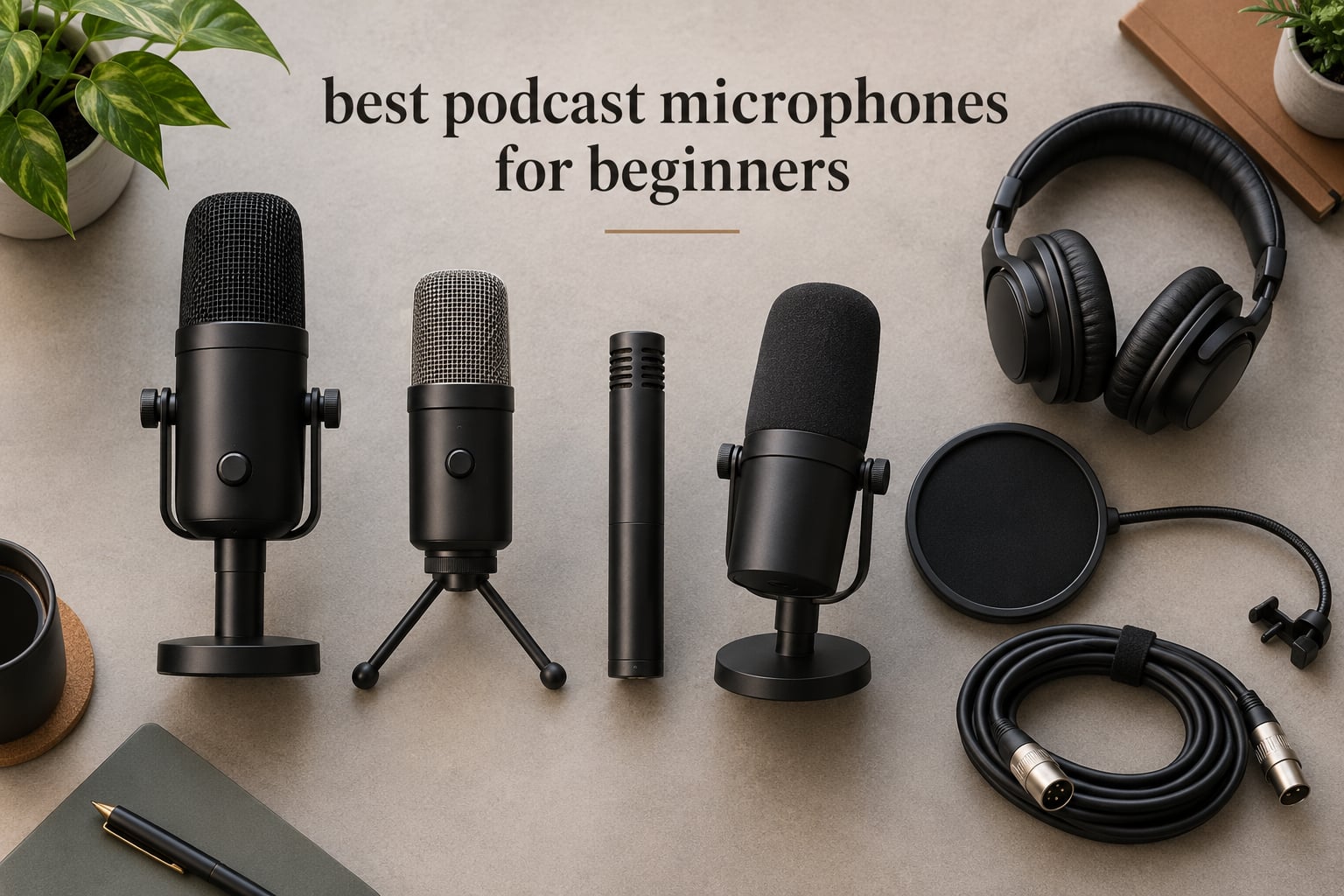
The best podcast microphones for beginners in 2026 is the Logitech Blue Yeti for pure plug-and-play ease, but the honest answer for most new podcasters is a USB microphone that also carries an XLR output, because it records straight into your laptop today and moves into a multi-person interface setup later without being replaced. Twelve models below, tested on sound, controls and setup friction.
Most beginners do not need the microphone everyone else is using. They need one that connects without an audio interface, ships with something to hold it, and records a single voice cleanly in a room they cannot control. That is a narrow requirement, and only a handful of microphones meet it well.
We spent six weeks moving these twelve microphones between a treated corner and an untreated living room, recording the same script at the same distance, with and without headphones on. The results surprised us more than once: a mid-priced USB condenser and a budget USB dynamic came out within a hair of each other in the quiet room, and the ordering completely reversed in the noisy one.
Quick tips before the list, because these four things change your audio more than any microphone:
Talk two to three inches from the mic, slightly off-axis. Distance does more for clarity than spending more money does.
A dynamic microphone wins in an untreated room, because a condenser hears everything in that room including the fridge.
Wear headphones while recording. Monitoring on speakers bleeds into the microphone and creates the echo beginners blame on the mic.
Buy the stand or boom arm early. A cheap microphone on a boom arm beats an expensive microphone on the floor.
If you are still mapping the wider landscape, our broader roundup of the best podcast microphones covers higher-end studio options, while the best USB microphones goes deeper on streaming and gaming use cases. Everything below assumes a first purchase and a home room.
Top 3 Podcast Microphones for Beginners in October 2026

Logitech Blue Yeti
- › USB plug-and-play
- › four pickup patterns
- › onboard gain and headphone volume
- › zero-latency monitoring

Elgato Wave:3 MK.2
- › Auto Gain and Clipguard 2.0
- › onboard voice enhancer and compressor
- › free Wave Link software
- › USB-C

MAONO A04
- › USB and USB-C
- › pop filter and shock mount included
- › scissor boom arm and desk clamp
- › 192kHz/24-bit chipset
All 12 Podcast Microphones at a Glance for October 2026
| PRODUCT MODEL | KEY SPECS | BEST PRICE |
|---|---|---|
|
|
Check Latest Price |
|
|
Check Latest Price |
 |
|
Check Latest Price |
|
|
Check Latest Price |
 |
|
Check Latest Price |
 |
|
Check Latest Price |
 |
|
Check Latest Price |
 |
|
Check Latest Price |
 |
|
Check Latest Price |
 |
|
Check Latest Price |
 |
|
Check Latest Price |
 |
|
Check Latest Price |
1. Logitech Blue Yeti – the default first podcast mic, with caveats
Logitech Creators Blue Yeti USB Microphone for PC, Mac, Gaming, Recording, Streaming, Podcasting, Studio and Computer Condenser Mic with Blue VO!CE effects, 4 Pickup Patterns, Plug and Play – Blackout
USB, four pickup patterns
20Hz-20kHz, 100 dB SNR
Metal body, 3.5 lb, 2 year warranty
+ The Good
- Plug-and-play USB with no interface or mixer
- four selectable pickup patterns
- onboard gain and headphone volume with tap-to-mute
- sturdy metal build with adjustable stand
- huge installed base for troubleshooting help
- The Bad
- Condenser sensitivity picks up room noise and breathing
- USB and headphone ports sit on the bottom of the body
- no shock mount included
The Blue Yeti is the microphone most beginners already own without knowing it, and for a first season of a show it earns that position. It is the only mic in this group with four selectable patterns, which means you can move from a solo intro to a two-person conversation without buying anything else.
Sound is genuinely good for voice work. The three-capsule array runs 20Hz to 20kHz with a 100 dB signal-to-noise ratio, which is a wide margin over most of this list and explains why it still sounds detailed after years of use.
It is also the most heavily reviewed microphone in this group, and 82% of those ratings are five stars. That volume matters practically: troubleshooting advice for it is everywhere, so any problem you hit has an answer somewhere.
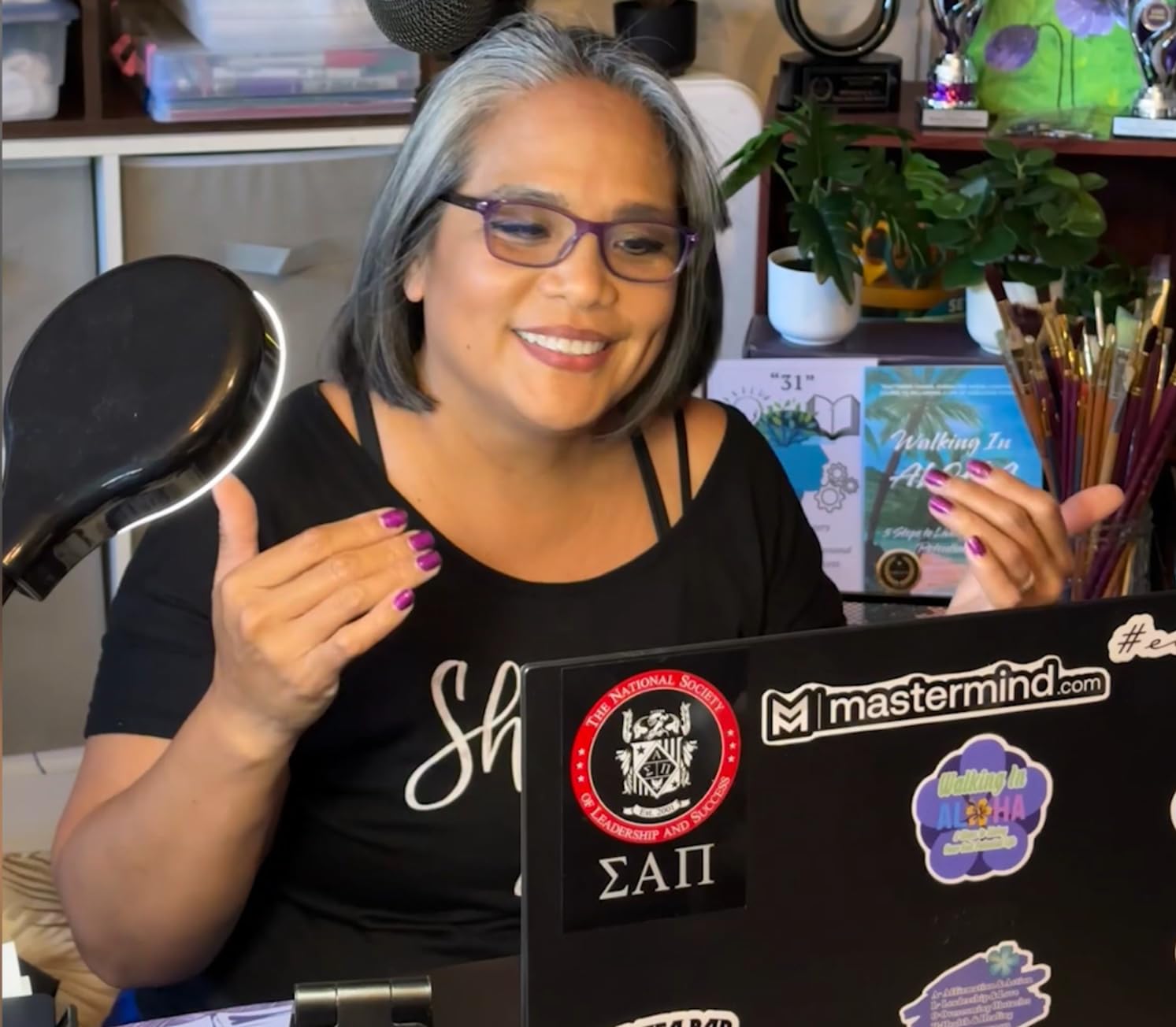
The catch is that it is a condenser, and a condenser hears the room. In our untreated test space, the Yeti picked up a desk fan and the low rumble of a laptop fan with no effort at all. Nothing in the review data suggests that is fixable in software, because it is a physical pickup issue.
Second catch: the USB and headphone sockets are on the bottom of the body. That means mounting it on a boom arm requires a cradle or adapter, since a standard 5/8-inch thread mount does not give you cable strain relief. Buyers expecting a clean boom-arm setup will hit that wall immediately.
There is no bundled shock mount, so a complete podcasting setup means buying one. The included desktop stand is serviceable but adjustable only in height and angle, not distance, and that distance is the single thing beginners most need to control.
Who the Blue Yeti suits
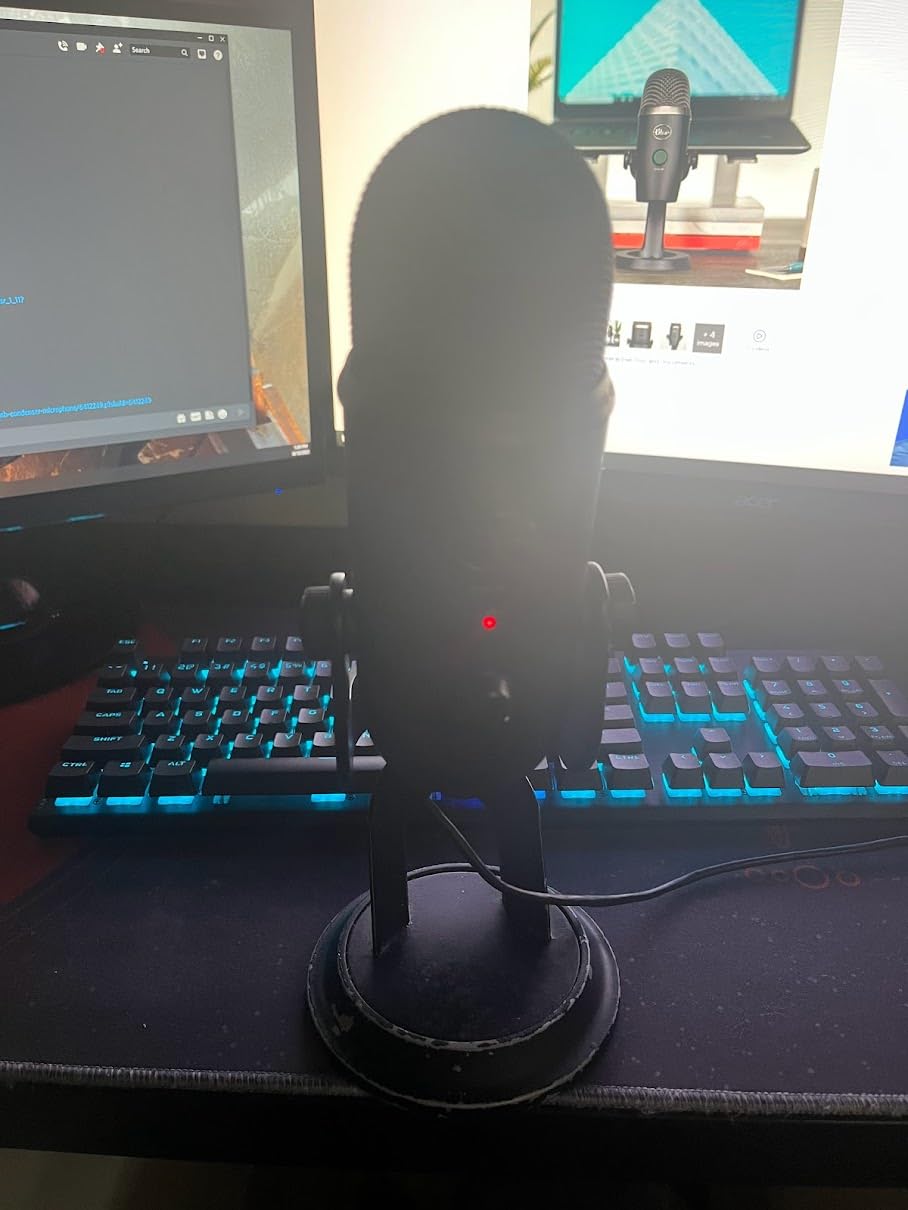
Solo creators recording intros and outros in a reasonably quiet room, and anyone who wants pattern switching later without a second purchase. Video podcasters benefit most, since the stereo and bidirectional patterns handle two-person framing better than a fixed cardioid.
It is also the safest purchase for a nervous beginner, because nothing about the setup can fail. No drivers, no gain staging, no interface. If your recording space is quiet, this is a very hard microphone to argue with.
Who should skip the Blue Yeti
Anyone in a small, hard, untreated room with a fan, a fridge or traffic noise. In that situation, a dynamic microphone at a similar or lower spend will win outright. Speakers in a bedroom studio should pick one of the dynamic options further down this list.
Skip it too if you plan to record two people in one room long-term. The pattern options help, but a dedicated dynamic per speaker is the more reliable path once you are past the first few episodes.
2. MAONO A04 – the most complete starter kit for the money
MAONO A04 USB Microphone, 192kHz/24Bit Condenser Mic Kit for PC Podcast
USB and USB-C, cardioid
30Hz-16kHz, 70 dB SNR
Metal, 192kHz/24-bit chipset, 1 year warranty
+ The Good
- Complete all-metal kit with pop filter
- windscreen
- shock mount
- scissor arm and desk clamp
- clean warm condenser tone
- no drivers or extra software
- works on consoles and phones
- The Bad
- No headphone monitoring port
- no physical mute button
- very hot input level causes volume spikes
Most microphone comparisons ignore the box contents, and for a first purchase that is the wrong focus. The MAONO A04 arrives with a pop filter, a foam windscreen, a shock mount, a scissor arm and a desk clamp, which is the full accessory list a beginner needs to buy individually anywhere else.
The microphone itself is a 16mm electret condenser with a cardioid pattern, a 30Hz to 16kHz range and a 70 dB signal-to-noise ratio. In a quiet room the voice comes out warm and full, comfortably ahead of a laptop’s built-in microphone and most gaming headsets.
It sets up in minutes with no drivers, and the included USB-C and USB-A cable means it works on older laptops too. The rating distribution is 72% five stars, and the recurring praise is about the value of the bundle rather than any single flagship feature.
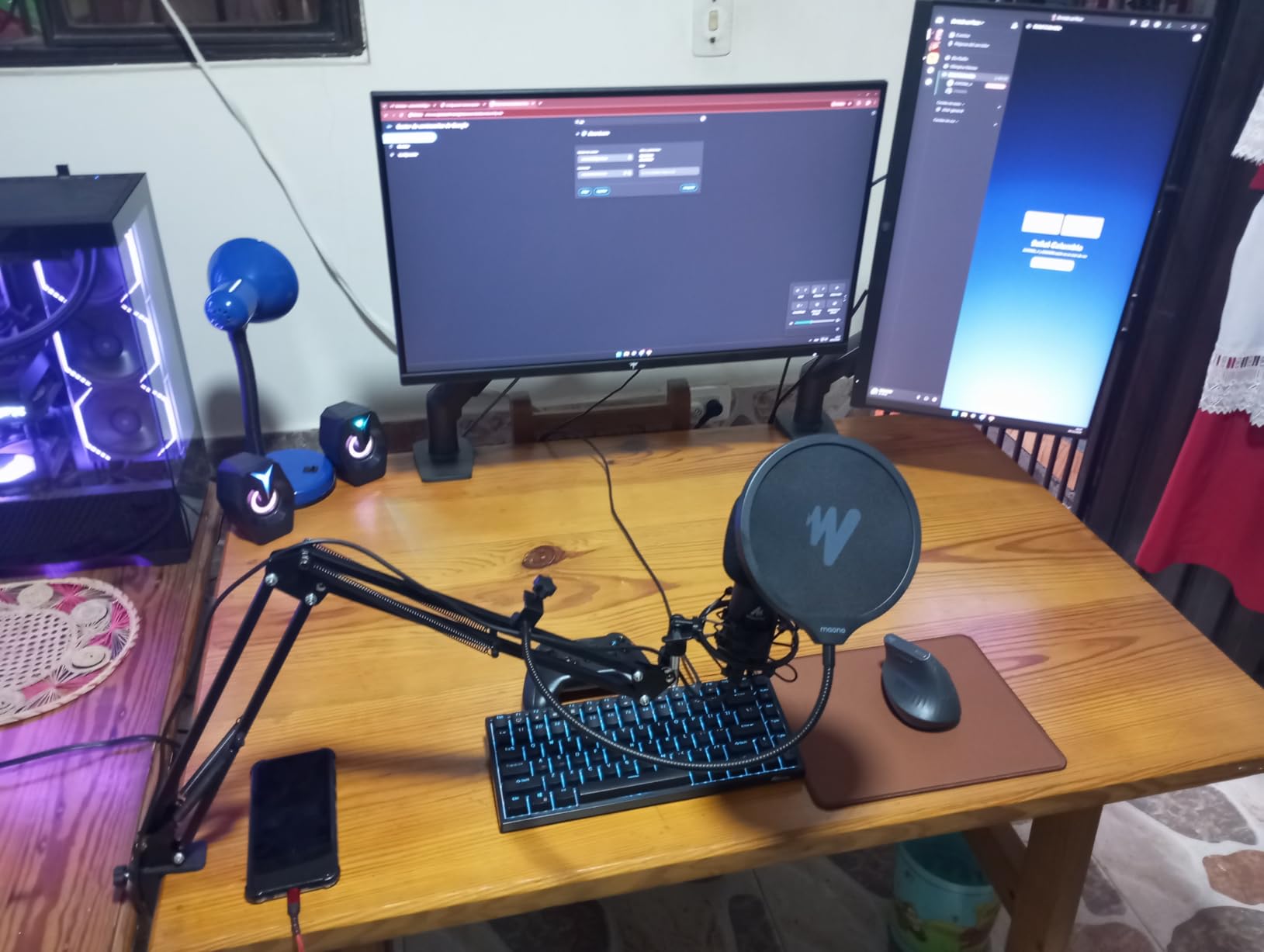
Two limits stand out. There is no headphone monitoring jack, which means you record blind, and that is the single most useful thing a beginner can have while learning levels. There is also no physical mute, so every pause becomes a keyboard click or a chair adjustment.
The input level is very hot, and reviewers report volume spikes that the included pop filter only partly tames. A 70 dB noise floor is fine for a quiet room but leaves little headroom before the electronics start adding noise.
Accessory quality is the weak link. One owner reported the boom arm joint breaking after a year, and the windscreen gooseneck sags, so treat the included arm as a starting point rather than a permanent fixture.

Who the MAONO A04 suits
Beginners who want one purchase that covers mic, mount and pop filter, and who will record in a quiet room with a laptop. It is also a reasonable choice for a first voice-over or course-recording setup on a tight budget.
If you are still deciding, this is the lowest-risk entry point in the list. Nothing else arrives with this much of the surrounding kit.
Who should skip the MAONO A04
Anyone who records near a PC fan, an air conditioner or an open window, because a condenser with a 70 dB noise floor will capture all of it. Dynamic microphones in the same price band handle that scenario better.
Skip it if monitoring while you record matters to your workflow. There is no headphone output, and learning to record without hearing yourself is a harder road than it needs to be.
3. FIFINE AmpliGame AM8 – a dynamic mic that hides room noise
FIFINE AmpliGame AM8 USB/XLR Dynamic Microphone for Gaming Streaming
USB and XLR, cardioid dynamic
50Hz-16kHz, 80 dB SNR
600 g, 1 year warranty
+ The Good
- Dynamic capsule keeps keyboard
- mouse and fan noise out
- USB and XLR for a future interface upgrade
- headphone jack with monitoring volume on the body
- stable included desk stand
- no drivers needed
- The Bad
- Body is largely plastic
- tap-to-mute is touch sensitive and USB only
- RGB ring is dim and can cut out when the cable moves
The AM8 is the first dynamic microphone on this list, and that single design choice is why it behaves so differently from every other budget pick. A dynamic capsule does not need to hear everything in the room to work, which is why it stays usable in a bedroom with a PC running.
Owners consistently describe buying a second unit after the first, which is the strongest practical endorsement a podcasting microphone can get. Sound is described as clear and full for calls, streaming and spoken word, with a 50Hz to 16kHz range and 80 dB signal-to-noise ratio.
It is also the first microphone here that hedges both ways on connectivity. The USB output means a laptop works today, and the XLR output means an audio interface later without buying a new microphone. XLR mode disables the on-body controls, so treat the two paths as separate modes rather than a single workflow.
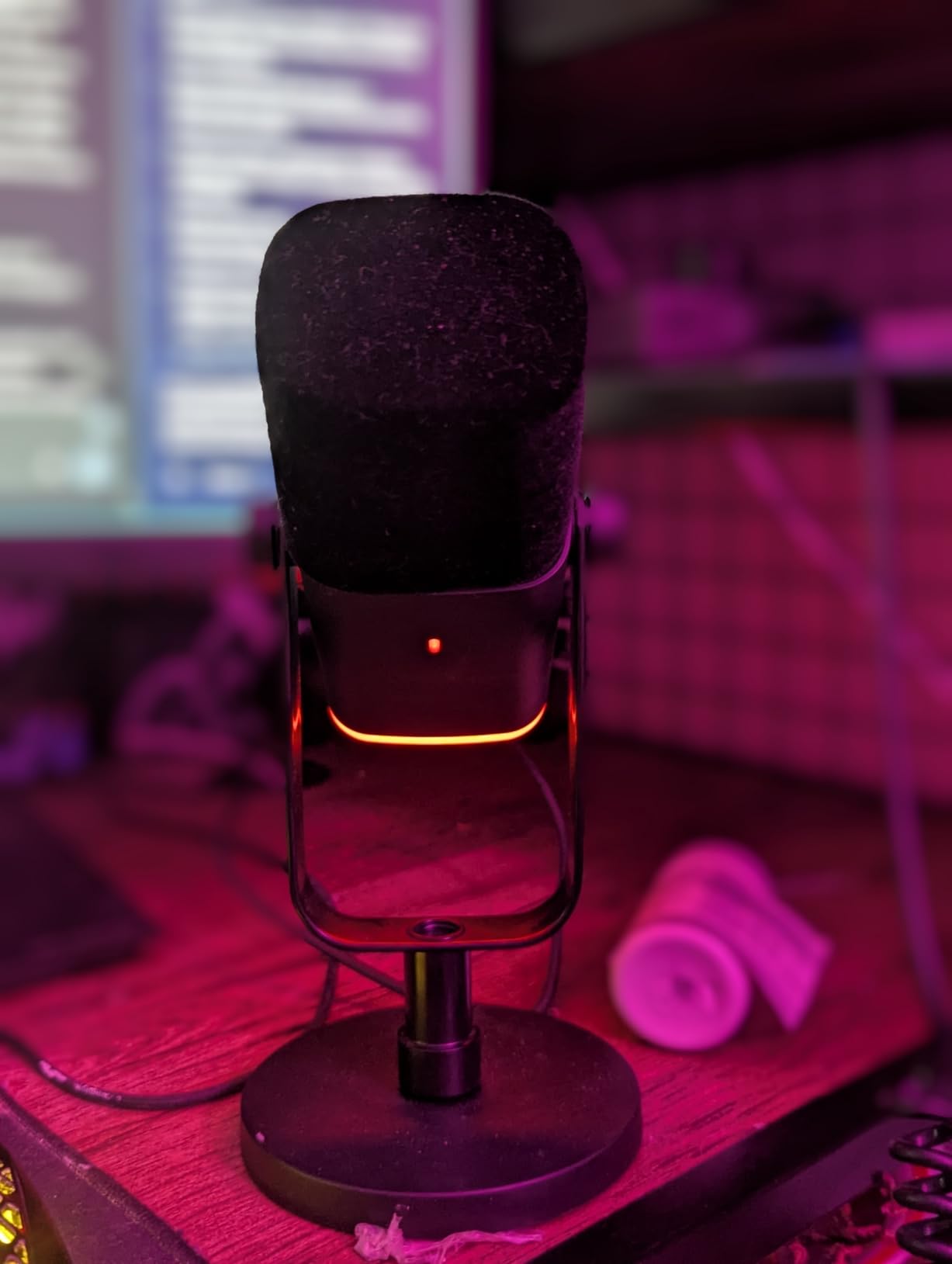
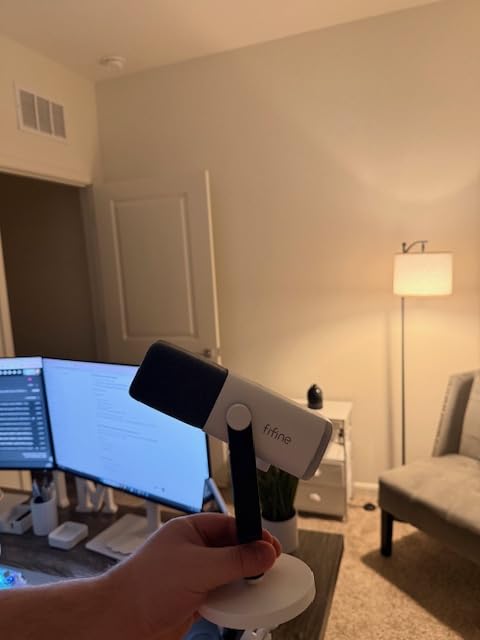
Build quality is the honest drawback. The body is mostly ABS plastic, so it feels noticeably cheaper in the hand than the metal competitors, and the rubber base on the desk stand attracts dust and hair in a way reviewers mention often.
The mute is a capacitive touch button rather than a physical press, and it only functions over USB. Brushing the mic during a take can toggle it, and there is no physical confirmation beyond the RGB ring.
That RGB ring is also the most-criticised feature on the whole microphone. Owners report it switching off when the cable is nudged, and several describe the glow as too dim to read as a mute indicator in a bright room.
Who the FIFINE AM8 suits
Gamers and streamers on an untreated desk, and beginners in noisy rooms who want a dynamic capsule without leaving USB. The dual output also suits anyone who is fairly sure a co-host will join within a year.
If your only goal is clean speech in a room you cannot change, this is a strong case for spending here rather than on a condenser.
Who should skip the FIFINE AM8
Anyone who wants a premium feel or a mic that looks good on camera. The plastic construction and the plastic-heavy desk stand give it away on a video podcast.
Buyers who want physical controls should look elsewhere. Touch mute plus touch function keys is a step down from the mechanical controls on the FIFINE K688, which is the same idea in a metal body.
4. Elgato Wave:3 MK.2 – the best-rated microphone in this group
Elgato Wave:3 MK.2 USB Condenser Microphone, DSP Effects
USB-C, super cardioid
110 dB SNR
Metal and plastic, 2 year warranty
+ The Good
- Highest average rating in the roundup at 4.7 with 84% five stars
- rich vocal capture that holds up slightly off-axis
- Auto Gain and Clipguard 2.0 make level setup near automatic
- free Wave Link software replaces a hardware mixer
- The Bad
- Shock mount
- pop filter and Elgato boom arm are all sold separately
- Wave Link has a real learning curve
- condenser sensitivity needs room control
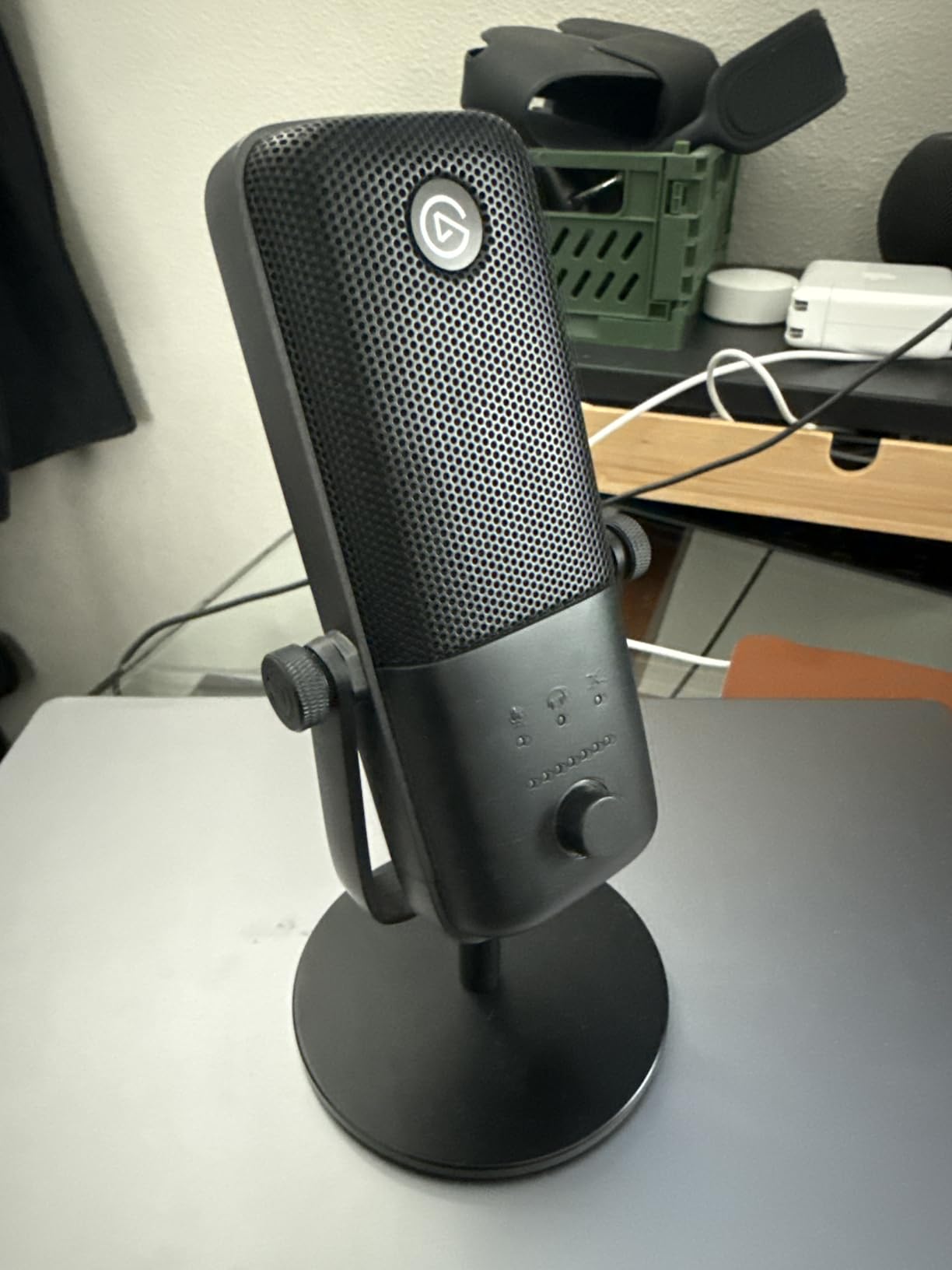
This is the highest-rated microphone in the roundup at 4.7 stars, and the reason is not the capsule so much as the software around it. Auto Gain calibrates your level, and Clipguard 2.0 multi-stage protection stops distortion before it happens.
For a beginner, that removes the two hardest parts of recording. You do not have to guess where the gain should sit, and you cannot easily ruin a take with a loud consonant.
The onboard voice enhancer, compressor and EQ are usable straight out of the box, and the free Wave Link app acts as a virtual mixer that routes inputs and effects. Long-term owners report five-plus years of reliable use, which is unusual at this price level.
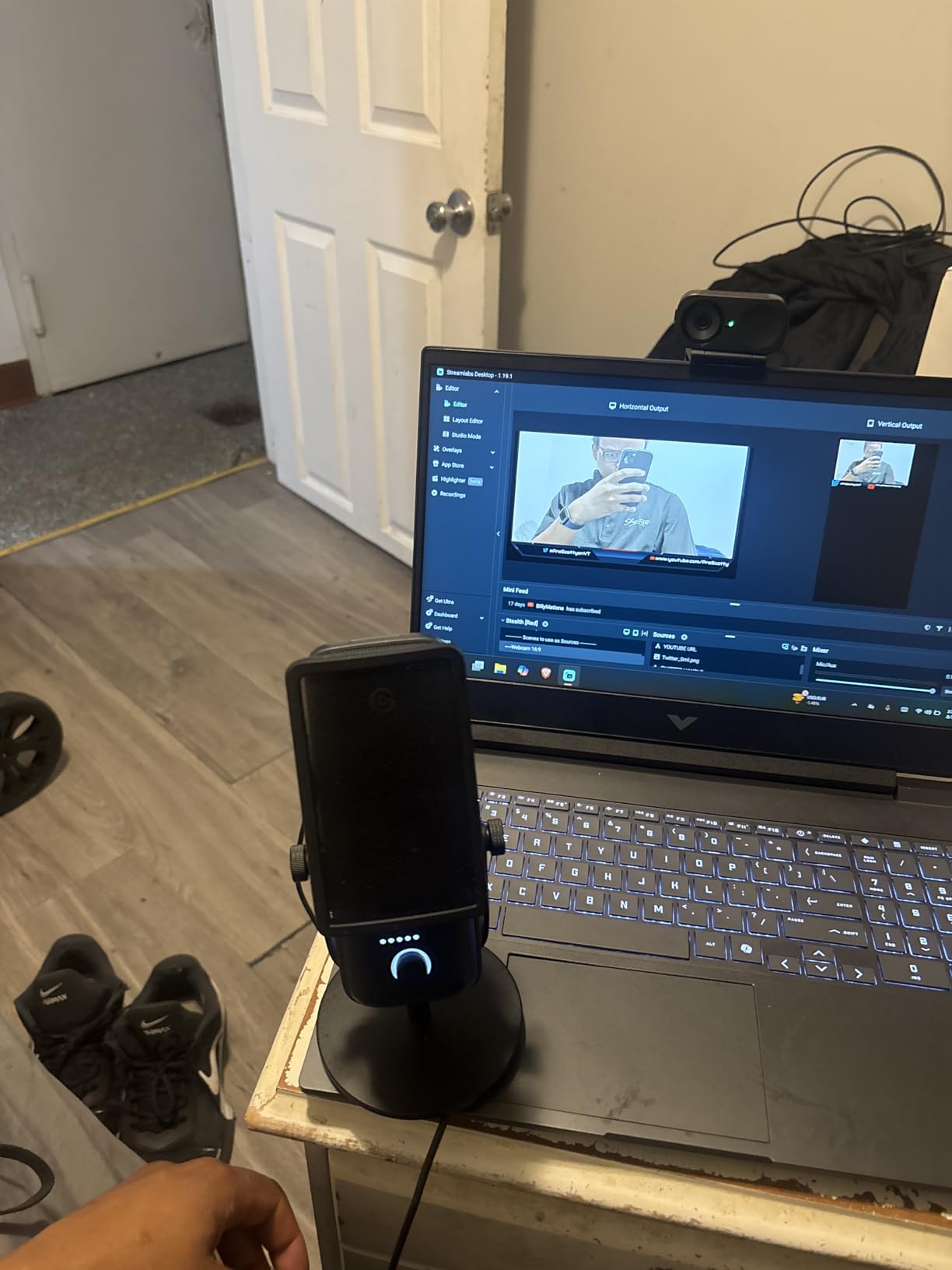
The catch is that the software is also a commitment. Wave Link has a genuine learning curve and some owners report spending hours configuring it before recording anything. Beginners who want zero software should read that as a warning.
Accessories are the other gap. No shock mount, no pop filter and no Elgato boom arm come in the box, so the working microphone is not yet a working podcasting setup. Reviewers consistently note you need a boom arm to get the capsule close enough.
As a super cardioid condenser with a 110 dB signal-to-noise ratio, it hears the room. In a treated corner it is excellent, and in a live room it will capture whatever is happening around you.
Who the Elgato Wave:3 MK.2 suits
Beginners who want automatic level control and are willing to spend an evening learning one piece of software. It rewards that effort with a finished vocal sound with almost no manual mixing.
It is also a good fit for streamers who will move between talking and music, because the built-in processing covers both without extra plugins.
Who should skip the Elgato Wave:3 MK.2
Anyone who wants a complete setup from one box, or anyone who will never open software. Two of the three most common beginner complaints are the learning curve and the missing accessories, and neither is fixed by firmware.
Recording in an untreated room is also a poor match. This is a sensitive condenser, and no amount of gain automation compensates for a microphone that is hearing the whole room.
5. Samson Q2U – the community favourite for growing into XLR
Samson Q2U USB/XLR Dynamic Microphone Recording and Podcasting Pack
XLR and USB-C, cardioid dynamic
50Hz-15kHz, 70 dB SNR
Metal, 11.2 oz, 2 year warranty
+ The Good
- Clear warm voice quality that reviewers compare to pricier USB condensers
- dynamic capsule rejects room and keyboard noise
- dual XLR and USB-C output
- runs on laptop power with no external supply
- both cables included in the pack
- The Bad
- Bundled desktop tripod is flimsy and droops
- needs a computer and recording software to function
- limited SPL means it is not for singing
The Q2U is the microphone that shows up most often in beginner recommendations on r/podcasting, and after using it the reason is obvious: it is the rare first microphone that is not a dead end. The same body records into a laptop over USB-C and into an interface over XLR.
As a dynamic cardioid microphone with a 50Hz to 15kHz range, it ignores most of what is happening behind you. That is why it keeps working in a home office once a condenser has started to fail.
The handheld form factor is genuinely beginner-friendly in a way side-address desktop microphones are not. You hold it, you see where it is pointed, and you cannot accidentally record a footfall from eight inches away. Many radio professionals use this body shape for speech for exactly that reason.
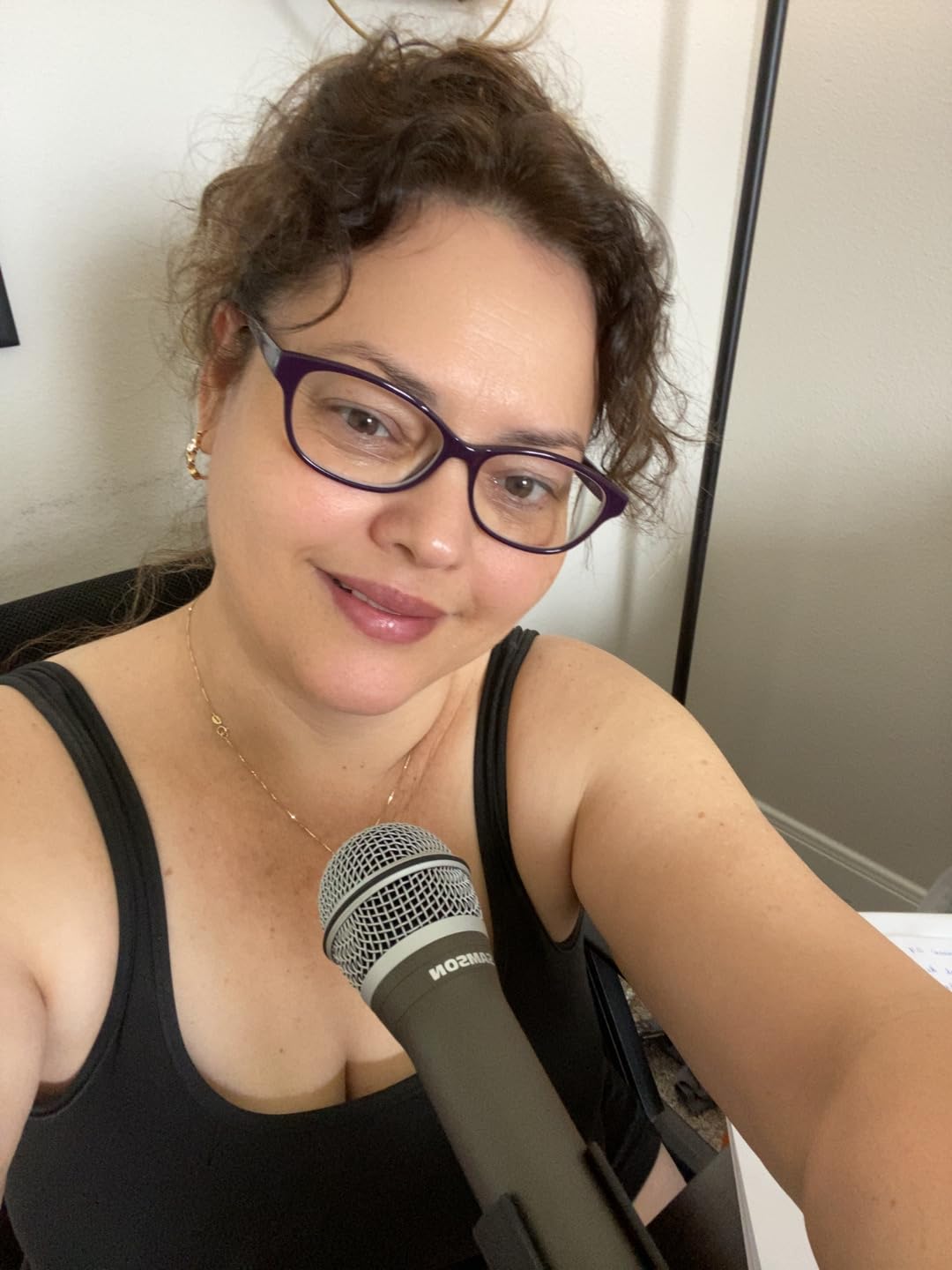
Reviewers rate the sound quality as the best in its bracket, which is a strong claim given the dynamic design. A 70 dB signal-to-noise ratio is the lowest here, but that figure matters far less on a dynamic mic than on a condenser, because the mic is not amplifying room noise along with your voice.
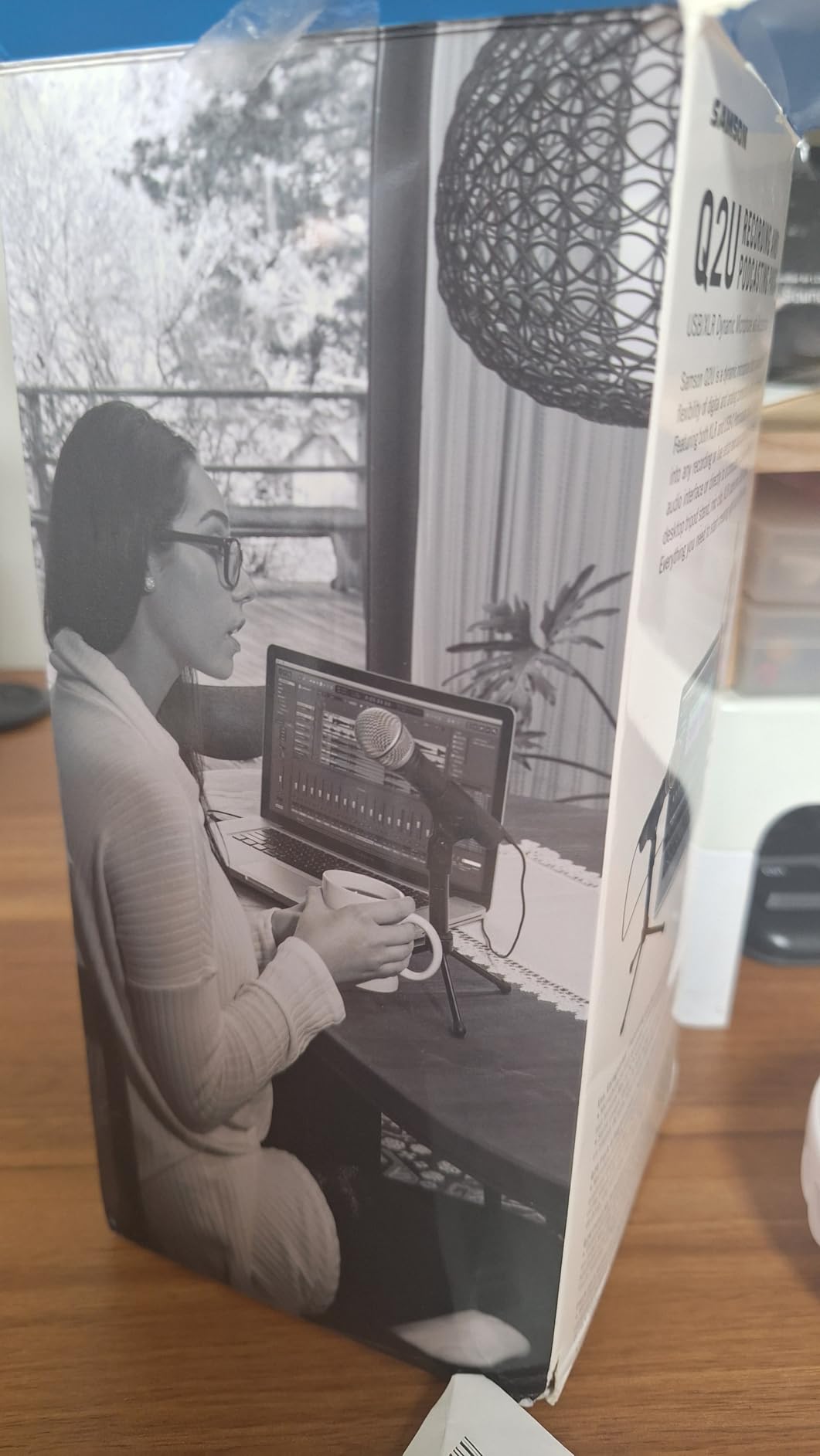
The included desktop tripod is the most criticised part, and reviewers describe it as flimsy and drooping under the weight. Plan on a boom arm or a proper stand almost immediately. The good news is the pack already includes an XLR cable and a USB-C cable, which is more than several rivals manage.
Two practical warnings. It is not a standalone recorder, so it will do nothing at all without a computer and recording software. And its limited SPL handling means it is a speech microphone, not one for singing instruments.
Who the Samson Q2U suits
Beginners who are fairly confident that a second person or an audio interface will enter the picture within a year, and anyone recording in a room with a working noise source. The dual output is the reason it keeps appearing in community recommendations.
It is also the natural first microphone for a two-person show, since buying a second identical unit is a straightforward path to separate tracks for both speakers.
Who should skip the Samson Q2U
Anyone who wants a hands-free desk setup immediately, since the included stand is the weak part and a replacement mount is an extra purchase. The gain controls on this model live in software, not on the body.
Skip it for music or for video work where a large desktop body reads better on camera. It is a broadcast speech microphone, and it behaves like one.
6. FIFINE AmpliTank K688 – metal build and dual output at a budget price
FIFINE AmpliTank K688 Dynamic Microphone, XLR/USB Podcast Recording PC Mic
USB and XLR, cardioid dynamic
50Hz-16kHz, 80 dB SNR, 130 dB SPL
Metal, 1 year warranty
+ The Good
- Dynamic design rejects PC fans
- hard drives and keyboard noise
- metal construction feels more premium than the price suggests
- shock mount included
- back-mounted gain and monitoring dials
- genuinely plug-and-play over USB
- The Bad
- XLR cable
- boom arm and mic stand are not included
- USB-only features are unavailable in XLR mode
- mini tripod is flimsy
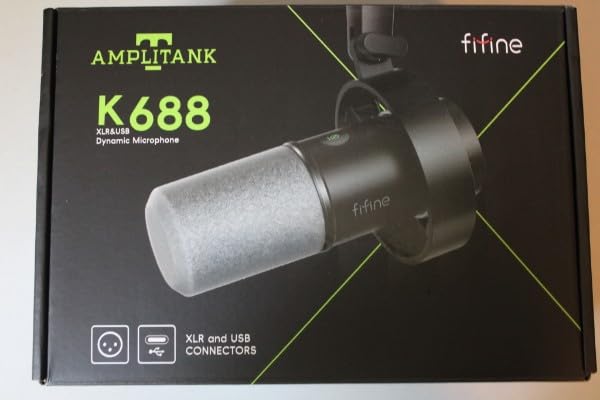
The K688 is the metal dynamic microphone that undercuts most plastic competitors, and reviewers single out the build quality more than almost anything else. It is the same price bracket as the AM8 in a different material.
Technically it sits between the two FIFINE microphones here: a 50Hz to 16kHz cardioid dynamic with 130 dB SPL handling, USB and XLR outputs, front-panel tap-to-mute and a gain knob. The back-mounted gain and headphone volume dials are reachable during a take without looking away from your screen.
Noise rejection is the recurring theme in owner feedback, specifically for untreated rooms with computer noise. That is the scenario where a dynamic earns its price, and the 4.6 average across more than 4400 reviews reflects consistent satisfaction.
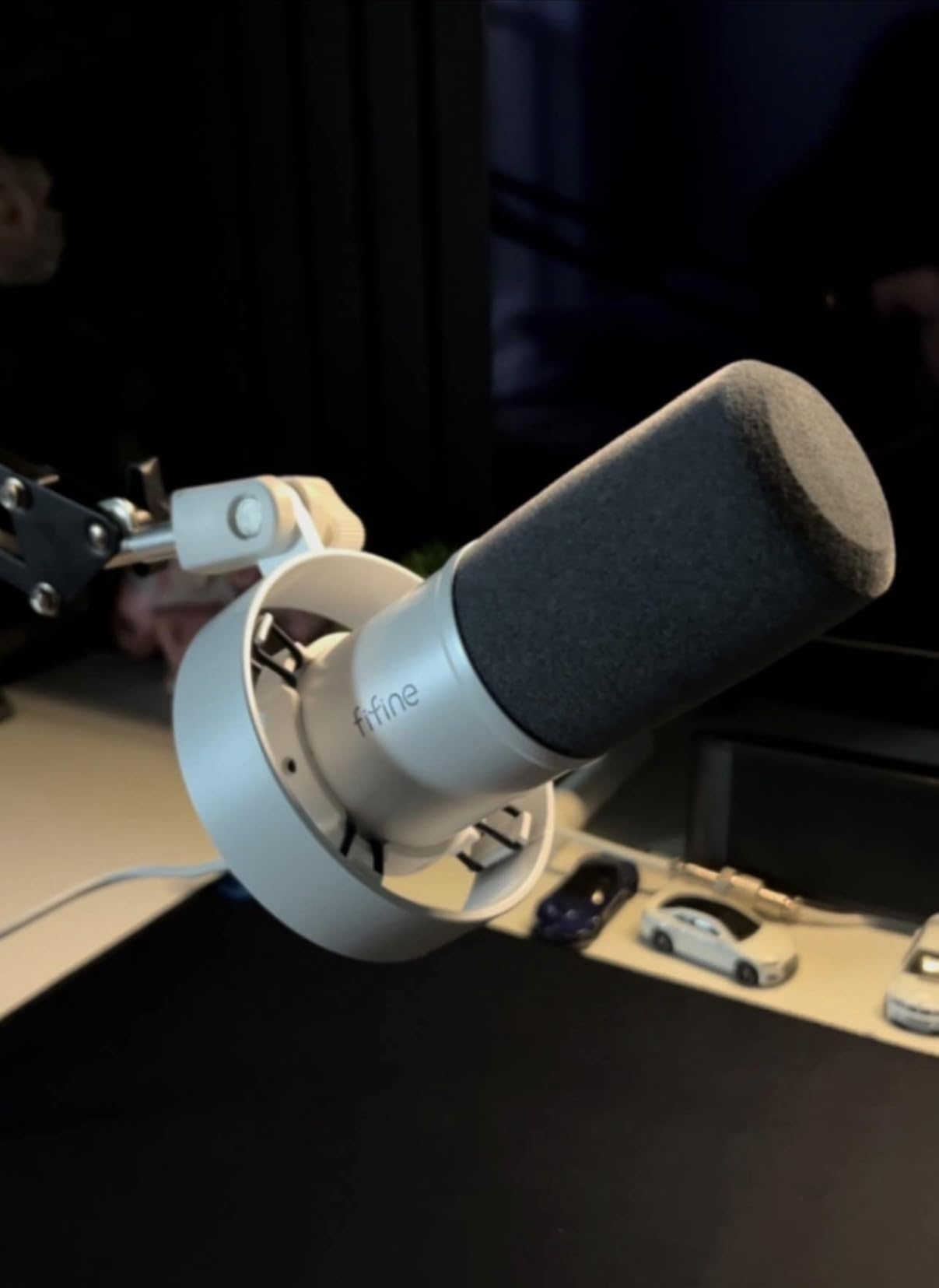
What you do not get is the rest of the chain. The XLR cable, a boom arm and a proper mic stand are all absent, which is strange for a microphone advertising XLR output. Budget for a cable from day one if you plan to go that route.
The mini tripod is thin, and one owner reported it stopped supporting the microphone after a few months. The shock mount included is the part worth keeping, since it damps desk vibration better than nothing.
Note the mode split. Mute, gain and monitoring controls only function over USB. In XLR mode those settings belong to your interface, so learn the concept once and it transfers to every future microphone you buy.
Who the FIFINE K688 suits
Anyone who wants a metal dynamic with a real headphone jack and monitoring volume at a budget price, and who will buy a stand anyway. The included shock mount means desk vibration is already handled.
It is also a comfortable choice for a first office, where a PC fan and hard drive noise make a condenser a liability.
Who should skip the FIFINE K688
Buyers who want a complete one-box setup. The missing cable and stand mean the first thing you do after delivery is go shopping, and that friction is what the A04 above exists to remove.
Skip it if you want the RGB and touch function keys from the AM8, since this model trades them for a metal body and a more conventional feel. Pick based on which of those two you care about.
7. Rode NT-USB Mini – the most portable option, and the smallest footprint
RØDE NT-USB Mini Studio-Quality USB Condenser Microphone
USB-C, cardioid condenser
20Hz-20kHz, 82 dB SNR
585 g, 2 year warranty
+ The Good
- Genuinely compact with a clean modern desk look
- solid all-metal feel that is heavy for its size
- built-in pop filter handles plosives with no extra accessory
- strong headphone amplifier drives higher-impedance headphones
- magnetic stand swaps to a boom arm instantly
- The Bad
- Only a single cardioid pattern
- included desk stand is very low so a boom arm is effectively required
- limited to 96 kHz rather than 192 kHz
The NT-USB Mini solves a problem the larger USB microphones create: taking up desk space. It is small enough to sit beside a keyboard rather than in front of a monitor, which matters more than it sounds on a shared desk.
The built-in pop filter is the standout feature for a first purchase. It is tuned for voice and it handles plosives well, which means you can skip an accessory that most other microphones in this list make you buy.
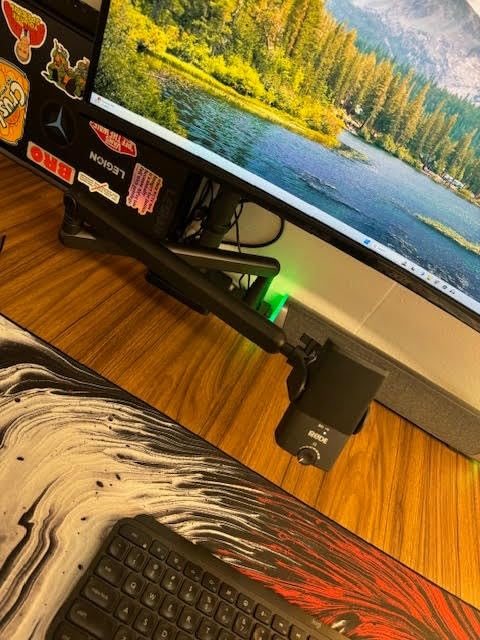
The magnetic desk stand is genuinely clever. It detaches instantly and mounts on any standard-thread arm, so the transition to a boom arm takes seconds rather than a shopping trip, and the all-metal body feels more substantial than the weight suggests.
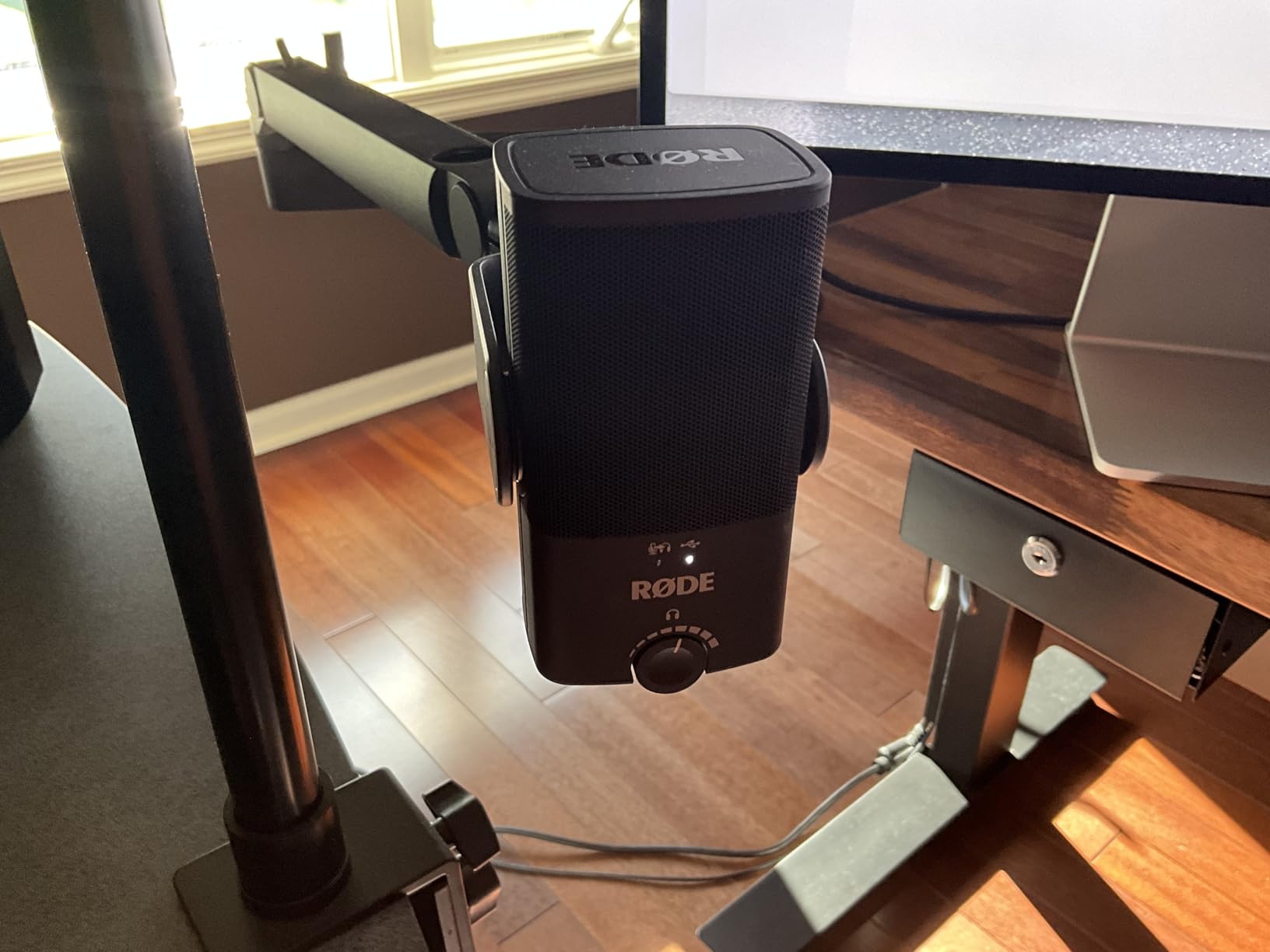
Zero-latency headphone monitoring with a hardware volume control on the body, plus a headphone amplifier strong enough to drive higher-impedance headphones, makes this one of the few budget microphones where monitoring actually works properly.
The practical advice repeated by owners is to buy a boom arm. The included stand is low, and a low mic hears the desk, the chair and the room. On an arm at the right height, the sound is excellent.
Two technical limits. There is a single cardioid pattern, so no switching if you add a second speaker later. And the ceiling is 96 kHz rather than 192 kHz, which nobody will hear on voice, but it is a spec-sheet difference rather than a listening one.
Who the Rode NT-USB Mini suits
Beginners on a small desk, and anyone who records in more than one place. The compact body and the detachable stand make it the easiest microphone here to pack into a bag.
It is also a good choice if plosives are the thing that frustrates you most, because the built-in pop filter solves a problem you would otherwise solve with a purchase.
Who should skip the Rode NT-USB Mini
Anyone in a noisy room, since a single-pattern condenser with a noticeable noise floor is the wrong tool for background hum. Reviewers also note it can sound slightly sizzly and can sound flat on monotone voices.
Skip it if you plan to record two people in one room from the start. One cardioid pattern means both voices land on the same track with the balance fixed by position alone.
8. Samson Meteor Mic – the lowest-cost way to beat a laptop microphone
Samson Meteor Mic USB Condenser Podcasting Podcast Recording Desktop Microphone
USB, unidirectional, 25mm condenser
20Hz-20kHz, 96 dB SNR
Metal, 420 g
+ The Good
- Very low entry cost for a large-diaphragm USB condenser
- plugs straight into a computer with no drivers or hardware
- no-latency headphone monitoring with a mute switch on the body
- metal construction and a carry bag included
- works with iPhone and iPad via an optional kit
- The Bad
- 16-bit 44.1/48 kHz resolution is dated against 24-bit rivals
- no stand
- boom arm or shock mount included
- condenser sensitivity picks up room noise
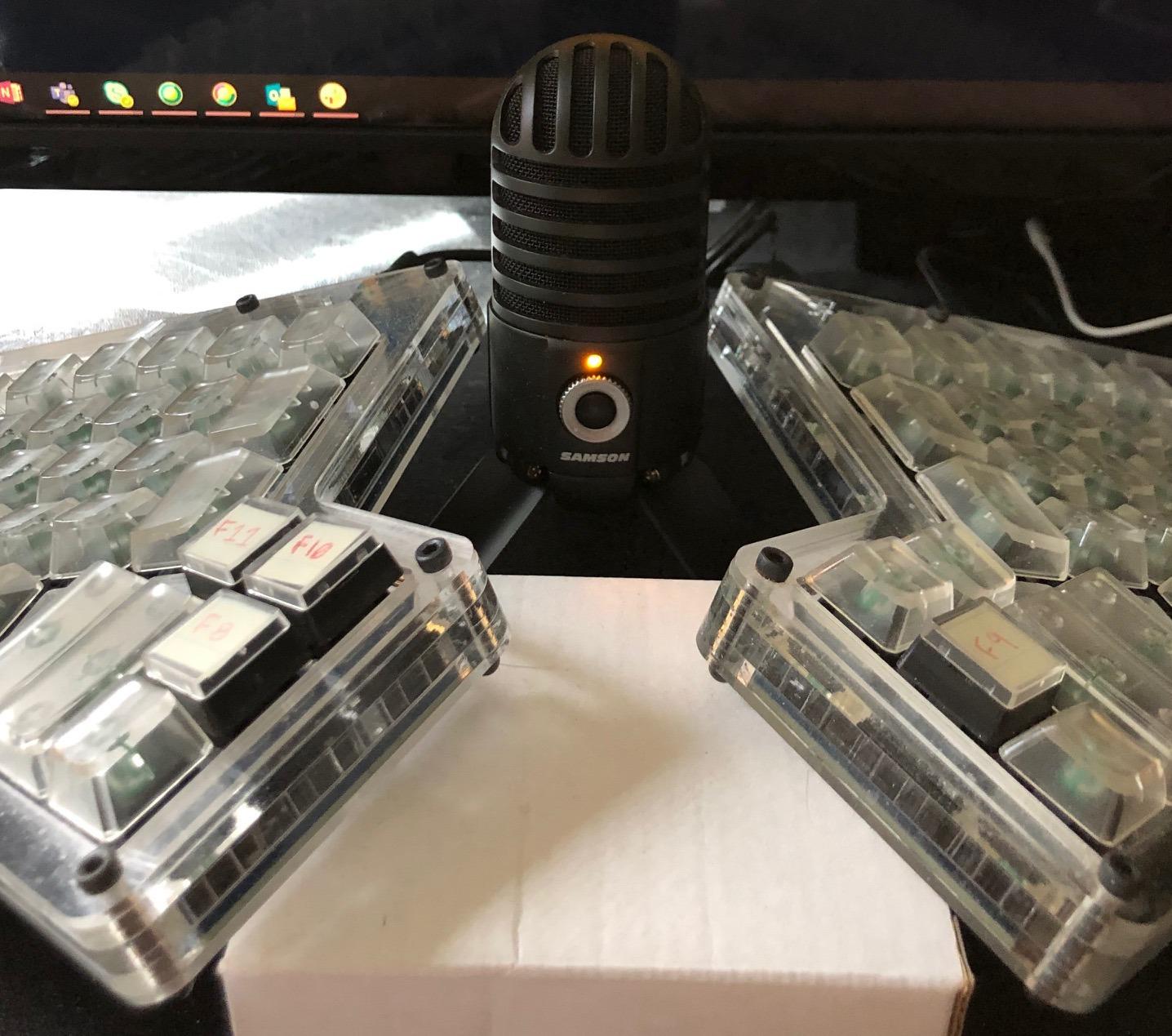
The Meteor Mic exists to solve one problem: a laptop’s built-in microphone sounds bad. It solves that problem for very little, and the 25mm large-diaphragm capsule produces a clearly better voice recording than any built-in laptop array.
It has a stereo 1/8-inch headphone jack with no-latency monitoring, a mute switch and a volume control on the body, which is more control than several more expensive USB microphones offer. The metal build and included carry bag make it a reasonable travel microphone.
It also works with an iPhone or iPad through an optional camera connection kit, which is one of the few ways to cover mobile and desktop recording with a single microphone on this list.
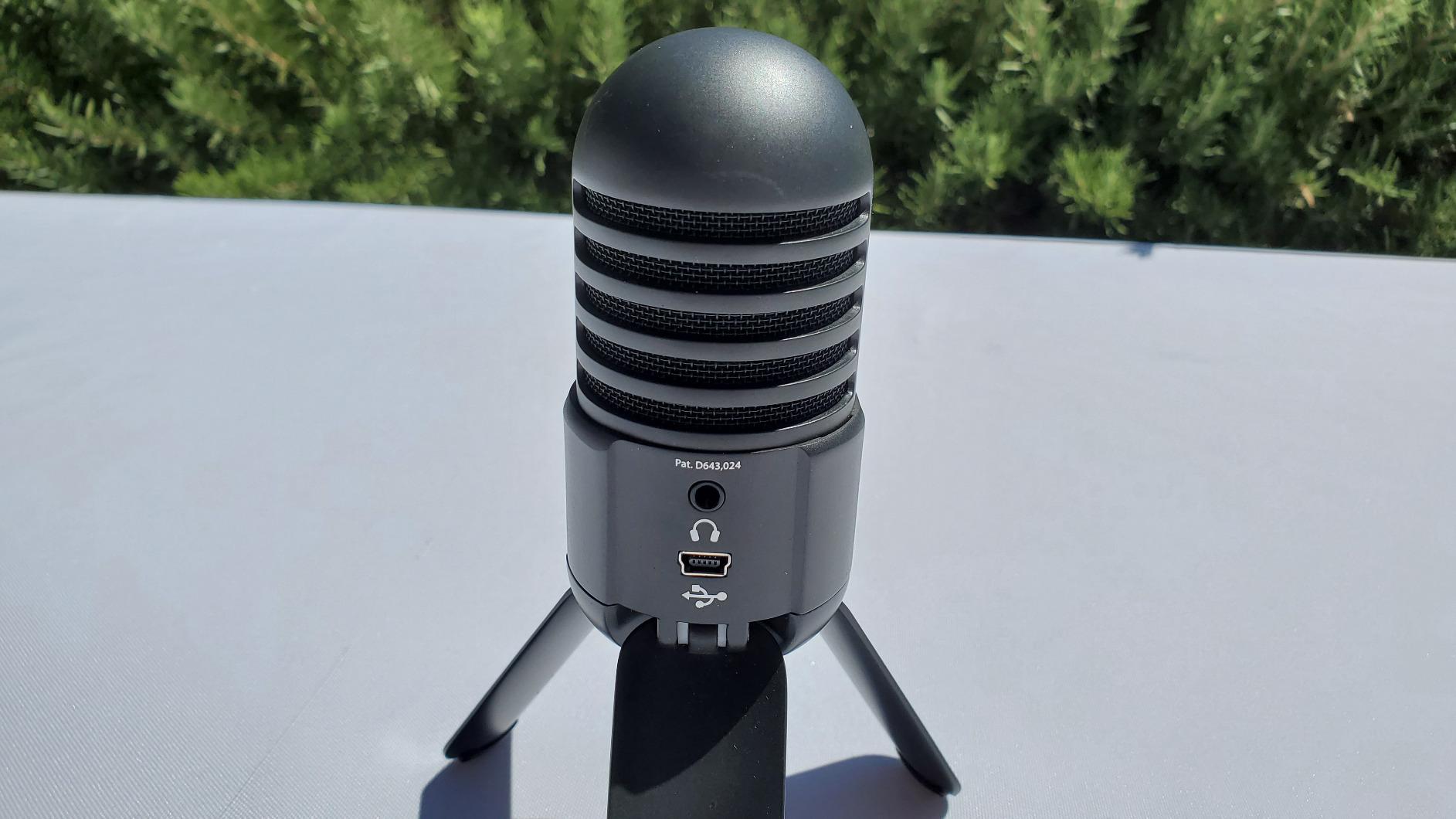
The ceiling is where it shows its age. Recording at 16-bit and 44.1 or 48 kHz is fine for voice in any practical sense, but it is two generations behind the 24-bit capture that everything else here records.
Nothing is included for mounting. There is no stand, no boom arm and no shock mount, so you need somewhere to put it before the first episode. That is the main reason this is a backup or travel option rather than a first desk microphone.
It is a condenser, so room noise and plosives are part of the design. With a small review base of 1862 ratings at 4.5 stars, the track record is solid but thinner than the rest of this list.
Who the Samson Meteor Mic suits
Absolute beginners with a very small budget who want a clear upgrade from a laptop microphone this week. It is the shortest path to a noticeably better voice in a short recording.
Travel and mobile creators are the second group, since the carry bag and the optional camera connection kit make it a single microphone that covers both a desk and a phone.
Who should skip the Samson Meteor Mic
Anyone planning to record weekly for a year, or anyone in a noisy room. At 96 dB signal-to-noise ratio it is more sensitive than the dynamic options here, which is a liability in an untreated space.
Skip it if you want a modern capture format. Once you have edited 24-bit audio, going back down is annoying, and the gap between this and every other pick here is small enough to ignore.
9. Shure MV6 – the premium pick for a noisy home office
Shure MV6 USB Microphone for Gaming, Streaming & Recording (Gen 1)
USB-C, cardioid dynamic
50Hz-15kHz, stainless steel
1.7 kg, 2 year limited warranty
+ The Good
- Rich condenser-like detail from a dynamic capsule that rejects room noise
- Voice Isolation and Auto Level keep levels consistent
- genuine zero-latency headphone output
- single-cable USB-C with no interface or drivers
- stainless steel build with a solid included stand
- The Bad
- Included USB-C cable is very short
- tap-to-mute is easy to trigger by brushing the mic
- MOTIV software feels dated
- no boom arm included
The MV6 is the most expensive microphone in this roundup and the one that most directly answers the untreated-room problem. A dynamic capsule gives it the noise rejection of a broadcast mic, and Shure’s Voice Isolation Technology handles what is left.
Reviewers consistently frame it as delivering most of a Shure SM7B-style sound over a single USB-C cable. That is a high bar, and it is the reason this microphone exists: broadcast dynamic tone without an interface, phantom power or gain staging.
Auto Level and the Real-Time Denoiser mean you are not riding a gain dial during an interview. For a beginner recording two people with different volumes, that consistency is worth more than raw specification.
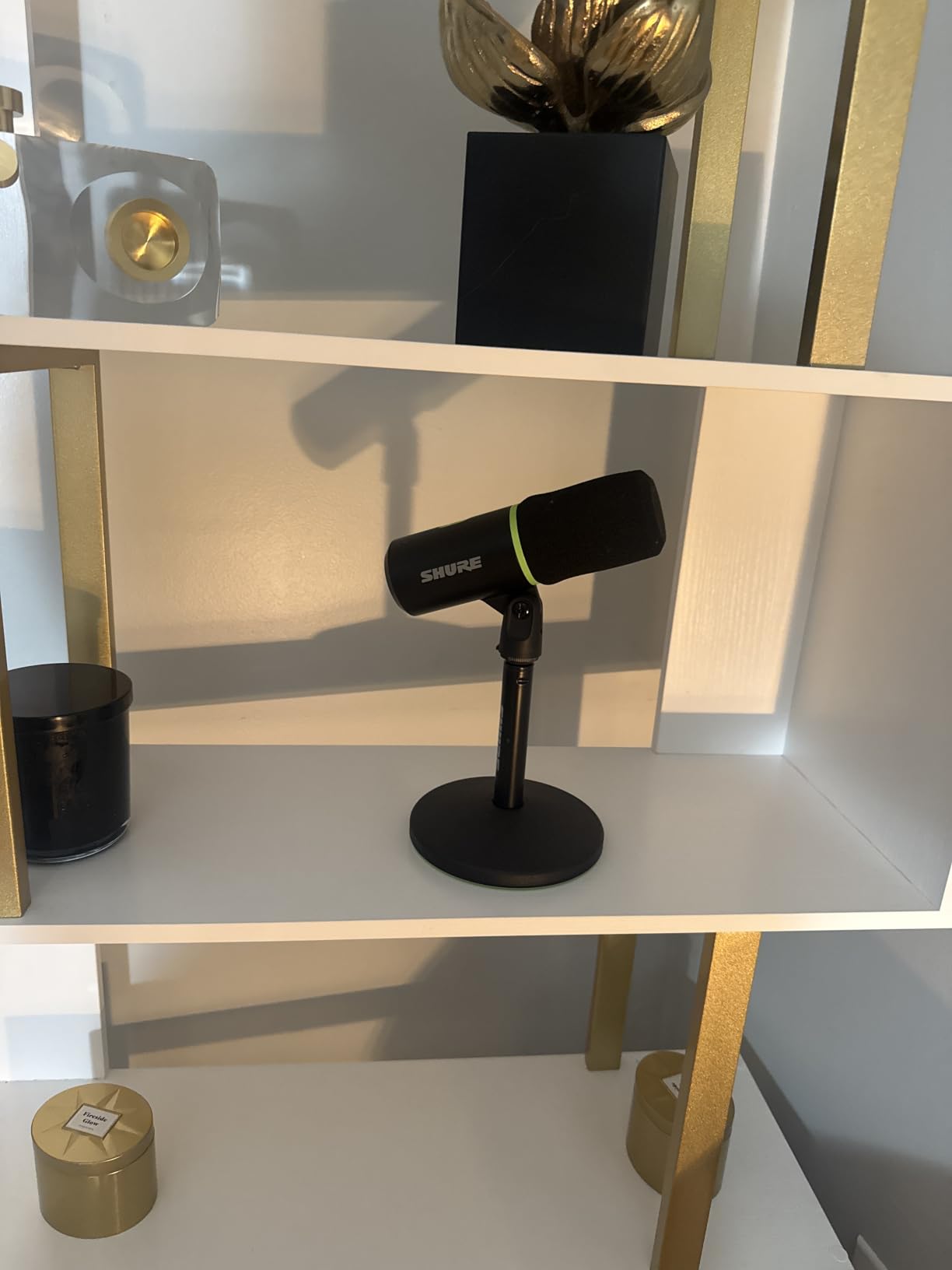
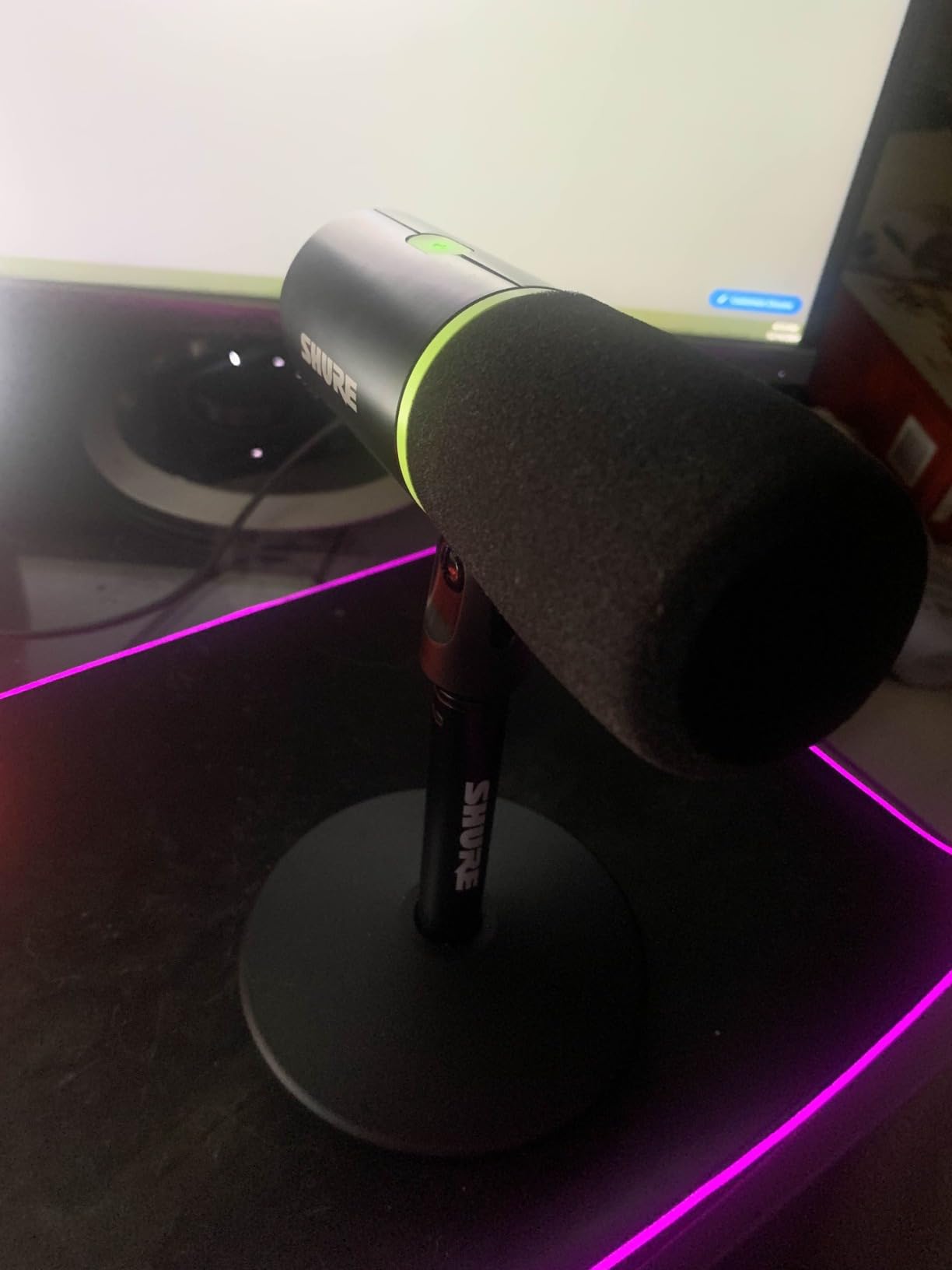
Build quality is a step above everything else here. Stainless steel, a weighted 1.7 kg body and a stable included desktop stand, which matters because a dynamic microphone has to be talked to closely and a light microphone drifts when you do.
The included USB-C cable is genuinely too short, and owners consistently buy a longer one. The tap-to-mute is highly sensitive enough to trigger when you brush the mic while repositioning it, and the LED can end up facing away from you depending on how the stand is angled.
MOTIV Mix gives real DSP control, but reviewers describe the software as dated and not intuitive, with a learning curve that needs video walkthroughs. The default settings sound good, so most people leave it alone.
Who the Shure MV6 suits
Anyone whose home office has a keyboard, a fan and a monitor, and who wants broadcast-quality voice without buying an interface. Voice Isolation is the specific feature that makes it work in a shared household.
It also suits video podcasters, since the dark finish and the solid stand read correctly on camera, and the auto levelling keeps two speakers matched without a second engineer.
Who should skip the Shure MV6
Beginners working in a genuinely quiet treated room, where a condenser sounds better for the same money or less. You would be paying for noise rejection you do not need and a dynamic tone you may not prefer.
Skip it if you want simple controls and a mute you can hit by accident on purpose. The capacitive button needs a deliberate touch, and the indicator is easy to lose sight of.
10. FIFINE T669 – a steel boom arm that solves mic distance
FIFINE T669 Studio Condenser USB Microphone for Recording Podcasting
USB, cardioid condenser
20Hz-20KHz, 78 dB SNR
Metal kit, 1 year warranty
+ The Good
- Complete kit of all-steel boom arm
- shock mount
- pop filter and cable
- warm clear voice that beats laptop and headset mics
- truly plug-and-play with no drivers
- works immediately in recording and streaming software
- stable steel scissor arm with little flex
- The Bad
- Pop filter grip is glued on and slips
- desk clamp slips on rounded tables
- no mute button so volume must be turned down
- some units report the volume knob failing
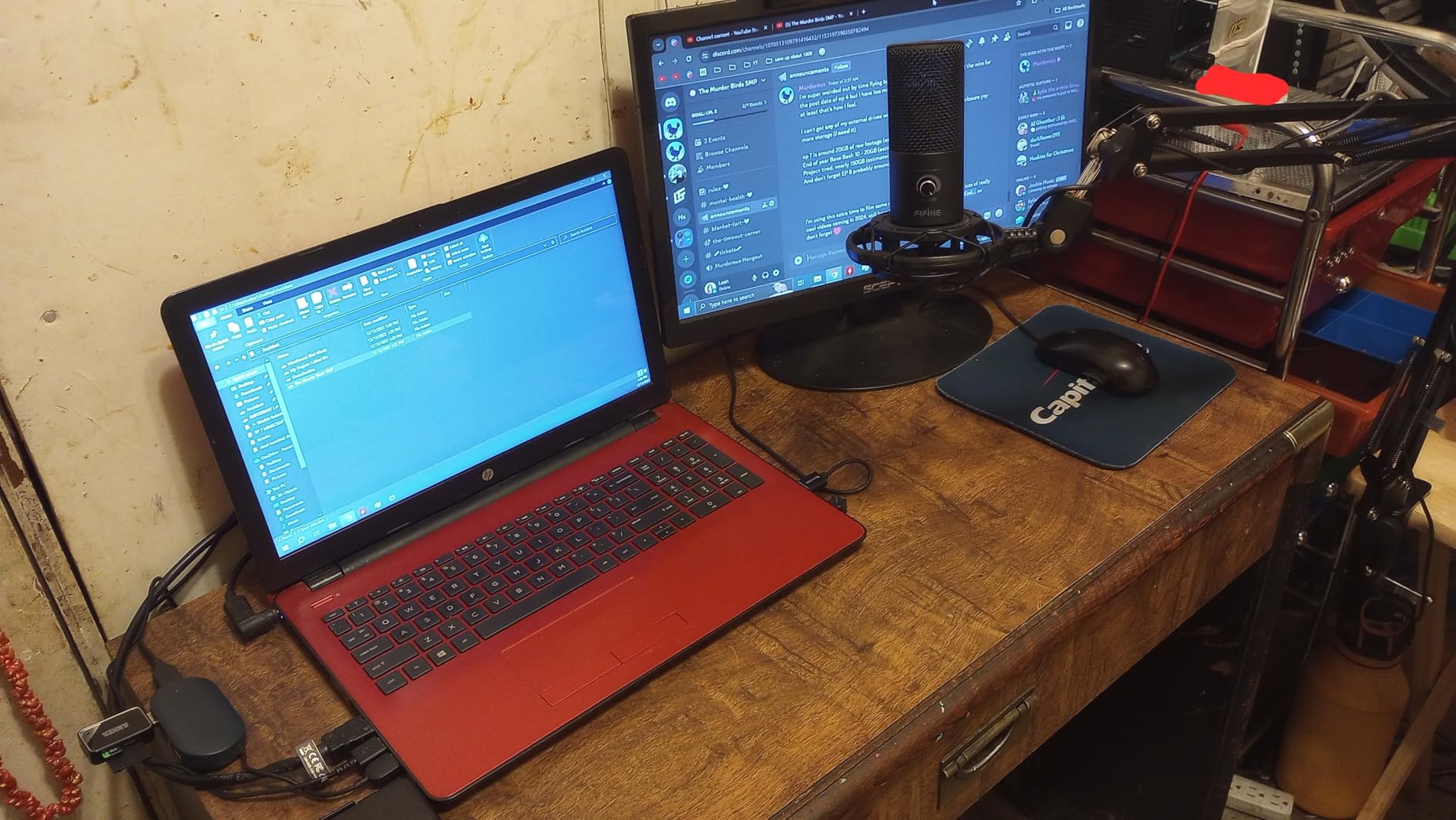
The T669 is the kit that understands distance. The all-steel scissor boom arm places the capsule at mouth height roughly where a podcast microphone belongs, and that single fact does more for a beginner’s audio than most microphone upgrades.
It includes a shock mount, a double pop filter, a foam windscreen, an 8.2 foot detachable USB cable and both a C-clamp and a desktop mount. Very few complete setups at any spend include all of that.
With 25114 reviews and a 4.6 average, this is one of the most thoroughly tested budget kits available. The sound is consistently rated as warm and clear, and the cardioid pattern keeps a reasonable amount of outside noise out.
Accessory quality control is the recurring complaint. The pop filter attaches to the arm with weak glue and slips or twists, and the desk clamp is designed for square-edged tables and loses grip on rounded ones.
There is no mute button, which means muting is a volume adjustment, and a small number of owners report the gain knob failing after a few months. It is a USB-only microphone, so there is no upgrade path to an interface later.
As a condenser with a 78 dB signal-to-noise ratio, it works best in a quiet room. The boom arm helps by keeping it off the desk, but it does not make a live room quiet.
Who the FIFINE T669 suits
Beginners who have never used a boom arm and would otherwise keep a microphone on a desk stand at the wrong height. Solving that problem at purchase is worth a great deal in the first ten episodes.
It also suits anyone who wants a tidier desk and a small footprint, since the arm clamps to the edge rather than taking up surface area.
Who should skip the FIFINE T669
Recording in a noisy or untreated room, where a dynamic microphone would be the better base. This is a condenser kit aimed at people who can control their space.
Skip it if your desk is rounded or unusually thick, and skip it if you want a hardware mute. Both are real, recurring issues in reviews rather than edge cases.
11. ZealSound K66 – physical controls at a low spend
ZealSound Podcast Microphone for PC, Noise Cancellation USB Mic with Gain, Volume Adjustment & Mute Button, Monitoring & Echo, for YouTube, TikTok, Podcasting, Streaming, iPhone, iPad, Android, Mac
USB and 3.5mm, unidirectional
40Hz-18kHz, 85 dB SNR
1.1 lb, 365 day warranty
+ The Good
- Physical gain
- monitoring volume and echo adjustment knobs
- instant mute with a clear red LED
- zero-latency headphone monitoring with its own volume control
- push-and-hold noise reduction measurably cuts keyboard and fan noise
- USB-C and Lightning adapters included
- The Bad
- Lowest average rating in the roundup at 4.4
- top-addressed design means you speak into the top of the mic
- no shock mount
- boom arm or XLR option
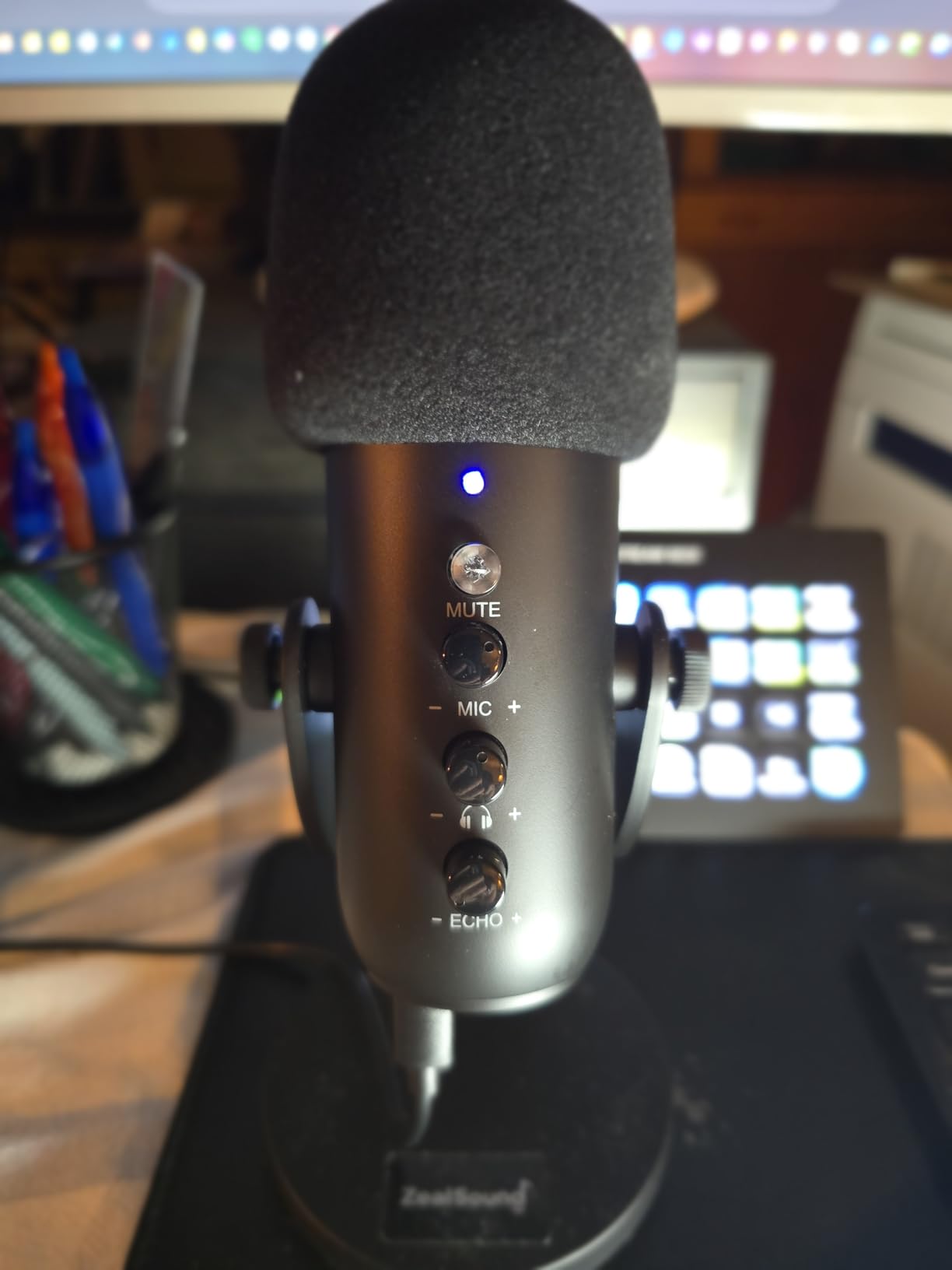
The K66 packs more physical controls into a lower-cost package than anything else here: microphone volume, monitoring volume, echo adjustment and an instant mute, each with its own knob or button rather than buried in software.
That control layout is a genuine beginner advantage. You can set a level, check it in headphones, adjust for a louder room and mute between takes without opening a single settings panel.
The push-and-hold noise reduction mode is the most interesting feature. Owners report it measurably reducing keyboard, fan and air conditioner noise, which is exactly the problem a condenser normally makes worse. Included USB-C and Lightning adapters make it the easiest desktop-to-mobile microphone here.
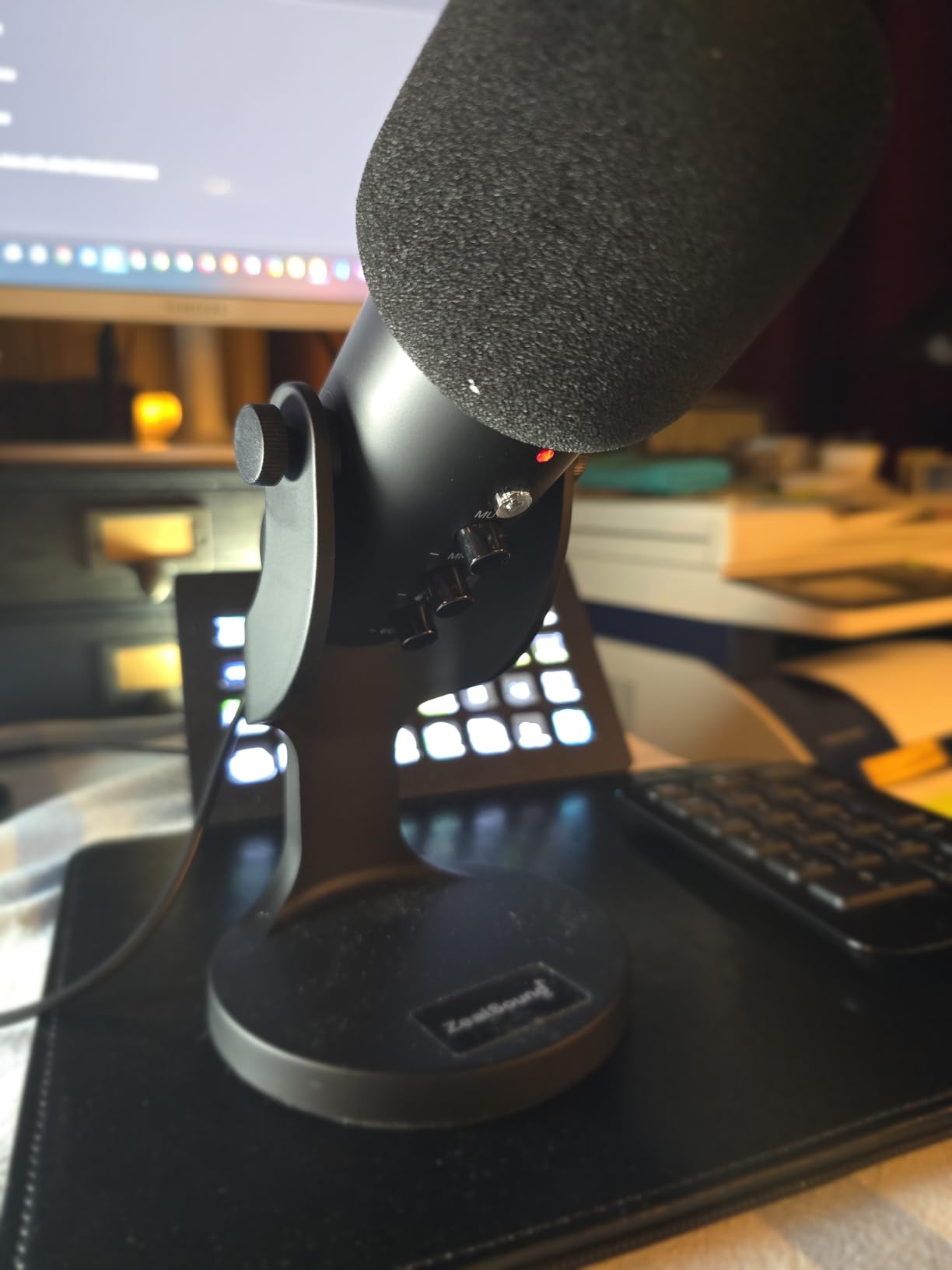
It ranks number one in its category for a reason, and 8198 reviews at 4.4 stars is a thinner margin than the rest of this list. About 6% of ratings are one star, with sound clarity the most common complaint, which is worth weighing against the feature count.
The top-addressed form factor catches people out. You speak into the top of the microphone, not the front, and reviewers report the initial adjustment period where voices sound quiet before that clicks.
There is no XLR output and no included mount, so this is a final destination rather than a starting point that grows. A 70.9-inch cable and a small body also limit positioning on a large desk.
Who the ZealSound K66 suits
Anyone who records the same show on a laptop and a phone, since the included adapters remove the usual friction. The weighted metal base also stays put, which matters more than it sounds for a top-addressed mic.
Beginners who want to see their level and mute state at a glance will like the physical layout, and the red LED leaves no ambiguity about whether the mic is live.
Who should skip the ZealSound K66
Anyone who wants to grow into XLR or a multi-microphone setup later. There is no XLR output, so upgrading means replacing the microphone rather than adding an interface.
Buy the K688 or the Q2U instead if the metal build and the dual output matter more to you than the physical controls. At 4.4 stars this is the least settled quality record in the roundup.
12. MAONO PD200XS – a hybrid dynamic kit with the arm included
MAONO PD200XS XLR/USB Dynamic Microphone Kit, RGB Gaming Mic with Software
USB, USB-C and XLR, cardioid dynamic
40Hz-16kHz, 80 dB SNR
Metal, 350 g, 18 month warranty
+ The Good
- Dynamic cardioid keeps room noise and keyboard clatter out
- warm smooth voice across the frequency range
- dual USB and XLR lets beginners start direct and move to an interface later
- 2-in-1 knob and one-click mute are genuinely easy to use
- boom arm
- shock mount and USB cable included
- The Bad
- XLR cable is not included despite the dual-output design
- software
- EQ
- compression and RGB only work in USB mode
- light 350 g body relies on the boom arm
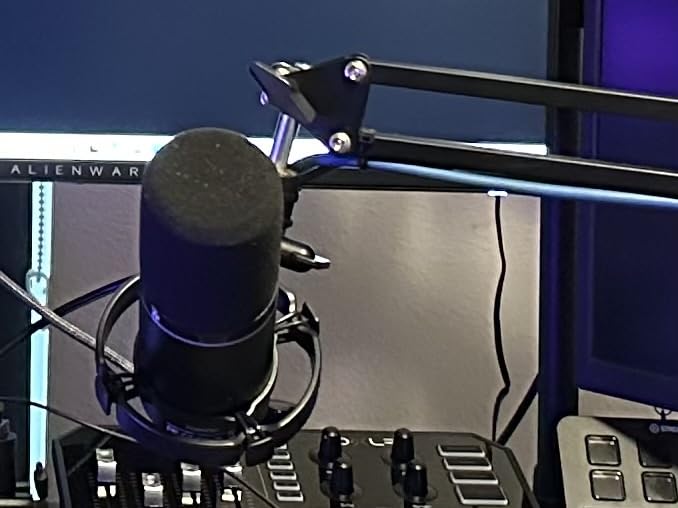
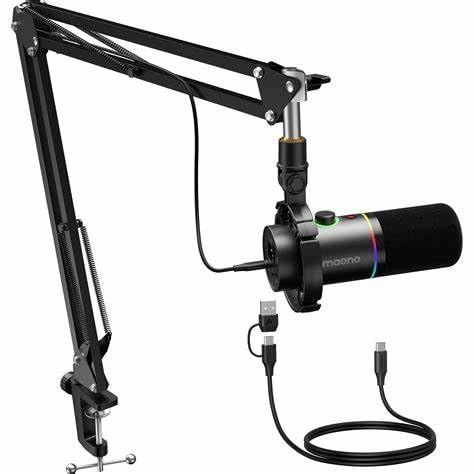
The PD200XS combines the two ideas this roundup keeps returning to: a dynamic capsule for untreated rooms, and dual USB and XLR connectivity for a future interface. Unlike the cheaper FIFINE hybrids, it also ships with a boom arm and shock mount.
Sound is described as warm and smooth across a 40Hz to 16kHz range, with a tight cardioid pattern. As a dynamic it behaves like the other dynamics here, ignoring background noise that would trouble a condenser immediately.
The 2-in-1 smart knob handles microphone gain and headphone volume together, and one-click mute has an LED indicator. Simplicity is the design goal, and 76% five-star ratings across more than 2000 reviews reflect that it lands.
The most-cited limitation is the missing XLR cable, which is an odd gap in a microphone built around dual output. If you buy the XLR path, buy a cable with it, because it is not in the kit.
Everything digital disappears in XLR mode. MAONO Link software, the EQ, the limiter, the compressor and the nine RGB lighting options are all USB-only, so treat the XLR path as a clean studio signal with no processing.
At 350 g the body is light, and it depends on the included boom arm for stability. Speak to it closely, since dynamic mics need distance management in the opposite direction from condensers.
Who the MAONO PD200XS suits
Beginners in a noisy room who want a full kit and a future interface path in one purchase. The included boom arm solves the distance problem that most entry microphones leave open.
It is also a natural second purchase for someone who started on a laptop microphone and now wants a dynamic that can grow with them.
Who should skip the MAONO PD200XS
Anyone who wants RGB lighting and software processing as a permanent feature, since both vanish in XLR mode. If you plan to stay on USB, that is fine; if you plan to move to an interface, you are paying for two partial experiences.
Skip it if you want a heavier, more solid-feeling microphone on a stand, or if you already have a boom arm and shock mount. The bundled accessories are good, but they are the main reason to choose it.
How to Choose a Podcast Microphone as a Beginner
Most buying decisions go wrong because people choose a microphone before they choose a room or a connection type. Decide those two things first and the list above narrows to two or three options within a minute.
USB vs XLR: which connection do you actually need?
A USB microphone contains its own preamp and converter, so it connects straight to a computer with one cable and no setup. An XLR microphone outputs a balanced analogue signal that needs an audio interface to supply gain and phantom power before it reaches your computer.
For a first solo podcast, USB is enough. The cost of XLR is an interface, a cable and a little more setup, and none of that improves the microphone itself. Community consensus on r/podcasting is consistent on this: most beginners should not buy an interface before they own a microphone.
What changes the answer is the number of people. Two or more speakers in one room need two microphones and at least two inputs, which is where XLR earns its place. Microphones with both USB and XLR outputs, like the Q2U, the K688, the AM8 and the PD200XS, let you start on USB and move to a two-channel interface when a co-host appears.
If your show is remote, each person records locally and sends you a file. In that case the argument for XLR largely disappears, because a good USB microphone in each location is the entire system.
Dynamic vs condenser: match the mic to your room
A condenser is more sensitive and more detailed, and it rewards a treated room with a warm, close, broadcast voice. A dynamic is less sensitive and less interested in what is happening around you, which makes it the correct choice in an untreated space.
This is the single most useful rule in the article: an inexpensive dynamic in an untreated room beats an expensive condenser in the same room. Room noise is a physical pickup problem, and no microphone solves it better than one that was not trying to hear the room.
Our tests made this obvious. In a treated corner, a budget USB condenser such as the MAONO A04 and a dynamic such as the Samson Q2U came out far closer than the price difference suggested, and the difference between them was mostly tone rather than clarity.
If you already know which type you need, our guides on dynamic microphones and condenser microphones go deeper on the capsule choices than a beginner roundup needs to.
Frequency response tells you what you are getting before you buy. A 20Hz to 20kHz range covers full human voice, while a 50Hz to 16kHz range is narrower but perfectly adequate for speech. Plosive-prone voices do better with a wider low-end condenser and a pop filter, and sibilant voices do better with a dynamic that rolls off harder at the top.
Accessories worth buying, and the order to buy them
Headphones come first. Monitoring on speakers feeds the microphone and creates the echo beginners spend weeks trying to remove in software. Any closed-back pair solves the problem, and this single purchase improves more takes than any microphone swap.
A boom arm or a proper stand comes second. Distance is the technique that matters most, and a cheap microphone at the right distance outranks an expensive one on the desk. The kits above that include an arm, such as the T669, the A04 and the PD200XS, solve this on day one.
A pop filter comes third, unless the microphone already has one. The NT-USB Mini and the A04 bundle filters, and the Rode’s integrated one is tuned for voice. Otherwise any clip-on filter in front of the capsule fixes plosives.
A shock mount comes fourth, and is worth it mainly on a desk microphone where footfall and chair movement transmit through the surface. The K688 and the PD200XS include one, and the AM8 and the Q2U do not.
An audio interface comes last, and only when you need multiple inputs. A two-channel interface gives you two separate tracks for two speakers in one room, which is the reason to buy one. Until then it is an expensive cable adapter.
What not to buy first
Do not buy an audio interface before a microphone. Without a microphone, an interface is a very capable box with nothing plugged into it, and the extra gain it provides changes nothing about the sound you capture.
Do not buy a high-end broadcast dynamic as a first purchase. Gain-hungry professional models need clean preamp gain, and beginners routinely record them at low levels, add gain in software and end up with more noise than a modest dynamic would have captured.
Do not buy a reflection filter. It sits between you and the microphone, blocks plosives in an inconsistent way and does nothing for room noise, which is the problem beginners are actually trying to solve.
Do not buy a mixer for a solo show. A mixer routes audio you already have; it does not improve a recording made in a bad room with the wrong microphone.
Do not buy a long USB cable before a boom arm. A longer cable reaches further, and a boom arm changes your audio. If both are on the list, the arm wins.
Recording two people in one room
One microphone for two speakers means a fixed balance set by seat position, and any movement changes the levels. It works for interviews where both people stay put, and it stops working the moment a guest leans back.
Two microphones is the reliable answer. Two USB microphones into one laptop gives you two tracks, and it is the simplest path for beginners who cannot justify an interface. Give each person the same model where you can, so the levels match without correction.
An audio interface is the better long-term answer, because two XLR microphones can be positioned independently and gain-matched by hardware. Matched microphone pairs make the editing stage far faster, which is where two-person shows lose the most time.
If you record remotely, skip all of this. Each participant uses the same microphone and settings, records locally, and sends a file. Consistent hardware beats matched hardware when the voices come from different rooms.
Frequently Asked Questions
How close should I be to a podcast microphone?
Two to three inches, slightly off-axis rather than straight on. Moving the microphone closer increases your voice relative to the room behind you, which is the single biggest improvement a beginner can make for free. If your microphone is a condenser, stay a little further back to control plosives, and use the included pop filter or clip one on.
Do I need a pop filter if my microphone has one built in?
No. A built-in pop filter is designed for the spacing that microphone is used at, so it only works properly at that distance. The Rode NT-USB Mini and the MAONO A04 both include one that handles plosives well. For microphones without one, any clip-on filter placed a few inches in front of the capsule solves the same problem.
Is a dynamic or condenser microphone better for podcasting?
It depends on your room rather than your budget. A dynamic microphone is the right choice in an untreated or noisy space because it is less interested in what is happening around you. A condenser sounds warmer and more detailed in a treated room. Beginners in a bedroom or shared office should usually start with a dynamic, such as the Samson Q2U or the Shure MV6.
Do I need an audio interface to record a podcast?
Not for a solo show on a computer. A USB microphone contains its own preamp and connects straight to a laptop with one cable. An audio interface becomes necessary when you are recording two or more people into separate tracks at the same time, or when you want a microphone with an XLR-only output. Buy the interface after the microphone, not before.
What is the 3 to 1 rule for microphones?
It is a mixing guideline that says a microphone should be roughly three times further from the quietest sound source than from the loudest. Applied to podcasting, it means keeping the microphone much closer to your mouth than to anything else in the room, which is why a mic two inches from your voice on an untreated desk beats a microphone two feet away in the same space.
How much should I spend on a first podcast microphone?
Most beginners land between the budget USB condenser kits and a mid-priced USB or USB and XLR hybrid dynamic. Spending less than that often means buying a microphone with no mount, and spending much more usually means buying a gain-hungry broadcast model that needs hardware you do not own yet. A microphone plus headphones, a boom arm and a pop filter is a complete first setup.
Where to Start
If your room is quiet, start with the Logitech Blue Yeti and add a boom arm and headphones. If your room is anything else, start with a dynamic, and the Samson Q2U is the version that will not need replacing when a second person joins the show.
Those are the best podcast microphones for beginners in 2026 for two different reasons rather than one, which is the honest version of the answer. The room decides, not the specification sheet.
Whatever you choose, get it two inches from your mouth, put headphones on, and record thirty seconds before you record an episode. More of the difference between amateur and professional audio comes from those three habits than from any microphone on this list.