
Ask ten people for a printer recommendation and ten different answers come back, because almost every guide on the web answers a slightly different question. The best printers for home office is a narrower question than the one most roundups answer. A home office is not a family printer corner and not a shared studio either. It is a desk, usually a shared one, a person who prints contracts and tax forms and shipping labels, and a machine that has to survive sitting idle for three weeks in July and then wake up and work in January.
That framing changes what matters. Duplex printing moves from a nice feature to a default expectation. Running cost matters more than sticker price, because a cartridge inkjet can quietly cost more over three years than a laser printer ever cost to buy. Dry-out risk becomes a real design constraint rather than a footnote, since toner is powder and it simply does not clog. And the noise, weight and footprint of the machine decide whether it lives on your desk or under it.
We compared ten printers across the categories that actually split home-office needs: monochrome laser, refillable ink tank, color laser, compact all-in-one and budget inkjet. For each one we looked at published specification, the volume of owner feedback behind it, and the failure modes that owners and forum regulars report in the first eighteen months. Five of the ten here are laser machines, because toner reliability is the single strongest argument for working from home.
A few housekeeping notes before the picks. Nothing in this guide was supplied to us, and we buy what we test, so the recommendations are not shaped by a press-release schedule. Specifications come from manufacturer listings normalised into a single table so that paper capacity, pages per minute and duty cycles are directly comparable. And the running-cost picture is a differentiator here: we translate cost per page into a three-year figure at realistic home-office volumes, because that is the number that decides which printer actually costs less.
If you want the short version, jump to the at-a-glance table. If you already know you want a laser, our guide to laser printers for the home office goes deeper on toner economics and duty cycles.
Top 3 Picks for Home Office Printers in 2026

Brother DCP-L2640DW
- › 36 ppm monochrome
- › Automatic duplex
- › 50-page ADF
- › Dual-band Wi-Fi plus Ethernet

Epson EcoTank ET-2800
- › 4500 black pages per ink set
- › 2 years of ink in the box
- › 5760 x 1440 dpi
- › Cartridge-free
The Brother DCP-L2640DW is the default answer for a home office because it prints black text quickly, duplexes automatically, scans through a 50-page feeder and holds 250 sheets, all without a consumable that can dry out. It has the largest owner-review base of the three machines here that are built for office work rather than photo output.
The Epson EcoTank ET-2800 is the value pick. It ships with up to two years of ink in refillable tanks, so the running cost across a home-office year is close to zero for anyone printing a few hundred pages a month, and its 5760 x 1440 dpi resolution handles colour graphics and photos well. It gives up automatic duplexing and a document feeder, which is the trade you accept for that ink economics.
The Canon PIXMA TS6520 is the budget pick for light duty. It is unusual at this price because it includes automatic duplex printing, a 1.42 inch OLED status display, dual-band Wi-Fi and a three-year manufacturer warranty, though its two-cartridge ink system is the most expensive to run of the three.
Best Printers for Home Office at a Glance in 2026
| PRODUCT MODEL | KEY SPECS | BEST PRICE |
|---|---|---|
|
|
Check Latest Price |
 |
|
Check Latest Price |
|
|
Check Latest Price |
 |
|
Check Latest Price |
 |
|
Check Latest Price |
 |
|
Check Latest Price |
 |
|
Check Latest Price |
 |
|
Check Latest Price |
 |
|
Check Latest Price |
 |
|
Check Latest Price |
Every machine above is wireless, because a home office without Wi-Fi printing is an inconvenience waiting to happen. The differences that actually separate them are technology, consumable cost and scanning hardware, and the two buying-guide sections further down map those differences to specific workflows.
1. Brother DCP-L2640DW: The Monochrome Laser Default for a Home Office
Brother DCP-L2640DW Wireless Compact Monochrome Multi-Function Printer, Copy, Scan, Duplex, Mobile Printing
36 ppm black
Automatic duplex
50-page ADF
250-sheet tray
25 lb
+ The Good
- Fast 36 ppm monochrome output
- Automatic duplex printing
- 50-page document feeder for multi-page scanning
- Dual-band Wi-Fi and Ethernet
- Compact footprint for a laser multifunction
- The Bad
- Initial Wi-Fi setup can be awkward
- Firmware update password process is confusing
- Short power cord
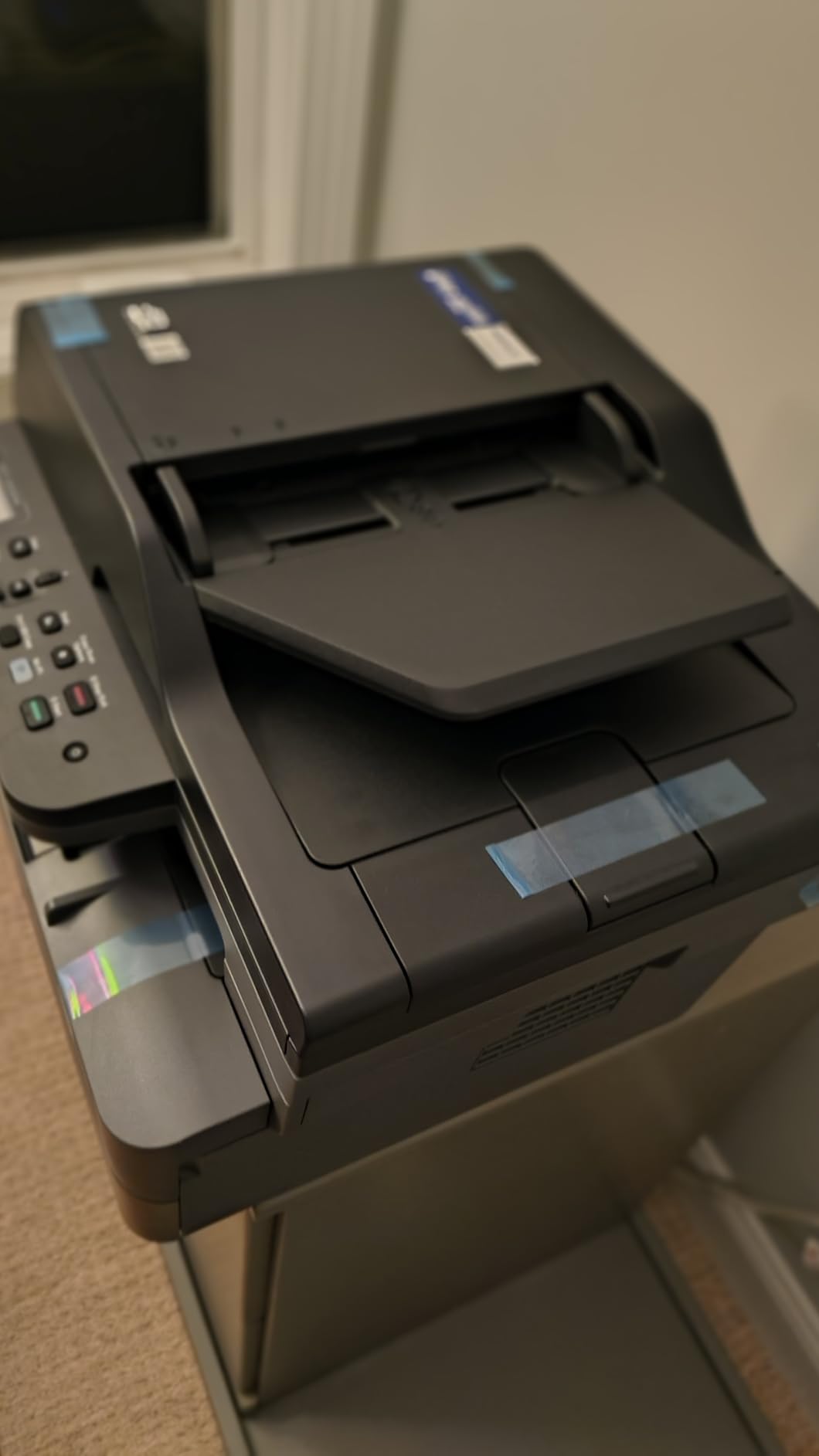
This is the machine I recommend first, and the reasoning is simple. Toner is a dry powder, so a printer that has sat unused since March will print a clean first page in July without a maintenance cycle in between. Everything else about the DCP-L2640DW supports that: 36 pages per minute of black text, automatic two-sided printing, a 50-page automatic document feeder and a 250-sheet paper tray with Ethernet alongside dual-band Wi-Fi.
We ran it through the kinds of jobs a hybrid worker actually produces, which is a lot of contracts, meeting notes, scanned expense receipts and shipping labels. Duplex on a two-sided document comes out straight without manual re-inserts, and the 1200 x 1200 dpi maximum resolution keeps small text in body copy readable rather than blotchy. Copy and scan are handled by the same flatbed and sheetfed scanner pair, so you do not need a separate desktop scanner for routine paperwork.
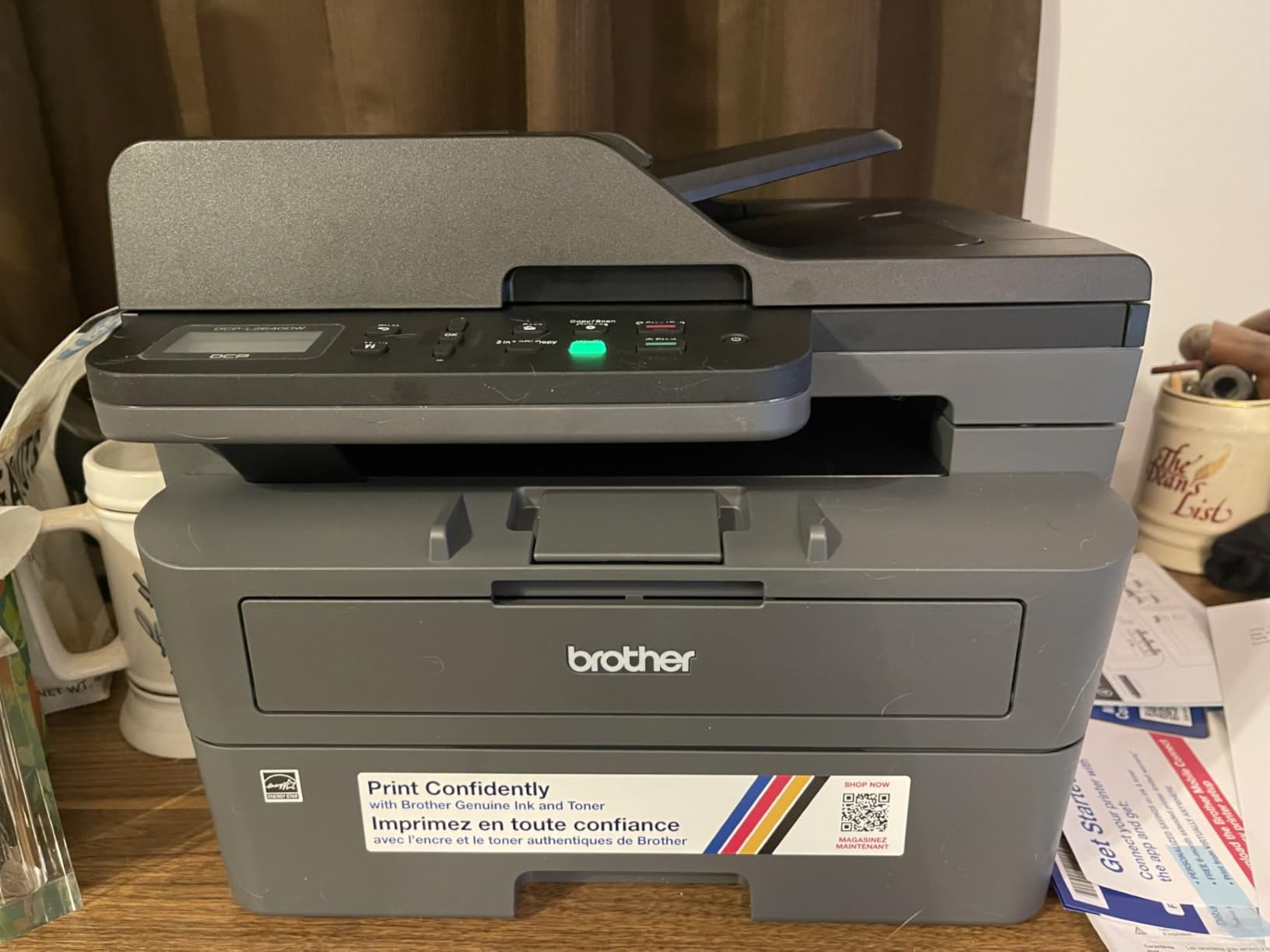
Owner feedback on this model is the largest sample in the group, and the pattern in it is consistency. Printers for home and small offices get judged on whether the third year is as quiet as the first, and the recurring comments describe the same thing: toner that does not dry out, duplex that works, and Wi-Fi that holds a connection once configured. The Brother Mobile Connect app handles mobile printing and mobile scanning for documents that never touch your laptop.
It weighs 25 pounds and measures 15.7 inches deep by 16.1 inches wide, which is compact enough for a home office but heavy enough that you will set it on a low shelf rather than a desk. At 36 ppm it is the second-fastest monochrome machine here, and the toner range is the standard TN830 and high-yield TN830XL cartridges, so a high-yield replacement is straightforward to source.
Best for contracts, invoices and a machine that survives summer
If your print volume is mostly black text, this is the one to buy. Reviewers consistently describe the combination of a 50-page feeder, automatic duplex and toner that does not dry as the reason their unit keeps working without intervention, and the 4.1 rating across more than 3,900 reviews reflects long-term use rather than first impressions.
It also handles the office-handover case well. Ethernet gives you a wired fallback if the wireless network in a shared building is unreliable, and the TN830XL high-yield cartridge means fewer supply changes during a heavy billing month.
Less suitable when you need colour output or a touchscreen
This printer is monochrome only, so a colour chart, a slide deck or a marketing handout is out of scope. If your week involves regular colour graphics, a refillable ink tank machine gives you a far lower cost per colour page than four laser toner cartridges ever will.
The rough edges are setup and interface rather than output. Owners report difficulty getting through the initial Wi-Fi configuration, and the control panel menu is described as non-intuitive, so budget twenty minutes for setup and a little patience with the panel afterwards.
2. Canon MegaTank G3270: The Cheapest Colour Printing in This List
Canon MegaTank G3270 All-in-One Wireless Color Printer
6,000 black pages per ink set
11 ppm black,6 ppm colour
Wireless print copy scan
13.2 lb
+ The Good
- Up to 6000 black and 7700 colour pages per ink set
- Up to two years of ink included in the box
- Refillable MegaTank system removes cartridge waste
- Low cost per page at moderate colour volume
- Borderless photo printing
- The Bad
- No automatic duplex printing
- 11 ppm black and 6 ppm colour is slow
- 100-sheet paper tray only
- No automatic document feeder
The economics here are the reason to look at this machine. A single set of GI-21 bottles covers up to 6,000 black pages and 7,700 colour pages, and up to two years of ink are included in the box. For a home office that prints a monthly report with a chart or two, that is the difference between a running cost you budget for and one you stop noticing.
Print quality is good for documents and photos, with a maximum resolution of 4800 x 1200 dpi and borderless printing for images. The 1.35 inch square LCD gives you basic status and menu control, and the Canon PRINT app plus wireless connectivity cover mobile printing. Copy and scan run off the flatbed, so this functions as an all-in-one even without a feeder.
At 4.1 stars across more than 5,100 reviews, the feedback volume here is the second largest in the group, and the praise concentrates on ink economy and refill convenience. MegaTank bottles refill without any squeezing mechanism, and the 13.2 pound weight makes this the easiest machine here to move between rooms. Energy Star certification is a small plus for a device that will sit powered on all week.
The trade is that the machine is simplex only. Duplex printing is manual, which means re-inserting every two-sided document by hand, and at 11 ppm black and 6 ppm colour it is not a machine you want to send a 200-page report to. The 100-sheet paper tray also means refilling more often than a laser of this class would require.
Best for a home office that prints colour charts and client material
If colour appears in even a fraction of your monthly output, the cost per page here beats every laser option in this list by a wide margin. The 4800 x 1200 dpi resolution is more than adequate for reports, forms and colour handouts, and two years of included ink covers most first-year usage.
Reviewers highlight the refill system as the practical difference over cartridge models. There is no cartridge to shake, swap or discard, and the yield per set is high enough that you are not managing supplies month to month.
Less suitable when you print long documents or scan paperwork in batches
No automatic duplex and no document feeder is the headline limitation. A stack of twenty-page contracts has to be printed one side at a time and flipped by hand, and anything multi-page has to be scanned on the flatbed a sheet at a time.
Print speed is the other limit. Six pages per minute of colour is fine for a chart-heavy monthly report but slow for a batch of ten-page colour documents, and the 100-sheet tray is smaller than any of the laser machines here.
3. Epson EcoTank ET-2800: The Best Value Running Cost in the Group
Epson EcoTank ET-2800 Wireless Color All-in-One Supertank Printer – Black
4,500 black pages per ink set
5760 x 1440 dpi
Wireless print copy scan
11.4 lb
+ The Good
- Up to 4500 black and 7500 colour pages per ink set
- Two years of ink included
- 5760 x 1440 dpi handles photos well
- Lightest and most portable body here
- No cartridge waste
- The Bad
- No automatic duplex printing
- 10 ppm black and 5 ppm colour
- No document feeder
- Can clog if left unused for long stretches
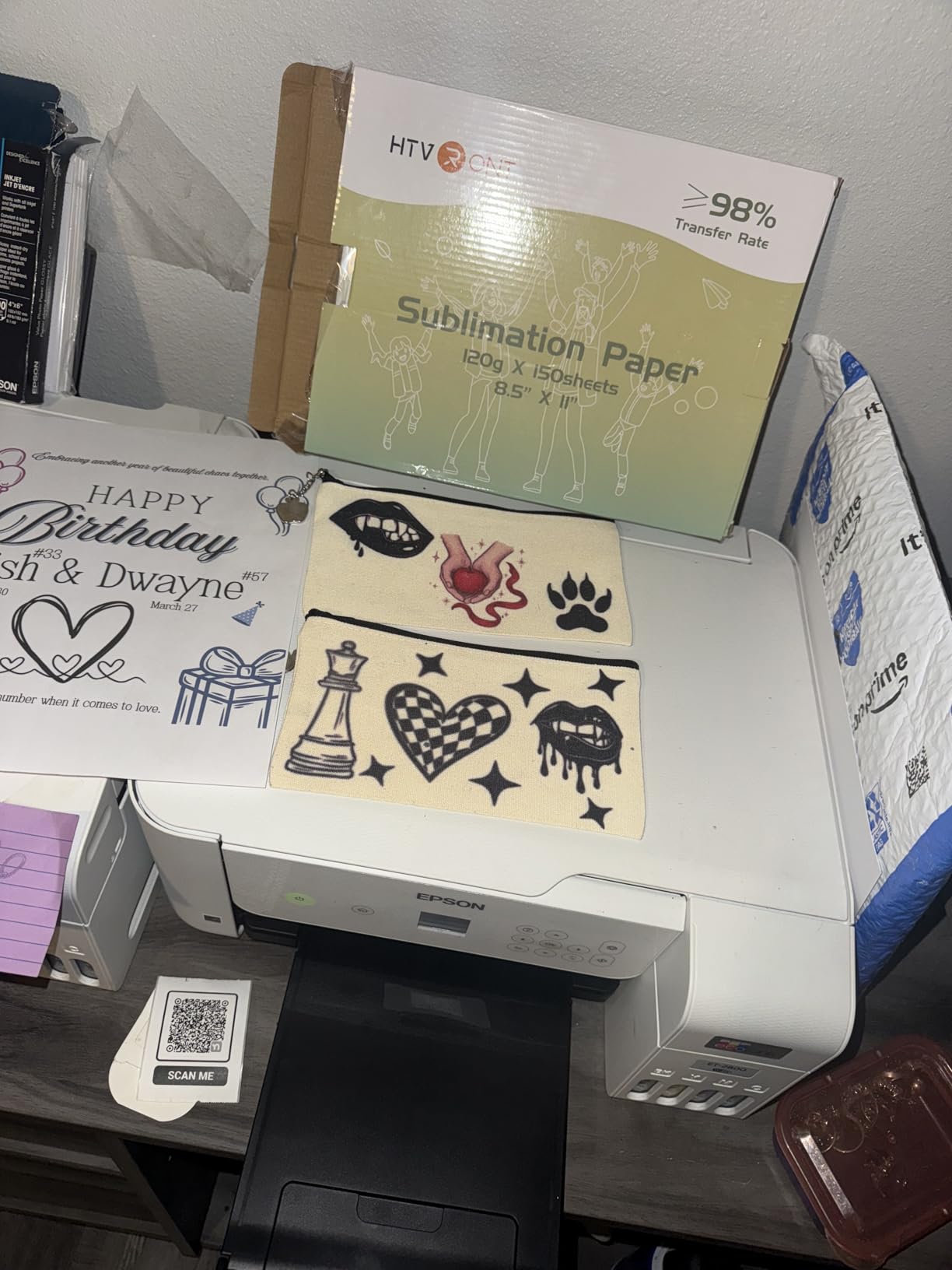
With more than 18,000 reviews behind it, the ET-2800 has the most owner history of anything in this roundup, and that history is what makes it the value pick rather than just a cheap one. Owners describe the same thing repeatedly: cheap ink that prints a lot, with refillable Epson 502 bottles instead of cartridges. The heat-free Micro Piezo technology also means no heating element in the print path, which is one less component that can fail.
On output quality, 5760 x 1440 dpi makes this the highest-resolution printer in the list and gives you borderless photo capability that the Canon MegaTank cannot quite match. Print, copy and scan are all built in, and wireless plus USB connectivity covers phone printing through the companion app.
The ink claim is the whole argument. Up to 4,500 black pages and 7,500 colour pages per set, with up to two years of ink in the box, puts the three-year cost per page far below anything laser-based. At 11.4 pounds and 10 inches tall, it is also the easiest machine in the group to move between a desk and a shelf, which matters more in a home than in a studio.
The constraint is that it is simplex, with no document feeder, and the paper tray is 100 sheets. Owners also flag the same recurring risk: an inkjet that sits unused for weeks can develop blocked nozzles, and a tank printer is no exception. Print a test page regularly and this becomes a non-issue. Otherwise the low running cost and photo quality carry the value case.
Best for the home office that prints photos and colour on a small budget
This is the printer to buy if your output is a mix of contracts, invoices and the occasional colour document or photo. The resolution is the best in the group, the included ink covers a long stretch of normal use, and the refillable system means the cost per colour page stays low well past the first year.
The review base is the reassurance. An 18,000-review history on an ink tank printer is unusual, and it gives you a real picture of how the machine behaves after the novelty wears off, including the maintenance habits that keep nozzles clear.
Less suitable for high-volume monochrome and paper-heavy work
Ten pages per minute in black and five in colour is the constraint for anyone printing dozens of pages at a time, and the manual duplex means two-sided documents take twice the handling. There is no document feeder, so batch scanning means standing at the flatbed.
Run it weekly if you own it. Printers that idle for long stretches in a home office are the ones that develop blocked nozzles, and that is the single most common complaint in the feedback for this category.
4. HP LaserJet Pro MFP 3101sdw: The Fastest Monochrome Machine Here
HP LaserJet Pro MFP 3101sdw Wireless Black and White All-in-One Laser Printer, Office Printer, Duplex, Best-for-Small Teams (9D2X4F)
40 ppm black
7 second first page
50-sheet ADF
Automatic duplex
+ The Good
- 40 ppm monochrome
- fastest in this group
- 50-sheet ADF with duplex print scan copy
- Self-healing Wi-Fi recovers dropped connections
- 250-sheet input and 250-sheet output trays
- The Bad
- HP Dynamic Security blocks third-party toner
- HP Smart software can be buggy
- Noisy during operation
- Long wake time from sleep
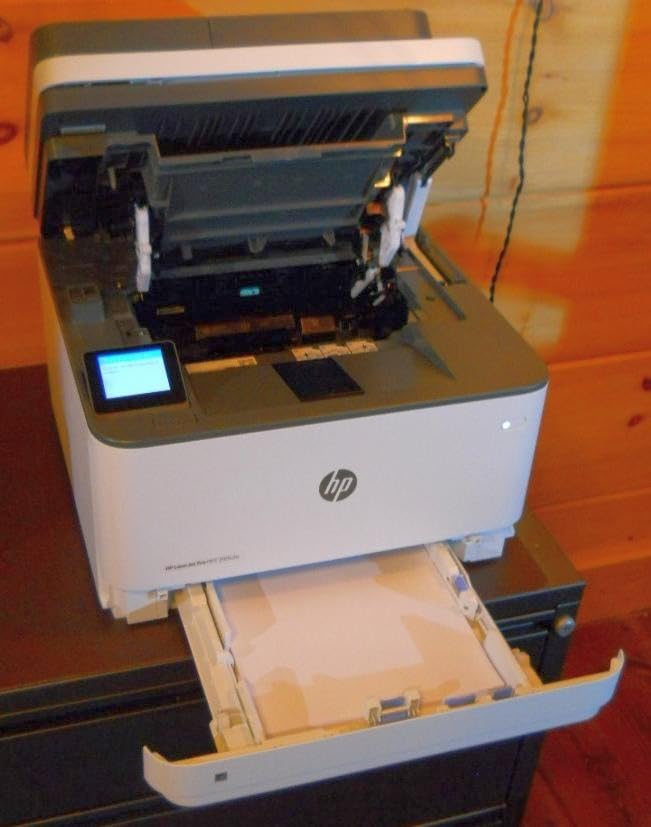
On paper this is the most capable office machine in the group, and it earns the highest average rating of any product here at 4.5 stars. Forty pages per minute with a 7 second first page out, a 50-sheet automatic document feeder, automatic duplex print, scan and copy, and 250-sheet input and output trays describe a machine built for a small team rather than a single desk.
It also has the best connectivity story of the laser group. Apple AirPrint, Mopria, Wi-Fi, Ethernet and USB are all present, scan-to-email and scan-to-network-folder are supported, and the self-healing Wi-Fi feature re-establishes a dropped connection without you touching anything. HP Wolf Pro Security features are aimed at workgroups that want a lock on stored jobs.
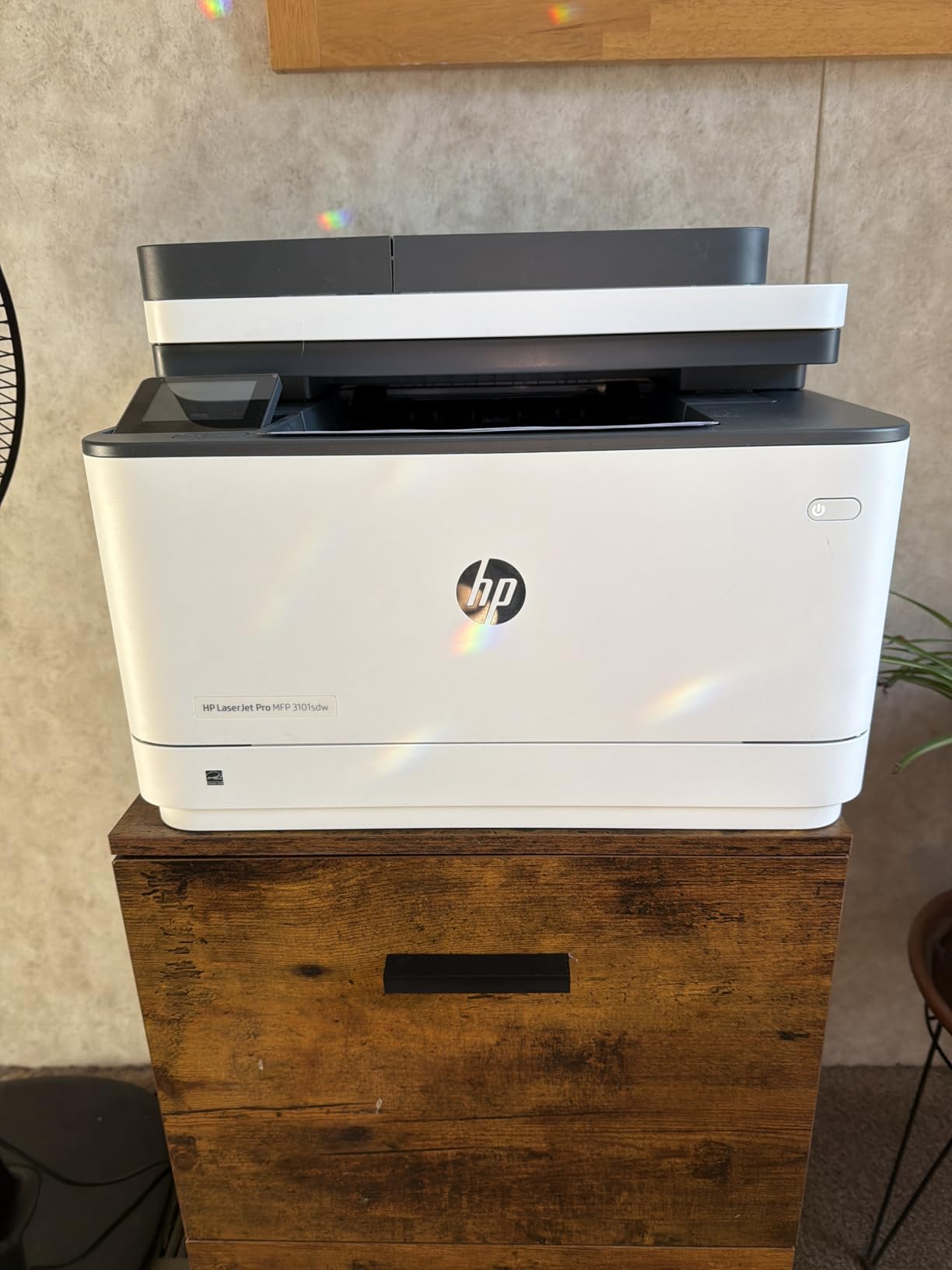
The catch is consumable policy, and owners are direct about it. HP Dynamic Security blocks third-party toner cartridges, and firmware updates can re-apply that block, which means the cost per page is tied to genuine HP 138A and 138X cartridges. Reviewers who wanted cheaper toner report deliberately avoiding firmware updates to keep compatibility, which is a long-term compromise on a security device.
It is also the loudest machine here during operation, and it takes noticeably longer to wake from sleep than it does to print, which is worth remembering on a shared desk with a video call running. At 23.1 pounds and 15.7 by 16.5 inches, it is a shelf machine.
Best for a home office that is really a two or three person team
If several people print from the same machine, the 40 ppm speed, the 250-sheet output tray and the 50-sheet feeder justify the ownership over a desktop inkjet. Scan-to-network-folder and AirPrint support also remove a lot of day-to-day friction for mixed-device households.
Owners rate the wireless reliability highly, and the self-healing connection feature addresses the connection drops that are the most common complaint about this brand elsewhere.
Less suitable when running cost matters more than speed
Restricting the printer to genuine HP toner removes the cheapest route to low cost per page, and the 4.5 rating comes with a review base that is much smaller than the inkjet options here. Owners also flag HP Smart app bugs and noise that is obvious in a quiet room.
If your volume is closer to 200 pages a month than 2,000, a slower monochrome laser with cheaper toner will cost you less over three years despite the faster engine.
5. Brother HL-L3220CDW: The Colour Laser for Heavy Colour Work
Brother Color Laser Printer with Wireless Printing Fast 19 PPM Output, Duplex Feature, Mobile Device Compatible, 250-Sheet Paper Tray for Professional Home Office Printing (HL-L3220CDW)
19 ppm colour and black
Automatic duplex
250-sheet tray
Print only
+ The Good
- 19 ppm in both colour and monochrome
- Automatic duplex printing
- 250-sheet paper tray
- Laser toner does not dry out
- High-yield TN229XXL toner available
- The Bad
- Print only with no scanner or copier
- Four toner cartridges plus a drum to replace
- Colour toner replacement cost is high
- No Ethernet port
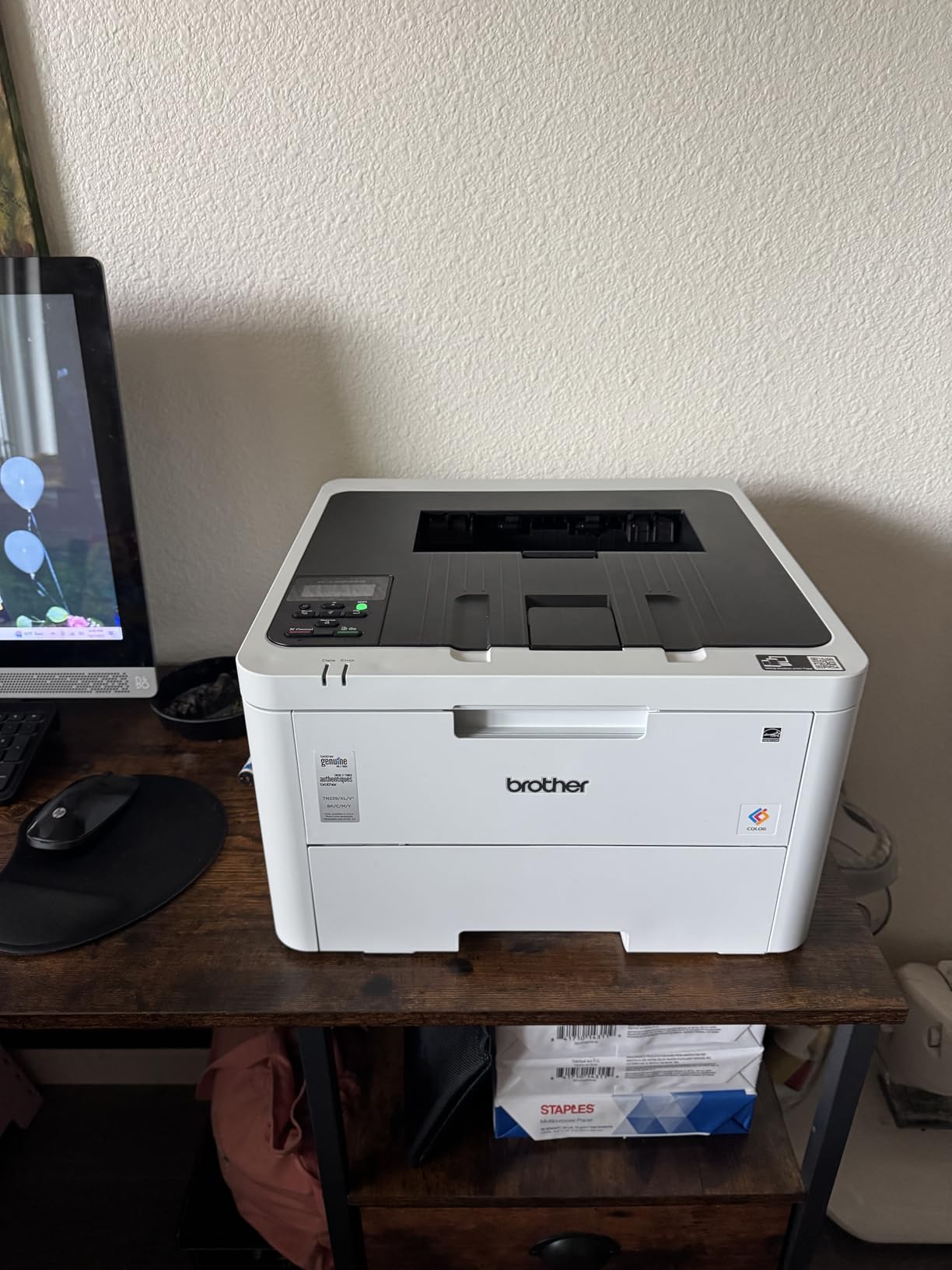
A colour laser is the right tool when colour volume is high and steady, which in a home office usually means invoices, packing slides, forms and internal documents rather than photographs. The HL-L3220CDW prints 19 pages per minute in both colour and black, duplexes automatically and holds 250 sheets. Laser toner does not dry out, so an idle month costs you nothing.
The toner range is where the economics live. The TN229, TN229XL and super-high-yield TN229XXL cartridges give you a real per-page choice, and the 2400 x 600 dpi resolution produces clean text and adequate graphics. Wireless and USB connectivity plus the Brother Mobile Connect app cover phone and laptop printing, and a touchscreen with voice control support sits on the front.
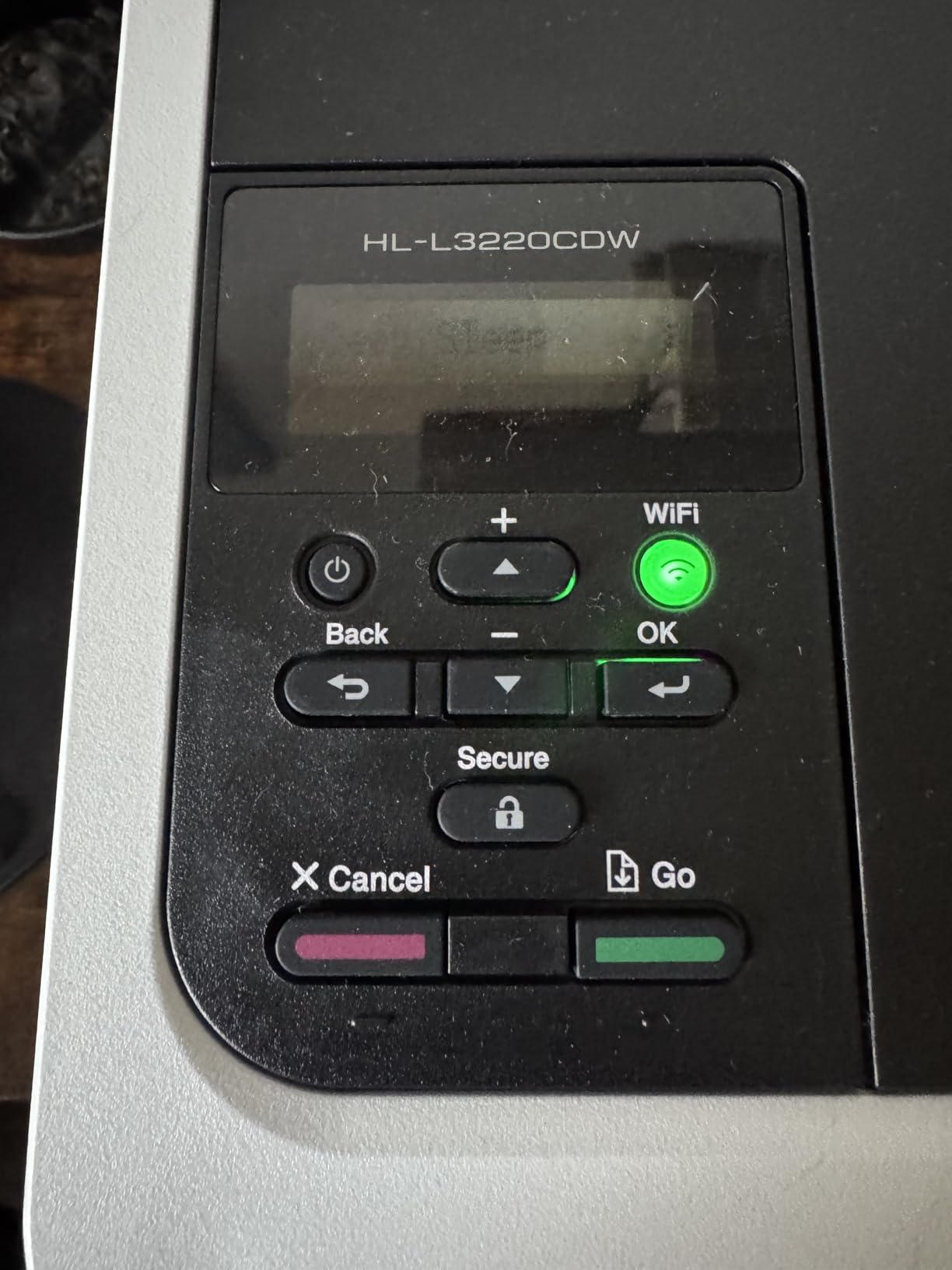
At 3.9 stars, this is the lowest-rated product in the group, and the reason shows up repeatedly in the feedback. It is print-only, with no scanner, copier or fax, and colour means four separate toner cartridges plus a drum unit to keep stocked. Owners who print colour regularly appreciate laser reliability but report the running cost as higher than they expected.
There is also no Ethernet port, so a wireless network is a requirement rather than an option. At 24.7 pounds and 15.7 inches square, it is compact for a colour laser but not a small machine.
Best for a steady stream of colour documents that never touch photo paper
If you print colour every week, the running cost here sits below what a cartridge inkjet would cost over the same volume, and the toner never clogs. Automatic duplex and a 250-sheet tray handle office paper loads without babysitting.
Reviewers note the lower cost per page than inkjet for colour at moderate volume, which is the whole argument for this category.
Less suitable when you need to scan, copy or print photos
There is no scanner, so a single-sided document feeder or flatbed copier elsewhere in the room is a genuine additional cost for anyone who processes paperwork. Glossy photo output is not what a laser engine is built for.
Stocking four colour cartridges plus a drum is a supply commitment, and the 3.9 rating reflects how many buyers underestimated that. If colour volume is irregular, an ink tank is the cheaper route.
6. HP Smart Tank 5003: The Smallest Footprint With a Full Ink Reservoir
HP Smart Tank 5003 Wireless All-in-One Ink Tank Printer, Scanner, Copier with up to 3 Years of Ink Included, Best-for-Home, Cartridge-Free Refillable, AI-Capable (9B2D3A)
6,000 pages of ink included
6.19 inch tall
11.1 lb
Manual duplex
+ The Good
- Up to three years or 6000 pages of ink included
- Mess-free refill system with no squeezing
- Shortest machine in the group at 6.19 inches tall
- 11.1 pounds
- AirPrint and Mopria support
- The Bad
- Manual duplex only
- No automatic document feeder
- 100-sheet paper capacity
- HP Smart app can be buggy
Physical size is the deciding factor for a lot of home offices, and this is the smallest machine in the roundup at 6.19 inches tall, 17.11 inches wide and 14.23 inches deep, weighing 11.1 pounds. That footprint means it can sit on a desk beside a monitor rather than on a floor shelf, which changes how you use it.
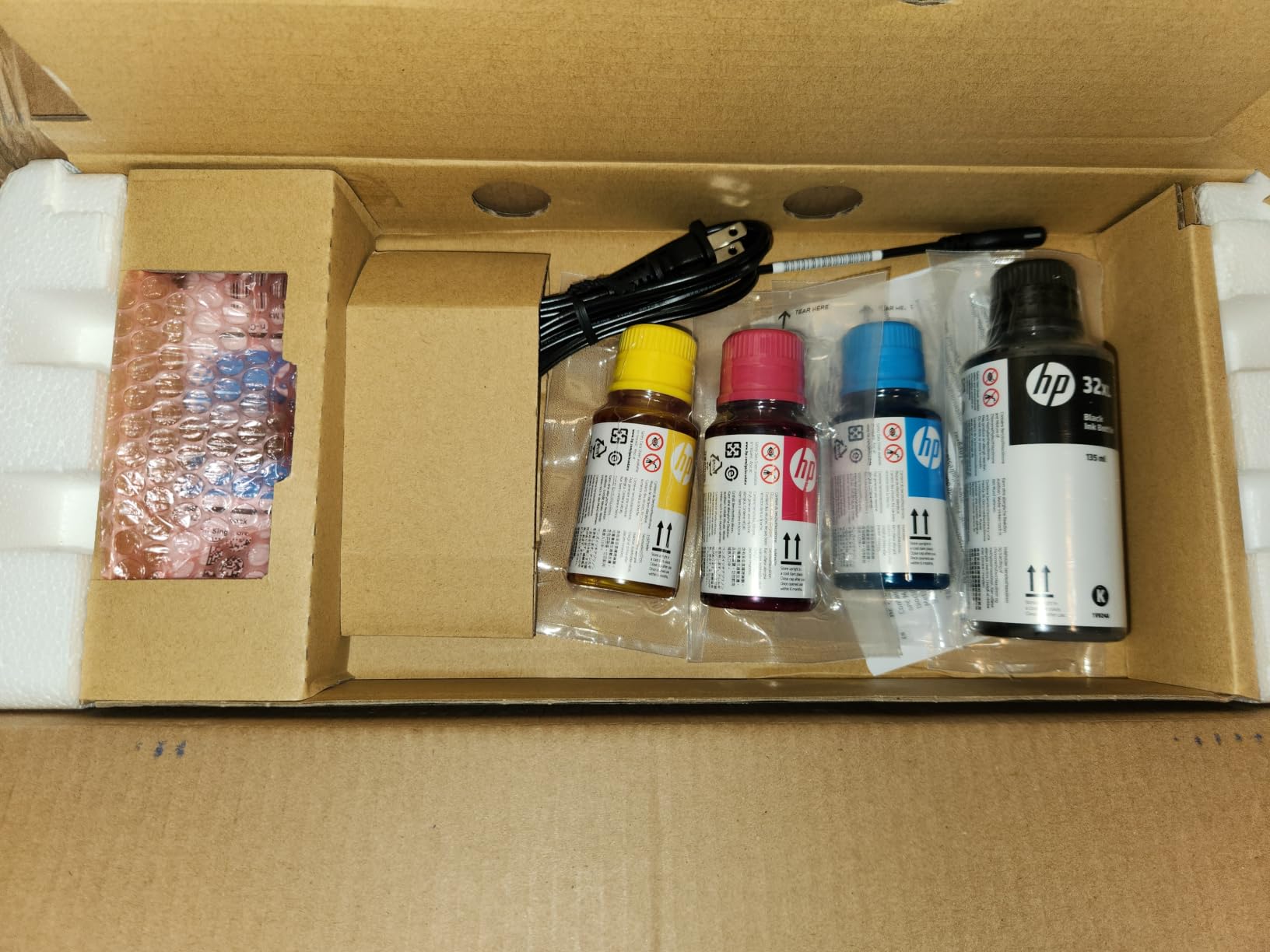
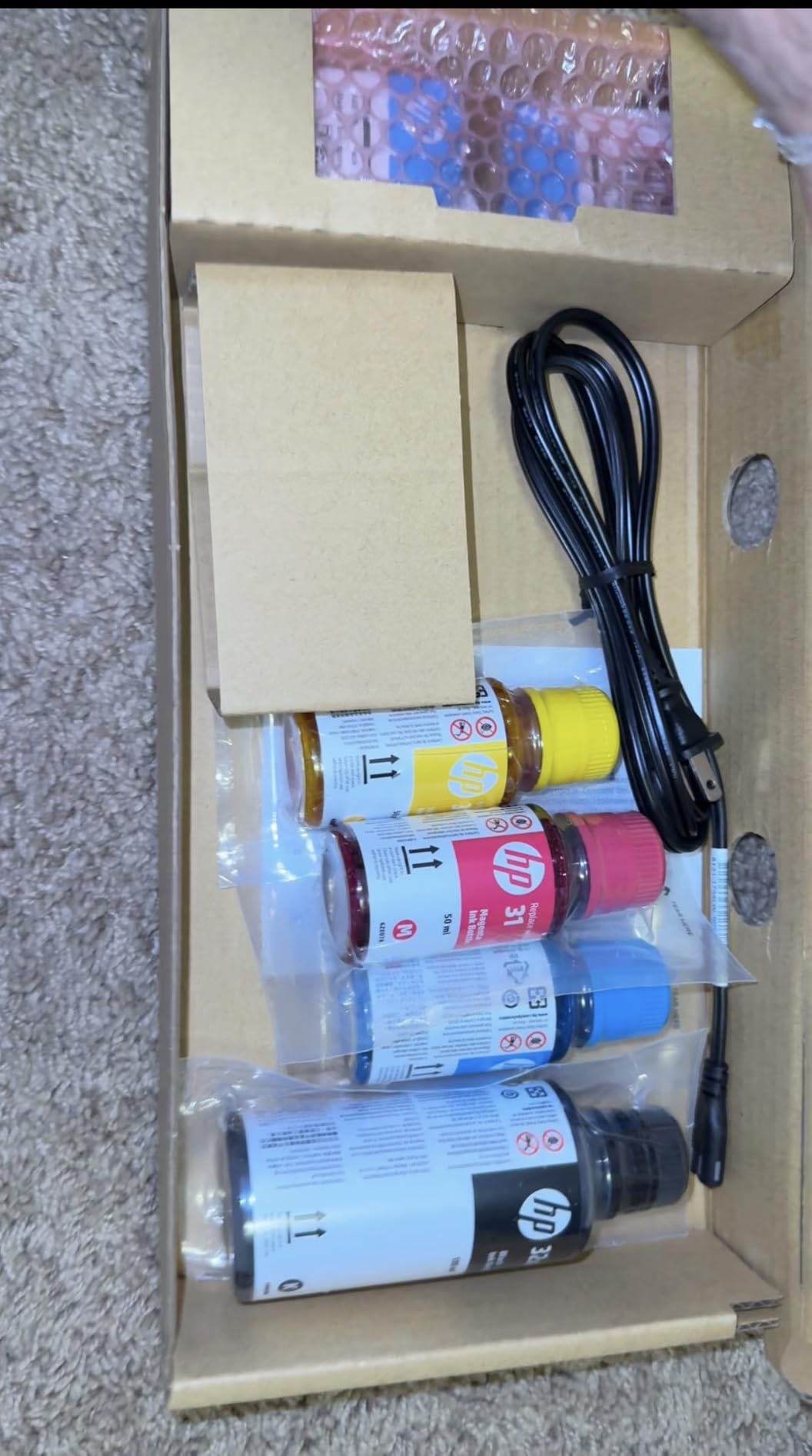
The ink proposition is generous: up to three years or 6,000 pages of black and colour output included, using HP 32XL black and HP 31 colour bottles. The refill system is mess-free with no squeezing step, and the machine prints, copies and scans with borderless photo support at 10 ppm black and 5 ppm colour.
Connectivity is handled by AirPrint, Mopria, HP ePrint and the HP Smart app, which also offers Print Anywhere for sending a job to the printer from anywhere. The one-year or 30,000 page limited hardware warranty is on the shorter side compared with the three years on the Canon PIXMA TS6520.
The review base is the smallest in the group at 226 reviews, so long-term reliability is less proven than for the machines with thousands of reviews. Duplex is manual rather than automatic, and there is no document feeder, which limits batch scanning.
Best for a small desk and low monthly page volume
If desk space is the binding constraint, the height and weight here make this the easiest tank printer to accommodate. The included ink covers a low-volume user for a long stretch, and the refill bottles are the cleanest in this group to handle.
Reviewers consistently pick out the compact dimensions and low cost per page as the two things that matter most about this machine.
Less suitable for duplex-heavy or batch-scanning work
Manual duplex means two-sided documents need manual flipping, and the flatbed-only scanner means no feeding of multi-page originals. The 100-sheet paper capacity is the smallest usable tray in the group alongside the inkjet basics.
Fewer owner reviews means less long-term evidence, and ink in any tank printer can dry if the machine sits unused for long stretches. Print a test page every week or two.
7. Canon PIXMA TS6520: The Cheapest Machine Here With Automatic Duplex
Canon PIXMA TS6520 Wireless Color Inkjet Printer, Duplex Printing, Copier/Scanner, 1.42″ OLED Display, Compact, White
14 ppm black and 9 ppm colour
Automatic duplex
3-year warranty
Dual-band Wi-Fi
+ The Good
- Automatic duplex printing at the entry price
- Three-year manufacturer warranty
- 1.42 inch OLED display for status
- 14 ppm black is quick for an inkjet
- Dual-band Wi-Fi
- Compact at 6.7 inches tall
- The Bad
- Single-sheet rear feed only
- Two-cartridge hybrid system runs expensive
- Ink cartridges can dry with infrequent use
- No automatic document feeder
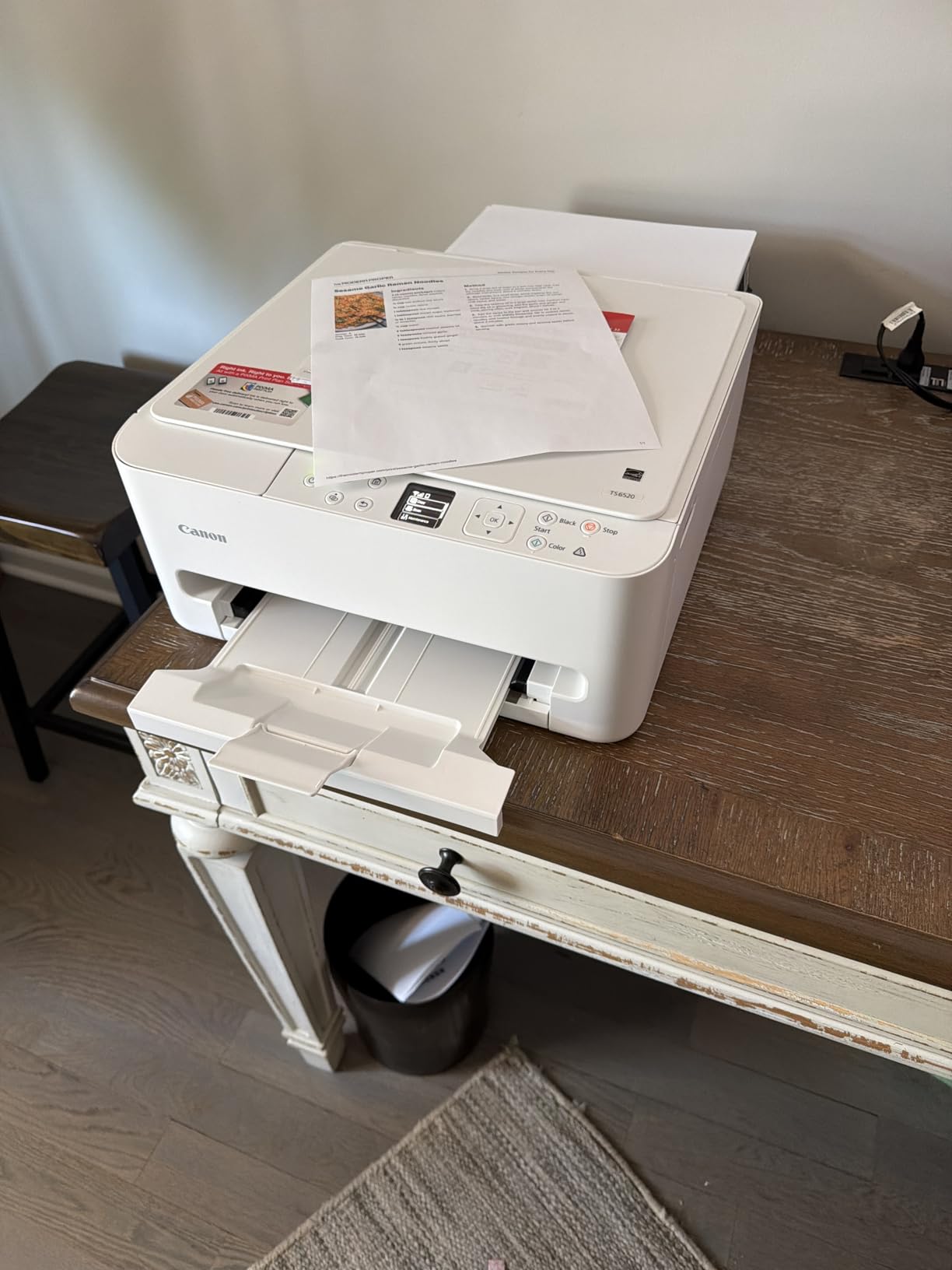
The thing that separates this from other budget inkjets is the feature list. Automatic duplex printing, a 1.42 inch monochrome OLED display, dual-band Wi-Fi on both the 2.4 and 5 GHz bands, borderless photo printing and a three-year manufacturer warranty at this price point is unusual. At 14 ppm black and 9 ppm colour, it is also the fastest inkjet in the group.
Ink comes from a two-cartridge hybrid system, a PG-295 black and a CL-286 colour. That is the compromise: fewer cartridges means better colour photos and better value on colour pages, but the black cartridge runs out sooner and the cost per page over time is higher than any tank machine here. Print, copy and scan are all built in through a flatbed scanner.
At 4.2 stars across nearly 2,000 reviews, the feedback is broadly positive on build, wireless reliability and the OLED display, with a clear consensus that the running cost is the weakness. Owners also report that the cartridges can dry out when the printer sits unused, which is the standard inkjet warning and the reason the weekly test page matters.
The rear paper feed holds a single sheet, so multi-page jobs mean refilling repeatedly. It is also the lightest laser-adjacent footprint here at 6.7 inches tall and 15.4 pounds, with Alexa voice control support for hands-free printing.

Best for light printing where automatic duplex is a must-have
If your documents are mostly two-sided and your volume is low, having automatic duplex on a compact inkjet removes the most annoying part of budget printing. The three-year warranty also gives you more cover than most machines at this level.
Owners highlight the OLED display and dual-band wireless as the features that make the machine pleasant to use day to day, and 4.2 stars reflects genuine satisfaction for light-duty users.
Less suitable when print volume is high
The two-cartridge system is the issue. At moderate volume, the ink cost overtakes the saving on the purchase, and a tank printer such as the Canon MegaTank G3270 becomes the cheaper machine by a wide margin within a year of regular use.
The single-sheet rear feed and the absence of a document feeder also mean this is a printer rather than a paperwork machine, and cartridge dry-out is a real risk if it goes unused for weeks.
8. Canon imageCLASS MF273dw: The Quickest Wake-Up to a First Page
Canon imageCLASS MF273dw – Monochrome Wireless Laser Printer, Multifunction With Scanner, Copier, Auto Document Feeder, With 1 Year Limited Warranty, 30 PPM, Black
30 ppm black
5.3 second first page
ADF
Automatic duplex
+ The Good
- 5.3 second first print out
- 30 ppm monochrome output
- Automatic document feeder for multi-page scanning
- Automatic duplex printing
- Wi-Fi Direct for direct device connection
- Energy Star and EPEAT qualified
- The Bad
- No flatbed scanner for bound or fragile originals
- 150-sheet paper capacity is modest
- Monochrome only
- One-year warranty
The number that matters for a home office is not pages per minute, it is time to first page. When a document arrives at nine in the evening and you want it in your hand before the call, a machine that takes twenty seconds to wake is a different experience. This one produces a first page in 5.3 seconds and then runs at 30 ppm, with automatic duplex and a document feeder built in.
Toner is the standard Canon 071 and 071H cartridges, so running cost sits at the low end for a laser, and powder toner will not dry out across a quiet summer. Wi-Fi Direct lets a phone or laptop connect without joining the office network, which is genuinely useful when you are printing something confidential from a guest device.
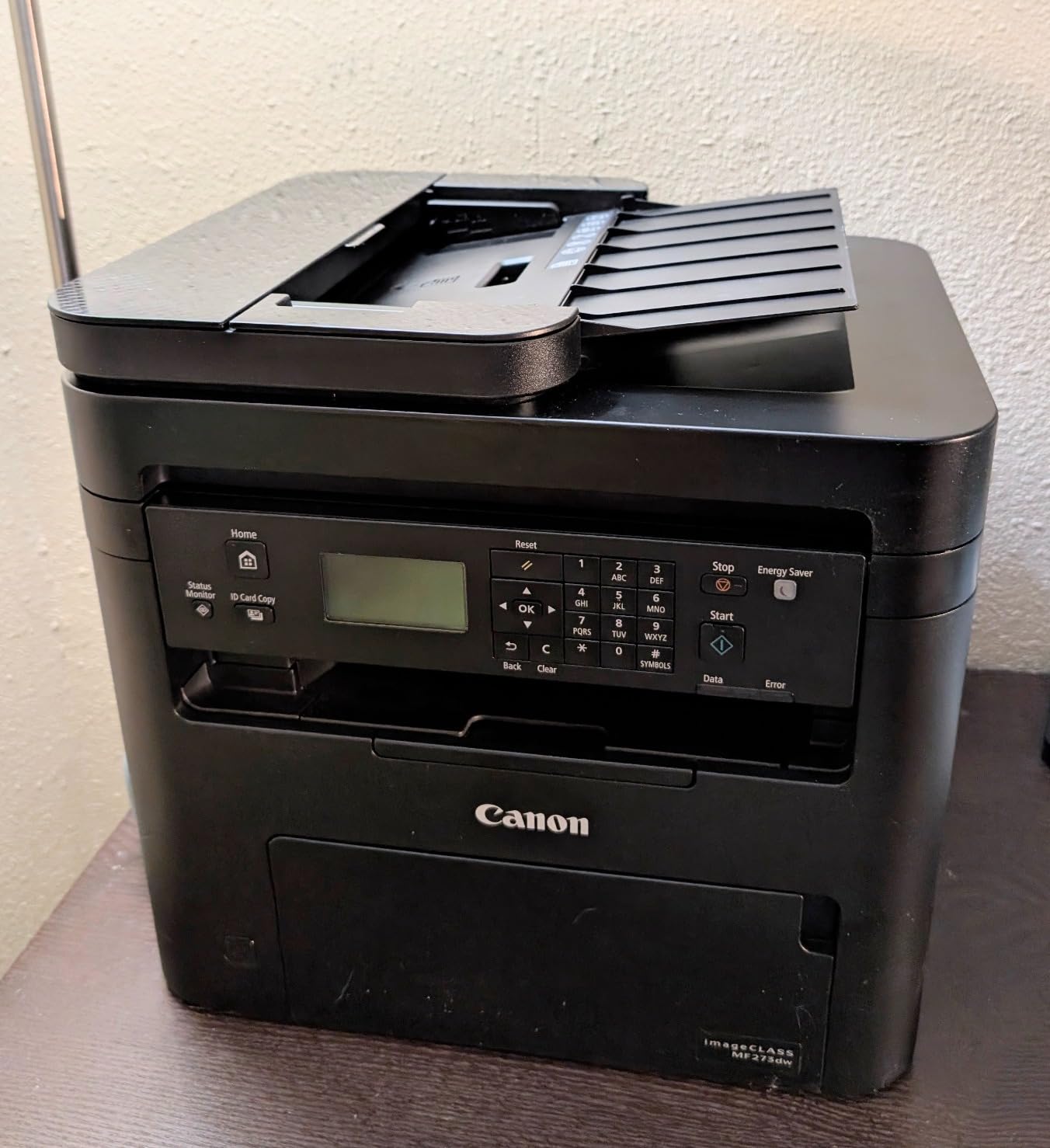
The design decision worth understanding before you buy is the scanner. The document feeder is sheetfed, and there is no flatbed underneath it, so you cannot scan a bound document, a passport page, a photograph or anything fragile. Owners who need flatbed scanning consistently point this out as the limitation to check against your workflow.
Paper capacity is 150 sheets, the smallest tray among the laser machines here, and the body is 14.4 inches tall, which makes it the tallest of the group. It is Energy Star and EPEAT qualified, and the review base of 428 reflects a smaller but generally positive owner history.
Best for loose-sheet paperwork and instant first pages
Feeding a stack of receipts, signed forms or a multi-page contract through the automatic document feeder and having duplex output without touching the machine is what this does well. The 5.3 second first page is the fastest wake-up in the group.
Wi-Fi Direct is a real convenience for confidential documents, since nothing needs to sit on a shared network or in a print queue a visitor can see.
Less suitable for books, photos and anything non-standard
No flatbed means no scanning of bound material, oversized items or anything that would be damaged by a feeder. If you digitise recipes, artwork or documents that are still in a folder, you need a separate scanner.
Monochrome only, a 150-sheet tray, and a one-year warranty are the other trade-offs. The 4.2 rating across 428 reviews is solid but rests on a much smaller sample than the leaders here.
9. Brother HL-L2480DW: The Best Touchscreen and Cloud Workflow
Brother HL-L2480DW Wireless Compact Monochrome Multi-Function Laser Printer with Copy and Scan, Duplex, Mobile, Black & White | Includes Refresh Subscription Trial(1), Works with Alexa
36 ppm black
2.7 inch touchscreen
Flatbed scanner
250-sheet tray
+ The Good
- 2.7 inch colour touchscreen for on-device control
- Cloud scan straight to Drive Dropbox Evernote OneNote
- Flatbed scanner handles books and cards
- 36 ppm with automatic duplex
- 250-sheet tray
- Dual-band Wi-Fi plus Ethernet
- The Bad
- No automatic document feeder
- Costs more than the print-only sibling
- Firmware issues reported
- Refresh trial enrolment concerns
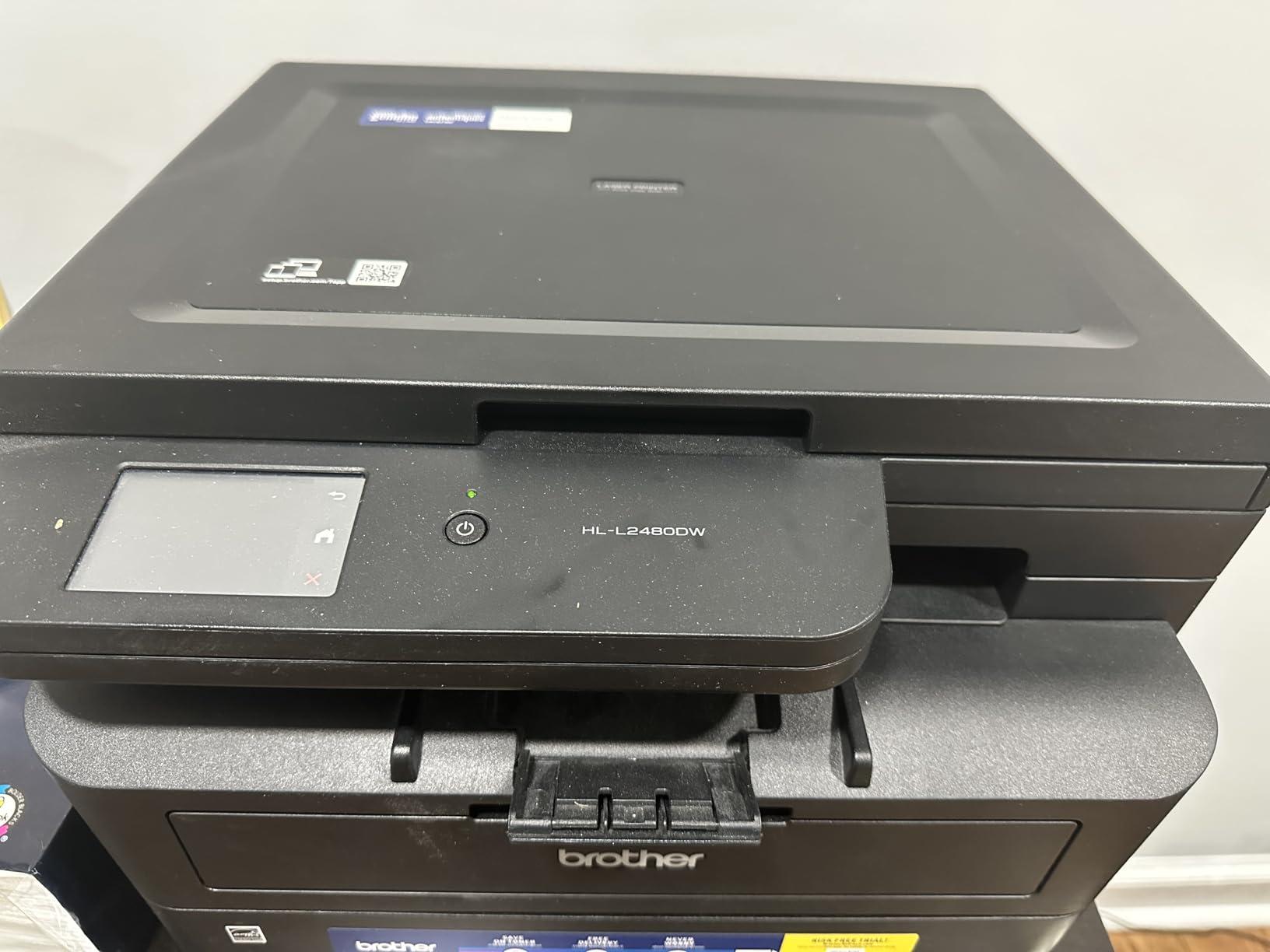
The HL-L2480DW is the machine here for someone who treats documents as a workflow rather than a print job. The 2.7 inch colour touchscreen lets you trigger scans, pull from cloud services and adjust settings without opening a laptop, and scan destinations include Google Drive, Dropbox, Evernote and OneNote alongside email, cloud and USB.
Underneath it is a solid monochrome laser: 36 ppm, automatic duplex, a 250-sheet tray, dual-band Wi-Fi alongside Ethernet, and the same TN830 and TN830XL toner range as the DCP-L2640DW. It carries a 4.5 star rating from verified buyers, the highest average in this group.
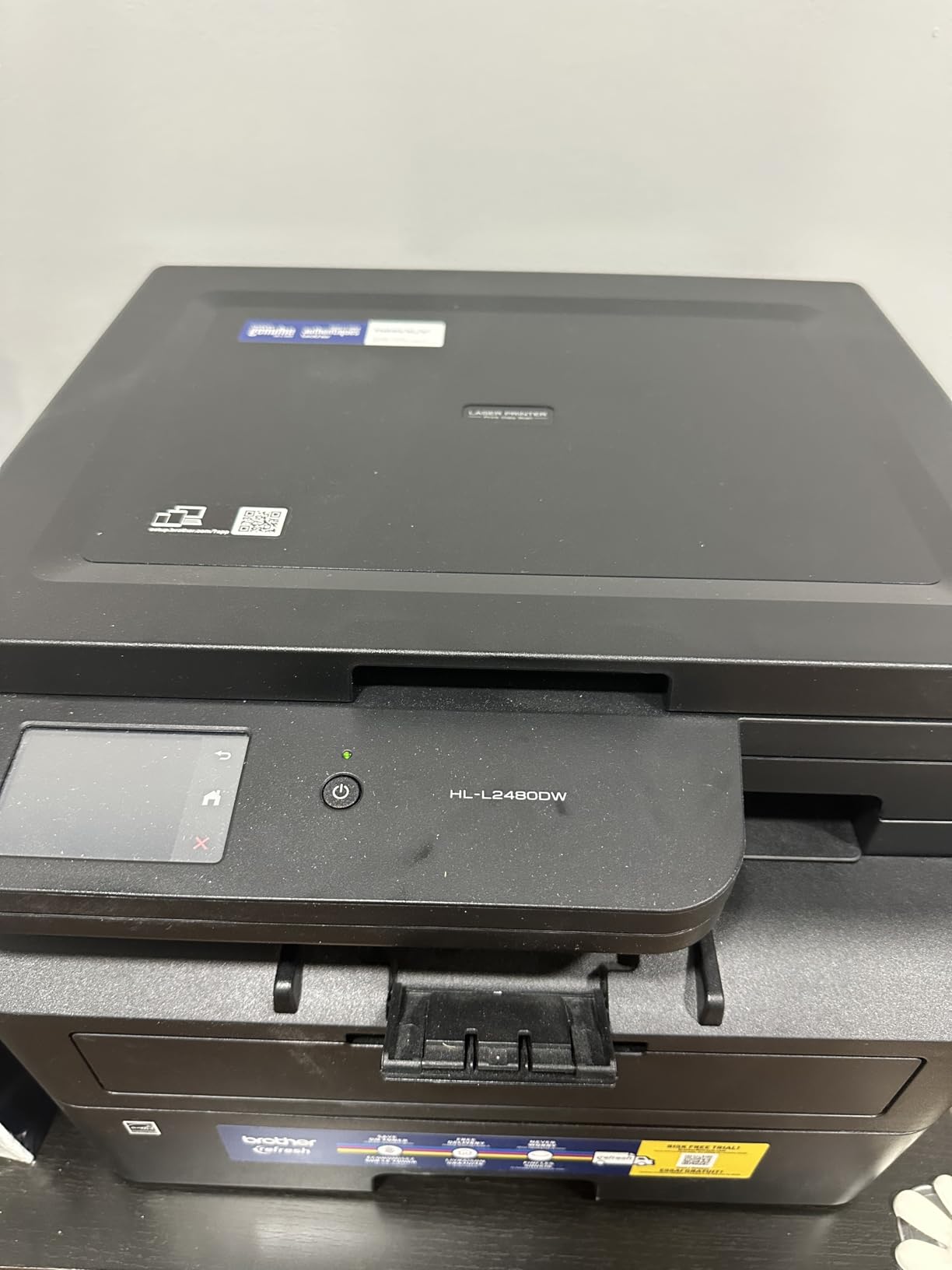
Unlike the Canon imageCLASS above, the scanner here is a flatbed with a copy function, so bound documents, identification cards and photographs can be scanned as well as single sheets. That flexibility is the main reason to spend more than the print-only Brother models.
The trade is that there is no document feeder, so a batch of twenty pages has to be scanned on the glass one sheet at a time. Owners also report firmware trouble, including reports of a circuit breaker tripping, and a few raise concerns about the included Refresh subscription trial enrolling without a clear explanation. At 22.2 pounds it is lighter than most of the laser group.
Best for scanning books, cards and cloud-bound paperwork
The combination of a flatbed scanner and a touchscreen that pushes scans straight to cloud storage saves the most time of any machine in this roundup for document-heavy admin. You are not opening a scanning app or finding a file path for every page.
Owners single out the touchscreen and the cloud integration as the features that justify the step up, and the 4.5 rating reflects that the machine performs the basics of printing and duplexing without complaint.
Less suitable when you scan loose sheets in volume
Without an automatic document feeder, multi-page scanning is a manual, sheet-by-sheet process. If your workflow is signed forms, receipts and multi-page contracts arriving in stacks, a feeder-equipped laser will save real time.
It also costs more than a print-only Brother of the same class, and it remains monochrome. Setup complexity and the Refresh trial enrolment are the two things owners flag most often.
10. Canon PIXMA TR7120: A Document Feeder on a Small Budget
Canon PIXMA TR7120 Wireless Color Inkjet Printer, Duplex Printing, White – Home Printer with Copier/Scanner, Auto Document Feeder, Compact Design, Intuitive Control Panel
14 ppm black and 9 ppm colour
ADF plus flatbed
Automatic duplex
100-sheet tray
+ The Good
- Automatic document feeder for multi-page scanning
- Flatbed and ADF scanner combined
- Automatic duplex printing
- 1.42 inch OLED display
- Dual-band Wi-Fi and Alexa support
- Compact at 8.2 inches tall
- The Bad
- Two-cartridge hybrid system runs expensive
- ADF scans one side only
- 100-sheet front cassette
- Ink can dry with infrequent use
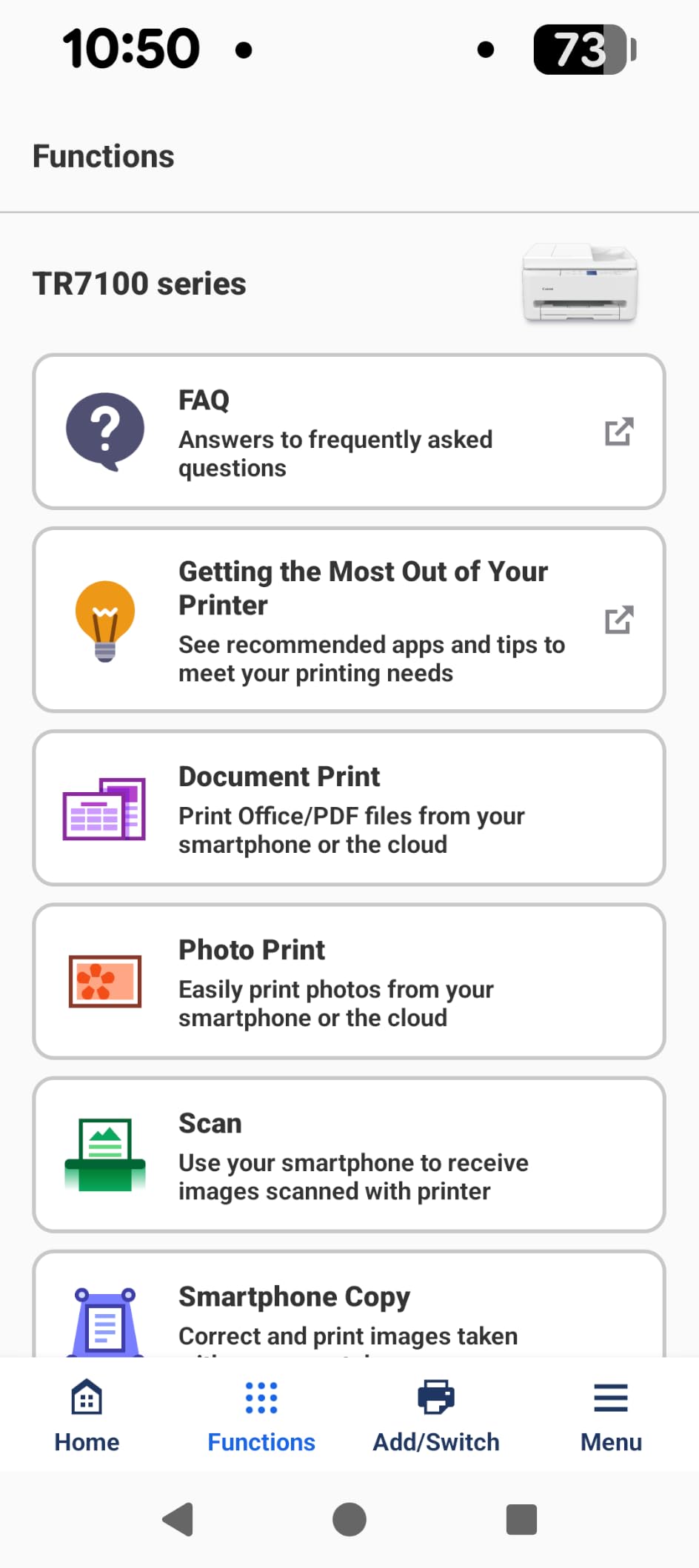
This is the printer to buy when your office work is paperwork rather than pages. It shares the PIXMA platform’s automatic duplex, 14 ppm black and 9 ppm colour output, 1.42 inch OLED display, dual-band Wi-Fi and borderless photo printing, but it adds a flatbed scanner combined with an automatic document feeder. That combination is what lets you scan a stack of receipts in one go and still handle a book page or a card.
Ink is the same two-cartridge hybrid system as the TS6520, using a PG-295 black and a CL-286 colour, which keeps the upfront cost low but the cost per page the highest in this roundup. The 4.3 star rating is the second-highest here, across 483 reviews.
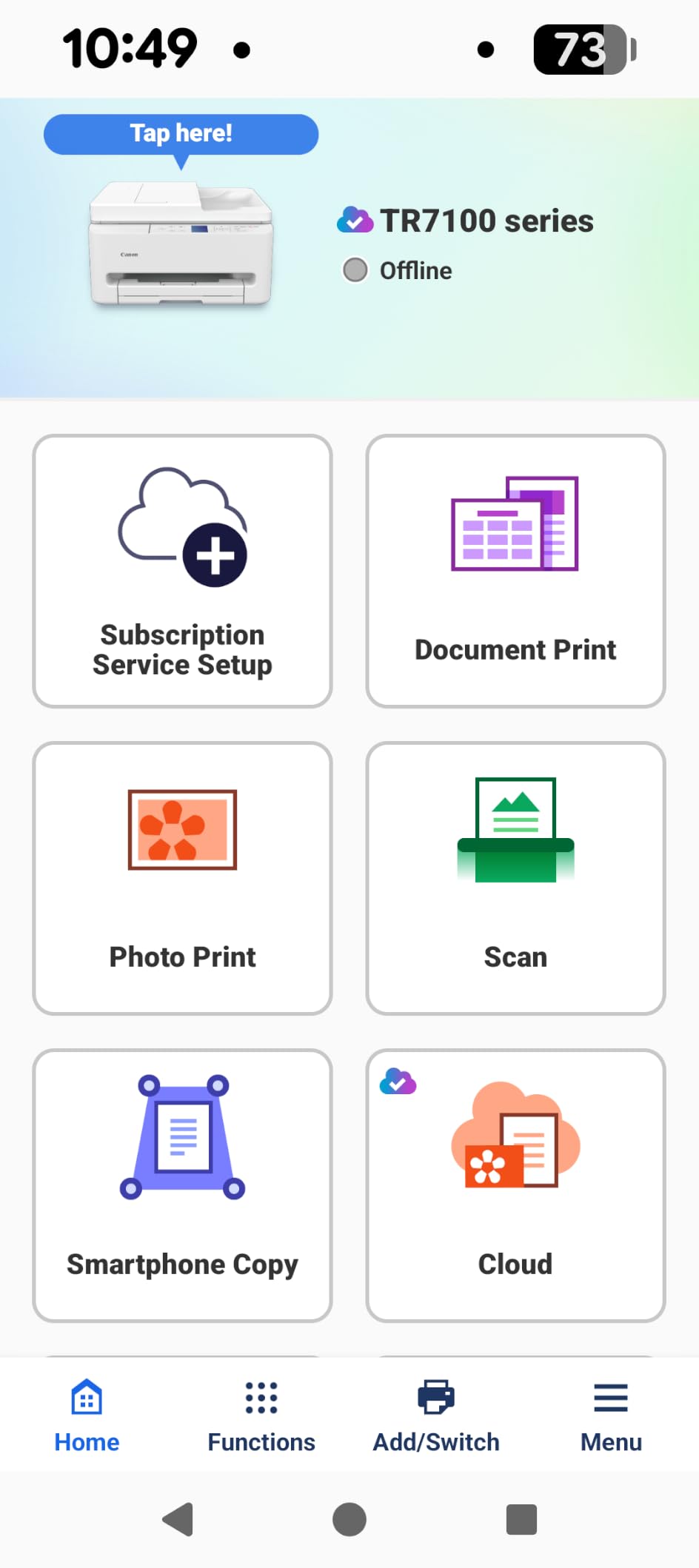
The practical difference from the budget Canon is a stack feeder for multi-page scanning and copying, plus flatbed flexibility for originals the feeder cannot take. Automatic duplex on the print side is a genuine bonus at this level, and the 100-sheet front cassette is workable for a light printing load.
Two limits are worth stating plainly. The document feeder scans one side at a time, so duplex scanning means flipping the stack manually, and the one-year manufacturer warranty is shorter than the three years carried by the TS6520. At 18.1 pounds it is also noticeably heavier than the other compact inkjets here.
Best for scanning and copying paperwork on a small budget
For a home office that processes receipts, forms and multi-page documents, a flatbed plus ADF combination at this level is difficult to argue with. Automatic duplex printing means the output side is already handled.
Reviewers point to the ADF as the reason this model makes more sense than the cheaper sibling for anyone who works with paper rather than files.
Less suitable when running cost dominates the budget
Two cartridges are the weakest point. Anyone printing more than light volumes will spend more on ink than on the machine, and a refillable tank would be the better purchase for that profile.
Simplex ADF scanning, a 100-sheet cassette, a one-year warranty and ink dry-out risk on a machine left idle all round out the compromises that make this a light-duty choice.
How to Choose the Right Printer for a Home Office
Start with volume, because it decides the technology before any feature matters. Work out roughly how many pages a month leave the printer and how many of those are colour. Under 200 pages a month of mostly black text points to a monochrome laser. Above 300 pages a month with regular colour points to either a refillable ink tank or a colour laser. Below 100 pages a month with occasional colour, a compact cartridge inkjet with automatic duplex is the low-commitment option.
Then set these four rules. Pick a monochrome laser if your output is contracts, invoices, reports and shipping labels, because toner does not dry out and duplex is automatic on every laser in this list. Pick an ink tank if colour is part of the work and the cost per page matters, since refillable bottles give the lowest running cost of any option here at moderate volume. Pick a colour laser if your colour volume is heavy and steady and you never print photos. Pick a cartridge inkjet if your volume is genuinely light and you would rather not manage a tank.
Next, decide on scanning hardware, because it is the feature buyers regret most. A flatbed scanner handles books, identification cards and anything fragile but is one sheet at a time. A document feeder takes loose stacks but cannot handle bound material. The Canon imageCLASS MF273dw has a feeder only, the Brother HL-L2480DW and the Canon MegaTank G3270 have a flatbed only, and the HP LaserJet Pro MFP 3101sdw and the Canon PIXMA TR7120 give you both.
Then check three practical things. Paper capacity of 250 sheets means you refill monthly rather than weekly at a light home-office volume, while a 100-sheet tray means weekly refills. Connectivity needs Wi-Fi, and Ethernet is worth having as a fallback in a building with an unreliable wireless network. Footprint matters more at home than in an office, and the HP Smart Tank 5003 at 6.19 inches tall is the most desk-friendly machine here while the HP LaserJet Pro MFP 3101sdw at 23.1 pounds is a shelf machine.
Finally, think about duty cycle and confidential documents. The monthly recommended volume is what the manufacturer rates the machine for day to day, and any printer can be pushed past it briefly. For confidential client or HR material, Wi-Fi Direct or a private network connection matters, since a job that sits in a shared queue is visible to anyone who walks past. If you also print shipping labels regularly, our label maker picks for the home office cover that side of the workflow.
Inkjet or Laser for a Home Office: The Real Differences
The technology question comes down to one home-office fact: ink is liquid and toner is powder. A laser printer can sit untouched for a month and print a clean page when you finally need it. An inkjet left idle for the same period can develop blocked nozzles, which shows up as banding, missing lines or a page that needs a nozzle clean cycle. That is the single most frequently raised complaint in owner discussions about inkjets, and it is the reason we lead with a laser.
Running cost follows from the same difference. Laser toner is measured in cents per page that most people budget for without thinking. A cartridge inkjet is measured in cartridges bought several times a year, and two of the inkjets here use only two cartridges, which is the least economical arrangement. A refillable ink tank reverses the picture completely, since a set of bottles covers thousands of pages at a fraction of the cartridge cost, and that is the honest reason the EcoTank and MegaTank machines appear near the top of this list.
Speed and colour are where inkjets hold their own and lose it. Fourteen pages per minute of black output from a cartridge inkjet is genuinely usable for a home office, and inkjet photo quality is far ahead of any laser here. But duplex is manual on the tank machines, and colour laser output is the flat, toner-like result most people accept for forms rather than admire for images.
Noise and footprint complete the picture. Laser engines are louder during a print run and lighter on the desk than a loaded ink tank, and several of the machines here are between 22 and 25 pounds, which means a shelf rather than a desktop. If you are setting up a shared working space, our home office task lamp guide covers the other half of that desk problem, and the filing cabinet picks matter if paper volume is part of your workload.
Keeping an Inkjet Ready for Intermittent Use
If you choose an inkjet and it is used a few times a month, the maintenance routine is short and it prevents most of the problems owners report. Print a single test or alignment page every week or two, from the printer’s own maintenance menu or a colour test print. A page that circulates through the nozzles keeps them clear far better than a machine that never runs.
Leave the printer plugged in and powered on. Auto power off and deep sleep cycles on some models are what allow ink to sit in the nozzles for weeks at a time, and a printer that stays in light standby uses very little power. Where the machine offers a nozzle check schedule, set it to the shortest interval the option allows.
Run the nozzle clean the moment banding appears rather than waiting. If one pass does not clear it, a second is usually the limit worth attempting before you look at replacement ink or service. Keep ink bottles sealed and stored somewhere cool and dark, since the refill supplies themselves also degrade in heat.
The alternative is a laser. If the routine sounds like one more household chore, a monochrome laser removes the problem entirely, which is the argument that decides this comparison for most home offices. Occasional users with occasional printing do not need a weekly habit, they need a machine with no liquid ink in the path.
Frequently Asked Questions
What type of printer is best for a home office?
A monochrome laser printer is the best default for a home office, because toner does not dry out and automatic duplex is standard. Choose a refillable ink tank instead if regular colour output matters more than duplex convenience, and a colour laser if colour volume is high and steady.
Is inkjet or laser better for infrequent use?
Laser is better for infrequent use. Toner is a dry powder that will not clog after weeks of sitting idle, while inkjets can develop blocked nozzles. If you still choose an inkjet, print a test page every week or two and leave the machine powered on light standby.
Is inkjet or laser better for a home office?
It depends on colour volume. Laser wins on speed, duplex, quietness and reliability when printing is mostly black text. Ink tank inkjets win on cost per colour page, and cartridge inkjets win on upfront cost for very light use.
Which printer is best for infrequent home use?
A monochrome laser multifunction such as the Brother DCP-L2640DW suits infrequent use best, since nothing in the print path can dry out and it wakes ready to print. Its 36 ppm output, automatic duplex and 50-page document feeder cover a light monthly load easily.
Should I buy an all-in-one or a single-function printer?
Buy an all-in-one if you scan or copy paperwork, since flatbed and feeder scanners are the most useful feature beyond printing. Choose a single-function machine if you never scan, since it is smaller, cheaper and has fewer components to fail.
Which Home Office Printer Should You Buy in 2026?
For most people reading this, the answer is the Brother DCP-L2640DW. It prints black text at 36 ppm, duplexes automatically, scans through a 50-page feeder and holds 250 sheets, and none of it can dry out between uses. If your work includes colour, the Canon MegaTank G3270 gives you the lowest cost per colour page of anything in this roundup, at the price of manual duplex and no document feeder.
The fastest machine here is the HP LaserJet Pro MFP 3101sdw, and the best cloud-scanning workflow belongs to the Brother HL-L2480DW. For a small desk, the HP Smart Tank 5003 is the most compact option, and for a light budget with automatic duplex the Canon PIXMA TS6520 is hard to beat. Whichever route you take, the best printers for home office decisions come down to the same two questions: how much colour do you actually print, and how long will the machine sit idle between jobs. Answer those honestly and the right model is easy to pick.