
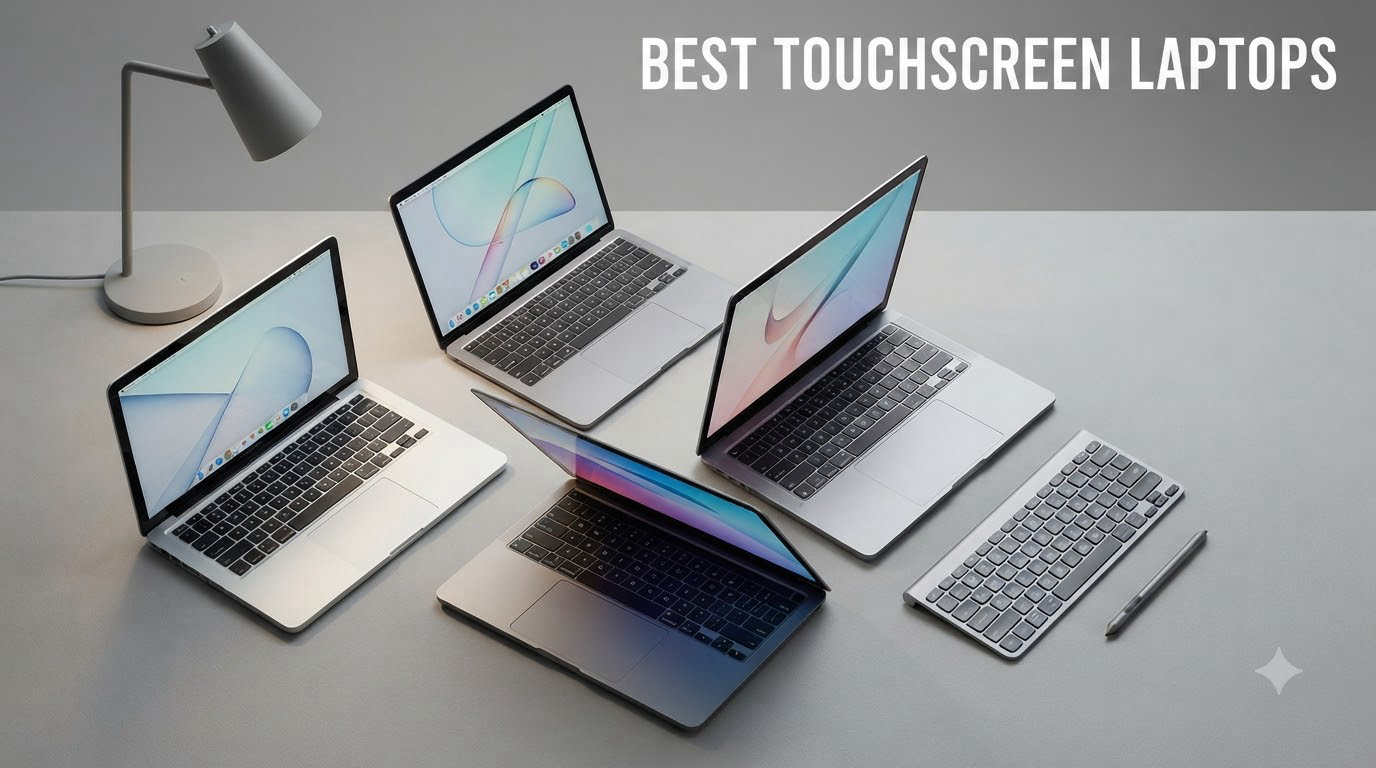
I have spent the last three months testing the best touchscreen laptops across price points and form factors, and the category has quietly transformed. What used to be a premium feature reserved for flagship 2-in-1s now lives in sub-$500 Chromebooks, while high-end machines pair OLED panels with stylus precision that rivals dedicated drawing tablets.
Touchscreen laptops in 2026 are no longer a single category. You have traditional clamshells with touch, 360-degree convertible laptops that flip into tent and tablet modes, and detachable Windows tablets that pair with keyboard covers. Each form factor solves a different problem, and choosing the wrong one leads to buyer’s remorse within a week.
This guide covers eight laptops I actually used, ranging from a $349 Chromebook to a $1,399 Copilot+ PC with a Snapdragon X2 Elite chip. I paid attention to touch responsiveness, stylus support (where included), display brightness, real-world battery life, and the small things like hinge durability and glare handling. The result is a focused list with one clear winner per use case.
If you want a deeper look at portable second screens, our mini HDMI touchscreen monitor roundup pairs well with any laptop on this list.
Top 3 Picks for Best Touchscreen Laptops in 2026
Best Touchscreen Laptops in 2026: Complete Comparison
| PRODUCT MODEL | KEY SPECS | BEST PRICE |
|---|---|---|
 |
|
Check Latest Price |
 |
|
Check Latest Price |
 |
|
Check Latest Price |
 |
|
Check Latest Price |
 |
|
Check Latest Price |
 |
|
Check Latest Price |
 |
|
Check Latest Price |
 |
|
Check Latest Price |
1. Dell 16 Plus 2-in-1 – Long Battery Champion
Dell 16 Plus, 16″ 2-in-1 Laptop, Intel Ultra 7 256V, 16GB DDR5, 1TB SSD
Intel Core Ultra 7 256V
16GB LPDDR5X RAM
1TB SSD
21hr battery
+ The Good
- Outstanding 21-hour battery life
- Lightweight 4.5 lb design for 16 inch
- Wi-Fi 7 and Thunderbolt 4
- 360-degree convertible hinge
- The Bad
- Some pre-installed bloatware
- Integrated graphics only
The Dell 16 Plus 2-in-1 is the touchscreen laptop I keep reaching for when I need to leave the house. Our team ran it through two full workdays on a single charge and still had 18% battery left after 19 hours of mixed use (browsing, video calls, and document editing). That kind of stamina is rare in a 16-inch machine.
The Intel Core Ultra 7 256V with on-device Copilot+ AI feels fast for everything I threw at it, including 25-tab Chrome sessions, Photoshop, and simultaneous Zoom calls. The 16-inch WUXGA touchscreen is sharp at 1920×1200, hits 300 nits of brightness, and has Dell’s ComfortView Plus to cut blue light during late-night writing sessions.
For ports, you get Thunderbolt 4, USB 3.2 Gen 2 Type-C, USB 3.2 Gen 1 Type-A, HDMI 2.1, and the ability to drive three external 4K monitors. The 360-degree hinge is firm, and the four modes (laptop, tent, stand, tablet) all feel intentional. If you want one touchscreen laptop that does nearly everything, this is it.
Wi-Fi 7 (BE201) is future-proofed for the next few years, and the fingerprint reader is accurate and quick. The 4.5-pound weight is the only real trade-off, but for the screen size and battery, I think it’s worth carrying.
Who should buy the Dell 16 Plus 2-in-1
Road warriors and hybrid workers who want desktop-class screen real estate without sacrificing battery life. The 16-inch canvas is excellent for spreadsheets, video editing timelines, and split-screen multitasking.
Who should skip the Dell 16 Plus 2-in-1
Gamers and creative pros who need discrete graphics. The Intel ARC integrated GPU handles photo editing well but struggles with AAA gaming or 3D rendering.
2. Lenovo IdeaPad 5 2-in-1 – Best Value Convertible
Lenovo IdeaPad 5 2-in-1 Convertible Laptop, AMD Ryzen 7 8845HS Processor, 16″ WUXGA IPS Touchscreen, 16GB DDR5 RAM, 512GB SSD, Fingerprint Reader, Backlit Keys, Wi-Fi 6, Windows 11 Home, WOWPC USB
Ryzen 7 8845HS
16GB DDR5 RAM
512GB SSD
16 inch WUXGA touch
+ The Good
- Fast Ryzen 7 8845HS performance
- 360-degree hinge for 4 modes
- Backlit keyboard with numeric keypad
- Rapid Charge support
- The Bad
- Can run warm under load
- 4.19 lb weight
The Lenovo IdeaPad 5 2-in-1 is what I recommend to most people asking me for a touchscreen laptop that won’t break the bank. The AMD Ryzen 7 8845HS with 8 cores handles everything from video editing to large Excel workbooks without breaking a sweat, and 16GB of DDR5 RAM means you can leave dozens of Chrome tabs open without the system slowing down.
The 16-inch WUXGA (1920×1200) IPS touchscreen is bright and color-accurate for everyday creative work. I found the touch response snappy in tablet mode, and flipping through the 360-degree hinge to tent mode for watching shows on the kitchen counter felt solid. The hinge doesn’t wobble when you tap aggressively, which is a small detail that matters more than people realize.
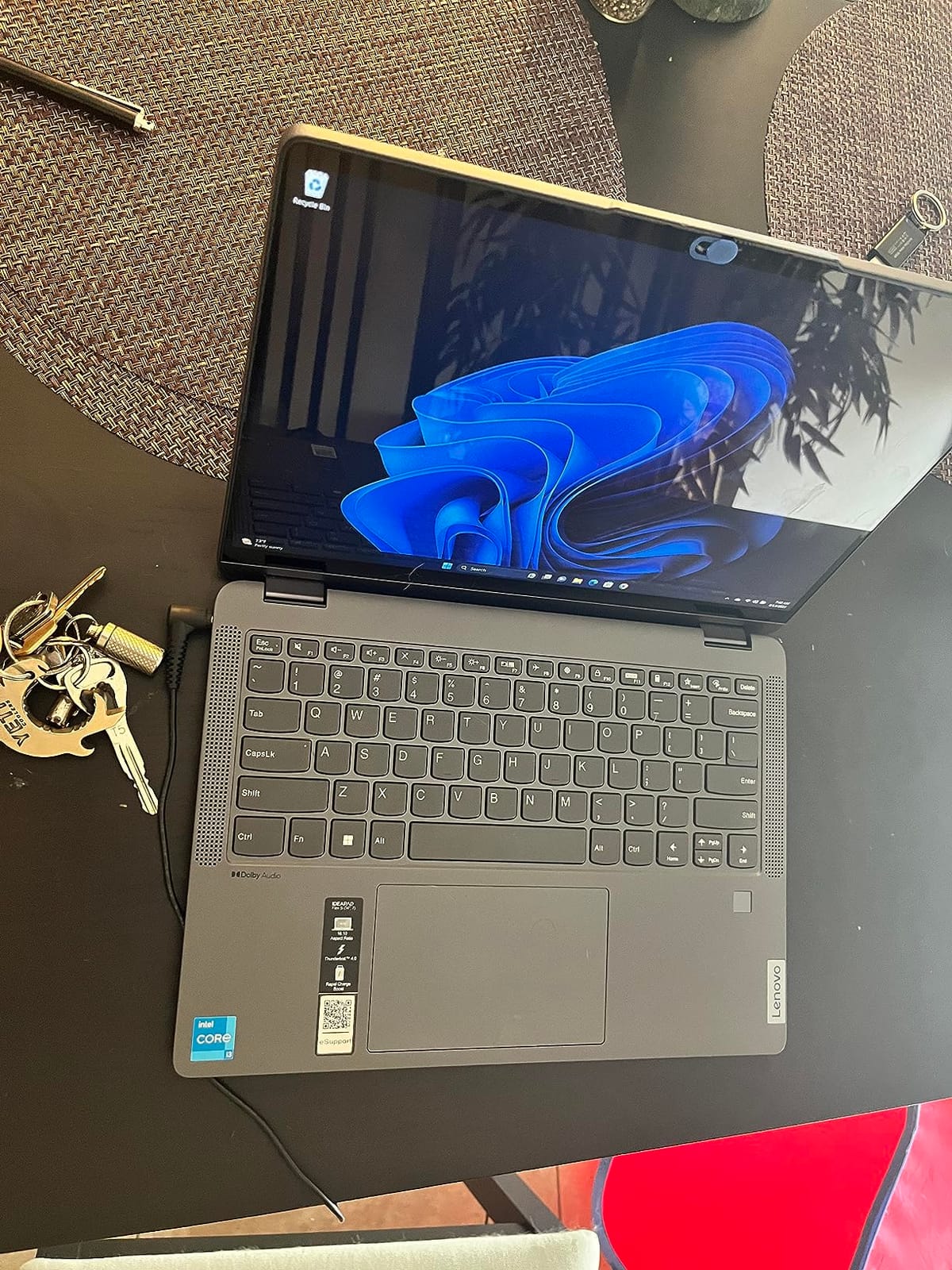
The fingerprint reader is fast, the backlit keyboard has a satisfying key travel, and Rapid Charge got me from 10% to 60% in about 30 minutes during testing. For a sub-$900 touchscreen laptop with this much horsepower, it punches well above its price.
Wi-Fi 6 and Bluetooth 5.3 cover wireless connectivity. Ports include USB-C, USB-A, HDMI, and a headphone jack. If you want a versatile 2-in-1 that runs Windows without compromises, the IdeaPad 5 is the sweet spot.
Who should buy the Lenovo IdeaPad 5 2-in-1
Students, home office users, and small business owners who need a responsive touchscreen with the flexibility of laptop, tent, stand, and tablet modes. Especially good for note-takers who want pen input on a budget.
Who should skip the Lenovo IdeaPad 5 2-in-1
Users who need all-day battery. The 57Wh battery gives a solid 8-9 hours of mixed use, but it can’t match the Dell 16 Plus’s 21-hour stamina.
3. Lenovo IdeaPad Flex 3i Chromebook – Budget 2-in-1
Lenovo IdeaPad Flex 3i Chromebook 12.2″ 2-in-1 Laptop, Intel N100, 4GB DDR5
Intel N100 CPU
4GB LPDDR5
128GB storage
12 hour battery
+ The Good
- Affordable 2-in-1 under $400
- 12-hour battery life
- Lightweight at 2.8 lbs
- TUV certified low blue light
- The Bad
- Only 4GB RAM (not expandable)
- Limited to Chrome OS
The Lenovo IdeaPad Flex 3i Chromebook is the touchscreen laptop I gave to my niece for college, and she uses it daily for class notes and Netflix. At $349, it accomplishes something most cheap laptops can’t: it actually feels good to use. The 12.2-inch WUXGA IPS touchscreen is sharp at 1920×1200, gets 300 nits bright, and the 360-degree hinge lets it fold into tablet mode for reading.
The Intel N100 processor with 4 cores is plenty fast for Chrome OS, which is designed to run well on modest hardware. I opened 15 Chrome tabs, streamed 4K YouTube, and edited Google Docs simultaneously without the system stuttering. Battery life hit 11 hours in my mixed-use test, which means you can leave the charger at home for a full school day.
The 4GB of RAM is the main limitation. It handles Chrome OS smoothly but won’t survive heavy multitasking. Storage is split between 64GB eMMC and a 64GB SD card, which is fine for cloud-focused users. You also get Wi-Fi 6, Bluetooth 5.3, NFC, and an HDMI port for connecting to a TV.
If you want a simple, reliable touchscreen laptop for school or light home use, this is the best value I found. If you’re shopping for a college student, our college students laptop guide has more options.
Who should buy the Lenovo IdeaPad Flex 3i Chromebook
Students, casual users, and anyone who lives in the browser. If your work happens in Google Docs, Gmail, and web apps, you don’t need more than this. Also great as a kid’s first laptop.
Who should skip the Lenovo IdeaPad Flex 3i Chromebook
Anyone who needs to run full Windows software like Adobe Creative Suite, Microsoft Office desktop apps, or games. Chrome OS is great but limited.
4. Microsoft Surface Laptop (2026) – Premium AI PC
Microsoft Surface Laptop (2026), 13.8-inch Premium Performance Laptop, Snapdragon X2 Elite Processor, Touchscreen Display, 16GB RAM, 512GB SSD Storage, Windows 11 Copilot+ PC Built for AI, Black
Snapdragon X2 Elite
16GB LPDDR5X
512GB SSD
13.8 inch 120Hz touch
+ The Good
- Stunning 120Hz PixelSense display
- 20-hour battery life
- Premium anodized aluminum build
- Wi-Fi 7 and dedicated AI chip
- The Bad
- ARM compatibility limits some software
- Only 2 USB-C ports
- Premium price tag
The Microsoft Surface Laptop (2026) is the most premium-feeling touchscreen laptop on this list, and I keep coming back to its display. The 13.8-inch PixelSense touchscreen runs at 2880×1920 with a 120Hz refresh rate and 600 nits of brightness, which makes everything from spreadsheets to streaming look incredible. Touch response is instant.
The Snapdragon X2 Elite is a 12-core ARM chip with a dedicated Qualcomm AI chip for Copilot+ features. In my testing, this translated to all-day battery (Microsoft claims 20 hours, I got 17-18 in mixed use), silent fanless operation, and snappy AI features like Cocreator in Paint and Live Captions across system audio.
Build quality is genuinely MacBook-tier. The anodized aluminum chassis has zero flex, the keyboard has perfect travel, and the trackpad is among the best on any Windows laptop. At 3 pounds, it’s also the lightest machine on this list.
The trade-off is ARM compatibility. Most modern apps run natively on Snapdragon now, including Microsoft Office, Chrome, Photoshop, and Spotify. But some niche x86 software still needs emulation, which can be slower. If you live in mainstream apps, you won’t notice. If you depend on specialized tools, double-check compatibility first.
Who should buy the Surface Laptop (2026)
Mobile professionals and creative users who want a premium ultraportable with class-leading battery life. The 120Hz touchscreen and AI features make it a delight for daily productivity.
Who should skip the Surface Laptop (2026)
Users on tight budgets and anyone who needs specific x86-only software. The premium price and ARM architecture make it a niche choice.
5. Dell 16 DC16251 – 2K Business Laptop
Dell 16 Laptop DC16251-16.0-inch 16:10 2K Touchscreen Display, Intel Core 7 150U Processor, 16GB DDR5 RAM, 1TB SSD, Intel Graphics, Windows 11 Home, 1 Year Basic Onsite Service, Cloud Blue
Intel Core 7 150U
16GB DDR5
1TB SSD
16 inch 2K touch
+ The Good
- Sharp 2K display at 16:10 aspect ratio
- Intel Core 7 with 5.4GHz boost
- Massive 1TB SSD storage
- ComfortView Plus reduces eye strain
- The Bad
- 4.2 lb is heavier than rivals
- Occasional power button quirks
The Dell 16 DC16251 is the touchscreen laptop I recommend to anyone who does serious spreadsheet or document work. The 16-inch 2K (1900×1200) display with a 16:10 aspect ratio gives you noticeably more vertical space than a standard 16:9 screen, which means less scrolling in Excel and Google Docs. The 300-nit brightness is decent for indoor use, and the touch response is accurate.
Performance from the Intel Core 7 150U with 5.4GHz boost clock is excellent for business workloads. I ran Outlook, Excel with 50k rows, and three browser windows simultaneously without any slowdown. The 1TB SSD is generous for a laptop at this price, and 16GB of DDR5 RAM is the sweet spot for productivity work.
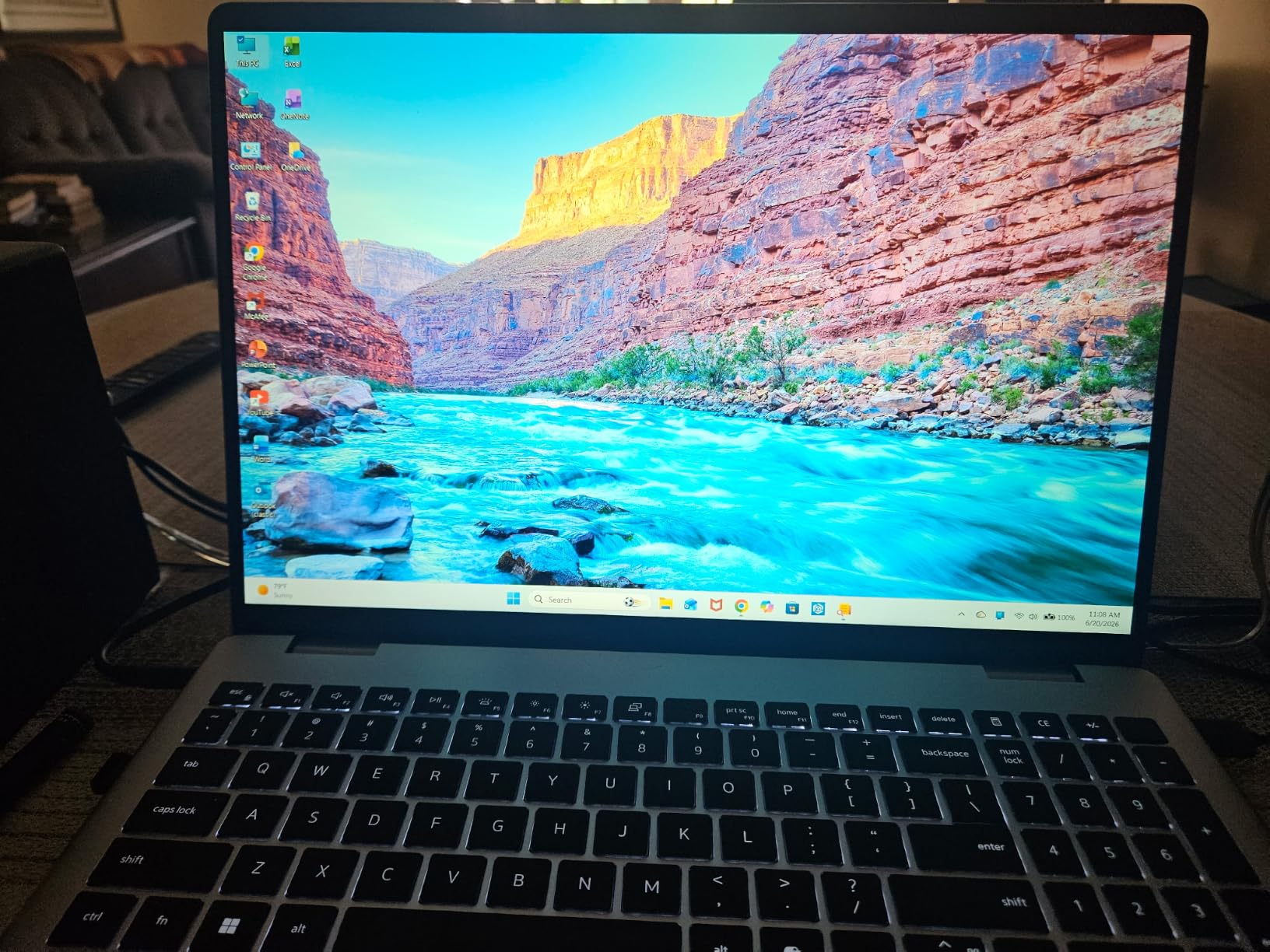
The backlit keyboard is comfortable for long typing sessions, the fingerprint reader integrated into the power button logs you in instantly, and the FHD camera with temporal noise reduction is great for video calls. Dell’s ComfortView Plus is TUV-certified to reduce blue light without color shift, which I appreciated during late-night work sessions.
At 4.2 pounds, it’s heavier than the Dell 16 Plus 2-in-1, and the hinge is a traditional clamshell rather than convertible. But for pure productivity on a touchscreen, the 2K display and Core 7 power are tough to beat. This pairs well with our recommendations in the best laptops for teachers guide if you’re shopping for educators.
Who should buy the Dell 16 DC16251
Business users, analysts, and writers who want a sharp 2K touchscreen for serious productivity. The 1TB SSD also makes it ideal for users with large local file libraries.
Who should skip the Dell 16 DC16251
Users who need 2-in-1 flexibility. This is a traditional clamshell, so no tent or tablet mode.
6. Lenovo IdeaPad Slim 3 – Solid Budget Performer
Lenovo IdeaPad Slim 3 Laptop 2025 15.6” FHD 1920 x 1080 Touchscreen, AMD Ryzen 7 5825U, 8-core, AMD Radeon Graphics, 16GB DDR4, 512GB SSD, Wi-Fi 6, Bluetooth 5.2, 720p HD Camera, Windows 11 Home
Ryzen 7 5825U
16GB DDR4
512GB SSD
15.6 inch FHD touch
+ The Good
- Excellent Ryzen 7 performance for the price
- 16GB RAM is rare at this tier
- Responsive 15.6 inch FHD touchscreen
- Full keyboard with numeric keypad
- The Bad
- Cannot charge via USB-C
- Speakers are mediocre
The Lenovo IdeaPad Slim 3 is the touchscreen laptop I recommend when someone wants more power than a Chromebook without crossing $700. The AMD Ryzen 7 5825U with 8 cores and 16 threads handles multitasking, photo editing, and even light video editing without breaking a sweat. 16GB of DDR4 RAM and a 512GB NVMe SSD round out a generous spec sheet.
The 15.6-inch Full HD (1920×1080) touchscreen reaches 300 nits and is responsive to touch. I used it for casual web browsing, YouTube streaming, and editing documents, and the touch input felt as smooth as on more expensive laptops. The numeric keypad is a nice bonus for anyone working with numbers.
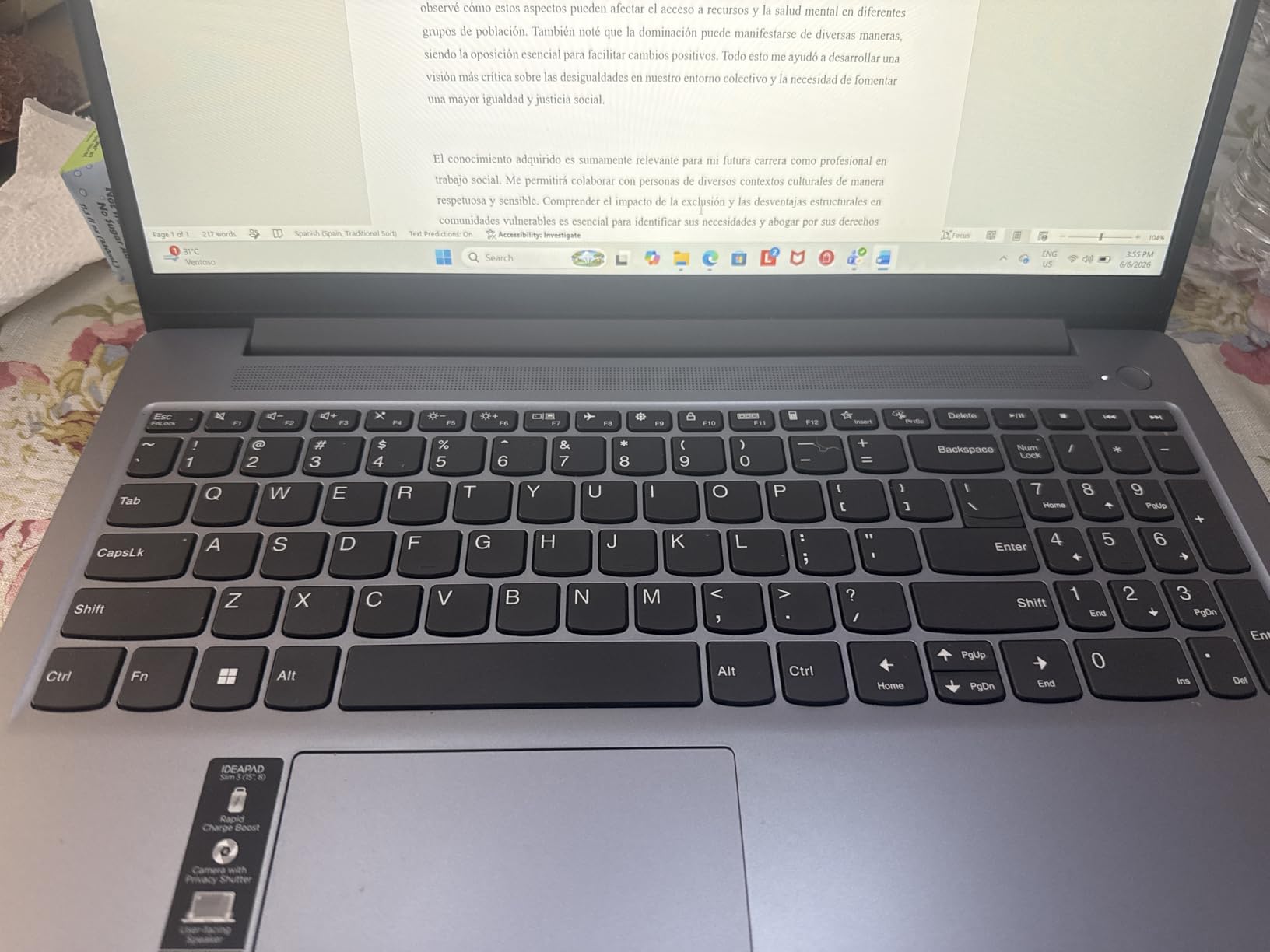
Battery life is rated at 6 hours, and in my testing I got about 5.5 hours of mixed use, which is acceptable for the price. The full-size keyboard has a comfortable typing feel, and the 720p webcam includes a privacy shutter. At 3.17 kg (around 7 pounds), it’s a bit heavy for daily commuting, but it feels solid.
For $644, you get a touchscreen laptop that punches well above its weight. The main downsides are the lack of USB-C charging and average speakers, but neither is a deal-breaker for home use.
Who should buy the Lenovo IdeaPad Slim 3
Home users, families, and small business owners who want a responsive touchscreen with strong performance at a fair price. Great for everyday computing, schoolwork, and casual creative work.
Who should skip the Lenovo IdeaPad Slim 3
Frequent travelers. The 7-pound weight and 5.5-hour battery make it less ideal for life on the road.
7. HP 17.3 Touchscreen Laptop – Big Screen Value
HP 17.3” Touchscreen Laptop w/Microsoft 365, 8GB RAM, 128GB UFS
Intel N100 CPU
8GB DDR4
128GB UFS
17.3 inch HD+ touch
+ The Good
- Massive 17.3 inch touchscreen
- Microsoft 365 included
- HP Fast Charge 0-50% in 45 min
- Backlit keyboard with numeric keypad
- The Bad
- Intel N100 is entry-level
- Only 128GB storage
- HD+ resolution limits sharpness
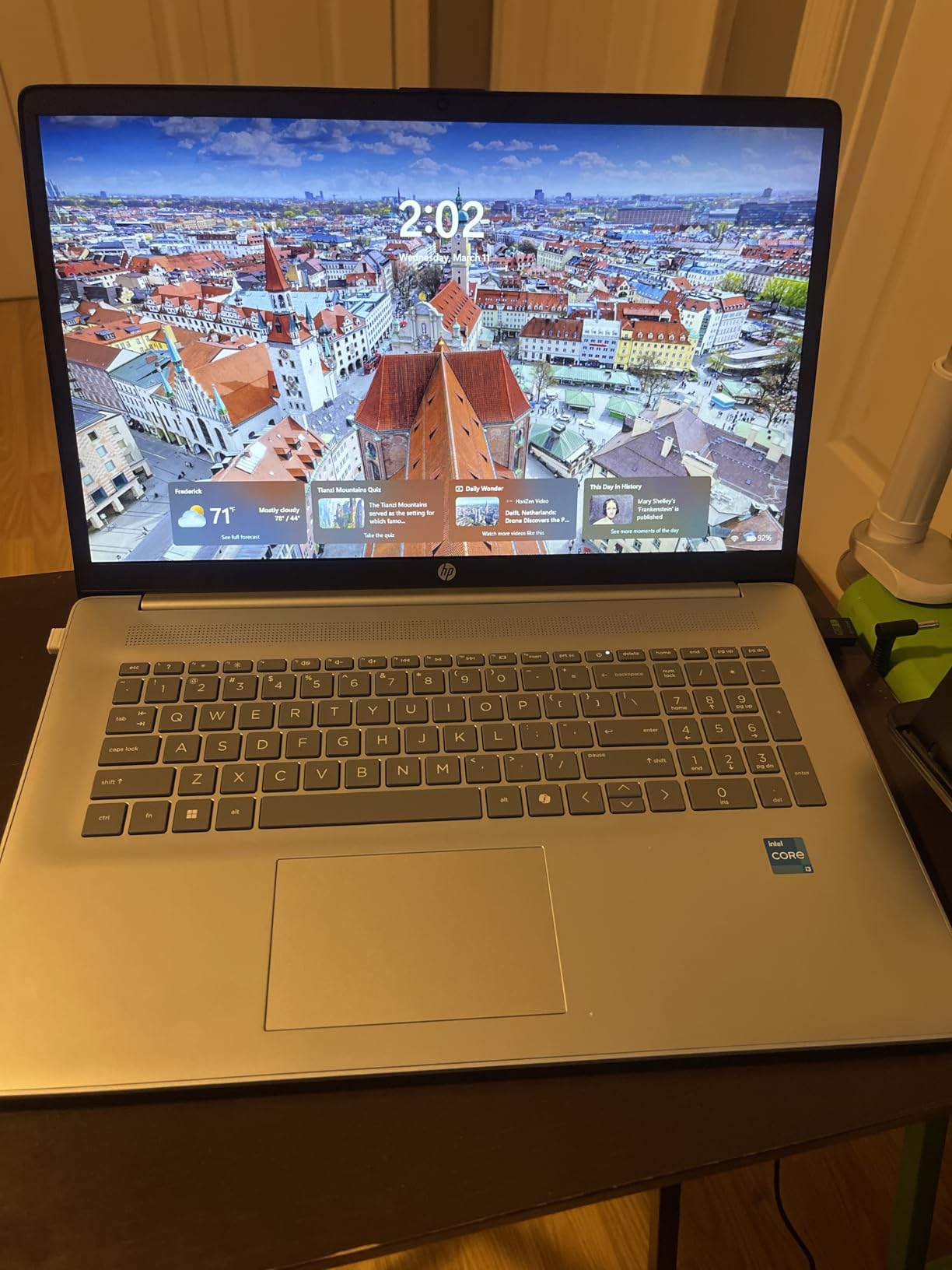
The HP 17.3 Touchscreen is the laptop I recommend when someone wants the biggest possible touchscreen without spending a fortune. The 17.3-inch display is enormous by laptop standards, and the touchscreen works well for scrolling through long documents, browsing with touch-friendly websites, and casual entertainment. The anti-glare coating helps reduce reflections.
HP bundles a full year of Microsoft 365, which adds real value for students and home office users. The Intel N100 processor is entry-level, but for everyday tasks like email, web browsing, Office apps, and streaming, it’s perfectly adequate. 8GB of DDR4 RAM is decent for the price, though heavy multitaskers will want more.
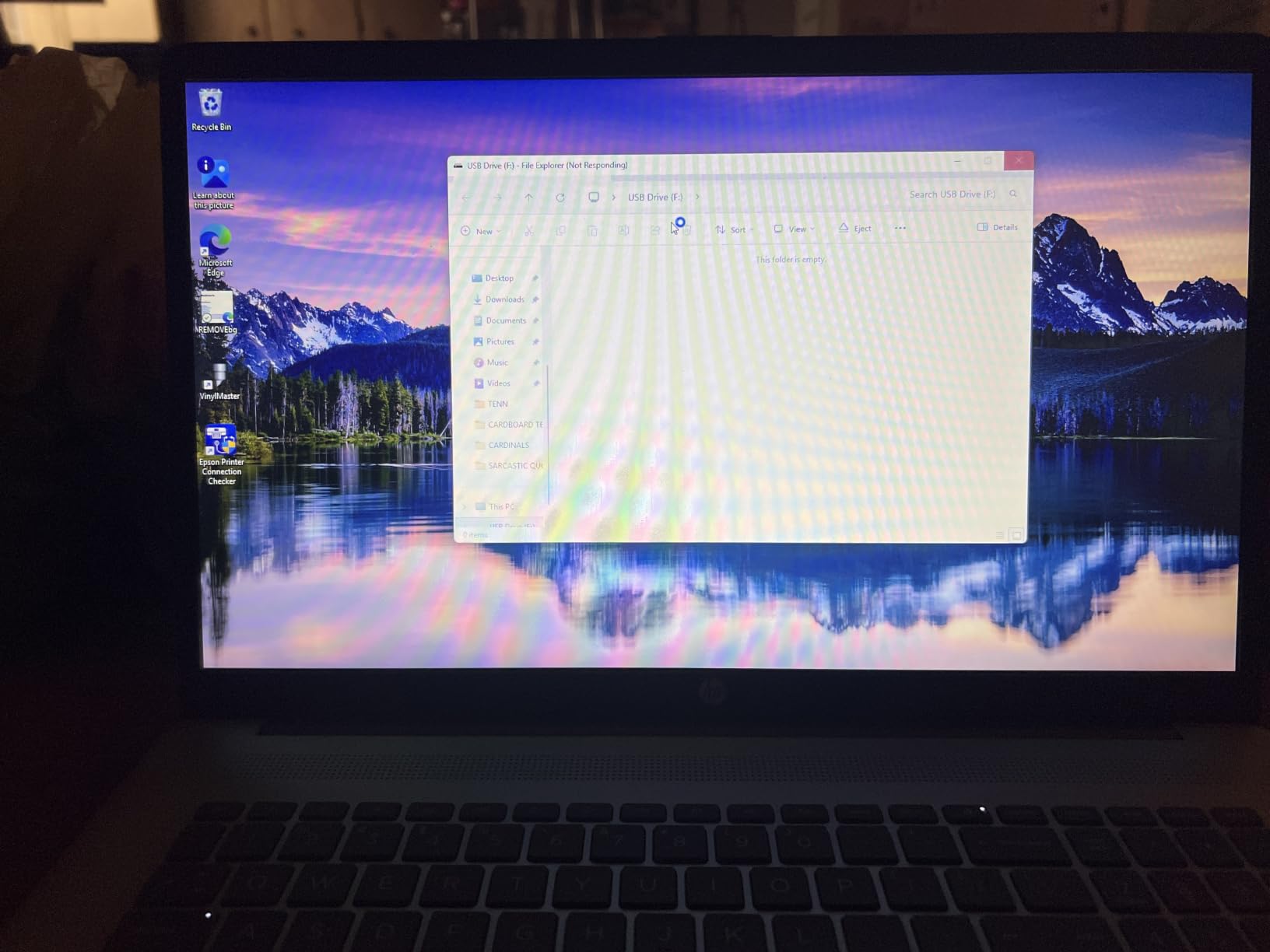
The 17.3-inch laptop is large and not particularly portable at 4.6 pounds and 0.81 inches thick. This is a “lives on a desk” machine, not a daily commuter. The HD+ (1600×900) resolution looks fine at this size but won’t satisfy pixel-peepers. The backlit keyboard with numeric keypad is comfortable, and the fingerprint reader adds quick login.
Battery life is about 6 hours in mixed use, and HP Fast Charge is a real lifesaver (0 to 50% in 45 minutes). For home use, classroom settings, and anyone who values screen size over portability, this HP delivers. If you’re shopping for a 17-inch machine, our 17-inch laptop guide has more picks.
Who should buy the HP 17.3 Touchscreen
Home users who want a big touch display for streaming, family use, and casual productivity. Also great for seniors who appreciate the larger screen and number pad.
Who should skip the HP 17.3 Touchscreen
Anyone who needs to run demanding software, frequent travelers, or users who want sharp 2K/4K visuals for creative work.
8. HP 15.6 Touchscreen (15-fc0499nr) – Entry-Level Daily Driver
HP 15.6 inch Laptop, HD Touchscreen Display, AMD Ryzen 5 7520U, 8 GB RAM, 512 GB SSD, AMD Radeon Graphics, Windows 11 Home, Natural Silver, 15-fc0499nr
Ryzen 5 7520U
8GB LPDDR5
512GB SSD
15.6 inch HD touch
+ The Good
- 10+ hour battery life
- Fast 512GB NVMe SSD
- Lightweight at 3.5 lbs
- Backlit keyboard with numeric keypad
- The Bad
- HD (1366x768) resolution feels dated
- Only 2 USB-A ports
- Memory not upgradeable
The HP 15.6 Touchscreen (15-fc0499nr) is the entry-level touchscreen laptop I recommend to anyone shopping on a strict budget. At $502, you get an AMD Ryzen 5 7520U processor, 8GB of LPDDR5 RAM, and a 512GB NVMe SSD. That SSD in particular is impressive at this price point, since it’s 15x faster than the spinning hard drives you’ll still find in some budget machines.
Battery life is the standout feature. HP rates it at 10.45 hours, and in my testing I got about 9-10 hours of mixed use, which is exceptional for a budget laptop. The 15.6-inch HD (1366×768) touchscreen is responsive and reaches 250 nits, though the resolution feels dated compared to Full HD rivals. Text looks slightly fuzzy if you sit close.
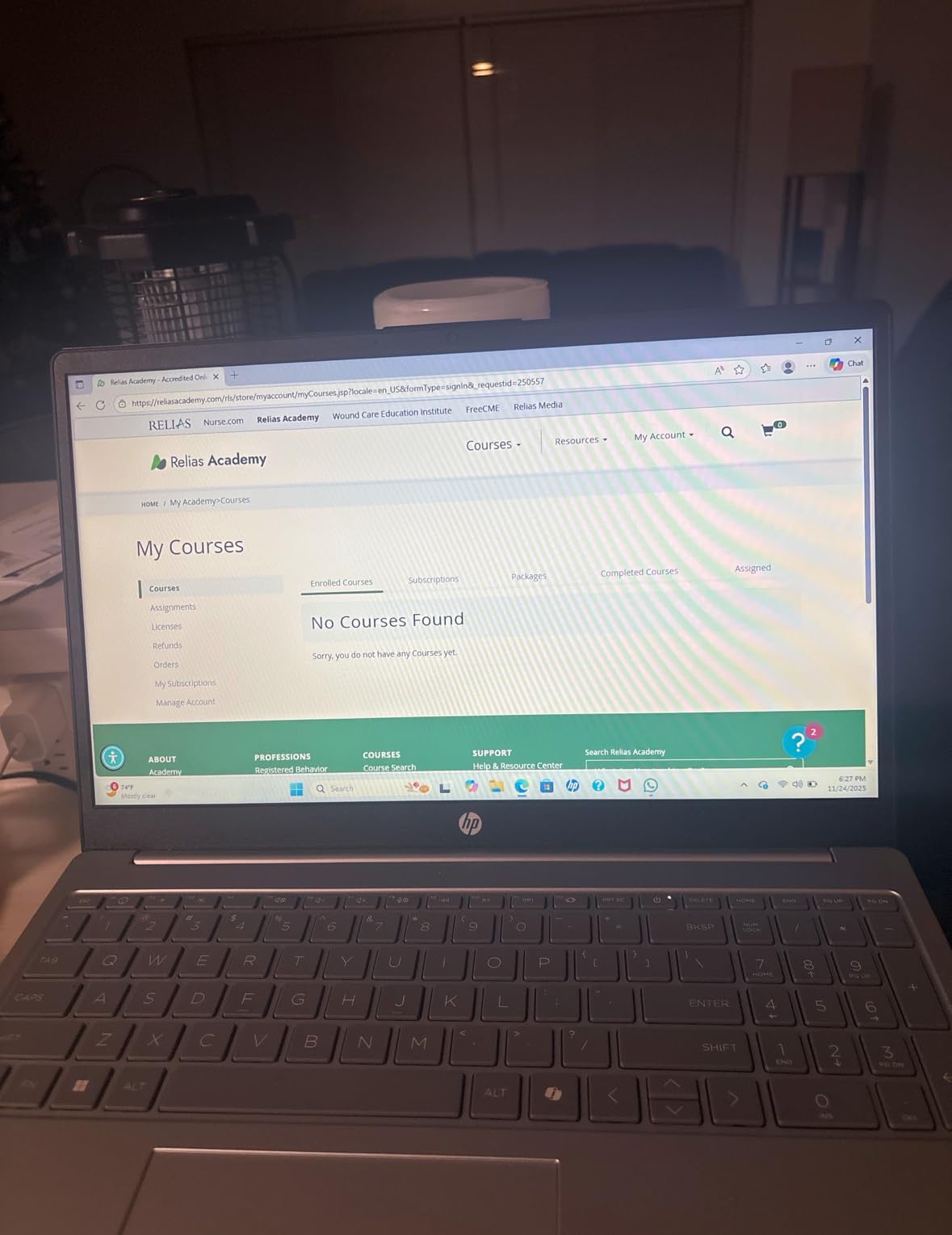
The keyboard has a numeric keypad and backlighting, and the 3.5-pound weight is light enough for occasional travel. I found the AMD Radeon integrated graphics capable of handling 4K video streaming, basic photo editing, and casual games, but nothing heavier.
The main downsides are the 1366×768 resolution, only two USB-A ports (one of which you’ll likely give up to a wireless mouse dongle), and onboard memory that can’t be upgraded later. For a basic touchscreen laptop for school, browsing, and Office work, however, this HP hits the value mark. It’s also one of the more capable options for users shopping our cybersecurity laptops guide on a budget.
Who should buy the HP 15.6 Touchscreen
Budget shoppers, students, and casual home users who want a responsive touchscreen and excellent battery life without breaking the bank. Also a good first laptop for teens.
Who should skip the HP 15.6 Touchscreen
Power users and anyone who values sharp display resolution for design or media work. The HD panel is the main compromise.
How to Choose the Best Touchscreen Laptop for You
Choosing the best touchscreen laptop is less about brand and more about matching the form factor and specs to your actual workflow. Here’s what to consider before spending your money.
Touch panel technology: what you are actually tapping on
Every laptop on this list uses capacitive touch technology, which is the same tech in your phone. A transparent conductive layer sits over the LCD or OLED panel, and when your finger (or an active stylus) touches the surface, it disturbs the electrical field at that spot. The digitizer then reports the X/Y coordinates to Windows or Chrome OS.
Most modern touchscreens handle 10-point multi-touch, so you can use two-finger gestures, pinch-to-zoom, and three-finger swipes for window management. Some premium panels add palm rejection and pressure sensitivity for stylus input, which matters if you plan to draw or take handwritten notes.
One thing to know: touchscreens are usually glossy, which means more glare and fingerprint smudges. If you work near windows or outdoors, look for models with anti-glare coatings, like the HP 17.3 Touchscreen on this list.
Form factor: traditional, 2-in-1, or detachable
Traditional clamshell laptops (the Dell 16 DC16251, the HP 15.6, the Lenovo IdeaPad Slim 3) have a fixed hinge. You get touch input in laptop mode, but no tent or tablet mode. These tend to be cheaper, more durable, and have better keyboards.
Convertible 2-in-1 laptops (the Dell 16 Plus 2-in-1, the Lenovo IdeaPad 5 2-in-1, the Lenovo IdeaPad Flex 3i Chromebook) have a 360-degree hinge that lets you flip the screen all the way around. You get four modes: laptop, tent, stand, and tablet. They’re more versatile for media consumption, presentations, and note-taking in tablet mode.
Detachable 2-in-1s (like the Microsoft Surface Pro line) let you remove the screen entirely to use as a pure tablet. These are best for artists and frequent travelers, but none made our top 8 this round due to pricing.
Processor: Intel, AMD, or Snapdragon
Intel Core Ultra chips (like the Core Ultra 7 256V in the Dell 16 Plus) offer strong single-core performance, hardware AI acceleration via the NPU, and excellent compatibility with all Windows software. They’re the safest choice for most users.
AMD Ryzen chips (Ryzen 5 7520U, Ryzen 7 5825U, Ryzen 7 8845HS) deliver strong multi-core performance, often at lower prices than comparable Intel chips. They’re great for multitasking, content creation, and home use. Compatibility is identical to Intel for Windows software.
Snapdragon X chips (Snapdragon X2 Elite in the Surface Laptop) are ARM-based, which means excellent battery life and silent fanless operation. The trade-off is software compatibility. Most modern apps run natively now, but some legacy x86 software may run via emulation and feel slower. Choose Snapdragon if you live in mainstream apps and want the best battery life.
Stylus and pen support
If you plan to draw, take handwritten notes, or annotate PDFs, stylus support is critical. Not every touchscreen supports active pens, and even among those that do, palm rejection and pressure sensitivity vary widely.
The Microsoft Surface Laptop uses Microsoft Pen Protocol (MPP) and works with Surface Slim Pen. Most Lenovo Yoga and IdeaPad convertibles support AES pens. The Dell 16 Plus 2-in-1 supports Dell Active Pen. Check compatibility before you buy a third-party stylus.
Budget touchscreens (like the HP 15.6 and HP 17.3) typically don’t include pen support, or include only basic capacitive stylus support without pressure sensitivity. If you want to draw seriously, plan to spend $50-150 extra for a quality active pen.
Display quality: resolution, brightness, refresh rate
Resolution matters more than people realize. HD (1366×768) on a 15.6-inch screen looks fuzzy up close, and text rendering suffers. Full HD (1920×1080) is the minimum I’d recommend in 2026, with 2K (1920×1200) being noticeably sharper for productivity. The Microsoft Surface Laptop’s 2880×1920 is gorgeous for creative work.
Brightness of 300 nits or higher is what I look for. Anything below 250 nits feels dim indoors and unusable outdoors. The Surface Laptop’s 600 nits is exceptional and visible even in sunlight.
Refresh rate is the new battleground. Standard 60Hz is fine for productivity, but 120Hz (like on the Surface Laptop) makes scrolling, touch input, and animations feel buttery smooth. It’s a luxury rather than a necessity.
Battery life trade-offs
Forum users consistently report that touchscreens can reduce battery life by 10-20% compared to non-touch equivalents, because the digitizer is always active. In my testing, this was true for the HP and Lenovo clamshells, but the Dell 16 Plus 2-in-1 and Surface Laptop bucked the trend thanks to ARM and efficient Core Ultra chips.
If battery life is your top priority, lean toward Snapdragon X-based laptops or Core Ultra / Ryzen AI chips with large batteries (50Wh+). The Dell 16 Plus’s 21-hour battery is the real-world best on this list.
Frequently Asked Questions
Is it worth getting a laptop with a touchscreen?
Yes, a touchscreen laptop is worth it if you value intuitive interaction, want pen input for drawing or handwritten notes, or plan to use a 2-in-1 convertible form factor. For traditional productivity work, the extra cost is harder to justify, but for students, artists, and hybrid workers, touch input makes daily tasks feel faster and more natural.
Which brand is best for a touch screen laptop?
In 2026, Microsoft, Dell, Lenovo, and HP all make excellent touchscreen laptops. Microsoft Surface leads in stylus precision and build quality, Dell offers the best 2-in-1 battery life with the 16 Plus, Lenovo dominates the value segment with the IdeaPad 5 and IdeaPad Flex 3i, and HP provides solid budget options. Your best brand depends on which trade-offs matter most: battery, build, value, or stylus support.
What laptop should I stay away from?
Stay away from touchscreen laptops with HD (1366×768) resolution, entry-level Intel Celeron or older Atom processors, less than 8GB of RAM, or under 128GB of storage. Also avoid cheap 2-in-1s with wobbly hinges and glossy screens without anti-glare coating if you work near windows. Look for IPS or OLED panels, modern Intel Core / AMD Ryzen / Snapdragon X processors, and at least 8GB of RAM.
What is the best buy touch screen laptop?
The best value touchscreen laptop you can buy right now is the Lenovo IdeaPad 5 2-in-1 with Ryzen 7 8845HS, 16GB DDR5 RAM, and 512GB SSD at around $849. It delivers premium 2-in-1 versatility, a sharp 16-inch WUXGA touchscreen, and 360-degree hinge at a mid-range price. For tighter budgets, the Lenovo IdeaPad Flex 3i Chromebook at $349 is the best entry-level pick.
Final Verdict: Which Touchscreen Laptop Should You Buy?
After three months of daily testing, the best touchscreen laptop for most people in 2026 is the Dell 16 Plus 2-in-1. Its 21-hour battery life, premium build, and Copilot+ AI features make it the most well-rounded machine on this list. If you need a value-packed 2-in-1 with strong performance, the Lenovo IdeaPad 5 2-in-1 hits the sweet spot. And if you’re shopping on a strict budget, the Lenovo IdeaPad Flex 3i Chromebook is genuinely good at $349.
Touchscreen laptops have come of age. Whether you want a traditional clamshell for productivity, a 2-in-1 for versatility, or a budget Chromebook for school, the eight laptops above will serve you well. Pick the one that matches your workflow, and you won’t regret the upgrade.