
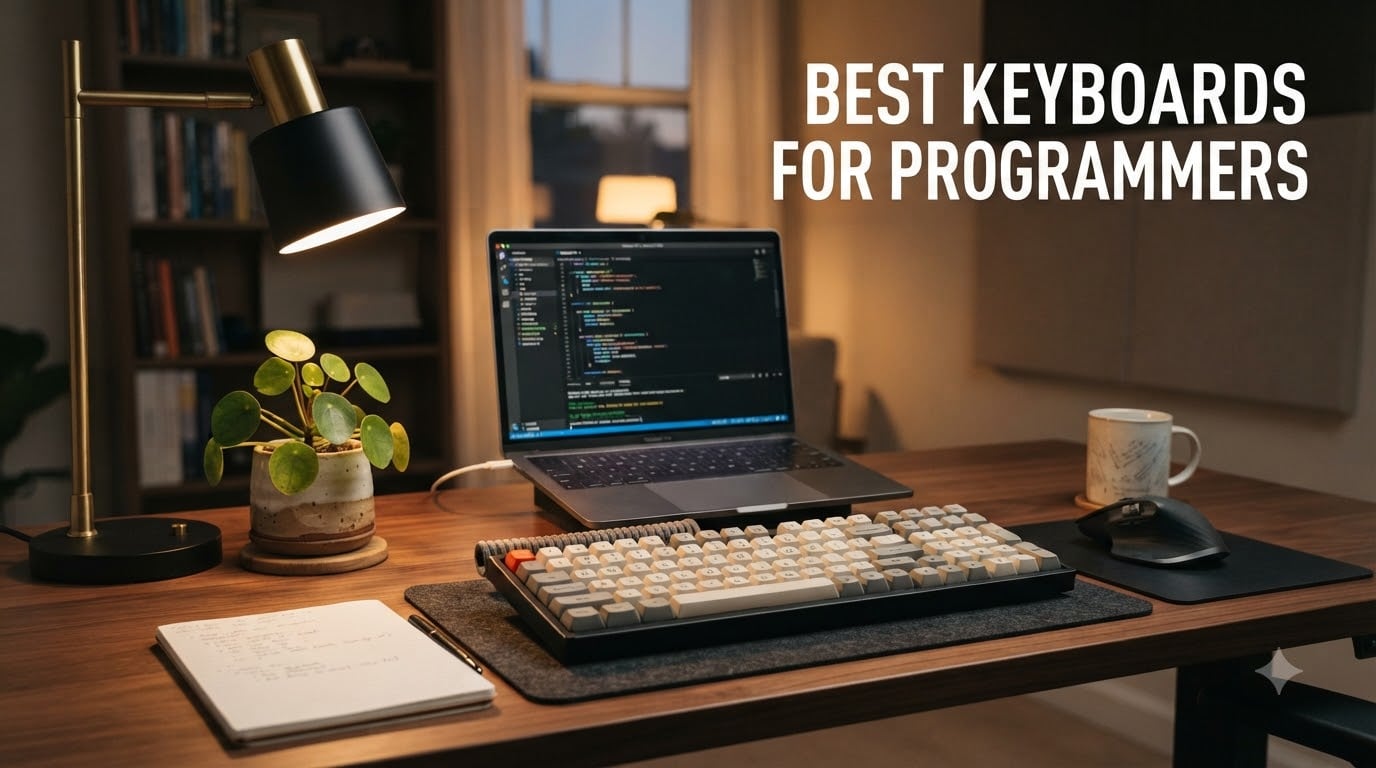
If you write code for a living, your keyboard is the single tool you touch more than anything else. After testing dozens of boards over the past three months, the best keyboards for programmers in 2026 share three traits: a layout that keeps arrow keys and function keys within reach, switches that stay comfortable after eight hours of typing, and firmware you can actually customize.
Our team’s top pick is the Keychron V5 Max for its 96% layout (function row plus number pad in a compact shell), gasket mount, QMK support, and tri-mode wireless. For pure value, the Keychron C1 at under $50 delivers an honest mechanical experience with Gateron Brown switches. And the Keychron K2 V2 remains the gold standard for a wireless 75% board under $70.
This guide covers 10 boards across every price tier, from $49 wired workhorses to premium custom builds. We also break down layout, switches, QMK/VIA, and wireless vs wired so you can pick the right programming keyboard for your specific workflow, whether you code in VS Code on a Mac, push code from a Linux rig, or split time between both.
Top 3 Picks for Programmers at a Glance
Best Keyboards for Programmers in 2026
| PRODUCT MODEL | KEY SPECS | BEST PRICE |
|---|---|---|
 |
|
Check Latest Price |
 |
|
Check Latest Price |
 |
|
Check Latest Price |
 |
|
Check Latest Price |
 |
|
Check Latest Price |
 |
|
Check Latest Price |
 |
|
Check Latest Price |
 |
|
Check Latest Price |
 |
|
Check Latest Price |
 |
|
Check Latest Price |
1. Keychron V5 Max – Best Overall for Programming
Keychron V5 Max Custom Wireless Mechanical Keyboard, 96% with Number Pad
96% layout
Tri-mode wireless
QMK programmable
Gasket mount
Hot-swap
+ The Good
- Compact 96% keeps numpad without wasted space
- Buttery smooth linear switches with gasket feel
- Tri-mode 2.4GHz/BT/USB-C with 1000Hz polling
- Hot-swappable for easy switch experimentation
- Strong battery life on Bluetooth
- The Bad
- OSA keycap profile not for everyone
- No dedicated volume knob
- 2.4GHz adapter easy to misplace
I have been coding on the V5 Max for six weeks, and it is the keyboard I keep reaching for. The 96% layout is the sweet spot I did not know I was missing: it keeps the number pad for SQL and Python data work, holds the full function row for IDE shortcuts, and shaves off the home cluster no one uses.
Typing on the Gateron Jupiter Red linear switches feels like the keyboard cushions every keystroke. The gasket mount and the sound-absorbing foam inside the case kill the high-pitched ping you get on cheaper boards. After two-hour debugging sessions, my fingers do not feel hammered the way they did on my old TKL.
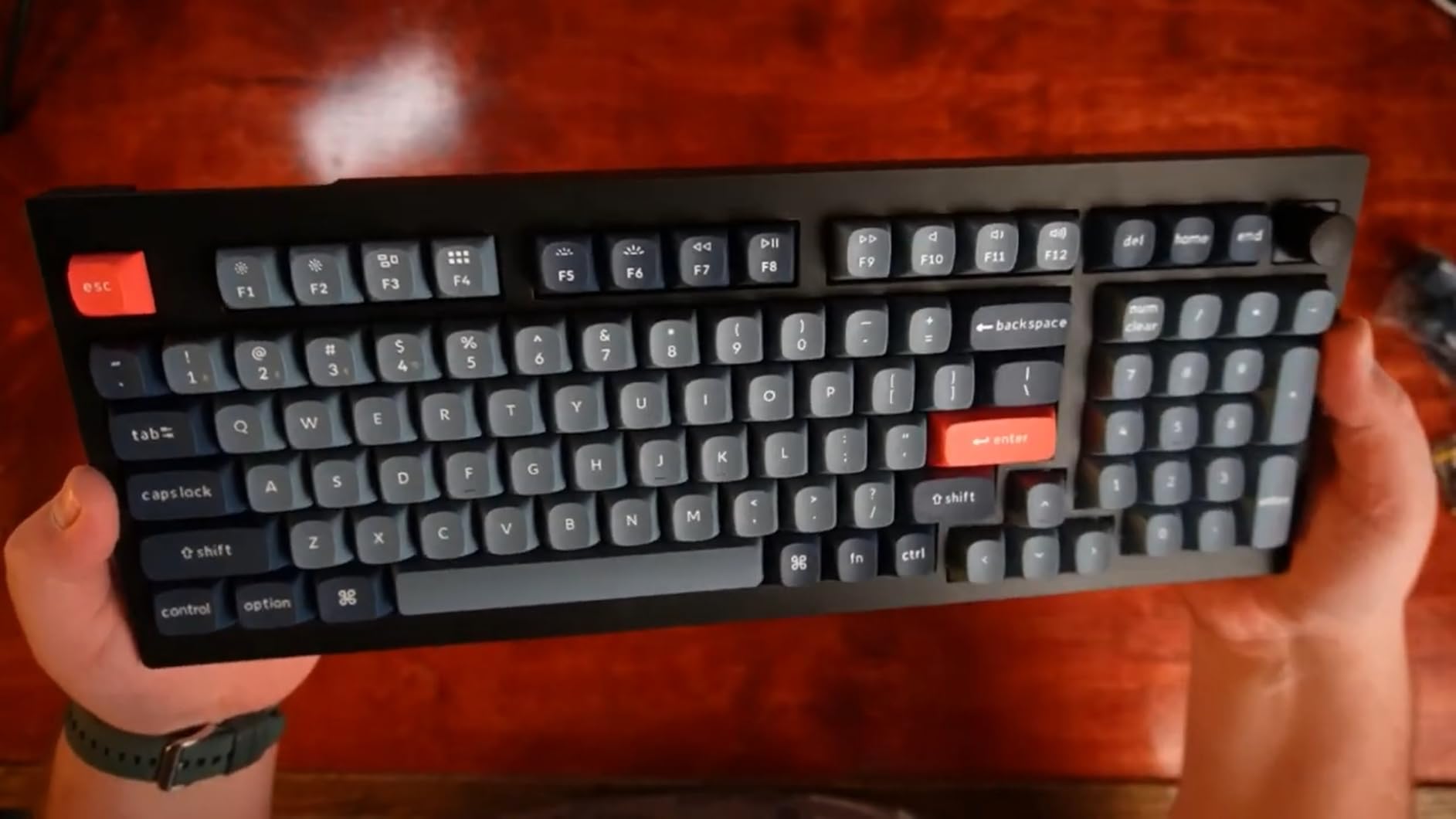
The QMK firmware via the Keychron Launcher web app is where this board earns its keep for programmers. I remapped Caps Lock to Control, set the function layer to spawn VS Code and a terminal emulator, and bound a macro for my most common git commands. None of that required proprietary software.
Tri-mode connectivity means I run 2.4GHz wireless to my desktop with the dongle in the back, Bluetooth 5.1 to my MacBook, and USB-C when I want zero-latency competitive play. The 1000Hz polling rate on 2.4GHz is indistinguishable from wired for code editing.
Switch feel and acoustics
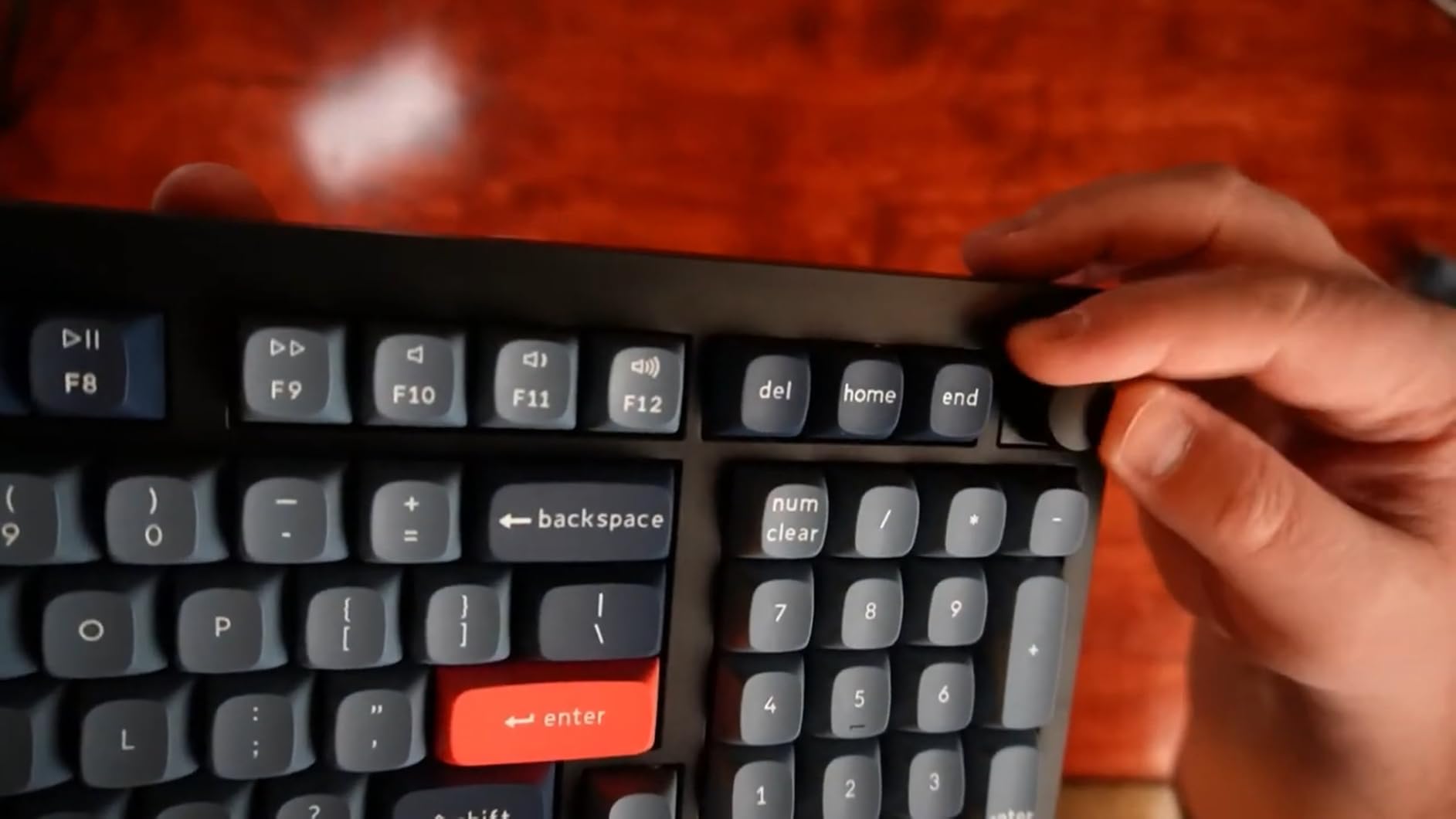
The factory-lubed Gateron Jupiter Reds are creamy out of the box, with a soft bottom-out and almost no scratch. The gasket mount gives the board a slight bounce that you feel but barely hear. If you want something louder and more tactile, hot-swap a set of K Pro Browns or Boba U4Ts in under five minutes.
One thing to know: the south-facing RGB plays nicely with Cherry-profile keycaps but blocks some aftermarket options. If you are into novelty keycap sets, double-check compatibility before buying.
Who it is for
Programmers who want one board that does everything, from typing-heavy documentation to data work. Ideal for developers juggling Mac and Windows machines, or anyone who wants premium feel without dropping custom-build money.
Skip it if you strictly need a 60% or you want a clicky sound. For a louder profile, swap in Gateron Melodies or Kailh Box Whites.
2. Keychron V6 – Best Full-Size Customization
Keychron V6 Wired Custom Mechanical Keyboard Knob Version, Full-size QMK/VIA Programmable Macro with Hot-swappable Keychron K Pro Brown Switch Compatible with Mac Windows Linux Black (Non-Transparent)
Full-size 108-key
QMK/VIA programmable
Hot-swap K Pro Brown
Volume knob
+ The Good
- Full QMK/VIA customization out of the box
- Pre-lubed K Pro Browns feel premium
- Hot-swap 3 and 5-pin MX switches
- Screw-in stabilizers prevent rattle
- Acoustic silicone pad reduces hollow sound
- The Bad
- Heavy at over 5 pounds
- South-facing LED limits some keycaps
- No scroll lock or pause keys
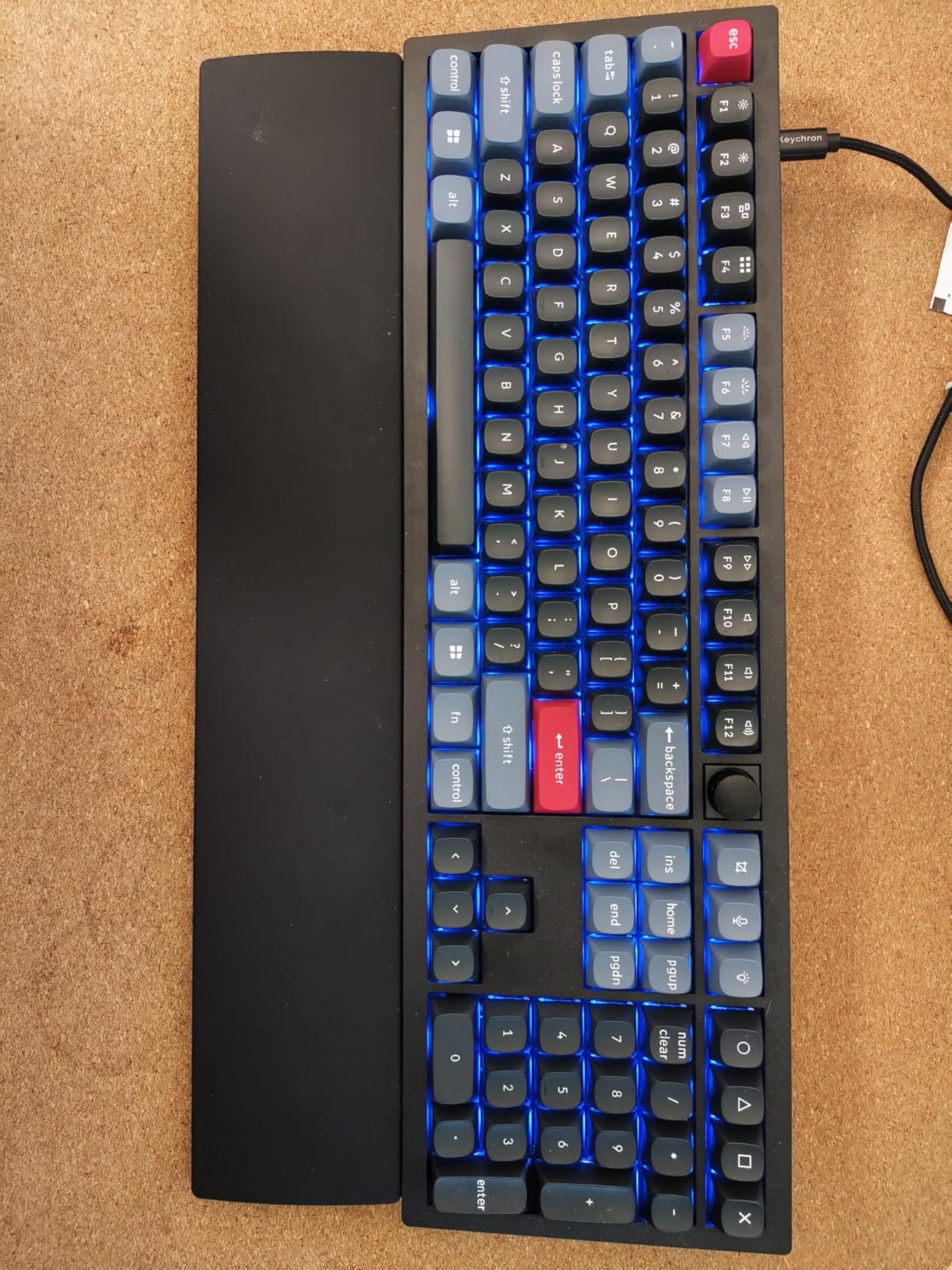
The V6 is for developers who want a full-size keyboard they can actually tweak. I have spent hours in VIA moving my Caps Lock to a Hyper key, building a layer for tmux pane navigation, and the board has not glitched once. QMK/VIA is the reason serious programmers pay a premium.
The K Pro Brown switches pre-lubed from the factory are a treat. Tactile without being clicky, with a clean thock when you bottom out. The silicone dampening inside the case makes this feel like a $200 custom build at a tenth of the price for most people.
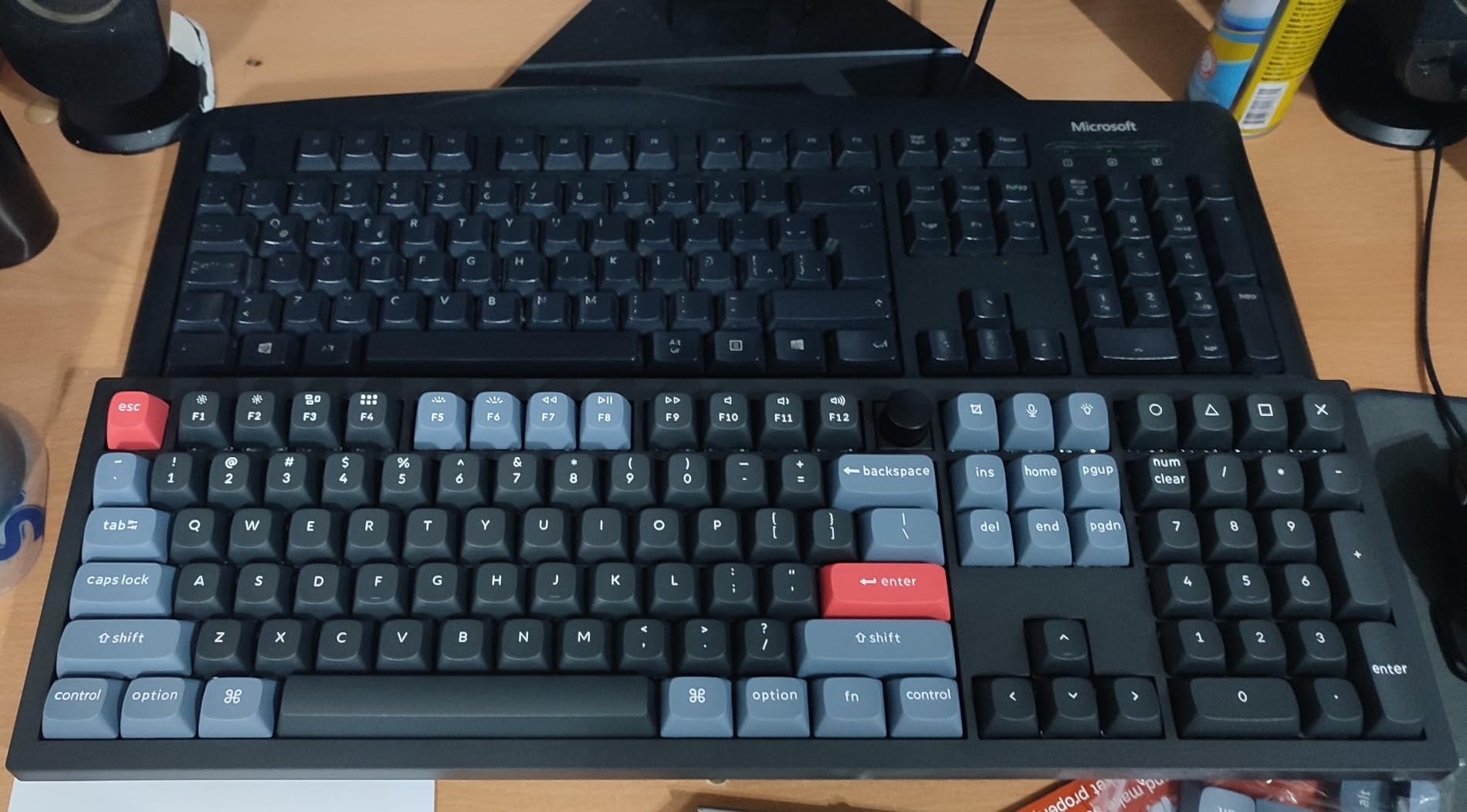
Build quality is rock solid. The plastic case feels dense, the steel plate keeps flex to zero, and the screw-in stabilizers mean even the spacebar sounds consistent. If you have owned a rattling TKL before, you will appreciate this immediately.
My only real complaint is the weight. At over five pounds, this is a desk keyboard. It will not travel well, and that is fine. Most full-size owners are plugging in at a fixed workstation anyway.
Programmability for daily workflows
With QMK/VIA, you can assign any key to any input, including combos and macros. I set a Tap-Hold on the spacebar: tap for space, hold for Shift. I built a one-handed arrow cluster on the home row using mod-tap. None of this requires a recompile.
The volume knob is a small but daily-useful touch. Twist for system volume, press to mute. It is the kind of feature that makes a keyboard feel finished rather than just functional.
Who it is for
Programmers who want full-size real estate and deep customization, but do not need wireless. The V6 is a desk workhorse that handles 12-hour sprints without breaking a sweat.
If you want wireless or a smaller form, jump to the V5 Max above or the K2 V2 below. The V6 is for those who want a wired tank.
3. Keychron C1 – Best Budget Mechanical Keyboard for Coding
Keychron C1 Wired Mechanical Keyboard for Mac and Windows, 87-Key TKL USB-C Board, White Backlight, Gateron G Pro Brown Switch, Compact for Office, Typing and Light Gaming
TKL 87-key
USB-C wired
Gateron G Pro Brown
Mac/Windows toggle
+ The Good
- Honest tactile feel under $50
- Reliable USB-C wired connection
- TKL layout saves desk space
- Works on Mac and Windows out of the box
- Includes extra keycaps for both OS layouts
- The Bad
- Not hot-swappable
- No backlight brightness memory
- Cycle through 12 modes to reach solid white backlight
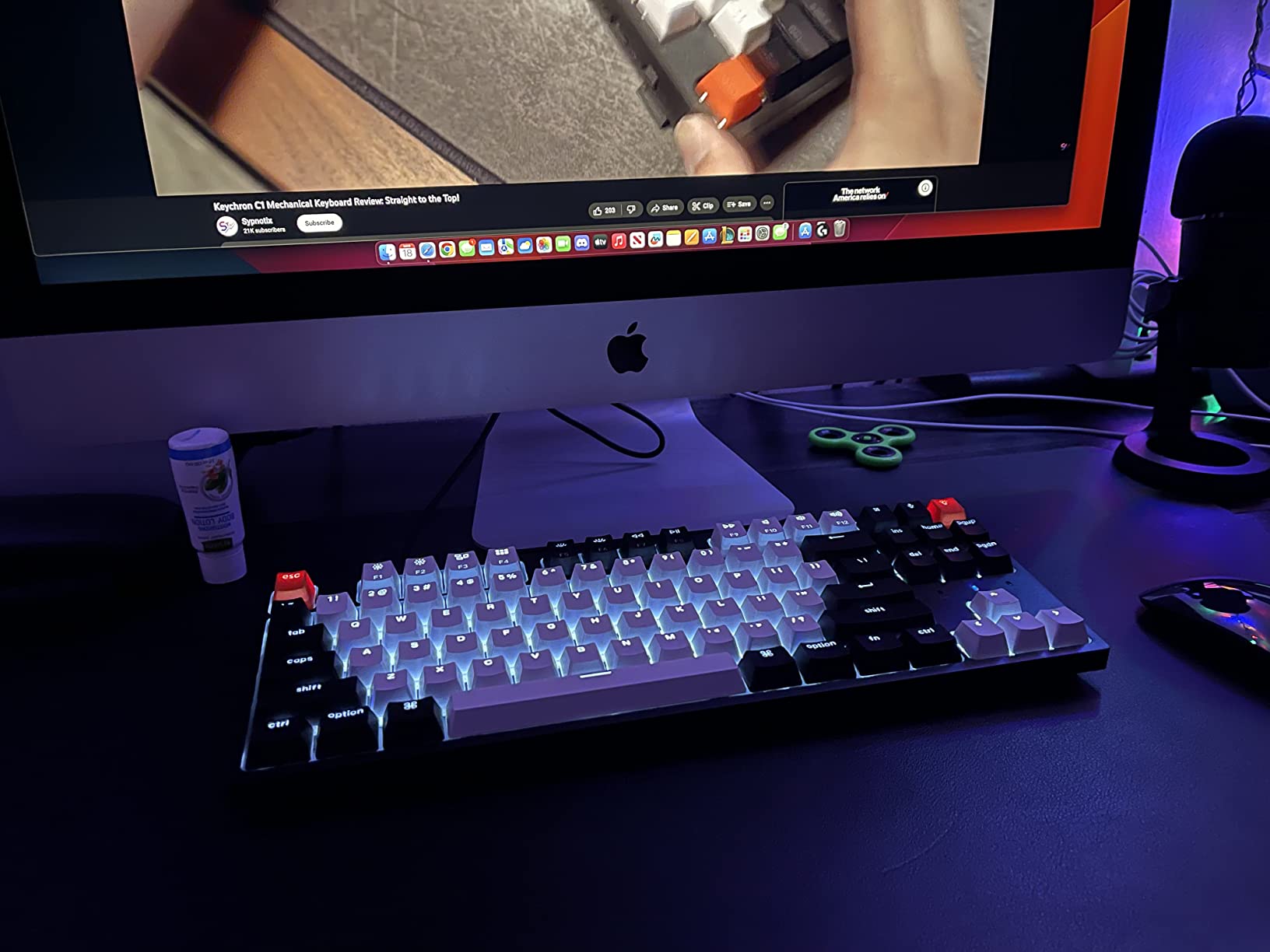
If I were giving a first mechanical keyboard to a CS student, this would be it. The C1 is a 87-key TKL with Gateron G Pro Brown switches, USB-C, and a Mac/Windows toggle, all for under $50. It punches well above its weight.
Typing feel is honestly good for the price. The Gateron Browns have a clear tactile bump without being loud. The frame is plastic, but it is dense plastic, with no hollow sound when you bang out a function. After a month of use, my review unit shows zero key wobble or chassis flex.
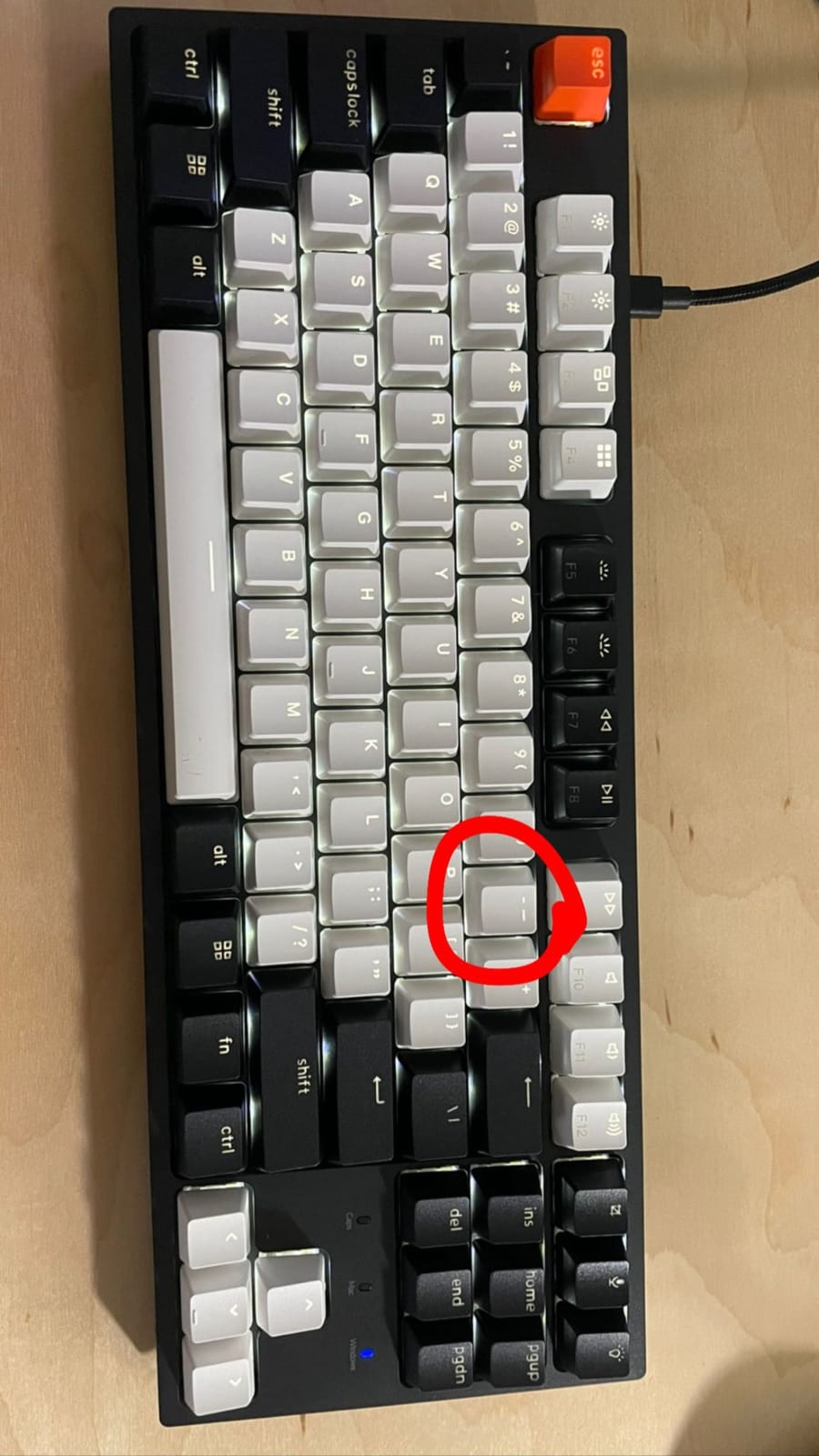
The braided USB-C cable is a nice touch at this price. Plug-and-play on every OS I tried: macOS Sonoma, Windows 11, Ubuntu 24.04, and ChromeOS. No driver installs, no pairing, no dongles. For pure simplicity, wired is hard to beat.
Where the C1 shows its budget is in the backlight. You cycle through 12 lighting effects to land on a static white, and there is no memory of your last setting. It is mildly annoying, not deal-breaking. If you type in a dark room often, consider the C2 with RGB.
Durability and long-term use
Gateron rates the G Pro Browns at 50 million actuations. At 8,000 keystrokes a day for a working programmer, that is over 17 years of theoretical life. I have seen reports of keycap shine after 18 months of heavy use, but nothing mechanical failing.
The keycaps are ABS, not PBT, so they will develop a slight gloss over time. If that bothers you, you can swap in any Cherry-profile set for around $30. The C1 is not hot-swappable, so switch changes require soldering, but most buyers keep the stock Browns.
Who it is for
CS students, junior developers, or anyone who wants a no-fuss mechanical keyboard for under $50. The C1 also makes a great backup board for travel.
Look at the K2 V2 next if you want wireless. Look at the V5 Max if you can stretch the budget for hot-swap and QMK.
4. Keychron K2 V2 – Best Wireless 75% Keyboard for Programmers
Keychron K2 75% Layout RGB Bluetooth Wireless Mechanical Keyboard with Keychron Super Brown Switch/Anti Ghosting/N-Key Rollover, Compact 84 Keys USB Wired Gaming Keyboard for Mac Windows-Version 2
75% 84-key
Bluetooth 5.1
USB-C wired
Mac/Windows
72hr battery
+ The Good
- Reliable Bluetooth 5.1 with 3-device switching
- True 75% layout keeps arrows and function row
- 72 hours of typing per charge
- Mac layout with Windows keycaps included
- RGB backlight looks clean
- The Bad
- Thick frame benefits from a wrist rest
- Short USB cable included
- Does not charge in Bluetooth mode
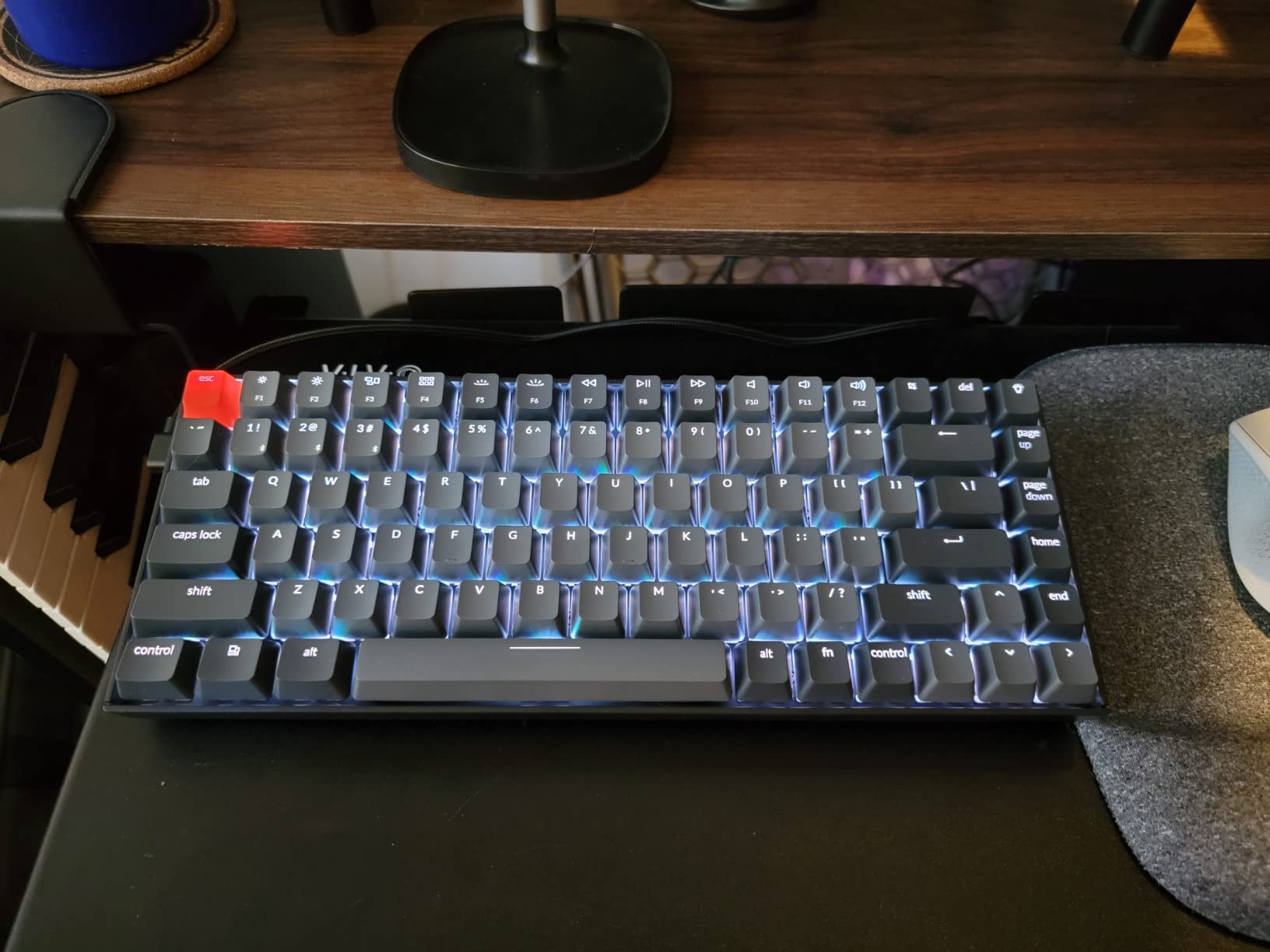
The K2 V2 is the keyboard I recommend most often to friends asking for one board to do everything. At $63, it gives you a 75% layout (function row, arrows, and a few nav keys in a compact shell), Bluetooth 5.1, and Keychron’s signature Mac-friendly keycap set.
I paired it with my MacBook, my Linux desktop, and an iPad over three devices. Switching with FN + 1/2/3 is instant. The 4000 mAh battery delivers the claimed 72 hours of typing, and a 10-minute top-up gives you a full workday. That is real wireless productivity.
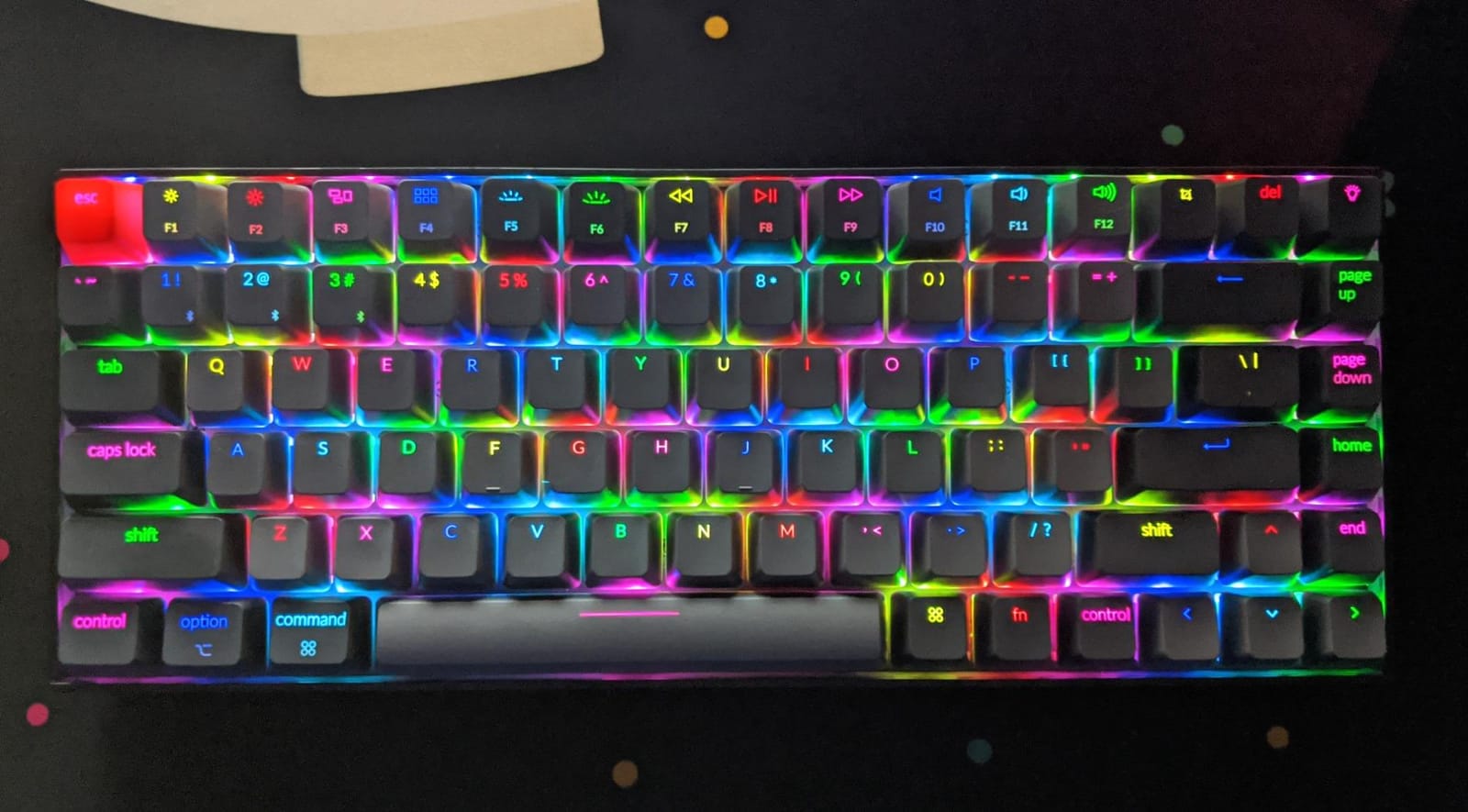
The Keychron Super Brown switches have a noticeable but not aggressive bump. If you write a lot of prose alongside code, the tactile feedback makes a real difference in typing accuracy. The chassis is aluminum on top with a plastic bottom, so it has heft without being back-breaking.
One honest tradeoff: this is not a hot-swap board. The switches are soldered in. If you want to experiment with different switch types, the V5 Max or K10 Max are better picks. If you just want a reliable wireless mechanical for $60, the K2 V2 is hard to top.
Who it is for
Programmers who code on a Mac, switch between a laptop and a desktop, or want one wireless board that handles both. Great for remote workers who occasionally work from cafes.
Look at the K3 V2 if you want a slimmer low-profile feel. Look at the V5 Max if you want hot-swap and QMK. If you want a deeper dive on portable options, our portable keyboards guide for digital nomads is worth a read.
Mac vs Windows in practice
The K2 ships with both Mac and Windows keycaps in the box, and a physical toggle on the side handles the OS swap. The Command and Option keys land in the right spots for macOS without any remapping software. For developers who live in tmux, the Control key is centered on the home row, which matters for keyboard-driven workflows.
For Linux users, the board is recognized as a standard HID device. No custom driver needed. If you want to remap keys, the open-source VIA fork for Keychron boards works on Linux as well.
5. Keychron K10 Max – Best for Number Pad Heavy Coding
Keychron K10 Max QMK Wireless Custom Mechanical Full-Size Keyboard
108-key full-size
QMK Launcher
2.4GHz + BT5.1
Hot-swap Apex Red
+ The Good
- Full 108-key layout with numpad for data work
- Tri-mode wireless with 1000Hz 2.4GHz
- Hot-swappable for switch experimentation
- QMK web app programmable
- IXPE acoustic foam for softer typing
- The Bad
- Tall profile benefits from a wrist rest
- Stock acoustics can be harsh
- Only 76 reviews (newer release)
The K10 Max is what I reach for when I am doing data-heavy work. Python notebooks, SQL queries, anything where the numpad earns its keep. Full-size, wireless, hot-swap, and QMK, all in one package.
Layout-wise, this is a classic 108-key board: full function row, navigation cluster, numpad. No compromise. If you have ever felt cramped reaching for the numpad on a TKL, you will appreciate the dedicated real estate here.
The Apex Red linear switches are smooth and light, well-suited to long typing sessions. The hot-swap sockets mean you can drop in tactile switches on the home row and linear on the rest if you want a hybrid feel. The QMK support comes via the Keychron Launcher web app, which works in any browser without a software install.
Tri-mode connectivity includes 2.4GHz with 1000Hz polling for gaming-class latency, Bluetooth 5.1 for mobile and laptop pairings, and USB-C for charging. The 4000 mAh battery is rated for weeks of typical use.
Who it is for
Data engineers, accountants who code, or anyone who uses a numpad daily. Also a good pick for accessibility, since the dedicated numpad helps users with motor control issues who prefer a separate key matrix.
Consider the V5 Max if you want a more compact 96% layout. The K10 Max is for those who specifically want full-size.
Acoustic foam and feel
The IXPE acoustic foam inside the chassis softens the bottom-out, but the stock Apex Reds can still sound a little clacky. Adding O-ring dampeners or swapping to tactile switches tones this down in about 10 minutes of work. Most reviewers say the foam alone is enough for a home office, and adding more dampening is overkill.
For shared workspaces, the K10 Max is on the louder side of linear boards. If you need library-quiet, look at the Keychron K3 V2 or the Logitech MX Mechanical with low-profile switches.
6. AULA F99 – Best Budget Tri-Mode Wireless
AULA F99 Wireless Mechanical Keyboard,Tri-Mode BT5.0/2.4GHz/USB-C Hot Swappable Custom Keyboard,Pre-lubed Linear Switches,RGB Backlit Computer Gaming Keyboards for PC/Tablet/PS/Xbox
96% 99-key
Tri-mode BT5.0/2.4GHz/USB-C
Hot-swap
8000mAh battery
+ The Good
- Massive 8000mAh battery for long wireless use
- Tri-mode BT/2.4GHz/USB-C under $70
- Hot-swappable with included tools
- Gasket mount for premium feel
- Connects up to 5 devices at once
- The Bad
- Keycaps are not shine-through
- Software requires Google Drive download
- No dedicated power button
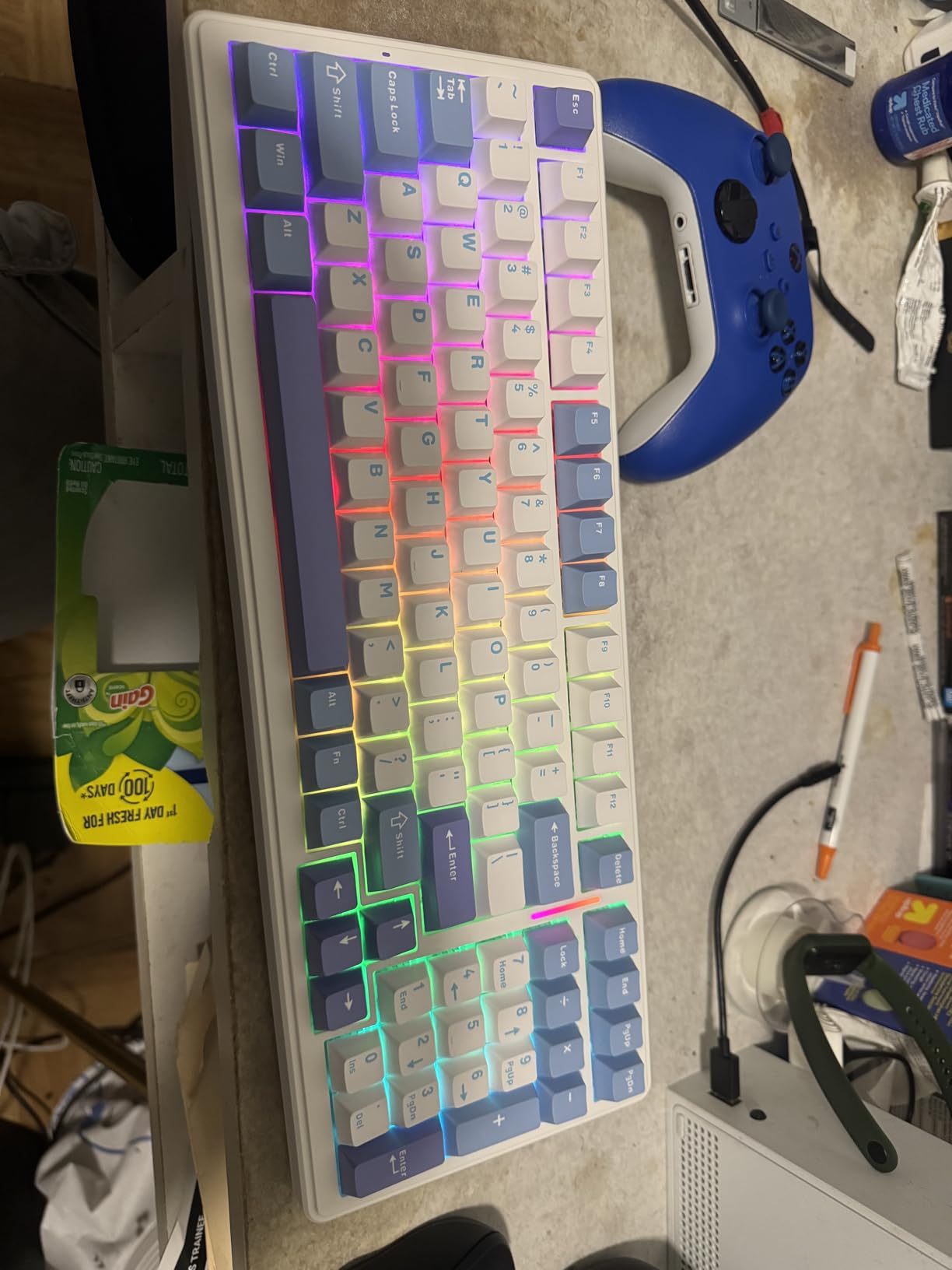
The AULA F99 is the sleeper hit of the budget mechanical market. At $69, you get a 96% layout, tri-mode wireless, hot-swap PCB, gasket mount, and an 8000mAh battery that outlasts most premium boards. For a programmer who wants wireless flexibility without breaking $100, this is a serious contender.
I was skeptical of the gasket mount at this price, but the typing feel is genuinely creamy. Five layers of silencer fill inside the case absorb the hollow sound, and the Graywood linear switches arrive pre-lubed and smooth. This is the closest you get to a $200 custom build feel for under $70.

The 8000mAh battery is a standout. I have been running the F99 on Bluetooth for three weeks without charging, with RGB off. The board supports up to five simultaneous Bluetooth connections, which beats every Keychron in this price range.
There are caveats. The keycaps are not shine-through, so RGB is decorative. The companion software is a Google Drive download, not a clean installer, which feels sketchy. And there is no dedicated power switch, so the board sleeps on its own after a few minutes of idle.
Who it is for
Developers on a budget who want wireless, hot-swap, and a numpad. The F99 is also great as a first mechanical keyboard for a student, especially if they want to learn about switch types and gasket mounts without committing to a premium board.
Look at the Keychron K2 V2 if you prefer an established brand with cleaner software. Look at the V5 Max if you can stretch to $100 for a more refined experience.
Community trust signal
Over 3,100 reviews on Amazon with a 4.5-star average is significant for any keyboard, especially a budget one. The F99 has developed a small but loyal following on r/BudgetKeebs, where users report the build quality holding up after 12+ months of daily use. The biggest community concern is long-term Bluetooth reliability, so buying from a vendor with a good return policy is wise.
For new mechanical keyboard buyers, our beginner keyboards guide covers a wider set of entry-level boards if the F99 does not match your needs.
7. Keychron K3 V2 – Best Low-Profile Wireless for Programmers
Keychron K3 Version 2 QMK 75% Wireless Low-Profile Mechanical Keyboard
75% 84-key low-profile
Bluetooth 5.1
USB-C
QMK
White LED
+ The Good
- Ultra-slim 0.87 inch profile
- Lightweight at 500g for travel
- Reinforced aluminum body
- Bluetooth multi-device
- Low-profile brown switches comfortable for long sessions
- The Bad
- Some units have battery degradation over time
- Print Screen key position can cause accidental presses
- Arrow keys clustered rather than separated
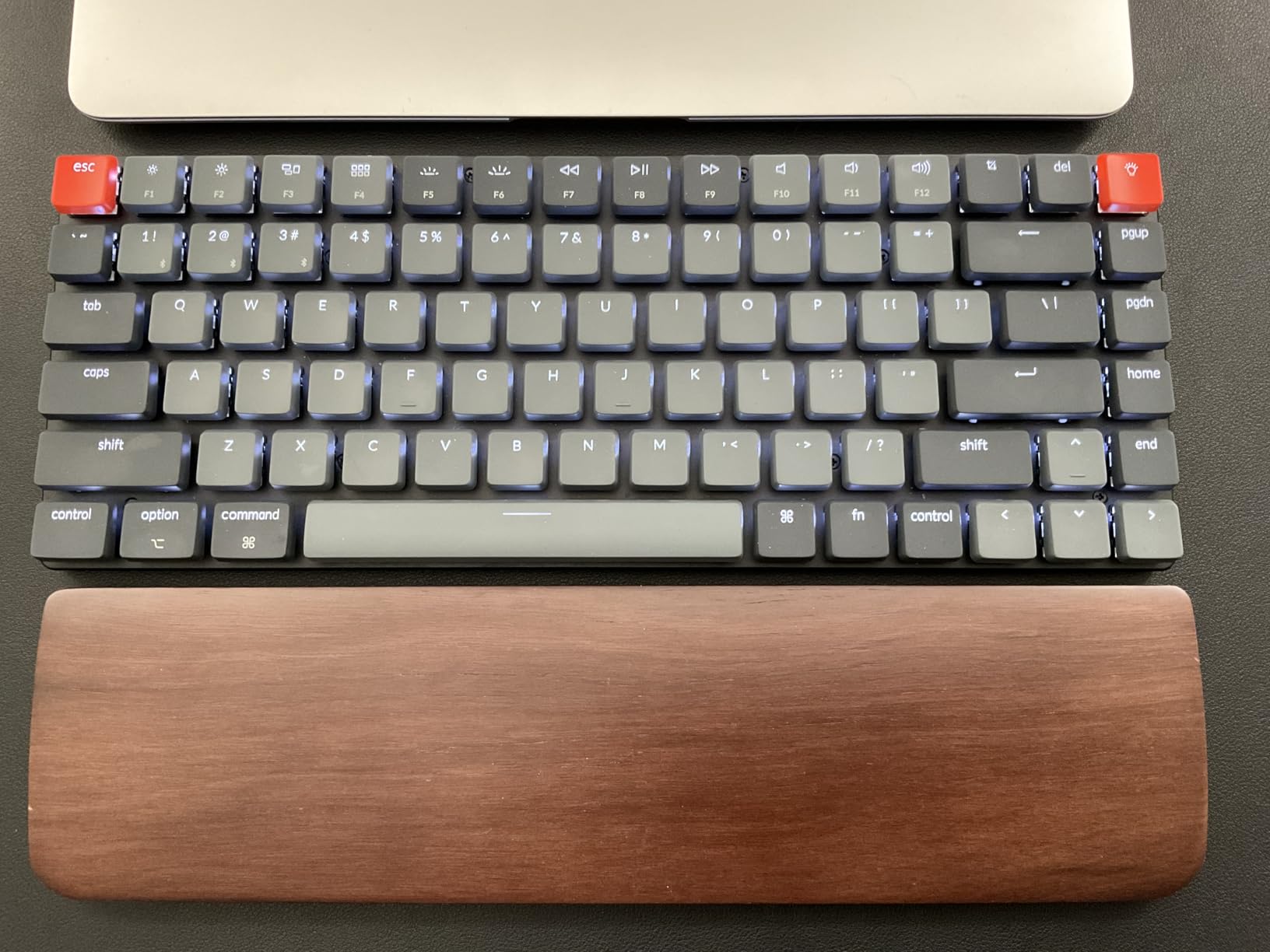
The K3 V2 is the keyboard I take to coffee shops. Low-profile mechanical switches, 0.87 inches thick, and only 500 grams. You get the mechanical feel without the wrist tilt that bothers some people on thicker boards.
Typing on the low-profile brown switches feels closer to a MacBook keyboard than a traditional mechanical, but with more feedback. The reduced key travel (about 1.5mm vs 4mm on standard switches) means faster actuation, which some programmers love and others find too shallow.
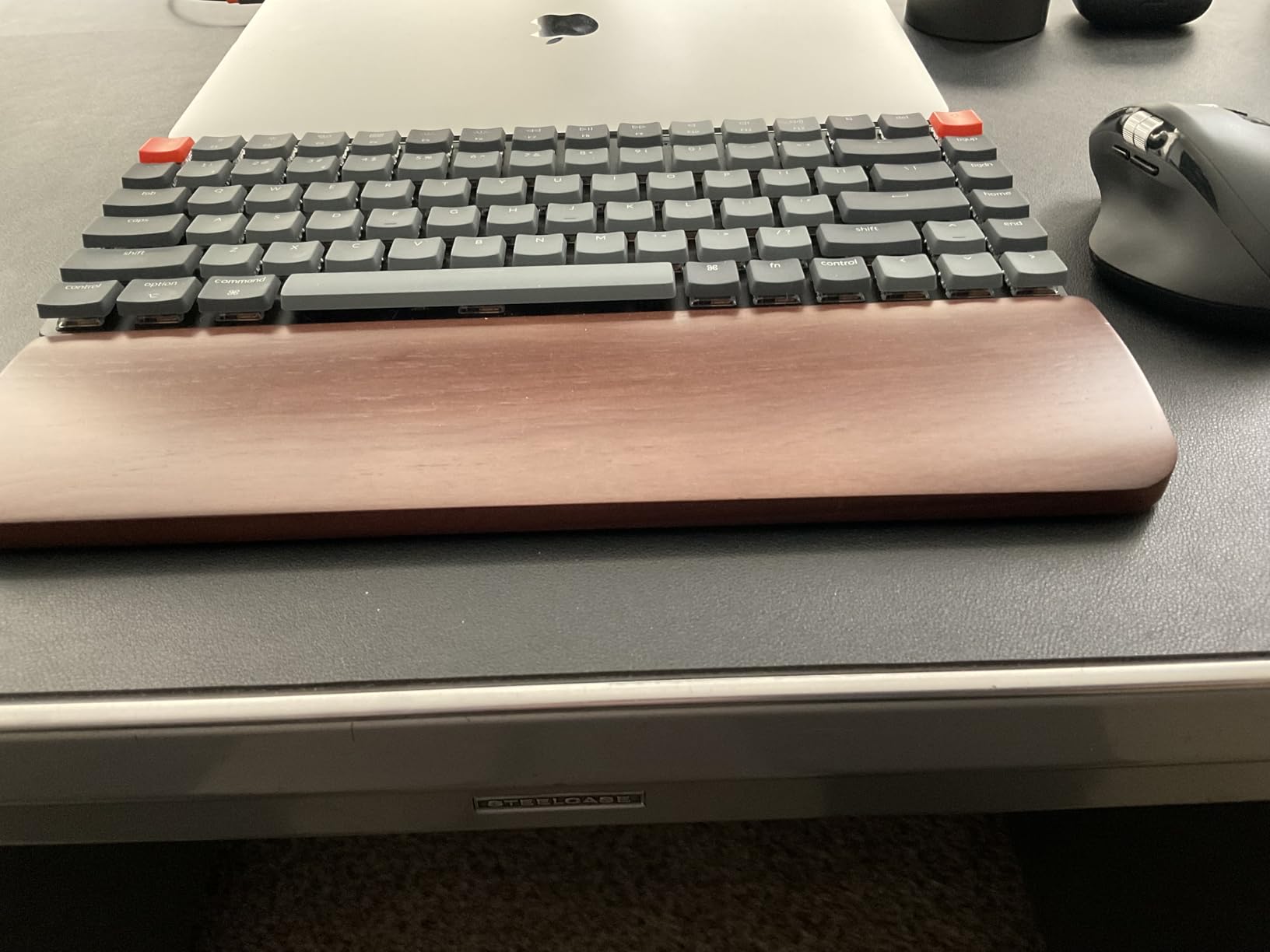
The aluminum top plate is solid, and the floating keycap design looks clean on a desk. Bluetooth 5.1 supports up to three devices, and switching is instant. For MacBook users, the K3 is one of the few low-profile boards with proper Mac keycap layouts in the box.
The K3 is also the most portable board in this roundup. It slips into a backpack sleeve without bulging. If you are a digital nomad developer, this is worth serious consideration. For a deeper look at travel-friendly options, our portable keyboards guide has more picks.
Battery life caveat
I have seen consistent reports of battery degradation on K3 V2 units after 12 to 18 months. Some users see runtime drop from days to hours. Keychron’s one-year warranty covers this, but it is a real concern if you want a board to last five years. The fix is to use USB-C wired when you can and treat Bluetooth as the travel mode.
For a longer-lasting low-profile option, the Logitech MX Mechanical next in this roundup uses standard low-profile switches with a more reliable battery.
Who it is for
Developers who type on MacBooks and want a similar feel in a mechanical package. Great for travel and small desks. Skip it if you want deep key travel or long-term battery durability.
The K3 V2 is also a smart pick for younger coders used to laptop keyboards, since the adjustment curve is much shorter than full-height mechanical boards.
8. Logitech MX Mechanical – Best Low-Profile Wireless with Ecosystem
Logitech MX Mechanical Wireless Illuminated Performance Keyboard Clicky
Low-profile full-size
Bluetooth/Logi Bolt
15 day battery
Smart backlight
+ The Good
- Smart backlight reacts to hand proximity
- Multi-OS support including Linux
- 15 day battery with backlight on
- Premium aluminum top plate
- Clicky tactile feedback without being obnoxious
- The Bad
- Requires Logi Bolt receiver (not Unifying)
- Backlight settings reset on power cycle
- F-keys show secondary function instead of numbers
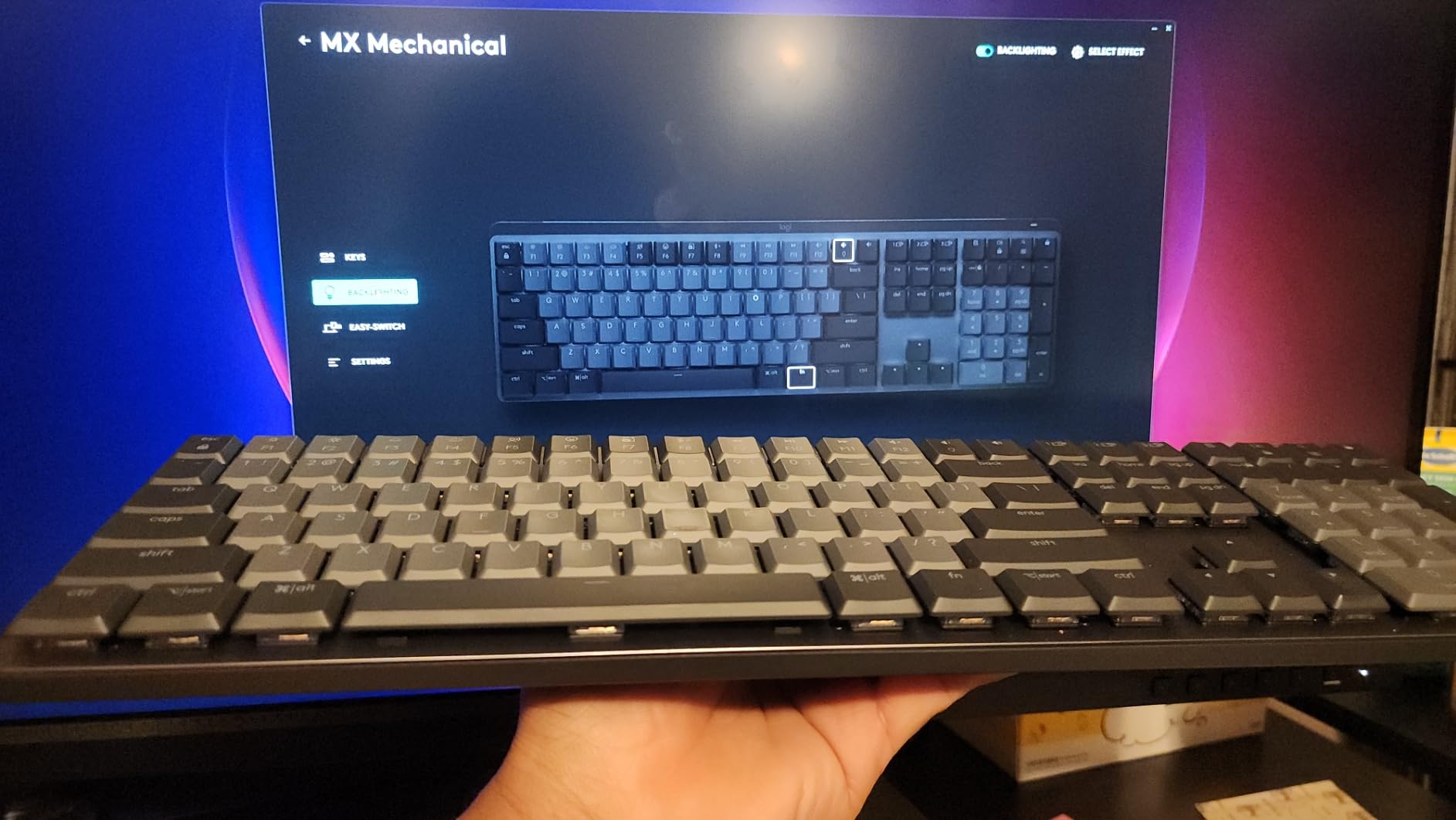
If you want a low-profile board with first-class wireless support, the Logitech MX Mechanical is the polished choice. It pairs with up to three devices, has a smart backlight that turns on when your hands approach, and works with Logi Options+ for cross-computer workflows.
Typing on the clicky variant is satisfying without being obnoxious. The tactile bump is clear, and the sound is present but not loud. For programmers who want mechanical feedback in a thin package, this delivers.
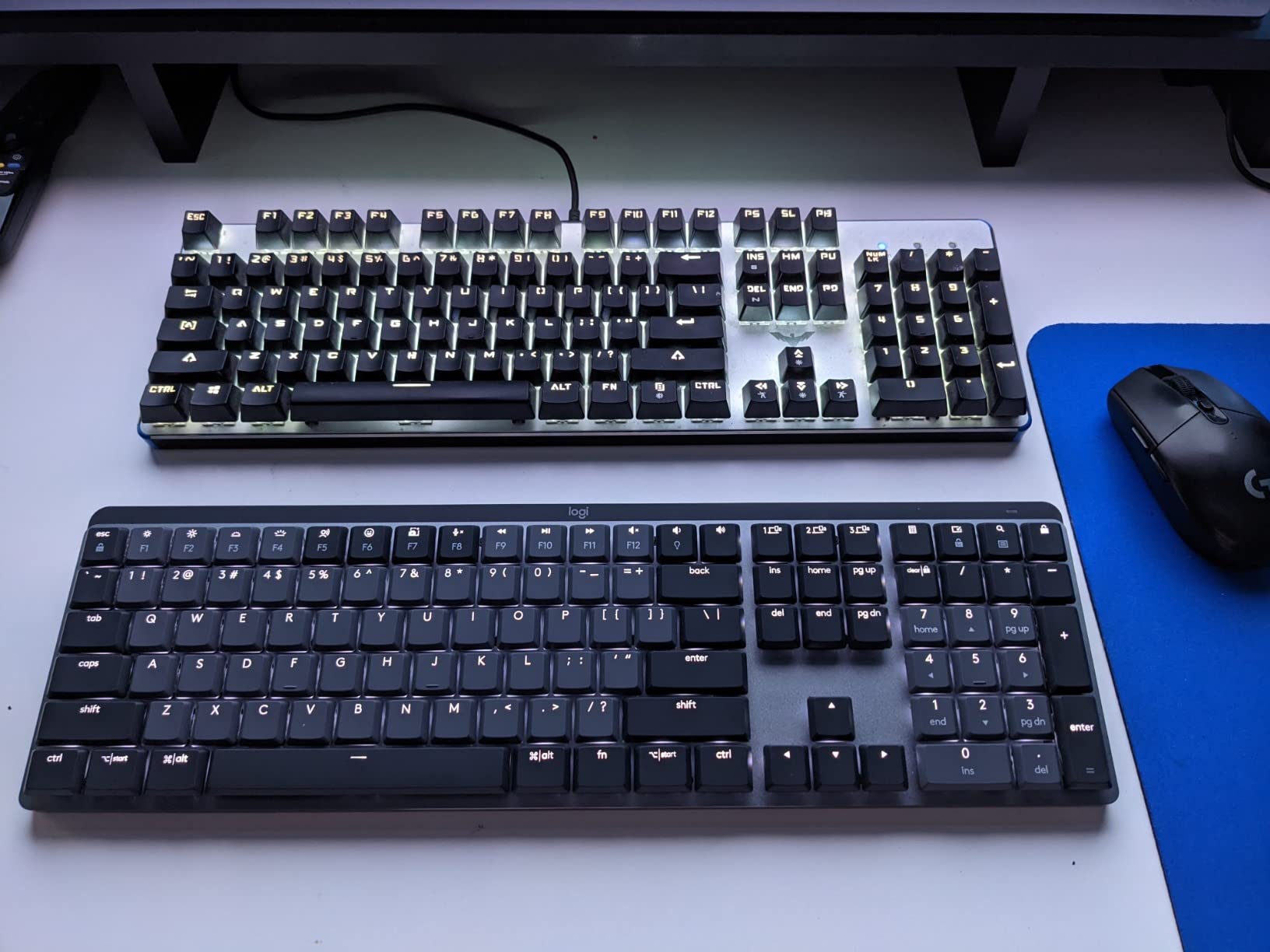
Multi-OS support is a real strength. macOS, Windows, Linux, ChromeOS, iPadOS, and iOS all work via Bluetooth or Logi Bolt. For developers who live across multiple platforms, the Logi Options+ app lets you copy a file on one computer and paste it on another, which sounds gimmicky until you try it.
The aluminum top plate and 15-day battery life make this feel like a premium product. The main tradeoffs are the requirement for Logi Bolt (not compatible with older Unifying receivers) and the backlight memory issue, where the keyboard forgets your brightness setting on power cycle.
Who it is for
Programmers already in the Logitech ecosystem, or anyone who values polished software and cross-platform workflows. Also great for office environments where a low-profile, clicky-but-quiet board is acceptable.
For a more open-source-friendly alternative, jump to the K2 V2 or V5 Max. The MX Mechanical is for those who want software polish over firmware flexibility.
Logi Options+ software
The Logi Options+ app is required to remap keys and customize the smart backlight. It is more polished than most keyboard software, but it is a 200MB download that runs in the background. For developers who hate background processes, the QMK/VIA boards in this list are a better fit.
On Linux, the software is not officially supported, but the keyboard works as a standard HID device out of the box. Remapping requires third-party tools like Key Mapper or input remappers.
9. Cherry KC 200 MX – Best for Quiet Office Programming
Cherry KC 200 MX Wired Mechanical Office Keyboard MX2A Brown Switches
Full-size 108-key
MX2A Brown switches
Aluminum plate
USB-A
+ The Good
- MX2A Brown switches with quiet tactile feel
- Solid metal construction
- 100 million actuations per key lifespan
- Retro bronze aesthetic
- N-key rollover for fast typists
- The Bad
- Not hot-swappable
- No backlight
- Slightly cramped key spacing
- Non-removable USB cable
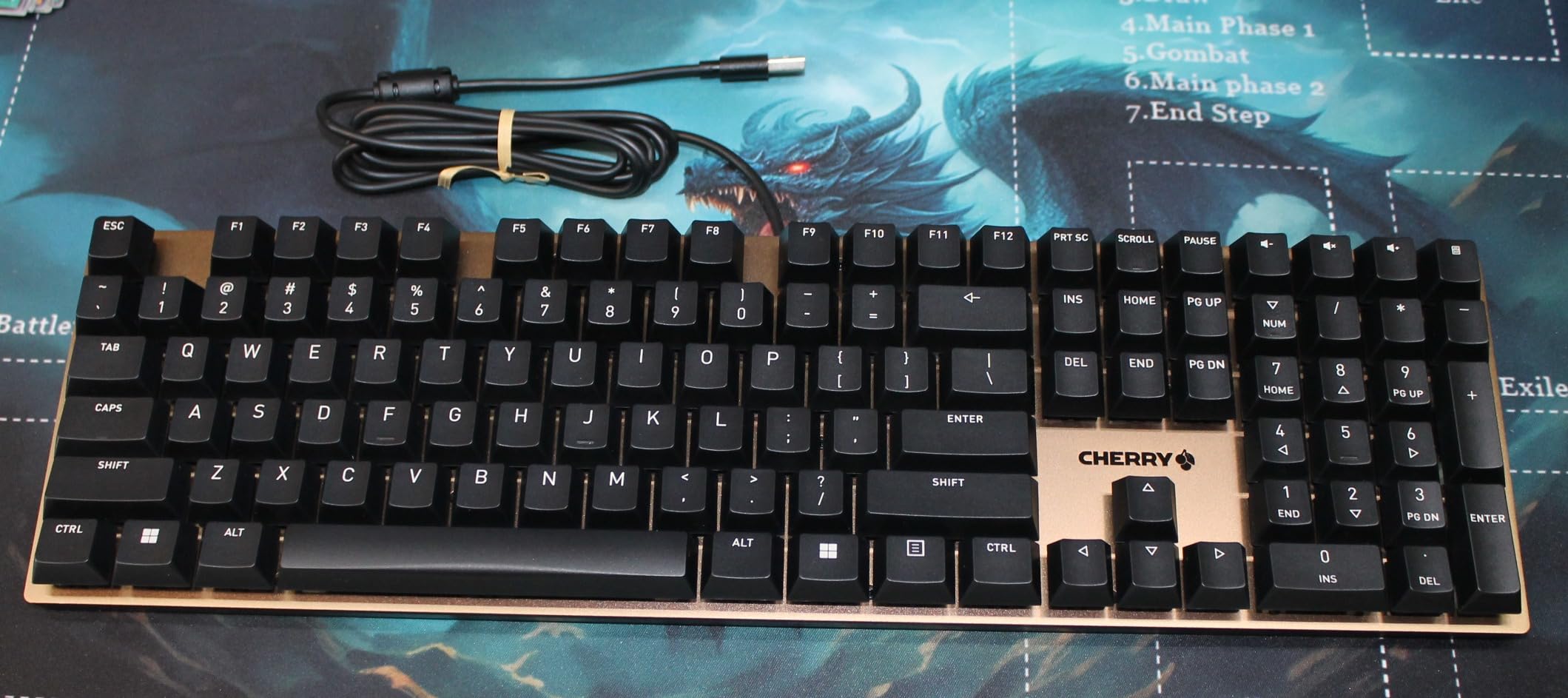
The Cherry KC 200 MX is the keyboard for the programmer who works in a shared office and needs a board that will not draw complaints. The MX2A Brown switches are quieter than older Cherry Browns, with a refined tactile bump that does not announce itself across the room.
Build quality is what you would expect from a brand that has been making switches since the 1980s. The aluminum plate is rigid, the keycaps are laser-etched and abrasion-resistant, and the stabilizers keep the larger keys (spacebar, shift, enter) from rattling.
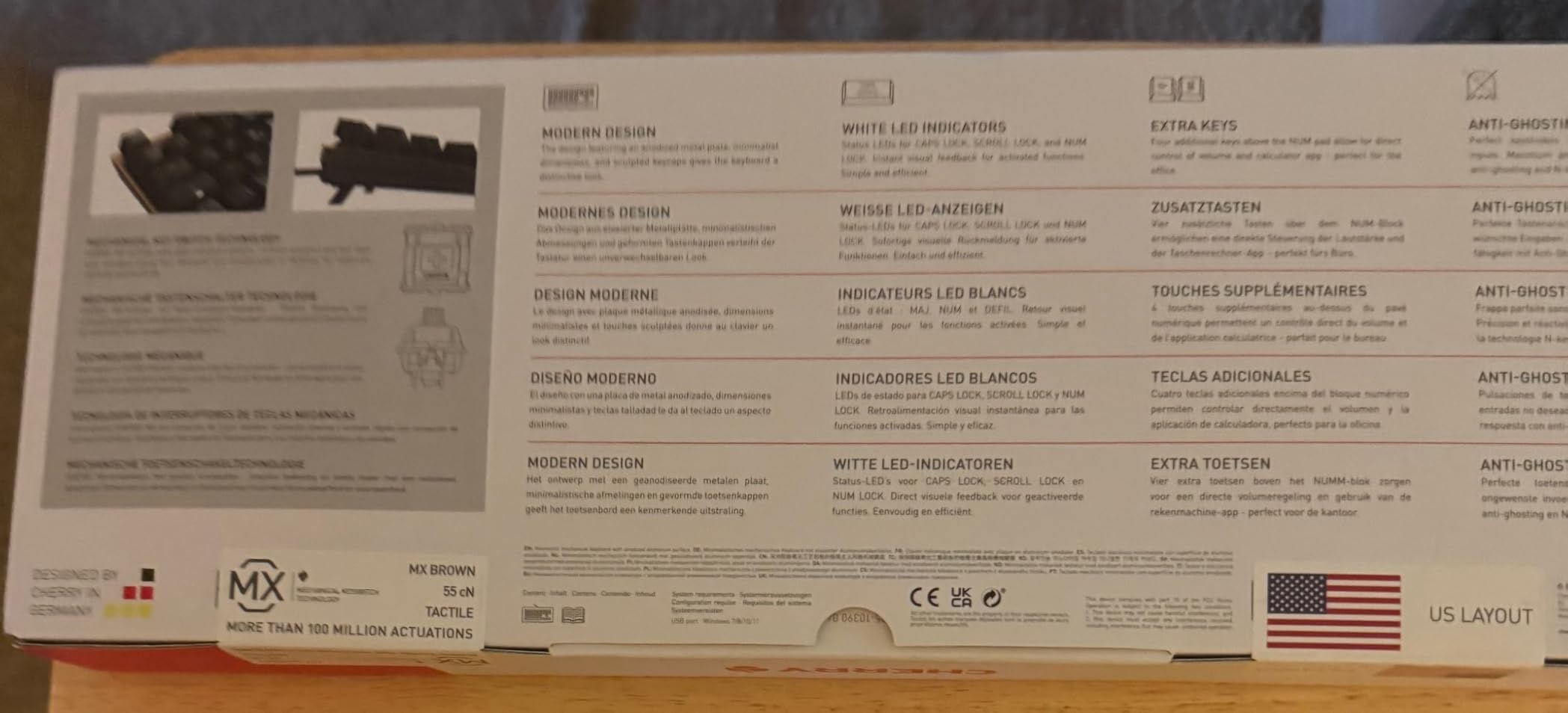
For long typing sessions in a quiet office, the KC 200 MX is hard to beat. The MX2A switches have a dampened bottom-out that reduces finger fatigue, and the 100 million actuation rating means this board will outlast your career at most companies.
The tradeoffs are real, though. There is no backlight, so dark-room coders will need a desk lamp. The switches are not hot-swappable. The USB-A cable is non-removable. And the key spacing is slightly tighter than a standard keyboard, which can feel cramped for users with larger hands.
Who it is for
Programmers in open-plan offices, libraries, or shared workspaces. The KC 200 MX is also a great pick for traditionalists who want Cherry quality without the gamer aesthetic of most modern boards.
For wireless or QMK support, look elsewhere. The KC 200 MX is a wired, no-frills, workhorse keyboard.
Mac and Linux compatibility
The KC 200 MX works as a standard HID device on macOS, Windows, and Linux. The Windows-specific keys (Win key, context menu) are present but do not have Mac equivalents. For pure Mac use, the lack of Command/Option keycap alternatives is a real downside.
For Linux users with custom XKB mappings, the standard QWERTY layout works as expected. The N-key rollover is a plus for fast typists who occasionally trigger key combinations the OS may not handle in standard mode.
10. Logitech G413 SE – Best Beginner Mechanical Keyboard
Logitech G413 SE Full-Size Mechanical Gaming Keyboard – Black
Full-size 108-key
Logitech Longhua Brown
Aluminum-magnesium top
White LED
+ The Good
- Solid aluminum-magnesium construction
- PBT keycaps resist shine
- Bright white LED backlight
- Great value under $70
- Reliable tactile Longhua Brown switches
- The Bad
- Not hot-swappable
- Backlight not dimmable
- No RGB customization
- 6-key rollover only
The G413 SE is the keyboard I recommend to developers buying their first mechanical board. At $68, you get a full-size layout, aluminum top case, PBT keycaps, and tactile switches that feel more expensive than the price suggests.
The Longhua Brown switches are tactile with a clear bump. They feel slightly heavier than Gateron Browns, which is a plus for typists who bottom out hard. The aluminum-magnesium top case is rigid and has a satisfying heft.
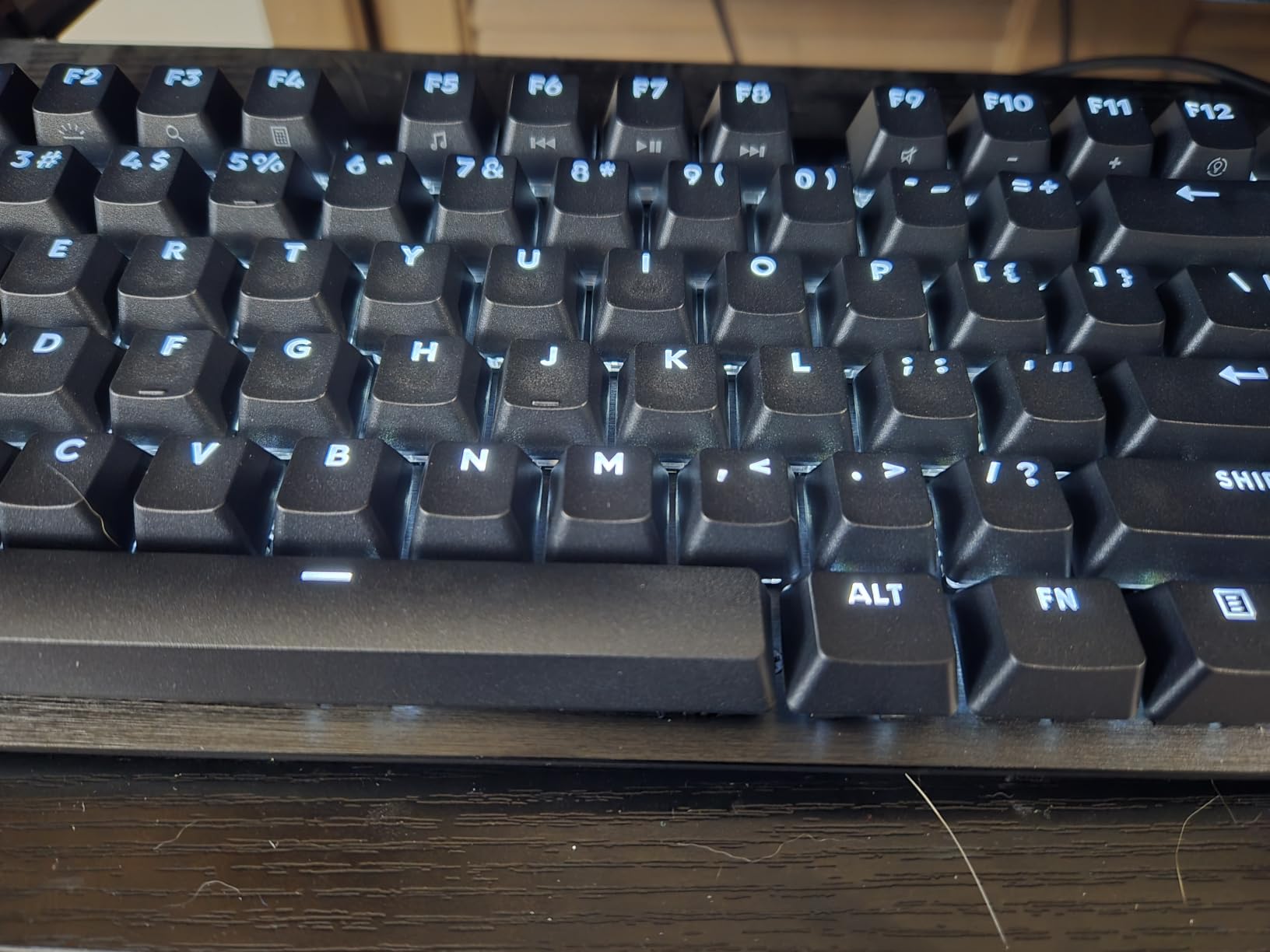
PBT keycaps at this price are a standout feature. Most budget boards ship with ABS keycaps that develop a glossy shine after six months of heavy use. The G413 SE’s PBT caps hold up to years of typing, which is why this board has over 1,600 reviews averaging 4.6 stars.
There are limitations. The board is not hot-swappable, so switch changes require a soldering iron or a full board replacement. The backlight is fixed brightness with no dimming. And the 6-key rollover is fine for typing but limiting for competitive gaming.
Who it is for
First-time mechanical keyboard buyers, CS students, or anyone who wants a reliable, full-size board under $70. The G413 SE is also a solid choice as a backup or guest keyboard.
For a more compact option, the Keychron K2 V2 above is better. For full customization, jump to the V5 Max or V6.
Mac vs Windows
The G413 SE works on macOS as a standard HID keyboard. The Windows key and Menu key are present but do not have Mac equivalents. There is no Mac/Windows toggle, and the included keycaps are Windows-specific.
For developers who split time between platforms, the Keychron boards in this roundup are better fits. The G413 SE is best for Windows-only or mostly-Windows users.
How to Choose the Best Keyboard for Programming
Choosing a programming keyboard is about matching your workflow to a layout, switch type, and connectivity setup. Here is what our team looks at when reviewing boards, broken into the factors that matter most.
Layout and Form Factor Comparison
Form factor is the single biggest decision. A 60% saves desk space but forces Fn-layer access for arrows, which slows down text editing. A 65% adds arrow keys in a small footprint. A 75% (our team’s favorite for coding) adds the function row without wasting space. A TKL drops the numpad. A full-size or 96% keeps the numpad for data work.
For most programmers, 75% is the sweet spot. You get the function row for IDE shortcuts (F5 to run, F12 to inspect, etc.) and arrows for cursor movement, without a numpad pushing your mouse hand to the right. If you do data work daily, 96% or full-size is worth the desk real estate.
Community data backs this up. On Reddit’s r/MechanicalKeyboards and r/programming, 75% boards like the Keychron Q1 and Q2 are the most recommended for general coding, with 65% close behind for minimalists. Full-size boards dominate in data science and SQL-heavy workflows.
Switch Types: Linear vs Tactile vs Silent
Switch feel is deeply personal, but data from programmer communities shows some patterns. Tactile switches (Cherry MX Brown, Gateron Brown, K Pro Brown) are the most common pick for general coding because the bump confirms each keypress without being loud. Linear switches (Cherry MX Red, Gateron Red, Apex Red) are smoother and quieter, preferred by fast typists who do not want finger fatigue. Clicky switches (Cherry MX Blue, Kailh Box White) are loudest and least office-friendly.
For shared workspaces or late-night coding, silent switches (Cherry MX Silent Red, Gateron Silent Brown) reduce typing noise by 30 to 40 percent. The Keychron K3 V2 and Logitech MX Mechanical deliver quiet operation without the mushy feel of older membrane boards.
If you are unsure, buy a hot-swap board (V5 Max, K10 Max, V6, AULA F99) and try multiple switch types over a few weeks. Hot-swap sockets let you change switches without soldering, which is the easiest way to find your preference.
QMK/VIA and Programmability
QMK and VIA are open-source firmware tools that let you remap any key, create macros, and build custom layers. For programmers, this is the single biggest quality-of-life upgrade over proprietary software. You can map Caps Lock to Control, build a layer for tmux commands, or set per-app shortcuts that switch automatically.
VIA is the GUI version: open a web app, click keys, save to the board. QMK is the underlying firmware with a steeper learning curve but more power. Most programmers start with VIA and graduate to QMK only if they need advanced features like tap-dance or leader keys.
If you are a Linux or macOS developer, QMK/VIA is a strong reason to pick a board like the V5 Max or V6 over Logitech or Cherry. No proprietary background software, no driver updates, no telemetry.
Wireless vs Wired for Coding
Wireless mechanical keyboards have caught up to wired in latency. Modern 2.4GHz wireless with a dedicated dongle delivers 1000Hz polling, which is indistinguishable from wired for code editing. Bluetooth 5.1 and later is also good enough for typing, with the benefit of pairing phones and tablets without a dongle.
Wired wins on zero-latency gaming, no battery anxiety, and lower cost. Wireless wins on desk cleanliness, multi-device switching, and laptop mobility. Most programmers in our testing prefer wireless for the desk-cleanliness factor, with a USB-C cable as a fallback.
If you are going wireless, look for 2.4GHz + Bluetooth + USB-C tri-mode boards like the V5 Max, K10 Max, and AULA F99. You get the best of all three options.
Mac vs Windows Compatibility
Keychron and Logitech dominate for Mac-friendly boards. Both ship Mac/Windows keycap sets in the box and have OS toggle switches. Linux support is universal, but QMK/VIA boards are the most configurable on Linux without third-party tools.
For a full breakdown of Mac-specific keyboards, our related guides cover the best picks for MacBook users, though the boards in this roundup (especially the K2 V2, K3 V2, and V5 Max) work seamlessly on macOS.
Frequently Asked Questions
What keyboard do most programmers use?
Most programmers use a 75% mechanical keyboard with QMK/VIA support and tactile or linear switches. Keychron Q, V, and K series boards dominate community recommendations on Reddit’s r/MechanicalKeyboards and r/programming, with the Keychron V5 Max, V6, and K2 V2 being the most cited picks in 2026.
What is the best keyboard for programmers?
The best keyboard for programmers is the Keychron V5 Max. It combines a 96% layout (function row plus numpad in a compact shell), tri-mode wireless with 1000Hz 2.4GHz, QMK firmware, hot-swappable switches, and a gasket mount for cushioned typing. For budget-focused developers, the Keychron C1 at under $50 is the top value pick.
Is a 75% keyboard good for programming?
Yes, a 75% keyboard is the most recommended form factor for general programming. It keeps the function row for IDE shortcuts and arrow keys for cursor movement, while saving desk space compared to a TKL or full-size. The Keychron K2 V2 and V5 Max are the most popular 75% and 96% boards in 2026.
What switches do programmers prefer?
Most programmers prefer tactile or linear switches. Cherry MX Brown and Gateron Brown are the most common tactile picks for their clear bump without loud click. Linear switches like Cherry MX Red and Gateron Red are smoother and quieter, preferred by fast typists. Clicky switches like Cherry MX Blue are the least office-friendly option.
Is wireless keyboard good for coding?
Yes, modern wireless mechanical keyboards with 2.4GHz dongles deliver 1000Hz polling, which is indistinguishable from wired for code editing. Bluetooth 5.1 keyboards like the Keychron K2 V2 and K3 V2 are also reliable for typing. The only case for wired is competitive gaming or if you never want to charge a battery.
Final Verdict: Which Programming Keyboard Should You Buy?
After testing 10 of the best keyboards for programmers in 2026, our top pick remains the Keychron V5 Max for its balance of layout, feel, and customization. If you want the cheapest board that still feels premium, the Keychron C1 is the answer. If you need wireless and a 75% form factor, the K2 V2 has been the community standard for three years running.
Whatever board you pick, prioritize hot-swap switches and QMK/VIA support. Those two features future-proof your investment: you can change switch types as your taste evolves, and you can remap any key to match your IDE shortcuts. Both are non-negotiable for serious programming keyboards in 2026.
For ergonomics and wrist health over the long haul, also consider exploring split keyboard options. They are a different category, but the RSI prevention angle is worth investigating once you have nailed down your main board.