
If you work from home, the keyboard is the one piece of kit you touch for every hour of every workday, and it is the last thing most people upgrade. That is a mistake. A flat laptop keyboard forces your wrists up, a wired board adds clutter to a desk you already fight for space on, and a loud mechanical board turns a video call into an apology.
The best wireless keyboards for home office in 2026 all solve the same four problems: they keep typing quiet enough for shared walls, they hold a comfortable wrist angle for eight-plus hour sessions, they connect to more than one device, and they do not need a charger in the middle of a Tuesday afternoon call. We picked 12 boards that handle those four jobs, and we ranked them on them rather than on gaming specs.
Our top pick is the Logitech K480, a compact multi-device Bluetooth board that switches between three machines with a physical dial and runs on two AAA cells for up to 24 months. If you want wrist relief rather than desk space, the Logitech ERGO K860 is the flagship ergonomic answer, and if you type spreadsheets all day, the Arteck 2.4G full-size board gives you a number pad, a stainless steel chassis and quiet low-profile scissor keys. We also cover a damped mechanical board, a backlit ergonomic option, and entry-level boards that reviewers still rate as usable for basic office work.
Our team looked at every board here the same way: rating volume, build materials, switch type, connection options, power source, and how the layout behaves on a real desk with a monitor arm behind it. Everything below is a wireless keyboard, and everything below is judged as work equipment.
Top 3 Picks for Home Office Typing (October 2026)

Logitech K480 Multi-Device…
- › Switches between 3 devices with a dial
- › 24 month AAA battery
- › Integrated phone and tablet cradle

Arteck 2.4G Full-Size Steel…
- › Number pad and 113 keys
- › Rechargeable 6 month battery
- › Stainless steel 0.6in chassis

Logitech ERGO K860 Split…
- › Memory foam wrist rest
- › Split keyframe with 3 position tilt
- › Receiver and Bluetooth
The K480 takes the top slot because it is the rare budget board that solves three devices and a dead battery in the same package. The Arteck full-size board wins the value slot for anyone whose day includes numbers, and the K860 wins comfort for anyone whose wrists already complain.
12 Best Wireless Keyboards for Home Office (October 2026)
| PRODUCT MODEL | KEY SPECS | BEST PRICE |
|---|---|---|
|
|
Check Latest Price |
|
|
Check Latest Price |
 |
|
Check Latest Price |
|
|
Check Latest Price |
 |
|
Check Latest Price |
 |
|
Check Latest Price |
 |
|
Check Latest Price |
 |
|
Check Latest Price |
 |
|
Check Latest Price |
 |
|
Check Latest Price |
 |
|
Check Latest Price |
 |
|
Check Latest Price |
1. Logitech K480 Multi-Device Bluetooth Keyboard
Logitech K480 Wireless Multi-Device Keyboard for Windows, macOS, iPadOS, Android or Chrome OS, Bluetooth, Compact, Compatible with PC, Mac, Laptop, Smartphone, Tablet – Black
Bluetooth for 3 devices
104 keys, no number pad
2 AAA batteries, up to 24 months
11.8 x 7.7 x 0.8 inches
+ The Good
- Switches between 3 Bluetooth devices with one physical dial
- Integrated cradle holds a phone or tablet at reading angle
- Saves real desk width so the mouse sits closer
- Spill resistant
- No charging cable to lose
- The Bad
- No dedicated number pad for spreadsheet work
- Shallow scissor travel takes a few days to get used to
- No backlighting for late-night typing
The K480 is the board I keep coming back to for my own desk. It is a plain plastic slab, but the easy-switch dial on the top edge is a genuinely better interface than holding a modifier and tapping a profile button, and once you learn it you stop thinking about it. I run a laptop, a tablet and a small form PC from it without unplugging anything.
Reviewers consistently single out the integrated cradle. It holds a phone or tablet up to 0.4 inches thick and 10 inches wide at a readable angle, which turns a cluttered corner of the desk into a second screen for messages.
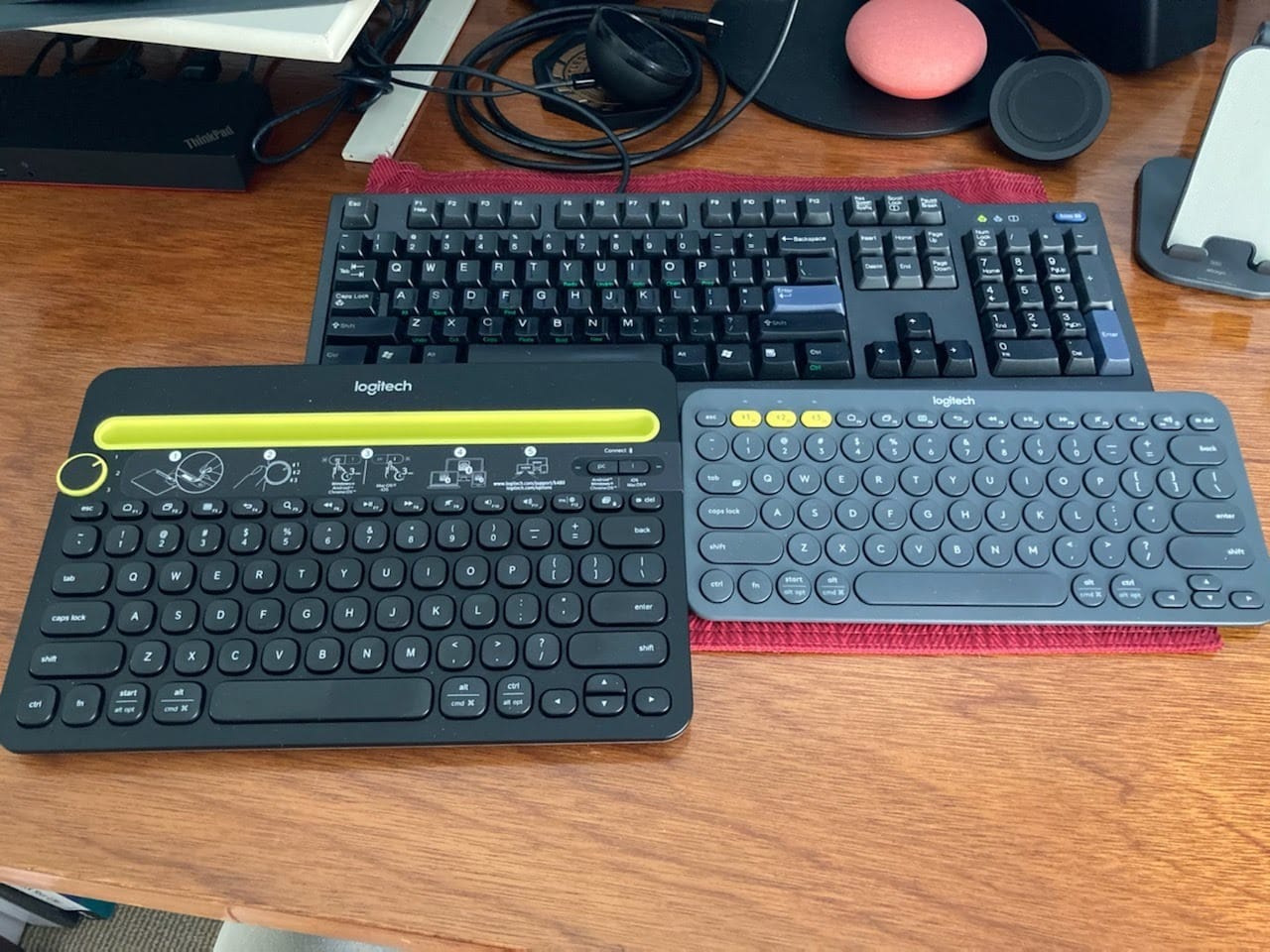
The 24-month battery claim comes from two pre-installed AAA cells and a battery indicator light, so battery anxiety basically disappears. There is also no backlight, which sounds like a drawback until you realise there is no charging cable to sit across the desk.
The compromise is layout. At 11.8 by 7.7 inches the board is genuinely narrow, and that narrowness is the point: your mouse ends up under your shoulder instead of out at arm’s length. What you give up is the number pad, and if you enter data all day that is a real cost.
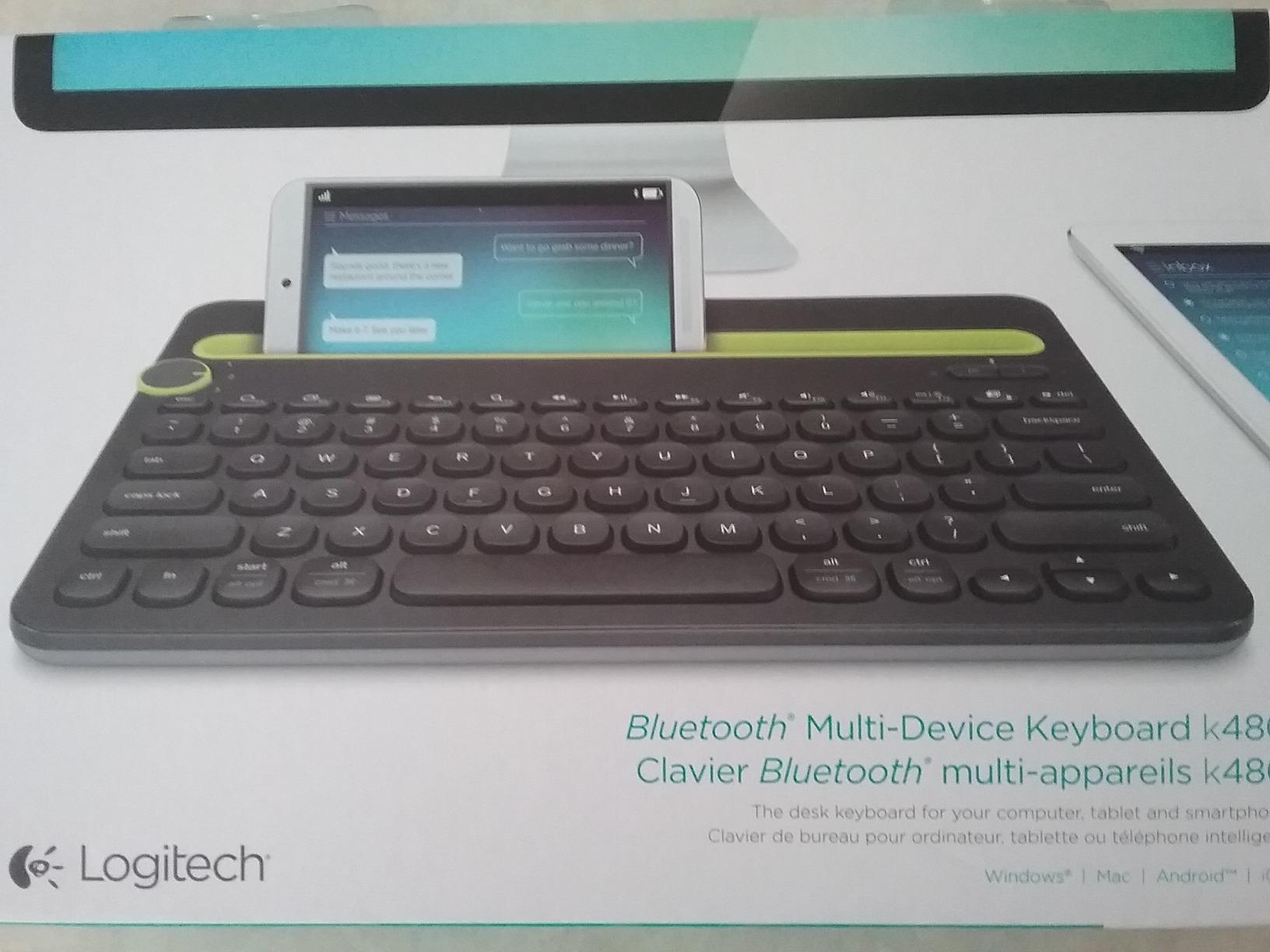
What makes it a good fit for a shared home
Scissor switches on a low-profile chassis keep the sound short and soft, which reviewers note matters when the wall is thin. It works on Windows, macOS, Chrome OS, iPadOS and Android, so a shared family laptop does not need a special key map.
It also pairs to three devices by turning one dial, so a housemate grabbing the tablet does not steal your typing connection. Range is better than 10 meters, which covers every realistic room.
Where it falls short for work
There is no number pad, so spreadsheets and finance work need a workaround. The key travel is shallow enough that typists coming from a mechanical board report a short adjustment period.
It is also plastic, and the 1.8-pound weight means it moves around on a smooth desk unless you have a mat. Add a non-slip pad if you type hard.
2. Arteck 2.4G Full-Size Wireless Keyboard
Arteck 2.4G USB Wireless Keyboard Full Size Keyboard for Computer/PC/Laptop
2.4 GHz nano receiver
113 keys with number pad
Rechargeable, 6 months per charge
16.9 x 4.9 x 0.6 inches
+ The Good
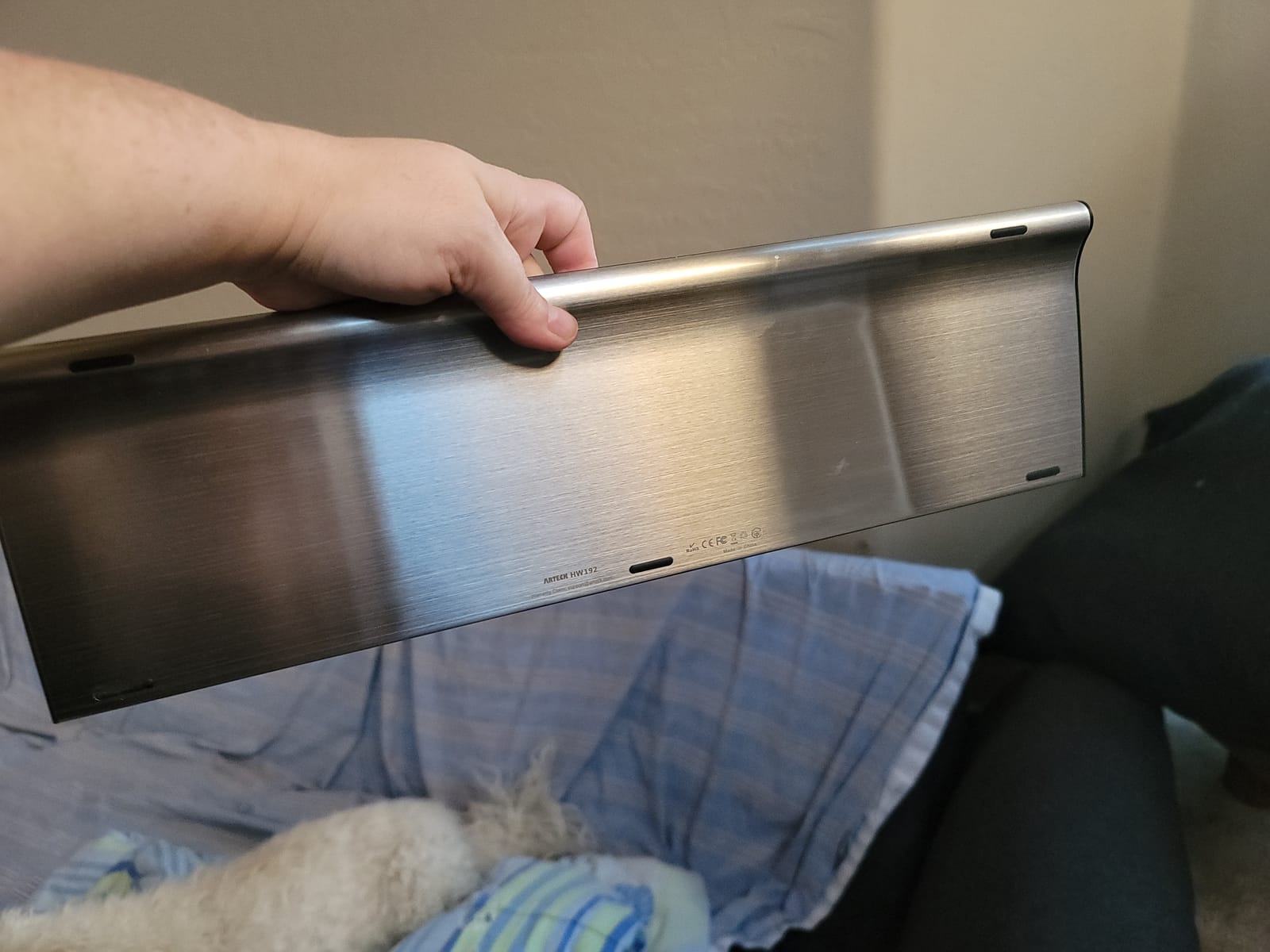
- Stainless steel chassis and plate
- 113 keys including number pad and arrows
- Rechargeable lithium battery removes disposable cells
- 0.6 inch profile keeps a full-size board thin
- 24-month warranty
- The Bad
- 2.4G only
- so no phone or tablet pairing
- Some owners report the rechargeable cell holding less charge after a year of heavy use
- Fixed typing angle with no adjustable feet
This is the board I recommend when someone does numbers. It is full-size at 113 keys, which means a number pad, dedicated arrow keys and a shortcut row, and yet the whole thing is 0.6 inches tall and 14.9 ounces, so it does not feel like a slab of office equipment.
The stainless steel construction is the surprise at this level. Reviewers describe a heavy, premium-feeling chassis, and at this size the weight actually helps the board stay put on a desk without a mat.
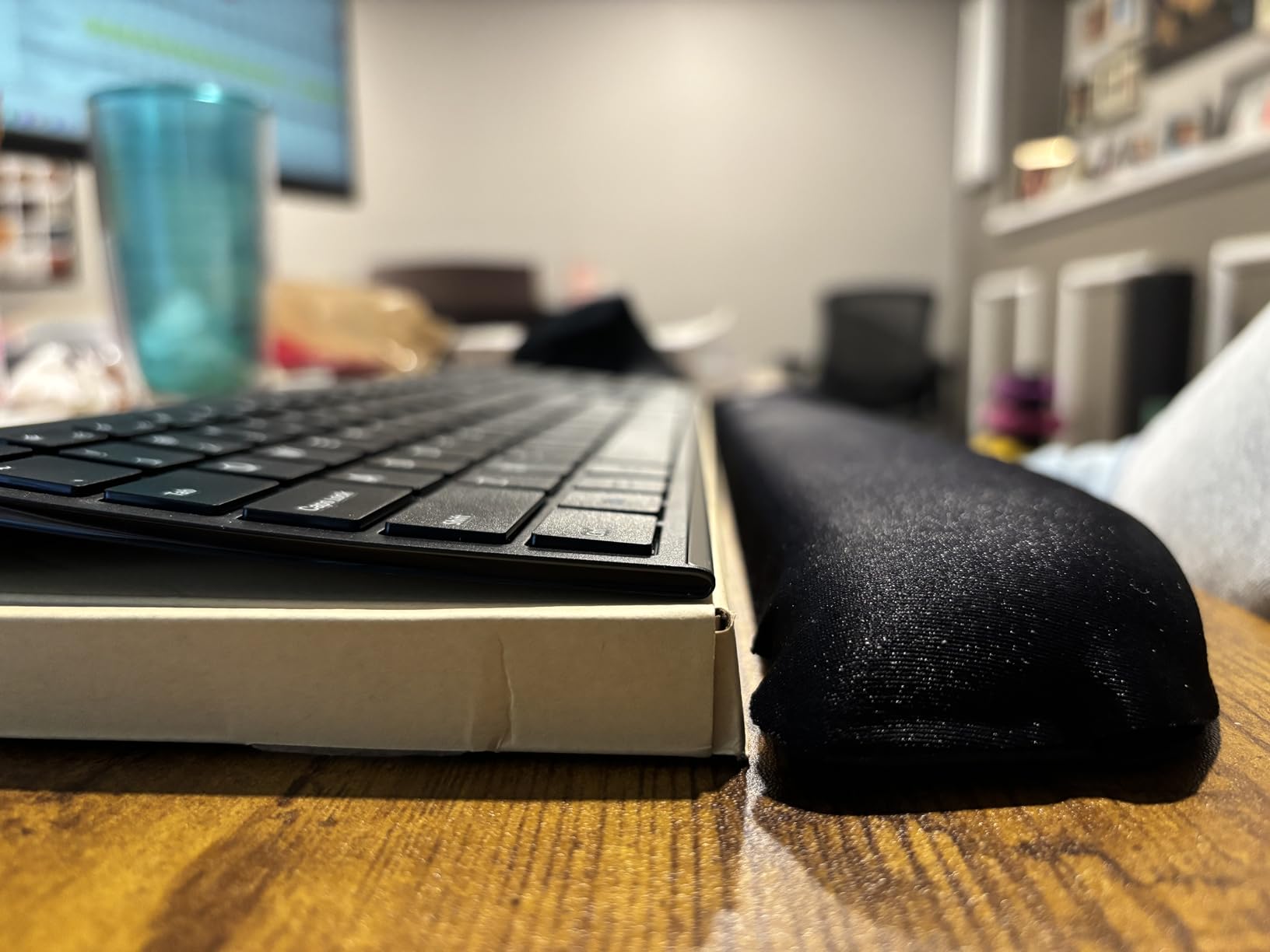
Battery is a rechargeable lithium pack rated at up to six months per charge, and the box includes a USB charging cable. Setup is genuinely plug-and-play: the nano receiver goes into a USB port and the keyboard is usable immediately.
The catch is connectivity. It is 2.4 GHz only, so it cannot pair to a phone or tablet over Bluetooth, and a few reviewers report the rechargeable cell holding less charge after a year of daily use. Keep the cable in a drawer and it is a non-event.
Why it suits a data-heavy desk
The full number pad and 113 keys mean you are not reaching for an on-screen keypad, and the arrow cluster is full size rather than doubled onto the numpad. Low-profile scissor keys keep the sound down for call-heavy days.
It works on Windows 7 through 11 out of the box, which covers most household and small-business PCs. The 24-month warranty is also longer than most boards in this range.
Where it will frustrate you
Losing the nano receiver is the classic fear, and this board does nothing to soften it. Nothing pairs over Bluetooth, so a lost dongle means a support contact rather than a phone pairing code.
The typing angle is fixed, and there is no backlight for evening work. If you want adjustable feet, multi-device pairing or lighting, you need to step up a tier.
3. Logitech K270 Full-Size Wireless Keyboard
Logitech K270 Full Size Wireless Keyboard for Windows – Black
2.4 GHz Unifying receiver
104 keys with number pad
1.1 pounds, 17.25 inches wide
Spill-resistant UV-coated keys
+ The Good
- Number pad at a genuinely low price
- Spill-resistant UV-coated keycaps
- Unifying receiver can share one USB slot across Logitech gear
- 33 foot signal distance
- The Bad
- Membrane keys feel thin and less responsive
- No backlighting
- Windows layout with no Bluetooth multi-device pairing
The K270 is the oldest board here and one of the most heavily reviewed, holding a #4 position in Computer Keyboards with more than 10,000 reviews behind it. For a shared family computer or a first work setup, it does the job without any drama.
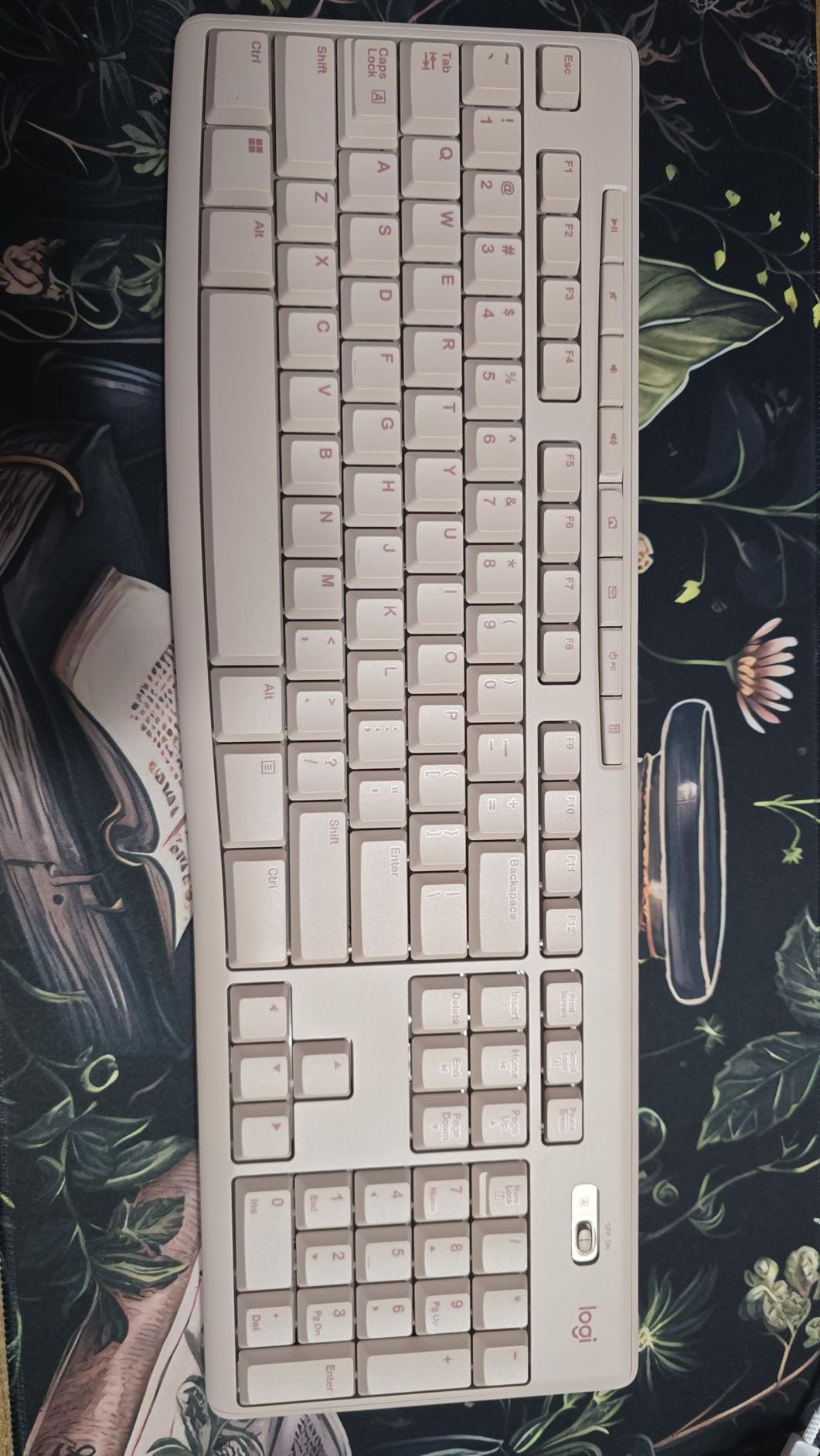
It is a full-size layout with a numeric pad and eight hotkeys, which is unusual at this price point. The Unifying receiver is the part long-term owners appreciate most: one small USB dongle can carry a keyboard and mouse together, freeing a port on a laptop that already has two.
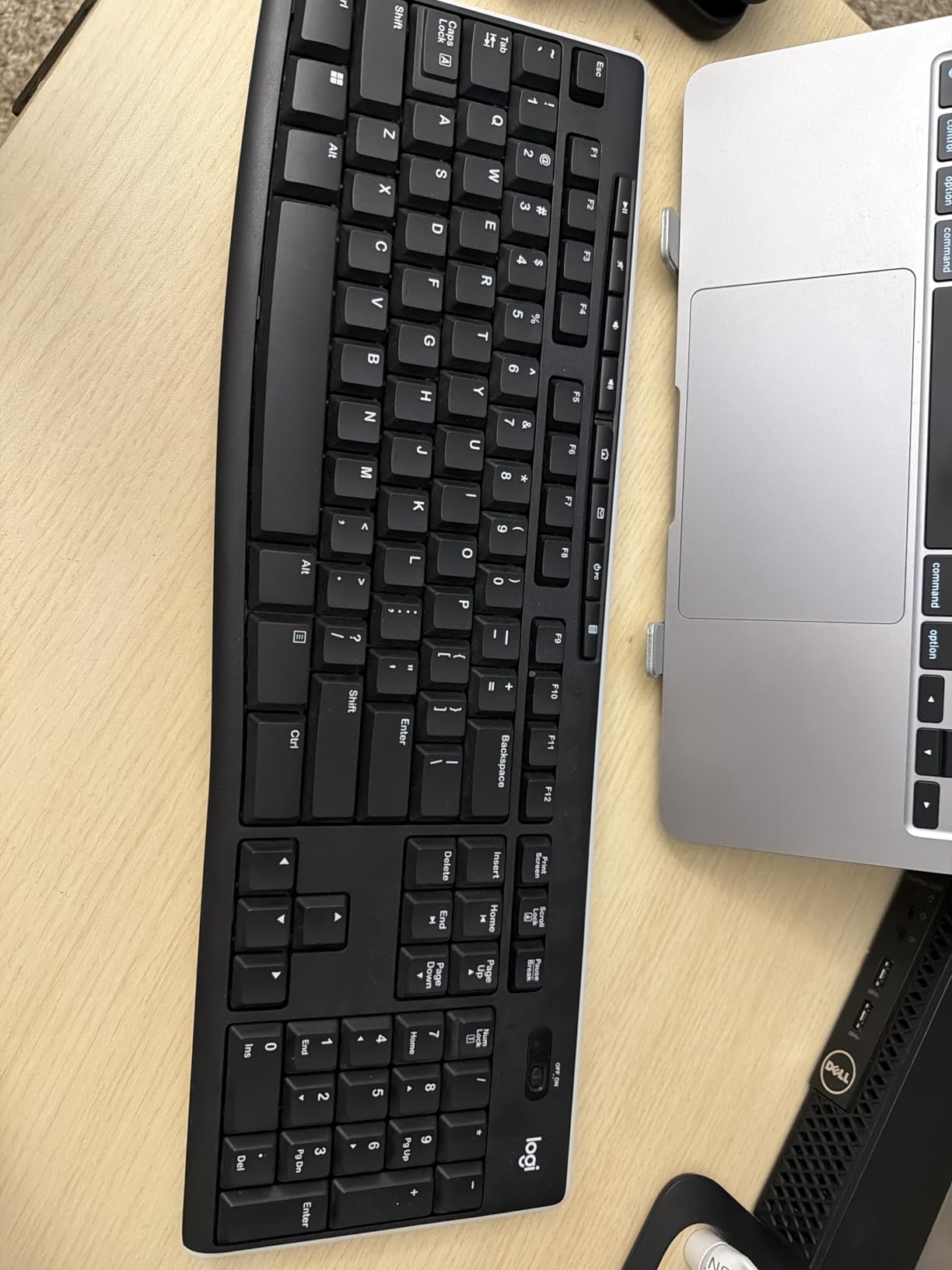
Signal distance reaches 33 feet on the 2.4 GHz link, so the keyboard works from the couch when you are not at the desk. Spill-resistant, UV-coated keys handle the coffee incident that every home desk eventually sees.
Where it earns its criticism is feel. Membrane keys here are noticeably thinner and less responsive than either scissor or mechanical boards, and this board has the highest one-star share among the Logitech models in our list, driven by expectations of a premium typing feel.
When this is the right buy
If the computer is a shared family PC, the number pad and hotkeys matter and the budget is tight, this is the sensible choice. It needs no software, no app and no pairing ritual.
It is also a good second keyboard for a guest or a partner who works at the same table, since it costs little and shares the same Unifying dongle ecosystem.
Where the compromise bites
Membrane feel is the big one. Typists who moved to a mechanical or scissor board tend to describe the K270 as soft and unsatisfying over a long session. There is no backlighting, so evening work means a desk lamp.
It is a Windows board with no Bluetooth, so it cannot join a multi-device desk. A fixed, unlit, single-purpose typing surface is exactly what it is designed to be.
4. Logitech ERGO K860 Split Ergonomic Keyboard
Logitech Ergo K860 Wireless Ergonomic Split Keyboard with Wrist Rest
Bluetooth and USB receiver
105 keys, curved split frame
2 AAA batteries
17.95 x 9.17 x 1.89 inches
+ The Good
- Memory foam pillowed wrist rest
- Curved split keyframe reduces forearm strain
- Three-position palm lift for seated or standing desks
- United States Ergonomics certified
- Works on Windows
- macOS
- Linux and Chrome OS
- The Bad
- Split layout needs a re-learning period
- F-key and media toggle takes an extra keystroke
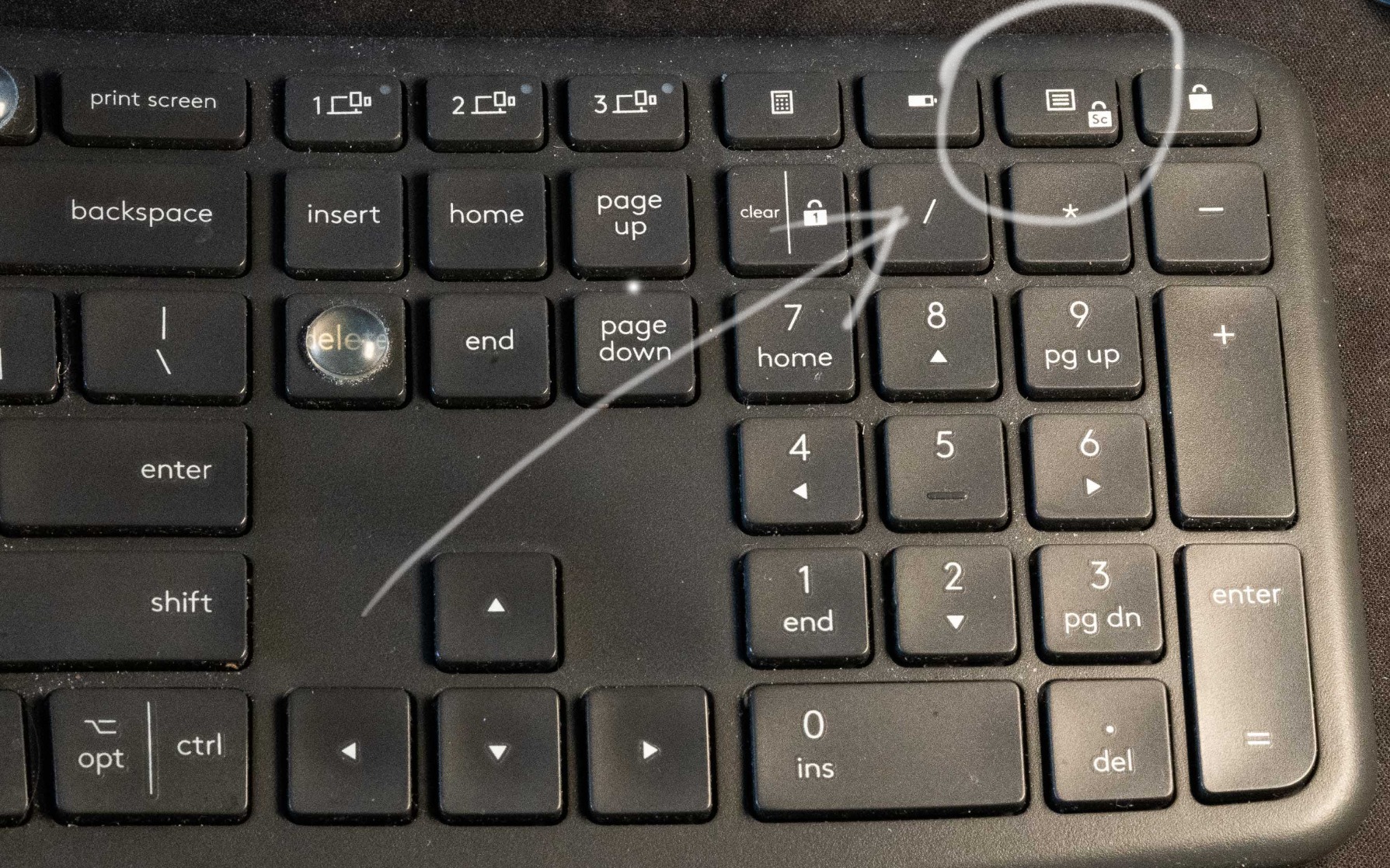
- No dedicated context menu key
- No key backlighting
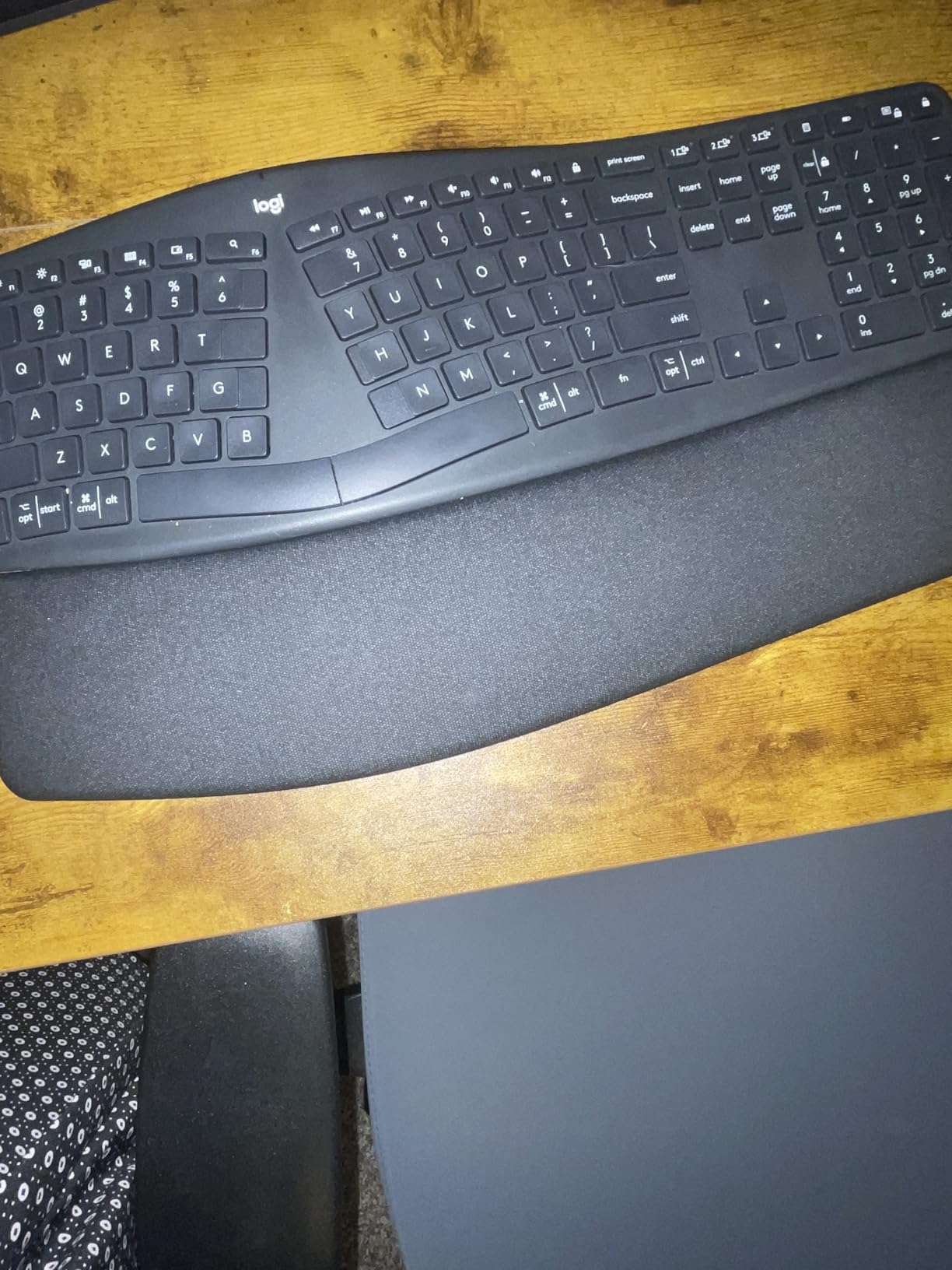
The K860 is the flagship ergonomic board in this group and the one with the most specific evidence behind it. It is certified by United States Ergonomics, and the Graphite version uses 71% certified post-consumer recycled plastic. Those are not decorative claims; they came out of a design built around a curved split keyframe.
The pillowed wrist rest is the piece people notice first. Reviewers describe a memory foam layer that supports the wrist and reduces how far the wrist bends during a session, and the tilt legs give you 0, minus 4 or minus 7 degrees depending on whether you sit or stand.
Connectivity is dual: a USB receiver or Bluetooth, with Fn keys customisable through Logitech Options. It runs on two AAA batteries, which means no charging cable competing for a port on a laptop dock.
The honest drawback is the adjustment period. A split keyframe moves your hands apart, and reviewers with years of flat-keyboard muscle memory describe the first week as slow. That adjustment is temporary, but you have to be willing to push through it.
Who feels the difference
If you already have wrist discomfort, arthritis symptoms or a history of repetitive strain injury, this is the board with the clearest case. The scooped, laptop-style keys are quiet and quick, which is a common upgrade path from older Microsoft ergonomic boards.
At 2.6 pounds and 17.95 inches wide it is one of the largest boards we list, so plan your desk around it. It works with Windows, macOS, Linux and Chrome OS.
The cost of going ergonomic
The F-key and media key toggle needs an extra keystroke, and the Fn shortcuts are poorly documented in the box. There is no dedicated context menu key, so right-click actions still need the mouse.
There is also no backlight. If you work at night, you are relying on desk lighting, and you may want to read the Fn layout before you start.
5. Arteck HB192 Universal Bluetooth Keyboard
Arteck HB192 Universal Bluetooth Keyboard Multi-Device Stainless Steel Full Size Wireless Keyboard for Windows iOS Android Computer Desktop Laptop Surface Tablet Smartphone Rechargeable Battery
Bluetooth for 3 devices
Full-size with number pad
0.16 inch stainless steel body
Rechargeable, 6 months per charge
+ The Good
- Pairs with 3 devices and switches with one key press
- 0.16 inch profile maximises desk space
- Stainless steel body feels weighty and premium
- Works with iOS
- Android
- Mac OS and Windows
- The Bad
- No adjustable feet
- so the typing angle is fixed
- Micro-USB charging rather than USB-C
- No backlighting
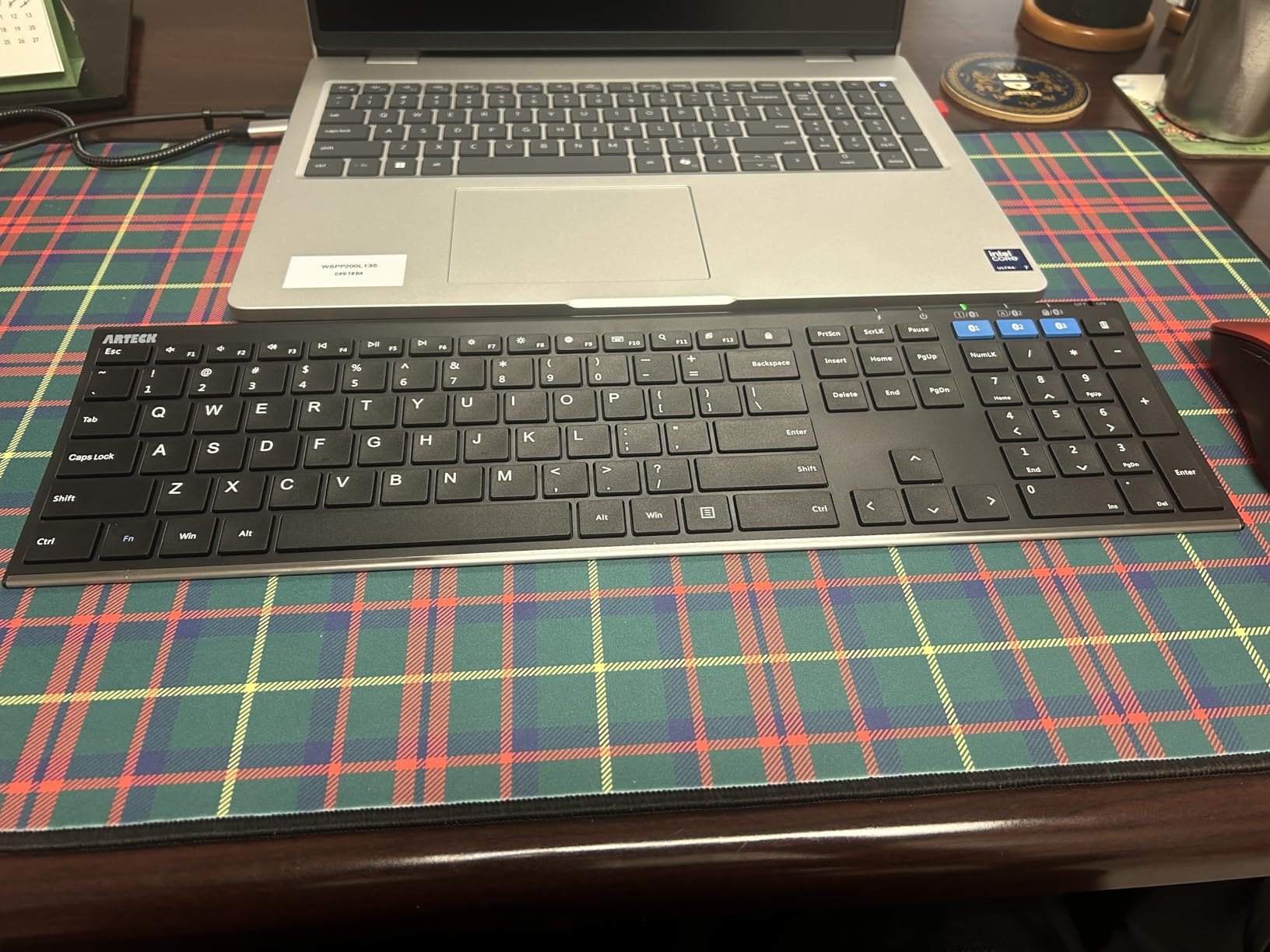
The HB192 is the cross-platform pick. It pairs with three devices at once and switches between them with a single key press, and it lists iOS, Android, Mac OS and Windows as supported, which makes it a safe choice for a household running more than one kind of machine.
At 0.16 inches it is one of the thinnest full-size boards here, and it is still stainless steel. Reviewers note that it feels more substantial than the price band would suggest, and the full-size layout keeps a number pad and arrow keys.
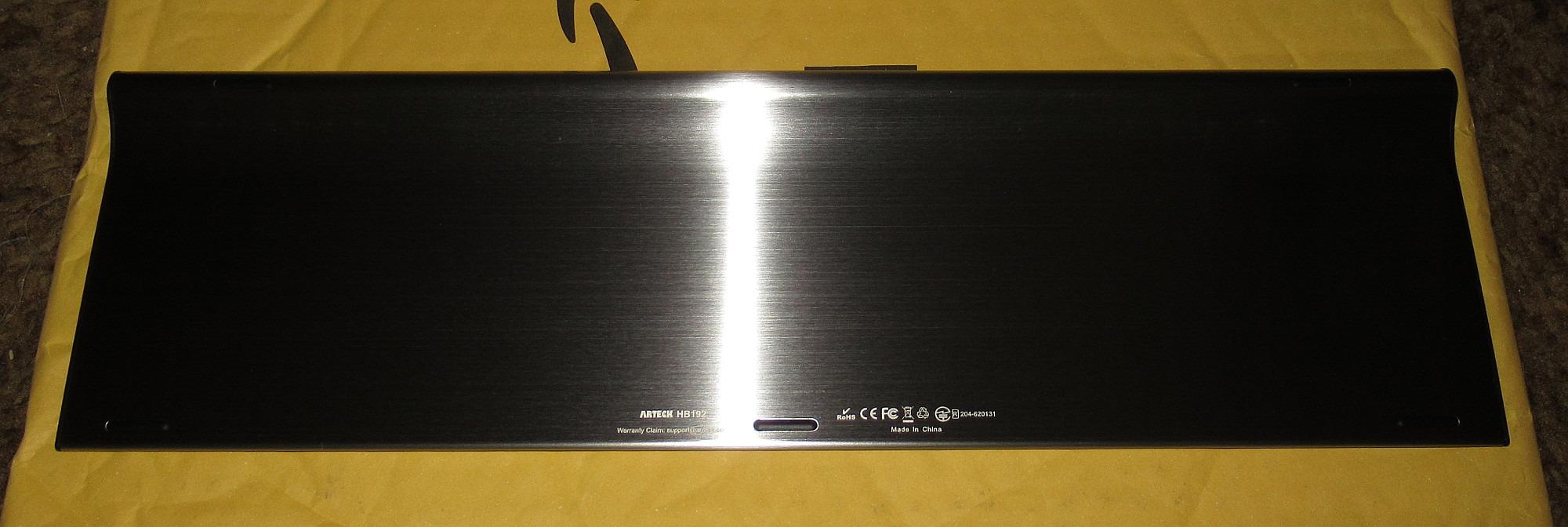
The rechargeable lithium battery is rated at up to six months per charge on roughly two hours of daily typing, and it auto-sleeps after ten minutes of inactivity. A USB charging cable is included, along with a 24-month warranty.
Two things keep it out of the top slots. There are no adjustable feet, so the typing angle is fixed and can sit too flat for some hands, and charging is micro-USB, which means one more cable to find in a drawer when the one modern port is already taken.
Best for mixed-OS households
Three paired devices with one-press switching is the feature that shows up most in owner feedback, and the cross-platform support means a Mac user and a Windows user can share the same board. Battery life is the other strong point, with owners reporting long stretches between charges.
The thin profile also works in your favour on a small desk or with a monitor arm clamped behind the workspace.
What to watch out for
A small minority of reviewers report intermittent Bluetooth dropouts or a connection delay after the board wakes from sleep, and there is a documented firmware quirk where caps lock fires twice when switching devices, which disrupts screen reader users.
On the plus side, Arteck’s replacement service comes up repeatedly as excellent, and the warranty is 24 months.
6. Logitech Wave Keys Ergonomic Wireless Keyboard
Logitech Wave Keys Ergonomic Wireless Keyboard with Palm Rest – Graphite
Bluetooth or Logi Bolt receiver
101 keys, no number pad
Up to 3 years battery life
14.8 x 8.62 x 1.18 inches
+ The Good
- Wave shape with cushioned memory foam palm rest
- Switches between up to 3 devices
- Up to three years of battery life
- Customisable shortcuts through the Logi Options+ app
- The Bad
- No number pad
- Compact membrane feel is softer than scissor or mechanical
- No backlighting
The Wave Keys sit between the flat K480 and the split K860 in design, and they are the pick I suggest for someone whose wrists are starting to complain but who is not ready to relearn a split layout. The wave shape rolls the centre of the board down and the edges up so your hands follow a shallow arc.
It connects over Bluetooth or the Logi Bolt receiver and switches between up to three devices, which covers a laptop, tablet and phone from a single board. Battery life is rated at up to three years on two cells, and the Graphite version uses 61% post-consumer recycled plastic.
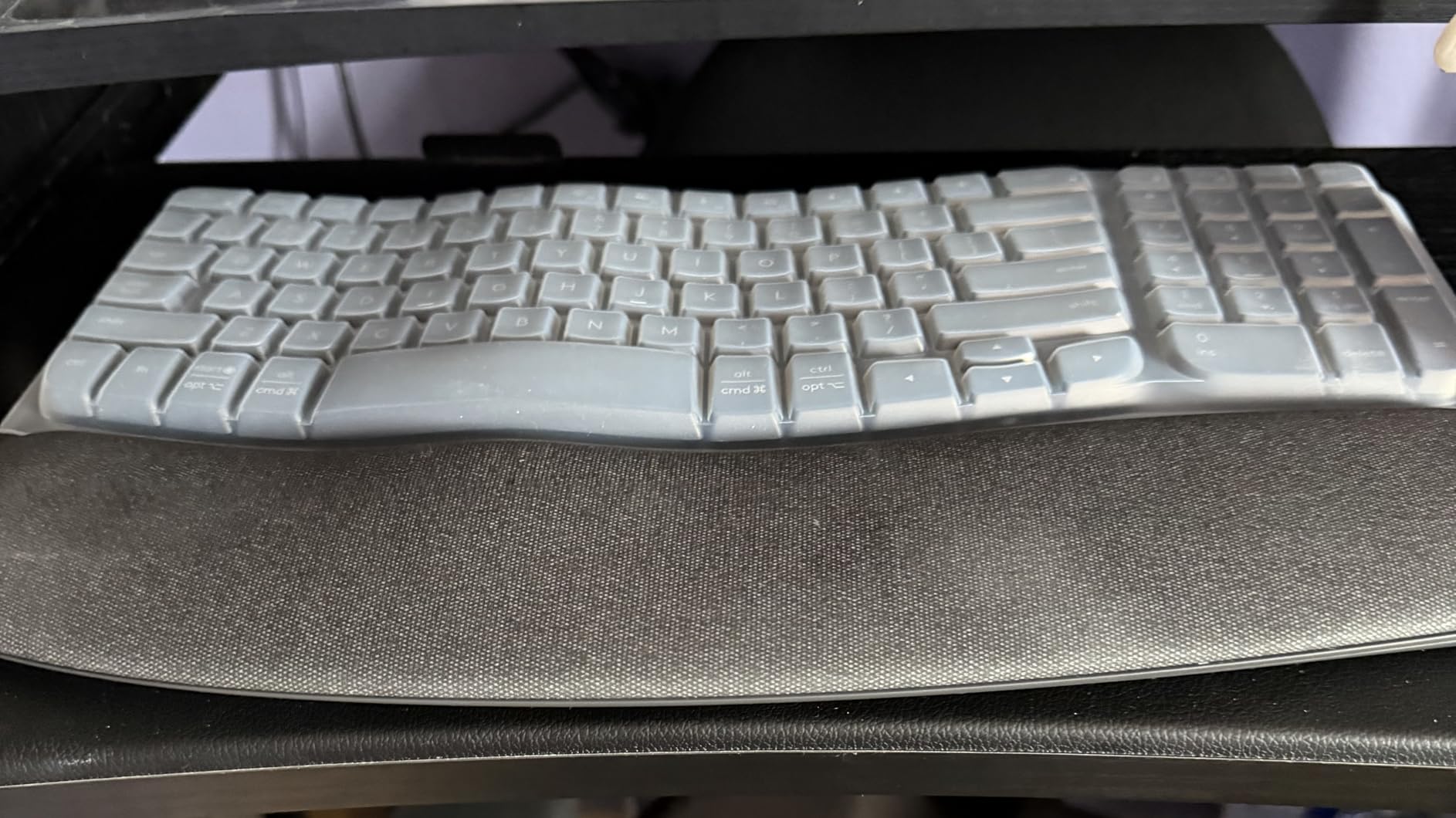
The palm rest is a cushioned memory foam strip along the front edge, and combined with the wave shape it nudges your forearms into a more neutral position than a flat board can. It is also certified by United States Ergonomics.
Two things hold it back. The layout is compact with no number pad, and the keys are membrane, so the feel is softer and less crisp than the scissor boards elsewhere in this list. Reviewers also note the wave shape takes some getting used to.
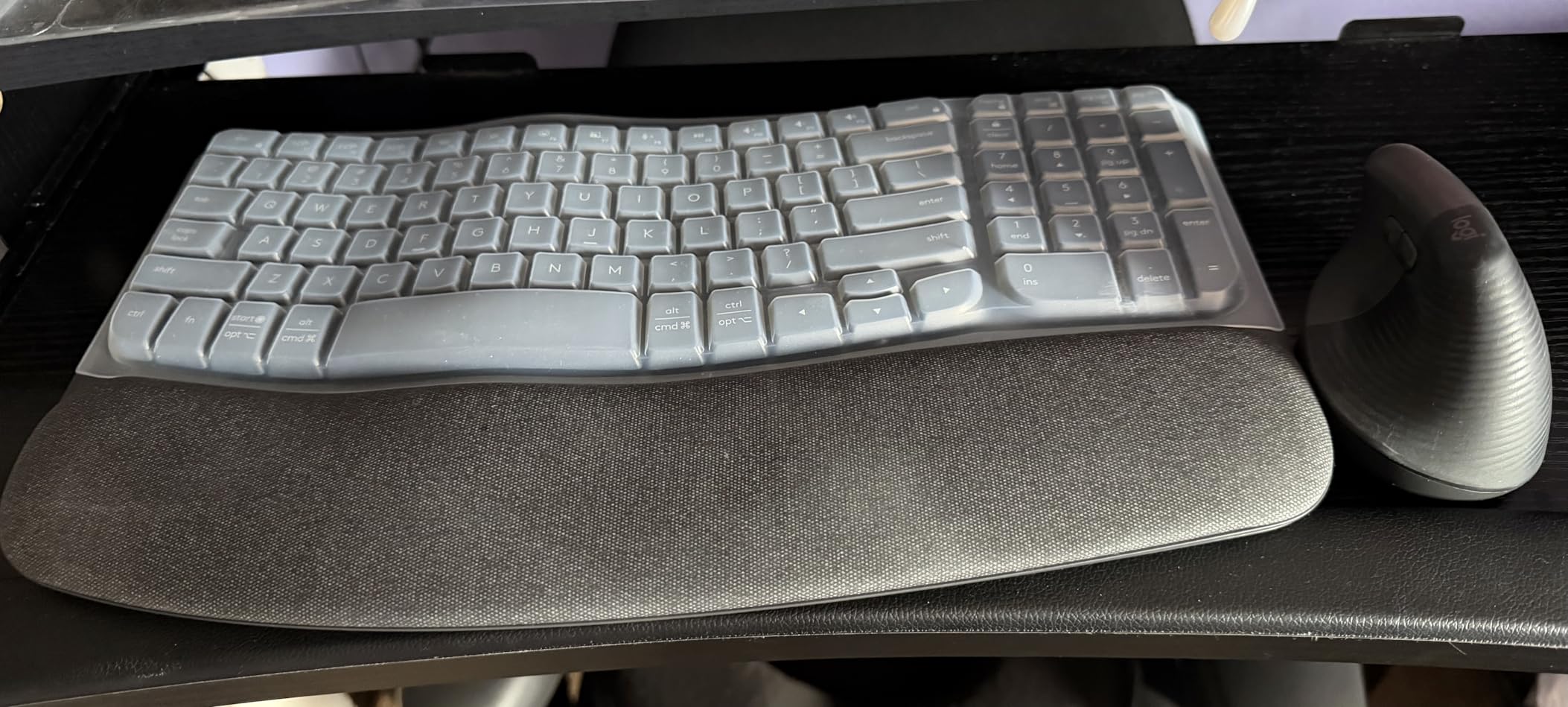
Good for comfort without a big adjustment
Because the keyframe is waved rather than split, your hands stay in roughly the same position and the transition from a flat keyboard is far less dramatic than the K860. That makes it a good first ergonomic step.
Multi-device switching and a three-year battery are the practical wins for a home desk, and the app lets you set custom shortcuts if you want them.
Where it will not fit
No number pad rules it out for spreadsheet-heavy or data entry roles. Membrane keys are the second issue, and there is no backlighting at all, so night work depends on a desk lamp.
Custom shortcuts are handled through Logi Options+, which is convenient but does mean installing vendor software on your work machine if your employer is strict about that.
7. TECKNET Bluetooth 4-Device Rechargeable Keyboard
TECKNET Bluetooth Keyboard Rechargeable 4-Device (2.4G+BT) Free Switching
3 Bluetooth plus 2.4 GHz modes
110 keys with number pad
500mAh, up to 180 days
17.13 x 5.12 x 0.57 inches
+ The Good
- Four connection modes in one board
- Rechargeable 500mAh battery rated in months
- Scissor keys with 2mm travel stay quiet
- Adjustable 3-7 degree stand with non-slip pads
- 36-month warranty on registration
- The Bad
- Needs a full charge before first use
- Full-size 110 keys take more desk width
- Auto-sleep causes a brief reconnect pause
This is among the most flexible boards in the list on connectivity alone, and it still carries a full-size number pad. It holds three Bluetooth profiles and a 2.4 GHz receiver profile, so it can drive a laptop, a desktop, a tablet and a machine with no Bluetooth radio, all switched from shortcut keys within a 15-meter range.
The scissor keys have 2mm of travel and are rated to 10 million keystrokes, and the board is spill resistant with 12 multimedia hot keys. Reviewers describe the typing feel as smooth and the sound as quiet enough for shared spaces.
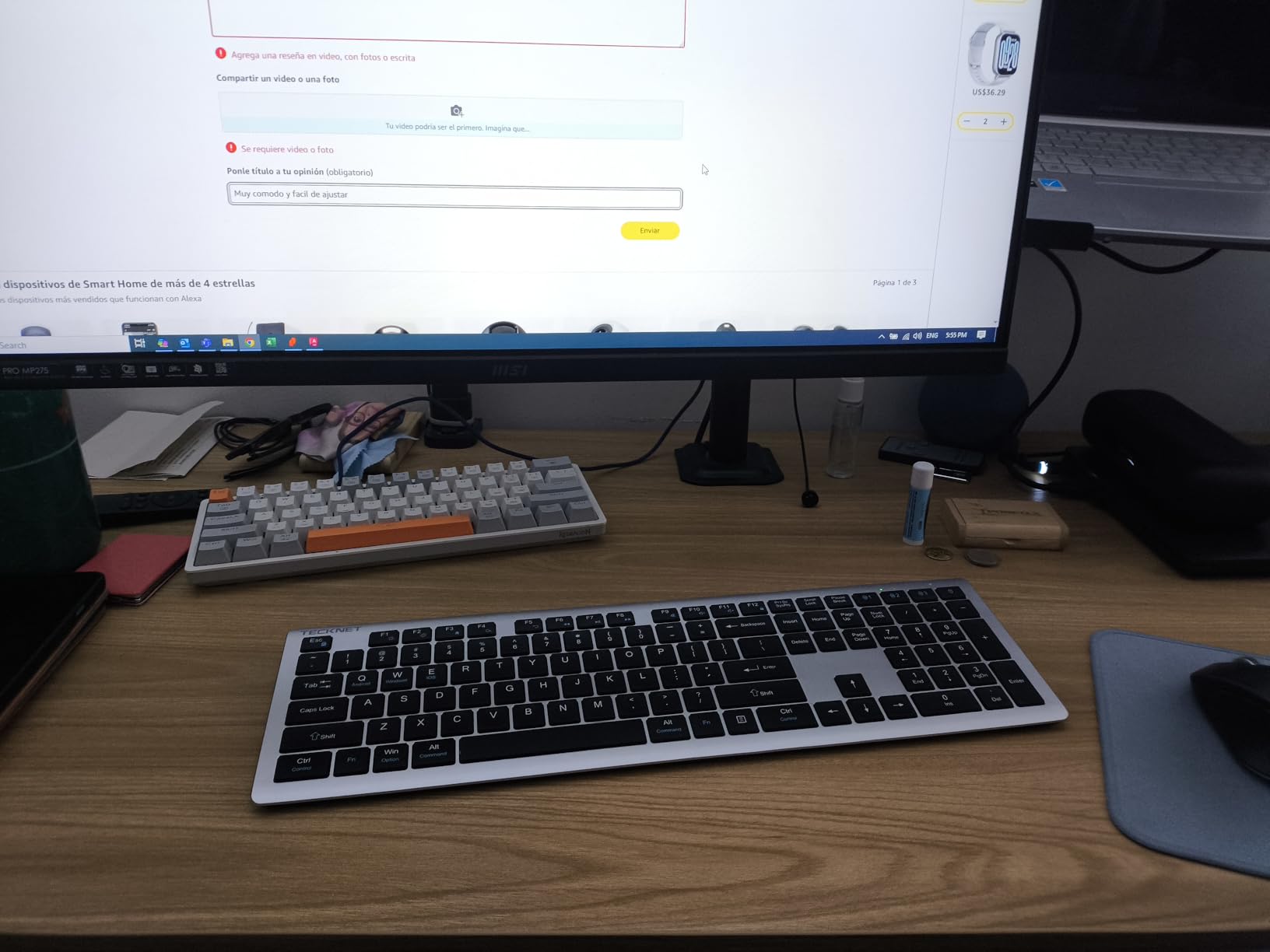
Power comes from a rechargeable 500mAh cell rated at up to 180 days on a two-hour daily usage basis, with auto-sleep after 30 minutes of inactivity. A USB-C charging cable is in the box, and the warranty runs 36 months once registered.
The support stand gives 3 to 7 degrees of tilt with five non-slip pads underneath, which is unusual at this level and helps a lot on a hard desk. The complaints are minor: some users need a full charge out of the box, and auto-sleep can add a pause on the first keystroke after a break.
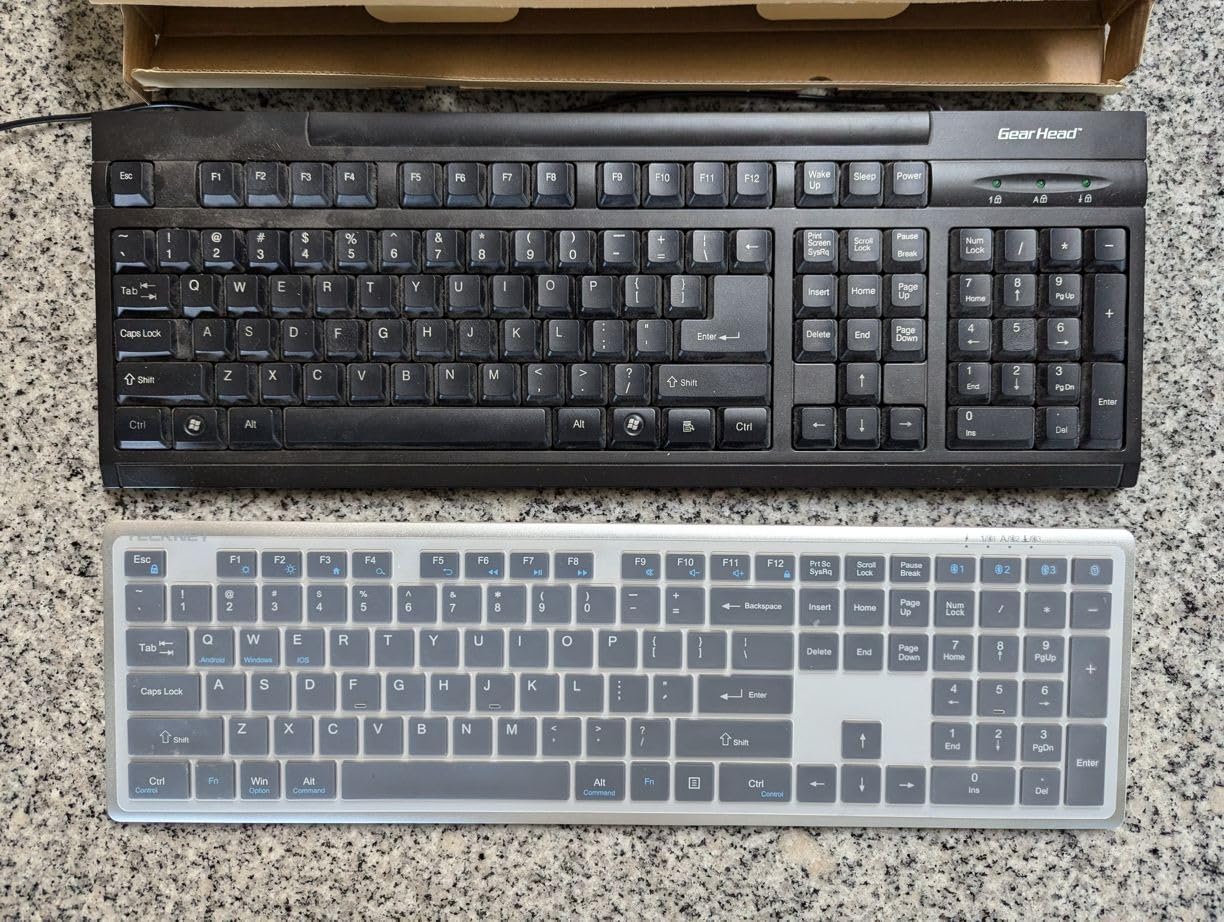
Why four connection modes matter
Bluetooth-only boards cannot reach a BIOS screen or a KVM switch, and dongle-only boards cannot reach your phone. Holding both radios in one keyboard removes that trade-off entirely, and it is the reason this board stands out against other budget full-size options.
It is also compatible with Windows, iOS, macOS and Android, so a mixed household is covered.
The trade-off you accept
At 110 keys and 17.13 inches wide, this is a full-size footprint, so it is not a small-desk solution. You also trade key backlighting, which this board does not have, for the connection breadth.
The brief reconnect after sleep is the one thing worth knowing before a call, so a quick keystroke before you go live avoids a gap.
8. AULA F75 Pro 75% Hot-Swappable Mechanical Keyboard
AULA F75 Pro Wireless Mechanical Keyboard,75% Hot Swappable Custom Keyboard with Knob,RGB Backlit,Pre-lubed Reaper Switches,Side Printed PBT Keycaps,2.4GHz/USB-C/BT5.0 Mechanical Gaming Keyboards
Bluetooth 5.0, 2.4 GHz and USB-C
81 keys, 75 percent layout
4000mAh rechargeable battery
Hot-swappable 3-pin and 5-pin sockets
+ The Good
- 4.6 rating with 82 percent five-star reviews
- Pre-lubed linear switches and stabilisers with five layers of internal damping
- Hot-swap sockets let you change switches without soldering
- 75 percent layout keeps arrow keys and frees desk width
- Useful multi-function knob for volume and brightness
- The Bad
- Drops the function row and number pad
- RGB lighting and gaming styling clash with a plain office desk
- Macro programming runs through a Windows-centric driver
This is the mechanical board in the group, and it earns the place on build quality rather than on noise. It comes with pre-lubed LEOBOG Reaper linear switches and pre-lubed stabilisers, plus five layers of internal filling and a single-slot PCB to damp cavity sound.
At 81 keys in a 75 percent layout it keeps the arrow keys while freeing meaningful desk width, which is the single most useful thing a compact mechanical board does for a small home desk. The multi-function knob switches between gaming brightness control and office volume control on a long press.

Connectivity is tri-mode: Bluetooth 5.0, 2.4 GHz wireless and USB-C wired, with up to five devices at once from a 4000mAh rechargeable battery. The hot-swap sockets accept both 3-pin and 5-pin switches, so you can change to silent switches later without a soldering iron.
It is rated at 4.6 with 82% five-star reviews, the strongest numbers in this roundup. What to know is the context: this is a compact gaming-style board with 16.8 million RGB colours, 16 preset effects and 10 music rhythm modes, which looks loud on a plain office desk.
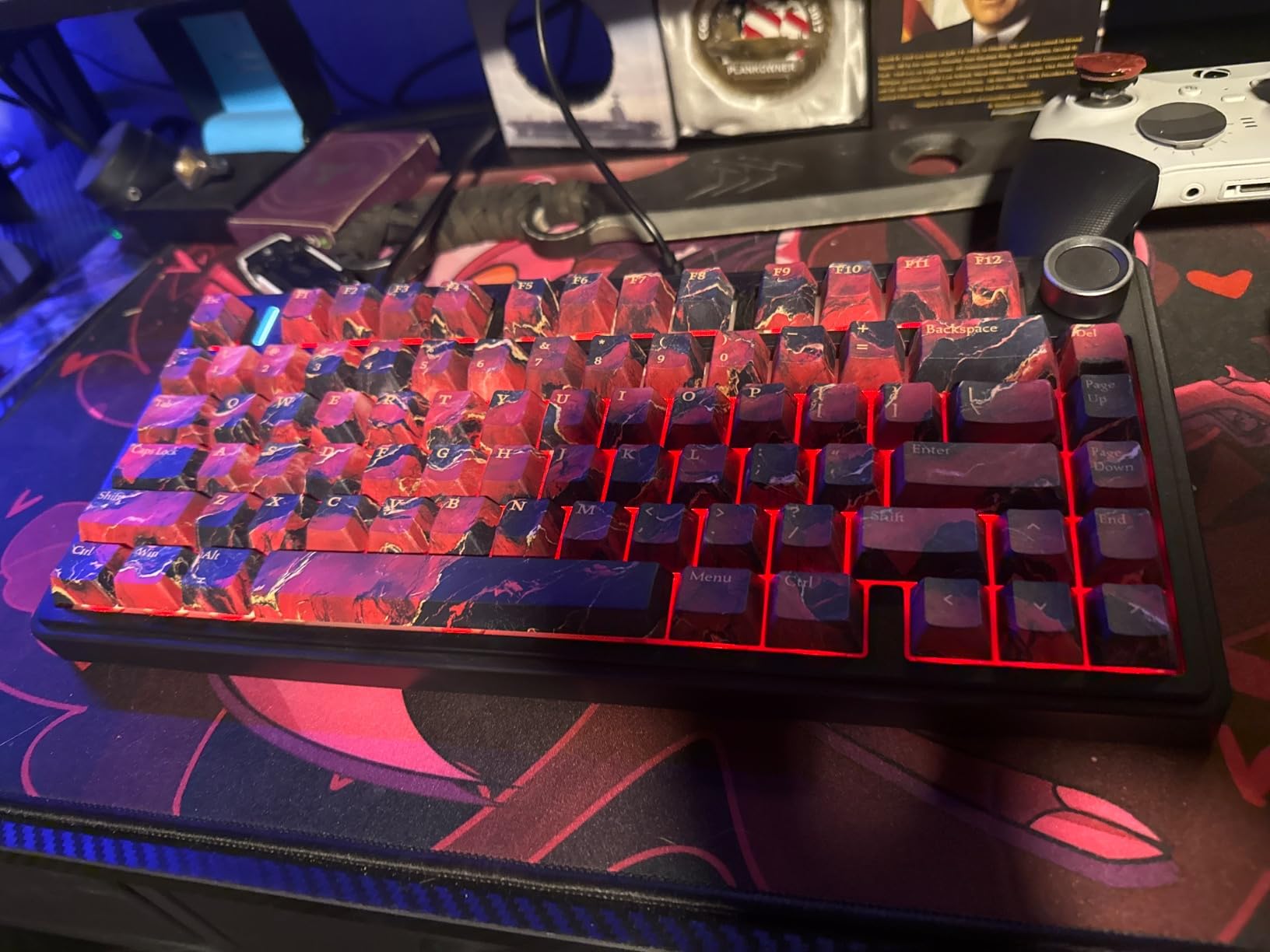
Who should buy a mechanical board
If you type all day and have used mechanical boards before, the feel and the hot-swap sockets are the argument. Key travel and the damped sound are meaningfully better than a membrane board, and the knob is genuinely convenient for meeting volume.
It works on Windows, macOS, laptops, tablets and phones, and the 1.02 kg weight keeps it planted on a desk.
Where it fights the home office
The 75 percent layout drops both the function row and the number pad, so spreadsheet work is a real compromise. RGB lighting and the styling are a matter of taste on a shared or client-facing desk.
Macro programming is handled through a Windows-centric driver, and the warranty is 6 months, the shortest in this group. For a shared wall, budget for silent switch swaps and turn the lighting off.
9. Arteck Split Ergonomic Keyboard with Palm Rest
Arteck Split Ergonomic Keyboard with Palm Rest, 2.4G USB Wireless Keyboard
2.4 GHz nano receiver
102 keys, split design
Rechargeable, 6 months per charge
16.5 x 9.6 x 1.02 inches
+ The Good
- Split layout and cushioned wrist rest reduce strain
- Quiet scissor keys suit call-heavy work
- Rechargeable battery with long runtime
- Nano receiver stores on the back of the keyboard
- 2-year warranty with strong replacement service
- The Bad
- Home and End keys doubled onto the number pad
- Space bar and some keys are noticeably loud
- Small tucked arrow keys lead to mis-presses
- 2.4G only with no Bluetooth pairing
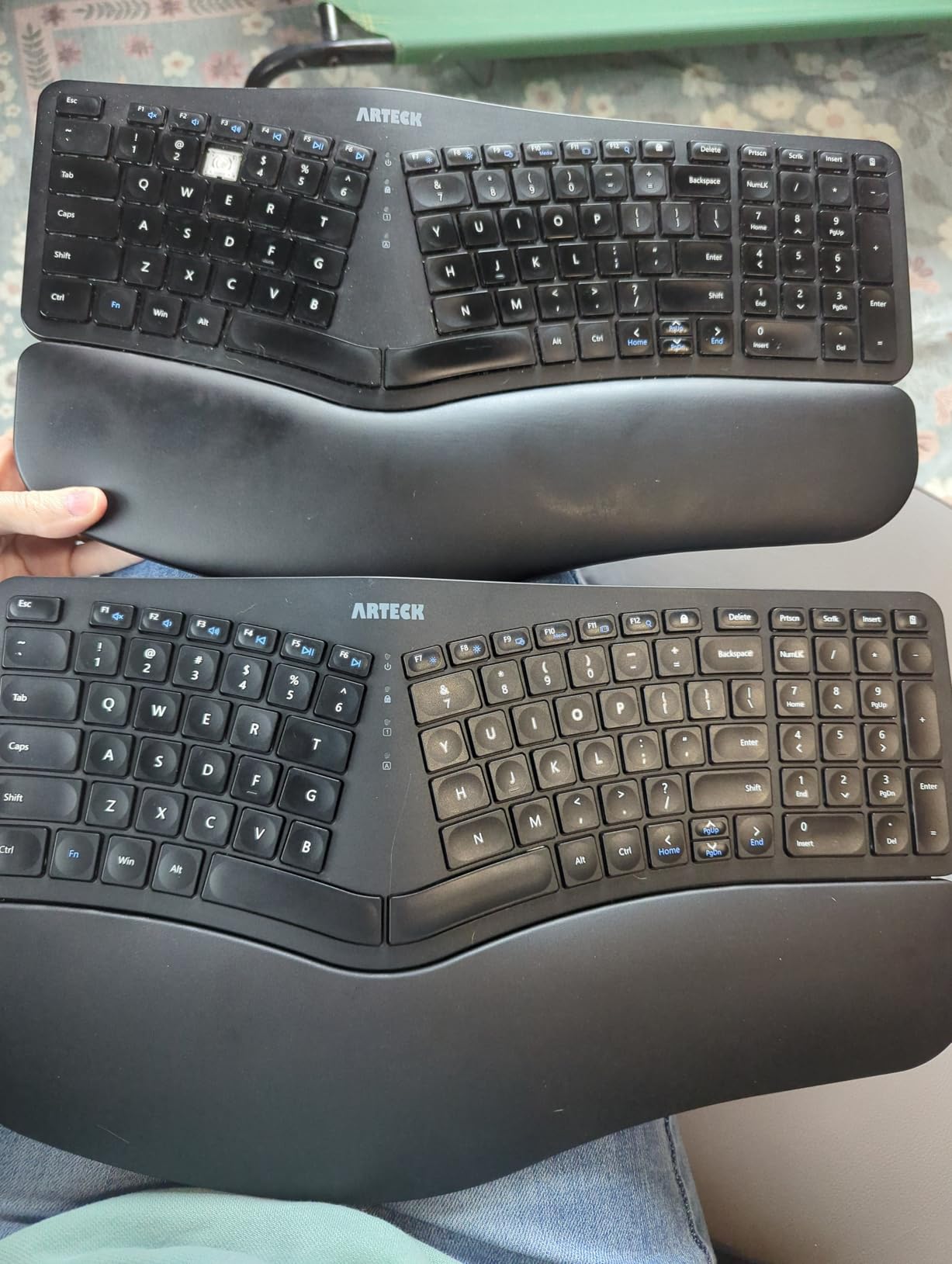
Reviewers buy this board as a replacement for the discontinued Microsoft ergonomic models, and that is exactly the use case it serves. The split design positions the wrists and forearms in a more natural alignment than a flat board, and a soft cushioned wrist rest runs along the front.
It is a 2.4 GHz board with a nano receiver that stores on the back of the keyboard, which is a genuinely useful detail because losing the dongle is the most common way this setup fails. Power is a rechargeable lithium cell rated at up to six months per charge, with a USB-C cable in the box.
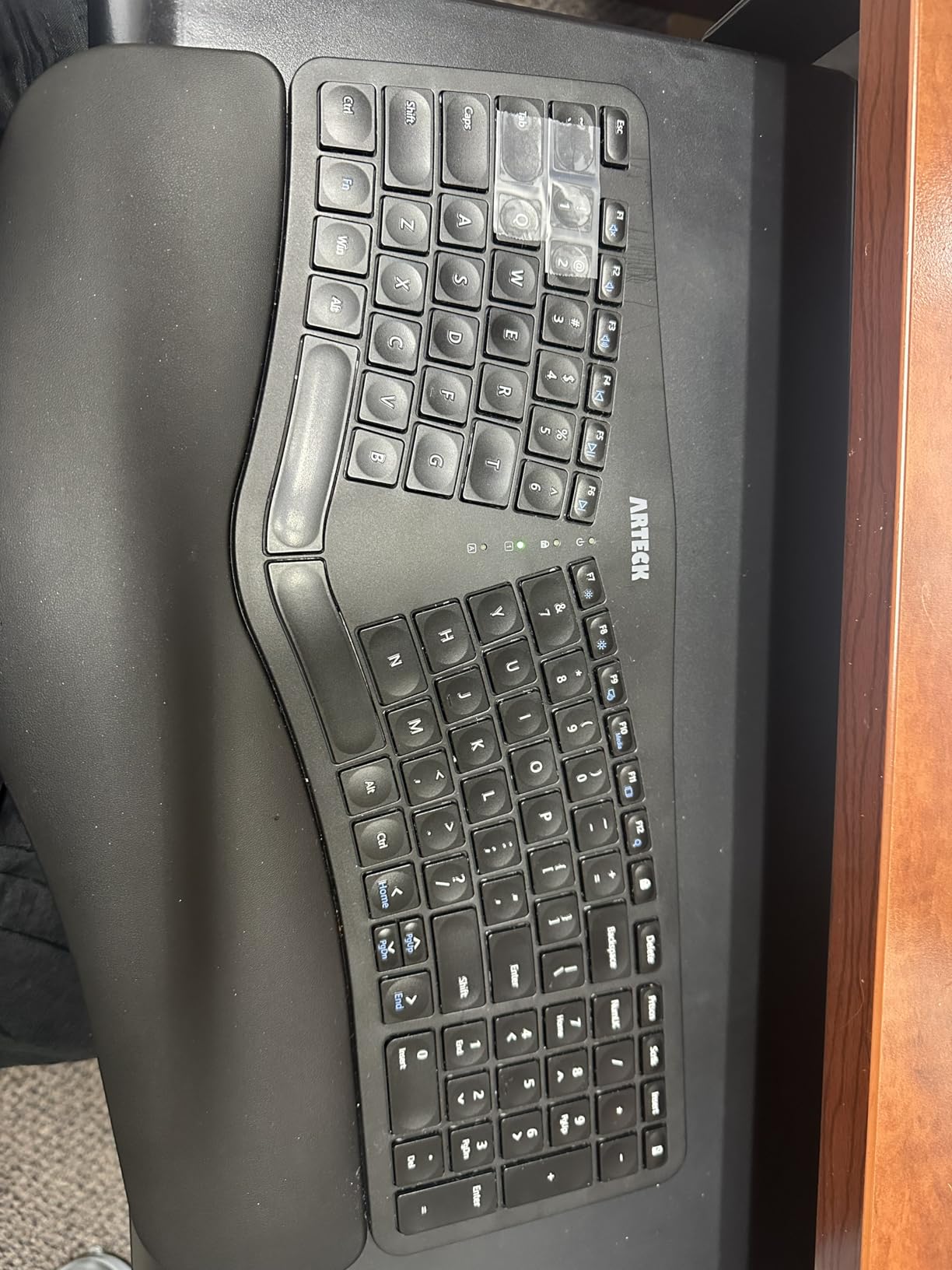
The scissor switches are quiet, which reviewers highlight for call-heavy work. At 102 keys it keeps a number pad, arrow keys, hotkeys and media keys, and Arteck warranty replacements come up repeatedly as a strong point in owner feedback.
The weaknesses are layout related. Home and End are doubled onto the number pad so touch typists look down for them, the arrow keys are small and tucked close to other keys, and the space bar plus a few keys are noticeably louder than the rest.
Best value if your wrists already hurt
If you have wrist or neck discomfort and want a split design, this is one of the cheapest ways to get a genuine split layout. The curve and cushioned rest do their job, and the 2-year warranty covers the first year of unfamiliarity if something feels off.
It suits a single-PC home office cleanly, and the stored receiver removes the dongle-loss problem entirely.
Where the compaction shows
The footprint is smaller than a full ergonomic board, and users with large hands find it cramped. The shallow back feet give much less palm lift than a true ergonomic board, so the comfort benefit is real but partial.
There is no Bluetooth, so this is a one-machine keyboard only. The doubled navigation keys and small arrows are the most common source of mis-presses after the first week.
10. TECKNET Rechargeable Ergonomic Keyboard
TECKNET Wireless Ergonomic Keyboard Rechargeable, 2.4G+Bluetooth Ergo Cordless USB Computer Keyboard, Wrist Rest, Natural Typing, Stain-Resistant Fabric, Compatible For Windows Computer Desktop Laptop
Bluetooth 5.0 plus 2.4 GHz
104 keys, split curved layout
500mAh, up to 200 hours
USB-C charges while you type
+ The Good
- Dual-density memory foam wrist rest with stain-resistant fabric
- Four-stage tilt at 0
- 1.2
- 3 and 6.2 degrees
- Switches across up to 4 devices
- USB-C port supports charging and simultaneous use
- Build quality better than typical entry boards
- The Bad
- Non-standard layout moves the arrow keys near Shift and Enter
- Page Up and Page Down doubled onto the number pad
- Some users report unreliable wireless requiring a wired connection
- No backlighting
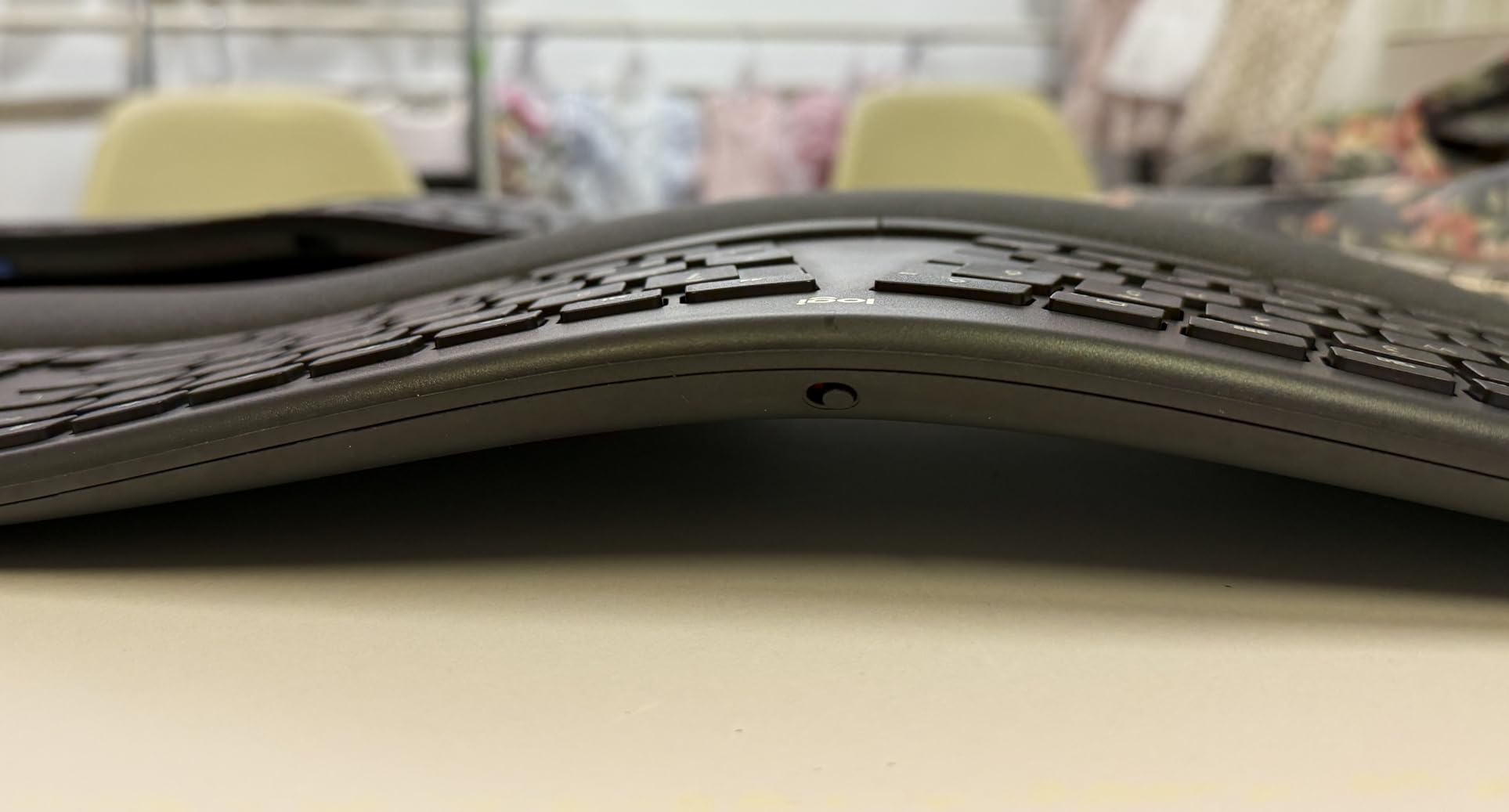
This is the board I would pick for someone who works at a standing desk part of the week. Four-stage feet at 0, 1.2, 3 and 6.2 degrees let you change the wrist angle across a day, and the split curved layout follows the natural arc of your fingers with hands resting at shoulder width.
The wrist rest is a two-layer design: a high-density base foam for stability under a slow-rebound memory foam top, covered in stain-resistant fabric. That matters in a home office more than it would in a studio, because sleeves and coffee happen.
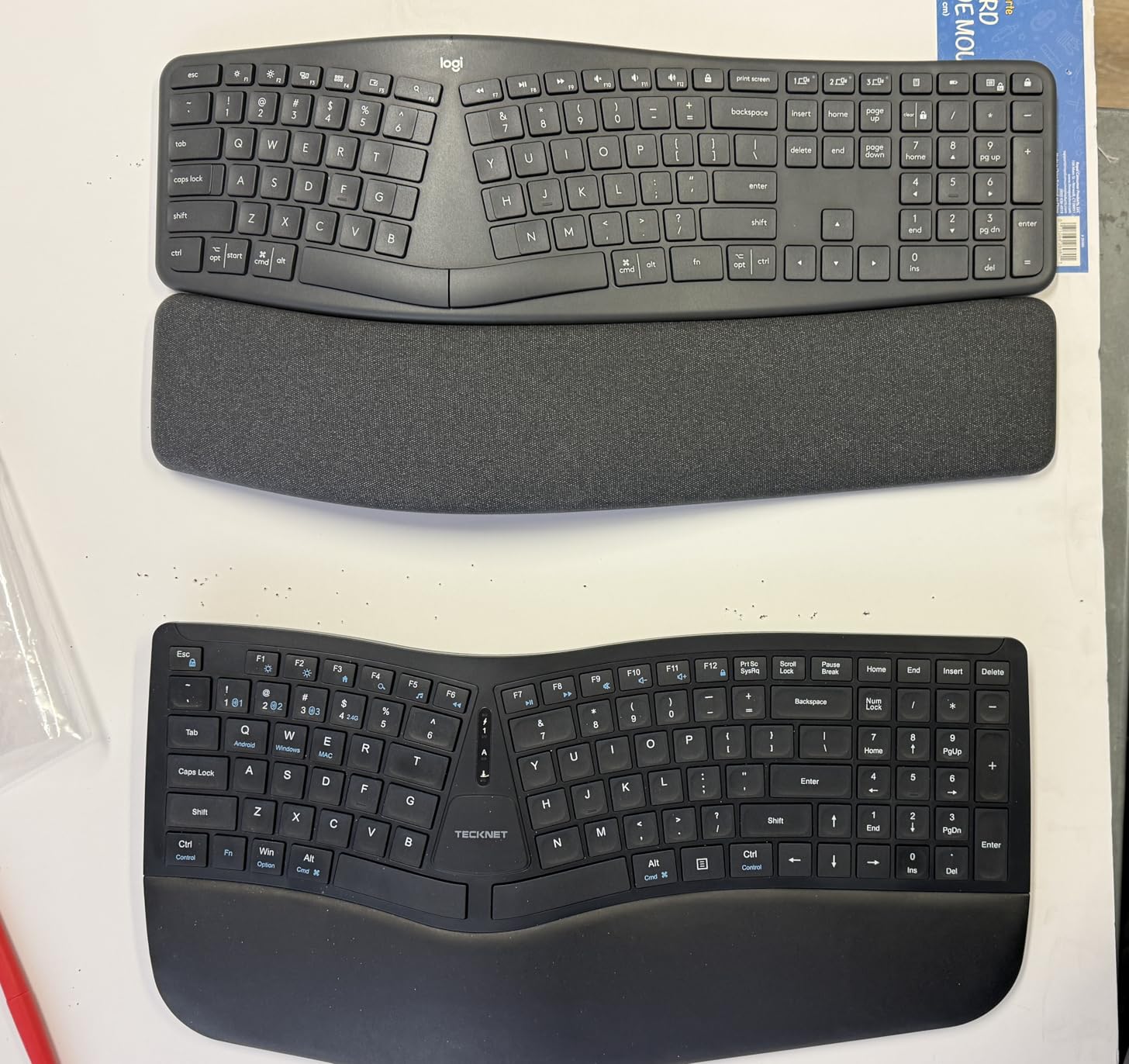
Connectivity is the strongest part. Bluetooth 5.0 holds pairing memory for three devices and the 2.4 GHz dongle adds a fourth, all switched with one shortcut key. The 500mAh battery charges over USB-C in four hours and is rated at up to 200 hours of use.
Critically, the USB-C port supports simultaneous charging and use, so the board does not go dead on you mid-call. Reviewers also compare the build favourably to more expensive ergonomic boards.
Best for a sit-stand schedule
The four tilt stages are the reason to choose this over a fixed-angle ergonomic board, and the USB-C charge-and-use behaviour removes the failure mode that scares people off wireless boards. Quiet low-travel keys suit open-plan and call-heavy work.
It is one of the few boards here that pairs to four devices across both radios and it also carries a cushioned wrist rest.
The layout you have to relearn
This is a non-standard key layout. Arrow keys sit near Shift and Enter, there is an extra key beside the modifier cluster, and Page Up and Page Down are doubled onto the number pad. That is the single most common complaint in reviews.
A minority of users also report the wireless function proving unreliable and falling back to a wired connection, and there is no backlighting. Expect a week of adaptation before it stops slowing you down.
11. ProtoArc EK01 Plus Backlit Bluetooth Ergonomic Keyboard
ProtoArc EK01 Plus Backlit Bluetooth Ergonomic Keyboard, Full Size, Grey
Bluetooth and 2.4 GHz
117 keys with number pad
2000mAh rechargeable, backlit
Three brightness levels
+ The Good
- Backlit full-size ergonomic board at a mid-range price point
- Curved split frame and scooped keys with a padded wrist rest
- 2.4 GHz dongle plus Bluetooth works in BIOS and with KVM switches
- Keeps a proper right Ctrl key that many competitors drop
- 2000mAh battery
- Silicone keyboard cover included
- The Bad
- Round media key cluster between the halves is awkward and not remappable
- Function key groups rearranged from a standard layout
- Cannot be used wired
- as USB-C is charge only
- Faux leather wrist rest can make hands sweat
The EK01 Plus is the pick when you work into the evening. It is a full-size 117-key ergonomic board with a white LED backlight across three brightness levels, and the curved split frame, scooped keys and curved wrist rest reduce wrist and fingertip fatigue over long sessions.
Battery figures are unusually well specified here. With the backlight off it is rated at 90 to 100 days; on high it runs 12 to 13 hours, on medium 18 to 20, and on low 34 to 36. A 2000mAh cell charges over USB-C, and the backlight auto-off after one minute saves you from glowing keys.
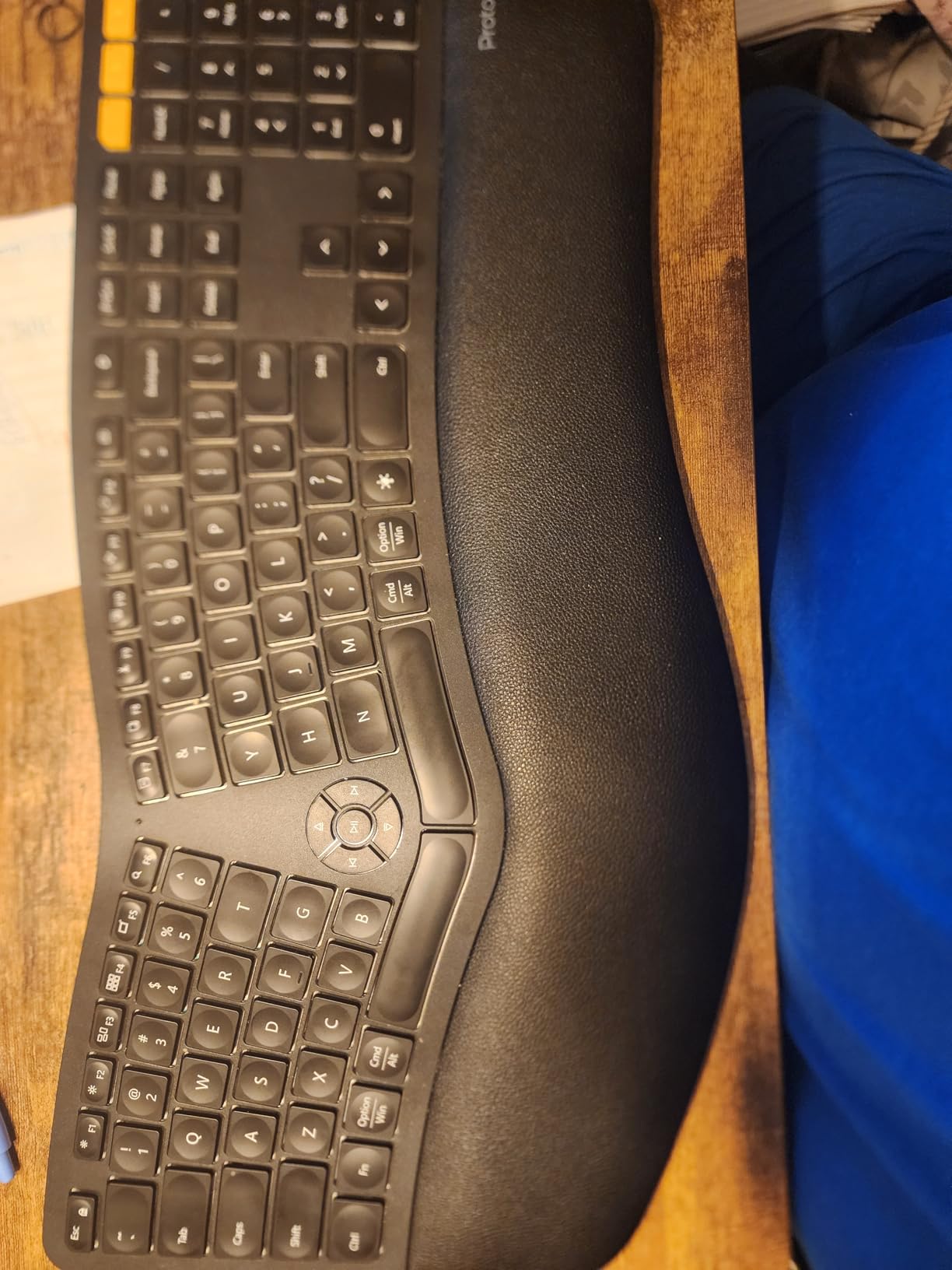
Connectivity covers Bluetooth and 2.4 GHz across up to three devices, and the receiver is a genuine advantage: reviewers point out that a dongle lets the board work in a BIOS screen or through a KVM switch, which a Bluetooth-only board cannot do.
It also keeps a proper right Ctrl key, which several competing ergonomic keyboards remove, and it ships with a silicone cover for cleaning the keys. Four tilt feet across three angle positions help you settle the typing angle.
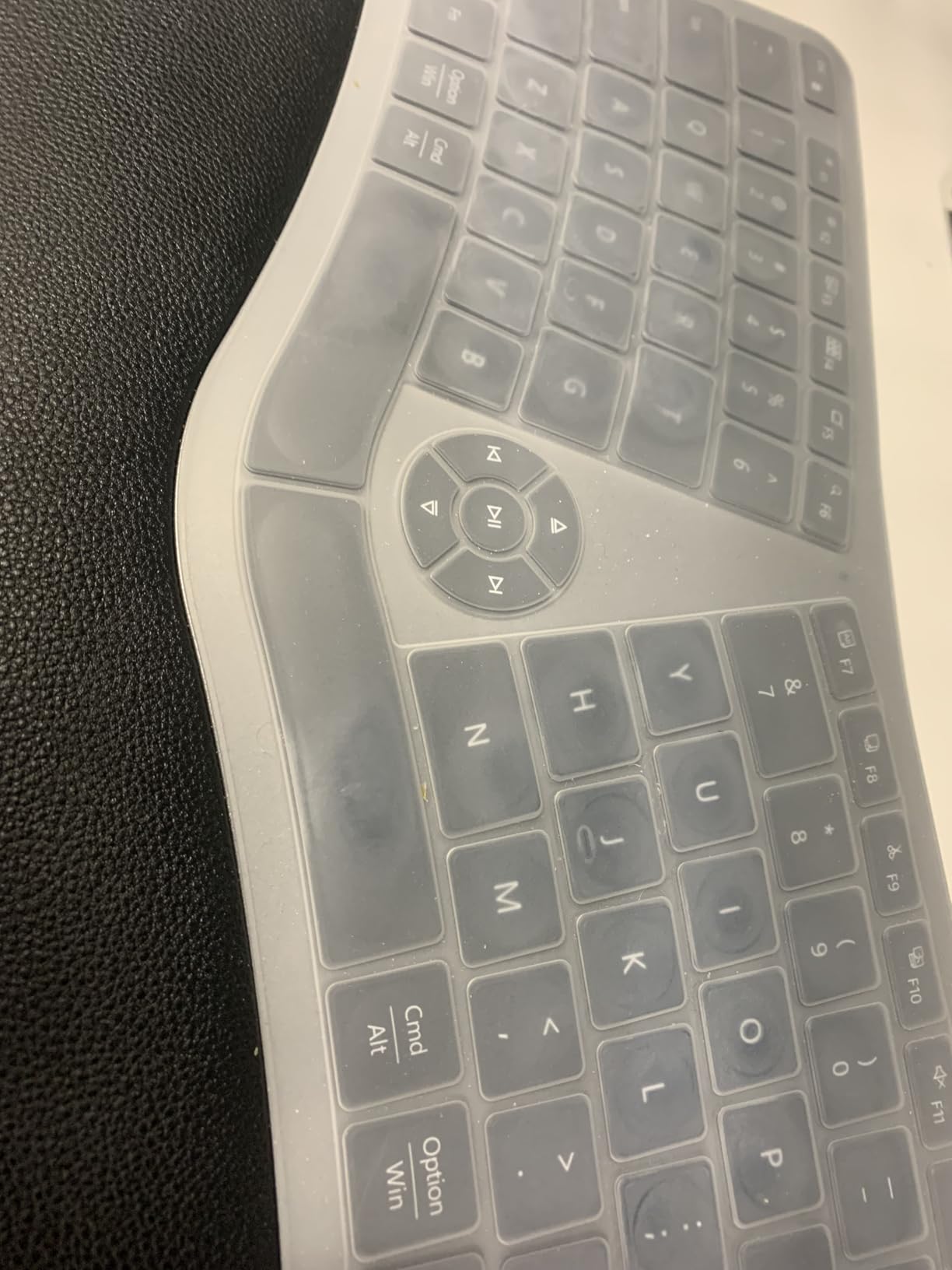
Best for evening and low-light work
Backlighting on a full-size ergonomic board is rare at this level, and the runtime figures mean you can leave the light on low for weeks. The USB-C port is charge only, so the cable occupies a port it does not refill while you work.
It carries the largest key count in this group at 117 keys, so check your desk depth before committing.
Where the layout fights back
The round cluster of volume and media keys sits between the two halves and is not remappable, which is awkward during a call. Function key groups are rearranged from the standard order, disrupting shortcut muscle memory.
Some units have had individual keys detach, notably the up arrow, the faux leather wrist rest tends to make hands sweat, and the warranty is 2 years. Check the layout on the product photos before ordering.
12. COLIKES Wireless Ergonomic RGB Keyboard
COLIKES Wireless Ergonomic Keyboard, Backlit Keyboard Silent with 15 RGB Lighting Effects, Leather Wrist Rest, 2500mAh Rechargeable, Multimedia Keys, Wave Keyboard for PC Computer Laptop Windows Mac
2.4 GHz receiver
Rechargeable 2500mAh, USB-C charging
15 RGB lighting effects
Wave ergonomic with silent membrane keys
+ The Good
- Full RGB backlighting with 15 effects and 3 brightness levels
- Silent membrane keys on a wave ergonomic layout
- Large 2500mAh battery with long backlight-off runtime
- Receiver stores on the keyboard
- 12 FN shortcuts plus dedicated media keys
- The Bad
- Lowest review count in this group at 151
- so long-term reliability is not established
- 2.4 GHz only despite multi-platform claims
- Wave membrane shape needs adjustment from a flat keyboard
- Backlight runtime drops sharply when lighting is on
This is the least proven board here, with 151 reviews and the lowest average rating in the set at 4.1. What makes it interesting is unusual for the price: full RGB backlighting with 15 effects, five backlight modes and three brightness levels, on a wave-shaped ergonomic frame with silent membrane keys.
Battery is a 2500mAh cell with a roughly five-hour USB-C charge. Reviewers note very long runtime with the backlight off, rated at 277 days at three hours of daily use, and about 10 days with the lighting on, so treat the RGB as an occasional feature.
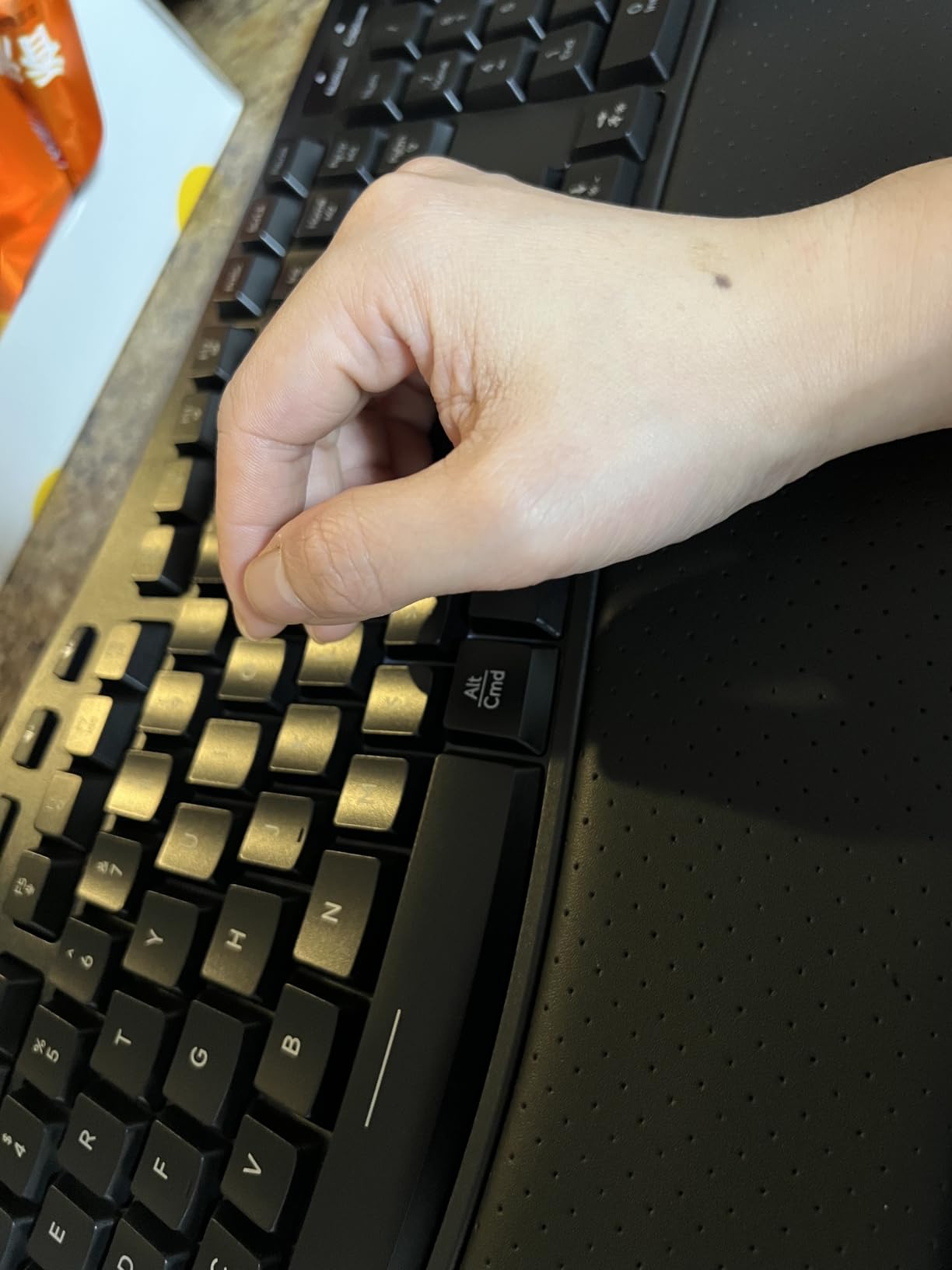
The 2.4 GHz connection has a 33-foot range and the USB receiver stores on the keyboard itself, so it is not easily misplaced. A USB-C to USB-A adapter is included for dual-system switching across Windows, Mac, Chrome OS and Linux, with 12 FN shortcuts and dedicated multimedia keys for calls.
The compromises are real. It is 2.4 GHz only with no Bluetooth pairing, so the multi-platform claim does not extend to your phone or tablet. The wave membrane shape also needs adjustment for anyone used to a flat board, and the warranty is 12 months.

When RGB earns its place
If you like backlit keys and want a wave ergonomic shape with silent membrane typing, this delivers both in a bracket where you would usually find a plain membrane board. The soft wrist rest and adjustable legs take the edge off long sessions.
Silent membrane keys also make it a reasonable option for late-night work where a mechanical board would be too loud.
Why we ranked it last
The evidence base is thin. With 151 reviews there is no long-term reliability picture, and the rating is the lowest in the group at 4.1. Lighting also makes it a more conspicuous object on a shared desk than most people want.
Treat it as an interesting option rather than a safe one, and check that the wave shape works for your hands before committing.
Home Office Buying Guide: What Actually Decides It
Bluetooth or 2.4GHz wireless: pick the connection you actually use
Wireless means one of two radio links. Bluetooth needs no dongle, pairs to phones and tablets, and works on a machine with no free USB port, but it can carry a small delay and occasionally reconnect slowly after sleep. A 2.4 GHz receiver gives the lowest lag and reaches a BIOS screen or a KVM switch, but the dongle is a small object that disappears in a sofa cushion.
Best wireless keyboards for home office desks that run more than one machine tend to carry both radios. The TECKNET four-device board is the clearest example, and the TECKNET ergonomic board pairs three Bluetooth profiles plus a 2.4 GHz profile in an ergonomic frame. If you only ever type on one laptop, a Bluetooth board like the Logitech K480 is simpler and leaves the USB port free.
Scissor, membrane or mechanical: where the noise actually comes from
Membrane keys use a rubber dome over a circuit. They are the cheapest and among the quietest, but reviewers widely describe the feel as soft or spongy after hours of typing. Scissor keys use a small scissor mechanism on a low-profile frame, which is what laptop-style quiet boards use, and they give a crisper action with short travel.
Mechanical switches are the most responsive and the loudest unless you fit silent or low-travel variants. The AULA F75 Pro is the mechanical pick here, and its hot-swap sockets mean you can move to silent switches later without soldering. If the wall is thin, the scissor boards on this list are the safe default. For the quietest options, our ordering runs scissor boards first, then silent membrane, then a damped mechanical board with the lighting off.
Full-size, tenkeyless or 75 percent: match the layout to the work
A full-size layout with a number pad is right if you touch numbers all day. The Arteck 2.4 GHz board, the Logitech K270 and the ProtoArc EK01 Plus all keep one, and the EK01 Plus adds a backlight if you work late.
Compact and 75 percent layouts trade the number pad for desk width. The Logitech K480 uses that width to pull your mouse closer, which reviewers credit with better posture, and the AULA F75 Pro keeps arrow keys while dropping the function row. If a monitor arm is clamped behind your workspace, footprint is not a detail, it decides whether the board fits at all.
Battery logistics: what happens when it dies mid-call
Disposable cells are the low-maintenance route. The Logitech K480 runs up to 24 months on two AAA cells and the Logitech Wave Keys are rated at up to three years, so both effectively remove the question. Rechargeable boards avoid disposables but need a cable kept somewhere, and the useful detail is whether the board works while charging: the TECKNET ergonomic board charges and types at the same time over USB-C, while the Arteck HB192 and Arteck split board use micro-USB or charge-only ports that occupy a port without keeping you online.
For shared rooms, the practical advice is simple. Keep one spare set of cells or one short charging cable in the desk drawer, and avoid boards whose only connection is a dongle you have to find. Losing a 2.4 GHz receiver is the single most common home office keyboard failure, which is why several boards here store the receiver on the keyboard body itself.
Comfort, operating systems and the quiet-household test
Ergonomic boards fall into two families. A wave design like the Logitech Wave Keys or the COLIKES rolls the board into a shallow arc and keeps your hands where they already are, which makes it an easy first step. A true split design like the Logitech ERGO K860 or the Arteck split board pulls the halves apart and demands a re-learning period that reviewers consistently describe as slow before it clicks.
For operating systems, check two things: whether the board pairs over Bluetooth, and whether the legends match your machine. The Arteck HB192 and the TECKNET four-device board list the widest platform support, while the Logitech K270 is a Windows board with no Bluetooth. If you are setting up a Mac-centric desk, our wireless keyboard picks for Mac cover that in more depth.
Finally, test the noise in your actual room, not a showroom. If someone is on a call in the next room, scissor or silent membrane boards are the right starting point. A quieter desk also pairs well with a wireless office headset for calls, and lighting matters more than most people expect once a room darkens, which is where a task lamp earns its place.
Two more housekeeping items before you order. Count your devices and your ports, because a board that pairs to three profiles and holds a 4000mAh battery is a different purchase from one that needs a dongle and two AA cells. And if your employer restricts software, check whether remapping needs vendor software, because the Logitech boards in this list handle shortcuts through their apps while the Arteck and TECKNET boards work without one.
Frequently Asked Questions
What is the best wireless keyboard for office use?
The Logitech K480 is the best overall wireless keyboard for a home office. It pairs with three Bluetooth devices and switches between them with a physical dial, runs up to 24 months on two AAA batteries, and its compact 11.8 inch width keeps your mouse close for better posture. For a number pad, the Arteck 2.4G full-size board is the better fit.
Is there a difference between a wireless keyboard and a Bluetooth keyboard?
Every Bluetooth keyboard is wireless, but not every wireless keyboard uses Bluetooth. A 2.4 GHz wireless keyboard connects through a small USB receiver dongle, which gives lower lag and can work in a BIOS screen or through a KVM switch, but the dongle can be lost. A Bluetooth keyboard needs no dongle, pairs to phones and tablets, and may reconnect slowly after sleep.
What are the downsides of using a scissor switch keyboard?
Scissor keyboards are quiet and cheap, and their low profile suits a shared room. The downsides are short key travel and a lighter feel than mechanical switches, and low-profile compact boards can feel cramped with keys bunched together. A scissor board is also usually harder to repair or re-switch than a hot-swappable mechanical board.
What is the quietest keyboard for work?
Among the boards here, the quietest options are the scissor-switch models: the Logitech K480, the Arteck 2.4G full-size board and the Arteck split ergonomic board, whose keys reviewers describe as quiet enough for call-heavy work. The COLIKES board adds silent membrane keys. The AULA F75 Pro is a mechanical board, so its pre-lubed linear switches are the loudest, and its hot-swap sockets let you fit silent switches instead.
Which Logitech keyboard is the quietest?
Among the Logitech boards in this roundup, the K480 is the quietest option because it uses a low-profile scissor mechanism with a short, soft action. The Logitech Wave Keys and the ERGO K860 are also quiet, since both use low-profile laptop-style keys, but the K480 is the lowest-profile of the three. None of the Logitech models here have mechanical switches.
How long does a wireless keyboard battery last?
It depends entirely on the power source. Disposable-cell boards such as the Logitech K480 are rated at up to 24 months and the Logitech Wave Keys at up to three years. Rechargeable boards are usually quoted in days: the TECKNET four-device board is rated at up to 180 days, the COLIKES board at 277 days with the backlight off, and the ProtoArc EK01 Plus at 90 to 100 days with the backlight off.
The Verdict: Which Wireless Keyboard Should You Buy in 2026
The best wireless keyboards for home office in 2026 come down to three honest trade-offs. If you want the fewest compromises for the money, the Logitech K480 is the buy: three devices on one dial, a battery you will forget about, a cradle for your phone and a footprint that gives your mouse a better position. It is our editor’s choice because it solves the most home office problems at once.
If your wrists are the problem, the Logitech ERGO K860 is the answer and the adjustment period is the price of admission. If you need a number pad, the Arteck 2.4G full-size board gives you a stainless steel chassis, quiet low-profile keys and a rechargeable battery that removes disposable cells. If you want a mechanical feel, the AULA F75 Pro has the highest rating in the group and hot-swap sockets so you can move to silent switches when the household gets quiet.
Whichever you pick, buy it for the room you actually type in. Measure the desk, count the devices, check the wall thickness, and test it for a full workday before the trial period ends. Our broader office keyboard roundup goes deeper on wired and mechanical options if your setup needs something outside the wireless brief.