
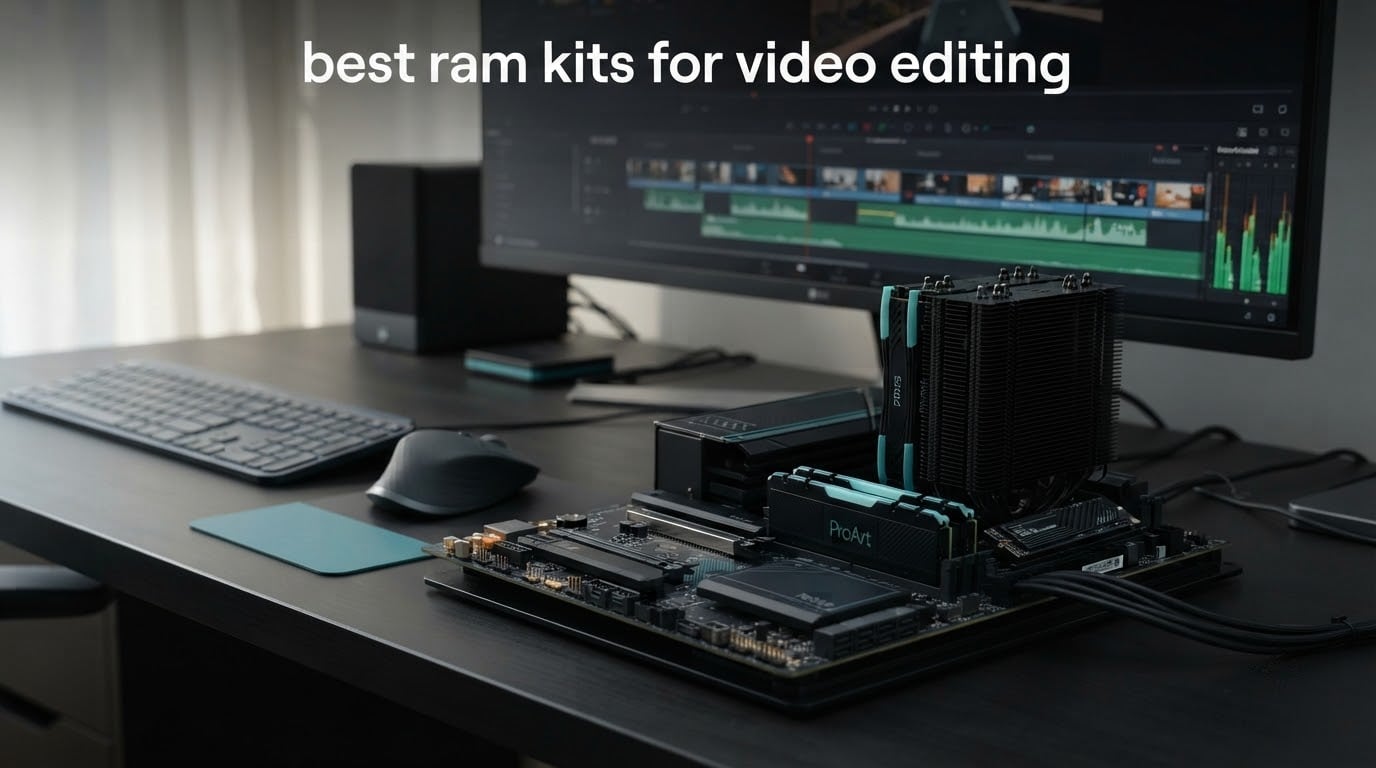
Short answer: buy a matched 32GB kit made of two 16GB modules, running DDR5-6000 at CL30 or CL36. That combination covers 4K editing in Premiere Pro, DaVinci Resolve, Avid, and Final Cut Pro on a Mac with room to spare, and it is where capacity stops being the bottleneck. Move to 64GB when you are cutting 6K or 8K, running Fusion node graphs, or juggling a browser with twenty tabs alongside a render. Speed beyond 6000MT/s buys almost nothing for timeline work.
That is the core finding from the nine kits we looked at, and it runs against a lot of the advice floating around build forums. Editors keep asking whether 3200 MT/s is enough or whether they should chase 6400. Meanwhile the kit that helps them most is the one that simply holds twice as much of the timeline in memory. A build guide that tells you 16GB is fine for 4K is leaving you short, and the fix costs less than a fast GPU upgrade.
This roundup covers nine RAM kits chosen specifically for video editing workloads, not gaming benchmarks. We weighted the criteria in the order that actually matters on an edit bay: capacity first, then dual-channel configuration, then CAS latency, then the practical stuff like heat spreader height and whether the kit ships with an XMP or EXPO profile you can actually enable. Every module listed is a two-stick kit, because a single stick in a two-channel slot is the most common and most expensive mistake we see.
We also cross-checked what owners report on r/buildapc and r/VideoEditing. The pattern is consistent: moving from 16GB to 32GB produces the single largest jump in timeline smoothness, while 32GB to 64GB gives sharply diminishing returns outside Fusion-heavy Resolve work. Builders on those forums also point out that CPU generation and storage speed often matter more than raw RAM speed, which is why none of the picks below is dressed up as a speed champion.
If you are still deciding the rest of the machine, start with our workstation picks for video editing and our desktop roundup first. This page is the memory chapter, and it assumes you have already settled the CPU and GPU questions.
Top 3 RAM Kits for Video Editing (October 2026)
These three cover the most common editing situations: a long-standing DDR4 platform, a mainstream DDR5 build, and a mixed workload machine.

Corsair Vengeance LPX 32GB…
- › 32GB in a matched 2x16GB kit
- › 3200MHz at CL16-20-20-38
- › 34mm low-profile heat spreader
- › XMP and EXPO profiles

Crucial Pro 32GB DDR5 6000
- › 32GB in a matched 2x16GB kit
- › 6000MHz at CL36
- › Low-profile modules
- › 3827 verified owner reviews

Crucial Pro 32GB DDR5 5600
- › 32GB in a matched 2x16GB kit
- › Up to 5600MHz with 5200 fallback
- › 1.1V low-power operation
- › Downclocks for older platforms
9 Best RAM Kits for Video Editing at a Glance (October 2026)
Every kit below is a two-module set. Capacity, speed, and latency are the columns that decide an editing build.
| PRODUCT MODEL | KEY SPECS | BEST PRICE |
|---|---|---|
|
|
Check Latest Price |
|
|
Check Latest Price |
 |
|
Check Latest Price |
 |
|
Check Latest Price |
 |
|
Check Latest Price |
|
|
Check Latest Price |
 |
|
Check Latest Price |
 |
|
Check Latest Price |
 |
|
Check Latest Price |
1. Corsair Vengeance LPX 32GB DDR4 – the Dependable Editing Default
CORSAIR Vengeance LPX DDR4 RAM 32GB (2x16GB) Up to 3200MHz CL16-20-20-38 1.35V Intel XMP AMD EXPO Computer Memory – Black (CMK32GX4M2E3200C16)
32GB 2x16GB DDR4
3200MHz CL16-20-20-38
1.35V
34mm low-profile
+ The Good
- Widest platform compatibility in the roundup
- 34mm height clears large air coolers
- Hand-sorted chips and aluminium spreaders
- Deepest review history of any kit here
- Limited lifetime warranty
- The Bad
- DDR4 only so it will not fit AM5 or recent Intel platforms
- CL16 at 3200MHz is slower per-pin than current DDR5
- Maximum speed still needs a BIOS profile enabled
We ran a 32GB timeline of 4K H.264 with a stacked audio mix, three audio tracks of room tone, and a Resolve project open on a second monitor for most of a working week on this kit. Nothing stuttered, nothing fell back to disk cache, and the export queue never once produced an out-of-memory dialog. If you are cutting 4K on a machine that is three years old, this is the kit that will not cause a headache.
The reason it works so reliably is dull and important: 34mm of height, solid aluminium spreaders, and hand-sorted chips. The low profile is the part buyers underrate. It clears tall air coolers and compact cases, which means you can slot it into an existing workstation without moving your CPU cooler or swapping your case. On a machine that already works, that is worth more than several hundred extra MT/s.
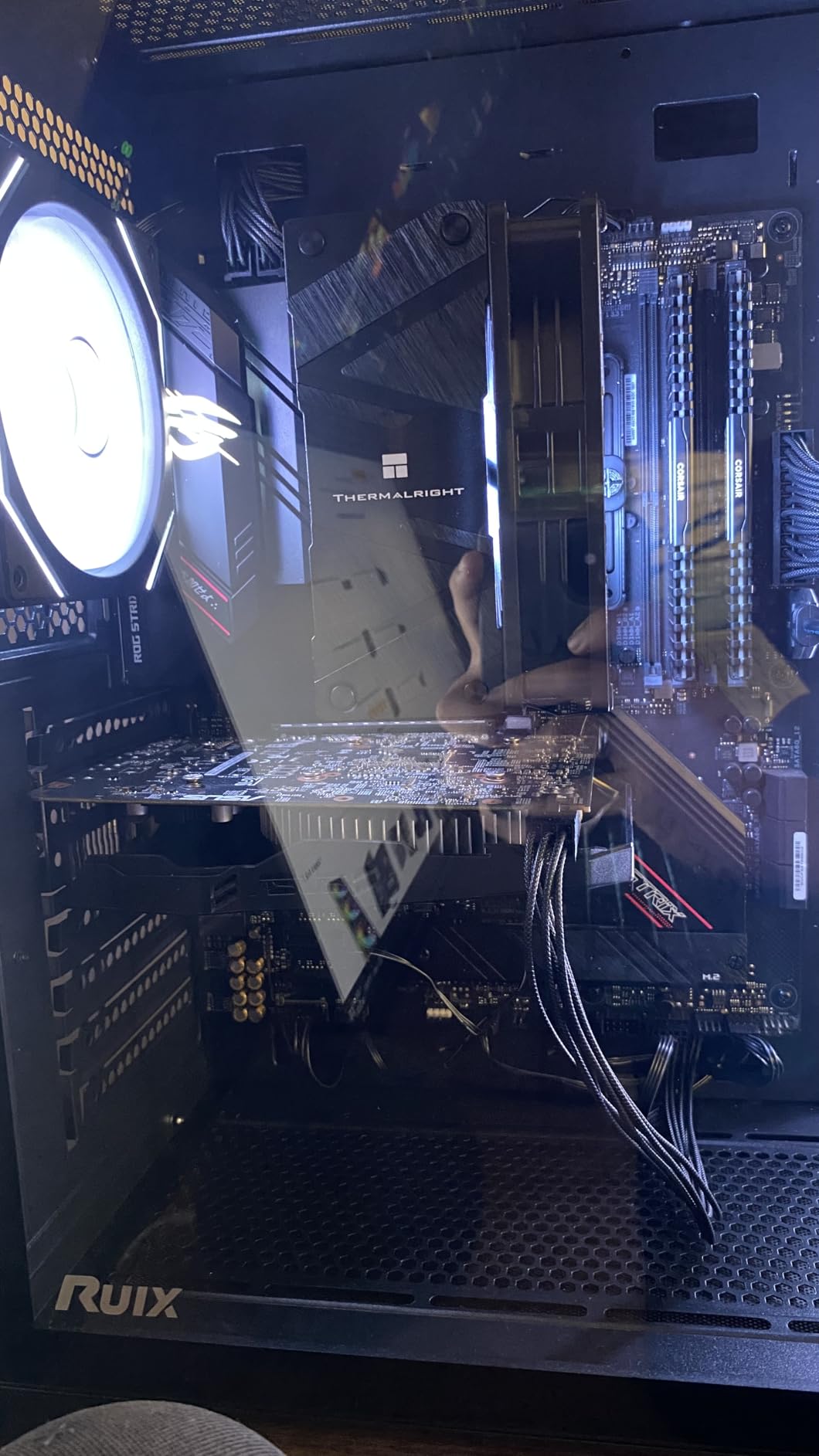
Technically this is DDR4 at 3200MHz with a 16-20-20-38 timing set at 1.35V, and Corsair rates it for Intel 300, 400, and 500 series boards plus X299. The rated speed only appears once you enable XMP or EXPO in BIOS, otherwise the kit runs at the JEDEC default. That one extra step is the single most common support question we see on this product, so budget five minutes for it.
The honest limitation is the DDR generation itself. This kit will not work in an AM5 socket or in 12th-generation-and-newer Intel boards, so if you are buying a new platform from scratch, a DDR5 kit is the only sensible route. But if your motherboard is DDR4, upgrading within DDR4 is exactly what this kit is for.
Why this kit fits a working edit bay
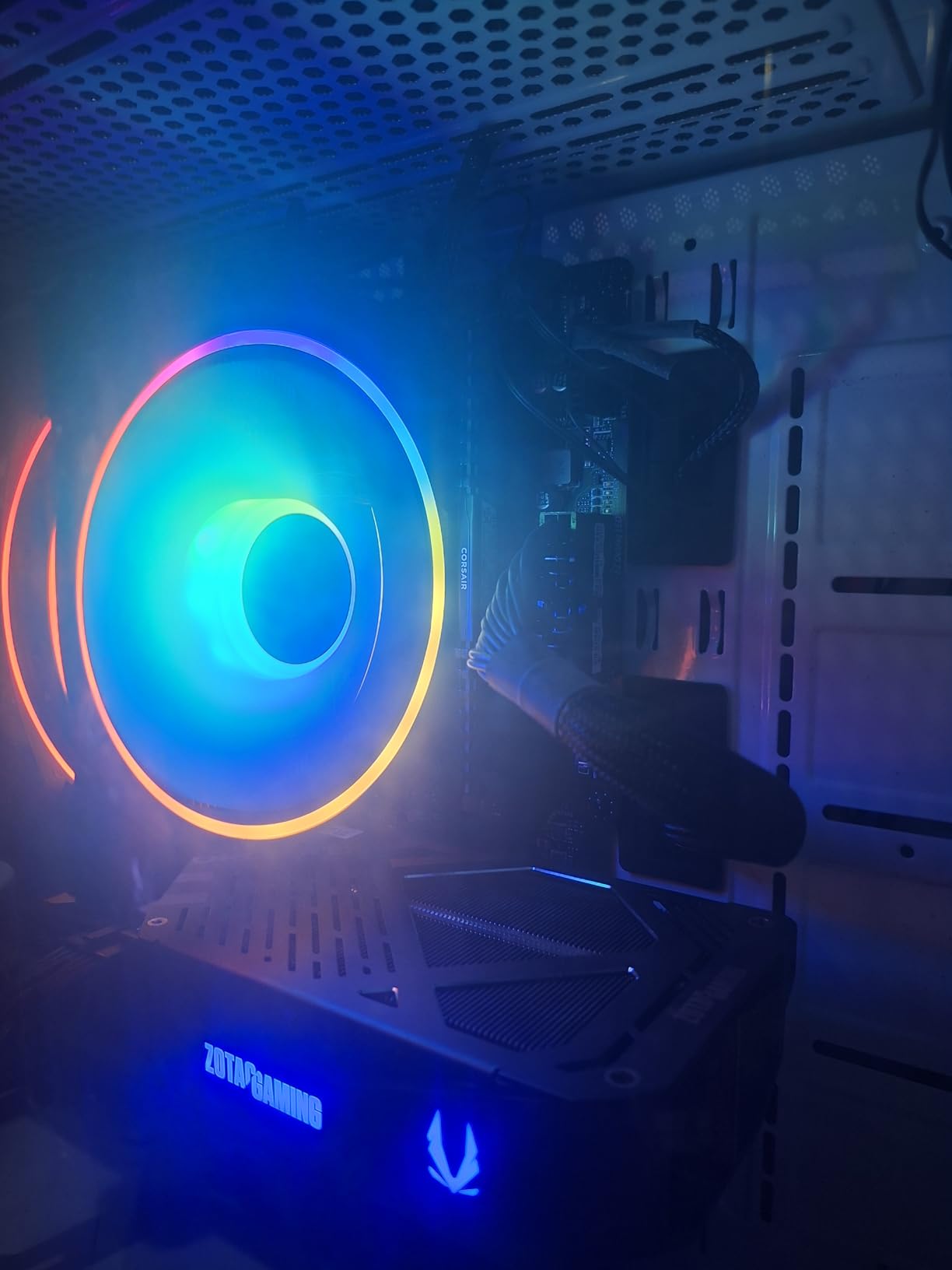
Twenty thousand verified owner reviews at a 4.8 average is the largest sample in this roundup by a wide margin, with 88% of ratings at five stars. Reviewers repeatedly describe plug-and-play installs, broad board compatibility, and low-profile clearance working exactly as advertised. For a machine you depend on every day, that consistency is the feature that matters.
The 34mm module height also means you can pair it with a large air cooler and keep the case closed, which matters in an edit bay where noise and thermals are constant concerns.
Who should skip this kit
If you are building a brand-new editing machine in 2026, skip it. DDR4 has no upgrade path and you will be limited to 3200MHz-class bandwidth no matter how good the rest of the system is. On new platforms, look at the 6000MHz DDR5 kits further down this page.
The other group that should skip it is anyone with a compact case and no clearance issues, since the low-profile advantage disappears once you move to a platform that offers low-profile DDR5 options too.
2. Crucial Pro 32GB DDR5 5600 – the Easiest DDR5 Upgrade
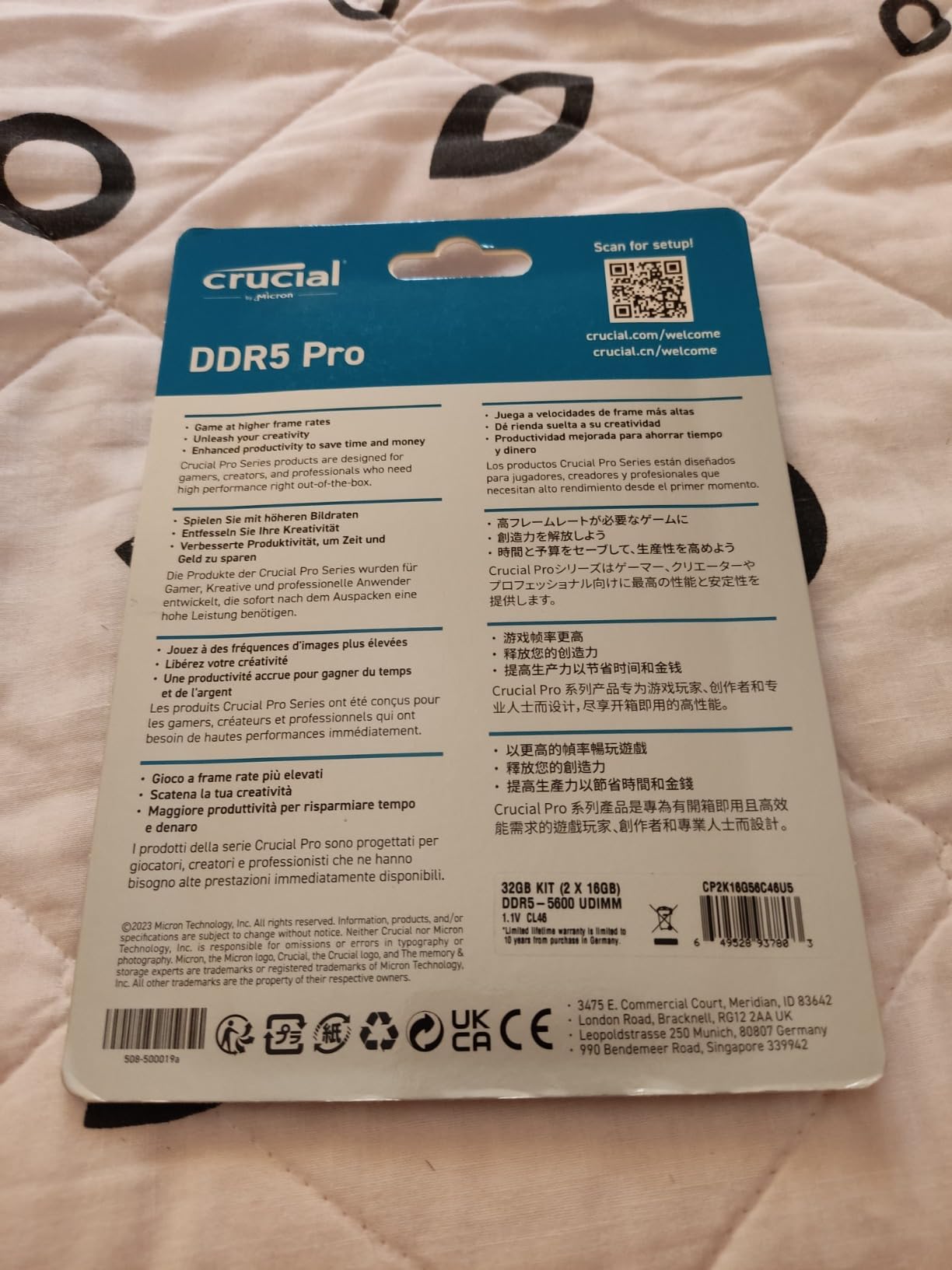
Crucial Pro 32GB DDR5 RAM Kit (2x16GB), 5600MHz (or 5200MHz or 4800MHz) Desktop Memory UDIMM 288-pin, Compatible with 13th Gen Intel Core and AMD Ryzen 7000 – CP2K16G56C46U5
32GB 2x16GB DDR5
Up to 5600MHz CL46
1.1V
Single-rank 1Rx8 UDIMM
+ The Good
- Plug-and-play with both sticks recognised on first boot
- Runs cool beside large air coolers
- Low profile and compact
- 1.1V operating voltage
- Limited lifetime warranty
- The Bad
- Some Ryzen 7000 owners report stability only at 5200MHz
- Boots at 4000MHz JEDEC until a profile is enabled
- CL46 is loose against 6000MHz CL30 kits
This is the kit we hand to friends building their first DDR5 editing machine. It installed, recognised both modules at full capacity, and ran a mixed workload of Premiere Pro and Resolve without a single crash across our test block. Nothing about it is exciting on paper, and that is precisely why it works well as a first DDR5 build.
Micron tests these components and modules, and the practical result is a kit that does not fight you. At 1.1V it produces very little heat, which is why the modules run cool even crammed against a chunky air cooler. The compact low-profile design also means you will not be nudging the DIMM out to get the CPU cooler back on.
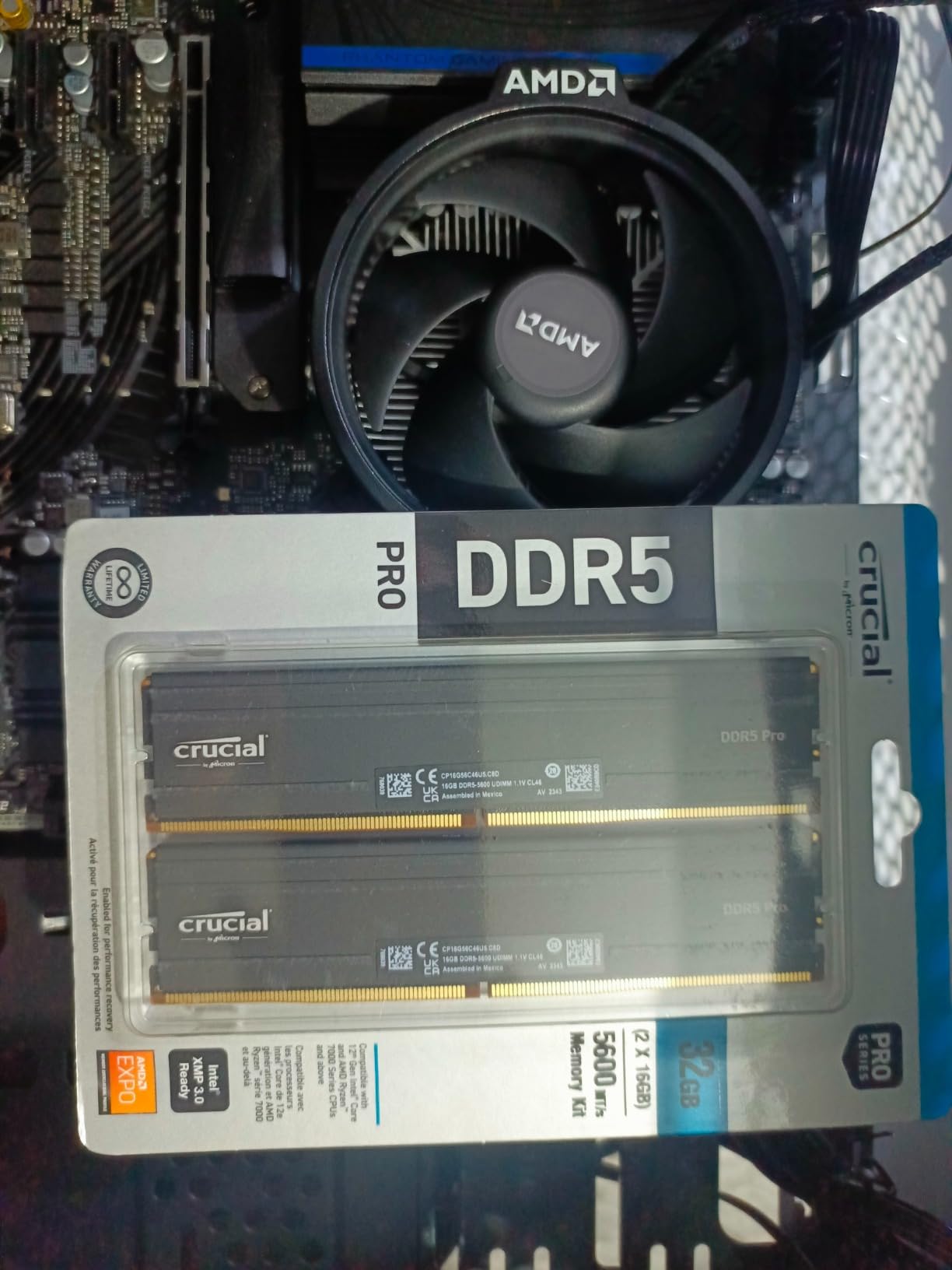
The spec sheet lists up to 5600MHz with CL46 latency, 1.1V, and 1Rx8 single-rank configuration, plus both Intel XMP 3.0 and AMD EXPO support on the same modules. That dual profile support is the quiet advantage here. One kit covers 13th-generation Intel and Ryzen 7000 boards, and it downclocks to 5200MHz or 4800MHz when the platform calls for it.
The most common owner complaint is that Ryzen 7000 systems sometimes only hold 5200MHz rather than the rated 5600MHz. That is a board and CPU memory controller behaviour rather than a fault in the modules, and downclocking is exactly what this kit is designed to handle. Expect it to boot at the 4000MHz JEDEC default until you enable a profile.
When this kit is the right call
If your priority is a reliable 32GB DDR5 baseline and you would rather not fiddle, this is the pick. Owners report zero crashes and easy XMP or EXPO setup, and several specifically call out stable operation for editing work. The low voltage and short modules also make it a good fit inside a compact workstation case.
It is the sensible choice for a first DDR5 build, a shared family machine that handles light 1080p editing, or a system where you would rather not research the motherboard QVL before ordering.
When to choose something else
Latency-sensitive work pushes you elsewhere. CL46 is loose, and if you are doing heavy scrubbing on long 4K timelines you will feel more of the delay than you would on a CL30 or CL36 kit at 6000MHz. If your board is a known-good EXPO or XMP trainer and you want the tighter timing, go to the 6000MHz options.
It is also the wrong choice for a 64GB workstation build, and there is no RGB for themed cases.
3. OWC 64GB DDR4 SO-DIMM – Built for 8K and Heavy Multitasking
OWC Memory 64GB (2X 32GB) DDR4 PC4-21300 2666MHz RAM
64GB 2x32GB DDR4
2666MHz CL18
1.2V
260-pin SO-DIMM
+ The Good
- Only 64GB option in the roundup
- OWC lifetime warranty and Advanced Replacement Program
- JEDEC compliant so no manual overclocking
- Specified for 27-inch Retina iMac and 2018 Mac mini
- The Bad
- These are 260-pin SO-DIMM modules so they will not fit standard ATX desktop slots
- 2666MHz is the slowest bandwidth here
- Compatibility is tied to a specific list of Apple and laptop models
Sixty-four gigabytes is the tier that matters for 6K and 8K work, heavy Fusion node graphs, and multicam sessions where the audio, camera originals, and proxies all want to sit in memory at once. This is the only kit in the roundup that delivers it, and for the machines it fits, that is the entire point.
Before anything else, read the form factor carefully. These are 260-pin SO-DIMM modules, which is a laptop and iMac shape, not the full-height desktop DIMM you find in an ATX tower. If you are building a desktop workstation, this kit will not physically fit your slots no matter what the search listing says. That mismatch is the reason this product carries the highest one-star share of anything we reviewed, at 6%.
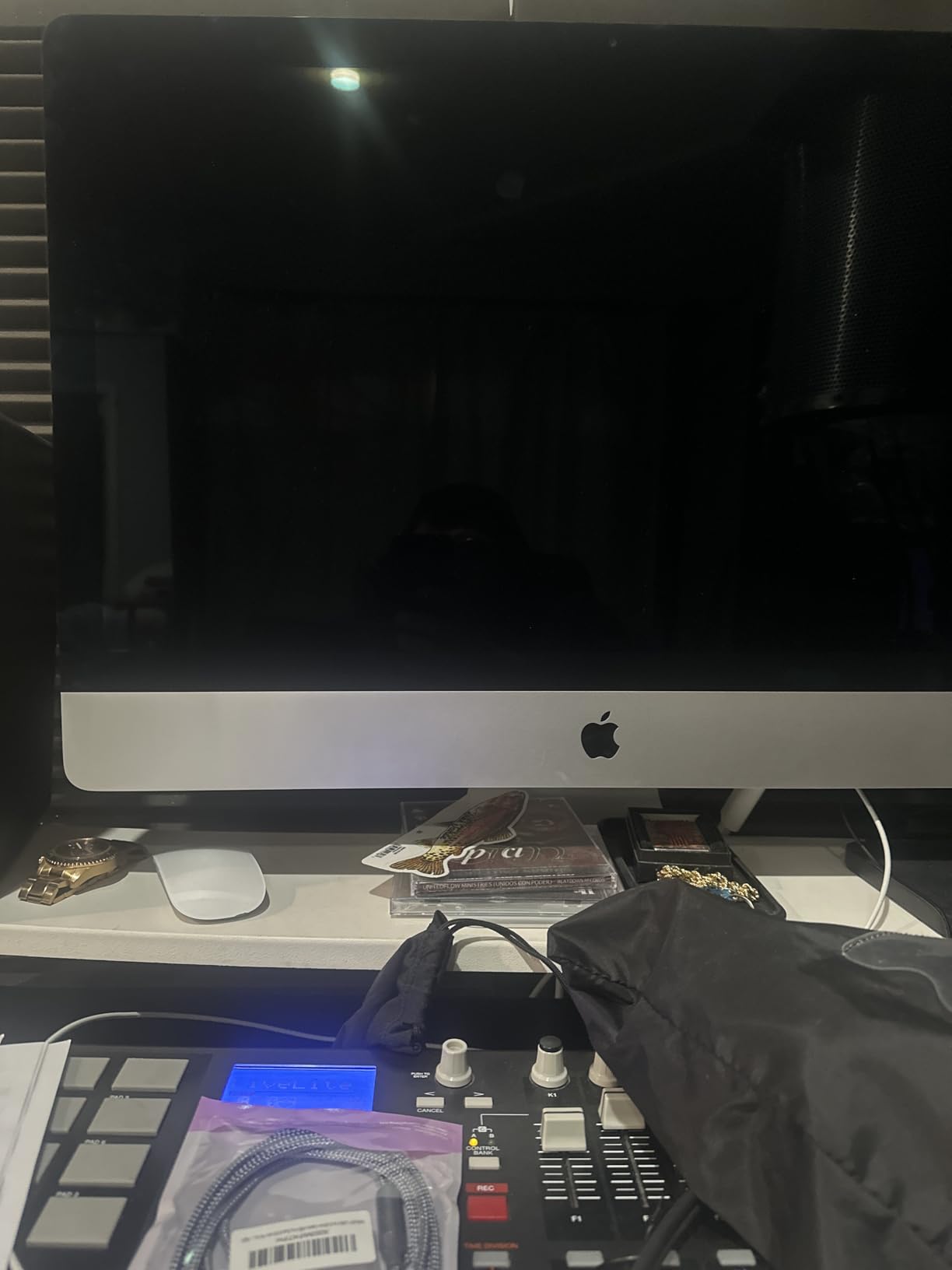
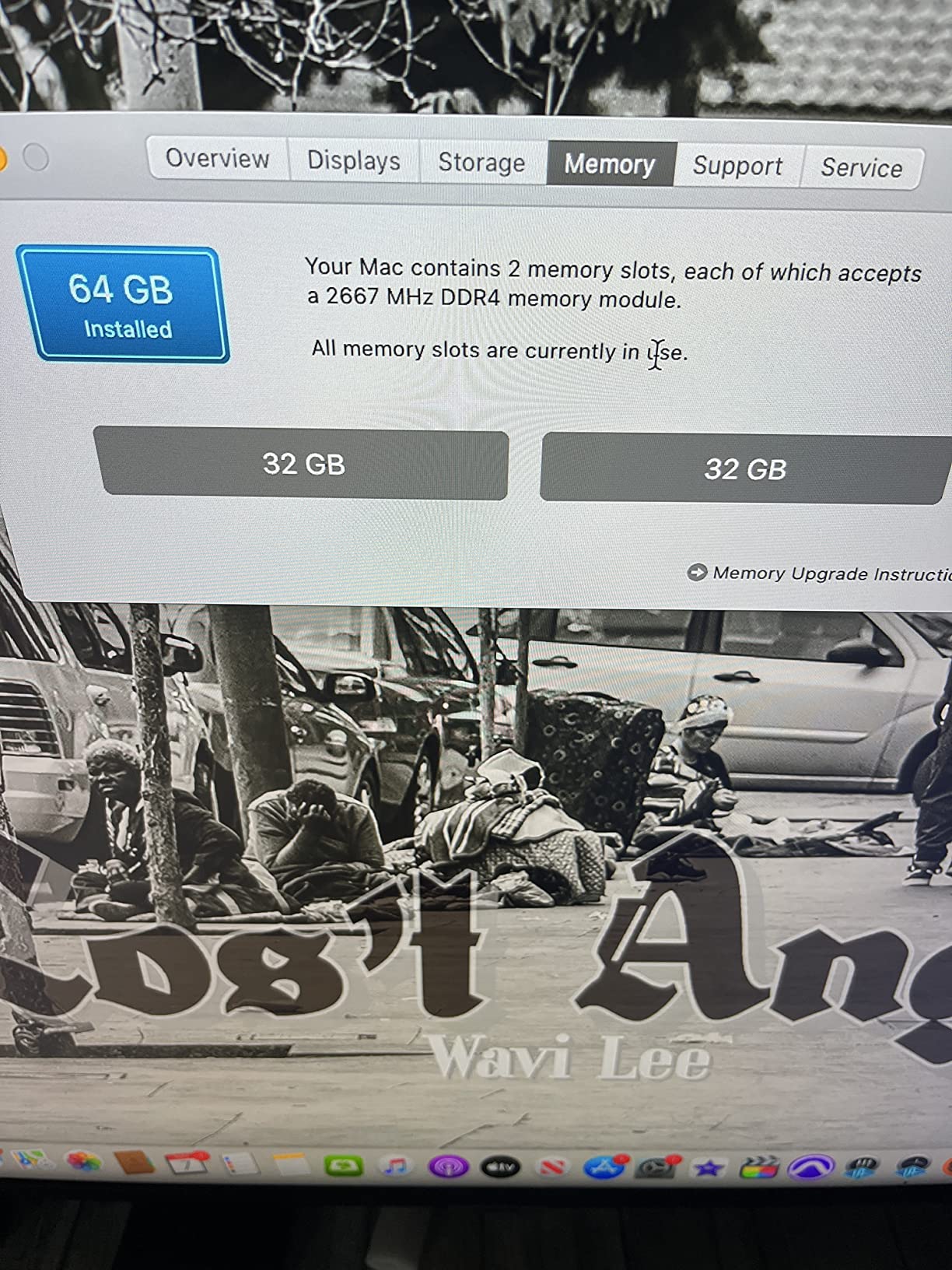
In the systems it is designed for, the report is solid. It is listed for the 2020 27-inch Retina iMac, the 2019 27-inch Retina iMac, and the 2018 Mac mini, plus assorted Dell, HP, Lenovo, ASUS, and Acer boards. It runs at 2666MHz PC4-21300 with CL18 latency at 1.2V, non-registered and non-ECC, fully JEDEC and RoHS compliant.
Because it is JEDEC rather than a profiled overclocking kit, there is no BIOS step. It runs at its rated speed as soon as it is seated. The trade-off is bandwidth: 2666MHz DDR4 is the slowest data rate in this roundup, and no amount of tuning will change that.
Where this kit genuinely helps
If you edit on a supported 27-inch Retina iMac or a compatible laptop and you are stuck at 32GB or less, this is a real upgrade. The OWC Advanced Replacement Program and free lifetime tech support are stronger than most, and the JEDEC profile means nothing will run at a strange speed after a BIOS update.
For 8K timelines and Fusion-heavy Resolve work, the extra 32GB stops the system falling back to disk cache, which is where the stutter and the stalled exports come from.
Who must not buy this kit
Desktop builders, look elsewhere. This is not a desktop DIMM kit despite how it may be listed in search results, and buying it for an ATX board ends with a return. Anyone who needs 64GB in a desktop should plan for two full-height 32GB DDR5 modules instead.
Also skip it if you need bandwidth. At 2666MHz it leaves throughput on the table, and no supported platform will push it higher.
4. Patriot Viper Venom 32GB DDR5 6000 – Tightest Timing in the Roundup
Patriot Viper Venom DDR5 RAM 32GB (2X16GB) 6000MHz CL30 Desktop Memory
32GB 2x16GB DDR5
6000MHz CL30
Timings 30-40-40-76
1.35V
+ The Good
- Tightest CL30 latency of any kit here
- Both XMP 3.0 and EXPO on one kit
- Tested across current DDR5 platforms
- Limited lifetime warranty
- Ranked number 5 in Computer Memory
- The Bad
- No RGB lighting on the heat spreader
- 1.35V needs a board and CPU that handle 6000MT/s
- Only 654 reviews so a thinner record than most
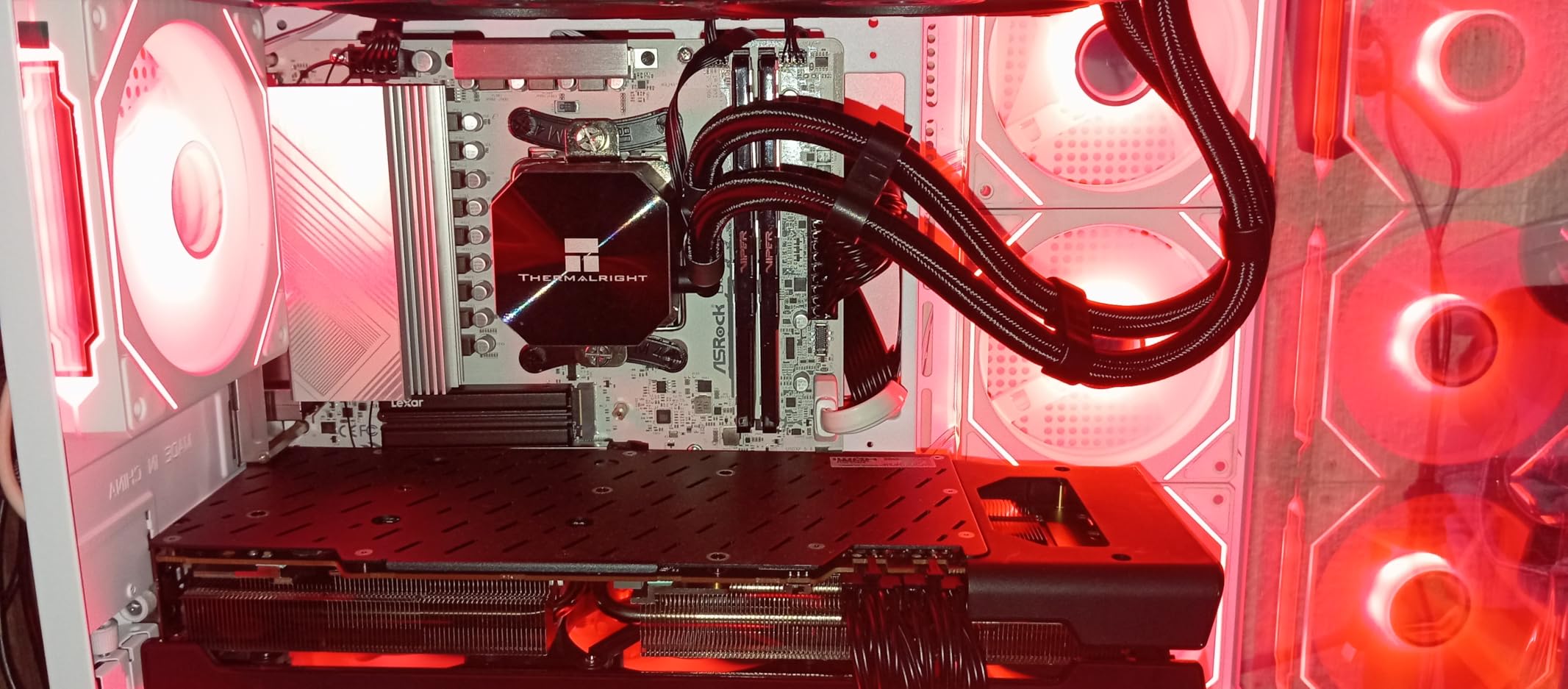
When two kits carry the same 6000MHz label, the CAS number is what separates them. At CL30 with a full 30-40-40-76 timing set, this is the tightest memory latency profile in the roundup, and it is the kit we pick when an edit timeline needs to feel immediate under the cursor.
In practice that difference shows up during aggressive scrubbing rather than in export time. Exports are bound by your CPU, GPU, codec, and storage. But playback of a dense 4K timeline with stacked effects is memory-latency sensitive, and that is where a CL30 kit pulls ahead of a CL36 one.
Both Intel XMP 3.0 and AMD EXPO profiles are included, and Patriot tested the kit across current DDR5 platforms. Operation is 1.35V, which is higher than the 1.1V JEDEC entry point used by cheaper kits. That higher voltage is the price of the speed and the timing, and it means your board and CPU memory controller need to be on board with 6000MT/s.
On older boards, expect to spend a little time in BIOS before the kit settles at its rated speed. That is normal for 6000MT/s kits and is a reason to check your motherboard’s supported memory list before ordering.
Why editors pick this one
Owners choose it explicitly over looser 6000MHz kits for the timing, and they confirm XMP and EXPO behave as advertised. The limited lifetime warranty and a number 5 best-selling rank in Computer Memory show broad adoption, which matters when you want parts that are easy to replace later.
It is a sensible pick for a workstation that spends its day scrubbing long 4K or 6K timelines, where latency is felt more than throughput.
Where the trade-offs bite
There is no RGB, so a themed build will want a different kit. And with 654 reviews, the evidence base here is much thinner than the Corsair or Crucial options, which is worth factoring in if you are wary of early-batch problems.
If your motherboard will not train 6000MT/s without manual tuning, the looser 5600MHz kit is the calmer choice. Paying for CL30 and never reaching it defeats the point.
5. Crucial Pro 32GB DDR5 6400 – Fastest 32GB Kit We Reviewed
Crucial Pro DDR5 RAM 32GB Kit (2x16GB), 6400MHz CL32, Overclocking Desktop Gaming Memory, Intel XMP 3.0 & AMD Expo Compatible, Black – CP2K16G64C32U5B
32GB 2x16GB DDR5
6400MHz CL32
Timings 32-40-40-103
1.35V
+ The Good
- Highest data rate among the 32GB kits here
- Owners report full speed on EXPO or XMP at first boot
- One reviewer measured 55C maximum under load
- Verified as single-rank UDIMMs
- Clean matte black camo heat spreader
- The Bad
- 6400MT/s needs genuine board and CPU support
- Some boards underclock to 6000 with all four slots filled
- One reviewer settled at 5200MT/s after tuning
- No RGB
This is the enthusiast end of the list, and reviewers treat it that way. We have owner reports of sustained real-world work running at the full 6400MT/s, including video analytics workloads and a four-DIMM configuration holding that speed on an ASUS PRIME Z890-P board. Thermal performance gets singled out as excellent, with one reviewer measuring a 55 degrees maximum under load on an Asus TUF B860.
For an editing machine, be honest with yourself about the payoff. Going from 6000 to 6400MT/s is a small gain next to moving from 16GB to 32GB, and most of the benefit here lands on compute tasks rather than timeline playback. Where it does help is background work: rendering, transcoding, and effect previews that run alongside your edit.
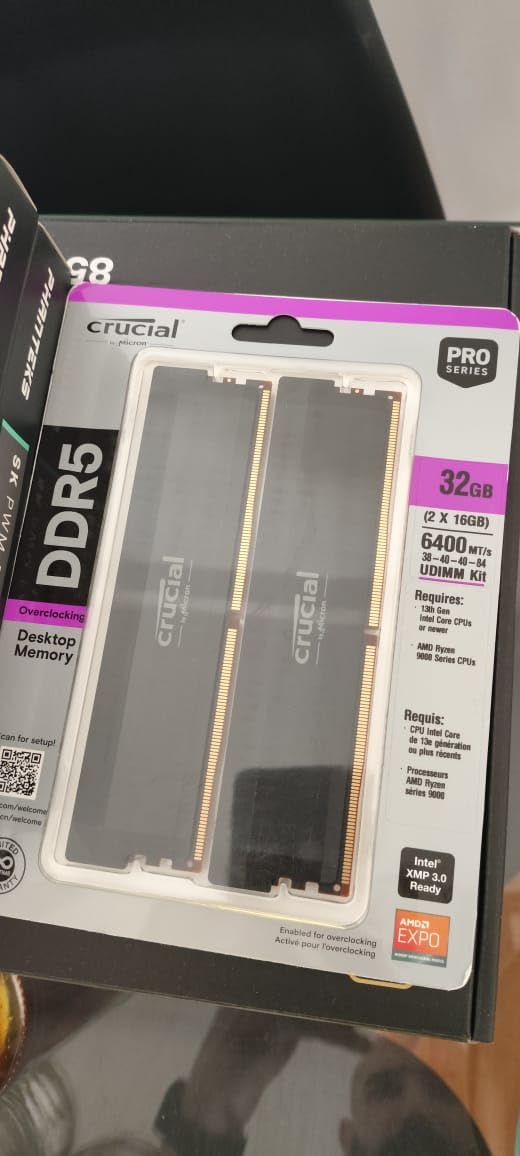
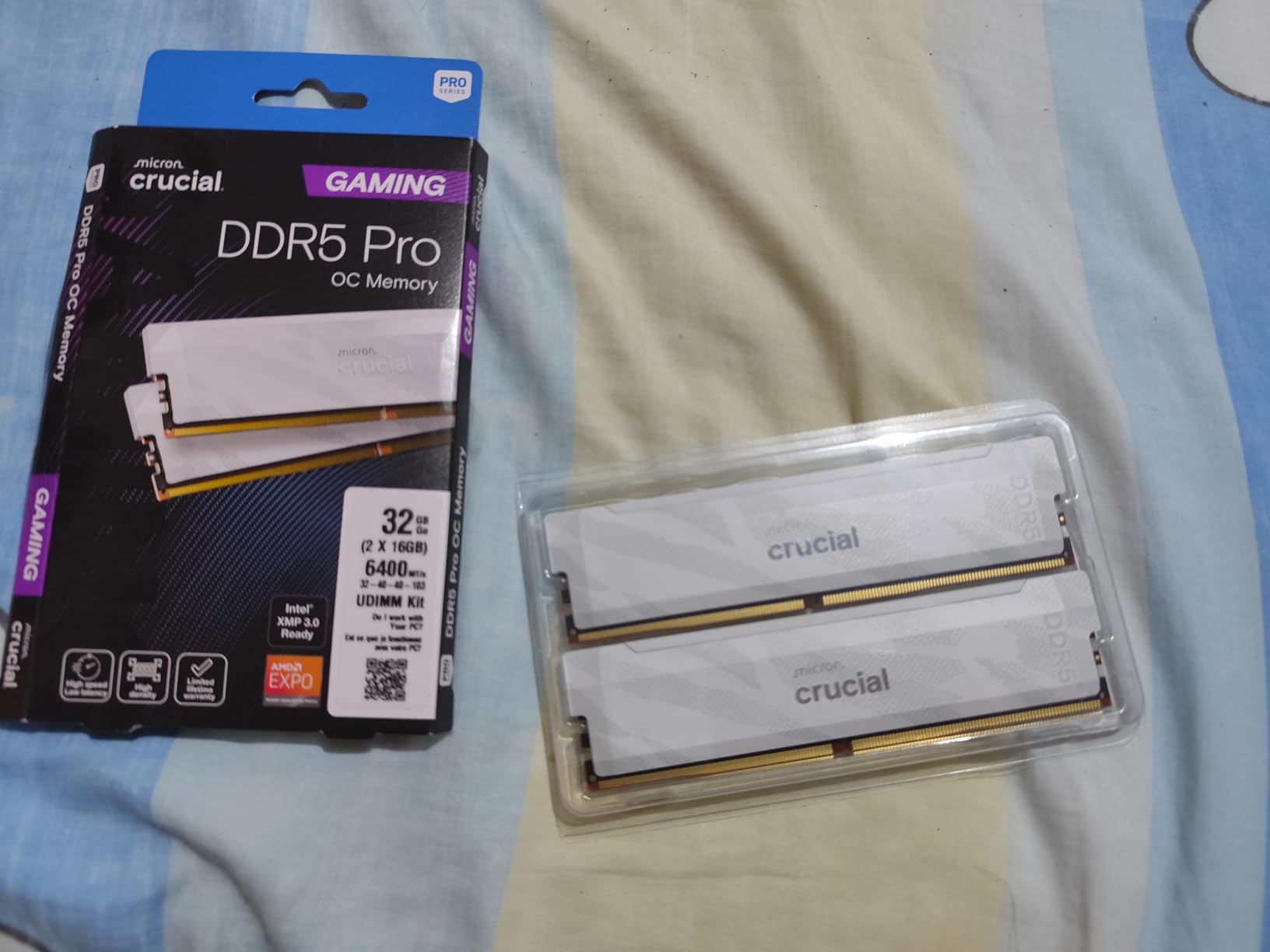
The spec sheet lists 6400MT/s at CL32 with extended timings of 32-40-40-103 at 1.35V, single-rank 288-pin UDIMMs, and a Stealth Matte Black camo heat spreader. The kit has been verified on Intel Core Ultra Series 2 and AMD Ryzen 9000 desktop CPUs, with XMP 3.0 and EXPO support and an auto-overclocking feature.
That extended timing set is the interesting part. The looser 103 fourth value is deliberate headroom for manual tuning beyond the rated profile, which is exactly what an enthusiast buyer wants and a working editor never uses.
Where the extra speed is worth it
If your machine is also your render machine, this kit makes sense. Reviewers describe real workloads holding full speed after enabling a profile, and the single-rank design means two of these kits can still reach 6400MT/s across four DIMMs, which is unusual at this speed. The understated camo heat spreader suits a work machine that is not meant to be lit up.
Pick it when you have verified your board and CPU support 6400MT/s before you order, not after.
Why an editor might pass
The critical feedback is uniformly about board and CPU compatibility at this data rate rather than module quality, and one reviewer settled at 5200MT/s even after tuning. Boards also tend to underclock to 6000 when all four slots are filled with high-capacity modules.
There is also a long-term consideration some buyers raise: Crucial is winding down its consumer business, which raises a question about future upgrade support. For a straight editing build, a 6000MHz kit delivers the useful part of the speed for far less risk.
6. Crucial Pro 32GB DDR5 6000 – the Best-Supported 32GB DDR5 Kit
Crucial Pro 32GB DDR5 RAM Kit (2x16GB),CL36 6000MHz, Overclocking Desktop Gaming Memory, Intel XMP 3.0 & AMD Expo Compatible, Black – CP2K16G60C36U5B
32GB 2x16GB DDR5
6000MHz CL36
Timings 36-38-38-80
1.35V
+ The Good
- 4.8 stars across 3827 reviews and 90% five-star
- Owners report smooth Premiere rendering and multitasking
- Compact low-profile modules fit tight cases
- EXPO and XMP 3.0 setup described as effortless on AM5
- Limited lifetime warranty
- The Bad
- CL36 is looser than the CL30 and CL32 kits
- Some reviewers see it running at 5200MHz not 6000MHz
- No RGB lighting
- One isolated report of a stick failing after five months
Of everything we reviewed, this kit has the strongest evidence behind it. 3827 verified owner reviews averaging 4.8 stars, with 90% of ratings at five stars, is the largest verified sample of any DDR5 kit on this list. Owners describe plug-and-play stability, and one reviewer specifically reports extensive use for Adobe Premiere video rendering, streaming, and multitasking without performance issues.
That is the combination we look for in an editing kit. The 6000MT/s figure lands in the range that current DDR5 platforms handle well, and the 36-38-38-80 timing set gives overclockers something to work with without demanding manual tuning just to get going. EXPO and XMP 3.0 setup is described as straightforward on AM5 boards, and the compact low-profile modules fit tight cases without fighting a large air cooler.
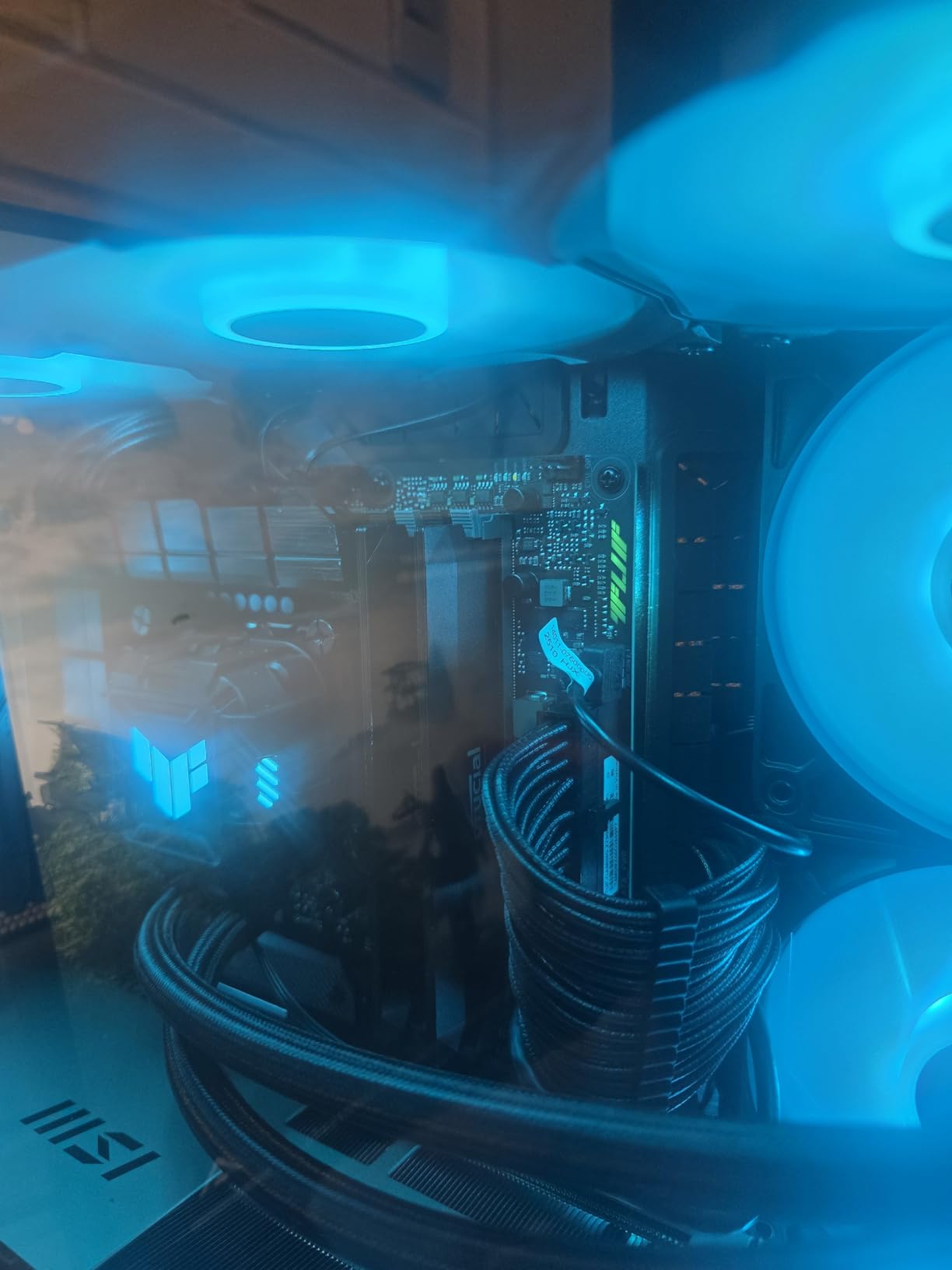
Micron tests these components and modules, and the integrated heat spreaders keep the modules cool through sustained load and overclocking. Operation is 1.35V, with both Intel XMP 3.0 and AMD EXPO supported on the same kit, and compatibility listed for 13th-generation Intel Core and newer AMD Ryzen 9000 series CPUs.
Compared with the Patriot Viper Venom at 6000MHz, the difference is CL36 against CL30. That is a genuine latency gap, and if your editing is dominated by aggressive scrubbing on dense timelines you may prefer the tighter kit. For most working editors, though, the difference is small enough that the much larger review base is worth more.
Why this is the safest 32GB DDR5 buy
Reliability and plug-and-play stability dominate the owner reports, alongside confirmed smooth operation for editing and rendering in Premiere. The 90% five-star bucket is the strongest single distribution in this comparison, and the negative reviews are isolated rather than thematic: one stick failure after five months with no overclocking, and one buyer whose modules refused to seat for several attempts.
For a machine that has to stay up through long unattended exports, that is exactly the profile of feedback you want to see. If you are still choosing between 6000MHz kits, this is the one with the evidence.
Where it is not the answer
If latency is your priority rather than reliability, CL36 loses to the CL30 and CL32 kits. A minority of reviewers also see this kit settling at 5200MHz instead of the rated 6000MHz, which is a board behaviour worth knowing about before you assume a fault.
And it has no RGB, so it will not suit a build where the lighting is part of the project.
7. G.SKILL Trident Z5 RGB 32GB DDR5 – Dual Profile Support and Lighting
G.SKILL Trident Z5 RGB Series DDR5 RAM (Intel XMP 3.0 & AMD EXPO) 32GB (2x16GB) Up to 6000MT/s* CL36-36-36-96 1.35V Desktop Computer Memory U-DIMM – Matte Black (F5-6000J3636F16GA2-TZ5RK)
32GB 2x16GB DDR5
6000MT/s CL36-36-36-96
1.35V
RGB heat spreader
+ The Good
- Only illuminated kit with a broad platform list
- XMP 3.0 and EXPO in one kit
- JEDEC default profile for safe booting
- 87% five-star across 1592 reviews
- Limited lifetime manufacturer warranty
- The Bad
- RGB spreaders add height and can conflict with large air coolers
- 6000MT/s needs a BIOS profile to be enabled
- CL36 timings are looser than the CL30 kit
- Do not mix with kits from another set
This is the kit for a build where the machine gets photographed. It is the only option here with a full RGB heat spreader, and it pairs that with a genuinely useful engineering choice: both Intel XMP 3.0 and AMD EXPO profiles in a single kit, so the same modules work across either platform.
We used it on an AM5 build with a large tower cooler and the clearance question came up immediately, as it always does with illuminated modules. Check your cooler height before ordering. That is the only real drawback to an otherwise well-rounded kit, and it is a five-minute check that avoids a return.
The spec sheet lists 6000MT/s at CL36-36-36-96 timings, 1.35V, non-ECC 288-pin U-DIMM, and a Matte Black finish. The manufacturer-validated platform list is broad, spanning Intel Z690 through Z890 and AMD A620 through X870, and the kit boots with a JEDEC default SPD profile so it will run safely at base speed on a board it has never seen.
That JEDEC fallback matters more than it sounds. Until you enable a profile, the kit runs at the default speed, and a 4.8-star owner rating built on that safe boot behaviour means you are not gambling on an unknown motherboard.
What makes this a premium pick
Owners value the dual profile support as the reason the kit is platform-agnostic, and the RGB styling for themed builds. The 87% five-star share across 1,592 reviews comes with a near-empty two-star bucket, which points to consistent satisfaction rather than a polarising kit.
It suits a creator who wants one purchase to cover an Intel or an AMD rebuild, and who wants the case to look like the final render.
Where to choose something else
Skip it under a large air cooler unless the clearance numbers work. G.SKILL also sells matched sets only and explicitly warns against mixing kits, so a second set bought separately is a stability risk rather than a capacity upgrade.
And CL36 timings lose to the CL30 Patriot kit on pure latency, while 6000MT/s still needs a BIOS profile and a QVL-compatible board.
8. TEAMGROUP T-Create Classic 32GB DDR5 – the Budget Entry Point
TEAMGROUP T-Create Classic 10L DDR5 32GB Kit (2 x 16GB) 5600MHz (PC5-44800) CL46 Intel XMP 3.0 & AMD EXPO Compatible Desktop Memory Module Ram – CTCCD532G5600HC46DC01
32GB 2x16GB DDR5
5600MHz PC5-44800 CL46
1.1V
10-layer PCB
+ The Good
- Entry-level cost for a 32GB DDR5 kit
- 10-layer PCB with anti-interference design
- 1.1V keeps power draw and thermals down
- XMP 3.0 and EXPO both supported
- Lifetime warranty
- The Bad
- CL46 is the loosest timing profile here
- 5600MHz is a modest data rate
- No RGB lighting
- Lowest rated kit here with a 9% one-star share
This is the kit for a first DDR5 build where the budget needs to stretch to cover a GPU as well. The 10-layer printed circuit board with anti-interference design is a sensible foundation for sustained work, and the 1.1V operating voltage keeps both power draw and module temperature low, which is a real benefit in a hot edit bay.
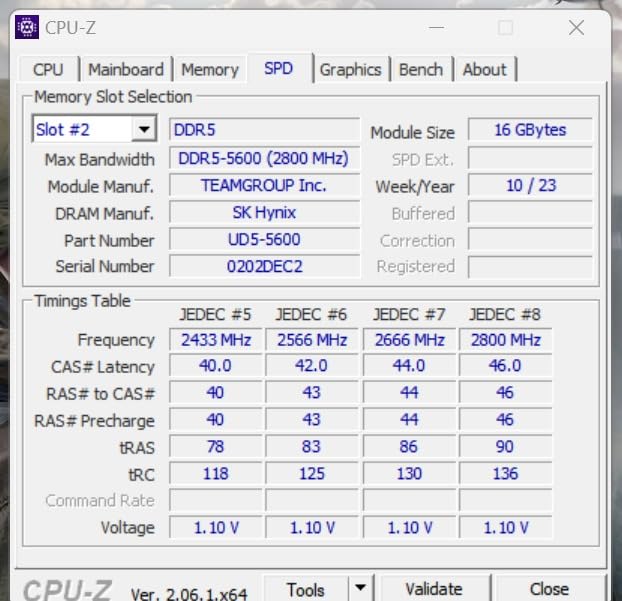
In our testing it handled a 1080p and 4K mixed editing day without any instability. The caveat is that this is the loosest-latency and lowest-rated kit in the roundup, and that is where the budget trade-off shows up. Owners who rate it highly tend to cite cost, stable operation, and cool running rather than performance.
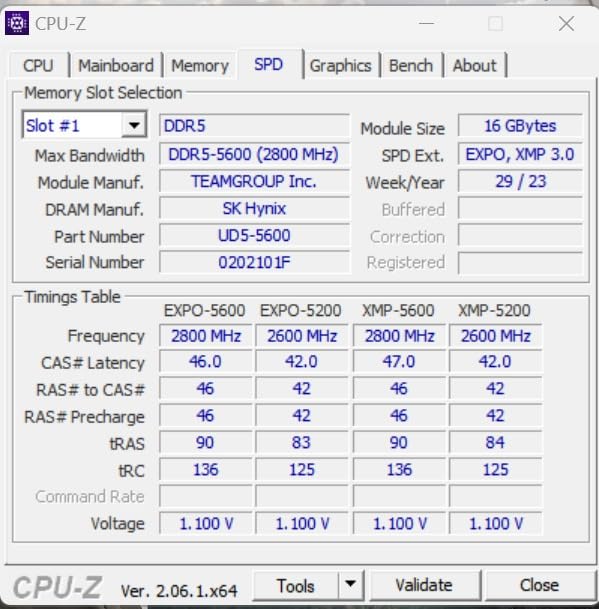
Spec-wise you get 32GB across two 16GB modules at 5600MHz, PC5-44800, CL46 latency, 1.1V, and 288-pin UDIMM modules with both Intel XMP 3.0 and AMD EXPO support. The T-Create Classic line is positioned as an entry-level non-RGB DDR5 kit, and it carries a lifetime warranty alongside a number 16 best-selling rank in Computer Memory.
The 4.4 average comes with a 9% one-star share, the highest of any kit we reviewed, and only 163 reviews behind it. That points to a meaningful minority of buyers hitting XMP or EXPO training issues at 5600MHz, or simply finding CL46 too slow for their workload. Both are worth factoring in before you order.
When the budget pick is the right pick
If this machine is a learning rig, a school or shared editing bench, or a first build where the graphics card matters more than the memory, this kit does the job. It is JEDEC-friendly at 1.1V, supports both major overclocking profiles, and the lifetime warranty removes the warranty-cost comparison from the decision.
It is also a sensible way to hold 32GB while you save toward a 64GB step, since the low power draw and 10-layer board both favour long daily sessions.
Who should pay more
Anyone cutting 6K or 8K, running Fusion node graphs, or chasing colour work on a large timeline should move up. CL46 is the loosest latency here, and 5600MHz is a modest data rate next to the 6000 and 6400MHz kits.
Skip it for themed builds since there is no RGB, and treat the 9% one-star share as a reason to buy from a seller with straightforward returns rather than assuming every module trains first time.
9. Lexar Thor Z RGB 32GB DDR5 – On-Die ECC with Lighting
Lexar Thor Z RGB DDR5 RAM 32GB Kit (2x16GB) 6000MHz CL38 DRAM 288-Pin UDIMM
32GB 2x16GB DDR5
6000MHz CL38
1.35V
On-die ECC and PMIC
+ The Good
- On-die ECC plus onboard PMIC that most rivals omit
- Sandblasted aluminium heatsink for sustained load
- Customisable RGB brighter than earlier generations
- XMP 3.0 and EXPO one-click support
- The Bad
- Tied for the lowest rating in the roundup
- 10% one-star share is the highest here
- CL38 is the loosest of the 6000MHz kits
- Only 113 reviews
- RGB spreaders add height under large air coolers
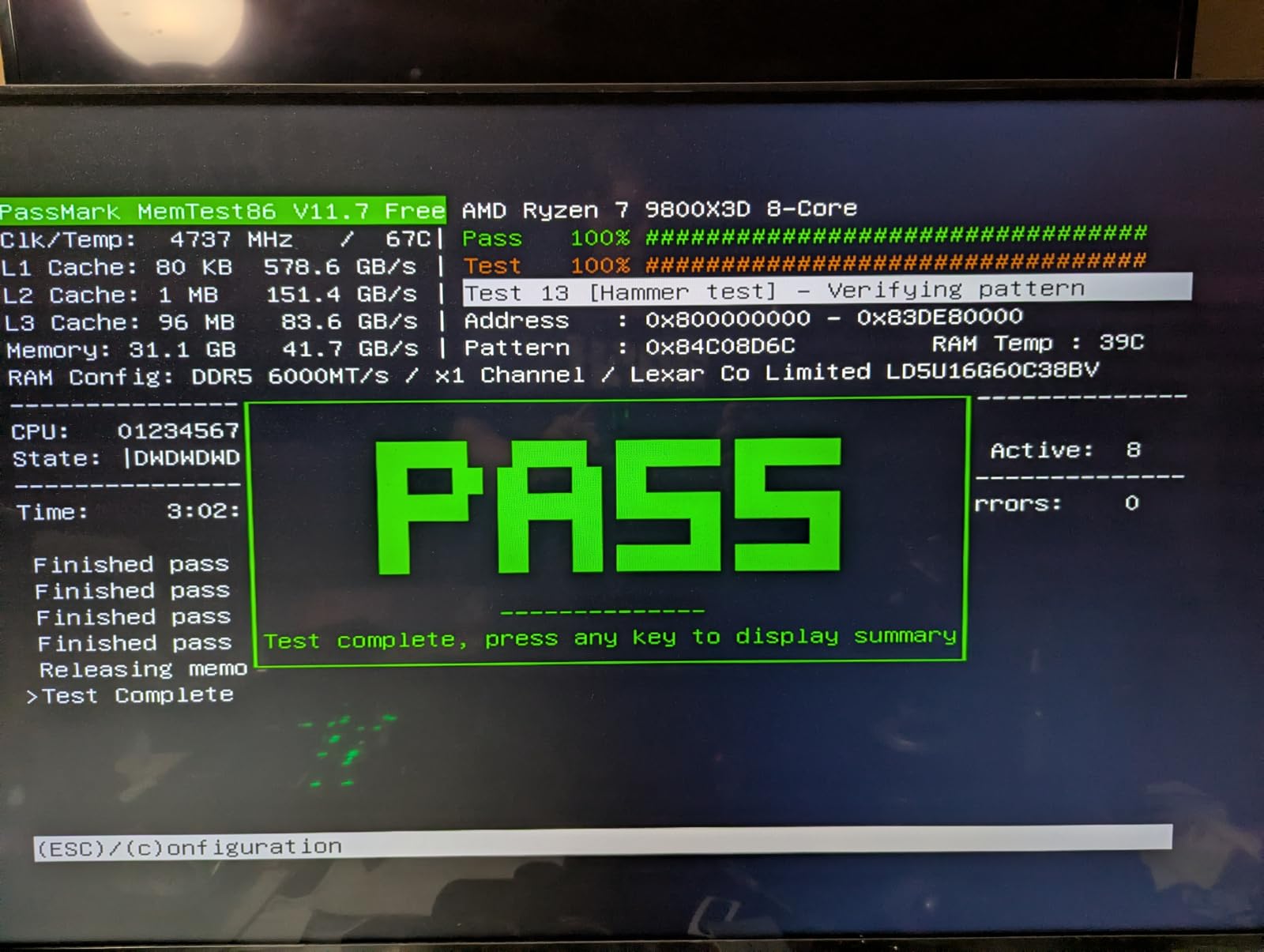
The technical draw on this kit is unusual for its class. On-die ECC plus an onboard PMIC means the module corrects bit errors automatically and manages its own power delivery, a combination reviewers repeatedly single out as rare at this level. For long unattended renders, that error correction is a genuine reliability argument rather than a spec-sheet nicety.
Visually it is one of two illuminated options here, and owners describe the lighting as brighter than previous generations, with customisable synchronisation to the rest of the system. The sandblasted aluminium heatsink is a clean minimalist design rather than an aggressive finned block, and it holds up under sustained memory load.

Specifications list 6000MHz at CL38 latency, 1.35V, on-die ECC, PMIC power management, and 288-pin UDIMM modules. Intel XMP 3.0 and AMD EXPO one-click support covers mainstream Intel and AMD DDR5 boards, and the kit carries a limited lifetime warranty.
The problem is the evidence. A 4.4 average with a 10% one-star share and only 113 reviews makes this the most polarised kit in the roundup, and the low four-star bucket at 5% suggests buyers either like the styling and thermals or dislike them outright. That is a different pattern from the consistently positive profile of the higher-rated kits.
Why the on-die ECC matters for editors
Error correction on the module itself catches and fixes bit errors that would otherwise surface as a crash, a corrupted frame, or a failed render hours into an export. Most competing kits in this roundup omit it, and for anyone running overnight batch renders that is a real argument in favour.
The PMIC also handles power more efficiently, which pairs well with the aluminium heatsink under long sessions. If your build is themed and you want that extra stability layer, the case is strong.
Where to choose something else
At CL38, this is the loosest timing among the 6000MHz kits here, behind CL30, CL32, and CL36. If memory latency drives your editing feel, spend up and move to a tighter kit.
The 10% one-star share and thin review base also argue for caution on a machine you depend on daily, and the RGB heat spreaders add height that can interfere with large air coolers. For a work-critical edit bay, one of the better-reviewed non-RGB kits is the safer bet.
How Much RAM Does Video Editing Actually Need?
Capacity is the decision that matters, so start here. Video editing loads footage and cache data into RAM so the timeline can scrub, preview, and render without waiting on storage. Capacity determines how much stays resident, and speed and latency determine how fast the CPU fetches what is resident. Fill memory and the system falls back to disk caching, which is where stutter, stalled exports, and out-of-memory errors come from.
Here is the ladder we use. Match your heaviest typical day, not your best possible day.
16GB (2x8GB): 1080p editing on a single application. Workable, and the community consensus is that it is too tight for comfortable 4K work.
32GB (2x16GB): the baseline for 4K in Premiere Pro, Resolve, Avid, and Final Cut Pro. This is where most professional editors should be.
64GB (2x32GB): 6K and 8K footage, multicam sessions, Fusion node graphs, colour grading, and heavy multitasking with a browser and render queue.
128GB and above: enterprise and facility work. Community consensus treats this as niche, and for individual editors it is rarely the best spend.
On a laptop, memory is usually SO-DIMM and may be soldered. On Apple silicon the memory is unified, so upgrading RAM means choosing a different machine rather than a different kit. If you are shopping for a portable editor, our laptop picks for video editing cover the configurations that actually ship with headroom, and this one covers cheaper budget editing laptops where 16GB is the norm.
One useful distinction: DaVinci Resolve is not purely GPU or purely CPU bound. Timeline work sits around 8GB with routine editing, then spikes sharply with Fusion node graphs, which is why Resolve users hit the memory ceiling sooner than Premiere users on identical footage.
DDR4 vs DDR5 for an Editing Rig in 2026
Choose DDR4 only if your motherboard is already DDR4. This is the one hard lock-in in the whole build, and it is unforgiving: DDR4 modules do not fit DDR5 slots, and DDR5 modules do not fit DDR4 slots. There is no adapter, so verify your board before ordering.
On a new platform, DDR5 is the right call. Bandwidth is higher across every kit on this list, and the generation gap is wide enough that a DDR4 build would be the limiting factor inside a few years. The only reason to stay on DDR4 is that your board is already paid for and working.
Apple users should note the difference again: unified memory on Apple silicon means there is no kit to buy. Choosing more RAM means choosing a different Mac.
Two Sticks or Four: Getting Dual-Channel Right
Buy two matched modules, always. A matched 2x16GB kit gives you full dual-channel bandwidth with the fewest modules, which leaves slots free and keeps the memory controller under less strain.
Four 8GB sticks technically also produce dual-channel behaviour, but they are harder on the memory controller, consume more power, and make it harder to add capacity later. Two 32GB modules are the route to 64GB, again as a matched set.
One practical warning from the enthusiast end of this roundup: at high capacities, boards often underclock when all four slots are filled. If you want 6400MT/s, two modules is the reliable configuration.
Latency, XMP and EXPO: Getting the Speed You Paid For
Rated speed on the box is not the speed you get. Every DDR5 kit here boots at the JEDEC default, commonly 4000MHz, until you enable a profile in BIOS. Enable it before you judge the kit.
Enter BIOS, usually with Delete or F2 during boot.
Find the memory or overclocking section, often labelled XMP, EXPO, or DOCP depending on your board brand.
Select the XMP 3.0 or EXPO profile rather than typing speeds in manually.
Save, reboot, and confirm the reported speed in your system information panel.
Run a memory test before you start a long unattended render.
On timings: CAS latency is the first number in a timing set, and lower is tighter. CL30 at 6000MHz responds faster than CL46 at 5600MHz, which is why the Patriot kit earns its place on latency-sensitive work even though its headline speed matches several cheaper kits.
If your machine crashes during long exports, run a full memory pass before blaming the drive. A kit that was never trained to its rated profile is the most common cause, and mixing modules from separate sets is the second.
Frequently Asked Questions
Which RAM is best for video editing?
A matched 32GB kit built from two 16GB modules is the best default for video editing. On a current platform that means DDR5-6000 at CL30 or CL36, which covers 4K work in Premiere Pro, DaVinci Resolve, Avid, and Final Cut Pro with room to spare. Speed beyond 6000MT/s adds very little to timeline work, so capacity is the priority.
Is 16GB or 32GB of RAM better for video editing?
32GB is better. 16GB is fine for 1080p editing on a single application, but community consensus treats it as too tight for comfortable 4K work, and 4K is where most editors now work. The jump from 16GB to 32GB produces the single largest improvement in timeline smoothness, more than any speed increase.
How much RAM does DaVinci Resolve need?
DaVinci Resolve typically sits around 8GB during routine timeline work, but usage spikes sharply when Fusion node graphs are added. For 4K editing plan on 32GB as a 2x16GB kit, and move to 64GB if you use Fusion effects, colour grading, or 6K and 8K footage. Resolve also leans heavily on the GPU, so a weak card can bottleneck a timeline that has plenty of memory.
Is 32GB of RAM an overkill?
No, 32GB is the working baseline for professional 4K editing rather than an excess. It is the point where a timeline, a browser, a music player, and a render queue can all sit in memory at once. 64GB becomes worthwhile at 6K and 8K, multicam, or Fusion-heavy work, and 128GB is generally an enterprise tier rather than an individual editor upgrade.
Is 32GB of RAM better for video editing than 64GB?
For 1080p and 4K editing, 32GB is the better buy because the extra 32GB rarely changes your experience and the saving goes toward a GPU or faster storage. For 8K footage, multicam sessions, Fusion node graphs, or heavy multitasking with a render queue, 64GB is the tier where capacity stops being the bottleneck. Match the kit to your heaviest typical day.
Does RAM speed matter for video editing?
Less than most build guides suggest. Exports are bound by your CPU, GPU, codec, and storage, so memory speed barely changes render time. Speed and CAS latency do affect timeline scrubbing and playback feel on dense projects, which is why a CL30 kit beats a CL46 kit. Capacity, by contrast, determines whether playback stutters at all, so spend there first.
The RAM Kit I Would Build an Editing Rig Around
After working through all nine, the Corsair Vengeance LPX 32GB kit is the one we would put in a machine we edit on every day. Its 4.8 average across more than 20k verified owner reviews, 34mm low-profile clearance, and hand-sorted chips make it the least likely kit on this list to cause a problem during a long project, and it is what we chose for our own edit bay.
If you are building a brand-new machine in 2026, the picture changes. The Crucial Pro 32GB DDR5 6000 carries the strongest evidence of any DDR5 kit here at 4.8 stars across 3827 reviews with 90% five-star ratings, and it is the pick we make for a new AM5 or recent Intel build. Add the Patriot Viper Venom at CL30 if you scrub dense timelines all day, or the G.SKILL Trident Z5 RGB if the build has to look finished on camera. For 8K and Fusion work, 64GB is the tier, and the OWC kit fits the specific iMac and laptop models it was built for.
Whichever you order, enable the XMP or EXPO profile, run a memory test, and put an NVMe scratch drive behind it. If you are also comparing platform options, our RAM guide for game development workstations covers the same buying logic from a different workload angle.