
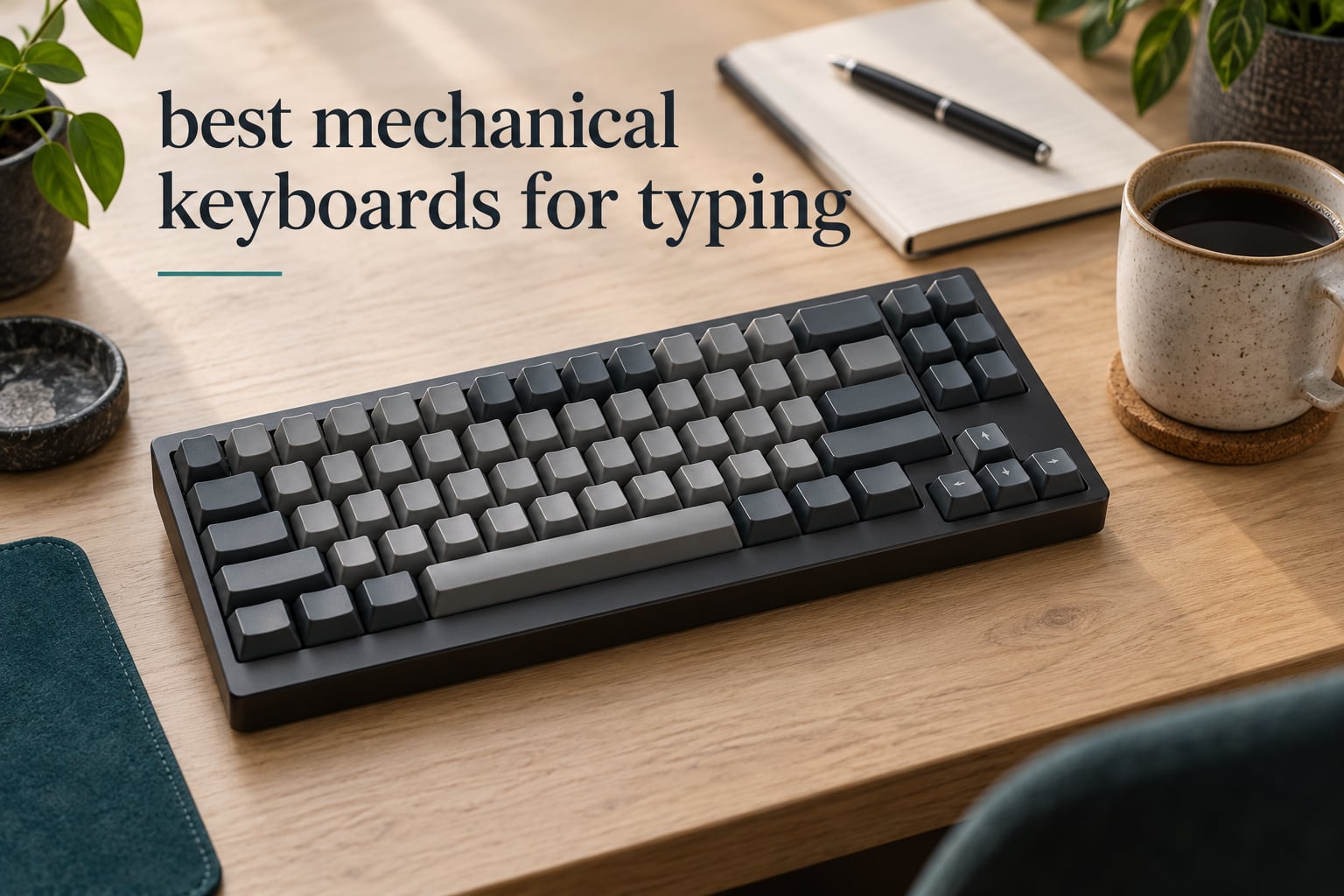
The best mechanical keyboards for typing are the ones that stay comfortable after hour four, not the ones with the loudest switches. Most of the boards people buy for gaming fail that test, because their spring weight, plate and case are tuned for fast bursts rather than steady word production. I went through customer review data on twelve highly rated boards and ranked them on what actually matters at a desk: feel, sound, stabiliser quality, layout and whether you can change what you dislike.
Mechanical boards are not automatically better for typing. What they give you is consistency and adjustability. A tactile bump tells your fingers a keystroke registered, cushioning from the mounting style absorbs the impact of bottoming out, and hot-swappable sockets let you replace a switch you dislike without a soldering iron. Those three things are what reduce missed keystrokes and fatigue over a long writing day.
I weighted this roundup toward typing first. Every pick below was checked against the same five criteria: long-session comfort, stabiliser behaviour on large keys, switch feel and consistency, layout ergonomics, and how loud the board is. Sound profile got real attention because switch noise is the single most common complaint in shared offices. If you want a broader look at typing gear first, our guide to the best keyboards for typing covers membrane, low-profile and ergonomic options too.
Top 3 Picks for Typing in 2026
The Redragon K556 takes the top slot because it is the most reviewed board in the group, with more than 8k ratings behind it, and its supplied Brown switches give real tactile feedback without being punishing on the fingers. The Womier SK80 edges it on feel alone, since the gasket mount and EVA foam produce a deep, damped bottom-out, but it is a wired board with south-facing LEDs that glare. The AULA F75 Pro is the value pick, adding tri-mode wireless and a five-layer silencer fill, a pairing of features that only the boards further down this list also offer.
12 Best Mechanical Keyboards for Typing (October 2026)
| PRODUCT MODEL | KEY SPECS | BEST PRICE |
|---|---|---|
 |
|
Check Latest Price |
 |
|
Check Latest Price |
 |
|
Check Latest Price |
 |
|
Check Latest Price |
 |
|
Check Latest Price |
 |
|
Check Latest Price |
 |
|
Check Latest Price |
 |
|
Check Latest Price |
 |
|
Check Latest Price |
 |
|
Check Latest Price |
 |
|
Check Latest Price |
 |
|
Check Latest Price |
Two things stand out in that list. Nine of the twelve boards use hot-swappable sockets, which is the single most useful feature for a typist who is still working out what they like. Second, the layout sizes are genuinely different rather than cosmetic, so a compact 75% board and a 98-key board with a numpad will feel meaningfully different on your shoulders.
1. Redragon K556 – Best Overall for Long Typing Sessions
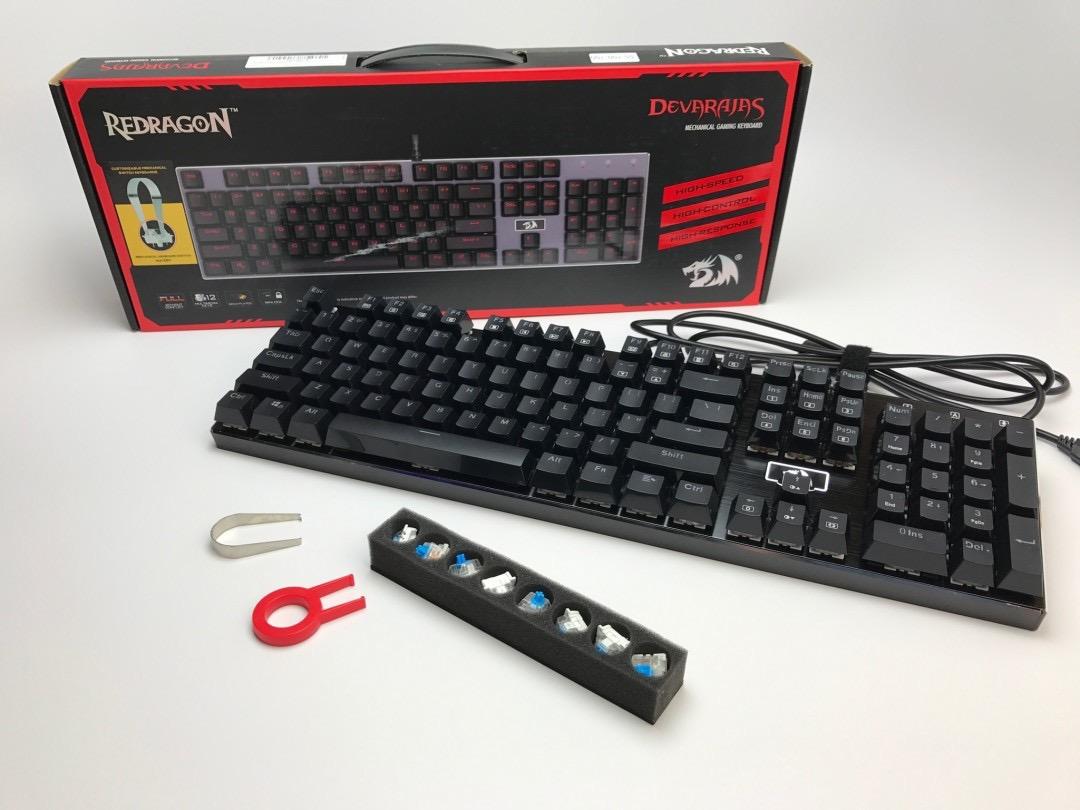
Redragon K556 Wired RGB Mechanical Gaming Keyboard, 104-Key Aluminum Board
Aluminum alloy case
Brown tactile switches
Hot-swappable
104 keys
1000 g
+ The Good
- Brushed aluminum body resists wobble and flex
- Brown switches give a soft bump for long sessions
- Hot-swap socket takes 3-pin and 5-pin switches
- 20 RGB modes with adjustable brightness
- Full 104-key layout with complete anti-ghosting
- The Bad
- Wired-only with no wireless option
- Full-size footprint takes more desk space than a compact layout
- 1000 g is heavy to move between desks
I put this one at the top of the best mechanical keyboards for typing lineup because of the review volume. More than 8k ratings is a much larger sample than anything else here, and 79 percent of buyers give it five stars. The Brushed aluminum body is the part that surprises people. It is the one component that stays rigid while the board flexes slightly under your fingers, and it does not creep across the desk when you lean in.
The supplied Brown switches are a sensible first choice for typing. The bump is there so you know a keystroke registered, but it is soft enough that you are not consciously waiting for it through an entire word. For a long writing session, that is the balance you want between confirmation and interruption.
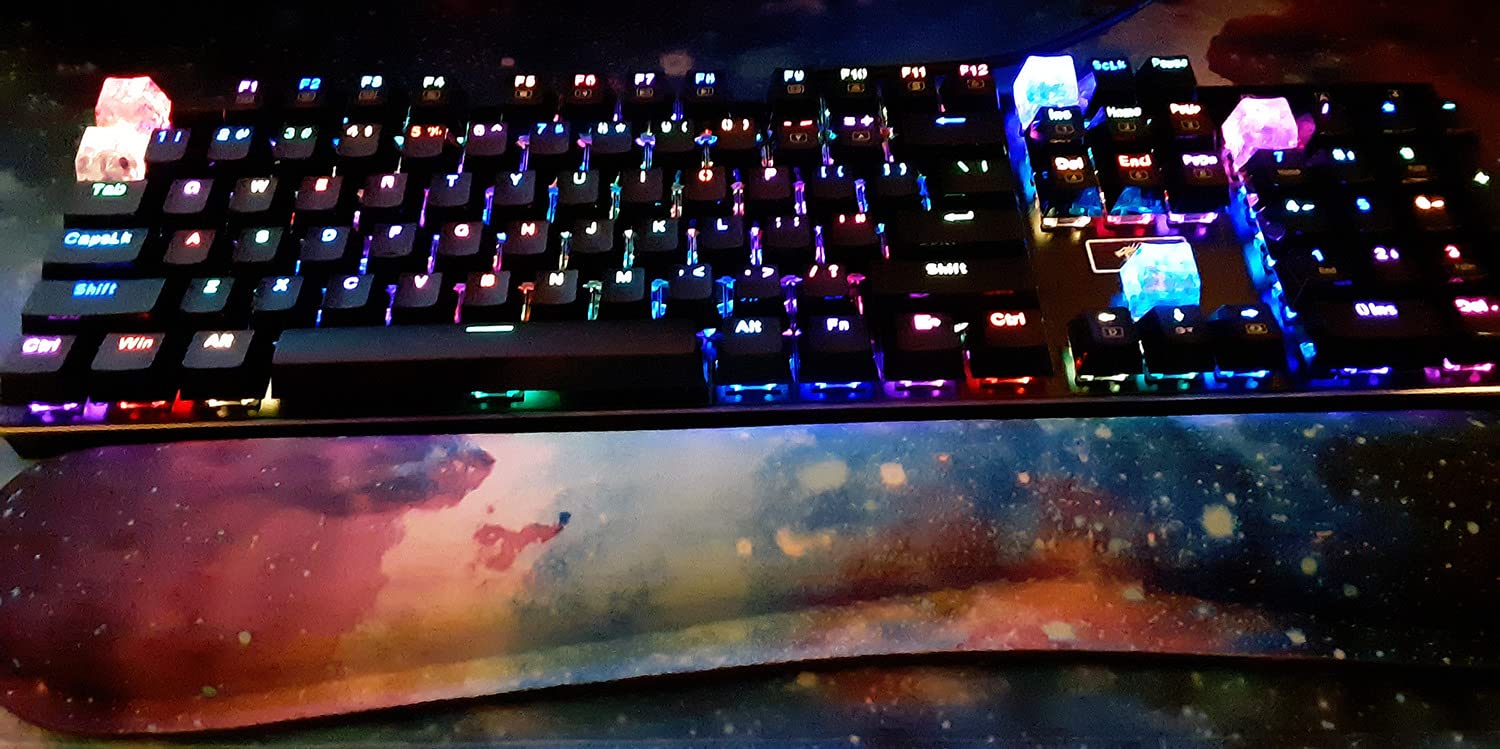
Owner feedback is unusually consistent for a board at this level. The recurring positives are the solid chassis, the stock Brown tactile feel and the depth of RGB control through the companion software. Nobody describes it as the quietest board, and it is not built with internal foam, so the sound is a little more open than the gasket-mounted picks further down this list.
The hot-swap socket is a genuine advantage here, because it means the Brown switches can be pulled and replaced with silent tactiles or linears if the office is a problem. Just lift the cap, pull the switch, press the new one in. No soldering, no tools beyond the supplied puller.
Is the full-size layout worth the desk space
Only if you use the number row, function row or numpad. The 104-key layout keeps everything in standard positions, which means zero adjustment time when you switch between this board and your laptop.
If you do not touch the numpad, the 17.13 inch width becomes dead space, and that space is usually where your mouse hand wants to be. Moving to a 75% board pulls the keyboard in roughly four inches and shortens the reach to your mouse, which some typists find reduces shoulder strain more than any ergonomic keyboard does.
Who should skip this board
Skip it if you need wireless. There is no Bluetooth or 2.4GHz option here, so the cable stays attached to your desk permanently, and that is a real limitation for anyone who moves between a laptop and a desktop.
Also skip it if you work somewhere sound-sensitive and cannot swap switches. Stock Brown switches are moderate rather than silent, and the case has no internal foam to soak up the top-end clatter. Our quieter picks are further down.
2. AULA F75 Pro – Best Value Tri-Mode Board
AULA F75 Pro Wireless Mechanical Keyboard,75% Hot Swappable Custom Keyboard with Knob,RGB Backlit,Pre-lubed Reaper Switches,Side Printed PBT Keycaps,2.4GHz/USB-C/BT5.0 Mechanical Gaming Keyboards
75% layout, 81 keys
Bluetooth 5.0 and 2.4GHz
4000mAh battery
1.02 kg
+ The Good
- Five-layer silencer fill gives a creamy damped feel
- Tri-mode wireless pairs up to five devices
- Hot-swappable base with pre-lubed stabilizers
- Knob handles lighting and media without software
- Side-printed double-shot PBT keycaps
- The Bad
- Enclosure is plastic rather than metal
- Linear switches give no tactile feedback
- Full lighting effects need the driver software
- Warranty runs only 6 months
Few boards at this tier give you a 4000mAh battery and five-device pairing. The F75 Pro covers Bluetooth 5.0, a 2.4GHz link and USB-C, and the battery is large enough that charging stops being part of your routine. For anyone splitting work between a laptop, a desktop and a tablet, that is the feature that decides the purchase.
Acoustically it punches above its class. Five layers of filling sit between the PCB, plate and switch shafts, and the result is a soft creamy sound rather than the hollow ping you get from an unfilled plastic case. It is not the deepest thock in this roundup, but very few compact boards here damp their case this consistently.

Reviewers repeatedly single out the knob. It cycles backlight brightness, handles media and switches between a gaming and an office mode, and it does all of that without opening a companion app. For a typist that is a genuinely useful control rather than decoration.
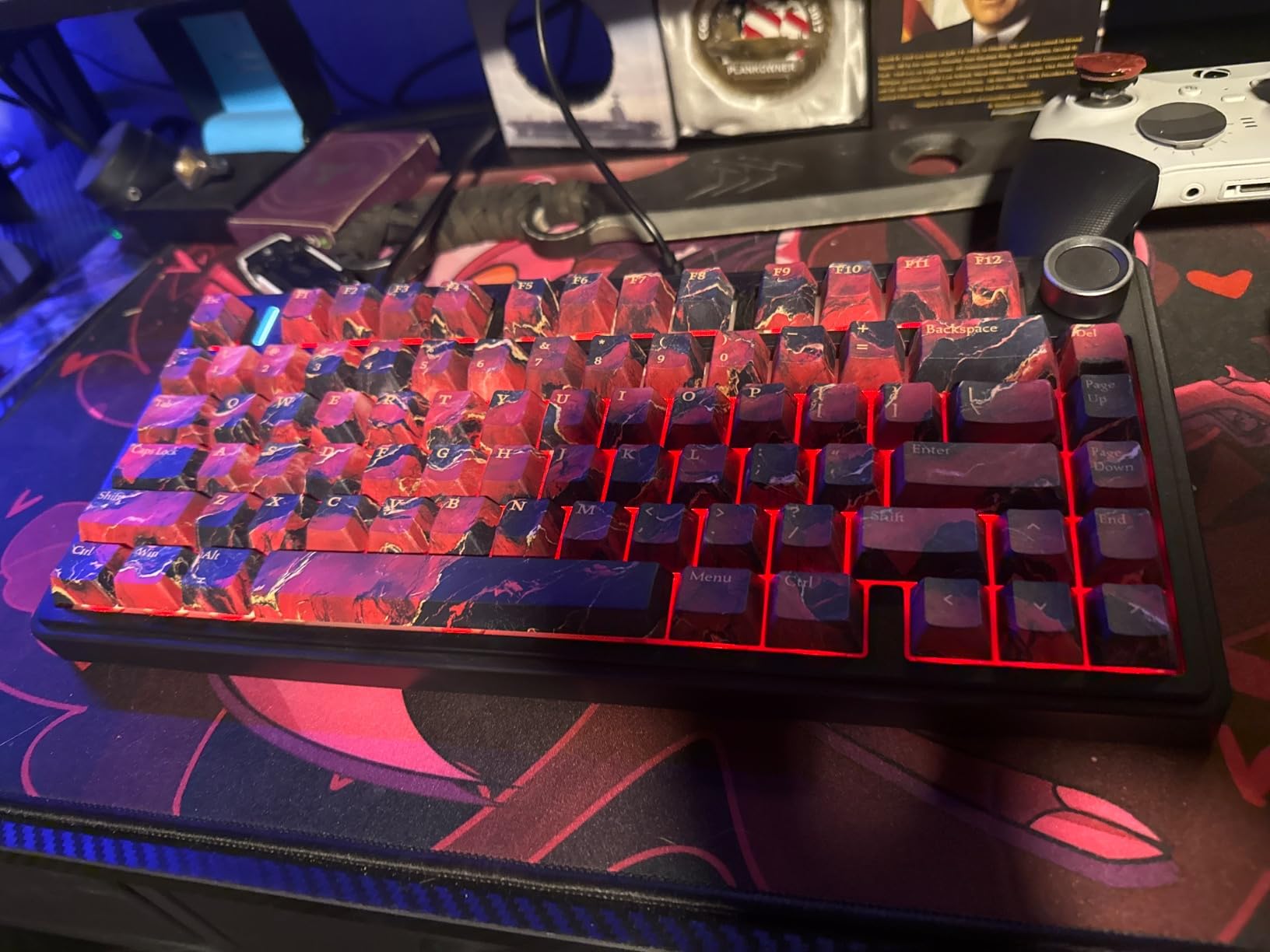
The side-printed PBT keycaps are also worth noting. The legends are printed on the side of the cap so the RGB light passes through without dulling the text, and PBT resists the shine and sweat damage that makes entry-level ABS caps look tired after a few months.
What you give up for the linear switches
The supplied Reaper switches are linear, so there is no tactile bump to confirm a keystroke. If you type by feel and often mistype during fast passages, a tactile switch will catch those errors sooner. If you bottom out hard and prefer raw smoothness, the linear feel is exactly what you want.
The good news is that this is a hot-swap board. Dropping in a silent tactile or a heavier tactile takes about a minute per switch and needs nothing beyond the switches themselves, which is how you learn what your fingers actually prefer.
Is the plastic case a problem for typing
For feel, not much. The five-layer filling and the gasket-style structure do the work, and the board weighs 1.02 kg, which keeps it planted on the desk.
For longevity, the plastic enclosure is a fair trade against the aluminium boards here. It will not develop the same density, and the 6-month warranty is the shortest in this roundup. If the board has to survive being knocked around and moved, factor that in.
3. Womier SK80 – Best Rated for Feel and Sound
Womier SK80 75% Percent Keyboard Gaming with Color Multimedia Display
75% layout, 81 keys
USB-C wired
Gasket mount with EVA foam
Pre-lubed linear switches
+ The Good
- Gasket mount and EVA foam give a deep thocky sound
- Tied for the highest average rating at 4.7
- Compact 75% layout eases shoulder strain
- Hot-swap socket accepts 3-pin and 5-pin switches
- Pre-lubed linear switches are easy to replace with silent types
- The Bad
- South-facing LEDs shine into your eyes
- Multimedia screen adds little practical function
- Wired-only with no wireless mode
- Bundled driver software is basic
On pure typing feel this is the board I kept coming back to while reviewing. The gasket mount combined with EVA positioning plate foam and bottom filling removes almost all the case flex, so each keystroke bottoms out into a soft, damped stop. Eighty-two percent of 1.7k raters gave it five stars, and the most common description in reviews is that it was the first mechanical keyboard that made the buyer happy.
That sound signature matters more than most buyers realise. A sharp, hollow bottom-out is a repeated impact through the fingertip, and eight hours of it adds up. Damping the case means less of that impact is transmitted to your hands, which is the mechanical equivalent of a softer chair back.
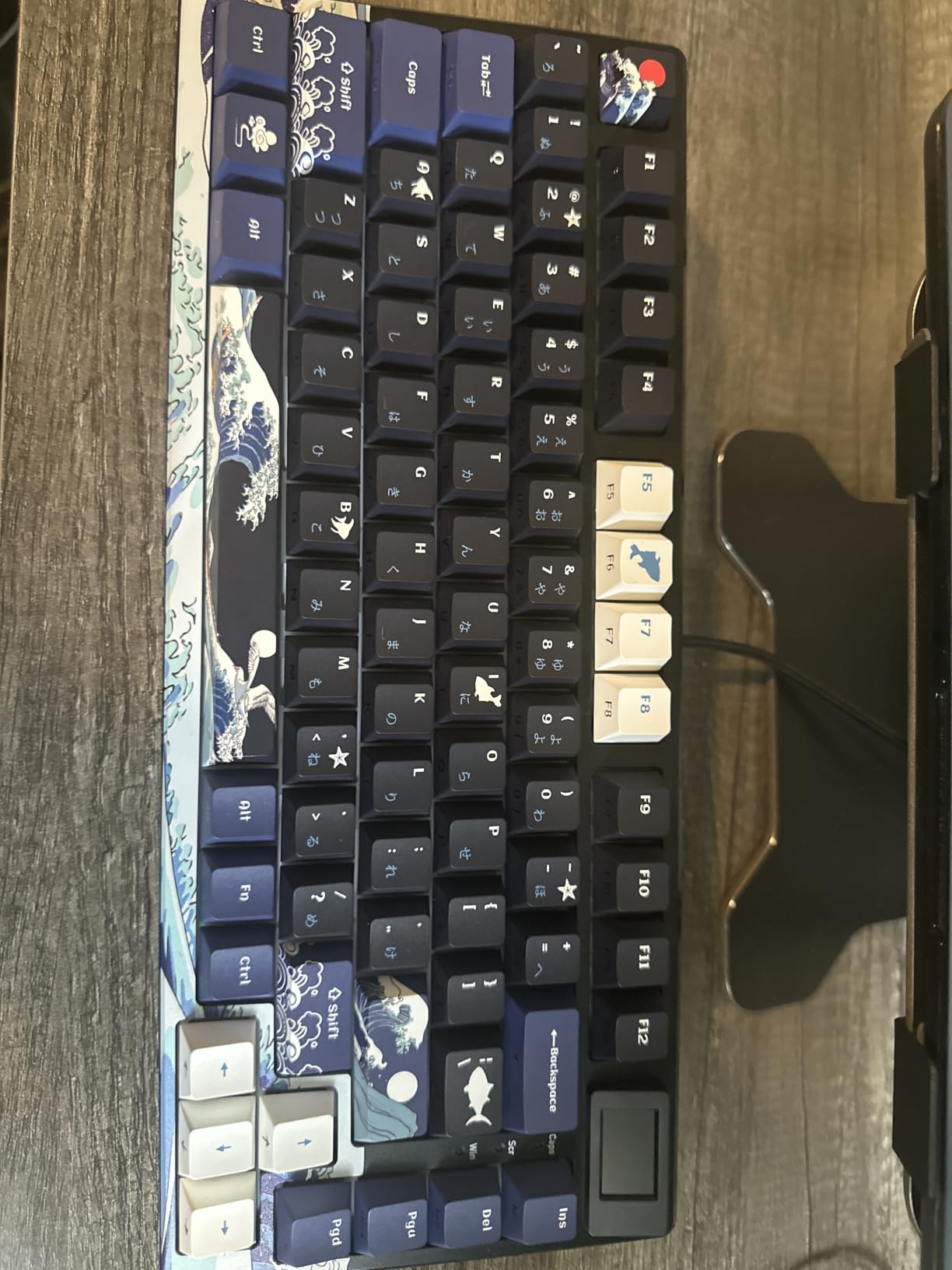
The angled 11-degree colour display on the right-hand side shows GIFs, status and settings, and the topographic keycap set gives the board a look you will not confuse with anything else on a desk. It is a purely aesthetic choice, but a keyboard you like looking at is one you reach for.
The single most cited drawback is the south-facing LED placement, which shines directly toward you and makes the lit legends hard to read. Several owners simply turned the backlight off, which also removes the glare. If a lit board matters to you, this is the one thing to check before committing.
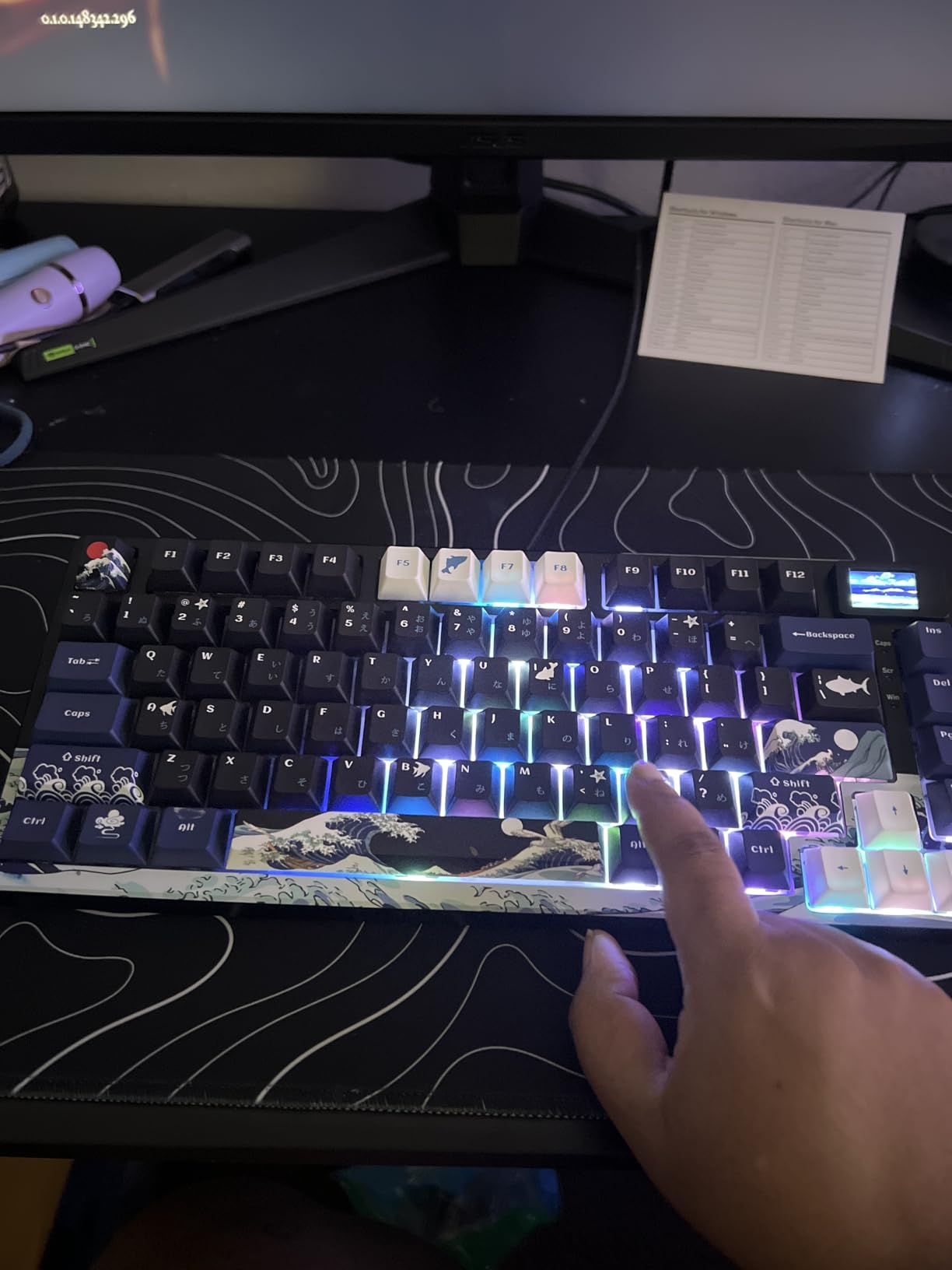
Is the multimedia screen worth anything for typing
For a typist, rarely. It can show connection status or battery level, and the GIF feature is fun for a few days. It does not replace a proper function row, and it needs the driver to upload new images.
Judged purely on writing, the screen is a distraction occupying space beside the arrow keys. Buyers who use it as a display and leave it off otherwise tend to rate it highly, and everyone else shrugs at it. It is not a reason to pick or skip the board.
How this compares to the other gasket boards
Against the Royal Kludge R75 and the Ajazz AK820, the SK80 wins on review volume and on the multimedia display, and it is the only one of the three with an angled screen. The R75 has more documented foam layers and a metal volume knob.
Against the ASUS Scope II 96, the SK80 is lighter but has no wireless and no wrist rest. Whichever way you go, the hot-swap sockets mean you can refine the feel later rather than committing now.
4. Logitech G413 SE – Best for a Professional Desk
Logitech G413 SE Full-Size Mechanical Gaming Keyboard – Black
Aluminum-magnesium top case
PBT keycaps
Tactile switches
108 keys
780 g
+ The Good
- Brushed aluminum top case resists flex
- PBT keycaps hold up to heat and wear
- Tactile switches give clear typing feedback
- Single white backlight suits an office
- Works with Windows and macOS out of the box
- The Bad
- Wired-only with no wireless connectivity
- White single-colour backlight instead of RGB
- Switches are not hot-swappable
- Full-size layout occupies substantial desk space
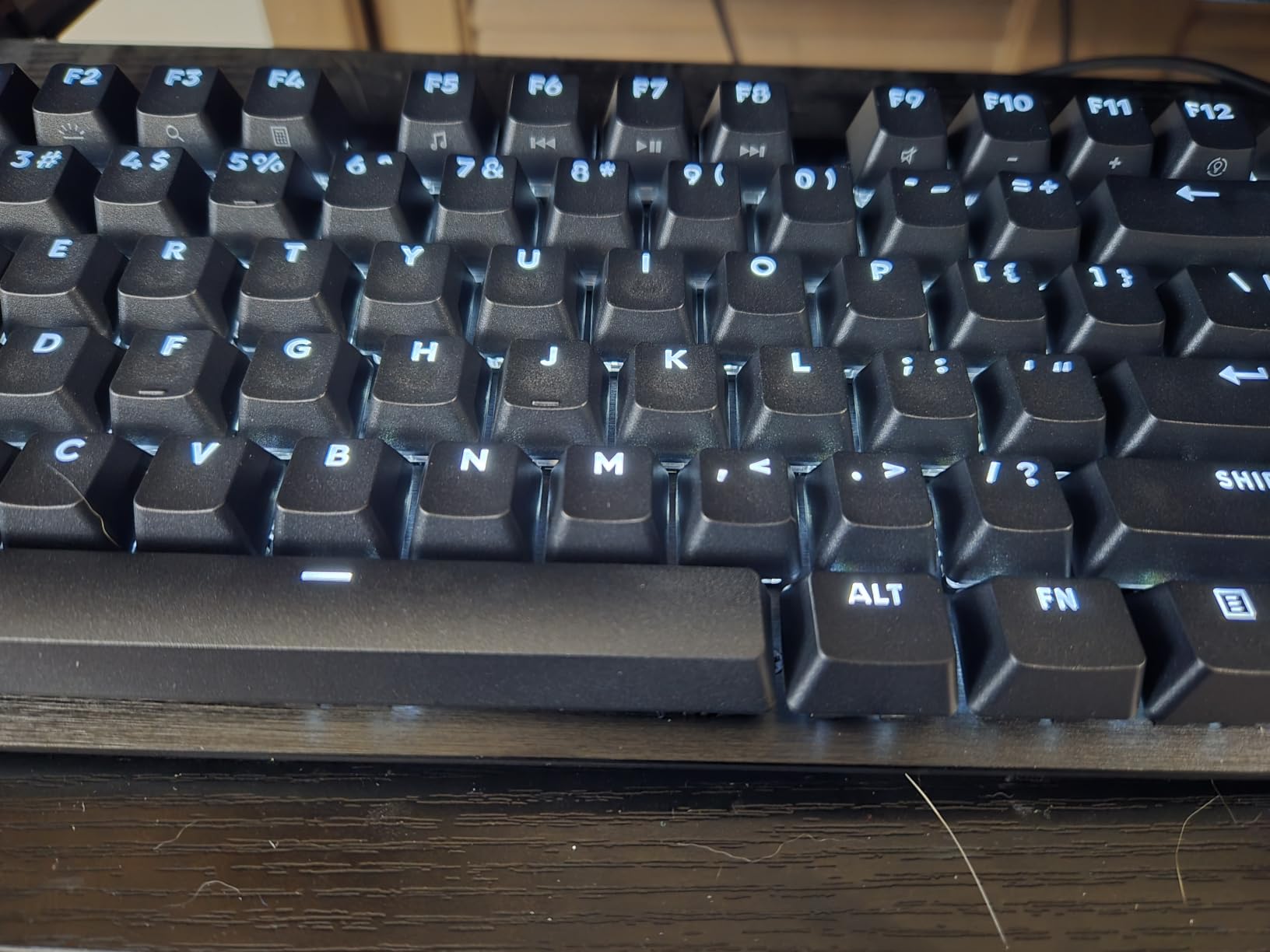
Not every desk wants RGB. The G413 SE is the board to choose when a mechanical keyboard has to sit in a client meeting or a shared office without looking like a gaming peripheral. Black and white, no colour cycling, no visible branding beyond a small logo, and a case that looks the same whether it is on or off.
The brushed aluminum-magnesium top case is thin but rigid, and 780 g is light enough to reposition with one hand. The tactile switches give a clear bump for accuracy, and the PBT keycaps are the material that survives a hot office better than the glossy ABS used on entry-level boards.
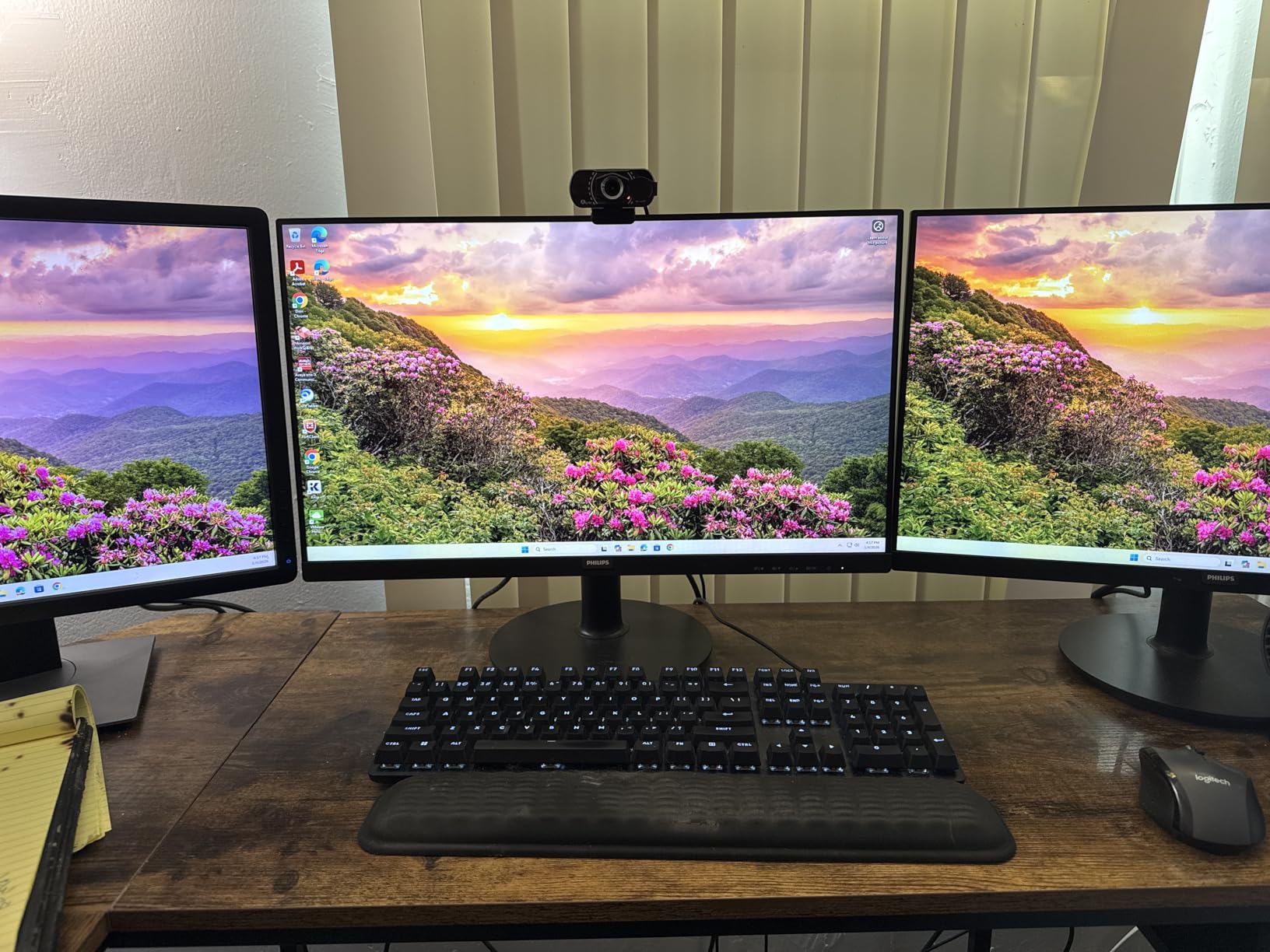
Six-key rollover means rapid combinations register correctly, which matters more than it sounds when you use shortcuts all day. The 12 FN media keys cover volume, playback, lighting and the Windows lock, so the everyday controls do not require leaving the home row.
Where it falls short is flexibility. The plate is soldered, so the switches stay as they are for the life of the board, and there is no wireless. If you discover you want a lighter switch, your only option is to change keyboards.
Why some typists avoid gaming-badged boards
The name on the box matters more than the internals in some workplaces. Boards sold for gaming often arrive with clicky or heavy switches, per-key RGB and driver software that requires admin rights to install.
This one avoids all three problems while keeping the mechanical benefits. The tactile switches are moderate, the lighting is a single white, and there is no software requirement to use the board as intended.
Should you wait for a hot-swappable version
Only if you are still unsure about switch feel. That uncertainty is the main reason we rate this board lower for typing than the gasket-mounted options above it.
If you have typed on a tactile mechanical board before and know you like the bump, the soldered plate is a fair trade for the rigid case and the clean look. If you have never tried one, a hot-swap board gives you an exit route.
5. Royal Kludge R75 – Best for Deep Sound
RK ROYAL KLUDGE R75 Wired Mechanical Keyboard with Volume Knob, 75% Mechanical Gaming Keyboard Gasket Mount, Hot Swappable Silver Switch, MDA Profile PBT Keycaps, Creamy Keyboards, Black
75% layout, 81 keys
Gasket mount with triple foam
MDA PBT keycaps
1.7 pounds
+ The Good
- Gasket mount and three foam layers remove hollow echo
- CNC aluminium volume knob feels solid
- MDA-profile PBT keycaps have thick walls
- Hot-swappable for 3-pin and 5-pin switches
- Includes spare switches and a puller
- The Bad
- Wired-only with no Bluetooth or 2.4GHz
- Older revisions lack QMK/VIA remapping
- Plastic case despite the premium weight
- Some owners find the sound louder than expected
The R75 is one of the most thoroughly damped boards in this roundup. Gasket mount, poron cotton, an IXPE switch pad and sponge case foam stack up in three layers of absorption, and the result is the deep, creamy thock that owners describe instead of the ping and clatter typical of mechanicals.
At 1.7 pounds the board is heavy enough to stay put without being awkward to move, and the compact 81-key layout keeps the arrow keys and a function row while freeing meaningful desk space. The CNC aluminium volume knob is a solid metal control that adds genuine utility.
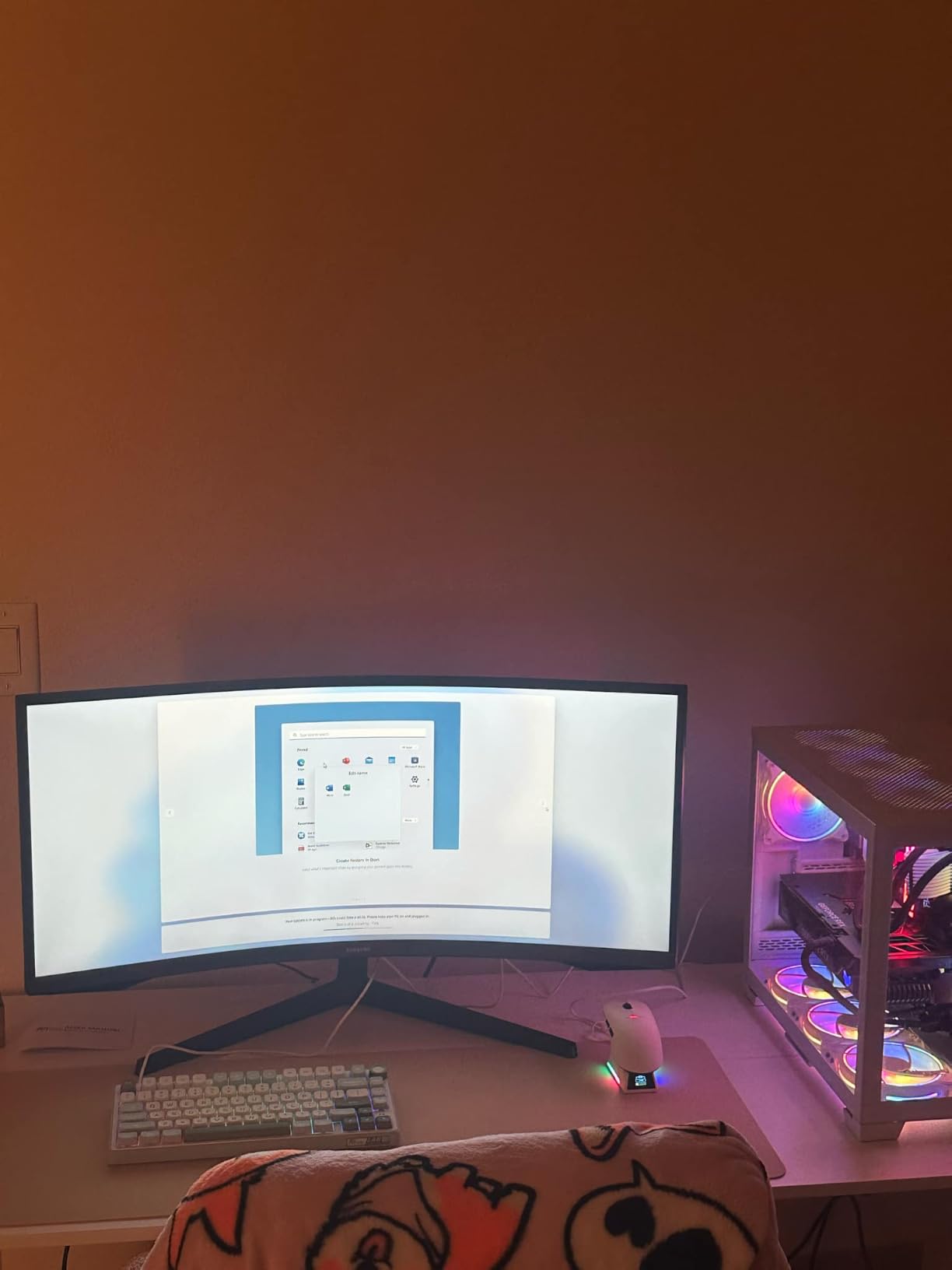
Reviewers describe the feel as that of a custom board without the custom build step, and the included spare switches mean you can experiment immediately out of the box. The MDA-profile PBT keycaps have thick walls, which is why they produce a crisp pop on the way down.
The caveat worth checking is firmware. Owners on earlier hardware revisions report no QMK or VIA support, so remapping requires the driver rather than an open-source configurator. If you want to program layers, confirm the revision before buying.
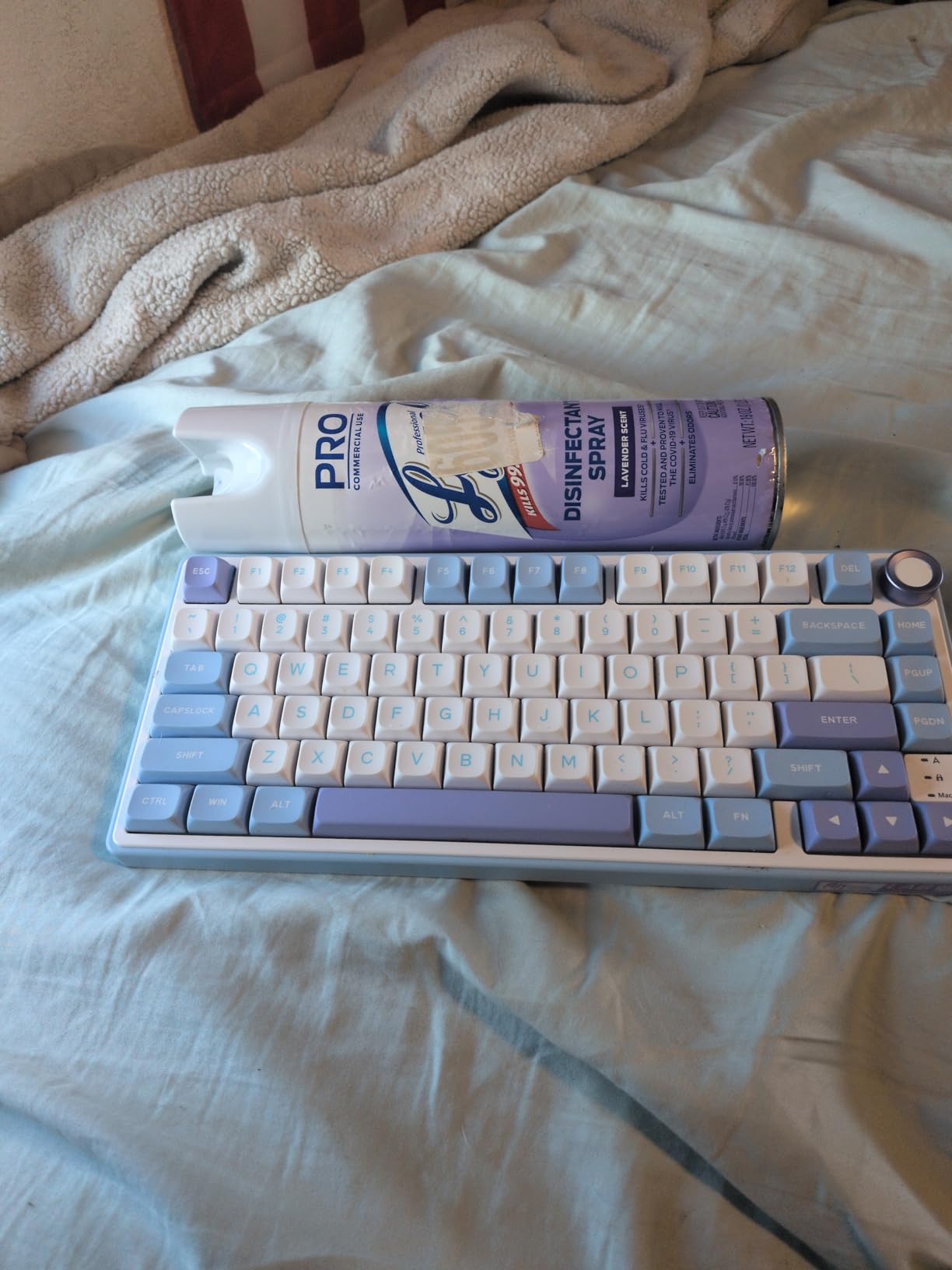
Is the deeper sound always better
No. A heavily damped board masks the top end and gives a low, muted signature. That is exactly what you want in an open office, and exactly what you do not want if you have grown up typing on a crisp clicky board and find damped boards vague.
Some owners in this review set found the sound louder than expected, which usually tracks with expectations rather than an inconsistency in the board. Judge it against a clip of the signature you actually enjoy.
What to do about the missing wireless
Decide early whether wireless is a requirement or a nice-to-have. A cable is more reliable and never needs charging, so for a fixed desk it is a reasonable trade.
If you need to move between machines, this is not the board. Look at the AULA F75 Pro, the YUNZII B75 PRO or the Logitech Alto Keys, all of which pair wirelessly across multiple devices.
6. Royal Kludge S98 – Best for Spreadsheet Work
RK ROYAL KLUDGE S98 Wireless Mechanical Keyboard w/Smart Display & Knob
98-key layout with numpad
Smart display and knob
Bluetooth, 2.4GHz, USB-C
3 pounds
+ The Good
- Near-full-size layout with a numpad in a compact footprint
- Smart display and knob replace the function row
- Tri-mode wireless with up to three Bluetooth devices
- Hot-swappable 3-pin and 5-pin sockets
- Substantial weight keeps the board stable
- The Bad
- Substantial weight is a consideration on a shared desk
- Battery drains quickly with RGB enabled
- Sits high enough to prompt wrist-rest use
- Display mount can work loose
The S98 exists for people who need a numpad and refuse to give up a compact footprint. Ninety-eight keys in a 16.14 inch body keeps the number pad without the width a standard full-size board demands, and for spreadsheet work, data entry or bookkeeping that is the difference between a keyboard you use and one you tolerate.
Acoustically it is well handled. An IXPE switch pad, two layers of sound-absorbing foam and a silicone dampener pad sit inside a top-mount design, which produces a creamy thocky typing experience that reviewers rate highly for the money.
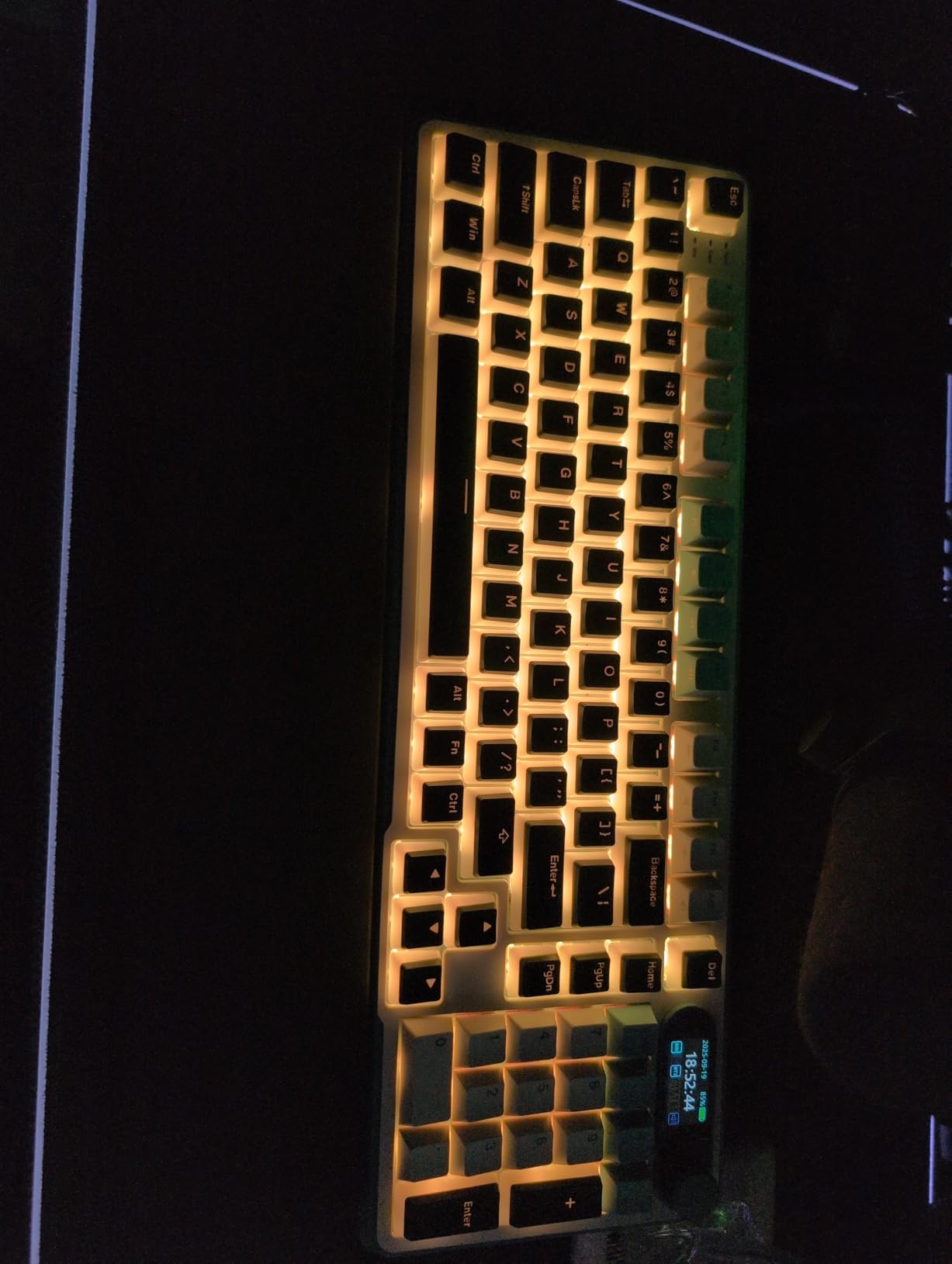
The smart display shows GIFs, the date, connection mode, Windows or Mac layout and battery status, and the knob handles volume, connection mode, backlight brightness and speed. Between the two, you rarely need the function row, which shortens your reach to the number pad.
The caveat is the software. Reviewers describe it as dated, hard to find and not especially user-friendly, and that is where the setup friction sits on this board. Battery life also varies when RGB is running, and a tall profile leads many owners to add a wrist rest.

Is a numpad worth giving up desk space for
If you touch it daily, yes. Accountants, data analysts, bookkeepers and anyone working in a spreadsheet all fall into that group, and a condensed numpad is a compromise worth accepting.
If you are writing prose, coding or handling email, the numpad becomes dead weight and the 75% boards on this list are the better buy. Our custom mechanical keyboard guide covers more layout options if you want to go deeper.
How to deal with the battery complaints
Turn the backlight off. The difference in drain between full RGB and lighting off is large enough that most owners who complain about battery life are the ones running constant lighting.
Also expect to adjust the sleep timer through the driver, because the default is short enough to interrupt a paragraph. Budget five minutes of setup for the software before you judge the board.
7. YUNZII B75 PRO – Best for Multi-Device Work
YUNZII B75 PRO 75% Wireless Mechanical Keyboard (Coffee Brown, MilkV2)
75% layout, 82 keys
Gasket mount with five-layer padding
4000mAh battery
Tri-mode wireless
0.9 kg
+ The Good
- Gasket mount with five-layer padding gives a creamy sound
- Tri-mode 2.4GHz link is reliable and lag-free
- Knob handles volume
- backlight and office mode
- Hot-swappable full-key sockets
- Light 0.9 kg body that still stays put
- The Bad
- Battery life drops noticeably with RGB enabled
- Default sleep timeout is very short
- High profile leads many owners to add a wrist rest
- 75% layout omits dedicated Print Screen and Home keys
The B75 PRO packs a lot into a light frame. Gasket mount with five layers of padding gives it a creamy sound and a solid typing feel, yet the whole board weighs 0.9 kg. That combination suits anyone who moves between a home desk and a shared office bag.
The 4000mAh battery with tri-mode connectivity is the reason to shortlist it. Bluetooth, 2.4GHz and USB-C all work, and owners report the wireless link as reliable with no perceptible lag when typing rather than gaming.
The knob is repeatedly described as a feature buyers wish every keyboard had. It handles volume, backlight and a switch between gaming and office mode, which is a quick way to quiet the lighting when someone sits down beside you.
What you have to set up first
The out-of-box sleep timeout is short and needs the driver to change. Five minutes of configuration saves you from the board dropping out mid-sentence every few minutes.
The south-facing LEDs light the board but do not shine through the legends, so this is a board to enjoy lit from the side rather than head-on. If that bothers you, the lighting mode is a software setting away.
Where the 75% layout will annoy you
Dedicated Print Screen and Home keys are gone, which means a function-layer shortcut for screenshots. That is a muscle-memory adjustment, and it is one of the few real costs of a compact layout.
The high profile is the other one. Many owners add a wrist rest within a week, and if you already have wrist discomfort, a low-profile option like the Keychron K3 may suit you better despite its lower rating.
8. ASUS ROG Strix Scope II 96 – Best for Long Wireless Sessions
ASUS ROG Strix Scope II 96 Wireless Mechanical Gaming Keyboard – 96% Full-Size, Tri-Mode Connectivity, Hot Swappable Pre-lubed ROG NX Snow Linear Switches, PBT Keycaps, RGB, PC/Mac Support-Black
96% layout with numpad
1500 hours on 2.4GHz
Pre-lubed ROG NX linear switches
2.8 pounds
+ The Good
- 96% layout keeps the numpad in a near-TKL footprint
- Factory-lubed hot-swappable switches feel smooth out of the box
- Sound-dampening foam and switch pads reduce pinging
- Up to 1500 hours of 2.4GHz battery life
- Detachable wrist rest with three tilt positions
- The Bad
- Heavier than most boards in this class
- Switch choice limited to two ROG families
- ABS and PBT case feels light next to metal boards
This is the board to consider if you want a numpad, wireless and a wrist rest without giving up any of them. Ninety-six keys fit into a footprint only about one centimetre wider than an 80 percent board, and the detachable wrist rest plus three tilt positions are genuinely useful when you are typing for hours rather than minutes.
Battery life is the standout number. Up to 1,500 hours in 2.4GHz mode means you are not looking for a charger, and the hot-swappable sockets come filled with factory-lubed ROG NX Snow linear switches that feel smooth immediately.
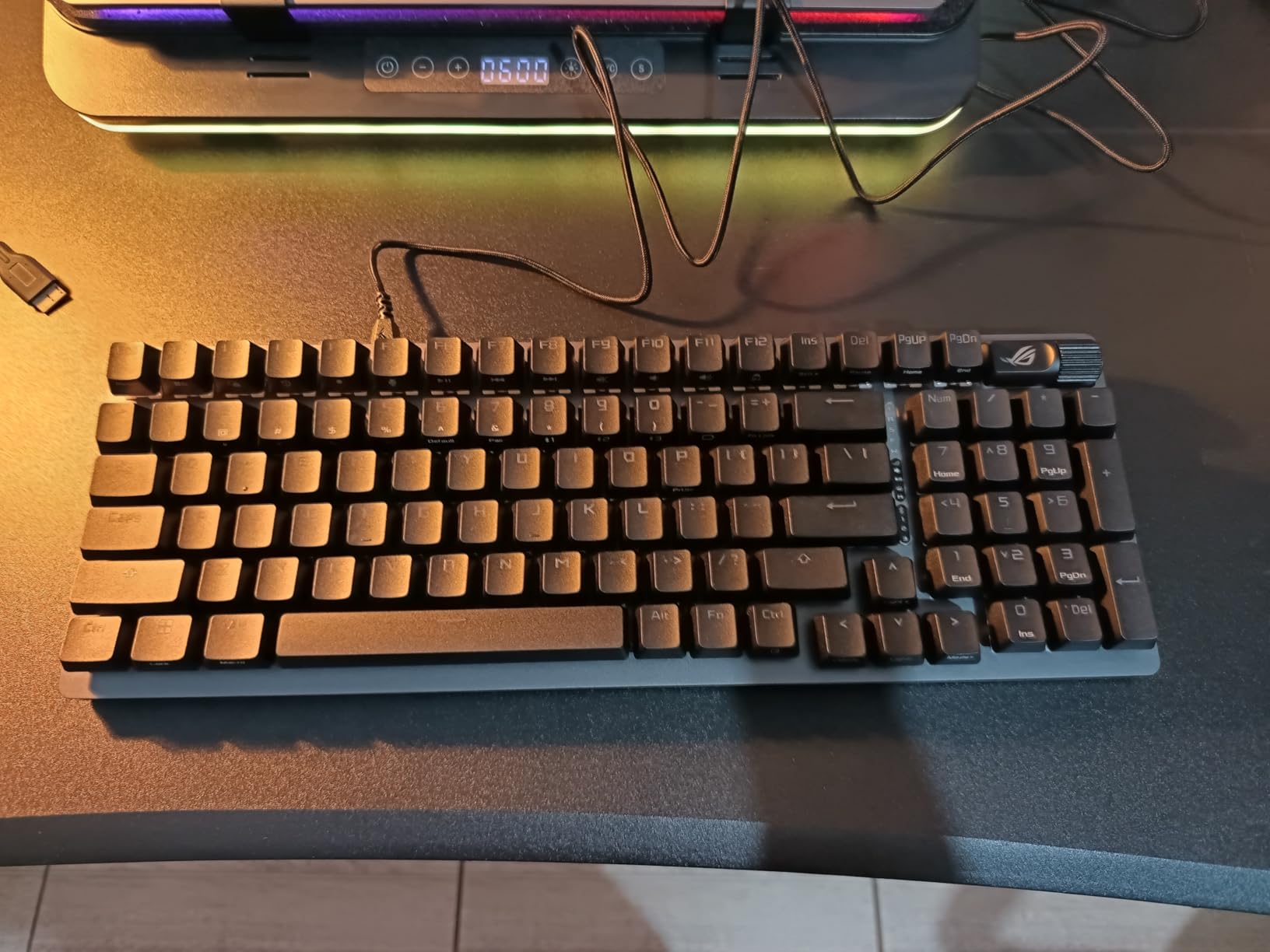
Integrated sound-dampening foam and switch-dampening pads handle the acoustics, cutting the pinging and echo that normally make a plastic case sound cheap. Buyers treating this as a step-up purchase are happy with the feel out of the box.
What a closed switch ecosystem means for you
The sockets accept standard 3-pin and 5-pin switches, so you are not locked out physically. In practice, most buyers stay with the ROG NX Snow or Storm families because the board is tuned for them.
If you want an open standard with wide switch choice and open firmware, an open hot-swap board will serve you better. If you want everything working without configuration, the sealed experience here is the appeal.

Is a detachable wrist rest worth having
Yes for long sessions, and it is the reason this board suits people who already feel wrist strain. The rest sits at the right height for the board angle and can be removed when you want the clean look or a slimmer profile.
It also solves the problem the YUNZII and Royal Kludge owners complain about, where a tall body needs supporting. The trade-off is 2.8 pounds of weight, which makes this one of the heavier boards here.
9. Keychron K4 96% – Best Tactile Board With a Keypad
Keychron K4 96% Layout 100 Keys Wireless Bluetooth 5.1/Wired USB Mechanical Gaming Keyboard with Keychron Apex Brown Switch White LED Backlight N-Key Rollover for Mac Windows PC-Version 2
96% layout, 100 keys
Bluetooth 5.1 for 3 devices
4000mAh battery
50 million click switches
+ The Good
- Condensed numpad delivers full keypad function in a compact body
- Bluetooth pairs quickly with up to three devices
- Super Brown tactile switches give solid feedback
- Mac and Windows toggle with a side switch
- Build quality holds up over years of daily use
- The Bad
- No 2.4GHz dongle option on this version
- Tall profile pairs awkwardly with a palm rest
- Compressed numpad zero and shifted arrows take time to learn
- Not sound-dampened out of the box
Among the many linear boards in this roundup, the K4 stands out for typing because the Super Brown switches give real tactile feedback in a 96 percent layout. A hundred keys in 14.61 inches gives you a full numpad, a function row and a much smaller desk footprint than a standard full-size board.
The Bluetooth pairing is described as reliable across laptop, tablet and phone, and the 4000mAh battery runs up to 240 hours with the backlight disabled. That figure is realistic in practice for most users, which is unusual in this category.
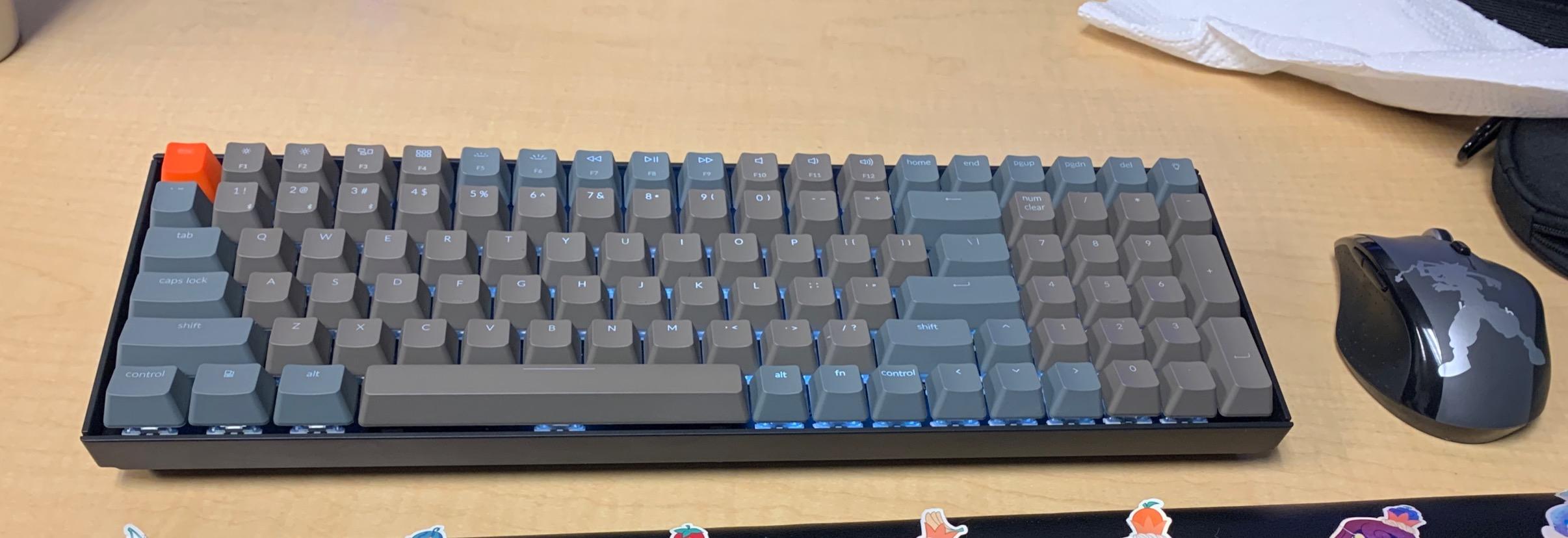
The K4 is the only board in the roundup with Super Brown tactile switches in a 96 percent layout. It is described as a build that holds up over years of daily use, and the switches are rated for 50 million clicks.
How long the condensed numpad takes to learn
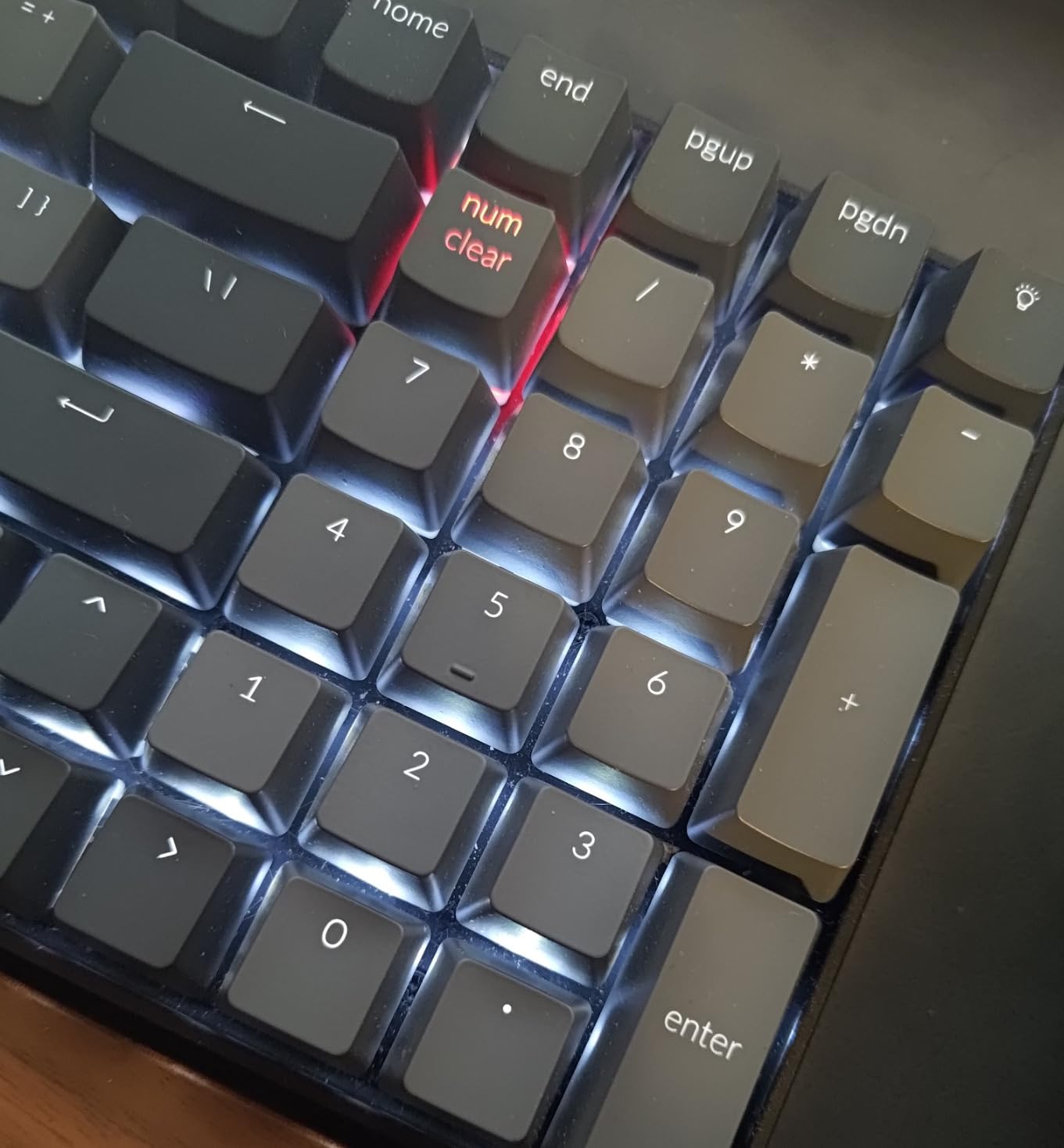
Budget a week with any condensed numpad. The zero key sits in an unusual position on this layout and the arrow keys share the keypad area, so the first few days produce mistakes that come from looking down rather than from bad technique.
Once the layout is in your fingers, it is a genuine advantage. A standard numpad gives you a full number row, but a condensed one keeps your shoulder reach shorter, which matters during a long spreadsheet session.
What the tall profile costs you
It is 1.5 inches thick, and buyers report that it sits awkwardly with the official Keychron palm rest. If wrist comfort is already an issue, plan on a separate wrist rest or a different board.
The other gap is acoustic. This is not a sound-dampened design, so a Brown switch on a bare plate is more audible than the gasket-mounted picks. Good news is that a switch swap is the simplest fix on any hot-swap board.
10. Keychron K3 Low-Profile – Best for Wrist Comfort
Keychron K3 Version 2 QMK 75% Wireless Low-Profile Mechanical Keyboard
Low-profile 75%, 84 keys
0.87 inch thick
QMK firmware
Bluetooth 5.1
500 g
+ The Good
- Very thin design at 0.87 inches eases wrist strain
- QMK firmware allows full remapping and macros
- Reliable Bluetooth across laptop
- tablet and phone
- Tactile Brown switches without harsh noise
- Keychron Launcher configures the board in a browser
- The Bad
- Lowest average rating here at 4.2 with 8 percent one-star reviews
- Low-profile switches have limited travel and a shallow bump
- No numpad
- so it rules out spreadsheet work
- White-only backlighting
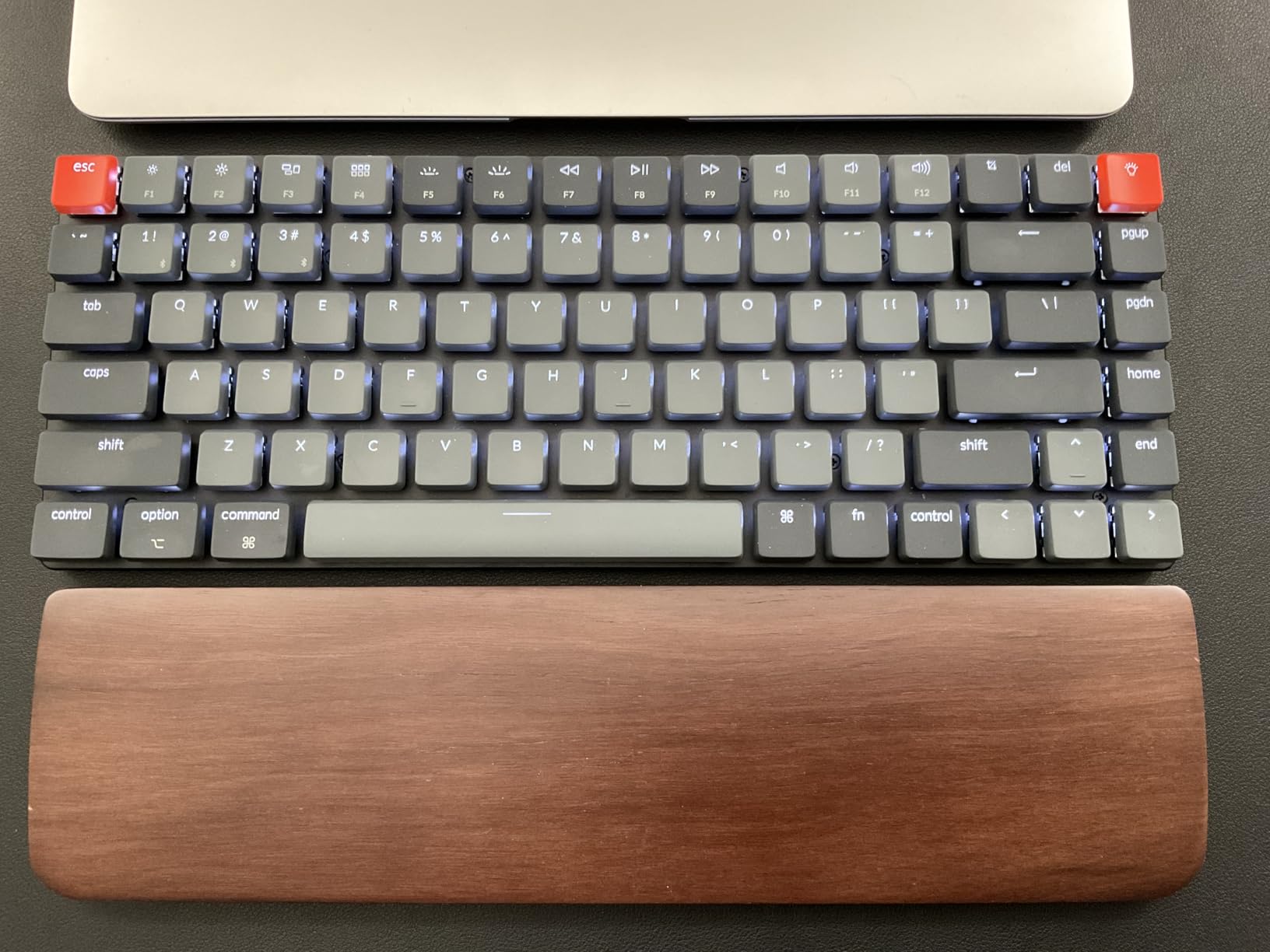
This is the board to try if a standard-height keyboard already causes discomfort. At 0.87 inches and 500 g, the K3 lets you keep your hands nearly flat rather than bent upward at the wrist, which is the single change that helps most people who type all day and feel it by the afternoon.
It is also the only board here with open-source QMK firmware and a browser-based configurator. You can remap keys, build layers and set macros without installing a vendor application, which matters if you move between operating systems.
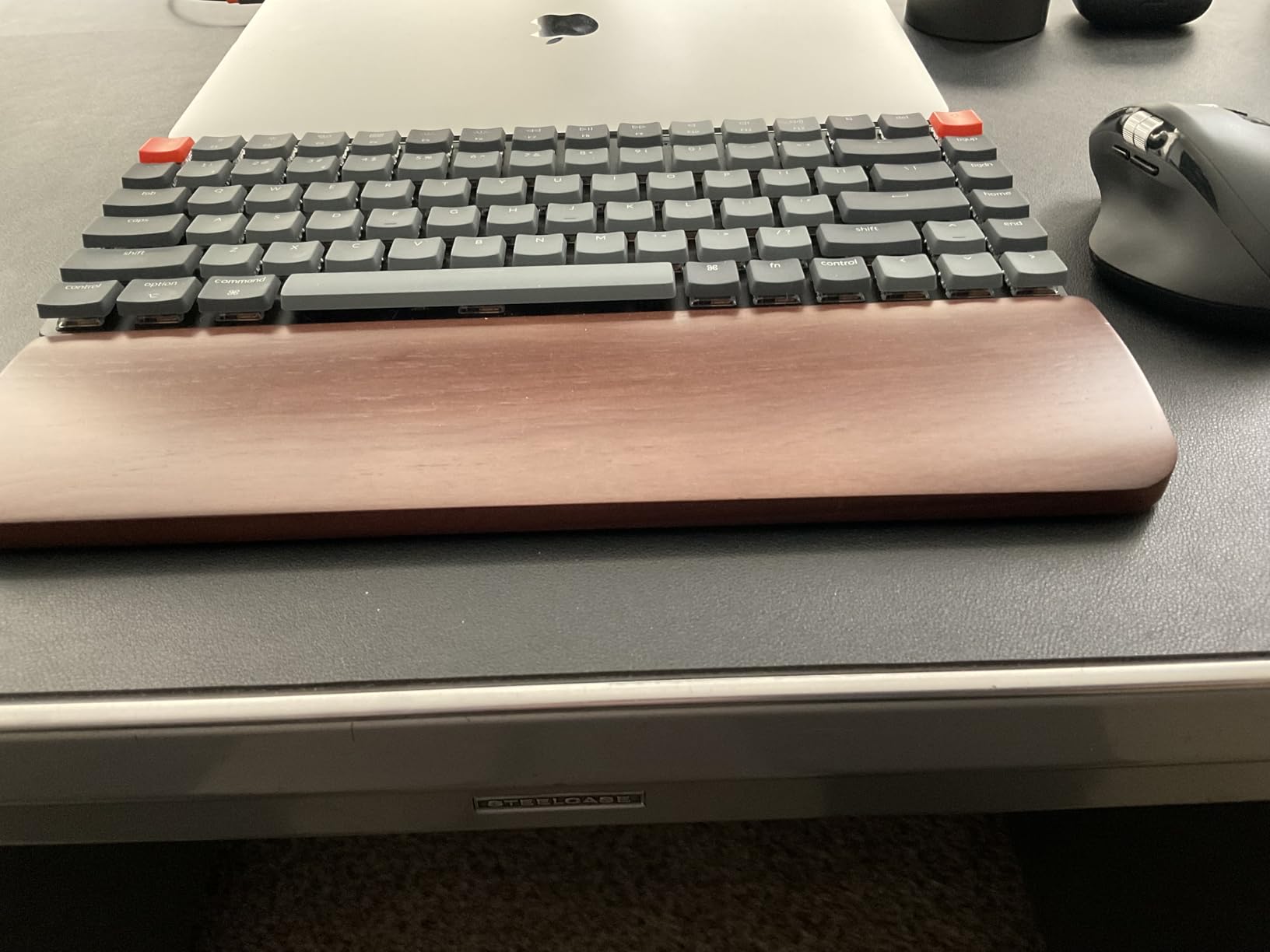
The Bluetooth pairs reliably across three devices, and the tactile Brown switches give noticeable feedback without the noise of a clicky switch. Low-profile switches are inherently quieter than full-height ones because there is less travel and less air movement.
Why the rating is lower than every other board
Only 67 percent of reviewers gave five stars, the weakest share in the roundup, and 8 percent gave one star. The split is clear rather than random. People who want a thin, quiet, remappable board love it, and people who expect a numpad or a deep tactile bump feel shortchanged.
So the question is whether shallow travel is acceptable to you. If you bottom out hard by habit, a low-profile board will frustrate you for weeks. If you have a light touch or existing wrist pain, the shallow bump is often the reason it feels better.
Is low-profile right for long sessions
For wrist angle, yes. Reducing wrist extension is a well-established comfort measure, and that is the main reason to consider a low-profile board.
For feedback depth, no. Low-profile switches travel less and the tactile event is shallower, so if you rely on a pronounced bump to confirm keystrokes, a full-height tactile board will serve your accuracy better. This is the trade-off behind the lower rating.
11. Ajazz AK820 – Best Compact Starter Board
Ajazz AK820 TKL 75% Hot Swappable Mechanical Keyboard with Volume Knob, Gasket Mount Wired Gaming Creamy Keyboard, Pre-lubed Linear Switch, South-Facing RGB, PBT Keycaps
75% layout, 81 keys
Gasket mount with Poron foam
Hot-swappable linear switches
400 g
+ The Good
- Gasket mount and foam give a genuinely creamy thock
- Light 400 g body frees desk space for mouse movement
- Non-slip metal volume knob with mute
- Hot-swappable PCB accepts 3-pin and 5-pin switches
- Double-shot PBT keycaps with a crisp pop
- The Bad
- Wired-only with no wireless connectivity
- Light build is easier to push around
- Manual does not explain lighting shortcuts
- South-facing RGB does not shine through the legends
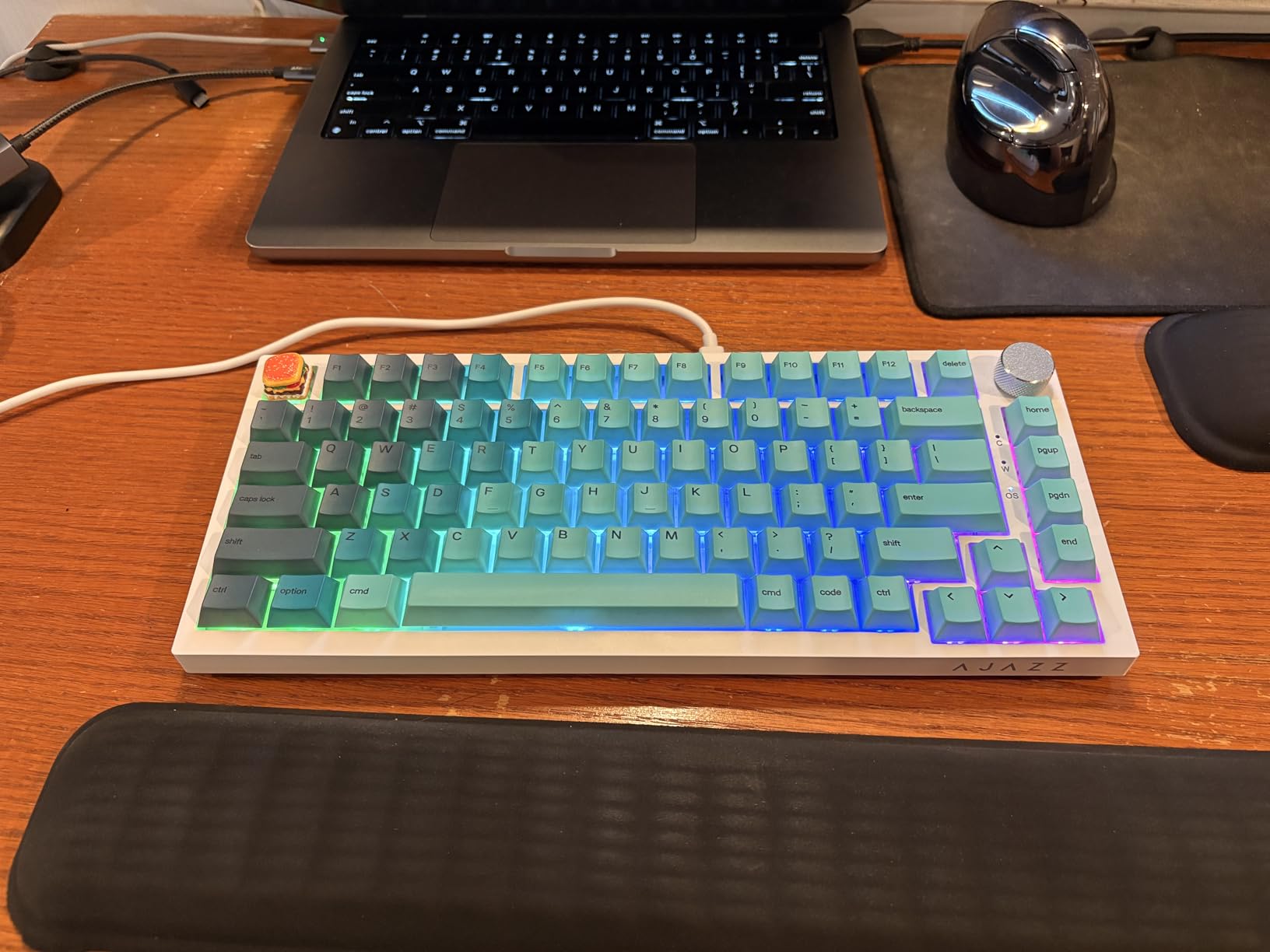
The AK820 shares the highest average rating in this roundup at 4.7 (tied with the SK80), and for a first mechanical keyboard it covers the features people most often want. Gasket mount, poron sandwich cotton and high-density foam, a flex-cut single-key-slot PCB, and hot-swappable sockets all sit in a board that weighs 400 g.
That weight is the one real compromise. It makes the board easy to move with a forearm and easier to push around than a metal-cased alternative, but if you like to lean on the desk while typing you will feel it shift more than a heavier board.
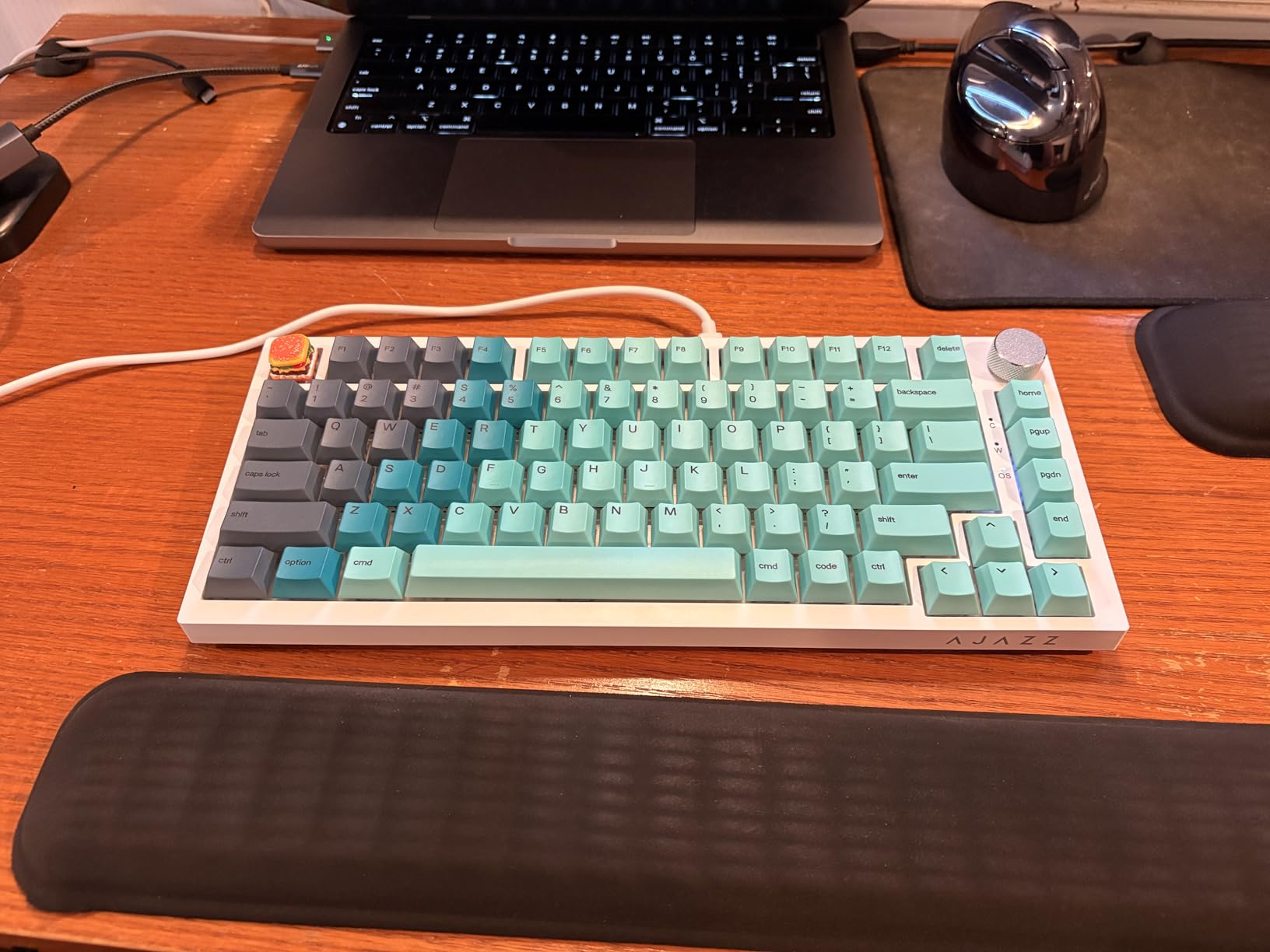
Several owners report upgrading from membrane keyboards or from costlier peripherals, and the standout in every one of those reviews is the gasket-mounted sound. The stock PBT keycaps add a crisp pop on top of the creamy thock.
Is this a good first mechanical keyboard
Yes, on the criteria that matter for learning. It is light enough to experiment with, the hot-swap sockets mean a wrong switch choice is easy to undo, and the 75 percent layout is a common size that transfers to many other boards later.
Skip it only if you need wireless or a numpad. Both are real gaps rather than minor omissions, and a board that fits your desk and your devices matters more than a better sound.
What to do about the manual
Look up the lighting shortcuts online before you start. The included manual does not document the RGB controls or the driver, and that is the most common source of confusion for new owners.
Beyond that, the board works out of the box. Plug it in, set the layout, and leave the RGB alone until you have worked out whether you even want it lit.
12. Logitech Alto Keys K98M – Best for Battery Life
Logitech Alto Keys K98M Wireless Mechanical Gasket Keyboard – Graphite
98-key layout with numpad
Gasket mount with UniCushion
Hot-swappable Marble switches
12 months battery
+ The Good
- Gasket mount and UniCushion dampen vibration well
- 98 keys with a numpad in a compact footprint
- Up to 12 months of battery on Bluetooth LE
- Reliable wireless with effortless device switching
- Two-year hardware warranty
- The Bad
- Arrow keys overlap the numpad zero key
- Spacebar sounds hollow compared with the rest of the board
- No cap lock or num lock indicator LEDs
- Heavy at 1100 g and clickier than most buyers expect
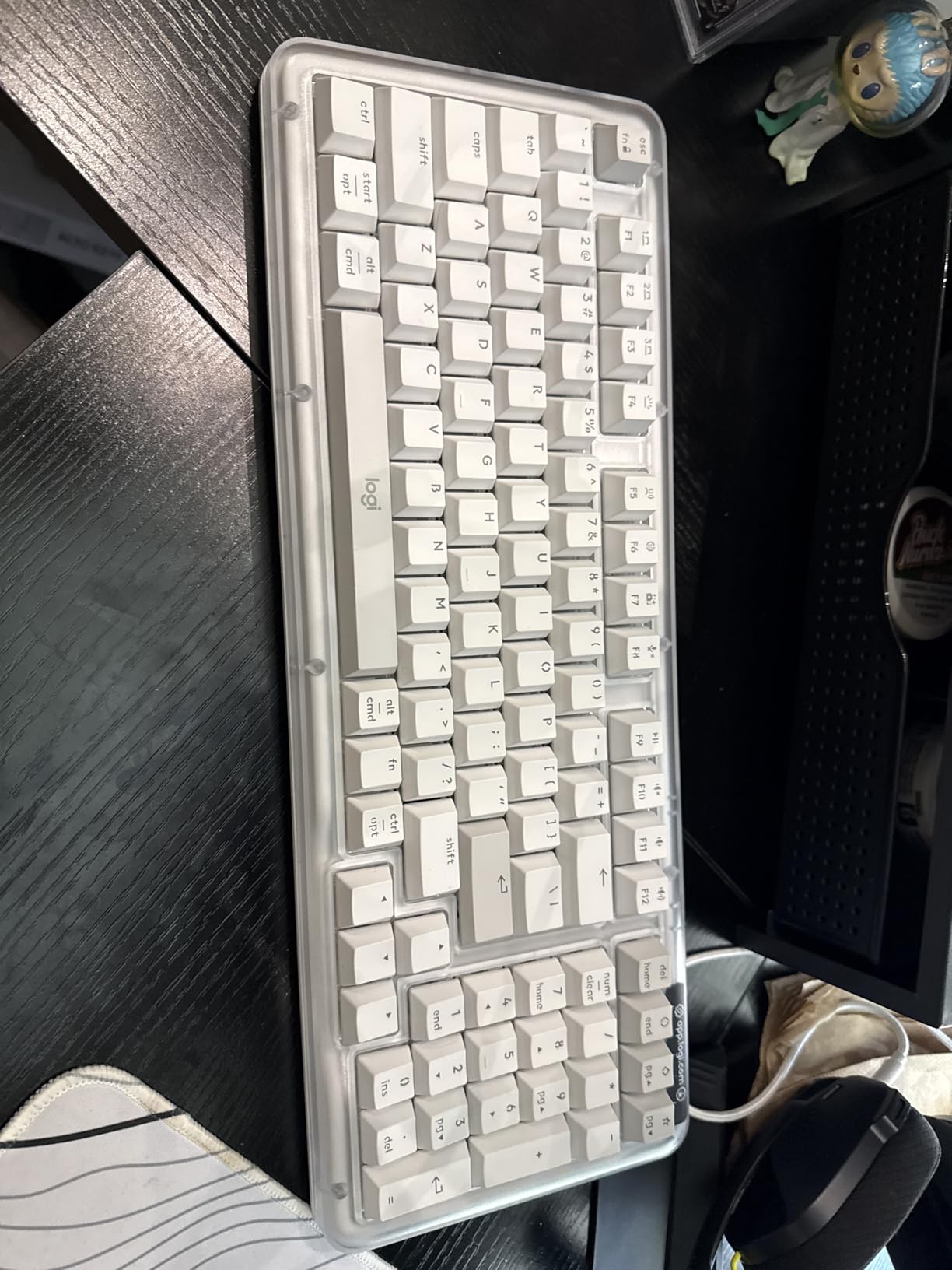
Twelve months of battery life on Bluetooth LE is the number that sets this board apart. For anyone who writes for a living and does not want to remember a charger, that removes the main objection to going wireless, and USB-C recharging works while you type if the battery does run down.
Build-wise it is a genuine gasket mount with UniCushion vibration absorption, hot-swappable Marble switches with concave keycaps, and a transparent top case over recycled plastic. Wireless switching is described as effortless with no missed keystrokes.
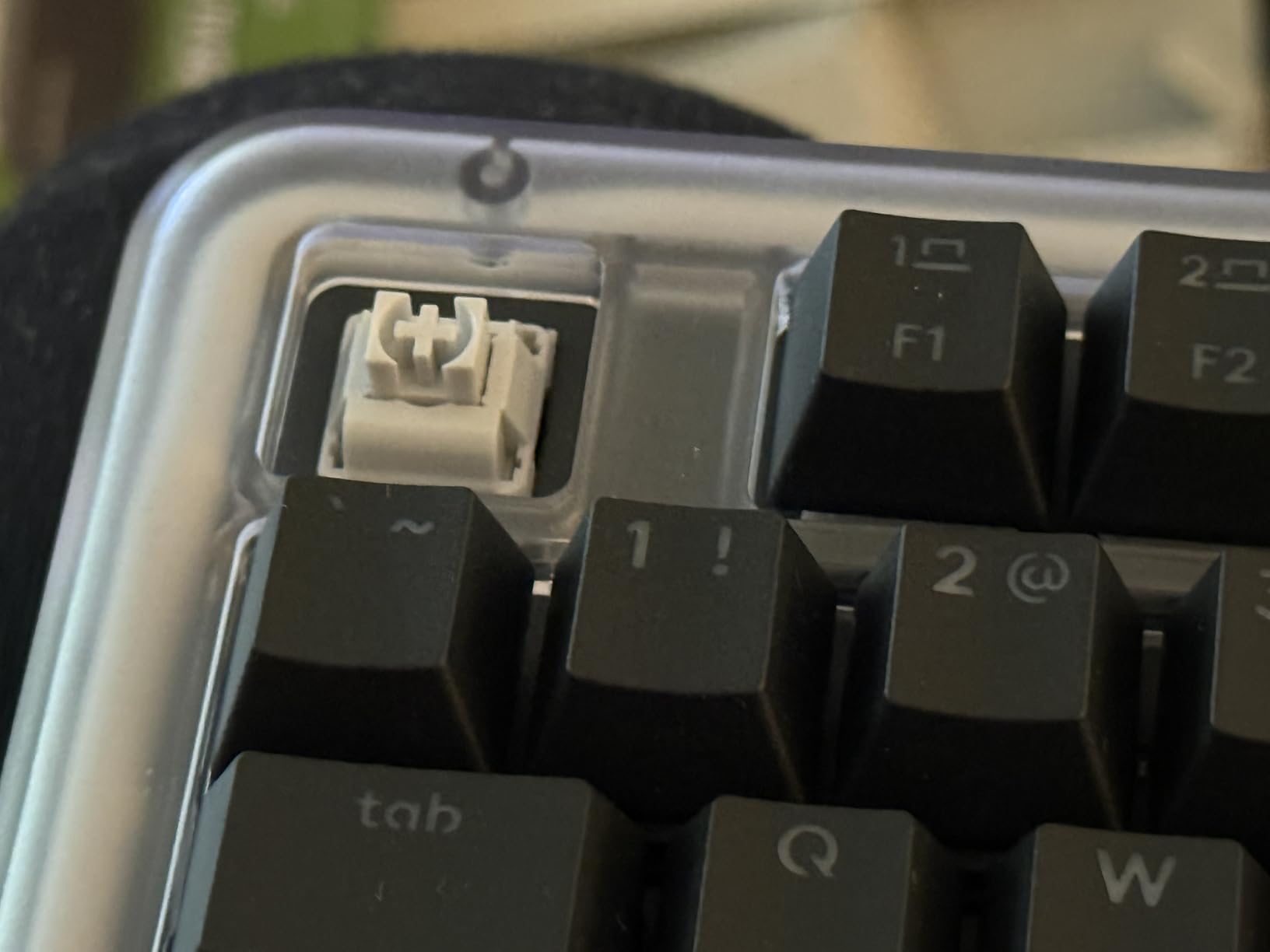
Sentiment here is among the most divided in the roundup, and the split is worth understanding before you buy. One reviewer returned it over the overlapping arrow keys, and another gave it five stars for the same retro design. The recurring threads are reliable wireless, satisfying feedback and good support weighed against a hollow spacebar and missing lock indicators.
Is the arrow key overlap a dealbreaker
For spreadsheet work, it can be. The arrow keys share space with the numpad zero key, so precision entry takes practice, and some buyers treat it as a reason to send the board back.
For writing, it is a non-issue because you are not navigating cells. If your work is prose rather than data, the 98-key compact layout is the better reason to choose this board.
How does it compare to the Keychron K4
Both are compact numpad boards, and the choice comes down to switch feel, battery and layout preference. The K4 has tactile switches and a conventional condensed numpad that many typists find easier to adapt to, and it carries a much larger review history.
This Logitech board runs for months between charges and has the longer warranty, but it is clickier, heavier and louder than the K4. If you type in a shared space, that last point matters. Our low-force switch guide covers lighter options for sensitive hands.
How to Choose a Mechanical Keyboard for Typing
Layout size decides how your shoulders sit
A 75 percent board keeps the function row and arrow keys while dropping the numpad, cutting roughly four inches of width. A 96 or 98 percent board keeps a numpad in a condensed form. Full-size gives you everything and takes the most room.
Width matters because it sets how far your mouse hand travels. A narrower board pulls your shoulder into a more neutral position, and owners of the SK80 describe reduced shoulder strain as a direct result of the compact footprint.
Switch type matters more than the board
Tactile switches give a bump mid-travel that confirms a keystroke and catches mistypes early, which is why the Redragon K556, the Logitech G413 SE and the Keychron K4 all suit typing. Linear switches are smooth with no bump and suit light, fast typists who do not want interruption.
Silent variants dampen the landing noise of a standard switch using silicone pads on the stem. If you work in a shared office or take video calls, a silent tactile is the practical compromise, and any hot-swap board on this list lets you make that change in minutes.
Actuation force matters as much as the type. Lighter switches reduce finger fatigue over long sessions, while heavier ones resist accidental presses. If you already feel fatigue by hour three, move lighter rather than heavier.
Mounting style decides the bottom-out
Gasket mount holds the PCB between soft gasket strips so it flexes slightly on each keystroke, cushioning the impact. Tray mount bolts the plate rigidly into the case, which is firmer, louder and cheaper. Top mount anchors the plate at the edges and leaves the middle free.
Yes, gasket mount genuinely helps typing. It lowers the shock transferred to your fingers, which compounds across thousands of keystrokes. Six of the twelve boards here use it, and they are the ones reviewers describe as creamy or thocky.
Stabilizers, keycaps and plate material
Stabilizers keep the spacebar, Enter and modifiers from rattling. Screw-in stabilizers can be tuned with a small amount of lubricant on the housing; clip-in ones cannot. Rattle on large keys is the most common complaint in keyboard communities, so it is worth checking reviews for it specifically.
Keycap material decides how the board looks after a year. Double-shot PBT resists heat and wear and will not develop the shiny finish that ABS caps show, which is why every PBT board here holds its appearance better.
Plate material changes the sound more than the feel. Polycarbonate and POM plates produce a deep, muted sound, FR4 sits in the middle and aluminium plates are brighter and more rigid.
Wireless, firmware and your desk setup
Wireless options in this roundup include Bluetooth 5.0, 2.4GHz dongles and USB-C wired modes, and the tri-mode boards here pair up to five devices. Bluetooth is convenient, a 2.4GHz link is more consistent, and wired never needs charging.
Firmware decides whether you can remap. QMK with a browser configurator gives you layers, macros and per-key control without vendor software, which is why the Keychron K3 earns its place despite the lowest rating here. Proprietary driver software is fine until you change operating systems, at which point it often stops updating.
Battery figures are worth reading carefully. Up to 240 hours usually means backlight off, and any board quoting long life with RGB enabled is quoting a best case. Our custom mechanical keyboard guide goes further into firmware and build options if you want to go past pre-built.
Frequently Asked Questions
What is the best mechanical keyboard for typists?
The Redragon K556 leads this roundup because it combines the largest proven review base with supplied Brown tactile switches that give clear feedback without fatiguing heavy typists. Its aluminum case stays rigid, the hot-swap sockets let you change switches later, and the 104-key layout means no adjustment period. If you want a more cushioned feel, the Womier SK80 adds a gasket mount with foam that absorbs more of the bottom-out impact.
What switch type is best for typing?
Tactile switches are the safest general answer because the mid-travel bump confirms a keystroke and catches mistyped keys earlier. Silent tactile switches add silicone damping for shared offices, where sound is the main complaint. Linear switches suit typists with a light touch who bottom out and prefer uninterrupted smoothness. The switch matters more to typing feel than the board, which is why hot-swap sockets are worth paying for.
Are mechanical keyboards good for typing?
Yes, mainly for consistency and adjustability rather than raw speed. Tactile feedback reduces missed keystrokes, cushioned mounting such as gasket mount reduces impact on your fingers over long sessions, and hot-swappable switches let you tune feel and noise to your environment. The two caveats are that loud switches cause friction in shared offices, and very heavy switches can increase finger fatigue rather than reduce it.
Do mechanical keyboards make you type faster?
Not directly. Typing speed comes from practice and technique, not hardware. What a mechanical board does is reduce the number of missed and bottomed-out keystrokes through consistent feedback, and reduce fatigue so you can hold your speed later in a long session. Those are real gains, but they show up as accuracy and endurance rather than as a faster words-per-minute figure in the first week.
Is a gasket-mounted keyboard better for typing?
Yes. Gasket mount holds the PCB between soft strips so it flexes slightly on each keystroke, which cushions the bottom-out and lowers the shock transmitted to your fingers. Tray mount is firmer and usually louder, and top mount sits in between. The effect is subtle in the first hour and noticeable after five, which is why it matters for typing specifically rather than for gaming.
What is the quietest mechanical keyboard for typing?
The quietest setups in this roundup are the heavily dampened boards: the Royal Kludge R75 with its three foam layers, and the ASUS ROG Scope II 96 with integrated dampening foam and switch pads. For absolute silence you need silent switches, which any hot-swappable board here accepts in a few minutes. Reviewers do single out the Logitech Alto Keys as louder than most buyers expect, so approach it carefully in a shared space.
The Verdict
The Redragon K556 is our pick for the best mechanical keyboards for typing in 2026. It has the largest review base in the group, tactile switches that suit long sessions, a rigid case and hot-swap sockets that let you correct your taste without buying again. It is wired and full-size, and if either of those matters to you, the AULA F75 Pro or the Logitech G413 SE are the swaps to make.
For a softer, deeper typing feel, the Womier SK80 is the pick. For a numpad in a compact body, the ASUS Scope II 96 and the Royal Kludge S98 both deliver, and for wrist comfort the Keychron K3 is the only low-profile option we would put in front of someone with existing discomfort. Nine of the twelve boards here use hot-swappable sockets, so you can refine the feel after delivery rather than living with a guess. If you want the wider context on non-mechanical options, start with our mechanical keyboard guide or compare against the retro-styled boards if looks matter to your desk.