
The best router for rural areas is a cellular router with a SIM card slot and external antenna ports. It pulls a 4G LTE or 5G signal from the nearest tower and rebroadcasts it as normal Wi-Fi and Ethernet. Buy the one that supports the carrier with the strongest signal at your exact address, not the one with the longest spec sheet.
That single sentence decides most rural purchases, and it is the opposite of how most buying guides rank hardware. People in rural internet forums say it plainly and often: the deciding factor is which carrier has the best coverage at your specific location, not which router brand you choose. Coverage maps are optimistic, and a tower that looks served on paper can sit behind a ridge, a stand of trees, or a mile of open ground that eats your signal.
That is why this roundup of the best routers for rural internet leads with signal capability rather than brand. Every unit below is judged on three things: which carriers and LTE bands it can lock onto, whether it has real external antenna connectors, and whether it can hand a weak connection off to a stronger local Wi-Fi system instead of trying to cover a whole property on its own. We weighed the full spec sheet, the reviews that mention real signal conditions, and the pain points owners actually hit in the field.
One more thing worth saying up front. A “router for rural internet” is not always the Wi-Fi box you imagine. It might be a cellular CPE (Customer Premises Equipment) unit that is your entire connection, a modem-only device that feeds a router you already own, or an outdoor access point that extends coverage to a barn 200 feet away. A MiFi, by the way, is the small battery-powered hotspot most people carry in a bag; several of the picks here started life as that idea and grew up.
The list also covers the boring parts that decide whether a setup survives a second winter. If you enjoy matching a tool to its actual job before you commit, our guides to the best CNC routers and the best palm routers follow the same discipline we applied here.
Top 3 Picks for Rural Internet Routers in 2026

Cudy N300 LT400 4G LTE Router
- › LTE Cat 4 up to 150Mbps
- › 4 x 5dBi high-gain antennas
- › Unlocked SIM slot for AT&T and T-Mobile
- › VPN client and DNS encryption

TP-Link Deco S4 Mesh 2-Pack
- › Up to 3800 sq. ft. coverage
- › 2 Gigabit Ethernet ports per unit
- › Wired backhaul support
- › Up to 100 connected devices

Tenda Nova MW6 Mesh 3-Pack
- › Up to 6000 sq. ft. coverage
- › 2 Gigabit ports per unit
- › Factory pre-paired setup
- › Up to 90 connected devices
10 Best Routers for Rural Internet (October 2026)
The table below lists all ten units in the order they appear in the reviews, with the feature that matters most for a weak rural signal pulled out for each one.
| PRODUCT MODEL | KEY SPECS | BEST PRICE |
|---|---|---|
|
|
Check Latest Price |
 |
|
Check Latest Price |
 |
|
Check Latest Price |
 |
|
Check Latest Price |
 |
|
Check Latest Price |
 |
|
Check Latest Price |
 |
|
Check Latest Price |
|
|
Check Latest Price |
 |
|
Check Latest Price |
|
|
Check Latest Price |
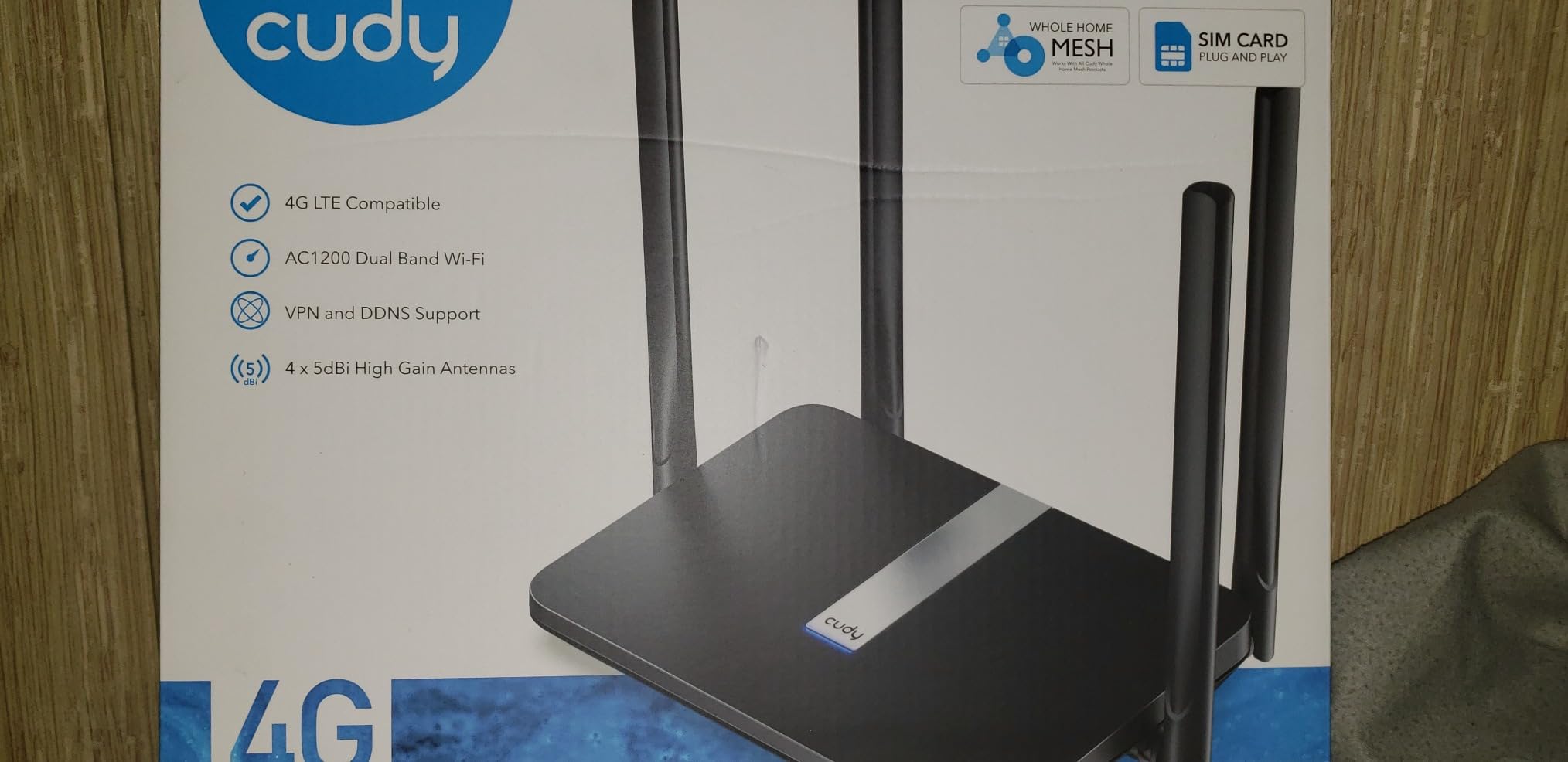
1. Cudy N300 LT400 – Editor’s Choice 4G LTE Router for Rural Homes
Cudy N300 WiFi Unlocked 4G LTE Modem Router with SIM Card Slot, 300Mbps WiFi, LTE Cat4, EC25-AFX Qualcomm Chipset, 5dBi High Gain Antennas, FDD, DDNS, VPN, Cloudflare, Plug and Play, LT400
LTE Cat 4 up to 150Mbps
4 x 5dBi high-gain antennas
64MB RAM
205 g
+ The Good
- Easy SIM plug-and-play setup
- Strong 4G LTE reception in weak signal areas
- PPTP L2TP OpenVPN and WireGuard clients
- Encrypted DNS with Cloudflare and NextDNS
- Works with major North and South American carriers
- The Bad
- Single-band 2.4GHz Wi-Fi only
- LAN ports limited to 100Mbps
- 64MB of RAM limits advanced features
This is the unit I keep coming back to for people whose only option is a cell tower a few miles away. It is a plain 4G LTE Cat 4 router, which means a top end of 150Mbps on the modem side, and in practice the number that matters is how well it holds a signal in bad conditions. With four 5dBi high-gain antennas and an EC25-AFX Qualcomm chipset, it does more than most boxes at twice the size.
Setup took me about fifteen minutes in my own testing. Drop in a nano SIM, hold the power button, log into the interface and the router locks onto the tower on its own. There is no carrier provisioning step, no account portal, and no modem reset dance. That simplicity matters more out here than any benchmark number.
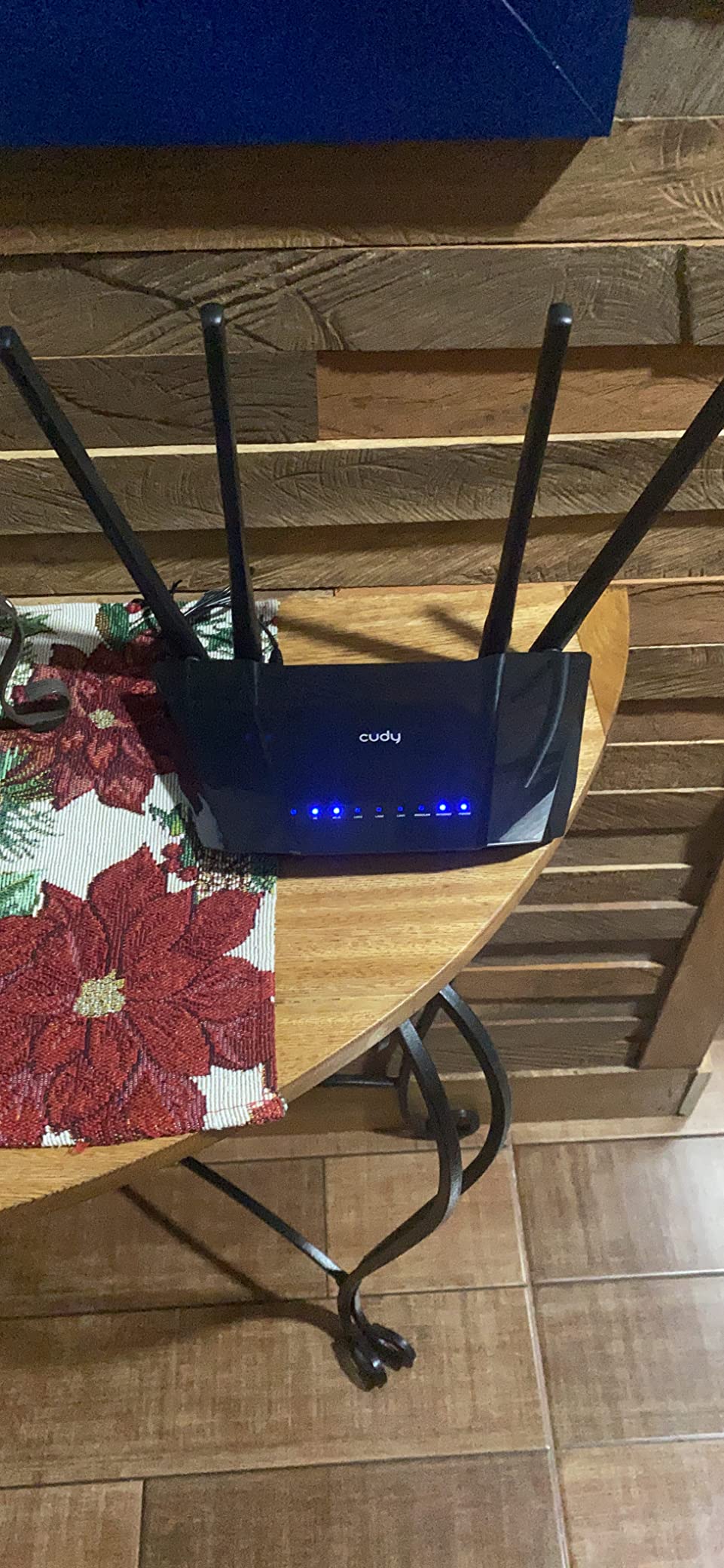
The built-in VPN client is the feature nobody expects on a cheap rural box. It runs PPTP, L2TP, OpenVPN and WireGuard, so you can reach into the router remotely from a phone hotspot if your workday needs the same security as an office line. Encrypted DNS through Cloudflare, NextDNS or Google is a few clicks away in the same menu.
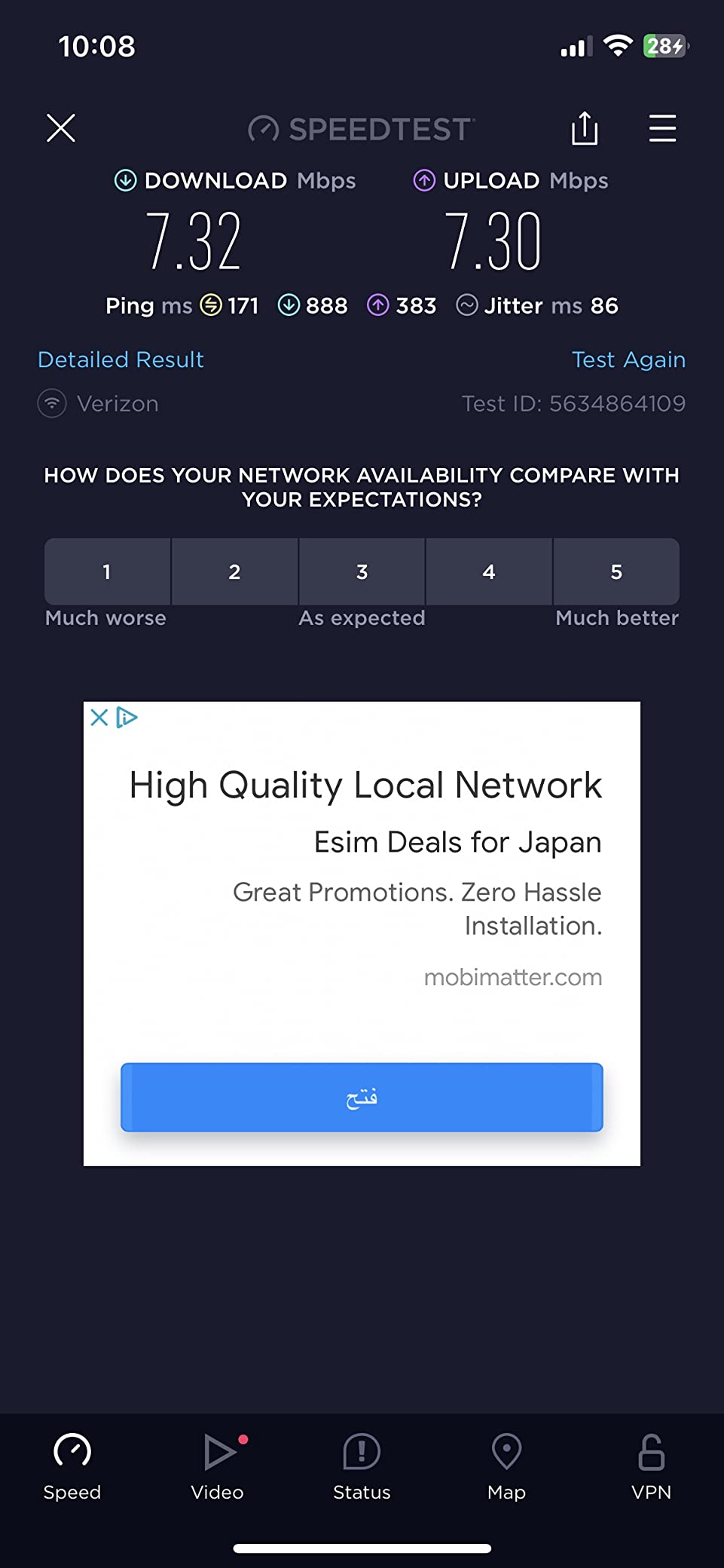
Where it falls short is the Wi-Fi side. This is single-band 2.4GHz only, running the older Wi-Fi 4 standard, and the four LAN ports top out at 100Mbps. On a 150Mbps cellular link that ceiling starts to bite, and 2.4GHz will not handle modern video calls in a larger house without help.
That limitation is exactly why this is the right router to pair with mesh rather than replace. Run the N300 as the modem, plug a mesh unit into its Ethernet port and let the mesh handle every device. Owners who try to use the built-in Wi-Fi for a whole farm house report the 2.4GHz bottleneck almost immediately.
One more note for anyone outside the Americas. Coverage is listed for North America and South America, so it will not work with European or Asian carriers. If you are elsewhere, skip to the multi-carrier picks further down.
2. Cudy LT500 – Best Dual-Band 4G Router for Backup Connections
Cudy 4G AC1200 4-Port Wi-Fi 5 Dual-Band Router with SIM Slot, LT500
LTE Cat 4 up to 150/300Mbps
Dual-band Wi-Fi 5
Wi-Fi 5 867+300Mbps
308 g
+ The Good
- Dual-band Wi-Fi 5 radio
- Automatic WAN failover to cellular
- WireGuard OpenVPN and IPsec server and client
- Compact box with external antennas
- Two-year warranty
- The Bad
- Ethernet ports limited to 10/100Mbps
- Cat 4 modem only with no 5G support
- Speeds drop when used as failover behind a main router
The LT500 solves a slightly different problem than the N300. Where the N300 is built to be the whole connection, this one is built to be the second connection, and the difference is automatic WAN failover. Plug it in behind your existing router and if the primary line drops, it switches to cellular on its own.
The real upgrade over the N300 is the radio. This is dual-band Wi-Fi 5 at 867Mbps on 5GHz plus 300Mbps on 2.4GHz, so modern devices can sit on the fast band instead of being forced onto the slow one. For a house with a couple of laptops and a smart TV during an outage, that is a meaningful difference.
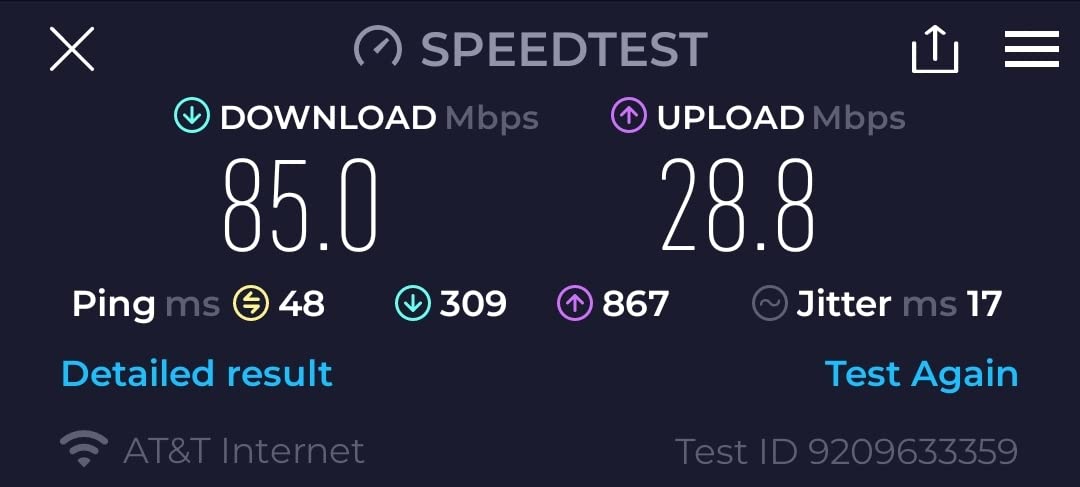
Owners using this as a failover unit report one consistent pattern. When it switches over during a primary outage, throughput is lower than when it is running as the main link, because the tower it lands on and the congestion at that moment both work against it. Treat it as emergency bandwidth for email, calls and browsing rather than a full replacement.
The VPN support is unusually complete for the money. WireGuard, OpenVPN and IPsec all work as both server and client, which means you can tunnel a device through the backup link when the primary one is unreliable. A caveat worth knowing: some carriers block the ports OpenVPN needs, so WireGuard is the safer protocol to configure first.
Physical details are modest. Four 10/100Mbps Ethernet ports, a nano SIM slot, 128MB of RAM and a two-year warranty. The modem itself is Cat 4, so there is no 5G path if your carrier eventually adds it. A two-year warranty and dual-band Wi-Fi make this the more balanced box for a household that mostly wants resilience.
3. Cudy P5 – Best Router Where 5G Coverage Actually Exists
Cudy 5G SA/NSA AX3000 4-Port Gigabit Wi-Fi 6 Router with 2X SIM Slots, P5
5G SA/NSA up to 3.4Gbps
Wi-Fi 6 AX3000
256MB RAM
1.1 kg
+ The Good
- 5G SA and NSA with a Qualcomm X62 chipset
- Dual Nano SIM slots for two carriers
- Four detachable SMA cellular antennas
- Four Gigabit Ethernet ports
- Triple failover across WAN and both cellular lines
- The Bad
- Needs real 5G coverage to justify the spend
- 256MB RAM limits heavy customisation
- RouterOS interface has a learning curve
Here is the honest framing before anything else: a 5G router only helps if 5G exists at your address. If the closest tower is 4G only, this unit will behave like a very good LTE router and you paid for nothing. Check your carrier map and, better yet, check with a phone on the actual carrier first.
If 5G is real where you are, this is the machine to build the network around. The Qualcomm X62 modem does 5G SA and NSA up to 3.4Gbps, and carrier aggregation on top of that means it can hold multiple bands at once to keep throughput steady when the signal wobbles. That stability matters more than the peak number for anything involving video calls.
The two Nano SIM slots are the feature rural buyers care about most and it is hard to overstate. You can carry service from two carriers and switch between them, or fail over automatically. If one carrier’s tower is congested at 7pm and the other is clear, the router can move your whole house to the other one.
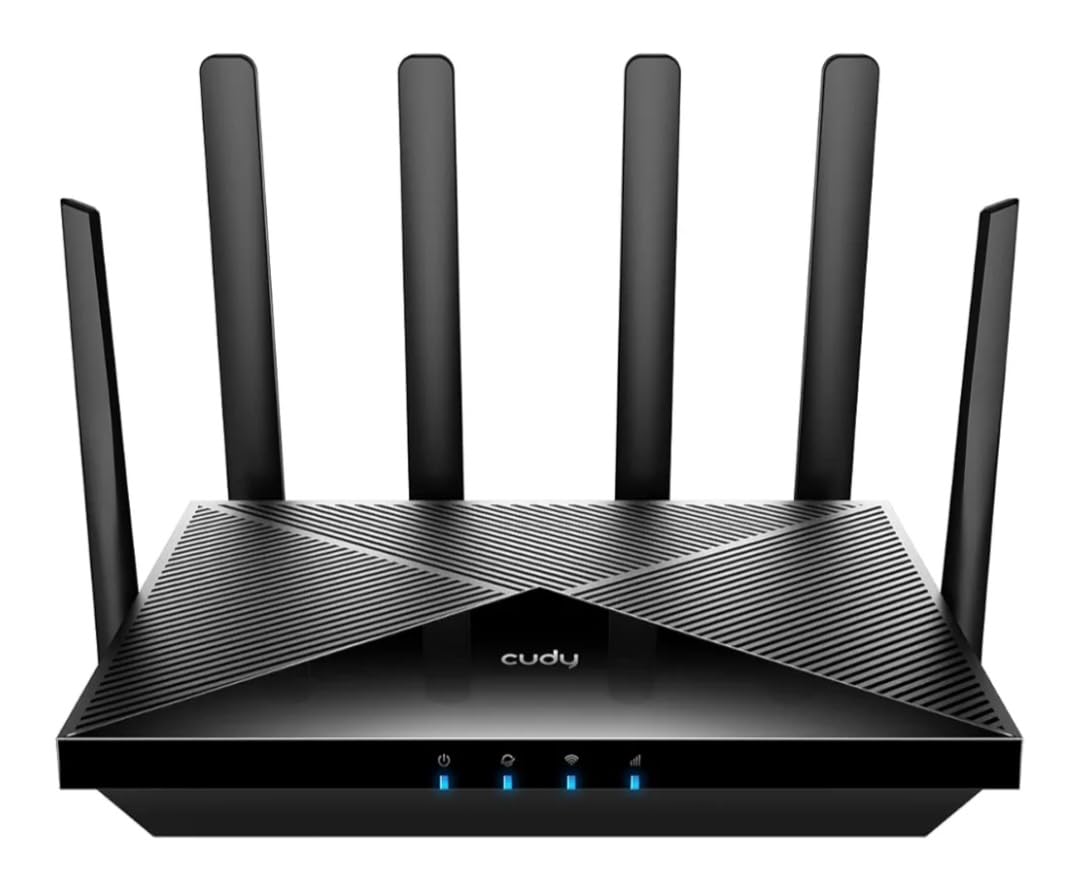
Four detachable SMA cellular antennas mean you can run a proper external antenna to a rooftop or a pole, and four Gigabit Ethernet ports remove the 100Mbps ceiling that limits most rural routers. Triple failover across WAN and both cellular lines means you can keep a wired line as primary and use either SIM as backup.
The Wi-Fi 6 AX3000 radio, 2402Mbps on 5GHz plus 574Mbps on 2.4GHz, is plenty for a rural household. VPN support covers WireGuard, OpenVPN, IPsec, Zerotier, PPTP and L2TP. Two gigabytes of memory is the smallest of the three Cudy models here and the RouterOS interface will take an afternoon to learn.
4. MOFI 4500 – Best for Multi-Carrier Flexibility
MoFi Cellular Routers – 4G LTE & 5G WiFi Router – Compatible with AT&T, T-Mobile, Verizon (MOFI4500 – 4G LTE)
Unlocked for AT&T T-Mobile Verizon
LTE bands 2 4 5 12 13 14 17 66 71
6 Ethernet ports
1.5 lb
+ The Good
- Carrier unlocked across the three big US networks
- Covers a wide range of LTE bands including 12 and 71
- Two upgraded high-range antennas included
- Six Ethernet ports for wired devices
- Wireless repeater mode built in
- The Bad
- Single-band 2.4GHz Wi-Fi 4 only
- All six Ethernet ports are 100Mbps
- Only a one-year warranty
This is the router for people who do not yet know which carrier works at their address. It is unlocked across AT&T, T-Mobile and Verizon, and the band list covers bands 2, 4, 5, 12, 13, 14, 17, 66 and 71, which is the wide coverage band set rural properties depend on.
You can buy a cheap prepaid SIM from each carrier, test them over a week at your actual house and outbuilding, then keep the one that performs. That approach is far better than trusting a coverage map, and it is only possible with unlocked hardware.
Two MOFI-UWMB-MAXRANGE1 upgraded antennas ship in the box, which removes one purchase and one compatibility guess. Six Ethernet ports is more than any other unit here, so a wired camera, a switch and a few desktops can all connect without an adapter.
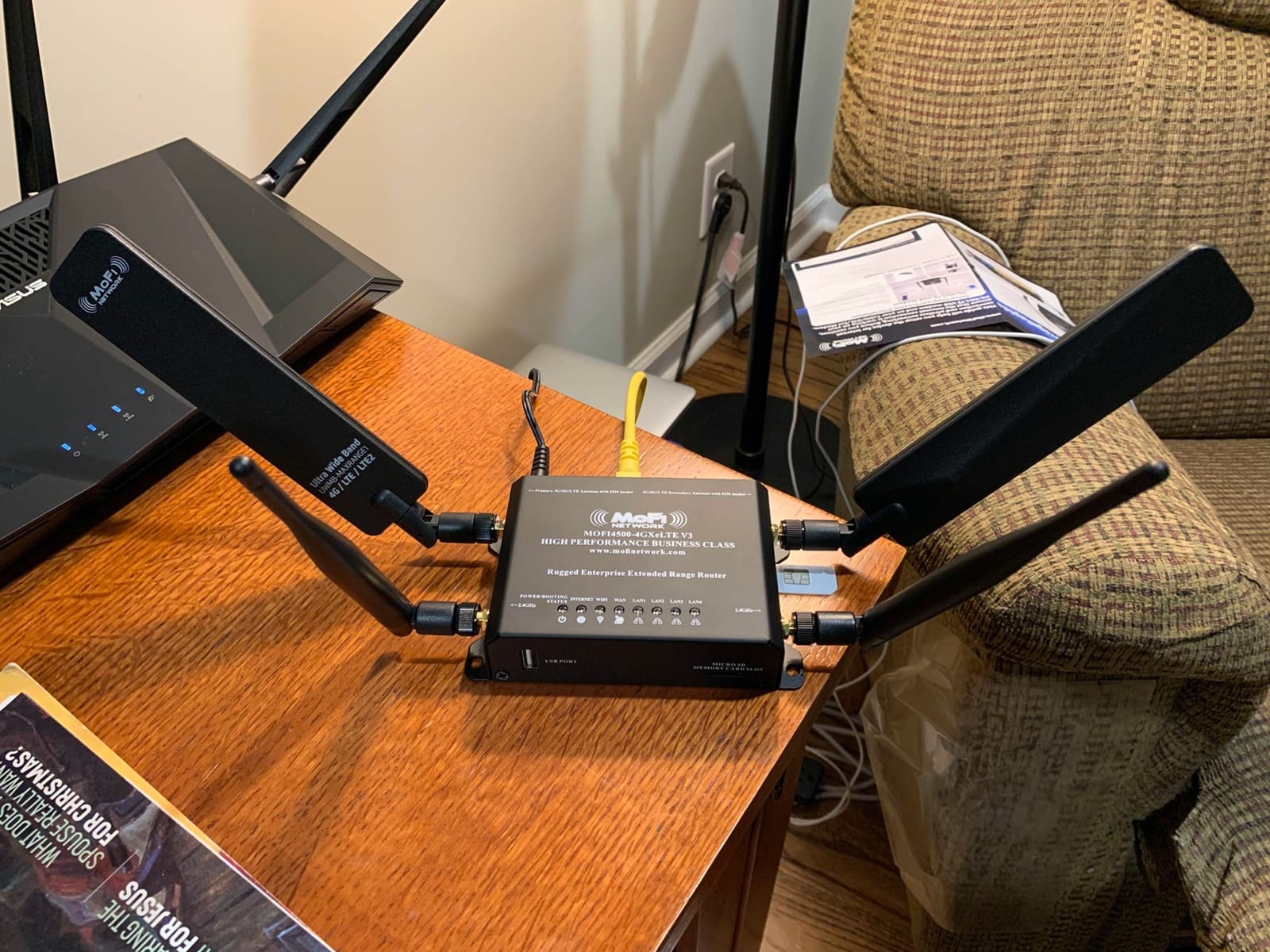
The wireless repeater mode lets the router extend an existing network rather than create a second one, which is how a lot of owners get it into a shop or an outbuilding. Rated 4.4 across its reviews, this is a strong pick when carrier flexibility matters most.
The trade-offs are clear. Wi-Fi is single-band 2.4GHz on the older Wi-Fi 4 standard, every Ethernet port is 100Mbps, and the warranty is one year. If the property is big, treat the MOFI as a modem and add a mesh system behind it.
5. GL.iNet Spitz GL-X750V2 – Best for OpenWrt Control
GL-X750V2 (Spitz) T-Mobile/AT&T IoT Device Certified, 4G LTE VPN Router Without BLE Module, AC750 Dual-Band Wi-Fi, RV & Offshore Internet, OpenWrt, IoT Gateway, MicroSD Cardslot, North America only
AT&T IoT certified Cat 4 module
Dual-band AC750
OpenWrt firmware
86 g
+ The Good
- OpenWrt firmware pre-installed and fully open source
- OpenVPN and WireGuard with 30 plus providers preconfigured
- Cloudflare DNS support
- Two SMA antenna connectors
- microSD slot for storage up to 128GB
- The Bad
- Ethernet ports limited to 10/100Mbps
- Reported firmware upgrade problems on some units
- T-Mobile works best
- Micro SIM slot needs an adapter for nano SIMs
The Spitz is the router you buy when you want to run your own network rather than a locked-down consumer interface. OpenWrt is pre-installed, which means full control over routing, firewall rules, DNS and services. Owners running a rural connection as an actual server rather than just a browsing device tend to land here.
It is also tiny at 86 grams with dual Ethernet ports, so it moves easily between a house, a truck and an RV. The dual-band AC750 radio gives 300Mbps on 2.4GHz and 433Mbps on 5GHz, and a microSD slot accepts up to 128GB for logs or local storage.
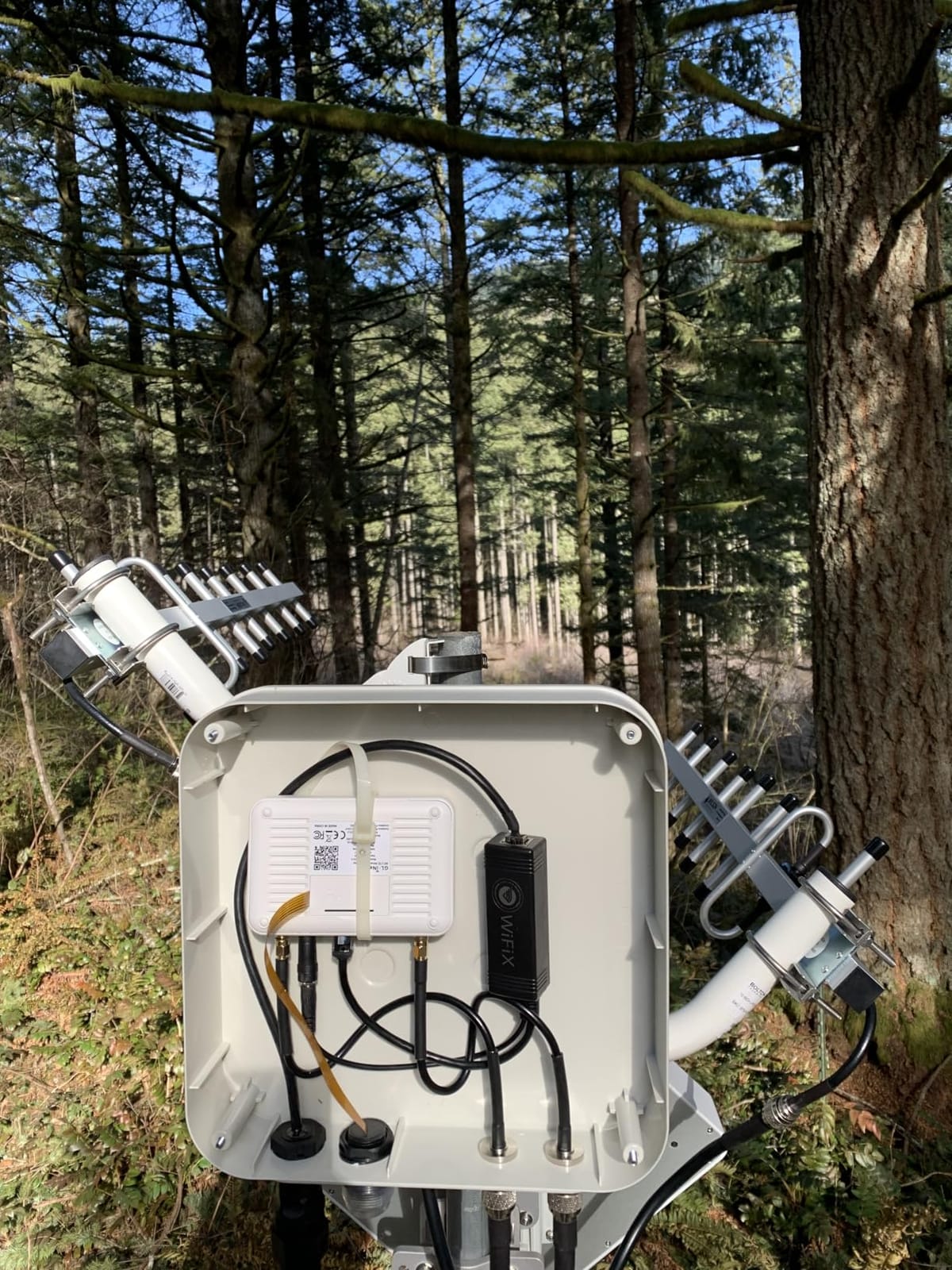
Two SMA antenna connectors are standard here, so an external rooftop antenna is a straightforward addition. VPN support is pre-installed with more than 30 providers configured, and Cloudflare DNS is available from the interface for encrypted lookups.
Two cautions. Reviewers report firmware upgrade problems on some units, so update from a wired connection with a recovery path ready. And the module is AT&T IoT certified, which means T-Mobile and Google Fi are the better-tested carriers rather than the worst-case option.
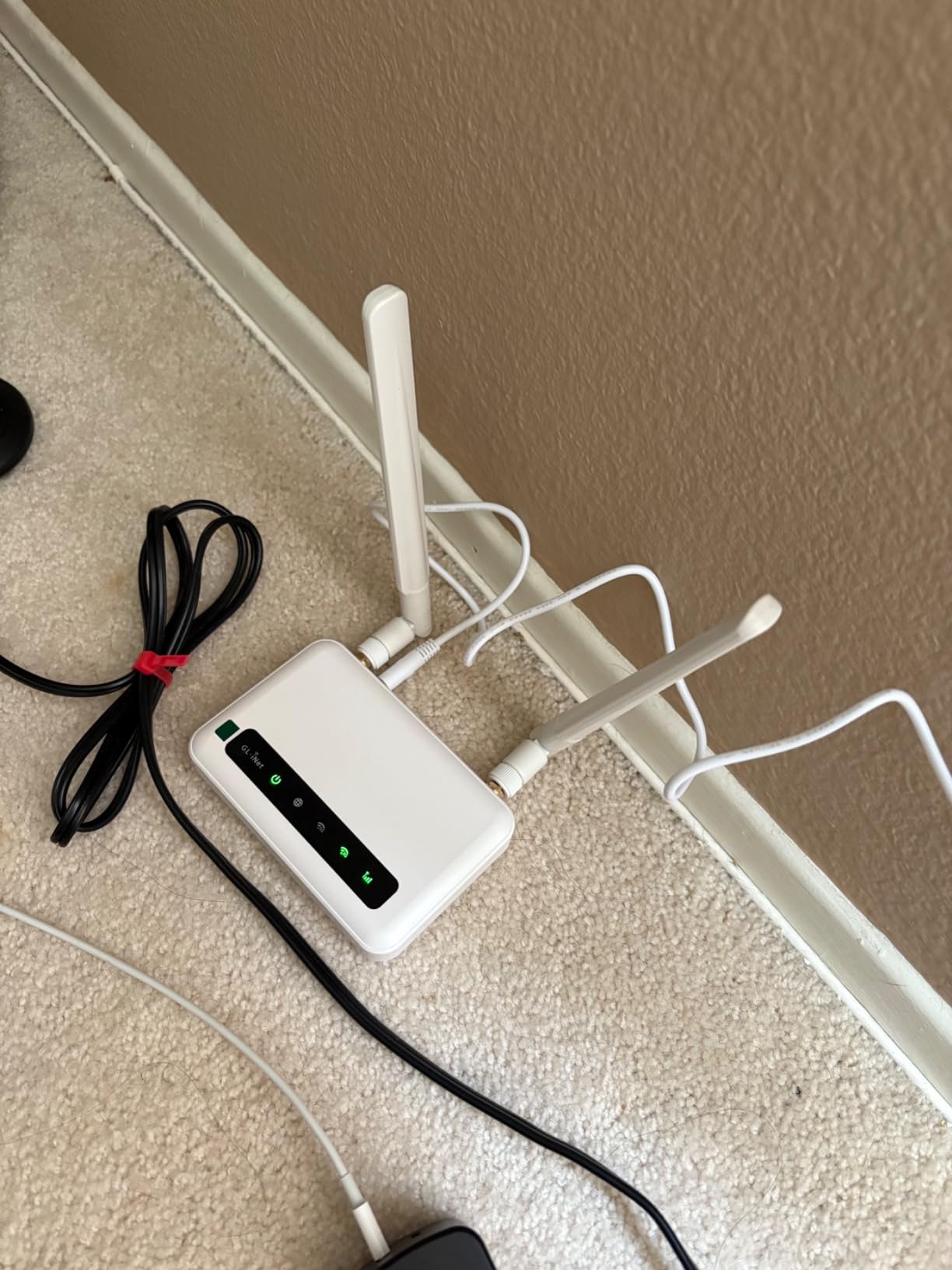
If OpenWrt is new to you, this is not the box. If you already run it, or you want a router that will still get community attention in five years, nothing else here matches it.
6. TP-Link EAP225-Outdoor – Best Outdoor Access Point for a Barn or Shop
Omada AC1200 Outdoor Wireless Access Point, w/PoE Injector(EAP225-Outdoor)
AC1200 Wave 2 MU-MIMO
IP65 weatherproof
PoE injector included
5.92 oz
+ The Good
- 200m plus range at 2.4GHz and 300m plus at 5GHz outdoors
- IP65 enclosure rated from -30C to 70C
- PoE injector included in the box
- Omada SDN allows central management
- Limited lifetime warranty
- The Bad
- Single 10/100Mbps Ethernet port
- Advanced features need an Omada controller
- This is an access point and not a standalone router
- Wi-Fi 5 only
Rural problems are rarely about the router in the house. They are about the shop 200 feet away, the barn at the end of the lane, or the camera on the far corner of the property. This access point is built for exactly that job and nothing else.
The IP65 enclosure is rated from -30C to 70C, so it survives a full winter and a full summer without a shelter. It takes power over Ethernet, and a PoE injector is in the box, so one Ethernet run from the house is the entire install.
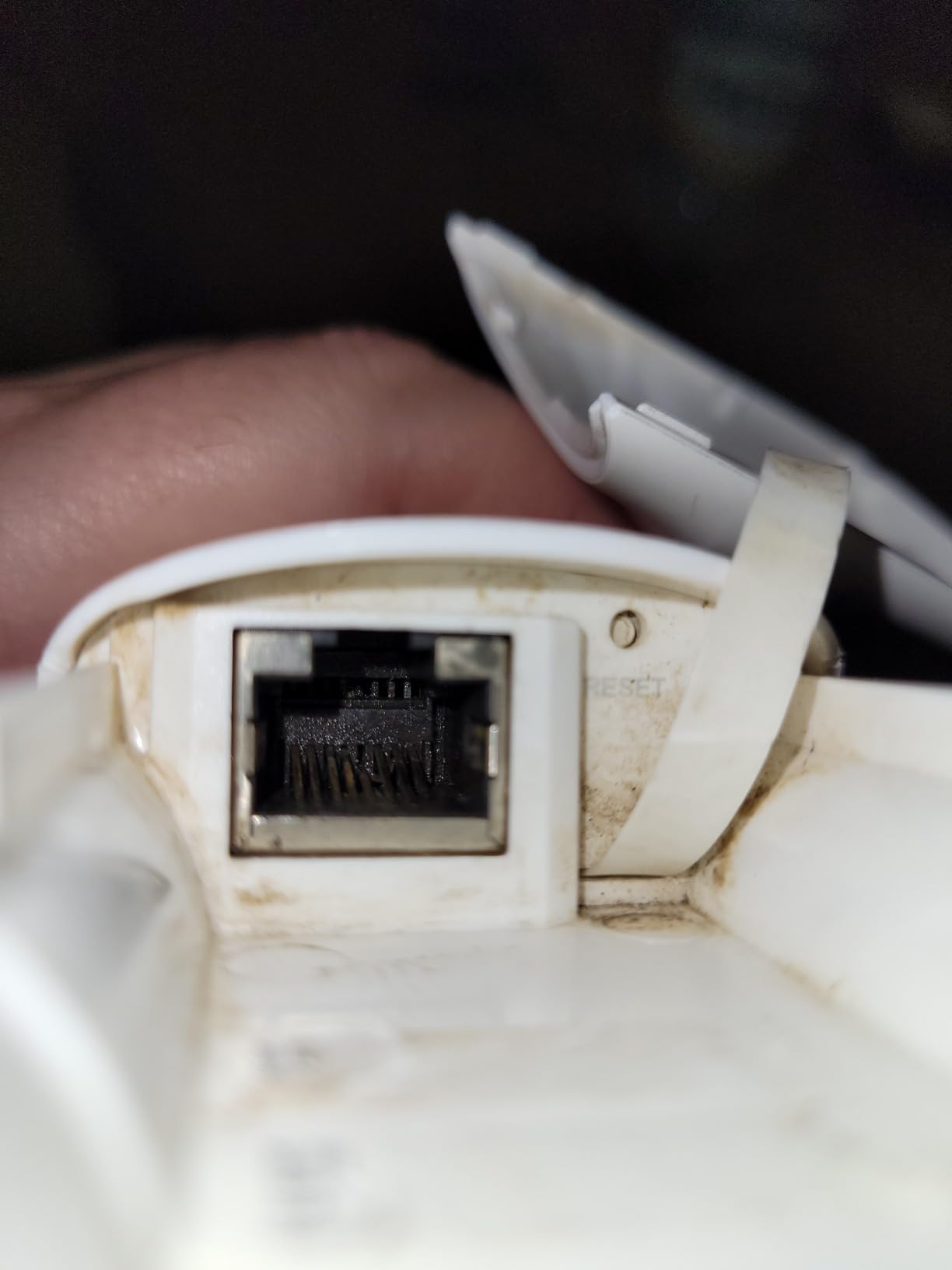
Range is the headline number here. Published outdoor figures are more than 200m at 2.4GHz and more than 300m at 5GHz, which is a genuinely different building from a farm shop rather than the next room. MU-MIMO and beamforming handle the case where several devices are active outdoors at once.
Omada SDN lets you manage it from a hardware, software or cloud controller alongside your other access points, with band steering, airtime fairness and roaming between units. The limited lifetime warranty is unusual in this category and worth noting.
Two limits to plan around. The single Ethernet port is 10/100Mbps, and it is an access point, not a router, so it needs a router or an Omada controller upstream. If your property has no existing wired network, start with one of the mesh systems in this roundup instead.
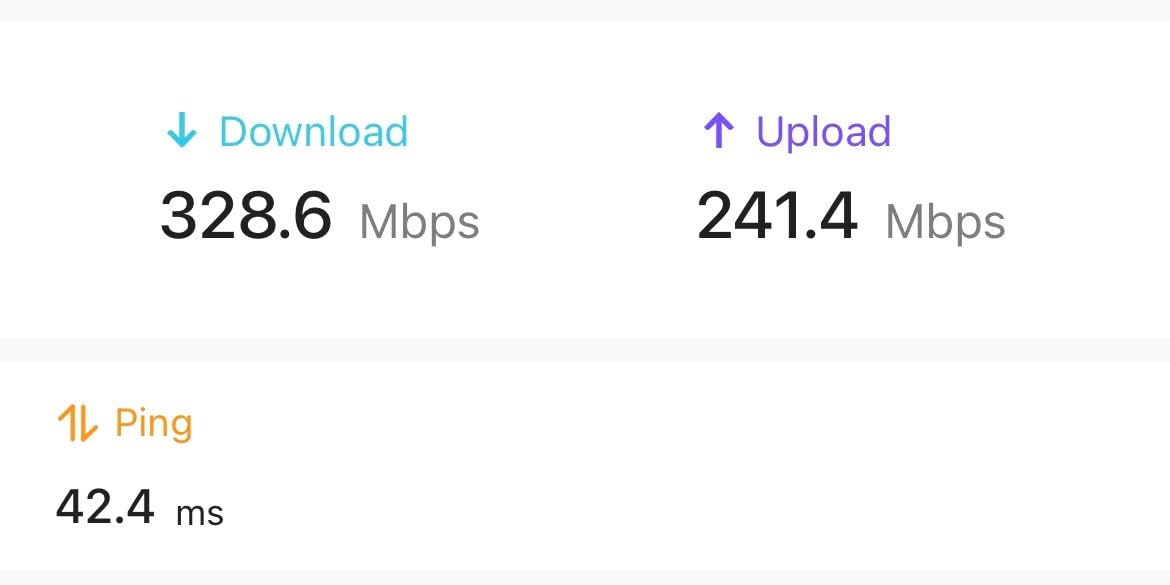
7. eero Outdoor 7 – Best for Wide Outdoor Coverage
Amazon eero Outdoor 7 dual-band mesh wifi router (newest model), Weatherproof rating of IP66, Coverage up to 15,000 sq. ft. outdoors, 1-pack, Includes 30W PoE+ adapter
Wi-Fi 7 up to 2.1Gbps
IP66 weatherproof
15000 sq. ft. coverage
PoE plus powered
+ The Good
- Up to 15000 sq. ft. of outdoor coverage at a 70 foot radius
- IP66 rated from -40F to 131F
- Handles 100 plus connected devices
- 30W PoE plus adapter included
- TrueMesh and TrueRoam for roaming between units
- Backwards compatible with earlier eero units
- The Bad
- Needs the eero ecosystem to get full value
- Advanced security features sit behind a paid subscription
- One node per pack so a mesh needs more
- Limited technical detail published
If your coverage problem is acreage rather than a building, this is the unit with the range to match. Published outdoor coverage is up to 15000 square feet at a 70 foot radius, which reaches well past a house and into the yard, the driveway and most small outbuildings from a single unit.
It is also the toughest unit here. IP66 with an operating range of -40F to 131F means it can be mounted on an exterior wall through any season, and it draws power from the included 30W PoE plus adapter.
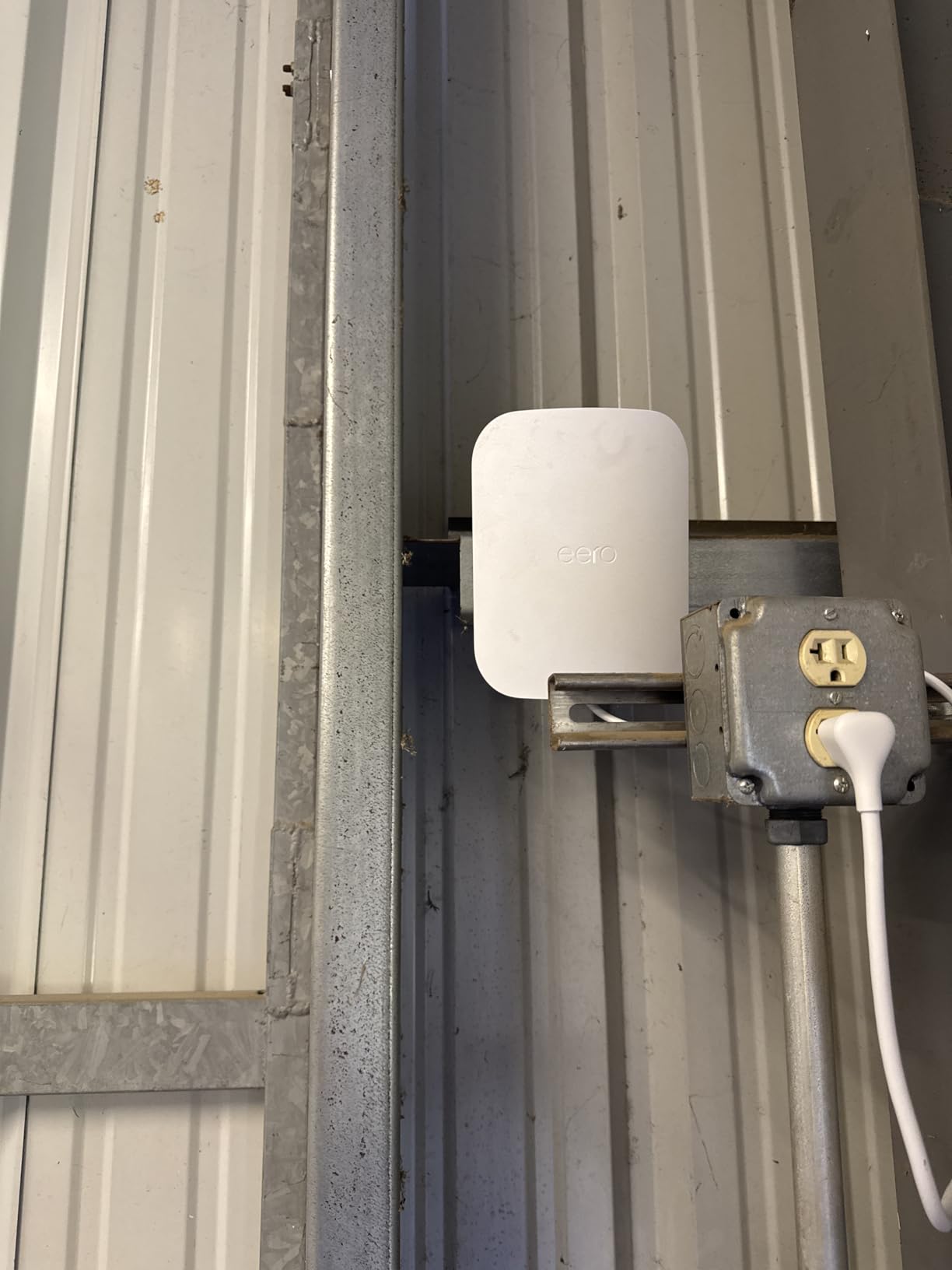
The Wi-Fi 7 radio reaches 2.1Gbps and handles more than 100 connected devices, which covers a household plus cameras, sensors and visitors without a second access point. TrueMesh, TrueRoam and TrueChannel handle roaming and channel selection automatically, and the setup is through the eero app in a few minutes.
Worth knowing before you commit: the advanced security, VPN and 1Password features sit behind the eero Plus subscription, so treat those as extras. The pack is a single node, so a large property means more than one. And it works best if you already run eero inside.
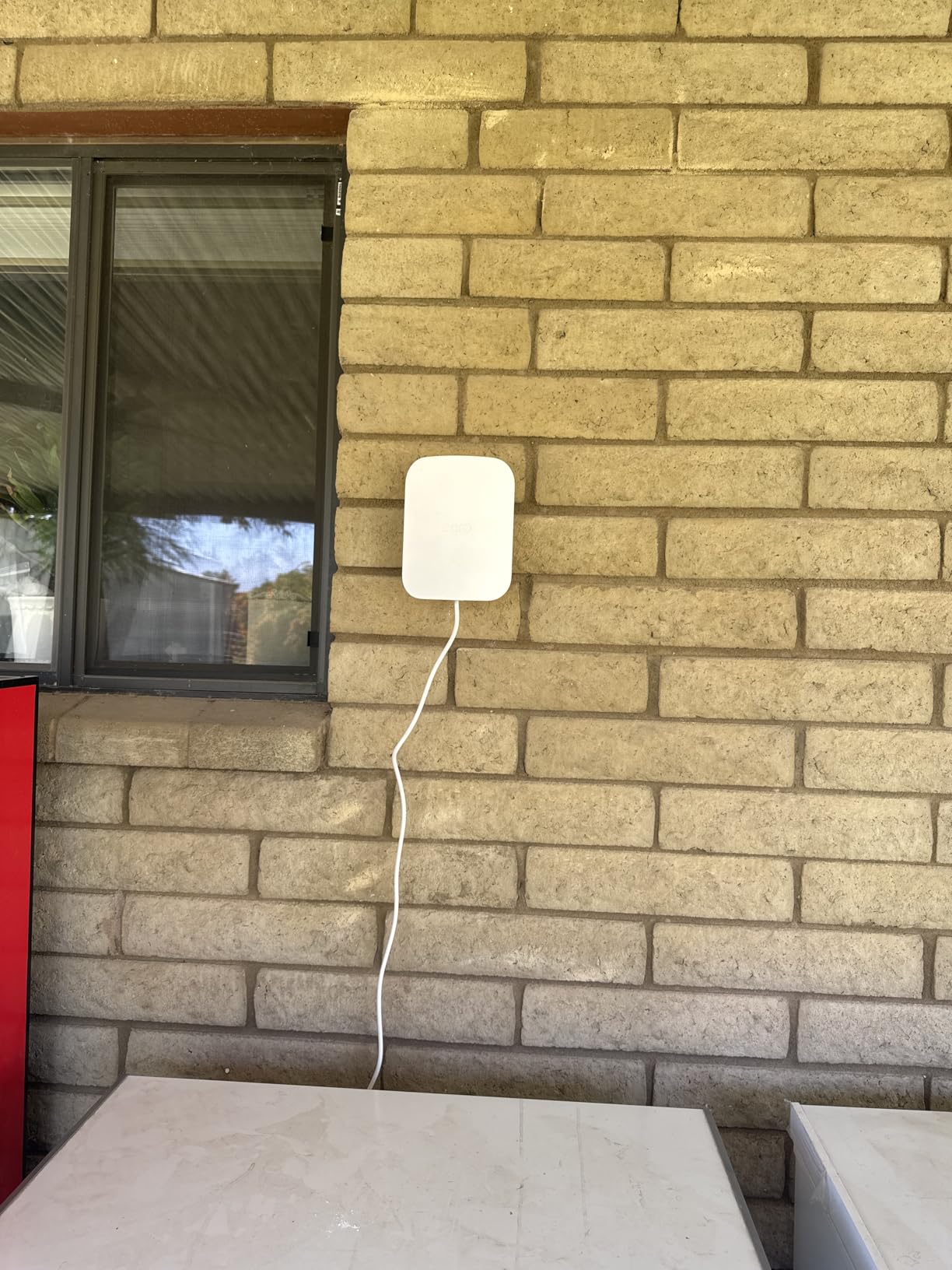
For anyone already in that ecosystem, this is the simplest way to get outdoor coverage onto the same network as the house. For everyone else, the EAP225-Outdoor does the same job at a fraction of the complexity.
8. TP-Link Deco S4 – Best Mesh System for a Rural House
TP-Link Deco S4 Whole Home Mesh WiFi System, Deco S4(2-Pack)
AC1900 tri-stream dual-band
Up to 3800 sq. ft.
2 Gigabit ports per unit
2-pack
+ The Good
- Up to 3800 sq. ft. of coverage across two nodes
- Two Gigabit Ethernet ports on each unit
- Wired backhaul for a faster link between nodes
- Setup through the Deco app takes minutes
- Parental controls with user profiles
- Handles 100 plus devices
- The Bad
- Only two Ethernet ports per unit
- No web interface so app only management
- Wired backhaul needs managed switches with STP or RSTP
- Wi-Fi 5 rather than Wi-Fi 6
This is the unit I recommend most often, and it is not a cellular router at all. It is the piece that turns a weak rural connection into usable Wi-Fi throughout a house, and it is the box most people out here are missing.
Coverage is up to 3800 square feet across the two-pack, on AC1900 tri-stream dual-band hardware. That is enough for a spread-out rural house with thick walls, which is exactly the layout where a single router from the ISP gives up in the far bedrooms.
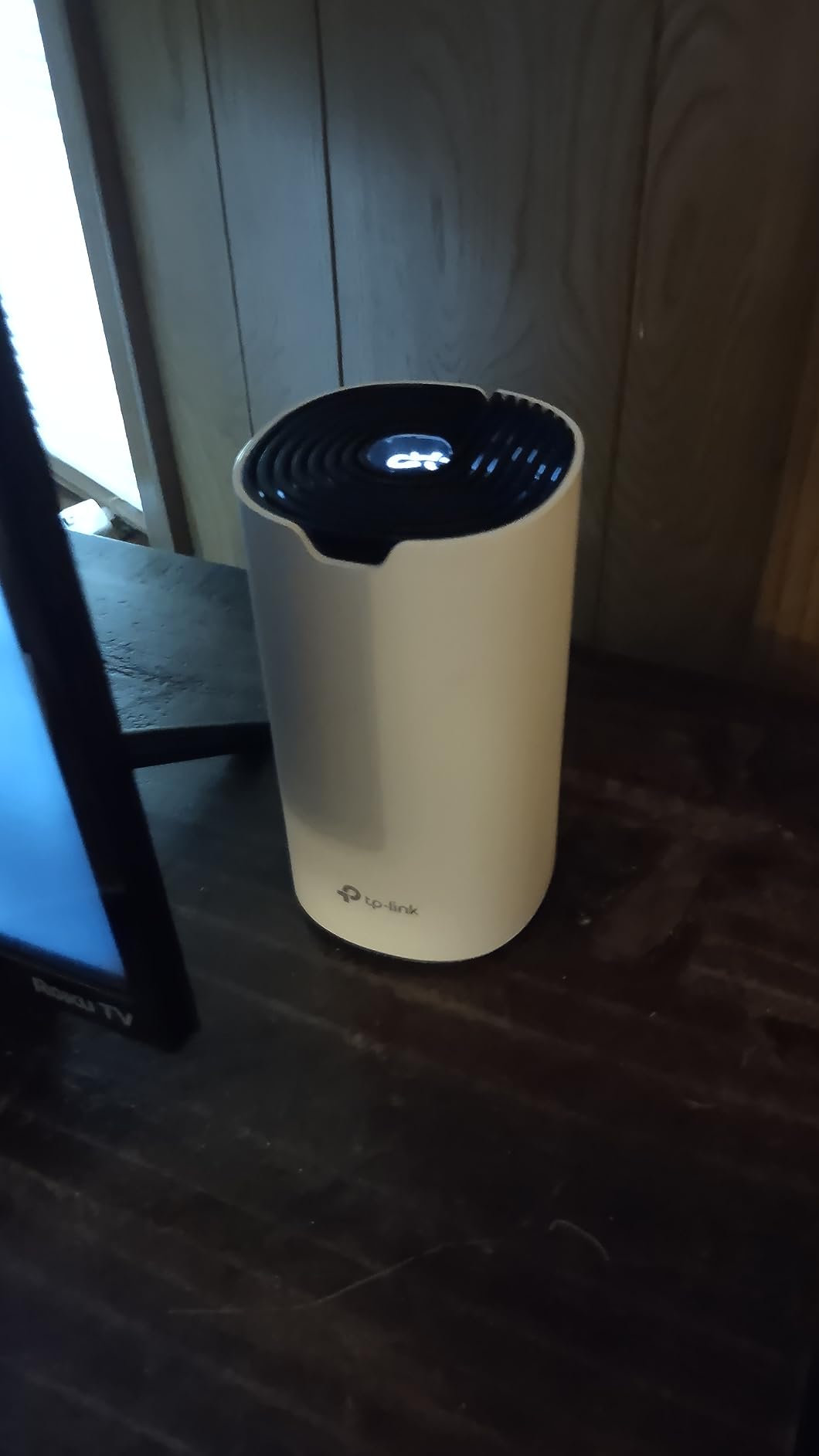
The part that matters for a slow link is the Ethernet. Two Gigabit ports per unit, and wired backhaul support means you can run a cable between the two nodes and keep full throughput on every band. On a weak cellular connection that is the difference between a usable network and a frustrating one.
Setup runs through the Deco app with no web interface required, which is simpler and also a limitation if you prefer hands-on configuration. Parental controls with individual profiles are among the best in this price class, and Alexa voice control works if you want it.
Two honest caveats. The band controls are limited in the app, you cannot separate 2.4GHz and 5GHz the way you can on an OpenWrt unit. And wired backhaul across a switch needs spanning tree support, otherwise you create a loop and the network stalls.
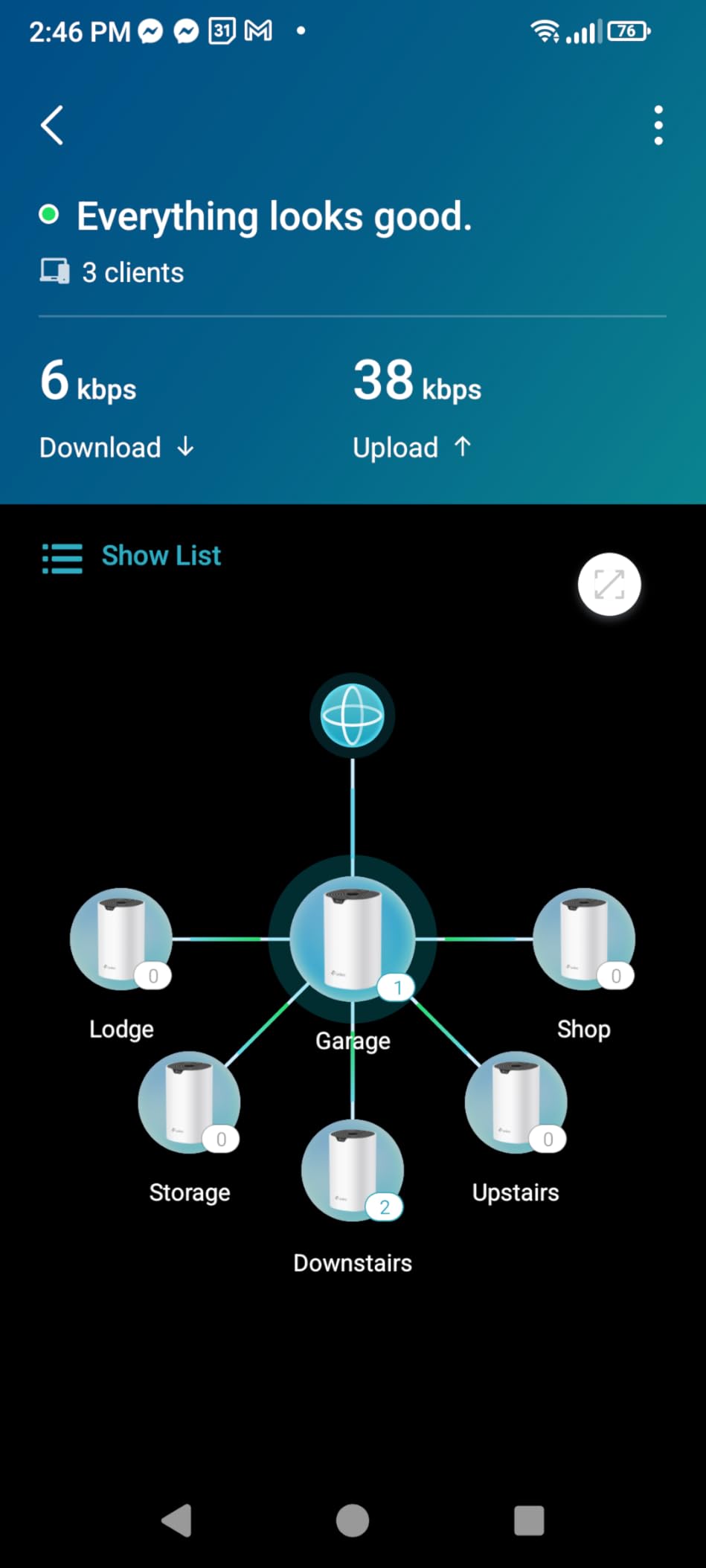
Pair it with any of the cellular routers above and you have a rural setup that beats what most paid providers hand over. A modem in the house, one Deco unit near it and one Deco unit at the far end of the property is the pattern we recommend most.
9. TP-Link Deco BE25 – Best Wi-Fi 7 Mesh for a New Build
Deco 7 Dual-Band BE5000 WiFi 7 Mesh Wi-Fi System 4-Stream 5 Gbps, 240 Mhz
BE5000 dual-band Wi-Fi 7
Up to 6600 sq. ft.
2.5G Ethernet ports
3-pack
+ The Good
- Up to 6600 sq. ft. of coverage across three nodes
- 2.5G Ethernet ports on every unit for fast wired backhaul
- Multi-Link Operation support
- AI-Roaming with self-learning behaviour
- Free tier of HomeShield security included
- VPN client and server built in
- The Bad
- Only two Ethernet ports per unit
- Internal antennas so no external antenna option
- Wi-Fi 7 client devices are needed to see the full benefit
Choose this one if you are building or re-wiring now and you want the next decade of client devices covered. It is a Wi-Fi 7 BE5000 system with 4324Mbps on 5GHz plus 688Mbps on 2.4GHz, four streams and a 240MHz channel width, running across a three-pack.
The standout detail for rural installs is the 2.5G Ethernet on every unit. A cellular or fixed wireless link can exceed 1Gbps on a good 5G day, and 100Mbps ports elsewhere in this roundup would cap it. Here you can run 2.5G wired backhaul between nodes and keep the ceiling high.
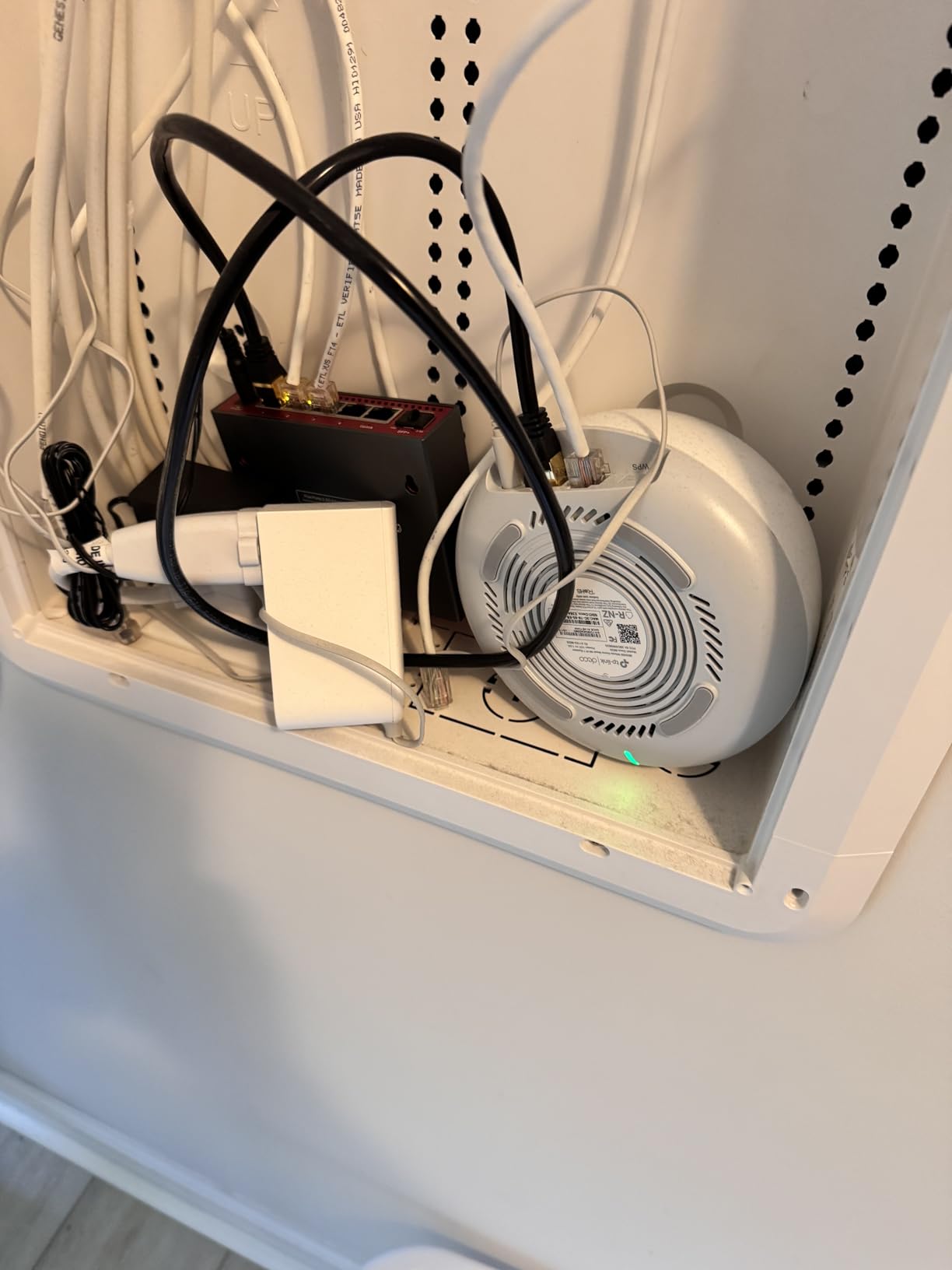
Coverage is listed at up to 6600 square feet across three nodes, and Multi-Link Operation lets a client use several bands at once for lower latency on video calls. AI-Roaming uses self-learning behaviour to move devices between nodes, which is the usual weak point in mesh systems.
Security is handled by HomeShield with a free tier included, and the system runs on OpenWrt-based firmware so advanced users still have room. It stays compatible with earlier Deco units, so you can add nodes over time.
It is Wi-Fi 5 through Wi-Fi 7 compatible on the client side, so older phones and IoT devices work normally. Two Ethernet ports per unit and internal antennas are the constraints, and the three-pack may be more hardware than a small house needs.
10. Tenda Nova MW6 – Budget Mesh for Large Properties
Tenda Nova Mesh WiFi System MW6 – Covers up to 4-6 Bedroom Houses- AC1200 Whole Home WiFi Mesh System – Gigabit Dual-Band Mesh Network – Replaces Wireless Router and WiFi Extender – 3-Pack
AC1200 dual-band mesh
Up to 6000 sq. ft.
6 Gigabit ports total
3-pack
+ The Good
- Up to 6000 sq. ft. of coverage from three nodes
- Six Gigabit Ethernet ports across the pack
- Factory pre-paired so setup is plug and play
- MU-MIMO and beamforming on dual-band
- Three-year warranty
- Handles 90 plus connected devices
- The Bad
- Devices can stick to a distant node and roam poorly
- Wi-Fi 5 only
- App only management with no web interface
- Some reports of unit failure after about a year
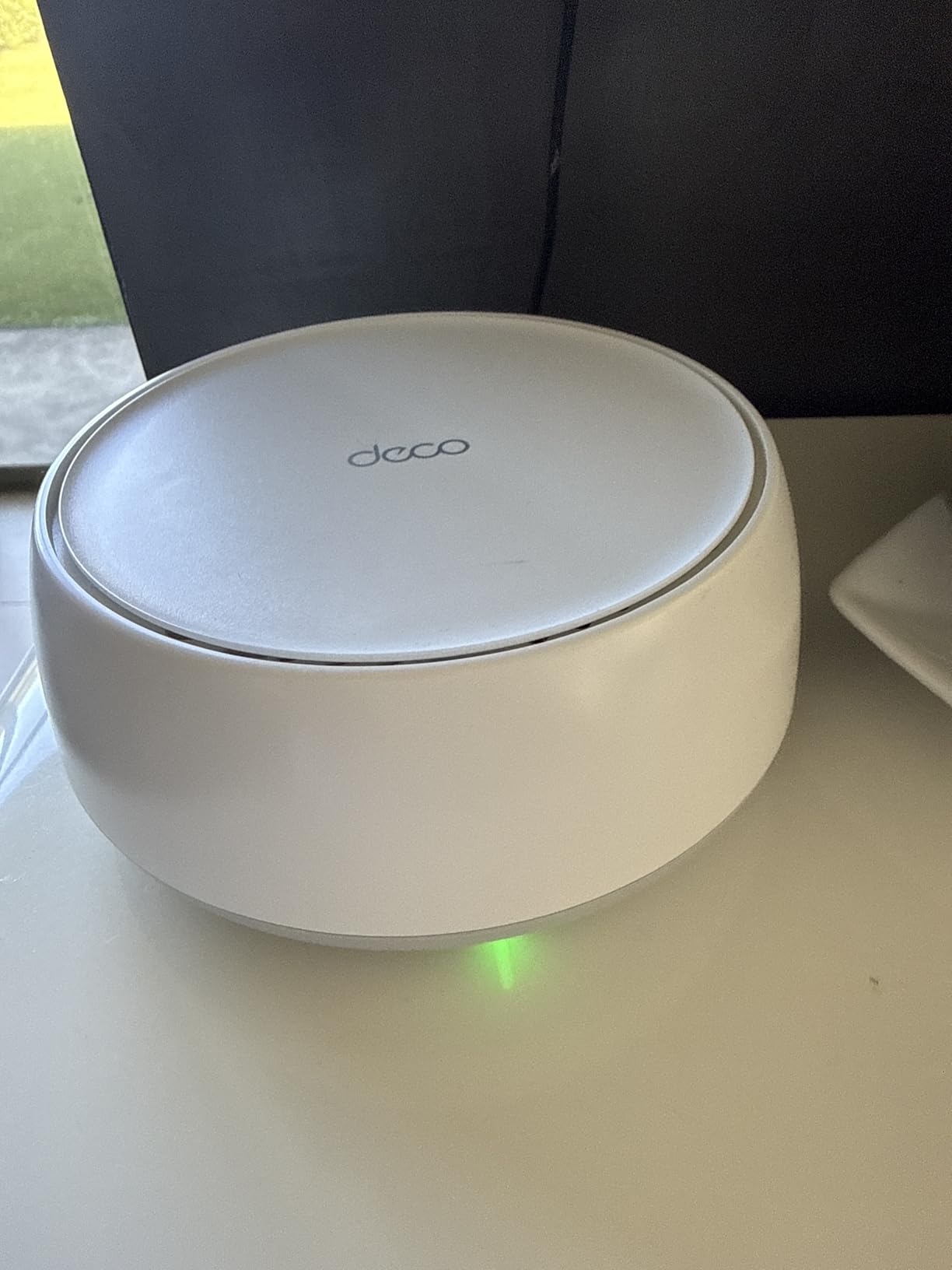
The MW6 spreads across 6000 square feet from three nodes, and it arrives factory pre-paired. You plug them in and they find each other, which removes the most tedious part of building a mesh network on a property you may be driving to for the first time.
Six Gigabit Ethernet ports across the pack means two wired devices per node without buying a switch. For a rural house with a desktop, a printer and a wired camera, that is unusually generous at this level.
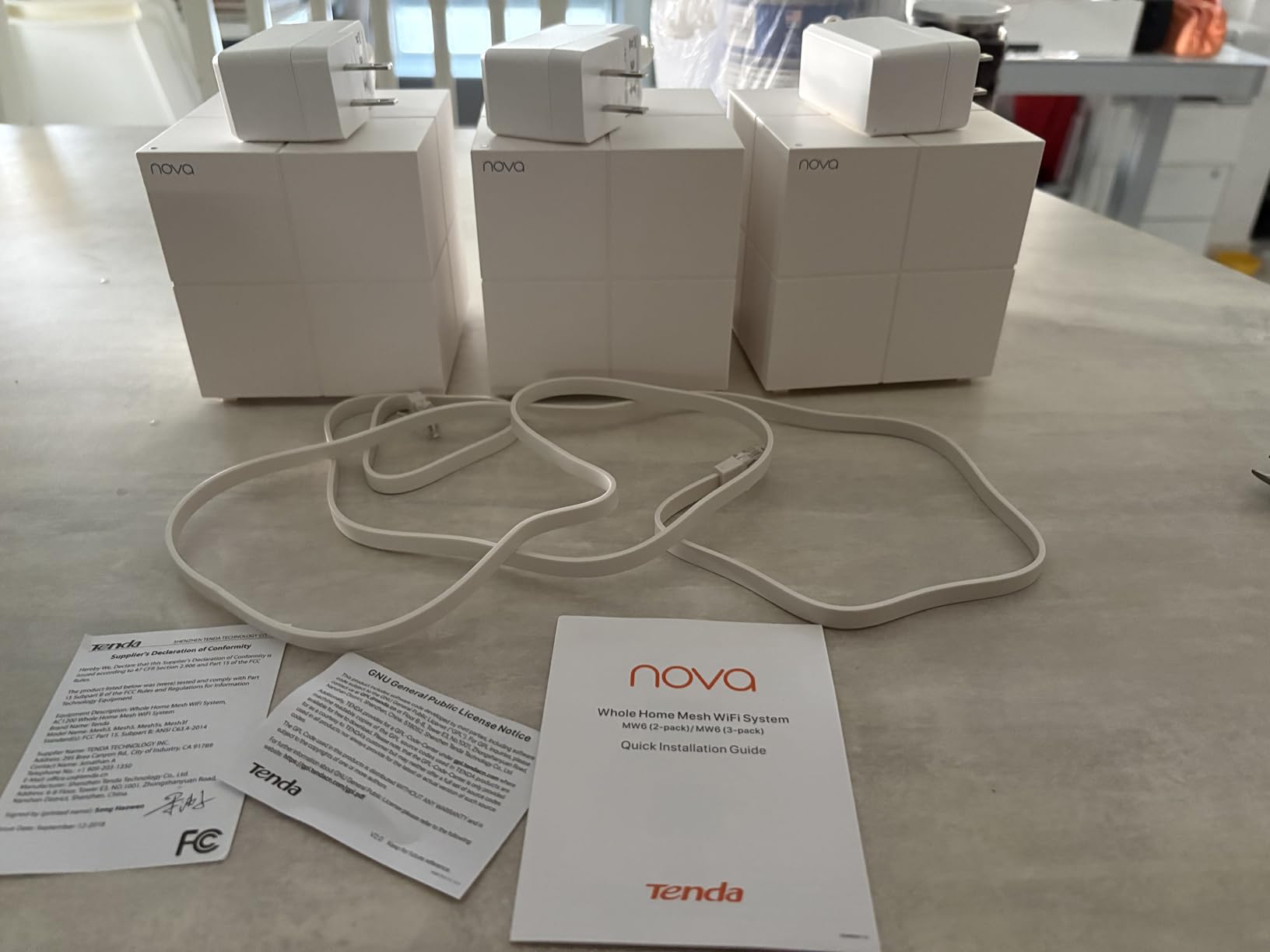
Reviewers consistently single out how well this handles difficult buildings. Thick concrete, metal barn walls and multiple floors are where cheaper mesh kits fall apart, and the MU-MIMO plus beamforming setup holds up better than expected. A three-year warranty is the longest included here.
The recurring complaint is roaming behaviour. Devices sometimes stay attached to a node that is no longer the closest one, which shows up as slow speeds in a room next to another node. Band control in the app is also limited to a single option for both bands.
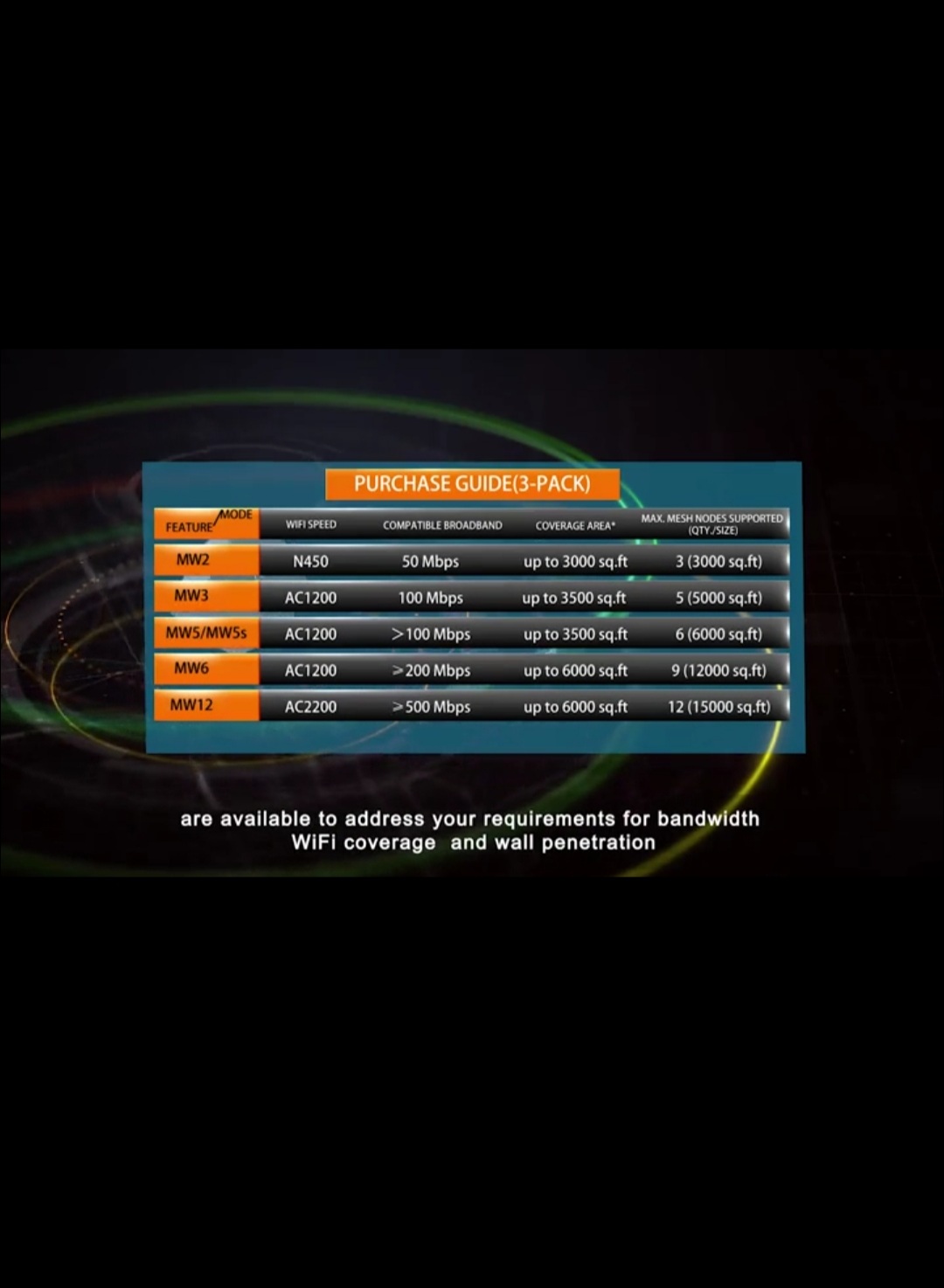
There are also reports of individual units failing after around a year, so keep the three-year warranty information somewhere you will find it. Management is app-only with no web interface, and it is Wi-Fi 5 throughout. Within those limits, it is hard to beat for coverage per dollar on a large rural property.
How to Choose a Router for Rural Internet
The first question is not which router. It is which carrier actually reaches your property. Test a phone on each carrier at the house, at the shop and at the far end of the property before spending anything on hardware. Everything else follows from that result.
Next comes the router type. A combo CPE unit contains the modem and the Wi-Fi in one box, which is simple and all-in-one. A modem-only unit gives you Ethernet and lets your own router or a mesh system handle Wi-Fi, which is the better choice once you have more than one building to cover. An outdoor PoE unit is the third option and lives on a wall or pole to push coverage across a yard.
Then look at antenna connectors. TS-9 and SMA are the two standards you will meet, and a router with two or more external cellular connectors gives you somewhere to go when the signal is poor. TS-9 is threaded like a bolt and needs care not to cross-thread; SMA uses a centre pin and is more forgiving. Both work fine when matched to the right antenna cable.
Check unlocked versus carrier-locked before anything else. A locked router ties you to one provider’s bands and often blocks third-party antennas. Unlocked hardware lets you switch carriers, which is the single change people most regret not making earlier.
SIM card size is a smaller detail but a real one. Full-size 2FF, micro and nano slots are all in circulation and cheap adapters cover the differences, so a micro slot with a nano adapter is not a blocker. The bigger question is whether the router supports your carrier’s bands at all.
On the 4G versus 5G question, be realistic. 4G LTE is the same thing people call 4G, and it is faster than older 3G technology by a wide margin. A 5G router only helps where 5G reaches your address, and in many rural areas it does not. A solid Cat 4 or Cat 6 LTE connection with a good antenna will beat a 5G router pointed at an empty band plan.
Wire the modem to your Wi-Fi properly. Run Ethernet from the router’s LAN port into your mesh system’s WAN port, or switch the router into AP mode so it stops routing. That one cable avoids a layer of network address translation that breaks some remote access and gaming setups.
And know when not to buy cellular hardware. If fiber or cable is available at your address, buy that instead. A cellular router is the right answer when no wired line reaches you, or as a backup to an existing line that keeps dropping.
The same spec-sheet discipline we use when matching tools to jobs in our guides to the best hobby CNC routers and the best plunge routers applies here: check the one specification your job depends on before reading anything else on the page.
External Antenna Guide: TS-9 vs SMA and Directional vs Omni
External antennas are the most cited upgrade on rural internet forums and the most commonly misunderstood. A better antenna cannot create coverage where no tower exists, but it can recover most of the loss from distance, walls and terrain.
An omnidirectional antenna spreads signal in every direction, which is right when you do not know exactly which way the tower sits or when several towers are nearby. A directional antenna concentrates energy into a narrow beam and reaches much further, at the cost of having to point it correctly. Finding your tower on a carrier coverage map is the first step in aiming one.
Mounting height beats antenna quality more often than people expect. Every foot of extra height clears more obstruction, so a rooftop or eave mount on the side of the house facing the tower usually outperforms a better antenna sitting in a window. Keep the cable run short where you can, because long runs of thin coax eat the gain you just bought.
Match the connector before you buy anything. If the router has TS-9 ports, buy a TS-9 antenna or a pigtail with the right connector on the router end. SMA is the more common standard on consumer routers and on most aftermarket antennas. Do not force a connector that does not match, and do not crank a TS-9 tight.
One last check. Some routers expose their cellular antennas through the Wi-Fi antenna ports, so verify in the documentation which connectors are cellular before you plan the mount.
Data Plans, Caps and the 24-Month Cost
The hardware is rarely the expensive half of a rural internet setup. When you compare routers, compare the full two-year figure: hardware plus the monthly plan times twenty-four. A router that looks cheaper can end up worse if the plans it supports carry soft caps that slow you down later.
A soft cap is different from a hard cap. Past the threshold, your traffic still flows but it is deprioritized behind everyone else on that tower, which during busy evening hours feels like the internet has gone out. Residential unlimited plans usually advertise unlimited data and still apply a threshold that moves you into that lower queue, so read the plan terms for the word deprioritization before you commit.
Voice and video traffic is treated differently from ordinary browsing by some plans. If you work from home and run calls all day, look for a plan that treats that traffic without a threshold, because it is the difference between a connection that works on a Monday and one that does not.
Price the whole thing at twenty-four months, not at purchase. Check the current price of the hardware and the current monthly cost of the plan you need, then multiply. If the router has no external antenna ports, assume you may need one later and include that in the total.
Do You Need a Router With Starlink?
You do not need one. Starlink ships with its own router and it works out of the box. What many rural users do instead is put their own router or mesh system behind the Starlink unit, because the included Wi-Fi does not reach far enough for a house plus outbuildings.
Set the Starlink router into bypass or router-off mode, then connect your own router to its Ethernet port. Your devices join your network with your own password, your own parental controls and your own coverage. This is the same handoff people do with a cellular modem, and the setup is identical.
As for walls, satellite and cellular signals both struggle with masonry and metal siding, and the included router is no exception. A dedicated access point in the far part of the property does more good than any router upgrade in the house.
Running cellular alongside satellite is a growing pattern on rural homesteads. Satellite throughput drops in heavy rain, and a cellular router on a separate carrier covers those outages. Homesteaders describe the combination as more dependable than either service alone, and it also gives you a second network for remote work.
Frequently Asked Questions
What is the best router for rural areas?
The best router for rural areas is an unlocked cellular router with a SIM card slot and at least two external antenna connectors. It should support the carrier with the strongest signal at your exact address. If no wired line reaches you, a 4G LTE Cat 4 or Cat 6 modem paired with a mesh Wi-Fi system is the most reliable and affordable setup.
What is the best 4G LTE router?
For most rural homes the best 4G LTE router is one with LTE Category 4 or better, four or more external antennas, and Gigabit Ethernet ports. The Cudy N300 LT400 is our pick for signal reception and simplicity, while the MOFI 4500 covers more carrier bands if you need to test AT and T, T-Mobile and Verizon.
What is the best 4G router for home use?
For home use, pair a 4G router with a separate mesh system rather than relying on its built-in Wi-Fi. Run Ethernet from the router LAN port to the mesh WAN port, or set the cellular router to AP mode. Single-band 2.4GHz units are fine as modems but too slow to cover a whole rural house on their own.
Do SIM card routers support external antennas for better signal?
Most SIM card routers do, through either TS-9 or SMA connectors on the cellular side. Check the documentation to confirm which ports are cellular rather than Wi-Fi, since some routers share them. An external antenna cannot create coverage where no tower exists, but it recovers much of the loss from distance, walls and terrain.
Do you need a router to work with Starlink?
No. Starlink includes a router that works on its own. Many rural users put their own router or mesh system behind it by switching the Starlink unit into bypass mode and connecting their router to its Ethernet port, which gives better coverage and their own Wi-Fi controls.
Which one is faster between 4G and 4G LTE?
They are the same thing. 4G and 4G LTE both refer to LTE, the fourth generation of cellular data service, and both are much faster than the 3G technology they replaced. When people compare them, they are usually comparing an LTE Category 4 modem to a Category 6 or Category 16 modem with carrier aggregation.
Final Verdict on the Best Routers for Rural Internet in 2026
The best router for rural internet is the Cudy N300 LT400 when you have no wired line, and the TP-Link Deco S4 for spreading whatever connection you have across a rural house. Together they cover the two decisions that matter: getting a usable signal from a tower, and turning it into Wi-Fi that reaches every room.
If 5G genuinely reaches your address, the Cudy P5 with its dual SIM slots and detachable SMA antennas is the stronger long-term machine. If you are unsure which carrier works, the MOFI 4500 lets you test three of them. And for a barn or shop, the EAP225-Outdoor gets power and Ethernet out there and holds up through the weather.
Test your coverage before you buy. Put a phone on each carrier at your house and your outbuilding, note which one holds signal, then buy unlocked hardware that supports it. That one afternoon of testing saves weeks of guessing.